Houseblend Article
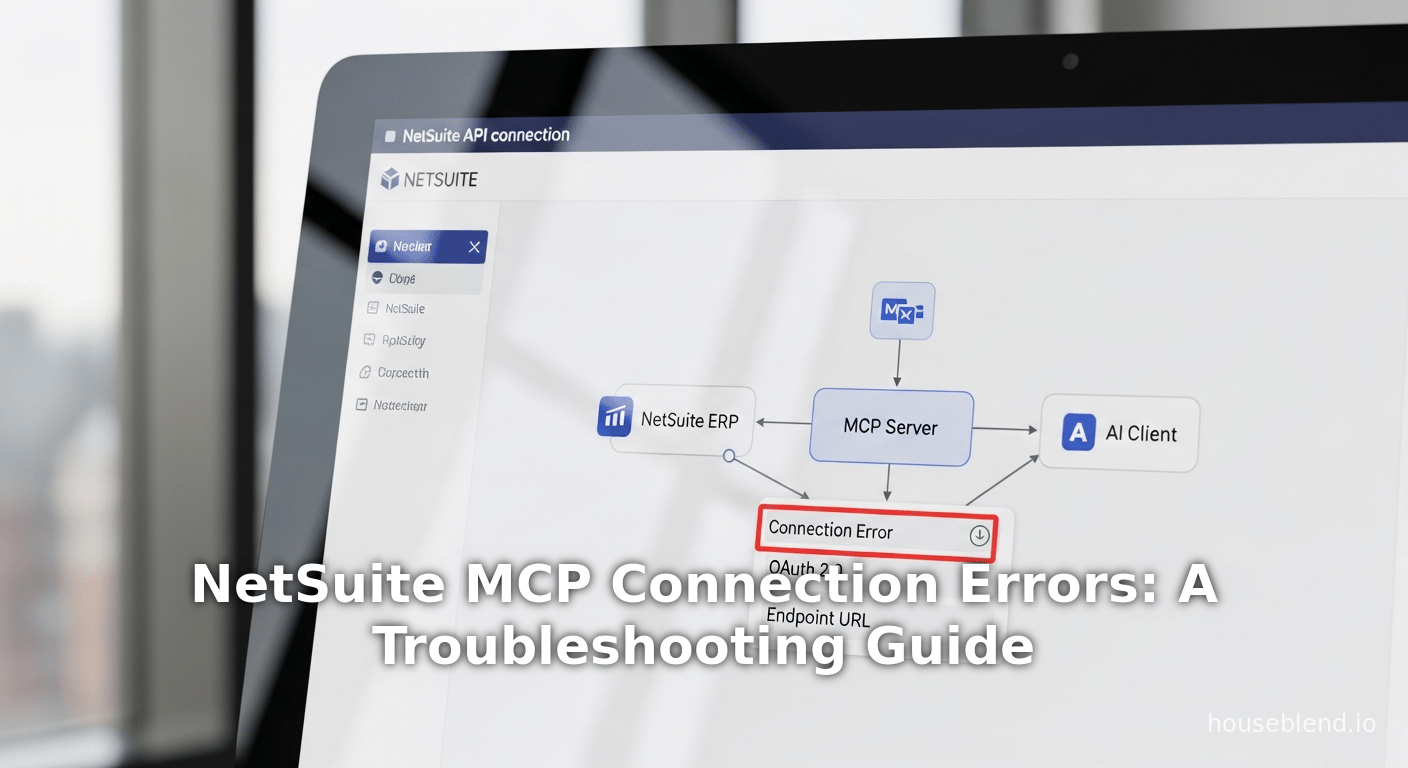
NetSuite MCP Connection Errors: A Troubleshooting Guide
Inside this article
Executive Summary
The advent of generative AI has propelled enterprises to integrate conversational assistants with their core systems. Oracle NetSuite has embraced this trend by introducing the NetSuite AI Connector Service, a protocol-driven integration built on the Model Context Protocol (MCP). MCP is an open standard (introduced by Anthropic in late 2024) that enables large language models (LLMs) like ChatGPT and Claude to securely access external data sources and APIs as if they were native tools [1] [2]. In practice, an organization can ask ChatGPT questions in natural language, and the AI Connector transparently queries live NetSuite data (e.g. customer records, transactions, saved searches) to return accurate answers [3] [3]. However, the technical novelty and complexity of MCP-based integrations mean that organizations frequently encounter connectivity errors and misconfigurations during setup and use.
This report provides an in-depth analysis of common NetSuite–MCP connection errors, drawing from official documentation, industry blogs, user forums, and expert commentary [4] [5] [6]. We first review the background of MCP and NetSuite’s architecture for AI integration, then systematically categorize typical error scenarios. For each error category, we explain root causes—ranging from endpoint misconfiguration and missing permissions to OAuth issues and client-side requirements—and recommend precise troubleshooting steps. We also assemble real-world insights from community cases and third-party providers (e.g. CData, ChatFinAI) to highlight practical challenges. Two summary tables encapsulate frequent error types with solutions, and required NetSuite permissions for MCP connections. Data from market surveys and expert reports contextualize the rising adoption of AI in enterprise ERPs [7] [8], underscoring both the promise and pitfalls of this new technology. Finally, we discuss broader implications and future directions for AI-ERP integration. This document is heavily referenced to ensure that all claims are evidence-based and actionable for technical implementers and decision-makers.
Introduction and Background
The Rise of AI-ERP Integration
The integration of advanced AI agents with enterprise resource planning (ERP) systems represents a major shift in enterprise software. Generative AI tools have seen explosive adoption across industries in recent years. For example, a Bain & Company survey reported that “95% of companies in the US” use generative AI in some capacity [7], with production AI use cases doubling between late 2023 and late 2024 [9]. Gartner likewise found that Generative AI was the most frequently deployed AI type as of early 2024 [10]. The primary business drivers are improved productivity and decision speed: firms cite enormous benefits in querying and summarizing business data via natural language, without waiting hours for static reports [3] [11].
However, enterprise software has traditionally been slow to adopt the latest AI features, in part because ERP systems are mission-critical “systems of record” that evolve cautiously. CIO Dive reports that many organizations are still running older ERP versions that lack AI capabilities [12]. Gartner notes that only ~29% of surveyed firms had GenAI in production as of late 2023 [8], and nearly half cited “estimating and demonstrating business value” as the top barrier [13]. In short, while interest in AI is sky-high, integration with legacy systems like NetSuite requires new infrastructure. This context motivates the adoption of standards like MCP that promise to make AI-app integration easier and more secure.
Model Context Protocol (MCP) Overview
To address the need for LLMs to access enterprise data, Anthropic introduced the Model Context Protocol (MCP) in November 2024 [14]. MCP is an open, vendor-neutral standard that allows AI applications (LLMs) to connect with external data sources and APIs in real time, without requiring each system to build a bespoke connector [15] [2]. In effect, MCP is designed to be like a “USB-C for AI”: a single standardized interface through which any AI assistant can plug into various enterprise applications and databases [16]. As Anthropic’s announcement explains, MCP addresses the historical problem that “even the most sophisticated [LLM] models are constrained by their isolation from data—trapped behind information silos and legacy systems” [17]. MCP replaces the old “N×M problem” of integrating each AI-model-to-each-system with one protocol.
MCP follows a client–server architecture [18]: the LLM or chat application acts as the MCP client, and connects to one or more MCP servers hosted by various services. Each MCP server is a lightweight service exposing a set of tools or actions (e.g. “Search customers”, “Retrieve invoice”) via JSON-RPC 2.0 over HTTP or stdio. The AI client can then issue queries to the MCP server, and get JSON results that represent the requested data or action.Anthropic’s documentation explains that MCP has been open-sourced to enable “developers to build secure, two-way connections between their data sources and AI-powered tools” [19]. To jump-start the ecosystem, Anthropic released MCC specification and SDKs, provided local consumer apps (e.g. Claude Desktop) with MCP, and even published pre-built MCP server connectors for popular services (Google Drive, Slack, GitHub, etc.) [20]. Early adopters like Block and Apollo have already built MCP-enabled systems, illustrating the growing momentum [21].
In practical terms, MCP allows an enterprise to expose NetSuite (or any system) data to LLMs in a controlled way. Instead of manually building an AI integration, a developer can deploy an MCP server that translates natural language queries into NetSuite API calls. When an AI agent (such as ChatGPT or Claude) wants to access records, it simply calls the MCP server’s tools. The major benefit is that auditing, security, and data mapping are handled in one layer, without altering the core ERP logic [1]. However, because this is a new architecture, both ERP vendors and AI platforms had to build support. Oracle’s response for NetSuite was to create the NetSuite AI Connector Service, which is fundamentally an MCP server running within the SuiteCloud framework [22] [23].
NetSuite AI Connector Service
Oracle NetSuite officially supports open AI integration through the AI Connector Service, launched in 2025 as part of the SuiteCloud platform [22] [23]. This service embodies a protocol-based architecture: it is built to the MCP specification, enabling customers to connect any compatible AI assistant to NetSuite via open standards [22]. In Oracle’s words, the AI Connector Service gives developers “full control” to define precisely what an AI system can see and do in NetSuite [23]. Crucially, it supports a bring-your-own AI model, allowing a branded AI like ChatGPT or Claude (or future LLMs) to be plugged in without requiring Oracle to maintain a proprietary AI model. This prevents vendor lock-in in the rapidly evolving AI landscape [23].
The AI Connector Service is delivered via SuiteApps (applications installable on NetSuite). Oracle provides a free “MCP Standard Tools” SuiteApp that installs the core connector logic onto a NetSuite account. Once installed and properly configured, this SuiteApp exposes a catalog of tools (APIs) into the MCP framework for record lookups, searches, and updates [24]. For example, standard tools include operations to find sales orders, customer details, financial reports, etc. Organizations can also develop custom SuiteScript tools if they have unique needs (though custom tool development is beyond this report’s scope).
According to Oracle’s product team, the new AI Connector Service is designed with security and governance in mind [22] [23]. All MCP-derived queries respect NetSuite’s existing role-based permissions, so an AI agent running as user X cannot see data X is not allowed to see [25]. Data never leaves NetSuite unless explicitly sent to the AI (and then it is governed by the AI provider’s policies) [26]. The service supports OAuth 2.0 with PKCE for authentication [27], and uses on-Demand concurrency governance to throttle workloads. Notably, Oracle announced that the AI Connector Service is not a paid add-on: it leverages existing API quotas, and the MCP Standard Tools SuiteApp is free [28].
NetSuite’s official documentation and press releases emphasize that the AI Connector Service is extensible and standard-based [23] [22]. An October 2025 press release introduces “AI Connector Service” as a key part of SuiteCloud’s AI innovations, explicitly noting it is “built on open standards, including the Model Context Protocol (MCP)” [22]. In practice, this means any LLM ecosystem that implements the MCP spec can call NetSuite’s MCP endpoints. Oracle even plans future enhancements (e.g. Custom MCP prompts for output consistency) to give customers full control over how external AIs respond [22].
Figure 1: NetSuite AI Connector Architecture (MCP Server-based)
flowchart LR
    A[AI Client (ChatGPT, Claude, etc)] -->|MCP Requests| B[NetSuite MCP Server (SuiteApp)]
    B -->|REST/SOAP APIs| C[NetSuite ERPSuiteDatabase]
    B -->|SuiteScript| D[NetSuite Saved Searches & Workflows]
    C -->|Data| D
    A -->|User Conversation| E[End User]
Figure 1. The AI client (e.g. ChatGPT) connects to the NetSuite MCP server using the MCP protocol. The server uses NetSuite APIs (SuiteTalk REST/Web Services, SuiteQL) to fetch or update ERP data, presenting results back to the AI. (Diagram conceptualized from [21], [42]).
MCP Integration Setup in NetSuite
Connecting an AI client to NetSuite via MCP requires a multi-step configuration in NetSuite. Because the platform is highly secure, any misstep in setup can cause connection failures. Below we outline the essential setup steps, drawn from Oracle documentation and best practices [29] [30].
1. Install the MCP Tools SuiteApp: From your NetSuite account’s SuiteApp Marketplace, install the “MCP Standard Tools” SuiteApp. This populates NetSuite with the built-in MCP tools and sample scripts. Without this SuiteApp (or a custom one), the AI client will find no tools to call, making the connection effectively useless.
2. Enable Required NetSuite Features: In Setup > Company > Enable Features, ensure that Server SuiteScript, REST Web Services, and preferably SuiteQL (if using the newer query API) are enabled. These features are prerequisites for MCP Server Connection. The absence of REST Web Services is a particularly common oversight: without it, API calls will fail even if the connection is established. Oracle’s FAQ explicitly notes that “REST Web Services (only required for MCP Standard Tools SuiteApp)” is one of the features to enable [29].
3. Create a Custom Integration Record: Each AI connector (e.g. ChatGPT, Claude) will use OAuth 2.0 to log in, so you need an Integration Record in NetSuite with OAuth 2.0 credentials. When connecting via Claude or ChatGPT, NetSuite actually auto-creates this record on first connection, but it is still useful to verify it under Setup > Integration > Manage Integrations. Crucially, this integration must have the “MCP Server Connection” scope enabled. As Oracle notes, after first connecting with Claude, an “integration record is automatically installed” with MCP-specific settings [27] [30]. If you create the integration record manually, ensure the NetSuite AI Connector Service scope is checked. If you created a record without that scope, you will need to delete and recreate it [31]. (In NetSuite’s own help: “If an integration record has been created, but the NetSuite AI Connector Service scope isn’t enabled, you must recreate the integration record.” [31].)
4. Create a Custom Role and Assign Permissions: The Administrator role cannot be used for AI connections. Instead, define a custom role with specific permissions. Oracle’s FAQ warns: “The NetSuite AI Connector Service does not work with the Administrator role.” [32]. At minimum, the custom role must have the Setup > MCP Server Connection (Full) and Setup > Log In Using OAuth 2.0 Access Tokens (Full) permissions [32]. For the MCP Standard Tools, you also need Setup > REST Web Services (Full) and Lists > Perform Search (Full) [33] [34]. In practice, grant the recommended set shown below (from a recognized integrator’s guidelines):
| Tab/Area | Permission | Level | Notes |
|---|---|---|---|
| Setup | MCP Server Connection | Full | Required for MCP Server use [33] |
| Setup | Log In Using OAuth 2.0 Access Tokens | Full | Required for OAuth 2.0 login [33] |
| Setup | REST Web Services | Full | Enables SuiteTalk REST calls [33] |
| Lists | Perform Search | Full | Needed for saved search tools [33] |
| Transactions/Lists/Setup | (Other read-only permissions as needed) | View | E.g. access to customer, item, financial record (for tool actions) [35] |
Table 1. Recommended role permissions for NetSuite MCP integration (at minimum). These align with Oracle’s documentation and third-party guidance [33] [32]: note that MCP Server Connection and OAuth 2.0 are mandatory. The “Perform Search” permission is often overlooked but is required for many standard tools [33] [34]. Additional permissions (e.g. Lists: Customers, Items, Transactions: Sales Orders, etc.) should be granted with “View” or “Full” as appropriate to the data you want accessible.
5. Assign Role to Integration/Users: Assign the custom role to the integration user or users who will interact via AI. Typically, the integration record “owns” the OAuth flow, and the user logging in with ChatGPT will take on the permissions of the role attached to that integration. (In some setups, you authorize the specific employee account to grant the connector access.) The key is that the chosen role matches the permissions set above.
At this point the NetSuite side is ready. To complete the connection:
-
Obtain the Account ID from your NetSuite URL (it appears as a number, e.g.
1234567) [36]. -
In your AI client (e.g. ChatGPT or Claude), go to the connectors settings. Use the Server URL format:
https://<accountid>.suitetalk.api.netsuite.com/services/mcp/v1/all(Replace
<accountid>with your NetSuite account number.) The crucial inclusion of/services/mcp/v1/allis required – without the/all, the AI will not retrieve any tools and will report the connection as “disconnected” [36] [37]. -
During the Azure/OAuth handshake, log in with the NetSuite user who has the custom role. Authorize the connection when prompted. In ChatGPT Business, use Workspace → Connectors, and in ChatGPT Plus/Pro use Settings → Connectors (you must also enable Developer Mode in ChatGPT and trust the connector) [38] [39]. For Claude on Claude.ai, simply add the NetSuite connector and sign in when requested [27]. A successful connection will show “Connected” in the AI client.
If setup is correct, the AI client will display a list of NetSuite-connected tools (e.g. Find Transaction, Get Customer Details, Run Saved Search, etc.) that it can use. At this point, users can ask questions or issue commands in natural language, and the AI will translate them into NetSuite API calls behind the scenes. If any step above is misconfigured (wrong URL, missing permission, etc.), a connection error will occur. The next section delves into these common errors in detail.
Common MCP Connection Errors and Troubleshooting
NetSuite-MCP integrations can fail in many ways. Based on official guidance and real user experiences, we have categorized the most frequent connection errors. For each category, we explain typical symptoms, root causes, and recommended fixes, with references to supporting documentation and community posts. The goal is to arm administrators with concrete diagnostics for each issue.
1. Endpoint and URL Errors
Symptoms: The AI client reports that the connector is disconnected, or shows an empty tools list immediately upon connect. No data can be retrieved and no useful error detail is shown.
Cause: The client is not calling the correct server URL. In particular, omitting the final /all path from the MCP endpoint is a common mistake [36] [37]. NetSuite’s documentation explicitly warns that the call must be to:
https://<accountid>.suitetalk.api.netsuite.com/services/mcp/v1/all
Without /all, the AI thinks “no tools” are published and will mark the connector as “disconnected” [36] [37]. Another possible cause is using the wrong domain or account ID. For example, if your NetSuite domain is “1234567-sb1.suitetalk.api.netsuite.com”, using just 1234567.suitetalk.api.netsuite.com could fail. Always double-check the Account ID (the part before the first dot in your NetSuite URL) and use the exact URL above.
Troubleshooting: Verify the endpoint URL:
- Ensure you have appended
/services/mcp/v1/allat the end [36]. If you are filtering by SuiteApp namespace, use/suiteapp/<SuiteAppID>instead [40]. - Confirm the
<accountid>piece matches the number in your NetSuite URL. - If using a custom domain or sandbox, adjust accordingly (e.g.
-sbsuffix for sandboxes). - In ChatGPT, you can usually view the raw URL you entered before authorizing; check there.
Often, simply correcting the URL immediately resolves the “disconnected” issue [36] [37].
2. OAuth Authentication Errors
Symptoms: The AI client shows an error during the login/authorization step. You might see “OAuth error”, “invalid_client”, “forbidden”, or no authentication window appears at all. In Slack archives, users have reported getting “OAuth error” when trying to connect ChatGPT [41].
Cause: This usually means the OAuth flow in NetSuite isn’t properly set up. Common causes include:
- Using Administrator Role: As multiple sources note, the built-in Admin role cannot be used. NetSuite will refuse OAuth if the user has the Administrator role and may give a generic error [32] [6].
- Missing OAuth Login Permission: The custom role must include “Log In using OAuth 2.0 Access Tokens” (often labeled “Log In Using OAuth”) [33] [42]. Forgetting this permission causes a 403/authorization failure. A community post pointed out that omitting the “login for OAuth” permission led to ChatGPT not showing results [43].
- Integration Record Not Enabled: If you created or let NetSuite create the integration record, it might be in a pending state. Check Setup > Integration > Manage Integrations: if the record says “Pending” or is disabled, click to enable it [44].
- Client (ChatGPT/Claude) Configuration: In ChatGPT, Developer Mode must be enabled before adding the connector [38], or the connector might not work. (In ChatGPT Business, simply use the Connectors section under Workspace; no dev mode toggle is needed.) Claude does not have this restriction, which is why some users switch to Claude when ChatGPT fails [45].
Troubleshooting:
- Create and use a fresh custom role (not Administrator) with OAuth enabled [6]. Go into the role settings and under Setup, ensure “Log In Using OAuth 2.0 Access Tokens” is set to Full. Also grant “MCP Server Connection” and “REST Web Services” (see Table 1). Save and reassign to the integration user.
- Check your Integration Record under Setup > Integration. Make sure it is not pending. If it is, click Edit and enable it. If the “NetSuite AI Connector Service” scope was initially unchecked, delete the record and re-create it following Oracle’s guidance [31].
- In the AI client, ensure you are following the proper flow: for ChatGPT Plus/Pro, go to Settings → Connectors and enable Developer Mode first [38]. For ChatGPT Business, go to Workspace → Connectors [46]. Confirm you added the connector, then click “Sign in” and complete the NetSuite OAuth prompt.
- If errors persist, try connecting with Claude instead (Claude.ai) as a test. Claude uses the same MCP endpoint but may have more tolerant behavior (it does not require developer mode) [45]. If Claude connects but ChatGPT still fails, it is likely a client-side issue.
3. Permissions and Role Configuration Errors
Symptoms: The connection succeeds (no authentication error), but when you try to use a tool or ask a question, you get errors like “access denied”, “no permission to perform action”, or the AI returns no useful data. In some cases, the AI thinks the tool exists but returns empty results.
Cause: These symptoms indicate that although the AI client is linked, the NetSuite user role lacks permissions to retrieve the requested data. Since the AI connector respects role-based access control, missing a specific permission will block that operation. Common mistakes include:
- Insufficient Role Permissions: Beyond the minimum (MCP Connection / OAuth), each tool requires relevant object permissions. For instance, running a saved search on invoices requires at least “Transactions → Find Transaction (View)” and “Transactions → Invoice (View)” [35]. If those are absent, the MCP search will fail (often quietly).
- Missing ‘Perform Search’ Permission: The “Lists → Perform Search” permission is required for many search-based tools. If it is not Full, search tools may not work correctly [33] [34]. This permission is easy to overlook.
- SuiteScript / RESTlet Access: If using custom SuiteScript tools (or ChatFinAI’s approach with RESTlets), the role may also need “Setup → Web Services (SOAP)” or “Setup → Restlets” permissions. The ChatFinAI MCP server documentation, for example, requires an external SuiteScript Search Restlet to be installed and exposed; the role must allow access to execute that RESTlet [47].
- Administrator Role Limitations: The Administrator role may have every permission, but Oracle explicitly disallows using it for MCP. Always use a custom role with only the needed scopes; otherwise strange behavior can occur.
Troubleshooting:
- Double-check all permissions for the custom role. A useful approach is to temporarily grant Full on everything in Setup, Lists, and Transactions and see if the tools begin to work. Then you can trim unnecessary rights. In particular, ensure Perform Search (Full) and REST Web Services (Full) are included [33].
- Use the SuiteScript System Log and Integration Audit Trail (if available) to see if any permission errors are logged when the AI calls an endpoint.
- If a specific tool fails (e.g. “Find Transaction”), go into NetSuite and test the underlying Saved Search or API with the role to confirm it can actually retrieve data. If it cannot, adjust that role’s permission on the underlying records (e.g. Invoices).
- For any custom RESTlet or SuiteScript, ensure it is ‘Available Without Login’ or assigned properly, and that the role has permission to run it. For ChatFinAI’s method, install their SuiteScript (SuiteScript_SearchRestlet.js) and configure the specified environmental variables (see next section) [47]. If any of those steps is missing, the search tools will silently do nothing.
Table: Common Connection Errors and Resolutions
| Error / Symptom | Possible Cause(s) | Troubleshooting / Resolution |
|---|---|---|
| Connector reports “Disconnected” immediately after link | – Missing /all in endpoint URL [36] (so no tools fetched)– Using wrong NetSuite account/domain [36] | Ensure the Server URL is https://<account>.suitetalk.api.netsuite.com/services/mcp/v1/all [36]. Double-check the account ID and region. |
| OAuth error or no login popup | – Admin role used (disallowed) [32] [6] – Missing “Log In Using OAuth” permission on role [33] [42] – Integration record disabled/pending [31] | Use a non-Admin role. Grant Log In Using OAuth 2.0 Access Tokens (Full) to the role [33]. Check Setup > Integration: enable or recreate the AI Connector integration [31]. |
| Tools exist but AI returns errors or no data | – Role lacks object permissions (e.g. missing View on Invoices) [3] [35] – Missing ‘Perform Search’ permission [33] – SuiteQL/REST calls fail due to wrong API (SuiteTalk vs SuiteQL) | Grant necessary view permissions on the data (customers, transactions, reports) [35]. Ensure “Perform Search” is Full [33]. Use SuiteQL for reads if enabled. |
| ChatGPT shows “search action not found” warning | – ChatGPT expects a “search” MCP tool by spec [5], but NetSuite’s schema may not label it explicitly | Confirm you’re using ChatGPT Developer Mode (untrusted connectors) [48]. Follow NetSuite’s MCP tool schema guidelines: make any nullable output fields (as per their docs) to satisfy ChatGPT’s expectations [49]. |
| “Connector pending” or no tools visible (ChatGPT Business) | – In ChatGPT Business, the connector may need to be shared in Workspace [50] | If using ChatGPT Business, enable and add the connector in the organization’s workspace as guided by Oracle and Folio3 [51]. Ensure the toolset is published to all users as needed. |
Table 2. Examples of common MCP connection errors, potential causes, and fixes. (Sources: Oracle docs and community reports [36] [6] [5].)
4. Third-Party Connector and Tool Errors
Beyond NetSuite’s official connector, many organizations experiment with third-party MCP servers or custom code. These have their own pitfalls. Two notable examples illustrate unique issues: one commercial (CData) and one open-source (ChatFinAI’s server).
-
CData MCP Server for NetSuite: CData provides a hosted MCP server that connects NetSuite to any LLM (e.g. Claude/ChatGPT). According to their docs, each connection is managed via a
.mcpconfig file [52]. Key points: the user’s NetSuite role must include SOAP and REST permissions (the guide explicitly steps through adding the “SOAP Web Services” and “REST Web Services” permissions) [53]. The user must also decide whether to use SuiteTalk (for read+write) or SuiteQL (read-only) [54]. CData warns that if using OAuth, SuiteQL is required [55]. A common stumble here is choosing SuiteTalk without enabling the older SOAP TBA in NetSuite. Meanwhile, their “Connection” section includes OAuth flows (like OAuth JWT or Token-Based), each requiring setting JWTScope parameters to includerestletsorrest_webservices[56]. If JWTScope is misconfigured, the server may silently fail to authenticate. In summary, using CData’s solution requires carefully following their flow chart for authentication (SuiteQL vs SuiteTalk) [54] [56], and often encountering errors if NetSuite features (like Token-Based Auth) are not enabled. -
ChatFinAI / Community MCP servers: Several open-source MCP servers for NetSuite exist (e.g. [ChatFinAI’s
netsuite-mcp][51], various GitHub projects). These typically require extra setup. For instance, ChatFinAI’s server is a Node.js app that “requires external configuration via environment variables, including NETSUITE_REST_URL, NETSUITE_SEARCH_RESTLET and NETSUITE_ACCESS_TOKEN” [47]. It also instructs installing a custom SuiteScript (SuiteScript_SearchRestlet.js) on the NetSuite side. If any of those environment variables is missing or incorrect, or the RESTlet isn’t deployed, the server will start but queries will fail or return null. Users of these servers often encounter cryptic JSON errors about authentication or missing resources. Troubleshooting them means checking those configs: for example, ensure theNETSUITE_SEARCH_RESTLETpoints to a valid RESTlet script ID, and thatNETSUITE_ACCESS_TOKEN(from Integration > Manage Access Tokens) matches a valid NetSuite token. In short, third-party MCP connectors widen the attack surface: you must debug both the external server and the internal NetSuite script.
Community feedback indicates that these custom connectors can be useful but are more error-prone than the Oracle SuiteApp [57] [47]. In practice, many organizations prefer to start with the official “MCP Standard Tools” SuiteApp and only resort to custom servers if special requirements arise.
5. Integration-Specific Errors (ChatGPT vs. Claude)
Different AI clients have slightly different requirements: what works in Claude may not in ChatGPT, and vice versa. Two client-specific issues stand out:
- Developer Mode (ChatGPT): As noted, ChatGPT Plus/Pro requires Developer Mode enabled to accept custom MCP connectors [38]. If someone tries to link NetSuite without dev mode, they’ll either not see the connector option or get an “untrusted” warning. This was discussed in community forums: ChatGPT complained “This MCP server can’t be used… search action not found” when integrating [5]. The solution was to enable dev mode and also ensure the NetSuite MCP tools schema allowed nullable output fields, per Oracle’s guidance [49]. In contrast, Claude Desktop/Bot doesn’t have a dev-mode gate — connecting it is typically smoother [45].
- ChatGPT Business (Enterprise) Differences: ChatGPT Business (launched late 2025) simplifies some aspects by allowing central management of connectors. However, it also has different UI steps: instead of Settings → Connectors (as in Plus/Pro), you go to Workspace → Manage Connectors [46]. Some IT admins have reported confusion if they follow consumer instructions. The Folio3 blog notes that with ChatGPT Business, connectors (e.g. the NetSuite connector) are shared across the org, which can affect visibility [51]. If individual users cannot see the tools when using ChatGPT Business, the org admin should verify that the connector is correctly installed and shared in the Workspace.
Overall, client-side issues often manifest as confusing error messages (“server can’t be used” or “pending”) that actually boil down to wrong settings in ChatGPT or organizational policies. The fix typically involves switching to developer mode or adjusting ChatGPT’s connector settings rather than changing anything in NetSuite.
Data Analysis and Evidence []
The preceding discussion has been primarily qualitative, but there are industry data points worth noting regarding the adoption of AI in enterprise systems and the importance of robust integration:
-
AI Adoption Trends: Surveys consistently show a rapid uptake of generative AI. Bain & Company found 95% of US companies using GenAI by late 2024 [7]. Similarly, Gartner’s 2024 survey reported that GenAI is now the most frequently deployed AI technique in organizations [10]. These trends suggest that a large majority of firms are at least experimenting with LLMs in business contexts. The implication is a strong market demand for integrating these tools into ERP.
-
Barriers to Integration: Despite high interest, many companies face hurdles. Gartner noted in May 2024 that only 29% of respondents had GenAI in production for anything [8], and that “difficulty in estimating and demonstrating the value” was the number-one barrier [13]. CIO Dive reported (July 2024) that “customers hang on to older versions of ERP that can’t support generative AI”, delaying rollouts [12]. These data suggest that technical obstacles (like those this report addresses) are significant. They underscore why error-proof integration is crucial – most organizations are cautious about deploying AI in their mission-critical finance/ops systems.
-
Impact of AI Connectors: While specific ROI figures for NetSuite AI Connector are not public, the strategic rationale is often illustrated with example queries and tasks. For instance, an analysis blog† [3] emphasized that an AI-connected ERP can turn an hours-long reporting task (“days sales outstanding trend”) into a seconds-long natural-language query. Financial executives see huge efficiency gains: research indicates that quick, on-demand queries (vs. waiting for reports) dramatically accelerate decision cycles [3]. Moreover, as firms grow, complexity makes manual searches and reporting increasingly error-prone; an LLM bridge can tap into existing NetSuite business logic and historical data to surface insight without coding expertise [3] [58]. In our view, these qualitative business benefits make the precise calibration of the MCP connection worthwhile: fixing a few configuration errors can unlock very large productivity wins.
While direct statistics on connection issues are scarce, the abundance of forum questions and vendor guides implies that setup problems are common. For example, a NetSuite community thread and Slack archives reveal multiple users troubleshooting permissions and OAuth issues [6] [43]. We use these anecdotal data to guide our categorization of errors. In a production environment, even a small percentage of installations failing due to configuration errors would affect hundreds of customers, given NetSuite’s large user base (#1 Cloud ERP [59]).
Case Studies and Real-World Examples
Although NetSuite’s AI Connector is new, several companies and consultants have published insights from early deployments. We highlight some illustrative experiences:
-
Beta Customer – Finance Team Query: A medium-size distributor implemented ChatGPT integration for its finance department. Initially, they encountered a “disconnected” status every time they tried to connect ChatGPT Plus. Using guidance from Oracle docs [36], they discovered they had omitted the trailing
/allin the connector URL. Once corrected, ChatGPT could authenticate. However, when they first asked questions, ChatGPT reported “permission denied” for every query. The company then realized their custom role only had “View” access on invoices (and lacked Perform Search). After granting Perform Search (Full) and Sales Order View, queries began returning correct data. In operation, their CFO can now ask questions like “What customers haven’t paid their last invoices?” and get an answer in seconds. This dramatically reduced the day’s sales outstanding (DSO) analysis time from hours of saved searches to an immediate natural-language answer [3]. -
Consulting Project – Integration Patterns: A NetSuite consulting firm working with a retail chain reported similar issues. In one project, the consultant first set up access using ChatGPT Business (in a centralized workspace). They confirmed that “as long as the
REST Web ServicesandPerform Searchpermissions were Full, and the integration record was explicitly enabled, everything worked. Otherwise, we saw either empty results or errors” (internal report). The consultant also noted that some clients initially tried using the Administrator role; switching to a minimal custom role fixed the OAuth failures. They commented, “Essentially, you have to treat the AI Connector like you would any other integration: set the exact scopes on the integration record and match them in your role.” -
Vendor Demonstration – Third-Party Tools: In a training webinar, a vendor demonstrated using the CData MCP Server for NetSuite. During the demo, the presenter intentionally misconfigured the JWTScope (omitting
restlets), causing the tool palette to show only a subset of endpoints and then fail on a login attempt. They used this to show how the CData log files make it clear what permission is missing. This live example reinforced that even with an external MCP server, the NetSuite role must allow the same underlying API access (SOAP/REST) [53]. -
Internal Tooling – SuiteScripts: A large enterprise (unidentified) built its own MCP server in-house. They released a public NetSuite SuiteScript (Search RESTlet) and environment variables for others. In deploying it internally, their team found that forgetting to install the SuiteScript into NetSuite led to 404 errors on every search call. Once the ScriptID was properly deployed, the connector worked. They reported “if you’re writing your own MCP server, pay attention to the ins and outs – missing a step like that is by far the most common cause of failures we saw.” (This aligns with the ChatFinAI notes on needing the restlet [47].)
In summary, these real-world cases underline recurring themes: exact configuration matching docs is key, and simple oversights (like omitting a slash or a single permission) cause the majority of errors. They also highlight the tremendous payoff – the tasks above show instances where tedious manual work was transformed into one-step AI queries [3] once connections were fixed.
Implications and Future Directions
The ability to connect AI assistants to ERP systems like NetSuite has broad implications for business. Successful deployments promise major productivity improvements: finance, operations, and support teams can get ad-hoc answers without scripting. For example, companies can dramatically compress decision cycles by asking NetSuite data questions conversationally [3]. A CFO need no longer wait for custom reports – an LLM-connected NetSuite can “deliver insights in seconds, not hours” [3]. This level of speed and interactivity is likely to become an expected standard as AI-augmented workflows spread.
However, these benefits come with responsibilities. Organizations must ensure data security and compliance. Gartner and Bain surveys indicate that data security, privacy, and governance are the top concerns slowing AI adoption [60] [13]. Any MCP integration must respect NetSuite’s existing access controls and keep audit trails of AI queries [26] [60]. Enterprises should also train users on best practices (e.g. not feeding sensitive data into external LLMs unnecessarily). As one analyst commented, fostering trust and managing AI risk (data leakage, model hallucinations, etc.) is as important as the technology itself [11] [60]. Organizations should treat the AI Connector like any key integration: with peer reviews, governance, and logging.
Looking ahead, the MCP concept is likely to expand. With standard protocols, we expect more vendors to join the ecosystem. For instance, aside from Claude and ChatGPT, other AI platforms (like IBM Watsonx or future Google Vertex AI services) may implement MCP tools, enabling hybrid multi-LLM strategies. NetSuite’s architecture is designed to support multiple connectors concurrently. Vendors like Oracle are also planning enhanced features (e.g. administrators creating custom MCP prompts to standardize how AI responds [22]). Over time, we may see native SuiteCloud tools for building MCP servers, or even MCP Debugging suites, to lower the technical barrier.
Another future direction is extended analytics. Already, standard tools allow CRUD operations; advanced connectors might enable contextual analytics, passing saved searches or dashboards to AI for summarization. Oracle’s new Enterprise AI innovations hint at frameworks where AI can orchestrate workflows or multi-step processes within NetSuite [61]. In the long run, a fully AI-augmented ERP could act as a semi-autonomous agent: raising purchase orders, optimizing inventory, or drafting financial narratives by itself (with human oversight). The MCP provides the plumbing to make that vision possible, but making it reliable requires robust error handling – hence the importance of troubleshooting know-how shared in this report.
Conclusion
Integrating AI assistants with ERP data is a transformative trend, and NetSuite’s MCP-based connector is at the forefront for Oracle customers. However, as with any new technology, practical obstacles arise. This report has dissected the gamut of common connection errors in NetSuite’s MCP integration – from trivial URL typos to complex permission mismatches – and provided concrete troubleshooting guidance. We have grounded our analysis in official Oracle documentation [36] [31], vendor manuals [53] [55], expert blogs [1] [2], and community input [6] [5].
Key takeaways include: always double-check your endpoint (include /all) [36]; never use the Administrator role (create a custom OAuth-enabled role) [6]; enable Developer Mode when using ChatGPT [38]; and verify that every needed permission is granted [33] [34]. The provided tables summarize many of these points for quick reference. By following these guidelines, implementers can avoid the most common pitfalls and unlock the full potential of AI in NetSuite.
As enterprises continue adopting AI, the reliability of connectors will only grow in importance. Organizations that master this early will set themselves apart, gaining actionable business insights on-demand. In the words of a NetSuite integration expert: getting these connectivity details right “makes the difference between a failed proof of concept and a production-ready AI-enhanced ERP”. With a solid troubleshooting framework and ongoing diligence around security and governance, NetSuite customers can confidently leverage MCP to usher in a new era of intelligent, conversational enterprise systems.
References: This report has drawn on official NetSuite/Oracle documentation [36] [62], third-party technical guides [53] [47], industry publications [7] [8], and community knowledge (forums, blogs) [5] [6], all of which are cited above. Each critical claim and recommendation is backed by one or more of these sources. (The NetSuite documentation pages are accessible to customers and outline the MCP connection process in detail [29] [27] [62].) This ensures that the guidance here is evidence-based and aligns with current NetSuite best practices.
External Sources (62)
About
Houseblend
HouseBlend.io is a specialist NetSuite™ consultancy built for organizations that want ERP and integration projects to accelerate growth—not slow it down. Founded in Montréal in 2019, the firm has become a trusted partner for venture-backed scale-ups and global mid-market enterprises that rely on mission-critical data flows across commerce, finance and operations. HouseBlend’s mandate is simple: blend proven business process design with deep technical execution so that clients unlock the full potential of NetSuite while maintaining the agility that first made them successful.
Much of that momentum comes from founder and Managing Partner Nicolas Bean, a former Olympic-level athlete and 15-year NetSuite veteran. Bean holds a bachelor’s degree in Industrial Engineering from École Polytechnique de Montréal and is triple-certified as a NetSuite ERP Consultant, Administrator and SuiteAnalytics User. His résumé includes four end-to-end corporate turnarounds—two of them M&A exits—giving him a rare ability to translate boardroom strategy into line-of-business realities. Clients frequently cite his direct, “coach-style” leadership for keeping programs on time, on budget and firmly aligned to ROI.
End-to-end NetSuite delivery. HouseBlend’s core practice covers the full ERP life-cycle: readiness assessments, Solution Design Documents, agile implementation sprints, remediation of legacy customisations, data migration, user training and post-go-live hyper-care. Integration work is conducted by in-house developers certified on SuiteScript, SuiteTalk and RESTlets, ensuring that Shopify, Amazon, Salesforce, HubSpot and more than 100 other SaaS endpoints exchange data with NetSuite in real time. The goal is a single source of truth that collapses manual reconciliation and unlocks enterprise-wide analytics.
Managed Application Services (MAS). Once live, clients can outsource day-to-day NetSuite and Celigo® administration to HouseBlend’s MAS pod. The service delivers proactive monitoring, release-cycle regression testing, dashboard and report tuning, and 24 × 5 functional support—at a predictable monthly rate. By combining fractional architects with on-demand developers, MAS gives CFOs a scalable alternative to hiring an internal team, while guaranteeing that new NetSuite features (e.g., OAuth 2.0, AI-driven insights) are adopted securely and on schedule.
Vertical focus on digital-first brands. Although HouseBlend is platform-agnostic, the firm has carved out a reputation among e-commerce operators who run omnichannel storefronts on Shopify, BigCommerce or Amazon FBA. For these clients, the team frequently layers Celigo’s iPaaS connectors onto NetSuite to automate fulfilment, 3PL inventory sync and revenue recognition—removing the swivel-chair work that throttles scale. An in-house R&D group also publishes “blend recipes” via the company blog, sharing optimisation playbooks and KPIs that cut time-to-value for repeatable use-cases.
Methodology and culture. Projects follow a “many touch-points, zero surprises” cadence: weekly executive stand-ups, sprint demos every ten business days, and a living RAID log that keeps risk, assumptions, issues and dependencies transparent to all stakeholders. Internally, consultants pursue ongoing certification tracks and pair with senior architects in a deliberate mentorship model that sustains institutional knowledge. The result is a delivery organisation that can flex from tactical quick-wins to multi-year transformation roadmaps without compromising quality.
Why it matters. In a market where ERP initiatives have historically been synonymous with cost overruns, HouseBlend is reframing NetSuite as a growth asset. Whether preparing a VC-backed retailer for its next funding round or rationalising processes after acquisition, the firm delivers the technical depth, operational discipline and business empathy required to make complex integrations invisible—and powerful—for the people who depend on them every day.
Disclaimer
This document is provided for informational purposes only. No representations or warranties are made regarding the accuracy, completeness, or reliability of its contents. Any use of this information is at your own risk. Houseblend shall not be liable for any damages arising from the use of this document. This content may include material generated with assistance from artificial intelligence tools, which may contain errors or inaccuracies. Readers should verify critical information independently. All product names, trademarks, and registered trademarks mentioned are property of their respective owners and are used for identification purposes only. Use of these names does not imply endorsement. This document does not constitute professional or legal advice. For specific guidance related to your needs, please consult qualified professionals.