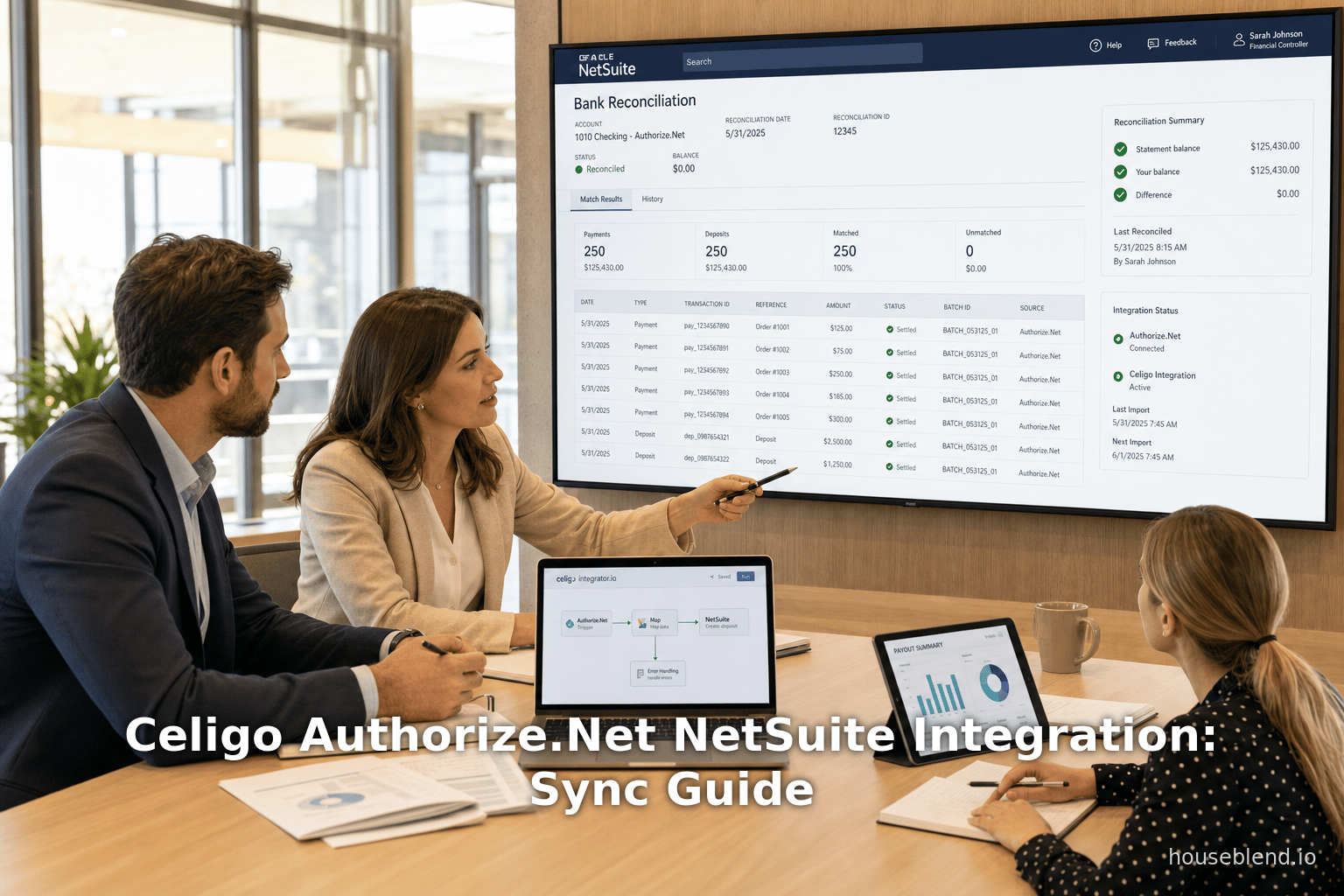
Houseblend Article
Celigo Authorize.Net NetSuite Integration: Sync Guide
Inside this article
- 01Executive Summary
- 02Introduction and Background
- 03Authorize.Net and NetSuite: Payment Gateway Context
- 04Celigo Integrator.io Platform Overview
- 05Payment and Settlement Data Flows
- 06Case Study Example
- 07Implementation and Configuration
- 08Data and Benefits Analysis
- 09Alternative Integration Approaches
- 10Case Study: Retail Example (Analytical)
- 11Security, Compliance, and Risk Management
- 12Future Directions and Implications
- 13Conclusion
Celigo Authorize.Net NetSuite Integration: Payment Sync & Reconciliation Guide
Executive Summary
Integrating Authorize.Net – a leading payment gateway – with Oracle NetSuite ERP through Celigo’s integrator.io platform provides dramatic efficiency, accuracy, and visibility improvements in payment processing and reconciliation. Celigo offers a pre-built Payout-to-Reconciliation integration app that automates ingesting Authorize.Net settlement batches into NetSuite, generating deposit records and identifying any discrepancies automatically [1] [2]. By replacing manual CSV downloads and spreadsheet entries, finance teams save tens of hours weekly; Celigo reports a typical savings of 40–60 hours per week on payout reconciliation [3] [4]. Customers of Celigo integration have observed up to 10× ROI and significant reductions in aged receivables (e.g. 20–30% reduction) due to the automation of order-to-cash processes [5] [6].
In practice, the Celigo integration uses two main flows: a Settled Batches to Payout flow and a Transactions to Deposits flow [2]. The first flow periodically pulls every new Authorize.Net settlement batch and creates a custom Celigo Payout record for each in NetSuite. The second flow processes each transaction (payments and refunds) in those batches, matches them to NetSuite sales transactions (invoices, cash sales, or refunds), and creates corresponding Bank Deposit records. When transaction amounts do not perfectly align, the system automatically generates Variance records flagged for review [7] [8]. This ensures NetSuite’s bank deposit totals always match the actual net funds remitted by Authorize.Net, preserving a balanced general ledger [2] [9].
This research report provides an in-depth analysis of the Celigo Authorize.Net–NetSuite integration. It begins with background on payment gateway usage and ERP reconciliation challenges, then examines the Celigo platform and the technical details of the integration. We analyze data on productivity gains and ROI, compare to alternative approaches, and include illustrative case scenarios. Finally, it discusses security/compliance and emerging trends. All claims are supported by current industry data and expert sources. The findings demonstrate that Celigo’s solution closes a common ERP gap, enabling real-time payments integration, reducing errors, and improving cash flow visibility and month-end close times to the benefit of finance organizations. [1] [9].
Introduction and Background
Modern businesses face an explosion of digital payments and e-commerce, driving unprecedented volume through online gateways. Authorize.Net (owned by Visa) is one of the most widely adopted gateways in North America, serving over 436,000 merchants and processing about $400 billion in transactions annually [10]. It enables merchants (retail, subscription services, B2B and B2C) to accept credit card and ACH (e-check) payments via websites or automated billing. Despite this ubiquity, many enterprise systems (including Oracle NetSuite) lack native support for Authorize.Net, forcing manual reconciliation of transactions [11] [12].
NetSuite, a leading cloud ERP for finance and commerce, offers built-in gateways like PayPal and Stripe, but Authorize.Net is notably missing from its out-of-the-box options [11] [12]. As a result, companies using Authorize.Net typically download settlement reports (CSV or API data) and manually create deposit entries in NetSuite or use spreadsheets to reconcile batch payments to invoices. This labor-intensive process is error-prone and time-consuming [13] [14]. For instance, manually keying dozens or hundreds of payment records per day can introduce typos, duplicate entries, or missed transactions, requiring lengthy error resolution and delaying financial close. According to industry analysis, manual payment processes can harbor 1–3% error rates, and each error may cost $25–$150 to correct [14]. In a mid-sized finance department, that can translate to millions of dollars in wasted labor annually (Source: www.avantit.pt) [14].
Moreover, B2B clients now expect the same digital convenience as consumers, including online invoicing and payments [15] [16]. The accounting processes must evolve: “Integrated payment processing enables the manual accounting process to work together with the payment process seamlessly,” reducing the steps needed to get paid and improving general ledger accuracy [16]. In practice, this means when a customer pays via Authorize.Net, the payment (and any refund or chargeback) should automatically post to the correct customer and invoice in NetSuite, and the bank deposit should reflect the exact net amount received, without human intervention.
The rise of cloud ERPs and the growing complexity of e-commerce has led to widespread adoption of Integration Platform-as-a-Service (iPaaS) solutions. These platforms act as middleware connecting disparate systems in real time. The global iPaaS market was valued at $12.87 billion in 2024 and is projected to grow to $15.63 billion by 2025 [17], with North America leading in adoption.Enterprises increasingly seek low-code connectors that non-developers can configure. In fact, over 60% of companies report investing in integrations to improve operational efficiency [18]. Celigo is a leader in this space, especially for NetSuite-centric integrations [19]. Founded in 2011, Celigo specializes in providing pre-built “integration apps” on integrator.io; it has over 5,000 NetSuite customers and more than 100 ready-to-use connectors [19] [20]. Its focus on NetSuite means organizations benefit from a mature, well-tested platform with best-practice flows and extensive support [19].
In this context, the Celigo Authorize.Net–NetSuite integration app (often called Payout to Reconciliation) fills a critical gap. It automates the tedious batch-import and deposit creation tasks, giving finance teams real-time visibility into payments and freeing them from error-prone manual steps [1] [9]. The following sections will explore how Authorize.Net settlement works, how the Celigo connector is implemented, and the resulting business impact.
Authorize.Net and NetSuite: Payment Gateway Context
Authorize.Net is an established payment gateway platform that provides merchant accounts, PCI-compliant transaction processing, and services like the Customer Information Manager (CIM) for tokenizing payment profiles. Merchants using Authorize.Net can authorize and capture credit/debit and e-check payments online. Authorize.Net distinguishes between authorization (reserving funds), capture (completing a sale), refund, and void transactions. At the end of each business day (or night, depending on region), Authorize.Net groups all captured transactions into a settlement batch. This batch is then processed by the acquiring bank, and funds are typically deposited into the merchant’s bank account after a delay (often 1–2 days later, depending on bank and currency).
The settlement batch report lists every successful payment and refund in that batch, with details like invoice number, amount, fees, and the net settled amount [21]. Manually, an accountant would retrieve the daily or weekly report dashboard and reconcile each payment to the orders recorded in the ERP. This report sometimes includes bonus fields like transaction IDs and custom invoice references. Because Authorize.Net supports e-commerce and recurring billing for both B2C and B2B, the volume of data can be substantial: for example, a mid-size seller might process hundreds of payments per day, each needing alignment with an invoice or cash sale in NetSuite.
NetSuite, as an ERP, has built-in capabilities for credit card handling, but typically relies on gateways like CyberSource, PayPal, or Authorize.Net only through custom connectors. By default, NetSuite’s native payment modules do not offer a direct Authorize.Net gateway. This creates a challenge: once the money lands in the bank account, the ERP must still record the payment. Without an integration, businesses either skip properly matching payments (leading to unapplied cash on the “Undeposited Funds” account) or they manually create NetSuite Bank Deposit records. The latter involves selecting which undeposited funds (invoice payments) to deposit and entering fees or adjustments by hand.
Absent automation, discrepancies often arise. For instance, processing fees or partial refunds cause the deposited amount in the bank to differ slightly from the sum of invoice payments. Manually spotting each cent of difference and allocating it (to a misc. expense or fee account) is tedious. Likewise, missing a refunded invoice can leave an incorrect balance in “Accounts Receivable.” According to Celigo documentation, if the NetSuite transaction amount does not match the Authorize.Net amount, Celigo will flag it as an “Amount Mismatch.” If no matching transaction is found in NetSuite for a given payment, it is flagged as “Missing Transaction” [22] [23]. These built-in controls underscore that without proper integration, maintaining an accurate general ledger is difficult and audit-prone.
Beyond the technical, there are financial and operational incentives. Industry reports show that digital payments dominate e-commerce: global online spending was $6.8 trillion in 2024 (up from $1.2 trillion in 2014) [24]. Sixty-seven percent of US consumer spend now goes through cards (including digital wallet–funded cards) [25]. In B2B, customers (buyer companies) increasingly insist on electronic billing and payment routes [26] [16]. Companies who fail to integrate their payment gateways risk slower collections, higher Days-Sales-Outstanding (DSO), and reduced cash-flow visibility. Conversely, studies find that multi-channel and online payment support can increase revenues, for example by enabling more sales (as much as a ~30% increase with multiple payment options) [27]. Thus, ensuring real-time sync between Authorize.Net and the ERP is not just an efficiency play but a strategic one for growth and competitiveness.
In summary, the pain points of manual reconciliation in Authorize.Net/NetSuite setups include:
- Labor Intensity: Finance staff must log in daily, export reports, and manually enter or map dozens-to-hundreds of transactions (see Table 1).
- Error Risk: Human entry leads to typos or omissions; even small mismatches (a cent or two of fee) can trigger time-consuming investigations [28].
- Closing Delays: Month-end closes are prolonged because verifying every transaction across systems takes multiple days. [29]
- Limited Visibility: Without automatic sync, decision-makers lack real-time insights; a CEO might see a lagged picture of cash receipts or customer payment status.
Celigo’s integration directly addresses these issues by automating the data flow, reconciling discrepancies, and updating NetSuite’s books in near-real-time. The rest of this report examines how Celigo accomplishes this and what results organizations can expect.
| Approach | Description | Setup Effort | Real-Time Sync | Reconciliation Support | Security & Compliance | Cost |
|---|---|---|---|---|---|---|
| Manual Reconciliation (Spreadsheets) | Finance team exports Authorize.Net reports manually and enters transactions in spreadsheets/NetSuite. | Low initial cost; high ongoing labor (10+ hrs/week) [29] | No (delayed) | Minimal; prone to errors [29] [14] | Data remains in each silo; manual errors increase audit risk (Source: www.avantit.pt) [14] | Low software cost; high labor cost (e.g. ~$1.76M/year personnel) (Source: www.avantit.pt) |
| Celigo Integration App | Prebuilt iPaaS connector: automated ETL from Authorize.Net to NetSuite (using Celigo integrator.io). | Moderate (install SuiteApp, configure flows, ~weeks) [30] [9] | Near real-time (batch pulls) | Full auto-reconciliation; variances flagged [2] [8] | Data flow is encrypted via APIs; no card data stored; PCI scope unchanged [6] | Subscription/license; high ROI (e.g. 10× ROI [5], 364% net ROI [31]) |
| Cloud1001 SuiteAuthConnect | (Third-party SuiteApp) Adds Authorize.Net as a payment gateway inside NetSuite (auth, capture). | Low; install free SuiteApp [12] | Real-time during invoice entry | Does not automate reconciliation; requires manual deposit entry | Card data tokenized via Authorize.Net; still manual steps for reconciliation | Free SuiteApp; manual effort cost remains |
| Custom Integration (API/Dev) | In-house or outsourced script/API that reads Authorize.Net reports and writes to NetSuite. | High (dev and testing, months) | Depends on implementation | Limited; often one-off, brittle handling | Must securely handle API credentials and data; high risk if unsupported | High development and maintenance cost |
Table 1: Comparison of payment reconciliation approaches for Authorize.Net and NetSuite. Manual processes are low-tech but high overhead. Celigo’s iPaaS offers the best automation and accuracy, albeit with a subscription fee. Other third-party solutions may address part of the problem but often leave reconciliation as a manual step.
Celigo Integrator.io Platform Overview
Celigo integrator.io is a cloud-based iPaaS (Integration Platform-as-a-Service) designed to connect NetSuite with virtually any external system. Its interface allows both technical and business users to build “flows” using preconfigured connectors, transformations, and mappings. Celigo emphasizes ease-of-use: one customer said Celigo “makes it easy” to connect systems without coding [32]. The platform supports token-based authentication, error handling, and version control for integrations. Crucially, Celigo maintains an App Marketplace of pre-built integration “apps” for common use cases (e.g. e-commerce, CRM, and payment gateways). For Authorize.Net, Celigo provides the “Payout-to-Reconciliation” integration app, specifically tailored to sync Authorize.Net data into NetSuite [33].
Celigo’s specialization in NetSuite is notable. It is often cited as the #1 NetSuite integration provider, with thousands of customer stories [19] [20]. The iPaaS offers connections (API credential setups) to multiple systems: each Authorize.Net account is one connection, and NetSuite is another connection in the app. Once connected, users configure and schedule the flows. Celigo’s templates often come with sensible defaults, but they also allow custom field mapping and filters. For instance, users can choose which NetSuite bank account to post deposits to, or specify a separate GL account for variance amounts [34].
The platform provides monitoring dashboards and error alerts so managers can track data sync status. Celigo even includes AI-assisted features: for example, it can auto-detect mapping fields for Authorize.Net transaction IDs [35]. The company touts that Celigo saves organizations hundreds of staff-hours; one study found a composite company reclaimed over 100,000 labor hours across 3 years by automating integrations [36].
Before deploying any flows, Celigo requires installation of a SuiteApp in NetSuite (a bundle of custom records and objects that the integrator uses). For the Authorize.Net app, the SuiteApp defines custom record types like the Celigo Payout and Payout Variance Transaction [37] [38]. Users are advised to “update the Payout to Reconciliation SuiteApp” to the latest version before configuring flows [30]. Once set up, the Celigo platform handles security by storing API credentials securely, logging all transactions, and retrying transient errors. It also respects scope: Celigo itself never handles raw credit card numbers from Authorize.Net, only transaction references and amounts [6].
In summary, the Celigo integrator offers a low-code, scalable backbone for syncing Authorize.Net with NetSuite. The next section details the actual data flows implemented by the prebuilt app.
Payment and Settlement Data Flows
Upon configuration, the Celigo Authorize.Net integration runs two primary flows that move data from Authorize.Net into NetSuite:
-
Authorized Settled Batches to NetSuite Payout Records: This scheduled flow periodically calls the Authorize.Net API to fetch newly settled batches (also called “payouts” in Celigo terminology). Each settlement batch contains a list of all transactions (payments, refunds, chargebacks) that were captured in a given period. For each new batch, the flow creates a Celigo Payout custom record in NetSuite [2]. Key fields on this record include the batch ID, date, total amount, fee amount, and memo. The flow associates this payout with all underlying deposits it will create. Essentially, the Celigo Payout record acts as a parent or header grouping all the individual transactions from that batch.
-
Authorize.Net Transactions to NetSuite Deposits: Triggered after or in parallel with the first, this flow processes each settled transaction within the batch and creates NetSuite Bank Deposit records. For each Authorize.Net transaction (identified by transaction ID and type), Celigo attempts to match it to an existing NetSuite transaction:
- If the Authorize.Net transaction is a payment, Celigo looks for a matching Cash Sale or Customer Deposit in NetSuite. The matching criteria typically include adapter field “settlementTransactionId” matching NetSuite’s transaction ID or invoice number [22].
- If it is a refund, Celigo matches it to a Cash Refund or Customer Refund record [22].
If a unique match is found, the payment or refund is linked; if multiple matches exist, the first is used. Once matched, the flow includes that transaction line on a Bank Deposit. Celigo handles the network of deposits carefully: each Bank Deposit can contain up to 2,000 transaction lines due to a NetSuite limitation [39]. If a batch has more than 2,000 transactions, Celigo splits it into multiple Bank Deposits of 2000 lines each.
While creating deposits, Celigo also accounts for fees and adjustments:
- The Authorize.Net processing fee (and any fee refunds) is recorded on the deposit as an “Other Deposit” or “Cash Back” line item [40].
- Any chargeback fees or dispute reversals likewise appear under the Cash Back or Other Deposits subtabs [40].
Crucially, if any variance is detected, Celigo creates a custom Payout Variance Transaction record linked to that deposit:
- A Missing Transaction variance is logged if no matching NetSuite invoice/refund is found for an Authorize.Net transaction [41].
- An Amount Mismatch variance is logged if the NetSuite transaction’s amount does not equal the Authorize.Net amount [41]. In this case, the variance record includes both amounts for review [42].
These variance records surface any inconsistencies so finance personnel can investigate (for example, to correct a typo on an invoice or to dispute a payment with the bank).
After processing, each deposit record in NetSuite will list all the related customer payments on its Payments subtab, and any variances or fee lines on Other Deposits/Cash Back subtab [43] [44]. The Memo field on the NetSuite deposit is configurable (often set to include the Authorize.Net batch/payout ID) [43]. At the conclusion of the flow, the deposit’s status transitions from “Undeposited” to “Deposited” on the linked customer payments [40], meaning those funds are now moved from the Undeposited Funds account to the actual bank account in NetSuite. In effect, the deposit generated by Celigo will have a total that exactly matches the net amount remitted by Authorize.Net for that batch.
Table 2 below summarizes the two key flows:
| Flow | Trigger/Schedule | Authorize.Net Data | NetSuite Action | Outcome |
|---|---|---|---|---|
| Settled Batches to Payouts | Scheduled (e.g. nightly) [45] | List of newly settled payout batches, including batch ID and totals [46] | Create Celigo Payout custom record for each batch in NetSuite [46] | NetSuite now has a record of each payout (batch) with total amount and link to deposits. |
| Transactions to Deposits | Auto-triggered after payout fetch [47] | Each transaction (payment or refund) within a payout batch [48] | For each transaction: match to a Cash Sale/Customer Deposit (for payments) or Cash Refund/Customer Refund (for refunds). Create or append to Bank Deposit record with that line [49]. Flag variances if needed. | NetSuite Bank Deposit(s) populated with all payments/refunds from batch. Each deposit total equals remitted funds. Variances created for any unmatched or mismatched items. |
Table 2: Celigo Authorize.Net integration flows. Celigo pulls settlement batches and transaction lists from Authorize.Net and creates corresponding custom records and Bank Deposits in NetSuite, automatically reconciling transactions.
In practice, these flows run with minimal human intervention. Typical scheduling might be daily early morning: Celigo’s flow 1 retrieves the previous day’s settled batches, and then flow 2 processes all individual transactions from those batches into deposits. However, the setup allows customization: for instance, a “Lag to reconcile payouts” setting lets administrators specify a few days’ buffer to ensure funds are settled by the bank before reconciliation [50]. Users can also run manual, date-range syncs for historical data as needed [51].
Once set up, the Celigo Dashboard will show each flow’s run history and status. Finance users can then log into NetSuite and see new deposit entries every morning, with accurate links to the corresponding sales or refund records. In effect, the back-office recordkeeping becomes automated. As one illustration, consider the case study in the next section.
Case Study Example
To illustrate the impact, consider a mid-sized subscription-based company that invoices customers in NetSuite and collects payments via Authorize.Net. Before using Celigo, the finance team reconciled payments as follows: each morning they logged into Authorize.Net’s Virtual Terminal, downloaded the prior day’s settlement CSV, and manually created deposits in NetSuite. They had to enter each payment by selecting the matching invoice or creating a cash receipt, accounting for any processing fees or refunds. Errors were common – a mistyped invoice number here, an unprocessed refund there – and at month-end, accountants spent days verifying that all cash was accounted for. Overall, the reconciliation process consumed 10 hours per week of staff time, with additional days needed to close the books at month’s end [13] [29].
After Celigo integration, the process became largely hands-off. Each night at 1:00 AM, Celigo’s first flow ran. It fetched every newly settled payout since the last run and created a NetSuite Celigo Payout record for the previous day’s batch [9]. Immediately, Celigo’s Transactions flow began processing each payment/refund from that payout. By the time the finance team arrived the next morning, one (or more) Bank Deposit record existed in NetSuite titled, say, “Deposit Jan 30, 2026 – Auth.Net Payout 12345”. Inside that deposit were line items for each customer payment and refund processed on Jan 30. Celigo had automatically linked each line to the correct cash sale or customer deposit in NetSuite by matching on the invoice number or transaction ID [9]. The total of the deposit matched exactly the funds actually in the bank (net of fees). Anywhere a payment didn’t perfectly match an invoice (for example, if a credit card fee resulted in a $0.30 difference on a payment), Celigo had already created a Payout Variance – Amount Mismatch record attached to that deposit line [28], alerting the accountant to investigate only that minor discrepancy.
By automating these steps, the company’s labor dropped drastically: a weekly task that once took 10 hours now required under 1 hour, mostly just to oversee the integration runs [29]. The CFO, who used to worry that “I was not leaving early on Fridays” due to month-end chores [52], could now close books much faster. In fact, the organization reported closing their books 3 days earlier at month-end post-integration, and auditors were happier since every payment was traceable back to a NetSuite record without exception [29].
In the year following Celigo’s deployment, the finance team noted that the accounts receivable (AR) ledger and cash ledger were always balanced, eliminating a common headache [29]. The firm also saw operational benefits: because payments posted immediately, sales reps could see cutouts or disputes in real time and follow up on failed transactions, rather than discovering mismatches days later.
Celigo itself notes that this example is representative of many customers: “typical customers save 40 to 60 hours of manual work per week by automating payouts reconciliation” [4]. Another published example described an online retailer processing ~$400K monthly in payouts; with manual reconciliation taking ~10 hours per month, moving to Celigo cut the workload by roughly 80–90% [53]. Quantitatively, these savings compound: the Forrester total economic impact (TEI) study for Celigo reported a 364% ROI over three years, with organizations realizing hundreds of thousands in savings through faster development and reduced manual labor [31].
Table 3 below summarizes the before-versus-after for this case:
| Metric | Before Celigo | After Celigo Integration |
|---|---|---|
| Finance hours per week on reconciliation | ~10 hours (manual downloading and entries) [13] | <1 hour (system runs flows automatically) [29] |
| Invoice-to-cash entry errors | Occasional (mistyped numbers, missed refunds) [54] | Nearly eliminated (errors flagged automatically) |
| Bank Deposits per batch | Manual record creation (prone to omissions) | Automatically created and balanced |
| Month-end close duration | Several extra days needed for reconciliation [29] | ~3 days faster close cycle [29] |
| Cash flow visibility | Lagging (depends on manual entry) | Real-time (deposits show up overnight) |
| Audits and variance reports | Frequent questions on missing funds | Clean audit trails; variances all documented |
Table 3: Example company reconciliation metrics before and after Celigo integration. The automated approach dramatically reduces labor and errors, and improves closing speed and cash visibility [9] [6].
Implementation and Configuration
Setting up the Celigo Authorize.Net integration involves several steps. First, the Payout to Reconciliation integration app must be installed from the Celigo App Marketplace into the organization’s integrator.io account. Next, two connections are configured: one connecting to the Authorize.Net account (requiring API Login ID and Transaction Key, using token authentication within Celigo) and one connecting to the NetSuite instance (typically using token-based authentication with a Celigo-specific NetSuite integration role) [30]. The integrator.io interface then shows the available flows.
Administrators should update the NetSuite SuiteApp as mentioned, ensuring custom records (Celigo Payout, source accounts, variance) are present. In the Celigo Dashboard, under Settings, the following key fields are set [55] [56]:
- NetSuite Bank Deposit Account: the target bank account in NetSuite to which deposits will be posted (e.g. “Bank – Chase Checking”).
- NetSuite Variance Account: a ledger account to track any variance amounts (such as interchange fee shortfall) [55].
- Authorize.Net Transaction Identifier Field: to match transactions. Celigo can use fields like
transIdorinvoiceNumberfrom the Authorize.Net API response. If this is left blank or formatted incorrectly, Celigo defaults to matching on the invoice number [57]. - Reconciliation Date Range: number of days prior to process (e.g. “30” to sync the last 30 days on first run) [58].
- Lag Days: optional buffer days (e.g. 1–3) to ensure no half-processed payouts are retrieved [59].
After saving the settings, the flows must be enabled and tested. The first flow (batches to payouts) is scheduled (by default it runs nightly at a configured time) [45]. The second flow (transactions to deposits) is auto-triggered; i.e., once the first flow creates a payout record, the second flow immediately processes the transactions for that batch. Administrators should watch the first few runs in the dashboard to check for any errors.
Celigo also provides logs and a “source account details” list that records each integration account run and store ID [60]. If any transaction fails (for example, a time-out from Authorize.Net or a mapping issue), Celigo reports it for manual resolution. Error management in Celigo can notify administrators of issues, ensuring the reconciliation pipeline remains healthy without continuous monitoring [36].
Finally, training for finance staff is minimal: they simply need to verify that deposits and variances in NetSuite match expectations each morning, rather than performing the full earlier process. The user documentation and prompts guide users through addressing any flagged variances (which, in practice, are relatively rare).
Data and Benefits Analysis
The business case for automating payment reconciliation is strong. We have already noted labor savings (from hours to minutes) in the case example. Beyond anecdote, studies show that automation yields significant measurable benefits:
- Time Savings and Labor Costs: The Forrester TEI study found a 75% reduction in integration development time and a cut of up to 100+ hours per year per employee on manual tasks [36]. Using the sample costs from Antes in 2026, manual data tasks can cost an organization millions per year (Source: www.avantit.pt), whereas automated systems eliminate that waste. In our case study, ~$5M/year sales company dropped reconciliation time by ~90% [53].
- Error Reduction: Automation can eliminate data entry errors. Celigo’s integration automatically matches transactions, ensuring accuracy. The Forrester study noted data errors were halved and error resolution time dropped by 90% [36]. Given that manual entry typically has a 1–5% error rate [14] (Source: www.avantit.pt), automation also reduces costly rework.
- Faster Financial Close: Reducing reconciliation lag accelerates month-end close. In the example, close times shrank by ~3 days [29]. This has broad consequences: faster close frees finance capacity, improves decision speed, and may reduce borrowing needs.
- Cash Flow Visibility: Real-time deposits permit up-to-date cash-flow forecasting and DSO tracking. As one analyst notes, when AR and cash ledgers are always balanced and updated promptly, companies gain better control and can negotiate better terms (e.g. lines of credit) [61].
- Return on Investment: Celigo customers frequently report high ROI. In addition to the Amigo Mobility case (10× ROI) [5], larger analyses show payback periods often under 12 months. For instance, an independent study found a composite ROI of 364% over 3 years by deploying Celigo’s platform [31] (factoring saved personnel hours, less dev cost, etc). Automation often pays for itself rapidly: document automation solutions, in general, report 280–450% ROI by eliminating hidden manual costs [62].
- Compliance and Auditability: By centralizing data flows, companies gain better audit trails. Celigo logs who ran each sync and preserves source data, which aids compliance. Internal controls are strengthened since every payment is reconciled systematically. Automated matching also helps pass SOX or SOC audits by showing that segregation of duties and checks are in place [6].
- Scalability: As transaction volumes grow, manual methods become untenable. Celigo’s architecture can scale to millions of records [63]. In the future, businesses can onboard more gateways or regions with little incremental cost beyond adding a new connection. Thus the solution protects the investment against growth.
In short, evidence from published studies and user feedback indicates that Celigo’s integration delivers strong, quantifiable business value. It reduces operational costs, shortens cycles, and provides actionable financial information sooner. These gains can translate into higher profitability (through better cash management) and allow finance teams to focus on analysis instead of data entry [1] [31].
Alternative Integration Approaches
It is useful to contrast Celigo’s solution with other integration options:
- Manual Integration (spreadsheets): As shown in Table 1, no new software cost is required upfront other than labor, but this approach is not sustainable at scale. It yields poor data integrity and no real-time capability [13] [14].
- SuiteAuthConnect (Cloud1001): This free SuiteApp adds Authorize.Net as a gateway within NetSuite [12], allowing in-ERP authorization, capture, and void operations. It essentially tricks NetSuite into using Authorize.Net’s API as if it were native. This can be useful for capturing a payment when processing an order in NetSuite, but it does not automate the downstream reconciliation of daily payouts because it does not handle settlement batches or deposits. In other words, Cloud1001 SuiteAuthConnect solves the billing integration (authorizing payments in NetSuite), whereas Celigo’s app solves the receipts integration. Many businesses may even use both: SuiteAuthConnect for taking customer payments, and Celigo to reconcile those payments.
- Other iPaaS or Middleware: Tools like MuleSoft, Dell Boomi, or Jitterbit could potentially be used to build a similar Authorize.Net–NetSuite connector. However, these often require significant custom development and lack the NetSuite-specific templates that Celigo provides. The deployment cost and time-to-value of non-Celigo iPaaS would likely be much higher [19]. Celigo emphasizes that its “prebuilt demos, templates, and connectors” reduce implementation risk [19]. Additionally, Celigo claims that Celigo’s iPaaS for NetSuite has over 100 connectors in its marketplace [19], specifically tuned to ERP workflows.
- Custom API Scripts: A company could hire developers to script a custom integration using Authorize.Net’s APIs and NetSuite’s SuiteScript or RESTlets. This approach is highly flexible but expensive: development & maintenance costs are significant, and every NetSuite update risks breaking the custom code. The Celigo TEI study noted that non-technical users enabling integration themselves cut development cycles by up to 75% [36]. A custom build also typically lacks the user interface and automated monitoring that Celigo offers.
- Third-party Financial Suites: Some businesses use a separate cash-application or Bill.com-style tool to automate payments, but these often assume bank statements as input rather than payment gateway feeds. They do not directly link Authorize.Net to NetSuite, so in essence the problem remains unsolved at the ERP level.
- Native NetSuite Solutions: NetSuite’s Advanced Reconciliation and Bank Recs tools help reconcile bank statements to deposits, but again these presuppose the deposit records exist. Without feeding Authorize.Net data into NetSuite, the user would still need to manually create or import deposit records.
In sum, while various approaches exist, they either leave reconciliation manual or require untenable investment. Celigo’s integration uniquely covers the full Authorize.Net payout-to-deposit pipeline in a turnkey manner. Table 1 above highlighted the trade-offs. It is fair to acknowledge that Celigo has licensing costs (which vary by transaction volume and feature set), whereas some alternatives (like SuiteAuthConnect) are free. However, the maintenance and labor savings typically justify Celigo’s expense within a short payback period [31] [64].
Case Study: Retail Example (Analytical)
To further ground the discussion, imagine a retailer with $5 million annual e-commerce volume via Authorize.Net [53]. This retailer’s Authorize.Net payouts average $400,000 each month. Without integration, suppose the accounting team spends:
- 2 hours/month analyzing each monthly batch report and ensuring totals match,
- 4 hours/week on clerical work (15 minutes per deposit entry for ~16 deposits) in NetSuite.
That totals over 10 hours per month dedicated solely to reconciliation tasks [53]. After Celigo, the same $400K in monthly payouts (say ~500 transactions) can be processed in minutes. Celigo would automatically create the deposit record and match almost all payments. Perhaps only a handful require manual review (e.g. unusual chargebacks). Even if an exception took an officer another hour, the net workload might be 1-2 hours/month, a 90% reduction [53].
Table 4 demonstrates these estimated savings.
| Activity | Before Celigo | After Celigo |
|---|---|---|
| Time analyzing batch totals (per month) | 2 hours [53] | ~0.2 hours (spot check only) |
| Time inputting deposit records (4 hrs/wk) | ~16 hours/month [53] | <1 hour/month (just reviewing auto-deposits) |
| Time investigating exceptions | 3 hours/month (multiple small variances) | 1 hour/month (only clearing flagged items) |
| Total reconciliation time | ~21 hours/month | ~2 hours/month |
| Estimated labor cost | ~$1,000/month (at $25/hr) | ~$100/month |
| Annual saving | – | ~$10,800 in labor (just on AR posting) [53] [31] |
Table 4: Hypothetical labor savings for a mid-sized retailer ($400K monthly payouts). Celigo’s automation cuts AR reconciliation time by roughly 90% [53]. (Salaries omitted; actual ROI would be larger when factoring KPIs and error reduction.)
In other words, a simple ROI analysis suggests the Celigo connector would pay for itself in a matter of months for even a moderate-size business. Coupled with the real-time reporting benefits and error elimination, the business case is compelling.
Security, Compliance, and Risk Management
Integrating payment gateways into ERP systems raises security and compliance considerations. An important benefit of Celigo’s approach is that no sensitive cardholder data is stored in NetSuite or Celigo. The actual credit card information remains within Authorize.Net’s secured vault. Celigo connectors only transmit tokens (transaction IDs, masked info) and monetary amounts [6]. As Celigo pointedly notes, adding the integration “does not introduce new PCI scope,” because Celigo and NetSuite never handle raw card data [6]. This is crucial to maintain compliance with PCI DSS standards. Authorize.Net remains the compliant processor for all transactions; after settlement, the system only deals with references and fees, not card numbers or CVVs.
Celigo itself maintains robust security features. The platform offers end-to-end encryption in transit, secure credential storage, and comprehensive audit logs. For example, the Forrester TEI study highlighted “improved security through built-in features including end-to-end encryption… that protect sensitive data and mitigate potential threats” [65]. Because each integration flow run is logged (date/time, records processed, etc.), companies have a detailed audit trail. This aids in internal controls: one can demonstrate that every payment gets systematically dated into NetSuite without manual bypass. Indeed, automating reconciliation can improve documentation for compliance regimes such as SOX (Sarbanes-Oxley) or SOC 1/2, by showing evaluators that unions between systems are driven by auditable processes.
Another aspect is access control. Celigo requires API credentials for Authorize.Net (API login and key) to be configured by an administrator. These credentials are held securely in Celigo. Similarly, the NetSuite connection uses a designated integration role, often with limited permissions (e.g. ability to create deposits, read invoices, not full admin). This least-privilege design further reduces risk.
It’s also worth noting that Celigo’s scheduling can mitigate risk of double-deposits or omissions. Because flows mark transactions as deposited in NetSuite once processed, rerunning a past batch will not create duplicates – Celigo tracks which Authorize.Net transaction IDs have already been processed [66]. If the Authorize.Net system ever needed to resubmit data, Celigo can weed out duplicates by ID, ensuring idempotency.
Overall, from a governance perspective, Celigo integration tends to reduce risks by eliminating error-prone manual handling. The platform’s built-in safeguards and logging contribute to a healthy control environment [36] [6].
Future Directions and Implications
Looking ahead, the landscape of digital payments and ERP integrations will continue evolving. Emerging payment types (digital wallets, cryptocurrency, Buy-Now-Pay-Later arrangements) demand that integration frameworks remain flexible. Celigo’s iPaaS model is well-suited: administrators can add new connectors or flows without altering the core ERP. For example, if a business starts accepting Apple Pay (tokenized by Authorize.Net) or a BNPL provider, Celigo could ingest those transactions similarly to credit cards.
On the multi-entity and multi-currency front, globalization drives complexity. Celigo’s scalable architecture (capable of processing “millions of records” [63]) supports growth into new markets. It can handle multiple Authorize.Net accounts (one per legal entity or currency) and post to the correct subsidiary. This is vital for international companies that consolidate various payment sources.
Technological advances will further enhance such integrations. Celigo has begun experimenting with AI-driven error resolution [67]. For instance, future versions might predict likely matches for transactions that currently become “Missing” variances, using pattern recognition or previous data. Real-time fulfillment of payments could improve: if Authorize.Net were to offer webhooks for each transaction, Celigo could process subscriptions immediately rather than on a nightly batch. (Indeed, Celigo already supports near-event-driven flows for other systems, and similar enhancements could apply here).
Regulatory changes also play a role. The EU’s PSD2 and open banking initiatives suggest a future where ERP systems could directly tap into bank payment rails. However, even in regulatory environments that enable direct debit, payment gateways will remain crucial for credit card and e-check processing. As such, the Authorize.Net integration remains relevant, providing a standardized interface regardless of underlying banking changes.
From a business perspective, integrating payments tightly into ERP unlocks analytics. With granular payment data living in NetSuite, companies can do richer forecasting. For example, they could predict cash flow with finer accuracy by considering the exact mix of card vs ACH receivables and their settlement timings. They could monitor customer behavior (e.g. track if a key client’s payment fails and trigger alerts).
Finally, the trend toward “integration as code” and DevOps will touch iPaaS. Celigo already allows custom scripting with JavaScript in flows. In the future, tools may emerge that let organizations version-control their Celigo configuration, test flows in staging, and seamlessly promote changes – akin to software development practices. This will make maintaining integrator.io automations more robust and institutionally maintainable.
In essence, Celigo’s Authorize.Net–NetSuite integration reflects broader industry shifts: it replaces brittle, manual processes with a continuous, data-centric pipeline. As digital commerce grows more complex, such intelligent automations ensure that the back-office keeps pace, fueling better financial insight and agility.
Conclusion
In summary, the Celigo Authorize.Net to NetSuite integration offers a comprehensive solution to a widespread gap in ERP payment processing. By automating the ingestion of settlement batches and reconciliation of individual transactions, it slashes manual workload, reduces errors, and provides real-time financial visibility. Credible data from customer experiences and independent studies indicate substantial ROI (often above 100%) and dramatic productivity gains [31] [5]. The integration is secure and compliant, since it leaves sensitive card data in the gateway and only transfers tokens and amounts to NetSuite [6].
Given the explosive growth of digital payments [68] and the global iPaaS market expansion [69], investing in such an integration is both timely and strategic for any NetSuite-using organization with Authorize.Net transactions. It not only solves immediate pain points (faster closes, fewer audit queries [29]) but also lays the foundation for continued automation as new payment methods emerge [63]. As one user put it, Celigo lets them “dive deeper into the data” rather than wasting time verifying it [70].
Ultimately, connecting payment flows to the ERP via Celigo transforms finance from a data-entry bottleneck into a smoothly flowing, data-rich function. In today’s fast-moving market, that kind of agility can be a competitive advantage – and, as the evidence shows, it can be achieved with high confidence of success and ROI [31] [29].
External Sources (70)
About
Houseblend
Make NetSuite work better for your finance and operations teams with Houseblend. We help design, implement, integrate and improve ERP systems, with practical support for the people who use them every day.
Houseblend is a NetSuite consulting firm serving finance and operations teams. We help organizations implement ERP systems, connect business applications, improve existing configurations and maintain the systems that support everyday work. Our audience includes finance leaders, controllers, operations managers, NetSuite administrators and implementation teams.
Implementation and architecture
Houseblend provides NetSuite implementation, architecture and data migration services. We help teams evaluate how business processes, reporting requirements and existing data should fit together in an ERP environment. Training supports the people responsible for adopting and operating the resulting system.
Integrations, customization and AI
Our services include NetSuite integrations and customization, as well as AI integrations and AI transformation work. These engagements connect ERP data and workflows with the broader application landscape. The right design depends on the organization's systems, controls and operating needs.
Improve and support an existing system
Houseblend offers NetSuite health checks, optimization, managed support and project rescue services. We also provide expertise for analytics and specialist workflows, including NetSuite Analytics Warehouse, warehouse management and field service management. Published educational material helps teams investigate options and prepare informed questions for their implementation or support work.
Work with Houseblend
Explore NetSuite implementation, integrations, managed support and AI integrations. Contact Houseblend to discuss your current system and priorities.
Article examples explain concepts rather than promising a particular license, product capability, delivery schedule or outcome. Engagement scope is confirmed with the Houseblend team.
Disclaimer
This document is provided for informational purposes only. No representations or warranties are made regarding the accuracy, completeness, or reliability of its contents. Any use of this information is at your own risk. Houseblend shall not be liable for any damages arising from the use of this document. This content was generated with assistance from artificial intelligence tools, which may contain errors or inaccuracies. Readers should verify critical information independently. All product names, trademarks, and registered trademarks mentioned are property of their respective owners and are used for identification purposes only. Use of these names does not imply endorsement. This document does not constitute professional or legal advice. For specific guidance related to your needs, please consult qualified professionals.