Houseblend Article
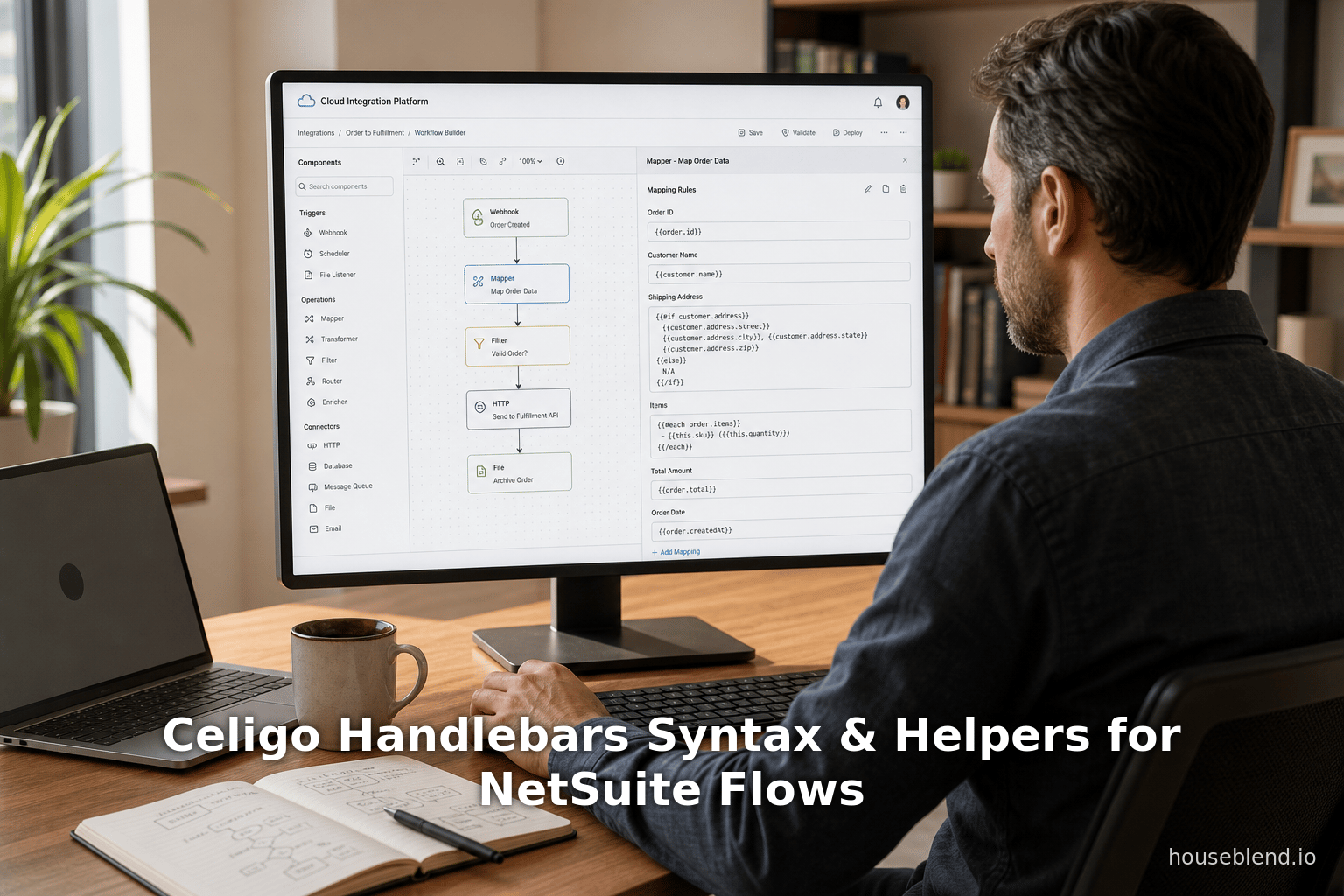
Celigo Handlebars Syntax & Helpers for NetSuite Flows
Inside this article
- 01Executive Summary
- 02Introduction and Background
- 03Celigo’s Use of Handlebars in Integration Flows
- 04Handlebars Syntax and Conventions
- 05Celigo Handlebars Helpers and Conditional Logic
- 06Conditional Logic in Practice
- 07Data Transformation Patterns in Flows
- 08Case Studies and Real-World Examples
- 09Implications and Future Directions
- 10Conclusion
Executive Summary
This report provides an exhaustive, detailed guide to using Handlebars syntax within Celigo’s integrator.io platform – specifically focusing on helpers, conditionals, and data transformation patterns as they apply to NetSuite integration flows. It synthesizes official Celigo documentation, technical best practices, community knowledge, and industry trends to explain how Handlebars templating is employed to map, manipulate, and route data in complex integration scenarios. Handlebars is presented as the key templating language in Celigo flows, enabling dynamic field mapping, built-in arithmetic, logical branching, string and date formatting, and powerful list/array operations [1] [2].
We cover the history and context of Celigo and Handlebars, the syntax conventions, and a taxonomy of built-in helpers (string, numeric, block, etc.), including numerous illustrative examples. Data variables (like @index, @first, @root) and control structures (#if/#else, each, compare, contains) are explained in depth. We then examine common data transformation patterns used in NetSuite flows – such as flattening nested records, aggregating and summing values, conditional defaults, and array building – showing how Handlebars helpers and Celigo’s transformation engines (Rules/Mapper 2.0) support these tasks [3] [4]. Case studies and real-world examples highlight how organizations leverage these features to solve integration challenges (e.g. mapping Shopify metafields to NetSuite fields [5] or automating order workflows across platforms [6] [7]). The report also incorporates perspectives from experts and analysts on the role of iPaaS and automation (including Celigo’s recognition in Gartner’s MQ) [8] [9]. Finally, we discuss implications and future directions: the rise of AI-driven mapping and error handling [10] [11], growing integration complexity (100+ apps per enterprise) [12], and how Celigo’s platform (with its AI-assisted features like auto-mapping) positions users to meet these trends [10] [11]. Overall, the report serves as a comprehensive technical reference for any integrator designer or developer using Celigo Handlebars in NetSuite or other flows, with all claims backed by authoritative sources.
Introduction and Background
Modern enterprises rely on dozens of disparate applications, demanding robust integration platforms to automate data flows. Celigo integrator.io is a leading cloud-based Integration Platform as a Service (iPaaS) that specializes in connecting systems like NetSuite (the popular cloud ERP) with various other applications. By providing hundreds of pre-built Integration Apps and a visual flow-builder interface, Celigo enables organizations to link NetSuite bi-directionally with e-commerce, CRM, and other systems without writing custom code [13] [14]. Celigo reports over 5,000 NetSuite customers worldwide and is often cited as the “#1 global leader in NetSuite integration,” emphasizing its deep native understanding of NetSuite constructs ( saved searches, SuiteScript hooks, record types, etc.) [13] [14].
Within Celigo, flows are composed of export (source) steps and import/lookup (destination) steps. Data flows through these steps sequentially (often with optional middleware steps) [15]. To control and transform this data en route, Celigo offers filtering and mapping tools. At the heart of field mapping and transformation is the Handlebars templating language. Handlebars (originally a JavaScript templating engine compatible with Mustache) is used by Celigo to allow dynamic referencing of fields and transformation of data via expressions and helpers [1] [16]. Essentially, rather than hard-coding static values, mappings in Celigo use {{...}} expressions to pull data from the JSON context and apply logic. For example, the Celigo Help Center explains that “Handlebars is a simple templating language” where expressions inside {{double braces}} are evaluated at runtime against the incoming JSON context [1]. These expressions can perform a variety of tasks – from mapping export/import fields to doing arithmetic or encoding – making integrations both powerful and flexible [16] [1].
While Handlebars scripts handle many transformation needs, integrators can also use JavaScript hooks in Celigo for more complex logic. The platform documentation advises using Handlebars for straightforward data manipulation and falling back to JavaScript only when necessary for complex calculations or conditional logic [17] [4]. In practice, flows often intermix both: mapping templates using Handlebars in the field mapper rules, and custom JavaScript hooks in export/import logic when needed. This report focuses on the Handlebars aspect – detailing its syntax, built-in helpers, and typical transformation patterns – especially in the context of NetSuite-centric flows where converting and sanitizing data is a common task.
Celigo’s Use of Handlebars in Integration Flows
Handlebars plays a central role in data transformation within Celigo flows. According to Celigo documentation, Handlebars expressions may be placed anywhere needed in import or export mappings to “loop through, evaluate, extend, and modify records at many points in a flow.” This low-code approach empowers integrators to implement conditional logic, iterative processing, and formatting directly in the mapper, without custom scripting [18] [19]. In Celigo’s terminology, the JSON data coming into a flow is referred to as the context, and Handlebars expressions evaluate against that context to produce output field values [20] [1].For example, in a mapping formula one might write {{customer.name}} to retrieve the name field of a nested customer object. Celigo’s documentation highlights that Handlebars expressions use dot-notation to access nested object properties, similar to JSONPath [20] [21]. The curly-brace syntax itself is key: double braces {{field}} will URL-encode special characters in the output, while triple-braces {{{field}}} output raw content without encoding [22]. In essence, the Handlebars template is like a mini-program inside the mapping sheet. When the flow runs, the template is compiled and executed: the integrator passes the JSON context object to the compiled function, which then replaces each Handlebars expression with its calculated value [23] [16].
Celigo provides an overview noting that such expressions “map Export and Import application fields, perform dynamic arithmetic calculations, and dynamically encode and decode data during integration” [16] [1]. This means you can not only copy a field from source to target, but also manipulate it on the fly (for instance, summing values, formatting dates, concatenating strings) within the mapping itself. For example, one might use {{amount * 100}} to convert currencies, or encode a URL parameter via {{encodeURI urlField}}. The combination of Handlebars with Celigo’s Transformation 2.0 engine (the rules 2.0 mapping interface) means you can use JSONPath to select fields and also insert Handlebars where needed for value computations [3] [24].
All told, Handlebars in Celigo flows offers a powerful blend of readability and capability. It abstracts much of the integration “plumbing” into high-level templates. As a Celigo blog notes, “Handlebars simplify JSON manipulation, making it accessible to users without extensive programming experience.” Complex JSON structures can be navigated with expressions like {{myObj.child.array[0].value}}, while helpers automate repetitive or complex tasks [25] [21]. However, as with any template-based system, careful design is needed: complex logic can become hard to maintain if crammed into one ridiculously long {{#if ...}} block. Best practices therefore emphasize starting with a clear flow architecture, modular design, and documenting each template [26] [17].
Handlebars Syntax and Conventions
Handlebars syntax in Celigo is straightforward but includes some special conventions. As Celigo’s docs summarize, Handlebars templates look like regular JSON or text with embedded expressions in double braces ({{ }}) [1] [16]. Within these braces, you specify either a path to a field or a helper function. For example, {{record.id}} refers to the id field in the current record context, while {{uppercase name}} would call the uppercase helper on a name variable.
Key syntax conventions include:
- Double vs Triple Braces:
{{value}}automatically URL-encodes special characters (>?etc.) in the output. Use triple braces{{{value}}}to output raw, unencoded data [22]. - Literal Braces: Prefixing a Handlebars expression with a backslash, as in
\{{escaped}}, will output the literal text{{escaped}}(Braces included) instead of evaluating it [27]. - Whitespace Handling: Spaces between braces and expression (
{{ field }}vs{{field}}) generally do not matter unless in quoted strings. Curly braces must not contain disallowed whitespace (e.g. no spaces between{{and the expression content, as noted in #if usage) [28]. - Array Indexing: Within an
eachloop, elements can be referenced by index. For instance, if iterating throughdata,{{0.id}}refers to theidof the first element; as shown in Celigo’s JSON mapping example for a NetSuite saved search import, they prefix fields with0.to denote the first record in each iteration [29]. - Raw Blocks: Handlebars also supports raw block syntax
{{{{ }}}}to disable processing for sections, but this is less commonly used in Celigo mappings. - Bracket Notation: If a field name contains spaces or special chars, use square brackets. Example:
{{this.[Shipping Address]}}to access a field literally named “Shipping Address” [30].
A complete “expressions” or “template” is typically just the sequence of fields, literals, and helper calls between braces. For clarity, Celigo’s docs refer to the overall mapping rules or transformation logic as a template, which is evaluated with the JSON context to produce the output. An example from the Celigo docs shows a simple template and context side-by-side:
Template                Context                                  Output
---------               --------                                 ------
{{library.title}}       {                                        Danube Incident
                         "library": {
                           "album": "The Sound",
                           "title": "Danube Incident",
                           "artist": "Lalo Schifrin"
                         }
                       }
In this example, {{library.title}} looked up the title field in the “library” object, yielding Danube Incident [31]. Such template rendering is the basic operation of Handlebars within an integrator flow.
Overall, Celigo’s Handlebars follows the standard semantics: dot notation to traverse objects, strings in quotes for literals, # and / to denote block helpers, and @ prefixes for data variables (discussed below). When writing a template, you can chain multiple expressions or mix them with literal JSON text. For instance, to output JSON with both static text and dynamic values, one might write:
{"rocketID": "{{getValue 'record.rocket' 'defaultValue'}}"}
Here the outer text produces a JSON object, while {{getValue 'record.rocket' 'defaultValue'}} inserts a run-time value (using the getValue helper) [32]. Notice how quotes change inside a helper – Celigo’s docs remind you to use single quotes inside a double-quoted string so the template parser doesn’t get confused [32].
Data Variables and Context
Handlebars templates gain additional power through built-in data variables that expose contextual metadata. These variables are prefixed with @ and are valid inside block helpers. Celigo supports several such variables, documented as helpers: @first, @last, @index, @key, @length, @root, and @this [33]. Each gives you insight into the current iteration or context:
@first: True if this is the first iteration of a loop. For example, within{{#each array}}...{{/each}}, the first element yields@first = true, otherwise false [34]. The docs illustrate using{{#if @first}}inside aneachto output something only on the first pass (e.g. a header) [35].@last: True for the last element in a loop. Commonly used to avoid trailing delimiters (e.g. adding commas between items except after the last) [36] [4]. For instance,{{#if @last}}{{else}},{{/if}}prints a comma only when not on the last element [36] [4].@index: The zero-based numeric index of the current element in an array loop. For each item in an array,@indexstarts at 0 and increments [37]. Theindexhelper example shows iterating over an array and printing0 1 2 ...for each element [37].@key: In an object loop (or array loop),@keyprovides the current property name or index as a string [38]. In practice with arrays,@keyis effectively the same as@index. In an object like{"a":1,"b":2}, iterating#each thiswould yield@key = "a"then"b".@length: Returns the total length of a given value (typically a string or array). For example,{{#compare state.length "===" 2}}is used in docs to check if a state code string has length 2 [39].@root: Always refers to the top-level context object, no matter how deeply nested you are. In a deeply nestedeach,{{@root.title}}will still return the top-leveltitleproperty [34] [40]. This is useful if you need to pull in external fields while looping.this: References the current context object. Inside{{#each array}},thisis the current array element. If iterating an object,thisis the current value. For example, the community shows using{{this.Name}}to access a field of the current object inside{{#each myData.N1}}[41]. Thethishelper overview confirms that within a block,thispoints at the current element or object [42].
In effect, these variables let you introspect loops and objects dynamically. A common transformation pattern is to use @last or @first to format JSON output correctly (e.g. adding commas). For instance, to build a JSON array of items, one might write:
[
{{#each items}}
  {"Name": "{{this.name}}", "Qty": {{this.qty}}}{{#if @last}}{{else}},{{/if}}
{{/each}}
]
This generates a proper JSON list, comma-separated except after the last element [4] [36]. Without @last checks, residual commas would make invalid JSON. Similarly, @index and @key can be used for numbering or key-building operations if needed. As the Celigo docs note, @first and @last simply return true/false for array scans (starting at index 0) [34] [43].
Together, these data variables give developers fine-grained control over how templates iterate. They are especially valuable in NetSuite flows where constructing the correct JSON or CSV format is crucial. For example, in the NetSuite saved-search example (below) @last is used to ensure commas separate elements, while this and numeric prefixes (0.) extract the appropriate fields for each record and its lines [29].
Celigo Handlebars Helpers and Conditional Logic
Celigo extends the basic Handlebars language with dozens of built-in helpers to handle common tasks. These span categories such as logic/conditionals (block helpers), string manipulation, numeric operations, date/time formatting, list/array processing, and miscellaneous utilities (encoding, lookups, etc.). Below we survey these, organized by function. (Note that Celigo’s official Handlebars Helper Reference lists all helpers; here we highlight representative ones relevant to NetSuite flows.)
Conditional and Block Helpers
Block helpers control flow logic and iteration. All begin with # and end with a matching / block tag. The primary block helpers include:
-
{{#each}}: Loops over an array or object. For each element, it makes that element the current context. Syntax:{{#each array}} ... {{/each}}. Inside, usethisor@index/@first/@lastto refer to each item. The community example shows{{#each myData.N1}}...{{/each}}iterating Shopify order lines and using{{this.[Entity Identifier Code]}}in nested compares [44]. Use{{/each}}to close. As a pattern,#eachis used to create repeating output (e.g. multiple sales orders or line items in NetSuite). -
{{#if}}/{{else}}: Standard conditional. If the given expression or field is truthy (non-empty, not null/false/zero), the block renders; otherwise the{{else}}part renders. Example:{{#if companyName}}{{companyName}}{{else}}{{firstName}} {{lastName}}{{/if}}(from a BigCommerce–NetSuite mapping) outputs the company if present, otherwise the contact’s first+last name [45]. Celigo clarifies that "false" conditions include undefined, null, empty string, zero, or empty array [46]. Crucially, do not put spaces inside the{{#if }}braces (no{{#if field }}) or it will not parse [28]. -
{{#if...else}}: Sometimes written as a single helper (as on Celigo docs) or simply as#ifwith an{{else}}. This ensures only the appropriate branch executes [46]. There are also{{else if}}variants supported. Celigo lists JavaScript-like operators:<,>,===, etc., that can be used similarly to #compare (below). -
{{#compare}}: Compares two values using an operator. Syntax:{{#compare value1 "operator" value2}}trueBlock{{else}}falseBlock{{/compare}}[47]. For example, the helper reference shows:{{#compare details.fromState "===" "NE"}}+{{details.qty}}{{else}}{{details.qty}}{{/compare}}to prefix a plus sign only iffromState == "NE"[48]. The compare helper essentially wraps===,!==,<,>, etc. It’s useful for numeric or string comparisons that aren’t simply “is empty” tests. -
{{#contains}}: Checks if an array or string contains a given substring/value. E.g.{{#contains items "Special"}}Yes{{else}}No{{/contains}}. Useful for conditional logic based on membership or substring checks. (This is a Celigo-provided helper not in standard Handlebars.) -
{{#and}},{{#or}},{{#not}}: Logical helpers.#andand#ortake multiple conditions; they execute the block if all (and) or any (or) are truthy.#notnegates a condition. For example,{{#or (contains names "Alice") (contains names "Bob")}}Hi!{{/or}}greets if either name is present. These support more complex boolean logic without leaving the template. -
{{#unless}}: The inverse of#if; it renders when the condition is false. Syntax:{{#unless field}} (field is missing or false) {{/unless}}. It is shorthand for{{#if}}with inverted sense. -
{{#with}}: Context helper that changes the context to a sub-object,{{#with object}}...{{/with}}. Within, fields can be accessed directly. It’s similar to#eachbut for single objects.
In summary, block helpers let you loop (#each), branch (#if, #compare, #contains, etc.), and manage output formatting (#with, #unless). Their usage is extensively documented: e.g. in Celigo’s “How-to” community posts, combining #each with #compare is shown for processing Shopify line items (using this.[Entity Identifier Code]) [44]. Similarly, using {{#if @last}}...{{else}},{{/if}} is demonstrated in official examples to conditionally emit commas between JSON objects [36]. These patterns (loop + conditional on @last) are common in building JSON arrays for NetSuite’s REST APIs or saved searches.
Inline and Utility Helpers
Aside from block control, Celigo provides many inline helpers (no # block) for data manipulation:
-
String Manipulation Helpers: These transform text. Examples include
uppercase,lowercase,capitalize,capitalizeAll(capitalize every word),dash-case,snake_case,PascalCase,camelCase,sentence(capitalize first word),trim,trimLeft,trimRight,replace,replaceFirst,substring,split,join,encodeURI,decodeURI,htmlEncode,htmlDecode,hash, etc. For instance,{{uppercase status}}will convert a status string to all caps;{{replace text " " "-" }}could hyphenate a field;{{join array ", "}}concatenates elements with a comma and space [49] [50]. These are essential for text formatting tasks – e.g. turning a comma-separated list of tags into an array of strings, stripping HTML from rich-text, or ensuring data matches NetSuite’s expected format. -
Numeric Helpers: For arithmetic and numeric formatting, Celigo has
add,subtract(orminus),multiply,divide,modulo, as well assum,avg(to aggregate array values),abs,ceil,floor,round,toFixed,toPrecision, etc. For example,{{sum thisLinePrices}}would output the total ifthisLinePricesis an array of numbers [51] [52]. Or{{divide total 100}}might convert cents to dollars. These allow you to do on-the-fly math. For instance, Celigo’s decimal handling examples show using{{divide $value 100}}to fix currency precision. The blog notes that JavaScript is better suited for complex maths, but for simple sums or scaling, Handlebars helpers suffice [17]. -
Date/Time Helpers: Celigo includes helpers like
dateAdd,dateFormat,timestamp(current time). These are essential when dealing with NetSuite date fields or converting between time zones. For example,{{dateAdd createdDate 1 "days"}}could shift a date forward by a day, and{{dateFormat createdDate "YYYY-MM-DDTHH:mm:ssZ"}}formats it in ISO8601. The Houseblend guide on filters (while about matches operator) and Celigo blogs suggest using date/time helpers when mapping date fields [53] [54]. There’s also mention of time zone support in the Handlebars examples section. -
List/Array Helpers: Beyond
each, Celigo offers helpers likearrayify(ensures a value is an array),unique(remove duplicates),sort,pluck(extract an array of a given field from a list of objects), andhash(create key/value pairs). For instance, if you have an array of order objects,{{pluck orders "id"}}would return an array of all the order IDs. Thefilterhelper (block) can filter an array by a predicate (e.g.{{#filter items "category" "Electronics"}}...{{/filter}}). These are useful in transformation flows: for example, extracting unique customer emails from a sales batch, or building a lookup table from part of the data. -
Encoding and Miscellaneous Helpers: Helpers like
encodeURI,decodeURI,htmlEncode,htmlDecodemanage special characters.base64Encode/Decodehandle Base64 operations. There are even AWS-related helpers (aws4for signing requests,hmacfor hashing) for custom API calls. Celigo also provides JSON utilities likejsonParse,jsonSerialize,jsonEncodefor dealing with raw JSON strings within mappings. ThegetValuehelper (discussed below) safely fetches nested fields, andtypeOfreturns the JavaScript type of a value (for debugging). Finally, the Lookup helpers (lookupcategory) deserve special mention:{{lookup}}retrieves data from Celigo “Lookup” tables defined in the flow (see below), and the$context (from integration apps) refers to the entire record context [45] [55].
To illustrate usage: one can write
{{uppercase customer.name}} - {{formatTimestamp createdDate "YYYY-MM-DD"}}
to output a name in caps and a formatted date. Or
{{#if hasDiscount}}Discount: {{discountAmount}}{{else}}No Discount{{/if}}
to conditionally mention a discount. The official examples section in Celigo docs provides many such samples: e.g. using date format codes, hash/hmac for API calls, or regex replacements to sanitize phone numbers [56] [57]. Likewise, community FAQs showcase regex helpers (regexReplace, regexMatch) used for data cleansing. Overall, these helpers allow powerful data transformations within the mapping layer – reducing the need for external scripts, while still giving precise control.
Table 1 (below) summarizes some common Handlebars helper categories in Celigo:
| Category | Purpose | Example Helpers / Usage |
|---|---|---|
| Logic / Conditional | Branching and boolean tests | {{#if}}, {{#if ... else}}, {{#unless}}, {{#compare}}, {{#contains}}, {{#and}}, {{#or}}Example: {{#compare status "==" "Closed"}}Closed{{/compare}} |
| Iteration / Looping | Loop over lists or objects | {{#each}}, {{@index}}, {{@first}}, {{@last}}, {{#with}}Example: building array: see below. |
| String / Text | Manipulate text values | uppercase, lowercase, capitalize, dash-case, snake_case, replace, split, join, encodeURI, htmlEncode, hash, jsonEncodeExample: {{removeProtocol url}} (strips “http://”), {{join tags ", "}} |
| Numeric / Math | Arithmetic on numbers | add, subtract, multiply, divide, modulo, sum, avg, ceil, floor, round, toFixed, etc.Example: {{round price 2}} rounds a number. |
| Date / Time | Format or adjust dates | dateAdd, dateFormat, timestampExample: {{dateFormat orderDate "YYYY-MM-DD"}} |
| Array / List | Work with arrays & arrays of objects | unique, sort, pluck, arrayify, filterExample: {{unique emails}} to dedupe an array |
| Encoding / Misc | Encode/lookup operations, hashing | getValue, lookup, base64Encode/base64Decode, htmlDecode, regexMatch/regexReplace, aws4, hmac, typeOfExample: {{lookup "stateConfig" record.state}} |
Table 1: Common categories of Handlebars helpers supported by Celigo. Each category contains multiple helpers for specific tasks (per the Celigo Handlebars reference [51] [58]).
Data Lookups and getValue
Two particularly useful helpers often used in NetSuite flows are getValue and lookup, which retrieve data from context or from Celigo’s lookup tables.
The {{getValue}} helper allows safe retrieval of a field by path, with an optional default if missing [59]. Its syntax is {{getValue "record.path.to.field" "defaultVal"}}. If the specified field is null/undefined, the default string is returned. For example, {{getValue "record.email" "[email protected]"}} will output the email if present, or "[email protected]" otherwise [59] [60]. This prevents breakage when some records lack a field. It’s especially handy when field names are dynamic or unsure – instead of risking an error, you can use a default. Celigo’s docs underscore this as a pattern for “safe” field access in templates [59].
The {{lookup}} helpers fetch values from Lookup tables defined within the flow’s interface [55]. There are two types of Celigo lookups: dynamic search (mapping values based on a saved search or API query) and static value-to-value (hardcoded dictionary). A dynamic lookup might, for example, translate a regional code into an internal ID by searching NetSuite. In a template, you use {{lookup.lookupName}} for dynamic, or {{lookup "lookupName" record.field}} for static lookups [61]. Celigo’s documentation shows:
{{lookup.shippingLookup}}would use a dynamic search called “shippingLookup” to retrieve, say, a shipping method from the destination system [62].{{lookup "myStaticLookup" orderType}}would use a static mapping based on theorderTypefield.
These lookup helpers are invaluable for data transformation patterns like tax-code or SKU mapping: you can define in one place how to convert values, then call them inline. For instance, a NetSuite order flow might use a lookup named taxLookup so in mapping use {{lookup "taxLookup" order.taxCode}} to get the correct NS tax ID. The Celigo docs underline that lookup names must match exactly the flow’s configured lookup.
Both getValue and lookup expand the power of Handlebars in flows by accessing data outside the immediate template parameters. In combination with JSONPath (e.g. $.queryParams.id in transformation) [63], one can fetch virtually any context information or external setting.
Conditional Logic in Practice
Conditionals are critical when integrating systems with varying data rules. Some common patterns include:
-
Existence Check / Defaults: Use
#ifto check if a field exists or has a value and provide a default otherwise. E.g.{{#if account.default}}Yes{{else}}No{{/if}}. Official docs illustrate this as choosing between company versus first/last name [45]. One can provide a fallback withgetValuesimilarly. -
Multi-branch Logic: Nest
#ifor use#compare/#containsfor different cases. The Shopify-to-NetSuite community example (Table 2 below) shows cropping by entity type using nested compares inside{{#each}}. In practice, you might see multiple{{else if}}chains to handle various source conditions. -
Aggregate Conditions: Use
#and/#orto combine checks. For example,{{#and (contains comments "urgent") (eq priority "high")}}to detect high-priority urgent tickets. -
@first/@last in Data Lists: Within loops, one often writes
{{#if @first}}...{{/if}}to prefix special elements, or{{#if @last}}...{{else}},{{/if}}as shown, to properly comma-separate JSON arrays [36] [4]. For example, building a JSON array for a NetSuite API might look like:{ "items": [ {{#each lines}} {"itemId": "{{this.item}}", "qty": {{this.quantity}}}{{#if @last}}{{else}},{{/if}} {{/each}} ]}This ensures the JSON is valid by controlling the comma placement [36] [4].
-
Regex and Pattern Conditions: Celigo includes regex helpers. For instance,
{{#regexSearch phone "(\d{3})-(\d{3})-(\d{4})"}}could check if a phone matches a pattern. Community FAQs demonstrate usingregexReplaceto format phone numbers (remove non-digits, etc.) [56]. One pattern might be stripping ASCII or punctuation:{{regexReplace description "[^\\x20-\\x7E]" ""}}to remove extended ASCII. -
Advanced List Checks: If a record has fields in multiple possible locations, one might see something like
{{#if array[*].sku}}...{{else}}...{{/if}}where[*]indicates checking any element. (This was seen in the problematic community question [22], though that attempted wildcard indexing which did not work as intended.) Generally, it’s safer to use#eachplus an inner#containsor#compareto check if any element meets a condition.
Celigo’s best-practice blog emphasizes keeping conditional logic clear and maintainable: e.g. use built-in block helpers rather than burying too much code in {{}} expressions, and test templates thoroughly to account for all data scenarios [64] [46]. Complex branching might better be handled in a pre-processing step or JavaScript hook for readability, reserving Handlebars for simpler conditions.
Data Transformation Patterns in Flows
In practice, Celigo handles a variety of data shapes and formats. NetSuite integration flows often need to reshape data to match record schemas. Here are common transformation patterns and how Handlebars fits in:
-
Flattening Nested Structures: Source systems may output nested JSON (e.g., an order with nested line items). Celigo transforms can flatten such structures into the tabular format required by NetSuite records. A pattern is to use multiple
#eachloops: one for the order header (e.g., external ID, date) and an inner#eachfor line items (each creating a sub-record). In the saved-search JSON example, an outer{{#each data}}loops through orders, then an inner{{#each this}}loops through line items [29]. Inside the loop, fields are extracted using indexed references (e.g.,{{0.id}}for header fields and{{Item}}for line fields). Thus, nested input is serialized into arrays of per-line JSON objects. The comma logic ({{#if @last}}…{{else}},{{/if}}) we saw also ensures proper JSON syntax [36]. Another approach is to use Celigo’s Transformation 2.0 (Rules 2.0) engine in “create output rows” mode, which is designed for producing multiple rows from one input. This mode internally performs a similar expansion, but Handlebars within mapper fields can still be used for field values (e.g.{{lookup "itemLookup" this.sku}}). -
Aggregating or Summing Values: Sometimes multiple source records must combine into one target. For example, if multiple sales orders from Shopify should map to a single combined order on NetSuite with summed quantities. Here one might use
sumon an array: if prior steps collected all quantities into an arrayquantities, use{{sum quantities}}to get the total [65]. Or useavg/min/maxsimilarly. With dates, one could usedateAddto compute durations across records. In simpler cases, one could just do{{quantity * price}}for a single record’s total, but for arrays, helpers are handy. -
Defaulting and Fallbacks: The
getValuehelper pattern often appears to supply default values when upstream data is missing, avoiding errors. For instance,{{getValue "record.discount" "0"}}ensures a discount field always outputs a number. Combined with#if, one can also do{{#if record.discount}}{{record.discount}}{{else}}0{{/if}}[45]. Similarly, one might provide default strings for missing phone/email:{{getValue "record.phone" "000-000-0000"}}. -
Lookup and Translation Tables: NetSuite often requires internal IDs instead of human-readable codes. A mapping pattern is to use a Celigo lookup (built via a lookup table in the flow). For example, translating a currency code to a NetSuite currencyId can use a static lookup:
{{lookup "currencyMap" record.currencyCode}}. Or a dynamic lookup might fetch an employeeID from NetSuite given an email. After creating the lookup in the UI, the Handlebars{{lookup}}helper makes the translation seamless [55]. -
Conditional Field Inclusion: Sometimes a field should only be sent if a condition holds. In the NetSuite invoice mapping, one might have a line like:
Discount: {{discountAmount}}only if a discount applies. Using#ifor#containsaround{{discountAmount}}can suppress it when zero. The Headspace case study hints at such logic by eliminating duplicate entries and error conditions through Celigo flows [66] (though it does not detail the template, real flows likely used such conditionals). -
JSON Assembly (Text Templates): Although Celigo mostly works with field mappings, sometimes one builds large JSON payloads manually. In these cases, Handlebars is used to inject pieces. A pattern from the community shows building a JSON array string with
#eachand commas [4]. Another pattern is constructing dynamic SQL (such as Postgres queries) using double{{}}to encode values. Celigo docs note that double curly braces automatically URL-encode, which is important if including query parameters in an HTTP GET or POST payload [67]. -
Regex and Cleanup: Patterns often involve cleaning text fields. For instance, to remove non-ASCII or HTML from a description, use helpers like
regexReplaceorhtmlDecode. Example:{{regexReplace description "[^\\x00-\\x7F]" ""}}strips extended characters. In phone formatting, one might do{{regexReplace phone "[^0-9]" ""}}to leave only digits, then re-insert formatting. Celigo Connective forums have “how-to” posts specifically for phone number and currency formatting using regexReplace and other helpers. -
Date/Time Conversion: NetSuite expects dates in a specific format. A common pattern is converting a source date (e.g. “MM/DD/YYYY”) into ISO. Celigo provides date format codes for Ruby/JavaScript style templates. For example, use
{{dateFormat NSDate "yyyy-MM-dd'T'HH:mm:ssZ"}}or similar. There is also atimestamphelper to get “now”. If business logic requires offsetting dates (e.g. switch time zones or add business days), usedateAddwith the appropriate unit (days, hours). A Celigo blog on best practices suggests keeping date/times in UTC unless required, but the Handlebars date helpers make it easy to adjust as needed. -
Array Construction: Beyond flattening, sometimes you need to build a new array from individual fields. One pattern is shown in the community (see Table 2): after looping, you might use
{{create}}or assembly via Handlebars (though pure Handlebars can only build strings, one can trick it as JSON text). For instance:[{{#each parts}} {"part": "{{this.name}}"}{{#if @last}}{{else}},{{/if}} {{/each}}]will output a JSON array of part objects. Celigo’s UI also supports an explicit “Array” transformation feature nowadays.
These patterns leverage Celigo’s Transformation 2.0 / Mapper 2.0 engine, which treats the Handlebars template as part of a declarative mapping. Celigo docs note that Rules 2.0 (transforms) can use JSONPath to select fields and Handlebars discussed above to compute values [3]. One can even mix JSONPath ($.field) with Handlebars in one expression. The advantage is that Transformation 2.0 can output multiple rows per input (array output mode) and automate nested array handling, making some of the above patterns less manual. Nevertheless, understanding the Handlebars approach remains useful, as many transformation rules still allow “Handlebars expression” mode for custom formulas [3] [63].
Table 2 (below) illustrates a few representative Handlebars transformation patterns with example expressions.
| Pattern / Use-Case | Handlebars Expression Example | Intent / Explanation |
|---|---|---|
| Default if missing (fallback) | {{getValue "record.discount" "0"}} | Safely retrieve record.discount, default to “0” if absent. |
| Conditional Output | {{#if isActive}}Active{{else}}Inactive{{/if}} | Output “Active” only if isActive is truthy; else “Inactive”. |
| Concatenate Fields | {{record.firstName}} {{record.lastName}} | Build full name by combining first and last name. |
| Iterate & Build Array (comma-separated) | ||
| [{{#each items}} | ||
| {"id":"{{this.id}}","qty":{{this.qty}}}{{#if @last}}{{else}},{{/if}} | ||
| {{/each}}] | ||
Loop through items, output JSON objects for each, separated by commas (skip comma on last) [36] [4]. | ||
| Sum of Array Values | {{sum order.quantities}} | Sum all quantities in an array order.quantities. |
| Regex Cleanup (punctuation) | {{regexReplace address "[^a-zA-Z0-9 ]" ""}} | Remove all non-alphanumeric chars from address. |
| Lookup/Translate Value | {{lookup "taxMap" record.state}} | Use a lookup named taxMap to translate state code to NS ID. |
| Conditional Array Element | {{#contains tags "urgent"}}HasUrgent{{else}}Normal{{/contains}} | Check if array tags contains “urgent”; output accordingly. |
Table 2: Example data transformation patterns expressed with Celigo Handlebars. Each row shows a common need in NetSuite flows and a sample template snippet. For instance, building a JSON array from an items list (row 3) uses an each loop with an @last check to ensure proper comma placement [36] [4].
Case Studies and Real-World Examples
To ground these concepts, consider some illustrative real-world scenarios and how Handlebars is applied:
-
E-commerce Order Integration: A retailer running Shopify and NetSuite needs to sync orders. The shop’s order JSON includes nested line items and custom metafields. In mapping the Shopify→NetSuite flow, Celigo integrator uses
{{#each order.lineItems}}to iterate the line array, and inside it uses{{#if this.sku}}...{{/if}}and{{compare this.price "*" ...}}as shown in a community help case [68]. Another example, mapping a Shopify metafield “CustomTag” to a NetSuite custom transaction column, requires JSONPath to select the metafield ($.lineItems[*].propertiesor Celigo’s syntax) and then specifying NetSuite’s internal field ID on the destination. Consultants note that this process involves specifying the full JSONPath for the Shopify field and the NS internal ID as the target [5]. There, Celigo explicitly supports combining JSONPath and Handlebars: e.g., using an expression like{{lookup "productTags" record.product_id}}might call a lookup to translate product IDs to tags (from a predefined table). -
NetSuite Saved Search Import: An external system triggers a NetSuite saved search and sends its results to Celigo via HTTP(S). The mapping template must turn that bulk JSON into valid NetSuite transaction records. The Help Center provides a sample: it wraps the entire payload in a JSON structure (e.g.
{"Order": [...]}), uses{{#each data}}for each order, and within that, references fields like{{0.[Shipping City]}}for the header, and another nested{{#each this}}for line items [29]. In effect, the Handlebars template manually constructs the final JSON to send to Netsuite, including logic to comma-separate elements and only include non-null fields. This example shows using triple-nested braces (0.prefix) and the@lastlogic to flatten a complex saved-search output. -
CRM/ERP Sync: A company syncing Salesforce→NetSuite for opportunity data may only want to send orders above a certain threshold. They can use a Handlebars condition in an input filter or transform:
{{#if (gt Amount 1000)}}{{Amount}}{{else}}0{{/if}}, ensuring only large deals proceed [46] [69]. They might also format dates ({{dateFormat CloseDate "YYYY-MM-DD"}}) and map picklist values via lookups (e.g., mapping sales stages to NetSuite statuses). -
Real-World Results: In published success stories, companies highlight the effect of using Celigo flows. For instance, Headspace (health/meditation app) reports that Celigo eliminated manual re-entry and saved “15 hours a month” by syncing Salesforce and NetSuite [66]. While the testimonial doesn’t detail the templating, it implies complex rules were embedded in Celigo mappings to handle data consistency. Another case describes a fashion retailer handling millions of Shopify orders at peak with Celigo custom flows [7]. There, specialized flows likely used Handlebars and lookups to manage refunds and multiple SKUs, as the story notes “customized flows to tackle the intricate general ledger impact” of refunds [7]. These examples illustrate that behind the scenes, Celigo developers often rely on the Handlebars features outlined here to implement the needed logic.
-
Community Q&A Examples: The Celigo Connective forums also show various problems solved with Handlebars. For example, a user had to use
$.companyin an Integration App mapping, which Celigo clarified means the global record context (similar tothis) [45]. Another thread provides an advanced example of loop-and-compare for EDI orders [70] [71], demonstrating that even multi-nested JSON can be navigated by combining each-loops and helpers. These real usage examples reinforce that the theoretical patterns (iteration, conditionals, lookups) directly translate into the code users write in Celigo flows.
Implications and Future Directions
Celigo’s Handlebars integration is part of broader trends in data integration and iPaaS. Industry analysts note that enterprises now run hundreds of applications: one 2025 study reports the global average is ~101 apps per company [12]. This explosion of SaaS systems means data mapping tasks are proliferating. Simultaneously, AI and automation pervade IT: ~71% of organizations use generative AI in some business function, and 75% of knowledge workers use AI tools daily [12]. Gartner predicts the demand for APIs (and integration) will surge, with a significant chunk driven by AI and LLMs.
In this context, Handlebars remains a valuable tool for now, but we see the following trends and implications:
-
AI-Assisted Mapping: Celigo itself is embracing AI. For example, Celigo claims its platform resolves ~95% of integration errors automatically via AI algorithms [72], and its roadmap includes “Copilot”-style features. Indeed, a technical blog notes that Celigo’s 2025 updates focus on “auto-mapping” and “context-aware Copilot” capabilities [73]. More broadly, iPaaS vendors are exploring “smart data mapping,” where the system learns from prior mappings to suggest or auto-fill field relationships [11]. Celigo’s trends article explicitly mentions “smart data mapping: automatically mapping data fields between systems, learning from previous mappings to improve accuracy.” This suggests that in the future, Handlebars code may be partly generated or assisted by AI, requiring integrators to review rather than write every transformation.
-
Low-Code Empowerment: Integration platforms are moving toward more visual, low-code development. Celigo’s flow builder is already visual, and Handlebars fits this by using a template language instead of raw code. An emphasis on citizen integrators means more business users – not professional developers – will design flows. As one report puts it, Celigo focuses on enabling “governed self-service” for business teams [74]. Handlebars, being closer to natural mapping than some scripting, aligns with this. However, it also means templates should remain as simple as possible. Future enhancements may include more built-in functions (e.g. dedicated date formatting widgets) to cover common needs without hand-coding.
-
Hybrid & Multi-Cloud Integration: Many businesses use a mix of on-premises and cloud systems. Celigo’s Handlebars must operate with diverse data sources. Fortunately, being purely a templating layer, it is agnostic to origin; as long as data comes in JSON or form data, the same helpers apply. The larger trend is robust hybrid integration architectures, but that mostly affects connectivity and not the mapping language itself [75]. One future direction could be built-in connectors to more protocols (e.g. direct ODBC to on-prem DBs) with Handlebars used for mapping nonetheless.
-
Integration Governance and Security: As more data flows, security and compliance rise in importance. Celigo iPaaS invests in encryption and governance controls (user access, auditing). From a Handlebars perspective, this means future versions might restrict certain helpers in secure contexts, or provide more logging around data transformations. But conceptually, templating itself doesn’t adsorb data, it just formats it. The main concern is ensuring that data (like PII) is handled correctly. For example, Celigo’s Handlebars has helpers like
htmlEncode/jsonSerializethat can help sanitize outputs, reducing risk of injection errors. The platform might add more built-in sanitization helpers over time. -
Serverless/Edge Connectors: A long-term trend is more dynamic or event-driven integration. Celigo already supports real-time triggers (e.g. SuiteEvents). Handlebars may be used in such flows as well, but as integration becomes more API-centric, we might see Handlebars used to template API payloads or even respond in webhooks. The fundamentals will stay the same: filling in templates with data.
In sum, the Handlebars approach exemplifies how modern iPaaS balances ease and power. It is simpler than writing full JavaScript or external middleware, yet highly customizable. As integration complexity and AI-driven capabilities grow, we expect Celigo to augment Handlebars with more auto-generated logic (e.g. via AI mapping assistants) and higher-level transformation features. Nonetheless, understanding the syntax of {{}}, built-in helpers, and how to combine them – as detailed in this report – will remain crucial for building correct and efficient flows. Experts emphasize that “integration is the orchestration system across the enterprise” [76]; templating languages like Handlebars are the building blocks of that orchestration.
Conclusion
Celigo’s Handlebars templating provides a rich yet accessible means to implement complex data transformations in NetSuite integration flows. By offering a wide variety of helpers – covering logic, iteration, arithmetic, string and date processing, and lookups – Celigo enables non-developers to handle many common use cases without writing code. We have explored its syntax conventions, key helpers and patterns, and practical examples. In doing so, we have seen how to construct templates that loop through arrays, apply conditional logic, format data, and integrate lookup tables, all of which are pivotal when mapping data to NetSuite records.
Our investigation shows that effective usage of Handlebars requires planning: flows should be modular, tested against varied data, and documented for maintainability [26] [17]. While Handlebars greatly simplifies many tasks, very complex logic may still be better served by JavaScript hooks [17]. Nonetheless, in practice, Celigo customers routinely incorporate Handlebars templates to customize their integrations, as evidenced by case studies and community examples. We have also placed Handlebars in the context of broader iPaaS trends – impending AI assistance for mapping [11] [10], the explosive growth of connected applications [12], and industry best practices.
For NetSuite integration teams, mastering the Handlebars syntax and helpers in Celigo is essential. It unlocks the full potential of Celigo’s platform to manipulate data on the fly. As systems evolve, the patterns and knowledge distilled here provide a foundation that will adapt: whether templates are hand-written or AI-generated, the underlying logic and transformations remain guided by these same principles. In summary, a thorough understanding of Celigo Handlebars is a cornerstone for automation architects aiming to build robust, efficient, and future-ready NetSuite integrations [1] [76].
External Sources (76)
About
Houseblend
Make NetSuite work better for your finance and operations teams with Houseblend. We help design, implement, integrate and improve ERP systems, with practical support for the people who use them every day.
Houseblend is a NetSuite consulting firm serving finance and operations teams. We help organizations implement ERP systems, connect business applications, improve existing configurations and maintain the systems that support everyday work. Our audience includes finance leaders, controllers, operations managers, NetSuite administrators and implementation teams.
Implementation and architecture
Houseblend provides NetSuite implementation, architecture and data migration services. We help teams evaluate how business processes, reporting requirements and existing data should fit together in an ERP environment. Training supports the people responsible for adopting and operating the resulting system.
Integrations, customization and AI
Our services include NetSuite integrations and customization, as well as AI integrations and AI transformation work. These engagements connect ERP data and workflows with the broader application landscape. The right design depends on the organization's systems, controls and operating needs.
Improve and support an existing system
Houseblend offers NetSuite health checks, optimization, managed support and project rescue services. We also provide expertise for analytics and specialist workflows, including NetSuite Analytics Warehouse, warehouse management and field service management. Published educational material helps teams investigate options and prepare informed questions for their implementation or support work.
Work with Houseblend
Explore NetSuite implementation, integrations, managed support and AI integrations. Contact Houseblend to discuss your current system and priorities.
Article examples explain concepts rather than promising a particular license, product capability, delivery schedule or outcome. Engagement scope is confirmed with the Houseblend team.
Disclaimer
This document is provided for informational purposes only. No representations or warranties are made regarding the accuracy, completeness, or reliability of its contents. Any use of this information is at your own risk. Houseblend shall not be liable for any damages arising from the use of this document. This content was generated with assistance from artificial intelligence tools, which may contain errors or inaccuracies. Readers should verify critical information independently. All product names, trademarks, and registered trademarks mentioned are property of their respective owners and are used for identification purposes only. Use of these names does not imply endorsement. This document does not constitute professional or legal advice. For specific guidance related to your needs, please consult qualified professionals.