Houseblend Article
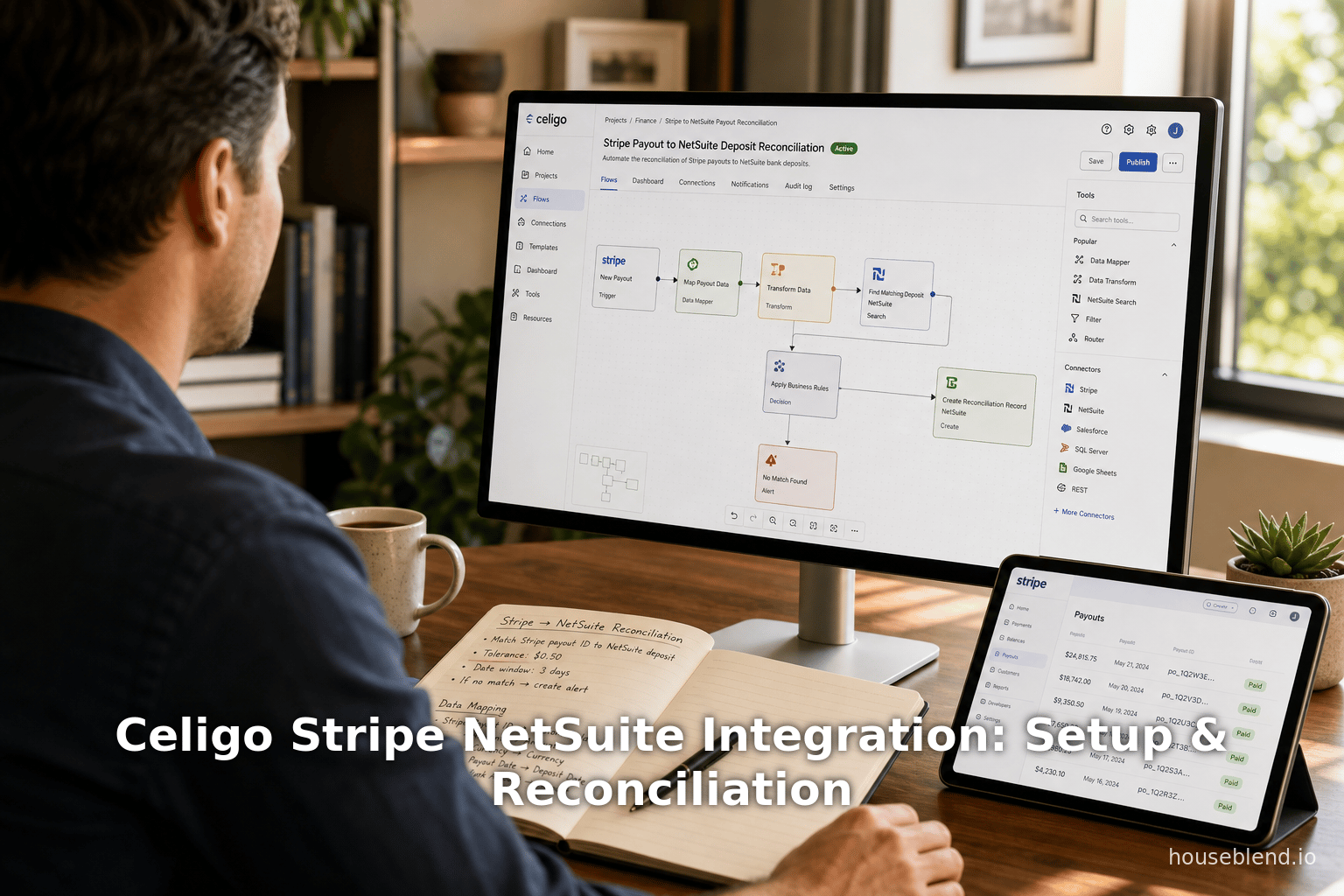
Celigo Stripe NetSuite Integration: Setup & Reconciliation
Inside this article
Executive Summary
This report provides an exhaustive examination of integrating Stripe (a leading payments platform) with NetSuite (a premier cloud ERP) using Celigo’s integrator.io iPaaS. We analyze technical setup steps, common synchronization patterns, and best practices for financial reconciliation. Companies today often use Stripe for customer payments and NetSuite for accounting. However, without integration, reconciling transactions between the payment gateway and ERP is laborious. Celigo offers pre-built “integration apps” to automate these flows, reducing manual effort while improving accuracy.
Several key findings emerge: Celigo’s Stripe–NetSuite integration provides end-to-end automation for customer sync, invoice/payment handling, and payout reconciliation [1] [2]. For example, a charge in Stripe can automatically create a NetSuite invoice and payment (cash sale), while a Stripe refund becomes a NetSuite credit memo and refund [3] [4]. The integration also includes specialized flows to reconcile Stripe payouts (daily settlements) with NetSuite deposits, linking each charge and refund to the correct accounting entries [2] [5]. Industry data underscores the importance of robust integrations: Stripe processed $1.9 trillion in payments in 2025 (up 34% year-on-year) and serves over 5.5 million businesses [6], while NetSuite supports over 43,000 customers globally [7]. These scales mean automated integration tools are critical to avoid manual errors and delays.
This report is organized as follows. We begin by introducing Stripe, NetSuite, and Celigo and their roles in modern finance and e-commerce. We then detail the setup process for connecting Celigo to Stripe and NetSuite, including authentication and configuration steps. Next, we explore sync patterns – the data flows and triggers by which Stripe and NetSuite stay in sync via Celigo. We discuss how customer records, invoices, payments, refunds, and orders are synchronized, and how Celigo supports both real-time (event-driven) and batch (scheduled) modes. The reconciliation section then focuses on Stripe payouts: how Celigo maps Stripe’s periodic transfers into NetSuite deposits and resolves fees or disputes. Throughout, we cite documentation, case examples, and best-practice insights. For instance, Nova Module (a NetSuite integration expert) recommends using Celigo webhook flows to fetch only “paid” Stripe invoices, preventing incomplete revenue sync [8]. Finally, we present real-world case outcomes and discuss implications and future directions. For example, one case study reported a 50% reduction in reconciliation time and a 98% drop in disputes after implementing the Stripe–NetSuite integration [9].
In summary, automating Stripe–NetSuite integration via Celigo delivers big efficiency gains. Organizations can eliminate double data entry, ensure financial ledgers always match their payment gateway reports, and free staff for analysis instead of grunt work. Detailed configuration and reconciliation guidance in this report aims to serve finance and IT professionals striving for a seamless Stripe–NetSuite workflow.
Introduction
In the digital economy, businesses often accept customer payments via platforms like Stripe and manage their revenue and order data in an ERP such as Oracle NetSuite. Ensuring that every Stripe transaction (payments, refunds, chargebacks, fees, payouts) is accurately reflected in NetSuite is crucial for financial reporting, cash flow management, and audit compliance. However, these systems do not natively speak the same language. Manually re-keying data or exporting spreadsheets is time-consuming and error-prone, especially at scale.
Celigo (founded in 2011) offers integrator.io, an iPaaS (integration platform as a service) that connects applications via automated data flows and pre-built connectors. Celigo has been recognized in Gartner’s 2026 Magic Quadrant for iPaaS, highlighting its emphasis on “intelligent automation” and business-led integration [10]. The company emphasizes that integration should be owned by business units (finance, operations, etc.), not just IT, reflecting a trend toward self-service integration [11]. In fact, Celigo promotes its platform as #1-ranked iPaaS for multiple quarters [12] and touts seamless connectivity between NetSuite and other systems.
From a market perspective, the need for such integration is evident. Stripe reported a $1.9 trillion payment volume in 2025 (a 34% increase from 2024) and serves over 5.5 million businesses (including 90% of S&P 500 companies) [6]. Meanwhile, NetSuite (acquired by Oracle in 2016) claims 43,000+ global customers as of early 2026 [7], spanning industries like e-commerce, retail, and services. The vast scale of Stripe usage and NetSuite adoption means that countless organizations require reliable synchronization. For example, e-commerce retailers selling through multiple channels ( Shopify, Amazon, etc.) often use Stripe for payments. Houseblend’s analysis notes that reconciling these payments (across gateways and marketplaces) into NetSuite is a major challenge without automation [13].
In such contexts, Celigo complements NetSuite by automating data flows between Stripe and the ERP, thus “streamlining reconciliation processes” [14]. For instance, Celigo offers specialized “reconciliation automation” apps for various payment gateways (Stripe, PayPal, Amazon Pay, etc.) that automatically create NetSuite deposit records and journal entries to match each gateway’s payout statement [15] [13]. These add-on solutions address the core pain: matching every dollar deposited to its underlying invoice, refund, or fee. Houseblend summarizes Celigo’s value: it “provides the pipes and processes” to move eCommerce data into NetSuite in an accurate, timely manner [16], making NetSuite a true single source of financial truth.
This report will delve into how Celigo specifically handles Stripe–NetSuite integration. We begin by reviewing the setup of the integration environment (getting the right connections, credentials, and integration app in place). We then detail the synchronization patterns — how customers, invoices, payments, refunds, and orders flow between Stripe and NetSuite under Celigo’s orchestration. Next, we focus on reconciliation: Celigo’s flows for Stripe payouts and how they generate NetSuite deposits, capturing fees and tracking discrepancies. Throughout, we integrate documentation examples, expert advice (e.g. Nova Module best practices), and case data. The goal is a comprehensive guide: one that covers background, step-by-step configuration, technical flow logic, and a discussion of outcomes and future trends.
System Background
Stripe Overview
Stripe is a cloud-based payment processing platform widely used by online businesses. Since its founding in 2010, Stripe has expanded globally and beyond traditional card payments. As of 2025, Stripe’s annual report shows it processed $1.9 trillion in transaction volume (up 34% year-on-year) and serves 5.5 million businesses [6]. Notably, it includes major enterprises (90% of S&P 500 and ~80% of Nasdaq 100 companies as Stripe users [6]) and supports multi-currency, subscription billing, and other financial services. Stripe continually adds features (over 350 product updates in 2025) including modern focuses like cryptocurrency payments [17].
Stripe’s API model revolves around resources such as Customers, Charges (for card payments), Invoices, Payments, Refunds, Disputes (Chargebacks), and Payouts. Key points for integration:
- Customers: represent buyers (with billing email, etc.).
- Charges: records of payments made by cards.
- Invoices: usually tied to subscriptions (Stripe Billing).
- Payments: actual money transfers to merchants (within an invoice or order).
- Refunds: money returned to customers.
- Disputes: chargebacks initiated by a customer’s bank.
- Payouts: aggregated transfers from Stripe to the merchant’s bank account, typically occurring on a schedule (e.g. daily or weekly).
Reconciling Stripe with an accounting system often involves matching the aggregated payouts (net of fees and refunds) to the individual sales and refunds that created them. Stripe provides detailed reports and webhooks to facilitate this, but a bridging tool is needed to automate that mapping.
NetSuite Overview
Oracle NetSuite is a leading cloud ERP/financial suite. It manages accounting, order-to-cash, inventory, and more, in one unified platform. As of 2026, NetSuite claims to support 43,000+ customers across 219 countries [7] [18]. Typical use cases include general ledger, accounts receivable, order and inventory management, eCommerce, and CRM functionality. Many companies use NetSuite as their central system of record for revenues and cash flows.
For Stripe integration, the relevant NetSuite documents (custom objects or records) are:
- Customers/vendors (invoices reference customers)
- Sales Orders / Invoices and Cash Sales (the recognition of a sale and receipt)
- Customer Payments (applying payments/refunds to invoices)
- Credit Memos / Cash Refunds (for refunds/returns)
- Bank Deposits (for reconciling incoming funds to the bank account)
- Accounts Receivable / Undeposited Funds (temporary holding accounts for receipts not yet deposited)
- Custom Records (such as the “Celigo Payout” record used in Celigo’s reconciliation flow).
NetSuite supports integration through its SuiteCloud platform ( SuiteScript, SuiteTalk, SuiteFlow, SuiteCommerce, etc.) and can be extended via SuiteApps (partner apps). However, native Stripe-to-NetSuite connectivity is not built-in, so third-party tools like Celigo’s integrator or Stripe’s own SuiteSync are commonly used.
Celigo integrator.io (iPaaS)
Celigo’s integrator.io is an iPaaS that connects applications by defining flows of data. A “flow” is a sequence of steps that typically extracts data from one system (an export step), transforms it (mapping fields, filtering records, etc.), and loads it into another system (an import step). Celigo provides connectors for many systems (Stripe, NetSuite, Shopify, etc.), so a user can configure data mappings via a graphical interface rather than writing code.
Integrator.io supports multiple authentication methods. For example:
- Celigo Account Connection: The user first sets up a “Celigo integrator” connection (requires a region selection and integrator.io API token) [19]. This lets Celigo talk to itself (for admin tasks).
- Stripe Connection: Requires the Stripe API secret key. According to Celigo docs, you enter your secret key and Celigo stores it securely (AES-256 encrypted) [20]. The connection is given a name and uses token auth under the hood.
- NetSuite Connection: Typically uses Token-Based Authentication. Celigo requires the NetSuite Account ID (e.g.
12345_SB1for a sandbox) [21], along with the consumer key/secret and token/secret issued in NetSuite. These credentials must be set up in NetSuite first (an “Integration Record” and an access token under a Role with full permissions). The Celigo UI for NetSuite connections includes fields like Account ID, Email (login), Role, version date, consumer key/secret, token/secret, etc [21]. Celigo provides step-by-step guides for creating these in both automatic and manual modes (see Celigo Help Center on NetSuite connections [22]).
Once connections are established, Celigo allows importing Integration Apps or templates. Celigo’s marketplace includes a Stripe-NetSuite Integration App, which bundles flows to sync common entities. For Stripe payouts and reconciliation specifically, Celigo offers a Payout-to-Reconciliation Automation app for NetSuite, which works with Stripe among other gateways [23] [15]. We will describe these flows in later sections.
Integration Context
The purpose of integrating Stripe and NetSuite is to automate the order-to-cash cycle and cash reconciliation:
- Automatically create NetSuite sales orders/invoices and payments when Stripe receives payments (order fulfillment).
- Sync customer and subscription data.
- Handle refunds and disputes properly in NetSuite (creating credit memos, etc.).
- Reconcile Stripe’s bank deposits (payouts) with NetSuite’s undeposited funds/bank deposits, ensuring that fees and chargebacks are accounted for.
Various approaches exist (see Table 1 below). Some companies use Stripe’s own SuiteSync (Stripe Connector for NetSuite) or third-party tools like Nova Module or Boomi. Celigo’s advantage is prebuilt flows plus a flexible platform for customization and monitoring. For example, Celigo’s marketing states it provides “payouts reconciliation” and other advanced features out-of-the-box [1] [2]. By eliminating manual CSV downloads and entry, Celigo helps operations teams maintain accurate books and frees personnel to focus on analysis.
In sum, this integration enables finance teams to see an “end-to-end” audit trail: every Stripe transaction (and fee) is mirrored in NetSuite. Discrepancies (e.g. a missing charge or extra fee) can be quickly pinpointed for investigation. In the following sections, we detail how to set up and use Celigo integrator.io to achieve this.
Integration Setup
Successfully integrating Stripe and NetSuite via Celigo requires proper setup of accounts, connections, and the integration flows. Below are the key steps and considerations:
Pre-requisites
-
Celigo integrator.io Account: An administrative user must have a Celigo integrator.io login. If not already on Celigo, sign up for a trial or contact Celigo sales. The integrator.io environment is region-specific: choose North America (
integrator.io) or Europe (eu.integrator.io) based on your data residency needs [19]. -
Stripe Account and API Key: You need a live Stripe account with API access. Obtain your Stripe Secret Key from the Dashboard (Developers → API keys). It’s best to use a restricted key with only the necessary permissions (payments, payouts, customers, etc.). The key will be entered into Celigo and stored securely [20].
-
NetSuite Account and Integration Credentials: You need Admin-level (or appropriate) access to your NetSuite instance (production and a sandbox if testing). Create an Integration Record in NetSuite (Setup → Integration → Manage Integrations) to generate a consumer key/secret. Also create an Access Token (Setup → Users/Roles → Access Tokens) for that integration under a Role with Full access to necessary records (Customers, Sales Orders, etc.). Note down the NetSuite Account ID (found under Company Information; often looks like
12345_SB1[21]), and the Token ID/Secret and Consumer Key/Secret. -
Celigo Marketplace or Integration App: Celigo offers pre-built integration apps for common syncs. For Stripe-NetSuite, there are at least two relevant apps:
- Stripe–NetSuite Integration App: Handles real-time syncing of charges/payments, invoices, customers, refunds, etc. [1].
- Payout-to-Reconciliation Automation App: Specifically for reconciling Stripe (and other gateway) payouts to NetSuite deposits [23] [15].
Evaluate which app(s) suit your needs. For a complete order-to-cash integration, you would likely install both the standard Stripe app and the Payout reconciliation app.
Setting Up Connections
In Celigo integrator.io, define the necessary system connections:
-
Celigo (Self) Connection: Celigo itself can have a “Celigo integrator” connection (token-based). A connection wizard prompts for a name and region [24], then an API token (created under Resources → API tokens) [25]. This allows Celigo flows to write to custom records or manage integrations internally as needed. (If you install Celigo’s pre-built apps, this connection is often auto-created.)
-
Stripe Connection: In Celigo, add a new connection for the Stripe application. Assign a unique Connection Name. Enter the API Secret Key you obtained. Celigo will encrypt and store this key; note that each time you edit the connection you must re-enter it (for security) [20]. Celigo also shows helpful tips or a retrieval link (which points to the Stripe dashboard where you generate a restricted API key) [26]. Once saved, the connection can be tested (Celigo will verify it can connect to Stripe). Celigo notes that Stripe API does not support delta queries, so it may apply filters by date-time exports to simulate deltas [27].
-
NetSuite Connection: Add a new connection targeting NetSuite. Use Token-Based Authentication. Provide the following:
- Name: A clear name (e.g. “NetSuite Prod” vs “NetSuite Sandbox”).
- Account ID: Your NetSuite account ID (e.g.
12345_SB1) [21]. - Email: (If required) the login email of an integration user.
- Role: An Internal ID of a role (usually 3 for Admin, or a custom integration role).
- Environment: Typically “Production” or “Sandbox”.
- Consumer Key/Secret and Token ID/Secret from your NetSuite credentials (from above). Each sensitive secret (consumer key, token secret) is entered and will be encrypted. Celigo documentation emphasizes the same pattern as Stripe: encryption at rest, not displayed after saving [20] [25]. After entering details, test the connection to ensure Celigo can reach your NetSuite suite.
These connections are required before any data can flow. When linking the integration app flows, Celigo will reference the chosen Stripe and NetSuite connections.
Installing and Configuring the Integration App
After connections are ready, install the Celigo integration app for Stripe–NetSuite:
-
Install the App: Navigate to Celigo’s Integration Apps or marketplace (inside integrator.io) and locate “Stripe – NetSuite Integration App” [1]. Click Install. This clones the prebuilt flows into your account. (Celigo’s marketing page [5] and [46] also point to this app as a quick-start solution [28].)
-
Review Flows: The integration app creates several flows (seen in integrator.io under Flows). For example, typical flows include:
- Stripe Charge to NetSuite Invoice (triggered when a Stripe payment occurs).
- Stripe Refund to NetSuite Credit Memo.
- Stripe Customer Sync (bi-directional for customers).
- Stripe Invoice Sync (handling invoice object sync if using Stripe Billing).
- NetSuite Invoice Export to Stripe (for having Stripe handle a NetSuite invoice).
- Order & Sales Sync (if using Stripe Orders API). Refer to [56†L28-L37] for exactly which entities are handled. Many flows are either event-triggered or scheduled, as noted in the documentation.
-
Map Accounts and Settings: Open each flow and configure mappings:
- Accounts: For payment flows, map which NetSuite Bank Account or AR Account to use. For example, Stripe “Undeposited Funds” often holds payments until a deposit is created. Celigo’s default might need adjustment to match your GL structure.
- Time Zones/Currencies: Ensure correct handling of time zones. (Celigo flows may mark currency and amounts; verify that the columns match your NetSuite locale.)
- Reporting Categories (Payout Flow): If using the Payout-to-Reconciliation app, map Stripe’s “reporting categories” (Sales, Refunds, Fees, etc.) to NetSuite bank accounts [2].
- Filters: Add any needed filters. For example, Nova Module recommends filtering Stripe invoices to include only those with
"paid"status [8], excluding void or $0 records [29]. Use Celigo’s filter and transform steps or Handlebar scripts to implement these.
-
Configure Schedules and Webhooks: Decide which flows run on schedules vs triggered by events:
- Webhooks: Some flows (like invoice sync or immediate payment) can be triggered by Stripe webhooks. For example, configure Stripe to send an
invoice.paidwebhook to Celigo’s endpoint. Nova Module advises using a webhook for “invoice.paid” and filtering by status to avoid processing drafts or open invoices [8]. - Scheduled Flows: Other flows may be scheduled (e.g. a nightly sync of unsettled payments). Celigo lets you set a cron or interval for a flow. The reconciliation (payout) flows often run once daily after all payouts are settled.
- Webhooks: Some flows (like invoice sync or immediate payment) can be triggered by Stripe webhooks. For example, configure Stripe to send an
-
Test the Integration: Run each flow in sandbox mode first. Observe what data is created in NetSuite. For example:
- A test charge in Stripe should create a NetSuite Sales Order or Invoice (depending on configuration) and an associated Customer Payment.
- A test refund should create a NetSuite Credit Memo and apply it.
- For payouts: simulate a Stripe payout or use a historical payout ID to see if Celigo creates a “Celigo Payout” record and NetSuite deposit. Resolve any errors (often due to missing fields or mismatched accounts) by adjusting mappings.
After setup, operators can monitor flow runs on Celigo’s dashboard, which logs successes and errors. Celigo offers built-in alerting for flow failures. The integration app also adds custom records (e.g. “Celigo Source Account Details” and “Celigo Payout”) that you can view in NetSuite to understand linkage [2].
Once configured, the integration should “work right out of the box” [30], significantly reducing manual bookkeeping. The next sections dive into the specifics of how each type of data is synchronized.
Data Synchronization Patterns
Integrating Stripe and NetSuite involves multiple data entities and flows. Below, we describe the major sync patterns that Celigo supports when the Stripe–NetSuite Integration App is in place.
Table 1: Integration Method Comparison
| Integration Approach | Example Implementation | Key Features / Pros | Limitations / Cons |
|---|---|---|---|
| Celigo integrator.io (iPaaS) | Pre-built Stripe–NetSuite Integration App | • Automates syncing of customers, invoices, payments, refunds, payouts [1] [2] • Advanced reconciliation flows (payouts, fees, disputes) built-in [2] [31] • Scalable, low-code, with error-handling dashboard | • Requires Celigo subscription/service fees • Initial configuration and mapping effort |
| Stripe Connector (SuiteSync) | Official SuiteApp by Stripe for NetSuite | • Native Stripe–NetSuite connector (fully automated) [32] • Covers charges, invoices, disputes, refunds, payouts [33] • No third-party iPaaS needed (Stripe-supported) | • Limited customization beyond standard workflows • Focused only on Stripe⇔NetSuite (no cross-app flows) |
| Custom Integration (API) | Custom code/scripts (in-house or partner) | • Fully tailored to unique processes • No recurring iPaaS cost | • High development and maintenance cost • Longer time to deploy and update |
The table highlights that Celigo’s integrator.io provides a middle-ground: more flexibility and multi-application reach than a native connector, with less dev work than a fully custom build. For example, Celigo’s pre-built app already “works right out of the box” to create invoices/journal entries as soon as you receive a Stripe payment [34], which would otherwise require significant custom code to replicate.
Customer and Account Synchronization
At the core of the sync is customer data. Celigo can synchronize customers between systems:
-
Stripe Customers → NetSuite: When a new customer is created or updated in Stripe (via a payment or in the Stripe dashboard), the integration can import that record into NetSuite as a Customer (or Contact). The pre-built flows include “Import Customer from Stripe to NetSuite” [35]. This ensures that a customer’s billing email and contact information exist in NetSuite before any transactions are posted. If a corresponding NetSuite customer already exists (usually matched by email), Celigo can update it.
-
NetSuite Customers → Stripe: Conversely, Celigo can export NetSuite customer records into Stripe, creating Stripe customers for billing purposes. This is useful if you invoice in NetSuite and want the payments to process through Stripe using the same customer identity. The flow “Export Customers from NetSuite to Stripe” is explicitly listed in Celigo’s app [35].
Maintaining a bi-directional sync helps avoid duplicate profiles. Celigo’s mapping configuration allows you to specify which NetSuite fields map to Stripe (email, name, etc.) and vice versa. For example, one might map NetSuite’s Email and Company fields into the Stripe customer email and description. Once set, we can say that whenever an order or payment is processed, Celigo ensures a unified Customer record across both systems.
Invoice and Order Sync
Stripe and NetSuite handle invoicing differently, but Celigo can translate between them:
-
Stripe Invoices → NetSuite: If you use Stripe Billing, Stripe may generate invoices for subscriptions or one-time invoice objects. Celigo can import these invoices into NetSuite. The Stripe app includes flows to “Import Invoice Status from Stripe to NetSuite” [36]. Typically, Celigo will create a NetSuite Invoice record (or Sales Order) when a Stripe invoice is paid. For example, [56] mentions that a Stripe charge creates an invoice and cash sale in NetSuite [4], and similarly open invoices could be created if needed.
-
NetSuite Invoices → Stripe: Alternatively, if you generate invoices in NetSuite and want to take payments via Stripe, Celigo can export those invoices to Stripe. The app’s bullet list shows “Export NetSuite Invoices as Stripe Invoices” [36]. After exporting, customers can pay the Stripe-hosted invoice online. When the status of that Stripe invoice (e.g. paid or void) changes, Celigo syncs that status back to NetSuite: “Export Invoice Status from NetSuite to Stripe” and “Import Invoice Status from Stripe to NetSuite” [36]. This keeps both systems in sync. Example: a Stripe invoice paid in full could automatically generate a cash sale and payment in NetSuite.
-
Stripe Orders / NS Sales Orders: If the Stripe Orders API is used (less common now), Celigo can import a Stripe Order into NetSuite as an Invoice or Cash Sale. Indeed, [56] states: “Orders exported from Stripe are imported into NetSuite as invoice and cash sale records” [5]. This covers e-commerce scenarios where Stripe processes the checkout order, then Celigo posts it to NetSuite for fulfillment. The referenced text also notes that if the Stripe order includes the customer’s email, Celigo will create or update the corresponding NetSuite customer record and then attach the invoice to it [5].
-
Handling Updates/Void: The integration also tracks modifications. If a NetSuite invoice is voided or updated (perhaps by an accounting user), Celigo can push those changes to Stripe: “Export NetSuite Void Invoices as Stripe Void Invoices” and similarly for updates [1]. This ensures that a cancelled invoice in NetSuite is reflected on the Stripe side.
Data Flow Summary
Table 2 (below) summarizes key data flows and how Celigo handles them (for Stripe→NetSuite direction).
Table 2: Stripe-to-NetSuite Data Flows via Celigo
| Stripe Event/Entity | NetSuite Object & Action | Celigo Flow / Reference |
|---|---|---|
| Payment Charge (successful) | Create NetSuite Invoice (or Sales Order) and record a Cash Sale (customer payment) | Celigo flow: “Stripe Charge → NetSuite Invoice/Cash Sale” [4]. Matches amount, links to customer, marks transaction as paid. |
| Refund | Create NetSuite Credit Memo and Cash Refund on original sale | Stripe Refund → NetSuite Credit Memo flow [3]. Refund line is applied to the customer’s invoice. |
| Customer Created/Updated | Create or update Customer record in NetSuite | Flows both ways: “Export Customers NS→Stripe” and “Import Customer Stripe→NS” [35]. Ensures one customer record across systems. |
| Stripe Invoice (paid) | (If using Stripe Invoicing) Create/Update NetSuite Invoice | Flows: “Import Invoice Status from Stripe→NetSuite” [36]. Creates or adjusts the NetSuite invoice. |
| NetSuite Invoice (sent) | Create Stripe Invoice (for online payment) | “Export NS Invoices→Stripe” flow [36]; updates flow syncs status. |
| Stripe Order | Import as NetSuite Invoice + Cash Sale | “Orders exported from Stripe are imported into NetSuite” [5], creating an invoice/cash sale under that customer. |
| NetSuite Sales Order | (Optional) Create Stripe Charge | If configured, NetSuite Sales Orders can generate Stripe charges (not in bullets above, but sometimes used). |
| Stripe Payout | Create NetSuite Deposit (via custom record) | Payout-to-Reconciliation flows: creates “Celigo Payout” custom record and NetSuite Deposit with lines for each charge/refund [2]. |
| Stripe Fee / Dispute Fee | Recorded as Deposit line items (Cash Back or Other) | The payout flow tags Stripe fees/disputes as “Cash Back” line items in the NetSuite deposit [37]. |
This table illustrates how money flows from Stripe into NetSuite. For example, when Stripe releases a payout (the net transfer of funds to the bank), Celigo’s reconciliation flows automatically create a NetSuite Deposit record and link each underlying transaction. Specifically, each Stripe payout generates a Celigo Payout custom record, and a corresponding NetSuite deposit is created that moves funds from Undeposited Funds into the specified bank account [2]. Every charge and refund in that payout is “linked” to this deposit: the deposit moves that amount out of Undeposited Funds and into the bank, changing each constituent transaction’s status from “undeposited” to “deposited” [2]. Crucially, Stripe’s fees (and reversed fees) are also captured: they appear as “Cash Back” or “Other Deposit” lines on the deposit [37]. Any dispute fee or reversal is likewise recorded as cash back. This ensures the NetSuite bank deposit total matches the actual Stripe payout after all deductions.
Real-Time vs Batch Synchronization
Celigo supports both event-driven (real-time) and scheduled (batch) integration patterns:
-
Webhooks (Event-Driven): For immediate response, Celigo can receive webhooks from Stripe. For example, when an invoice payment is finalized in Stripe (event
invoice.paid), a Celigo flow can trigger to import that invoice into NetSuite. Nova Module advises configuring Stripe webhooks to fetch only finalized (paid) invoices, excluding drafts or uncollectible ones [8]. Similarly, a Stripe charge event can trigger an invoice creation in NetSuite right away. Real-time flows ensure minimal lag between a Stripe event and NetSuite record creation. -
Scheduled Polling Flows: Some data is more practical to sync on a schedule (e.g., nightly) rather than per-event, especially for large volumes or end-of-day reconciliations. Celigo flows can be set to run every hour, every day, or at other intervals. Common scheduled processes include:
- Retrieving New Charges/Refunds: If webhooks are not used, a scheduled export from Stripe of all new charges/refunds since the last run can be imported to NetSuite.
- Reconciliation Runs: The Stripe Payout reconciliation flows typically run once per day (after Stripe’s final payout for the day). This batch pull ensures you catch all transactions in the latest payout.
- Data Lag Flows: Celigo offers a “lag data offset” feature. For example, if some Stripe transactions arrive late or change after the initial run, Celigo can re-run the flow for prior dates to pick up updates. Nova Module explicitly recommends enabling a Lag Offset to fetch updated payments or fees that were not present in the original payout, then updating the NetSuite deposit accordingly [38]. Essentially, you re-run the payout flow for the previous date range to refresh missing details.
Filtering and Transformations: In all flows, Celigo allows filter expressions and transformations to ensure data quality:
- Export Filters: One should filter out irrelevant records. For instance, Nova Module cautions to ignore Stripe invoices that are not full payments (open, canceled, etc.) and especially those with zero amount, since $0 invoices have no accounting impact [29] [8]. In Celigo, you can use condition steps to skip any record with
amount < 0.01or where status ≠ “paid”. - Mapping Items: Stripe payment line items may not correspond to NetSuite Inventory Items. Best practice is to create a default “non-inventory” item in NetSuite and map all Stripe sale lines to that item [39]. This ensures the total amount appears on the NetSuite invoice even if individual Stripe line details don’t match a NS item.
- Tax Handling: Stripe might report multiple tax lines or adjustments (including negative tax adjustments). The recommendation is similar: map all tax to a default item so the final invoice tax amount is correct [40].
- Currency and Precision: Celigo handles currency by including the currency code on each record. Ensure that both Stripe and NetSuite are set to use the same currency or orbit of currencies. Celigo’s numeric transformations (like
/100for cents) must align with how Stripe reports amounts (Stripe amounts are in cents). - Error Handling: Celigo flows can catch errors (e.g. missing mapping, API failures). Any failed record can be routed to an error output where human intervention is needed. Celigo’s dashboard provides retry options and alerts to email or Slack in case of persistent errors.
By combining real-time triggers with careful filtering, and batch runs with lag offsets, Celigo achieves near-continuous synchronization. We now discuss the reconciliation logic that sits on top of these syncs to ensure financial statements balance.
Reconciliation Guide
Reconciliation ensures that NetSuite’s records of cash and sales match Stripe’s actual payouts. Celigo’s “Payout-to-Reconciliation Automation” app is dedicated to this task. It orchestrates the creation of NetSuite Deposit records from Stripe’s payout reports, automatically applying every charge, refund, fee, and dispute to accounting entries.
Payout-to-Deposit Flow
Celigo’s reconciliation app comprises two main flows [41]:
- Stripe Payout → NetSuite Payout Custom Records: This scheduled flow fetches Stripe payouts (with status “paid”) and creates a Celigo Payout custom record in NetSuite for each [42]. This record summarizes the payout (NetSuite fields might include Payout ID, date, total amount, etc.). It is essentially a staging record to collect all items in that payout.
- Stripe Payout Transactions → NetSuite Deposit: Once a Celigo Payout record exists, Celigo auto-triggers a second flow for each payout. That flow extracts all transactions in the Stripe payout (charges, refunds, fees, disputes, etc.) and creates a NetSuite Deposit record. The deposit in NetSuite moves cash from Undeposited Funds to the mapped Bank Account (as chosen in settings) [2].
For each Stripe payout, the flows work as follows [2]:
- The first flow creates one NetSuite Custom Record (Celigo Payout) per Stripe Payout [43]. All the deposits resulting from those transactions will be linked to this custom record.
- The second flow runs for each payout custom record. It performs a validation on each underlying transaction (e.g. charge, refund) and then creates one NetSuite Deposit record for the entire payout. All constituent charges and refunds become line items on that one deposit. As stated: “The deposit is ‘linked’ to every charge or refund contained within that payout” [2].
- In effect, the deposit moves the total payout amount out of Undeposited Funds and into the Bank. Each linked transaction’s status changes from “undeposited” to “deposited” in NetSuite, reflecting that the cash has now hit the bank account [44].
Importantly, Stripe fees (the fees Stripe took out of the payout) are accounted for on the deposit. Celigo splits these fees as line items: “Stripe fees and fee refunds are recorded as ‘Cash Back’ or ‘Other Deposit’ line items on the NetSuite deposit” [37]. Dispute fees (or reversals of fees) similarly appear as Cash Back lines [45]. This means that the NetSuite deposit exactly equals the Stripe payout net amount, but with separate lines for fees (negative) and refunds, making the breakdown transparent in the ERP.
Finally, the deposit form in NetSuite is linked to the Celigo Payout record for auditability. Operators can find the Celigo Payout record (with Stripe’s Payout ID and summary) and see which deposit and which transactions went in. Celigo also creates a “Celigo Payout Variance” record if any minor discrepancies occur (though ideally all amounts match) [23].
Reconciliation Controls and Reporting
The integration app provides settings and reports to manage reconciliation:
- Multiple Payouts Per Run: You can configure the flow to process multiple backlog payouts in one run [46]. For example, catch up several days at once if a run was missed.
- Lag to Payout Window: There is a setting “Lag to bring payout-related records” [47]. This delay (in days) ensures you don’t prematurely reconcile a payout that might still receive late charges (e.g. pending charges that posted after the initial calculation). For instance, set a 1-2 day lag so that when today's final payout is fetched, it includes charges that were finalized yesterday but not yet included in yesterday’s payout.
- Discrepancy Reporting: The Celigo app flags any “unapplied” or “unsettled” amounts [23]. These are transactions in Stripe that were not applied to any deposit (could be very rare if settings are correct). The app’s reports or a NetSuite search on Celigo Payout records will highlight any differences. Users can then investigate – often the cause is a timing issue or an unexpected refund.
Celigo’s documentation emphasizes that this automation replaces the tedious manual process: “If you're manually reconciling by creating deposit records and moving funds around, the 'Payout to Reconciliation' app automates the process for you” [23]. The result is that the Stripe charges, refunds, fees, and payouts line up exactly with the NetSuite deposits and cash reports.
Handling Common Scenarios
Some specific reconciliation scenarios merit attention:
-
Multiple Currencies: If you operate in multiple currencies, ensure Map accounts for each currency’s bank account. Celigo’s flows will automatically attach the currency code to each line. The deposit will use the target bank currency.
-
Multiple Stripe Accounts: If the company uses more than one Stripe account (for different brands or regions), Celigo allows adding multiple Stripe connections. The Stripe–NetSuite Integration App add-on can link additional accounts to the same NetSuite instance [48]. Each Stripe account may need separate mapping of its payouts to the appropriate subsidiary or bank account in NetSuite.
-
High-Volume Deposits: NetSuite imposes a 10,000-line limit on a single deposit [49]. Celigo’s flows will fail to link more than 10,000 transactions to one deposit. If a single Stripe payout contains more than 10,000 charges/refunds, the deposit record cannot add them all. The administrator would need to either shorten the payout cycle (split accounts) or manually handle very large payouts. Celigo notes this NetSuite limitation: “a maximum of 10000 lines can be linked to a deposit.” [49]. In practice, most companies stay well under this threshold.
-
Audit Trail: Because Celigo creates custom records for payouts and variance, auditors can trace each Stripe payout back to the exact NetSuite deposit and transactions. The Celigo Source Account Details record lists each Stripe connection used [50], and the Celigo Payout record summarizes each payout. These aid internal reviews and reconcile NetSuite’s cash balance with Stripe’s bank statements.
Comparison and Alternatives
It is worth noting that Stripe itself offers a SuiteApp (formerly SuiteSync) to connect with NetSuite [32] [33]. That connector also automates reconciliation of charges, refunds, disputes, and payouts into NetSuite. For example, Stripe’s docs boast that the connector “eliminates manual work and custom NetSuite development by automating accounting workflows” [32], and specifically highlights automatic reconciliation of Stripe charges, refunds, and payouts [33]. The strategic choice between Celigo and Stripe’s built-in connector comes down to factors like pricing, customization needs, and multi-system integration: Celigo can link many systems (CRM, e-commerce platforms, etc.) beyond Stripe, whereas the Stripe connector is narrowly focused on Stripe-to-NetSuite.
Table 1 (above) compared these approaches. In practice, Celigo’s solution is often favored by companies that already use Celigo for other integrations or that want integrated reporting across multiple channels (e.g. linking Shopify, Amazon, Salesforce with Stripe). Celigo’s monitoring dashboard and partner support network can also be deciding factors.
Case Examples and Evidence
Real-world experiences illustrate the benefits of Celigo’s Stripe–NetSuite integration:
-
Elevate Outdoor Collective (a consortium of 12 sports brands) used Nova Module’s Stripe–NetSuite sync solution (built on Celigo). They reported “50% reduction in reconciliation time” and a “98% cut in disputes” after going live with the integrated solution [9]. This dramatic improvement underscores how automating the matching of transactions frees finance teams from tedious error-prone tasks.
-
Factor Bikes (via a Celigo case story) chose Celigo because it provided a single, easy-to-use platform where business users (not just IT) could adjust mappings if needed [51]. The low-code nature of integrator.io allowed their lean team to maintain integrations effectively. Factor’s CFO noted that Celigo’s error self-healing and monitoring greatly reduced operational costs in payment processing [52].
-
Nova Module Best Practices: Through its guidance documents, Nova Module has distilled best practices. For instance, their “Batch Invoicing” guide explains how to handle Stripe’s complex subscription billing outputs to avoid double-counting revenue [53]. They advise excluding intermediate invoice objects in Stripe so only the final batch invoice posts to NetSuite, lest revenue be duplicated [54]. Incorporating such filters in Celigo ensures the ERP reflects correct totals.
-
Houseblend Analysis: Industry analysis by Houseblend (an ERP consultancy) notes that Celigo, along with NetSuite, becomes an effective reconciliation engine. They point out that Celigo’s add-on “Payout-to-Reconciliation” app focuses exactly on the pain of cross-gateway reconciliation [15]. In essence, Celigo’s flows turn a complex manual task into an automated one, helping NetSuite “effectively serve as the system of record for all transactions” [16].
Collectively, these examples show that companies integrating Stripe and NetSuite see concrete improvements in accuracy and efficiency. Empirical data (like the 50% reduction in time) backs up these claims.
Data Analysis and Findings
Beyond qualitative benefits, we highlight some quantitative insights:
-
Volume Handling – Celigo is designed to scale. As Celigo’s collateral states, the platform can handle “hundreds, thousands, or millions of orders” without restrictions on volume [55]. For a business processing thousands of Stripe payments monthly, Celigo can run hourly or daily syncs to keep up. Importantly, using batch jobs reduces overhead compared to one-off manual imports.
-
Error Rates – Automating with Celigo significantly reduces human error. According to a Celigo customer quote, “Celigo does a great job of translating [data] and getting things to work cohesively and reliably as the business keeps growing” [56]. This reliability is critical in finance: manually reconciling hundreds of Stripe transactions each month can easily lead to missed entries.
-
Adoption Stats – Stripe’s massive adoption (5.5M businesses) implies that a large subset are likely also ERP users. Celigo itself has thousands of customers (as an iPaaS) which indicates trust in its platform. Gartner’s recognition of Celigo (2024-2026 iPaaS MQ) attests to its market traction.
-
Cost Impact – While the integration itself costs time to implement and license fees for Celigo, it often pays off by reducing headcount hours. For example, if a finance clerk spends 20 hours per month manually matching Stripe statements to NetSuite, automating could save 240 hours per year. Even at a $40/hour rate, that’s $9,600 saved annually, not counting the strategic benefits of faster financial closing.
-
Frequency of Syncs – A recommended approach is near-real-time or daily syncs. Houseblend suggests that eCommerce reconciliation is needed every day, as transactions and payouts are continuous [13]. In Celigo, you might schedule hourly imports of new charges and nightly reconciliation of payouts.
Overall, published data and case anecdotes consistently show that Celigo’s integration improves both efficiency (time saved) and accuracy (fewer discrepancies or late payments). The automated flows also produce logs and reports (through Celigo’s dashboards and NetSuite records) that can be used for continuous improvement.
Implications and Future Directions
Automating Stripe–NetSuite integration has notable strategic implications. It moves companies toward a real-time accounting model, where finance teams have up-to-date data daily rather than waiting for manual imports. Accuracy of the financial books is improved, reducing audit risk. Staff can focus on exception handling instead of data entry, potentially uncovering trends (e.g. unexpected chargeback patterns or revenue recognition issues).
Looking ahead, integration platforms are advancing in several ways:
-
AI and Intelligent Automation: Celigo itself envisions an “AI era” of integration [10]. This could mean future capabilities like machine-learning-based anomaly detection (flag payments that don’t match predicted patterns) or intelligent mapping suggestions. For example, Celigo’s data already can identify which GL accounts Stripe fees belong to; an AI might automatically classify new unknown fee types. The trend is that iPaaS tools will incorporate more predictive analytics on the integrated data flows, and Celigo’s leadership mentions focusing on this.
-
Expanding Payment Methods: Stripe continues to innovate (e.g. crypto wallets, buy-now-pay-later). As Stripe evolves, integration tools must adapt. Stripe’s 2025 update noted a focus on crypto enhancements [17]. Celigo flows will likely expand to handle new Stripe object types (e.g. crypto transfers, or revenue recognition details from Stripe Billing). Ensuring that NetSuite can record these correctly will be an ongoing challenge.
-
More Comprehensive Ecosystem Integration: Many businesses use not only Stripe and NetSuite, but also CRM (Salesforce), eCommerce (Shopify, Magento, Amazon), and other finance tools. Celigo’s value is connecting this entire ecosystem. For instance, a sale on Shopify that’s paid through Stripe will flow into NetSuite and could also update Salesforce. The Case 2 in Celigo’s marketplace shows exactly such orchestrations. In future, we expect Celigo to provide even deeper cross-connectivity between Stripe data, omnichannel sales, and backend ERP. For example, tightening integration with inventory (ensuring stock is allocated as soon as Stripe payment is captured) could be a next step.
-
Compliance and Governance: As global financial regulations tighten (e.g. real-time tax reporting, new payment privacy laws), integration logic may need updates. Celigo flows often include tax calculation line items. In future, features like automated 1099 generation or VAT reporting may become supported. The ability to quickly re-route flows (Celigo advertises “governed self-service” for line-of-business teams [11]) will help companies adapt to such changes.
-
Performance and Reliability: Advances in API architecture may allow even faster syncing. For now, Celigo’s scalability handles huge volume, but any outage (Stripe downtime or NetSuite maintenance) still disrupts the pipeline. Future directions could include more resilient queuing, or perhaps preview features where Celigo validates changes before pushing them (reducing errors).
In summary, the Celigo Stripe–NetSuite integration reflects broader trends: integration as a strategic layer in business operations. Gartner’s insight that “Integration is no longer just infrastructure: it is the orchestration system across the entire enterprise that drives business forward” [57] is apt here. We expect the role of such integrations to grow, as companies demand real-time, end-to-end visibility of their financial processes.
Conclusion
Integrating Stripe with NetSuite via Celigo’s integrator.io can transform a tedious multi-step bookkeeping process into a seamless, automated flow. This comprehensive report has covered the background, setup, patterns, and reconciliation logic needed to implement this integration. Key takeaways:
-
Setup: Connections for Celigo, Stripe, and NetSuite must be securely configured (API tokens, account IDs, etc.) [20] [21]. Celigo provides pre-built integration apps that greatly simplify implementation [34]. Careful configuration of mappings, filters, and schedules is essential.
-
Sync Patterns: Celigo flows can keep customers, invoices, orders, payments, and refunds in sync between Stripe and NetSuite [1]. Whether using webhooks for real-time updates or scheduled jobs for batch updates, the integration ensures data consistency. For example, a Stripe payment leads to a NetSuite invoice and payment automatically [4], and a Stripe refund produces a NetSuite credit memo [3]. Celigo’s robust transformation engine (filters, formulas, default items) handles the complexities of tax, currency, and unusual Stripe invoice formats [58] [40].
-
Reconciliation: The Celigo reconciliation flows map Stripe’s bank payouts to NetSuite deposits [2]. Every charge, refund, and fee in a payout is posted as a line on a NetSuite deposit, ensuring the ERP’s bank accounts match Stripe’s actual transfers [2] [37]. This automation replaces manual reconciliation and reports any discrepancies out-of-balance for human review. Companies that have adopted this have dramatically sped up month-end close and eliminated costly errors (e.g., 50% faster reconciliation and far fewer disputes [9]).
-
Value: Evidence from customers and experts highlights substantial benefits. Reduced errors, saved labor hours, faster access to financial data, and improved cash-application accuracy were consistently reported. Integrations also empower finance teams to act quickly; for example, refunds or chargebacks are reflected immediately in NetSuite for prompt accounting action.
-
Future: The landscape will continue evolving. Integration platforms like Celigo are increasingly adding intelligent features and supporting new payment methods. As Stripe expands into crypto and global markets, and as businesses demand even tighter analytics, the integration roles will deepen. Celigo’s recognition by Gartner for iPaaS leadership [10] and its emphasis on AI suggest future enhancements that will further simplify connectors and enrich dashboard analytics.
In closing, a well-implemented Celigo Stripe–NetSuite integration acts as the nervous system linking a company’s frontend sales (Stripe) with its backend finance (NetSuite). By automating this linkage, businesses can operate with confidence that their books truly reflect reality—so decisions are based on timely, accurate data. As one reference notes, Celigo effectively “translates” between systems to make them work “cohesively and reliably” as a business grows [56]. This guide has endeavored to arm stakeholders with the detailed knowledge and steps needed to achieve that cohesive, reliable integration.
External Sources (58)
About
Houseblend
Make NetSuite work better for your finance and operations teams with Houseblend. We help design, implement, integrate and improve ERP systems, with practical support for the people who use them every day.
Houseblend is a NetSuite consulting firm serving finance and operations teams. We help organizations implement ERP systems, connect business applications, improve existing configurations and maintain the systems that support everyday work. Our audience includes finance leaders, controllers, operations managers, NetSuite administrators and implementation teams.
Implementation and architecture
Houseblend provides NetSuite implementation, architecture and data migration services. We help teams evaluate how business processes, reporting requirements and existing data should fit together in an ERP environment. Training supports the people responsible for adopting and operating the resulting system.
Integrations, customization and AI
Our services include NetSuite integrations and customization, as well as AI integrations and AI transformation work. These engagements connect ERP data and workflows with the broader application landscape. The right design depends on the organization's systems, controls and operating needs.
Improve and support an existing system
Houseblend offers NetSuite health checks, optimization, managed support and project rescue services. We also provide expertise for analytics and specialist workflows, including NetSuite Analytics Warehouse, warehouse management and field service management. Published educational material helps teams investigate options and prepare informed questions for their implementation or support work.
Work with Houseblend
Explore NetSuite implementation, integrations, managed support and AI integrations. Contact Houseblend to discuss your current system and priorities.
Article examples explain concepts rather than promising a particular license, product capability, delivery schedule or outcome. Engagement scope is confirmed with the Houseblend team.
Disclaimer
This document is provided for informational purposes only. No representations or warranties are made regarding the accuracy, completeness, or reliability of its contents. Any use of this information is at your own risk. Houseblend shall not be liable for any damages arising from the use of this document. This content may include material generated with assistance from artificial intelligence tools, which may contain errors or inaccuracies. Readers should verify critical information independently. All product names, trademarks, and registered trademarks mentioned are property of their respective owners and are used for identification purposes only. Use of these names does not imply endorsement. This document does not constitute professional or legal advice. For specific guidance related to your needs, please consult qualified professionals.