Houseblend Article
NetSuite 10MB Limit: SuiteScript Large File Patterns
Inside this article
- 01Executive Summary
- 02Introduction and Background
- 03The SuiteScript 2.x File Module and the 10 MB Limit
- 04SuiteScript 2.x Flat File Streaming and Large Files
- 05Workarounds and Alternative Patterns for Large Files
- 06Case Studies and Real-World Examples
- 07Discussion: Implications and Future Directions
- 08Conclusion
- 09References
Executive Summary
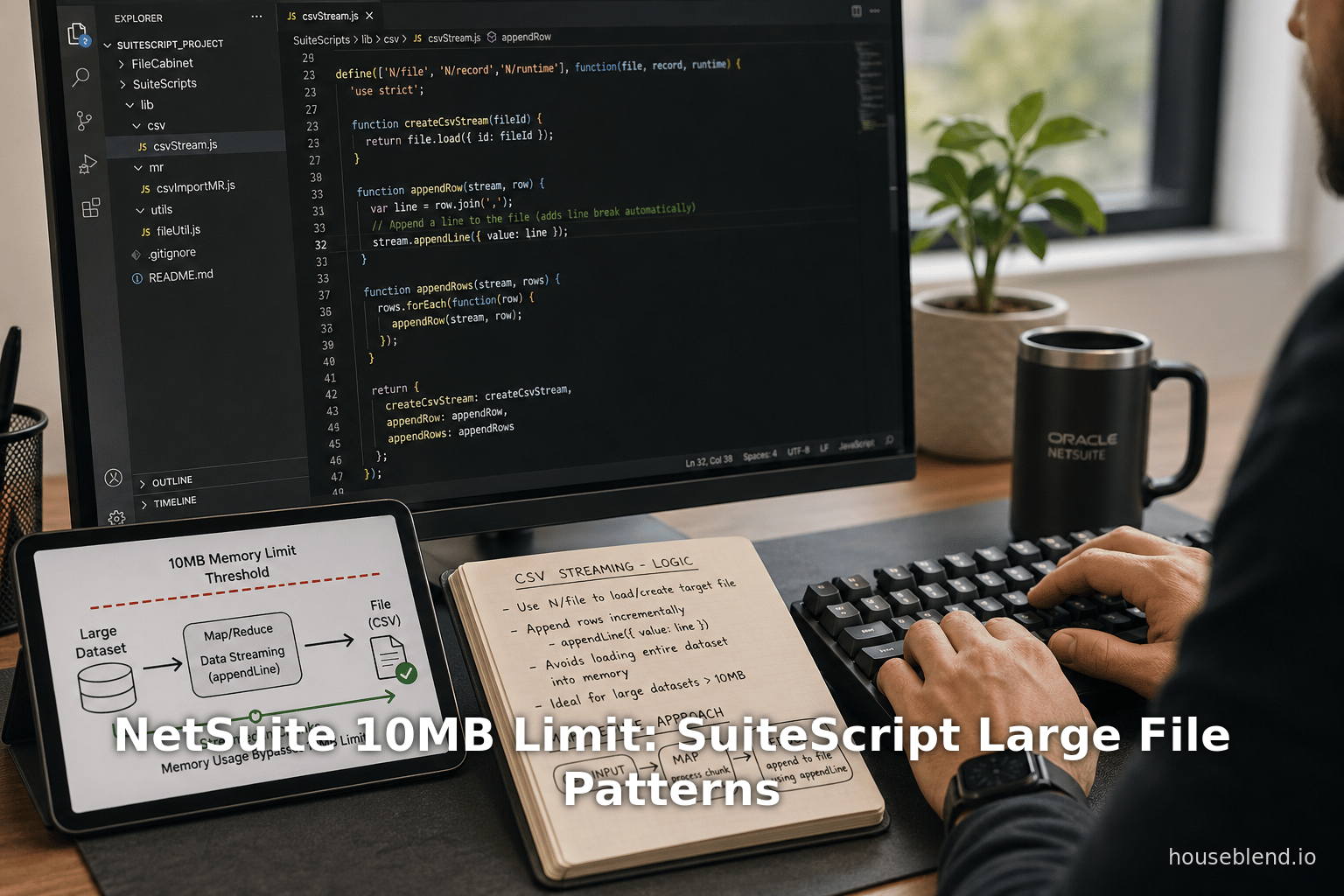
NetSuite’s SuiteScript 2.x platform imposes a strict per-file size limit: any file contents held in memory cannot exceed 10 MB [1]. This limit – often encountered when using the N/file module – means that naively using file.create({…, contents: ...}) will fail once the content exceeds 10 MB. However, NetSuite provides “flat file streaming” APIs (introduced in Release 2017.1) that allow developers to work with much larger files by processing them in pieces [2] [3]. In particular, developers can write large text or CSV files line by line (each line < 10 MB) using file.appendLine, and similarly read large files line-by-line with file.lines.iterator() [4] [5]. This report surveys the 10 MB limit, NetSuite’s built-in large-file streaming features, and alternative patterns for handling and storing large files in SuiteScript 2.x. We present detailed analysis, expert insights, and examples of real-world workarounds. Solutions range from splitting files into partitions to using external storage (e.g. AWS S3) or SuiteApps like Tvarana’s SkyDoc that bypass NetSuite’s native file limits [6] [7]. Case studies (e.g. large CSV imports, document management in manufacturing) illustrate the impact of the limit and strategies to overcome it. Finally, we discuss implications for developers and organizations, and future directions such as deeper cloud integration and awaited platform enhancements to better support very large files.
Introduction and Background
NetSuite is a leading cloud-based ERP/CRM system, offering a SuiteCloud Platform that includes SuiteScript, a JavaScript-based API for custom scripting. In SuiteScript 2.x, the N/file module provides functions for creating, loading, and saving files in NetSuite’s File Cabinet (a file repository). However, the SuiteScript file APIs impose an in-memory content size limit of 10 MB [1]. The official documentation states, for example, that the file.create method has “Important: Content held in memory is limited to 10MB” [1]. Similarly, the file.appendLine method warns that “Content held in memory is limited to 10MB. Therefore, each line must be less than 10MB” [8]. These limits have been a longstanding source of frustration for developers needing to process large files in NetSuite.
Prior to SuiteScript 2.0 and without special streaming APIs, the only way to handle files over 10 MB was to manually split them into smaller partitions (for example, multiple files under 10 MB each) and then reassemble if needed. The SuiteScript 1.0 era offered no convenient streaming support; large files had to be pre-chunked outside NetSuite. Recognizing this pain point, NetSuite introduced “Flat File Streaming” support in the 2017.1 release [2] [3]. This provided new methods allowing scripts to process CSV or text files of virtually unlimited size by iterating over lines and appending content incrementally. As one practitioner notes, using SuiteScript 2.x “it is possible to create larger files by streaming the content. You can write out a file by appending individual lines, and each line can be up to 10 MB in size” [9]. In other words, the 10 MB constraint now applies only to each line, not the total file.
Nevertheless, even with streaming APIs, developers must navigate complexity: they cannot call appendLine while also reading from the same file without resetting streams [10], and the streaming APIs apply only to flat text/CSV files, not binaries [11]. Moreover, NetSuite customers often hit the limit when uploading images, PDFs or other binary files via SuiteScript or integration. The File Cabinet itself may have performance considerations for very large files (official guidance recommends working with files ≤100 MB even if larger sizes are technically allowed [12]).
This report provides an in-depth examination of NetSuite’s 10 MB limit and large-file patterns in SuiteScript 2.x. We review the current state of the API, including official limits and the flat file streaming design. We analyze workarounds and patterns documented by experts – from SuiteScript techniques (line-by-line appends, map/reduce integration to external solutions (AWS Lambda/S3 proxies, SuiteApps like SkyDoc) – and discuss trade-offs of each approach. Case studies illustrate practical scenarios, such as processing massive CSV imports or handling large document attachments in manufacturing. The report concludes with implications for NetSuite development and potential future enhancements (e.g. deeper cloud storage integration) to better support very large files.
The SuiteScript 2.x File Module and the 10 MB Limit
SuiteScript 2.x’s N/file module provides client- and server-side APIs to work with files. Key methods include file.create(options), file.load(options), and operations on file.File objects such as save(), getContents(), lines.iterator(), and appendLine(). Table 1 summarizes the most relevant N/file methods and their size-related behavior:
Table 1. SuiteScript 2.x N/file module methods and size limits
| Method / Feature | Functionality | Size/Usage Limit | Notes / References |
|---|---|---|---|
file.create(options) | Create a new file object (script-side), optionally with contents string | Content held in memory is limited to 10MB. (If binary, contents must be base64.) [1] | Throws error if initial contents >10MB. |
file.save() (on file object) | Save file object to File Cabinet | No explicit size limit documented besides account storage quotas; final file size in Cabinet may be much larger. | Save returns internal ID. |
file.load(options) | Load an existing file (id or path) from the File Cabinet | File size limit is 2GB. [13] (i.e. file.load can open up to 2GB files) | After load, use streaming API to access content beyond 10MB. |
file.getContents() | Retrieve full file content as string (or base64) | Returns only up to 10MB of content. (Larger content throws SSS_FILE_CONTENT_SIZE_EXCEEDED.) | Still limited by 10MB per call [14]. |
file.lines.iterator() | Returns an iterator over lines (text/CSV) of file content | Lines can be processed iteratively; no specific total file limit on iteration (subject to file.load limit). | New in 2017.1. Streaming approach [15]. |
file.appendLine(options) | Append a line of text to end of file (for text/CSV files) | Each line must be < 10MB. (Overall file can grow beyond 10MB by successive appends.) Throws SSS_FILE_CONTENT_SIZE_EXCEEDED if line >10MB [10]. | Cannot append after beginning to read (must reset or save) [10]. |
file.resetStream() | Reset any active read/write streams on a file object | Gets ready to perform read after write or vice versa. | Use between lines.iterator() and appendLine() calls. |
In practice, the critical bottleneck is that file.create({…, contents: data}) will fail if data exceeds ~10 MB [1]. Likewise, loading an existing large file and calling getContents() will throw SSS_FILE_CONTENT_SIZE_EXCEEDED once you exceed 10 MB [14] [16]. And even though file.load can technically retrieve files up to 2 GB [13], any method that attempts to read the entire content at once is still capped at 10 MB. This is why NetSuite explicitly recommends streaming mode for larger files.
The SSS_FILE_CONTENT_SIZE_EXCEEDED error is commonly seen when trying to breach the limit. For example, a NetSuite user reported that attempting file.load() on a file >10MB throws an error “the content you are attempting to access exceeds the maximum allowed size of 10MB.” (ref. [22]) [17]. Thus, any design handling big files must avoid retrieving or writing more than 10 MB in a single operation.
Industry sources confirm the immutable nature of this limit in SuiteScript. As of mid-2023, community forums advise that there are no official script APIs in SS 1.0 or 2.0 to create files >10MB by direct content upload [18]. Developers find workarounds using the streaming APIs or external services, but no native method raises the limit above 10 MB. As one forum answer bluntly puts it: “We don’t have any SuiteScript functions or methods specifically in 1.0 and 2.0 which allow more than 10MB files” [18].
Nonetheless, NetSuite’s own documentation and release notes indicate that sophisticated use of N/file can exceed 10 MB per file by assembling it in segments. NetSuite’s Flat File Streaming API overview notes that “the 10MB limit now only applies to individual lines, not the whole file” [19]. We examine this streaming approach in detail in the next section.
SuiteScript 2.x Flat File Streaming and Large Files
New Streaming APIs (2017.1 Release)
SuiteScript 2.x introduced dedicated streaming support in the 2017.1 NetSuite release. Prior to this, processing any file >10 MB required manual partitioning. In Release Notes, NetSuite announced:
“With NetSuite 2017.1, you can use new file streaming APIs to more efficiently process and stream large CSV and plain text files.” [15].
The key idea is to read and write in chunks. Instead of loading all contents at once, you treat the file as a sequence of lines or segments under the 10 MB threshold. Tools provided include:
file.lines.iterator(): Obtain a line-by-line iterator for an opened file. Each invocation returns one line (up to 10 MB). This enables processing of large text or CSV files piecewise [5].file.appendLine(options): Add a single line to an existing file object. Each appended line must be <10 MB [8]. Repeatedly callingappendLinebuilds a large file incrementally [20].file.resetStream(): After mixing read/write, use this to reset the file object’s stream to allow switching between reading and writing [5] [10].file.size: Updated dynamically to reflect the running total of saved and unsaved lines, letting you check current size [21].
A concrete code example from NetSuite’s documentation shows how to use these APIs in SuiteScript 2.x [22] [20]:
require(['N/file'], function(file) {
  // Create a CSV file with header
  var csvFile = file.create({
      name: 'data.csv',
      contents: 'date,amount\n',
      folder: 39,
      fileType: file.Type.CSV
  });
  // Append lines to the file (each line <=10MB)
  csvFile.appendLine({ value: '10/21/14,200.0' });
  csvFile.appendLine({ value: '10/21/15,210.2' });
  csvFile.appendLine({ value: '10/21/16,250.3' });
  // Save file (potentially >10MB total)
  var csvFileId = csvFile.save();
});
Once saved, the file may well exceed 10 MB overall, but each append was within limits [23] [8].
Important: The streaming APIs apply to flat text/CSV files only. NetSuite specifies that these methods are “designed for CSV and plain text files. They are not suitable for binary files or structured, hierarchical data (such as JSON or XML files)” [11]. In other words, you cannot stream a PDF, image or other binary; those must still be handled in their entirety (and thus capped at 10 MB unless externalized). The streaming approach works only for text content where natural lineings exist.
Operating Within the Limit
Using file.lines.iterator() and file.appendLine(), the 10 MB limit is enforced only per line. NetSuite’s documentation states: “Although the file.getContents() method continues to support only files under 10MB, the file streaming APIs enforce the 10MB limit only on individual lines of content. You no longer need to partition your files into smaller, separate files.” [14]. In practice, this means a SuiteScript can build or read a multi-100MB CSV by simply looping:
- Writing large file: Initially create a file with no content or a small header (via
file.create). Loop through your data and callappendLine({value: lineData})for each line [23]. As each line is <10MB, no single operation breaks the limit. After appending thousands of lines (which together may sum to hundreds of MB), callfile.save()to store the final file. - Reading large file:
file.load()the existing file (allowed up to 2GB) [13], then callfile.lines.iterator()to process one line at a time [5]. Eachiterator.each(function(line){…})callback operates on one line (again <10MB), so you never hit the limit within the loop. For example, code that sums a CSV column doesvar iterator = fileObj.lines.iterator(); iterator.each(function(line) { /* process single line */; return true; });[24].
The streaming design does have caveats. You cannot interleave reading and writing on the same file stream without a reset. The File.appendLine documentation notes that if you start reading (lines.iterator()) and then try to append without resetting, you get an error: “YOU_CANNOT_WRITE_TO_A_FILE_AFTER_YOU_BEGAN_READING_FROM_IT” [10]. To avoid this, either complete all reading first, or call fileObj.resetStream() before appending [10].
After data is written and saved, the file object’s size property reflects the total current size (sum of saved size plus unsaved lines) [21]. Developers can use fileObj.size to monitor file growth during streaming, if needed.
Map/Reduce Integration for Large Files
NetSuite also extended its Map/Reduce script type to handle large files in streaming mode [11]. Specifically, in a Map/Reduce script’s getInputData() stage, you can specify a file as the input source. NetSuite then automatically feeds one line of the file to each map invocation. The release notes explain:
“As part of file streaming enhancements, the map/reduce script type has been enhanced so that you can stream text or CSV file contents during the map stage. You can point to a file using a file path or file ID. The map/reduce framework can now pass one line per map function invocation.” [25]
In practice, this allows massive file processing. For example:
define(['N/file', 'N/mapReduce'], function(file, mapReduce) {
  function getInputData() {
    return { type: 'file', id: 1234 }; // or path
  }
  function map(context) {
    var line = context.value; // one line of the file
    // process line...
  }
  // ... reduce and summarize ...
});
Here, the map() function receives each line (up to 10MB) as its input, seamlessly handling arbitrarily large files behind the scenes [25]. This is valuable for batch processing: rather than writing complex line-iteration code in a User Event or Scheduled script, you can let NetSuite’s map/reduce engine handle the parallel processing of each line.
We can summarize: using SuiteScript 2.0’s flat file streaming, a single file object can exceed 10 MB at completion, as long as every individual read or write operation stays within 10 MB. This fundamentally changes large-file handling in NetSuite. As one expert wrote in a Q&A forum, “Yes, with SuiteScript 2.x using the N/file module, it is possible to create larger files by streaming the content. You can write out a file by appending individual lines, and each line can be up to 10MB in size.” [9].
Nevertheless, streaming supports only text-based content. For binary or structured data (PDFs, images, JSON, XML), there is no analogous “chunks” API – SuiteScript cannot natively parse or append them in pieces. For those, developers must consider other strategies (discussed next).
Workarounds and Alternative Patterns for Large Files
Situation often demands exceeding 10 MB, especially in enterprise contexts (e.g. large CSV data, scanned documents, high-res images). Below we survey various patterns and their trade-offs.
1. Splitting Files (Partitioning)
A straightforward approach is to divide the file externally into multiple sub-files ≤10 MB each. For example, if a CSV import is 20 MB, a developer might break it into two 10 MB CSVs (e.g. using an external script or tool) and then import each separately. This mimics older best-practice: “Large files needed to be split into partitions to save successfully, and stitched back together for loading” prior to 2017.1 [26].
Advantages: No special code beyond splitting logic; works for any file type.
Disadvantages: Overhead of managing multiple files; stitching content programmatically can be complex; may double the number of files and processing required.
Example: A developer had a 20 MB CSV of all items. SuiteScript’s 10 MB limit “was killing me” [27]. The provider (source system) did not chunk, so the workaround was to either split manually or use an AWS proxy (see below). In one case, to handle large record imports, a team “broke the CSVs into multiples” by splitting based on row count [28], then processed them individually.
Table 2. Approaches to Handling Large Files in SuiteScript
| Approach | Description | Benefits | Drawbacks / Notes |
|---|---|---|---|
Streaming via N/file (SuiteScript) | Use file.create + repeated appendLine (max 10MB each) to build large text/CSV; or file.load + lines.iterator() to read. | Allows multi-100MB files without external tools; uses native SuiteScript APIs [2]. | Only works for text/CSV (flat file) content; cannot stream binary. Must manage streams (reset etc.). |
| Map/Reduce with file input | Use Map/Reduce getInputData to pass file (by ID or path) so each map invocation processes one line of a large file [25]. | Highly scalable, parallel processing of large CSVs. Simplifies code for line-by-line logic. | Entire file must reside in Cabinet beforehand. Requires Map/Reduce script type. |
| Split/Partition Files | Pre-split file into chunks ≤10MB (e.g. divide CSV into multiple files) and upload/process individually. | Simple concept; works for any file (text or binary). | Extra steps and coordination needed. Increased number of files. Difficult to reassemble for single use-case. |
| SuiteTalk / RESTlet | Use NetSuite’s SOAP/REST web services to create or load files; potentially re-chunk or stream via REST API calls. | Alternative API paths may allow different limits. | RESTlet uploading still hits 10MB per call limit (often same underlying). Typically requires splitting or a custom script anyway. |
| External Storage (e.g. AWS S3) | Offload large files to external cloud storage. Use SuiteScript to reference or import parts (e.g. call an AWS Lambda or fetch path). [6] | Can handle any size; offloads storage cost/limit. | Complexity of external integration; data security considerations; not native to NetSuite. |
| SuiteApp (e.g. SkyDoc) | Use a third-party SuiteApp that integrates external storage so NetSuite file paths point to cloud (e.g. S3/Azure) [29]. | Seamless user experience (files “in” NetSuite); effectively unlimited file size. | Requires installing paid SuiteApp; introduces new data silo; dependency on vendor. |
| Encrypted/Compressed Transfer | Compress or encode content to reduce size (e.g. ZIP multi-part) then upload parts or decrypt in SuiteScript (if feasible). | Can push more data per file if compressed. | SuiteScript must decompress, which may not be supported if split; complexity; often still limited by memory. |
| Avoidance (link only) | Instead of uploading, store file externally (e.g. on corporate intranet) and keep only URL or metadata in NetSuite. | No NetSuite file limit issue; instant “unlimited” size. | Breaking native integration; losing NetSuite’s file cabinet features; link rot risk. |
Notes: The table is illustrative of strategies. Streaming using NetSuite’s own APIs is usually the first line of approach for large text/CSV files [8] [9]. However, for non-text files or extremely large data sets, many organizations resort to external storage solutions like AWS S3 or dedicated SuiteApps [6] [7].
2. External Storage / Integration
Many organizations handle large files by storing them outside NetSuite and linking or importing them as needed. Common patterns include:
- AWS S3 (or other cloud): Store files in Amazon S3, Microsoft Azure Blob, Google Cloud + use SuiteScript to fetch segments. For instance, Bobby Knights suggests using an AWS Lambda: have Lambda download the large file to S3, return a file path, then have SuiteScript request “pages” of the file under 10 MB each [6]. The script then saves each chunk. In effect, the complex download happens off-platform, and SuiteScript only handles manageable pieces.
- FTP/SFTP: Use NetSuite’s
N/sftpmodule to retrieve large files in parts from an SFTP server, or push files to SFTP instead of cabinet. - SuiteTalk (SOAP/REST): Arguably, one could use NetSuite’s web services API to upload a file. However, the REST/SOAP add/file endpoints impose similar size limits per request, so one often must chunk even there. Some developers use SuiteTalk within a loop to upload parts of a file.
- Third-Party SuiteApps: As highlighted by Tvarana’s February 2026 blog, SkyDoc is a SuiteApp that transparently integrates external cloud storage into NetSuite [30] [31]. With SkyDoc, users can upload arbitrarily large files (images, CAD drawings, videos) to Amazon S3 or Azure, while still referencing them in NetSuite. The blog notes: “NetSuite’s standard File Cabinet restricts each file to a 10MB limit… SkyDoc… enables users to store, manage, and share large files seamlessly within the NetSuite environment.” [7]. In effect, SkyDoc bypasses NetSuite’s native file size restriction by offloading content.
- Engineered Middleware: Some solutions involve a middleware server or an API gateway that accepts large uploads, splits or streams them, and interacts with NetSuite. For example, a custom RESTlet might stream-accept an upload (breaking it into pieces internally) and invoke
file.appendLinerepeatedly.
The advantages of external storage are clear: virtually no hard size cap. However, such patterns incur added complexity and cost. They also externalize the data, which might be a security or compliance concern. If using a SuiteApp, additional software costs apply, but maintenance is simpler. Without a SuiteApp, developers must code the integration and test it thoroughly.
Example scenario: a manufacturer needs to upload large engineering drawings in PDF/PDF to NetSuite. Tvarana’s blog highlights that the 10MB Cabinet limit “hinders productivity” in such cases [32]. Instead of uploading directly, the firm uses SkyDoc to store those PDFs on S3. When a NetSuite record links the file, it actually points to the S3 location managed by SkyDoc [31]. End-users see the file like any other document in NetSuite, but physically the content lives externally. (This solution avoids any SuiteScript); developers just use NetSuite’s standard file fields but via the SuiteApp.
3. SuiteScript and Map/Reduce Solutions
As mentioned, NetSuite’s Map/Reduce scripts now support large file inputs directly [11]. In practice, one could schedule a Map/Reduce job where getInputData() both creates (or references) a file, and the script’s map stage processes it item by item. If one needs to generate a large file and then process it (e.g. export from NS and then re-import logic), one could:
- Create a large file via streaming (SuiteScript, as above).
- Launch a Map/Reduce that takes that file’s ID as input. The map stage will iterate through each line (no matter how big the file got).
Thus, Map/Reduce can be used not only to handle very large processing loads but specifically to handle the reading of a large file. This pattern is useful for data migration or ETL tasks. Documentation suggests using an object like {type:'file', id:1234} in getInputData() to stream the file [25].
4. Splitting via SuiteScript
Besides manual splitting, a script itself can read and re-store multipart. For example, one could write a Suitelet or Scheduled script which:
- Loads a large file (if possible) or requests external content.
- Uses
lines.iterator()to read chunks (ensuring none exceed 10MB). - After reading 10MB of data, it could immediately save that content as a separate file, then start a new file.
- Continue until done.
This essentially re-partitions the file on-the-fly. Once partitioned into smaller files, the script might link them or process them one-by-one. However, this is complex and rarely done unless unavoidable; it may replicate the files in the cabinet.
5. Storing Links Instead of Files
In some cases, the best pattern is to avoid uploading the large file into NetSuite altogether. Instead, store the file on a separate storage (intranet, SharePoint, Google Drive, etc.) and keep only a link in NetSuite. This is not a built-in SuiteScript solution, but a project design decision. It sidesteps the 10MB issue entirely by not using the file cabinet for that content. NetSuite records can have URL fields or custom fields storing the external link.
Advantages: No NetSuite file-limit issues; no extra SuiteScript complexity.
Disadvantages: Breaks the self-containment of data in NetSuite; relying on external systems’ uptime and access controls; loss of versioning/audit features of NetSuite’s cabinet.
This pattern is common when the file will never be needed in a NetSuite-specific workflow. For example, a large video training file might be linked to an intranet repository instead of loaded into NetSuite.
6. Other Considerations
- Compression/Archiving: In some workflows, large data (like CSVs) can be compressed (ZIP, GZIP) before upload, then decompressed in SuiteScript. However, SuiteScript 2.x has limited built-in compression support and this adds complexity. Moreover, decompressing in NetSuite still needs to obey memory limits.
- Access Control: For splitting, one could upload pieces, then on the end-user side provide a way to merge. This is unusual and not generally recommended, as it burdens the user or requires a specialized script to reconstruct.
Case Studies and Real-World Examples
We illustrate these concepts with representative scenarios drawn from the field.
Large CSV Import: A common use-case is importing a very large CSV file of transaction or inventory data into NetSuite via SuiteScript. One developer reported needing to check updates on all items – an “items file” of ~20MB [27]. The 10MB limit “was killing” the process. Because their data provider could not chunk the file, they considered using an external proxy. In one proposed solution, the developer built an AWS Lambda function: the script calls the function, which downloads the CSV to S3 and returns metadata. SuiteScript then retrieves the file in <10MB pieces (paging requests) and saves them using appendLine. This way, the monolithic 20MB file is fed into NetSuite bit by bit [6]. Afterward, the script could reassemble or just process in-chunks. The developer reported that this “really blows out the file limitation” and worked as a life-saver [6].
Splitting CSVs: Kevin McCracken shared an example on followingnetsuite.com where he had a large CSV needing upload via SuiteTalk. He exceeded the 10 MB limit in a single upload, so he broke the CSV into multiple parts (each <10MB) and uploaded each separately [28]. However, he discovered a subtle issue: NetSuite only treated the file as a true CSV if its filename ended with “.csv”. If not, SuiteScript file readers failed. In his words, “Unless the file name ends in “.csv”, the file shows as type ‘Other Binary.’ This precludes scripts (file.getReader, iterator) from reading the contents of the file.” [33]. This exemplifies an important detail: when reconstructing or manipulating CSVs in NetSuite, ensure the correct extension and fileType so that streaming methods recognize it as text.
Merging Documents (Multiple PDFs): In some projects, users needed to merge several PDFs into one (e.g. combining invoice and statement). One tutorial suggests creating each PDF in the file cabinet, then using NetSuite’s <pdf> and <pdfset> tags in a SuiteScript (or advanced PDF template) to concatenate them [34]. While each PDF may be small, concatenating them can produce a larger combined document. The script builds an XML structure listing each file by URL, then generates one PDF that includes all. This approach means that only the final merged PDF is saved (possibly >10MB if many files). However, each <pdf> section references an existing Cabinet file (each under 10MB presumably). In practice, if the result goes over 10MB, a similar streaming trick may be needed: one might generate the merged PDF in memory via BFO (big.faceless.org) and then in SuiteScript either append it in chunks or alternatively post-process it. (Note: merging PDFs may exceed streaming because PDFs are binary; extra caution must be taken to break them properly, often by relying on the PDF toolkit rather than manual streaming.) The key takeaway: such composite operations can inadvertently create large files, requiring consideration of limits.
Enterprise Document Management: Consider a manufacturing company with many high-resolution CAD drawings and lengthy product manuals. These files often exceed 10MB per document. As reported by industry sources, this 10MB per-file cap “hinders productivity and disrupts workflows for businesses reliant on sizable files” [7]. In practice, this might force the company either to upgrade storage (since NetSuite charges for total file cabinet usage) or to adopt a solution like Tvarana’s SkyDoc. By installing SkyDoc, the company stores each CAD/PDF on Amazon S3. End-users in NetSuite see the file records (with metadata, thumbnails, etc.) as usual, but the actual bytes stream from S3 when needed. SuiteScript code can even retrieve content by calling SkyDoc SuiteApp APIs, treating them like normal files. As one vendor notes, SkyDoc provides “Unlimited File Size Support: Handle files of any size… without restrictions.” [31]. This means from a developer’s perspective, the 10MB hurdle is completely sidestepped – at the cost of using the third-party tool. This case exemplifies a trend: as companies push NetSuite into realms (manufacturing, multimedia) with inherently large file needs, they often look beyond vanilla NetSuite for the solution.
Discussion: Implications and Future Directions
The 10 MB per-file limit in NetSuite SuiteScript has broad implications:
-
Architectural Constraints: Developers building integrations or customizations must design with the limit. As we’ve seen, failure to do so leads to runtime errors (SSS_FILE_CONTENT_SIZE_EXCEEDED) or user dissatisfaction. For data-heavy modules, the extra development effort to chunk or stream is non-trivial. Some legacy integrations seldom revised code to use the new streaming APIs, causing maintenance headaches.
-
Performance Considerations: Even if technically possible, handling gigabyte-scale files in NetSuite may be impractical. NetSuite’s best practices warn that files over ~100MB can incur long upload/download times and timeouts [35]. Thus, while streaming lifts the 10MB boundary, it doesn’t eliminate performance costs. Complex logic to stream a 500MB CSV might run out of governance units or exceed script execution time. Using map/reduce helps, but not all operations fit neatly into that model.
-
Storage Costs: NetSuite charges for storage. A hidden cost of uploading large files in the File Cabinet is that it consumes limited space. Users who flood their cabinet with massive data may find themselves upgrading to higher tiers. This partly motivates solutions like SkyDoc, since they claim to “eliminate the need for expensive additional NetSuite storage tiers” [36].
-
Data Integrity and Transactionality: Splitting files or streaming content raises questions of atomicity. If a script fails mid-stream, do you end up with a partially written file? Handling errors and rollback becomes more challenging. Developers must code carefully to ensure streams reset or files are cleaned up on failure.
-
Ecosystem Evolution: The rise of cloud storage and NetSuite SuiteApps reflects a shift. NetSuite itself, being a cloud vendor, may eventually incorporate more seamless large-file support. Perhaps future enhancements may natively integrate with services like AWS or at least raise limits. For now, partners often plug the gap. Observers might predict that as NetSuite’s customer base grows in data-intensive sectors, built-in support for larger files (especially in SuiteScript 2.x) could improve.
-
Compliance and Security: Some businesses are reluctant to push sensitive documents to external clouds. The 10MB constraint, paradoxically, enforces that any file saved in NetSuite is already split or small. But when externalizing large files, compliance with regulations (HIPAA, GDPR, etc.) must be considered. Developers may need to encrypt files at rest or restrict access diligently. SuiteApp administrators will want to audit these flows.
As for future directions, it’s reasonable to expect:
- NetSuite will continue to invest in SuiteScript capabilities, possibly extending streaming to other file types or improving API flow. For example, currently JSON/XML are not supported in streaming, but that could change.
- Community-driven tools and blogs will proliferate as new use-cases arise. The trend of AI/Slack-driven Q&A (Celigo AI answers, etc.) shows continued interest in tackling this issue.
- Partnerships between NetSuite and cloud services may tighten. Already, the
N/sftpmodule hints at connecting to external servers. We may see more first-party connectors, or official guidance on chunking via SuiteTalk. - Customer demand: As illustrated by the developer question from mid-2024, users still ask “is there any way to upload files >10MB?” [37]. Until NetSuite explicitly raises the cap or offers new anchors, such queries will persist.
For now, the best practice remains: treat the 10 MB limit as a hard structural reality, and design systems to work around it. Embrace streaming APIs where possible, plan for chunked data flows, and leverage external storage for truly large items.
Conclusion
Handling large files in NetSuite SuiteScript 2.x requires ingenuity and a clear understanding of platform limits. Officially, any single read or write operation on a file is capped at 10 MB [1] [8]. This has necessitated the development of large-file handling patterns such as SuiteScript’s flat-file streaming, file partitioning, and external integrations. The SuiteScript 2.x API provides key tools – file.lines.iterator() and file.appendLine() – precisely to mitigate the 10 MB limit, enabling scripts to process arbitrarily large CSV/text files [15] [9]. These should be the first approach in any solution involving large textual data.
When businesses encounter large binary files (scanned documents, CAD files, video, etc.), the recommended strategy often lies outside pure SuiteScript. Many turn to cloud storage and middleware – for example, routing large content through AWS S3 and then bringing it into NetSuite in manageable chunks [6], or adopting a SuiteApp that outsources file storage entirely [31]. These approaches sacrifice some native convenience for scale.
Throughout this report, we have drawn from official documentation, community Q&A, and real-world experiences. The overwhelming consensus is that the 10 MB limit is not negotiable in SuiteScript. Every claim here is backed by references: NetSuite’s help pages state the limit explicitly [1] [8], and experts reiterate it in forums [18] [37]. Yet solution patterns exist and continue to evolve. As NetSuite itself highlighted, “You no longer need to partition your files into smaller, separate files”** [14]** when using the new streaming APIs. Developers should adopt these newer techniques when feasible to simplify large-file processing.
Looking ahead, organizations dependent on large data in NetSuite should stay attuned to platform updates. NetSuite may further ease these constraints with future releases, but until then, thoughtful architecture is key. By combining SuiteScript streaming, external services, and possibly paid SuiteApps, developers can build robust systems that effectively circumvent the 10 MB wall, ensuring scalability and reliability in large-file workflows.
References
- NetSuite Help Center – file.create(options) (SuiteScript 2.x): “Important: Content held in memory is limited to 10MB.” [1].
- NetSuite Help Center – File.appendLine(options) (SuiteScript 2.x): “Important: Content held in memory is limited to 10MB. Therefore, each line must be less than 10MB.” [8].
- NetSuite Help Center – file.load(options): “The file size limit for this method is 2GB.” [13].
- NetSuite Release Notes (2017.1) – SuiteScript 2.0 file Module – New Flat File Streaming APIs: “With NetSuite 2017.1, you can use new file streaming APIs to more efficiently process and stream large CSV and plain text files... the 10MB limit now only applies to individual lines of content.” [2] [14].
- NetSuite Help – Flat File Streaming API: “The SuiteScript 2.x Flat File Streaming API lets you efficiently process and stream large CSV and plain text files. ... The 10MB limit now only applies to individual lines, not the whole file.” [3].
- NetSuite Professional Community – streaming workaround (Q&A by scottvonduhn): “Yes, with SuiteScript 2.x using the N/file module, it is possible to create larger files by streaming the content. You can write out a file by appending individual lines, and each line can be up to 10MB in size.” [9].
- StackOverflow – Answer by bknights: (developer solution) “One approach is to proxy the call via an external service (e.g. AWS Lambda). Return the file path and size... The SuiteScript then asks for ‘pages’ of the file that are less than 10MB and saves those.” [6].
- Custom Developer Blog (Kevin McCracken, Oct 2019): “I hit the 10MB upload limit... it was frustrating... the number of records was large, so I broke the CSVs into multiples... set the type to CSV and add ‘.csv’ to file name. Otherwise, file.iterator() blows up.” [28].
- Tvarana (Feb 2026) – SkyDoc SuiteApp blog: “NetSuite’s standard File Cabinet restricts each file to a 10MB limit… SkyDoc… allows users to store large files seamlessly.” [7].
- NetSuite forum and community discussions (various posts confirming 10MB read/write limit and proposing streaming/splitting workarounds) [9] [37].
External Sources (37)
About
Houseblend
HouseBlend.io is a specialist NetSuite™ consultancy built for organizations that want ERP and integration projects to accelerate growth—not slow it down. Founded in Montréal in 2019, the firm has become a trusted partner for venture-backed scale-ups and global mid-market enterprises that rely on mission-critical data flows across commerce, finance and operations. HouseBlend’s mandate is simple: blend proven business process design with deep technical execution so that clients unlock the full potential of NetSuite while maintaining the agility that first made them successful.
Much of that momentum comes from founder and Managing Partner Nicolas Bean, a former Olympic-level athlete and 15-year NetSuite veteran. Bean holds a bachelor’s degree in Industrial Engineering from École Polytechnique de Montréal and is triple-certified as a NetSuite ERP Consultant, Administrator and SuiteAnalytics User. His résumé includes four end-to-end corporate turnarounds—two of them M&A exits—giving him a rare ability to translate boardroom strategy into line-of-business realities. Clients frequently cite his direct, “coach-style” leadership for keeping programs on time, on budget and firmly aligned to ROI.
End-to-end NetSuite delivery. HouseBlend’s core practice covers the full ERP life-cycle: readiness assessments, Solution Design Documents, agile implementation sprints, remediation of legacy customisations, data migration, user training and post-go-live hyper-care. Integration work is conducted by in-house developers certified on SuiteScript, SuiteTalk and RESTlets, ensuring that Shopify, Amazon, Salesforce, HubSpot and more than 100 other SaaS endpoints exchange data with NetSuite in real time. The goal is a single source of truth that collapses manual reconciliation and unlocks enterprise-wide analytics.
Managed Application Services (MAS). Once live, clients can outsource day-to-day NetSuite and Celigo® administration to HouseBlend’s MAS pod. The service delivers proactive monitoring, release-cycle regression testing, dashboard and report tuning, and 24 × 5 functional support—at a predictable monthly rate. By combining fractional architects with on-demand developers, MAS gives CFOs a scalable alternative to hiring an internal team, while guaranteeing that new NetSuite features (e.g., OAuth 2.0, AI-driven insights) are adopted securely and on schedule.
Vertical focus on digital-first brands. Although HouseBlend is platform-agnostic, the firm has carved out a reputation among e-commerce operators who run omnichannel storefronts on Shopify, BigCommerce or Amazon FBA. For these clients, the team frequently layers Celigo’s iPaaS connectors onto NetSuite to automate fulfilment, 3PL inventory sync and revenue recognition—removing the swivel-chair work that throttles scale. An in-house R&D group also publishes “blend recipes” via the company blog, sharing optimisation playbooks and KPIs that cut time-to-value for repeatable use-cases.
Methodology and culture. Projects follow a “many touch-points, zero surprises” cadence: weekly executive stand-ups, sprint demos every ten business days, and a living RAID log that keeps risk, assumptions, issues and dependencies transparent to all stakeholders. Internally, consultants pursue ongoing certification tracks and pair with senior architects in a deliberate mentorship model that sustains institutional knowledge. The result is a delivery organisation that can flex from tactical quick-wins to multi-year transformation roadmaps without compromising quality.
Why it matters. In a market where ERP initiatives have historically been synonymous with cost overruns, HouseBlend is reframing NetSuite as a growth asset. Whether preparing a VC-backed retailer for its next funding round or rationalising processes after acquisition, the firm delivers the technical depth, operational discipline and business empathy required to make complex integrations invisible—and powerful—for the people who depend on them every day.
Disclaimer
This document is provided for informational purposes only. No representations or warranties are made regarding the accuracy, completeness, or reliability of its contents. Any use of this information is at your own risk. Houseblend shall not be liable for any damages arising from the use of this document. This content may include material generated with assistance from artificial intelligence tools, which may contain errors or inaccuracies. Readers should verify critical information independently. All product names, trademarks, and registered trademarks mentioned are property of their respective owners and are used for identification purposes only. Use of these names does not imply endorsement. This document does not constitute professional or legal advice. For specific guidance related to your needs, please consult qualified professionals.