Houseblend Article
NetSuite 2026.1 AI Features for Finance Teams Explained
Inside this article
Executive Summary
SuiteConnect 2026 saw Oracle NetSuite unveil eight AI-powered features aimed at revolutionizing finance teams’ work. These capabilities span the month‐end close, reconciliation, forecasting, pricing, and reporting. Key highlights include an Intelligent Close Manager dashboard for coordinating the financial close, AI-driven bank reconciliation, planning and reconciliation assistants embedded in NetSuite’s Enterprise Performance Management (EPM) suite, automatic narrative reporting, and AI-assisted pricing. Together, these enhancements promise to accelerate close cycles, reduce manual errors, and enable finance leaders to spend more time on analysis. For example, NetSuite’s Intelligent Close Manager eliminates reliance on spreadsheets by surfacing outstanding tasks and AI‐flagged exceptions in real time [1] (Source: projectsalsa.co.nz), helping a multinational company close books in 3 days instead of 8 and gain five extra days for decision-making (Source: projectsalsa.co.nz).
Industry data confirm the urgency: 78% of organizations now use AI in at least one function [2], and 50% of finance leaders plan significant increases in generative-AI spending [3]. CFOs are taking the lead on AI adoption [4] [5]. NetSuite’s integrated, AI‐native approach addresses key pain-points in finance. This report provides a deep analysis of each new feature, situating them in the context of finance workflows. We examine implementation challenges (data quality, trust, governance), benchmark evidence (close cycle times, adoption stats), and future directions for AI in ERP. All claims are backed by authoritative sources, including Oracle documentation, industry research (Gartner, Forrester, Ventana), and expert commentary.
Introduction and Background
The finance function is under tremendous pressure to do more with less. Accelerating business cycles demand faster, more accurate financial reporting and analysis. Research shows that an efficient month-end close generally takes 3–6 business days [6], yet many organizations still spend two weeks or more reconciling accounts, generating reports, and preparing narratives. New regulations, global operations, and complex transactions only heighten the burden. Meanwhile, AI adoption is booming: a recent study found that 78% of organizations now use AI in at least one business function (up from 55% just a year prior) [2], and 71% regularly use generative AI in at least one area [2]. Generative AI spending is projected to exceed $644 billion by 2025 [4].
In this environment, the Chief Financial Officer (CFO) role is evolving. CFOs are now central to technology strategy. A Gartner survey notes that over 70% of CFOs have expanded responsibilities into enterprise data, analytics, AI, and corporate strategy [5]. Finance leaders increasingly view cloud ERP and AI as top priorities [5] [7]. For example, 50% of financial executives plan major increases in spending on generative AI in finance, and 38% plan significant investment in cloud ERP upgrades [3] [7]. In short, the market is moving decisively toward “AI-native ERP”, with AI-driven automation front and center [8] [5].
NetSuite (acquired by Oracle in 2016) is a pioneer of cloud ERP, with over 41,000 customers worldwide [9]. Oracle has steadily embedded AI into NetSuite (branded as SuiteAI) to enhance finance, supply chain, CRM, and more. In past releases, NetSuite introduced features like predictive insights and text generation for writing sales emails [10], and AI-driven EPM narrative reporting and intelligent forecasting [11]. At SuiteWorld 2024, NetSuite unveiled AI enhancements for planning and budgeting, enabling CFOs to generate financial narratives and get AI‐powered explanations for forecasts [11].
The SuiteConnect 2026 events (held in New York, Chicago, London) built on this momentum. NetSuite EVP Evan Goldberg called the update “the biggest since we founded the company.” NetSuite announced eight new AI features – five focused on finance and close processes – bundled into the 2026.1 release. These span financial close management, bank reconciliation, continuous reconciliation, financial planning, reporting narratives, pricing, plus features for CRM and development. Critically, all AI capabilities are embedded in the native system (with no separate AI fees), reflecting the market shift from fragmented tools to unified, AI-enabled finance suites [3] [8].
This report examines NetSuite’s new AI for finance. We begin by summarizing the eight features (Table 1) and their intended impacts. We then dive into each area: how it works, why it matters, and early evidence of value. We present data and expert analysis (e.g. close-time benchmarks, ROI considerations) to gauge the potential benefits. Case scenarios illustrate how a faster close, higher data quality, and richer insights can transform finance operations. Finally, we discuss implementation challenges (data hygiene, auditability, user training) and future directions for AI in ERP.Throughout, we cite authoritative sources (Oracle docs, industry analysts, finance experts) to ensure a rigorous, evidence-based perspective.
| Feature (NetSuite 2026.1) | Domain / Function | Description | Primary Value for Finance Teams |
|---|---|---|---|
| Intelligent Close Manager | Financial Close | Central dashboard portlet that aggregates all close tasks, KPIs, and AI-driven exception alerts (A/R, A/P, etc.). Uses predictive activity and anomaly detection to highlight issues. [1] (Source: projectsalsa.co.nz) | Eliminates spreadsheet-based tracking. Provides real-time visibility into close progress, flags anomalies (e.g. late postings, spikes/drifts), and links directly to tasks. Accelerates close by focusing teams on the right issues (Source: projectsalsa.co.nz) [1]. |
| AI-Powered Bank Transaction Matching | Reconciliation | Generative-AI that enriches imported bank statement lines (e.g. merchant names, contexts) to improve auto-match to GL entries. [12] [13] | Dramatically reduces manual matching effort. Increases auto-reconcile rates for high-volume bank feeds, cutting days from the close cycle. (Users still review suggestions for accuracy [14].) |
| EPM Reconciliation Agent | Continuous Reconciliation (EPM) | AI-driven matching engine for NetSuite EPM (Account Reconciliation). Continuously suggests matches and surfaces exceptions throughout the quarter. [15] [16] | Enables real-time (“always-on”) reconciliation. Catches discrepancies early, reducing end-of-month crunch. Improves data quality continuously [15] [17]. |
| EPM Planning Agent | Financial Planning | Conversational AI agent in NetSuite EPM (Planning and Budgeting). Users pose questions (e.g. “revenue variance by region”) in natural language; AI returns charts/text. [18] [19] | Empowers FP&A with on-demand analysis. Cuts time spent building reports, enabling quicker insights and agile what-if modeling. Useful for non-technical finance users to explore data without saved searches [19]. |
| AI-Generated Report Narratives (Insights) | Financial Reporting | Generative AI generates plain-language summaries of key financial reports (variance reports, dashboards, customer summaries). Highlights trends, drivers, and anomalies [20] [21]. | Automates portions of CEO/Board decks. Delivers executive-friendly “story” alongside numbers. Saves accountant time writing commentaries. (Value depends on clean data; see caveat [22] [23].) |
| AI-Assisted Advanced Pricing | Pricing & Profitability | Native suite pricing engine with policy-driven rules (cost-plus, temporal tagging, volume tiers). AI suggests optimal price points and generates pricing narratives based on sales/cost data [24] [25]. | Centralizes complex pricing logic (vs. spreadsheets), protecting margins. AI summaries help CFOs review pricing strategies. Accelerates quote accuracy and ensures consistency across divisions [24]. |
| AI-Powered Customer 360 Summaries | Customer Insights | AI agent consolidates a customer’s transactions, support cases, and communication history into a single digest. Presents a unified profile or timeline [26]. | Speeds up pre-call prep for account managers. (Fiscal impact indirect: better service and cross-sell insights may boost AR efficiency or collections.) Helps controllers assess customer credit/trade patterns at glance. |
| SuiteCloud Developer Assistant | Development (Tooling) | AI coding assistant (Oracle’s “Cline” engine) integrated via VS Code. Generates SuiteScript 2.1 code and unit tests from prompts, reading your codebase for context [27] [28]. | Lowers IT costs by accelerating ERP customizations and SuiteApps. Frees senior developers to focus on strategy. (Not directly a finance tool, but benefits finance over time by speeding implementations and updates.) |
Table 1: Summary of NetSuite’s 8 new AI features (2026.1 release) and their finance-related impact.
AI in Finance: Industry Trends and Imperatives
Before diving into NetSuite’s specific features, it is important to frame the industry context. The finance sector has been a fast follower in adopting AI. According to Gartner, technologies like generative AI and machine learning are near the top of finance leaders’ priority lists [5] [3]. In a March 2025 Gartner survey of 383 CFOs, over 70% of finance leaders reported taking on responsibilities for enterprise analytics and AI [5]. “CFOs are increasingly playing a strategic role in shaping technology roadmaps”, driving investments in AI and cloud to boost speed, agility, and insight [5]. Indeed, 50% of finance executives plan major increases in generative AI spending, and 87% of companies with an ERP already in place plan to replace or upgrade it within three years to leverage cloud and AI capabilities [3] [7].
Benchmarks highlight the CFO imperative. Studies show that a median month-end close spans 6 calendar days, and top performers aim for 3–5 business days, depending on complexity [29] [6]. Finance teams spend countless hours on manual reconciliations, error-checking, intercompany eliminations, and narrative write-ups – tasks ripe for AI augmentation. For example, leading experts note that until now “month-end close [was] tracked in spreadsheets” [30], a practice that wastes time and invites errors. Automated, intelligent tools promise to shift finance from an operational “fire-fighting” mode to a strategic, forward-looking discipline.
CFO perspectives echo this urgency. In a CFO.com article, Jim Caci (CFO of AvePoint) observes that AI is a “once in a generation shift” – on par with or exceeding the cloud in significance [31]. As companies slashed costs, CFOs rapidly became leaders in evaluating AI return-on-investment [4] [5]. Caci cites projections of $644 billion in generative AI spending by 2025 [4], noting that even as AI usage surges, CFOs and C-suite must work together to quantify its value [4] [32]. Gartner likewise emphasizes that many CFOs struggle to demonstrate AI’s business impact, even though they are responsible for those investments [4] [32].
The bottom line for finance leaders: AI is moving fast, and integrated ERP vendors like NetSuite are embedding AI features to automate core processes. Oracle touts NetSuite as the “#1 cloud ERP solution” for 41,000+ customers [9], and with these new capabilities it aims to transform NetSuite into an “autopilot” for business, not just a copilot [33]. For finance teams, this could translate into faster closes, fewer manual errors, and richer insights – but only if organizations address data quality, change management, and governance.
SuiteConnect 2026 Event and Announcements
SuiteConnect (NetSuite’s global roadshow) hit New York in Feb 2026 and Chicago in Mar 2026, with additional events (e.g. London) highlighting AI. EVP Evan Goldberg opened the keynotes by emphasizing that “NetSuite turns disconnected tasks into intelligent end-to-end workflows” [34]. He positioned NetSuite as an “autopilot” – contrasting it with generic “copilots” – by deeply integrating AI across every function [33]. Goldberg declared that with a unified ERP and AI, organizations would “increase automation, expand insights, improve agility, and unlock more value from their data” [34].
In New York on February 13, 2026, NetSuite unveiled a flurry of product updates. The NetSuite 2026.1 release (rolling out through April 2026) was billed as a major AI-infused upgrade. Four of the announced features focus on core finance processes: Close Management, Reconciliation, Financial Planning, and Reporting. Other announcements included AI features for pricing, CRM (customer profiles), and developer productivity; plus improvements to subscription billing, payments, and supply chain. Most updates were immediately generally available.
Despite the breadth, finance teams should hone in on the eight AI features that target finance-related tasks. As one observer noted, the announcements were a “biggest batch of AI features in NetSuite’s history” [35]. As Table 1 summarizes, these new tools fall into several themes:
- Financial Close & Reconciliation: Intelligent Close Manager, AI Bank Matching, EPM Reconciliation Agent.
- Financial Planning & Reporting: EPM Planning Agent, AI-generated Narratives (Narrative Insights).
- Pricing & Profitability: AI-assisted Advanced Pricing.
- CRM/Support: AI Customer 360 Summaries.
- Developer Productivity: SuiteCloud Developer Assistant.
Oracle’s documentation confirms that many of these features leverage generative AI or agentic AI. For example, the Intelligent Close Manager “uses transaction data and AI-driven exception detection” to highlight incorrect amounts and missing entries [1]. Narrative Insights “uses generative AI” to summarize data trends [20]. The SuiteCloud Developer Assistant is built on Oracle’s autonomous Cline agent (an AI coding tool) embedded in Visual Studio Code [28]. Importantly, all these AI features tap into the company’s own NetSuite data and rules, rather than a generic chatbot – ensuring the AI is contextualized to each customer’s ERP.
Below we examine each key finance-focused feature in depth, explaining its function, benefits, and any caveats. We draw on Oracle’s own documentation, independent analyses, and finance-industry sources to assess the potential impact.
Intelligent Close Manager
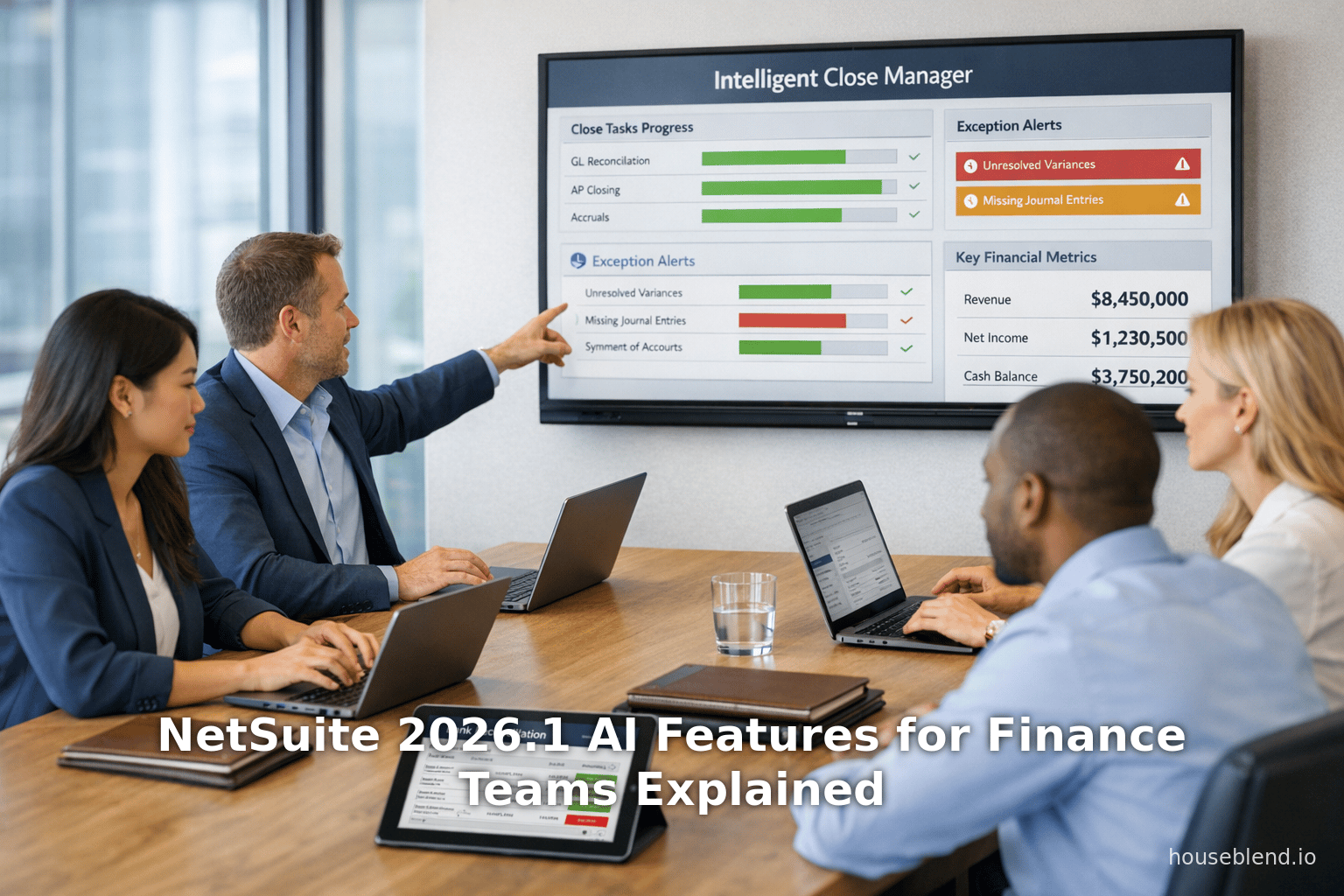
Function: Intelligent Close Manager (ICM) is a new dashboard portlet that gives finance teams a single-pane view of the entire close process. It consolidates outstanding tasks (across subsidiaries and departments), transaction amounts, key performance indicators (KPIs) and exceptions (e.g. unbalanced entries, missing invoices) in one place [1]. The system automatically generates tasks based on transaction activity and enabled features, requiring no manual setup [36]. It also incorporates AI-driven insights: for example, it “automatically highlights trends” (such as an unusually slow account reconciliation), “flags errors” (e.g. multiple out-of-balance journals), and “projects completion” based on current progress (Source: projectsalsa.co.nz). All tasks and alerts are hyperlinked so users can jump directly to the underlying record (e.g. a specific journal entry) for resolution. In short, ICM replaces disparate spreadsheets and chore charts with an integrated, data-driven close workflow.
Technology: ICM uses NetSuite’s embedded AI models to scan transactional data. According to Oracle docs, it employs exception detection algorithms to spot “AI-driven exceptions, including incorrect amounts and projected activity” [37]. It also leverages Narrative Insights (the generative AI service) to generate plain-language observations on A/R, A/P, and overall financial trends [38]. As Oracle notes, “the Intelligent Close Manager portlet includes projected activity, such as missing transactions” and consolidates tasks from features like Exception Management [1] [39].
CFO Impact: The close process is often the most stressful time for accounting teams. Projectsalsa, a NetSuite partner, observes that controllers typically spend many days each month “chasing updates rather than analyzing results” (Source: projectsalsa.co.nz). Intelligent Close Manager directly addresses this by providing real-time visibility. For example, NZ firms could use ICM to see “exactly where things stand, which tasks are complete, and what’s blocking progress” without manual status calls (Source: projectsalsa.co.nz). ICM’s built-in AI insights mean the system might pop up alerts like “Inventory reconciliation is 30% slower than last month” or “Three journal entries have unbalanced subsidiaries” (Source: projectsalsa.co.nz), instantly flagging priorities.
In practice, this means a quality controller can spend far less time on coordination and more on problem-solving. As Projectsalsa notes, by automating trend-spotting and linking directly to underlying tasks, ICM can turn a chaotic close into a “data-driven monitoring” process (Source: projectsalsa.co.nz). One illustrative scenario: an organization that was closing by day 8 could, with ICM, close by day 3 – gaining 5 extra days for business analysis (Source: projectsalsa.co.nz). These extra days can be critical for volatile businesses: faster closes give earlier visibility into cash flow, allow more time to investigate variances, and even reduce compliance risk (e.g. meeting tax deadlines more comfortably) (Source: projectsalsa.co.nz).
Evidence & Benchmarks: While ICM is new, its value can be estimated by comparing to known benchmarks. Industry research suggests top-performing companies close within 3–5 days [6]. If a typical mid-market close currently takes 7–10 days, shaving even 1–2 days off with better management is substantial. A 2024 Ventana survey indicates the median close target is 3–6 days [6]. Thus an automated manager could narrow the gap for slower closers. ERP analysts note that many organizations still “track close tasks in spreadsheets or project-management tools”, which introduces delays [40] (Source: projectsalsa.co.nz). By eliminating this, Oracle claims ICM “helps accounting teams close their books with confidence, accuracy and speed” [41].
Considerations: The effectiveness of ICM depends on underlying data. Disorganized records (e.g. uncoded transactions or inconsistent classifications) will lead to noisy alerts. Moreover, finance teams must trust the AI’s suggestions. ERP pros advise that any AI-suggested match or reconciliation entry be reviewed by a human at first [42] [14]. Oracle also cautions that narrative insights may contain errors and should not be blindly acted on [22]. Therefore, companies should pilot ICM in a controlled mode – for example, running it in parallel with existing processes – to validate accuracy. Training and change-management are key: finance staff must be educated to interpret the dashboard (and underlying data definitions) correctly.
Potential Performance Metrics: To gauge benefit, a finance team could measure close cycle time pre- and post-ICM, error counts (e.g. number of flagged exceptions), and task-resolution rates. In the first few months, even qualitative feedback (less crisis calls, better on-time close) would signal impact. Over time, one might quantify % reduction in overtime hours or calendar days in close.
AI-Powered Bank Transaction Matching
Function: The Enriched Bank Data feature uses generative AI to improve bank reconciliation. When a bank statement is imported into NetSuite, this feature “extracts entity information” using AI from the memo and payee fields of the transaction [12]. It then attempts matching in two stages: first by applying the usual rule-based reconciliation, and then for any unmatched lines it uses the AI-enriched data. Practically, it means that the system can now recognize, for example, that a transaction described as “ACME CORP PYMT” refers to ACME Corporation and match it to ACME’s invoice, even if the earlier rigid rules failed. The AI match runs automatically on up to 10,000 transactions at a time [43], flagging any successful matches with a special indicator.
CFO Impact: Bank reconciliations are highly repetitive but critically error-prone tasks. Manual matching across hundreds of transactions each month drains staff time and delays close. AI-enhanced matching streamlines this: more lines auto-match means accountants spend less time in the “Match Bank Data” screen and more time investigating true exceptions. As the Nerds’ BrokenRubik blog notes, “Bank reconciliation is tedious, repetitive, and error-prone — exactly the kind of work AI handles well” [44]. By increasing auto-match percentage, NetSuite claims it will “reduce the time bank reconciliation takes and speed up the whole process” [45].
From a finance-team perspective, faster reconciliation tightens the close. Rather than waiting on middle-office teams to manually clear all transactions, the CFO’s staff can achieve near-real-time bank alignment. In turn, this yields more accurate cash positions in financial statements. One practical scenario: suppose a mid-sized business processes 500 bank transactions a month. If AI matching can auto-match an extra 30% (150 transactions) that would otherwise be manual, that could translate to several hours of account-clearing work saved. Given that bank diff items are often a bottleneck at month-end, even a 10-15% lift in auto-match rate (with correspondingly fewer holds) could shave a day off the close.
Implementation Notes: The AI matching is enabled by default in NetSuite 2026.1 [46]. It requires no extra cost; administrators can toggle it on the usual features page. However, Oracle explicitly cautions users not to blindly trust AI matches: “AI-assisted results can be erroneous and should always be verified” [14]. In practice, this means that financial controllers should review AI-generated matches (which are specially flagged) to confirm correctness before finalizing the reconciliation. Over time, as the model learns from historical data, trust will grow; but initial use should remain conservative.
A related enhancement is the Intelligent Transaction Matching mechanism (the pre-existing auto-match engine). While not new, AI enrichment complements it. NetSuite’s docs explain that standard reconciliation rules (system and user-defined) still run first [47]. The AI enrichment kicks in only on unmatched lines, adding a new dimension (natural language matching on entity names) [12]. Thus companies do not need to overhaul existing rules or data; instead, AI is an extra layer.
Value versus Alternatives: Many mid-market firms resort to third-party apps for reconciliation. NetSuite’s native AI approach keeps data within ERP, preserving audit trails. It also aligns with Oracle’s broader strategy of embedding AI in transaction processing. Compared to pure RPA tools, NetSuite’s AI uses its own GL history as training data, which can improve accuracy over time.
Case in Point: A retail ERP user commented that when integrating payments (e.g. from Stripe or Adyen), there were often compound bank lines (one deposit with multiple components). The AI engine can intelligently match a net deposit and fees/refunds in one step – something standard rules struggle with [48]. As one analyst notes, “If NetSuite’s matching gets materially better, it can remove a lot of manual work” [48]. For finance, this means closing packages that reconcile with the bank on the first try more often.
EPM Agents: Continuous Reconciliation and Planning
NetSuite’s Enterprise Performance Management (EPM) suite (sold as an add-on) gained two AI agents:
-
EPM Reconciliation Agent: Functions within NetSuite Account Reconciliation (part of EPM). It “automatically clears transactions using an AI-driven matching engine” trained on past cycles [49]. Unlike traditional reconciliation (done only at month-end), this agent runs continuously in-quarter, surfing a background process. Finance teams see exceptions flagged as they occur, rather than discovering them at the eleventh hour [50] [49]. The intent is to achieve “continuous reconciliation” – the holy grail of accounting operations [50]. CFOs aiming for shorter close cycles will welcome catching discrepancies early (e.g. a stray intercompany invoice) so they can be fixed before close.
-
EPM Planning Agent: Embedded in NetSuite Planning and Budgeting (EPM). This natural-language AI lets FP&A ask on-the-fly questions of their plan data. For example, a planner could query “show me Q1 revenue vs budget by region” in plain language, and the agent will instantly generate the analysis [51]. This bypasses building saved searches or reports. The agent also supports what-if scenarios and simulations across business drivers [18]. The net effect is to democratize data: less technical finance staff can get answers without waiting for IT or report specialists. CFOs gain agility in forecasting and can more easily validate assumptions behind plans.
These EPM agents are add-ons (requiring NetSuite EPM/SuitePlanning licenses) – they do not apply to customers on the core NetSuite ERP alone. However, for organizations already invested in EPM, the new AI is a significant multiplier. According to Rand Group, these agents “bring automation and transparency to reconciliation, forecasting, and cost allocation”, learning from prior cycles to improve accuracy [52]. The Reconciliation Agent even writes “draft, plain-language explanations” for variances as they occur [53]. Such narratives traditionally took considerable accountant time; automating them can let teams shift focus to deeper analysis.
Importantly, these agents augment rather than replace finance professionals. As Rand Group notes, they are designed to “support accountants, analysts, and finance leaders with actionable insights and guided automation, rather than replacing existing controls” [15]. The AI provides confidence scores and transparency so users can understand (and adjust) its actions. For CFOs, that means speaking with one voice: decisions are still grounded in reviewable logic, but scaled by AI-powered efficiency.
However, smaller companies without EPM will not see these agents yet. Mid-market CFOs should weigh whether investing in the full EPM suite is justified by the productivity gains. As one blog points out, “Continuous reconciliation is the holy grail … [but] most mid-market companies on standard NetSuite do not have EPM” [54]. For those on standard NetSuite, the focus should be on the other AI tools (Close Manager, bank matching, etc.) which deliver immediate value without extra licensing.
AI-Generated Report Narratives (Narrative Insights)
Function: NetSuite’s Narrative Insights feature leverages generative AI to turn data into written explanations. It is broadly available across reports and record screens (in English). When viewing a supported report or transaction list, a user can click “Generate Insight”, and the AI will produce a concise summary describing key findings [20]. For example, a profit-and-loss report might be summarized with lines like “Revenue increased 18% over forecast due to strong sales in region X, while COGS rose 10% from higher input costs”. The NLP engine highlights anomalies, trends, and outliers – essentially writing a mini management commentary on demand [20]. The Narrative Insights dialog can include charts or images too, and is customizable (tone, length) via Prompt Studio settings.
CFO Impact: This feature addresses a perennial need: translating numeric results into stories for management and boards. As executives themselves admit, “Executives want stories, not spreadsheets” [21]. Traditionally, finance teams manually craft narratives for each reporting cycle – a time-consuming, low-code task. Narrative Insights can cut that time dramatically. NetSuite’s documentation claims it “highlights notable trends or anomalies, and focuses on key information such as risks, opportunities, or data gaps” [20] – exactly what a CFO or CEO would highlight in a board meeting.
By standardizing language and tapping into company-specific data, the AI can also improve consistency. For instance, if multiple subsidiaries run similar reports, the AI ensures they use comparable language and metrics. For multi-national firms, the AI’s promise of multi-language support (beyond initial English) could further smooth consolidation. In sum, CFOs can expect narrative AI to save preparation time, reduce oversights in reports, and provide a fresh lens on large datasets.
Challenges: Generative narratives carry risks. The AI only understands what it is given – messy data yields unreliable output. Oracle cautions that “the content… is generated using AI [and] may not be completely free of errors or fully accurate” [22]. If a report has bad data (e.g. uncategorized transactions), the narrative might confidently state incorrect conclusions [23]. Therefore, financial controllers should always verify any AI-generated text against the numbers. This means Narrative Insights is best used as a first draft or discussion aid, not a final word without review. Prompt tuning (via NetSuite’s Prompt Studio) can help ensure the narrative’s tone and focus match company needs, but governance is key.
Adoption and ROI: The feature is generally available to all NetSuite 2026.1 users in supported regions (with English locale) [55]. Its ROI comes not from eliminating headcount, but from reallocating effort. If each monthly report narrative takes 2–4 staff-hours to write traditionally, even halving that time represents substantial savings. Anecdotal evidence suggests early adopters use the insights as a starting point for board decks or executive summaries. Over time, as CFOs trust the AI, they may rely on it for quick “good enough” analyses (especially for routine metrics).
AI-Assisted Advanced Pricing
Function: NetSuite 2026.1 introduces a revamped Advanced Pricing engine. This is a rules-based, policy-driven pricing framework that handles complex scenarios (cost-plus pricing, tiered pricing, date-effective prices, customer segments, promotions, etc.). Crucially, AI is embedded to assist with price setting. The system can analyze historical cost and sales data and suggest optimal prices or price lists for products or customer groups. In addition, the feature can automatically generate a “pricing narrative”: a summary that combines inventory levels, costs, and sales trends into a coherent report (e.g. “Margin compression is occurring on Item A due to rising material costs, we recommend a 5% price increase”) [24]. This narrative appears within the pricing dashboard to help decision-makers.
CFO Impact: Pricing directly affects revenue and margins. For finance teams, managing pricing in spreadsheets has always been a headache – simple spreadsheet models break under hundreds of SKUs and multiple segment rules. A native pricing engine eliminates that risk and centralizes the logic. The AI assistance helps ensure prices reflect real costs and sales velocity. For example, if a product sold at a loss for weeks, the AI might flag it and suggest an adjustment or promotion. The consolidated narrative gives CFOs a quick lens on pricing health across the portfolio (“sales are shifting to high-margin items, so margin as a whole is up” etc).
By protecting profitability, AI Pricing can guard against margin erosion. In volatile markets, this agility is critical. Oracle’s release notes emphasize that this feature allows companies to “protect their profit margins and respond swiftly to changing market conditions” [24]. The value to finance is indirect but clear: more reliable revenue forecasts, fewer manual pricing disputes, and a tighter link between sales strategy and financial planning.
Current Availability: Notably, this pricing engine is part of 2026.1 and is rolling out in phases during Q1–Q2 2026. Oracle partners report that the core engine (without AI assist) is robust, and the new generative suggestions are additive [56]. CFOs should test the AI recommendations carefully – pricing can easily swing P&L, so companies should pilot on select items or use the AI only in advisory mode at first. Regulatory considerations (e.g. transfer pricing rules, antitrust compliance) must also be retained; the AI does not override any legal or policy constraints.
AI-Powered Customer 360 (Customer Summaries)
Function: Dubbed “Customer 360”, this new feature provides a thread of summarized customer interactions. The AI agent pulls together a snapshot of each customer’s recent history: past orders, payments, support cases, communications, and any open issues (credit holds, disputes). It then writes a consolidated profile or summary. In real time, a sales rep or support agent can see “the key highlights” about the customer without clicking through dozens of screens.
Finance Perspective: While Customer 360 is primarily a sales tool, it has finance implications. For one, it surfaces billing and payment patterns: e.g. late payments or payment disputes flagged in the summary allow AR managers to spot risks. More subtly, by giving account managers a fuller view, CFOs may indirectly see benefits in improved cash flow or customer retention (the first step to that being better-informed customer outreach). In B2B settings with complex accounts, a unified summary means controllers and collections teams don’t miss events.
For transaction analysis, the feature complements the Narrative Insights tool: one can envision a finance manager pulling up a big client and quickly seeing “total sales last quarter, outstanding balance, and notes on recent support cases” all in one pane. This speeds up reviews and may inform credit decisions or dispute resolutions.
Practical Example: Imagine a key customer with a long purchase history and recently filed a support ticket. The AI might summarize: “Customer XYZ has increased orders by 20% Y/Y but recently opened a ticket about shipment delays. Their average payment is 45 days. Open balance is $250k with 5 outstanding invoices.” This one-slide summary could immediately tell finance where to focus: perhaps release a partial shipment to satisfy a high-value customer, or reach out on those outstanding invoices before month-end.
Availability: Customer 360 was announced at SuiteConnect and is part of the current release. It relies on CRM and case data within NetSuite; its value is highest for organizations that use NetSuite’s native CRM and Service modules. If much customer data lives outside NetSuite (e.g. in Salesforce), the picture will be incomplete. Nevertheless, it’s a step toward a truly integrated revenue cycle view, and CFOs can monitor its rollout as part of broader CRM adoption.
SuiteCloud Developer Assistant
Function: Though not a finance application per se, the SuiteCloud Developer Assistant has strategic relevance. It is an AI-powered code assistant (built on the open-source “Cline” agent) that plugs into Visual Studio Code for SuiteCloud development [28]. It can read the developer’s entire codebase (selector index, workflows, existing SuiteScripts) and generate new SuiteScript 2.1 code or XML objects on command. For example, a user might prompt it: “Create a SuiteScript that validates Purchase Orders against employee approval limits.” The assistant will plan and then output fully-formed scripts, complete with context-specific logic, and even generate unit tests [27] [28]. Because it operates with local context, it can place code in the correct file and update related scripts.
Finance Value: While CFOs won’t interact with it directly, the benefits trickle down. NetSuite customizations (e.g. new financial reports, approval workflows, or data migrations) often require high-priced SuiteScript developers. The AI Assistant can accelerate development significantly, lowering cost and time for new features. Oracle claims it “does not replace experienced developers, but makes them significantly more productive” [57]. Faster development means finance gets new capabilities (or compliance updates) sooner and potentially at lower consulting fees.
One provocative claim from the SuiteConnect keynote was that such AI tools could cut typical implementation timelines dramatically (Evan Goldberg quoted a reduction from 60 days to 20 days) [58]. While that likely refers to broader SuiteCloud processes, it underscores the expectation: automated coding should compress go-live schedules. For finance leaders, this means required integrations (say, to a new bank or tax engine) can be scripted and deployed faster.
Implementation and Controls: This feature is available as part of the SuiteCloud platform update. It requires installing an Oracle extension in VS Code and setting up an API key tied to the NetSuite account (to access its data model) [59]. Since the code generation happens in a developer’s IDE, there is an approval step: the assistant “allows users to approve changes” [60] before they’re applied. This addresses security concerns. CFOs may want to ensure a proper audit process: all code changes generated by AI should be peer-reviewed and version-controlled like any other code.
Data Analysis: Benchmarks and Expected Impact
To quantify the significance of these features, we can draw on industry benchmarks and research:
-
Close Cycle Times: As noted, the median close cycle is about 6 calendar days [29]. Top performers achieve under 5 days. If a company with a multi-entity finance team is struggling to close in 8–10 days (common for mid-market), even a 20–30% reduction would be material. Table 2 (below) highlights key industry stats.
-
AI in Finance: Gartner reports 50% of finance leaders are planning major increases in AI spending [3]. Separately, a 2025 CFO.com survey found 82% of CFOs saw responsibility increases last year, with many adding duties in AI or data [4]. These trends underscore that CFOs expect measurable gains from technology; they will want to see how these NetSuite features translate into KPIs like days-to-close, error rates, and productivity metrics.
-
Adoption Rates: Nearly 4 in 5 organizations use AI in at least one business area [2]. Of these, many are starting in finance (model risk scoring, demand forecasting) because data is available. NetSuite’s new features provide a low-friction entry point for finance teams into AI.
-
Return on Investment: Exact ROI will vary by company. For illustrative purposes: if Intelligent Close Manager and AI reconciliation reduce the close process by 1 day per month, a finance team of 3 highly paid accountants (each at $70k/yr) saves roughly 3 days * 12 * (avg $280/day) ≈ $10,080 per year in pure labor (not counting intangibles). Scaling that to a larger team and including the value of earlier financial insights, the payoff grows. Meanwhile, developer time saved via AI coding is harder to track, but if a SuiteScript expert bill rate is $150/hour, shaving even 20 hours off a project saves $3,000.
| Metric / Trend | Value | Source |
|---|---|---|
| Organizations using AI in ≥1 business function | 78% | Netguru (2025 AI survey) [2] |
| Organizations regularly using generative AI | 71% | Netguru (2025 AI survey) [2] |
| CFOs with expanded responsibilities (AI/data/IT, 2024) | 82% | CFO.com / Russell Reynolds [4] |
| Finance leaders planning significant increase in GenAI spend | 50% | Gartner (Mar 2025) [3] |
| Finance leaders planning increased investment in Cloud ERP | 38% | Gartner (Mar 2025) [7] |
| Median days to monthly close (APQC benchmark) | 6 calendar days | Numeric (citing APQC) [29] |
| Target days to close (Ventana benchmark) | 3–6 business days | Numeric (Ventana 2022) [6] |
| Generative AI global spending (2025 projection) | $644 billion | Forbes/CFO.com (AvePoint CFO) [4] |
Table 2: Selected industry statistics on AI adoption and finance benchmarks.
Case Example: Accelerated Close in Practice
To illustrate how these features could play out in a real-world scenario, consider a midsize manufacturing firm with 3 subsidiaries (North America, Europe, and Asia). Before NetSuite 2026.1, the company’s close looked like this:
- Each subsidiary’s controller tracks close tasks on Excel. The Group Controller spends two days consolidating status emails.
- Bank reconciliations: Asia subsidiary had hundreds of small bank deposits (from third-party sales platforms). Reconciliation took 2 days each month.
- Financial planning: The FP&A team manually exported forecasts and made charts for board reports over a week.
- Reporting: Management reports required a board narrative written in Word, typically by culling insights from spreadsheets.
After enabling the new AI features (within two months of 2026.1 rollout):
- Close Manager: Consolidated tasks in one dashboard. The CFO now instantly sees that Europe’s intercompany elimination is pending, and notices an AI alert that several invoice date trends are off. They click the link and fix three previously missed accruals. The close (which used to finalize on the 7th day) now finishes by the 4th day of the new month. This gives extra time to analyze results before key decisions.
- Bank AI Matching: Asia’s bank feed, with lots of Shopify payouts and fees, now auto-matches 85% of lines (previously 60%). The team only needs to review exceptions (mostly partial refunds). The overall reconciliation step now takes 1 day instead of 2.
- EPM Reconciliation (if licensed): The North America team runs continuous reconciliation. Several small variances (e.g. a $5 rounding in fixed assets) were caught mid-month by the AI, avoiding a big wait at the end.
- Narrative Insights: The Finance Manager clicks “Generate Insight” on the P&L. The AI instantly drafts a paragraph noting that “Total revenue rose 12% vs prior period; margin dipped from 22% to 18% mainly due to increased material costs in Asia.” The controller spends only 30 minutes refining this narrative (versus 3 hours manually). Now management gets the story at the same time as the numbers.
- Advanced Pricing: After a spike in steel prices, the AI suggests small price increases on certain SKUs. A quick analysis shows maintained margins. The CFO uses the AI-generated pricing memo to justify these changes in the next board meeting.
- Developer Assistant: During implementation, the IT consultant used the Cline-based assistant to generate SuiteScripts for custom tax logic. Instead of 3 days of coding, it finished in half a day, freeing up budget.
This composite example – while hypothetical – aligns with early reports from NetSuite consultants. For instance, the Projectsalsa blog emphasizes that closing 5 days earlier “means five additional days to analyze trends” (Source: projectsalsa.co.nz), exactly as illustrated above. The improved efficiency allowed the firm’s finance team to shift 20% of its time from rote tasks to business analysis.
Implementation Considerations
Deploying these AI features requires thoughtful planning. Key considerations include:
-
Data Hygiene: AI outputs are only as good as inputs. NetSuite advises enabling Exception Management and reviewing open exceptions to ensure transaction data is clean (dates, subsidiaries, currencies) [61] [1]. Best practice is to run a data-cleanup project prior to enabling AI-driven matching or narratives, fixing inconsistencies in customer names, account coding, and transaction memos.
-
User Training: Finance and accounting staff must learn to use the new dashboards and prompts effectively. Administrative roles (often controllers) should receive training on configuring the Intelligent Close Manager (mapping KPIs and tasks) [62]. They should also understand AI limitations: for example, Narrative Insights have a default tone and detail which may need tweaking via Prompt Studio. Good change management involves pilot testing: letting a small team use the AI features in a sandbox or parallel run before rolling out widely.
-
Trust and Verification: Establish review processes. The Intelligent Close Manager should complement, not replace, existing controls (e.g. reconciliation sign-offs). For bank matching, the workflow must include a step to verify AI-suggested matches, at least initially. Oracle’s own documentation warns that AI-elaborated content “should not be relied upon without verification” [22] [14]. Auditing this: companies might log which matches or narratives were AI-assisted and track any corrections made, to build trust over time.
-
Governance and Compliance: CFOs must ensure that any AI usage complies with financial regulations and audit requirements. This means keeping human oversight on final financial statements and controls. Documenting how AI was used (e.g. by including AI-assistance logs in the audit trail) may be necessary. For example, if a financial restatement ever occurred, auditors may ask if an AI tool contributed derivative analysis; having clear policies on how AI features were applied (and that staff reviewed them) will be important.
-
Integration and Extensions: The 2026.1 release also introduced tools like the AI Connector Service (for integrating NetSuite with external assistants like GPT) at SuiteConnect London. Finance teams should coordinate with IT on any such integration plans. For example, the AI Connector can let companies safely query NetSuite data through models like GPT or Claude. If adopted, this could extend AI usage (e.g. CFOs could ask an LLM aggregated business questions). However, such setups require secure configuration and may raise additional governance (since external models are involved).
Future Directions and Competitive Context
NetSuite’s AI push mirrors broader market moves. Competitors like SAP and Oracle Fusion Cloud are also embedding AI into ERP, but often at additional cost. Oracle emphasizes that NetSuite’s AI features come “at no additional charge” – all customers on a given release gain them. This pricing model is a strategic advantage: Gartner and Forrester have noted that tying AI into standard ERP subscriptions is key to broad adoption [5] [63].
Looking ahead, NetSuite will likely expand language support (Narrative Insights beyond English) and refine its models. CFOs should watch for announcements around continuous accounting, autonomous audit, and AI-driven fraud detection (NetSuite hinted at fraud detection tools for payments). The platform’s unified data model and Oracle Cloud Infrastructure (OCI) AI services provide a foundation for this. For instance, predictive algorithms might eventually suggest optimal credit terms or dynamically hedge FX exposure.
From a competitive standpoint, these SuiteConnect 2026 advances strongly position NetSuite for mid-market CFOs. Cloud ERP buyers increasingly demand built-in intelligence. According to Gartner, 87% of finance functions plan to upgrade their ERP within three years partly to gain AI and analytics improvements [64]. By delivering built-in AI in finance workflows, NetSuite narrows the gap with heavyweights like SAP S/4HANA or Oracle ERP Cloud. At the same time, it avoids per-feature surcharges; analytic vendors have warned that charging for each AI tool can slow adoption.
However, restraint and proof will matter. The CFO community is cautiously optimistic but not naive – a Teneo/Reuters survey found investors and execs differing on AI ROI timing [65]. NetSuite’s listening sessions and community feedback (e.g. SuiteAnswers articles on LLM mapping [66]) indicate Oracle is paying attention to user needs. CFOs and controllers should stay engaged with Oracle’s NetSuite community (forums, webinars) to share best practices and pain points with these tools.
Conclusion
SuiteConnect 2026 delivered a landmark update for NetSuite’s finance capabilities. With eight AI-powered features, Oracle has turbocharged financial close, reconciliation, planning, and pricing – all core activities for CFOs. These features embody industry demands: AI everywhere, integrated workflows, and data-driven insights [67] [5]. Early analysis suggests significant potential: faster closes, fewer manual drudgeries, and more time for strategic analysis.
Yet realizing that potential depends on careful adoption. CFOs must ensure data quality, maintain oversight, and measure impact. The path will not be without challenges (governance, trust, training), but the alternative – being left behind in the AI arms race – is riskier. As one NetSuite analyst summarized, “Putting AI in the core of how [business] operates…will set [you] up to outperform for years to come” [68].
For finance teams using NetSuite, the message is clear: embrace these AI features as practical tools, not experiments. Start by piloting them in non-critical processes (weekend closes, sub-ledger reconciliations) while establishing review checkpoints. Track quantitative benefits (days saved, error reduction) and qualitative improvements (user satisfaction, decision agility). Share successes within the finance community.
In sum, SuiteConnect 2026 positions NetSuite as a frontrunner in “AI-native” ERP for finance [8]. The eight new features turn a once-disconnected chain of finance tasks into a more automated, augmented workflow. As CFOs reorient their teams for the AI era [4] [5], NetSuite’s enhancements provide the tools to transform the finance function – from a back-office ledger keeper into a proactive strategic partner driven by real-time insights and smart workflows.
References
- NetSuite Official Documentation and Release Notes [37] [20] [1] [12] [4]
- Oracle NetSuite Press Releases and Announcements [69] [11]
- “SuiteConnect 2026: Every AI Feature NetSuite Just Announced” (BrokenRubik blog) [70] [26] [27]
- Enterprise Times, “NetSuite unveils new AI-powered features in New York” (Feb 2026) [71] [24]
- “NetSuite 2026.1 Release Guide: AI and Feature Breakdown” (Houseblend, Feb 2026) [8] [72]
- Rand Group Consulting, “NetSuite 2026.1 release: AI-driven finance, operations, and automation enhancements” (Feb 2026) [15] [18]
- Numeric, “How Long Does Month-End Close Take? Examining Benchmarks” (Jan 2024) [6] [29]
- ProjectsalsA (NetSuite Partner Blog), “NetSuite 2026.1: AI-Fortified Financial Management Transforms Period Close” (Source: projectsalsa.co.nz) (Source: projectsalsa.co.nz)
- CFO.com, “Understanding the CFO’s role in AI adoption” (Apr 2025) [4] [32]
- Gartner Press Release, “Finance Survey Reveals Top Technologies” (Mar 2025) [5] [3]
- Netguru, “AI Adoption Statistics in 2026” [2]
- Techradar, “Forget copilots – NetSuite wants to be the ‘autopilot’ for your business AI journey” (Mar 2026) [33] [68]
- Oracle Developer Blog, “SuiteCloud Developer Assistant” (Mar 2026) [28]
- Other sources as cited throughout text.
External Sources (72)
About
Houseblend
Make NetSuite work better for your finance and operations teams with Houseblend. We help design, implement, integrate and improve ERP systems, with practical support for the people who use them every day.
Houseblend is a NetSuite consulting firm serving finance and operations teams. We help organizations implement ERP systems, connect business applications, improve existing configurations and maintain the systems that support everyday work. Our audience includes finance leaders, controllers, operations managers, NetSuite administrators and implementation teams.
Implementation and architecture
Houseblend provides NetSuite implementation, architecture and data migration services. We help teams evaluate how business processes, reporting requirements and existing data should fit together in an ERP environment. Training supports the people responsible for adopting and operating the resulting system.
Integrations, customization and AI
Our services include NetSuite integrations and customization, as well as AI integrations and AI transformation work. These engagements connect ERP data and workflows with the broader application landscape. The right design depends on the organization's systems, controls and operating needs.
Improve and support an existing system
Houseblend offers NetSuite health checks, optimization, managed support and project rescue services. We also provide expertise for analytics and specialist workflows, including NetSuite Analytics Warehouse, warehouse management and field service management. Published educational material helps teams investigate options and prepare informed questions for their implementation or support work.
Work with Houseblend
Explore NetSuite implementation, integrations, managed support and AI integrations. Contact Houseblend to discuss your current system and priorities.
Article examples explain concepts rather than promising a particular license, product capability, delivery schedule or outcome. Engagement scope is confirmed with the Houseblend team.
Disclaimer
This document is provided for informational purposes only. No representations or warranties are made regarding the accuracy, completeness, or reliability of its contents. Any use of this information is at your own risk. Houseblend shall not be liable for any damages arising from the use of this document. This content was generated with assistance from artificial intelligence tools, which may contain errors or inaccuracies. Readers should verify critical information independently. All product names, trademarks, and registered trademarks mentioned are property of their respective owners and are used for identification purposes only. Use of these names does not imply endorsement. This document does not constitute professional or legal advice. For specific guidance related to your needs, please consult qualified professionals.