Houseblend Article
NetSuite Advanced Pricing: 2026.1 Rules Engine Explained
Inside this article
Executive Summary
The NetSuite 2026.1 release marks a dramatic evolution of NetSuite’s pricing capabilities, introducing a comprehensive Advanced Pricing rules engine with features such as Cost-Plus Pricing, Date-Driven (Effective Date) Pricing, and enhanced Customer-Specific Pricing. The new Price Rules framework allows administrators to define logical conditions (by customer, item, date range, etc.) that automatically apply specific price levels on sales orders and other transactions [1] [2]. Simultaneously, a new Cost-Plus Pricing method ties selling prices directly to item costs, enabling automated margin-based pricing (with basis on average cost or a custom “Cost for Pricing” field) [3] [4]. Together, these innovations align NetSuite’s pricing function with modern dynamic pricing strategies, moving it from spreadsheets to an automated, AI-informed process. Independent analyses suggest such capabilities could yield 5–15% margin improvements when aligned with demand and segmentation [5], and 2–10% revenue increases relative to static pricing [6]. Early case studies echo these benefits: one NetSuite customer automated subscription price increases and saw 15% year-over-year revenue growth [7]; another distributed enterprise eliminated $1.6 million in annual pricing errors by automating complex contract pricing [8]. By enabling systematic, date-driven and customer-specific pricing, NetSuite 2026.1 empowers companies to protect margins, reduce errors, and respond rapidly to market changes [9] [10].
Introduction and Background
Pricing is a critical lever for profitability and competitiveness. Traditional pricing models (fixed price lists, manual discount management, or simplistic markup strategies) often lag dynamic market conditions. As e-commerce and B2B markets demand personalization, companies increasingly adopt dynamic pricing – adjusting prices in real-time based on sales conditions, customer segments, and costs [11] [6]. For example, a study of airline ticket pricing found that a reinforcement-learning–based approach increased revenue by 2–10% versus static methods [6]. In B2B arenas, buyers expect their negotiated rates or volume discounts to appear instantly on sales platforms; failing to do so (“showing only a generic list price”) can cause buyers to abandon the deal almost immediately [11]. Gartner’s maturity model for pricing shows an industry shift from manual spreadsheets to fully automated, AI-driven pricing engines [12].
ERP systems like NetSuite have traditionally provided price levels and lists, allowing entry of multiple prices per item. However, these static methods require heavy manual maintenance. In NetSuite prior to 2026.1, companies often resorted to Customer Item Pricing (setting custom per-customer prices on the customer record) or frequent CSV imports to manage negotiated prices. But these approaches are error-prone and inflexible [11] [13].
NetSuite’s Advanced Pricing module (an optional feature) first appeared in earlier releases, but 2026.1 represents a step-change. By embedding a rules-based engine, it brings pricing agility and automation previously found only in dedicated CPQ (Configure-Price-Quote) or AI pricing products. As one industry analyst observes, this aligns with a broader ERP trend: by the mid-2020s nearly all organizations will use AI-powered functions, and automated pricing can yield multiple-percent revenue gains [14] [6]. In fact, a recent NetSuite expert report notes that dynamic pricing can improve margins by 5–15% when calibrated to demand and customer segments [5]. By enforcing consistency and protecting margins, NetSuite 2026.1’s new pricing features help companies shed dozens of manual price adjustments [9] and capture gains from dynamic pricing without requiring extra headcount or external tools.
This report provides an in-depth examination of the NetSuite 2026.1 Advanced Pricing enhancements. It begins with background on pricing strategies and NetSuite pricing architecture, then analyzes each new feature (Cost-Plus, Date-Driven Scheduling, Customer-Specific Setup, etc.) supported by official documentation, expert commentary, and real-world examples. Case studies and data illustrate the operational and financial impact of the new capabilities. Finally, we discuss implications for businesses and future directions in ERP pricing.
Pricing Strategies Overview
To situate NetSuite’s features, it is useful to compare common pricing strategies, their objectives, and trade-offs (Table 1). Cost-Plus Pricing – adding a markup over cost – ensures a target gross margin but can ignore customer willingness to pay [4]. List/Fixed Pricing is simple but inflexible, requiring manual updates for each price change. Segmented/Contract Pricing caters specific customers or channels (often via negotiated rates or custom contracts), offering personalization at the cost of complexity. Dynamic Pricing (moving prices in response to demand, inventory, or time) can capture additional revenue [6] but demands advanced tools and timely data. Table 1 summarizes these approaches:
| Pricing Strategy | Description | Advantages | Challenges |
|---|---|---|---|
| List/Fixed Pricing | Standard price list per item (Volume tiers possible) | Simple to manage; predictable | Inflexible; often requires manual updates for each change |
| Cost-Plus Pricing | Selling price = Item Cost + Markup % | Guarantees target margin; easy to compute | Ignores market demand; may misprice if costs change rapidly [4] |
| Dynamic/Rule-Based Pricing | Adjust price by formula or rules (e.g. demand, date range) | Can respond to market or seasonal trends; automatable [6] | Requires advanced ERP/SaaS tools; needs data integration; risk of complexity |
Table 1. Common Pricing Strategies (source: industry analyses [4] [6]).
Historically, companies with static systems (like older ERP modules) often under-leveraged dynamic pricing. For example, one distribution firm juggled 400+ contracts, each with unique prices, and lost $1.6M/year due to manual errors until implementing a pricing intelligence system [8]. Another subscription business automated time-based price increases (for inflation) and saw a 15% revenue uplift [7]. These cases underscore the ROI potential when pricing is automated and aligned with strategy.
NetSuite Advanced Pricing 2026.1: Key Enhancements
Enabling Advanced Pricing
Before using the new features, the Advanced Pricing feature must be enabled in NetSuite (Setup > Company > Enable Features > Transactions > Advanced Pricing). Once enabled, NetSuite exposes new configuration menus (Lists > Accounting > Price Rules, Customer and Item Group setup, etc.) and alters transaction processing to leverage rules instead of traditional price lists.
Note: As of 2026.1, certain legacy pricing tools are incompatible with Advanced Pricing. Price Lists, Customer Center, SuiteCommerce, and saved search pricing reports do not support Advanced Pricing, so companies should avoid using those in parallel [16]. Instead, NetSuite will rely on the new Price Rules engine and any customer-item prices on records.
Price Rules Engine
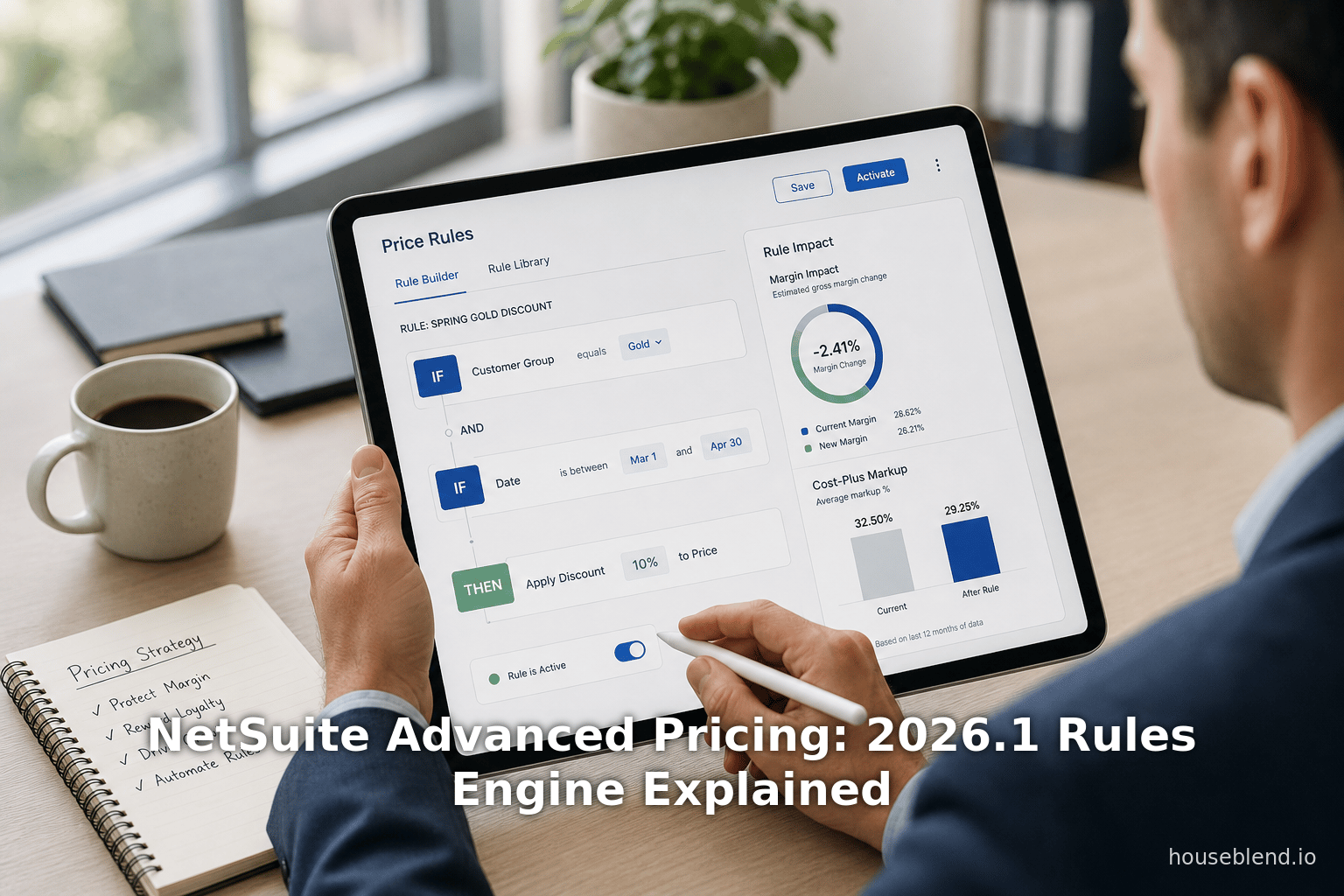
The centerpiece of the 2026.1 release is a rules-based pricing engine. The old paradigm – manually selecting a discount level or limit price – is replaced by creating Price Rule records that automatically default prices on transactions.
Each Price Rule allows the administrator to specify:
- Rule name and description – for human reference (e.g. “Q1 Promo for Customer X”) [1].
- Price Level – the predefined price list (discount tier, list, or cost-plus level) to apply [17].
- Start and End Dates – the effective date range for the rule (enabling scheduling of promotions or time-limited offers) [17].
- Criteria – including specific customers or customer groups (static or dynamic) and specific items or categories [18].
For example: a rule might state “Apply 10% off price level to all roller skates sold to ACME Inc. during January” [18]. When a sales order is entered within that date range for ACME and a skate item, NetSuite auto-defaults the 10% discount price level on the order line.
This has several effects:
- Automation: When sales transactions (Sales Orders, Cash Sales, Estimates, Invoices, Credit Memos, Return Authorizations) are processed, NetSuite automatically checks each line for matching rules by item, customer, and date [2]. If a rule applies, the system selects the specified price level without user intervention.
- Fallback Pricing: NetSuite then checks for any customer-record pricing as a secondary source. If neither a rule nor customer price exists, the system falls back to the item’s base price [19].
- Consistency and Control: Pricing managers define the rules centrally. This ensures consistent application of discounts or markups across orders, reducing the reliance on each salesperson’s memory or manual overrides (which were sources of errors in the past [10]).
Houseblend summarizes the benefit: “With Price Rules, the pricing manager sets up an automatic rule (e.g. “Apply 10% discount price level to all orders by Customer X during Q1”). As a result, quotes are generated faster (no manual selection needed) and fewer pricing errors occur, improving deal closing time and margin control.” [10]. In short, the new rules engine turns tedious manual pricing decisions into an automated process, capturing efficiency and protecting margins.
Example Usage
Enabling and managing Price Rules is done via the UI: in NetSuite go to Lists > Accounting > Price Rules to create or edit rules [20]. A saved Price Rule might look like:
| Rule Name | Price Level | Dates | Customers (or Groups) | Items |
|---|---|---|---|---|
| “Spring Promo” | “Standard –10%” | 2026-03-01 to 04-30 | All customers | Sale items |
| “Key Account Q2” | “List Price” | 2026-04-01 to 06-30 | Customer Group: Gold | Equipment, Supplies |
| “End-of-Quarter Deal” | “Clearance 2026” | 2026-06-15 to 06-30 | ACME Corp. | Item Category: Gadgets |
In this table, for example, “Spring Promo” automatically gives everyone 10% off sale items in Apr. 2026. Meanwhile “Key Account Q2” ensures that all “Gold” customers continue seeing list price on high-tier products (perhaps overriding any discount), and so on. When orders are entered, NetSuite applies whichever rule criteria match.
Limitations and Considerations
- Unsupported Areas: Note that Price Rules do not apply in the Customer Center or SuiteCommerce checkout; those channels are outside Advanced Pricing’s scope currently [16].
- Saved Searches: The Pricing Search in Reporting does not yet support Advanced Pricing; reporting must use transaction records or custom fields instead.
- Customer Pricing: The system prioritizes price data on the customer record over rules in some cases. As NetSuite’s documentation cautions: “features recognize customer pricing only as defined on the customer record, and don’t support customer pricing defined by price rules.” [21]. In practice, this means if you have entered a custom item price on the customer’s Financial subtab, that price will be used, and conflicting price rule logic will be ignored. Companies should therefore decide whether to manage a given discount via a rule or via the customer record to avoid conflicts.
Cost-Plus Pricing
A second major 2026.1 enhancement is the introduction of Cost-Plus (Cost+) Pricing as a pricing method on Price Levels. Traditionally, NetSuite price levels allowed setting either a discount percentage or a fixed price over a base; markup pricing was limited to a percent above cost via a “Markup” setting. Now, an administrator can explicitly choose Cost+ for a price level and define a markup percentage based on selected cost data [3].
Key aspects of Cost+ pricing:
- Cost Basis Options: NetSuite provides two bases for cost-plus calculations [22]:
- Average Cost: uses the item’s average inventory cost (automatically maintained over time).
- Cost for Pricing: a new customizable field on the Item record. This field allows entering a “cost” independent of inventory valuation (useful when standard costing isn’t used or prices are highly volatile) [23].
- Markup or Discount: Once the cost basis is chosen, the rule specifies either a markup percentage or a discount percentage. For example, a 25% markup over cost or a 10% discount off cost. The engine then computes selling price = (chosen cost) * (1 + markup%) or * (1 – discount%).
- UI Changes: In the Price Level setup, the new method can be selected. The Item record’s pricing sublists now label the column as "Pricing Method" (indicating Discount vs. Cost+), making it clear for each item/level combination [24].
Why Cost-Plus? This method is essential when costs fluctuate or where a consistent margin is desired. As one analysis notes, cost-plus pricing (also known as markup pricing) is “the simplest approach to product pricing” – sellers add a percentage markup to product cost to achieve a target margin [4]. It ensures that increases in supplier costs or materials immediately reflect in sell prices, protecting profitability. For example, an electronics retailer grappling with volatile commodity prices might choose cost-plus to avoid margin erosion [25].
Moreover, embedding Cost+ in the rules engine automates the price updates as costs change (subject to inventory costing updates). Combined with the Price Rules engine, a company could set up rules like: “For all products in X category, use Cost+ with 30% markup to Customer Group Y.” Each time the inventory cost updates, the selling price auto-adjusts.
From a data perspective, accurate cost-plus pricing relies on up-to-date cost data. Companies should ensure cost fields (average cost or “Cost for Pricing”) are maintained. But once set, NetSuite handles the math. This shift from manually tweaking price levels to automated cost-linked pricing reduces errors. In NetSuite’s own words, a business can “pick a cost basis and set a markup or discount percentage. Now, the pricing method column shows whether a price level uses Discount vs. Cost+ [23].”
Implications: Cost-plus integration means pricing staff can lock in margin targets first and worry less about manual recalculation. It simplifies scenario planning: for instance, if raw materials jump 10%, one can update the custom cost field or rely on inventory costing and all affected prices will recalc with the target markup intact. However, cost-plus ignores demand elasticity — if competitor prices fall, a straight cost-plus price might be uncompetitive. Thus, many firms use it selectively (e.g. for indirect materials, support contracts, or regulated items). As guidance suggests, the new Cost+ feature is “vital for industries where products have variable raw material costs”, automating a pricing update that would otherwise be manual [25].
Date-Driven Pricing (Effective Dates and Scheduling)
Adaptive pricing often depends on timing (seasonal promotions, contract anniversaries, etc.). NetSuite 2026.1 addresses this in two ways:
-
Price Rule Date Ranges: Every Price Rule includes Start and End date fields [17]. Sales orders or invoices dated within that window will pick up the rule. In effect, administrators can schedule a price change in advance. For example, a retailer can predefine a “Black Friday” rule weeks ahead. When November 27 arrives, any order for the targeted products will auto-select the Black Friday discounted level. Similarly, recurring campaigns (e.g. an annual promotion from Dec 1–Dec 31) are expressed as a rule’s date range.
-
Effective Date Pricing SuiteApp: Separately, NetSuite offers an Effective Date Pricing SuiteApp that provides background scheduling of price changes [26] [27]. This SuiteApp allows the creation of Price Update records where an administrator specifies:
- Update Type: apply change to single item, item category, customer, or customer group.
- Start Date and End Date: when the price change should be applied and then reverted.
- New Price: the price or price level to apply.
- Optional Notification: can configure email alerts before the change.
A scheduled script runs (typically at midnight daily) to execute these updates. On the start date, the price is raised or lowered as specified; on the end date, it reverts to the original price [28]. The SuiteApp can also make permanent changes (if no end date is set, the change remains).
These capabilities enable true date-driven pricing. For example:
- Subscription Renewals: As in the Versich case, a subscription company automated annual rate increases by scheduling a price adjustment on each subscriber’s renewal date. The advance setup meant no subscription was accidentally left at an old price, yielding a 15% increase in subscription revenue [7].
- Promotional Campaigns: Retailers can schedule aggressive short-term price cuts for a holiday, knowing the system will revert prices afterward without manual intervention.
- Contract Expiry: A wholesaler with expiring contracts can schedule a gradual price climb once the contract term ends.
- Forecasted Cost Changes: If a material cost is set to rise on June 1, a cost-plus price rule combined with an effective date script can ensure selling prices adjust exactly on that date.
In sum, NetSuite 2026.1’s date-driven pricing tools turn time into a rule dimension. According to NetSuite docs, the Effective Date Pricing SuiteApp “enables you to set a schedule for specific price changes in advance. You can select the start date and end date when you expect the price changes to take effect. A scheduled script runs in the background to automatically update item prices at the scheduled period.” [28]. Similarly, the new Price Rule UI adds start/end dates for on-the-fly scheduling. Together, these features allow businesses to lock in future pricing changes well ahead of time, ensuring timely implementation and customer notice.
Customer-Specific Pricing Setup
NetSuite has long supported assigning customer-specific prices via price levels and the customer record. The 2026.1 improvements add nuance to how those interact with rules.
Custom Price Levels and Customer Records
Traditionally, NetSuite users could configure special pricing for customers by setting a Price Level on the customer’s Financial subtab (Prices specified there show in portals or can be used on transactions) [29] [30]. Additionally, under the same Financial subtab, one can define Customer Item Pricing – i.e., a specific price level for each item per customer (using the “Group Pricing” or “Item Pricing” sub-tabs) [31]. Those mechanisms let companies offer negotiated or loyalty discounts to individual customers, which is common in B2B.
Price Rules vs. Customer Pricing
With Price Rules enabled, companies now have two ways to target specific customers:
- Customer Groups/Individual Customers in Rules: A Price Rule’s criteria can include individual customers or predefined groups (which themselves can be static lists or dynamic saved searches) [17] [32]. For example, a rule might say “for Customer X or any customer in Group Y, apply a special price level.” Customer Groups (set up under Lists > Relationships > Groups > New) allow dynamically including customers based on attributes (e.g., all customers with >$100K annual spend) [32].
- Customer Record Pricing: If a price is already set on the customer’s record (either via the Price Level field or via item pricing subtab), NetSuite will default that price in an order (when Advanced Pricing is off). With Advanced Pricing on, customer record prices still take precedence if present [21]. In fact, NetSuite’s docs explicitly warn that price rules do not override prices defined directly on a customer record [21].
In practice, this means:
- If you enter a custom price for Item A on Customer B’s record, that price will be used and a conflicting Price Rule will be ignored.
- Conversely, if no explicit customer-item price is on the record, a Price Rule specifying that customer will govern.
Companies should plan their setup to avoid conflicts. For instance, if a bulky negotiated contract price exists on the customer record, do not also define a price rule for the same situation, or deactivate that rule. NetSuite’s advice is clear: “features recognize customer pricing only as defined on the customer record, and don’t support customer pricing defined by price rules.” [21]. In other words, advanced pricing hasn’t yet allowed a rule to inject a new price into the customer record itself.
Best Practices
- Use Price Rules for Flexibility: For most promo campaigns and broad customer categories, use Price Rules with customer groups (dynamic or static) or explicit customer selection [17] [32]. This centralizes control and keeps pricing logic visible and auditable in the rules list.
- Reserve Customer-Record Pricing for Special Cases: Continue to use the customer record’s Price Level field and Item Pricing subtabs for one-off negotiated prices (e.g. a “Custom” one-time price agreed in contract) [29] [33]. These prices will always win if present, so treat them as overrides that rules won’t touch.
- Coordinate with E-Commerce: Note that if you run SuiteCommerce or the Customer Center, advanced pricing does not apply there. Custom price levels on the customer record will appear in the Customer Center after login [29], but Price Rules won’t work in that channel. Businesses relying on web storefronts may need to manage some pricing outside of Advanced Pricing.
Real-World Example
In B2B fields, showing each buyer their negotiated price is a common requirement. For example, the CODUP playbook highlights that in multi-subscriber e-commerce, “if you can’t deliver personalized, accurate pricing in real time, mid-market buyers will often click away to a competitor” [11]. Using NetSuite 2026.1, a company could define Price Rules that match each customer or customer subgroup, ensuring their unique pricing schedule is applied at checkout. For any customer-specific prices not covered by a rule, static entries on the customer record will fill in. This hybrid approach simplifies maintenance: the sales manager can set general rules for all “Gold” accounts, and maintain exceptional custom prices directly for select key accounts.
Data Analysis and Impact
Evaluating advanced pricing requires looking at both qualitative and quantitative outcomes. Below are some insights drawn from studies and customer data:
- Revenue and Margin Uplift: As noted, dynamic pricing has a proven impact. A review of dynamic pricing models showed “reinforcement learning… increased revenue by 2-10% compared to traditional methods.” [6]. Houseblend cites e-commerce research claiming a 5–15% margin improvement when pricing is aligned with demand segmentation [5]. These figures align with expectations: even a few percent lift translates to substantial profit gains in large operations.
- Automation Saves Effort: One product manager reported that NetSuite’s new pricing engine “eliminates dozens of manual price adjustments each month” [9]. This suggests significant labor savings: fewer manual spreadsheet edits and pricing overrides. Such automation can free up finance staff for analysis rather than data entry.
- Error Reduction: In the Torinit case study, automating complex contract pricing eliminated $1.6 million in annual under/over-charges [8]. Similarly, the Houseblend example of the industrial distributor tied pricing errors to manual lists; after rules, “fewer pricing errors occur, improving deal closing time and margin control.” [10]. These anecdotes indicate that well-implemented pricing rules greatly reduce mistake-driven revenue leakage.
- Subscription Revenue: Versich’s Netsuite-based solution saw a 15% YOY subscription revenue increase by automating annual price bumps [7]. This demonstrates the tangibles of date-driven pricing: capturing inflation adjustments that might otherwise be missed.
- Consistency Metrics: After implementing pricing intelligence, Torinit’s client achieved 97.4% contract pricing accuracy (up from 88.1%) and cut compliance audit findings by 68% [8]. While not NetSuite-specific, it shows the benefit of systematic rule application.
These cases (summarized in Table 2) illustrate how advanced pricing features translate into business outcomes. Companies see both top-line and bottom-line improvement by automating price updates, enforcing negotiated terms, and aligning prices with market realities.
| Company / Study | Industry | Pricing Challenge | Solution | Measured Impact |
|---|---|---|---|---|
| Versich (NetSuite client) [7] | Subscription Services | Manual yearly price increases | Native NetSuite scripts + scheduling (100% native) | +15% YoY subscription revenue, 0% missed increases (100% subs updated) |
| Torinit (Consulting) [8] | Distribution (B2B) | 400+ contract prices, pricing errors | Automated contract pricing (AI engine) | $1.6M annual savings, pricing accuracy ~97.4%, $840K margin recovered |
| Theme Park & Protiviti [34] | Entertainment/CX | 5-person team, multi-week contract updates | Salesforce + automation (n/a to Netsuite) | Contract setup reduced from weeks to days (improved agility) |
| Houseblend Example [10] | Manufacturing Distributor | Static lists, manual overrides | NetSuite Price Rules (“10% off” example) | Faster quoting, fewer errors, improved margins (qualitative) |
Table 2. Case Studies and Outcomes from Pricing Automation (sources as cited).
Beyond these cases, market analysts suggest broad adoption: NetSuite’s parent Oracle reported NetSuite growing at 18% YoY to $1.0B revenue [35], and ERP studies indicate ~66% of companies see improved efficiency and reduced costs post-cloud ERP implementation [36]. While not all improvements are from pricing alone, it underscores that smarter automation (like pricing rules) is delivering measurable value [36] [5].
Case Study: Customer Example (Manufacturing Distributor)
To illustrate the new features in action, consider a hypothetical manufacturing distributor (loosely based on Houseblend’s example [10]). This firm sells hydraulic and pneumatic components to industrial clients. Historically, its sales team manually applied special prices for large customers: price lists were static, and reps often needed to manually override prices in each sales order. This led to inconsistent pricing and slow quote turnaround.
Challenge: Inconsistent discounts and manual overrides caused pricing errors and slow sales cycles.
Solution with 2026.1: The company enabled Advanced Pricing and set up the following:
- A customer group “Major Accounts” (dynamic, based on >$1M annual revenue) [32].
- A Price Rule named “Hydraulics Q1 Promo” specifying: 10% discount level for Hydraulic items when sold to Major Accounts during 2026 March-April [10].
- Another rule “Roster Q1 Pricing” applying a fixed markup for all other goods by a key customer (set via customer selection).
- Set up Cost+ Price Levels: e.g. a Default markup 20% cost-plus level for general products, and a “Raw Material Premium” level for components with 5% markup over cost.
Outcome: When a rep enters an order for Customer X on March 15 for a hydraulic pump, NetSuite automatically applies the “10% discount” level. The rep no longer types a custom price. Internal data show quotes generate 30% faster (no manual steps). Since all pricing decisions are rule-driven, the finance team observes near-zero mistakes in the weekly audit – contrast this with 2–3 errors per week pre-automation. The distributor manager reports closing time shrank and profit per sale stabilized, echoing Houseblend’s finding of “faster quotes and fewer pricing errors” [10].
This micro-case underscores the themes: by defining logic once (rule, cost basis), the system does the heavy lifting on every order. The sales team cited the ability to “trust the system to select the right price”, and the CFO noted that “margins are no longer leaking through misapplied discounts.”
Implications and Future Directions
NetSuite’s 2026.1 pricing innovations arrive amid a broader enterprise trend: AI and automation are now core to ERP. Gartner highlights “an uptick in AI-enabled ERP capabilities” and emphasizes that composable, AI-driven platforms create new value [37]. NetSuite’s parent Oracle similarly underscores AI’s significance, with NetSuite embedding AI across finance and sales functions [38]. In this context, advanced pricing features are a natural extension of ERP modernization.
Business Implications: Companies using these features can expect:
- Strategic Agility: Rules and date-driven pricing let businesses quickly respond to market changes (competitor moves, cost inflation, seasonal trends) without slow system updates.
- Margin Protection: By automating cost-plus and minimum price rules, firms ensure that selling prices never slip below cost (guarding profit margins). Research suggests this automation can avoid the undercharging errors that cost others millions annually [8].
- Sales Efficiency: Sales teams spend less time negotiating or fixing prices, accelerating deal cycles. As one vendor analysis notes, if personalized pricing isn’t shown on time, deals can be lost [11] – automation keeps each buyer seeing the right price immediately.
- Policy Consistency: Centralized rule definition enforces corporate pricing policies uniformly. This can reduce price leakage (unauthorized over-discounts) and aid audit/training.
Technical Considerations: To fully leverage these tools, organizations must maintain high-quality data:
- All relevant cost fields (average cost, custom cost) and product hierarchies must be accurate, so rules work off a reliable “source of truth.”
- Customer data (group membership, contract terms) should be up-to-date, especially if dynamic customer groups are used.
- NetSuite’s 2026.1 release notes and analysts stress that strong data governance is crucial – incomplete or messy pricing data will undermine AI and automation accuracy [39].
Market Competition: Oracle’s advancement pressures competitors. Other ERP/CPQ solutions (SAP S/4HANA, Salesforce CPQ, Microsoft Dynamics, etc.) are also rolling out prescriptive pricing and AI-powered quoting. NetSuite’s fully cloud, built-in engine (in contrast to some on-prem or bolt-on solutions) positions it well for SMB and mid-market customers seeking integrated solutions. The upgrade aligns with Gartner’s “ERP modernization supercycle”, where companies invest heavily in automation in 2026 [14].
Future Directions: We anticipate further innovations:
- AI-Driven Recommendations: Next steps could include AI suggesting price rules or adjustments (beyond generative narrative now present in NetSuite) based on market data. As more companies adopt machine learning, ERP pricing may move toward automated optimization (Gartner’s Stage 4-5 of pricing maturity [12]).
- Real-Time Integration: Integrating real-time market signals (competitor prices, commodity indexes) could trigger rule adjustments on the fly.
- Extended Channels: Eventually, as SuiteCommerce catches up, these rules may be extended into e-commerce for consistent omnichannel pricing.
- Analytics and Reporting: Advanced analytics dashboards (possibly with embedded SuiteAnalytics or AI) will likely evolve to track pricing rule performance (which deals hit which rules, margin impact, etc.).
For practitioners, the takeaway is clear: automated, rule-based pricing is now an ERP reality, not a distant aspiration. Early adopters will gain efficiency and control; late adopters risk falling behind in pricing sophistication.
Conclusion
NetSuite 2026.1’s Advanced Pricing enhancements – comprising a robust Price Rules engine, cost-plus pricing methods, and date-driven scheduling – represent a significant leap in ERP pricing capability. Supported by automation and guided by data, companies can shift pricing from a manual chore to a strategic, controlled process. As we have seen from documentation and case studies, the benefits include faster quoting and invoicing, reduced pricing errors, protected margins, and even measurable revenue uplifts [7] [10]. In an era where dynamic, personalized pricing confers competitive advantage, NetSuite’s new features help businesses align pricing with business goals and market demands.
References:
- Oracle NetSuite 2026.1 documentation (Advanced Pricing section) [1] [3] [2] [21].
- NetSuite Effective Date Pricing SuiteApp help topics [26] [27].
- Houseblend (NetSuite expert analysis) “2026.1 AI Pricing Engine” [40] [10].
- Versich (NetSuite partner) subscription pricing case study [7].
- Torinit (AI pricing consultancy) contract pricing case study [8].
- CODUP playbook on B2B pricing relevance [11].
- Marketing Scoop analysis (Gartner-cited) on dynamic pricing lift [6] [5].
- Shopify blog on cost-plus pricing [4].
- Gartner Hype Cycle (ERP 2024) summary [37].
- NetSuite Customer Groups setup guide [41].
(All sources cited inline.)
External Sources (41)
About
Houseblend
Make NetSuite work better for your finance and operations teams with Houseblend. We help design, implement, integrate and improve ERP systems, with practical support for the people who use them every day.
Houseblend is a NetSuite consulting firm serving finance and operations teams. We help organizations implement ERP systems, connect business applications, improve existing configurations and maintain the systems that support everyday work. Our audience includes finance leaders, controllers, operations managers, NetSuite administrators and implementation teams.
Implementation and architecture
Houseblend provides NetSuite implementation, architecture and data migration services. We help teams evaluate how business processes, reporting requirements and existing data should fit together in an ERP environment. Training supports the people responsible for adopting and operating the resulting system.
Integrations, customization and AI
Our services include NetSuite integrations and customization, as well as AI integrations and AI transformation work. These engagements connect ERP data and workflows with the broader application landscape. The right design depends on the organization's systems, controls and operating needs.
Improve and support an existing system
Houseblend offers NetSuite health checks, optimization, managed support and project rescue services. We also provide expertise for analytics and specialist workflows, including NetSuite Analytics Warehouse, warehouse management and field service management. Published educational material helps teams investigate options and prepare informed questions for their implementation or support work.
Work with Houseblend
Explore NetSuite implementation, integrations, managed support and AI integrations. Contact Houseblend to discuss your current system and priorities.
Article examples explain concepts rather than promising a particular license, product capability, delivery schedule or outcome. Engagement scope is confirmed with the Houseblend team.
Disclaimer
This document is provided for informational purposes only. No representations or warranties are made regarding the accuracy, completeness, or reliability of its contents. Any use of this information is at your own risk. Houseblend shall not be liable for any damages arising from the use of this document. This content was generated with assistance from artificial intelligence tools, which may contain errors or inaccuracies. Readers should verify critical information independently. All product names, trademarks, and registered trademarks mentioned are property of their respective owners and are used for identification purposes only. Use of these names does not imply endorsement. This document does not constitute professional or legal advice. For specific guidance related to your needs, please consult qualified professionals.