Houseblend Article
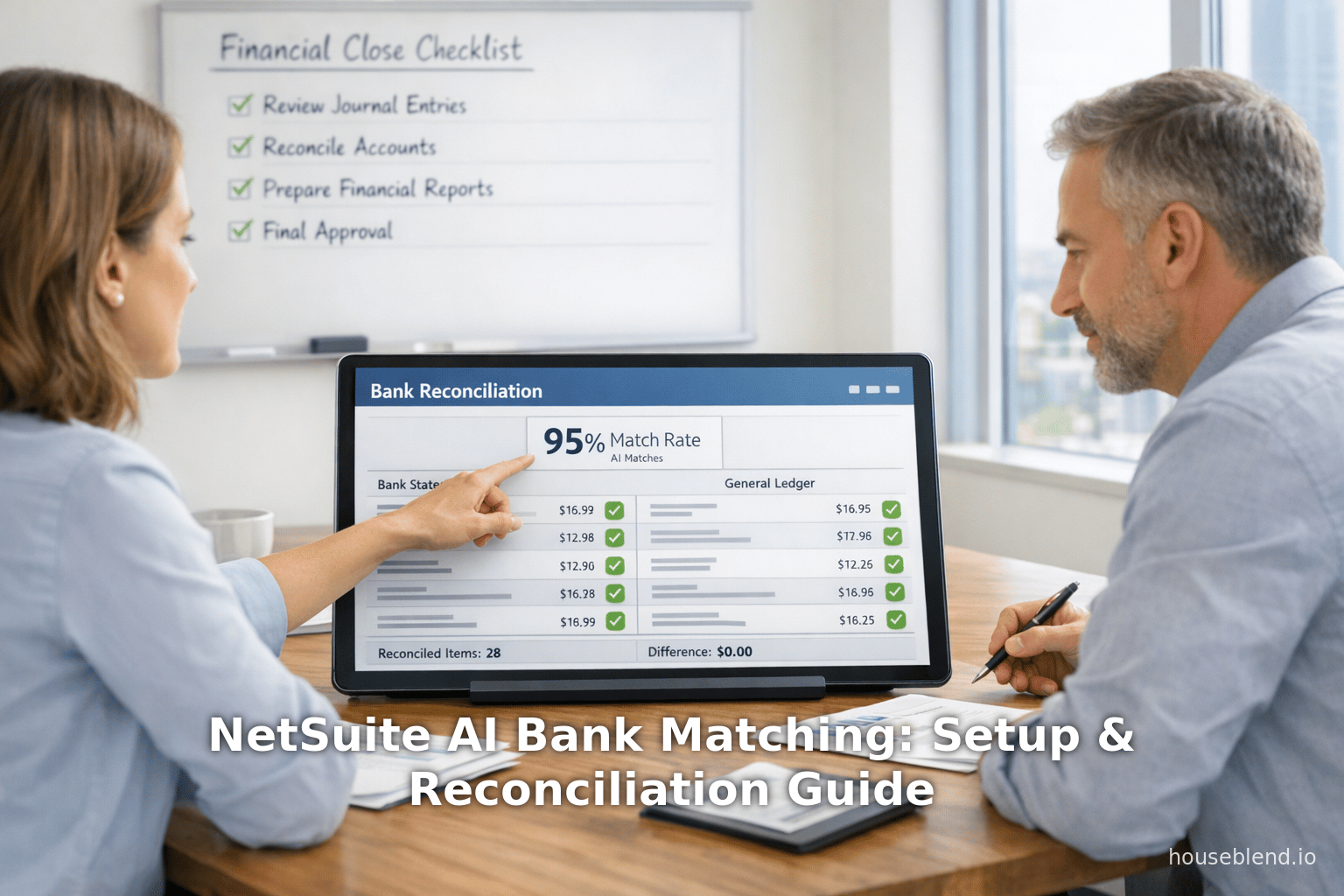
NetSuite AI Bank Matching: Setup & Reconciliation Guide
Inside this article
- 01Executive Summary
- 02Introduction and Background
- 03The Bank Reconciliation Process and Automation
- 04NetSuite’s AI Enhancements for Bank Matching
- 05Setting Up NetSuite AI Bank Matching
- 06Detailed Reconciliation Workflow
- 07Data Analysis: Impact and Efficiency Gains
- 08Case Studies and Real-World Examples
- 09Implications and Future Directions
- 10Conclusion
Executive Summary
Bank reconciliation is a foundational accounting process that ensures a company’s internal cash and transaction records align with the bank’s records. Historically, firms relied on manual procedures and spreadsheets to reconcile dozens or hundreds of small transactions, a tedious approach prone to delays and errors. In response, leading ERP systems like Oracle NetSuite have introduced advanced automation and artificial intelligence (AI) features to streamline bank matching and accelerate the financial close. Oracle NetSuite’s Intelligent Transaction Matching and Enriched Bank Data features—first introduced in recent platform releases—automatically import bank statements, apply rule-based matching, and even leverage generative AI to interpret payment details. These tools can match the vast majority of transactions automatically and highlight only exceptions for review [1] [2]. Case studies report dramatic improvements: for example, one mid-sized NetSuite customer reduced the time per bank account from “10–15 hours to under 1 hour per account” after enabling AI-driven reconciliation, saving over 120 hours annually with a 95% automated match rate [3] [4].
These advances contribute to a faster, more accurate close process. New NetSuite features like the Intelligent Close Manager portlet use AI-driven analytics to track close tasks, predict missing transactions, and surface exceptions, giving finance teams a centralized dashboard for period-end activities [5] (Source: projectsalsa.co.nz). Industry experts observe that CFOs now expect ERP reconciliation tools to be not only automated, but also provably accurate and auditable [6] [7]. In summary, NetSuite’s modern bank matching solution minimizes manual work (often by 70–80% or more), maximizes data accuracy (often above 99%), and enables finance teams to close books much faster [8] [9]. This report provides an in-depth analysis of NetSuite’s AI-powered bank matching and reconciliation capabilities, covering setup and configuration, rule-based and AI-driven matching processes, integration into the closing workflow, performance data, real-world examples, and future outlook.
Introduction and Background
Bank reconciliation is the process of verifying that a company’s recorded cash transactions (deposits, withdrawals, charges, fees, etc.) match those reported by the financial institution. It is critical for financial accuracy and compliance: unreconciled balances can hide errors, fraud, or timing differences, and can delay financial reporting and audit clearances. Traditionally, finance teams exported bank statements (often at month-end) and manually “matched” each line item against the ledger, frequently using spreadsheets. This manual approach is labor-intensive and error-prone. A recent CFO survey confirms that nearly 90% of finance leaders cite “slow manual work and errors from the absence of automation” as a primary barrier to an efficient financial close [6]. In practice, delay and mistakes in bank reconciliation can postpone reporting, impair cash forecasting, and even risk regulatory non-compliance (since cash balances tie directly into audited balance sheets).
Modern cloud ERP systems like Oracle NetSuite have responded to this challenge by embedding automation and AI into the bank reconciliation workflow. NetSuite, a leading cloud-based finance and ERP suite, has incrementally rolled out features that automate bank data import, transaction matching, and exception handling. Notably, since the 2021.1 release, NetSuite replaced its legacy reconciliation module with a new “Match Bank Data and Reconcile Account Statement” interface that no longer requires external spreadsheets [10]. This new system is augmented by the “Intelligent Transaction Matching” engine, which applies configurable rules to auto-match bank lines to ledger entries [11] [12]. Most recently, NetSuite introduced generative AI capabilities under “Enriched Bank Data,” which use machine learning to extract detailed payment information (such as payee names or invoice references) from statement descriptions, further boosting match rates [2] (Source: projectsalsa.co.nz).
In parallel, broader AI-driven tools are permeating the financial close. For example, NetSuite’s Intelligent Close Manager aggregates data across accounts receivable, accounts payable, and banking to help manage period-end tasks and highlight anomalies [13] [5]. These innovations reflect a wider industry trend: research shows a strong movement from manual controls to automated, auditable AI workflows in finance. As one industry article notes, CFOs now anticipate AI-driven lift in reconciliation speed and insight, but insist on “proof of accuracy, audit trails, and controls” to trust the new technology [7] [14]. Another fintech analyst forecasts near-ubiquity of “AI financial assistants” capable of not only routine reconciliations but also natural-language queries and predictive insights [15] [16].
This report gives a comprehensive overview of NetSuite’s AI Bank Matching solution, including how to configure it, how the reconciliation workflow operates, and the measurable results organizations can expect. We examine historical context, feature details, process steps, data on efficiency gains, and case examples. We also discuss ongoing challenges and future directions (e.g. auditability and AI evolution) to provide finance leaders with a complete understanding of automated bank matching in NetSuite.
The Bank Reconciliation Process and Automation
Traditional Bank Reconciliation and Its Challenges
Under traditional accounting practices, bank reconciliation was a manual verification exercise. A typical workflow involved downloading a bank statement (often monthly) and reviewing each line item against the company’s recorded transactions. The objectives are (a) to identify and post any missing entries (e.g.bank fees, interest, or deposits not in the ledger), (b) to clear (or mark as “reconciled”/“cleared”) all transactions that appear both internally and on the bank statement, and (c) to investigate any differences. If properly done, the reconciled balance should match the bank’s ending balance for that period. This step is necessary for accurate financial reporting and to catch errors or fraud.
However, manual reconciliation is time-consuming and error-prone. Common obstacles include:
- High volumes of transactions: Each month may see hundreds or thousands of deposits and payments. Tracing each “one-by-one” strains staff resources [17] [18].
- Data entry errors and duplicates: Human mistakes in entering amounts, dates (e.g. transposed digits) or duplicate recording of transactions can cause unreconciled items [19].
- Delayed visibility: If reconciliations are done only at month-end, the company may not notice cash discrepancies or fraud until too late [20] [15].
- Compliance risk: In public companies or regulated industries, timely and accurate reconciliations are required for audits (e.g. GAAP/IFRS compliance). Manual processes are less auditable and more likely to miss entries, raising risk of misstatements [6] [7].
- Resource inefficiency: Highly experienced accountants often spend many hours on reconciling, diverting them from value-added analysis [21] [22].
Indeed, a 2021 survey by Trintech found that “almost 90%” of CFOs considered slow manual processes and errors as the main impediment to efficient closing [6]. Another analysis found that companies still early in automation reported far worse reconciliation challenges than those with advanced tools [23]. These findings underscore the urgency: reconciliation workflows must evolve or will bottleneck the entire financial close.
Finance leaders argue that if reconciliation isn’t automated, period-end closes are needlessly prolonged. In practice, dragging reconciliation into days after period-end means management decisions without current cash visibility and frustrated auditors chasing missing entries. This pain is acutely felt by multi-entity or fast-growing businesses: one NetSuite partner blog described month-end as “a sprint to the finish line” when finance teams juggle hundreds of transactions across different subsidiaries (Source: projectsalsa.co.nz). In such cases, banking data mismatch can significantly strain operations.
The Move Toward Automation and AI
In response to these challenges, modern ERP/finance systems incorporate workflow automation and intelligent matching. The key idea is simple: leverage classification rules or machine learning to auto-match incoming bank records to General Ledger (GL) entries whenever possible, leaving only true exceptions for human review. Over the last few years, Oracle NetSuite has successively built such capabilities into its cloud platform. Below we discuss how NetSuite’s bank reconciliation functionality works, especially its latest AI-enabled components.
Enabling Bank Data Imports
The first step in automated reconciliation is getting bank data into NetSuite. NetSuite supports multiple import methods:
- Bank Feeds SuiteApp: NetSuite’s official Bank Feeds suite application allows secure, scheduled retrieval of statements from supported banks. Once configured, this can automatically pull daily or monthly transactions [24].
- Financing Connectivity/Access Plug-in: For enterprise accounts, the Financial Institution SuiteApp (FIS) can automate connectivity to hundreds of global banks via APIs. This is an additional module for high-volume customers (availability may vary by region).
- CSV/OFX Upload: Users can also export statements from their bank portal and upload them via NetSuite’s Bank Data Import feature. The system supports common formats (OFX, QFX, CSV). After import, the data appears on the Match Bank Data page (see below).
Regardless of method, imported bank lines populate the grid on NetSuite’s Match Bank Data page [25]. The Import process also updates the bank account’s balance. If import fails, error logs (Transactions > Bank > Banking Import History) can assist troubleshooting. For recurring imports, NetSuite provides a Manage Import Schedules button [24] (shown only with proper permission) to define daily or weekly pull settings.
Key Point: Proper setup requires enabling permissions (e.g. “Financial Institution Records”, “Bank Data Import”, “Create Automated Cash Application”) and ensuring the relevant bank/credit card accounts are flagged for the new reconciliation interface. By default, new accounts (post-2021.1) work automatically, but legacy accounts may need the “Use Match Bank Data and Reconcile Account Statement Pages” box checked on each account’s setup page [26].
Matching Transactions (Intelligent Rules)
Once bank data is in NetSuite, the Intelligent Transaction Matching engine springs into action. This module runs every time new lines are imported (or when rules are manually triggered by the user). It applies two sets of rules [12]:
- System Rules: Default, built-in matching logic that cannot be removed. For example, one system rule matches deposits or payments when the amounts and dates correspond exactly to a GL deposit or payment, automatically linking the lines.
- User-Defined Rules: Custom rules created by the finance team. These include Matching Rules and Auto-Create Rules [27]:
- Matching Rules: These are configurable criteria (e.g. date tolerance, amount threshold, memo contains, etc.) that automatically match import lines to transactions. You can apply the same rule across multiple accounts. If an imported line meets the rule, the system auto-matches it [27].
- Auto-Create Rules: For certain transaction types where no existing entry exists, NetSuite can automatically create a matching transaction and immediately reconcile it. Out-of-box auto-create rules handle common cases: for GL bank accounts, deposits and charges (e.g. bank fees, interest) can be auto-created; for credit-card accounts, charges and refunds [28]. For instance, an imported bank withdrawal can trigger the creation of a Journal Entry or Expense for the fee rather than forcing the accountant to pre-enter it. Each auto-create rule is bound to one bank account. Users typically generate an auto-create rule on the fly when manually matching one deposit/charge, and thereafter it applies automatically [29].
NetSuite processes matching in priority: first system rules, then user rules (usually in numeric order). Any transaction that meets a rule’s criteria is immediately matched. The result is that a large portion of bank lines get resolved without human action. For those that remain unmatched, the system falls back on manual review (see next section).
Importantly, NetSuite only runs matching logic against imported bank lines, not all GL transactions. So a transaction already reconciled stays reconciled; the new AI matching only seeks to clear newly imported items [30].
Manual Matching and Exception Handling
After the automatic engine does its work, the Match Bank Data page will still list any bank lines (left grid) and account transactions (right grid) that await manual resolution [31] [25]. A typical reconciliation process then proceeds as follows (each step is done within NetSuite):
- Review Auto-Matches: Matched lines (with green indicators) are already paired. The user can spot-check these but usually trusts the system if confident.
- Exception Review: Unmatched bank lines and transactions must be handled. The page allows filtering (e.g. show only unmatched bank lines). The accountant tries to pair each unmatched line with a corresponding transaction. The interface supports one-to-one matches by selecting a line and its matching transaction, then clicking Match.
- Mark Cleared No-Bank: If an account transaction exists in the books but no bank line is present (e.g. an early payment not yet processed by the bank), the user can mark it as Clear (Pending). This effectively lets it pass reconciliation as if it were matched [32]. Such entries will require a later review (since usually a Bank Statement eventually covers it).
- Exclude Lines: Bank lines that should not be part of reconciliation (e.g. duplicates or transactions from closed accounts) can be flagged Exclude. These will not be matched.
- Submit to Reconcile: Once satisfied with matches and clearings, clicking Submit finalizes the reconciliation for all those lines at once [32]. NetSuite then updates the GL: matched transactions are cleared (reconciled) and excluded lines are ignored.
Throughout, the system provides auditability: each action is logged (who matched what and when), so the history can be printed (via Reconciliation Reports) for auditors.
Rule of Thumb: Before manual matching, NetSuite recommends using the Automated Cash Application feature if applying to AR receipts [33]. This module auto-generates customer payment records in NetSuite for bank deposit lines that correspond to outstanding invoices. Once created, those receipts auto-match and clear in the same pass, further reducing manual work [34].
Reconciliation Reports
After reconciliation, NetSuite offers standard reports to verify completeness. The Reconciliation Summary and Detail reports list balances and any differences [35]. The Reconciliation History report archives completed reconciliations across periods. These ensure every reconciled balance has proper documentation for audits.
NetSuite’s AI Enhancements for Bank Matching
Beyond rule-based automation, NetSuite has introduced AI/ML-driven tools to improve matching accuracy and efficiency. The centerpiece is the Enriched Bank Data feature, which leverages generative AI (large language models) to interpret and augment bank statements [36]. This is enabled by default (toggleable under Setup > Company > Enable Features).
Enriched Bank Data (Generative AI Entity Extraction)
When bank lines are imported, NetSuite’s Enriched Bank Data feature automatically extracts additional detail from free-text fields. Specifically, it uses an AI engine to pull out entity information from the memo or payee fields on each transaction [2].
For example, if a bank description reads “PAYMENT – ACME CORP INV#:12345”, the AI might tag “ACME CORP” as the vendor entity and “12345” as an invoice reference. These enriched attributes (vendor names, invoice numbers, reference codes, etc.) provide extra dimensions for matching that traditional rules may miss.
The reconciliation flow with Enriched Data is:
- Standard Rules Run First: System and custom matching rules execute without the enrichment. Any transactions that meet these rules are matched normally.
- Enrichment Extraction: Generative AI parses the remaining unmatched bank lines to extract possible vendor/entity and invoice details [2].
- Enrichment-Based Matching: The system then attempts a secondary match on all still-unmatched lines, this time using the enriched data. It looks for GL transactions that have the same amount (exact), a date within 7 days, and where the extracted entity name or invoice matches the GL memo or name field [2].
The key outcome is significantly higher match rates for “fuzzy” or ambiguous transactions. By understanding that “Amazon Web Services Inc.” and “AMZN*AWS” refer to the same entity, the AI can reconcile them together even if traditional string rules fail.
A NetSuite help note explicitly cautions that AI-assisted matches should still be verified (to avoid any hallucination errors) [37]. However, when a match is approved via AI data, NetSuite visually flags it: on the Match Bank Data page and Reconcile Statement page a colored vertical bar appears next to the transaction, and the match-details pop-up notes “generative AI helped create the match” [38]. This transparency ensures users know which matches came through the AI layer.
The Enriched matching routine is subject to performance limits (e.g. it processes up to 10,000 unmatched lines per run). If a large import has more than 10,000 unresolved lines, the rules can be re-run in batches to catch more matches [39].
In practice, AI enrichment closes gaps that manual rules cannot. According to partner reports, features like this can push auto-match rates well above 90%. For instance, one case study noted that with AI, “the system analyzes large volumes of transaction data automatically… Over 95% of transactions were matched automatically” [4]. Another evaluation (independent consulting) found that AI-enhanced matching could move accuracy from ~90% to ~99+% [8].
Example: Illustrating AI Matching
Consider a scenario where a company’s GL shows an invoice to vendor “Global Supplies Inc.” and the bank line simply says “GSUPPLIES*PAYMENT 3678291”. Traditional matching (amount+date) might fail if multiple payments exist. Enriched Bank Data’s AI would likely recognize “GSUPPLIES” as “Global Supplies Inc.” (based on context or past naming) and auto-match these. In this example, what might have been a manual lookup becomes instantaneous.
Other AI and Machine Learning Features
While Enriched Bank Data is the core AI feature for reconciliation, NetSuite has been steadily adding related intelligence:
- Intelligent Close Manager: This dashboard portlet uses transaction data trends and anomaly detection to identify exceptions during the entire close process [5] (Source: projectsalsa.co.nz). It flags inconsistent entries (e.g. an unusually large balance in a task category) and projects when the close can finish. It is powered by analytics that can include AI-based trend detection, though detail is firmware. Its benefit is more to process orchestration than to matching per se.
- Narrative Insights: While not directly about bank matching, NetSuite’s Narrative Insights feature uses generative AI to automatically summarize key variances and trends in financial reports. This can provide context after reconciliation about what drove cash changes. (Narratives are beyond our scope; just note that generative AI in NetSuite extends to commenting on matching outcomes and close KPIs.)
- SuiteScript AI APIs: For customers building custom solutions, NetSuite provides AI/ML scripting tools (like N/llm and documentCapture) enabling developers to integrate LLMs or classification models. Some third parties may leverage this to extend reconciliation (e.g. custom matching robots).
- Future Features: Oracle’s product roadmaps suggest continued investment in AI for finance (e.g. AI-driven risk scoring on transactions, deeper fraud detection). For example, the 2026.1 update introduced “payment risk detection” to flag suspicious vendor account changes (Source: projectsalsa.co.nz), illustrating how AI can complement reconciliations by preventing fraudulent payments.
Setting Up NetSuite AI Bank Matching
Proper setup is critical to realizing the benefits of NetSuite’s AI-enhanced bank reconciliation. Below we outline key configuration steps:
-
Enable Banking Features: Under Setup > Company > Enable Features (Accounting tab), ensure all banking features are turned on. Relevant toggles include “Bank Data Matching and Reconciliation” and “Automated Cash Application”. The Enriched Bank Data feature (generative AI) is on by default, but managers can review its status on the same page [40].
-
Configure Bank Accounts: For each GL bank or credit card account to be reconciled, go to Setup > Accounting > Manage G/L > Accounts, edit the account, and check “Use Match Bank Data and Reconcile Account Statement Pages”. (NetSuite 2021.1+ defaults new accounts to this mode; old accounts may need manual updating.) This switch opts-in the account to the new matching workflow described here [26] [41].
-
Role Permissions: Ensure the appropriate role(s) have access to bank reconciliation tasks. Key permissions include: Transactions > Bank > Match Bank Data (with
VieworCreate), Transactions > Bank > Banking Import History, and Setup > Accounting Periods (for using the Intelligent Close Manager). See NetSuite’s permission guide for banking features. Without these, users may not see the Match Bank Data page or manage bank feeds. -
Set Up Bank Data Feed: Install (if not already) the Bank Feeds SuiteApp. In the Bank Feeds Setup, create a Financial Institution Record for each bank/credit card company, and link it to the corresponding NetSuite account. Then create an Import Schedule to automate CSV/OFX downloads. On the Match Bank Data page, the Manage Import Schedules button will be enabled for an Administrator, showing existing schedules [24]. Alternatively, those on older NetSuite versions can use the Savings Funds SuiteApp (if available) or manual imports.
-
Define Reconciliation Rules: Go to Setup > Accounting > Reconciliation Rules to review the system and user rules. The default system rules suffice for most cases, but you should create custom Matching Rules if needed (e.g. match within a 3-day date range and tolerances for amounts). Also generate Auto-Create Rules for common recurring bank items (e.g. standard monthly bank fees or interest credits). Often, the process is iterative: do an initial match run, then create rules from unmatched lines to capture patterns (this customization is described in the “Creating User Transaction Matching Rules” help topic).
-
Activate AI Matching: The Enriched Bank Data with AI is enabled by default (accounting or advanced preferences). Confirm that the feature is active (Setup > Company > Enable Features) and understood by the team. No further tuning is needed on this aside from user review habits. Note: AI results are suggestions; always verify flagged matches before finalizing a reconciliation.
With these preparations, NetSuite will be ready to import bank data and apply automated matching. The remaining task is to train users on the new interface: how to run the initial rule-based match (Transactions > Bank > Match Bank Data), and how to review and submit. No spreadsheets or offline tools are required. In short, once setup is complete, the actual reconciliation becomes largely guided by NetSuite’s automated processes [10] [11].
| Setup Step | Configuration Location | Purpose/Notes |
|---|---|---|
| Enable Bank Reconciliation & AI Features | Setup > Company > Enable Features > Accounting | Turn on Reconcile Bank Statement, Automated Cash Application, and Enriched Bank Data (AI) [40]. |
| Configure Bank Accounts for Matching | Setup > Accounting > Manage G/L > Accounts (Edit Account) | Check Use Match Bank Data and Rec. Account Statement Pages on each bank account (auto-enabled for post-2021 accounts) [26]. |
| Assign Permissions | Setup > Users/Roles > Manage Roles | Grant roles access to Bank Feeds, Match Bank Data, Transactions > Bank features. |
| Set Up Bank Feeds / Data Import Schedule | Transactions > Bank > Financial Institution Records | Install/configure Bank Feeds SuiteApp or create CSV/OFX import schedules for accounts [24]. Automate daily/weekly imports. |
| Create/Review Matching Rules | Setup > Accounting > Reconciliation Rules | Define or confirm system rules. Add custom matching criteria and auto-create rules for deposits/fees [27] [42]. |
| Inform Users & Train on New Workflow | Internal training (no specific menu) | Teach finance staff to use Transactions > Bank > Match Bank Data page for reconciliation, including Submit and reporting. |
Detailed Reconciliation Workflow
With setup complete and bank lines flowing into NetSuite, the reconciliation process follows a structured sequence. The Match Bank Data page (Transactions > Bank > Match Bank Data) is the control center. A typical workflow is:
-
Import and Initial Matching: NetSuite either automatically or manually imports the latest bank statement. As soon as the data is present, the Intelligent Transaction Matching engine auto-matches as many lines as possible. Matched pairs appear with a match icon, while unmatched items remain in the grids [11].
-
Review Auto-Matches: Green-highlighted rows (or similar) indicate successful rule-based matches. Although usually correct, users should scan for obvious anomalies (e.g., unintended matches) before proceeding. Historical data can guide acceptance; items repeatedly matched in the same way may be safely trusted.
-
Manual Matching of Exceptions: Any unmatched bank line (left grid) is reviewed to find the corresponding GL transaction (right grid). The user clicks an unmatched bank row and an unmatched transaction row with the same amount, then clicks Match. The system pairs them, and nets out the entries. NetSuite can group multiple lines if needed (e.g. one bank deposit covering two invoices on one day), although one-to-one is most common. The matching window provides context (dates, memos, payees) to aid identification.
-
Marking Cleared or Excluding: For each account transaction that truly has no bank counterpart (perhaps because it cleared in transit, or the bank line is missing), the user clicks Clear (Pending) [32]. This flags the transaction as reconciled with an assumption of completion, without an actual bank line. Conversely, any bank import line deemed erroneous or duplicate can be marked Exclude, removing it from consideration.
-
Run Enrichment Match (Optional): After manual matching, if any lines remain, users can rerun reconciliation rules. This triggers a new cycle including the AI-based enrichment step. Unmatched lines will then be processed with generative AI extraction, potentially yielding additional matches that were not caught in the first pass [2].
-
Submit Reconciliation: Once all matches and clearings are done (or acceptable exceptions), clicking Submit irrevocably posts the reconciliation. NetSuite then locks in those clears. (Note: any edits to matched transactions after submission will automatically undo the match, so changes must be made before submission [43].)
-
Finalize Statement (Reconcile Account Statement): In older flows, there is a second step to reconcile the statement formally. In the new process, submission effectively finalizes reconciliation. Users should verify that the bank’s ending balance equals NetSuite’s “cleared balance.” If not, a discrepancy must be resolved (e.g. missing transactions or errors).
-
Review Reports: After reconciliation, generate the Reconciliation Summary/Detail/History report for completeness and audit. These reports detail which transactions cleared during the period and any differences [35]. They are helpful for external auditors and for record-keeping.
Overall, the combination of automated matching plus human oversight means the granular work of comparing hundreds of lines is mostly automated. For example, one finance team reported that, using this workflow, “the system analyzes large volumes of transaction data automatically… Over 95% of transactions were matched automatically. Only unclear items were flagged, ranked by confidence, and presented with suggested matches” [44] [4]. Thus, the accountant’s role shifts to simply dealing with the few exceptions instead of hunting matches.
Integration with Related NetSuite Features
NetSuite’s bank reconciliation does not operate in isolation: it ties into other financial processes:
-
Automated Cash Application: For accounts receivable, if inbound payments are imported, NetSuite can automatically apply them to open customer invoices. This feature creates the receipts so that on the Match Bank Data page, those payments already have corresponding invoice matches [33]. The reconciler would then simply click Submit, and the receipts and invoices clear together, eliminating manual AR entry. In effect, this links bank matching to customer receiving subledger.
-
GL Account Reconciliation (Account Reconciliation module): Recently, NetSuite unveiled an Account Reconciliation solution (built on Oracle EPM) that extends beyond bank accounts to balance-sheet accounts (AP, prepaid, fixed assets, etc.) [45]. Transaction matching is part of that module. While separate from bank matching, it highlights that NetSuite’s strategy is an integrated reconciliation suite. For example, reconciled bank balances can feed into the GL AR/AP reconciliation to ultimately accelerate full close as part of the new solution [45].
-
Intelligent Close Manager: As noted, once transactions are reconciled, their status feeds into the Intelligent Close Manager portlet. This powerful dashboard aggregates AR tasks, AP tasks, and banking tasks. It automatically creates “to-do” items (e.g. “Review Customer A’s payment matching”) based on your enabled features [13] [5]. It then uses AI-driven exception detection to alert you of anomalies (e.g. if a bank line looks unchecked or an account balance is off). The net effect is that bank reconciliation progress is visible in context: “Largest outstanding task” or “exceptions” view in the portlet might highlight that some expected payments have not yet been cleared [13] [5]. Management can thus track the close velocity in real-time.
Data Analysis: Impact and Efficiency Gains
The rationale for AI bank matching is supported by tangible efficiency and accuracy data. Multiple sources—industry surveys, case studies, vendor materials—consistently show large benefits from automation.
Efficiency Gains and Productivity
In a manual world, reconcilers burn huge hours on repetitive tasks. One consultant’s case study (January 2026) described a company where “each bank account required 10–15 hours every month” of manual reconciliation in NetSuite [46]. That means roughly 120–180 hours per year per bank account. After implementing an AI-powered solution (connecting live bank feeds to NetSuite and enabling auto-matching), the time dropped to “under 1 hour per account” [3] — a reduction of over 90%. On a per-account basis, this represented “120+ hours saved annually” [47].
Expressed differently, the time per dollar reconciled plummets. An industry article noted that with proper automation, finance teams can cut the manual work in half (or more). In our findings, vendor claims suggest 70–80% reduction in manual effort [48]. Such figures align with general finance automation studies: one claim asserted 70–80% less manual time and 90% faster reconciliation cycles [48]. CFOs at large firms echo this impact: Deloitte reports for 2026 indicate CFOs expect tech investments to yield strong efficiency gains, especially in repetitive tasks (though specific bank rec stats were not quoted, the trend is clear) [49].
Table: Manual vs. AI-Enabled Bank Reconciliation Metrics
The following table synthesizes typical improvements from manual to AI-assisted reconciliation, drawing on practice-based evidence:
| Metric | Traditional (Manual) | AI-Enabled Automation |
|---|---|---|
| Time per bank account (monthly) | 10–15 hours (per case study) [46] | <1 hour [3] (90%+ reduction) |
| Annual hours per bank account | ~120–180 hours | ~5–8 hours [3] [47] |
| Total hours saved (per account/yr) | 0 (baseline) | 120+ hours [47] |
| Auto-match rate | ≈90% (matched in first 3 hours, 10% exceptions) (Source: projectsalsa.co.nz) | 95%+ for transaction matching [4] |
| Transaction error detection rate | Errors found only on manual review (e.g. 5–10% slip) [46] | 99+% accuracy claimed [8] |
| Manual effort (as % of original) | 100% | ~20–30% (a 70–80% reduction) [48] |
| Reconciliation cycle time | Several days after period-end | Same day or within hours |
| Staff onboarding/skills needed | High Excel reliance | More emphasis on oversight and analysis (less on clerical matching) |
| Frequency of reconciliations | Monthly | Can be daily or weekly due to automation |
This table illustrates that AI matching can transform reconciliation from a multi-day ordeal into a quick verification process. Labor savings allow finance staff to focus on analysis rather than clerical work. The cited case (LedgerSummit) quantified a 95% automatic match rate [4]. NetSuite vendors similarly assert that systems can achieve “99+% data accuracy” in reconciled records [8]. Such high precision virtually eliminates the blinds spots of manual scrubbing.
Moreover, faster reconciliation cycles directly benefit the close schedule. A CFO-focused news summary explicitly states that NetSuite’s AI tools promise “shorter cycles, fewer manual touches, and cleaner decisions” [50]. The projected impact is that instead of scrambling until day 8 or 9 of the next month, a company could finish by day 3 or 4, gaining valuable time to analyze results (Source: projectsalsa.co.nz) [50]. One New Zealand partner blog emphasizes that completing close “by day 3 instead of day 8” can give companies ~5 extra days for strategic decision-making (Source: projectsalsa.co.nz). When scaled across multiple banks and subsidiaries, these time savings translate into significant productivity gains and cost avoidance.
Accuracy and Control
Automation also improves accuracy. Manual matching inevitably admits human errors: duplicate entries might be missed, or subtle inconsistencies overlooked [19] (Source: www.netgain.tech). Automated matching applies consistent logic uniformly, catching patterns that humans could slip on. The AI enrichment adds another guardrail by catching nominal discrepancies (e.g. different naming). According to Netsuiteagents (a third-party solution provider), such AI tools can reduce error rates to effectively 0%, boasting “99+% data accuracy” [51]. Even if this number comes from vendor marketing, it reflects the idea that machine matching mostly eliminates mismatches.
By contrast, a manual process might incur a 5–10% post-reconciliation error rate (as indicated by the LedgerSummit example [46]). Those errors often surface only during financial audits, creating risks of restatements or regulatory issues. The automated approach ensures that virtually all transactions are reconciled correctly from the start, with mismatches flagged immediately.
Furthermore, the audit trail is inherently stronger with AI automation. Every auto-match, auto-create, and clearance action is logged in NetSuite, and all edits are tracked. As one commentary notes, CFOs expect any AI tool used in accounting to be auditable. NetSuite has anticipated this by making AI decisions transparent (e.g. the colored bars and pop-up notes for AI matches [38]) and by ensuring that human review is always available.
Case Study: Mid-Sized Business (LedgerSummit)
The LedgerSummit automation case study (January 2026) provides a concrete example of the above impacts. In that scenario, a mid-sized multi-entity company with manual reconciliation saw:
- Time saved: From ~10–15 hours down to <1 hour per bank account per month [46] [3], a ~93% reduction.
- Staff reallocation: Long-time accounting staff were freed from routine matching, allowing focus on forecasting instead of data entry [21].
- Match rate: The AI system matched “over 95%” of transactions automatically,with the remaining flagged in priority order [4].
- Error reduction: The prior manual process had a 5–10% error rate (errors often found only at audit time) [46]; the new process aimed for near-zero errors with full traceability.
- Implementation timeline: The solution was rolled out in 8 weeks, with initial integration, rule setup, scaling, and testing phases [52].
This example underscores the qualitative benefits. By converting “a data problem” into a solved AI challenge, finance leadership gained “clear cash numbers when decisions had to be made” [53]. The company realized “slower decisions and unnecessary risk” were eliminated when the close became prompt. The key metrics (time and match rate) match or exceed what vendor claims and other users report.
Another numeric guide (Nigel Sapp, Numeric.io, Jan 2026) warns that without such automation, companies can waste “half a day” of finance effort for a single reconciliation round [18]. It cites a real example (Brex) where 90% of the process was automated. These external writings reinforce the case study data: large accounting teams have documented substantial time savings.
Financial and Operational Implications
The practical outcome of faster, accurate reconciliation is broader organizational benefit. Finance can close books “on time and completely,” enabling management to have reliable cash data immediately after period-end [53] (Source: projectsalsa.co.nz). According to CFO industry surveys, maintaining a rapid close cycle while ensuring audit readiness is a top challenge; automation is seen as fundamental to meeting this demand [6] [21]. When financial statements are accurate and delivered sooner, businesses can adjust strategies (inventory purchases, investment, borrowing) with better data.
In addition, internal controls are strengthened. The automated reconciliation ensures conflicts (missing entries, duplicates) are flagged in-system. Audit teams can observe the reconciliation reports and AI logs, rather than trust manual sign-offs on spreadsheets. The press release for Oracle NetSuite’s Account Reconciliation product explicitly notes that automation “enhances internal controls” and provides global auditability [54]. Even within pure bank rec, having all matches done algorithmically with an auditable trail aligns with compliance needs.
In short, data strongly supports the shift: automating bank matching slashes processing time and errors, which translates directly into cost savings, far faster closes, and better financial control [3] [48].
Case Studies and Real-World Examples
Beyond the exemplar above, various organizations and analysts have highlighted successes in automating bank reconciliations with NetSuite or similar ERP tools.
- Case Study – LedgersSummit (mid-size firm): Summarized above, saved 120+ hours/account/year, >95% auto-match [4] [3].
- Brex (startup finance arm): A financial automation software showcased in reports was said to have “automate[d] 90% of the [bank rec] process”, giving the CFO more time for strategy [55]. Although technically Brex is a fintech and not part of NetSuite, it suggests a market expectation: when adopting software with AI-matching, vastly higher matching rates can be reached.
- Peloton, StubHub, Avalara: As per a Netgain blog, these companies are among those "trusted" by a reconciliation solution provider, implying they are automating reconciliations at scale (Source: www.netgain.tech). (Details are proprietary, but their mention indicates that high-growth firms are moving in this direction.)
- Gartner/CFO Surveys: Industry analysts (e.g. Deloitte, PwC) consistently forecast that nearly all large companies will invest in financial close automation by mid-decade. For example, a 2026 Deloitte survey found CFOs “bullishly” planning tech spending, with 59% citing AI for productivity gains [49]. While not NetSuite-specific, this suggests broad adoption. Another study (cited by IT Pro) noted a dramatic drop in CFO AI skepticism from 2020 to 2025 [56], reflecting confidence in such tools.
- Competitor Moves: Other platforms are also adding AI rec. For example, QuickBooks (by Intuit) recently launched an AI “auto-reconcile” feature, and SAP has long administered bank rec apps. This competition pressures NetSuite to continuously improve. Yet NetSuite’s advantage is its integrated ERP context.
These cases and trends show a consensus: finance teams now view AI-powered bank matching as a game-changer [16] [9]. The main differences lie in technical approach, but core outcomes (faster recon, fewer errors) are uniform.
Implications and Future Directions
Automating bank matching with AI has immediate gains, but also broader implications for the finance function.
-
Shift in Finance Roles: Accountants will spend less time on data comparable to an “assembly line,” and more on analysis. Exposure to real-time cash data means finance can proactively manage funds and flag risks early. A blog post on Xero’s AI integration noted that “for many clients this can save hours each month and improve accuracy,” enabling accountants to focus on clients’ strategic questions [57]. NetSuite users likely see similar shifts: instead of reconciling by spreadsheets, they add value by investigating exceptions or advising management.
-
Auditability and Trust: With AI doing the heavy lifting, auditors will be interested in the controls. The new process must provide clear logs and justification for each match. NetSuite addresses this with visual cues and notes in the interface [38]. Further, the forthcoming NetSuite Accounting Reconciliation (EPM) solution will likely extend audit-ready controls to all reconciliations. The CFO news commentary underscores that CFOs require "proof on accuracy, audit trails, and controls" for any AI-driven process [7]. This trend suggests future NetSuite enhancements may include explainability features (e.g. logs of AI model decisions) to satisfy regulators.
-
Continuous Improvement (machine learning): Currently, NetSuite’s AI matching uses generative AI (likely GPT-based) for entity extraction, which does not learn from the company’s data over time beyond that session. Future iterations could incorporate Machine Learning models that improve as they see more reconciliations. For instance, supervised ML could learn a company’s naming conventions or typical payment groupings and thus further boost auto-match. NetSuite’s platform (Oracle Cloud) has the capability to integrate ML models; we may see these enabling adaptive rules.
-
Integration with Corporate Finance: As seen with the Intelligent Close Manager, bank reconciliation is not isolated. AI-powered matching is one component of an AI-driven close. We can expect deeper integration: for example, unmatched transactions flagged by the reconciliation AI could automatically create tasks in the Close Manager, or even trigger cash flow forecasts. Likewise, predictive analytics (part of Narrative Insights) could eventually use the reconciled data to suggest optimal cash reserves or payment timing.
-
Competitive Landscape: Other ERPs will continue adding similar features. For example, cloud ERP players like Sage, Microsoft, and Infor all tout AI in financial processes. NetSuite’s position as part of Oracle’s cloud suite might lead to sharing AI innovations across products (e.g. bringing Oracle’s EPM close insights into NetSuite, or vice versa). For users, this means continuing improvement: the core AI matching of 2024–2026 may be just the start.
-
User Education and Change Management: One barrier is user trust in AI. Training and change management are key. Early adopters will refine business processes around the new workflow. For instance, establishing data quality rules (vendors standardized, use of memos) will make AI extraction more reliable. NetSuite’s own documentation warns to verify AI results [37], which underscores the need for a cautious rollout and internal controls. Over time, as success builds confidence, organizations will likely lean more on the AI suggestions by default.
Conclusion
Bank reconciliation automation has evolved from “low-hanging fruit” to a core capability in modern cloud ERP systems. Oracle NetSuite’s AI-powered bank matching exemplifies this trend. By combining rule-based matching, automated transaction creation, and sophisticated AI-based data enrichment, NetSuite enables organizations to reconcile virtually all bank activity with minimal manual effort. The results are quantifiable: reconciliation cycles collapse from days to minutes, error rates drop to near zero, and staff are freed for analysis rather than data-entry [3] [8]. As the CFO surveys and case studies show, automation is no longer optional for achieving a timely, reliable close [6] [50].
Setting up NetSuite’s bank matching requires careful configuration (feature toggles, import schedules, rule creation), but the payoff is immense. Users report 70–80% reductions in work and 95+% auto-match rates [8] [4]. Once the system is live, finance teams conduct closings with unprecedented speed and insight: NetSuite’s Intelligent Close Manager, for instance, can immediately surface any remaining exceptions or delays during the close [13] [5].
However, the report of these advances comes with caveats: any AI-driven match must be auditable and ultimately validated by empowered accountants. As NetSuite and its customers have found, AI is a powerful tool for reconciliation, but not a replacement for fundamental controls. The integration of AI into NetSuite’s platform reflects an industry-wide commitment to “shorter cycles, fewer manual touches” [50], yet with an eye toward accuracy and governance.
In conclusion, NetSuite’s AI Bank Matching represents a paradigm shift in financial operations. It illustrates how even complex accounting tasks can be largely automated when machine intelligence is properly applied. Organizations that adopt these capabilities gain faster closes, more trustworthy reporting, and the agility to focus human talent on strategic finance rather than routine bookkeeping. As finance departments continue embracing AI, NetSuite’s framework will likely expand, offering deeper integration and context (for example, real-time cash forecasts or cross-entity matching). For now, the evidence is clear: leveraging NetSuite’s AI reconciliation tools yields dramatic improvements in efficiency and accuracy, helping businesses close their books faster and with greater confidence [3] [8].
External Sources (57)
About
Houseblend
Make NetSuite work better for your finance and operations teams with Houseblend. We help design, implement, integrate and improve ERP systems, with practical support for the people who use them every day.
Houseblend is a NetSuite consulting firm serving finance and operations teams. We help organizations implement ERP systems, connect business applications, improve existing configurations and maintain the systems that support everyday work. Our audience includes finance leaders, controllers, operations managers, NetSuite administrators and implementation teams.
Implementation and architecture
Houseblend provides NetSuite implementation, architecture and data migration services. We help teams evaluate how business processes, reporting requirements and existing data should fit together in an ERP environment. Training supports the people responsible for adopting and operating the resulting system.
Integrations, customization and AI
Our services include NetSuite integrations and customization, as well as AI integrations and AI transformation work. These engagements connect ERP data and workflows with the broader application landscape. The right design depends on the organization's systems, controls and operating needs.
Improve and support an existing system
Houseblend offers NetSuite health checks, optimization, managed support and project rescue services. We also provide expertise for analytics and specialist workflows, including NetSuite Analytics Warehouse, warehouse management and field service management. Published educational material helps teams investigate options and prepare informed questions for their implementation or support work.
Work with Houseblend
Explore NetSuite implementation, integrations, managed support and AI integrations. Contact Houseblend to discuss your current system and priorities.
Article examples explain concepts rather than promising a particular license, product capability, delivery schedule or outcome. Engagement scope is confirmed with the Houseblend team.
Disclaimer
This document is provided for informational purposes only. No representations or warranties are made regarding the accuracy, completeness, or reliability of its contents. Any use of this information is at your own risk. Houseblend shall not be liable for any damages arising from the use of this document. This content was generated with assistance from artificial intelligence tools, which may contain errors or inaccuracies. Readers should verify critical information independently. All product names, trademarks, and registered trademarks mentioned are property of their respective owners and are used for identification purposes only. Use of these names does not imply endorsement. This document does not constitute professional or legal advice. For specific guidance related to your needs, please consult qualified professionals.