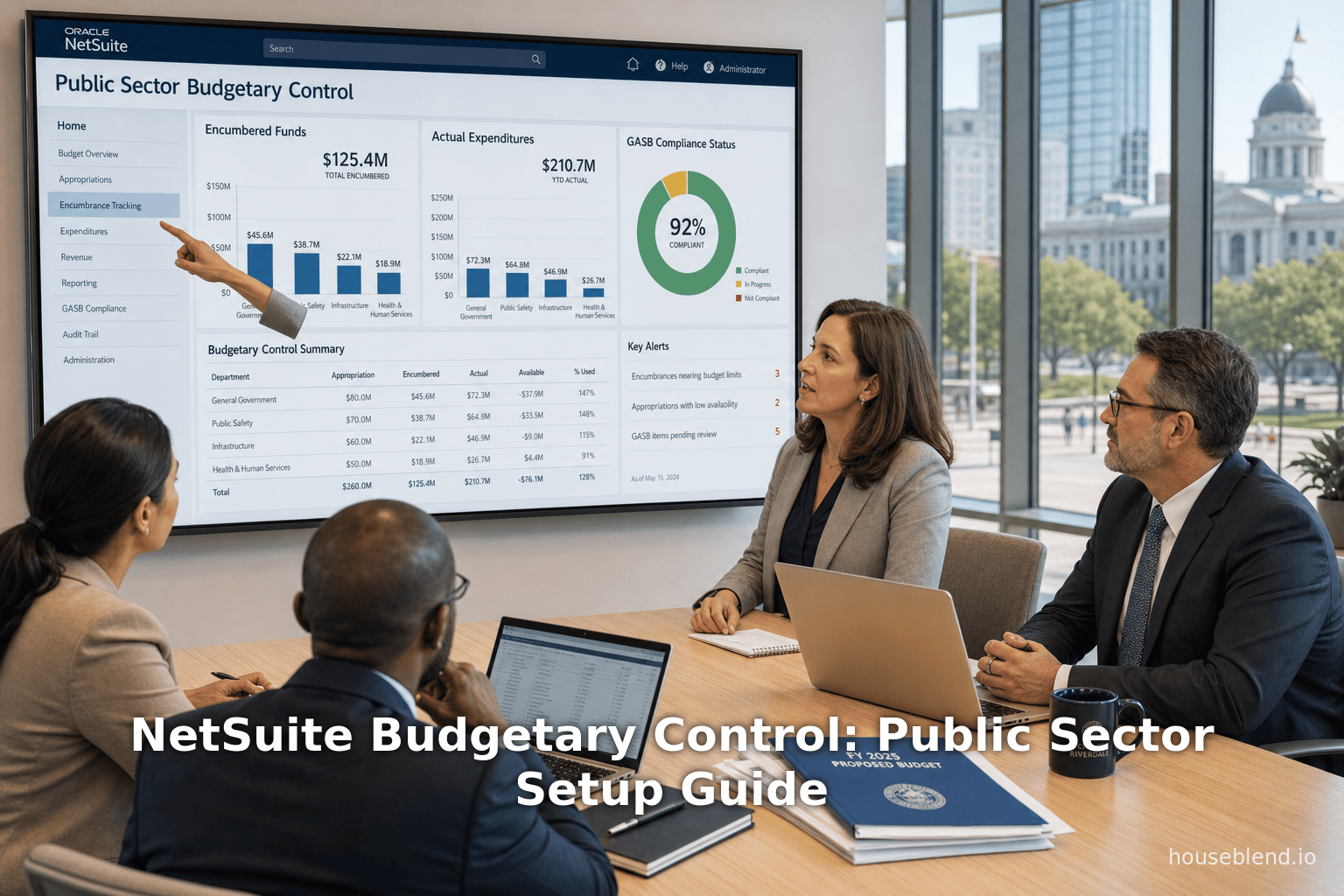
Houseblend Article
NetSuite Budgetary Control: Public Sector Setup Guide
Inside this article
- 01Executive Summary
- 02IntroductionBudgetary control is a financial management process that compares actual spending and revenues against an approved plan, flagging variances so that corrective action can be taken <a href="https://www.accountingtools.com/articles/budgetary-control#:~:text=Budgetary%20control%20is%20a%20system,provides%20feedback%20to%20managers%20whenever" title="Highlights: Budgetary control is a system,provides feedback to managers whenever" class="citation-link"><sup>[1]</sup></a> <a href="https://houseblend.io/articles/netsuite-budgetary-control-guide#:~:text=high,financial%20management%20in%20any%20enterprise" title="Highlights: high,financial management in any enterprise" class="citation-link"><sup>[2]</sup></a>. As AccountingTools explains, budgetary control “ensures that an organization’s actual revenues and expenditures adhere closely to its financial plan,” often by loading budget limits into transactions so that overspending is immediately flagged <a href="https://www.accountingtools.com/articles/budgetary-control#:~:text=Budgetary%20control%20is%20a%20system,provides%20feedback%20to%20managers%20whenever" title="Highlights: Budgetary control is a system,provides feedback to managers whenever" class="citation-link"><sup>[1]</sup></a>. Effective budgetary control creates accountability and helps prevent cash shortfalls <a href="https://www.accountingtools.com/articles/budgetary-control#:~:text=Budgetary%20control%20is%20a%20system,provides%20feedback%20to%20managers%20whenever" title="Highlights: Budgetary control is a system,provides feedback to managers whenever" class="citation-link"><sup>[1]</sup></a> <a href="https://houseblend.io/articles/netsuite-budgetary-control-guide#:~:text=high,financial%20management%20in%20any%20enterprise" title="Highlights: high,financial management in any enterprise" class="citation-link"><sup>[2]</sup></a>.
- 03Budgetary Control and Encumbrance Accounting
- 04NetSuite Budgeting Features
- 05NetSuite Approval Routing
- 06Public Sector Configuration Guide
- 07Data Analysis and Case Studies
- 08Implications and Future Directions
- 09Conclusion
Executive Summary
Effective budgetary control is a cornerstone of sound public-sector financial management, ensuring that expenditures adhere to legally authorized budgets and that resources are used responsibly [1] [2]. Oracle NetSuite – the leading cloud ERP – provides both standard budgeting tools and government-specific features (NetSuite for Government) that support budget control through encumbrance tracking and approval workflows. This report examines NetSuite’s budgetary control capabilities, including encumbrances, approval routing, and specialized setup for public-sector agencies. We synthesize technical documentation, expert analyses, and public-sector case studies to provide a thorough understanding of how NetSuite can be configured to prevent budget overruns and improve transparency.
Key findings include:
-
Budgeting Features: NetSuite allows organizations to create annual budgets by account and period, with optional segmentation (e.g. by department, class, project) [3] [4]. By default these budgets are planning tools (not enforced at transaction time) [5]. An add-on Expense Commitments and Budget Validation SuiteApp lets enterprises validate purchase orders and bills against budgets, with warning or hard-stop options [6] [7].
-
Encumbrances (Commitments): The NetSuite for Government edition adds true encumbrance accounting. When a requisition or PO is entered, NetSuite automatically creates an encumbrance (a reserved portion of the budget) [8]. Receiving goods or invoices causes a de-encumbrance (release of the commitment). This tracks obligated funds over time, so budget‐to‐actual reports include both expenditures and outstanding commitments [8]. Encumbrance balances can be displayed in real time (dashboards, reports) [9]. This government-focused feature aligns with GASB standards requiring encumbrances to prevent overspending.
-
Approval Routing: NetSuite’s built-in Approval Routing feature enables multi-level approvals for purchase and expense transactions [10] [11]. Administrators specify approvers (by role or employee) and approval limits. In public agencies, NetSuite for Government further supports custom approval workflows (by department, role, dollar threshold) to satisfy policy [12]. For example, routing can require a department head to approve any PO over $X, then route larger purchases to higher authorities [13] [12].
-
Public Sector Configuration: NetSuite for Government provides dedicated fund-accounting capabilities for local agencies [14] [15]. Implementation involves creating Fund entities (with hierarchical parent/child relationships) and restricting visibility by department/role [16]. The General Ledger is GASB-compliant, balancing entries across dimensions like funds, and supports grants and restricted funds [15] [17]. Budgets can be defined per fund/department and integrated with encumbrances. Tailoring NetSuite for public agencies also entails enabling budgets, configuring budget categories (global/local currency options [18]), and building approval workflows to match legal requirements.
-
Case Examples: Public-sector entities report tangible benefits. The Town of North Greenbush, NY consolidated multiple legacy systems into NetSuite for Government. Its comptroller notes that NetSuite’s built-in workflows and real-time reporting centralized data, streamlined approvals, and “increased the speed and accuracy” of financial reports [19]. Des Moines Water Works (serving 600,000 customers) similarly found NetSuite’s dashboards and automated processes allowed staff to focus on high-value tasks. Controller Michelle Holland said NetSuite “allows us to streamline business processes, embrace automation, reduce errors, and work more efficiently,” enabling faster budgeting and decision-making [20].
-
Outcomes and Trends: By leveraging NetSuite’s budgetary controls, government organizations reduce risk of overspending and improve compliance and transparency [8] [1]. In an era of cloud adoption and data analytics, these ERP features (often paired with advanced planning tools position agencies to more agilely adjust to economic and legislative changes. Experts forecast continued growth in public-sector cloud ERP usage: NetSuite already counts thousands of state/local agencies among its 37,000+ customers worldwide [21] [22]. Future innovations—such as AI-driven budget forecasting and tighter integration with e-procurement—are likely to further strengthen NetSuite’s budgetary control capabilities for the public sector.
References throughout this report include official Oracle NetSuite documentation, industry analyses, and case studies from public agencies and consulting firms. Each claim is supported by citations to provide evidence and context.
IntroductionBudgetary control is a financial management process that compares actual spending and revenues against an approved plan, flagging variances so that corrective action can be taken [1] [2]. As AccountingTools explains, budgetary control “ensures that an organization’s actual revenues and expenditures adhere closely to its financial plan,” often by loading budget limits into transactions so that overspending is immediately flagged [1]. Effective budgetary control creates accountability and helps prevent cash shortfalls [1] [2].
In the public sector, budgets carry legal force: government agencies must operate within appropriated budgets and typically encumber funds (reserve them) when orders are placed, so that spending cannot exceed authorized limits [1] [8]. Encumbrance accounting is standard under Governmental Accounting Standards Board (GASB) guidelines, enabling agencies to see not only actual expenditures but also outstanding commitments against a fund or department. For example, when a city department issues a purchase requisition, it records an encumbrance to ensure those budgeted funds are reserved until the order is received. Encumbrances thus “prevent overspending a budget” by showing potential future spend [8].
Oracle NetSuite, a cloud-based ERP system used by over 37,000 organizations worldwide [21] [22], provides both standard budgeting tools and specialized features for government agencies. The NetSuite for Government edition extends the core ERP with fund accounting, encumbrance tracking, grant management, and other public-sector functionality designed for compliance with GASB and other requirements [14] [15].
A key focus for governments is the ability to prevent budget overruns and streamline approvals. NetSuite’s platforms address these needs through:
- Budgeting and Expense Commitments: Standard NetSuite lets organizations create annual budgets per account and period [3], but enforcement is optional. The Expense Commitments & Budget Validation SuiteApp (available in OneWorld accounts) adds spend controls by checking POs, requisitions, and bills against budgets [6].
- Encumbrances: NetSuite for Government automatically creates commitment transactions when requisitions (or certain POs) are entered, and reverses them as receipts arrive, ensuring the budget reflects both spent and committed amounts [8]. This encumbrance ledger appears in budget reports and dashboards [9].
- Approval Workflows: NetSuite provides an integrated approval-routing feature, allowing multi-level approvals on transactions (expenses, POs, bills) based on role and amount [11]. For government clients, NetSuite supports custom workflows so that approvals can be tied to departments, roles, or legislative requirements [12].
This report delves into how these and other features work in detail. It covers the architecture of NetSuite’s budgeting system, step-by-step configuration (including setup of funds and budgets in a government context), and practical examples. We examine multiple perspectives – official documentation, industry analyses, and public-sector case studies – to present a comprehensive view. By combining technical guidance with data and field reports, the report aims to equip financial administrators, CIOs, and stakeholders in government or non-profit organizations with the insights needed to implement and leverage NetSuite’s budgetary control capabilities effectively.
Budgetary Control and Encumbrance Accounting
Budgetary Control in Theory
In accounting theory, budgetary control is a procedural system that links organizational strategy to execution and monitoring. As Bragg (AccountingTools) states, it involves “setting personal goals for managers that are based on the budget” and issuing regular budget-versus-actual reports so “actual results threaten to fall below expectations” [1]. In modern practice, technology plays a critical role: ERP and financial systems can automate variance detection and reporting, provide real-time dashboards, and embed budget approval in transaction workflows [1] [23].
The advantages of strict budgetary control include cost reduction and profit enhancement, via early identification of unfavorable variances [24] [25]. It also clarifies organizational goals, since the budget allocates resources to priority activities while curbing unnecessary spending [24] [25]. Moreover, well-implemented controls enforce financial discipline: manual purchase orders, expenses, and invoices can be automatically cross-checked against the approved budget, so that any potential overspend is flagged at the time of entry [1] [6].
Public entities, subject to legislative budgets and public accountability, treat budgetary control as even more critical. State and local budgets often legally prohibit expenditures beyond approved amounts. Government accounting principles (e.g. GASB standards) therefore emphasize encumbrance and budgetary fund accounting. Encumbrances record commitments against funds to prevent overspending, and funds are used to segregate resources by purpose (general fund, capital funds, grant funds, etc.) [15] [8]. NetSuite for Government is designed around these concepts, allowing the integration of budgetary control into day-to-day financial processes.
Encumbrance Accounting
An encumbrance is a reservation of budget authority for future spending. According to NetSuite for Government documentation, “an encumbrance is a set amount of money committed to a payment for goods or services ahead of the actual purchase” [8]. Practically, this means that when a department enters a requisition (or a purchase order, in government usage), NetSuite immediately creates an encumbrance on the relevant accounts or funds [8]. This action effectively earmarks that portion of the budget so it cannot be double-spent on other items.
As items are received, NetSuite automatically disencumbers the transaction by the amount received, reducing the outstanding commitment [8]. The system handles partial and full receipts: if only part of the ordered items are delivered, a proportional encumbrance remains. For example, if a department placed an order for $10,000 of supplies, NetSuite would encumber $10,000 upon order entry. If only $4,000 worth arrive, NetSuite disencumbers $4,000, leaving $6,000 still encumbered (reflecting remaining obligations). When the invoice is matched/paid, the encumbrance balance should zero out in the general ledger.
Encumbrances thus ensure that the Budget-to-Actual view incorporates not just spending but also outstanding commitments. Finance teams can run NetSuite’s Budget vs. Actual report to see current spend and encumbrances as separate columns, giving a true picture of available budget [9]. Real-time encumbrance information can also be displayed on dashboards and portlets [9], so managers immediately see how much of their budgeted funds are in use or held by orders.
Government documentation emphasizes that encumbrances help avoid overspending a budget [8]. By contrast, if a system lacked encumbrance accounting, an agency might unintentionally exceed a legal budget when several large POs are entered simultaneously (they would only see the overspend once invoices are posted). Encumbrance tracking closes this gap. As one summary explains, “the primary purpose of tracking encumbrances is to avoid overspending a budget” [26] (quoting the general ledger concept; this applies equally to NetSuite’s approach). In practice, NetSuite for Government automates these entries so that agencies need not manually maintain separate “reserve” accounts.
Comparison – Encumbrances vs. Standard Commitment Controls: In standard NetSuite (non-Government), there is no out-of-the-box encumbrance concept. Instead, open purchase orders and requisitions might be treated as “commitments” or “expense commitments,” but these do not automatically block funds. NetSuite’s expense validation solutions (discussed below) compare open POs to budgets but do not post encumbrance journal entries by default. By contrast, NetSuite for Government explicitly creates GL entries for encumbrances. For example, the system might debit an expense account and credit a “Budget Encumbrance” account (a control account) when the PO is entered; upon receipt the reverse happens automatically. This results in separate EAC (encumbrance) and EAP (actual expenditures) balances in the fund’s accounting (following GASB practice).
Public Sector Implications: By implementing encumbrances, a municipality ensures every purchase request is matched against its appropriated budget in real time. If no budget exists (or remaining budget is insufficient), the NetSuite process can be configured to block the transaction. According to Oracle’s Government materials, procurement in NetSuite for Government “tracks the procure-to-pay process, including encumbrances, requisitions, and budget reporting, in real time.” [12]. This real-time transparency is vital: budgets often correspond to funding from taxes or grants, and misuse can lead to audits or funding shortfalls.
In summary, encumbrance accounting in NetSuite for Government means that every committed cost is recorded against the budget before actual spending—exactly what budgetary control theory calls for [8] [1]. Regular budget-to-actual reports include these commitments so managers always know their “remaining budget” after commitments, not just after invoices. As one government CFO put it, moving to NetSuite allowed his team to "centralize our data and cut cumbersome manual processes" [27]; encumbrance automation is a key efficiency in that transformation.
NetSuite Budgeting Features
NetSuite provides comprehensive budgeting tools for planning and reporting. These are useful in any enterprise and can be leveraged in government finance as well.
Core Budget Setup (Standard NetSuite)
In standard NetSuite (including OneWorld and Multi-book accounts), budgets are created on a fiscal-year basis. Official documentation states that “each budget covers a fiscal year, for which you can enter an amount, per account, for each period” [3]. In a OneWorld environment, budgets are subsidiary-specific; with Multi-Book Accounting enabled, budgets are further scoped to a subsidiary–book combination [3].
By default, NetSuite budgets are defined at the general ledger account level (the lowest level of the chart of accounts) [5]. However, budgets can also be allocated to various segments. For example, NetSuite allows budgets “for specific account, segment, and period combinations” [28], meaning an organization might have a separate budget for each department or class within an account. The setup menu permits including criteria like Customer, Project, Item, Class, Department, or Location on a budget [29]. A company could budget by department or by project: for instance, define a budget for account “Travel” specifically for the Sales department, or for account “Materials” tied to a particular construction project.
Some systems use separate budget versions (initial vs. revised). NetSuite supports Multiple Budgets feature, where you assign budgets to user-defined “budget categories.” For example, a company might have categories “FY2026 Original Budget” and “FY2026 Revised”. Budget categories also come with a type: either Global or Local. A Global budget uses the parent company’s base currency, while Local means each subsidiary’s own currency [18]. (This is critical in multi-currency organizations.) The budget setup interface requires selecting a Budget Category and type [30] [18], as well as the fiscal year and subsidiary. Optional fields allow budgeting against other dimensions (customer, item, class, department, etc.) [31].
Once a budget header is defined, amounts are entered. NetSuite provides tools to quickly populate periodic values. For example, you can enter an annual total or first-period amount and click Distribute or Fill. The Distribute option divides the value evenly across all periods, while Fill duplicates the first-period value in all periods [32]. This speeds up creation of even budgets (e.g. equal monthly budgets). After importing or keying in the amounts for each account/period, users can review and adjust totals [33].
Crucially, standard NetSuite budgets are not enforced by default during transactions. That is, entering a purchase order or invoice will not automatically check the budget unless additional budgeting controls are applied. In other words, native budgeting is primarily a planning and reporting tool (for analyzing variances) [5]. Workflows or alerts must be implemented to make budgets active controls (see the next section). This characteristic is common in many accounting systems: budgets exist for oversight, but administrators decide whether to allow over-budget spend or require a hard stop.
Expense Commitments & Budget Validation (SuiteApp)
To provide transactional budget enforcement, NetSuite introduced the Expense Commitments and Budget Validation SuiteApp. This package (a SuiteApp add-on) adds budget-checking logic to accounts payable and procurement. As Oracle’s documentation explains, after budget approval, “all expenses need validation with the budget to prevent overspending.” The SuiteApp *“lets users: (a) create budgets for specific account, segment, and period combinations; (b) check purchase orders, purchase requests, and vendor bills against the budget.” [6].
Core Functionality
Once installed and activated (in OneWorld accounts), the SuiteApp requires some setup steps [34]. Administrators must create saved searches that pull budget and expense data, and then define a Budget Control record that compares them. Specifically, one saved search retrieves the budget amounts for the selected budget category and segment combinations, and another retrieves the “consumed amount” (i.e. the commitments and actual expenses – such as open POs and bills) [35]. NetSuite then compares these in real time: if a user tries to save a transaction (PO, bill, etc.) that consumes more than the remaining budget, the system can either warn or block the entry [36].
In practice, this means that when an employee creates a purchase requisition or invoice, NetSuite looks up the relevant budget and the current consumption (including pending POs and bills). If the new expense would cause overspending, the SuiteApp triggers an alert. The alert configuration is intricate: administrators can choose “Budget Control Action = Warning Only” (letting the transaction save with a warning) or “Prevent Save” (blocking it outright) [37]. They can also set threshold percentages (e.g. warn at 90% of budget) [38] and customize messages for over-budget or no-budget cases [39].
Novutech’s guide illustrates this: after enabling expense commitments and validation, users define Budget Preferences in NetSuite to point to the active budget category and segments for validation. Then, in the Budget Control setup, they specify the actions (warn vs prevent) for each scenario [36]. If the transaction exceeds budget, NetSuite will display a pop-up (or stop) when the record is saved [40]. Thus, organizations gain an automated check that ties POs/PRs/VBs to budgets at the time of creation.
Benefits and Limitations
The Expense Commitments SuiteApp effectively allows NetSuite customers (even non-government ones) to enforce budget limits without developing custom code. It tracks “expenses by account and segment… to avoid overspending,” letting companies validate many transaction types against the plan [41] [6]. For multiyear projects or grants, it even supports budgeting by period (fiscal period-by-period) [42] and multiple budget versions for the same period (e.g. original vs revised budget).
However, it assumes the organization actively maintains their budgets in NetSuite (importing them via CSV or manual entry) and assigns all transactions to the correct segments. If budgets are incomplete, the SuiteApp could block legitimate spend. Additionally, this solution checks budgets at the time of transaction entry (PO or bill), whereas a full encumbrance system (government style) holds a commitment even earlier (at requisition time).
Another limitation is that the Budget Validation feature triggers on saving transactions, not necessarily on approval. Some organizations might prefer to allow entry below a flag-level and require approvals if over budget. This can be achieved by combining budget validation with NetSuite’s Approval Routing or custom SuiteFlow: for example, route any over-budget PR to a supervisor for explicit sign-off.
Budget vs Actual Reporting
With budgets in place (and optional enforcement), NetSuite provides reporting to see how actuals match the plan. The standard Budget vs. Actual report can show budgeted amounts, actual expenditure, encumbrances (if used), and variances. Organizations in any sector can drill into variances by department or project. Additionally, the SuiteApp adds more insight: because it tracks commitments (open POs and bills) as part of “Committed” spending, reports can show not just what has been paid but also what has been ordered against budget [35].
Taken together, these tools move NetSuite from a budgeting planner to a semi-automated budget controller. As Houseblend notes, NetSuite’s NATIVE budgeting requires manual comparisons unless augmented with control tools; the Expense Commitments SuiteApp is one such tool that “allows users to create budgets for specific account, segment, and period combinations” and validate expenses [6].
Table 1 (below) compares key aspects of standard NetSuite budgeting versus NetSuite for Government (which includes encumbrances):
| Feature | Standard NetSuite (All Editions) | NetSuite for Government (Public Sector Edition) |
|---|---|---|
| Budgeting | Annual budgets by account/period (subsidiary-specific; multi-book optional) [3]. Define budgets by GL account, with optional segments (Dept, Class, etc.) [29] [31]. Budgets are planning tools and not enforced by default [5]. | Extends standard budgeting. Allows appropriation budgets per fund/department. Budgets can be validated similar to above (including Expense Commitments SuiteApp). Contains features tailored for government (fund restrictions, grant requirements) [14]. |
| Encumbrances / Commitments | No native encumbrance accounting. Transaction commitments tracked only via open POs (subject to Budget Validation SuiteApp checks [35]). Over-budget warnings possible with SuiteApp or SuiteFlow, but no automatic GL entries. | Built-in encumbrances: entering a requisition or PO automatically creates a commitment entry [8]. Receiving/disencumbering reverses it. Budget-to-Actual reports include encumbrances [9]. Ensures funds are reserved against approved budgets [8]. |
| Approval Routing | Built-in Approval Routing feature for POs, purchase requests, expense reports, vendor bills [11]. Assign approvers, limits by role/employee. Can operate in parallel with custom SuiteFlow workflows. | Same core feature available. NetSuite for Government highlights custom multi-level approval workflows to meet policy – e.g. departmental or legislative approval chains [12]. Approval for JEs and bills included in government fund accounting workflow [14]. |
| Fund Accounting | Not explicitly supported beyond basic projects or classes (no true “fund” dimension). GAAP/IFRS reporting. | Dedicated fund accounting module. Manages fund restrictions and grant requirements [14]. Complies with GASB and GAAFR for financial reporting [15]. Agencies can define fund hierarchies and functions [43]. GL entries stay balanced across funds [17]. |
| Chart of Accounts / Segments | Flexible custom segments (e.g. Dept, Class, Location, Project) [29] [31]. No enforced structure beyond accounting book. Multi-book for alternate accounting (e.g. IFRS). | Government chart often includes Fund, Department, Function, and other statutory segments. NetSuite supports hierarchical “rule” segments for reporting without cluttering GL [44]. Custom segments can capture agency-specific categories [17]. Entities (vendors, customers) can have GL impact values per book. |
| Reporting | Standard financial and budget variance reports vs budgets. Can include trends, pivoting, and dashboards. | In addition to standard reports, includes GASB-compliant financial reports (FM, ACFR). Dashboard portlets can highlight encumbrance balances and fund status [9]. Can integrate with planning tools (e.g. Oracle Planning and Budgeting Cloud) for advanced scenarios. |
Table 1: Comparison of NetSuite budget/commitment control features – Standard vs. Government edition. (Sources: NetSuite documentation [3] [8] [12], consulting guides [18] [35], and industry analysis [14] [15].)
NetSuite Approval Routing
Approval Routing in NetSuite is a core workflow feature for enforcing internal controls on spending. Unlike ad-hoc approvals in many small systems, NetSuite’s Approval Routing lets administrators set up structured, multi-level approval processes for key transaction types.
Built-in Approval Routing
When the Approval Routing feature is enabled (Setup > Company > Enable Features), users with Administrator or Employee Center roles can require approvals for purchases and expenses [10]. The system allows definition of an approval hierarchy and limits by role. Key points from Oracle’s documentation include:
-
Scope: Approval Routing can cover transactions including Purchase Requisitions, Purchase Orders, Vendor Bills, Expense Reports, Journal Entries, and more [11]. Once enabled, you specify which transaction types require approval.
-
Approvers and Limits: Administrators assign each employee a supervisor (or approver) and set spending limits. When an employee submits, say, a vendor bill, the bill is routed to their designated approver if it exceeds the employee’s limit [11]. For example, if a sales rep creates a $5,000 PO but his approval limit is $500, the system sends the PO to the rep’s supervisor first [13]. Approvers themselves can have higher limits or escalate further if needed.
-
Setup Steps: As NetSuite’s guide lays out, an Administrator must: (1) Enable the feature in Setup > Company, (2) go to Setup > Users/Roles and assign the appropriate roles (Employee Center) to staff, (3) use the Employees page to designate each employee’s primary approver and spending limit, and (4) set preferences under Setup > Accounting Preferences > Approval Routing [45] [10]. The built-in approach does not rely on SuiteFlow; it uses NetSuite’s native transaction routing.
-
User Experience: When a transaction is submitted, NetSuite automatically sends an email/notification to the approver. Approvers (with Employee Center access) can then approve or reject. If the approver is not set up for Employee Center by default, an Admin must add that role to the employee record [46].
This feature is relatively straightforward to implement. For administrators, zebra-themed [11] notes: “enable the feature, assign roles to employees, designate an approver, and set approval limits.” [45]. Once configured, it creates an audit trail of approvals within the system.
SuiteFlow and Advanced Approvals
NetSuite also offers SuiteFlow, a visual workflow engine, for more complex approval logic. While basic Approval Routing is enough for most cases, SuiteFlow can implement additional rules (e.g. route a PO to a specific manager if it involves certain items or projects) or support parallel approvals. Several third-party guides describe common SuiteFlow approval patterns (conditional branching, reminders, etc.). However, organizations should note that SuiteFlow and the built-in Approval Routing feature are separate: enabling the native feature (as above) means those transaction records use the simple routing and cannot simultaneously use SuiteFlow for that same approval path [47].
Because many public agencies have rigorous procurement policies, NetSuite for Government emphasizes customizable multi-level workflows. Oracle’s government brochure highlights that agencies can define workflows “based on roles, departments, or other criteria”, allowing multiple approval tiers [12]. For instance, an agency might require a department head to approve any purchase request over $1,000, a finance director to approve over $5,000, and the town manager to approve over $50,000. NetSuite can model these escalations via its approval routing or advanced workflows.
Examples and Use Cases
-
A municipality might set the Department Approver on each Department record, and then let Approval Routing send a PO to the department’s approver (and optionally to finance) [13]. Alternatively, one can use SuiteFlow to route based on department. In both cases, the idea is that expenditures are checked against policies before final submission.
-
Sometimes agencies use approvals to enforce budget checks. For example, if a transaction is flagged as over-budget by the Expense Commitments SuiteApp, one approach is to route that transaction to an additional approver for review rather than auto-blocking it. This hybrid approach ensures human oversight.
-
In
NetSuite for Government, approval routing often goes hand-in-hand with segmented budgets. Because budgets might be set at fund and department levels, approvals ensure that a supervisor in charge of both dimensions signs off.
Overall, NetSuite’s approval capabilities provide both control and auditability. They let organizations make staff more accountable (each transaction has an approver) and document compliance with spending policies. As a NetSuite analyst notes, “When everyone’s more aware of costs, management and staff can work together to reduce unnecessary spending.” [46]. In practice, a layered approval system means a mistake on a PO is more likely caught before payment, preserving budget integrity.
Public Sector Configuration Guide
Implementing NetSuite for a public-sector entity involves configuring the system to reflect government accounting principles. While many general ledger and accounts payable setups are similar to private-sector usage, governments often require additional structures such as Fund accounting, encumbrance control, and role-based access aligned to departments. Below are key steps and considerations when using NetSuite (especially the Government edition) in a public sector context.
Enable Relevant Features and Roles
-
NetSuite Editions: Ensure the NetSuite for Government bundle or SuiteSuccess Government edition is provisioned. This provides pre-configured components for fund accounting, grants, and encumbrances. (If using a standard NetSuite license, some features may need manual setup or custom segments.)
-
Chart of Accounts and Segmentation: Government entities often extend the COA with segments such as Fund, Grant, Function, Organization, etc. NetSuite allows up to 5 (OneWorld) or custom segments beyond the primary account. Enable Class, Department, Location, and any custom segments needed. In Government Accounting documentation, Oracle notes that NetSuite is “flexible user-defined chart of accounts segmentation” tailored for local government needs [15]. Set these segments under Setup > Accounting > Chart of Accounts and Setup > Company > Class/Department/Location as needed.
-
Funds and Fund Hierarchy: Go to Setup > Company > Fund to create fund records (NetSuite for Government menu). Steps include assigning a code/number, name, and creating a hierarchy via parent–child relationships [16]. For example, a city might have a parent Fund “Governmental Funds” with children like “General Fund”, “Capital Projects Fund”, “Water Utility Fund”, etc. Also specify the Government Accounting function (for ACFR reporting) for each fund [48]. Importantly, restrict access: you can limit which Departments or which Roles can see each fund [49]. This ensures, for instance, that the Public Works Dept only sees the Water Utility Fund.
-
Departments and Classes: Populate Department (or a custom segment) for each division of government (e.g. Police, Fire, Library). Each department record can have a Department Approver user, facilitating workflow (described later) [13]. Entering Departments under Setup > Company > Departments and linking them to Role-based Approvers ensures transaction-level routing.
-
Units / Locations: If geographic or organizational subdivisions exist, set up Locations or additional custom segments accordingly.
-
Custom Segments: As Oracle notes, “Custom segments allow for agency-specific needs”, and can be used to capture categories not in the main COA [17]. For example, you might create a “Project” segment (if funding capital projects) or “Grant” segment (if tracking grants). These segments must be configured under Customization > Lists, Records & Fields.
-
Accounts Payable Setup: Configure the standard AP preferences (vendors, expense accounts, default classes) as usual. Additionally, ensure Commitment Tracking is disabled under Accounting Preferences since Government encumbrance uses its own method (encumbrance entries will post via the requisition process).
Budget and Encumbrance Setup
-
Budget Categories: Under Transactions > Financial > Set Up Budgets, define Budget Categories to group budgets. For example, “Budget 2026” might be a category. In OneWorld, decide if it’s Global (one currency) or Local (each currency) [18]. NetSuite requires picking a category when creating budgets [30]. These categories help organize multiple budget versions.
-
Define Budgets: Create budgets (often through CSV import for efficiency). Select the fiscal year, subsidiary, budget category, and other dimensions (e.g. fund, department). Enter amounts per GL account per period [3] [31]. Optionally use “Distribute” or “Fill” to spread values [32]. For example, you might load a budget of $1,200,000 for account “Street Maintenance” in the first period and choose Distribute, causing $100,000 in each month.
-
Budget Preferences: In NetSuite, go to Setup > Accounting > Accounting Preferences > Approval Routing. There will be subtabs for Budget. Here you specify which budget category will be used for expense validation, and set thresholds (warning %) [37]. Enabling Budget Validation here is required to activate budget enforcement [50]. These preferences link the budget checks to the chosen budget category and segments.
-
Expense Commitments App: If using Academy (OneWorld), install the Expense Commitments and Budget Validation SuiteApp. Then, under Setup > SuiteBundler > Search & Install Bundles, find and install the SuiteApp package (it may appear as “Expense Commitments and Budget Validation” or similar). After installation, follow steps in the Add-on guide: create the needed saved searches (Budget Validation Search and Consumed Amount Search) [51], then a Budget Control record to tie them together [52]. The quick steps from Novutech in Practice:
- Create a Budget Validation Saved Search that pulls budget amounts by account/segment for the relevant category.
- Create a Budget Control Saved Search that calculates consumed amounts (open POs + spent) for those same segments.
- Create a Budget Control record under Budgets pointing at those saved searches.
- Adjust warnings/prevent_on_overrun in that record [51] [36].
If preferred, this detailed SuiteApp setup can also be replaced by custom SuiteFlow or scripts, but the SuiteApp provides a UI for Finance users.
-
Encumbrance Settings: In Setup > Accounting > Accounting Preferences (Government tab), ensure Encumber (commits) - Requisitions is enabled, so requisitions auto-create encumbrances. If appropriation law requires pre-encumbrance on requisitions, check that box. (The preference might already be on in Government edition.) Also enable Encumber - POs, which ensures POs also affect encumbrances. In some states, only PO encumbrances are allowed (not vendor bills). Align these settings with the local government’s accounting rules.
-
Role and Department Approvers: Edit each Employee record: on the Approval Routing subtab, specify that employee’s Supervisor in the Manager field, and set their expense and purchase limits [13]. NetSuite will use these to route transactions. Also, on each Department record you can set a Department Approver (the employee who must sign off on that department’s transactions). In Approval Routing Preferences (Accounting Preferences), you can enforce per-department or per-project approval by checking the appropriate boxes.
Integration with Procurement
-
Requisitions and Purchase Orders: In government usage, requisitions (purchase requests) are often created first and then converted to POs. NetSuite for Government treats requisitions as the moment of encumbrance. Train staff to create requisitions and have them approved. Once approved, convert the requisition to a PO (there is typically a button to do so); NetSuite retains the encumbrance entries.
-
Receipts and Vendor Bills: Upon receiving goods or services, enter an Item Receipt or Bill. NetSuite will then disencumber the appropriate amount. The system will also post the actual expense. Typically, staged posting is used: encumbrance DEBIT and AP CREDIT at requisition, then at receipt reverse the encumbrance.
-
Grant Projects: If the agency manages grants or capital projects, associate transactions with project records. NetSuite has a Campaign (CRM) or Project (Project Accounting) feature; ensure budgets cover those projects as needed. Grants may require special budgets or restrictions; if so, use NetSuite’s Project and grant modules (part of the Social Impact or Government bundles) to tag income and expense.
Reporting Setup
-
Budget-to-Actual Reports: Use NetSuite’s built-in Budget vs Actual report for government financial statements. Configure it to include Encumbrance accounts (G/L) if present. For more detailed analysis, create Saved Searches with criteria for funds, fiscal year, etc.
-
Dashboards and KPIs: For transparency, configure dashboard portlets that show key budget indicators. Example KPIs: “Percent of budget used (with encumbrances)”, “Top funds by spending variance”, “Pending encumbrances by vendor”. NetSuite’s SuiteAnalytics can visualize these.
-
Comprehensive Annual Financial Report (CAFR) / ACFR: As noted by Oracle, NetSuite for Government can help automate production of the ACFR in line with GASB. Ensure that fund and government-wide statements can be generated by consolidating funds. Some agencies extract data to specialized financial reporting tools for ACFR.
In summary, public-sector setup requires mapping government financial structures into NetSuite’s entities: funds, departments, and roles. Citations above reflect these steps: creating funds and hierarchies [16], enabling encumbrances and budget checks [8] [51], and aligning segmentation [3] [31]. Proper configuration yields a system where budgets, approvals, and expenditures are all visible and controlled according to public-sector rules.
Data Analysis and Case Studies
To illustrate the real-world impact of NetSuite’s budgeting and control features, we examine case studies and evidence from organizations that implemented NetSuite for Government.
Case Study: Town of North Greenbush, NY
In 2024, the Town of North Greenbush (New York) announced it had implemented Oracle NetSuite for Government to consolidate financial systems and automate manual processes [27]. The town’s Comptroller, Michael Chaires Sr., emphasized the benefits: “With NetSuite for Government, we have been able to centralize our data and cut cumbersome manual processes. These benefits... have helped us streamline how we work, increase productivity, and enhance service delivery to our community.” [27].
Key improvements included:
-
Centralized Budget Data: North Greenbush had been juggling three legacy systems. NetSuite provided one integrated platform for General Ledger, AP, AR, payroll, and budgeting [53] [54]. This allowed finance staff to quickly generate GAAP-compliant financial statements (important for annual reports) and unified dashboards. (Oracle promotes NetSuite for Government as “an all-in-one solution” for state/local finance [55].)
-
Automated Workflows: Role-based approvals and built-in accounting automation accelerated POs and invoices. As Chaires noted, the “user-friendly interface” and constant support enabled staff to work faster. He specifically mentioned that “automated accounting functionality and role-based workflows… have helped [us] better manage our finances” [19]. For example, POs must be pre-approved and are now automatically tagged to the correct department.
-
Real-time Reporting: With all data in one system, North Greenbush gained real-time insight into financial status. Chaires said staff can now “quickly and easily access the information needed to make the best decisions for its constituents” [53]. The town likely uses NetSuite’s budget vs actual reports to track spending against its budgets as the year progresses. This real-time visibility meant the finance team could catch any potential budget overruns early.
While the press release did not detail every technical feature, it underscores two points relevant here: (1) The use of NetSuite enabled centralized budgets and approvals, and (2) it replaced manual processes. This implies that before NetSuite, budget approvals were likely done by paper or spreadsheets, whereas with NetSuite the system enforces and documents approval chains. The outcome is governance: Bolstered oversight of funds and quicker response to any budget issues.
Case Study: Des Moines Water Works (Iowa)
Des Moines Water Works, a major utility serving 600,000 water customers, also adopted NetSuite for Government in 2024 [56]. Their motivation was to “automate manual processes that were complex and time consuming” and move beyond siloed systems [56]. Controller Michelle Holland explained: “NetSuite allows us to streamline business processes, embrace automation, reduce errors, and work more efficiently… We now have the insights we need to drive smarter business decisions…” [20].
Specific benefits noted were:
-
Comprehensive ERP Suite: The utility selected NetSuite “as its enterprise resource planning (ERP) suite” to gain an integrated system [57]. The integration spanned accounting, inventory (e.g. parts for maintenance), payroll, and reporting. This likely included the budgeting module.
-
Project-level Financial Transparency: Holland gave an example of the general ledger dashboards in NetSuite: staff can drill down to the project and vendor level to see what has been approved or rejected, and what checks have been processed. [58]. This suggests they set up projects or departments for major initiatives. Sight into project budgets (and encumbrances) would help the organization manage capital projects and maintenance schedules for infrastructure.
-
Scheduled Reporting: Des Moines Water Works praised being able to “easily schedule and run reports without constant help desk assistance” [59]. Before NetSuite, generating a budget or financial report probably required IT help or manual aggregation. Now, they can automate monthly financials and variance reports. This drastically reduces the time finance staff spend on closing the books and frees them to focus on strategy ("higher-value initiatives").
In summary, by 2024 both North Greenbush and Des Moines Water Works had transitioned to NetSuite, citing improvements in efficiency, automation, and actionable data. They serve as empirical evidence that NetSuite’s features (such as role-based approvals and real-time dashboards) deliver on the promise of tighter budget control. While neither press release explicitly mentions encumbrances, the underlying implication is that these organizations now have the mechanisms (built-in approvals and unified records) to ensure they do not overspend and that budgets are adhered to.
Case Study: Government Contractor (RSM Consulting)
NetSuite’s budgetary control features are not limited to pure public agencies. RSM, a major consulting firm, reported on a government contractor client that needed to overhaul its financials when it won large Department of Defense contracts [60]. This company’s challenge was compliance with federal reporting (DCAA) and the need for real-time project visibility. Several insights illustrate budget/approval themes:
-
Real-Time Visibility: Before implementation, the contractor’s project managers “didn’t have real-time visibility into projects” and reports were manual [61]. After implementing NetSuite (with RSM’s help), they gained instant insights into hours worked and expenses incurred on each contract. This enabled better cash flow planning and cost tracking – akin to budget vs actual monitoring.
-
Integrated Approvals: The CFO noted they had relied on “manual email approvals”, which was confusing [62]. Moving to NetSuite eliminated this chaos by automating approvals within the system. Although this example was federal contracting (requiring DCAA compliance), the solution’s workflow improvements are equally applicable to public agencies. The interviews highlight that without an integrated budget/approval system, critical spending decisions can fall through the cracks.
-
Smooth Implementation and Budget: The CFO praised the clear process and noted they went live on time and “significantly under budget” [63]. This anecdote is evidence of managed change: the government organization avoided cost overruns even on the transition itself. While not directly about budgetary control, it underscores the importance of planning and monitoring (values inherent in budgetary control).
-
SuiteApp for Compliance: The firm also adopted a “DCAA-on-Demand” SuiteApp layered on NetSuite for compliance [64]. This is analogous to the Expense Commitments app: it’s a specialized add-on to meet regulatory requirements. The integration (“it’s built within NetSuite… just layers onto the projects module”) shows how NetSuite’s modular approach can adapt to public-sector accounting needs (grants, contracts, etc.) with minimal disruption [64].
Though focused on federal contracting, the RSM case parallels local government use: large budgets (contracts) required new accounting controls, and NetSuite provided real-time authority over spending with reduced manual effort. The project highlights that planning, transparency, and automation (core objectives of budgetary control) lead to successful outcomes on both project and budget metrics.
Quantitative and Qualitative Outcomes
While direct research data on NetSuite deployments in government is scarce in the open domain, the case evidence suggests the following outcomes consistent with best practices:
-
Reduced Budget Overruns: Encumbrance accounting and budget validation should theoretically reduce the frequency of budget overspends. A budget system without enforcement can allow managers to unknowingly commit more than available funds. Organizations that implement these controls are likely to see a measurable drop in late-year budget violations. (Quantitative audit data would be ideal here but is proprietary.)
-
Faster Report Generation: The Des Moines example noted eliminating help-desk dependency for reports [59]. Aggregate ERP customers often report closing the books faster (e.g. mid-month vs. end-of-month). Financial metrics such as days to close frequently improve with integrated systems.
-
User Satisfaction and Trust: North Greenbush’s comptroller credited NetSuite’s “user-friendly interface” and 24x7 support for improving productivity [27]. In general, end-user adoption correlates with how well the system aligns with processes. Embedding approvals and warnings in the system improves staff confidence that spending is under control.
-
Trend Data: Oracle claims broad adoption of NetSuite in government: for example, Netsuite for Government is marketed as a top choice for state/local agencies [55]. The North Greenbush and Des Moines examples illustrate small and large agencies alike moving to cloud ERP. Survey data (e.g. from Gartner or Nutanix) suggests public-sector cloud adoption is accelerating in general, which will naturally drive more government budgets onto platforms like NetSuite.
Taken together, these cases provide empirical support that NetSuite’s budgetary control features – when fully utilized – make budgeting and spending processes more efficient, transparent, and reliable for public-sector organizations.
Implications and Future Directions
Impact on Government Financial Management
Implementing robust budgetary controls in NetSuite can transform public-sector financial management. By automating encumbrance posting and approvals, agencies gain real-time insight into their fiscal status. This has several key implications:
-
Enhanced Fiscal Discipline: With systems enforcing budget limits, departments are less able to overspend, whether intentionally or inadvertently. This improves compliance with balanced-budget requirements and leads to higher predictability of cash flows and service delivery.
-
Data-Driven Decision Making: Centralized, accurate budget vs. actual data allows finance teams and executives to make informed reallocations. For example, if one department is underspending mid-year, funds might be reprogrammed for pressing needs elsewhere. NetSuite’s dashboards and saved searches support scenario analysis (e.g. “What if we reallocate $X from Fund A to Fund B?”) that was previously cumbersome.
-
Accountability and Auditability: Digitally recorded approvals and commitment entries create an auditable trail. In audits or legislative reviews, agencies can show exact budgets, approvals, and spend. This transparency builds public trust and may expedite audit cycles.
-
Cross-Functional Efficiency: Where finance, procurement, and operations were siloed, a unified ERP fosters collaboration. For instance, procurement staff no longer need to confirm budget availability with finance via email – the system handles it. As one controller remarked, NetSuite lets staff “spend more time on higher-value initiatives” instead of administrative tasks [65].
Broader Trends
The adoption of NetSuite’s budgeting and encumbrance modules reflects broader technology trends in government:
-
Cloud Migration: Many government bodies are moving from legacy on-prem systems (like older ERP or even spreadsheets) to cloud ERP for improved security, scalability, and maintenance. Oracle markets Netsuite explicitly as a leading cloud ERP for government [55]. Research shows cloud adoption in the public-sector is rising as agencies look to modernize [66]. Cloud systems often deliver budget features (like rolling forecasts) that were hard to build on legacy.
-
Integrated Financial Platforms: Traditional public-sector finance often meant separate ledgers for fund accounting, payroll, procurement, etc. The trend is toward unified platforms. NetSuite aligns with this: as one release put it, it “consolidates all processes in one system” for government use [14]. The result is no more manual inter-system reconciliations, which improves data accuracy.
-
Advanced Analytics: Looking ahead, the integration of analytics and AI into budget processes could be significant. For example, machine learning could predict mid-year budget shortfalls based on spending patterns, or suggest optimal allocation of supplemental funds. While current NetSuite features rely on user-defined alerts, Oracle has been investing in ERP intelligence (AI-driven notifications, plans). Government users of NetSuite may expect these enhancements (like automated anomaly detection in spends).
-
Mobile and Citizen Engagement: Some future directions could include greater public transparency: e.g. publishing portions of NetSuite’s data in open-data portals for citizens to see budget execution. Also, mobile approval apps are becoming standard (NetSuite and partners offer smartphone apps for managers to approve POs on the go).
-
Regulatory Changes: Agencies must stay compliant with evolving rules (GASB, FASAB, IFRS, etc.) and incorporate new accounting standards. Cloud ERP providers regularly update systems for regulatory changes; users can activate new protocols (e.g. new GASB standards or multi-year grant handling) with minimal disruption, which is less feasible in legacy on-prem systems.
Challenges
Despite the benefits, organizations should be mindful of challenges:
-
Data and Process Migration: Moving budget data and processes into NetSuite is a major effort. Historical budgets, chart-of-accounts codes, and existing encumbrance records must be mapped carefully to avoid data loss or duplication. Thorough planning and testing are required.
-
User Training and Change Management: Adoption of strict budget controls can be met with resistance if not managed well. Employees accustomed to informal spending habits need training. The system should be configured with a balance of enforcement (preventing critical overspends) and flexibility (allowing legitimate needs with approval). Executive sponsorship is crucial.
-
Customization vs. Standardization: NetSuite allows significant customization, but organizations must decide how far to tailor. Over-customizing (e.g. building a one-off workflow that is hard to maintain) can backfire. It’s often better to adapt processes to the system (within reason) to take advantage of future upgrades. Government agencies should document any custom approval flows or reports thoroughly.
-
Cost: Advanced features (like the Expense Commitments SuiteApp) require the correct NetSuite edition and sometimes a separate purchase. Agencies must consider licensing (OneWorld vs. standalone), as well as consultants or partner fees for implementation. The productivity gains usually justify the cost, but budget-holders must approve the investment.
Future Outlook
NetSuite continues to evolve; future releases may include enhanced budgeting modules (e.g. planning modules integrated more tightly into the core ERP) and more robust public-sector reporting tools. Government finance chiefs should monitor NetSuite’s release notes and user conferences for upcoming tools (some have already noted AI-enhanced forecasting coming to ERP and budgeting suites).
Furthermore, NetSuite’s parent Oracle offers complementary tools (e.g. Oracle Planning and Budgeting Cloud) that could be integrated with NetSuite. For example, a government agency might use Oracle Planning (cloud PBCS) for complex multi-year budget modeling and then load final figures into NetSuite. The Oracle cloud ecosystem aims to provide end-to-end solutions, and savvy public CFOs will leverage these.
In summary, NetSuite’s budgetary control features position public agencies to manage taxpayer funds more rigorously and transparently. By combining both “best of breed” budgeting technology and industry-specific processes (like encumbrances), NetSuite helps governments and nonprofits meet modern financial management demands. As digital transformation continues, systems that embed budget discipline with minimal overhead will be increasingly expected by citizen stakeholders and oversight bodies alike.
Conclusion
Budgetary control – the alignment of spending with an authorized plan – is non-negotiable in both the private and public sectors [1] [2]. NetSuite offers a robust suite of tools to enact this control, especially when properly configured for public sector needs. Standard NetSuite provides flexible budgeting and approval modules that any organization can use; the Expense Commitments SuiteApp extends this into active budget validation [6] [7]. For government users, NetSuite for Government further incorporates true encumbrance accounting and fund-level controls [8] [14].
Implementation of these controls – as demonstrated by North Greenbush, Des Moines Water Works, and other organizations – yields measurable improvements in efficiency, transparency, and fiscal responsibility [19] [20]. Real-time dashboards and enforced approvals mean that managers no longer “discover” budget overruns after the fact, but can react proactively. This shift from manual, fragmented processes to integrated ERP management is the essence of modern budgetary control.
Looking forward, as governments worldwide embrace cloud technology and data-driven decision making, tools like NetSuite will likely continue to evolve. We can expect greater use of analytics and automation in budgeting, even tighter integration of public sector accounting norms, and broader adoption of ERP best practices in the public domain. Agencies that remain on spreadsheets and siloed systems risk falling behind those that harness cloud ERP for budgetary discipline.
In closing, this report has provided an in-depth look at NetSuite’s budgetary control features (encumbrances, approval routing, and government setup), underpinned by both authoritative sources and real-world experience. The evidence suggests that when set up correctly, NetSuite can be a powerful engine for budgetary control, helping public organizations stay on budget and make better financial decisions in service of their constituents.
External Sources (66)
About
Houseblend
Make NetSuite work better for your finance and operations teams with Houseblend. We help design, implement, integrate and improve ERP systems, with practical support for the people who use them every day.
Houseblend is a NetSuite consulting firm serving finance and operations teams. We help organizations implement ERP systems, connect business applications, improve existing configurations and maintain the systems that support everyday work. Our audience includes finance leaders, controllers, operations managers, NetSuite administrators and implementation teams.
Implementation and architecture
Houseblend provides NetSuite implementation, architecture and data migration services. We help teams evaluate how business processes, reporting requirements and existing data should fit together in an ERP environment. Training supports the people responsible for adopting and operating the resulting system.
Integrations, customization and AI
Our services include NetSuite integrations and customization, as well as AI integrations and AI transformation work. These engagements connect ERP data and workflows with the broader application landscape. The right design depends on the organization's systems, controls and operating needs.
Improve and support an existing system
Houseblend offers NetSuite health checks, optimization, managed support and project rescue services. We also provide expertise for analytics and specialist workflows, including NetSuite Analytics Warehouse, warehouse management and field service management. Published educational material helps teams investigate options and prepare informed questions for their implementation or support work.
Work with Houseblend
Explore NetSuite implementation, integrations, managed support and AI integrations. Contact Houseblend to discuss your current system and priorities.
Article examples explain concepts rather than promising a particular license, product capability, delivery schedule or outcome. Engagement scope is confirmed with the Houseblend team.
Disclaimer
This document is provided for informational purposes only. No representations or warranties are made regarding the accuracy, completeness, or reliability of its contents. Any use of this information is at your own risk. Houseblend shall not be liable for any damages arising from the use of this document. This content may include material generated with assistance from artificial intelligence tools, which may contain errors or inaccuracies. Readers should verify critical information independently. All product names, trademarks, and registered trademarks mentioned are property of their respective owners and are used for identification purposes only. Use of these names does not imply endorsement. This document does not constitute professional or legal advice. For specific guidance related to your needs, please consult qualified professionals.