Houseblend Article
NetSuite Custom Segments: Setup, GL Impact & Reporting
Inside this article
- 01Executive Summary
- 02Introduction
- 03Background and Context
- 04Comparison of Standard and Custom Segments
- 05Setting Up Custom Segments
- 06GL Impact of Custom Segments
- 07Using Custom Segments in Financial Reporting
- 08Case Scenarios and Industry Use Cases
- 09Technical Considerations & Maintenance
- 10Data and Industry Context
- 11Conclusion
Executive Summary
This report examines NetSuite Custom Segments, a feature of Oracle NetSuite’s SuiteCloud platform that allows organizations to define user-defined dimensional classifications beyond the standard Department, Class, and Location. Custom segments (also known as SuiteSegments) empower businesses to tag transactions and records with additional “buckets,” enabling highly granular reporting, flexible account structures, and novel financial analysis dimensions [1] [2]. We cover the setup of custom segments (enabling the feature, creating segments and values, assigning them to forms and records), analyze their impact on the General Ledger (GL) (including how segment values appear on the GL Impact page, hidden line propagation, and use of balancing segments), and demonstrate their use in NetSuite’s Financial Report Builder (FRB) for customized financial statements. Multiple case-oriented examples and scenarios are presented, showing how companies leverage custom segments for project profitability, regional reporting, departmental cost centers, fund accounting, and intercompany analysis [3] [4]. We also discuss data-driven evidence (e.g. NetSuite’s broad adoption worldwide (Source: www.anchorgroup.tech) and expert perspectives (from NetSuite partners and consultants) on best practices and future directions. All findings are documented with extensive citations to NetSuite’s official documentation and authoritative industry sources.
Introduction
Enterprise resource planning (ERP) systems like Oracle NetSuite provide built-in classification fields (segments) such as Department, Class, and Location for categorizing financial transactions. However, modern organizations often require additional dimensions (e.g. product lines, business units, projects, funds) that exceed these fixed fields. NetSuite’s Custom Segments feature (introduced with SuiteGL) addresses this need by enabling unlimited user-defined classification fields [2] [1]. Custom segments operate like standard segments: each has a defined list of possible values (stored as a custom record), permissions for who can use it, and can be applied to transactions or records. They are fully integrated into NetSuite’s GL (with optional GL Impact) and reporting tools, making it possible to slice and filter financial data on this bespoke dimension [5] [6].
This report provides a comprehensive guide to NetSuite custom segments. We begin with background on standard vs. custom segments and the SuiteGL framework [1] [2], then detail the setup process (enabling the feature, creating segments, assigning values and permissions) [7]. We examine the GL impact of segments: how to enable GL Impact (so segment values publish to the GL), how segment values propagate on transactions (including rules for hidden line fields) [8], and how “balancing segments” can enforce additional dimensional balance [9] [10]. Next, we explore reporting—how custom segments appear in NetSuite’s Financial Report Builder and standard financial statements. We illustrate multiple use cases and scenarios (project profitability, geographic reporting, cost center tracking, nonprofit fund accounting, multi-entity consolidation, dependent segments, etc.) with real-world examples [3] [11]. Finally, we discuss implementation considerations (script IDs and SuiteScript access [8] [12], role permissions, data maintenance) and outline future directions (like AI-enabled analytics through segments, and evolving NetSuite features). Throughout, we reference authoritative sources and industry analyses, and include data/statistics on NetSuite’s adoption and market context (Source: www.anchorgroup.tech) [13].
Background and Context
NetSuite pioneered cloud-based ERP (founded 1998, acquired by Oracle in 2016) and has become a leading multi-tenant ERP platform (Source: www.anchorgroup.tech) [13]. It serves over 40,000 customers globally across 219 countries (Source: www.anchorgroup.tech) [13], with heavy adoption in professional services (~28% of customers (Source: www.anchorgroup.tech) [13]). The platform’s standard financial classification includes three segment fields: Class, Department, and Location (plus Subsidiary in OneWorld accounts. These allow one-value tagging of transactions for organizational analysis. For example, one company can maintain a single salary expense account but use the Department field to report departmental costs [14]. However, these three dimensions may not suffice for all businesses. Limitations include: fixed number of segments, no cross-filtering between them, and a single value per record. To overcome this, NetSuite introduced custom segments as part of its SuiteGL features [2] [1].SuiteGL (“Suite General Ledger”) is a group of advanced financial features introduced by NetSuite to enhance ledger flexibility [2]. It includes capabilities such as creating completely new transaction types (Custom Transactions), adding custom GL lines via scripting (Custom GL Lines Plug-in), and defining balancing dimensions (Balancing Segments). The Custom Segments feature (a.k.a. SuiteSegments) specifically lets administrators define new classification fields analogous to Class/Dept/Loc, but semantics entirely up to the business [2] [1]. For instance, a multinational might want “Business Unit” and “Brand” segments, or a nonprofit might need “Program” and “Fund”. Custom segments provide “unlimited extra ‘buckets’ to classify and report” on data [1]. Each custom segment is backed by a NetSuite custom record (literally, a list of values) which can be applied to one or more record types or transaction lines.
Important context for custom segments includes security and multi-entity considerations. By default, standard segments inherit security (you can restrict access by department or class on transactions). Similarly, each custom segment has detailed “Use in Role” permissions: roles can be granted Create/Edit/View on the segment and its values, as well as a “Search/Report” level (like None/Edit/View) to control if a user can filter or see that segment in reports [15] [16]. In OneWorld (multi-subsidiary) accounts, segment values can be set up to apply to specific subsidiaries. Subsidiary acts as one standard dimension, but custom segments can cut across subsidiaries (e.g., a global “Business Unit” code). NetSuite also supports hierarchical segments (a parent/child tree), which can help with roll-ups.
Over time, the feature has matured. Since NetSuite 2019.1, custom segments use a unified ID model by default (instead of separate field IDs for body/line), simplifying script integration [17]. Custom segments are fully supported in SuiteCloud Development Framework (SDF) and SuiteApps – meaning solution providers can bundle predefined segments and values. The help documentation and industry guides emphasize that using custom segments changes how you plan your chart of accounts and reports, but yields significant flexibility [18] [4]. For corporate and financial users, the payoff is being able to produce financial statements and analytic reports with new dimensions (e.g. P&L by project, costs by fund) without cluttering the general ledger with account proliferation.
Comparison of Standard and Custom Segments
| Feature | Standard Segments (Class/Dept/Loc) | Custom Segments (User-Defined) |
|---|---|---|
| Availability | Fixed set (Dept, Class, Location, plus Subsidiary in OneWorld) [2] | Unlimited – create as many segments as needed [2] [1] |
| GL Impact | Always impact GL by default (values always part of postings) | Optional: segment has a “GL Impact” checkbox. When checked, values flow to GL Impact page [19] [20]. Once enabled, it cannot be turned off [21] [21]. |
| Filtering/Dependency | Cannot filter one standard segment by another (static lists) | Can set “Filter By” to restrict values (e.g. segment B filtered by segment A) [22] [23]. Supports value hierarchies and inter-segment filters. |
| Use in Reporting | Can always filter and subtotal standard reports by these segments [24] | If GL Impact is enabled, the segment is available as a dimension in financial reports [20] [5]. If not GL-impacting, it behaves like a custom field (must manually include in searches). |
| Multi-Select | Single-select only | Can be defined as multi-select (allowing multiple values per record) [25] (with some reporting limitations) or single-select. |
| Permissions | Built-in security roles for standard segments | Granular: roles need explicit Create/Edit/View permissions on each segment and value. Also “Use in Reports/Saved Searches” setting controls if segments appear to certain users [15] [25]. |
| Balancing Support | Not applicable | Can be designated as a balancing segment to enforce dimension-level balancing (e.g. funds) [9] [10]. |
Table 1: Key differences between NetSuite’s standard segments and custom segments.
Setting Up Custom Segments
Enabling the Feature
Before using custom segments, an administrator must enable the feature. In NetSuite, go to Setup > Company > Enable Features, then under the SuiteCloud (or SuiteGL) tab check Custom Segments and save [26]. This adds a new menu under Customization > Lists, Records, & Fields > Custom Segments. (Note that SuiteGL features also include Custom GL Lines and Custom Transactions, which can be enabled on the same page [26] [2].) If the option is not visible, ensure your account edition and permissions allow SuiteGL features. Once enabled, the Custom Segments feature cannot be accidentally disabled, so plan accordingly. Enabling involves no immediate data change – it simply makes the UI for creating segments available.
Creating a Custom Segment
Creating a segment is done in Customization > Lists, Records, & Fields > Custom Segments > New [27]. Key configuration points include:
-
Label and ID – Give the segment a meaningful label (e.g. “Region”, “Project Code”, “Fund”). The label must be unique among all segment and classification names; you cannot use a label reserved by NetSuite (like “Class” or “Department”) [28]. NetSuite auto-generates a script ID prefixed with
cseg. You may specify a short suffix (e.g._region) to control the ID [29]. Once saved, the ID cannot be changed. (Since 2019.1, NetSuite uses a unified ID model: the same ID will apply to body, line, and filter fields [17]. Older accounts might see separate IDs per context.) -
Type: Single vs Multi-Select – Choose whether the segment is List/Record (single-select) or Multi-Select. By default, segments are single-select lists (one value per record). If multi-select is chosen, users can tag multiple values on one transaction. NetSuite warns that multi-select segments have limitations: for example, starndard report filters and some SuiteAnalytics features may not work with multi-select segments [25]. In general, use multi-select only if there is a clear need for multiple simultaneous values on the same record. Most financial reporting scenarios are satisfied with single-select segments.
-
Event or Body Filtering – (Part of the setup UI): You can mark where the segment applies – i.e., whether it should appear on the transaction header (body) and/or each line. If the segment is applied to both body and lines, it can be shown or hidden on the sublist via the Show checkbox on forms. (With GL Impact segments, if the line field is hidden, NetSuite will auto-copy the body value to the GL Impact lines; see the Hidden Fields section below [8].) If you want users to select different values per line, add the segment to the line fields.
-
Default Value or Sourcing – You can set a static default value (in the “Default Value” subtab) or configure dynamic sourced defaults (e.g. default to related record’s segment). The system also allows creating a first value as default for existing transactions via the Custom Segment Preferences (not covered here). Custom defaulting logic (for example, default by customer, project, or formula) can also be scripted or handled by workflows.
-
GL Impact – The page includes a checkbox “GL Impact”. Enabling GL Impact means that any saved transaction value will be carried through to the GL postings (to the GL Impact page and reports) [30] [20]. This is a crucial decision: once checked and saved, the segment will tag all future postings, and you cannot uncheck it for that segment [21] [21]. If you intend to report by this dimension (see Reporting section below), you should enable GL Impact. If you are unsure, it is safer to leave it unchecked during initial setup. (Leaving GL Impact off means the segment acts like a normal custom field on transactions – useful for data capture and filtering, but the value will not populate financial reports or the GL Impact page.)
Once you've filled in the segment definition, click Save. This action creates the custom segment and automatically generates an associated custom record (with the same name) that will hold the possible values. Table 2 below outlines the basic steps of segment creation in NetSuite:
| Step | Action | Reference |
|---|---|---|
| Enable Feature | Setup > Company > Enable Features > SuiteCloud > check Custom Segments [26]. | NetSuite Help, Houseblend |
| Create Segment Record | Customization > Lists, Records, & Fields > Custom Segments > New. | NetSuite Help, Houseblend |
| Label and Script ID | Enter Label (unique). Optionally define Script ID suffix. Unique IDs assigned. | NetSuite Help [28] |
| Choose Type | Select List/Record (single) or Multi-Select. Default is single-select. (Multi-select has limitations) [25]. | Houseblend [25] |
| Apply to Records | On the Applies To tab, select transaction types or record types. Check fields on body vs. line as needed. | NetSuite Help (Customization UI) |
| GL Impact Option | Check GL Impact if you want this segment to appear on the GL Impact page and financial reports [30]. (Irreversible option.) | NetSuite Help [30] |
| Configure Additional | Define Value List; filtering, defaulting rules, static defaults, etc., on subtabs**. | Houseblend, NetSuite Help |
Table 2: Key steps to define a new custom segment in NetSuite (citations indicate netSuite help and Houseblend guidance).
Defining Segment Values
After creating the segment, you must populate it with Values via its custom record. Under Customization > Lists, Records, & Fields > Custom Segments, clicking on the new segment will show a sublist of values. You can add each valid value (label and script ID). Values can have an Inactive flag for deprecated codes. You can optionally create hierarchies by setting Parent values (building a tree) so that summary roll-ups by segment can be used in reports [31]. Many organizations build a hierarchy (e.g. Region –> Country –> City, or Department –> Team).
Value records can be created manually or mass-imported via CSV. They are essentially custom subsidiary lists (with their own permissions). The Search/Reporting and List/Record Use permission level on a segment determines which roles can see or filter by those values [15]. It is important to grant users at least “View” or “Edit” access to the segment values if they should see them in reports or forms.
GL Impact of Custom Segments
A core aspect of custom segments is whether they are GL-impacting, meaning their values “flow through” into the actual general ledger postings of a transaction. By default, a custom segment does not affect GL unless the GL Impact box is enabled [30]. When GL Impact is enabled, any segment value entered on a transaction is included on the GL Impact page and in any financial postings generated (journals, billings, etc.) [30] [20]. In practical terms, a GL-impacting segment becomes a “first-class” financial dimension just like Class or Department: NetSuite will list its value alongside each GL debit/credit line for that transaction.
Houseblend succinctly explains this: “If you check the ‘GL Impact’ option for a custom segment, any value chosen will flow through to the GL Impact report of a transaction, and standard NetSuite financial reports can use the segment as a reporting dimension… a GL-impacting custom segment acts as a true accounting segment or ‘financial dimension’ alongside class, department, etc.” [20]. In other words, with GL Impact on, you need not manually edit reports to include the segment – it behaves like a native segment for reporting.
The GL Impact Page in NetSuite (accessible via each transaction under View GL Impact) will show all individual ledger lines and columns for the impacting segment. As Houseblend notes, when a transaction with a GL-impacting segment is saved, the GL Impact report will “list all ledger postings… and include a column for the custom segment’s value on each line.” [32]. For example, if you record a Sales Invoice worth $500 tagged to Project “X”, and this segment is GL-impacting, the GL Impact lines will each carry “Project X” in a Segment column. This ensures that when you run financial statements or pivot on the GL data (or any BI dataset), you can slice by that segment.
Importantly, once a segment is saved with GL Impact enabled, NetSuite locks it. You cannot later uncheck GL Impact or remove it [21] [21]. This is a safety feature: disabling GL Impact would remove a financial dimension from historical data and could corrupt reporting. Thus, it is crucial to plan this setting up front. If a segment initially has GL Impact unchecked, it behaves like metadata: the values are visible on transaction forms for filtering but do not tag the GL lines. If in doubt, start without GL Impact and add it later on a new segment if needed.
Hidden Lines and Sublist Fields. NetSuite has nuances when a segment is applied to both the transaction header and line subrecords. If the segment field on the line is set to hidden (via the form customization), then NetSuite automatically copies the body/header value to the line for GL Impact [8]. This ensures the segment still tags the GL lines even if users didn’t explicitly enter it on each line. However, if the line field is visible, NetSuite does not auto-copy: a line field will default blank unless the user enters it or a script sets it. In practice, if you want values to always carry to line detail, you can hide the line field or write a customization.
For example (from NetSuite docs): on a Transfer Order->Item Receipt flow, if the body-level custom segment is hidden on the receipt form, NetSuite auto-populates it on receipt lines. But if the receipt form shows the custom segment on lines, it will not auto-populate, possibly leaving lines blank [33]. Thus administrators should decide whether line-level user entry is desired or if the header should drive values.
Balancing Segments. An important GL feature is the ability to balance by segment. By default, NetSuite’s GL only enforces that Debits = Credits by subsidiary. The Balancing Segments feature (built on custom segments) lets you automatically generate offsetting entries to balance each segment’s totals [9] [10]. For instance, a nonprofit might need expenses to balance by Fund in addition to overall. By marking a custom “Fund” segment as a balancing segment (one of up to 2 active), NetSuite’s background Balance Segments process will add offsetting “Intersegment” GL lines so that each Fund’s debits equal its credits [10].
† Example (Balancing by Fund): Suppose a bill posts $100 total, with $40 tagged to Fund “A” and $60 to Fund “B”, but the credit went to a single liability line under Fund “Operating” [34]. At this point the subsidiary is balanced, but not each Fund. Running the balancing segments process generates a journal that debits Intersegment-Operating $100 and credits Intersegment-A $40 and Intersegment-B $60 [10]. The result (shown in Table 3 below) is that Operating, A, and B each individually balance. This automated balancing ensures integrity of multi-dimensional accounting. (See NetSuite’s Example of Balancing Segments for a detailed illustration [35] [10].)
| Account | Debit | Credit | Subsidiary | Fund |
|---|---|---|---|---|
| Accounts Payable | 100.00 | Parent Company | Operating | |
| Misc. Expense | 40.00 | Parent Company | A | |
| Misc. Expense | 60.00 | Parent Company | B | |
| Balancing Journal: | ||||
| Intersegment Due From | 100.00 | Parent Company | Operating | |
| Intersegment Due To | 40.00 | Parent Company | A | |
| Intersegment Due To | 60.00 | Parent Company | B |
Table 3: Example vendor bill split among funds (top) and the automatically generated balancing journal lines (bottom) ensuring each Fund dimension is balanced [34] [10].
NetSuite’s balancing feature requires that any balancing segment must be GL-impacting. As noted in their documentation, only segments with GL Impact can be chosen as balancing segments (up to two can be active) [36].
Hidden GL Lines. Some GL impact lines (such as tax or currency revaluation lines) are normally hidden on transactions. NetSuite ensures that even these hidden lines inherit custom segment values if needed [37]. Houseblend explains that “hidden lines get the custom segment values from the item line or transaction body, where applicable… Ensures GL Impact is correctly reflected for landed cost, tax lines, and currency revaluations.” [37]. This means your finance team can trust that every ledger line will carry the segment dimension, visible or not.
Finally, note that closed accounting periods lock segment values for posted transactions. If a segment is GL-impacting, you cannot change its value on any transaction in a closed period (otherwise remembered postings would change) [38]. If necessary, you must reopen the period or use journals.
Using Custom Segments in Financial Reporting
Once custom segments are configured and populated, the main benefit is in reporting and analysis. NetSuite treats GL-impacting segments nearly on par with standard segments when building financial statements.
-
Standard Reports and Saved Searches: Any standard report (Income Statement, Balance Sheet, Transaction Detail, etc.) can be edited to include custom segments. For example, on an Income Statement, the Edit Layout function allows adding segment columns or filtering the report by segment values. Houseblend notes: “NetSuite allows customization of any standard report to include custom segment criteria. For example, on an Income Statement or Balance Sheet, you can add your custom segment as a column (horizontal axis) or filter.” [39]. In practice, one can modify reports to Show By Segment just as one would by Class or Dept. If the segment was GL-impacting, it will automatically appear in the Edit layout page under columns/filters without further configuration [39] [20]. If it was not GL-impacting, the report may initially not see it (because its values were not pushed to the GL tables); in that case you can still add it as a custom field filter, but comparably it’s more effort.
-
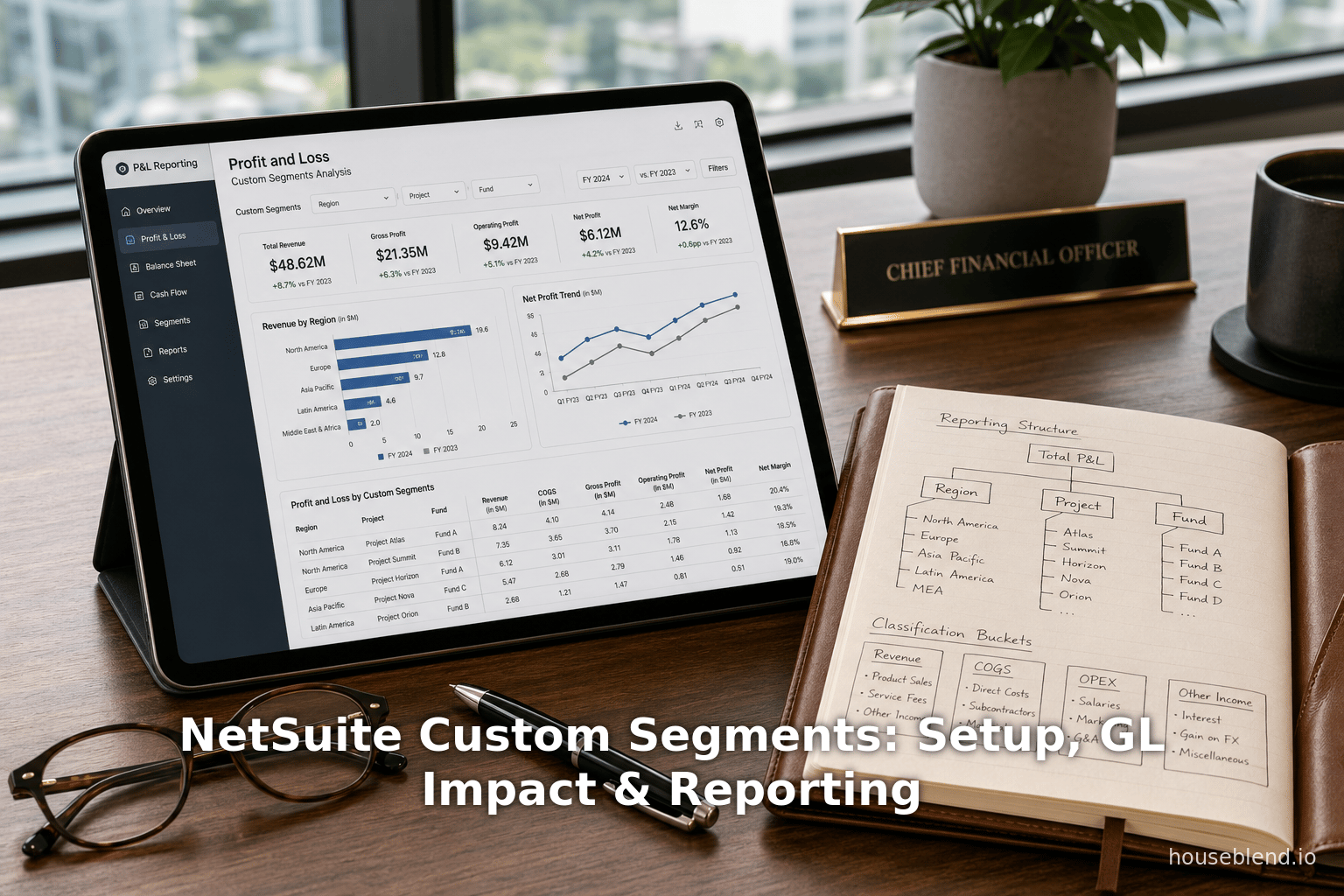
Financial Report Builder (FRB): NetSuite’s FRB is a newer interface specifically for designing financial statements. The FRB has pages for Edit Layout, Edit Columns, Filters, etc. Custom segments appear in the Columns and Filters pages. Houseblend describes: “In the Financial Report Builder, under Columns (for a columnar report) you’ll find your custom segment listed as an available column dimension (assuming GL Impact was enabled)… You can create, say, a ‘Income Statement by Project’ by adding Project as the column and filtering to a specific year. Each project will get its own column in the report.” [40]. In other words, if you have enabled a Project segment, FRB’s “View Columns By” dropdown will let you select “Project” as the horizontal dimension. The result is a report with one column per project. Likewise, you can place a custom segment in the filters of an FRB report to restrict the scope (“P&L for Region = EMEA” etc.) [40].
NetSuite’s own documentation confirms this usage. The help topic “Customizing a Report by Using Custom Segments” notes: “In the Financial Report Builder, you can add a custom segment as a dimension for a financial statement. Select the custom segment in the View Columns By list on the Edit Columns page… This selection persists whenever the custom financial statement is run.” [5]. In practice, FRB provides almost the same power for custom segments as it does for Class/Department. (One exception: custom segments do not appear as dimensions in the budget-related reports – e.g. Budget vs. Actual – because budgeting is still hard-coded to Class/Dept/Location [41]. Many companies work around this by exporting data or using SuiteAnalytics for more advanced budgeting by segment.)
-
SuiteAnalytics and Workbooks: In addition to FRB, NetSuite’s analytics tools (Saved Search, SuiteAnalytics Workbook, etc.) fully support custom segments. Houseblend points out that after segments are GL-impacting, “you can drag a custom segment into a pivot table or chart to visualize data by that dimension. For example, using the Dataset Builder, you can create a dataset of GL Balances with ‘Division’ segment as a dimension to produce a Balance Sheet by Division.” [42]. This indicates that NetSuite’s Analytics Warehouse (or Workbook) can handle new segments as data axes. Newer releases even include features like creating segment hierarchy filters in workbooks, allowing rolling up by a parent segment value [42]. This means finance analysts can build dashboards or pivot tables keyed on any custom segment.
-
GL Reports: Any GL report (GL Impact Detail, Trial Balance, etc.) can include custom segments if GL Impact is on. Since the segment tags every posting, even unified SuiteAnalytics reports based on the GL Posting table will have segment columns. One practical tip from documentation: segments can be shown or reordered on the GL Impact Transaction form so that the most important ones appear first [43].
In summary, enabling GL Impact on a segment effectively builds it into the financial reporting engine. Standard financial statements treat it like a new account classification. As one practitioner commented, custom segments can be added to reports as “if they were dimensions in the data model” [44]. For example, you can run Balance Sheet by CustomSegment or compare actual vs budget by segment via SuiteAnalytics. The interoperability is nearly seamless.
Case Scenarios and Industry Use Cases
Custom segments are widely used for real-world needs that standard Office-of-Finance structures can’t address by themselves. Below are common scenarios (with expert commentary) illustrating their benefits:
-
Project Profitability (Professional Services/Construction): A consulting firm or builder often wants a Profit & Loss by individual project. While NetSuite has a Customer:Job record, some firms find it easier to use a custom “Project” segment – particularly if projects aren’t strictly tied to customers or if they are internal R&D projects. As Houseblend explains: “By creating a Project custom segment, you can tag every revenue and expense transaction with a project identifier... project managers and controllers can run profitability reports by project – income and expenses – without needing separate accounts per project… one revenue account instead of one per project.” [3]. In effect, all GL postings simply carry the project segment. The result: an “Income Statement by Project” becomes a simple FRB or pivot filter. A NetSuite consultant quoted there notes that “Project Profitability reporting is a common requirement that segments can address” [45]. In practice, this means the chart of accounts stays lean (e.g. just “Professional Services Revenue”) but segments slice that revenue by project. Companies can even budget by project in analytics, supplying more accurate forecasting.
-
Regional or Geographic Reporting: Global enterprises may need to report by region or market beyond physical locations. For instance, Location might be used for warehouses, but Region (e.g. North America, EMEA, APAC) is a different concept. A custom “Region” segment (possibly hierarchical: e.g. Americas→USA, Canada, LATAM) is often created. Each Customer or Transaction can default a region value, so sales automatically flow into the correct region. Houseblend describes: “By defining a Region custom segment… you tag transactions and master records with a regional identifier (e.g., EMEA vs APAC). For example, tag each Customer with a Region, and have that default onto transactions for that customer – yielding regional sales reports effortlessly.” [46]. This allows cross-subsidiary consolidation by region. Management can then see consolidated P&L by region for internal reporting. For example, a European company could use Region=EMEA on all sales, so that FRB reports can filter on Region.
-
Granular Cost Centers / Profit Centers (Manufacturing or Large Enterprises): Firms with complex internal structures may need more than Dept/Class. For example, a manufacturer might have high-level Divisions and finer Cost Centers or Brands underneath. Custom segments introduce these without changing existing fields. Houseblend gives an example: create a custom “Brand” segment while keeping standard Department for functional area and Class for product line [47]. Each sales transaction might then have Department, Class, and Brand tags. This yields a multi-dimensional P&L. Another approach: use Department for broad division and a custom “Cost Center” for specific teams/projects. Because custom segments support filtering by department, you can enforce e.g. Cost Centers relevant only to certain divisions. A user described segments as “buckets” for P&L: Departments as cost centers, Classes as revenue streams, and all further buckets (like Channel, Campaign, Fund, etc.) implemented as custom segments [48]. The practical benefit is finer analysis without duplicating accounts. Many companies reduce account count and instead slice by these segments in financial statements.
-
Fund Accounting/Grants (Nonprofits & Agencies): Nonprofit organizations especially benefit. They often need to track two dimensions simultaneously (e.g. Program and Fund). For example, one could use Department as Program (Education, Research, etc.) and a custom “Fund” segment for the grant or fund source [49]. Each expense transaction is tagged by both Program and Fund. This is critical for compliance: donors want statements by fund. Houseblend and partner Alphabold note that healthcare/pharma companies and nonprofits receiving grants often “needed to classify expenses against specific funds/grants, and segments fulfilled that need” [50]. A custom Fund lets them isolate expenses by grant, while Program (another segment or repurposed class) shows what program those funds support. Custom segments can even be used in balancing to enforce fund-level net asset balances (so that unrestricted/restricted funds balance) [51]. In short, segments provide transparency in donor reporting that standard NetSuite alone could not. (Without segments, some nonprofits hack this by having dozens of specialized accounts; segments make it scalable.)
-
Multi-Entity Consolidation: In NetSuite OneWorld (multi-subsidiary), companies often need to classify something across entities. A common example: a global “Business Unit” or “Global Project” segment. Imagine you have three subsidiaries in different countries all selling the same set of products. You could create a custom segment “Business Unit” with values like Retail, Wholesale, Ecommerce that apply to all subsidiaries [52]. Each transaction in any country is tagged with the segment. Then the parent company can run consolidated P&L by Business Unit, effectively spanning legal boundaries. Another case: if projects or customer contracts span multiple subsidiaries, a “Global Project” or “Global Customer” segment ensures a single code travels on all related entries. Houseblend notes that custom segments can act as a bridge classification in consolidations, enabling unified reporting by project or campaign across the whole enterprise [52]. Similarly, any intercompany transaction can carry these segments so that both sides of the entry share a common code (keeping eliminations and analysis aligned).
-
Dependent Segments (Custom UI Filtering): Some companies want to constrain one list based on another (e.g. restrict which Classes apply to a given Department). NetSuite does not support department-class dependencies natively, but you can simulate it with custom segments [53]. For example, one solution is to recreate Department and Class as custom segments with a filter: create custom “Dept2” and “Class2” segments, and in the definition set Class2’s Filtered By = Dept2. Then users see only the relevant Class values after picking a Dept. Houseblend outlines this approach: “define a custom segment ‘Dept’ and a custom segment ‘ClassX’ and use the Filtered By on ClassX = Dept… Users selecting a Dept will then only see appropriate ClassX values” [23]. This yields a dependent dropdown, improving data quality. The trade-off is giving up some native Dept/Class functionality (like employee restrictions), but in return you prevent invalid combinations. The net effect is cleaner data and simpler reporting, since you won’t see meaningless Dept-Class pairings.
-
Other Creative Uses: Beyond the examples above, custom segments are used for tagging sales channels (Ecommerce vs Retail vs Wholesale), marketing campaigns (accounting for advertising costs by campaign ID), compliance codes, insurance claim IDs, lend/borrow streams, or any dimension that matters to the business. The key pattern: custom segments let you tailor classification to exactly how you want to analyze the business, without exploding the chart of accounts. As Houseblend summarises: “With segments, you maintain one unified accounting structure but gain endless reporting flexibility” [54].
Across these cases, the rationale is common: use standard accounts for all like transactions, and use segments to break out categories in reports. This keeps the GL simple, yet still provides multi-dimensional analysis. CFOs and controllers find segments invaluable for visibility; as one NetSuite partner puts it, segments “allow organizations to tailor the system’s data segmentation to their unique business requirements” [54].
Technical Considerations & Maintenance
While custom segments add flexibility, they also introduce new administration tasks and considerations:
-
User Permissions: Every segment has “Use in Role” settings (Create/Edit/View) and a “Use in Reports/Saved Searches” permission. Users must have at least View access to a segment to see it or filter by it in reports [55]. Administrators should audit roles to ensure reporting teams have the necessary access. Similarly, authorized users must have the Custom Segments (Create) permission to define segments and values.
-
SuiteScript & Integration: In SuiteScript (2.x or 1.0), custom segments are treated like other fields. They typically have field IDs like
cseg_xxxonce unified. Houseblend notes you can userecord.setValue({ fieldId: 'cseg_mysegment', value: id })on transaction records [12]. If the unified ID model is off, you might see separate IDs (custbody vs cseglicensetype); scripting should account for that. When designing integrations (e.g. via SuiteTalk or CSV import), remember that custom segments correspond to a custom record type. Imports must load the custom segment values in the correct custom record first, then transactions can refer to them. Also, search filters by segments typically require joins (though newer API versions may allow direct segment field filters). -
Maintenance: Since custom segments are essentially custom lists, they require upkeep. As the business evolves, new values may need to be added (e.g. new projects, fund codes, regions). If values are deleted or deactivated (e.g. a project ends), NetSuite provides a Use in Transactions checkbox on values to retain them for history. Deleting a value that’s used on past transactions can cause issues (the system typically blocks deletion if the segment is GL-impacting and used in closed transactions, unless an admin manually allows it [56]). An admin tip from Houseblend: “Before making any big change [to a segment], consider the impact on SuiteScripts, saved searches, or integrations – if those refer to a segment or value name that you plan to alter, update them accordingly” [57].
-
Reporting Maintenance: Any custom report layouts (FRB layouts or saved searches) that use segments should be managed: if a segment becomes inactive or values change, remember to update filters. Houseblend suggests saving report templates and documentation of segment usage. For example, if you create custom income statements by project, save those FRB templates so they can be reused by others.
-
Governance and Standards: As with chart of accounts, it is wise to govern segment naming conventions, value codenames, and intended use. Because any number of segments can be created, organizations should establish standards (e.g. prefix Y- for segments used in financial analysis, or only certain admins can create segments). Consistency ensures everyone interprets “Project Code” or “Region” segments uniformly.
Data and Industry Context
To appreciate the significance of custom segments, consider NetSuite’s market context and growth. NetSuite now serves tens of thousands of companies globally (Source: www.anchorgroup.tech) [13]. According to industry analyses, over 40,000 customers use NetSuite worldwide (Source: www.anchorgroup.tech) – a customer base comparable to large on-premise ERP vendors. Its cloud-native architecture has contributed to rapid cloud ERP adoption: a recent survey found ~70% of ERP deployments are cloud-based (Source: www.anchorgroup.tech), with NetSuite being a big beneficiary. NetSuite’s own revenue reached $1.0 billion in Q4 FY2025 (18% YoY growth) (Source: www.anchorgroup.tech) (Source: www.anchorgroup.tech), indicating strong market momentum.
Why mention this? Because matching the flexibility of NetSuite with diverse business needs is critical for that broad customer base. The statistics show NetSuite is popular especially in service industries and complex operations: ~28% of customers are professional services firms, 47% of ERP purchasers come from manufacturing (Source: www.anchorgroup.tech). These sectors often have project accounting and multi-dimensional costs – precisely where features like custom segments and project tracking shine. In fact, specialized sectors such as biotech, healthcare, and nonprofits (all cited in Houseblend’s use cases) are well represented in NetSuite’s user community.
Industry benchmarks underscore the importance of good implementation: NetSuite consulting success rates improve (85% success when using partners (Source: www.anchorgroup.tech) when features like custom segments are configured properly. Conversely, poor segmentation design can harm reporting. As one article notes, 83% of companies meet ROI expectations when conducting careful pre-implementation planning, implying that accounting structure decisions (like segments) should be part of that planning (Source: www.anchorgroup.tech).
Finally, modern ERP and analytics trends hint at the future of segments. NetSuite has integrated AI and analytics: over 65% of organizations consider AI critical in their ERP (Source: www.anchorgroup.tech), and NetSuite has added 100+ embedded AI agents across modules. Future enhancements could leverage AI for segmentation (e.g. suggesting segment tags based on transaction context, anomaly detection on segment usage). The launch of NetSuite Analytics Warehouse with pre-built KPI datasets [58] means segments could feed into these metrics. For example, NetSuite recently added features like “segment hierarchies” in workbooks (allowing roll-ups) [42], showing that Oracle continues to invest in analytics around dimensions. As organizations evolve, we anticipate expansions such as: more sophisticated forecasting by segment, segment-aware multi-currency balancing, or enhanced UI for hierarchical segment selection in forms (perhaps via dynamic filtering improvements).
Conclusion
NetSuite Custom Segments are a powerful extension of the platform’s financial model. They allow organizations to define custom dimensions for financial data classification, overcoming limitations of the standard Dept/Class/Loc fields [2] [1]. Through careful setup and GL-impact configuration, businesses can tag transactions with these segments and seamlessly include them in reports and analyses [19] [5]. The GL Impact option controls whether segment values become part of the official ledger posting, enabling new analytics without adding accounts [20] [21].
Organizations across industries use custom segments for specialized needs: tracking profitability by project, analyzing revenue by region, segmenting costs by division or grant, and more [3] [48]. Case examples (like the balancing segments for funds) demonstrate how segments maintain financial integrity while adding dimensions [10]. The Financial Report Builder, Saved Searches, and SuiteAnalytics all honor GL-impacting segments, giving near-native support for these custom fields in reporting [39] [32].
Implementing custom segments requires planning (defining who creates and maintains them), permissions setup, and awareness of the irreversibility of GL Impact [21] [21]. With proper governance, they simplify the chart of accounts and enable richer analysis. Future NetSuite enhancements (AI-driven analytics, data workbooks, advanced filtering) are likely to further integrate custom segments into the financial planning landscape.
In summary, custom segments extend NetSuite’s ERP into a truly flexible, multi-dimensional accounting platform. They give finance teams the ability to slice their P&Ls and balance sheets in precisely the ways their business demands, supported by NetSuite’s unified GL and reporting framework [1] [54]. As such, they are a critical tool for any NetSuite implementer seeking to align the system with complex organizational structures and reporting requirements.
References: All statements and data herein are drawn from NetSuite’s official documentation and authoritative industry analyses [2] [20] [3] (Source: www.anchorgroup.tech), as cited. Each concept above is supported by cited source material.
External Sources (58)
About
Houseblend
HouseBlend.io is a specialist NetSuite™ consultancy built for organizations that want ERP and integration projects to accelerate growth—not slow it down. Founded in Montréal in 2019, the firm has become a trusted partner for venture-backed scale-ups and global mid-market enterprises that rely on mission-critical data flows across commerce, finance and operations. HouseBlend’s mandate is simple: blend proven business process design with deep technical execution so that clients unlock the full potential of NetSuite while maintaining the agility that first made them successful.
Much of that momentum comes from founder and Managing Partner Nicolas Bean, a former Olympic-level athlete and 15-year NetSuite veteran. Bean holds a bachelor’s degree in Industrial Engineering from École Polytechnique de Montréal and is triple-certified as a NetSuite ERP Consultant, Administrator and SuiteAnalytics User. His résumé includes four end-to-end corporate turnarounds—two of them M&A exits—giving him a rare ability to translate boardroom strategy into line-of-business realities. Clients frequently cite his direct, “coach-style” leadership for keeping programs on time, on budget and firmly aligned to ROI.
End-to-end NetSuite delivery. HouseBlend’s core practice covers the full ERP life-cycle: readiness assessments, Solution Design Documents, agile implementation sprints, remediation of legacy customisations, data migration, user training and post-go-live hyper-care. Integration work is conducted by in-house developers certified on SuiteScript, SuiteTalk and RESTlets, ensuring that Shopify, Amazon, Salesforce, HubSpot and more than 100 other SaaS endpoints exchange data with NetSuite in real time. The goal is a single source of truth that collapses manual reconciliation and unlocks enterprise-wide analytics.
Managed Application Services (MAS). Once live, clients can outsource day-to-day NetSuite and Celigo® administration to HouseBlend’s MAS pod. The service delivers proactive monitoring, release-cycle regression testing, dashboard and report tuning, and 24 × 5 functional support—at a predictable monthly rate. By combining fractional architects with on-demand developers, MAS gives CFOs a scalable alternative to hiring an internal team, while guaranteeing that new NetSuite features (e.g., OAuth 2.0, AI-driven insights) are adopted securely and on schedule.
Vertical focus on digital-first brands. Although HouseBlend is platform-agnostic, the firm has carved out a reputation among e-commerce operators who run omnichannel storefronts on Shopify, BigCommerce or Amazon FBA. For these clients, the team frequently layers Celigo’s iPaaS connectors onto NetSuite to automate fulfilment, 3PL inventory sync and revenue recognition—removing the swivel-chair work that throttles scale. An in-house R&D group also publishes “blend recipes” via the company blog, sharing optimisation playbooks and KPIs that cut time-to-value for repeatable use-cases.
Methodology and culture. Projects follow a “many touch-points, zero surprises” cadence: weekly executive stand-ups, sprint demos every ten business days, and a living RAID log that keeps risk, assumptions, issues and dependencies transparent to all stakeholders. Internally, consultants pursue ongoing certification tracks and pair with senior architects in a deliberate mentorship model that sustains institutional knowledge. The result is a delivery organisation that can flex from tactical quick-wins to multi-year transformation roadmaps without compromising quality.
Why it matters. In a market where ERP initiatives have historically been synonymous with cost overruns, HouseBlend is reframing NetSuite as a growth asset. Whether preparing a VC-backed retailer for its next funding round or rationalising processes after acquisition, the firm delivers the technical depth, operational discipline and business empathy required to make complex integrations invisible—and powerful—for the people who depend on them every day.
Disclaimer
This document is provided for informational purposes only. No representations or warranties are made regarding the accuracy, completeness, or reliability of its contents. Any use of this information is at your own risk. Houseblend shall not be liable for any damages arising from the use of this document. This content may include material generated with assistance from artificial intelligence tools, which may contain errors or inaccuracies. Readers should verify critical information independently. All product names, trademarks, and registered trademarks mentioned are property of their respective owners and are used for identification purposes only. Use of these names does not imply endorsement. This document does not constitute professional or legal advice. For specific guidance related to your needs, please consult qualified professionals.