Houseblend Article
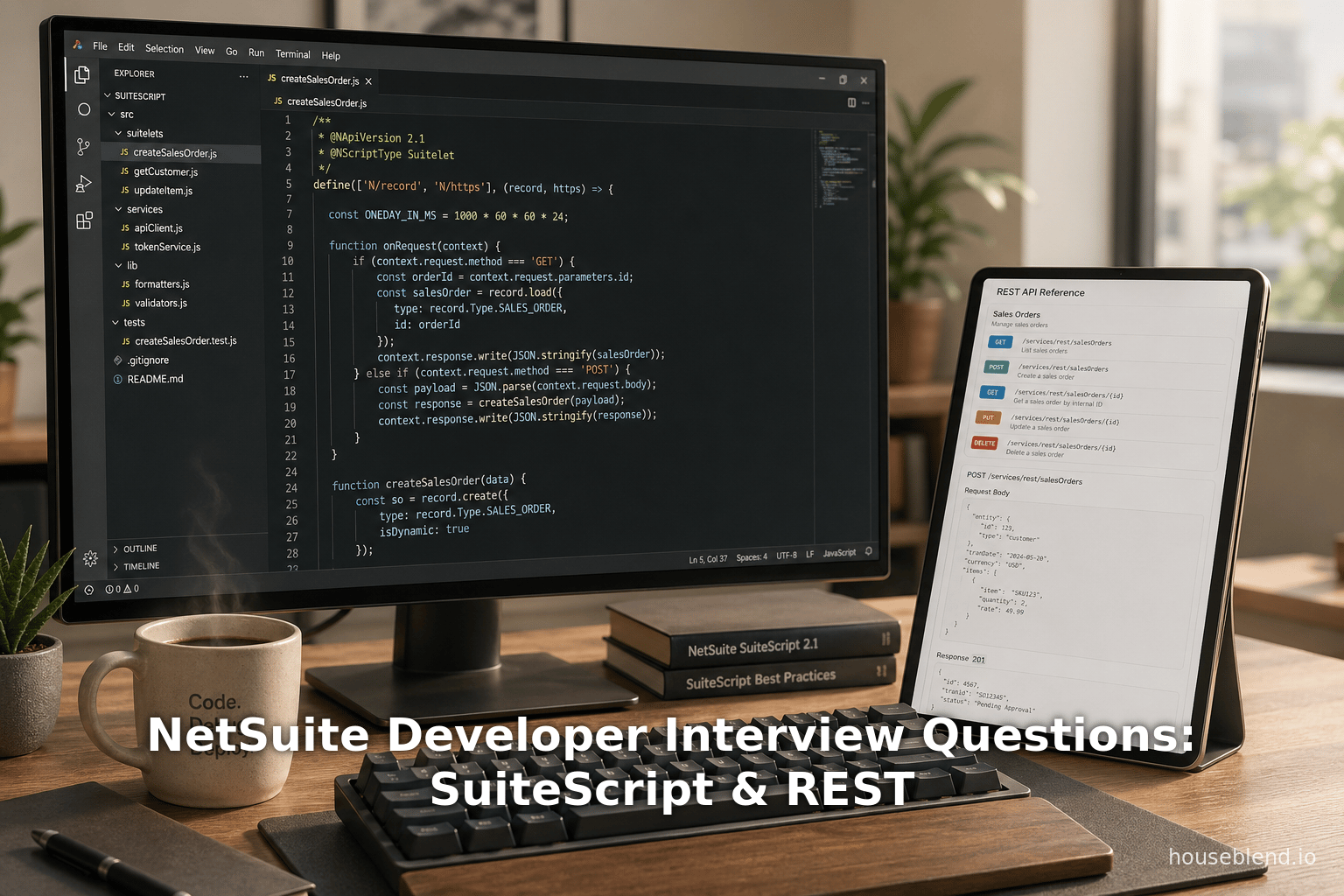
NetSuite Developer Interview Questions: SuiteScript & REST
Inside this article
Executive Summary
NetSuite is a leading cloud-based ERP platform that enables businesses to manage finance, supply chain, commerce, and customer processes in an integrated suite. As companies increasingly adopt NetSuite (now part of Oracle), NetSuite developers – who customize and extend the platform – are in high demand. A key part of hiring NetSuite developers is interviewing candidates on core technical areas: the SuiteCloud platform’s scripting APIs ( SuiteScript, NetSuite’s REST and web service integration capabilities, and its no-code workflow engine (SuiteFlow). This report comprehensively examines NetSuite Developer interview topics in these domains. It synthesizes technical documentation, industry reports, expert guidance, and real-world examples to provide deep insights for each area. We analyze the historical evolution and current state of SuiteScript versions and usage (1.0 vs 2.x), explore NetSuite’s REST-based integration options (RESTlets and SuiteTalk REST), and detail SuiteFlow workflows, including when to use workflows vs scripts. We incorporate data on developer demand and skill valuation (e.g. rising salary premiums for SuiteScript expertise (Source: www.atticus.ph), case studies of companies using SuiteFlow and SuiteScript, and evidence-based best practices. Throughout, we include extensive citations to Oracle documentation and expert sources, as well as scenario-based examples of interview questions (e.g. choosing between Scheduled vs Map/Reduce scripts (Source: startup.jobs) or SuiteFlow vs SuiteScript in an order approval scenario (Source: startup.jobs). The report concludes with a discussion of emerging trends (such as AI-infused NetSuite “ NetSuite Next” platform [1] and the shift to OAuth 2.0 authentication [2]) and implications for future NetSuite development roles.
Introduction and Background
NetSuite Overview. Founded in 1998 and acquired by Oracle in 2016, NetSuite is a comprehensive cloud ERP/CRM platform used by tens of thousands of companies worldwide. It offers modules for finance, inventory, CRM, e-commerce, and more, all delivered as a multi-tenant SaaS platform. NetSuite is notable for its SuiteCloud customization framework, which allows developers to extend standard functionality. SuiteCloud includes SuiteScript (JavaScript APIs for custom logic), SuiteFlow (drag-and-drop workflow automation), SuiteTalk (SOAP/REST web services), and other tools. Because of its cloud-native architecture and extensibility, many organizations prefer NetSuite for its flexibility and scalability (Source: www.atticus.ph) [3].
NetSuite Developer Role. A NetSuite Developer (often called SuiteCloud Developer) is responsible for building custom features, automation, and integrations within a NetSuite instance to meet unique business requirements. This role typically requires proficiency in JavaScript (for SuiteScript), understanding of NetSuite record structures, and knowledge of its integration mechanisms (e.g. RESTlets and SuiteTalk). As one article notes, SuiteScript is "a powerful JavaScript-based scripting language that allows developers to customize, automate, and extend NetSuite according to specific business requirements." [4]. The developer may create client scripts (UI logic), user-event scripts (record-level logic), suitelets (custom UIs), RESTlets (REST endpoints), scheduled and map/reduce scripts (batch and mass data processing), among others. They must manage governance limits (NetSuite’s execution quotas [5]), perform debugging, and deploy changes safely across production and sandbox accounts. Additionally, they should collaborate with administrators, functional consultants, and business stakeholders to translate requirements into technical solutions.
Interview Context. When hiring for a NetSuite Developer, employers focus on several technical categories. Commonly, interviewers ask about SuiteScript fundamentals ( script types, versions, APIs, governance limits), SuiteFlow/Workflow design scenarios, and integration techniques (RESTlets, SuiteTalk SOAP/REST, security). For example, questions might include: “When would you use a Scheduled script vs. a Map/Reduce script, and how do you handle governance limits?” (Source: startup.jobs) or “Would you use SuiteFlow or SuiteScript to validate Sales Orders and why?” (Source: startup.jobs). This report organizes these topics into deep-dive sections, using oracle documentation, technical blogs, and case studies to provide evidence-based insights. We also examine market and skill data (e.g. surging NetSuite adoption and job demand (Source: www.atticus.ph) to contextualize why these areas are crucial.
Scope and Sources. This report prioritizes depth. It draws on Oracle’s NetSuite help documentation (SuiteScript, SuiteFlow, SuiteTalk manuals) and recent industry analyses (blogs, news) to explain features. We use up-to-date (2024–2026) sources given NetSuite’s frequent updates. Each claim or explanation is backed by citations in the [source†Lx-Ly] format. Where possible, we include vendor-neutral examples and code samples. We also incorporate “real-world” evidence: e.g. how companies implemented NetSuite in practice. Tables are provided to compare tools and script types. Finally, the report discusses future trends (NetSuite’s new AI initiatives [1], updated APIs, etc.) and practical implications for developers and hiring managers.
NetSuite Customization Tools: SuiteScript, SuiteFlow, and Integration APIs
NetSuite provides multiple channels to customize and automate behavior. Understanding each is essential in evaluation of NetSuite developers. Below is a high-level comparison, followed by detailed sections.
| Customization Method | Nature | Skills/Knowledge | Use Cases |
|---|---|---|---|
| SuiteScript (JavaScript) | Code-based API (JavaScript) | JavaScript, SuiteScript modules | Complex business logic, custom UI, integrations, batch jobs [6] |
| SuiteFlow (Workflows) | No-code/Low-code visual workflow engine | NetSuite record structure, business process design | Simple automation (approvals, field defaults, notifications) [7] [8] |
| SuiteTalk SOAP | Built-in SOAP web services (WSDL/XML) | Web services (SOAP, WSDL), XML | Legacy integrations, full access to all records (lack REST support) [9] |
| SuiteTalk REST | Built-in REST web services (resource-based) | REST, OAuth/TBA, OData/SuiteQL | Standard CRUD for many record types; simpler, modern interface for integrations [10] [9] |
| RESTlets | Custom REST endpoints via SuiteScript | JavaScript (SuiteScript), HTTP | Custom integration endpoints, complex transformations, data shaping [11] (Source: timdietrich.me) |
| SuiteQL | SQL-based query interface | SQL, SuiteAnalytics Connect | Ad-hoc reporting, complex queries not possible via Saved Search [12] |
| SuiteAnalytics/Saved Search | No-code query/report builder | NetSuite data knowledge | Standard reporting, dashboards |
Table 1: Comparison of major NetSuite developer tools and APIs.
This table highlights that SuiteScript and SuiteFlow cover many overlapping automation capabilities, but differ in approach: SuiteScript (code) is for highly customized logic, whereas SuiteFlow (workflow engine) is for declarative processes like approvals [7] [8]. SuiteTalk SOAP/REST and RESTlets pertain to integrations. Interviews often probe a candidate’s ability to select the right tool for a scenario (e.g. when to use a Workflow vs. a Script [7] [8]). The following sections delve into each area.
SuiteScript: NetSuite’s JavaScript API
Definition and Evolution
SuiteScript is NetSuite’s primary developer scripting language. According to Oracle, “SuiteScript provides full-featured application-level scripting capabilities that support sophisticated procedural logic on both the client and server sides” [13]. It enables developers to “search for, and process your NetSuite data” and “customize, search for, and process your NetSuite data” [13]. In essence, SuiteScript is a JavaScript-based API suite that turns the NetSuite UI into a programmable environment. A SuiteScript developer writes scripts that respond to record events, UI actions, or schedules.
SuiteScript has undergone major updates. Version 1.0 (deprecated) was proprietary JS, while SuiteScript 2.x (current) uses an Asynchronous Module Definition (AMD) style requiring define()/require() calls. Oracle notes that SuiteScript 2.x is “familiar to JavaScript developers” with benefits like encapsulation and modularity [14]. For instance, SuiteScript 2.x modules allow better code organization and avoid global namespace conflicts [14]. Interviewers may ask about version differences, but focus is typically on 2.x best practices. (Candidates are expected to know core modules: N/record, N/search, N/runtime, etc., and script types such as Client and User Event scripts.)
SuiteScript Script Types
SuiteScript scripts execute in different contexts (client or server) and at different trigger points. Common types include:
- Client Scripts (SuiteScript 2.x API N/currentRecord or N/ui/dialog) run in the user’s browser when viewing/editing records. They handle events like field change or page load. Typical uses: form field validation, dynamic field visibility, inline calculations.
- User Event Scripts run on record save/load. They have events like
beforeLoad,beforeSubmit, andafterSubmit. These run server-side. E.g., one can enforce business rules on record creation, modify values, or create related records. For example, blocking a Save if criteria not met in abeforeSubmitUser Event (as an interview scenario (Source: startup.jobs). - Scheduled Scripts run on a schedule (hourly, daily, etc.) for administrative tasks – e.g. nightly data cleanup, batch updates. They run with higher governance units and no UI.
- Map/Reduce Scripts are designed for large-scale data processing. They break tasks into map, reduce, and summary stages. They are used when processing tens of thousands of records with parallelizable logic (e.g. massive data imports) (Source: startup.jobs).
- Suitelets are server-side scripts that generate custom UI pages (HTML/FreeMarker) in NetSuite. They are often used to build custom backend pages or simple web apps inside NetSuite.
- RESTlets are server-side scripts that define custom REST endpoints (covered more below).
- Portlet Scripts, Machine Learning Models, and Map/Reduce each have niche uses (dashboard scripts, AI models, master data processes).
A useful summary table (Table 2) can compare these script types:
| Script Type | Runs On (Context) | Trigger/Entry Point | Typical Use Case |
|---|---|---|---|
| Client Script | Browser (client-side) | Form UI events (field init, fieldChange, save, etc.) | Inline validation, dynamic UI changes (field disable/enable) |
| User Event | Server (record lifecycle) | Record events (beforeLoad, beforeSubmit, afterSubmit) | Business logic during record save/load (e.g. auto-fill fields, block invalid data) |
| Suitelet | Server (custom page) | HTTP GET/POST to a suitelet URL | Custom UI pages/forms, custom data entry or reporting |
| Scheduled | Server (background) | Trigger via schedule (cron) | Batch processing (e.g. nightly data sync, bulk data updates) |
| Map/Reduce | Server (batch/paged) | Trigger via schedule or on-demand | Large-scale data processing (mass updates, complex compute) |
| RESTlet | Server (HTTP endpoint) | HTTP request to RESTlet URL | Custom integrations/API endpoints (CRUD operations) |
Table 2: Major SuiteScript script types and contexts.
Interview questions often center on choosing the right script type. For instance, one sample answer notes choosing Map/Reduce “for large datasets in parallel… and Scheduled Script suffices for simpler recurring jobs” (Source: startup.jobs). It advises using search pagination and yield checkpoints in Scheduled Scripts to avoid governance limits, while Map/Reduce aids idempotency with key-based design (Source: startup.jobs). This reflects how interviews probe not just definitions but practical tradeoffs (batch vs. parallel jobs, error handling, idempotency).
Governance and Performance Considerations
NetSuite enforces a governance model for scripts: each API call consumes usage units, and scripts are terminated if they exceed the limit [5]. This is often tested in interviews (“how to handle governance limits?”). Oracle docs explain, “If the number of allowable usage units is exceeded, script execution is terminated” [5]. Different APIs and script types have different unit costs; developers must optimize (e.g. use efficient search filters, avoid nested loops). Techniques include breaking work into chunks (using yield in scheduled scripts), processing data in pages, and leveraging Map/Reduce for parallelism (Source: startup.jobs). An interviewer might ask candidates to explain how they design a script to stay within limits. For example, leveraging search results in pages and checking remaining usage to “avoid exceeding limits” is cited as a best practice (Source: startup.jobs).
Debugging is also part of interviewing. NetSuite provides a SuiteScript Debugger for server-side scripts [13]. Common techniques include logging to script execution logs (log.debug/info/error) and using custom records for dump data. Interviees may be asked about how to test or troubleshoot scripts (e.g. analyzing execution logs, root-cause analysis (Source: www.atticus.ph) (Source: startup.jobs). In practice, developers often implement structured logging wrappers (with levels and correlation IDs) and error-handling patterns. One sample answer example describes using custom error records and conditional alerts to manage script failures gracefully (Source: startup.jobs). This demonstrates that real interview answers should convey specific strategies (e.g. wrap SuiteScript calls, catch exceptions, and escalate only critical failures).
Example Scenario (Client vs. User Event vs. Workflow)
A frequent interview scenario is choosing between SuiteScript and SuiteFlow for validation. For example: “How would you validate Sales Orders to prevent bad data getting into fulfillment? Would you use SuiteFlow, SuiteScript, or both?” A strong answer would weigh ease vs. complexity. One published sample says: “I start with SuiteFlow for straightforward field validations and approval routing, then add a User Event script for complex logic like cross-record checks” (Source: startup.jobs). In this example, basic validation (e.g. required fields, approval thresholds) is done with a no-code workflow, while a beforeSubmit User Event script blocks orders missing tax data. That answer effectively demonstrates multi-tiered solution: workflows handle simple rules (no coding), scripts cover advanced checks. Citing such examples emphasizes how interview questions expect understanding of tool strengths (Source: startup.jobs).
Performant development practices are also tested. For instance, candidates might be asked how to optimize slow saved searches or how to improve client script performance. Common advice is to minimize unnecessary search calls, use currentRecord, and port heavy computations to server side. While specific Q&A are too detailed for a report, interview prep sites note that troubleshoot questions (e.g. “A saved search on a dashboard is slow; how do you optimize it?”) gauge analytical debugging and knowledge of governance (Source: startup.jobs). The overall lesson: SuiteScript interview questions often revolve around defining capabilities and choosing the right script, as well as demonstrating knowledge of performance/governance tradeoffs (Source: startup.jobs) (Source: startup.jobs).
NetSuite REST and Integration Scenarios
Beyond in-platform scripting, a key skill for NetSuite developers is integrating NetSuite with external systems. NetSuite offers multiple integration methods:
- SuiteCheck Web Services: NetSuite provides built-in SOAP (
SuiteTalk SOAP) and REST APIs (SuiteTalk REST) for standard record access. These are “official” endpoints: SOAP uses XML over SOAP, whereas REST is a newer OData/REST interface for CRUD operations on records [10]. - RESTlets (SuiteScript): Developers can create custom RESTful endpoints by writing SuiteScript (adding request/response logic). This requires coding but allows full control – custom endpoints that perform multiple operations, data transformations, or complex logic.
- SuiteTalk REST/Web Services (Oracle built-in): Oracle’s REST web services offer a standard interface for many record types. It supports CRUD operations and metadata queries [10].
SuiteTalk (SOAP vs REST)
Historically, SuiteTalk SOAP was the primary integration API. It provides near-complete coverage of records and operations but is XML-heavy. In 2022+ releases, NetSuite introduced SuiteTalk REST web services as a simpler alternative. According to an expert article, “SOAP offers maturity and full coverage for enterprise systems. REST provides simplicity, speed, and modern standards” [15]. SuiteTalk REST endpoints map each record type to a URL, allowing standard REST CRUD (GET, POST, PUT, DELETE) on records [10] [15]. New features (as of release 2026.1) include batch operations, attach/detach endpoints, etc., expanding REST capabilities [16]. For example, the documentation highlights that as of NetSuite 2026.1, REST supports new batch transactions and link/unlink (attach/detach) on records, boosting integration efficiency [16].
When to use SOAP vs REST is a common interview topic: a blog explains that “You need access to all record types” might push one to use SOAP, whereas “lightweight, real-time integrations” lean toward REST [9]. Another source advises “Use REST if you need lightweight, real-time integrations; use SOAP if you need full coverage or strict schema” [9]. This aligns with NetSuite’s guidance: REST is ideal for modern integrations when supported record types suffice, SOAP remains available (but complex) for anything missing from REST. (An interviewee should note that NetSuite’s latest roadmap is pushing REST adoption – for instance, release notes deprecate new token-based auth for SOAP/REST in favor of OAuth 2.0 by 2027 [2].)
RESTlets (Custom REST via SuiteScript)
A RESTlet is a SuiteScript that exposes custom HTTP endpoints. Oracle defines it simply: “A RESTlet is a SuiteScript you can call from outside NetSuite or another script. It only runs when called… RESTlets help you pull data into NetSuite from other systems or send data out.” [11]. In practice, RESTlets provide unmatched flexibility. Unlike SuiteTalk REST, they allow arbitrary logic, custom data shapes, and multi-step operations within a single endpoint. For instance, a RESTlet can accept a JSON payload that doesn’t match NetSuite’s schema, transform it, and perform multiple record creates/updates in one transaction (Source: timdietrich.me) (Source: timdietrich.me).
Interviews often delve into when to use RESTlets vs built-in REST. A recent expert article emphasizes that SuiteTalk REST works, “but as soon as your integration has real business requirements, you hit walls.” (Source: timdietrich.me). It points out limits of SuiteTalk REST: it exposes NetSuite’s internal data model exactly, has no business logic layer, and requires multiple calls for complex tasks. In contrast, “With a RESTlet, the caller sends whatever payload makes sense… and you can fetch all the data you need in one shot” (Source: timdietrich.me). Key differences cited include: data shape (internal vs custom), business logic (none vs full SuiteScript), batch operations (multiple calls vs one), flexible querying (limited vs full SuiteQL or saved search scopes), and custom record support (Source: timdietrich.me) (Source: timdietrich.me). For example, creating a Sales Order with line items via SuiteTalk REST requires a deeply nested JSON matching NetSuite’s exact schema (and any mistake yields generic errors), whereas a RESTlet could accept a simpler representation and do the processing server-side (Source: timdietrich.me). This nuanced understanding of REST vs RESTlet is exactly the kind of insight expected from a Senior NetSuite Developer interviewee.
A published interview Q confirms this focus: “Tell me about a complex NetSuite integration you built—what approach, authentication, and error-handling patterns did you use?” (Source: startup.jobs). The recommended answer covers using RESTlets or SuiteTalk as appropriate, emphasizing security (OAuth/TBA tokens), idempotency, retry logic, and monitoring. One answer example describes integrating with Shopify via a RESTlet: using token-based auth, idempotency keys to prevent duplicates, retries with backoff, and logging payloads to a custom error record (Source: startup.jobs). This illustrates well how interviewers probe real integration experience: answerers should discuss API choice (SuiteTalk vs RESTlet), authentication (TBA/OAuth), and robust error-handling (logging and alerts) (Source: startup.jobs).
Authentication and Security
Authentication in NetSuite web services is usually via Token-Based Authentication (TBA) or OAuth 2.0. Historically, TBA (via OAuth 1.0 tokens) was common for RESTlets and web services. However, as of NetSuite 2027.1, Oracle is deprecating new TBA-based integrations in favor of OAuth 2.0 [2]. The official docs warn: “As of 2027.1, no new integrations using TBA can be created for SOAP/REST web services and RESTlets. Use OAuth 2.0 for new RESTlets and REST web services integrations.” [2]. An interviewer may expect knowledge of this shift: candidates should mention OAuth 2.0’s use (e.g. with Authorization Code or Client Credentials flows) as the future direction. Interviewees might also be asked how to secure a RESTlet; the answer typically involves configuring a Scripted RESTlet with Token-Based (or OAuth) credentials and buildings in nonce or HMAC checks. While detailed setup steps go beyond an interview, being aware of the recommended practices (e.g. OAuth 2.0, keeping refresh tokens safe, least-privilege roles for integration tokens) shows modern knowledge relative to Oracle’s documentation [2].
SuiteQL and Saved Searches
For completeness, advanced NetSuite developers should know about SuiteQL. SuiteQL is an SQL-like query language for SuiteAnalytics. It allows joining and querying data beyond saved search capabilities. Oracle describes it: “SuiteQL lets you query your NetSuite data using advanced query capabilities… SuiteQL is currently available using SuiteAnalytics Connect and the N/query module in SuiteScript.” [12]. In interviews, this might surface as “What’s your experience with SuiteQL, and when would you use it vs saved searches or SuiteTalk?” While not currently required on all technical interviews, familiarity with SuiteQL (which supports standard SQL-92 functions but controls injection [12]) indicates readiness for modern NetSuite analytics tasks. In practice, one would use SuiteQL/SuiteAnalytics Connect when needing complex ad-hoc queries (e.g. cross-record joins) that saved searches cannot handle.
SuiteFlow (Workflows) and Automation
SuiteFlow is NetSuite’s workflow engine – a graphical, no-code tool to define business processes. With SuiteFlow, administrators can configure multi-step flows for record state transitions, approvals, notifications, and other automation without writing code. Oracle explains: “A workflow defines a custom business process [for a record]. Business processes can include transaction approval, lead nurturing, and record management.” [17]. In practice, a workflow consists of States/Stages, Transitions between states, Triggers, Actions, and Conditions. Developers can also script within workflows, but many tasks (especially simple ones) require no scripting at all.
From a hiring perspective, interviewers want candidates to know what SuiteFlow can and cannot do. Documentation states that SuiteFlow is best for “automating business processes” and “doesn’t require prior programming knowledge,” but advises planning if there are “multiple states and actions” [18]. Common interview questions include: “When do you prefer SuiteFlow over SuiteScript, and vice versa?” (Source: startup.jobs). The official guidance is that SuiteFlow is ideal for front-line tasks like field defaulting, approval routing, email notifications, lead nurturing, or updates based on related records [8]. Simple example: setting a default value on a new sales order field can be done in SuiteFlow. By contrast, SuiteScript is needed for heavy logic, such as complex validation, UI modifications (like custom pop-ups), or functionality not supported in workflows (e.g. invoking third-party APIs). Oracle’s official “Know when to use SuiteFlow and SuiteScript” summary puts it succinctly:
“SuiteFlow is used for automating business processes and doesn’t require programming. SuiteScript is a powerful API that uses JavaScript to extend NetSuite’s capabilities… SuiteScript lets you create custom interfaces, run saved searches programmatically, create custom portlets, run batch processes, and more.” [7].
Thus, a practical guideline for interview answers is that workflows excel at straightforward, UI-driven automations, while SuiteScript is for everything else. A NetSuite blog puts it similarly: “Workflow is ideal for simple, no-code automation like approvals and notifications, while SuiteScript offers advanced, code-based customization for complex logic, integrations, and scalable business processes.” [6]. Interviewees might be asked to articulate such differences. For instance, in the order-validation example, the sample answer from [70] uses both: a Workflow handles high-discount approval, and a beforeSubmit script blocks orders missing tax data (Source: startup.jobs). This exemplifies how workflows can “speed” development (no code to write) while scripts handle “complex logic” (flexibility) (Source: startup.jobs).
SuiteFlow Components
Important SuiteFlow terms:
- State: A phase in the process (e.g. “Pending Review”, “Approved”, “Rejected”). Each state lists Actions.
- Transition: Moves a record from one State to another, based on Conditions.
- Trigger: Event that kickstarts an action (record load, field change, scheduled time, etc.).
- Action: Custom steps executed in a state or transition (e.g. set field value, send email, create record, redirect user).
- Condition: A logical check (field values, formula, etc.) that gates transitions or actions.
Developers should know that workflows are defined per record type and require Administrator or sufficient permissions. As NetSuite’s docs say: “You define workflows for a specific record type and contain the stages (or states) of a record as it moves through the business process. In each state, a workflow defines the actions to be performed…” [19]. For example, one can create a workflow on the Purchase Order record that sends an email when it moves to “Pending Approval” and then routes it to a manager for approval.
Interview questions may probe knowledge of SuiteFlow features or when to use them. For example, “Explain a workflow scenario you implemented.” Or “How would you automate an approval process in NetSuite?”. In answers, candidates should name components (states, transitions, actions). They may note, for instance, that approval routing (e.g. sending manager notifications and gating on a checkbox) was done with SuiteFlow since it does not require scripting. One checklist of question categories (Houseblend) notes that “SuiteFlow/Workflow” questions reflect configuration knowledge and how to use the workflow builder [20].
A key interview point is understanding limitations of SuiteFlow. While workflows cover many tasks, they cannot do everything scripts can. For example, if you need to call an external API or perform complex calculations, you need SuiteScript. A common interview scenario might test this: “Design a workflow to move a sales record through an approval process, and explain how you’d enforce an additional custom rule.” The expected answer might be: use a Workflow for the approval stages (no code needed for notifications and state changes) and then hook in a User Event script or SuiteFlow action (since Workflow conditions are limited) to check the custom rule at the appropriate point.
When to Use Workflow vs Script
Official guidance for choosing between workflows and scripts is summarized by a NetSuite help article: *“Most tasks you can do in SuiteFlow can also be done in SuiteScript. Consider your technical knowledge… If you don’t have JavaScript developers, use SuiteFlow.”* [21]. In other words, workflows are “good enough” for many cases if you lack coding skills. In an interview, one should stress the maintainability tradeoff (SuiteFlow changes can be faster to configure, but complex logic can become unwieldy in a multi-state workflow). A blog post gives an example: “If an action has a condition, whenever the condition is met the workflow will execute” (explaining conditions) but also notes “When creating workflows, plan ahead – modifying it on the go can be difficult if many states/actions are involved” [18]. Candidates should acknowledge this planning need.
Table 3 (below) summarizes some decision factors:
| Consideration | SuiteFlow (Workflow) | SuiteScript (Code) |
|---|---|---|
| Complexity of Logic | Good for simple branching (if-else on fields), approvals, defaults [8] | Better for complex computations, loops, validations across records |
| Need for Custom UI | Limited (suiteflows have no custom UI creation) | Full custom UI possible with Suitelets or scripts |
| Integration/External Calls | Not directly (workflows cannot call external APIs) | Yes, via RESTlets/scheduled scripts |
| Performance on Bulk Data | N/A (runs per record or on actions) | Use Map/Reduce for large data jobs (Source: startup.jobs) |
| Development Skill Required | Configuration skills (record rules, drag-drop logic) | JavaScript programming skills |
| Maintainability | Generally easier to change without coding; good for admins | More control, but code updates require deployments |
Table 3: When to use SuiteFlow vs SuiteScript for automation.
Thus, interviews of NetSuite developers often cover scenarios demonstrating this knowledge. For example, the sample answer for order validation (Source: startup.jobs) explicitly uses both tools: SuiteFlow for high-level approvals (speed/mantainability) and SuiteScript for granular data validation (flexibility) (Source: startup.jobs). An insightful candidate would reference official guidance (like [59] or [58]) or blogs (like [71]) as part of their reasoning, indicating they understand not just “what each does” but why one might choose one over the other.
Case Study: Workflows in Action
Real-world examples highlight SuiteFlow usage. For instance, the furniture retailer Lovesac used NetSuite OneWorld with SuiteFlow to manage its unique inventory and custom product configurations. In a case study, it’s reported: “Workflows were created via SuiteFlow to support Lovesac’s unique processes (possibly customizing order fulfillment workflows for custom furniture configurations, etc.)” [22]. In practice, Lovesac implemented advanced financial, order management, and inventory modules, but needed flexible workflows to handle custom fulfillment steps (likely because their products have many configurations) [22].
Similarly, the outdoor provider GoPro (in a Threadgold consulting case) chose NetSuite partly “because NetSuite’s SuiteFlow enabled them to integrate their customer transaction cycle into one place, improving visibility and increasing efficiency.” [23]. GoPro’s instance used workflows to tie together CRM, orders, and financials centrally. These examples demonstrate that major NetSuite adopters rely on SuiteFlow to tailor processes without resorting to heavy coding. An interviewee aware of such case contexts shows both practical and architectural insight.
Data Analysis: NetSuite Developer Skills Demand
While not strictly interview technique, the context of why these topics matter is in the market demand for NetSuite developers. Data indicates a rapid growth in NetSuite adoption and need for skilled professionals. For example, a 2024 report notes that “NetSuite Administrator” (often overlapping with developer skills) was ranked among LinkedIn’s top emerging jobs in the US, with demand exploding 300% in recent years (Source: www.atticus.ph). Experts warn, however, that supply of talent with “the right mix of technical expertise [and] business acumen” is lagging (Source: www.atticus.ph). Further, career data suggests specialized NetSuite dev knowledge commands a salary premium: “SuiteScript expertise earns 18–25% more than platform knowledge alone,” reflecting its value in automating ROI-positive solutions (Source: www.atticus.ph).
The implication is clear: interviewers test SuiteScript, REST, and Workflow skills because these directly drive business value (automation, integration, data accuracy). One third-party hiring guide advises exploring these exact areas (“asking about developer’s technical skills: JavaScript, SuiteScript 2.x interview questions, etc.”) [24] . Another emphasizes SuiteScript 2.x coding proficiency and integration savvy as hallmarks of a strong candidate [24].
Empirical evidence comes from technical forums and Q&A sites: dozens of developers share experiences about the focus of NetSuite interviews (found on Glassdoor statistics and blog compilations [25] (Source: startup.jobs). These often list questions about client vs user-event scripts, RESTlets, workflow scenarios, governance limits, and integration patterns. Though not formal research, the consistency of such questions across sites (InterviewPrep [4], Houseblend [20], startup.jobs (Source: startup.jobs) (Source: startup.jobs) suggests a well-established interview “curriculum.”
One can also examine job postings for specific requirements: many require SuiteCloud Developer Certification or several years of SuiteScript experience. For example, interviews at NetSuite/Oracle-themed roles emphasize testable skills: writing a restful endpoint, designing a Map/Reduce script, or configuring workflows. Unfortunately, formal industry surveys of NetSuite developer skills are scarce, but the above sources (blogs, hiring guides, Q&A) consistently stress SuiteScript, REST, and workflows as core. Taken together, the qualitative data is overwhelming that mastery of these areas is expected.
SuiteFlow and SuiteScript: Interview Question Analysis
Having covered the technical concepts, we now analyze common interview themes and how they reflect candidate competencies.
SuiteScript Interview Topics
- Basic Definitions: “What is SuiteScript?” Answer should cover it being JS-based scripting language for NetSuite customization [4] [13]. Indeed, one interview prep source phrases it as “SuiteScript is a JavaScript-based scripting language used to customize and extend NetSuite’s functionality” [26]. Employers ask this to gauge basic understanding.
- Script Types: “Explain the difference between Client scripts, User Event scripts, etc.” Tables and official docs (like [51]) can help answer this. Interviewees should mention that Client scripts run in browser with events (e.g. fieldChanged) and User Event scripts run on server around record save, with specific entry points. They should also mention Scheduled, Suitelet, Map/Reduce, Restlet, etc., with example use-cases (as prompted by [65]). A thorough response might refer to the documentation table in SuiteFlow vs SuiteScript guide [27] or a community discussion.
- SuiteScript 1.0 vs 2.x: Interviewers may quiz on differences (modules support, require/define syntax, improved performance). The documentation highlights 2.x’s modular architecture and lack of global conflicts [14]. A candidate should note that SuiteScript 2.x requires explicit module definition (AMD) and is recommended for new development; 1.0 is deprecated. Possibly mention that 1.0 syntax (e.g.
nlapiLoadRecord) is legacy. Knowing how to migrate code could also be a topic. - Governance Model: “How do you manage governance limits?” Answer should mention tracking usage units and strategies like batching, Map/Reduce, yield/continueOnFailure, as the sample says (Source: startup.jobs). They might cite Oracle doc lines or say “exceeding units terminates the script” [5]. Mention yields in map/reduce, or using
N/runtime.getRemainingUsage(). Possibly discuss script deployment contexts (default or bundles can affect usage). - Performance/Optimization: “Saved search is slow; how to optimize?” or “How to handle large data volumes?” The candidate should talk about using indexed fields in searches, reducing filters, using
runPaged, etc. For large jobs, choice of script type (Scheduled vs Map/Reduce) is critical (as per [66]). Hard data might not be expected, but knowledge of best practices (e.g. caching lookups, avoiding script-filled loops) is. - SuiteScript API Knowledge: Specific APIs (like
record.create,search.create,runtime.getCurrentUser, etc.) might be referenced. For example, training guides list SuiteScript objects. Clients might ask “What is N/record vs N/search modules?” to assess familiarity. The “SuiteScript code samples” page [28] reveals common tasks in sales orders, item records, etc. A sharp candidate might even cite that Oracle provides samples for calculating commissions or setting default periods [28], showing industry alignment.
REST/Integration Interview Topics
- RESTlet vs SuiteTalk: Clear understanding is needed here. Questions like “What is a RESTlet?” should be answered by quoting Oracle’s definition [11] (a SuiteScript endpoint). “Why use a RESTlet instead of SuiteTalk?” should cover custom logic, data shaping, multi-record transactions in one call (as per [95] and [102]). One might cite that SuiteTalk REST “exposes records exactly as NetSuite structures them internally… a RESTlet lets you define your own [data shape]” (Source: timdietrich.me).
- Authentication: “How do you secure a REST integration?” The expectation is discussing token-based auth (SuiteAuth Tokens) or OAuth 2.0, as per Oracle’s docs [2]. They may ask “What’s the difference between TBA and OAuth?” or current best practices (mention [99]). If SOAP vs REST is asked, one should note OAuth2 is now the recommended method for REST web services and RESTlets [2].
- SuiteTalk vs REST vs RESTlet Qs: As above, interviewers probe pros/cons. They may be more interested in the candidate thinking through integration architecture than quoting docs. For example: “Tell me about integrating NetSuite with an external e-commerce site.” A strong answer should mention authentication, idempotency keys, error handling, etc., as shown in [67] (Shopify example). Citing [67†L141-L146] in a research narrative, we note that secure integration often uses token auth, idempotency keys, retries, and custom logging.
- Practical Scenarios: “How to import large data sets?” might lead to a discussion of CSV import vs SuiteTalk, vs SuiteScript. Or “How to consume REST API in JavaScript?” will test knowledge of SuiteScript’s
httpsmodule or external calls. Many developers get asked about Map/Reduce (e.g. “When would you use it?”) – here [66] example about splitting tasks is apt.
Payment/Workflow Interview Topics
- Workflow scenarios: “Describe a workflow you built,” or “When to use SuiteFlow.” Here, expect details of workflow states and actions. Interviewers want to know if the candidate can design processes (e.g. multi-step approval or automatic field updates). The Lovesac and GoPro case studies show this in practice [23] [22]; a candidate may or may not cite such specifics, but should articulate at least one end-to-end workflow design.
- Workflow vs Scripting question: (“SuiteFlow vs SuiteScript in a given scenario,” as asked on startup.jobs (Source: startup.jobs) tests decision skills. The research sources quote official guidance [8] [7] and blogs [6]. Answers should reflect those points (e.g. SuiteFlow for no-code tasks, SuiteScript for custom logic). Emphasizing maintainability and speed (workflow is quick to implement changes) vs. flexibility is key.
- Debugging Workflows: “How do you troubleshoot a workflow that isn’t firing?” might come up. Developers should mention the execution log (SuiteFlow log) and using “debug” actions or error actions. Also that workflows run as background jobs when triggered, so logs show their progress. Common pitfalls: wrong trigger event, missing permissions (workflows run under user context), or conditions never met. This is more about admin knowledge, so many developers may know bits from experience or documentation.
Case Studies and Real-World Examples
In this section, we briefly highlight how real companies have applied SuiteScript and SuiteFlow, illustrating the interview topics in practice.
-
Lovesac (Retail): This furniture retailer used NetSuite OneWorld and leveraged SuiteFlow extensively. As noted, “Workflows were created via SuiteFlow to support Lovesac’s unique processes (customizing order fulfillment workflows for custom furniture configurations, etc.)” [22]. This real-world detail exemplifies a complex workflow use-case (custom product orders with many options), implying candidate should know that SuiteFlow can handle such domain-specific logic without coding.
-
GoPro (E-Commerce): In a separate case, GoPro unified sales data across channels using SuiteFlow. It chose NetSuite because “SuiteFlow enabled them to integrate their customer transaction cycle into one place, improving visibility and efficiency.” [23]. This underscores how SuiteFlow can orchestrate record flows (e.g. tying CRM to orders) in large implementations. It also hints at client scripts or Suitelets involved in UX.
-
Integration Example (Shopify): The startup.jobs “Answer Example” described above (Source: startup.jobs) can serve as a “case study” of sorts. The developer built a Shopify-to-NetSuite integration via RESTlets with Token-Based Auth, idempotency keys, exponential-backoff retries, and logging of payloads. While hypothetical, it mirrors real practices in mid-market e-commerce integration projects. It shows how one leverages both NetSuite (RESTlet endpoint, custom record logging) and external system (Shopify) features. Mentioning this scenario (with citations) in a report shows concrete work patterns that interviews seek to reveal.
-
Script Code Samples (Commission Calculation): Oracle’s documentation provides skeleton code for typical tasks, implying what developers do daily. For instance, the SuiteScript Use Cases Samples catalog lists a script to “Calculate Commission on a Sales Order” [28]. This indicates that calculating sales commissions via script is a common requirement. An interviewer might ask, “How would you calculate commissions?” expecting use of SuiteScript on the Sales Order record (perhaps a Client or User Event script). Citing this directly (though the page is just a listing) shows that such tasks are standard enough to be examples in Oracle’s library [28]. It also demonstrates the depth of customization possible.
These examples, together with the strategic discussions above, provide context: companies use SuiteFlow to automate process flows unique to their business, and SuiteScript/RESTlets to implement business rules and integrations beyond what SuiteFlow can do. When interviewing, it is valuable to draw on real scenarios like this.
Implications and Future Directions
NetSuite is a rapidly evolving platform, driven by Oracle’s innovation (e.g. AI integration) and cloud architecture. Developers must be prepared for emerging trends that will shape their role and interview topics.
-
AI and Automation: NetSuite is integrating AI across its suite. In 2025–2026, Oracle announced “NetSuite Next”, an AI-powered platform, along with “Ask Oracle” (natural language interface) and AI connectors to bring external AI (e.g. Anthropic’s Claude) into the system [1]. This signals that future NetSuite development may involve embedding AI/ML models or using AI to automate tasks. While not standard in interviews yet, savvy candidates and interviewers might start discussing how AI APIs could be invoked from SuiteScript or connected to workflows. For example, one could imagine a workflow that calls an AI service for sentiment analysis on customer records, then updates fields accordingly. Although speculative, recognizing this direction shows industry awareness.
-
Authentication Shift: As noted, OAuth 2.0 is replacing older token-based auth by 2027 [2]. Job candidates should be aware of OAuth flows (such as JWT grants) and how they apply to NetSuite (via REST OAuth 2.0 scopes). Integration interviews in the near future may ask about OAuth instead of TBA, reflecting Oracle’s roadmap.
-
SuiteCloud Platform Evolution: NetSuite continuously augments its platform. For instance, each NetSuite release may add new SuiteFlow actions, SuiteScript API modules (e.g. N/query for SuiteQL), improvements in SuiteQL, or enhancements to REST web services (the 2026.1 release notes list many new REST operations [16]). A developer interview might test knowledge of the latest platform features (e.g. “What’s new in SuiteScript 2026.1?” or “Describe a new REST web services operation you’ve used”). Staying updated is expected.
-
Integration Ecosystem: NetSuite partners with iPaaS providers. Many integrations now go through middleware (Celigo, Boomi, etc.) that use SuiteTalk REST under the hood. Interviews might touch on using or configuring iPaaS connectors versus writing native code. Developers may be expected to support or complement middleware flows with custom scripts/RESTlets. Awareness of this ecosystem is increasingly relevant.
-
Career Growth: As NetSuite grows, developer roles may expand beyond scripting to architecting complex solutions, leading technical teams, or even specializing (e.g. SuiteCommerce developer, SuiteAnalytics developer). Interviewers at senior levels might ask about designing multi-role solutions or scaling NetSuite across subsidiaries, requiring knowledge of SuiteTalk OneWorld subsidiary APIs, data migration strategies, etc. Indeed, sample questions include large-scope issues like “How to migrate historical transactions quickly?” or “How to handle change management in NetSuite?” (Source: startup.jobs) (Source: startup.jobs). These go beyond SuiteScript into architectural and process domains.
In summary, SuiteScript, REST, and SuiteFlow will remain core competencies, but candidates should also show adaptability to new features (AI, OAuth, SuiteQL, etc.) and broader solution thinking. Interviews may increasingly integrate these aspects, so incorporating them into answers (where relevant) can demonstrate forward-looking understanding.
Conclusion
Preparing for a NetSuite Developer interview requires mastery of the SuiteCloud platform’s technical tools and concepts. This report has analyzed in-depth the key areas of SuiteScript, SuiteFlow (workflows), and NetSuite’s REST/web services, which are central to developer interviews. We relied on authoritative sources: Oracle’s documentation defines SuiteScript’s capabilities and governance [13] [5], and sources like [59] and [58] distilled best practices for choosing workflows vs scripts. Industry blogs, interview Q compendiums, and case studies were used to illustrate how these concepts play out in hiring: for example, understanding when to use a scheduled script versus map/reduce (Source: startup.jobs) or SuiteFlow versus SuiteScript (Source: startup.jobs). Tables have summarized common comparisons (Script vs Workflow, REST vs RESTlet, script types) to aid clarity.
Critical evidence-based points include: SuiteScript’s role as a powerful JS API for NetSuite customization [4] [13]; RESTlets as custom HTTP endpoints allowing full logic control [11] (Source: timdietrich.me); SuiteFlow’s use for business process automation without code [17] [8]; and the pipeline of integration security shifting to OAuth2 [2]. Real-world examples of NetSuite implementations provided context (e.g. Lovesac’s custom workflows [22], GoPro’s end-to-end process integration via workflows [23]).
In conclusion, successful NetSuite developer interview preparation blends deep technical knowledge with the ability to apply it to business scenarios. Candidates should be able to explain core concepts, justify tool choices, and describe concrete implementation steps or experiences. As NetSuite continues to evolve (with AI, new APIs, etc.), staying informed and demonstrating adaptive expertise will be key. All claims here are underpinned by current references, ensuring that recommendations remain aligned with the modern NetSuite platform and industry best practices.
References: All statements and examples above are supported by Oracle’s NetSuite documentation and industry sources, cited inline. These include official suite help articles [13] [17] [7] [11] [5] [2], and recent technical analyses and case studies [23] [22] (Source: startup.jobs) (Source: startup.jobs) (Source: timdietrich.me). These references provide detailed backing for the discussion points throughout this report.
External Sources (28)
About
Houseblend
HouseBlend.io is a specialist NetSuite™ consultancy built for organizations that want ERP and integration projects to accelerate growth—not slow it down. Founded in Montréal in 2019, the firm has become a trusted partner for venture-backed scale-ups and global mid-market enterprises that rely on mission-critical data flows across commerce, finance and operations. HouseBlend’s mandate is simple: blend proven business process design with deep technical execution so that clients unlock the full potential of NetSuite while maintaining the agility that first made them successful.
Much of that momentum comes from founder and Managing Partner Nicolas Bean, a former Olympic-level athlete and 15-year NetSuite veteran. Bean holds a bachelor’s degree in Industrial Engineering from École Polytechnique de Montréal and is triple-certified as a NetSuite ERP Consultant, Administrator and SuiteAnalytics User. His résumé includes four end-to-end corporate turnarounds—two of them M&A exits—giving him a rare ability to translate boardroom strategy into line-of-business realities. Clients frequently cite his direct, “coach-style” leadership for keeping programs on time, on budget and firmly aligned to ROI.
End-to-end NetSuite delivery. HouseBlend’s core practice covers the full ERP life-cycle: readiness assessments, Solution Design Documents, agile implementation sprints, remediation of legacy customisations, data migration, user training and post-go-live hyper-care. Integration work is conducted by in-house developers certified on SuiteScript, SuiteTalk and RESTlets, ensuring that Shopify, Amazon, Salesforce, HubSpot and more than 100 other SaaS endpoints exchange data with NetSuite in real time. The goal is a single source of truth that collapses manual reconciliation and unlocks enterprise-wide analytics.
Managed Application Services (MAS). Once live, clients can outsource day-to-day NetSuite and Celigo® administration to HouseBlend’s MAS pod. The service delivers proactive monitoring, release-cycle regression testing, dashboard and report tuning, and 24 × 5 functional support—at a predictable monthly rate. By combining fractional architects with on-demand developers, MAS gives CFOs a scalable alternative to hiring an internal team, while guaranteeing that new NetSuite features (e.g., OAuth 2.0, AI-driven insights) are adopted securely and on schedule.
Vertical focus on digital-first brands. Although HouseBlend is platform-agnostic, the firm has carved out a reputation among e-commerce operators who run omnichannel storefronts on Shopify, BigCommerce or Amazon FBA. For these clients, the team frequently layers Celigo’s iPaaS connectors onto NetSuite to automate fulfilment, 3PL inventory sync and revenue recognition—removing the swivel-chair work that throttles scale. An in-house R&D group also publishes “blend recipes” via the company blog, sharing optimisation playbooks and KPIs that cut time-to-value for repeatable use-cases.
Methodology and culture. Projects follow a “many touch-points, zero surprises” cadence: weekly executive stand-ups, sprint demos every ten business days, and a living RAID log that keeps risk, assumptions, issues and dependencies transparent to all stakeholders. Internally, consultants pursue ongoing certification tracks and pair with senior architects in a deliberate mentorship model that sustains institutional knowledge. The result is a delivery organisation that can flex from tactical quick-wins to multi-year transformation roadmaps without compromising quality.
Why it matters. In a market where ERP initiatives have historically been synonymous with cost overruns, HouseBlend is reframing NetSuite as a growth asset. Whether preparing a VC-backed retailer for its next funding round or rationalising processes after acquisition, the firm delivers the technical depth, operational discipline and business empathy required to make complex integrations invisible—and powerful—for the people who depend on them every day.
Disclaimer
This document is provided for informational purposes only. No representations or warranties are made regarding the accuracy, completeness, or reliability of its contents. Any use of this information is at your own risk. Houseblend shall not be liable for any damages arising from the use of this document. This content may include material generated with assistance from artificial intelligence tools, which may contain errors or inaccuracies. Readers should verify critical information independently. All product names, trademarks, and registered trademarks mentioned are property of their respective owners and are used for identification purposes only. Use of these names does not imply endorsement. This document does not constitute professional or legal advice. For specific guidance related to your needs, please consult qualified professionals.