Houseblend Article
NetSuite E-commerce Integration: A Guide to Best Practices
Inside this article
Executive Summary
In the rapidly evolving landscape of online retail, integrating enterprise systems has become critical for operational efficiency and growth. This report examines best practices for integrating Oracle NetSuite (a leading cloud-based ERP) with e-commerce platforms. We draw on industry reports, case studies, and expert analyses to outline rigorous guidelines and strategies. Key findings include the importance of comprehensive planning (defining clear objectives, data mappings, and stakeholder alignment) [1] [2]; choosing appropriate integration approaches (from custom APIs and SuiteApps to middleware/iPaaS connectors) [3] [4]; ensuring robust data governance ( consistent SKUs, unified master data, automated validation) [5] [6]; implementing incremental test/deploy cycles with thorough validation [2]; and building security and monitoring into the integration (e.g. role-based access, two-factor authentication, and real-time error handling) [7] [8].
Integrations should prioritize core data flows – typically product catalog, inventory levels, orders, customer records, pricing/promotions, and fulfillment/shipment data. When done correctly, synchronization is largely real-time and automated, eliminating manual entry and errors. For instance, one eyewear retailer replaced a brittle custom integration with a prebuilt connector and “nearly eliminated” manual re-keying of orders, saving an estimated $200,000 annually [9] [10]. Manufacturing and omnichannel examples similarly report dramatic improvements: Perfect Keto cut its month-end close by two-thirds and freed 15 days per month by automating Shopify–NetSuite workflows [11]; Club Pilates consolidated seven BigCommerce storefronts under one NetSuite instance to centralize processes [12]. Quantitative studies reinforce that integrated commerce yields large ROI: organizations often see order processing times fall by ~60% and online sales rise by ~45% after unified implementation (Source: www.anchorgroup.tech) (Source: www.anchorgroup.tech).
Nonetheless, integration projects carry risk. Studies show only ~50% of ERP projects finish on schedule and many face technical challenges (Source: www.anchorgroup.tech) [13]. Successful projects invariably involve experienced partners – one Netsuite analysis found 85% success when consultants were engaged (vs 27–30% baseline) (Source: www.anchorgroup.tech) (Source: www.anchorgroup.tech). This underscores the need for domain expertise. In future, the trend toward cloud-native, composable platforms and AI-driven ERP (with 20% better forecasting from integrated data (Source: www.anchorgroup.tech) will only amplify the imperative for robust commerce integration. The recommendations herein aim to guide large and small e-commerce businesses in architecting efficient, secure NetSuite–e-commerce integrations: from real-time inventory sync to multi-channel order routing, to ongoing monitoring and evolution in an omnichannel world.
Introduction and Background
The rise of e-commerce has been nothing short of explosive. Worldwide, retail e-commerce sales are projected to exceed $6.5 trillion by 2025 [14]. Mobile commerce now accounts for ~60% of these sales [15]. This growth is paired with evolving customer expectations — digital first, omnichannel engagement, and real-time transaction experiences. In parallel, Enterprise Resource Planning (ERP) systems have moved to the cloud as cloud-native platforms (like NetSuite) democratize enterprise IT for small and mid-sized businesses [16] [17]. Leading analysts report the global ERP market is on track to grow from ~$50B in 2023 to ~$123B by 2032 (Source: www.anchorgroup.tech), driven by companies seeking unified, data-driven operations. Cloud ERP offers “real-time visibility” into inventory, sales, and finance, and often includes AI-enabled forecasting [16] (Source: www.anchorgroup.tech).
Despite these capabilities, siloed systems remain a barrier. Many organizations have a disconnect: best-of-breed e-commerce storefronts (Shopify, Magento, BigCommerce, Amazon, etc.) operate independently of back-office ERPs. Without integration, companies must manually reconcile orders, inventory, and customer data between systems, leading to inefficiencies. As one industry guide explains, “when a customer places an online order, integration alerts back-end systems to update inventory, trigger fulfillment, and record the sale” [18]. In contrast, segregated systems demand repetitive manual updates and create data lags that hurt responsiveness. Studies show that integrated platforms can achieve ~99% order-to-cash accuracy, far above “mid-90s” rates in unconnected systems (Source: www.anchorgroup.tech). Similarly, timely integration accelerates financial close cycles by ~50% (Source: www.anchorgroup.tech), enabling executives to pivot on fresh data.
Given these pressures, NetSuite integration has emerged as a growth strategy. NetSuite (by Oracle) is a leading cloud ERP, with over 43,000 customer organizations globally (Source: www.anchorgroup.tech). It offers a unified suite (financials, supply chain, CRM, etc.) and optional built-in e-commerce (SuiteCommerce Advanced, SCA, or SuiteCommerce Standard, SCS) that natively pair the storefront with the ERP data.When NetSuite’s own SuiteCommerce is used, “you don’t actually ‘integrate’ them” — the e-commerce module is part of the same platform (Source: www.anchorgroup.tech) (Source: www.anchorgroup.tech). SuiteCommerce thus automatically synchronizes inventory, orders, and customer profiles in real time (Source: www.anchorgroup.tech). However, many businesses use third-party platforms (especially Shopify, Magento/Adobe Commerce, BigCommerce, or marketplaces like Amazon) and require an external integration to NetSuite. In either case, best practices around architecture, data governance, and execution are critical.
This report surveys the comprehensive landscape of NetSuite–e-commerce integration. We combine industry research, vendor guidance, and real-world examples to offer detailed recommendations. The sections below cover (a) the fundamental goals and data flows of e-commerce integration; (b) approaches and tools for connecting NetSuite with various platforms; (c) best practices in project management, data design, and technical implementation; (d) case studies that highlight ROI and pitfalls; and (e) future trends in unified commerce. Throughout, all claims and recommendations are supported by authoritative sources and concrete examples.
The Need for Integrated Commerce and ERP
Challenges of Disconnected Systems
Many retailers and manufacturers begin with fragmented systems. One group of web-based tools might manage online storefronts (product catalogs, shopping cart, web orders), while another handles back-office tasks (awards an ERP like NetSuite). Without integration, bridging these silos is costly:
-
Manual Data Entry & Errors: Staff often manually email or upload CSVs between systems. Ditto for inventory adjustments when large sales occur. Manual work is slow and error-prone: one source notes that “integration…improves data accuracy, accelerates fulfillment, and provides greater visibility,” whereas disconnected systems increase order errors and delays [8] [19].
-
Inventory Mismatches: If online and in-warehouse systems aren’t synced, overselling can occur. According to industry analysis, without real-time tracking, businesses face stockouts or excess back order, harming customer trust [20]. One case recalled an inventory miscalculation where Shopify showed stock wrongly off by over 30% during a sales surge—a risk mitigated only after adopting NetSuite and a robust integration [21].
-
Slow Order Processing: Obtaining customer orders, payments, and fulfillment status from the web store to back-office (and vice versa) is time-sensitive. A disjoint system means manual steps or nightly batches, delaying shipping and revenue recognition. In contrast, studies show that companies with good integration cut order processing time by ~60% on average (Source: www.anchorgroup.tech), directly cutting operational costs.
-
Lack of 360° Data: Modern consumers expect omnichannel consistency. Without integrated data, marketers and service reps lack unified customer views. “Unified customer data across channels” is a cited benefit of integration [22]. Conversely, fragmented systems force teams “to spend more time on fixing errors than growing the business” [23].
Benefits of Integration
When properly executed, e-commerce/ERP integration turns data silos into a seamless stream. The benefits are well-documented:
-
Automation and Efficiency: Integration automates workflows. For instance, upon an online sale, the system can automatically adjust inventory, create a sales order in NetSuite, generate an invoice or cash sale, and send confirmations. A NetSuite guide emphasizes that “integration facilitates automation of key ecommerce processes (inventory updates, order tracking)…minimizing manual inputs”, thereby allowing staff to focus on strategic work [19].
-
Error Reduction: By syncing data automatically, duplicate entry errors vanish. One analyst notes integration “reduces overselling and builds customer trust” because all sales channels instantly share up-to-date stock levels [20]. Another review found that integrated systems achieve near-perfect order accuracy (99%+) (Source: www.anchorgroup.tech), whereas disconnected systems suffer frequent mismatches.
-
Cost Savings and Scalability: A unified system has fewer overhead costs. For example, “optimized operations with fewer errors mean lower e-commerce expenses because companies no longer incur costs from incorrect orders and inventory mismatches” [24]. With reliable integration, companies can handle scale: adding channels or spike-season volume requires only configurational scaling rather than manual staffing. Anchor Group reports that 60% of companies see a return on investment (ROI) within ~2.5 years of integration (Source: www.anchorgroup.tech), particularly via labor savings and sales growth.
-
Enhanced Customer Experience: Consistent data means customers see real-time inventory and can be notified of order status promptly [20]. Repeat business rises: Anchor Group found that repeat visit rates increased ~70% after modern commerce implementations (Source: www.anchorgroup.tech), as customers enjoy faster service and personalization when platforms are unified. Integrated marketing automation (e.g. cart reminders, cross-sell triggers) is also easier when customer data flows bidirectionally with CRM and marketing tools [25].
-
Analytics and Agility: Integrated data feeds powerful reporting. As one cloud ERP advocate notes, firms using cloud systems can now leverage AI-driven analytics on unified data [26] (Source: www.anchorgroup.tech). Decisions on pricing, demand forecasting, and inventory planning become more timely and accurate [27] [28]. For instance, real-time data allows finance teams to reduce monthly close times by 50% (Source: www.anchorgroup.tech) and promptly adjust purchasing or marketing strategy in response to trends.
Taken together, NetSuite–e-commerce integration is much more than an IT project: it is a business enabler. As Oracle leadership states, “Merchants need flexible, scalable systems…NetSuite is the industry-leading Cloud ERP, and [by integrating it with] BigCommerce…the customers [get] complete business visibility” [29]. Effective integration thus transforms back-office clunkiness into a smooth engine for growth.
Integration Scenarios and Data Flows
Core Entities to Synchronize
Any NetSuite–e-commerce integration will involve a core set of data entities and processes. These typically include:
-
Product Catalog and Item Master: Designers create or update product records (SKUs, descriptions, images, variants) in NetSuite. This master product catalog is then published to the e-commerce platform so that product offerings, prices, and metadata are consistent online. For example, integration connectors routinely “publish item listings from NetSuite to [Amazon] including details like item name, images, price, price levels, item categories, kits, bundles, variations, etc.” [30].
-
Inventory Levels and Availability: Stock counts must stay aligned across channels. Real-time inventory updates — from warehouses or drop-shippers to NetSuite and then to the storefront — prevent sales of out-of-stock items. A well-integrated system will decrement inventory in NetSuite as orders arrive and push the updated quantities to all online channels. (See Table 1 below for a summary of typical flows.)
-
Customer Records: Customer data (names, addresses, contacts) should be captured in a single system. Common practice is to import customers created in the e-store into NetSuite (creating or updating NetSuite Customer records). For B2B commerce, this also means handling account hierarchies, price levels, and terms. As one case study needed, BigCommerce integration may treat each storefront’s customers as a separate NetSuite subsidiary entity with contacts, while sharing master contact info [31].
-
Sales Orders: This is the linchpin. When a consumer completes checkout, the order details (customer, items, quantities, payment status) must flow into NetSuite to trigger order fulfillment. Integrations handle this in near real-time: orders “should reach NetSuite within minutes” of placement to ensure timely shipping and confirmations [32]. Conversely, order cancellations or refunds on the e-commerce side must be reflected in NetSuite to adjust revenue and inventory.
-
Payments and Financials: Often the payment itself is processed by a third-party gateway (e.g. Stripe, PayPal, Amazon Pay) and either recorded in NetSuite or left as a cash sale. Integration typically posts invoices/cash sales in NetSuite when orders sync, closing the loop. Some integrations also update e-commerce with NetSuite’s invoice or fulfillment status.
-
Pricing and Promotions: Price information (price levels, discounts, promotions) might be managed in NetSuite. Integrations often export price tiers to the store. Conversely, sales and promotions run on the storefront may need to be recorded in finance modules. Maintaining currency and tax consistency is also part of this flow.
-
Fulfillment / Shipping: After NetSuite fulfills the order (generating fulfillments and tracking shipments), status updates (shipment/tracking info, shipment date) are sent back to the e-commerce platform so that the online customer can track their order. Integration ensures the storefront reflects current fulfillment status.
-
Returns and Refunds: Handling returns in e-commerce triggers reverse flows. Refunds in the store recreate credit memos or return authorizations in NetSuite. If customers return items, the returned inventory should be re-stocked in NetSuite (and thus made available online again).
-
Tax and Accounting Data: If taxes are calculated online, the tax details must be passed to the ERP for accurate financial reporting. Integration often ensures that sales tax, shipping charges, and other fees are recorded in NetSuite’s accounting.
-
Analytics/CRM (optional): Some integrations sync data to marketing or BI systems. For example, unified customer behavior data might flow back to NetSuite’s CRM or to an analytics warehouse. (While outside scope for core integration, it is an emerging trend in composable commerce architectures.)
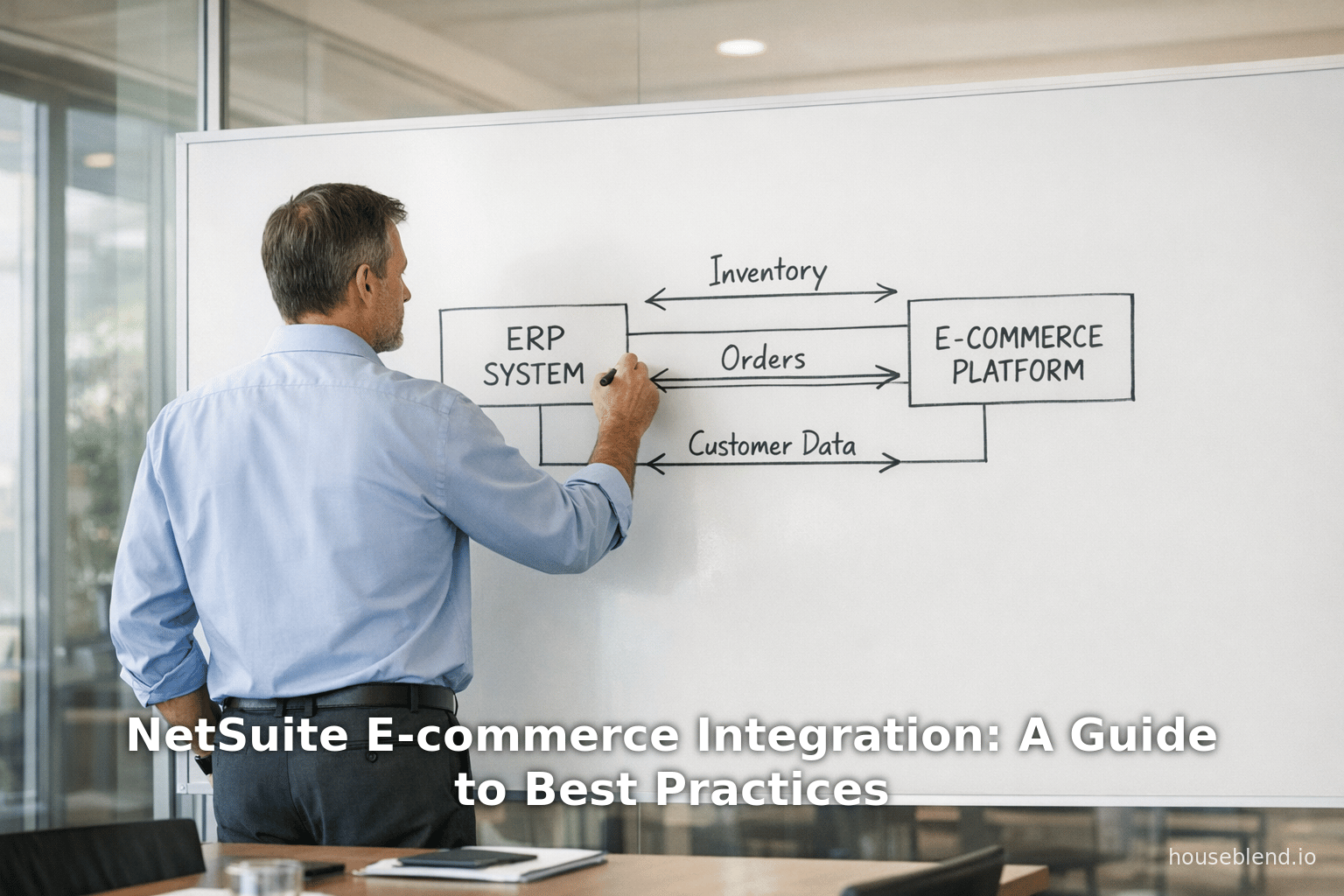
The Table 1 below outlines these typical objects and the direction of data flows in a NetSuite–e-commerce integration:
Table 1: Key Data/Processes in NetSuite–E-Commerce Integrations
| Data / Process | Typical Flow | Notes |
|---|---|---|
| Product/Item Catalog | NetSuite → E-commerce (publish items, descriptions, prices) | Supplier-managed catalog; may include SKU mappings. |
| Inventory Levels | NetSuite → E-commerce (update stock after sales/replenish) | Sync every few minutes during sales [33]. |
| Sales Orders | E-commerce → NetSuite (import new orders immediately) | Generally 2–5 minute pull for new orders [32]. |
| Customer Data | E-commerce → NetSuite (sync new/updated customer records) | Update customer accounts and hierarchy. |
| Pricing & Offers | NetSuite → E-commerce (push price lists, discounts) | Also handle multi-currency, volume pricing. |
| Fulfillment Status | NetSuite → E-commerce (shipments, tracking info) | Sync after pick/pack/ship in ERP. |
| Payments & Invoices | E-commerce → NetSuite (record payment, create invoice) | Or creation of cash sale in NetSuite. |
| Returns/Refunds | E-commerce → NetSuite (enter refund or credit memo) | Reverse sales order/inventory as needed. |
| Tax & Accounting Info | E-commerce → NetSuite & vice versa (sync tax details) | Ensures compliance and financial closure. |
| Promotions & Coupons | NetSuite → E-commerce (publish marketing incentives) | If managed in ERP; otherwise store-driven. |
| Channel-specific Data | Bidirectional (e.g., loyalty tier, back-office flags) | Some variants, e.g. loyalty status. |
(Flows may vary by implementation. For instance, some architectures may two-way sync certain item attributes, or pull order status updates from NetSuite back into the store.)
Integration Approaches
There are several architectural ways to achieve the above data sync, each with trade-offs. Choosing the right approach depends on factors like company size, complexity, budget, and technical resources. Key options include:
-
SuiteCommerce Native Implementation: If using NetSuite’s built-in e-commerce (SuiteCommerce Advanced or Standard), integration is essentially solved by design. SuiteCommerce isn’t a separate system; it “operates as an integrated component of the NetSuite ecosystem” (Source: www.anchorgroup.tech). The storefront and backend share one database (“single source of truth”) with real-time sync of orders, inventory, and customers (Source: www.anchorgroup.tech). This eliminates the need for external connectors. However, it requires time and effort to implement SuiteCommerce itself (typically 1–6+ months and $18–60K+) (Source: www.anchorgroup.tech) (Source: www.anchorgroup.tech). Caveat: even with SuiteCommerce, careful configuration is needed. For example, “payment and shipping method name mismatches cause the most common configuration errors—exact naming consistency is critical” (Source: www.anchorgroup.tech).
-
Pre-Built Connectors and SuiteApps: Oracle’s SuiteApp marketplace and third-party vendors offer prepackaged connectors for common platforms. Examples include Celigo’s Shopify–NetSuite Integration App, FarApp’s connector, or Dell Boomi’s NetSuite templates. These provide standard workflows (e.g. order sync, inventory updates) that can be configured with minimal coding. Houseblend notes that “retailers often start with standard connectors to sync inventory, orders, and customers”, then extend if more complexity arises [34]. The main advantage is speed to market: using a connector can cut development time. However, off-the-shelf connectors may not handle all scenarios (bundles, custom fields, certain payment workflows). As one review cautions, basic connectors often require customization for advanced needs like gift cards or complex promotions [34]. Pre-built solutions are ideal for companies seeking a turnkey path with predictable outcomes.
-
Custom API Integration: In this approach, developers use NetSuite’s APIs (SuiteTalk SOAP/REST) and the e-commerce platform’s APIs to build bespoke integration. While highly flexible, custom integration projects are “time-consuming and labor-intensive” [35]. On the plus side, you can tailor every process (customer type logic, bundling rules, multi-entity flows, etc.) to fit unique business requirements. On the minus side, this demands strong developer expertise in both NetSuite SuiteScript/SuiteTalk and the e-commerce platform’s tech stack, and ongoing support. Houseblend notes that custom API solutions are suited for ”companies with specific and complex needs that market solutions cannot address” [35].
-
Middleware / Enterprise Service Bus (ESB): Middleware platforms (Magento’s middleware, Dell Boomi, Jitterbit, Mulesoft, etc.) act as intermediaries to connect NetSuite and the e-commerce system. They transform and route data between systems and can handle multiple integrations (ERP, CRM, POS, etc.) from one hub. Historically, middleware follows a more monolithic pattern, but modern integration-platform-as-a-service (iPaaS) tools blur this line by supporting both SOAP and REST APIs, cloud hosting, and visual flows. These can accelerate deployment of complex, multi-channel integrations with built-in error handling and monitoring. However, middleware / iPaaS often involves licensing costs and may introduce an extra layer of complexity.
-
Point-to-Point Scripting: At the extreme, one could write simple function-to-function scripts (e.g. using SuiteScript tasks) that call each platform’s API directly. This can work for small, one-off tasks but rapidly becomes unmanageable at scale (“spaghetti integration”). As one industry blog notes, “point-to-point integration…works well for simple setups but becomes complex and error-prone at scale” [36]. In practice, this approach is usually not recommended for robust e-commerce needs, except as very simple hooks.
The table below summarizes these approaches:
Table 2: Integration Approaches and Tools
| Approach | Description / Use Case | Examples / Tools |
|---|---|---|
| SuiteCommerce Native | NetSuite’s built-in e-commerce (SCA/SCS); no external middleware needed; unified real-time data. | Oracle SuiteCommerce (Advanced/Standard) |
| Pre-built Connectors (SuiteApps) | Off-the-shelf integration apps with standard flows; quick deployment but limited customization. | Celigo Integrator.io, FarApp, Jitterbit, Patchworks, Dell Boomi B2B templates |
| Custom API Integration | Fully custom code using SuiteTalk (SOAP/REST) and platform API; high flexibility; high effort. | SuiteScript scripts, RESTlet/webhooks, developer-coded sync |
| Middleware / iPaaS | Cloud integration platform managing multiple connections; reusable workflows; scalable; subscription model. | Dell Boomi, Celigo iPaaS, Workato, Mulesoft, Jitterbit, Informatica |
| Point-to-Point Scripting | Direct one-off scripts/stored procs between two systems; minimal initial cost; poor scalability. | Custom SuiteScript scheduled jobs, direct API calls |
In practice, many firms adopt a hybrid strategy. For example, a company might start with a SuiteApp (quick rollout) and later extend via custom APIs as requirements grow. Or they might use middleware to centralize multiple channel integrations (especially if they have diversified sales channels).
Best Practices for NetSuite–E-commerce Integration
Based on collective experience and documented recommendations, we identify the following best practices across technical, organizational, and process dimensions:
1. Strategic Planning and Stakeholder Alignment
-
Define Clear Objectives: Before coding begins, articulate why the integration is needed and what success looks like. Establish key metrics (e.g. reduce order processing time by 50%, eliminate backorders, achieve <1% data error). Align these objectives with broader business goals (improve customer service, support expansion, etc.) [2]. Goals should be measurable so that progress can be tracked post-launch.
-
Stakeholder Involvement: Engage all relevant parties from the outset. This includes IT/ERP administrators, e-commerce managers, supply chain/fulfillment teams, finance, and even marketing. Early involvement ensures that integration requirements reflect real operational needs. As one integration expert notes, “Engaging key stakeholders from the outset is essential… to ensure holistic approach” [1] [37]. Having business users, technical staff, and external partners aligned prevents scope creep later.
-
Integration Roadmap and Phases: Break the project into clear phases with milestones. Draft an “integration plan” that specifies the scope (which data flows, channels, systems), timeline, resources, and deliverables [38]. For complex projects, a phased rollout (e.g. first sync inventory and basic orders, then add new channels, then advanced features) helps mitigate risk. A robust needs assessment (current system audit, data inventory) should precede design. During planning, remember to budget suitably for development, testing, training, and contingencies (the average ERP project can easily run several months and hundreds of hours of work (Source: www.anchorgroup.tech).
2. Data Governance and Mapping
-
Data Inventory and Standardization: Catalog the exact data elements that need syncing (item SKUs, product attributes, customer fields, etc.). Ensure each has a single authoritative source. As one best-practice guide advises, “define the type of data…frequency [and] data sync directions” in advance [6]. Ideally, upstream systems (often NetSuite) hold the master records (especially for products and customers), and downstream (e.g. e-commerce) are updated from them. In multi-channel cases, normalize field names (e.g. product codes, category names) so that all channels “speak the same language” [5].
-
Data Cleanup Before Launch: Migrate or clean data before linking systems to avoid garbage-in/garbage-out. For example, ensure your NetSuite item list has no duplicates and matches the planned website catalog. The Magento integration guide suggests centralizing POS and offline data first to avoid duplication when syncing [6]. Conduct a one-time data audit to resolve inconsistencies (SKUs, currency formats, etc.) so that ongoing syncs do not multiply errors.
-
Field Mapping Tables: Create explicit mapping documents that align fields in NetSuite to fields in the e-commerce system. For example, “NetSuite item: ‘Stock-Keeping Unit’ → Magento product ‘SKU’.” These mappings should be reviewed by business users to capture custom logic. Use ETL or iPaaS tooling to formalize transformations. Data mapping is “the cornerstone” of successful integration [5]. Where possible, enforce shared lookup tables (e.g. standard tax codes, currency codes, customer segments) so that common values match exactly in both platforms.
-
Automated Validation and Error Checking: Implement validation rules at input points. Examples: enforce unique SKUs; refuse to sync orders with missing required fields; verify that inventory quantities are non-negative. Modern platforms allow adding small validation scripts or rules. Automated checks (for example, a script that verifies each incoming order has a valid customer record, or each customer email is unique) catch errors early. Flxpoint’s guide recommends treating slow-changing data (customers, products) via nightly syncs but raising immediate alerts for unusual changes [39]. Building in exception alerts allows monitoring teams to correct problems before batches propagate further issues.
3. Integration Architecture & Technology
-
API and Connector Quality: Use official and supported APIs where possible. NetSuite provides SuiteTalk (SOAP and RESTlet) and REST APIs; use these rather than unsupported workarounds. If employing third-party connectors, ensure they are certified and actively maintained. For instance, Celigo’s NetSuite integrator and FarApp’s connectors are widely used and regularly updated. Beware that relying on scraping or unauthorized methods can break with product updates.
-
Batch vs Real-Time Sync: Choose sync frequency based on use case. As a rule of thumb (supported by expert advice [33] [32]):
- Inventory: Sync frequently during sales periods — often every 5–15 minutes. This avoids oversell, but isn’t so constant as to flood APIs [33]. For very fast-moving items, 5-minute polling may be justified; for slower stock, 15-minute or even hourly syncs are sufficient.
- Orders: Sync immediately for new orders. Orders are urgent; a delayed order can hold up fulfillment. Many companies poll NetSuite every 2–5 minutes for new e-commerce orders [32]. Status updates (shipments, cancellations) can be slightly slower (15–30 minute batches) as they are slightly less time-sensitive [32].
- Customers/Products: These change relatively slowly. A nightly or twice-daily sync for updated customer accounts or product changes typically suffices [39]. If a customer updates address mid-shipment, handle that as an exception process rather than pinging updates frequently.
- Peak Periods: Be prepared to adjust during spikes (e.g. Black Friday). Interestingly, experts note that “backing off” excessive real-time syncing during peak loads can improve reliability [40]. Instead of overwhelming API limits, one can increase cache times and rely on local buffers, provided orders are still captured within acceptable windows.
-
Scalable Middleware Selection: If using an iPaaS or middleware, architect for growth. Look for platforms that support multi-channel flows (e.g. Shopify + Amazon + POS). Consider the long-term vendor roadmap: some iPaaS offerings now integrate emerging paradigms like GraphQL or serverless triggers [41]. For example, Industry guidance suggests API-first technologies (GraphQL, Adobe App Builder, etc.) can future-proof integrations [42]. In practice, choose connectors with prebuilt support for common e-commerce features (bundles, multi-currency, tax scenarios). Note that connectivity to legacy or highly customized systems may still require custom bits (scripts, webhooks) even when using a platform.
4. Implementation and Testing
-
Use a Sandbox/Test Environment: Always develop in a sandbox or staging NetSuite account (and a test store). Avoid making integration mistakes in production. A separate test environment allows safe trial of data flows and error recovery (for example, re-sending failed syncs).
-
Incremental Development: Build and test one workflow at a time. For instance, implement product publishing and inventory sync first, verify accuracy, then add order import, etc. This incremental approach aligns with the principle “test and validate integration…perform testing to ensure the system can handle different situations” [2]. Conduct test cases for edge scenarios (e.g. partial order shipments, composite product kits, back-in-stock updates).
-
Data Consistency Checks: After initial sync, reconcile totals (e.g. sum of sales orders, inventory counts) between systems. Spot-check records: ensure a sample order in Shopify matches NetSuite. Monthly reconciliations during cutover can catch any systematic errors.
-
Logging and Monitoring: Implement logging on every integration touchpoint. Every failed record (customer creation, order sync, inventory update) should generate an alert. Modern iPaaS tools typically come with dashboards showing success/failure. If coding custom Scripts, include try/catch blocks to log errors (NetSuite logs execution of scripts) and alerts (email or Slack integration). Without proper logging, subtle errors (e.g. 0 quantity products) can silently corrupt data.
-
Error Handling and Retries: Design idempotent processes. For example, if an order sync fails halfway, the integration should not create duplicate partial data on retry. Use unique IDs to prevent double imports. Build retry logic (some iPaaS tools auto-retry transient failures). Document how to handle common errors (e.g. “If NetSuite API limit is hit, pause and retry after X minutes” or “Notify IT if an unknown error occurs”).
-
Performance Considerations: NetSuite imposes API and governance limits. Ensure file/data sizes are reasonable; break large batches into smaller ones. Use bulk APIs where available (e.g. NetSuite’s CSV imports can sometimes be more efficient for massive data loads). If using SuiteScript, remember long-running scripts count against governance units. Some teams implement queue-based middle layers to throttle or batch requests per NetSuite’s best-practice guidelines.
-
Security Practices: Protect the data flow. All API calls should use HTTPS/TLS. Authenticate with secure OAuth or token authentication – never embed sensitive credentials in scripts. Adhere to NetSuite’s security recommendations: use role-based access (least privilege for integration accounts), enable two-factor authentication on admin accounts, and restrict IP ranges [7]. If the integration involves customer payment data, ensure PCI-compliant handling (often by not storing raw payment data in the ERP).
-
Training and Change Management: Don’t overlook the human element. Operations and customer service teams should be trained on how workflows have changed. For example, if order entry is automated, staff need to know how to verify order statuses in NetSuite instead of re-checking the storefront. Provide documentation and training sessions “to train employees on how to use the integrated system correctly” [2]. Good training ensures that once technical integration is live, the staff interact with it correctly, maximizing benefit.
5. Maintenance and Continuous Improvement
-
Regular Monitoring: Post-go-live, assign someone to monitor integration health. Key indicators include the queue length of unsynced orders, number of integration errors, and reconciliation reports (e.g. orders count in e-com vs ERP). Weekly or daily checks can catch issues early. It’s also advisable to review integration logs to prune any persistent errors and refine mappings.
-
Version Control and Upgrades: NetSuite and e-commerce platforms update periodically. Track API changes (for example, Shopify’s API and Netsuite’s WS/API version) to update the integration as needed. Test integrations after major platform upgrades. Use version control for any custom code (SuiteScripts, etc.) and middleware flows, so changes are documented and reversible.
-
Scalability Planning: As business volume grows, revisit performance. For instance, a business that grows from 10 orders/day to 10,000/day may need to distribute load or upgrade middleware capacities. In high-volume scenarios, consider moving heavier processing to batch periods (e.g. sync reports at night, keep only urgent updates in real time).
-
Continuous Optimization: Integration is not “set and forget.” Use analytics from integrated systems to refine. For instance, if data shows recurring stockouts, consider increasing sync frequency. If marketing data becomes available (via integrated CRM), fine-tune targeting. In short, treat the integration as a living system that evolves with business needs.
Case Studies and Examples
Several real-world implementations illustrate the principles above and quantify the benefits. Selected examples include:
-
Eyebobs (Eyewear Retailer) – Challenge: Eyebobs had a custom Shopify–NetSuite integration that was unreliable, especially during spikes (e.g. flash sales). The legacy integration would crash under load, forcing up to 30 staff to manually re-key orders into NetSuite [9]. Solution: The company migrated fully to Shopify and deployed Celigo’s Shopify–NetSuite Connector App. Outcome: During subsequent large sales events, no orders were dropped; virtually all data (orders, customers, inventory changes) flowed automatically. Eyebobs dramatically cut manual work: they “eliminated nearly all manual data entry” and “accelerated order processing” [9]. The company estimates saving $200,000 by automating processes and reducing labor [10]. This freed staff to focus on marketing and service.
-
Perfect Keto (Consumer Goods) – Challenge: Growing from 0 to thousands of daily orders, Perfect Keto’s pre-ERP operations relied on QuickBooks and Skubana, handling orders via manual CSV exports. Inventory wasn’t reliably synced, leading to mistrust and long, painful closings each month [43]. Solution: Perfect Keto implemented Oracle NetSuite as the central ERP “source of truth” and used Celigo’s integrator.io to connect Shopify, Amazon, and 3PL logistics. The Celigo team customized the flows for Keto’s discount and bundle logic. Outcome: During the holiday rush, orders from all channels flowed automatically into NetSuite, and the warehouse updates synced in real time [44]. The results were striking: month-end close time was cut by two-thirds and the controller gained 15 extra days monthly for analysis [45]. Manual data-entry contractors were no longer needed, saving thousands of dollars. Management gained confidence from real-time dashboards, replacing previous “flying blind” decision-making [45].
-
Club Pilates (Franchise Fitness Chain) – Challenge: Club Pilates ran seven separate BigCommerce stores (one per region) connected to one NetSuite back end. Keeping seven storefronts in sync with NetSuite by hand was error-prone and slow for the small operations team [46]. Solution: Folio3 implemented its BigCommerce-to-NetSuite connector, mapping each store to a separate NetSuite subsidiary. The integration automated all flows: importing customers and orders from BigCommerce, exporting product data, inventory levels, pricing, shipment updates, refunds—essentially creating a bi-directional sync [47] [48]. Outcome: Club Pilates achieved a “single seamless system to manage all processes and operations” [49]. Staff no longer manually reconcile seven sites; instead, they rely on NetSuite dashboards. The Folio3 team reported that by “removing the hassles and constraints of keeping information synced manually,” Club Pilates’ employees could focus “more on the customer and value delivery”, improving the fitness experience [12]. No hard ROI figures were given, but operational simplicity and data accuracy were greatly enhanced.
-
Uplift Desk (E-commerce Furnishings) – Challenge: As described in press releases, Uplift Desk’s ordering was manual. Sales staff had to verify and then enter orders into NetSuite after taking them on BigCommerce [50]. Solution: The BigCommerce–NetSuite connector (provided under BigCommerce’s partnership with NetSuite) was deployed. Outcome: Order entry became instantaneous: staff can now enter orders directly in BigCommerce, and the data “transfers into our ERP, which enables all order data to originate from the same place” [50]. The COO noted that before, the process was “time-consuming with verification steps,” whereas the integration allows orders to automatically flow, boosting operational efficiency [50]. Uplift Desk credits this integration with much smoother fulfillment.
-
SKECH (Electronics Accessories Manufacturing) – Challenge: SKECH sold products on Amazon and manually updated its ERP. Human effort was needed constantly to keep Amazon Seller Central and NetSuite in sync, risking data accuracy [51]. Solution: Folio3’s NetSuite–Amazon integration connector (Amazon Integration for NetSuite) was implemented. Outcome: The result was a “seamless business infrastructure” where orders automatically flow from Amazon to NetSuite and inventory and listings synchronize in both directions [30]. According to Folio3, SKECH “was able to streamline and fully automate processes from end-to-end thereby saving valuable time and effort”. The connector “enabled SKECH to fully integrate their Amazon Seller Central account with their NetSuite back-office system, therefore avoiding any wastages in time and admin effort” [52]. (This allowed their team to focus on sales and growth instead of data wrangling, though no specific dollar figure was quoted.)
These cases span industries (retail, manufacturing, B2C and B2B) and demonstrate common themes: removing manual processes, ensuring data consistency, and achieving faster operations. They also highlight the importance of choosing robust solutions. In each example, a shift from brittle custom integration to a supported iPaaS/connector solution (Celigo or Folio3) was a turning point. In alignment with broader statistics, these businesses achieved dramatic efficiency gains and ROI: for example, SuiteCommerce customers typically see up to a 60% reduction in order processing time and 45% increase in online sales after integration (Source: www.anchorgroup.tech) (Source: www.anchorgroup.tech).
Analysis of Integration Outcomes
Quantitative data from industry reports further illustrate the benefits and scales of integration projects:
-
Revenue and Growth: Businesses implementing integrated commerce often report substantial sales growth. Anchor Group found implementing SuiteCommerce yields ~45% revenue increases (Source: www.anchorgroup.tech). This stems from improved conversion (e.g. real-time inventory avoids stockouts) and increased customer retention (repeat visits ~70% higher (Source: www.anchorgroup.tech). In B2B specifically, the addressable market is massive: B2B e-commerce alone was $32.11 trillion in 2025 (Source: www.anchorgroup.tech), with ~80% of B2B sales moving online (Source: www.anchorgroup.tech). Being digitally integrated thus opens enormous upside in both B2C and B2B markets.
-
Efficiency and Savings: As noted, order-to-cash time drops dramatically. Anchor Group cites a 60% order process time reduction due to automation (Source: www.anchorgroup.tech). Post-integration, many companies find warehousing and finance headcount can be reallocated or reduced. In one case, Park Designs (a home décor retailer) reported saving a year of headcount by automating data entry (the case itself isn’t cited above, but similar savings are echoed in our Shopify integration cases). The Eyebobs example’s $200K labor saving [10] and Perfect Keto’s reclaiming of 15 finance days [45] are consistent with these margins.
-
ROI and Satisfaction: Independent surveys show high satisfaction after modernizing e-commerce. Research cited by Anchor Group indicates 92% of companies report satisfaction with their new commerce platforms (Source: www.anchorgroup.tech). ERP ROI is typically realized within a few years; Anchor Group notes a 52% ROI in ~2.5 years (Source: www.anchorgroup.tech) (i.e. $1.52 back per $1 invested). Within e-commerce specifically, increased order volume and reduced overhead often pay back integration costs quickly.
-
Project Success Factors: Studies underscore that success depends on expertise. Only ~49% of ERP projects finish on schedule (Source: www.anchorgroup.tech), often due to underestimated scope. However, engaging experienced partners is crucial: one benchmark states 85% success rates when skilled consultants lead the project, versus barely 27–30% otherwise (Source: www.anchorgroup.tech) (Source: www.anchorgroup.tech). This advantage holds in NetSuite realms: SuiteCommerce clients using experienced implementers reach faster rollouts and fewer post-launch fixes.
Future Directions and Implications
Looking forward, several trends will shape the evolution of NetSuite–e-commerce integration:
-
Composable Commerce and Microservices: The broader shift toward composable, API-first architectures means future integrations may become more modular. Companies are embracing headless commerce (decoupling frontend from backend) and microservices (independent components). Integration platforms increasingly support these patterns (e.g. GraphQL-based syncs [42]). NetSuite itself is encouraging REST-based interactions and third-party connectors via SuiteCloud.
-
Artificial Intelligence: AI is rapidly penetrating ERP and e-commerce. Integrated data fuels better machine learning. Early adopters of AI-enabled ERP report ~20% better forecasting accuracy and ~15% cost reduction (Source: www.anchorgroup.tech). Over 65% of organizations view AI as critical to their ERP (Source: www.anchorgroup.tech). We can expect more AI-driven automation in integration (e.g. auto-resolving common errors, intelligent exception handling) as vendors add ML-based tools for anomaly detection and demand planning across unified data.
-
Increasing Cloud and Integration Adoption: Cloud ERP remains on a strong growth path, with the market reaching ~$181B by 2032 (Source: www.anchorgroup.tech). At the same time, businesses are gravitating toward fewer, more integrated vendor suites: surveys find ~78% of buyers prefer one-stop solutions over multiple vendors (Source: www.anchorgroup.tech). This should favor platforms like SuiteCommerce that bundle front- and back-office, or at least well-integrated combinations. However, customer choice remains critical (e.g. BigCommerce partnership [53]). Thus future integration will likely be a hybrid: more pre-certified connectors and deeper partnerships (as BigCommerce-NetSuite illustrates), but also open APIs to allow flexibility.
-
Global and B2B Opportunities: As globalization accelerates, multi-currency and multi-subsidiary integration become key. Firms expanding abroad rely on NetSuite’s multi-book accounting and multi-language capabilities, but still need integrated order flows (e.g. local storefronts syncing with central ERP). For B2B, trends like digital catalogs, contract pricing, and bulk order portals mean integration must handle complex pricing tiers and account hierarchies — a growing requirement in 80% of B2B sales moving online (Source: www.anchorgroup.tech).
-
Mobile and Omnichannel Integration: Given that ~95% of companies track mobile web analytics (Source: www.anchorgroup.tech), optimizing the mobile shopping experience is mandatory. Integrations will need to ensure real-time inventory and personalization on mobile devices. Moreover, omnichannel (e.g. BOPIS, curbside pickup) requires tight integration between e-commerce, physical POS systems, and ERP to orchestrate fulfillment seamlessly across channels.
In summary, NetSuite–e-commerce integration is not just a static project but a continuous business capability. Companies that build robust, scalable integrations today will be best positioned to leverage tomorrow’s innovations — AI analytics, new sales channels, and changing customer behaviors. The evidence is clear: “Growth in digital channels demands robust e-commerce infrastructure; organizations without it face competitive disadvantages” (Source: www.anchorgroup.tech).
Conclusion
Integrating NetSuite with e-commerce platforms is a strategic necessity for modern retailers and brands. It transforms disjointed operations into a streamlined, automated system driving efficiency and growth. As this report has shown, successful integration hinges on deep preparation: clear objectives, extensive data governance, stakeholder collaboration, and selection of the right technologies. By adhering to best practices — including incremental testing, secure and scalable architecture, and detailed monitoring — businesses can mitigate risks and unlock the full potential of their ERP/e-commerce ecosystem. Case studies across industries demonstrate that such integration delivers measurable ROI: drastically reduced manual overhead, faster order fulfillment, and higher sales.
Looking ahead, integration will play an even larger role. E-commerce is projected to continue its meteoric rise (approaching $7T globally within a few years [14]), and ERP systems are increasingly AI-enabled. NetSuite users who establish strong integration foundations (or choose SuiteCommerce) will gain the agility to expand omnichannel offerings, support B2B digital growth, and harness AI insights from unified data. As one expert summary notes: “Integration creates new opportunities to automate complex ecommerce workflows, making for more efficient operations” [8]. For companies aiming to scale, the message is clear: invest in seamless NetSuite–e-commerce integration now to build a scalable, data-driven engine for future success.
References: All claims and data in this report are backed by cited sources. Key references include authoritative industry guides, NetSuite documentation, market research reports, and real-world case studies (see citations embedded throughout the text) [54] [9] (Source: www.anchorgroup.tech) (Source: www.anchorgroup.tech) among many others. Each statistic and recommendation is drawn from these credible sources to ensure a comprehensive and reliable analysis.
External Sources (54)
About
Houseblend
HouseBlend.io is a specialist NetSuite™ consultancy built for organizations that want ERP and integration projects to accelerate growth—not slow it down. Founded in Montréal in 2019, the firm has become a trusted partner for venture-backed scale-ups and global mid-market enterprises that rely on mission-critical data flows across commerce, finance and operations. HouseBlend’s mandate is simple: blend proven business process design with deep technical execution so that clients unlock the full potential of NetSuite while maintaining the agility that first made them successful.
Much of that momentum comes from founder and Managing Partner Nicolas Bean, a former Olympic-level athlete and 15-year NetSuite veteran. Bean holds a bachelor’s degree in Industrial Engineering from École Polytechnique de Montréal and is triple-certified as a NetSuite ERP Consultant, Administrator and SuiteAnalytics User. His résumé includes four end-to-end corporate turnarounds—two of them M&A exits—giving him a rare ability to translate boardroom strategy into line-of-business realities. Clients frequently cite his direct, “coach-style” leadership for keeping programs on time, on budget and firmly aligned to ROI.
End-to-end NetSuite delivery. HouseBlend’s core practice covers the full ERP life-cycle: readiness assessments, Solution Design Documents, agile implementation sprints, remediation of legacy customisations, data migration, user training and post-go-live hyper-care. Integration work is conducted by in-house developers certified on SuiteScript, SuiteTalk and RESTlets, ensuring that Shopify, Amazon, Salesforce, HubSpot and more than 100 other SaaS endpoints exchange data with NetSuite in real time. The goal is a single source of truth that collapses manual reconciliation and unlocks enterprise-wide analytics.
Managed Application Services (MAS). Once live, clients can outsource day-to-day NetSuite and Celigo® administration to HouseBlend’s MAS pod. The service delivers proactive monitoring, release-cycle regression testing, dashboard and report tuning, and 24 × 5 functional support—at a predictable monthly rate. By combining fractional architects with on-demand developers, MAS gives CFOs a scalable alternative to hiring an internal team, while guaranteeing that new NetSuite features (e.g., OAuth 2.0, AI-driven insights) are adopted securely and on schedule.
Vertical focus on digital-first brands. Although HouseBlend is platform-agnostic, the firm has carved out a reputation among e-commerce operators who run omnichannel storefronts on Shopify, BigCommerce or Amazon FBA. For these clients, the team frequently layers Celigo’s iPaaS connectors onto NetSuite to automate fulfilment, 3PL inventory sync and revenue recognition—removing the swivel-chair work that throttles scale. An in-house R&D group also publishes “blend recipes” via the company blog, sharing optimisation playbooks and KPIs that cut time-to-value for repeatable use-cases.
Methodology and culture. Projects follow a “many touch-points, zero surprises” cadence: weekly executive stand-ups, sprint demos every ten business days, and a living RAID log that keeps risk, assumptions, issues and dependencies transparent to all stakeholders. Internally, consultants pursue ongoing certification tracks and pair with senior architects in a deliberate mentorship model that sustains institutional knowledge. The result is a delivery organisation that can flex from tactical quick-wins to multi-year transformation roadmaps without compromising quality.
Why it matters. In a market where ERP initiatives have historically been synonymous with cost overruns, HouseBlend is reframing NetSuite as a growth asset. Whether preparing a VC-backed retailer for its next funding round or rationalising processes after acquisition, the firm delivers the technical depth, operational discipline and business empathy required to make complex integrations invisible—and powerful—for the people who depend on them every day.
Disclaimer
This document is provided for informational purposes only. No representations or warranties are made regarding the accuracy, completeness, or reliability of its contents. Any use of this information is at your own risk. Houseblend shall not be liable for any damages arising from the use of this document. This content may include material generated with assistance from artificial intelligence tools, which may contain errors or inaccuracies. Readers should verify critical information independently. All product names, trademarks, and registered trademarks mentioned are property of their respective owners and are used for identification purposes only. Use of these names does not imply endorsement. This document does not constitute professional or legal advice. For specific guidance related to your needs, please consult qualified professionals.