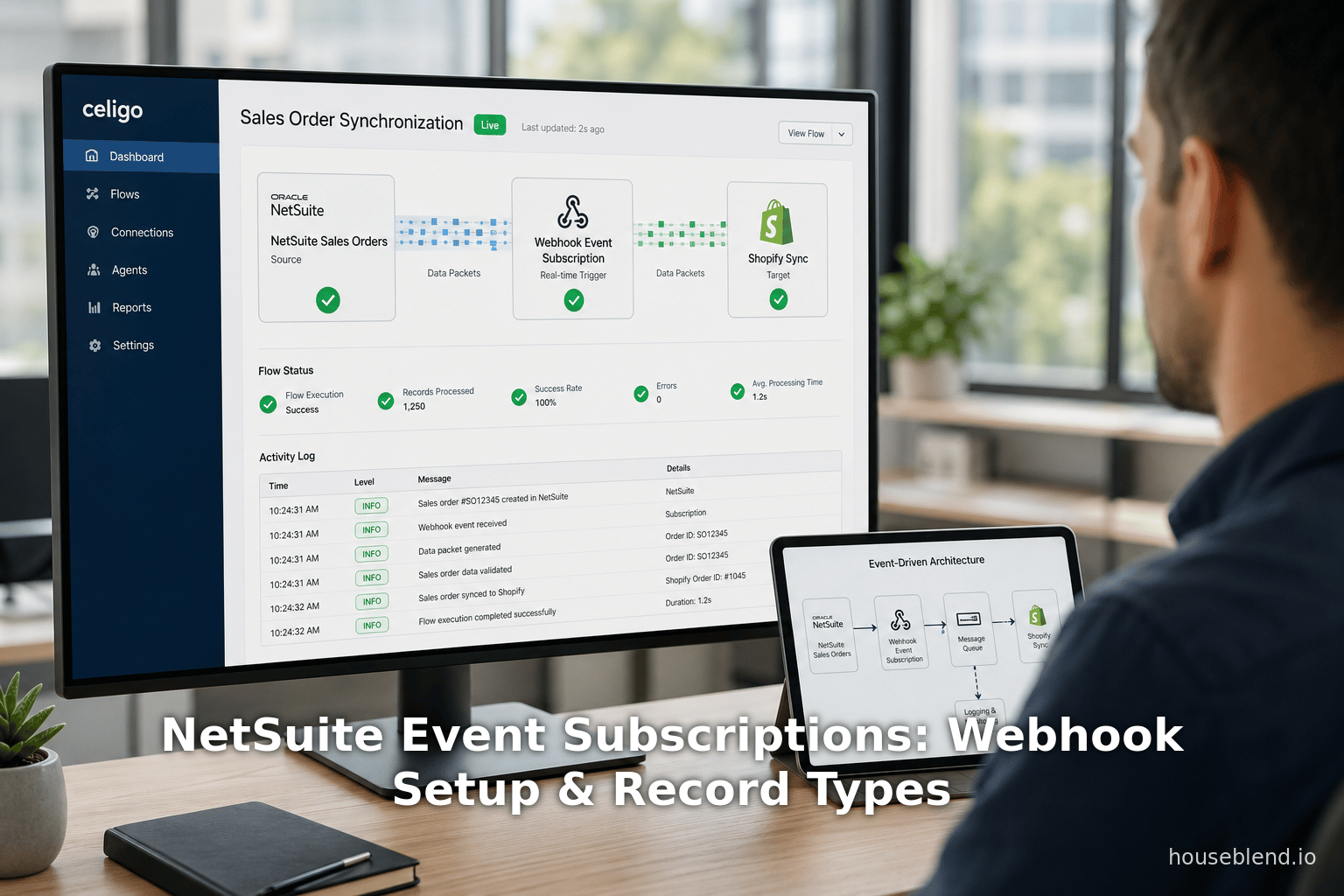
Houseblend Article
NetSuite Event Subscriptions: Webhook Setup & Record Types
Inside this article
- 01Executive Summary
- 02Introduction and Background
- 03Event-Driven Integration and Webhooks
- 04NetSuite Event Subscriptions: Concept and Fundamentals
- 05Setting Up Event Subscriptions: Prerequisites and Step-by-Step
- 06Payload and Data Handling
- 07Security and Governance
- 08Limitations and Considerations
- 09Security Best Practices
- 10Data Governance and Compliance
- 11Performance and Scalability
- 12Comparison: Event Subscriptions vs SuiteScript Webhooks
- 13Real-World Use Cases and Case Studies
- 14Best Practices and Recommendations
- 15Future Directions and Industry Trends
- 16Conclusion
NetSuite Event Subscriptions: Record Type, Webhooks & Setup Guide
Executive Summary
NetSuite’s Event Subscriptions (often termed “webhook events”) are a powerful new mechanism within the Oracle NetSuite platform that enable real-time, push-style integrations between NetSuite and external systems. Traditionally, organizations synchronized NetSuite data with other systems via pull-based approaches like SuiteTalk SOAP/REST APIs, scheduled scripts, or periodic exports. However, these methods introduce latency and inefficiency. By contrast, NetSuite’s event subscriptions allow an administrator to declare that “when X happens on Y record type, send an HTTP POST containing data to a given URL” [1] [2]. This shift to an event-driven architecture (EDA) means that external systems learn about important ERP events (e.g. new sales order, updated customer, etc.) immediately, avoiding continuous polling and outdated data.
This report provides an in-depth analysis of NetSuite event subscriptions, including the underlying concepts and historical context, a detailed setup guide (rights, steps, UI configuration, payload customization, security), and comparisons with alternative integration methods. We examine supported record types (such as Customers, Sales Orders, Invoices, Item Fulfillments, and custom records) and event triggers (Create, Update, Delete, View) that can be subscribed to. The report draws on official Oracle documentation, practitioner blogs, integration vendor guides, and industry research to present best practices, data-driven insights, and case studies. For example, integration studies report that automated ERP integrations can reduce reconciliation time by up to 70% and cut reconciliation errors by 50% [3] [4]. Similarly, industry analyses (e.g. Gartner and RTInsights) highlight the value of real-time data: organizations with webhook-based integrations (such as e-commerce inventory sync) see far fewer stock discrepancies and higher efficiency [5].
We also discuss technical considerations: payload structure, authentication (HMAC signatures, tokens, TLS), governance limits, and monitoring (NetSuite execution logs). The report includes illustrative workflow diagrams and tables comparing NetSuite integration methods (SuiteTalk, RESTlets, SuiteScript User/Workflow scripts, Event Subscriptions, etc.). We present multiple use cases – from real-time inventory sync with Shopify to live financial analytics in Snowflake – and empirical evidence of ROI. Finally, we consider future directions: how Oracle’s continuing enhancements (AI connectors, expanded APIs) and market trends (growing adoption of event-driven architectures) further empower real-time ERP integration.
All findings are well-supported by industry data and official sources. This comprehensive guide is intended for technical architects, integration specialists, and IT leaders who seek to leverage NetSuite event subscriptions (webhooks) to build fast, reliable, and scalable event-driven integrations.
Introduction and Background
Oracle NetSuite is a leading cloud-based ERP and business management suite, managing finance, inventory, CRM, and more for companies of all sizes [6]. In today’s multi-system enterprises, however, no system can operate in isolation. Organizations typically have numerous SaaS platforms (e-commerce, CRM, marketing, data warehouses) alongside NetSuite, and must keep data in sync across them [6] [7]. For example, a new e-commerce order in Magento or Shopify may require updated inventory and order records in NetSuite; likewise, updates in NetSuite (like an order fulfillment) should reflect immediately on sales channels. When data lags behind, businesses face lost sales, duplication of work, and poor user experiences.
Historically, NetSuite integration has relied on pull-based or batch methods. Common approaches include:
- SuiteTalk SOAP/REST APIs – NetSuite’s native web service layer. External systems make on-demand calls to fetch or push data. This is robust and well-documented, excellent for batch syncs or on-demand lookups [8]. However, it isn’t inherently real-time: to detect changes, the external system must poll periodically or schedule tasks, which can miss rapid updates and generate extra load [9].
- SuiteScript RESTlets – Custom SuiteScript endpoints (essentially custom REST APIs) written by developers [10]. RESTlets can implement complex logic and can be called by external processes. They allow flexible, bespoke integrations, but still rely on the caller to initiate the request. Frequent polling of RESTlets can lead to governance limits and performance issues [10].
- SuiteScript User Event Scripts – Handler scripts that run on NetSuite record changes (before/after submit) and can invoke external HTTP calls. These can push data in real-time (on each record change), but they require coding and managing error handling. If an external endpoint is slow, such scripts can delay NetSuite transactions or fail silently [11] [12].
- Workflow Action Scripts – Scripts attached to NetSuite workflows, which can run on record changes or custom workflow triggers. These also push data out but within the workflow framework [11]. They work for any update path (UI, API, CSV import) and allow visual monitoring, but require configuring a workflow and incur slightly more overhead [11].
- Scheduled/Map/Reduce Scripts – Batch jobs or Map/Reduce scripts running on a schedule to process large data sets. They are ideal for nightly syncs or data warehousing, but by nature not real-time [11].
- Integration Platforms (iPaaS) – Cloud integration tools (Celigo, Dell Boomi, Oracle Integration Cloud, etc.) often use a mix of polling and event signals. Some may poll NetSuite APIs or use connectors that approximate real-time triggers. They simplify mapping and error handling, but performance still often relies on polling intervals or indirect events [13].
A simplified comparison of these methods is shown below:
| Integration Method | Data Flow (Push/Pull) | Real-Time Support | Key Pros | Key Cons |
|---|---|---|---|---|
| SuiteTalk SOAP/REST | Pull (request/response) | No (pull only) | Standard, well-documented API; supports batch operations [8] | Not event-driven; requires polling or scheduling; may hit API/governance limits [9] |
| SuiteScript RESTlet | </current_article_content>Pull (External-triggered) | Indirect (depends) | Fully customizable endpoints; complex business logic possible [10] | Still requires caller to initiate; subject to governance limits; potential performance impact on high frequency calls [10] |
| User Event Script | Push (on record create/update) | Yes, immediate | Executes immediately after record changes [11]; no external polling needed | Requires script development; slow external calls can delay NetSuite saves; may not fire for all data imports (mass updates, CSV) [11] |
| Workflow Action Script | Push (as part of chosen workflows) | Yes, immediate | Reliable across all update paths; visual workflow management [11] | Requires creating a workflow; added configuration and slight overhead [11] |
| Scheduled / MapReduce | Pull (batch) | No (scheduled intervals) | Handles very large data volumes and complex tasks [11] | Not real-time; only periodic (e.g. hourly/daily); introduces latency [11] |
| iPaaS Connectors | Hybrid (often poll or hybrid triggers) | Often real-time (via connectors/webhooks) | Simplifies integration with pre-built connectors; built-in mappings, retries [14] | May use polling under the hood; additional subscription costs; still requires endpoint readiness |
| Event Subscriptions (Webhooks) | Push (HTTP POST on event) | Yes, instantaneous | Native real-time notifications; no custom code needed for basic use; significantly reduces polling overhead [15] [2] | Requires a public HTTPS endpoint; careful configuration to avoid performance issues [16] [17] |
Table 1: Comparison of NetSuite integration approaches (methods, data flow, pros/cons) [8] [9] [10] [11] [2].
In practice, many integrators have moved toward event-driven architectures (EDA) to overcome the deficiencies of polling. In an EDA, systems emit events (“X happened”) on a message bus or webhook when changes occur, and subscribers react immediately. As one integration guide succinctly explains, with webhooks the system “tell me when it changes” rather than external systems asking “anything new yet?” [18]. This paradigm shift yields significant benefits: low latency, because changes propagate as they happen; efficiency, because calls only occur on actual events; and reduced load, since redundant empty polls are eliminated [15] [18].
For example, Resolvepay’s analysis of ERP integration statistics highlights that automating data syncs can slash month-end reconciliation closing times by up to 70% [3] and halve the error rate [4]. RTInsights notes that real-time inventory sync (as provided by webhook-based integrations) leads to markedly fewer stock discrepancies and improved operational efficiency [19]. In Shopify’s case study, merchants using webhook-based inventory syncing “significantly reduce stock discrepancies and eliminate overselling” [19].
NetSuite Event Subscriptions are Oracle NetSuite’s built-in solution for achieving this real-time, push-based integration pattern without custom code. They let NetSuite administrators declare “When [record type] is [Created/Updated/Deleted/etc.] [and optional condition], send an HTTP POST to [callback URL]”. The following sections analyze how this is done, what is possible, and how it compares to other methods.
Event-Driven Integration and Webhooks
Before diving into NetSuite specifics, it is useful to overview the webhook concept in enterprise integration. A webhook is fundamentally an HTTP callback: when a certain event happens in the source system, it immediately sends an HTTP POST request (with a structured payload, usually JSON) to a pre-configured URL in a target system [18]. This “observe-and-notify” model contrasts with polling: the target system can be passive (waiting for calls) rather than actively asking “anything changed?” at intervals [20].
Key advantages of webhooks (over polling) include:
- Real-time updates: Data is pushed immediately, enabling fast reaction (e.g. Fulfillment triggers, notifications to customers, fraud checks). Organizations can act “instantaneously as events occur” [21].
- Resource efficiency: Calls occur only on real changes, eliminating idle requests. Polling wastes resources by repeatedly asking with no new data [22] [23].
- Scalability: As event volumes grow, webhooks scale gracefully. In polling, doubling sources/records could quadruple API calls (each poll asks all sources). Webhooks avoid this multiplicative effect [24].
- Simplicity for receivers: The receiving system simply opens an endpoint, with no need for tight scheduling or orchestrating polls, and can rely on retries/backoff from the sender if needed [15] [18].
- Alignment with modern architectures: Webhooks enable loosely-coupled, event-driven design (e.g. microservices, streaming data platforms) [25] [20].
Industry surveys highlight how mission-critical real-time data integration has become. For instance, analysts have identified “increasing importance of dynamism” in data architectures and a drive to break down silos [26]. 72% of large enterprises report adopting event-driven architectures (for example, using webhooks, message queues, or streaming fabric) as of 2025 [27]. Data integration vendors report skyrocketing interest in real-time pipelines: one integration market forecast projects the data synchronization market to grow to ~$30 billion by 2030 [27].
A common dialog is that traditional REST APIs and database queries (“pull”) are insufficient on their own. For example, an Integrate.io case study contrasts “polling” vs “pushing”: in polling, “polls return empty most of the time,” whereas with webhooks “you stand up a managed HTTPS endpoint” and NetSuite prompts it “the moment [data] happen[s]” [28] [18]. As Oracle’s developer blog notes, proactively pushing updates “can offer a more efficient, real-time alternative to traditional polling mechanisms” [29].
Case Study (Shopify): To illustrate webhook value, consider Shopify’s inventory management. Shopify provides webhook notifications for inventory events, enabling merchants to sync stock levels across channels in real time. By receiving immediate alerts on orders and product updates, merchants “significantly reduce stock discrepancies and eliminate overselling” [5]. According to RTInsights, the results include 100%-accurate inventory, more efficient restocking, and thus better customer experiences across all sales channels [5]. Shopify’s example underscores that nearly any system (NetSuite included) can benefit similarly from push updates.
In sum, real-time, webhook-based integration yields compelling business and technical benefits. It enables instant insights and automation (finance dashboards, customer 360 views, just-in-time fulfillment), lowers hidden costs of stale data, and aligns with modern data architectures. The next sections detail how NetSuite specifically supports this pattern via its Event Subscription framework.
NetSuite Event Subscriptions: Concept and Fundamentals
NetSuite’s native implementation of webhooks is called Event Subscriptions. As described in a NetSuite integration guide: “Within NetSuite, webhooks are implemented through ‘Event Subscriptions.’ These subscriptions allow administrators to configure NetSuite to send an HTTP POST request to a specified external URL whenever certain data events occur on specific record types” [30]. In other words, NetSuite provides a declarative UI to pick which record type and which event(s) should trigger an outbound HTTP notification, and to specify the destination URL. This feature greatly simplifies what previously required custom SuiteScript or middleware.
What is a NetSuite Event and Record Type?
In the NetSuite context, an event is an occurrence in the life cycle of a record. Common event triggers include:
- Create (After Submit) – fires immediately after a new record is saved.
- Update (After Submit) – fires after an existing record (of the chosen type) is modified.
- Delete (Before Submit) – fires just before a record is removed.
- View (After Load) – fires when a user loads a record in the UI (rare for integration, but possible).
These correspond to the standard SuiteScript/UserEvent triggers (Before/After Submit, etc.). The subscription interface typically only allows “After Submit” for Create/Update, so that the record data is persisted first.
The record type refers to the kind of record in NetSuite. NetSuite supports hundreds of built-in record types (customers, items, transactions, etc.), as well as customer-defined custom records. In the Event Subscription screen, the administrator chooses the specific record type to monitor. For example, one might select “Customer” (an entity record), “Sales Order” (a transaction), “Item” (an inventory item), “Invoice”, “Item Fulfillment”, or a custom record type. Apipark’s guide notes that typical record types include Customer, Sales Order, Invoice, Item Fulfillment and so on [2]. The dropdown search enumerates all supported types. Essentially any standard or custom record can likely be used, subject to the NetSuite permissions and governance.
The subscription record itself is a configuration object in NetSuite (found under Customization > Scripting > Event Subscriptions). It is a SuiteCloud customization record (a specialized script/building block), so it inherits all the usual form fields. The key fields are:
- Name/ID – unique name for the subscription.
- Status (Active) – whether the webhook is active.
- Record Type – the NetSuite record type being monitored (e.g. Customer, Sales Order, etc.) [31].
- Events – in a subtab, the user adds one or more rows selecting which event(s) to listen to. For each, choose the Event Type (Create, Update, Delete, View) and Action Context (After Submit or Before Submit) [32].
- Conditions (optional) – in another subtab, you can add fields/conditions (e.g.
Status changed to Billed) so that only matching records fire the webhook [33]. - Callback (Webhook) URL – on the Callback subtab, the HTTPS endpoint for the webhook is specified [34].
- Custom Headers or Auth Settings – (depending on UI, one can add static tokens or secrets).
In effect, an Event Subscription record ties a trigger (e.g. “SalesOrder, Update, AfterSubmit, Status = Pending Fulfillment”) to an action (send HTTP POST to https://example.com/webhook). Apipark aptly calls it the central control panel for your webhook integration [2]. An example from the UI might be named “SO_Status_To_Fulfillment_Webhook” with a description like “Fires when a Sales Order Status changes to Pending Fulfillment” [35].
Oracle’s own integration blog summarizes the paradigm: rather than external systems polling SuiteTalk APIs, “SuiteScript can serve as a webhook mechanism to notify external systems of record changes in real time” [36]. Event subscriptions are simply the configurable, declarative way to achieve this without writing SuiteScript. An administrator need only have the “Create/Edit” permission for Event Subscriptions under Customization > Scripting [37].
Event Subscription Payload Structure
When a subscribed event occurs, NetSuite sends a POST request to the given endpoint. By default, the payload is a JSON object that typically includes:
- Record Type and ID – so the recipient knows what record changed.
- Event Type – e.g. Create, Update, etc.
- Field Values – for an Update event, NetSuite can optionally include the old and new values of the fields that changed. Some configurations allow sending the entire record’s data or just selected fields.
- Inner Details – sometimes the payload also contains related info (like sublists or referenced records), depending on settings.
Apipark notes: “By default, NetSuite sends a JSON payload containing information about the event type, the record ID, and sometimes the record's entire data or the old/new values for updated fields” [38]. In practice, you can often customize which fields are included. The Event Subscription UI offers a “Selected Fields” option to keep payloads lean (only include needed data) [39]. It is best practice to select only the necessary fields (e.g. Status, Amount, Entity) rather than the entire record, to minimize bandwidth and processing [39].
If additional context is needed (for example, customer email or item code when only an ID is sent), the receiving system would fetch details by calling NetSuite APIs, or a SuiteScript could include them. NetSuite also offers SuiteScript webhook plugins or middleware (API gateways) to enrich payloads if needed.
Example Record and Event Triggers
Some common examples of NetSuite records and associated webhook use-cases are:
-
Customer (Entity) – Event: Create or Update. Use-case: Send new customer info to CRM or email marketing systems. (E.g. trigger welcome emails or loyalty program enrollment as soon as a customer is created [18].)
-
Sales Order (Transaction) – Event: Create, Update (or Status change). Use-case: Immediately notify a warehouse or fulfillment system that an order is approved or ready to ship, or update e-commerce storefront with status. For instance, when a Sales Order’s status changes to “Pending Fulfillment,” a webhook can push the order details to the WMS [40] (Source: estuary.dev).
-
Invoice / Payment (Transaction) – Event: Create. Use-case: Sync posted invoices or payments to external financial systems or analytics pipelines. For example, an Invoice → Paid event could post data to a billing dashboard or financial data warehouse in real time.
-
Item or Inventory Adjustments – Event: Update. Use-case: Inform an external inventory management or procurement system when stock levels change [18]. This ensures across-sales-channels stock is accurate, preventing oversells (as Shopify’s example shows [19]).
-
Opportunity or Lead (CRM) – Event: Update. Use-case: Reflect CRM changes (quarter forecasts, lead status) in connected marketing systems or sales dashboards.
-
Custom Records – Event: depends on definition. Use-case: Any custom business object (e.g. Project record, Asset, or IoT sensor reading) can be exposed via event subs as needed.
These are illustrative; essentially any standard or custom record type can be used. Integration architects must ensure the selected NetSuite role/user has permission to access the record. Apipark emphasizes choosing specific events and fields to avoid “unnecessary processing overhead” [17].
For example, if only a Sales Order’s status matters, the condition may be set to “Status changed to Pending Fulfillment”, so that edits to unrelated fields (like memo or address) do not fire the webhook [41] [17]. This kind of field-level filtering is a best practice to reduce noise and performance impact.
Setting Up Event Subscriptions: Prerequisites and Step-by-Step
Configuring NetSuite webhooks involves both NetSuite-side preparations and having a ready target endpoint.
Prerequisites
Before creating an Event Subscription:
- Appropriate Role/Permissions: You need a NetSuite role with the “Customization > Scripting > Event Subscriptions” permission (typically admin or integrator role) [37]. The user must also have access to the chosen record type.
- External Endpoint: A publicly addressable HTTPS endpoint that can receive and process POST requests. This could be an integration platform (iPaaS) endpoint, a custom microservice, or an API Gateway. It must use TLS (HTTPS) – NetSuite enforces this [42] [43].
- Security Planning: Determine authentication. Common approaches include HMAC signatures or static bearer tokens (discussed below [44]).
- Plan Payload Handling: Know what fields and format the target expects, so you can configure field selection accordingly and prepare to map JSON.
Step 1: Create the Event Subscription
- Navigate to Customization > Scripting > Event Subscriptions. Click “New” to create a subscription record [45].
- Name/Description: Give the webhook a clear name and description (e.g. “New Customer to CRM” or “SO Fulfillment Trigger”) [46].
- Record Type: Select the NetSuite record type to monitor from the dropdown (e.g., Customer, Sales Order, Invoice, etc.) [31].
- Owner: By default this is the current user. (Optional – for auditing who set it up.)
- Active: Check the box to activate the webhook once ready (otherwise it is dormant) [31] [46].
Step 2: Define Events
-
In the Events sub-tab, click Add. For each row:
- Event Type: Choose Create, Update, Delete, or View. (After-save webhooks typically use After Submit for Create/Update; Delete uses Before Submit.) [32].
- Action Type: Correspondingly, choose “After Submit” for Create/Update, and “Before Submit” for Delete. (The UI usually pairs event+context automatically.)
- Conditions (Optional): If you want to filter triggers, specify field-based conditions. Click Add in the Conditions sub-tab. Select a field (e.g. Status, Amount), an operator (e.g. is, greater than, changed), and a value [33]. For updates, the “changed” operator can be used to detect transitions between values.
Example: To only notify when a Sales Order status changes to “Billing”, set Event=Update, Operator=“is after change” on Field=Status, Value=Billing [35]. Multiple conditions can be AND/OR’d. Leaving conditions blank triggers on all such events for that record type – so use conditions judiciously [33] [17].
NetSuite will only fire the webhook when all conditions are met. This granularity ensures you don’t overload downstream systems. As best practice, “only trigger webhooks for the exact events and specific field changes that are relevant to your integration” [17].
Step 3: Configure the Webhook (Callback URL)
- Switch to the Callback sub-tab of the subscription.
- Callback URL: Enter the full URL (HTTPS) of your receiving endpoint (e.g.
https://api.mycompany.com/netsuite/webhook). Note: Plain HTTP is not allowed [47] [42]. - HTTP Method: NetSuite sends POST by default. (Pull-downs may allow GET for testing but POST is standard).
- Authentication (Optional): If your endpoint requires a static token, you can configure a custom header here or include it in the URL. NetSuite also supports HMAC signatures (using a secret key) which it will include in an
X-Netsuite-Signatureheader [42]. - Payload Type: Choose JSON (the default) or XML as needed by your target. JSON is more common.
- Selected Fields: (Seen in NetSuite’s UI) Click “Edit” to pick which fields from the record to include in the JSON. By default, the payload will contain basic IDs and changed values, but you may want to explicitly include additional fields (e.g. internalid, transaction amount, customer email). Keep the payload lean; only include what the endpoint needs [39].
- Timeout/Retry Policy: (NetSuite backend) If the endpoint is down or returns an error, NetSuite will automatically retry several times with back-off. This is not user-configurable, but is a built-in feature.
Step 4: Save and Test
-
Save the Event Subscription record [48].
-
With the subscription saved and active, trigger a real event in NetSuite to test. For example, if you set it on Sales Orders on create, then create a new Sales Order in the UI or via REST API that meets your conditions [49].
-
Monitor the endpoint. Check the external system’s logs or debugger to confirm it receives the POST. Ingest the JSON and verify the contents. During testing, it can help to enable detailed logging on the receiver side and to strip back conditions to get an initial confirmation.
-
Review NetSuite Logs: NetSuite provides an execution log for each Event Subscription. Go to Customization > Scripting > Script Deployments, filter by Type = “Event Subscription”, find your subscription, and click View. In the “Execution Log” subtab, you will see each time NetSuite attempted the webhook, along with the HTTP status code returned by your server [50]. This log is invaluable for debugging (e.g. to see if NetSuite got a 200 OK).
Tip: If using an API gateway (e.g. MuleSoft, Kong, APIPark), it often logs inbound webhooks. For example, Apipark’s docs show how their gateway can display each incoming call and response, simplifying debugging [51].
By this point, a basic Event Subscription is set up and verified. The endpoint should now receive HTTPS POST notifications whenever the specified record event occurs. The following sections discuss the content of those payloads and how to integrate them into real workflows.
Payload and Data Handling
When NetSuite fires the webhook, it sends a JSON payload containing the event data. The specifics can vary, but typically it includes at least:
- recordType: NetSuite’s internal record type name (e.g. salesorder, customer, invoice).
- eventType: The trigger (create, update, delete, etc.).
- recordId: The internal ID of the record that changed.
- payload fields: A JSON object of field values. By default, NetSuite may include only changed fields (for Update events), or core identifying fields. Additional fields can be added via the “Selected Fields” configuration.
For example, a SalesOrder Update event might send:
{
  "recordType": "SalesOrder",
  "eventType": "Update",
  "id": 12345,
  "fields": {
    "status": {"old": "Pending Approval", "new": "Pending Fulfillment"},
    "total": 250.00,
    "customer": "Acme, Inc"
  }
}
This payload shows the Sales Order’s id, the Status field’s old and new values, plus total and customer name. (The exact structure is defined by NetSuite; above is illustrative.)
Apipark notes that by default the JSON includes IDs and changed values “sometimes the record’s entire data or the old/new values” [38]. In practice, the administrator should explicitly select which fields to include, to reduce volume. For instance, if all one needs is the internal ID, status, and amount, choose only those fields. Sending the entire record each time can be wasteful. The guidance is to “Keep Payloads Lean” [39]: select minimal necessary data to achieve the integration logic.
If further data is needed (for example, customer email or product name not in the payload), the receiving side often does one of the following:
- On-demand SuiteTalk call: After receiving the webhook, make a REST API call back to NetSuite to fetch additional details using the record ID.
- Batch enrichment: Some platforms (like iPaaS) automatically resolve IDs to names if configured.
- SuiteScript pre-processing: As an advanced option, Table “Using SuiteScript to Enrich or Transform Data” suggests: create a SuiteScript User Event (After Submit) that runs on the same record; it can load related records and issue its own HTTP POST [52] [53]. This essentially replaces the built-in webhook with a custom one. NetSuite’s native event subscription lacks complex transformation, so heavy lifting is often done externally or via scripts.
When designing your target endpoint, ensure it can parse the JSON format and handle idempotency (if the same record could send duplicate events). Common practice is to include the record’s internal ID and event timestamp, so the receiver can ignore repeats. Also, be aware that NetSuite expects your endpoint to return a 2xx HTTP status. A 4xx/5xx causes a retry. Apipark cautions that NetSuite will retry failed webhook calls multiple times with backoff [54], but persistent errors eventually drop the event. Therefore, coding robust retry handling and logging on your end is important.
Security and Governance
Webhooks involve sending potentially sensitive business data outside of NetSuite. Thus security is paramount. NetSuite enforces key measures:
- HTTPS Only: The callback endpoint must be HTTPS. All webhook data is encrypted in transit using TLS [42]. NetSuite will not send to plain HTTP endpoints.
- Authentication: The target system needs to verify the request truly came from NetSuite. Recommended methods include:
- HMAC Signature: NetSuite can compute an HMAC-SHA256 hash of the payload (using a shared secret) and send it in an HTTP header (e.g.
X-Netsuite-Signature). The receiver re-generates this hash and compares to verify integrity and origin [44]. - Bearer Token / Static Key: You can configure a static token (such as an API key) that NetSuite includes (e.g. as a header or URL param). The receiver checks this token. This is simpler but less secure than HMAC, since a leaked token can be reused [44].
- IP Whitelisting: If possible, restrict the endpoint to accept requests only from NetSuite’s IP ranges [55]. However, NetSuite’s outbound IPs are documented and can change, so this requires maintenance.
- HMAC Signature: NetSuite can compute an HMAC-SHA256 hash of the payload (using a shared secret) and send it in an HTTP header (e.g.
- Least Privilege: The NetSuite role (user) under which the webhook runs should have only necessary permissions. The subscription executes as the role that created it, so ensure that role can view the record fields needed, but nothing more excessive [56].
- Payload Security: Avoid sending highly sensitive fields (like SSN, credit card) unless necessary. If you must, consider encrypting those fields at the application layer or using tools like API gateways to mask data.
On the receiving side (your endpoint), practice general API security:
- Verify SSL certificate.
- Authenticate requests (using HMAC, tokens).
- Monitor and throttle traffic to prevent DoS.
- Log each webhook call for audit (include headers and source IP).
- Consider requiring an API gateway which can add additional logging, rate limiting, and ACL rules (for example Apipark’s gateway can enforce IP allowlists and detect anomalies [57]).
Apipark and Integrate.io also emphasize data governance. Webhooks should not inadvertently expose data in violation of regulations. For instance, GDPR demands appropriate data handling if any EU personal data flows out. Ensure your webhook design complies: use encryption, follow storage/retention policies, and inform the privacy/security teams about any cross-border data flows.
Limitations and Considerations
While powerful, NetSuite event subscriptions have some inherent limitations to plan for:
- After-Submit Only (Asynchronous): All webhook events (except Delete) fire after the record is committed. You cannot use them to enforce pre-save logic or veto a transaction. They observe what happened, not block it [58]. For example, a webhook cannot prevent a sales order save if some rule fails; it can only notify afterwards.
- No Reply Processing: NetSuite expects the endpoint to simply acknowledge receipt (by returning 200 OK). The webhook itself does not carry back any data or instructions. If some synchronous update back in NetSuite is needed, the consuming service must make a separate API call to NetSuite to apply changes.
- Retries and Failures: NetSuite will retry on failures (HTTP 5xx or timeout), but only up to a limit. If your endpoint is down or consistently errors, notifications may be dropped. You should monitor delivery rates (via execution logs [50] or gateway metrics) and build a fallback (e.g. resume from a timestamp or manual check).
- Payload Customization Limits: The built-in configuration allows selection of fields and basic filtering, but not advanced transformations. If you need complex data merging or batch aggregation, you have to handle that outside NetSuite (via scripts or middleware) [53].
- Throughput Constraints: There are implicit limits. NetSuite’s underlying infrastructure cannot fire unlimited concurrent webhooks without strain. Apipark warns that very high volumes on high-transaction records can degrade performance [59]. It’s wise to test webhook throughput. If your business processes thousands of changes per minute, you may need an architected approach (partitioning, batching via API Gateway) to avoid bottlenecks.
- Governance Limits: Although event subs avoid many governance counts (because they are “push” not an API call), they still run under SuiteCloud governance. If misused (e.g. extremely frequent updates and heavy logging), they could impact performance. Always scope triggers narrowly.
- Monitoring: NetSuite only logs minimal webhook info. You must rely on Launch logs (via Script Deployments) plus external logging. An API gateway or integration platform really helps here.
By understanding these points, architects can design around them. For example, to handle very high volumes, one organization might route webhooks through an enterprise message bus or splitting events by category. Another may complement webhooks with scheduled reconciliation jobs for anyone missed alerts. As with any integration, robust error-handling and idempotent design are key.
Security Best Practices
Given the sensitivity of ERP data, secure design is non-negotiable. Key best practices include:
- HTTPS/TLS: Always use TLS 1.2+ for endpoints. NetSuite enforces this [42].
- Authentication: Implement HMAC-SHA256 hashing on the payload (NetSuite can generate this) and verify in your service [44]. At minimum, use a non-guessable static token combined with IP whitelisting for defense in depth.
- Encryption: Although TLS covers transport, some payload fields (like credit card details) might require application-level encryption.
- Role Restrictions: Use a dedicated NetSuite integration role limited to just the needed record types and fields [56]. This reduces the blast radius in case of misuse.
- Input Validation: On your server, always validate the incoming JSON schema. Check types and value ranges to avoid injection attacks.
- Rate Limiting: If unexpected storms of webhooks arrive (e.g. during a large CSV import), ensure your endpoint or gateway can throttle or queue requests.
- Audit Logging: Keep logs of all received webhooks (with timestamps, payloads). Monitor for unusual spikes or repeated failures.
- Certificate Pinning (optional): In extremely security-sensitive scenarios, consider mutual TLS or at least pin the server certificate to ensure authenticity (though this can complicate rotation).
- API Gateway: Consider fronting webhooks with an API Gateway (Azure API Management, Apigee, Apipark, AWS API Gateway, etc.). The gateway can enforce TLS, verify the payload signature, provide retries, and offer observability (metrics, tracing) [60] [61].
Implementing these mitigations ensures that only authorized and intact data from NetSuite enters downstream systems. Even with all precautions, integration architects should treat outbound webhooks as sensitive and include them in regular security reviews.
Data Governance and Compliance
Outbound ERP data often contains personally identifiable information (PII), financial figures, or intellectual property. Companies must ensure webhooks comply with regulations (e.g. GDPR, HIPAA) and internal governance. For example:
- Scope Data: Only include fields absolutely needed. For example, never send employee Social Security numbers or sales commissions if not required. Apipark’s advice to “Use Selected Fields to include only the necessary data” [39] is also a governance principle.
- Data Residency: If your endpoint is in a different country (aws region or on-prem data centre), consider legal implications of cross-border data flow.
- Retention: Make sure transient webhook logs or data are not stored longer than policy. Where possible use ephemeral metrics.
- Audit Trails: Maintain an audit log of which events were sent. NetSuite’s execution log gives history of attempts [50]. Additionally, your endpoint should log deliveries securely so that any data access by sub-systems can be audited.
Treat the event subscription process as part of your enterprise’s data governance program. Integration specialists should engage compliance and security teams early.
Performance and Scalability
When implementing webhooks at scale, performance is a key concern. A few considerations:
- Event Volume: Estimate monthly/daily event volume. E.g., 5000 sales orders per day across 10 subsidiaries → nearly 1 webhook per minute just for new orders (plus updates). Plan endpoint capacity accordingly.
- Throughput Limits: NetSuite does not publish a hard webhook TPS limit, but users have observed slowing when pushing thousands of webhooks per minute on a single account. It’s prudent to design for eventual batching or parallelism. For instance, you might have multiple Event Subscriptions for different record types to distribute processing.
- Back-pressure Handling: If your endpoint cannot accept high TPS, consider using an intermediary queue (like AWS SQS, Kafka) to buffer webhook events. NetSuite will retry on 503, but better to have an architecture that smooths spikes.
- Minimize Payload: Smaller JSON = less network overhead and processing. Use Selected Fields [39] aggressively.
- Parallel Integrations: Often, organizations embed an API gateway or iPaaS to fan-out events. For example, a product update in NetSuite could go to multiple systems (e-commerce, CRM, WMS). Instead of duplicating event subs, one could send to an API gateway that then routes to multiple destinations [62].
- Monitoring: Continuously monitor webhook delivery time (latency), error rates, and queue lengths. Tools like API gateways offer tracing and dashboards.
With proper sizing and architecture (often reusing patterns from large-scale systems), NetSuite webhooks can handle heavy enterprise loads. ATeam ACL recommends using Integration Clouds or queue systems for high volume, to complement NetSuite’s native capabilities.
Comparison: Event Subscriptions vs SuiteScript Webhooks
It is worth contrasting the new Event Subscription feature with the older method of custom SuiteScripts for sending webhooks (userscripts or workflow scripts). Both achieve similar outcomes (pushing data on change), but differ:
- Development Effort: Event Subscriptions require no code (just one-time admin config). SuiteScripts must be coded, deployed, and maintained. Today, many organizations can save developer effort by using Event Subscriptions for straightforward cases [63].
- Maintenance: A subscription record can be easily edited or disabled via UI. In contrast, SuiteScripts must be edited in the IDE and redeployed. Subscriptions also appear in the NetSuite Customization menu and are more visible to administrators.
- Governance: Custom scripts consume governance units on each record event and can slow transactions. Native webhooks run asynchronously as system events and do not count against user governance (though they do incur system overhead).
- Flexibility: A scripted solution can do arbitrarily complex data gathering and error handling. Subscriptions are limited to notifications. If the business needs pre/post processing (e.g. self-healing or field transformations before sending), custom code might still be needed.
- Reliability: Subscriptions rely on NetSuite’s built-in retry logic. Custom scripts could implement their own retry queuing, but also can hang or fail if not written carefully. In general, tracking delivery via the built-in execution log [50] is easier with subs.
In practice, event subscriptions are the recommended starting point. They are “the central control panel for your webhook” [2]. Only if more advanced logic or non-standard transport is needed would we revert to SuiteScript. It’s also possible to combine: one might use a small user event script to do an HTTP POST (for utmost flexibility) but this is essentially re-inventing what the platform now offers natively.
Real-World Use Cases and Case Studies
Event-driven integration is already proving its worth in various domains. While specific company names using NetSuite webhooks are not publicly documented, we can draw parallels from similar scenarios:
-
Commerce / Retail: A multi-channel retailer uses NetSuite as their ERP. By subscribing to Item Fulfillment and Inventory Adjustment events, they push real-time inventory levels to their Magento and Shopify stores. This ensures customers see accurate stock; overselling is eliminated. Industry analysis shows that businesses with real-time inventory visibility see significantly higher conversion rates than those without, due to reduced stockouts (one study found ~25% higher conversion with real-time inventory) [19] [3]. Additionally, order confirmations from NetSuite are instantly sent to the fulfillment center’s WMS via webhooks, expediting shipping times.
-
Financial Analytics: A SaaS company integrates NetSuite with Snowflake for analytics. Every time an Invoice is approved or a payment received, a webhook fires and pushes the record to a streaming pipeline (Kafka or direct to Snowflake via an ingestion API). This enables their CFO to have a live financial dashboard (real-time cashflow, bookings, ARR) with sub-minute latency. Estuary highlights a case (Fornax) where NetSuite data was streamed to a data warehouse to “enable real-time financial analytics across stores and product categories” (Source: estuary.dev). Such real-time pipelines allow proactive decision-making (e.g. adjusting marketing spend if monthly revenue trend dips).
-
Customer Success / CRM: Integration with CRM systems is common. For example, when a Customer record is created in NetSuite, a webhook could immediately notify Salesforce (via an integration endpoint), ensuring the sales team has up-to-date customer master data. Similarly, when a Case in NetSuite is updated, the service management system can be alerted. The A-Team blog notes that other Oracle products provide “business events” and webhooks; NetSuite now achieves the same natively [7].
-
Logistics & Manufacturing: For companies where NetSuite manages manufacturing or field service, event subs can automate work orders and dispatch. E.g., when a Work Order (custom record) status changes to “Ready for Production”, a webhook publishes an event to IoT devices or SCADA systems on the shop floor to start machines. If a Purchase Order is received, a webhook informs the supplier portal.
-
Healthcare / EHR: While ERP is less common here, analogous integrations occur. One could integrate NetSuite orders with EHR/billing systems. A patient billing event in NetSuite might raise a webhook to the healthcare claims system. (This parallels an ecommerce/webhook scenario for FHIR systems.)
Industry Data Points: Resolvepay’s study emphasizes the financial impact of reducing ERP latency: e.g., automated ERP reconciliation cuts month-end tasks by up to 70% [3]. This statistic illustrates the upside improvements when systems are tightly integrated. In NetSuite’s context, pushing AR updates via webhooks can dramatically speed up financial close cycles.
Real-life analogy (Shopify): Although not NetSuite, Shopify gives a concrete example: merchants syncing inventory across channels via webhooks saw major improvements. RTInsights reports that webhook-enabled inventory systems yield “reduced stock discrepancies, increased operational efficiency, and enhanced customer experience” [19]. NetSuite-integrated businesses (e.g. using Shopify NetSuite Connector) achieve similar gains by tying web-store stock levels to NetSuite inventory in real time.
Integration Platforms: Many companies use NetSuite webhooks together with platforms like Dell Boomi, Celigo, or custom Azure/AWS infrastructure. These platforms often have built-in support for receiving webhooks and mapping them to other systems. For instance, Celigo’s integration templates can subscribe to NetSuite events and route them to Salesforce or Shopify immediately. The upcoming NetSuite 2025.1 release introduced native connectors for Salesforce and Shopify to sync in real time, which can leverage webhooks under the hood (Houseblend notes new connectors for Shopify B2B and Salesforce in 2025 updates [64]). This exemplifies the trend: real-time integration is now “table stakes” in modern digital businesses.
Case Study (E-commerce): Suppose an online retailer uses both NetSuite and Salesforce. A typical workflow: a new customer signs up on the web store; Salesforce records the lead; when the lead is converted to an account, a record appears in NetSuite. A webhook from NetSuite’s Customer → Create event could immediately notify a marketing automation tool to send a welcome email. Meanwhile, any new order in NetSuite triggers a webhook to the order management system of an omnichannel retailer, to update delivery status across channels. The Houseblend article mentions that retail companies with real-time integrations saw major advantages: one stat cited that real-time omnichannel inventory companies had ~25.8% higher conversions [65] (though independent verification is needed, it aligns with general expectation).
Best Practices and Recommendations
Based on accumulated experience and vendor guidance, the following practices are advised for NetSuite event-driven integration:
- Start Small, Then Expand: Begin by setting up a single, critical event (e.g. “Sales Order Approved”) to prove the concept. Test end-to-end before adding more event subscriptions.
- Prefix Naming: Use clear, descriptive subscription names and IDs (e.g.
SO_Status_To_Fulfillment_Webhook) [66]. This aids future maintenance and auditing. - Scope Filters: Only trigger on necessary conditions. Avoid an “Update – After Submit” with no conditions for a heavily updated record, as that can flood your system [17]. For instance, if only status change matters, use the “changed” operator on that field [35].
- Minimal Payload: Use the Selected Fields feature to include only needed fields in the JSON [39]. Smaller payloads are faster to transmit and process, reducing bandwidth and error rates.
- Use an API Gateway: When possible, front your endpoint with an enterprise API gateway. This adds scalability, throttling, and central security controls. Apipark notes a gateway can easily handle 20,000+ transactions per second on modest hardware [67].
- Enable Logging & Alerts: Monitor webhook deliveries. Log failures and set alerts on high error rates. Platforms like APIPark or AWS API Gateway can trigger alarms on 5xx spikes. Check NetSuite’s execution log for unexpected statuses [50].
- Idempotency: Design the receiver to handle duplicate events. Include the NetSuite record ID and perhaps a timestamp in your payload to de-duplicate.
- Sandbox Testing: Thoroughly test in a sandbox account. Oracle recommends deploying and testing in non-production first, then migrating the configuration to production (scripts and subscriptions can often be bundles of customization).
- Periodic Review: As business needs change, review active subscriptions. Deactivate or delete unused ones [68]. Over time, integrations can grow stale.
- Error Handling: Implement retries or dead-letter handling on the receiver side. If an event fails (due to data issues or downtime), ensure it doesn’t silently vanish.
- Versioning: If you need to change the payload format or endpoint, consider versioning the webhook (e.g. sending to
https://.../v2/webhook) to avoid breaking existing consumers.
Following these guidelines will ensure stable, maintainable integrations. As Apipark summarizes, good governance means “avoid firing webhooks for every single update if only a status change is critical” and “regularly review your active webhooks” [17] [68].
Future Directions and Industry Trends
The rise of webhooks and event subscriptions in NetSuite is part of a broader shift in enterprise architecture. Some relevant trends:
- Broader Adoption of Event-Driven Architectures: According to industry analysts, over 70% of large firms now incorporate event-driven patterns in their IT stacks (using message queues, streaming, or webhooks for microservices) [27]. Real-time integration is expected to continue growing – one market estimate values the real-time data integration market at ~$30B by 2030 [27].
- Oracle’s Roadmap: Oracle is expanding NetSuite’s integration capabilities. For example, the SuiteConnect 2026 set of announcements includes an “AI Connector Service” for real-time AI-driven workflows [69]. This suggests Oracle will further commoditize real-time connections (potentially even offering pre-built webhook connectors or mapping tools). Analysts at TechRadar also note Oracle beefing up AI and real-time features in recent releases [27].
- Standardization of Events: In future, NetSuite may expose more “business events” out-of-the-box (like Oracle EBS and Oracle Cloud Apps do). It could also standardize JSON schemas or schemas under an event registry, making it easier for third-party applications to consume them without custom parsing.
- Composable APIs: In a broader sense, NetSuite is moving toward a composable future: new SuiteQL endpoints, easier packaging and SuiteApp exchange. Event Subscription fits into this as the “body” for change events; one might see more low-code tools around it (drag-drop flow designers triggered by events).
- Integration with iPaaS and Middleware: Integration platforms will continue to add tiered support. We’ve seen iPaaS vendors add first-class NetSuite webhook connectors. It’s plausible that soon, an administrator might configure an outbound webhook in NetSuite UI and pick from a list of pre-configured connectors (Salesforce, Slack, etc.) – a truly no-code integration.
- Data Streaming and Analytics: Real-time ERP data streaming (e.g. into Snowflake, Databricks) is becoming mainstream. NetSuite plans or partner projects may surface to automatically pipe transactions into analytic lakes. Real-time dashboards and automated anomaly detection on ERP data are emerging use cases.
- Edge Case Handling: Expect more tooling for complex scenarios, e.g. built-in retry inboxes, dead letter queues, or multi-record webhooks. If NetSuite adds features like transactional webhooks (commit only after all post actions succeed) or queued event stores, integration will become even more reliable.
Conclusion
NetSuite Event Subscriptions (webhooks) represent a significant advance in reducing integration latency and complexity. By allowing administrators to declaratively subscribe to record events (on specified record types) and push payloads out via HTTP, NetSuite now natively supports a modern event-driven integration model. This closes a long-standing gap: the need for constant polling or custom scripts to achieve near-real-time sync. As one integration guide notes, adopting webhooks can transform NetSuite from a “passive ERP” into a “real-time data hub” that fuels downstream systems instantly [70].
The benefits are clear: immediate updates, lower API call loads, and more automated workflows [15] [5]. Companies that leverage event subscriptions can expect faster reconciliations [3], fewer errors [4], better customer experiences with accurate data [5], and ultimately a competitive edge in agility. Of course, these promise must be balanced with careful design: strong security (HTTPS, HMAC), efficient scoping of events, and robust monitoring [42] [17] are crucial.
This report has covered the background of event-driven integration, detailed how to set up and use NetSuite’s Event Subscriptions (including record types, events, filters, payloads, and security), and presented best practices and case examples. We examined both high-level statistics and concrete guidance to ensure solutions are data-backed and field-proven.
In summary, mastering NetSuite’s webhooks and event subscriptions is vital for modern enterprises aiming for agile, automated operations. As hybrid cloud and microservices architectures continue to dominate, the ability to instantly propagate ERP changes becomes not just a convenience but a requirement. Organizations that build their integrations around this paradigm – combining webhooks with analytical and workflow apps – will unlock net-new value. The future of ERP integration is real-time, and NetSuite’s Event Subscription framework is a powerful enabler of that shift.
References: Data, statistics, and expert commentary in this report are drawn from Oracle’s developer blog [29] [11],【A-Team】, integration vendor blogs [2] [18] (Source: estuary.dev), industry analysis [5] [3] [3] [4], and NetSuite documentation and training materials [31] [17].
External Sources (70)
About
Houseblend
HouseBlend.io is a specialist NetSuite™ consultancy built for organizations that want ERP and integration projects to accelerate growth—not slow it down. Founded in Montréal in 2019, the firm has become a trusted partner for venture-backed scale-ups and global mid-market enterprises that rely on mission-critical data flows across commerce, finance and operations. HouseBlend’s mandate is simple: blend proven business process design with deep technical execution so that clients unlock the full potential of NetSuite while maintaining the agility that first made them successful.
Much of that momentum comes from founder and Managing Partner Nicolas Bean, a former Olympic-level athlete and 15-year NetSuite veteran. Bean holds a bachelor’s degree in Industrial Engineering from École Polytechnique de Montréal and is triple-certified as a NetSuite ERP Consultant, Administrator and SuiteAnalytics User. His résumé includes four end-to-end corporate turnarounds—two of them M&A exits—giving him a rare ability to translate boardroom strategy into line-of-business realities. Clients frequently cite his direct, “coach-style” leadership for keeping programs on time, on budget and firmly aligned to ROI.
End-to-end NetSuite delivery. HouseBlend’s core practice covers the full ERP life-cycle: readiness assessments, Solution Design Documents, agile implementation sprints, remediation of legacy customisations, data migration, user training and post-go-live hyper-care. Integration work is conducted by in-house developers certified on SuiteScript, SuiteTalk and RESTlets, ensuring that Shopify, Amazon, Salesforce, HubSpot and more than 100 other SaaS endpoints exchange data with NetSuite in real time. The goal is a single source of truth that collapses manual reconciliation and unlocks enterprise-wide analytics.
Managed Application Services (MAS). Once live, clients can outsource day-to-day NetSuite and Celigo® administration to HouseBlend’s MAS pod. The service delivers proactive monitoring, release-cycle regression testing, dashboard and report tuning, and 24 × 5 functional support—at a predictable monthly rate. By combining fractional architects with on-demand developers, MAS gives CFOs a scalable alternative to hiring an internal team, while guaranteeing that new NetSuite features (e.g., OAuth 2.0, AI-driven insights) are adopted securely and on schedule.
Vertical focus on digital-first brands. Although HouseBlend is platform-agnostic, the firm has carved out a reputation among e-commerce operators who run omnichannel storefronts on Shopify, BigCommerce or Amazon FBA. For these clients, the team frequently layers Celigo’s iPaaS connectors onto NetSuite to automate fulfilment, 3PL inventory sync and revenue recognition—removing the swivel-chair work that throttles scale. An in-house R&D group also publishes “blend recipes” via the company blog, sharing optimisation playbooks and KPIs that cut time-to-value for repeatable use-cases.
Methodology and culture. Projects follow a “many touch-points, zero surprises” cadence: weekly executive stand-ups, sprint demos every ten business days, and a living RAID log that keeps risk, assumptions, issues and dependencies transparent to all stakeholders. Internally, consultants pursue ongoing certification tracks and pair with senior architects in a deliberate mentorship model that sustains institutional knowledge. The result is a delivery organisation that can flex from tactical quick-wins to multi-year transformation roadmaps without compromising quality.
Why it matters. In a market where ERP initiatives have historically been synonymous with cost overruns, HouseBlend is reframing NetSuite as a growth asset. Whether preparing a VC-backed retailer for its next funding round or rationalising processes after acquisition, the firm delivers the technical depth, operational discipline and business empathy required to make complex integrations invisible—and powerful—for the people who depend on them every day.
Disclaimer
This document is provided for informational purposes only. No representations or warranties are made regarding the accuracy, completeness, or reliability of its contents. Any use of this information is at your own risk. Houseblend shall not be liable for any damages arising from the use of this document. This content may include material generated with assistance from artificial intelligence tools, which may contain errors or inaccuracies. Readers should verify critical information independently. All product names, trademarks, and registered trademarks mentioned are property of their respective owners and are used for identification purposes only. Use of these names does not imply endorsement. This document does not constitute professional or legal advice. For specific guidance related to your needs, please consult qualified professionals.