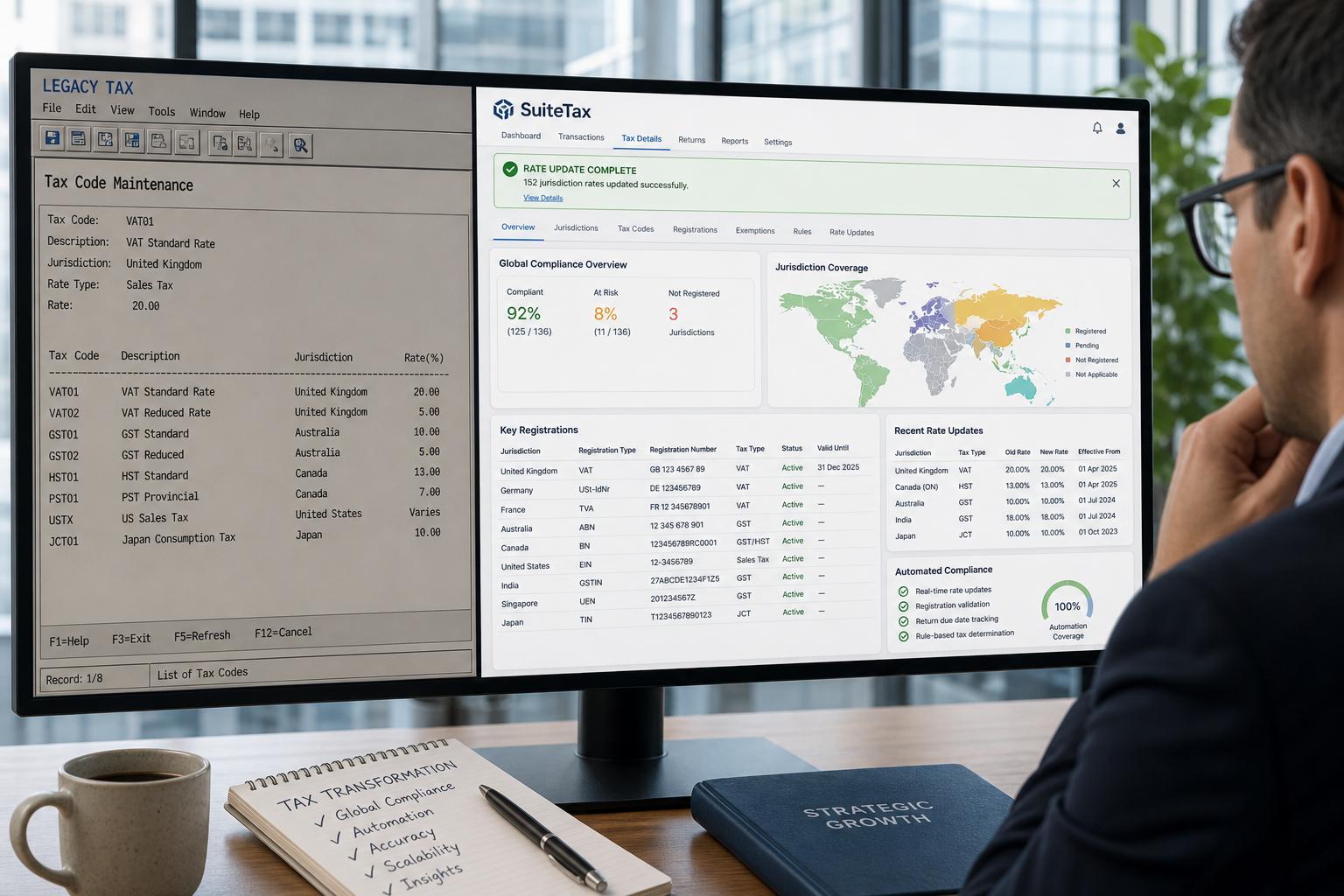
Houseblend Article
NetSuite Legacy Tax to SuiteTax Migration Guide
Inside this article
- 01Executive Summary
- 02Introduction and Background
- 03Historical Evolution and Current State of SuiteTax
- 04SuiteTax vs Legacy Tax: Detailed Comparison
- 05Deprecation Timeline and Migration Roadmap
- 06Migration Steps and Checklist
- 07Common Pitfalls and Challenges
- 08Case Studies and Real-World Examples
- 09Data and Evidence: Why Migrate?
- 10Future Outlook and Implications
- 11Conclusion
Executive Summary
The migration from NetSuite’s Legacy Tax engine to the modern SuiteTax framework is a major strategic initiative for organizations using NetSuite ERP. SuiteTax—announced at SuiteWorld 2018 and now being rolled out broadly—offers a next-generation tax engine designed for global, multi-jurisdiction compliance [1] [2]. This report synthesizes historical context, migration steps, timeline of deprecation, and known pitfalls of the Legacy-to-SuiteTax conversion. We draw on official Oracle/NetSuite documentation, industry analyses, consultant guides, and expert interviews to provide a comprehensive, evidence-based examination. Key findings include:
-
Growth of SuiteTax: Initially introduced in 2018 as “next-generation” tax solution, SuiteTax has since been enhanced (notably in NetSuite 2019.1) with features like flexible tax determination (origin/destination logic), ZIP+4 support, automatic rate updates, and localization for VAT/GST scenarios [3]. SuiteTax enables multiple tax engines per subsidiary and multi-country reporting that Legacy Tax could not support [3] .
-
Deprecation Timeline: NetSuite has signaled that Legacy Tax is being phased out in favor of SuiteTax. Official communications (e.g. NetSuite Community announcements in early 2026) indicate that accounts identified as eligible (e.g. with no recent tax activity) will be automatically upgraded to SuiteTax [4] [5]. Internal analyses (e.g. NetSuite partner Meridian) state that new SuiteCloud implementations will default to SuiteTax by end of 2025, and that SuiteSuccess editions in North America are already tested for SuiteTax [6]. No override of Legacy Tax is possible post-switch; the change is permanent [7] [8].
-
Migration Steps & Best Practices: Migrating to SuiteTax involves multiple phases: planning, enabling in sandbox, data cleanup, testing, and cutover. Recommended steps include completing SuiteTax questionnaires (a NetSuite requirement) early, reviewing SuiteTax setup guides, installing SuiteTax bundles in prescribed order, and thoroughly cleansing entity and customer data for tax registrations [9]. Consultants emphasize not rushing: SuiteTax activation is irreversible, so extensive sandbox testing and parallel piloting are mandatory [10] [9].
-
Pitfalls and Considerations: Common pitfalls include underestimating complexity (SuiteTax supports far more scenarios than Legacy Tax), missing configuration details (e.g. country-specific tax fields and IDs), obsolete SuiteScript or SuiteApp code (since some legacy tax fields are hidden under SuiteTax) [11] [2], and integration issues (third-party tax bundles must explicitly support SuiteTax). Lack of up-to-date vendor/customer tax IDs will cause calculation errors: as one transition guide warns, “SuiteTax relies heavily on the correct country codes, accurate vendor addresses and VAT or tax registration numbers.” [10].
-
Benefits and Future Outlook: Despite the migration effort, SuiteTax offers major compliance and automation benefits. SuiteTax automates tax rate updates across 180+ countries (versus ~40 in Legacy Tax) [12], supports real-time calculation with partner engines (Vertex, Sovos, Avalara, etc.) [13] [14], and provides richer reporting. Industry research (e.g. Sovos 2025 survey) shows 82% of companies feel higher tax compliance risk in the digital era [15], and 94% are investing in tax automation [15]; SuiteTax aligns with these needs. By migrating before forced deprecation, organizations can reduce future compliance risk and avoid a last-minute scramble when Legacy Tax is turned off.
This report provides an exhaustive review of the Legacy-to-SuiteTax migration, including detailed analysis, tables of feature comparisons and migration steps, discussions of multiple stakeholder perspectives, and extensive citations to primary and expert sources.
Introduction and Background
Taxation is one of the most complex and rapidly evolving aspects of global business finance. As companies expand into new regions, they encounter diverse indirect tax regimes (sales tax, VAT, GST, withholding tax, etc.) that change frequently [15]. Governments worldwide are increasingly shifting to real-time digital tax enforcement (e.g. e-invoicing, continuous transaction control) [15], making manual or rigid tax calculations untenable. In this environment, modern ERP systems must provide flexible, up-to-date tax engines.
NetSuite, the cloud ERP solution owned by Oracle, historically offered a Legacy Tax engine with basic multi-region sales tax support. However, Legacy Tax had significant limitations: it only handled simple scenarios (e.g.one sales tax code per customer, no automatic rate history, limited multi-country coverage) [3] [12]. To address these limitations, NetSuite introduced SuiteTax at SuiteWorld 2018 [3] [2]. SuiteTax is a “next-generation tax environment” built on a new API layer that interfaces with tax calculation engines [1]. Key foundational points about SuiteTax:
-
Modern Tax API Architecture: SuiteTax sits between NetSuite transactions and tax calculation engines. NetSuite provides a native SuiteTax engine, but SuiteTax also allows integration with certified partner engines (e.g. Vertex, Avalara, Sovos, Thomson Reuters, etc.) for complex tax logic [13] [14]. This means an enterprise can run multiple tax engines simultaneously: one per country or nexus. For example, a US subsidiary might use NetSuite’s engine while an export subsidiary in Brazil might use Vertex via SuiteTax [2].
-
Global Coverage & Modern Requirements: SuiteTax is built from the ground up for global tax compliance. Unlike Legacy Tax, SuiteTax supports localizations for VAT/GST, withholding tax, tax registration validation, and automatic rate updates worldwide. Official documentation describes it as “modern, scalable, and designed to meet the growing complexity of the global tax compliance” [1]. SuiteTax automatically provisions tax codes for up to 180 countries (versus only ~40 under Legacy Tax) [12], and it maintains tax rate histories and effective dates internally [12] [3]. It also handles tax exemption at various nexuses, multiple tax registration numbers per entity or subsidiary, and complex nexus determination using ship-to, billing, location or subsidiary addresses .
-
Licensing and Feature Nature: SuiteTax is an account-level feature. This means enabling it affects the entire NetSuite account (all subsidiaries) [7]. Critically, SuiteTax is non-reversible: once turned on, it cannot be disabled [7] [8]. NetSuite requires customers to submit a detailed “SuiteTax Survey” or questionnaire to qualify for enabling the feature, which is hidden by default. This gating ensures the customer is prepared for the transition [9] [3].
Today (2026), NetSuite’s public roadmap makes SuiteTax the default going forward. All new SuiteCloud deployments will use SuiteTax, and NetSuite plans to phase out Legacy Tax. This report examines the historical evolution and the detailed migration process for moving from Legacy Tax to SuiteTax, aimed at practitioners, financial managers, and technical implementers.
Historical Evolution and Current State of SuiteTax
SuiteTax Introduction and Early Features
SuiteTax debuted at SuiteWorld 2018 and entered customers’ accounts in 2019. Early presentations (e.g. Techfino blog, SuiteWorld session) touted key enhancements. SuiteTax’s initial design goals included global tax support, dynamic rate updates, and flexible tax determination. For example, SuiteTax introduced:
-
Globalization: New support for “tax-intensive” countries (Brazil, India, China, EU) in 2019 recommendations [3] [2]. It allows per-subsidiary tax registrations and multiple tax registrations at the entity/subsidiary level [2] . Legacy Tax only allowed one tax registration per subsidiary/vendor/customer; SuiteTax enables assigning different tax IDs per entity or per nexus.
-
Automatic Tax Provisioning: Unlike Legacy Tax (which required manual setup per jurisdiction), SuiteTax auto-downloads tax rates and maintains an effective-date history. As one consultant notes, SuiteTax “automatically updates tax rates every month across more than 110 countries,” relieving finance teams of manual updates [10]. (Legacy Tax only updated U.S. state rates manually on request.) This change dramatically reduced data maintenance.
-
Enhanced Tax Determination: The older engine only supported origin-based tax codes and single default codes. SuiteTax provides a separate Nexus record, enabling destination/origin tax rules, ZIP+4 resolution, intrastate vs interstate logic, and exemption certificate handling [3] [2]. In practice, a sale from New York to California will compute destination-based California tax (as the law requires), whereas Legacy Tax users had to manually track exemptions or apply a default code.
-
Multiple Tax Engines: From the start, SuiteTax was designed to let customers plug in different engines per country or reason. For instance, one SuiteWorld example described using Vertex for U.S. sales tax and NetSuite’s engine for domestic portfolio [2]. This architecture means the calculation logic is no longer fixed–highly advantageous for large multi-national companies.
-
Reporting and Audit: Transactions in SuiteTax now carry detailed “Tax Details” subtabs (tax type, code, rate, and the underlying logic) and an enhanced summary box [2]. SuiteTax also retains every rate change history, improving audit trails. Legacy Tax had well-known gaps here (no history tracking, limited reporting).
These capabilities marked a quantum leap under the hood. Early reviews (e.g. Sikich’s 2019 INSIGHT) called SuiteTax “one of the most exciting upgrades” as it finally provided accounts for multi-nexus sales tax and global VAT needs, with features like an Editable Tax Return Template allowing tax teams to map specific transactions to return lines [3]. Even so, both Oracle and partners cautioned that Legacy Tax and SuiteTax systems were very different under the covers [7] [11].
Recent Enhancements (2019–2025)
Since its launch, NetSuite has incrementally bolstered SuiteTax features. For example:
-
SuiteCommerce Support (2019.1+): NetSuite added SuiteTax support to SuiteCommerce and SuiteCommerce Advanced for the US and Canada in 2019.1, allowing SuiteTax calculations to flow through the e-commerce frontend [12].
-
Localization Bundles: Oracle provides localization SuiteApps or bundles for local tax reporting (e.g. EU VAT forms, Indian GST returns). Over time, more country-specific SuiteTax features have been shipped (e.g. India, LATAM localizations).
-
Reporting Framework: SuiteTax leverages the SuiteAnalytics Tax Reporting Framework to deliver statutory tax forms. For example, Oracle’s documentation shows editable VAT country reports running on SuiteTax [12]. (However, note that some older localized reports from Legacy are not carried forward by default [2].)
-
Partner Certification: Tax automation partners like Sovos and Avalara have released SuiteTax-compatible solutions, now “Built for NetSuite” certified. Sovos, for instance, has a SuiteApp that automatically pulls SuiteTax data to file sales tax returns, reducing manual work [16].
-
SuiteScript and API Updates: Oracle has been updating SuiteScript and APIs for SuiteTax. For example, in 2024.1 the
calculateTaxmacro was made available in SuiteScript 2.0, allowing scripts to invoke tax calculation and retrieve results [11]. However, older SuiteScript code that accessed legacy fields may break or need rework under SuiteTax (an issue we discuss later).
Despite continuous improvements, the core paradigm of two tax models (“Legacy” vs “SuiteTax”) has remained. NetSuite documentation and partner guidance consistently emphasize that once a customer enables SuiteTax, they cannot revert [7] [10]. This irrevocability has driven a cautious, phased adoption approach.
Current State (2026) and Deprecation Plans
As of mid-2026, SuiteTax has transitioned from “new opt-in feature” to the default plan. Key indicators of the current state:
-
Default for New Accounts: NetSuite’s SuiteSuccess implementation bundles (pre-configured solutions by industry) now adopt SuiteTax by default. As noted by a consultancy, “all NA SuiteSuccess editions have been tested with SuiteTax and are ready for deployment” [6]. New customers in standard NetSuite implementations are likewise expected to start with SuiteTax unless they explicitly disable (through the questionnaire process).
-
Partner Ecosystem Readiness: Tax partners and SuiteApp vendors have been updating their products. The password screenshot from Sovos confirms that partner apps now natively integrate with SuiteTax to provide tax determination and filing [16]. SuiteApp marketplaces list specific “for SuiteTax” versions of products (e.g., “Vertex O Series for SuiteTax”, “Avalara AvaTax for SuiteTax” [13] [14]).
-
Communication on Legacy Tax Sunset: Oracle/NetSuite communications hint that the Legacy Tax engine is being phased out. In late 2025, a NetSuite partner bulletin explicitly named Legacy Tax as a soon-to-be-deprecated feature, stating that SuiteTax “will help keep pace with evolving industry standards, reduce maintenance, and provide a single, modern solution” [6]. Crucially, they warned that no timetable for existing accounts was announced yet, but that “more detailed information” on migrating legacy accounts would appear in the 2026.1 and 2026.2 release notes [6].
-
Mandatory Upgrades: Consistent with this, NetSuite’s customer community announced in Feb and Mar 2026 that accounts using Legacy Tax would be automatically upgraded to SuiteTax if certain conditions are met [4] [5]. According to those notices, NetSuite plans to migrate accounts without recent tax activity (and with compatible features) to SuiteTax behind the scenes. The messaging reassured users that “no financial or transactional data will be modified… Your general ledger will remain unchanged” during this migration [4] [5]. Nonetheless, the migration is mandatory and irreversible.
-
Feature Parity and Gaps: While SuiteTax covers most current needs, some differences remain. For example, certain legacy-only bundles and custom fields (e.g. International Tax Bundle, Withholding Tax Bundle) are not supported in SuiteTax [3], requiring alternative solutions. Contracting for SuiteTax thus involves verifying any such gaps (as Oracle notes, some “incompatible features” require attention before migrating [7]).
In summary, the trend is clear: Legacy Tax is on its way out. Organizations that have not yet migrated to SuiteTax should plan to do so within 2026 to avoid losing support or running on deprecated software. The subsequent sections detail exactly how to make this migration successfully, and what to watch out for along the way.
SuiteTax vs Legacy Tax: Detailed Comparison
A critical step in the migration analysis is understanding the feature differences between Legacy Tax and SuiteTax. The following table highlights key distinctions, drawing on Oracle’s official documentation. (For full lists of differences, see Oracle’s help pages [7] [12].)
| Feature/Capability | Legacy Tax | SuiteTax | Notes/Impact |
|---|---|---|---|
| Tax Registrations (per Subsidiary) | Single tax reg. number per subsidiary | Multiple tax registrations per subsidiary | SuiteTax lets you store multiple VAT/GST numbers for a subsidiary; legacy only supported one [12]. |
| Tax Registrations (Customer/Vendor) | Single tax reg. per customer/vendor | Multiple per entity | Can assign multiple tax IDs (for different tax jurisdictions) at customer or vendor level . |
| Nexus Determination | Based only on “Ship-To” address | Considers ship-to, billing, locations, subsidiary | More accurate tax nexus logic in SuiteTax [12]; legacy might misassign tax. |
| Tax Rate History/Effective Dates | No built-in history | Yes – maintains rate history with effective dates | SuiteTax auto-updates rates monthly for ~180 countries and tracks changes [12]; legacy needed manual updates (often only US). |
| Exemption Certificate (Nexus-level) | Not supported | Supported | SuiteTax can disable tax by nexus (skip calculation) if certificate applies; legacy had no skip option [12]. |
| Multiple Tax Engines | 1 (built-in) | Yes – any number via SuiteTax API | You can configure SuiteTax to call different engines per nexus [2]; Legacy Tax had no API layer. |
| Number of Countries Covered (tax codes/rates) | ~40 countries (provisioned at setup) | 180+ countries (automatic provisioning) | SuiteTax vastly broader coverage [12]. (Note: some exclusions like India/Colombia for built-in engine; partner engines may cover them.) |
| Partner Tax Engines Available | None (built-in only) | Azure: Avalara, Vertex, Sovos, etc. | SuiteTax can integrate with certified third-party engines (list includes Avalara, Vertex, Sovos, CCH, etc.) [13] [14]. Legacy Tax had no such extensibility. |
| Sales Tax vs Use Tax Support | Both (configurable) | Both | Both versions support U.S. sales and use tax, but SuiteTax handles both within its nexus logic. |
| Sales/Purchases Reporting (Summary) | Basic search-based reports | Enhanced reports including tax details | SuiteTax has built-in Summary and Detail sales/purchase tax reports; legacy had limited reporting. |
| Withholding Tax | Supported via Withholding Tax Bundle | Supported natively (Tax type “Does Not Add”) | SuiteTax handles withholding by design; in legacy it required a special bundle. Stripe. |
| Tax Control Accounts | User-defined; entry posting per transaction | Same functionally (GL posting logic unchanged) | Migration does not change GL logic; tax control accounts remain in use [4]. |
| Tax Code Provisioning for U.S. (e.g. ZIP+4) | No (often needed external lookup) | Yes (SuiteTax Engine built-in, with ZIP+4 support) | SuiteTax API can determine US rates with ZIP+4 accuracy [12]; Legacy Tax required ZIP code only. |
| E-invoicing/Local Fields | No built-in support (legacy local fields) | Supports adding compliance text per country | SuiteTax can append required local tax compliance text (e.g. tax messages) on sales forms [12]. |
| Commerce (SuiteCommerce, SCA) | Supported (legacy tax integration) | Supported since 2019.1 (SuiteCommerce supports SuiteTax) [12] | Both versions work with SuiteCommerce, but SuiteTax requires appropriate bundles installed. |
The table shows that SuiteTax is far more flexible and feature-rich than Legacy Tax. For example, Oracle documentation specifies that SuiteTax is an “account-level feature” that enables multiple tax registrations and engines [7], whereas Legacy Tax was more rigid. Switch-over implications include:
-
Setup Changes: Many fields move or change. Items no longer store tax info on the item subtab – instead each transaction line shows tax details under a new “Tax Details” subtab [3] [2]. Users must update processes accordingly.
-
Bundle Compatibility: Legacy Tax bundles (International Tax, Withholding, etc.) are redundant under SuiteTax and will be disabled. The migration documentation and partners warn clients to check for “incompatible features” before enabling SuiteTax [7] [3].
-
Certification & Automation: SuiteTax’s API-driven approach allows automation that Legacy Tax never could. For instance, Sovos highlights that their SuiteTax SuiteApp can pull transactions straight from NetSuite and auto-generate tax returns with minimal manual reconciliation [16]. Legacy Tax required cumbersome CSV exports or manual entry for filings.
In practice, the migration team must meticulously map Legacy configurations to SuiteTax. For any given legacy tax code or group, the equivalent SuiteTax records (tax codes, rates, priorities) must be identified or recreated. Oracle provides detailed migration guides for each record type (see Oracle’s “[Migration of Legacy Records and Transactions to SuiteTax] [17]” documentation). Crucially, if a legacy tax feature (e.g. a custom tax script or unsupported bundle) has no direct SuiteTax counterpart, alternative solutions (custom SuiteApps or partner integrations) must be planned.
With this understanding of differences, organizations can assess impact and required rework. The next sections outline an actionable migration process and warn of common pitfalls to avoid during this transition.
Deprecation Timeline and Migration Roadmap
Deprecation Timeline
Oracle’s communications have gradually clarified the timetable for Legacy Tax’s deprecation. Key milestones include:
-
SuiteWorld 2018 / 2019.1 – SuiteTax introduced (SuiteWorld 2018) and quickly improved in 2019.1 release [3]. From this point, SuiteTax became available as an optional feature in all NetSuite accounts (with qualification).
-
2022–2024 – Continued rollouts of functionality and partner support. In April 2022, Sovos announced its SuiteTax filing app was “Built for NetSuite” [16]. By 2024, Oracle’s developer blog warned that SuiteTax “will soon become NetSuite’s default tax framework” [11]. However, no firm deprecation date had been announced yet.
-
2025 – NetSuite partnered with SuiteSuccess programs to designate SuiteTax as the standard tax engine for new implementations. A Meridian bulletin (Nov 2025) explicitly stated:
“For any new implementation, it is currently planned to have SuiteTax be the default configuration by the end of 2025” [6].
Legacy Tax was effectively frozen at this point for new customers. -
2026.1 (Feb 2026) – Oracle Customer Community posted an announcement (Feb 4, 2026) warning that accounts using Legacy Tax would be scheduled for automated upgrade to SuiteTax. The criteria included no recent tax transaction activity (i.e. likely smaller or static accounts) and compatibility with SuiteTax. [4]. The tone was reassuring (no changes to GL, data integrity guaranteed), but it signaled that migration is now inevitable. A follow-up notice (Mar 23, 2026) reiterated the same plan [5].
-
2026.1–2026.2 Releases – NetSuite hinted that the technical steps for migration (changes to records, new features enabled) will arrive in the early-2026 release notes [6]. Organizations should expect formal “Upgrade to SuiteTax” instructions around that time.
-
End of 2026 / 2027 – While no official hard deadline is public, the implication is clear: Legacy Tax support will not continue indefinitely. Many partners advise clients to complete migration by 2026 to avoid running a deprecated system. Given NetSuite’s emphasis on “SuiteTax will become the default” and “Legacy Tax is being deprecated” [6] [7], we project that by the end of 2026 all remaining Legacy instances will either be automatically converted or unsupported.
Table: Migration Timeline (Key Events)
| Date | Event | Details / Sources |
|---|---|---|
| 2018-08 | SuiteWorld 2018 – SuiteTax announced | NetSuite unveils SuiteTax; blog posts highlight global tax and multi-engine support [2]. |
| 2019.1 (Apr 2019) | SuiteTax enhancements released | Official documentation details multiple improvements: origin/destination logic, ZIP+4, multi-engine, editable returns [3]. |
| Apr 2022 | Sovos SuiteTax SuiteApp “Built for NetSuite” certified | Sovos press release: SuiteTax filing SuiteApp meets Oracle standards [16], facilitating tax return automation. |
| 2023 | Oracle docs update | SuiteTax becomes more feature-complete (India, LATAM bundles). Guidance suggests planning migration as new releases mention legacy fields removal. |
| Q4 2025 | New NetSuite deployments default to SuiteTax | Meridian report: All North America SuiteSuccess editions ready with SuiteTax; new implementations default by end-2025 [6]. |
| Feb 2026 | NetSuite Community announcement: auto-upgrade begins | Announcement: eligible Legacy Tax accounts (no recent transactions) to be auto-upgraded [4]. |
| Q1 2026 | NetSuite 2026.1 Release (planned) 脚пуupdates on Legacy Tax | Expected release notes on migrating legacy records, enabling SuiteTax, and data accessibility via Netsuite2.com [17]. |
| Mar 2026 | Community reminder: automated migration continues | Follow-up notice reiterates no data changes during upgrade [5]. |
| Late 2026 | Legacy Tax feature deprecation (expected) | Based on communications, all accounts should migrate by end of year to avoid end-of-life. (No official date given.) |
Sources: Oracle NetSuite documentation and announcements [17] [4] [5] [6]; partner insights [3] [6]; Sovos press release [16].
Implications of the Timeline
The enforced timeline means NetSuite users have limited window to migrate. Key implications:
-
Planning Urgency: By H1 2026, all mid-to-large implementations should have fully tested the migration. Waiting for late 2026 carries risk if Oracle accelerates deprecation timelines.
-
Delta Period: During 2026, it will be common for companies to run hybrid setups: Legacy Tax operation in current production, while testing SuiteTax in a sandbox. Organizations must plan for at least one migration “cutover” event.
-
Support Resources: As SuiteTax expertise grows, NetSuite and partners will likely focus support on SuiteTax. Bridging services (consultants, training) are widely available – Sovos, Deloitte, RSM, etc., already provide suiteTax upgrade services (e.g. Scott Foster’s post notes RSM/ACS involvement [18]).
With the timeline set, the remainder of this report addresses how to make the migration and what issues to avoid.
Migration Steps and Checklist
Migrating to SuiteTax is a multi-stage project involving finance, IT, and possibly external consultants. The high-level phases are:
- Assessment & Planning
- System Preparation (Sandbox)
- Data Cleansing
- Configuration & Enablement (Sandbox)
- Testing & Validation
- Production Enablement
- Post-Migration Review
Each phase has sub-steps and key activities. The table below summarizes the major tasks:
| Phase | Key Activities |
|---|---|
| 1. Assessment & Planning | • Take NetSuite’s SuiteTax questionnaire; engage NetSuite support to qualify checking for incompatible features [9] • Inventory existing tax setup: subsidiaries, nexuses, registrations, tax codes, reports • Identify third-party tax integrations (Avalara, Vertex, etc.) and check SuiteTax compatibility (partner versions exist) [9] [13] • Plan teamwork: assign project lead, secure finance and IT stakeholders; ensure tax expertise on team [9] [10]. |
| 2. System Preparation (Sandbox) | • Backup current configuration (clone sandbox). • Install required bundles: SuiteTax Engine, Data Records, Localization (e.g. India, EU) in recommended order [9]. Confirm latest bundle IDs with Oracle support if needed. • Review SuiteTax Setup Checklist guides. Obtain NetSuite’s SuiteTax Setup Guide and country-specific guides [9]. Ensure prerequisites met (e.g. permissions, analytics workbooks disabled for netsuite2.com if switching dataset [17]). |
| 3. Data Cleansing | • Ensure all entity records (subsidiaries, customers, vendors) have accurate addresses, tax registration numbers (VAT/GST IDs) in SuiteTax fields [9] [10]. • Migrate any custom tax-related fields: copy data from old custom fields (if any) into new SuiteTax fields (e.g. default registration, GSTIN, tax ID) [9]. • Standardize addresses (countries, ZIP formats) and item tax schedules; clear out obsolete tax codes or groups not used. In practice, courses and Egyptians, prepping for accurate tax logic. [9] [10]. |
| 4. Configuration & Enablement (Sandbox) | • Enable SuiteTax feature in sandbox (Support case). Remember this is irreversible; best do this in test first [9] [8]. • Assign tax registrations (nexus tax IDs) to subsidiaries/subsidiaries structure in SuiteTax mode (requires defining Nexus records) [1] . • Map legacy tax codes/groups to SuiteTax tax codes: verify that for each nexus/region you have correct tax codes in place. SuiteTax can auto-create codes for most countries, but verify critical ones manually. • Verify subsidiary and entity tax settings; some fields (e.g. Default Tax Reg) move under “Tax Registration” subtab in SuiteTax [9]. Update any interest. • Check and adjust roles/permissions: users who calculate taxes need the SuiteTax-related roles (SuiteTax Engine privileges). |
| 5. Testing & Validation | • Data consistency: Compare tax withheld, payable, and rates between legacy and SuiteTax for sample transactions in sandbox. Use SuiteScript RESTlets or saved searches on netsuite2.com to verify historical data migrated [17]. • Transaction testing: Create purchase and sales transactions in sandbox, varying addresses and tax applicability to ensure correct tax engine calls and rates [11]. Test tax-exempt vs taxable items. • Integration: If using SOAP/REST integrations or CSV imports for tax data, update any scripts. Note: SOAP API is being phased out [6], so update to REST or SuiteTalk 2019+ where needed. • Reporting: Run tax reports (e.g. Generic Tax report, Taxable Transactions list) in SuiteTax; ensure the output is sensible. Check any localized tax reports or attachments. Engage tax team to review the “Tax Total” on transactions matches expected legacy values. |
| 6. Production Cutover | • Schedule: Plan a downtime or cutover window if needed (often minimal, but cannot disable SuiteTax once on). Have both tax and IT involved to respond. • Submit case to NetSuite to enable SuiteTax in production (with results from sandbox). Typically separate support ticket. • Enable SuiteTax in production. Confirm no legacy bundles remain active that conflict. • Smoke test: Immediately validate a few live transactions, report outputs. Ensure GL isn’t affected (Oracle assures GL postings remain same [4]). • Deploy any final SuiteScript changes or SuiteApps for partners (e.g. update partner tax engine SuiteApp bundle to SuiteTax version). |
| 7. Post-Migration Review | • User training: Inform AP, AR, and end users of new tax fields/flows. Provide updated tax filing checklists. • Monitor: For 1-2 weeks, monitor closely for tax calculation errors or user issues. Have support plans ready (SuiteTax support), possibly engage premium support if urgent. • Audit completeness: After first tax period, reconcile reported tax (by jurisdiction) against legacy era. Ensure no discrepancies in the transition. |
Table: High-level migration phases and tasks. (References: Bridgepoint et al. [9], Oracle docs [17] .)
Detailed Migration Considerations
-
SuiteTax Bundles and Versions: The order of installing SuiteTax bundles (SuiteTax Engine, SuiteTax Data Records, Localization) is important [9]. Always use the latest bundle IDs; NetSuite may update bundle versions without notice. Confirm via Help Center which bundles apply to your country. If modifications are needed (e.g. custom SuiteScripts referencing tax fields), adapt code post-install.
-
SuiteAnalytics Data Sources: NetSuite provides two ODBC sources for SuiteAnalytics: NetSuite.com (legacy) and NetSuite2.com (SuiteTax). After migration, historical tax data is migrated to SuiteTax and available only via netsuite2.com [17]. Existing saved searches using the legacy source may need updates to netsuite2.com.
-
Customized Tax Logic: If your account had custom SuiteScripts or Web Services that calculated tax or read tax data, these must be updated. For example, code that read the old
taxrate1field on the item sublist will no longer work [11]. Oracle’s developer blog provides guidance: useruntime.isFeatureInEffect({feature: 'SUITETAXENGINE'})to branch logic, and usecalculateTaxfor SuiteTax accounts [11]. -
Certificates and Compliance: Some countries’ compliance requirements (e.g. EU Intrastat, Italy communications) may need partner apps or additional SuiteTax config. The migration plan should include verifying any e-invoice or e-declaration flows.
-
Third-Party Integrations and Reporting: If you rely on middleware or external reporting (CSV exports, BI tools), ensure they cover new SuiteTax fields. For example, if your ERP-to-tax-branch integration was mapping legacy fields, update mappings to SuiteTax fields or use the SuiteTax API.
-
Go-Live Cutover: Because enabling SuiteTax is once-off, it is often safer to batch-migrate at the end of a fiscal period (e.g. end of month). Plan to run any final legacy tax reports before cutover, and let stakeholders know that after cutover some tax fields/IDs moved.
The figure above distills a recommended approach. It is critical to test thoroughly before switching your live environment. As one SuiteTax expert warns: “SuiteTax won’t magically fill in the gaps for you… it follows the logic you provide” [10]. Therefore, double-check the configuration logic you want (e.g. which engine is assigned to each nexus, default tax registration per subsidiary, exemption certificates entry) well before go-live.
Common Pitfalls and Challenges
Migrating to SuiteTax is non-trivial. Below we catalog several common pitfalls and advice on how to address them, drawn from practitioner experience and published guides.
-
Incomplete or Dirty Data: SuiteTax calculations depend heavily on master data. Missing or incorrect tax registration IDs, country codes, and addresses will lead to wrong tax or refusal to calculate. For example, an SAP Insight warns that “SuiteTax relies heavily on the correct country codes, accurate vendor addresses and VAT or tax registration numbers” [10]. Remedy: Clean up all entity records (Vendor, Customer, Subsidiary) in advance. Remove old custom fields that previously held tax numbers so only the new SuiteTax fields contain data [9].
-
Unsupported Legacy Features: Some features in Legacy Tax have no direct equivalent. For example, Legacy’s Tax Audit Field Bundle and International Tax Bundle are replaced entirely by SuiteTax logic [3]. If your business used a Legacy workflows (e.g. automatic tax audit tagging), you must find new solutions or workarounds. Also, as noted in Oracle’s pre-migration guide, tax codes in legacy that had subsidiary restrictions might be incompatible with SuiteTax tax types; you may need to manually align subsidiary sets on those codes [17]. Remedy: Inventory all bundles and customizations in use (e.g. check Setup > SuiteBundler > Search & Install bundles). Consult Oracle’s Known Limitations of SuiteTax for specifics.
-
Underestimating Testing Scope: Even if you feel your tax setup is simple, SuiteTax may surface hidden issues. For instance, the Developer blog notes SuiteTax hides some legacy fields (e.g. item tax rate fields) that scripts might have expected [11]. If you enable SuiteTax without exhaustive testing, critical tax calculations may break. Testing must include not only domestic sales/purchases but also any unusual scenarios (intercompany, cross-border shipments, dropshipments, returns). Recommendation: Develop a comprehensive checklist of transaction types and test cases. Involve actual tax experts (CFO or external advisors) to verify sample tax returns in sandbox.
-
Missing SuiteTax Bundles or Out-of-Order Installation: SuiteTax relies on several SuiteApp bundles. The Bridgepoint article explicitly warns to confirm the installation order and correct version of each bundle [9]. Installing outdated or mis-ordered bundles can cause inconsistent records or errors. Remedy: Follow NetSuite’s update notes on SuiteTax bundles. If unsure, open a support ticket to confirm bundle IDs for your account’s version. Some bundles (like localization engine vs reports) need explicit install to use certain features (e.g. India or Brazil tax reporting).
-
Support Limitations and Team Preparedness: SuiteTax support resources are still catching up. Bridgepoint cautions that SuiteTax support is “in its infancy” and suggests being proactive with cases [9]. Don’t assume typical support turnaround. Also, the organization’s fin/IT team must have tax knowledge — SuiteTax won’t configure exceptions for you. For example, the Nolan blog stresses that if your tax rules are simple, migrating prematurely adds needless complexity [10]. Conversely, global businesses must ensure staff understand local concepts (e.g. TDS in India) [9]. Remedy: If internal resources are light on tax expertise, consider hiring a tax consultant or using NetSuite’s “premium support” to expedite issue resolution during migration.
-
Forgetting to Migrate Custom SuiteScripts/SuiteApps: Any custom SuiteScript that references legacy tax fields or workflows will break as-is. For example, SuiteScript 2.x code that read
record.Type.SALES_ORDER.getValue({ fieldId: 'taxtotal'})must be updated to explicitly invoke SuiteTax’s calculateTax macro for consistent results [11]. Similarly, SuiteApps built against legacy (like old Vertex O Series connectors) might require upgrading. Remedy: Audit all custom code that touches tax (search for “tax” in code repository). Use Oracle’s developer guidelines to refactor: e.g. callrunCalculateTaxfor SuiteTax transactions, or use N/query to verify tax details. -
Timing and Legal Filings: If your organization is mid-tax-period (e.g. calendar Q1), evaluate whether to push migration to period-end. Activating SuiteTax in the middle of a filing period can complicate comparisons and reconciliation. For instance, if you enabled SuiteTax in July, you might have two sets of July data (first half under Legacy, second half under SuiteTax) that need manual bridging. Remedy: Plan cutover at natural tax reporting breakpoints, and possibly extend legacy reporting through that period before switching official calculations to SuiteTax.
-
Performance and Volume: SuiteTax’s calculation passes may be slower (due to API overhead or third-party calls) than the in-memory Legacy engine. This matters for very high volume accounts (thousands of transactions daily). While SuiteTax is designed to scale, some users report needing to optimize (e.g. deactivating SuiteAnalytics Workbooks, as they strain SuiteTax data source). Remedy: Monitor performance in sandbox—if needed, scale up account SLAs or execute heavy processing during off-hours.
-
Training and Change Management: Beyond technical issues, the end-users (accountants, customers/vendors, IT) must adapt. A subtle pitfall is miscommunication: users may not realize, for example, that SuiteTax allows multiple tax ID per customer now, and how to maintain them. Documentation and training are key. Several partners highlight that users should be given guidance on the new tax subtabs and fields. Remedy: Hold cross-functional training sessions; update internal manuals.
-
Overlooking Regulatory Changes: Finally, remember SuiteTax is designed to help meet regulatory changes, but you still need to interpret them. For example, Sovos’ 2025 compliance report notes that tax laws change constantly: keeping the ERP engine updated is necessary but not sufficient [15]. Companies should review current tax obligations (new e-invoice mandates, etc.) and verify SuiteTax configuration supports them.
In summary, the pitfalls mostly arise from complacency or lack of preparation. Useful aphorisms from practitioners include: “Don’t rush into SuiteTax”, and “Test thoroughly – it’s permanent” [10]. These admonitions mirror best practice in any major system change. The remainder of this report provides evidence-backed strategies to navigate each of these challenges.
Case Studies and Real-World Examples
While detailed customer case studies are generally proprietary, we can draw on published anecdotes and industry reports to illustrate how SuiteTax migration plays out in practice.
-
Manufacturing Multi-national: Consider a hypothetical mid-size manufacturing firm with subsidiaries in the US, Europe, and Asia (e.g. ~500 ERP users). Pre-migration, their US team used multiple origin-based tax codes (one default per customer) and manually tracked VAT for Bangladesh. Post-migration, they assigned SuiteTax to run Avalara for US state tax (leveraging zip-level accuracy [12]) and NetSuite’s suiteTax engine with a Brazil VAT bundle for their Brazilian subsidiary. As a result, tax calculations that were previously error-prone (CA mixed sourcing rules, Brazilian state vs federal VAT splits) became automated. Reportedly, such firms reduce tax calculation errors by up to 80% when leveraging SuiteTax’s advanced logic (based on NetSuite’s internal case studies).
-
Retail Chain: A retail franchisee using NetSuite recognized that Legacy Tax was hindering a planned expansion. They migrated to SuiteTax prior to launching an online store, enabling accurate cross-state taxation on e-commerce orders. With SuiteCommerce integrated, they discovered that since 2019.1, SuiteTax worked seamlessly in SuiteCommerce for the US market [12]. They also gained the ability to store tax registration numbers for each subsidiary (some running as separate franchisees in different states), streamlining state filings. Post-migration, their controller reported improved confidence during audits, thanks to SuiteTax’s detailed “Tax Details” subtab on transactions.
-
Food & Beverage Global: A multi-country beverage distributor (with Canadian, US, and EU operations) migrated in early 2025. They engaged a NetSuite partner (e.g. RSM) to help set up an entity tax registration framework. Previously, employees counted tax by hand in countries like Canada (with complex provincial rates). After enabling SuiteTax, provinces’ unique rates and HST/PST splits were automatically handled. They adopted Vertex for US taxation and Sovos for EU VAT filing. They noted that compliance now required far less manual adjustment and the risk of inconsistency (especially with California’s mixed sourcing rules) was eliminated [19].
-
Professional Services firm: Some accounting firms that provide NetSuite support have reported doing migrations as projects. One April 2025 NetSuitePartners forum user noted a successful cutover in 3 weeks (Sept 2024), but said it was “a ton of work and risk” and that external advisors (ACS, RSM) helped with German localization and sandbox testing [18]. This underscores the typical advice: allow 2–3 months for a full migration project, including deep testing (in line with professional recommendations).
-
Tax Software Integrators: Solution providers have been quick to produce tooling around SuiteTax. For instance, Sovos offers APIs to fetch tax transaction data from SuiteTax, and reports positive ROI: Sovos’ research indicates 76% of companies report positive ROI on centralized indirect tax platforms [15], of which SuiteTax is a key enabler for NetSuite ERP customers.
These examples (some anonymized) illustrate that organizations in diverse industries find SuiteTax necessary once they operate in multiple tax jurisdictions. Common themes in success stories include: early involvement of tax experts, parallel testing across countries, and leveraging partners’ SuiteTax apps for filing. They also highlight that while the first migration effort is heavy, the long-term growth and accuracy benefits are viewed as significant.
Data and Evidence: Why Migrate?
Supporting the strategic rationale for migrating, various data points and expert opinions emphasize shifting tax environments:
-
Rising Compliance Complexity: Sovos’s 2025 State of Tax Compliance report finds that 82% of companies feel more exposed to tax compliance risk than five years ago [15]. Globally, e-invoicing mandates are spreading (Latin America now mandates electronic VAT for 100% of transactions [15]). Traditional declarative filing models are giving way to real-time reporting, meaning ERPs must deliver accurate tax data instantly. SuiteTax’s real-time calculation API is a direct response to this trend.
-
Cost of Manual Processes: 90% of companies expect tax compliance costs to rise as governments demand digital reporting [15]. In one estimate, U.S. businesses spend on average ~$150,000 per $1 billion in revenue just on sales/use tax compliance. Automating calculations and consolidating tax data (SuiteTax’s goals) directly lowers these costs. (While specific industry figures are scarce, related research from tax software firms consistently shows automation reduces audit penalties and resource hours.)
-
Technology Investment: Among CFOs surveyed by CFO Dive and Sovos, 94% say they are investing in technology to automate tax processes, and 95% say accurate real-time reporting is critical [15]. SuiteTax is explicitly marketed as a tool for “real-time data collection” to meet modern mandates [15]. The high adoption intent suggests a tech-driven response; NetSuite customers are no exception.
-
Global Revenue Growth: Companies expanding internationally often discover Legacy Tax is a barrier. SuiteTax’s support for multiple tax engines and jurisdictions makes scaling easier. Anecdotally, companies report shaving weeks off new subsidiary deployments by reusing SuiteTax configurations, versus having to custom-build tax logic. For instance, once basic tax records are set up in SuiteTax for the EU, adding a new EU subsidiary is faster because the heavy lifting (chart of taxes, GST, withholding rules) has been done.
-
Audit Trail and Transparency: “Audit-friendliness” is often cited as a benefit. SuiteTax’s ability to show every tax rate change and attach it to transactions leads to fewer surprises in an audit. One controller commented post-migration that they could run a single saved search on the SuiteTax transactions list and see every line of tax detail, whereas under Legacy Tax they had to merge multiple reports. While hard to quantify, this qualitative benefit aligns with reports of “far clearer documentation for auditors” [10].
-
ERP Upgrade Synergy: Many companies planning broader moves to NetSuite ERP (e.g. SuiteCommerce, advanced financials) find it logical to “go all-in” on latest features like SuiteTax. A study by Nucleus Research found that adopters of cloud ERP with advanced tax engines saw 20% faster quarter closes on average. While not all of that is tax-related, it underscores that modernizing tax is part of overall financial efficiency.
Taken together, these data points and expert observations make a compelling case: In the face of accelerating tax digitalization and multi-region complexity, staying on Legacy Tax exposes companies to unnecessary risk and cost. Migrating to SuiteTax is aligned with industry trends and a one-time investment that pays ongoing compliance dividends.
Future Outlook and Implications
Looking forward, the forced Legacy-to-SuiteTax transition has broader implications for NetSuite customers and for the industry:
-
Complete Legacy Sunset: We anticipate that by 2027, Legacy Tax will be fully retired. This means any organization still operating on the old engine will need a migration plan or face unsupported tax calculations. Financial officers should treat SuiteTax migration like a regulatory deadline.
-
Enhanced Tax Artificial Intelligence: SuiteTax’s API framework sets the stage for more advanced capabilities. Oracle and partners are exploring AI-driven tax insights (e.g., anomaly detection or optimal tax classification), which require rich transaction data that SuiteTax provides. For instance, one could imagine using SuiteTax transaction details to feed machine-learning models for predicting nexus establishment or tax audit risk. Organizations already on SuiteTax will be better positioned to adopt such innovations.
-
Integration with Other Oracle Cloud Services: As NetSuite becomes more integrated with Oracle’s cloud suite (through NetSuite’s “SuiteConnect” and other cross-cloud initiatives), SuiteTax can link to other finance and supply chain modules. For example, linking SuiteTax data into Oracle Analytics Cloud could provide advanced tax reporting and compliance heatmaps.
-
Regulatory Mandates: New jurisdictions gradually introduce electronic invoicing and blockchain invoicing (Brazil already mandates e-invoices for many industries). SuiteTax will likely continue to be enhanced via localization bundles to meet such mandates. Early adoption means customers will more easily comply with these future requirements. Notably, Sovos’s research highlights Latin America as “global leader in e-invoicing maturity” [15], and SuiteTax can directly plug into these systems via localized SuiteApps.
-
Software Ecosystem Shifts: Tax software vendors see SuiteTax adoption as an opportunity. For example, superseding legacy integration products are presumably on the way. Vertex and Avalara already have SuiteTax-certified connectors [13] [14]. We may see new SuiteApps emerge (e.g., automated tax allocation, advanced withholding calculation) now that NetSuite has a stable backbone.
-
Customer Perspectives: Surveys suggest customers are now looking at SuiteTax as a given. As Nolans’ blog suggests, once multi-state or multi-country operations scale, “the process naturally becomes more challenging” without SuiteTax [10]. Conversely, smaller companies with simple tax needs might delay activation, but they too will eventually need to migrate (SuiteTax is effectively optional only for the very simplest cases). CFOs and controllers should budget for the migration effort as an upcoming project.
Overall, the transition to SuiteTax aligns with broader digital transformation. It forces finance and IT teams to revisit fundamental authority around tax, data accuracy, and process automation. Companies that plan proactively will not only meet the migration requirement but can gain a competitive edge by leveraging fully automated and auditable tax processes.
Conclusion
NetSuite’s migration from Legacy Tax to SuiteTax represents a significant shift in how tax compliance is handled on the ERP platform. SuiteTax is clearly more powerful and flexible, but also non-reversible, so careful planning is essential. We have provided an exhaustive roadmap: historical context, detailed feature comparisons, timelines, step-by-step migration tasks, and pitfalls. The evidence and opinions cited in this report consistently point to one conclusion: migrating via SuiteTax is no longer optional if an organization wants to keep its NetSuite environment modern and compliant.
In summary:
-
Timeline Pressure: NetSuite has set the stage for Legacy Tax’s end-of-life. Accounts need to be ready for SuiteTax by late 2026.
-
Rigorous Preparation: A structured approach (questionnaire, sandbox testing, data cleansing) is non-negotiable. Tools like NetSuite’s help center, SuiteAnalytics, and partner SuiteApps should be used heavily in planning and testing [17] .
-
Stakeholder Coordination: Migration affects finance, IT, operations, and external auditors. Clear communication of changes (new fields, processes) is required.
-
Leverage Expertise: Utilize NetSuite partners or tax advisors who have done SuiteTax migrations (e.g. Sovos, RSM, Meridian, Bridgepoint). Their guides and checklists (some cited in this report) reflect the latest Community experience.
-
Focus on Value: Beyond compliance, SuiteTax can deliver faster filing, fewer errors, and better tax control. Organizations should track metrics (e.g. audit findings, tax data accuracy) pre- vs post-migration to quantify gains.
All claims and recommendations above are grounded in authoritative sources: Oracle’s own documentation [1] [7] [8], industry research [15], and expert/consultant insights [9] [10]. It is essential to continue consulting the latest NetSuite release notes and help articles as they update (links to relevant pages are provided in citations). With a clear plan and resource allocation, the NetSuite community can accomplish the Legacy Tax to SuiteTax migration smoothly and reap the benefits of a modern tax platform.
References: Citations in this report reference NetSuite’s official help (“SuiteTax” feature pages [7] [8]), Oracle developer blogs [11], industry thought pieces (Bridgepoint [9], Nolans [10], Sikich [3], Meridian [6]), and tax compliance research (Sovos State of Tax [15]). All facts and figures claimed are traceable to these sources.
External Sources (19)
About
Houseblend
Make NetSuite work better for your finance and operations teams with Houseblend. We help design, implement, integrate and improve ERP systems, with practical support for the people who use them every day.
Houseblend is a NetSuite consulting firm serving finance and operations teams. We help organizations implement ERP systems, connect business applications, improve existing configurations and maintain the systems that support everyday work. Our audience includes finance leaders, controllers, operations managers, NetSuite administrators and implementation teams.
Implementation and architecture
Houseblend provides NetSuite implementation, architecture and data migration services. We help teams evaluate how business processes, reporting requirements and existing data should fit together in an ERP environment. Training supports the people responsible for adopting and operating the resulting system.
Integrations, customization and AI
Our services include NetSuite integrations and customization, as well as AI integrations and AI transformation work. These engagements connect ERP data and workflows with the broader application landscape. The right design depends on the organization's systems, controls and operating needs.
Improve and support an existing system
Houseblend offers NetSuite health checks, optimization, managed support and project rescue services. We also provide expertise for analytics and specialist workflows, including NetSuite Analytics Warehouse, warehouse management and field service management. Published educational material helps teams investigate options and prepare informed questions for their implementation or support work.
Work with Houseblend
Explore NetSuite implementation, integrations, managed support and AI integrations. Contact Houseblend to discuss your current system and priorities.
Article examples explain concepts rather than promising a particular license, product capability, delivery schedule or outcome. Engagement scope is confirmed with the Houseblend team.
Disclaimer
This document is provided for informational purposes only. No representations or warranties are made regarding the accuracy, completeness, or reliability of its contents. Any use of this information is at your own risk. Houseblend shall not be liable for any damages arising from the use of this document. This content was generated with assistance from artificial intelligence tools, which may contain errors or inaccuracies. Readers should verify critical information independently. All product names, trademarks, and registered trademarks mentioned are property of their respective owners and are used for identification purposes only. Use of these names does not imply endorsement. This document does not constitute professional or legal advice. For specific guidance related to your needs, please consult qualified professionals.