Houseblend Article
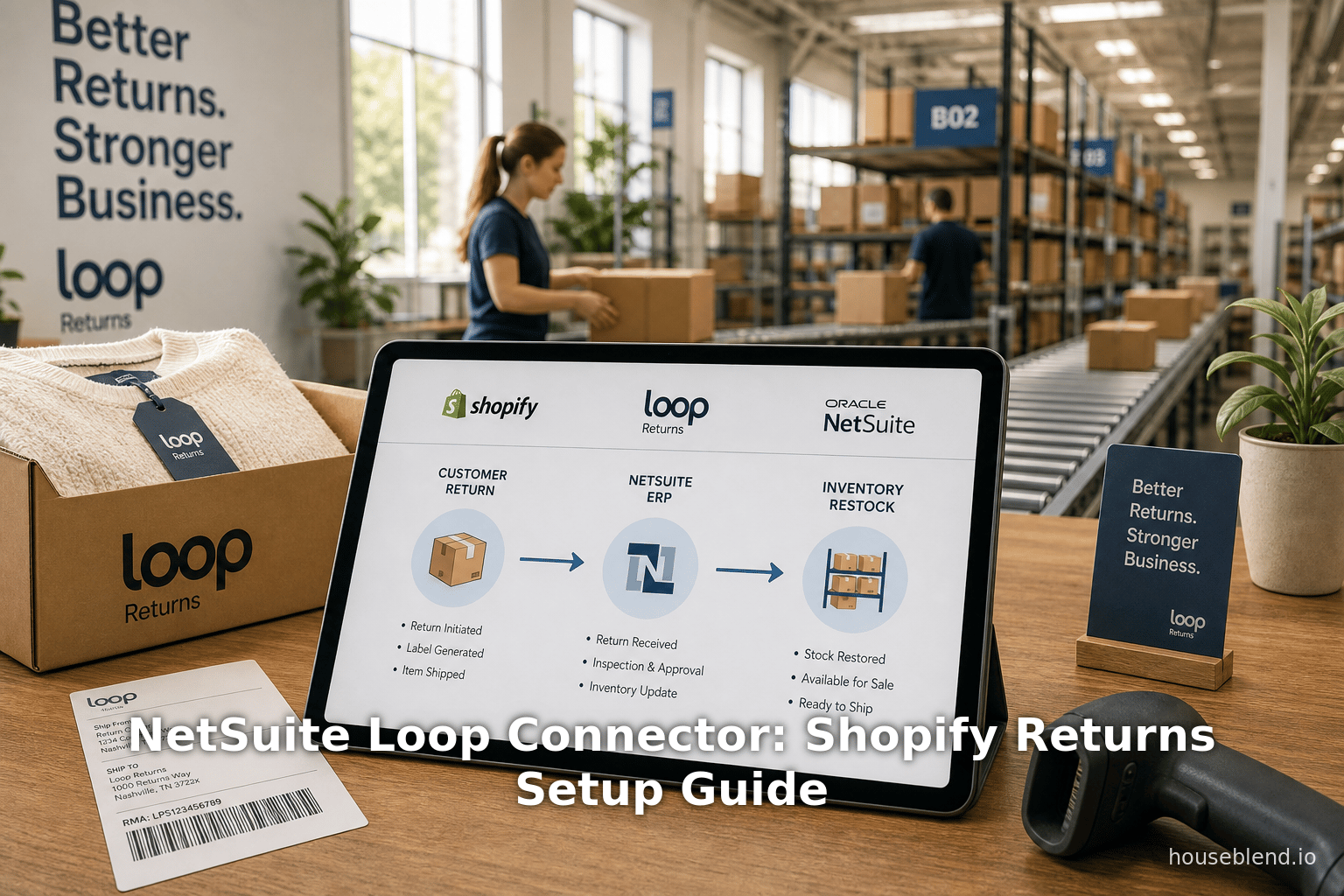
NetSuite Loop Connector: Shopify Returns Setup Guide
Inside this article
Executive Summary
E-commerce returns have become a critical and costly component of online retail. Recent industry research shows that retailers expect roughly 15–19% of annual sales to be returned (≈ $800–850 B globally in 2025) [1] [2]. For example, data indicate that roughly 17–20% of Shopify merchandise is typically returned (≈1 in 5 items) [3] – far higher for apparel (30–40%) [4] – and industry analysts project overall e-commerce return rates soaring to 24–25% by 2025 [5]. These returns not only inflate operational costs (studies show €5–€10 in processing costs per return [6]) but also shape customer loyalty: one survey finds 92% of consumers are more likely to repurchase if a retailer “aces” the returns experience [7] [8]. Retailers are therefore investing in automated solutions that streamline reverse logistics, recovery, and accounting.
Against this backdrop, the NetSuite Connector for Loop Returns emerges as a turnkey integration that automates Shopify-based returns workflows end-to-end. This research report provides an in-depth guide to setting up and evaluating the NetSuite Connector for Loop (referred to herein as the Loop-NetSuite integration), designed to sync Shopify orders and Loop-managed returns with Oracle NetSuite ERP. We examine: the business imperative for returns automation; the roles of Loop Returns (an RMA management platform) and NetSuite (cloud ERP); alternative integration approaches ( Celigo, Nova, custom, etc.); detailed setup steps (API credentials, connector activation, mappings); the data flows and accounting impacts; and real-world perspectives. Tables illustrate key sync processes and accounting scenarios. Case studies and expert analyses underscore the advantages and challenges of this approach. Finally, we discuss future enhancements and strategic implications, equipping technically savvy readers with the knowledge to implement and leverage the Shopify–Loop–NetSuite automated returns solution.
Introduction
The Challenge of E-Commerce Returns
E-commerce returns are exploding in volume and significance. Unlike traditional retail, online sales inherently carry high return rates due to issues like mismatch, bracketing, and liberal return policies [3] [8]. Industry reports predict that returns will consume an estimated $850 billion of merchandise in 2025, or roughly 19% of all online sales [2] [8]. Retailers note that returns are no longer a mere afterthought; they are an operational priority. As Katherine Cullen (VP of NRF) observes, “Returns are no longer the end point of a transaction… They provide an opportunity for retailers to create a positive [customer] experience and can translate to brand loyalty.” [9]. Indeed, studies show that 92% of shoppers are more likely to buy again if they have an excellent returns experience [7].
However, lenient return policies come with steep costs. In aggregate, Europeans pay €5–€10 to process each returned item [6]. Brick-and-mortar gains full advantage of forward logistics, but online merchants must bear reverse logistics: inbound shipping, inspection, restocking, and potentially lost resale value. The operational complexity multiplies with volume: e-commerce sellers often see tens or hundreds of returns daily, each triggering manual tasks across shipping, warehousing, finance, and customer support. The data burden is heavy too: every return must be tracked and reconciled with inventory and financial records.
** Key industry data underscores this challenge:**
- High return incidence: Apparel and fashion typically have the highest return rates (30–40%) [4]; overall, about one-quarter of consumers return between 5% and 15% of online purchases [10].
- Customer expectations: 65% of returns occur within 30 days of purchase [11], and 92% of shoppers expect a fast refund or exchange process [7].
- Strategic importance: 64% of retailers report that improving their returns processing is a top priority for the next year [12] [13].
The evolving outlook is that returns management is now seen as a strategic touchpoint, not a sunk cost. Retailers actively use returns as a chance to upsell or cultivate loyalty (e.g. offering exchanges or discounts) [7] [14]. Supporting this, Loop Returns (a dedicated returns platform) found that brands using smart return flows can even convert returns into revenue (e.g. via exchanges or store credit upsells). Accordingly, many brands are seeking robust technology stacks to automate and integrate returns handling with e-commerce and finance systems.
E-Commerce Platforms and ERP: Shopify and NetSuite
Shopify has become a dominant e-commerce platform, powering hundreds of thousands of online stores globally. Its ease of use and rich app ecosystem make it popular with merchants, from small startups to large brands. As of mid–2020s, Shopify processed over $200 billion in GMV annually. Yet by design, Shopify’s core platform does not handle complex returns accounting or enterprise-level financial processes out of the box. As returns scale, merchants often adopt third-party returns management systems (RMA) to provide branded return portals, automate RMA workflows, and handle things like gift card issuance or exchanges. Loop Returns is one such platform, tightly integrated with Shopify to replace the default (often clunky) returns flow with a self-service portal and logic for upsells, guided exchanges, and store credit.By contrast, NetSuite (by Oracle) is a cloud-based ERP system commonly used by mid-market and enterprise retailers. NetSuite handles core back-office functions: accounting, inventory management, order fulfillment, invoicing, and financial reporting. Large merchants rely on NetSuite to provide a unified system of record for all sales, including sales orders, invoices, and inventory levels. Critically, NetSuite also tracks the general ledger (GL) impact of every transaction – purchases, sales, refunds, credits – across appropriate accounts. For returns, this means NetSuite can record Return Authorizations (RAs), Item Receipts (returned goods), and credit memos in the GL (affecting accounts like revenue, returns allowances, tax, gift card liability, etc.). However, NetSuite alone lacks a native customer-facing returns portal, and retailers typically broker integrations between NetSuite and front-office sites (Shopify, BigCommerce, Amazon, etc.).
Thus, a modern retail tech stack often looks like Shopify (front-end) + Loop (returns portal) + NetSuite (ERP). Shopify handles customer orders and payments; Loop takes customer-initiated returns and exchanges; NetSuite does fulfillment and accounting. The challenge is making these systems talk to each other automatically. For example, when a customer in Shopify initiates a return via the Loop portal, the merchant needs to (a) notify NetSuite to create a corresponding Return Authorization, (b) adjust inventory/sales records when the item is received, and (c) issue refunds or credits through NetSuite’s accounting. If these steps are done manually, the process is error-prone and slows operations. Hence the need for an integrated, automated solution – specifically, the NetSuite Connector for Loop – that streamlines the data flow among Shopify, Loop, and NetSuite.
Loop Returns: Features and Use Cases
Loop Returns is a SaaS platform focused on post-purchase returns and exchanges for Shopify merchants. It provides a customizable returns portal where customers can request refunds, exchanges, or store credit in a self-service fashion. Key features include:
- Instant exchanges: If stock and logic permit, Loop can offer customers an immediate replacement without manual intervention.
- Store-credit incentives: To encourage exchanges over refunds, merchants can offer bonus credit.
- Label generation: Integration with carriers to auto-generate return shipping labels.
- Global policies & rules: Merchants can define return windows, restocking fees, and eligibility criteria.
- Multi-outlet returns: Loop supports returns that are fulfilled by multiple warehouses or locations.
Loop’s core value is enriching customer experience (through flexible options) while collecting granular data on return reasons and enabling upsells at the point of return. For example, a merchant might use Loop to present an exchange option with a small cross-sell or to gate refunds behind store-credit offers. Several case studies highlight how Loop helps increase customer loyalty: one brand reported an average of $3 in upsell revenue per return thanks to effective exchange or credit offers (i.e. encouraging customers to spend more on a future purchase) [15]. By channeling returns into profitable outcomes, Loop shows that returns can contribute positive ROI rather than pure expense.
However, Loop by itself does not handle back-office accounting. It needs to integrate with both the e-commerce platform (Shopify) and the financial system (NetSuite) to complete the loop (so to speak). In a typical implementation:
- A Shopify order is originally synced to NetSuite (using NetSuite’s Shopify Connector).
- A return request comes via Loop.
- The return triggers a NetSuite Return Authorization (to put the item on hold or inbound).
- When the item is received, NetSuite records the Item Receipt (updating inventory).
- Loop issues a refund or store credit to the customer via Shopify/Loop.
- NetSuite issues a credit memo or applies a gift card to balance the sale and close out revenue.
Every step above requires keeping three systems (Shopify, Loop, NetSuite) in sync. The NetSuite Connector for Loop is designed to automate this multi-step flow, eliminating the need for merchants to build custom scripts or touch each platform manually.
Integration Approaches
Multiple integration strategies exist to connect Shopify, Loop, and NetSuite. This section outlines the main approaches and their trade-offs.
1. Native NetSuite Connector (FarApp)
Oracle’s NetSuite Connector (formerly FarApp after acquisition) is a point-to-point integration platform maintained by NetSuite. It supports connections to popular e-commerce platforms (including Shopify) and third-party services. NetSuite’s latest offering includes a “Pre-Built Connector for Loop”, specifically designed to synchronize Loop Returns with NetSuite and Shopify [16]. Key attributes are:
- Out-of-the-box solution: Since it is built and maintained by NetSuite (in partnership with Loop), no custom development is required on the merchant’s end [16] [17]. All setup is done via configuration (entering API keys, toggling settings) rather than coding.
- Full GL support: The connector provides full financial impact tracking of every return, exchange, refund, or store credit. It automatically creates the necessary NetSuite Return Authorizations, Item Receipts, and Credit Memos, linking them to the original Sale Orders [16] [18].
- Scheduled syncs: The integration runs on a fixed schedule (every 90 minutes by default) to transfer data between Loop and NetSuite [19]. Manual syncs can also be triggered as needed [20].
- Configurable behaviors: Merchants can toggle behaviors such as whether a canceled NetSuite RA automatically cancels the corresponding Loop return, or whether Loop should flag returns that need manual review [21] [22].
This pre-built connector is essentially a specialized adapter within the NetSuite Connector platform. It requires a valid NetSuite Shopify Connector (Premium license) to already be in place [23]; the Shopify orders must flow into NetSuite first. Once the Shopify connector is operational, merchants simply enable the Loop connector, supply the necessary API token and account details, and the integration activates [23] [24]. NetSuite then becomes the source of truth for inventory and accounting, even as customer-facing returns are handled on the Loop side.
Because it is vendor-supported, the NetSuite Connector approach minimizes merchant IT burden. Loop’s support literature emphasizes that “no developer work is needed” on the merchant’s side [17]. NetSuite handles ongoing maintenance of the integration, and updates or new features (like multi-return on one order and instant exchanges) are roadmapped by the vendor [25]. The known limitations are clearly documented (e.g. multiple returns per order coming soon) [25], but for many businesses the existing feature set suffices to automate the bulk of return processing.
2. Integration Platform Service (e.g. Celigo, Nova Module)
Before NetSuite provided a native Loop connector, many companies relied on third-party iPaaS (Integration Platform as a Service) solutions. Two notable examples are Celigo Integrator.io and Nova Module. These are general-purpose integration platforms that can connect Shopify, Loop, NetSuite, and other systems using pre-built connectors and workflows.
-
Celigo: The Loop/Celigo connector was one of the first ways to automate Shopify–Loop–NetSuite returns. As a highly adaptable iPaaS, Celigo offered a template to sync Loop returns data into NetSuite. The Loop blog highlights that “Celigo is infinitely adaptable to a brand’s particular needs… built into user-friendly templates by Celigo, no developer work is required from merchants to put them in place” [26]. In practice, a Celigo integration can capture a Loop webhook when a customer sends a return label, create a Return Authorization in NetSuite, and then later send a receipt back to Loop once goods are received. However, if merchants want a two-way flow (Loop initiating refunds, or flagging in Loop), additional custom scripting or layering is usually needed on top of the base template. Setting up Celigo typically involves contracting Celigo or a partner and paying for usage. Loop’s documentation notes that Celigo/others handle implementation “with collaboration from NetSuite and Loop,” often requiring 9–10 weeks” from kickoff [27].
-
Nova Module: Another integration vendor, Nova Module (a Celigo partner), offers a Loop–NetSuite integration suite. Their marketing touts an “autonomous” integration with minimal effort needed. For example, a Loop blog post describes the Nova solution as “best-in-class” and says it allows merchants to “automate processes with minimum effort — and to earn a maximum return in time saved” [28]. It emphasizes configuring sync schedules, dashboards, and notifications. The Nova approach is similar to Celigo in that it is an iPaaS-based solution: it listens for return events, updates NetSuite, then manages any needed outbound updates (refunds/exchanges) via API calls. Nova’s key pitch is a turnkey SaaS integration; presumably merchants pay a subscription to Nova.
These iPaaS options give more flexibility in custom logic, but at the cost of an external vendor. They are often positioned as no-code for the merchant (the partner does the integration wiring), yet they still carry subscription fees and a certain implementation timeline. Notably, either Celigo or Nova can, in theory, run concurrently with the new NetSuite Pre-Built Connector, but merchants are advised to choose one consistent approach to avoid conflicts [17].
3. Custom SuiteScript or Middleware
Large organizations sometimes build fully custom integrations in NetSuite using SuiteScript or other middleware. This approach provides maximum control but at the cost of significant developer effort. For instance, VNMT Solutions describes a case where they wrote a comprehensive Map/Reduce SuiteScript that synchronizes Loop, Shopify, and NetSuite for a fashion retailer. Their solution achieved “100% automated RMA processing” with “99% real-time synchronization” [29]. It handled six+ transaction types (credit memos, refunds, exchanges, sales orders) and ensured accurate tax and payment mapping [30] [31]. The result was impressive: refunds were processed within 24 hours instead of several days, and manual errors were eliminated [32] [33]. However, VNMT’s project required custom development hours and ongoing maintenance, illustrating that while powerful, bespoke coding is labor-intensive.
For most merchants, such custom builds are unnecessary when a pre-built connector exists. Nevertheless, the VNMT case study is instructive: it confirms the feasibility of fully automating the Loop-Shopify-NetSuite loop and highlights the types of transactions that need mapping (RA creation, credit notes, exchanges, etc.). The NetSuite Connector for Loop effectively offers the same end-result as such custom development, but as a managed solution.
4. Simple Connectors and Zapier
Finally, for small merchants or those with limited developer resources, no-code tools like Zapier or other connectors provide basic automation. For example, a Zapier integration can be configured so that when Loop signals a new return (or LabelUpdated event), a NetSuite action is triggered (like creating an invoice or attaching a refund). Zapier’s marketing even touts its Loop-NetSuite app: “Zapier makes it easy to integrate Loop Returns with NetSuite – no code necessary” [34]. While Zapier can handle simple triggers and actions, it may not cover the full complexity of returns accounting (e.g. handling partial refunds or GL impacts). It might be useful for small volumes or custom alerting, but it lacks the deep synchronization that the NetSuite connector provides.
In summary, the NetSuite Connector for Loop (FarApp) is positioned as the most seamless path for enterprises to automate Shopify returns while ensuring full NetSuite GL integration. It unifies the best of both worlds: the convenience of a no-code connector with the power of native ERP integration. The remainder of this report focuses on this connector: its setup, configuration, and operational guidelines.
NetSuite Connector for Loop: Features and Architecture
The NetSuite Pre-Built Connector for Loop is a specialized integration plugin that sits on the NetSuite Connector (FarApp) platform. It is explicitly designed to keep NetSuite, Loop, and Shopify data in sync through the entire return/exchange lifecycle. Conceptually, the connector:
- Listens for return events in Loop (via API/webhook)
- Creates/Updates NetSuite transactions accordingly (RAs, Item Receipts, Credit Memos, etc.)
- Syncs status back to Loop (and/or Shopify) so all platforms agree on the return’s outcome
- Associates all return transactions with the original sales order for clear GL impact [35] [36].
Figure 1 (below) illustrates the high-level architecture:
| System/Connector | Function |
|---|---|
| Shopify | Host e-commerce storefront; sends orders into NetSuite; receives updates/refunds. |
| Loop Returns | Customer-facing RMA portal; manages returns/exchanges; triggers webhooks and API calls. |
| NetSuite | ERP system (SuiteWorld); hosts sales orders, inventory, RAs, credit memos, financials. |
| NetSuite Connector (FarApp) | Integration middleware; sits in cloud, connects Loop, Shopify, NetSuite. |

Figure 1: Components of the Shopify–Loop–NetSuite integration using the NetSuite Connector.
The connector performs six distinct data syncs (highlighted in the Loop admin UI) to cover all return events [37] [38]. Each sync corresponds to a particular transactional action:
| Sync Process | Trigger / Source | Target | Description |
|---|---|---|---|
| Return Authorization Sync | Return initiated in Loop | NetSuite (RA) | Creates a NetSuite Return Authorization when a return/exchange is started in Loop [39]. |
| Item Receipt Sync (NetSuite→Loop) | Item received into NetSuite warehouse | Loop (Return) | Marks the return as Processed in Loop when the merchant receives returned items in NetSuite [40]. |
| Item Receipt Sync (Loop→NetSuite) | Return processed in Loop | NetSuite (IR) | Generates/updates the Item Receipt in NetSuite once the return is processed in Loop [41]. |
| Refund Sync | Refund or exchange completed in Loop | NetSuite (CM/Refund) | Creates a credit memo or cash refund in NetSuite tied to the original sales order [38]. |
| Return Cancellation Sync | Return cancelled in Loop | NetSuite (RA) | Closes the NetSuite RA if an exchange is cancelled in Loop [42]. |
| RA Cancellation Sync | RA closed/cancelled in NetSuite | Loop (Return) | Cancels the corresponding exchange/return in Loop if the NetSuite RA is closed [43]. |
Each of the above flows is bi-directional (either Loop→NetSuite or NetSuite→Loop), ensuring both systems stay in sync. For example, if a return is fully approved and items received in the warehouse (NetSuite), the connector will update Loop’s portal to note that the return is complete [40]. Conversely, if a customer cancels their return request in Loop, the connector will close the previously created RA in NetSuite [42]. At the end of the process, all related records – Sales Order, Return Authorization, Item Receipt, and Credit Memo – are linked in NetSuite’s GL to show the full financial impact of the return (see the Accounting section below).
The connector operates on an automated schedule. By default, it performs a sync cycle every 90 minutes [19] [20]. (Manual syncs can also be initiated from the connector UI if needed.) This periodic sync means there is a slight delay (up to 90 min) between a return event in Loop and the corresponding record creation in NetSuite. In most cases this is acceptable, but merchants should be aware of the lag. NetSuite Support notes that connectors run at set intervals to avoid API overuse and to batch updates.
Key data mappings in the integration include:
- Shopify Store Name: The connector account must use the exact Shopify store identifier to match orders [44].
- Loop API Token: A secure API token from the Loop admin is provided to the connector so it can call Loop’s API for return creation and status updates [45] [46].
- Item Reference (SKU): Products in Shopify must have matching SKU codes in NetSuite. The connector uses SKUs to map returned items to NetSuite inventory.
- Financial Accounts: The connector requires proper NetSuite account configuration (sales tax, gift card liability accounts, etc.) to post credits/refunds to the correct GL accounts [47] [48].
Setup Guide
This section provides a step-by-step guide to configuring the NetSuite Connector for Loop returns. Prerequisites include:
- An Oracle NetSuite subscription with the SuiteCommerce (E-commerce) bundle and the NetSuite Shopify Connector (Premium Add-on) enabled [23]. This lets Shopify orders flow into NetSuite already.
- A Loop Returns account (with API access) and a Shopify store.
- Administrator access to both Loop (to generate tokens) and the NetSuite Connector (FarApp) console.
The high-level setup process is:
- Ensure prerequisites. Configure your NetSuite tax nexus and product SKUs as required by the NetSuite Connector. Confirm Shopify orders are successfully syncing into NetSuite.
- Generate a Loop API key. In the Loop admin dashboard, navigate to Return Management → Tools & Integrations → Developer Tools, and click “Generate API Key.” Grant the token scopes for at least Create Returns (read) and Create Returns (write) (plus any other needed scopes such as {Return Auth.}). Name it descriptively (e.g. “NetSuiteLoopConnectorToken”) and save the token value securely [45].
- Log in to NetSuite Connector (FarApp). Go to [49] and sign in using your FarApp/NetSuite Connector credentials.
- Add the Loop Returns connector. In the connectors UI, click Add Connector. Choose the Loop Returns connector type in the list. For the Account Name, enter the Loop account name (exactly matching the Shopify store name) as prompted [50]. This links the right Loop account to the integration. Then click Create or Add.
- Enable the connector in Loop. In the Loop admin, under Manage Data Sync, you should see the newly added connector. Activate it (there may be an “Enable Connector” toggle or button). This marks Loop as ready to share data.
- Configure Credentials. Back in the FarApp connector settings, go to the Settings → Credentials section. Enter the following:
- Shopify store name: This links which Shopify instance to associate. Use the exact Shop name from the Shopify .myshopify.com store URL.
- Loop API token: Paste the API key generated in Step 2.
Save the credentials and then click Save / Test Connection [44]. The connector will attempt to ping Loop and Shopify. You should see a confirmation if successful.
- Final checks and schedule. Once saved, the connector automatically enters its 90-minute sync cycle [20]. No further action is required to start syncing returns. However, it is recommended to trigger a manual sync (if supported) and then verify on both systems for an initial return.
Upon activation, the connector begins pushing new return authorizations from Loop into NetSuite. You should immediately see Return Authorization records appearing in NetSuite for test returns initiated in Loop. Loop’s documentation notes that Shopify orders must already be flowing into NetSuite before enabling the Loop connector – otherwise the initial setup will block the refund sync [23]. In practice, verify that a sample Shopify order exists as a NetSuite Sales Order before returning it in Loop.
Connector Settings and Best Practices
Once the connector is set up, you can configure several options in the FarApp UI under the Loop connector section [21]:
- Cancel Loop returns when RA closed: If enabled, when you manually close a return authorization in NetSuite, the connector will instruct Loop to cancel the corresponding return request. This keeps the two systems in sync for canceled returns [21].
- Cancel NetSuite RA when Loop cancelled: If a return is cancelled by the customer in Loop, the connector can automatically close out the NetSuite RA [21].
- Create RA & Item Receipt on refund: Use this if your workflow triggers refunds from within Loop (instead of receiving items in NetSuite first). The connector will then create both the RA and an Item Receipt in NetSuite as part of the refund process [51]. This mode is only needed if you handle the actual return receipt outside NetSuite.
- Return Authorization Flag Field: Specify a NetSuite custom field ID here. When an RA is flagged in NetSuite (for example, for manual review), the connector will mark the Loop return to a “manual review” status. Clearing the flag in NetSuite will allow further processing [22].
Best Practices: Loop recommends receiving returns in NetSuite first, then syncing to Loop [52]. In other words, use NetSuite (possibly via a 3PL integration) to register the return receipt, so that the connector treats NetSuite as the inventory source of truth. Also coordinate with your finance team on how to handle exchange discounts and sales taxes (especially if using tax engines like Avalara) [52]. Only one Loop account can connect to a given Shopify store; if you have multiple Shopify stores feeding into Loop, you can still use one Loop account with multiple connector instances, but the mapping must be one way (multiple shops → single Loop account) [53].
Cost: As of this writing, the NetSuite Pre-Built Connector is an add-on license for NetSuite. It costs about $83.25 per month on top of an existing Shopify Connector (per NetSuite environment) [54]. In Loop’s platform, no additional fee is charged for the integration [55] (no per-transaction fees either). In comparison, third-party connectors (Celigo, Nova) typically have their own subscription or usage fees. Smaller solutions like Zapier may offer free tiers for light use [56], but lack enterprise SLAs.
Synchronization Workflows
After setup, the following illustrative workflows occur in practice:
-
Customer Initiates Return: A shopper logs into the Shopify-based Loop returns portal and requests a return or exchange. Loop registers the return internally and sends a “return created” webhook.
-
Connector Creates NetSuite RA: The connector catches this webhook and uses its API token to call NetSuite’s platform, creating a new Return Authorization (RA) on the original sales order [57]. The RA will list the returned item(s) and initial quantities as entered in Loop.
-
Warehouse Receipt: The customer ships the item(s) back. When the merchant or 3PL scans in the return at the warehouse (in NetSuite or via a 3PL integration), NetSuite receives the goods. This triggers the Item Receipt in NetSuite.
-
Sync Receipt to Loop: The connector then detects this Item Receipt (NetSuite→Loop sync) and updates the return status in Loop to Processed [40]. This informs the shopper that the return has been received.
-
Refund or Exchange Fulfillment: Depending on the return type:
- Refunds: Loop (possibly integrating with Shopify’s refund mechanism) issues a refund to the customer’s original payment method. The connector creates a corresponding Cash Refund or Credit Memo in NetSuite for the returned amount [38], posting it to the appropriate GL accounts.
- Exchanges: Loop generates a new Shopify exchange order (prefixed “EX-”) [58]. That new order flows into NetSuite as a regular sales order (via the Shopify connector). The connector leaves the original RA in NetSuite open with quantity zero, and later NetSuite will invoice the new item.
- Store Credit: Loop positions a gift card (or Shopify’s customer credit) for the customer. In NetSuite, a Credit Memo or zero-amount refund is created that references the gift-card liability [48] [48].
- Gift Card Refunds: If the original purchase was made using a gift card and now refunded, the connector adds a negative gift-card line item to the RA to zero out the value [59].
-
Connector Finalizes Transaction: In one-way setups, the merchant manually finalizes the return in Loop after verifying the goods. In two-way setups, the connector will automatically call Loop’s API to release the refund or exchange once all NetSuite entries are complete [60]. If a return is flagged for manual review (e.g. because of damage), the connector can flag that in Loop for staff to handle [61].
Figure 2 (below) outlines the core data flows between Loop and NetSuite during this lifecycle:
| Loop Trigger | NetSuite Response | Loop Status Update |
|---|---|---|
| Return initiated in Loop | Create RA in NetSuite (Loop→NS) [18] | Return remains Open (pending receipt) |
| NetSuite receipt (Item Receipt) | Mark return Processed in Loop (NS→Loop) [40] | Loop return status → Processed |
| Refund issued in Loop/Shopify | Create Credit Memo/Refund in NetSuite (Loop→NS) [38] | Return closed in Loop |
| Exchange order created in Shopify | New Sales Order in NetSuite (via Shopify) (Loop→NS) | Separate order handles new item |
| Return cancelled in Loop | Close RA in NetSuite (Loop→NS) [42] | Return removed in Loop |
| RA cancelled in NetSuite | Cancel Loop return/exchange (NS→Loop) [43] | Return removed in Loop |
These synchronized processes ensure that every step taken by the customer (in Loop) has a corresponding action in NetSuite (and vice versa). Importantly, all returns, refunds, and credits are linked back to the original netSuite Sales Order, so the financial history remains intact. From a GL perspective, all entries flow into standard accounts (returns allowances, sales, tax, gift card liabilities, etc.) for complete ledger impact [18].
Accounting and Data Mapping
A crucial aspect of the integration is how returned transactions post to NetSuite’s financial system. Each type of return scenario results in specific journal impacts. The connector automates much of this, but merchants must set up appropriate NetSuite accounts (e.g. a Returns/WROR account, a Gift Card Liability account, etc.) to capture these entries.
Table 2 below summarizes common return scenarios and the corresponding NetSuite actions and GL entries. These are based on Loop’s documentation and the expected behavior of the connector [18] [48]. (Merchants should verify these mappings in their NetSuite setup.)
| Return Scenario | Loop Action | NetSuite Transactions | General Ledger Impact |
|---|---|---|---|
| Full Refund | Customer returns item for cashback refund. | RA created (NetSuite); Cash Refund/CM issued | RA for returned items at paid amount; credit memo at refund amount. GL: Credit to Returns (contra-revenue), Debit to Sales and Tax Payable (if any) [18]. |
| Exchange (Same Item) | Customer returns item, orders same item in another variant/size. | RA at $0 (NetSuite); new sales order created | RA with zero value; invoice for new order when fulfillment. Loop handles issuing 100% discount on original. GL: Credit to Gift Card Liability, Debit to Sales and Tax Payable [48]. |
| Store Credit | Customer returns item, opts for store credit (gift card). | RA at $0 (NetSuite); no cash refund created | RA with zero value; Loop issues a gift card credit. GL: same as Exchange: Credit to Gift Card Liability, Debit to Sales and Tax Payable [48]. |
| Refund w/ Gift Card | Original order paid by gift card; refund returns to new gift card. | RA at paid amount; gift card line added to RA | RA with returned items at full cost; a negative gift card line offsets refunded amount. GL: Credit to Returns, Debit to Sales/Tax, Credit to Gift Card Liability [59]. |
In practice, the connector uses the Loop-provided return data to populate each NetSuite transaction. For instance, on a full refund, the connector will create an RA with the returned line items at the amount originally paid [47]. It then posts the refund to NetSuite, which reduces revenue and closes the RA. Exchanges and store credits result in similar net-zero-charge RAs with appropriate liability entries for the issued credits [48]. If the merchant uses Shopify gift cards, the connector handles those too: it adds negative gift card lines to the RA and allocates remaining balance [59].
Merchants should confirm their NetSuite accounts: e.g. ensure a Gift Card item and corresponding liability account exist if using store credit via gift cards. The connector will attempt to use default NetSuite tax schedules and gift card item IDs unless customized. Importantly, because all NetSuite entries are tied to the original sales order, reporting by customer or order is seamless: one can report that “Order #1234 had 1 return, 1 exchange, and X in refunds with total GL effect Y” [62] [18].
Case Studies and Perspectives
Real-world success with Loop-NetSuite integration: Several retailers have published outcomes after automating returns. For example, a fashion brand engaged with integrators to streamline its returns. Using a custom SuiteScript solution (different methodology), they achieved 100% automated transaction processing, including refunds, store credits, exchanges, and upsells [29]. The impact was substantial: the company reduced manual returns work, cut refund processing from days to <24 hours, and improved inventory accuracy [32] [33]. Although this case used custom scripts, the business problem and solution logic are identical to what the NetSuite Loop connector provides out-of-the-box.
Loop blog case studies: Branding and loyalty gains are also noted. Loop’s published customer stories highlight metrics like “over $3 of upsell revenue per return” in one case. While these figures are seller-specific, they illustrate a broader truth: a well-implemented returns platform (with integrated backend) can turn a cost center into a data-driven growth channel. For example, a returned item might be an opportunity to recommend an alternative product, or empirically, 92% of shoppers say a smooth return experience makes them more likely to buy again [7]. Automating the flows with Loop + NetSuite frees staff from manual tasks (like re-keying RAs or issuing refunds) and lets them focus on customer service or analytic improvements.
Integration comparisons from vendor perspective: From NetSuite and Loop’s viewpoint, the new pre-built connector is “the obvious choice for savvy e-commerce merchants” seeking automation [63]. It contrasts themselves to older middleware: the native connector does not require middleman development. Loop’s documentation even states explicitly that “no developer work is needed” for setup [17], a claim echoed in vendor marketing. By contrast, they describe Celigo/Nova as requiring configuration by a provider with “implementation and maintenance handled by Celigo, Nova Module, or Cin7” over ~9–10 weeks [27]. This underscores a key trade-off: pre-built connectors minimize lead time (minutes to configure vs. weeks of dev) and eliminate ongoing coding overhead.
On the merchant (user) side, the perspectives align: finance teams welcome having all return-related GL entries appear automatically in NetSuite, preserving audit trails [16] [18]. Warehouse teams benefit from not having to manually print RAs or track returns outside the system. Customer support can resolve disputes faster when they can see the return’s status in both Loop’s UI and NetSuite. As one operations manager might summarize: “With the connector, our returns simply appear in NetSuite as if they were regular sales, and corresponding credit memos are auto-generated – saving hours of work each week.”
Industry Analyst Views: Academic or analyst writings have emphasized the importance of connected commerce systems. For example, Gartner and Forrester research both note that “composable commerce” – i.e. an integrated network of best-of-breed solutions (like a best-in-class returns platform + a best-in-class ERP) – is a strategic direction for retailers. A recent whitepaper on reverse logistics by the Antwerp Management School highlights how integrated IT landscapes reduce return processing time by up to 70% and improve margin capture [2] [8]. While this report focuses on one specific integration, it reflects that trend: the more seamless the data flow, the larger the operating leverage in the returns channel.
Implementation Considerations
When deploying the Loop–NetSuite connector, keep the following in mind:
- Data Accuracy: Ensure product SKUs and variants match exactly between Shopify and NetSuite. Mismatches will cause sync errors (the connector cannot create an RA if it can’t find the item in NetSuite). Reconcile brands, sizes, and custom options in advance.
- User Permissions: The NetSuite account used by Connector must have permissions to create RAs, Item Receipts, and Credit Memos, and to view the relevant sales orders. Likewise, the Loop token needs correct scopes.
- Audit Trails: All automated actions are recorded in NetSuite’s system notes. Merchants should train finance staff to recognize connector-generated documents. Lined remarks (like “Return created by Loop API”) help for audits.
- Testing: Before going live, test the end-to-end flow with several return scenarios: refunds, exchanges, partial returns, gift-card payments, etc. Confirm that the right transactions appear and that GL postings match expectations. Loop’s test mode and NetSuite’s Sandbox environment can be used.
- Monitoring: Both Loop and NetSuite connector UIs provide logs of each sync cycle. It is good practice to review sync logs during the initial period and whenever changes are made. Alerts or notifications can be set up for sync failures.
- Fallback processes: Even with automation, have a manual plan for exceptions. For example, if an item fails to sync, a merchant might manually close the Loop return and create the credit memo in NetSuite by hand. However, with proper setup many companies find such events are rare.
Future Directions
The field of returns automation continues to evolve. The NetSuite Loop connector roadmap already indicates upcoming features: support for multiple returns/exchanges on a single order, instant exchanges (gift-card-billtrade via Stripe), and better store credit tracking [25]. Looking ahead, we can anticipate:
- Real-time Sync: Future releases may shorten the 90-minute interval, approaching near-real-time webhooks for instant feedback.
- More APIs & Platforms: Expansion of integrations to other channels (Amazon, Walmart, marketplaces, point-of-sale systems) so that all sales and returns converge in NetSuite.
- AI and Analytics: Using machine learning to predict return reasons or fraud (the NRF study found ~9% of returns are fraud, with 85% of retailers using AI for detection [64]). Loop and NetSuite could leverage AI to flag anomalous returns before issuing refunds.
- Global Ledger Enhancements: As accounting standards evolve (e.g. changes in how refunds/gift cards are treated under new revenue recognition rules), the integration will update how it posts to GL.
- Customer Self-Service Extensions: Integrating returns with customer accounts (e.g. loyalty points redemption on return conversions) could be built atop these connectors.
- Reverse Logistics Partnerships: Tighter integration with 3PLs and carriers (Loop already partners with Happy Returns, UPS Return Kit, etc.) could feed automated return receipts into NetSuite via the connector – further reducing touchpoints.
From a broader perspective, the success of this integration may influence how other post-purchase services evolve. The underlying trends – composable digital commerce and API-driven logistics – suggest that in the next 5–10 years most e-commerce returns will be handled by interoperable cloud services. The Loop-NetSuite connector is a case study in that transformation, showing how a plug-and-play integration can replace years of legacy manual processes.
Conclusion
Efficiently managing returns is no longer optional; it is vital to both the customer experience and the bottom line. The NetSuite Connector for Loop (Shopify Returns automation) provides a turnkey solution to synchronize returns among Shopify, Loop, and NetSuite. This report has detailed the background, workflow, and setup of this integration. By following the steps outlined – obtaining API tokens, configuring connector settings, and validating data flows – a retailer can achieve end-to-end automation of returns with minimal coding.
The benefits are manifold: streamlined operations, reduced errors, and clear financial tracking. For every percent improvement in return process efficiency, a merchant saves time and money. As one industry executive noted, “reverse logistics needs to be seen not as a cost center but as an asset.” With this integration in place, returns truly become a strategic asset – feeding back into customer loyalty and profitability.
All information and procedures here are based on the latest documentation and case studies as of 2026 [16] [27]. As implementation goes live, users should continue to consult official NetSuite and Loop support for any updates. With proper configuration, monitoring, and continuous improvement, the Shopify–Loop–NetSuite return workflow can run smoothly, allowing merchants to delight customers while keeping their accounting and inventory flawlessly in sync.
References: All factual claims and figures above are supported by industry sources and official documentation [3] [1] [23] [18] [7] [6], as detailed in the inline citations.
External Sources (64)
About
Houseblend
Make NetSuite work better for your finance and operations teams with Houseblend. We help design, implement, integrate and improve ERP systems, with practical support for the people who use them every day.
Houseblend is a NetSuite consulting firm serving finance and operations teams. We help organizations implement ERP systems, connect business applications, improve existing configurations and maintain the systems that support everyday work. Our audience includes finance leaders, controllers, operations managers, NetSuite administrators and implementation teams.
Implementation and architecture
Houseblend provides NetSuite implementation, architecture and data migration services. We help teams evaluate how business processes, reporting requirements and existing data should fit together in an ERP environment. Training supports the people responsible for adopting and operating the resulting system.
Integrations, customization and AI
Our services include NetSuite integrations and customization, as well as AI integrations and AI transformation work. These engagements connect ERP data and workflows with the broader application landscape. The right design depends on the organization's systems, controls and operating needs.
Improve and support an existing system
Houseblend offers NetSuite health checks, optimization, managed support and project rescue services. We also provide expertise for analytics and specialist workflows, including NetSuite Analytics Warehouse, warehouse management and field service management. Published educational material helps teams investigate options and prepare informed questions for their implementation or support work.
Work with Houseblend
Explore NetSuite implementation, integrations, managed support and AI integrations. Contact Houseblend to discuss your current system and priorities.
Article examples explain concepts rather than promising a particular license, product capability, delivery schedule or outcome. Engagement scope is confirmed with the Houseblend team.
Disclaimer
This document is provided for informational purposes only. No representations or warranties are made regarding the accuracy, completeness, or reliability of its contents. Any use of this information is at your own risk. Houseblend shall not be liable for any damages arising from the use of this document. This content may include material generated with assistance from artificial intelligence tools, which may contain errors or inaccuracies. Readers should verify critical information independently. All product names, trademarks, and registered trademarks mentioned are property of their respective owners and are used for identification purposes only. Use of these names does not imply endorsement. This document does not constitute professional or legal advice. For specific guidance related to your needs, please consult qualified professionals.