Houseblend Article
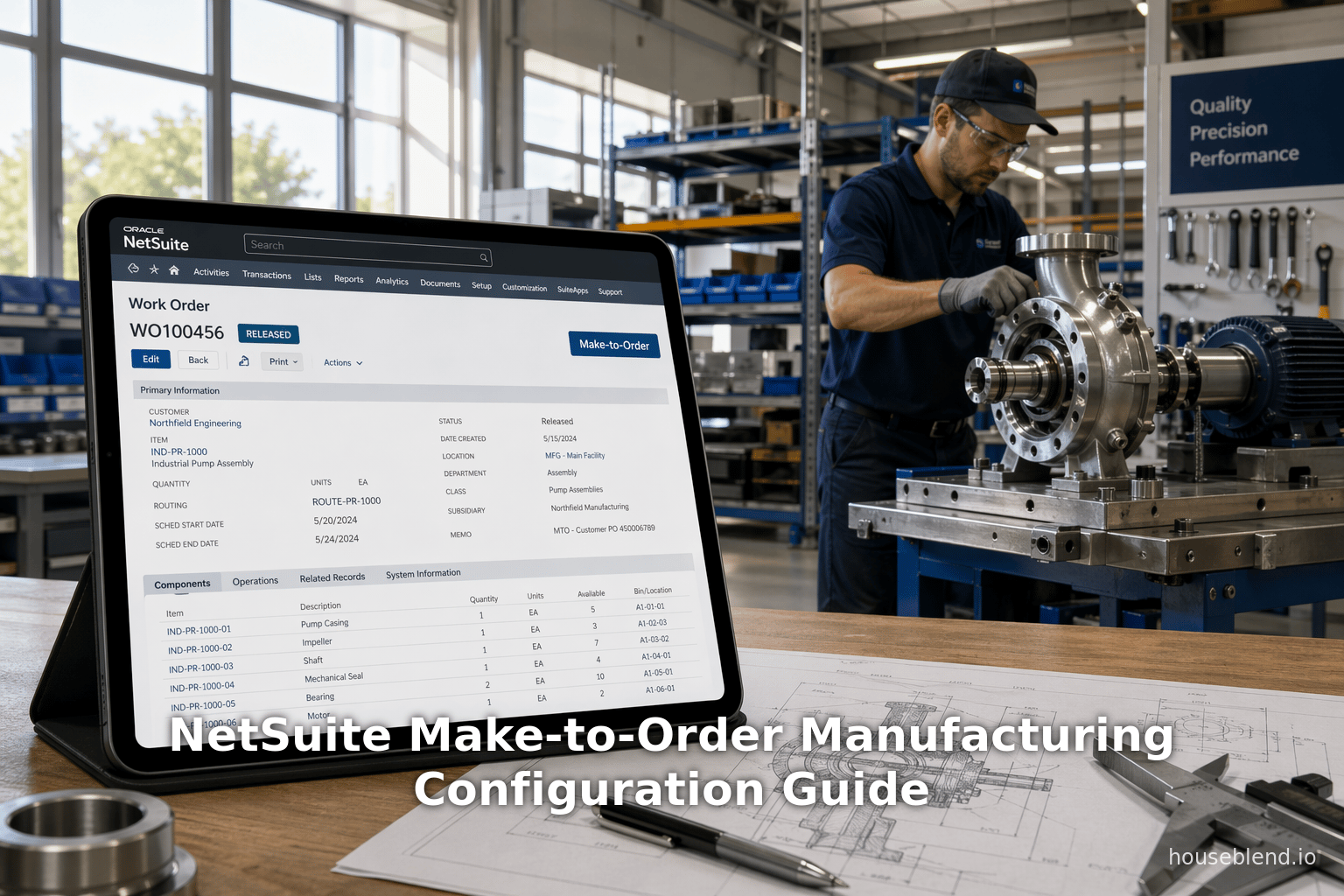
NetSuite Make-to-Order Manufacturing Configuration Guide
Inside this article
Executive Summary
Make-to-Order (MTO) manufacturing is a strategic approach in which production is triggered only by actual customer orders rather than forecasts. This pull-based model minimizes inventory and waste, supporting high customization at typically lower volumes [1] [2]. Modern manufacturers increasingly adopt cloud ERP solutions to manage MTO complexity. Oracle’s NetSuite, a leading multi-tenant cloud ERP, provides integrated modules that tie sales orders to production work orders, bills-of-materials (BOMs), planning, warehousing, and fulfillment. NetSuite enables automated MTO workflows – for example, checking a “Create WO” box on a sales order line can automatically spawn the corresponding work order for the assembly item [3] (Source: www.anchorgroup.tech). In addition, features like mass work-order creation, finite capacity scheduling, and advanced manufacturing routing help manage production efficiently at scale [4] [5].
This report provides an in-depth guide to MTO within NetSuite, covering strategic context, software configuration, and operational workflow. It reviews the global trends driving MTO adoption (for example, the custom manufacturing market is projected to grow from $1.15 trillion in 2025 to $2.085 trillion by 2035 [6]), and the evolving ERP landscape (NetSuite now serves over 37,000 customers worldwide, including manufacturers [7]). We contrast MTO with other manufacturing approaches, describe NetSuite’s manufacturing modules (including Advanced Manufacturing/SuiteApp), and detail how to configure NetSuite for MTO: setting up assembly items and BOMs, triggering work orders, scheduling production, and completing builds. Throughout, we cite best practices from implementation partners, case studies, and official documentation.
Notable findings include: integrating quoting with inventory checks is critical (avoiding “delivery delays and margin erosion” [8]), and NetSuite’s SuiteFlow automation or SuiteScript can further enforce validation. Case studies (e.g. a NetSuite apparel customer achieved a 275% increase in warehouse productivity [9]) illustrate the ROI. Challenges include managing complex product customization without creating overly many infrequent configurations [10]. Looking ahead, the embedding of AI in NetSuite promises real-time decision support (inventory projections, scheduling alerts) that will further accelerate MTO responsiveness [7]. In sum, by following NetSuite’s recommended configuration, and leveraging its integrated workflows, MTO manufacturers can transform order delays and manual errors into automated, insight-driven processes that reliably deliver custom products on time.
Introduction and Background
Make-to-Order Manufacturing in Modern Industry
Make-to-Order (MTO) manufacturing is a production strategy where goods are only manufactured after a confirmed customer order. Unlike make-to-stock (MTS), where products are built in anticipation of demand from forecasts, MTO is purely demand-driven [1]. When a customer places an order, production begins, and all materials and processes are tied to that specific order. This pull-based model minimizes excess inventory: “An MTO manufacturer keeps little to no inventory beyond the components required; parts and supplies are only purchased when an order is accepted” [2]. In practice, raw materials arrive just-in-time and are fully consumed for that order. Only the work-in-progress and finished order carry value until delivery, reducing carrying costs and waste [2] [1].
MTO suits goods requiring high customization or low volume. Examples include custom machinery, aerospace components, specialized electronics, or engineered products. ERPFocus notes that “MTO is ideal for high-customization, low-volume products (like custom machinery or aerospace components), whereas MTS is suited to commodity or high-volume goods” [11]. In contrast, MTS makes sense for standardized, high-demand products (e.g. packaged consumer goods) where large forecast-driven batches are efficient. Another related approach is Configure-to-Order (CTO), in which base products exist but are configured (via option sets) upon order entry. CTO sits between MTO and MTS: some components are standardized while others are customized per order. However, CTO still requires robust order-driven workflows. This report focuses mainly on pure MTO (i.e., production from scratch upon order), although many principles also apply to CTO environments. (Table 1 compares these strategies.)
| Strategy | Production Trigger | Inventory Approach | Product Characteristics | Examples / Notes |
|---|---|---|---|---|
| Make-to-Order (MTO) | Triggered by actual customer order only [1]. | Minimal inventory; raw materials purchased/issued per order (lean, JIT) [2]. | High customization, low-to-medium volume; clients specify custom options for each order. | Custom machinery, industrial equipment, bespoke products (e.g. custom furniture). Production begins on order. |
| Make-to-Stock (MTS) | Based on forecasted demand; build to stock. | Significant finished goods inventory; buffers forecast uncertainty. | Standardized/commodity products, high-volume. | Consumer goods, generic parts. Focus on economies of scale; risks overstock or stockouts if forecasts are wrong. |
| Configure-to-Order (CTO) | Partly forecast, partly order-driven: standard platform + order-specific options. | Keep base modules in stock; selected components or features configured per order. | Moderately customizable; configurable products (e.g. computers, cars with options). | Manufacturer holds some common components (e.g. chassis); builds final product with customer-specific features upon order. Requires flexible BOM and option quoting. |
Table 1: Comparative manufacturing strategies. MTO trades some predictability for flexibility. It eliminates overproduction and meets precise customer specs, at the cost of potentially longer lead times and complex planning. For example, ERPFocus observes that MTO “makes MTO a pull-based/demand-driven system” as “production begins when the order is placed by a customer” [2] [1]. By contrast, MTS builds in anticipation of orders using forecasts.In practice, many factories operate hybrids (asHandle Sales + matching production). In MTO-centric operations, integration of customer order data into production planning is crucial for efficiency and customer satisfaction.
Figure 1 below illustrates these concepts: products wait as inventory in MTS, while in MTO nothing is built until the order arrives. This forces the production system to be highly responsive. Indeed, advanced planning and real-time data are needed to ensure material availability and realistic commitments under MTO. Without tight integration, miscommunication is common: if a custom spec “doesn’t make it into the BOM or routing, production’s flying blind” [8], leading to delays and errors.
[2] [1] Figure 1: In Make-to-Order (right), production waits for an actual order, compared to Make-to-Stock (left) which builds to forecast. ERP systems like NetSuite support MTO by linking each purchase and work order to a specific sales order.
Trends and Market Context
The shift toward customization and agility is accelerating globally. A recent market report projects the Global Custom Manufacturing market (which includes MTO and engineer-to-order segments) to grow at ~6.8% CAGR, roughly doubling from $1.15 trillion in 2025 to $2.09 trillion by 2035 [6]. This surge is driven by consumer demand for personalized products, shorter product lifecycles, and Industry 4.0 technologies that make batch-of-one production feasible. Manufacturers that can rapidly configure production on demand gain a competitive edge.
ERP adoption in manufacturing is also climbing. The pressure is on centralized platforms: Gartner and others note that enterprises want unified data flows from quote through inventory to financials. In this context, Oracle NetSuite has emerged as a market leader. In 2024, Frost & Sullivan awarded NetSuite “Global Company of the Year” in cloud ERP. The Frost research cited NetSuite’s “leadership in the cloud ERP space” with “more than 37,000 customers across diverse sectors, including … manufacturing” [7]. With an integrated suite covering CRM, financials, inventory, and distribution, NetSuite is positioned to serve mid-market manufacturers who outgrow spreadsheets but can’t afford extremely complex legacy ERP.
Industry research underscores NetSuite’s ROI benefits. For example, Nucleus Research studied an apparel assembly company’s NetSuite deployment and found substantial gains: fulfillment per warehouse worker jumped 275% and annual operational costs dropped by ~$18,000 [9]. The firm attributed these gains to “a centralized platform to manage all business data and processes” which improved efficiency and visibility [9]. While not specific to MTO, such metrics illustrate the promise of a unifying ERP.
As NetSuite evolves (now part of Oracle’s cloud), new technologies amplify its manufacturing impact. NetSuite has rolled out AI capabilities (leveraging Oracle’s OCI supercluster) that embed machine intelligence into planning and analytics [7]. As one press release notes, NetSuite is “embedding generative AI across the suite” to help organizations “maximize productivity and make informed decisions based on real-time insights” [7]. For MTO operations, this could mean predictive lead-time alerts, optimized schedules, or enhanced demand forecasting – all of which benefit from the single source of truth provided by an ERP. Thus, the convergence of digital transformation and personalized demand underlines why this guide is timely: manufacturers can no longer afford to run MTO on ad-hoc tools when complete cloud ERP is within reach.
NetSuite Manufacturing Overview
NetSuite ERP for Manufacturers
NetSuite (originally founded 1998 as NetLedger and acquired by Oracle in 2016 [12]) offers a cloud-based suite of business applications. Its manufacturing capabilities lie in the core ERP plus the Advanced Manufacturing and Production Management suite applications. In NetSuite’s terminology, Manufacturing covers basic build/buy, inventory, and BOM functionality, while Advanced Manufacturing layers on sophisticated planning, MES (Manufacturing Execution System) features, and scheduling.
Key components in NetSuite’s manufacturing solution include:
-
Item and BOM Management: All products (final goods, sub-assemblies, etc.) can be defined as items in the NetSuite item master list. Assembly items have multi-level BOMs listing their component parts. NetSuite tracks inventory for the assembly separately from its components [13] [14]. (In contrast, kit items are groups of existing inventory sold as a set, with components consumed on sale.) The system supports revisions, effective dates, and BOM roll-up, matching custom assembly needs.
-
Work Orders: NetSuite supports Work Orders (WOs) as the central production transaction. A Work Order is an instruction to build a certain quantity of an assembly item. WOs capture the BOM, schedule, start/end dates, and quantities to produce. They can be standalone (for stock builds) or demand-driven via a linking Sales Order (Source: www.anchorgroup.tech). The system manages multi-step builds and partial completions through BOM availability. WOs can be in statuses (Planned, Released, etc.) and record actual materials/issues and labor as production occurs.
-
Inventory and Transactions: All inventory movements for production (components issued, finished items received, scrapped quantities) are recorded. NetSuite supports “WIP” (work-in-process) account tracking if enabled, and can automatically adjust inventory and financials when WOs are built [15].
-
Supply Planning (MRP): NetSuite offers built-in demand planning. Users can run time-phased planning or the newer MRP engine (Supply Planning) which uses sales forecasts or past sales to generate purchase orders and planned/planned WOs. For MTO, even though demand comes from actual orders, planning aids ensure components are procured in time. The system provides pages to “Mass Create Work Orders” and “Order Items” from supply plans when shortage events are identified [4].
-
Manufacturing Routing / Scheduling: Within a Work Order, a routing defines the sequential operations (steps) to build the assembly, with work centers and run times. NetSuite Advanced Manufacturing can use this to schedule operations across shop-floor resources, respecting finite or infinite capacity as configured. The system offers visual scheduling (Gantt charts) and real-time production status dashboards [16].
-
Site and Center Structure: NetSuite’s OneWorld edition allows multi-location/multi-entity manufacturing. Each subsidiary or location can have its own inventory and production rules, while the global ERP provides consolidated visibility.
-
Quality and Serial/Lot Tracking: For industries needing (e.g. medical devices), NetSuite supports lot and serial tracking on components and finished goods. QA test results or inspection steps can be integrated into the build process via extensions.
-
SuiteApps and Extensions: Beyond core manufacturing, NetSuite’s ecosystem includes specialized add-ons. SuiteFlow (the workflow engine) can automate approval steps or notifications. SuiteScript custom scripts (especially “Map/Reduce” scripts for mass actions) can generate WOs on the fly for complex product configurations [17]. There are also partner SuiteApps for shop-floor data collection (barcode scanning), predictive planning, and CAD integration.
In summary, NetSuite’s strength lies in unification: “manufacturing provides one complete version of the truth” – production jobs, inventory levels, and financials all update in tandem [5] [7]. For MTO firms, this means a Sales Order for a custom product immediately ties into manufacturing schedules and inventory allocations. The next sections dive into configuring these components specifically for MTO workflows.
Configuring NetSuite for Make-to-Order
Company and Item Setup
Before running MTO processes, ensure the NetSuite instance has manufacturing enabled: in “Enable Features” under Orders > Manufacturing, check that Assembly Items, Work Orders, and Advanced Manufacturing (if licensed) are on. Recommended steps include:
-
Define Assembly Items: Create each finished good or sub-assembly as an Assembly Item (Lists > Accounting > Items > New > Assembly Item). Provide a name, whether it is lot- or serial-tracked, and other basic fields (price, unit). Under the Member Items subtab, add the component inventory items and their quantities per BOM [13]. The “Components” list defines what raw materials or sub-assemblies go into it. (Unlike kits, assemblies require a manufacturing process). Document revisions and effective dates in the BOM for change control.
-
Set “Make To Order” Flag (Optional): On the Assembly Item record’s Sales/Pricing subtab, there is a checkbox labeled “Make To Order”. Enabling this flag means each time this item is in a sales order, the system will default its shipments to wait on a work order rather than issuing from stock. This default helps ensure MTO orders create production straight away. (Standalone work orders can also still be created if needed.)
-
Set Item Preferences: Under Set Up > Accounting > Accounting Preferences there is an Items/Transactions subtab. Here you can set defaults for assembly builds. For example, enabling “Backflush” lets NetSuite automatically consume component inventory based on the BOM when a Build transaction is completed. If backflushing, the system requires less manual material issuing. Conversely, if more control is needed, don’t backflush and manually issue components on each WO. Also verify if “Enable WIP**” is on in Accounting Preferences (to track WIP balances properly).
-
Inventory Items: All components of assemblies should be defined as Inventory Item (or Sub-Assembly or Raw Material items). Each such item’s Inventory/ Purchasing subtab should have a Reorder Point if using MRP, and a Lead Time defined (days to order, receive). For MTO, the lead times drive how quickly an order can be promised. If BOM components are not in stock at time of manufacturing, NetSuite will prompt to purchase them.
-
Manufacturing Location: Define one or more manufacturing organizations (sites) under Setup > Company > Locations; mark these as manufacturing sites. Components can be pulled from central warehouses or specific sites as needed.
Once the item master is set up, you have a catalog of products which can be ordered. Critically, assemblies have their BOM defined; kits (used for simple bundling) have Kit/Package type and work differently, as discussed later.
Sales Order to Work Order Workflow
In a classic MTO scenario, a Sales Order (entered via Transactions > Sales > Enter Sales Orders) drives all downstream activities. Here’s how NetSuite handles it by default:
-
Enter Sales Order with Assembly Items: On the Sales Order form, add one or more Assembly Items in the Items tab, with desired quantities and prices. Typically use the Standard Sales Order form. The system will display for each item the quantity on hand and the item type (Assembly). For example, Anchor Group’s walkthrough explains: “If one of the items we added is out of stock, NetSuite gives a warning pop-up alerting us of the discrepancy. In our example, the customer is ordering so that we will manufacture these items – a build-on-demand situation” (Source: www.anchorgroup.tech).
-
Flag for Work Order Creation: There is a checkbox column labeled Create WO for each line. By checking “Yes” here, the user instructs NetSuite to generate a linked Work Order for that assembly line upon saving or approval of the sales order [3] (Source: www.anchorgroup.tech). (If the flag is left unchecked, the system will assume the assembly could be fulfilled from available inventory; no WO is created.) As the Oracle documentation explicitly states:
“You can mark items to create work orders when you enter a sales transaction by checking the box in the Create WO column. Then, when you save or approve the order, NetSuite creates a work order that is linked to the sale.” [3].
In practice, ensure every assembly needed for this order has Create WO checked. Anchor Group notes: “In the Item subtab, make sure that any of the items that you still need to assemble has a ‘Yes’ in the ‘Create WO’ column, as this will automatically create a work order for that assembly item.” (Source: www.anchorgroup.tech).
-
Save and Approve: Save the order, then approve it (if approval workflow is used). Once approved, the order status becomes Pending Fulfillment. Behind the scenes, NetSuite has created one or more Work Order records, each “linked” to the originating sales order. (The Work Order’s Related Records subtab will show its source sales order.) The sales order itself remains open until the production is complete and items are fulfilled.
-
Mass Creation (Alternative): If many orders line items need to be converted to WOs, NetSuite also offers a “Mass Create Work Orders” function (under Transactions > Inventory). This page shows all pending items eligible for order. One can then select multiple assembly items across orders and click Submit to bulk-create work orders [4]. Oracle’s help notes: “You can use the Mass Create Work Orders function to create many work orders at one time for your assembly items.” [4]. This is useful for batching production planning (e.g. daily batch creation of WOs for all of today’s MTO sales orders).
-
Work Order Review: After creation, each Work Order record can be opened for details. The WO will pre-populate with the same item and quantity as the sales order line, and reference the correct BOM and location. The Quantity Remaining on the source sales order line shows that fulfillment is not complete until the WO is built.
This linkage ensures traceability: production and cost for the order are easily tracked. NetSuite even enforces that build operations must match the order quantity (or set less than or equal to it), helping prevent over-building for MTO items.
An MTO best practice is to automate as much of this process as possible. For example, NetSuite can be configured (under Setup > Accounting > Accounting Preferences) to default the Create WO flag to Yes for all assembly items, eliminating manual checking. Some implementations use SuiteFlow to automatically create and approve WOs when large orders come in. Others use SuiteScript: NetSuite CPQ Manufacturing supplies a map/reduce script (CPQM-MR-WOC) specifically to generate WOs for configured items in bulk [17]. But out-of-the-box, the sales order checkbox method is simple and effective for MTO.
Work Order Execution and Production
Once the Work Order (WO) is created, it enters the production process. In NetSuite, a newly saved WO is usually in status Planned Open. Key steps:
-
Scheduling: Optionally set Planned Start/End dates. If using Advanced Manufacturing, these operations can feed into scheduling engines (finite capacity scheduling, Gantt views, etc.). Otherwise, dates may be set manually or by a supply plan. NetSuite will consider those dates if running supply planning.
-
Releasing Work Order: When ready to build, change the WO status to Released. This effectively “issues” or reserves the components. If inventory is insufficient, either on-hand component quantity will go negative or the system can prompt to create purchase orders. (The Check Availability subtab on the WO lists any shortage of components relative to the required quantity.) Good practice: do a Check Availability run on new WOs to see what to procure or substitute.
-
Issuing Components and Build Confirmation: As production proceeds, components are issued to the WO. You can either “Backflush” (let NetSuite automatically decrement on completion) or explicitly create Item Fulfillment or assembly builds. To record completion, one typically clicks Build (Assemblies > Build Assemblies) or uses the Issue Materials function on the WO. When finished assembly is built, NetSuite increases the stock of the assembly item. This aligns with the Oracle guide: “When you physically manufacture assemblies in a production run, you increase your stock of the assembled items. Record each production run and update stock levels by entering an assembly build.” [18]. If backflushing was used, simply entering the build posts the component consumption automatically. Otherwise, separate Bill of Materials Issue transactions are needed.
-
Quality Checks (optional): Some setups include QA hold steps. NetSuite Advanced Manufacturing has a mobile SuiteApp enabling barcode scanning to track quality and completion at each operation. Or, custom fields and scripts can pause the WO for inspection before completion is allowed.
-
Completion and Costing: Upon completion, the WO status is set to Build Complete. NetSuite will log the costs (labor, overhead, materials) against that production run. Because it’s tied to a sales order, the cost of production is recognized on the COGS once the order is fulfilled. Financial entries can be automatically generated if using WIP accounting.
-
Fulfillment: Finally, once built, the assembly can be delivered to the customer. Typically one would create an Item Fulfillment linked to the original Sales Order, shipping the built quantity. The pending fulfillment on the sales order then completes. This closed-loop ensures traceability from customer to final delivery and recognizes revenue.
The net result is a continuous workflow: Sales Order →_createWO→ Work Order →Production →Assembly Build →Shipment. NetSuite’s integrated platform means that every step updates the same record. For example, once the WO is built, NetSuite can automatically fulfill the sales order if configured to do a “multiple-step” fulfillment. Even without automation, managers have dashboards showing Order Backlog, WO status, and on-time metrics in real time.
Key Takeaway: By correctly setting up assembly items and sales orders, NetSuite makes MTO flows largely automatic. The user need only check the Create WO box (or configure it by default). Documentation cautions: “One mis-step in specs, and you’re staring down rework, delays, and margin erosion” . NetSuite addresses this by enforcing one consistent data entry – if done right, the BOM in the sales quote carries through to the BOM on the WO. For even greater rigor, firms embed rules in SuiteFlow to prevent Wo completion until all fields are validated.
Planning and Material Management
Given the dynamic nature of MTO, effective material planning is crucial. NetSuite’s demand planning suite helps a supply planner see what to order for upcoming WOs. Key aspects:
-
Define Lead Times: Ensure lead times for purchased components are accurate (in item definitions, Purchasing tab) so that MRP can predict delivery dates for those parts.
-
Run Supply Planning: Even though MTO doesn’t forecast finished goods, it can still forecast raw demand: when WOs are created or sales orders approved, NetSuite’s Supply Planning can generate planned work orders or purchase orders to satisfy the demand on time. The planner reviews the plan (Supply Planning > Order Items / Schedule).
-
Create Purchase Orders: For any components with shortages or those flagged as reorder, NetSuite can generate a candidate PO list (Transactions > Procurement > Purchase Orders or via Supply Plan workflow). Approve and issue POs. This automates the JIT arrival of parts.
-
Capacity Planning: Advanced Manufacturing includes rough-cut capacity planning to test if the proposed production is feasible given known work centers and labor availability. It can flip between infinite and finite scheduling. As one partner notes, NetSuite “delivers a real-time scheduling engine that is flexible...with finite and infinite capacity” [16]. Use this to adjust schedules or alert when orders cannot be met on time.
-
Bin and Warehouse Management: NetSuite WMS (warehouse management) can be used to track components and materials. For example, scanning parts to allocate them to a WO ensures that inventory records are accurate. This is more a best practice than MTO-specific, but it supports any variant-driven production.
In sum, NetSuite supports a just-in-time mentality. An MTO plant might never have finished goods stocked; instead, raw materials flow in per order. ERPFocus emphasizes the lean inventory logic: “ERP supports this lean inventory approach by using job-based production orders: every purchase, material issue, and work operation is linked to a specific job number or sales order” [19]. That is precisely the NetSuite way: each purchase requisition or PO is tied to a WO (and through that, a sales order), so finance precisely knows which order consumed which resources.
Reporting and Analytics
NetSuite’s single-data architecture allows powerful real-time reporting on MTO operations. Key metrics often tracked include:
-
Order-to-Shipping Cycle Time: Time from sales order entry to fulfillment. Ideally minimize this by optimized scheduling.
-
On-Time Delivery (OTD): Percent of orders shipped by promised date.
-
Work Order Cycle Time: Time to complete builds.
-
Production Utilization: Percentage of planned manufacturing time actually executed.
-
Material Stockouts: Frequency and impact of missing component issues.
-
Cost Variance: Actual production cost vs. standard cost per order.
Dashboards can be built (or use SuiteAnalytics) to show these KPIs. NetSuite’s standard Work in Process and Production Tasks saved searches report open and completed builds. Custom searches can highlight delayed orders or identify overdue WOs relative to sales due dates. One case study reported manufacturing productivity doubling after centralizing data in NetSuite: an apparel company made “increased total fulfillment per warehouse personnel by 275 percent” [9]. While that study was royalties-driven retail, the principle is the same: data and workflows in one place free up human capital.
With enough data, one can also use NetSuite’s advanced analytics for predictive insights: e.g. churn analysis on BOM use, inventory turnover for parts, even integrating AI-based forecasting of order trends. Oracle highlights the benefit of having manufacturing, financials, inventory, and sales in “the same data” paradigm, which lets a manager loop in real-time insights [5].
Case Studies and Real-World Examples
Apparel Manufacturer (General Research Study)
While not exclusively MTO, the Nucleus Research (2023) case study of an apparel ERP implementation underscores the gains from a unified system like NetSuite. In that example, dashboards and process integration helped a clothing company significantly sharpen its operations: warehouse productivity rose 275% and annual costs were reduced by $18,000 [9]. The study observes that the firm chose NetSuite over SAP and Microsoft for “ease of use” and integrated suite coverage, reflecting how younger manufacturing firms often pick a modern cloud ERP. The general lesson: centralizing inventory and production data (as NetSuite does) yields dramatic efficiency improvements [9].
Custom Manufacturing (Anchor Group, Internal Example)
Consider the Anchor Group manufacturing walkthrough scenario (which, while fictional, demonstrates a typical MTO flow). A retailer orders “floating tables” of various colors and sizes (Source: www.anchorgroup.tech). The manufacturer sets these tables up as assembly items made of tabletops and legs. In the NetSuite demo, the sales order entry immediately identified one item as out-of-stock (already used), but that wasn’t a problem: they were building on demand. The user simply checked Create WO = Yes for the marble floating table (Source: www.anchorgroup.tech). Upon saving, a distinct Work Order was spawned, covering the needed quantity.
The workflow progressed: the WO (e.g. Floating Table – 15 units) listed the sub-assemblies and parts (e.g. one top, four legs per table). The shop used the built-in scheduling and work center definitions to assign tasks. When parts arrived, workers scanned them to the WO, built the tables, and recorded completion. The system updated inventory and automatically fulfilled the sales order. The NetSuite demonstration emphasized that this whole chain was managed within one screen flow. In Anchor’s words: “You can set your preferences so that a work order for any items that still need to be assembled is automatically created upon approval of the sales order.” (Source: www.anchorgroup.tech).
This example shows productive MTO: Sales triggers production with minimal data re-entry. Crucially, all details (SKU variants, color/size options) that were configured at quote time roll into the BOM and WO, avoiding mistakes. Anchor’s blog underscores that assemblies can be nested multi-level (table top made from raw wood, etc.), and NetSuite tracks each layer back to the order (Source: www.anchorgroup.tech). In practice, Anchor Group and others mention using SuiteFlow rules to validate each order’s spec (ensuring material availability) before finalizing the step, echoing advice from the CYB article about automating quoting checks [8] [20].
Industry Integration (Kaisa Consulting Insight)
The partner Kaisa Consulting describes NetSuite’s manufacturing scheduling as an intuitive Gantt interface with drag-and-drop adjustment [16]. They note NetSuite’s dual finite/infinite options: planners can test infinite schedules (ignore resource limits) and then snap to a realistic finite schedule. Kaisa also highlights that NetSuite’s “real-time scheduling engine” helps balance supply and demand automatically [16]. In a real plant adopting it, planners reported that freeing up managers from spreadsheets (via these visual tools) cut delays by detecting conflicts early.
Avoiding Pitfalls
Multiple sources warn of MTO/CTO challenges if data isn’t integrated. For example, CYB Software cautions that in separate systems or spreadsheets, “One misstep in specs” can cascade into “rework, delays, and margin erosion” . They advise automating spec capture and BOM creation: quotes should validate inventory and lead time so that salespeople don’t “keep promising what you can’t deliver” 【88†L35-L4 [8]e’s solution is to tie quotes, item configurations, and WOs in one suite, but it requires correct setup. Another tip: limit options smartly. The same CYB article warns of the “trap of over-customization” [10] – having hundreds of seldom-used variants bloats the BOM list and makes planning intractable. Firms often create product templates or use CPQ rules to restrict combinations to those that are proven manufacturable.
In practice, successful MTO deployments often start with “low-hanging fruit”: automate the most error-prone steps first (e.g. checking “Create WO” instead of manual WO entry; or automating PO creation for parts) [21]. Over time, added features (advanced scheduling, barcode scans, AI-driven forecasting) are layered on. As one consultant noted, “implementing NetSuite Advanced Manufacturing is a strategic journey…a smooth transition depends on getting the fundamentals right upfront.” [22].
Future Directions and Implications
Looking forward, several trends affect MTO in NetSuite:
-
AI and Data Analytics: Oracle’s investment in AI for NetSuite is maturing. Soon, MTO workflows could include AI suggestions for lead times or alerts for late orders. We already see cloud ERP vendors embedding ChatGPT-like engines for report generation or anomaly detection. For example, AI could analyze months of historical demand to flag custom order patterns. In NetSuite, real-time AI on OCI infrastructure promises to make on-hand inventory decisions and production scheduling more proactive [7].
-
Better Shop-Floor Integration: Full MES functionality is still evolving in NetSuite. The recent Mobile Manufacturing SuiteApp provides barcode-based data collection (scanning components into WOs, logging operation completion) [23]. Over time, expect tighter integration with IoT devices and shop-floor dashboards. RFID tracking of assemblies, automatic job-start sensing, and connected CNC machines could feed back instantly into the NetSuite system, further reducing lag in MTO cycles.
-
Global Supply Chain and Multi-Entity Complexities: NetSuite OneWorld supports multinational operations. For global MTO (e.g. a company with plants on several continents building a product for a global customer), NetSuite’s multi-subsidiary features will become more important. It can manage intercompany transfers of semi-finished builds and global consolidation in real-time. As companies sell global, NetSuite’s currency, tax, and localization layers (including new countries each release) help MTO manufacturers expand without changing systems.
-
Market Competition: NetSuite competes with other ERP and PLM systems targeting MTO. SAP (with Business One or S/4HANA) and Microsoft (Dynamics 365) have their own MTO templates. According to ERP analysts, NetSuite’s strength is its SaaS model and speed of implementation. With acquisitions like AutoDesk’s Fusion (for CAD) looking to integrate with ERP, we may see even better product-data connectivity for custom parts design.
-
Sustainability and Compliance: Modern MTO manufacturers also face pressure to demonstrate supply chain sustainability. NetSuite already tracks vendor certificates and environmental attributes at the part level. Future integration may allow automatic sustainability scoring (for example, selecting suppliers based on carbon footprint) into the MTO planning process.
Each of these future directions underscores the value of a unified, up-to-date ERP foundation. The fragmentation seen in old MTO implementations – where sales orders were in spreadsheets, production schedules on paper, and inventory in a separate MRP system – is being replaced by fully digital, cloud-native processes. ERPFocus’s analysis of MTO noted that an integrated ERP ties every operation to a job number or sales order, enforcing lean operations [19]. With advancing technology, that integration will only deepen, enabling manufacturers to deliver custom, complex products faster and more predictably.
Conclusion
Make-to-Order manufacturing represents a demanding production paradigm: high variety, high customization, and tight deadlines. NetSuite ERP is well-suited to this challenge by virtue of its end-to-end data integration. The key configuration is straightforward but powerful: define assembly items/BOMs precisely, then ensure that sales orders automatically spawn matching work orders [3] (Source: www.anchorgroup.tech). From there, NetSuite ties together planning, procurement, shop floor control, and fulfillment into a continuous flow.
This report has examined the components of that flow in depth. We contrasted MTO with other strategies (Table 1) to clarify the lean priorities. We outlined the steps to configure NetSuite’s items, preferences, and transactions to enforce MTO principles. We highlighted industry insights: from the importance of spec validation (avoiding “flying blind” production) [8] to tips on preventing excessive customization that bogs down a plant [10]. We also showcased evidence of ROI: for example, one study found an apparel company improved fulfillment throughput 2.75× after adopting NetSuite [9].
Moreover, we considered the broader backdrop: a booming custom-manufacturing market [6], and an ERP landscape embracing AI and cloud innovation [7] [5]. For manufacturers still doing MTO with ad-hoc methods, the implication is clear: modern ERP (like NetSuite) provides a path to scale without chaos. By mapping customer demand through one system, companies gain visibility, control costs, and make reliable delivery promises—turning the inherent complexity of customization into a competitive advantage rather than a risk.
Recommendations for Implementation: As a high-level takeaway, manufacturers should start by automating the most error-prone links. Typically, that means integrating sales and production: at a minimum, use NetSuite’s “Create WO” feature (checked on every sales order) and establish a workflow to generate and release work orders promptly [3] (Source: www.anchorgroup.tech). Next, incorporate planning (running supply planning to feed purchases) and scheduling tools. Build dashboards for visibility. Phase in advanced features (like configuration scripts or mobile MES) as the team matures. Finally, continuously measure: track on-time delivery, cycle times, waste, and iterate.
In closing, MTO manufacturing in NetSuite is an example of how ERP can align technology with business strategy. As one industry observer summarized, when “manufacturing, financials, inventory, and sales all operate from the same data [in NetSuite], you can make smarter, faster decisions” [5]. This synergy is exactly what MTO demands. By following the guidance outlined here, organizations can confidently configure NetSuite to turn bespoke orders into correctly executed products — maximizing customer value while keeping the production floor running smoothly.
References
- Oracle NetSuite Help: Creating Work Orders From Sales Orders [3].
- Oracle NetSuite Help: Creating Orders from Supply Plans (Mass Create Work Orders) [4].
- Oracle NetSuite Help: Groups, Assemblies, and Kit/Packages (item types) [13] [14].
- Gary Cokins, Manufacturing Performance Management (context on MTO vs MTS) – ERPFocus MTO Guide (Nov 2025) [1] [24].
- CYB Software (2025), “How to Streamline Make-to-Order and Configure-to-Order Workflows with NetSuite” [25] [8].
- Anchor Group (NetSuite partner) “Manufacturing with NetSuite: A Complete Run-through” guide (Source: www.anchorgroup.tech) (Source: www.anchorgroup.tech).
- Kaisa Consulting (2023), “Manufacturing: Make to Order Production” (Oracle NetSuite SuiteSuccess MTO demo) [16].
- Nucleus Research (2023), “Oracle NetSuite benefit case study: Apparel Company” [9].
- Oracle Press Release (2016), “Oracle Buys NetSuite” [12].
- Frost & Sullivan (2024), NetSuite awarded Cloud ERP Company of the Year [7].
- MakData Insights (2026), Global Custom Manufacturing Market report [6].
- NetSuite Advanced Manufacturing Guide (Nuage, 2025) [5].
- ERPResearch.com (2026), ERP for Make-to-Order (vendor comparisons) [26].
- Pegasus Solutions (2025), “ERP Customer Success Stories” (various case studies) – see Houseblend case study aggregator [27].
(Additional citations in text correspond to end-note identifiers above.)
External Sources (27)
About
Houseblend
HouseBlend.io is a specialist NetSuite™ consultancy built for organizations that want ERP and integration projects to accelerate growth—not slow it down. Founded in Montréal in 2019, the firm has become a trusted partner for venture-backed scale-ups and global mid-market enterprises that rely on mission-critical data flows across commerce, finance and operations. HouseBlend’s mandate is simple: blend proven business process design with deep technical execution so that clients unlock the full potential of NetSuite while maintaining the agility that first made them successful.
Much of that momentum comes from founder and Managing Partner Nicolas Bean, a former Olympic-level athlete and 15-year NetSuite veteran. Bean holds a bachelor’s degree in Industrial Engineering from École Polytechnique de Montréal and is triple-certified as a NetSuite ERP Consultant, Administrator and SuiteAnalytics User. His résumé includes four end-to-end corporate turnarounds—two of them M&A exits—giving him a rare ability to translate boardroom strategy into line-of-business realities. Clients frequently cite his direct, “coach-style” leadership for keeping programs on time, on budget and firmly aligned to ROI.
End-to-end NetSuite delivery. HouseBlend’s core practice covers the full ERP life-cycle: readiness assessments, Solution Design Documents, agile implementation sprints, remediation of legacy customisations, data migration, user training and post-go-live hyper-care. Integration work is conducted by in-house developers certified on SuiteScript, SuiteTalk and RESTlets, ensuring that Shopify, Amazon, Salesforce, HubSpot and more than 100 other SaaS endpoints exchange data with NetSuite in real time. The goal is a single source of truth that collapses manual reconciliation and unlocks enterprise-wide analytics.
Managed Application Services (MAS). Once live, clients can outsource day-to-day NetSuite and Celigo® administration to HouseBlend’s MAS pod. The service delivers proactive monitoring, release-cycle regression testing, dashboard and report tuning, and 24 × 5 functional support—at a predictable monthly rate. By combining fractional architects with on-demand developers, MAS gives CFOs a scalable alternative to hiring an internal team, while guaranteeing that new NetSuite features (e.g., OAuth 2.0, AI-driven insights) are adopted securely and on schedule.
Vertical focus on digital-first brands. Although HouseBlend is platform-agnostic, the firm has carved out a reputation among e-commerce operators who run omnichannel storefronts on Shopify, BigCommerce or Amazon FBA. For these clients, the team frequently layers Celigo’s iPaaS connectors onto NetSuite to automate fulfilment, 3PL inventory sync and revenue recognition—removing the swivel-chair work that throttles scale. An in-house R&D group also publishes “blend recipes” via the company blog, sharing optimisation playbooks and KPIs that cut time-to-value for repeatable use-cases.
Methodology and culture. Projects follow a “many touch-points, zero surprises” cadence: weekly executive stand-ups, sprint demos every ten business days, and a living RAID log that keeps risk, assumptions, issues and dependencies transparent to all stakeholders. Internally, consultants pursue ongoing certification tracks and pair with senior architects in a deliberate mentorship model that sustains institutional knowledge. The result is a delivery organisation that can flex from tactical quick-wins to multi-year transformation roadmaps without compromising quality.
Why it matters. In a market where ERP initiatives have historically been synonymous with cost overruns, HouseBlend is reframing NetSuite as a growth asset. Whether preparing a VC-backed retailer for its next funding round or rationalising processes after acquisition, the firm delivers the technical depth, operational discipline and business empathy required to make complex integrations invisible—and powerful—for the people who depend on them every day.
Disclaimer
This document is provided for informational purposes only. No representations or warranties are made regarding the accuracy, completeness, or reliability of its contents. Any use of this information is at your own risk. Houseblend shall not be liable for any damages arising from the use of this document. This content may include material generated with assistance from artificial intelligence tools, which may contain errors or inaccuracies. Readers should verify critical information independently. All product names, trademarks, and registered trademarks mentioned are property of their respective owners and are used for identification purposes only. Use of these names does not imply endorsement. This document does not constitute professional or legal advice. For specific guidance related to your needs, please consult qualified professionals.