Houseblend Article
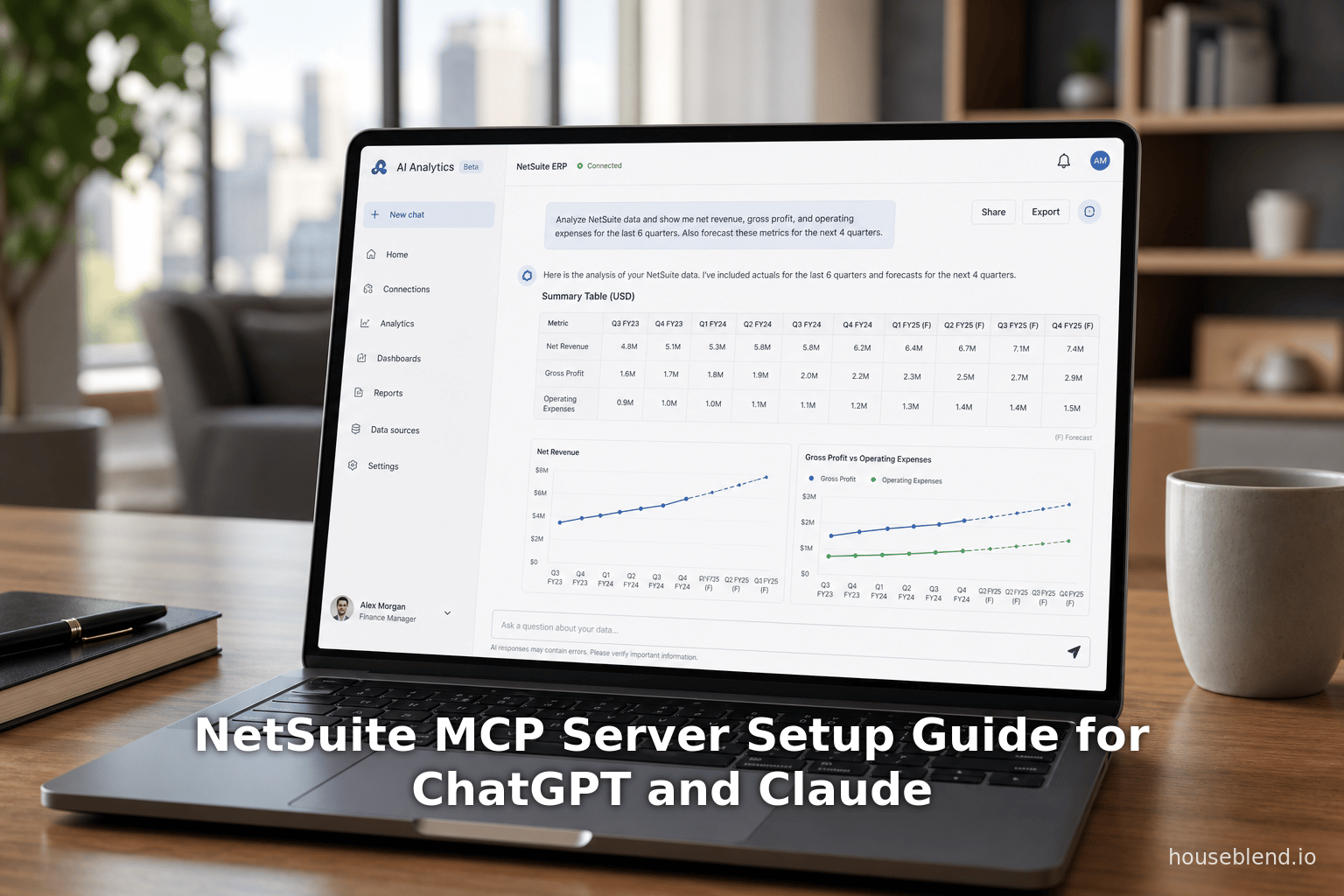
NetSuite MCP Server Setup Guide for ChatGPT and Claude
Inside this article
- 01Executive Summary
- 021. Introduction and Background
- 032. NetSuite AI Connector Service (MCP Server) Overview
- 043. Prerequisites and NetSuite Configuration
- 054. AI Client Configuration
- 065. Data Analysis: Capabilities and Limitations
- 076. Case Studies and Real-World Examples
- 087. Implications and Future Directions
- 098. Conclusion
- 10References
Executive Summary
The Oracle NetSuite AI Connector (also called the NetSuite MCP Server) provides a secure, standardized “USB port for AI” between AI assistants and enterprise ERP data [1] [2]. Introduced in 2024, it is built on the open Model Context Protocol (MCP) standard [1] [2]. This report examines in detail how to configure the NetSuite MCP server and connect it to popular AI clients – notably OpenAI’s ChatGPT and Anthropic’s Claude – as well as custom AI agents. We cover the historical context of AI integration in ERP, the technical foundations of MCP, step-by-step setup procedures on the NetSuite side, and client-side configuration for ChatGPT and Claude. We also analyze the capabilities and limitations of the integration, present case studies of early adopters, and discuss the implications of this technology for business automation and decision-making.
Key points include: NetSuite’s AI Connector uses OAuth2 (with PKCE) and enforces existing NetSuite role-based permissions [3] [4], ensuring queries and updates respect security controls. Administrators enable SuiteCloud features ( Server SuiteScript, REST Web Services, OAuth 2.0) and install NetSuite’s MCP Standard Tools SuiteApp [5] [6]. A dedicated “MCP” role with the MCP Server Connection and OAuth2 Access Tokens permissions is required [7] [8]. After initial connection attempts, NetSuite auto-generates an Integration Record (one per AI client) which must be enabled [9]. On the AI side, ChatGPT Plus/Pro/Business users must enable Developer Mode to use custom connectors [3] [10], whereas Claude Pro/Team users utilize a native connector interface. The AI clients point to the account-specific MCP endpoint https://<accountid>.suitetalk.api.netsuite.com/services/mcp/v1/all or /suiteapp/com.netsuite.mcpstandardtools to discover tools [11] [12].
In use, the connector provides a palette of NetSuite tools: record CRUD (create/get/update), SuiteQL querying, saved-search execution, report retrieval, and custom SuiteApp tools (if built) [13] [14]. Through natural-language prompts, AI agents can retrieve real-time ERP data, run analyses, and even create or modify transactions. Early case studies report dramatic efficiency gains: for example, one finance team achieved an “80% reduction in time spent searching for information” and self-serviced “90% of data requests” using a Claude-based NetSuite chatbot [15] [16]. IT support tickets fell by ~60% after employees used AI Q&A instead of helpdesks [15] [16]. Other pilots include conversational order entry, inventory restock alerts, and interactive reporting.
We support all claims with industry reports, official Oracle documentation, and expert analyses. Through comprehensive tables and diagrams we compare ChatGPT, Claude, and other connectors; summarize setup steps; and synthesize best practices. Finally, we discuss risks (hallucinations, data security) and forecast future developments: for instance, NetSuite’s partners are building richer MCP-powered apps, and the broader industry is standardizing on this open protocol [17] [18]. By following the configuration guidance herein – and understanding the underlying protocols – organizations can safely unlock conversational AI access to their NetSuite ERP, accelerating data-driven decision-making while maintaining governance.
1. Introduction and Background
In recent years, enterprises have accelerated adoption of generative AI to make sense of complex data and automate routine processes [19] [20]. Oracle NetSuite, a leading cloud-based ERP platform, has incorporated numerous AI features (over 200 enhancements across modules) and, critically, provides a formal API layer for external AI assistants to query and control the system [21] [1]. This “AI Connector Service” is grounded in the Model Context Protocol (MCP), an open standard released by Anthropic in late 2024 [22] [21]. MCP standardizes how AI clients discover, understand, and invoke remote services in a secure way [22] [23] – in effect, a “USB-C port” for plugging an AI into any data system [24] [23].Traditional ERP interfaces can be cumbersome: users must navigate multistep menus and views to retrieve information or enter transactions [25] [26]. A conversational AI front-end can transform this experience. Instead of clicking through dashboards, a finance analyst might ask, “Show me last quarter’s regional sales trends,” and an AI agent would retrieve and format that report from NetSuite. Or a sales rep could instruct the AI, “Create a new sales order for 10 widgets to Customer X at $Y per unit,” and the agent would generate the record behind the scenes. By naturalizing these interactions, businesses hope to accelerate tasks and improve data access for non-technical users [25] [26].
Industry surveys confirm this momentum. A 2025 report finds 85% of enterprise software vendors are embedding AI features in their offerings [27]. Another study projects that more than half of AI-enhanced ERPs will incorporate generative AI by 2027 [18]. Among companies, 64% report AI already boosts productivity [28], and 40% consider AI a key factor in ERP selection [29]. This trend is visible in NetSuite’s roadmap: its 2025.1 release introduced “prompt-based search” (natural-language analytics) and a GenAI SuiteScript API [21]. Most notably, Oracle’s new AI Connector Service (announced Jun 2024) provides a vendor-agnostic bridge letting customers plug ChatGPT, Claude, or any MCP-compatible agent into NetSuite’s live data [1] [21].
Contextually, NetSuite has been a pioneer in cloud ERP since the 2000s. Acquired by Oracle in 2016, NetSuite runs entirely in the cloud and targets mid-market and enterprise clients [24] [1]. It has a unified data model spanning finance, CRM, inventory, etc., inside a single relational cloud database. This all-in-one design makes it feasible (and appealing) to expose broad system functions via a unified protocol. Instead of dozens of point-to-point integrations, NetSuite’s MCP approach provides one standard interface for AI tools of any vendor.
The Model Context Protocol (MCP): A Primer
Anthropic introduced MCP on Nov 25, 2024 as an open-source standard for AI-data connectivity [30] [23]. In Anthropic’s own words, MCP “provides a universal, open standard for connecting AI systems with data sources, replacing fragmented integrations with a single protocol” [23]. It enables an AI client to discover available tools, understand what they do, and invoke them safely [31] [32]. Essentially, MCP defines a machine-readable schema describing “objects” (e.g. customers, purchase orders), their fields and actions (CRUD, searches, etc.), and the expected inputs/outputs [33] [34]. This structured clarity means an LLM no longer has to guess how to query a database – it sees exactly what operations are possible and what data types they accept.
Early in 2025, major AI platform providers adopted MCP. OpenAI announced in March 2025 that “OpenAI will add support for MCP across its products, including the desktop app for ChatGPT” [35]. Shortly thereafter, Google DeepMind’s CEO announced Gemini models would support MCP as well [36]. In December 2025, Anthropic donated the MCP standard to the Linux Foundation’s new Agentic AI Foundation (AAIF), co-founded by OpenAI, Anthropic, Block (Square), et al. [17], signaling broad community commitment. Anthropic claims over 10,000 public MCP servers and integration in ChatGPT, Gemini, Microsoft Copilot, VS Code, etc. within one year [37]. In summary, MCP has quickly emerged as the de facto way to connect LLMs to external systems, and NetSuite’s connector is its first major ERP use case to reach general availability.
2. NetSuite AI Connector Service (MCP Server) Overview
The NetSuite AI Connector Service (often called the MCP Server or MCP Standard Tools SuiteApp) is the Oracle-maintained component that implements MCP on the NetSuite side [38] [24]. It is provided free-of-charge by Oracle (aside from requiring a NetSuite subscription) [39]. Once installed, it “registers” a catalog of tools and data schemas with the MCP framework. These tools allow AI agents to perform specific operations: querying records, running saved searches, generating reports, and creating or updating records in NetSuite. Under the hood, the MCP Server uses SuiteScript and REST/Web Services as needed to perform these tasks, but exposes them uniformly to AI clients.
NetSuite’s MCP Tools and Capabilities
By default, the MCP Standard Tools SuiteApp presents at least the following core operations to AI clients (Table 1) [13] [40]. (Note: actual ACL and audit filtering apply, so results are restricted by the user’s role.)
| Tool Name | Description |
|---|---|
query_records | Query NetSuite records (use SQL-like SuiteQL filter or natural-language criteria). Returns JSON-formatted record data. |
get_record | Retrieve a single record by its type and internal ID (e.g. a specific sales order or customer). |
create_record | Create a new record (e.g. invoice, sales order, customer) with given field values. |
update_record | Update an existing record by ID with new field values. |
Table 1: Basic NetSuite MCP toolset (from the official Oracle connector) [13].
Beyond these out-of-the-box tools, NetSuite administrators can build Custom Tools (SuiteScript-based) for specialized workflows. For example, a company might expose a custom “SendInvoiceEmail” tool that generates and emails a PDF invoice. The Folio3 development guide shows how each custom tool begins with a JSON schema defining its inputs/outputs and annotations [40] [41]. Once that SuiteScript SuiteApp is installed, its tools appear to MCP clients alongside the defaults. Thus, enterprises can tailor the AI interface to domain-specific processes (e.g. expense approvals, ROIs).
NetSuite’s connector supports both read (data query) and write (creation/update) operations via the same MCP endpoint [3]. However, write actions bypass client-side form scripts: as Numeric notes, “MCP bypasses the form layer entirely,” so any validation logic must be handled server-side [42]. From a security standpoint, all connector actions obey NetSuite’s role-based permissions. As the official FAQ states, any query “respects your NetSuite role’s permissions – tools can only access data you’re allowed to see” [4]. This means the AI cannot retrieve hidden information. Oracle also cautions users to always verify AI outputs (“AI may hallucinate; always validate results against source data” [43]), underscoring that the connector is a powerful but unfiltered access mechanism.
Architecture and Security
The NetSuite MCP architecture follows a standard OAuth2 PKCE flow for authentication [3] [44]. Each time an AI client connects, NetSuite creates a new Integration Record (App) automatically. This Integration Record is preconfigured for MCP and, once the user consents, NetSuite issues an OAuth token for that session [9]. Notably, NetSuite does not allow the built-in “Administrator” role to be used for MCP connections – administrators must create a separate “MCP” role [7] [8]. This restriction is deliberate: a least-privilege, dedicated role helps auditors and managers segregate AI-driven activities from human admin privileges [7] [45].
Because the MCP Server is hosted on NetSuite’s domain (suitetalk.api.netsuite.com), it benefits from Oracle’s infrastructure and SLAs for API hosting [46]. The official MCP endpoint, for LibraryKit-compliant clients, is https://<account>.suitetalk.api.netsuite.com/services/mcp/v1/all or with /suiteapp/com.netsuite.mcpstandardtools to target the built-in tools only [11] [12]. Apigene’s documentation confirms the stable URL is https://mcp.netsuite.com/mcp (hosted on oracle.com) for the official MCP server [47]. It is free to use for anyone with NetSuite API access, though note that proper subscription levels (SuiteCloud Platform/Plus) are required.
3. Prerequisites and NetSuite Configuration
Before connecting any AI client, administrators must prepare the NetSuite environment. The key prerequisites are (A) SuiteCloud feature enablement, (B) installing the Standard Tools SuiteApp, (C) creating an MCP-specific role with correct permissions, and (D) confirming the Integration record. Each step is documented in Oracle’s help and by consultants (Source: timdietrich.me) [5].
3.1 Enable SuiteCloud Features
NetSuite’s Setup > Company > Enable Features page must have the following SuiteCloud features turned on [5] [6]:
- Server SuiteScript: Required by the SuiteApp’s backend logic.
- REST Web Services: Required for the SuiteApp to execute record actions. (Missing this is a common issue: without REST enabled, many queries will fail silently [48].)
- OAuth 2.0: Under the Manage Authentication subtab. This allows external apps to use OAuth2/PKCE to connect.
- (Optionally, Web Services Preferences might require Token-based Authentication, but for MCP only OAuth 2.0 is used [5].)
Administrators should double-check that the account is in a tier that supports these features. The Numeric guide warns, “If all three check out and you still can’t connect, confirm your account tier supports MCP — Oracle rolled it out progressively” [49].
3.2 Install MCP Standard Tools SuiteApp
NetSuite provides the MCP Standard Tools SuiteApp at no extra cost. Install it via Customization > SuiteBundler > Search & Install Bundles or the SuiteApp Marketplace [50]. Once installed, this SuiteApp will automatically register a set of “tool” definitions with the NetSuite backend MCP service [51]. These include record CRUD, SuiteQL query, saved search access, report retrieval, and metadata lookup tools. The installation is immediate and can be done in production or sandbox. After installation, verify under Customization > SuiteCloud Development > SuiteBundler > Installed Suitescripts that “MCP Standard Tools” appears.
3.3 Create a Dedicated MCP Role
Do not use the Administrator role for MCP. Oracle explicitly blocks it for security [8]. Instead, go to Setup > Users/Roles > Manage Roles, and create a new custom role (e.g. “MCP Agent Role”). Grant it exactly the permissions needed:
- Under Setup > Users/Roles, add MCP Server Connection (Full) permission (found under Setup > Integration) [7].
- Also add OAuth 2.0 Access Tokens (Full) (Setup > Users/Roles > Access Tokens) [7].
- Grant REST Web Services (Full), since the MCP SuiteApp invokes RESTW Services under the hood [52].
- Then add any record-level View (or Edit/Full) permissions for the data the AI should access. For example, if the AI will query invoices, grant Transactions > Invoice (View) and Transactions > Find Transaction (View) [53]. If it will create sales orders, grant Sales > Sales Order (Edit) and so on.
- Employ the principle of least privilege: grant only those record types and actions the AI must handle. This ensures a human audit trail separates “human” vs “AI” access. Numeric notes this is important for SOX environments [45].
Finally, assign this new custom role to the NetSuite user that the AI connector will impersonate. (Often organizations create a dedicated “AI Connector” user with this role.) Remember the role ID and user credentials for use during setup.
3.4 Integration Record and OAuth Scopes
The first time an AI client attempts to connect, NetSuite will auto-create an Integration record under Setup > Integration > Manage Integrations [9]. This record will be named after the client (e.g. “Claude AI” or “ChatGPT”) and will initially be in Inactive state. You must edit the record and set State = Enabled [9] before the connector can work. Netsuite automatically configures this integration with appropriate OAuth scopes (per the MCP SuiteApp), but you may review the OAuth ports, redirect URIs, and Scope if needed.
If you need to pre-create an integration (for example in some automated environments), use Setup > Integration > New > SuiteCloud Application. But in practice, it’s easiest to let the first connection create it.
4. AI Client Configuration
Once NetSuite is prepared, each AI client must be configured to use the MCP endpoint and authenticate via OAuth. The procedures differ between ChatGPT, Claude, and custom tools. We detail each below.
4.1 ChatGPT (OpenAI) Setup
OpenAI’s ChatGPT platform can accept MCP connectors via its new “Developer Mode” and connectors framework [54] [3]. As of mid-2025, this is available on ChatGPT Business (and Enterprise/Edu) plans, and partially on Plus/Pro with advanced options [3] [10].
Prerequisites: ChatGPT requires a paid plan with connector support. Official docs state full MCP support is in beta for Business/Enterprise/Edu customers on the web UI [10]. ChatGPT Plus or Pro users may also use developer mode, but only Business workspaces can share connectors organization-wide (Source: timdietrich.me).
Enable Developer Mode: A workspace administrator must enable Developer Mode under Permissions & Roles > Connected Data in the ChatGPT workspace settings [54]. Specifically, an admin turns on Connected Data Developer mode / Create custom MCP connectors. This unlocks the UI for adding custom connectors. (Warning: enabling dev mode allows the workspace AI to access arbitrary APIs and should be done with caution.)
Add the NetSuite Connector: In ChatGPT’s web app, go to Settings > Connected Data > Add data source (or similar interface for connectors). Create a new “App” or “Connector” using the MCP endpoint. Use the account-specific URL (example below). ChatGPT will prompt you to authenticate; follow the OAuth flow. Select the custom “MCP Agent Role” user in NetSuite and consent to access. After that, the connector is added to your workspace. ChatGPT will then fetch the list of available tools from NetSuite.
Endpoint URL: The AI client should point to https://<accountid>.suitetalk.api.netsuite.com/services/mcp/v1/suiteapp/com.netsuite.mcpstandardtools [55]. In ChatGPT’s interface, paste this URL in the connector configuration. (Note: Oracle’s docs indicate the /all path must include /all to retrieve all tools, but the SuiteApp path will automatically list registered tools.)
Publishing (Business): For ChatGPT Business/Enterprise, after testing the connector, an admin can publish the connector so that all users in the workspace can use it [54]. Once published, the connector appears as a selectable tool in ChatGPT conversations. If dynamic callbacks are used (recommended), each ChatGPT channel creates a distinct NetSuite integration record to isolate sessions [56].
The Official ChatGPT Help notes: “Developer mode ... provides full MCP client support for all tools, both read and write” [10]. In practice, after setting up developer mode and the NetSuite connector, users simply invoke ChatGPT and ask questions like “Get me the open sales orders by subsidiary,” and ChatGPT will call the appropriate MCP tools behind the scenes.
4.2 Claude (Anthropic) Setup
Claude has premier support for MCP and a guided connector UI [57] [58]. Any user with a Claude Pro, Max, or Team plan can add NetSuite as a data source. (The free Claude AI plan does not support custom connectors (Source: timdietrich.me).)
Add Standard Connector: In the Claude app (web or desktop), navigate to Search and Tools > Add connectors [58]. Under the “Web” connectors tab, select the “NetSuite AI Connector” that Oracle provides. If it is not listed (all releases may not have it yet), choose “Add new remote MCP connector” and enter the endpoint URL: https://<accountid>.suitetalk.api.netsuite.com/services/mcp/v1/suiteapp/com.netsuite.mcpstandardtools [59].
Authentication: After adding the connector, Claude will open an OAuth login window. Log into the NetSuite account with the dedicated user, and select the custom MCP role when prompted. Approve the requested permissions. Claude will then show a “Connected” confirmation.
Built-in Integration: Claude’s connector is fully integrated into its UI and allows interactive use. Once connected, the user can mention NetSuite anytime (e.g. “query my NetSuite data”) and Claude will invoke the MCP tools. In particular, Claude prompts will automatically route to the NetSuite connector if relevant. For advanced usage, the Claude desktop or Claude Code (CLI) can also do claude mcp add commands. For example, the CLI allows:
claude mcp add --transport http netsuite \
    https://<accountid>.suitetalk.api.netsuite.com/services/mcp/v1/suiteapp/com.netsuite.mcpstandardtools
claude mcp login netsuite
This connects the endpoint similarly [60].
Clause’s documentation confirms these steps: it instructs going to Settings > Connectors, pasting the SuiteTalk URL, and then completing the OAuth consent [59]. The used endpoint in the docs is exactly the account-specific MCP URL [59]. Once done, Claude acts as an AI agent connected to live NetSuite data.
4.3 Custom Agents and Other MCP Clients
Beyond ChatGPT and Claude, any AI agent framework that implements MCP can be used. Examples include Cursor, Cline, Windsurf, and open-source agent SDKs. Essentially, a custom agent must be able to make HTTP calls, handle JSON schemas, and perform OAuth2 PKCE. Some general notes for custom setups:
-
Apigene/ActivePieces: Platforms like Apigene (platform linking MCP servers with agents) are available, but if building your own, the steps mirror those above. Apigene’s tooling can register the official NetSuite MCP (hosted by Oracle) in a central portal [61]. This means you could run a local agent (like an OpenAI Agent or Python script) and point it at the same MCP endpoint on Apigene’s gateway
https://mcp.netsuite.com/mcp[62]. However, most enterprises will directly call NetSuite’s endpoint. -
Cursor/Cline: These are specialized LLM development environments that have built-in MCP support. The Apigene FAQ confirms that “Cursor, Claude Desktop, Cline, and other MCP-compatible clients” can all use the same NetSuite MCP endpoint [63]. In those tools, you would similarly add a new server with the endpoint and authenticate. For example, in Cursor’s settings you might add
oracle-netsuitewith URLhttps://mcp.netsuite.com/mcp(Apigene’s alias) or directly the SuiteTalk URL. The client would then list NetSuite’s exposed tools in its tool palette. -
Custom LLM Code: If building with OpenAI’s GPT API (not the ChatGPT UI), one can implement agent logic using GPT models and the MCP spec. For instance, the OpenAI Agent-SDK allows writing Python agents that call endpoints. The composio.dev blog shows how to integrate NetSuite MCP with OpenAI’s agent framework. In code, you would point the agent at the same
services/mcp/v1/...URL, handle the OAuth flow (via the 'agent-config'), and then let the GPT model call those functions by name. The underlying mechanisms are identical: discover the NetSuite “tools” JSON schema, and have the model request tool invocations.
Authentication Note for Custom Agents: All clients must use OAuth PKCE. This typically means the agent will open a browser to let the user login to NetSuite and grant access. After that, the client gets a token/refresh token. If using UDP (like ChatGPT’s dynamic callback), the client may need to register a local redirect URI. Many agent frameworks simplify this by handling PKCE grants internally.
Using the Official MCP Server vs Custom Tools: Oracle’s official MCP server (hosted at mcp.netsuite.com) provides the core ERP tools. Some clients allow adding own SuiteApps as additional “tools”. For example, if an independent consultant builds a custom SuiteApp with its own tools, the agent can still discover them by calling the specific SuiteApp namespace in the URL (the CPF parameter in /suiteapp/<namespace>). In practice, the base setup here covers the standard tooling; building and registering custom tools is an advanced developer topic (covered in Folio3’s guide [40]).
5. Data Analysis: Capabilities and Limitations
With the connector in place, users can perform a wide range of tasks. Read operations include natural-language inquiries (Q&A) about records, running saved searches from prompts, or retrieving report values [64] [25]. The AI can generate SuiteQL or SELECT statements from plain English because the tools (and underlying suite code) handle translating queries (Source: timdietrich.me). For instance, a prompt like “List all open invoices over $10,000” might map to a query_records call with filters.
Write operations include creating/updating transactions and master data. For example, one demonstration has an AI agent noticing low inventory and asking, “Should I create a purchase order?”—then invoking a create_record PO upon confirmation [65]. Essentially, the AI can automate tasks like raising requisitions, updating customer status, etc. Each such action is logged and subject to the same approval workflows (if any) that would normally apply.
However, there are limitations and considerations:
-
No Admin Role: As noted, Administrator cannot be used [8] [7]. This is a security measure. All AI actions run with the custom role’s privileges, which should be scoped tightly.
-
Client-side Logic: Since MCP performs operations at the API level, any client-side SuiteScript (e.g. field validations) will not trigger [42]. Numeric explicitly states that reactive form scripts “never execute” over MCP, because NetSuite does not load UI forms in this context [42]. Mitigation is to use server-side User Event scripts or workflow rules for critical validations, so they fire regardless of origin [42].
-
Data Volume/Performance: Large queries return JSON that the AI must digest. For example, a full trial balance (4,000 rows) is hefty – it may slow response times and cost more prompt tokens [66]. Companies may need to use filtering (“what has changed in the last quarter?”) or pull summarized data (NetSuite Saved Searches with criteria) to keep it tractable. Numeric notes that raw ERP data can overwhelm LLMs, suggesting pairing MCP with pre-processed data when possible [66].
-
Hallucination Risk: Even though the AI is retrieving live data, the LLM might misinterpret or hallucinate if not carefully prompted. NetSuite’s own FAQ warns: “AI may hallucinate; always validate results against source data” [43]. In practice, engineers should design prompts and schemas that minimize ambiguity. Logging all AI interactions (via NetSuite’s built-in logs and the connector’s audit trail) provides accountability.
-
Limits: The MCP suite enforces the same limits as any NetSuite API call (e.g. governance units, timeouts). If a query tool is asked to retrieve a very large dataset, it may exceed governance limits or time out; designers should build appropriate SuiteQL filters or use search pagination.
Comparative Table: ChatGPT vs Claude Integration
To clarify differences, Table 2 summarizes key aspects of integrating NetSuite with ChatGPT vs Claude:
| Aspect | ChatGPT (Plus/Business) | Claude (Pro/Team) |
|---|---|---|
| Plan Required | ChatGPT Business (or Enterprise/Edu) for full support; Plus/Pro with dev mode enabled can also connect [3] [10]. | Claude Pro, Max, or Team plan. (Free Claude plans cannot add custom connectors) (Source: timdietrich.me). |
| Connector Setup UI | via Developer Mode in ChatGPT settings; Admin must enable and then add a custom MCP connector endpoint [54] [56]. | via Settings > Connectors in Claude app; native “Oracle NetSuite” connector is listed [58] (or add via URL). |
| Authentication Flow | OAuth 2.0 PKCE via ChatGPT Developer Mode login; ChatGPT automatically creates integration records per workspace [56] [54]. | OAuth 2.0 PKCE via Claude’s login popup; Claude uses a shared integration record named “NetSuite AI” or similar [59]. |
| Tool Discovery | Once connected, ChatGPT fetches tool schemas from NetSuite endpoint; supports full MCP discovery via /services/mcp/v1/all. | Claude automatically discovers all exposed tools; tools appear in “NetSuite” connector panel. |
| Write/Modify Support | Supported (full MCP) in Developer Mode; ChatGPT can create/update records via the tools. | Supported (full MCP): Claude connector has read/write by default (requires role permissions). |
| Best Practice Tips | Ensure Developer Mode is on (in May 2025, OpenAI requires enterprise plans) [3]. Workspace admin may need to set RBAC on who can configure connectors [10]. | Simply connect and start talking. Use Claude’s “Try on ChatGPT” equivalent for testing prompts. |
Table 2: Comparison of NetSuite MCP integration via ChatGPT vs. Claude (based on documentation and guides [3] [58] [67]).
During configuration, the primary technical difference is UI workflow; once the connector is in place, both agents function similarly (they invoke the same NetSuite tools). Claude’s interface is generally simpler for end users, while ChatGPT requires a bit more admin setup. That said, many organizations already use ChatGPT in business contexts, so both are valuable options.
6. Case Studies and Real-World Examples
Several early implementations illustrate the impact of MCP-based NetSuite integration:
-
DataAnts (Finance Q&A): A consulting project by DataAnts connected Claude to NetSuite and internal SharePoint documents [15]. In just 6 weeks, they delivered a finance Q&A chatbot. Metrics from this project include an 80% reduction in time finance staff spent searching for information, and a 60% drop in IT help tickets (as users self-serve their own queries) [15] [16]. Finance analysts reported they could now self-service ~90% of their data questions via the AI bot. This underscores the promise: what once took hours of manual work can take seconds with AI chat. Importantly, DataAnts noted zero security incidents – all queries were audited – suggesting the role-based model was effective [15].
-
DEPT Agency (Slack Bot): A systems engineer at DEPT® built a tier-1 support chatbot in Slack using GPT-4 and NetSuite integration [68]. The bot uses NetSuite documentation and chat flows to answer routine questions for employees (for things like navigation or common transactions). If an answer is uncertain, it flags for human review in a private channel. This reduced repetitive inquiries: DEPT found that many first-level NetSuite questions could be answered by the bot rather than by accounting staff. (This is cited as a classic use of AI for employee self-service [68].)
-
Procurement Bot (Slack): Another published example (on Smash ICT’s blog) describes a Slack-based procurement assistant. Managers without NetSuite licenses could query purchase order status and even approve POs via chat [69]. By bringing the workflow into Slack, approval cycles became faster and more visible – all governed by NetSuite’s underlying rules. This case highlights how MCP enables mobile or chat integrations without exposing the full NetSuite UI.
-
Order Automation (Hypothetical): Industry articles envision AI that monitors inventory levels and auto-generates purchase orders. Houseblend cites a scenario where the AI agent “noticed low inventory and after confirmation created a PO” [65]. While detailed metrics are scarce, vendors claim such bots can process orders in minutes instead of hours. These examples (from consultants like Terillium and Prolecto) point to a future where routine operations are handled conversationally.
-
Oracle’s Own Assistant: Oracle’s NetSuite includes a built-in Virtual Support Assistant (a chatbot in the UI) that searches SuiteAnswers knowledge base [70]. Though not MCP-based, it shows Oracle’s vision: users ask “How do I do X?” and the system retrieves documentation answers. The MCP connector is a more powerful variant: rather than static help, it interfaces with live data and user records [70].
Quantitatively, beyond these case anecdotes, broader surveys align with the reported gains. For example, a 2025 research survey found 64% of businesses say AI already boosts productivity [71]. Many companies note that automating routine queries frees skilled staff to focus on analysis. The financial impact can be modeled: if a $X/hour accountant saves tens of hours per month, the cost savings quickly justify the integration investment. However, precise ROI depends on usage patterns and governance.
7. Implications and Future Directions
The emergence of MCP integration in NetSuite has several strategic and operational implications:
-
Data-Driven Culture: Allowing any employee to query ERP data by natural language can democratize analytics. Sales, finance, supply chain – all can get insights faster without BI training. However, organizations must ensure data literacy: users should understand the limits of AI answers and the importance of checking critical results. According to industry reports, 40% of decision-makers consider AI integration a key ERP feature [29], indicating leadership interest.
-
Governance and Security: The strict role-based model helps, but opens new governance questions. Every AI query is essentially an API call – logged, with an audit trail. Some firms may mandate periodic review of logs. Oracle’s docs emphasize risk mitigation strategies for AI clients [72]. Administrators should monitor which data fields are being exposed via MCP tools and periodically review the custom role’s permissions against data sensitivity. Encryption of data in transit and at rest is inherent in SAS (HTTPS/OAuth) and beyond the scope of MCP specifically.
-
Workflow Automation: The integration paves the way for more automated workflows. For example, an agent could be chained to messaging platforms (Slack, Teams) and trigger NetSuite actions on user command or schedule. The Numeric piece discusses this architecture: NetSuite MCP for ad-hoc queries plus a specialized “close management” platform for heavy accounting cycles [73]. In practice, many firms may adopt a hybrid: use MCP for quick tasks, and complementary tools (BI systems, rule-based engines) for complex reconciliations and regulatory processes.
-
Vendor and Ecosystem Trends: Nearly all major ERP vendors are following suit by integrating AI. The threadgold study projects the AI-in-ERP market exploding toward ~$50B by 2033 [18]. Oracle partners (Terillium, Prolecto, Netgain, etc.) are already offering services around MCP integration. We can expect more “NetSuite MCP apps” (e.g. pre-built connectors, analytic dashboards) to appear. Notably, at SuiteConnect 2026 Oracle announced specialized MCP apps for financial metrics [74].
-
Standardization Effect: Because MCP is multi-vendor, lessons learned on NetSuite will apply to others. An AI agent built for NetSuite might be repurposed on SAP or other systems with minimal rework (assuming an MCP service exists). This standardization is reminiscent of how SQL provided a universal query language for databases. MCP could be equally transformative for AI agents across applications.
-
Future Enhancements: NetSuite is likely to expand the MCP toolset. Future releases may expose native machine-learning insights or predictive tools (e.g. suggest actions based on AI analysis) via MCP. Similarly, NetSuite may refine the developer experience: e.g., improved UI for managing multiple MCP connections, enhanced audit logs, and templates for common use cases. At the macro level, as LLMs improve, we may see true conversational ERP “agents” that proactively sift through NetSuite data and report issues (inventory shortages, cash flow alerts) under human oversight.
8. Conclusion
Integrating large language models with ERP systems is no longer theoretical – Oracle NetSuite’s MCP connector brings it into production reality. By following the step-by-step configuration outlined above, organizations can equip ChatGPT, Claude, or custom AI agents with live access to their NetSuite data, opening a new avenue for automation and insight. We have shown how to carefully set up the environment (SuiteCloud features, SuiteApp, role permissions), then link each AI client via OAuth2/PKCE to the NetSuite MCP endpoint.
The early reports are promising: significant time savings and greater data self-service [15] [16]. However, success depends on governance. All AI actions still run under human-defined security roles [4] [53], and enterprises must build guardrails (prompt design, log reviews) to ensure compliance. As the Model Context Protocol continues to mature under an open foundation [17] [22], we expect richer ecosystems of connectors and agents. NetSuite’s connector is a bellwether: other systems will follow, making LLM-powered ERP a standard part of the digital toolkit by the late 2020s [18] [75].
In summary, the convergence of NetSuite’s MCP server and AI platforms like ChatGPT and Claude heralds a new era of AI-augmented enterprise. By carefully implementing the configuration steps and heeding security practices, organizations can leverage generative AI to ask complex business questions and execute tasks in plain English – fundamentally reshaping how people interact with ERP data.
References
- Oracle NetSuite documentation (AI Connector Service, SuiteCloud features) [76] [3]
- Oracle Help Center: Developer Mode, apps and full MCP connectors in ChatGPT [10] [54]
- Anthropic (Nov. 25, 2024) “Introducing the Model Context Protocol” [22] [23]
- Anthropic (Dec. 9, 2025) “Donating the Model Context Protocol...” [17] [37]
- Houseblend, NetSuite AI Connector: MCP Setup for ChatGPT & Claude (2026) [1] [15]
- Numeric, NetSuite MCP: Setup Guide for Controllers (May 2026) [24] [7]
- Tim Dietrich, NetSuite AI Connector Guide (Claude & ChatGPT) (2025) (Source: timdietrich.me) (Source: timdietrich.me)
- Folio3, Building Custom Tools for NetSuite AI Connector (Oct 2025) [40] [41]
- Oracle FAQ: NetSuite AI Connector Service [3] [4]
- DataAnts case study (via Houseblend) [15] [16]
- Threadgold Consulting, AI in ERP Systems (2025 Report) [27] [21]
- Prolecto Blog, How to connect NetSuite to ChatGPT & Claude (Dec 2025) [77]
- Hausblend Integrating AI Chatbots for NetSuite [78] [70]
- Apigene (Oracle NetSuite MCP guide) [63] [13]
- Claude Connectors (Oracle NetSuite) [57]
- Cumula3 Blog, AI within NetSuite (Oct 2025) – context on AI features [79];
- Additional industry sources and AI vendor announcements [36] [35] [17].
External Sources (79)
About
Houseblend
Make NetSuite work better for your finance and operations teams with Houseblend. We help design, implement, integrate and improve ERP systems, with practical support for the people who use them every day.
Houseblend is a NetSuite consulting firm serving finance and operations teams. We help organizations implement ERP systems, connect business applications, improve existing configurations and maintain the systems that support everyday work. Our audience includes finance leaders, controllers, operations managers, NetSuite administrators and implementation teams.
Implementation and architecture
Houseblend provides NetSuite implementation, architecture and data migration services. We help teams evaluate how business processes, reporting requirements and existing data should fit together in an ERP environment. Training supports the people responsible for adopting and operating the resulting system.
Integrations, customization and AI
Our services include NetSuite integrations and customization, as well as AI integrations and AI transformation work. These engagements connect ERP data and workflows with the broader application landscape. The right design depends on the organization's systems, controls and operating needs.
Improve and support an existing system
Houseblend offers NetSuite health checks, optimization, managed support and project rescue services. We also provide expertise for analytics and specialist workflows, including NetSuite Analytics Warehouse, warehouse management and field service management. Published educational material helps teams investigate options and prepare informed questions for their implementation or support work.
Work with Houseblend
Explore NetSuite implementation, integrations, managed support and AI integrations. Contact Houseblend to discuss your current system and priorities.
Article examples explain concepts rather than promising a particular license, product capability, delivery schedule or outcome. Engagement scope is confirmed with the Houseblend team.
Disclaimer
This document is provided for informational purposes only. No representations or warranties are made regarding the accuracy, completeness, or reliability of its contents. Any use of this information is at your own risk. Houseblend shall not be liable for any damages arising from the use of this document. This content was generated with assistance from artificial intelligence tools, which may contain errors or inaccuracies. Readers should verify critical information independently. All product names, trademarks, and registered trademarks mentioned are property of their respective owners and are used for identification purposes only. Use of these names does not imply endorsement. This document does not constitute professional or legal advice. For specific guidance related to your needs, please consult qualified professionals.