Houseblend Article
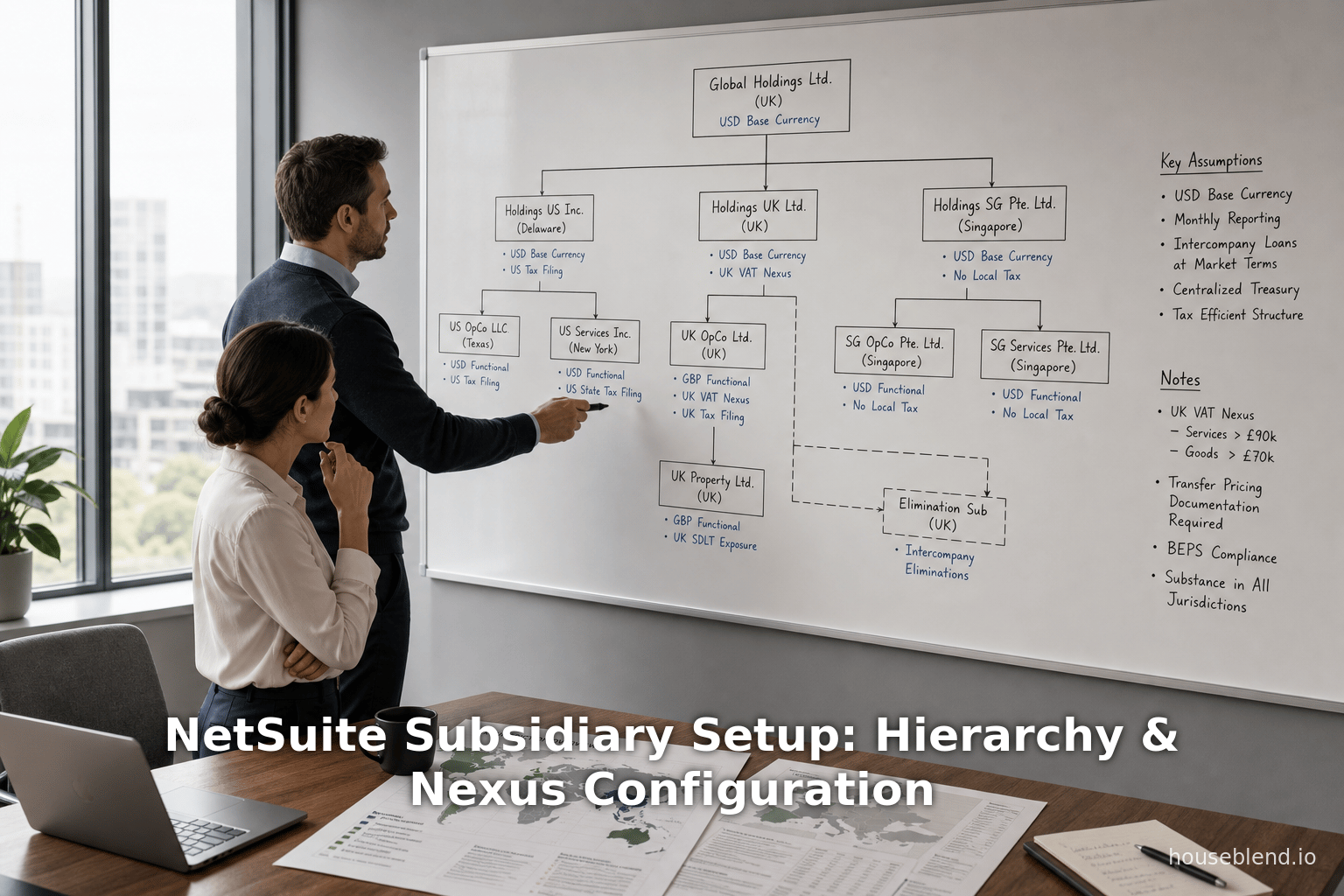
NetSuite Subsidiary Setup: Hierarchy & Nexus Configuration
Inside this article
- 01Executive Summary
- 02Introduction and Background
- 03Subsidiary Hierarchy and Planning
- 04Tax Nexus Configuration
- 05Subsidiary Record Creation and Settings
- 06Currency and Consolidation Management
- 07Nexus and Tax Implications in OneWorld
- 08Elimination Subsidiaries and Consolidation
- 09Analysis and Discussion
- 10Conclusion
- 11References
Executive Summary
NetSuite OneWorld is a cloud ERP solution explicitly designed to address the complex accounting, tax and consolidation needs of global, multi-entity organizations. It enables a single account to manage the records and transactions of multiple legal entities (subsidiaries) spread across different countries, currencies, and tax jurisdictions [1] [2]. The core aspects of OneWorld subsidiary setup include defining a hierarchical structure of parent–child relationships, configuring tax nexuses (jurisdictions) for each subsidiary, and creating dedicated elimination subsidiaries for intercompany consolidation.
This report provides a detailed, technical exploration of these topics:
-
Subsidiary Hierarchy and Planning: OneWorld organizes subsidiaries in a tree structure with a root (top-level) subsidiary and child entities beneath it [3]. Planning involves diagramming the legal entities, their parent–child links, and recording each subsidiary’s country (which determines its tax nexus and NetSuite edition) and base currency [4] [2]. Importantly, fields such as country and base currency become locked on the subsidiary record once it is saved [5] [5]. To accommodate intercompany elimination, administrators should include one elimination subsidiary as a child of each parent entity that has children [6] [7].
-
Subsidiary Record Creation: Subsidiary records must be created in a top-down fashion (root first, then its children, etc.) [8]. Each legal entity is added as a subsidiary, and an additional “elimination” subsidiary is created under each parent. Subsidiaries are licensed per country/currency, with up to 250 allowed by default [9]; elimination and inactive subsidiaries do not count against this limit [10]. Once saved, certain fields on the subsidiary form – notably Country, Base Currency, and Legal Name – cannot be modified without deleting and recreating the record [5] [5]. After creation, administrators can configure subsidiary preferences, assign logos and numbering prefixes, and link the subsidiary to customers, vendors, items, and employees as needed.
-
Tax Nexuses Configuration: A nexus in NetSuite parlance is a tax jurisdiction (for example, a state or province) in which a subsidiary has tax obligations [11]. Each subsidiary must be associated with at least one nexus; the first nexus is automatically assigned based on the subsidiary’s country [11] [2]. Additional nexuses (e.g. multiple states for a U.S. entity) can be added on the subsidiary’s Nexuses subtab after saving [12]. Transactions for that subsidiary will then use the tax rules of its associated nexus or nexuses [12]. For example, a U.S. subsidiary must have at least one state-level nexus [13], and NetSuite ensures that any necessary nexus record for the country is created (albeit requiring the admin to complete its tax setup) [14].
-
Elimination Subsidiaries: When intercompany transactions occur between subsidiaries (e.g. a sale from Subsidiary A to Subsidiary B), their effects must be cancelled out (eliminated) in the consolidated financial statements [15] [16]. OneWorld handles this via special elimination subsidiaries. These are subsidiary records (created as children of each parent entity) flagged for elimination. Only journal entries posting to these elimination subsidiaries are allowed (no other transactions are entered against them) [17]. By convention, an elimination subsidiary is created under each parent that has child subsidiaries, and its currency is set equal to the parent’s base currency [7]. During consolidation, OneWorld either automatically (via the Automated Intercompany Management feature) or manually posts reversal entries in these elimination subsidiaries to remove intercompany revenue, expenses, inventory transfers, loans, and similar balances [17] [18] [19].
Throughout this report, we draw on official Oracle NetSuite documentation, industry news articles, and implementation case studies. For example, Oracle’s help guides explicitly describe the subsidiary hierarchy, elimination processes, and nexus requirements [2] [17][11]. Independent sources underscore the necessity of these features in practice: one journalist noted that without OneWorld a company’s CFO had been “doing [financial] consolidation in Excel” across multiple instances of NetSuite [20]. Real-world project reports show how companies use OneWorld to unify decentralized finance teams and automate cross-border processes [21] [22].
In summary, configuring subsidiaries in OneWorld requires careful planning of the entity structure, strict control over immutable record fields, correct setup of currency and tax settings, and establishment of elimination subsidiaries for consolidation. When done properly, OneWorld produces consolidated financial statements (in any desired currency) with intercompany effects removed, enabling global companies to comply with local regulations while achieving enterprise-wide financial visibility [1] [16].
Introduction and Background
Global ERP and Multi-Entity Accounting
Modern enterprises often operate through multiple legal entities, subsidiaries, or branches across different countries. Managing financial records for such organizations poses several challenges:
- Multiple Currencies: Each subsidiary may transact in a different base currency (e.g. USD for the U.S. entity, EUR for a European entity), requiring multi-currency accounting and currency translation for consolidation [23] [24].
- Tax Jurisdictions: A subsidiary’s local city, state, province or country may impose different tax rules (sales tax, VAT, GST). Tax obligations depend on where the subsidiary has “nexus” (physical or economic presence) [11] [12].
- Consolidation Needs: Accounting standards (e.g. IFRS, GAAP) require preparing consolidated financial statements. Intercompany transactions (sales or transfers between subsidiaries) must be eliminated so the consolidated statement does not double-count intra-group activity [15] [16].
- Legal Entities vs. Operating Units: Each subsidiary is a distinct legal entity, often requiring separate statutory reporting. Yet businesses also need combined reporting for the group as a whole [1] [25].
- Regulatory Compliance: Subsidiaries must individually comply with local regulations, tax filing, and reporting rules, while the parent must ensure compliance at the group level [26] [22].
- Efficiency and Visibility: Without integrated systems, organizations may resort to maintaining separate ERPs or spreadsheets per subsidiary and then manually consolidating. This is time-consuming and error-prone, lacking real-time visibility. For example, a leading business journal reported that before OneWorld, one company’s finance team “had to do our [financial] consolidation in Excel” across multiple system instances [20].
ERP systems that support only single entities are insufficient for these needs. Large vendors (SAP, Oracle, Microsoft) and cloud providers have developed multi-entity solutions. NetSuite’s offering is OneWorld, a cloud-based ERP designed from inception to support one account across many subsidiaries (hence the term OneWorld) [27] [23]. Since its launch in 2008 [27], OneWorld has been positioned as a mid-market system offering global consolidation features comparable to higher-end ERP modules.
In OneWorld, each legal entity (or sub-organization) is set up as a subsidiary record within the single NetSuite account [3]. OneWorld then uses these subsidiary definitions to enforce transaction-level accounting, tax treatment, currency management, and consolidation logic. The subsidiary setup process is therefore critical: it defines the corporate structure, the default currency for each entity, and the tax jurisdictions each handles. Errors or omissions during this setup can corrupt reporting or lead to compliance failures [28] [5].
This report delves deeply into the details of OneWorld subsidiary configuration. It assumes the reader has a formal understanding of accounting and tax concepts (e.g. bases currencies, tax jurisdictions, consolidation). We examine Oracle’s own documentation as the authoritative source, but also incorporate practical perspectives from independent analysts and case examples. We begin with an overview of how OneWorld treats subsidiaries, then address each focus area – hierarchy planning, subsidiary record creation, nexus and tax settings, and elimination funding – in turn. Relevant empirical details and expert insights are woven in: e.g., the precise fields that cannot be changed after creation, license limits, and notable efficiencies gained by companies in real deployments.
NetSuite OneWorld: Key Concepts
According to Oracle’s documentation, OneWorld supports “global, multi-subsidiary organizations” by letting one NetSuite account manage records and transactions for multiple subsidiaries across multiple tax jurisdictions and currencies [1]. The system is built around a hierarchical subsidiary tree: one root (top-level parent) subsidiary at the top, and its children (and grandchildren, etc.) below it [3] [1]. Each subsidiary behaves as a separate legal entity in the system. For example, a Canadian subsidiary and a U.K. subsidiary in the same account have independent financial data and follow their local regulations, but their data can roll up into consolidated reports at the parent level [1] [25].
Each subsidiary record includes critical defining attributes:
- Country: Used to determine the default tax nexus and the NetSuite edition (OneWorld vs. other editions) for that subsidiary [2]. Oracle notes that the country field cannot be changed after the subsidiary is initially saved [5].
- Base Currency: Each subsidiary has one base currency (e.g. USD, EUR) in which it manages its accounting books [1] [24]. This field is also immutable once saved [5] [24]. (OneWorld mandates that each subsidiary has exactly one base currency; net foreign transactions use dual-currency entries if needed [29].)
- Tax Nexuses: Each subsidiary must be assigned one or more tax nexuses (jurisdictions) in which it collects or pays taxes [11] [12]. The initial nexus is set based on country, but subs can have multiple (e.g. a U.S. sub might have a nexus in multiple U.S. states if it does business in those states) [13] [30].
- Parent Subsidiary: Except for the root subsidiary, each subsidiary record specifies its parent. In effect, the subsidiaries form a directed tree structure. This parent-child relationship controls the account hierarchy for consolidation [31] [3].
- Elimination Flag: A subsidiary record has a checkbox (“Elimination”) that designates it as an elimination-type subsidiary [32]. Only subs tied to this flag are used for elimination journal entries.
OneWorld also implements certain restrictions and behaviors related to subsidiaries. For instance, by default an account can have up to 250 subsidiaries (including the root) at no extra additive cost [9]. Importantly, elimination subsidiaries and inactive subsidiaries do not count toward this limit [10], effectively allowing organizations to create many elimination children without additional licensing charges. This design choice underscores that elimination subsidiaries are supporting tools rather than full operating entities, and Oracle explicitly notes they are not billed.
Crucial to understand is that many subsidiary fields become locked on save. For example, once a subsidiary is created and saved, its country, base currency, legal name, and other fields cannot be changed [5]. To alter any of these, one must delete and recreate the subsidiary record. This constraint means administrators must plan the structure carefully in advance, since mistakes in selecting a base currency or country require workarounds (as Oracle documents) [33] [5]. The official advice is to draw a detailed diagram of the planned hierarchy, noting each subsidiary’s country, base currency, and nexuses, before actually creating the records [4] [6].
NetSuite OneWorld’s architecture thus ensures that each subsidiary is a uniquely-defined ledger entity, with tightly controlled settings for currency and tax. This in turn allows OneWorld to know exactly how to record transactions, calculate tax, and roll up values. Global consolidation is achieved by translating subsidiary-ledger amounts via specified exchange rates (including special consolidated exchange rates for reporting) and then summing across the tree [34] [25]. Intercompany transactions can be entered either via ordinary modules (e.g. Intercompany Sales Orders) or as Advanced Intercompany Journal Entries, and then elimination adjustments null out those intra-group effects [17] [19]. The synchronized, consolidated output is what OneWorld promises – enabling finance teams to avoid manual Excel consolidation as cited in industry press [20].
The rest of this report examines each component of subsidiary setup in detail: how hierarchies are planned, how to create and edit subsidiaries, how nexuses are assigned, the mechanics of elimination subsidiaries, and how these features collectively enable OneWorld to produce consolidated financial reports. Throughout, we tie the technical specifics to business rationale and case examples, demonstrating both how to configure OneWorld correctly and why those configurations matter.
Subsidiary Hierarchy and Planning
Designing the Corporate Structure
When implementing OneWorld, careful planning of the subsidiary hierarchy is critical. NetSuite’s documentation repeatedly warns that changes to the hierarchy after go-live can corrupt data and reports [28] [35]. Thus, before entering any subsidiary records, administrators should diagram the entity structure of the organization in its entirety [4]. This planning diagram starts at the top (the root subsidiary, which is the company’s primary entity) and maps out each child (and sub-child) that needs to exist. Each branch in the tree represents a legal consolidation chain.
In planning, it is recommended to note for every subsidiary (node in the tree) these key attributes:
- Country: The country of operation. In NetSuite OneWorld, the subsidiary’s country determines that entity’s initial tax nexus and which NetSuite product edition it uses [2] [36]. For example, setting country = “United States” triggers the requirement for a U.S. state nexus and association with the US edition [13].
- Base Currency: The accounting currency of the subsidiary. This is the currency in which internal financials will be tracked. Each subsidiary must have exactly one base currency [24]. Critically, once set and the record saved, the base currency cannot be changed [5], so it must be correct on the first try.
- Tax Nexuses: The jurisdictions where the subsidiary will pay taxes. Initially, the country field sets the first nexus automatically [11], but the planner should record what additional state/province or country nexuses the subsidiary needs (e.g. a US subsidiary might need nexuses for California and New York if it does business there).
- Parent Subsidiary: The parent in the hierarchy. Except for the root (which has no parent), each subsidiary lists one parent. The parent dictates consolidation ownership and any inherited characteristics.
- Elimination Subsidiary needed?: If a subsidiary will have its own children, the planner should also note that an elimination subsidiary must be created as a child of that parent [6]. In practice, there should be one elimination sub per parent that has children.
Aside from these, other details (such as legal name, websites, addresses, and numbering preferences) can be finalized during record creation. But the above attributes are critical for the structure and cannot be shuffled easily after the fact. Many of these attributes (particularly country and base currency) are locked after save [5] [5]. Thus, the planning phase should capture the complete multinationalscape of the organization.
Once the diagram is drawn, it should be used as a roadmap for setup. For example, the diagram ensures that all necessary currencies are known (so one can pre-create those currency records) [37]. It also highlights which tax nexuses must exist and which subsidiaries will require them, so the tax administration (Setup > Accounting > Nexuses) can be handled beforehand [38]. The diagram also dictates the order of creation: always create the root first, then its children, then the next level, and so on. This is because each child’s record requires specifying its parent [8].
The importance of planning cannot be overstated. NetSuite warns that modifying the hierarchy after transactions have been recorded can lead to data corruption [28] [35]. For example, changing a subsidiary’s parent (using the Subsidiary Hierarchy Modification preference) is possible but comes with a cautionary note that “modification may corrupt your data and reporting” [28]. A consulting best practice is to treat the planned hierarchy as largely unchangeable: if an entity’s relationships change in reality, it is often safer to add a new subsidiary than to re-parent an existing one.
Example Planned Subsidiary Structure
As an illustration, consider a hypothetical global company “GlobalCorp” headquartered in the United States, with regional sub-groups in Europe and Asia. A possible planned hierarchy might look like this:
| Subsidiary | Parent | Country | Base Currency | (Planned) Elimination Subsidiary |
|---|---|---|---|---|
| GlobalCorp (Root) | (none) | United States | USD | No, root itself |
| GlobalCorp Elim | GlobalCorp | United States | USD | Yes (child of GlobalCorp) |
| Europe Holdings | GlobalCorp | United Kingdom | GBP | No |
| Europe Holdings Elim | Europe Holdings | United Kingdom | GBP | Yes |
| Germany Subsidiary | Europe Holdings | Germany | EUR | No |
| France Subsidiary | Europe Holdings | France | EUR | No |
| Asia Holdings | GlobalCorp | Japan | JPY | No |
| Asia Holdings Elim | Asia Holdings | Japan | JPY | Yes |
| China Subsidiary | Asia Holdings | China | CNY | No |
- GlobalCorp is the root (ultimate parent) based in the U.S. Since it will have multiple child regions, we plan a GlobalCorp Elim elimination subsidiary under it (marked Yes in the table). It shares the USD base currency.
- Europe Holdings is a UK-based subsidiary (base GBP) under GlobalCorp. It will have children (Germany and France), so it needs its own Europe Holdings Elim (base GBP).
- Germany Subsidiary and France Subsidiary are EUR-based operating companies under Europe Holdings. They have no children themselves, so no elimination sub is needed under them.
- Asia Holdings is a Japan-based subsidiary (JPY base currency) under GlobalCorp. It has a child (China), so it needs Asia Holdings Elim (currency JPY).
- China Subsidiary (base CNY) is under Asia Holdings and has no children.
This planned hierarchy diagram would be drawn out before ever clicking “New Subsidiary” in NetSuite. From it we would know, for example, that we need currency records for USD, GBP, EUR, JPY, CNY, and tax nexuses for the U.S., U.K., Germany, etc. It also tells the administrator to create the subsidiaries in this exact order: GlobalCorp (USD–US), then Asia Holdings (JPY–JP), China (CNY–CN), Asia Elim (JPY–JP), then Europe Holdings (GBP–UK), Germany (EUR–DE), France (EUR–FR), Europe Elim (GBP–UK) [if the plan is to deal with all U.S./global parent then Europe then Asia, the exact order may vary; the diagram simply ensures all parents exist before children].
Finally, the hierarchical structure is crucial for consolidation: once set up, NetSuite can “roll up” each subsidiary’s financials into its parent (and ultimately to the root) using the defined exchange rates [25] [34]. For example, Europe’s consolidated statements would translate Germany and France amounts from EUR to GBP (using the Europe Consolidated Exchange Rate) and sum them to produce GBP financials for Europe Holdings. GlobalCorp’s top-level reports would then convert Europe’s GBP to USD and Asia’s JPY to USD, combining all child results [34] [25]. This currency translation framework depends directly on the correct base currency being set in planning.
Subsidiary Record Fields and Restrictions
Once the hierarchy is planned, each subsidiary is created as a Subsidiary record in NetSuite (Setup > Company > Subsidiaries > New). The creation form captures a variety of fields, but of particular importance are:
- Subsidiary Name: (Text) up to 83 characters.
- Subsidiary of (Parent): pick the parent subsidiary from the list (blank for root).
- Country: (List) country of the subsidiary’s address.
- Base Currency: (List) the subsidiary’s currency (immediately follow the country). Cannot be changed after save.
- Legal Name: (Text) legal entity name. Changing the legal name after creation is not allowed without deleting the sub.
- Address/Tax IDs: (Fields such as A/R Account, A/P Account, tax registration numbers – some are locked after creation).
- Preferences and Logos: such as whether to display only subsidiary name (option), subsidiary-specific logos, website URL, numbering prefixes, etc. Some of these (e.g. “Always Display Subsidiary Name”, logos, URL) also cannot be edited after save [39].
- Elimination checkbox: If checked, this marks the record as an elimination subsidiary [32]. (We do this only for the small entities we planned for elimination.)
The official “Creating Subsidiary Records” guide emphasizes doing this top-down [8]. It also lists two notable constraints as a warning:
Important: You can't change the values or states of some fields after you save the subsidiary record the first time. For a list of fields that you can't change on the parent or child subsidiaries, see Editing Subsidiary Records [40].
These locked fields are outlined in Oracle’s documentation [39] [5]. In a parent subsidiary, the following fields (example of the list) are permanently fixed on save [39]:
- Always Display Subsidiary Name (checkbox state) [39]
- Subsidiary Logo (Forms)
- Subsidiary Logo (Pages)
- Website (URL) [5]
- Country of the subsidiary [5]
- Legal Name [5]
- Return Email, Fax [5]
- Elimination state (i.e. whether this is flagged as an elimination subsidiary) [5]
- Currency (the base currency) [5]
For child (non-root) subsidiaries, a similar set of fields is locked [41]:
- Country
- Currency (base)
- Edition
- Elimination state
The net effect is that once a subsidiary record exists with transactions, you cannot swap its country or currency. If no transactions exist, there is a complicated workaround involving deleting the nexus and the subsidiary and recreating them [33], but this is typically undesirable. The bottom line is to get these fields right at creation.
Aside from these locked fields, the subsidiary record includes subtabs for further configuration once saved. For example, the Nexuses subtab (discussed later) lets you associate extra tax jurisdictions with the subsidiary [42]. There are also subtabs for Preferences (where you can toggle subsidiary-specific accounting or AR/AP preferences), Languages (alternate language names), Employees (default subsidiary for new employees in the absence of info), and Addresses (shipping/return addresses) [43] [44]. These subtabs become available only after the initial save (which is why step 1 is to save the new subsidiary account).
Finally, note that Oracle’s documentation states that when upgrading a legacy NetSuite account to OneWorld, the preexisting company data becomes the root subsidiary [40]. This means an “upgrade” is simply reclassifying the old single-company data as the top of a new hierarchy. In that case, data migrations might be needed to split any existing data into child subsidiaries. In contrast, a fresh OneWorld implementation will begin by creating the root subsidiary as a new record.
Tax Nexus Configuration
One of the fundamentally new concepts in OneWorld (compared to single-entity NetSuite) is the handling of Tax Nexuses. A nexus in OneWorld terminology is essentially a tax jurisdiction where the company has a presence. For example, a nexus might represent a U.S. state where you collect sales tax, a Canadian province with HST/GST, the European Union for VAT, a U.K. region, or any country-level VAT jurisdiction. OneWorld’s taxation engine (“SuiteTax” or traditionally “Advanced Taxes”) uses nexuses to determine applicable tax rules for transactions.
Definition and Requirement of a Nexus
NetSuite documentation explicitly defines a nexus as “a tax jurisdiction. Nexuses are part of the NetSuite Advanced Taxes feature, required for NetSuite OneWorld” [11]. Crucially, each subsidiary must be associated with at least one nexus [11]. The “first” nexus for a subsidiary is automatically created and linked for you when you save the subsidiary, based on the country you entered on the record [11]. For example, if the subsidiary’s country is set to “United States”, then NetSuite will create a blank state nexus (named for the whole US) and associate it with that subsidiary [11]. If no nexus exists for that country at all, a new nexus entry is created (with just name/desc) [14]. However, as Oracle notes, that new nexus won’t have any tax rates or rules until you manually configure them in the Set Up Taxes page [14]. In practice one should pre-create expected nexuses in Accounting > Taxes before creating subsidiaries, so that enabling taxes can be fully defined in advance [45].
Once the subsidiary record is saved, an admin can go to its Nexuses subtab and add or remove nexuses [42]. Associating a nexus with a subsidiary means that transactions posted to that subsidiary will use the tax items (rates/rules) configured for that nexus [12]. (It is possible for multiple subsidiaries to share the same nexus object; for example, two subsidiaries in the same U.S. state could both be linked to that state’s nexus.)
Country- and Region-Specific Rules
NetSuite provides guidance for typical scenarios. For U.S. subsidiaries, OneWorld requires at least one state-level nexus [13]. For example, an entity in New York would need at least a New York state nexus. If the country is Canada, a provincial nexus is needed [13]. (Ordinarily, US and Canada require state/province nexuses due to their tax systems.) The documentation importantly states:
“For U.S. subsidiaries, a state nexus is required. For Canadian subsidiaries, a province nexus is required.” [13].
This means if you create a U.S. subsidiary without having defined a state nexus in NetSuite, the first save will create a generic U.S. nexus entry (with no state details). A recommended best practice is to pre-define each state or province as a nexus before creating the subsidiaries, so that the correct nexus is immediately assigned. After saving the subsidiary, you can always add additional nexuses (e.g. new states) via the subtab.
If a subsidiary does business in multiple jurisdictions, simply add multiple nexus lines on its record. For instance, a U.S. company selling nationwide might have five state nexuses for CA, NY, etc. Each transactional document (invoice, PO, etc.) on that subsidiary will then have a UI where the user picks the relevant nexus (and tax code) for that line item [12]. Reported taxes (sales tax filings) are then done per nexus.
Business Example of Nexus Behavior
Consider a composite example: a company has one subsidiary in the U.S. and another in the U.K. The U.S. subsidiary will have U.S. state nexuses, while the U.K. subsidiary will have a U.K. VAT nexus. Suppose a sales rep at the U.K. subsidiary sells to a customer located in New York. Because the UK sub is selling internationally, it charges VAT at the appropriate international rate (often 0% for exports) [46]. The U.K. sub does not have a New York nexus, so it cannot collect NY sales tax. The NetSuite guide explains this scenario:
“For example, assume that a company has two subsidiaries, one in the U.S. and one in the U.K. ... If a sales person in the U.K. subsidiary makes a sale to a customer in the U.S., value-added tax (VAT) is charged according to the rules defined for international sales – in this example, normally the zero rate for exports.” [46].
This illustrates how nexus settings directly influence the tax applied: the UK subsidiary’s nexus (likely a U.K. VAT configuration with preferred tax codes) governs the tax, not the buyer’s location. Of course, if the U.K. sub had a physical presence in the U.S. (e.g. a branch), then it could have its U.S. nexus set up and charge U.S. sales tax accordingly.
In summary, nexus configuration must reflect the real-world taxable presences of each subsidiary. NetSuite’s interface centralizes this by tying nexuses to subsidiaries. When planning, record which states/provinces/countries each subsidiary needs. Then in setup, ensure those nexus records exist and are linked. As the Oracle docs stress, “each subsidiary record is associated with the nexuses in which it must pay taxes” [12].
Subsidiary Record Creation and Settings
With the hierarchy planned and tax considerations identified, the actual process of creating subsidiaries can begin. Oracle recommends the following setup sequence:
- Enable NetSuite OneWorld (if upgrading from a standard account).
- Enable Necessary Features: Most notably, Advanced Taxes (SuiteTax) is required for OneWorld [11], and the Multiple Currencies feature (though this is automatically enabled in OneWorld accounts [24]). Any industry-specific features (revenue recognition, etc.) can be enabled company-wide first, then subsidiary-level preferences adjusted via the Subsidiary Settings Manager [47].
- Create Currencies: Define all currencies that subsidiaries will use (Setup > Accounting > Currencies > New) [37].
- Create Tax Nexuses: Pre-create any state/province/country nexus records needed (Setup > Accounting > Nexuses > New).
- Create Subsidiaries (top-down): Starting from the root entity, create each Subsidiary record (Setup > Company > Subsidiaries > New).
When creating a subsidiary, the key steps are:
- Name the Subsidiary: Enter a unique name (e.g. “GlobalCorp – Europe”).
- Inactive: Don’t check this unless the subsidiary is not yet in use.
- Parent Subsidiary: Select the parent from the “Subsidiary of” dropdown. For the root, leave blank.
- Always Display Subsidiary Name: A UI preference for users (non-critical).
- Country: Select the subsidiary’s country.
- Base Currency: Pick the currency. Remember this cannot be changed later [5] [24].
- Alternate Name (if used): For multi-language environments.
- Translation of Name: If needed (subsidiaries can have name overrides in other languages).
- Website URL: Optional; also locked after save [5].
- Subsidiary Logo/Form Logo: Branding, locked after save [5].
- GL Accounts (AR, AP, etc.): By default, OneWorld uses a single master chart of accounts that all subsidiaries share. (Subsidiaries by default share the same GL accounts, but each sub can have subsidiary-specific accounts if needed).
- Intercompany Settings: A section (if Intercompany is enabled) to specify related sale accounts, COGS accounts for intercompany transactions.
- Subsidiary Numbering/Document Prefix: If using subsidiary-specific auto-numbering for transactions, enter prefixes [48].
After the header section (general info), you save the record. At this point, the Subsidiary Settings page is automatically created (as noted by OneWorld help) [49]. You can then click into subtabs:
- Nexuses: The NX tab appears after save. Here, you can manually add or remove additional tax nexuses associated with the sub [42]. Ensure the required state/province nexuses are listed.
- Preferences: On the Preferences subtab, subsidiary-specific accounting preferences (e.g. locking transactions when auto-generated JEs are posted, use of subsidiary-specific forms) can be set [50].
- Addresses: Shipping and return addresses can be set per subsidiary (these default to the company’s main addresses if not specified) [44].
- Language (if applicable): Alternate subsidiary names in other locales.
- System Notes: View audit history of changes.
After saved, you cannot edit the country or base currency [5]. If you make a data entry mistake, the usual fix is to delete the subsidiary record (if it has no transactions) and recreate with the correct settings.
Assigning Subsidiaries to Records
Once subsidiary records exist, nearly all transactional records in NetSuite (customers, vendors, items, etc.) can be associated with one or more subsidiaries. For example, customers can be defined to exist in specific subsidiaries [51]. This means a customer in Subsidiary A will only have sales orders in that sub, whereas a global customer record might be linked to multiple subs. Similar logic applies to vendors, employees, inventory items, etc. These associations ensure that transactions in subsidiary A do not candidly appear in subsidiary B’s books.
Organizations planning multisubsidiary setups should systematically go through all master data to ensure correct subsidiary access. The SuiteAlso flag “Associate Subsidiaries with Entities and Items” is a step in setup which guides admins on linking each master data record to the responsible subsidiary/subsidiaries [51]. For example, one might assign product X to Subsidiary Europe but not to Subsidiary Asia if only Europe sells that product.
Example Subsidiary Record Fields (Illustrative)
Below is a conceptual example of entries for the “Europe Holdings” subsidiary from our earlier table:
- Subsidiary Name: “Europe Holdings”.
- Parent Subsidiary: GlobalCorp.
- Country: United Kingdom.
- Base Currency: GBP (British Pound).
- Legal Name: “GlobalCorp Europe Limited”.
- Always Display Subsidiary Name: Unchecked (if we want “GlobalCorp > Europe Holdings” in UI).
- Documents Prefix: EU2- (if we want auto-numbering prefixed).
- Subsidiary Logo: (custom logo for forms, optional).
- Cost of Goods Sold Account (for intercompany sales): 4000 – COGS.
- AR (Accounts Receivable) Account: 1150 – AR.
- Elimination: Unchecked (non-elimination sub).
- Save, then on Nexuses subtab: add United Kingdom Nexus (province-level) and maybe EU Nexus if needed.
- On Other: check taxes and shipping addresses as needed.
Currency and Consolidation Management
Handling multiple currencies is a core capability of OneWorld. The Multiple Currencies feature is enabled by default and cannot be disabled in OneWorld accounts [24]. Key points:
- Base Currency: Each subsidiary’s base currency is the currency of its accounting books [24]. For example, the U.S. subsidiary books in USD, while a German subsidiary books in EUR. Once set, the base currency is locked [24] [5].
- Foreign Transactions: A subsidiary can transact in other currencies via customers or vendors whose currency is different. In that case, a dual-currency transaction is created: e.g. a US inventory purchase priced in EUR will record both EUR (foreign) and USD (base) amounts [29].
- Exchange Rates: NetSuite holds a table of currency exchange rates (Setup > Accounting > Currency Exchange Rates) [52]. These provide the conversion rates used by default for foreign transactions. The application can integrate with external data feeds to refresh rates daily [53].
- Consolidated Exchange Rates: Crucially, OneWorld separates transaction exchange rates from consolidation exchange rates. There is a special Consolidated Exchange Rate list used when rolling up a subsidiary’s base currency to its parent’s currency [34]. This allows the parent to have a fixed or historical rate for consolidation purposes, independent of the market rates used for transactions. For example, Europe’s financial reports might have been prepared at month-end EUR→GBP rate of 0.85. During consolidation to USD (GlobalCorp), NetSuite would use a parent’s stored USD/GBP rate to translate the total GBP figures, as defined in consolidated exchange rate settings [34].
- Budget Rates: Similarly, there is a budget exchange table if budget vs. actual comparisons are needed [54].
In summary, every subsidiary’s base currency must be planned and set. Currency lists and exchange rates should be in place before transactions are entered. The presence of consolidated and budget rates means that financial reports (like the Consolidated Balance Sheet or P&L) can translate all subsidiaries into a single currency, enabling the CFO to see the whole company’s finances in USD or EUR or whatever the parent uses [34] [25].
Intercompany Accounting and Elimination
OneWorld provides robust features for intercompany activities:
- Shared vs Unique COA: Typically, subsidiaries share Most Chart of Accounts, but may have subsidiary-specific segments if needed (R&D vs Ops accounts, for instance) [25].
- Intercompany Transactions: Transactions like purchases and sales between subsidiaries can be recorded using either intercompany Sales Orders/Purchase Orders (standard modules) or by entering Advanced Intercompany Journal Entries.
- Consolidation: At period close, OneWorld consolidates like typical consolidations, translating foreign amounts via exchange rates and summing to parents.
- Elimination Entries: As noted, elimination JEs (posted to elimination subsidiaries) reverse intercompany trade/investment. These can be done manually, or by enabling Automated Intercompany Management.
Oracle’s Automated Intercompany Management (AIC) suite significantly extends elimination capabilities [19]. With AIC turned on, OneWorld will automatically derive elimination entries from the underlying intercompany transactions [55]. In effect, as part of the period close workflow, NetSuite evaluates each intercompany txn and generates the opposite entry in the relevant elimination subsidiary to offset any profit or balance. If this feature is not enabled, the administrator must manually create intercompany elimination JEs. Given the complexity of global eliminations, many companies enable AIC. (AIC requires consistent use of intercompany trade documents. If subsidiaries are simply transferring inventory without documenting it, those lines might not auto-eliminate.)
For example, [63] describes: “With this feature enabled, NetSuite automatically generates elimination journal entries based on the intercompany transaction lines… as part of the period close process. Without this feature enabled, you must manually create ... elimination journal entries.” [19]. In other words, OneWorld can take care of the reversing entries so accountants do not have to manually balance the books.
A key restriction is that elimination subsidiaries only accept journal entries [56] [57]. No other record types (sales orders, vendor bills, etc.) are posted directly to an elimination sub. An elimination subsidiary is there solely to house reversing JEs. Furthermore, an elimination sub “must use the same base currency and country combination as their direct parent subsidiary” [58] – this ensures consistency in the effects of exchange rates (often with a 1:1 consolidated exchange rate to the parent) [58]. Also, because they serve only as journal buckets, elimination subsidiaries do not have accounts receivable or bank accounts: you cannot attach a bank account to an elimination subsidiary [59].
Practically, the subsidiary setup includes ticking the Elimination checkbox on the parent’s subsidiary record when creating the elimination sub [32]. For example, if Europe Holdings is a parent entity, you would create its child Europe Holdings Elim with the Elimination flag checked. Its currency is GBP (same as Europe Holdings) and (critically) you would not create further children under an elimination subsidiary. Indeed, the documentation notes that an elimination sub “cannot be a parent” of other subs [60].
By treating elimination subs as ordinary child subsidiaries with one special flag, OneWorld simplifies workflow. In consolidated reports, the net impact is that subsidiary-level profit from cross-subsidiary sales/investment is removed. NetSuite’s consolidated financial statements (e.g. Consolidated P&L) will automatically omit the effect of any entries posted to elimination subsidiaries (since those entries are netted out of the intercompany accounts on consolidation).
Case Studies and Real-World Examples
To illustrate how these configurations play out in practice, consider the following real-world scenarios from OneWorld implementations:
-
Streamlining Inventory and Fulfillment Across Subsidiaries: A U.S.-based distributor with multiple subsidiaries struggled to manage stock: its parent carried inventory in warehouses, while child entities ran e-commerce sites with fluctuating demand [61] [21]. The solution was to implement OneWorld’s cross-subsidiary fulfillment feature. In this case, subsidiaries were set up for the parent and child companies, with a shared set of items. By configuring the subsidiaries correctly (including fulfillment and elimination logic), inventory could be allocated dynamically across the entire enterprise. OneCase narrative notes that after OneWorld, “customers can place an item ordered from a subsidiary website ... until they can find sufficient inventory at ... another similar subsidiary” [21]. Essentially, the ERP system now uses the inventory records from multiple subsidiaries in aggregate. This required properly setting up each subsidiary and linking inventory items to each sub (via the “Associate Subsidiaries With Items” process [62]), as well as enabling the OneWorld fulfillment feature. The outcome was more efficient use of capital (no need to overstock one subsidiary) and improved service levels [63]. Precise consolidation of inventory value across subs was managed by OneWorld’s ledger and elimination rules.
-
Tax and Regulatory Compliance in a Global FinTech: A fast-growing fintech client operated in North America, EMEA, and APAC with separate financial teams and local systems [64]. They had no unified tax or reporting engine, leading to fragmented closes and compliance headaches. The project team implemented NetSuite OneWorld as the single ERP backbone. In Phase 3 of the rollout, they specifically “set up entity-specific tax engines for U.S., EU, and Asia” and “integrated automated tax calculation and digital reporting (VAT, GST, etc.)” [22]. This meant they created the correct subsidiary countries and associated the appropriate tax nexuses for each region. For example, each EU subsidiary likely had a local VAT nexus, and the system was configured to auto-calculate output tax on EU sales. They also configured audit trails and approvals, which leveraged OneWorld’s per-subsidiary preferences and the Global Locking feature to support SOX/GDPR compliance [22]. The team further deployed “intercompany elimination rules” in the consolidation process (enabled through OneWorld’s advanced intercompany management) [65]. By migrating all subsidiaries onto one unified platform, financial consolidation was automated, and tax calculations became consistent and traceable. Leadership gained near-real-time dashboards that cut close times dramatically. The customer’s CFO commentary (though NDA-protected) would likely reflect confidence in the system’s ability to produce consistent consolidated statements in a timely manner, thanks to the OneWorld subsidiary setup and tax automation.
-
Centralized Reporting and Faster Close: Another case (Bay Forward) involved a multinational corporation with fragmented systems across regions [66]. Their challenge was lack of consolidated data, manual currency conversions, and compliance differences [66]. OneWorld was implemented so that “all entities [could be] managed from a single platform,” enabling unified financial management [67]. In practical terms, they defined each subsidiary in NetSuite (using the subsidiary setup), centralized the chart of accounts (ensuring subsidiary accounts were mapped correctly), and activated multi-currency. OneWorld then automatically handled currency conversions using live rates [68]. For compliance, they turned on the appropriate tax codes per subsidiary (e.g. different VAT/GST treatments). The result was that they now had “real-time consolidated financial reports” and “automated currency conversion” across subs [69]. Bay Forward’s report claims a 40% reduction in close time due to OneWorld’s centralized process [70]. Key to this outcome was having all subsidiaries correctly configured in OneWorld from Day 1, so that intercompany eliminations and currency translation happened seamlessly.
These examples underscore why the system’s detailed subsidiary settings matter. The first case highlights inventory and fulfillment across subs; the second focuses on tax engines; the third demonstrates consolidated reporting metrics. In all, the companies achieved real benefits (better visibility, efficient resource use, faster closes) because their subsidiaries, nexuses, and elimination structures were properly implemented. In fact, industry observers have noted that features like this (cross-subsidiary capabilities and automated consolidations) allow smaller companies to operate at a global scale, saying “NetSuite has done ... one of those blue-chip capabilities you need to have” [71]. This reflects that OneWorld’s subsidiary setup moves the solution beyond basic accounting into a full enterprise management platform.
Nexus and Tax Implications in OneWorld
Beyond functional steps, it is important to understand the implications of nexus and subsidiary configuration from a tax compliance perspective. Each subsidiary effectively becomes the statutory filer for its jurisdictions. For U.S. businesses, for instance, each state nexus would represent an obligation to collect and remit sales tax. Thus, administrators often involve tax teams in defining subsidiaries: if the company has a presence in California, it should have a California nexus assigned to at least one subsidiary that does business there. The subsidiary’s location (country) sets the baseline nexus, but multi-jurisdiction operations require manual nexus additions.
For example, if a Florida-based subsidiary also ships to New York, the company might decide to create a New York nexus and assign it to the Florida subsidiary (or another entity that conducts the sale). OneWorld will then ensure sales tax is calculated per New York rules on New York sales from that subs. If it were not set up, tax could be under- or over-charged. Likewise, for an EU subsidiary, the local VAT nexus would require proper VAT codes on invoices.
In practice, setting up nexuses and tax codes from the beginning is crucial. Many companies use SuiteTax (NetSuite’s enhanced tax engine) for value-added tax, GST, or sales tax. SuiteTax allows very fine tax configurations (by item, location, class, etc.), but it relies on the nexus definitions at the subsidiary level. If advanced tax is enabled, the system “automatically creates a tax agency vendor when you create a tax nexus” [72], which simplifies compliance work because the tax agency (e.g. the state treasury) is tracked. Once a nexus is in place, one assigns tax codes (sales tax rates) to it via Setup > Accounting > Taxes.
A practical issue arises when a subsidiary has multiple nexuses. In NetSuite, each transaction line can select which nexus applies, or a default nexus can be set per item or location. Companies must coordinate internal policies: for example, setting defaults or training users on which nexus to select on each invoice line. The documentation does not deeply cover this end-user behavior, but it is a critical configuration step after linking nexus records. Incorrect nexus selection errors can require manual journal corrections.
From a structural perspective, note that a subsidiary’s country field automatically tied it to a country-level nexus and tax edition (OneWorld vs. OneWorld UK, etc.) [2]. The existence of country-specific editions implies differences in core legal compliance (e.g. OneWorld UK edition includes UK VAT modules). It suggests that when planning global subsidiaries, one should verify that OneWorld supports the jurisdictions needed (OneWorld supports a long list of country editions, but an audit is prudent).
Elimination Subsidiaries and Consolidation
Elimination subsidiaries fill the critical role of balancing the consolidated books. By NetSuite’s advanced accounting logic, each elimination subsidiary (flagged on its record) is essentially treated as a contra-ledger for the purposes of consolidation. Any elimination journal entry posted to that elimination subsidiary subtracts from (or adds to, if a debit) intercompany balances in the consolidated statements.
According to Oracle: “You use elimination subsidiaries to post journal entries that balance consolidated books. These journal entries, called elimination journal entries, reverse the impact of the intercompany transactions. Each elimination journal entry posts to an elimination subsidiary.” [17]. In effect, revenues and expenses created by trades between two subsidiaries will have opposites entered on the elimination sub so that the consolidated P&L reflects neither profit nor expense arising only from internal trade. The NetSuite docs name typical intercompany transactions: sales and services, inventory transfers, loans [73]. In all these cases, an elimination JE would credit out the sales and debit out the expense (or vice versa) at consolidation run-time.
Key facts about elimination subs from official guide:
- Creation: Elimination subs are created exactly like normal subsidiaries, except the Elimination box is checked on their record [32]. They are always created as children of their parent entity (the parent for which they are eliminating transactions between its child subsidiaries) [7] [60].
- Currency: They must use the same base currency as their direct parent [58]. In addition, if consolidated exchange rates are used, they should have a 1:1 rate with the parent (to simplify translation) [58].
- Transactions: Only Journal Entries can post to an elimination subsidiary; no Invoices, Sales Orders, etc.(“only journal entries post”) [74] [57]. This is a firm system constraint.
- Non-Ledger Effects: Elimination entries posted here do not further create ripple effects. They do not affect subledgers or GL of other entities beyond themselves [75]. They simply appear in consolidation logic.
- Intercompany Automation: If Automated Intercompany Management is enabled, NetSuite can auto-run the process that creates and posts elimination JEs to these elimination subsidiaries [18] [19].
- License/Count: In keeping with one’s intuitive understanding, “license fees for subsidiaries do not include charges for elimination subsidiaries, and elimination subsidiaries do not count toward the maximum of 250 subsidiaries” [10]. NetSuite offers these elimination subs at no extra licensing cost (but also notes they cannot have bank or item records assigned [59]).
In practice, each parent in the hierarchy that has children should have one elimination subsidiary child under it. In our earlier example, GlobalCorp would have GlobalCorp Elim, Europe Holdings would have Europe Holdings Elim, and so on [6] [60]. These elimination subs typically have no business transactions of their own (they are not used for sales or purchases); they exist solely to absorb elimination entries.
Example of an Elimination Journal
To illustrate, suppose Subsidiary A (a child sub) sells $10,000 worth of goods to Subsidiary B (another child). In the books, Subsidiary A records $10,000 revenue, and Subsidiary B records $10,000 expense and inventory (or accounts payable). For consolidation, that $10,000 is pure intercompany – the parent company does not truly earn or spend it (it’s just moving between subs). To eliminate it, the system (or an accountant) would make an elimination journal entry. Typically this entry is: Debit Sales (at parent level, to remove that revenue) and Credit Cost of Goods Sold (to remove the intercompany expense), or vice versa depending on the ledger setup. Crucially, this elimination JE is posted to the elimination subsidiary (say, GlobalCorp Elim) whose currency is USD (same as the parent). When NetSuite produces the consolidated P&L, it will aggregate Subsidiary A’s and B’s ledgers and the elimination ledger – the intercompany revenue and expense net out.
If the Automated Intercompany feature is on, NetSuite would identify that trade and automatically generate this elimination JE in the USD elimination sub [55]. If not, a manual JE is posted. Either way, the elimination sub record just holds that journal; there is no requirement for a bank or vendor for it.
By convention, elimination journal entries do not post to any other ledger. They do not affect accounts receivable, cash accounts, or foreign currency amounts in the subsidiary books [75]. They reside entirely in the elimination sub, leaving the original two subsidiaries’ records intact. This ensures that consolidated totals reflect only external transactions.
Role in Consolidated Reporting
The use of elimination subsidiaries enables the consolidated financial reports in OneWorld. When generating a consolidated balance sheet or P&L (via the Financial Reports > Consolidated Financial Statements), NetSuite rolls up each subsidiary’s amounts into its parent and applies any elimination journal entries. For example, the profit and loss of GlobalCorp (the ultimate parent) will include all child subs, after reversing out any intercompany sales or expenses. This way, the consolidated statements comply with accounting rules (which require elimination of intercompany transactions).
The consolidation process also respects currencies: Each child’s local currency amounts are first translated into its parent’s currency (using the consolidated rates mentioned earlier [34]), and then summed. Because the elimination sub uses the parent’s currency (by design), its entries require no extra translation in that consolidation step.
All these consolidation mechanics hinge on correctly setting up the subsidiaries and elimination subs. If the elimination sub had the wrong currency, the elimination entries would not properly offset in the converted totals. If an intercompany transaction were recorded but no elimination entry created (e.g. if an accountant forgot and AIC is off), the consolidated statements would show phantom sales/profits. Thus, the disciplined creation of elimination subsidiaries (and using OneWorld’s tools to maintain them) is fundamental to data integrity.
Analysis and Discussion
The OneWorld subsidiary setup achieves a delicate balance between segmentation and integration. On one hand, each subsidiary is an independent legal entity in the system, with its own currency, tax nexus, books, and reporting. On the other, all subsidiaries share master configurations (such as chart of accounts) and feed into consolidated outputs. This model reflects modern corporate structures: legally separate, but centrally controlled to some extent.
From an accounting controls perspective, OneWorld’s insistence on immutability of key fields helps prevent inadvertent errors. For example, if one could change a subsidiary’s currency mid-year, historical transactions would become nonsensical. By forbidding country or currency changes after creation [5], NetSuite forces enterprises to carefully consider their decisions. The tradeoff is system agility: if a corporate restructure occurs, reparenting subs or changing currency becomes an administrative hurdle. In some cases, companies might create new subsidiary records rather than change existing ones, to preserve data integrity.
On tax, the nexus-based approach codifies the concept of a taxable presence. Rather than having to hard-code taxes at each location, administrators model the tax footprint of each sub. This is especially important under evolving global tax climates: for instance, new economic nexus laws (like those in the US since South Dakota v. Wayfair, where selling >$100k triggers tax obligations) mean international sellers may need to update their nexuses. OneWorld’s framework allows adding or deactivating nexuses on subsidiaries as laws change, and since netSuite tax is based on these settings, updates propagate through transactions.
From the perspective of future developments, OneWorld continues to evolve. Oracle’s 2026 statements emphasize applying AI integration across OneWorld to automate tasks. We can expect features like automated anomaly detection in subsidiaries, predictive currency adjustments, or better forecasting. On the taxonomy side, global tax changes (such as the OECD/G20 Inclusive Framework on BEPS or electronic invoice mandates in many countries) may require tighter integration of tax engines. OneWorld (via SuiteTax and interchange with specialized tax services) will likely enhance how subsidiaries report and pay taxes, perhaps moving toward continuous transaction controls.
Regarding intercompany, fully automating eliminations is an ongoing goal. OneWorld’s Automated Intercompany Management is a step, but complex real-world scenarios (e.g. transfer pricing differences, partial equity ownership) still pose challenges. Enhancements like multi-book accounting (keeping parallel ledgers for local GAAP and IFRS, which NetSuite supports) may add layers to how subsidiaries are set up and interact in consolidation.
From an organizational standpoint, implementing OneWorld’s subsidiary structure has significant human and process implications. It typically enforces or encourages the unification of chart of accounts and fiscal calendars across subs, unless those variations are specifically required. This standardization pays off in consistent reporting, but it can be politically challenging in decentralized firms accustomed to local control. The solution is often to use subsidiary-specific segments (if available) or simply education that says: “we will report differently as needed, but for overall control we use these one ERP instance”.
Data from market research suggests multi-entity ERP adoption is growing. (One source claims that about 17,000 companies worldwide use NetSuite OneWorld as of 2026 [76], indicating wide traction.) This trend is driven by globalization even for mid-size firms; no longer can CFOs comfortably operate an empire of siloed ledgers. NetSuite’s OneWorld provides the integrated architecture needed.
Conclusion
Configuring subsidiaries in NetSuite OneWorld – including their hierarchy, tax nexus settings, and elimination counterparts – is a detailed but crucial process for any global organization using this system. A correct setup ensures that each subsidiary’s ledger is maintained properly, that taxes are computed and remitted correctly, and that consolidated group financial statements accurately reflect the enterprise’s performance with all intercompany effects removed.
Throughout this report we have shown that:
- Planning the hierarchy is essential. A clear diagram of parent–child relationships, with noted country and currency information, helps avoid irreversible mistakes [4] [5].
- Creating subsidiaries is a top-down process. Begin with the root and work down, always specifying parent when creating children. Each real operating entity gets a subsidiary record, and each parent gets a parallel elimination subsidiary [8] [6].
- Key fields are locked after save. Once a subsidiary is created, certain attributes (country, base currency, etc.) cannot be changed without recreation [5] [5]. Understanding this, and Oracle’s prescribed workaround for base currency changes (delete and recreate nexus/subsidiaries) [77], is important to avoid data loss.
- Tax nexus configuration ties subs to jurisdictions. Each subsidiary must have at least one nexus for tax calculations [11]. Setting these up correctly (especially U.S. states and Canadian provinces) is vital for compliance. Transactions in a sub will automatically use the tax rules of its associated nexus [12].
- Elimination subsidiaries balance intercompany transactions. Sub-entities trade with each other, and the elimination sub is where the offsetting journal entries are posted [17]. Only journal entries target an elimination sub, and these entries “remove” intercompany profits on consolidation. The elimination sub has the same currency as its parent and requires no separate licensing [58] [10].
- OneWorld features automate consolidation. Built-in capabilities like Automated Intercompany Management can generate elimination entries for you [19]. Currency exchange rate tables handle translation. The standardized chart of accounts allows one report to roll from subsidiary ledger to subsidiary ledger.
Finally, our review of case studies confirms the tangible benefits of these features. Implementations of OneWorld have enabled organizations to manage cross-subsidiary inventory and orders as a unified network [21], to meet local tax rules around the world systematically [22], and to substantially shorten the financial close cycle by eliminating manual consolidation [70]. Expert commentary from analysts like Forrester’s Ray Wang endorses these capabilities: for many companies, having global consolidation and multi-entity support in a single system is a “blue-chip capability you need to have” [78].
Looking ahead, the future of subsidiary management in OneWorld will likely involve greater automation (AI-driven anomaly detection, more seamless tax filings) and deeper integration with global compliance regimes. But the cornerstone will remain the careful initial setup of subsidiaries, nexuses, and elimination rules. Through that disciplined configuration, NetSuite OneWorld delivers its promise of a unified financial system spanning the globe.
References
- Oracle NetSuite Help: Subsidiaries in OneWorld [3] [2].
- Oracle NetSuite Help: Creating Subsidiary Records [8] [40].
- Oracle NetSuite Help: Subsidiary Hierarchy Planning [4] [6].
- Oracle NetSuite Help: Subsidiary Record Fields Unavailable for Edits [5] [5].
- Oracle NetSuite Help: Nexuses and Taxes in OneWorld [11] [13].
- Oracle NetSuite Help: Nexuses and Subsidiaries [12] [46].
- Oracle NetSuite Help: Elimination Subsidiaries [17] [58].
- Oracle NetSuite Help: Multiple Currencies in OneWorld [24] [34].
- Oracle NetSuite Help: Automated Intercompany Management Overview [19] [55].
- NetSuite Implementation Case Study (Dhruvsoft): OneWorld for Distribution Co., NSSuccess, June 2022 [21] [79].
- NetSuite Implementation Case Study (SphereInc): Scaling Compliance with OneWorld, SphereInc [22].
- NetSuite Implementation Case Study (BayForward): Simplify Multi-Entity Management, BayForward [69] [70].
- Press: Kanaracus, Chris. “NetSuite goes global with OneWorld module,” Network World, April 2008 [27] [71].
- Oracle NetSuite Help: OneWorld Overview [1] [25].
- Oracle NetSuite Help: Subsidiary Setup (help topic list) [80].
External Sources (80)
About
Houseblend
Make NetSuite work better for your finance and operations teams with Houseblend. We help design, implement, integrate and improve ERP systems, with practical support for the people who use them every day.
Houseblend is a NetSuite consulting firm serving finance and operations teams. We help organizations implement ERP systems, connect business applications, improve existing configurations and maintain the systems that support everyday work. Our audience includes finance leaders, controllers, operations managers, NetSuite administrators and implementation teams.
Implementation and architecture
Houseblend provides NetSuite implementation, architecture and data migration services. We help teams evaluate how business processes, reporting requirements and existing data should fit together in an ERP environment. Training supports the people responsible for adopting and operating the resulting system.
Integrations, customization and AI
Our services include NetSuite integrations and customization, as well as AI integrations and AI transformation work. These engagements connect ERP data and workflows with the broader application landscape. The right design depends on the organization's systems, controls and operating needs.
Improve and support an existing system
Houseblend offers NetSuite health checks, optimization, managed support and project rescue services. We also provide expertise for analytics and specialist workflows, including NetSuite Analytics Warehouse, warehouse management and field service management. Published educational material helps teams investigate options and prepare informed questions for their implementation or support work.
Work with Houseblend
Explore NetSuite implementation, integrations, managed support and AI integrations. Contact Houseblend to discuss your current system and priorities.
Article examples explain concepts rather than promising a particular license, product capability, delivery schedule or outcome. Engagement scope is confirmed with the Houseblend team.
Disclaimer
This document is provided for informational purposes only. No representations or warranties are made regarding the accuracy, completeness, or reliability of its contents. Any use of this information is at your own risk. Houseblend shall not be liable for any damages arising from the use of this document. This content was generated with assistance from artificial intelligence tools, which may contain errors or inaccuracies. Readers should verify critical information independently. All product names, trademarks, and registered trademarks mentioned are property of their respective owners and are used for identification purposes only. Use of these names does not imply endorsement. This document does not constitute professional or legal advice. For specific guidance related to your needs, please consult qualified professionals.