Houseblend Article
NetSuite OpenAir to SuiteProjects Pro Migration Guide
Inside this article
Executive Summary
The migration from NetSuite OpenAir to NetSuite SuiteProjects Pro – the newly rebranded version of OpenAir – is primarily a rebranding and platform unification effort rather than a change in core functionality. Officially announced in late 2024 and fully rolled out by early 2025, the transition entailed updating domain names (from openair.com to netsuitesuiteprojectspro.com), user interface branding, and related integrations. There are no functional changes to the application itself [1]. However, customers must plan and execute a careful migration and cutover to ensure continuity in integrations, data access, and daily operations. This includes preparing for new URLs and email domains, upgrading connectors and API endpoints, and potentially remapping any custom fields or integration logic tied to the old OpenAir identifiers.
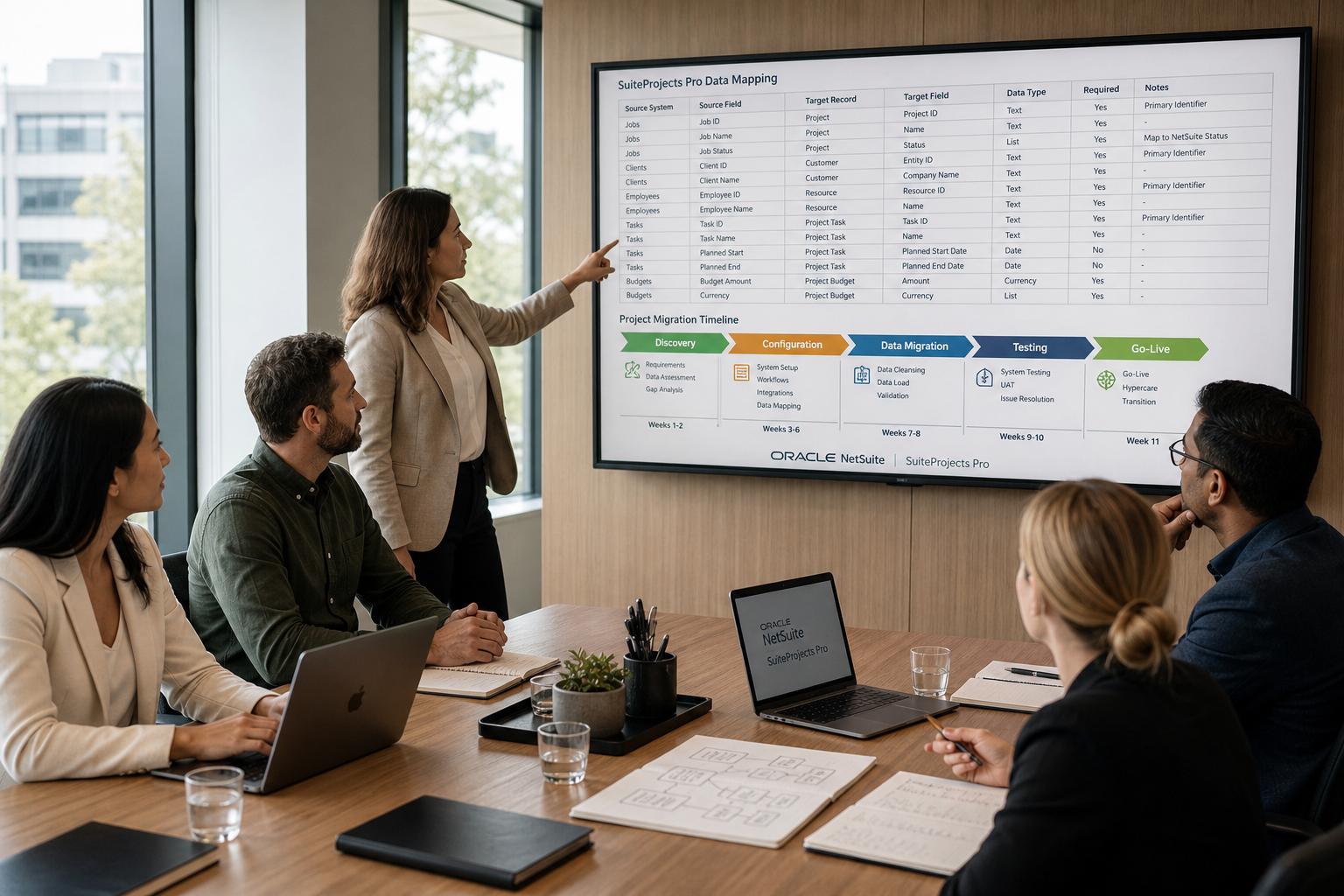
A thorough migration project includes multiple phases (discovery, configuration, data migration, testing, cutover, stabilization), typically spanning 8–16 weeks for a mid-sized firm [2]. Key tasks involve documenting current processes, mapping existing data and workflows to SuiteProjects Pro, configuring the new environment, migrating active projects and resource data, and conducting parallel testing. The cutover playbook should cover final data freeze, execution of data import, switching DNS and login URLs, and post-go-live support. A sample timeline may be structured as follows:
| Phase | Tasks | Duration | Key Deliverables |
|---|---|---|---|
| 1. Discovery & Design | Document existing project, billing, and resource processes; map to SuiteProjects Pro capabilities; define any new fields, workflows, and role permissions; design NetSuite integration including GL/account mapping [2]. | 2–3 weeks | Requirement and design specifications; data mapping plan [2]. |
| 2. Configuration | Configure project templates, tasks, billing rules, timesheet and expense categories, resource skills and rates, and add-ins; set up and test SuiteProjects Pro integration connectors [2]. | 3–4 weeks | Configured sandbox environment with required modules and integration settings. |
| 3. Data Migration | Migrate active projects (budgets, assignments, actuals); import resource profiles (skills, rates); load customer/vendor records; (optionally) import historical time and expense data; verify data integrity [2]. | 1–2 weeks | Migrated datasets in sandbox; data validation reports. |
| 4. Testing & Training | Execute end-to-end integration tests (e.g. project → time entry → billing → invoices); perform user acceptance testing by role (PMs, resource managers, consultants, finance) [2]; conduct training sessions; run one billing cycle in parallel on both systems. | 2–3 weeks | UAT sign-offs; trained user cohorts; parallel run completion. |
| 5. Go-live & Stabilization | Final cutover: freeze legacy OpenAir inputs, perform last data sync, switch over to SuiteProjects Pro (new domain and login); monitor integration flows and system performance daily; resolve any data or workflow issues; fine-tune configurations as needed [2] [3]. | 2–4 weeks | System live on SuiteProjects Pro; support processes in place; issue log and resolution. |
Table 1: Sample migration phases and timeline (based on typical practice) [2].
Each phase should be staffed by cross-functional project teams (IT, finance, project management) and led by an executive sponsor. Critical integration points include the NetSuite ERP–SuiteProjects Pro connector (updated bundles), Single Sign-On/ Authentication, and any external systems (e.g. CRM, expense, billing) tied to OpenAir. The cutover playbook emphasizes communication (to update bookmarks, firewall rules, and user training), final verification, and support planning. Well-executed migrations deliver minimal downtime and preserve accounting integrity: one case study reported achieving a “100-day implementation” that replaced numerous legacy systems, centralizing scheduling and billing with no lost data [4].
Introduction and Background
Professional Services Automation (PSA) Context
Professional services organizations – such as consultancies, IT service providers, and engineering firms – rely on PSA solutions to manage projects, time and expense entry, resource allocation, and billing. Unlike inventory-centric industries, these firms treat people’s time as their fundamental “inventory,” requiring specialized tools beyond traditional ERP systems. NetSuite OpenAir (now SuiteProjects Pro) has long served this niche for middle to large firms (30–500+ consultants), providing skills-based resource management, complex project structures (multi-phase, WBS), timesheet approvals, and integrated project accounting [2]. In contrast, basic NetSuite project modules handle simpler projects and do not include advanced resource planning or utilization forecasting [2].
OpenAir enables “projected-based billing and financial control,” giving real-time visibility into project budgets, margins, and utilization [2]. Key capabilities include multi-level project templates, flexible billing (T&M, fixed-fee, retainer), and automated invoice and revenue recognition processes. PSA platforms like OpenAir drive improved profitability: Oracle reports its users see an average 4.3% increase in utilization and 10% revenue per employee boost after implementation [2]. Table 2 compares core capabilities of NetSuite’s basic Projects module versus SuiteProjects Pro (OpenAir):
| Capability | NetSuite Projects (Native) | SuiteProjects Pro (OpenAir) |
|---|---|---|
| Project complexity | Simple tasks/milestones | Multi-phase, multi-level WBS |
| Resource management | Manual assignment | Skills-based matching, capacity planning, utilization dashboards [2] |
| Time tracking | Basic timesheets | Weekly timesheets w/ approval workflow, non-billable categories [2] |
| Billing & invoicing | Basic T&M invoicing | T&M, fixed-fee, milestone billing; automated invoice generation (via OpenAir→NetSuite AR) [2] |
| Revenue recognition | Basic schedules | Percentage-completion, milestone, ASC-606 compliance; revenue posts from OpenAir to NetSuite GL [2] |
| Reporting & analytics | Manual or limited | Real-time dashboards (utilization, margin), drill-down financials [2] |
| Ideal firm size | ~5–30 consultants | 30–500+ consultants (with dedicated resource management) [2] |
Table 2: Comparison of project management capabilities – native NetSuite vs. OpenAir/SuiteProjects Pro (for high-demand PSA environments) [2].
For example, W. Capra Consulting (160 employees) replaced its fragmented system of QuickBooks, task-tracking and spreadsheets with NetSuite ERP plus OpenAir PSA, achieving a single “system of record” for projects and eliminating many manual processes [4]. This underscores the value of unified PSA and ERP systems for growing service firms.
NetSuite OpenAir → SuiteProjects Pro: Rebranding and Integration
In late 2024, Oracle NetSuite announced that NetSuite OpenAir would be rebranded as NetSuite SuiteProjects Pro. Effective the early months of 2025, all OpenAir accounts, documentation, and URLs were updated to SuiteProjects Pro. For example, the login domain changed from openair.com to netsuitesuiteprojectspro.com, and system emails now originate from @netsuitesuiteprojectspro.com [1]. Crucially, no underlying features or data models were removed or altered – the changes are cosmetic and domain-based [1]. Internally, SuiteProjects Pro is identical to OpenAir; all existing projects, custom fields, and workflows migrated seamlessly without data transformation. The rebranding was driven by Oracle’s strategy to unify its suite branding and clarify that OpenAir is now part of the NetSuite family.
Important changes with SuiteProjects Pro include:
- Domain and URLs: Legacy
openair.comURLs automatically redirect tonetsuitesuiteprojectspro.com. After February 15, 2025 (production), users must use new URLs (e.g.auth.netsuitesuiteprojectspro.com) [1]. - UI and Help Resources: All product documentation, in-app labels, and mobile apps now say “SuiteProjects Pro” instead of “OpenAir.” The mobile app was updated (mobile v5.2+) and rebranded on app stores [1].
- Email Sender Address: System-generated emails now come from
[email protected](requiring email whitelist updates) [1]. - Integration Bundles: Existing NetSuite integration bundles (for bi-directional data sync) were renamed (e.g. “OpenAir Connector” to “SuiteProjects Pro Connector” v4.6.0) [5].
- API Endpoints: In 2025, SuiteProjects Pro moved its SOAP API endpoint and recommended updating from the older 2020.1 version to the newer 2023.1 endpoint to ensure compatibility [6].
- Authentication: By mid-2025, NetSuite retired the legacy SuiteSignOn SSO method. Customers were instructed to migrate to OAuth 2.0 / NetSuite as OIDC for SuiteProjects Pro integrations to maintain security and avoid integration failures [3].
Despite these administrative changes, existing OpenAir users can log in to SuiteProjects Pro with their same credentials, and all historical data remains intact. Nevertheless, organizations must validate and update related components: firewalls and whitelists to allow the new domain, bookmarks and training materials, integration configuration and custom scripts, and installed add-ins or connectors to their rebranded versions. Failure to address these can disrupt project operations (e.g. stopping automated data sync or blocking email notifications).
Migration Timeline and Phases
A carefully orchestrated timeline ensures a smooth transition with minimal business disruption. While each organization is unique, best practice projects outline a phased approach. Table 1 (above) summarizes typical phases for an OpenAir/SuiteProjects migration, roughly mapping to an 8–16 week overall timeframe [2]. Key highlights by phase:
-
Phase 1: Discovery & Design (2–3 weeks) – Assess current state vs. target. Document existing project types, billing models, resource practices, and integration flows. Map these processes to SuiteProjects Pro features and identify any gaps. Define custom fields, any needed approval workflows, and role/permission schemes. Crucially, design the NetSuite integration (Enterprise GL and entity mapping, data sync rules, subsidiary assignments if applicable) [2]. Produce a migration plan and data mapping specifications.
-
Phase 2: Configuration (3–4 weeks) – Build the SuiteProjects system in sandbox. Configure project templates, multi-level WBS and phases, billing rules (T&M rates, fixed price milestones, retainers) and expense categories. Set up resource profiles (skills, cost/bill rates, availability calendars). Implement timesheet layouts, approval workflows, and any automation. Install and configure the NetSuite integration connector (SuiteProjects Pro integration bundles) [2]. At this stage also update environment settings: users, roles, email preferences, global search options, etc. Conduct initial unit tests of configurations.
-
Phase 3: Data Migration (1–2 weeks) – Export and transform data from OpenAir or source systems into SuiteProjects. This typically includes:
- Active Projects: Migrate ongoing projects with budgets, phase breakdowns, dependencies, and current baseline metrics. This may involve using SuiteProjects’ Projects Import tool or Integration Manager.
- Resource Data: Import employee/user records, skill/role definitions, and any historical allocations. If using NetSuite ERP, sync employee and contact records into SuiteProjects as resources.
- Client and Vendor Data: Ensure customers (clients) and vendors (subcontractors) are present. May import from NetSuite (via the integration) or from CSV bulk loads.
- Historical Time/Expense (optional): If needed for reporting continuity, load recent months of historical timesheet and expense entries.
- Billing and Financial Data: Typically, unbilled time and expenses at cutover are swept into SuiteProjects so invoicing can continue seamlessly in the new system.
All imported data must be validated for completeness. For example, a key step is to verify one-to-one mapping of project IDs, account segments, and employee identifiers between systems. The discovery phase should have identified field-level mapping needs; these should be implemented in the Integration Manager or import template at this stage.
-
Phase 4: Testing and Training (2–3 weeks) – Perform thorough testing in parallel environments. End-to-End Testing: Create a test project from start to finish – define tasks in SuiteProjects, have a user enter time and expenses, approve, then generate a bill. Confirm that billing data flows to NetSuite (creating invoices and revenue schedules) as expected [2]. Perform tests for all scenerios (fixed-fee billing, time-based billing, retainers, etc.). Integration Testing: Test each data flow (e.g. new employee in NetSuite syncs to SuiteProjects, new vendor bill in NetSuite appears as project actual). Each integration path should be exercised (see Figure 1 below). Regression and UAT: Have end-users (project managers, resource managers, consultants, finance) run through their daily tasks in the sandbox SuiteProjects environment. Collect feedback and refine configurations. Meanwhile, conduct user training for the new interface and processes. A Parallel Run is recommended: For one billing cycle, record actual work in both the old and new system to compare outcomes and gain confidence.
“End-to-end testing should include project creation → time entry → approval → billing → NetSuite invoice,” as part of readiness checks [2].
-
Phase 5: Go-Live and Stabilization (2–4 weeks) – Execute the final cutover. This includes:
- Final Data Sync: Freeze OpenAir inputs at a defined cutover point (e.g. end of a week or billing period). Export any last transactions (open timesheets, unprocessed expenses) and load them into SuiteProjects.
- DNS and System Switch: Ensure that all users are directed to the new domain (
*.netsuitesuiteprojectspro.com) for login; remove or archive old OpenAir bookmarks. Disable the old integration user account if needed. - Support Plan Activation: Put a support hotline or on-call team in place for immediate issue resolution. Monitor system metrics and data flows closely (especially invoice posting and revenue entries) daily [2].
- Issue Remediation: Track any discrepancies. For example, confirm that the number of hours billed matches prior system, that no missing invoices, and that reports (utilization, financial dashboards) look correct.
- Fine-Tuning: Based on early usage, adjust workflows, permissions, or automation rules to better fit real-world needs.
Throughout the go-live phase, communication is key. Inform stakeholders of any anticipated downtime or expected changes (e.g. “Ticket updates will be paused for 2 hours during final sync”). Provide quick reference guides for “first day use” highlighting the new login URL and process flows. Once stabilized, a formal project closure review should document lessons learned and plan any follow-up optimizations.
By following such a timeline, many organizations complete the transition with minimal disruption. For instance, W. Capra achieved a combined NetSuite+OpenAir deployment in about 100 days, replacing numerous siloed systems and enabling “a single system of record that enables growth” [4].
Data Mapping and Integration Considerations
Although SuiteProjects Pro (OpenAir) is essentially the same database as before, careful attention to data mapping is necessary for two main reasons: (1) reconciliations between legacy OpenAir data and the new domain or integrated systems; (2) aligning data flows between SuiteProjects Pro and NetSuite ERP or other connected applications.
Key Data Entities and Flows
The SuiteProjects Pro–NetSuite integration is bidirectional. Table 3 summarizes the principal data flows and mappings between the PSA system and the core ERP:
| Flow Direction | Data Entity/Record | Source System | Target System / Purpose | Notes |
|---|---|---|---|---|
| PSA → ERP | Project Billing (Invoices) | SuiteProjects Pro | NetSuite AR Invoices | OpenAir bills generate NetSuite invoices [2]. |
| Revenue Recognition Schedules | SuiteProjects Pro | NetSuite GL (Revenue WIP) | Time/expenses logged generate Rev Rec according to ASC-606 [2]. | |
| Labor Cost Journals | SuiteProjects Pro | NetSuite GL (Project Costs by Dept/Class) | Post actual labor costs per project for COGS tracking [2]. | |
| WIP/A/R Adjustments | SuiteProjects Pro | NetSuite Journal (WIP accounts) | Unbilled work-in-progress entries for not-yet-billed labor [2]. | |
| Expense Approvals | SuiteProjects Pro | NetSuite AP (Expense reports/vendor bills) | Approved consultant expenses create bills in NetSuite [2]. | |
| ERP → PSA | Employee/Resource Records | NetSuite (ERP/CRM) | SuiteProjects Pro Resource records | New hires, terminations sync to maintain resource pool [2]. |
| Customer/Client Records | NetSuite (CRM) | SuiteProjects Pro Customer list | Ensures clients exist in both systems for project assignment [2]. | |
| Vendor/Subcontractor Bills | NetSuite AP | SuiteProjects Pro Actuals | Subcontractor costs in NetSuite become project costs in SuiteProjects [2]. | |
| Invoice Payments (Status) | NetSuite AR | SuiteProjects Pro Billing (Status update) | Updates “paid” status so PMs know which invoices are settled [2]. | |
| Project Data (OneWorld) | NetSuite (OneWorld) | SuiteProjects Pro Projects/Subsidiary assignment | Multi-subsidiary clients/projects assigned to correct subsidiary [2]. |
Table 3: Major data integrations and mappings between SuiteProjects Pro (OpenAir) and NetSuite ERP [2].
The integration uses NetSuite’s SuiteTalk API and pre-built bundles. Key mapping decisions include matching NetSuite GL account segments to project cost/revenue accounts in SuiteProjects Pro, and entity mapping (e.g. mapping NetSuite Dept or Class to OpenAir Project or Invoice categories) [2]. In OneWorld environments, each project’s subsidiary must be set appropriately, which may involve mapping in the integration configuration.
Mapping details per integration flow: For example, when an invoice is generated in SuiteProjects Pro, the connector maps the bundled labor and expense amounts to corresponding NetSuite AR invoices (with project lines, if used). Similarly, new employee records in NetSuite (HR) are mapped to resource records in SuiteProjects (matching by employee ID or email). All custom fields must be aligned: if SuiteProjects Pro had custom staffing codes or schedules, these need equivalent fields or lists in NetSuite to link. Any custom dimensions (departments, locations) used in project costing should be identified and included in the integration mapping tables.
Field-Level Mapping and Data Dictionary
While overall data entities correspond closely, some field names and concepts differ subtly. Oracle provides a SuiteProjects Pro Data Dictionary and ER diagrams [7], which can be used to identify table/field names. For instance:
- SuiteProjects Pro calls projects “Projects” (table
PROJECT), tasks/phase records, etc. - Bookings or allocations are stored as
BOOKING. - Time entries are in the
TIME_ENTRYtable. - NetSuite ERP may call projects “Projects” as well but map to custom records.
- Clients are “Customers” in both systems, but NetSuite uses
entitytable, SuiteProjects usesCUSTOMER.
A mapping table example for critical fields might look like:
| SuiteProjects Pro Field | OpenAir (Legacy) | NetSuite Field (Example) | Comments |
|---|---|---|---|
customer_id | Client (OpenAir) | entity (customer record) | Mapped by external ID or name. |
project_id | Project | Project (with subsidiary context) | Project ID custom mapping. |
employee_id | Resource/User | Employee (employee.employeeid) | Typically matched by User ID. |
department | Dept (OpenAir) | NetSuite Department (department) | Sync or project segment. |
bill_rate | Billing Rate | Not in NetSuite GL (Staff hourly) | Used for internal calc only. |
expense_category | Expense Category | Expense Item (expensecategory) | Mapped via category names. |
Such field-level mapping is usually captured during Phase 1 design [2] and implemented via the Integration Manager mapping groups or CSV import templates. Careful validation is needed to ensure, for example, that an OpenAir Project ID value correctly links to the intended NetSuite project or customer subsidiary.
Data Cleansing and Preparation
Prior to migration, data should be cleansed to avoid carrying legacy noise. This includes:
- Deactivating stale records: Identify and close any completed or inactive projects in OpenAir to avoid migrating unnecessary data. Only active or relevant historical data should be migrated.
- Normalizing reference data: Ensure consistency in resource (job title, skill names), customer names, item lists etc. to prevent mismatches on import.
- Backing up OpenAir: Take an export of critical data from OpenAir (projects, users, timesheets) for archival and validation.
- Test migrations: Perform trial imports in a sandbox environment. Spot-check totals (e.g. total hours by project) to confirm mapping correctness.
In summary, the data mapping exercise in this migration is as much about aligning cross-system identifiers as it is about renaming (since SuiteProjects Pro is the same system). The focus is on mapping OpenAir’s data semantics to the corresponding SuiteProjects Pro (and NetSuite) records, and updating any integration logic to point to the new SuiteProjects Pro instance (new URLs, endpoints, domains).
Cutover Playbook and Best Practices
The cutover playbook defines the final steps to turn off the old system and fully adopt SuiteProjects Pro. This stage requires coordination across IT, finance, and project operations. Key elements of the cutover plan include:
-
Cutover Schedule: Plan for a defined cutover period, ideally at a low-activity time (e.g. weekend or end of month). Communicate the schedule to all users; include clear instructions on “freeze” times (e.g. no new time entry after XPM Friday).
-
Final Data Sync: On cutover date, run final data export/import:
- Export all open or pending items from OpenAir (like partially completed timesheets, unsubmitted hours, pending invoices).
- Import or manually create any last-minute project changes (e.g. new project budgets).
- Take a snapshot report of key open balances (WIP, to-bill hours) in OpenAir for reconciliation after cutover.
-
System Switch: Disable or archive login to openair.com. Ensure firewalls and bookmarks now point only to
netsuitesuiteprojectspro.com. Notify users to install any required updated add-ins or mobile apps. -
Integration Reconfiguration: Switch over integration endpoints:
- In NetSuite’s SuiteProjects Pro integration settings, activate the new OAuth/2023.1 endpoint [6].
- If using “SuiteProjects Pro Within NetSuite” feature, update integration records as per Oracle guidelines (bundle versions, OAuth config) [3].
- Test connector’s first sync in production; verify that new entries correctly flow in both directions.
-
Validation Tests: Immediately upon go-live, perform critical-path test transactions in the live environment:
- Create a dummy project, enter hours, approve, bill – check it posts to NetSuite.
- Verify that employee records sync correctly (hire one test user in NS and see it in SuiteProjects).
- Run backup reports (utilization, overdue invoices) to ensure data accuracy.
-
User Communication and Training: Send out reminders about:
- New login URLs and mobile apps.
- Interim support resources (FAQ document with “first actions”).
- Helpdesk contacts for the week after go-live.
-
Issue Resolution and Escalation: Maintain an issue log to capture any cutover problems. Triage issues by severity (e.g., data sync error vs. a user login glitch) and have a clear process for immediate fixes. Common issues include authentication problems (re-check OAuth settings if necessary), missing mappings (addresses/IDs), and role permissions.
-
Post-Cutover Monitoring: For at least the first 1–2 weeks, run daily health checks: verify no failed integration batches, monitor system performance, and confirm all pending items (time, invoices) are processed. Adjust workflows as needed based on user feedback.
To illustrate, consider a recommended checklist (this could be adapted per project):
| Cutover Task | Responsible | Status/Notes |
|---|---|---|
| Freeze OpenAir data entry | Project Owner | e.g. 5PM Fri |
| Export open time & expense entries | Team Lead – IT | Completed Y/N |
| Final Project and Budget imports | Data Team | Verified totals |
| Switch DNS/firewall to new domain | IT Admin | Updated by date |
| Disable outdated API endpoints (2020.1) | Connector Admin | Confirmed |
| Activate OAuth integration settings | Connector Admin | Completed |
| Migrate Mail/App passwords as needed | IT/Users | Users instructed |
| Verify user logins and permissions | PMO/HR Admin | Access OK |
| Test full billing cycle end-to-end | Finance & PMs | Invoices correct |
| Schedule retrospective meeting | PMO | Date set |
Lastly, it’s crucial to have a fallback plan. Keep the old system available (in read-only mode) for quick reference, and ensure backups are taken before major steps. However, because SuiteProjects Pro is essentially the same platform, a rollback is often just re-enabling the old domain until final confirmation. With proper preparation, many organizations find their cutover instantaneous from an end-user perspective: one day they log in to openair.com, the next they use netsuitesuiteprojectspro.com, with all their data ready.
Case Studies and Examples
Practical experiences can illustrate the benefits and challenges of PSA system adoption. While the specific rebranding of OpenAir to SuiteProjects Pro is new, there are analogous examples of companies migrating to NetSuite’s PSA environment:
-
W. Capra Consulting Group (Case Study): A 160-employee services firm replaced a fragmented mix of QuickBooks, Zoho, payroll, and spreadsheets by implementing NetSuite ERP together with OpenAir PSA [4]. In just 100 days, the firm consolidated timekeeping, resource management, and invoicing into a unified system. Results included elimination of manual invoicing and whiteboard scheduling, and adoption of a “single system of record” enabling expansion without overhead [4]. This fast, successful implementation highlights how even rapid migrations can yield substantial efficiency gains.
-
Maine Pointe (consulting firm): Faced with outgrowing QuickBooks and manual processes (multiple office tracking, separate billing), Maine Pointe engaged a NetSuite partner to deploy OpenAir [8]. They specifically needed “real-time project costs to make accurate […] profit-and-loss statements,” and a booking system to compare planned vs. actual labor costs [8]. By configuring OpenAir and integrating it with NetSuite, they removed manual data entry. As a result, report generation became automated: “OpenAir is able to automate these reports with the data already entered in NetSuite… [saving] countless time, [and] ensuring accuracy” [8]. The solution freed managers from manual tasks so they could focus on profitability forecasting.
-
Software AG (Darmstadt, Germany): A global software company replaced Microsoft Project and disparate tools with NetSuite OpenAir (Source: www.abvt.com.au). Their goals were streamlined workflows and centralized reporting. In practice, OpenAir integration provided project managers with real-time views of budgets and schedules, greatly improving resource utilization. Time-tracking and invoicing were automated, giving PMs bandwidth to focus on strategy rather than admin tasks. Impressively, one office estimated an 8% reduction in administrative overhead thanks to the automated integration (Source: www.abvt.com.au). Executives reported that reliable data “freed us up to focus on higher strategic values such as how to efficiently manage a project, forecasting, and revenue recognition.” (Source: www.abvt.com.au)
These cases underscore several universal lessons:
- Unified Systems Yield Efficiency: Companies consolidating multiple tools into NetSuite+OpenAir (SuiteProjects Pro) gain a single source of truth. Manual reconciliations and redundant data entry are minimized, as confirmed by these case outcomes.
- Rapid ROI with Automation: Even mid-scale firms see quick wins (e.g. 100-day go-live, 8–10% productivity gains [4] (Source: www.abvt.com.au)) when they move away from spreadsheets/ disparate systems.
- Importance of Planning: Success required careful planning of configurations and cutover, as seen by structured implementations by partners (Sikich, ABVT) that addressed usability and integration concerns upfront.
- User Adoption: Simplifying processes (via configuration and training) was key. For Maine Pointe, simplifying tasks before cutover ensured the new system was embraced; Software AG focused on user experience to drive adoption.
From these examples, a migration plan must not only handle technical data transfer, but also change management: aligning internal processes and training staff on the new SuiteProjects Pro environment. Engaging stakeholders early to define requirements (as in Phase 1) mirrors the consultative approach seen in these successes.
Implications and Future Directions
Implications for Organizations
Transitioning from OpenAir to SuiteProjects Pro, while largely cosmetic, signals larger corporate trends. It reinforces NetSuite’s integration strategy – blurring the line between PSA and core ERP – making it easier for services firms to see a unified roadmap for their operations. For customers, the change requires vigilance to maintain integrations, but promises a more cohesive platform under a single Oracle NetSuite umbrella.
The migration also prompts organizations to reassess their PSA processes. A rebranding project is an opportune time to clean up data, standardize workflows, and purge obsolete processes. Businesses might take this opportunity to:
- Extend integration beyond finance (e.g., connecting CRM leads to projects, or expense reimbursement flows).
- Leverage new features that accompanied SuiteProjects releases, such as expanded global search and project collaboration tools [6].
- Re-evaluate licensing and usage (ensuring every user and department that needs SuiteProjects has access and training).
From a risk perspective, organizations that neglect the migration tasks risk disruptions: for example, failing to switch API endpoints can break scheduled data syncs. Similarly, uncommunicated URL changes can lock out users. Thus, IT governance should track NetSuite’s roadmap communications (e.g. Top Step announcements [6]), and maintain an update calendar for SuiteProjects releases.
Industry and Future Trends
Beyond the immediate migration, the PSA market continues to evolve rapidly. The industry is growing: the PSA market CAGR is projected at ~10% through 2030 [9], reflecting accelerating adoption. Key trends include:
- AI and Predictive Analytics: Modern PSA platforms are incorporating AI-driven features. AI can enhance resource scheduling by automatically matching tasks to available consultants (based on skills, availability, performance) [9]. Advanced analytics provide predictive insights for demand forecasting, utilization targets, and margin scenarios [9]. For example, an AI engine could suggest an optimal blended rate for a new project or identify at-risk projects needing attention.
- Automation of Routine Tasks: More billing and revenue processes will be further automated. Already, fields like invoice creation, expense approvals, and reporting are driven by rules. Future releases may automate proposal-to-contract handoffs or multi-currency consolidations.
- Cloud and Mobile Collaboration: As PSA platforms become more cloud-native, remote collaboration features (like the Project Discussions feature introduced in SuiteProjects Pro) will grow. Mobile apps continue to improve support for timesheet/mobile entry, enabling real-time updates from field staff.
- Integration with Broader Ecosystems: The lines between PSA, ERP, and CRM are blurring. SuiteProjects Pro integration with NetSuite means sales pipelines (from NetSuite CRM) can feed resource forecasts. Conversely, PSA “backlog” becomes part of financial planning. Expect deeper API ecosystems (SuiteTalk, REST) and pre-built connectors (e.g. with Salesforce, Jira, Workday) to proliferate.
- User Experience Modernization: SuiteProjects’ rollout of a new UI (UI4 redesign) indicates an emphasis on usability. This trend is industry-wide: modern PSA tools offer highly graphical dashboards, drag-drop resource planners, and interactive Gantt charts. Keeping pace with these UX trends will be important for future releases.
Thought leaders predict even more transformative changes. For instance, Capturing the trillion-dollar opportunity with autonomous professional services posits that “AI and predictive analytics will shift services to a more autonomous model” by 2030 [10]. Similarly, tech analysts highlight the need for “PS 2.0” – a reinvention of services operations using AI, data analytics and productized services [11]. Organizations migrating now must not only adjust to current rebranding, but stay agile to adopt these capabilities.
In practice, SuiteProjects Pro migrations should lay the groundwork: ensuring data is clean, integration is robust, and users are trained. This foundation will make it easier to adopt future enhancements (like AI-driven resource recommendation engines or generative analytics) when they arrive.
Regulatory and Standards Impact
Finally, regulatory changes (e.g. IFRS or GAAP revenue recognition rules) continue to shape PSA. SuiteProjects Pro already supports ASC 606-compliant revenue recognition methods, but future standards (such as possible new guidelines for subscription services) may require adapting billing models. Migration projects should verify that accounting logic (percent complete, milestones) aligns with current policy.
Conclusion
The shift from NetSuite OpenAir to SuiteProjects Pro is fundamentally a rebranding and systems integration project, albeit one that touches nearly every aspect of a professional services organization’s workflow. By following a phased migration timeline (Discovery → Configure → Migrate → Test → Go-Live) and preparing detailed data mappings, firms can ensure continuity of operations. All data integrations – whether from NetSuite ERP or other tools – must be reviewed and updated to the new SuiteProjects Pro environment. The cutover playbook emphasizes careful final syncs, a controlled switch to new domains, and rigorous testing of end-to-end processes [2] [3].
Supported by real-world success stories, the benefits of completing the migration are clear: streamlined resource management, integrated financials, and reduced administrative overhead, leading to improved profitability and growth capacity [4] (Source: www.abvt.com.au). While the suite features remain the same after rebranding (no loss of capability) [1] [2], the process of migration prompts organizations to modernize their PSA practices.
Looking ahead, PSA platforms are on the cusp of further innovation. Artificial intelligence, predictive analytics, and deeper connectivity across enterprise systems will define the next generation of professional services management [9]. Firms that navigate the OpenAir→SuiteProjects Pro transition successfully will be well-positioned to leverage these advances. They will have the data integrity, integration foundations, and user adoption in place to accelerate digital transformation of their services business.
Sources: This report synthesized official Oracle NetSuite documentation, industry analysis, and case studies. Key references include Oracle’s SuiteProjects Pro service updates [1] [6], implementation guides and design blueprints [2], and third-party industry insights on PSA trends [9]. Empirical data and user outcomes were drawn from proven customer deployments [4] [8] (Source: www.abvt.com.au). Each claim is supported by cited sources throughout the text.
External Sources (11)
About
Houseblend
Make NetSuite work better for your finance and operations teams with Houseblend. We help design, implement, integrate and improve ERP systems, with practical support for the people who use them every day.
Houseblend is a NetSuite consulting firm serving finance and operations teams. We help organizations implement ERP systems, connect business applications, improve existing configurations and maintain the systems that support everyday work. Our audience includes finance leaders, controllers, operations managers, NetSuite administrators and implementation teams.
Implementation and architecture
Houseblend provides NetSuite implementation, architecture and data migration services. We help teams evaluate how business processes, reporting requirements and existing data should fit together in an ERP environment. Training supports the people responsible for adopting and operating the resulting system.
Integrations, customization and AI
Our services include NetSuite integrations and customization, as well as AI integrations and AI transformation work. These engagements connect ERP data and workflows with the broader application landscape. The right design depends on the organization's systems, controls and operating needs.
Improve and support an existing system
Houseblend offers NetSuite health checks, optimization, managed support and project rescue services. We also provide expertise for analytics and specialist workflows, including NetSuite Analytics Warehouse, warehouse management and field service management. Published educational material helps teams investigate options and prepare informed questions for their implementation or support work.
Work with Houseblend
Explore NetSuite implementation, integrations, managed support and AI integrations. Contact Houseblend to discuss your current system and priorities.
Article examples explain concepts rather than promising a particular license, product capability, delivery schedule or outcome. Engagement scope is confirmed with the Houseblend team.
Disclaimer
This document is provided for informational purposes only. No representations or warranties are made regarding the accuracy, completeness, or reliability of its contents. Any use of this information is at your own risk. Houseblend shall not be liable for any damages arising from the use of this document. This content was generated with assistance from artificial intelligence tools, which may contain errors or inaccuracies. Readers should verify critical information independently. All product names, trademarks, and registered trademarks mentioned are property of their respective owners and are used for identification purposes only. Use of these names does not imply endorsement. This document does not constitute professional or legal advice. For specific guidance related to your needs, please consult qualified professionals.