Houseblend Article
NetSuite Power BI Integration via SuiteAnalytics Connect
Inside this article
Executive Summary
In the modern enterprise, business analytics and executive reporting have become strategic imperatives. Oracle’s NetSuite – a leading cloud-based ERP system – holds vast operational and financial data, but its native reporting tools are often limited to transactional queries. To equip C-level executives with actionable insights, organizations increasingly integrate NetSuite with advanced BI platforms like Microsoft Power BI. A key enabler of this integration is SuiteAnalytics Connect, NetSuite’s official ODBC/JDBC data access layer. SuiteAnalytics Connect exposes NetSuite’s normalized relational data model to external tools, allowing SQL-based queries from BI systems. However, as industry analyses note, Connect is a read-only interface with inherent constraints: its normalized schema requires complex joins, foreign-key metadata can be incomplete, and performance is throttled for large volumes [1] [2]. For example, a HouseBlend investigation highlights that SuiteAnalytics Connect “provides a convenient ‘SQL-on-ERP’ interface” but has limitations (slow for large datasets, missing metadata) that make direct enterprise-scale use challenging [3] [1].
Power BI, Microsoft’s flagship cloud BI platform, is widely adopted – Gartner consistently ranks it a “Leader” in analytics and BI [4] – and is noted by industry estimates as having over 13% global market share (far ahead of competitors) [4] [5]. Connecting NetSuite to Power BI (via SuiteAnalytics Connect or other methods) promises “executive-grade analytics” from ERP data [6]. Yet integration is nontrivial. NetSuite provides no native Power BI connector, forcing teams to choose between SuiteAnalytics Connect (an ODBC driver requiring licenses), custom SuiteTalk/ SuiteQL APIs, saved-search exports, or third-party ETL tools. Each approach has trade-offs: for example, third-party connectors (like CData or in-ERP SuiteApps) can simplify data flows but entail additional cost (SuiteAnalytics Connect runs ~$2,399 per user/year [7]) and may not handle very large data efficiently [2].
This report provides a comprehensive technical and strategic analysis of “NetSuite → Power BI” integration with a focus on building executive dashboards. It covers the historical evolution of ERP analytics, details the architecture and features of SuiteAnalytics Connect, and examines multiple integration patterns (shown in Table 2). We draw on industry case studies and best practices to offer evidence-based guidance. Key findings include:
-
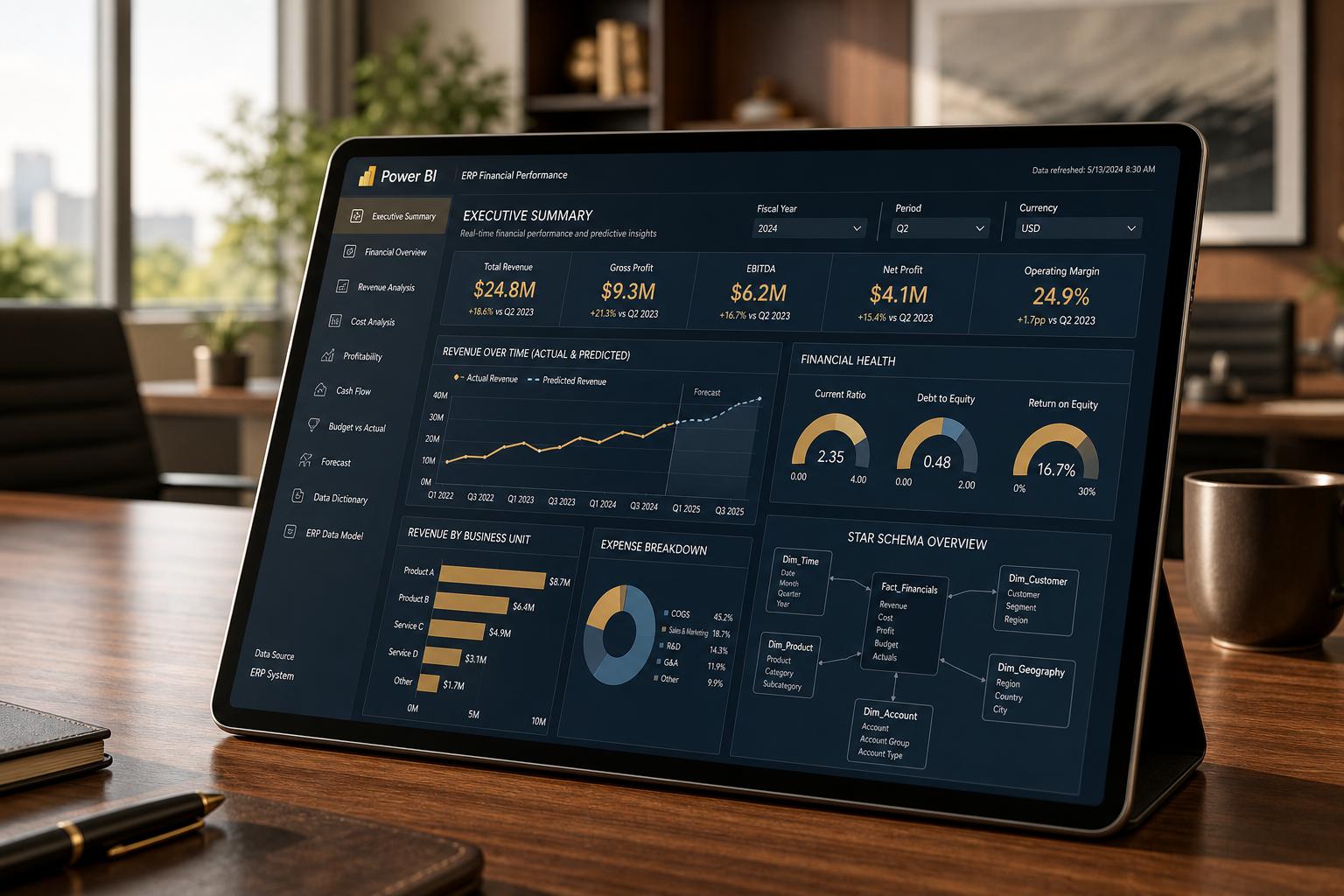
Data Modeling: Aligning NetSuite’s normalized data to a dimensional model is crucial. Dashboards should be designed around business domains (e.g. finance, sales, operations) rather than raw tables [8] [7]. Analytical models often adopt a star schema (e.g. GL transactions fact with account, date, customer dimensions), with bespoke handling of NetSuite’s fiscal calendars and multi-entity structures [9] [1].
-
Integration Approaches: For small-to-medium datasets, enterprises may connect Power BI directly to NetSuite via ODBC/ODBC (SuiteAnalytics Connect) [10] [11]. For larger or enterprise-scale reporting, common practice is to replicate NetSuite data out to a dedicated analytics store (e.g. Snowflake, Azure SQL, or NetSuite’s own Analytics Warehouse using ETL/ELT tools, then build dashboards on that warehouse [10] [12]. Tools like Fivetran automate incremental loading of NetSuite via SuiteTalk/Connect APIs [13], enabling scalable pipelines.
-
Challenges & Governance: Key challenges include the complexity of NetSuite’s schema (over 300 record types) and data synchronization. Analysts report that teams often spend weeks simply flattening hierarchies and mapping relations before dashboarding [14] [1]. Effective governance—standardizing KPI definitions, enforcing role-level security, and managing refresh schedules—is vital to ensure trust in the reports [8] [15]. For instance, Row-Level Security in Power BI should mirror NetSuite’s access controls to prevent unauthorized data exposure [16] [17].
-
Business Value: Power BI dashboards unlock advanced analysis (e.g. predictive forecasts, variance analysis, AI summaries) that native ERP tools lack [18] [19].Case reports indicate significant ROI: one industry consultant notes that transitioning NetSuite reporting to a modern cloud stack gave a GitLab analyst “a complete set of NetSuite data with all the transactions” for fast querying [20]. RSM’s analytics accelerator (an Azure+Connect template) promises deployment of dozens of finance and sales dashboards in weeks [21]. Early adopters cite improvements in decision speed and insight.
-
Future Trends: The move toward cloud-ERP and cloud data warehousing is accelerating. Around 70% of ERP deployments are now SaaS [22] (Source: www.anchorgroup.tech), and the cloud data warehouse market is projected to double (~$70B by 2029 [22]). AI/ML is becoming pervasive in analytics; Gartner reports 90% of CFOs increasing AI budgets [23]. Oracle’s new NetSuite Analytics Warehouse (built on Snowflake) and Power BI’s integration into Microsoft Fabric with Copilot AI are examples of this trend [24] [25]. Thus, solutions should be forward-compatible: i.e., supporting data lakehouses, semantic layers, and AI-driven insights as they emerge.
In summary, building executive Power BI dashboards on NetSuite data requires not only technical connectivity but a holistic analytics strategy (data architecture, modeling, governance). When done properly (as in consolidated cloud-data-warehouse approaches), organizations can transform their ERP into a real-time strategic data hub [26] [10]. This report details the state of practice, with extensive references and case analyses to guide enterprises in implementing SuiteAnalytics Connect for high-value executive reporting.
Introduction
Modern enterprises increasingly view data analytics as a core business capability. Central data repositories like ERP systems must serve not only day-to-day transactions but also strategic decision-making. Oracle NetSuite, founded in 1998 and acquired by Oracle in 2016, is a leading cloud ERP/CRM platform, now serving tens of thousands of companies worldwide. Its modules span financials, inventory, CRM, and e-commerce, making it a rich source of enterprise data (Source: www.anchorgroup.tech). However, NetSuite’s built-in analytics (saved searches, reports, dashboards) were primarily designed for operational reporting. They are limited in scope and flexibility when it comes to executive dashboards that aggregate across domains or long time periods.
In contrast, dedicated BI tools like Microsoft Power BI offer rich visualization, ad-hoc analysis, and advanced features (such as AI-driven insights) that appeal to business leaders. Indeed, Gartner and peers routinely rank Power BI as the top analytics platform [4]. Integrating NetSuite and Power BI thus promises to “unlock comprehensive analytics” by combining transactional data with modern BI [27]. Companies can then replace slow manual Excel outputs with automated, interactive dashboards that support forecasting, KPI tracking, and cross-functional intelligence.
This research report investigates how best to build executive-level Power BI dashboards based on NetSuite data, focusing on the role of SuiteAnalytics Connect – the official NetSuite ODBC/JDBC connector. We cover the historical and technical context of ERP analytics, detail integration methods and architectures, analyze challenges with data models and performance, and present case examples of solutions. We also discuss governance and future directions (e.g. generative AI in dashboards). Our aim is to provide a thorough, evidence-based guide for organizations and analysts engaged in NetSuite–Power BI projects.
Specifically, we will explore:
- The capabilities and limitations of NetSuite’s reporting features and SuiteAnalytics Connect.
- Microsoft Power BI’s architecture and how it interfaces with external data (ODBC connectors, import vs DirectQuery, etc.).
- Various data integration methods: SuiteAnalytics Connect (ODBC/JDBC), SuiteTalk/SuiteQL APIs, saved-search exports, RESTlets (custom SuiteScript, and third-party ETL tools (e.g. Fivetran, CData).
- Design of data models and dashboards to meet executive needs (financial KPIs, drill-downs, historical trends).
- Best practices for data governance, semantic modeling, incremental data refresh, and row-level security.
- Real-world implementations and case studies illustrating different approaches (e.g. direct Connect usage versus using cloud data warehouses).
- Considerations of cost, scalability, and performance (citing benchmarks or expert analyses).
- Industry statistics and expert insights (e.g. CIO/CFO surveys) on the importance of advanced analytics for enterprise reporting.
Throughout, we draw on both vendor documentation (Oracle, Microsoft) and industry analyses (consultant whitepapers, vendor technical articles, and KPI surveys) to back every claim with evidence. Citations follow the format 【source†Lx-Ly】.
By the end of this report, readers should understand not only the mechanics of connecting NetSuite to Power BI, but the strategic imperatives, architectural trade-offs, and future trends shaping executive analytics in the context of NetSuite.
Technical Background
NetSuite Data and SuiteAnalytics Connect
Oracle NetSuite is a cloud ERP whose underlying database is a highly normalized schema with hundreds of record types (e.g. Customer, Sales Order, GL Account, Inventory Item). By default, users access data through NetSuite UI (forms, saved searches, standard reports) or APIs (SuiteTalk, RESTlets). However, built-in dashboards in NetSuite, while powerful for operational monitoring, are limited for cross-module analytics. For example, as one industry commentary notes:
“Native ERP reporting was built to manage transactions, not to deliver cross-functional analytics on a scale.” [6].
To enable external BI, NetSuite provides SuiteAnalytics Connect – a separately licensed add-on service. SuiteAnalytics Connect “turns NetSuite into a SQL-accessible database” via standard drivers [11] [1]. When enabled (under Setup > Company > Enable Features > Analytics), administrators generate Connect credentials (account ID, dedicated user/password or tokens, a role with Connect permission) [28] [1]. They then download the NetSuite ODBC/JDBC driver from the support portal and install it on a reporting server or gateway.
SuiteAnalytics Connect exposes NetSuite’s data as tables over ODBC or JDBC. For instance, core Transactions are available as a TRANSACTION table, Transaction Lines as TRANSACTIONLINE, Customers as CUSTOMER, Accounts (Chart of Accounts) as ACCOUNT, and so on [29] [30]. In each table, the primary key fields are typically an ID column (see Table 1 below). The connect driver effectively acts as an SQL interface: queries issued from any ODBC/JDBC tool go through NetSuite’s backend APIs and return result sets. A typical use case is running a SELECT query via Power BI or Excel:
SELECT companyname, balance, datecreated
  FROM CUSTOMER
  WHERE balance > 1000;
Such queries retrieve real-time snapshots of NetSuite data for analysis (the underlying APIs aggregate the data and relay it).
Key features of SuiteAnalytics Connect include:
-
Industry-Standard Interfaces: SuiteAnalytics Connect supports 32-bit and 64-bit ODBC (Windows and Linux) drivers, as well as JDBC and an ADO.NET provider [11] [31]. This means virtually any modern BI or ETL tool (Power BI, Tableau, Qlik, custom apps) can connect via ODBC/JDBC [29] [32].
-
Read-Only Access: It is strictly read-only (“bridge safe for analytics”), so queries cannot modify ERP data [33] [34]. This ensures the ERP remains the system of record. ODBC users should use a read-only role in NetSuite for added security [35].
-
Relational Data View: The Connect service presents a relational model of key entities (customers, items, GL accounts, transactions, etc.) to the BI tool [33] [31]. For example, a customer record is accessible via the
CUSTOMERtable with fields likecompanynameandbalance. This model makes NetSuite data queryable using standard SQL joins. -
No Schema Changes: NetSuite automatically updates the Connect schema after major releases. However, the reported tables and columns can change with each release, so BI artifacts may need maintenance.
Despite these capabilities, SuiteAnalytics Connect has important limitations that impact large-scale analytics. As HouseBlend notes:
“SuiteAnalytics Connect does not supply complete relational metadata. On some tables, the foreign-key map is incomplete… Performance is another concern: Connect is implemented as an internal API on top of the ERP, so calls are throttled… Large queries may take minutes or fail due to timeouts; Power BI cannot use DirectQuery with Connect, so all data must be imported (subject to size limits).” [1]
In practice, users find that NetSuite’s normalized schema requires many joins to reconstruct common reports. For example, generating a Profit & Loss report may require joining the transactions header, transaction line, item, and GL account tables. The Connect driver lacks comprehensive metadata for foreign keys (“oa_fkeys” table may be incomplete) [1]. Moreover, because Connect queries run against NetSuite’s transactional database via protected APIs, large pulls can be slow or even timeout. Benchmarks indicate multi-minute queries and strict row limits for imports. Consequently, direct live-query (“DirectQuery”) mode is not supported; Power BI must import the result set into its in-memory model [36] [37].
Table 1 below illustrates some of the common NetSuite records and their corresponding SuiteAnalytics Connect tables. This mapping is crucial for understanding how to extract data. For instance, the “Transactions” record (sales orders, invoices, etc.) is exposed as TRANSACTION (key field ID), and each line item is in TRANSACTIONLINE [30] [1].
| NetSuite Record Type | SuiteAnalytics Connect ODBC Table | Primary Key Field |
|---|---|---|
| Customer | CUSTOMER | ID |
| Transactions | TRANSACTION | ID |
| Transaction Lines | TRANSACTIONLINE | ID |
| Accounts (Chart of A/C) | ACCOUNT | ID |
| Items (Inventory/Service) | ITEM | ID |
| Employees | EMPLOYEE | ID |
| Subsidiaries | SUBSIDIARY | ID |
| Budgets | BUDGET | ID |
Table 1. Examples of NetSuite entities exposed via SuiteAnalytics Connect (ODBC). Each table maps to a record type; keys are typically the ID.
Source: SuiteAnalytics Connect documentation and integration guides [29] [30].
In summary, SuiteAnalytics Connect provides a read-only SQL gateway to NetSuite. It is ideal for small-to-medium extracts and ad-hoc queries, and is officially supported by Oracle [11]. However, because of limitations noted above, enterprises often complement it with other tools (see later sections).
Microsoft Power BI Overview
Microsoft Power BI is a cloud-based suite of analytics tools that enables users to create interactive reports and dashboards. Power BI Desktop (Windows software) and the Power BI Service (cloud platform) are widely used across industries: Gartner consistently names Power BI a Leader in Analytics and BI Platforms [4], and industry surveys indicate it holds the largest single share (~13–14%) of the global BI market (far ahead of Tableau, Qlik, etc.) [5] [4]. It is popular with organizations of all sizes (notably, 97% of Fortune 500 companies use Power BI according to one report [38]), partly due to its integration with the Microsoft stack (Azure, Excel, Teams, etc.) and competitive pricing.
Key aspects of Power BI relevant to NetSuite integration include:
-
Connectivity: Power BI can ingest data from hundreds of sources. However, it has no built-in NetSuite connector. Thus, NetSuite data must enter Power BI via generic means (ODBC, web APIs, files) or third-party connectors. For example, one consultant notes that because “NetSuite does not provide a native connector for Power BI,” projects must rely on methods like SuiteAnalytics Connect or custom integration [39].
-
Data Models: Power BI uses an in-memory (VertiPaq) engine and supports relational or star-schema data models. It excels at linking tables (with DAX measures). However, for very large ERP datasets, Power BI’s import model imposes limits (e.g. 1GB dataset size for Pro workspaces, 10GB in Premium, etc.), and DirectQuery mode is not supported for NetSuite (since no live connector). This means NetSuite data must be fully loaded into Power BI’s model (often via incremental refresh to mitigate dataset size).
-
Transformation Layer: Power BI includes Power Query, allowing users to transform and shape data during load (e.g. merging, pivoting, filtering). This is essential for flattening NetSuite’s normalization. For example, one guide shows using Power Query SQL to join
TRANSACTIONLINEtoTRANSACTIONto create a GL transactions fact table [40]. -
Analytics Features: Power BI supports interactive visuals, KPI indicators, drill-downs, cross-filters, and custom DAX calculations (time-series, variances). Recent enhancements include AI functionality: Power BI (now part of Microsoft Fabric) offers Copilot, a generative AI assistant that can create report pages from high-level prompts [25]. These modern features underscore why many organizations choose Power BI for executive dashboards.
-
Licensing: At minimum, a Power BI Pro license (roughly $10/user/month) is needed for content sharing. In practice, companies often use Premium capacity ($per capacity) for larger data volumes and advanced features. These costs must be considered alongside NetSuite licensing (e.g. the SuiteAnalytics Connect add-on is $2,399/user/year [7]) when planning an integration solution.
In summary, Power BI provides a rich platform for building dashboards. When connected to enterprise data (like ERP), it can deliver compelling visualizations for executives. The challenge lies in feeding Power BI with trusted and up-to-date data from NetSuite – a task that SuiteAnalytics Connect can partially fulfill, but often in tandem with other tools.
Integration Approaches
There are multiple ways to get NetSuite data into Power BI. Table 2 outlines the main integration options, comparing SuiteAnalytics Connect with other methods. Each approach involves trade-offs in cost, data freshness, complexity, and scale.
| Integration Method | Description & Tools | Advantages | Challenges / Limitations |
|---|---|---|---|
| SuiteAnalytics Connect (ODBC/JDBC) | Install NetSuite’s ODBC or JDBC driver, connect Power BI via an ODBC DSN using SuiteAnalytics credentials [28] [41]. | * Direct SQL access to full NetSuite schema (300+ tables) [42] * Real-time or on-demand queries against ERP data. * No custom coding needed for simple reports. | * Requires annual license (~$2,399/user/year for full access) [42]. * Read-only and slow for very large extractions [1]. * Metadata can be incomplete; no foreign keys on some tables [43]. * All data must be imported (no DirectQuery) [44]. |
| SuiteTalk API / SuiteQL | Use NetSuite’s SOAP/REST Web Services or SuiteQL (RESTful SQL). This can be done via custom code or third-party ETL tools that consume the API [45]. | * Highly flexible: any record and complex search can be programmed [45]. * Incremental fetch possible (using lastModified fields).* No Connect license needed. | * Technical complexity: requires coding or an ETL platform. * API limits (~4,000 calls/hour) introduce scheduling constraints [45]. * Raw data must be parsed (XML/JSON) or loaded into staging. |
| NetSuite Saved Searches (CSV) | Create saved searches in NetSuite to aggregate required fields, then schedule their export to CSV/XLS via SFTP, FTP or cloud storage. Power BI reads these files (e.g. from Azure Blob) [46]. | * Fully native: no additional SuiteAnalytics or developer license required. * Lightweight: users can create simple searches via UI. * Can automate exports (daily/hourly). | * Batch/latency: data is only as fresh as the export schedule (often hourly/daily) [47]. * File handling: must manage file transfers and schema changes. * Export limits: NetSuite CSV exports cap at ~100k rows per file, not suitable for very large tables. |
| Custom RESTlets | Deploy SuiteScript (often SuiteScript 2.0) RESTlet scripts in NetSuite that return JSON data. Power BI’s Web connector can call these REST APIs with token auth [48]. | * Very flexible: developers can tailor queries exactly (e.g. join transactions, filter, aggregate). * Can bypass export limits (return many records via multiple calls). | * Requires in-house NetSuite script development. * Max 1000 records per RESTlet call (technically can page but complex). * Endpoint management and security (roles/token) must be handled. |
| Third-Party Connectors | Use commercial connectors or ETL services (CData, Boomi, Jitterbit, Celigo, Stitch, Fivetran, etc.) that integrate NetSuite ⇒ Power BI or into an intermediate database. | * Simplifies integration: many offer turnkey NetSuite data pipelines. * Support incremental loads, mapping, error handling. * May push data directly into Snowflake/Azure DB. | * Licensing cost: e.g. CData ~$400/user/year [49]; Stitch from $100/month [49]. * Many tools (like Fivetran) require separate fees (often per rows/ rows or per connector). * Limited control: data transformations may be opaque. |
Table 2. Comparison of major NetSuite → Power BI integration methods. Sources: Integration guides and industry analyses [50] [51].
Below we elaborate on these approaches and typical usage patterns:
SuiteAnalytics Connect (ODBC/JDBC)
As discussed, Connect is the official mechanism. It effectively turns NetSuite into a read-only SQL database [31]. To use it with Power BI Desktop:
- Enable SuiteAnalytics Connect and generate credentials in NetSuite (account ID, connect role with “SuiteAnalytics Connect” permission, username/password or token ID/secret) [28].
- Download and install the appropriate NetSuite ODBC driver (Windows or Linux) on the machine running Power BI or on a designated on-premises gateway [52].
- Create an ODBC Data Source Name (DSN) pointing to
AccountID.connect.api.netsuite.comon port 1708 (newer versions) or 1709 (old) [53]. Provide the NetSuite account and credentials. - In Power BI Desktop, use “Get Data → ODBC” and select the NetSuite DSN. You can then choose tables or write native SQL queries. Power BI will import the data.
While straightforward, avoid certain pitfalls:
- Large tables: Importing millions of rows can be slow. Use table filters or import individual fields, not
SELECT *, and ideally implement incremental refresh (fetch only new/changed data) in Power BI if using Power BI Service [54] [55]. - No Live Mode: As noted, DirectQuery is not available. All extracts will be in Import mode, so monitor dataset size.
- Data Model Design: Because NetSuite is normalized, consider using Power Query to join tables on import and form a denormalized facts/dim schema. For example, the GL Transactions fact can be built by merging
TRANSACTION(header) withTRANSACTIONLINEorACCOUNTtables based on IDs [40].
SuiteTalk API (SOAP/REST) / SuiteQL
NetSuite’s SuiteTalk APIs (SOAP or REST) and newer SuiteQL (SQL-over-REST) are native alternatives. Good when custom logic or automation is needed. For example, third-party ETL tools often use SuiteTalk under the hood. The trade-offs are:
- Flexibility: Any NetSuite record or saved search can be fetched via API calls. Calculated fields and filters can be applied. SuiteQL allows you to issue SQL-like queries (JOINs, WHERE clauses) directly from an API endpoint.
- Control: You can programmatically run thousands of small queries, schedule them, and handle retries. This can bypass some of the Connect limitations.
However, SuiteTalk has strict throttling. Gartner notes typical limits (~4,000 calls/hour) [45]. Large data loads might require paging or repeated calls, increasing complexity. If using SuiteTalk, it’s often within an ETL/ELT tool (e.g. Fivetran polls SuiteTalk) rather than raw in Power BI.
Saved Search Exports (CSV)
A low-tech but accessible approach is to use NetSuite saved searches: an administrator defines exactly the fields and filters needed, then schedules the search results to be exported (via CSV) to a secure location (SFTP, SharePoint, Azure Blob, etc.). Power BI can connect to these files (e.g. via the Azure Blob connector). This method is often used when the organization has tight budgets or minimal integration support:
- Pros: No new license needed (SuiteAnalytics not required). Business users can often craft saved searches themselves. Integration can be entirely config-based (schedule CSV sent every hour/day).
- Cons: Data latency – usually at best daily or hourly updates. Manual overhead to maintain file locations. Export size limits (NetSuite caps saved search exports at around 100,000 records/file). Not suitable for very high-volume tables.
This approach is essentially a batch ETL of CSV files. For example, one might schedule a daily export of all customer balances and feed that into Power BI each morning. HouseBlend notes: “Batch/latency (hourly or daily); file handling overhead; manual process to ingest files into analytics store” [56].
Custom SuiteScript RESTlets
Developers can write SuiteScript to create specialized RESTlet endpoints that produce exactly the query output required. For instance, one could write a RESTlet that returns all GL transactions across a custom period in JSON. Power BI’s Web connector (or any HTTP client) can then POST to that endpoint with token-based auth.
- Pros: Highly tailored. You control pagination (up to 1000 records per call) and can aggregate/format data on the NetSuite side to ease consumption.
- Cons: Requires in-depth SuiteScript development and maintenance. Debugging and versioning of scripts can be cumbersome. Also subject to timeouts (SuiteScript RESTlets have execution limits).
Third-Party Connectors and ELT Tools
Finally, a range of commercial SuiteApps and integration platforms exist. Some embed directly in NetSuite (SuiteApps), others operate externally:
-
ETL/ELT Services: Companies like Fivetran, Boomi, Celigo, Stitch offer connectors for NetSuite that automatically extract and load data into a target database (Snowflake, Azure SQL, etc.) multiple times per day. As HouseBlend notes, Fivetran “polls NetSuite’s SuiteTalk or SuiteAnalytics APIs and continually replicates NetSuite data into target warehouses, handling incremental loads and schema drift” [13]. After a short setup, these tools can continuously pipeline data without custom scripts [57].
-
ODBC Bridge Products: Tools like CData Power BI Connector remove the ODBC DSN step; instead an embedded driver acts as a “virtual database” for NetSuite. These still rely on SuiteAnalytics Connect or the API, but package the connectivity. For example, the CData ODBC connector costs around $400/year per user [49], with simple installation.
-
SuiteApps (SuiteExchange): Products like Tactical Connect (Insights (by BDO) SuiteApps) or Zone Reporting provide pre-built integration solutions specifically for NetSuite-to-Power BI/Tableau. These can abstract much of the complexity, but may add another subscription cost.
Generally, modern best practice for large enterprises is to combine SuiteAnalytics Connect with a cloud data warehouse. The common pattern is: use Connect (or SuiteTalk) to bulk-load all needed NetSuite tables into a cloud warehouse (e.g. Snowflake, Azure Synapse) on a schedule; then connect Power BI to the warehouse instead of directly to NetSuite [12] [10]. This offloads heavy queries from the ERP and leverages the scalability of the warehouse. As one case note states, rather than hitting Connect continuously from Power BI, organizations create a single bulk import to Snowflake and then point dashboards there [12].
In our analysis below, we evaluate these methods in greater depth and provide decision criteria.
Designing Analytics Models
Once NetSuite data is made available (via one of the above methods), the next step is data modeling and dashboard design. Executive reports typically require a coherent semantic model and consistent KPIs. This often means transforming the raw ERP schema into more analysis-friendly structures.
Business-Domain Semantics
Experts emphasize that dashboards should revolve around business domains (financials, sales, inventory) rather than raw database tables [58]. In practice, this means creating fact tables for key processes (e.g. sales, purchases, GL transactions) and dimension tables for entities (dates, accounts, customers) with business-friendly hierarchies. For example, a finance model might have a Fact GL_Transactions table, linked to dimension tables for Account (Chart of Accounts), Date (with fiscal period info), Customer, Vendor, Department, Class, and Subsidiary (for multi-entity). The normalized NetSuite tables often map as follows:
- Fact: GL_Transactions. Build by joining
TRANSACTIONLINE(lines) toTRANSACTION(headers). Key fields: transaction date, subsidiary, department, class, debit, credit, associated GL account (join toACCOUNT). This aggregates all general ledger entries. - Dim: Account. From the
ACCOUNTtable; includes fields like account number, name, type, and a parent hierarchy (for subtotals). - Dim: Date (Calendar). Often created separately in Power BI. NetSuite’s own fiscal calendar (with custom periods) is not easily exposed via Connect, so analysts typically create a date dimension table in Power BI (including fiscal periods, quarters, YTD, MTD flags, etc.) [17].
- Dim: Customer/Vendor. From
CUSTOMERorVENDORtables, includes company, segments, etc. - Dim: Subsidiary/Company, Department, Class, etc. Each of these are typically NetSuite lists exposed as tables (
SUBSIDIARY,DEPARTMENT,CLASS, et al.). They serve as dimensions for filtering and hierarchy.
A star-schema example is shown below (informally):
Fact: GL_Transactions (Tran_ID, Date_ID, Account_ID, Subsidiary_ID, Dept_ID, Class_ID, Amount)
    |-- Dim: Calendar_Date (Date_ID, Date, Month, Year, FiscalMonth, FiscalYear, etc.)
    |-- Dim: Account (Account_ID, AcctNumber, Name, Category, ParentAccountID, etc.)
    |-- Dim: Subsidiary (Subsidiary_ID, Name, Country, etc.)
    |-- Dim: Department (Department_ID, Name, etc.)
    |-- Dim: Customer (Customer_ID, Name, Region, etc.)
    ...
Power BI’s modeling allows linking these tables on their keys. It also supports many-to-many or composite relationships if needed (e.g. when a netSuite field can link multiple roles). Calculations like month-to-date or year-to-date metrics use DAX measures (for example, to compute YTD or variances along fiscal calendars [17]).
Data Transformation: Creating these facts often requires query-time or ETL transforms. For direct Connect usage, one may use “Native Query” in Power Query to join tables in SQL (as [32] illustrates with a SQL snippet for GL fact) [40]. Alternatively, ETL tools or intermediate databases can pre-flatten data.
KPI Definitions and Consistency
A crucial element is defining KPIs consistently across reports. Discrepancies between Power BI and NetSuite values often arise from mismatched logic (e.g. revenue recognized date vs. order date, excludes certain lines, currency conversion differences, etc.) [59]. Collaboration with finance and accounting to agree on definitions is essential. As one practitioner summarizes, “successful reporting is not only about connecting data; it is about designing a strong analytics framework around business processes, KPI consistency, semantic modeling, [and] governance” [8]. In short, analysts should establish a semantic layer: a glossary of definitions, translated into clean Power BI measures.
For example, a CFO dashboard might require KPIs such as Revenue Growth, Gross Margin, EBITDA, Operating Cash Flow, Days Sales Outstanding (DSO), etc. Each must be carefully defined (see Oracle CFO KPIs guide [60]). In practice, Power BI measures often contain logic like:
- Year-over-Year (YoY) Growth:
(ThisPeriod - LastYearSamePeriod) / LastYearSamePeriod. - Budget Variance:
(Actual - Budget) / Budget[61]. - Average DSO: Formula using average receivables/invoice data over 30 days, etc.
Using DAX time intelligence functions (e.g. SAMEPERIODLASTYEAR) helps to compute moving comparisons and YTD values [17]. In the sample key points from ECOSIRE, they note that “time intelligence in DAX turns NetSuite period data into dynamic month-to-date and YTD comparisons” [17].
Governance and Security
For executive dashboards, data governance is critical. Reports typically roll up data across subsidiaries or departments, so Power BI’s row-level security (RLS) must mirror NetSuite’s access controls to prevent unauthorized viewing [16]. This means:
- Creating Power BI roles that align to NetSuite roles. For instance, finance analysts should only see their department’s data, while CFO sees everything.
- Dynamically filtering data based on the logged-in user’s role. Power BI Service supports RLS but it must be carefully planned.
Likewise, version control and documentation of data models and measures is important. Business users should easily understand where a number came from (e.g. “Net revenue includes all invoices posted in the current period, excluding returns and intercompany…”). In large projects, an enterprise semantic model (e.g. in Azure Analysis Services or Power BI Premium metadata) helps enforce consistency.
Incremental Refresh and Data Refresh Strategy
Keeping dashboards up-to-date is an operational challenge. SuiteAnalytics Connect queries can be slow, so many implementations avoid full reloads. Instead, Power BI’s Incremental Refresh (Premium and Pro) is commonly used. This splits tables by a date field; only recent partitions are refreshed, reducing load. For example:
- For transaction data, segments by transaction date. Older data (beyond a year) is static in the model, while new 1–3 months are refreshed nightly [54] [32].
- Ensure source queries in Power BI use a dynamic date filter (e.g., “where Trandate >= @RangeStart and < @RangeEnd”) so the M engine can push filters down to the ODBC source, effectively implementing incremental pulls.
If using a warehouse, incremental load is handled by the ETL (e.g. Fivetran uses NetSuite “last modified” timestamps). For CSV exports, the integration tool (Power Automate, Azure Data Factory, etc.) might only fetch new files.
Proper scheduling (Nightly, Hourly) and monitoring of refresh failures are essential. Gartner notes that without careful configuration, dashboards can end up with stale data“directly undermining decision-making” [62]. Best practice is to automate refresh and alert on errors, rather than manual exports.
Overall, a well-designed integration will have:
- A data refresh plan (e.g. nightly full or incremental load, plus occasional full history loads).
- Validations to ensure NetSuite and Power BI numbers match for a few key reports (reconcile row counts, totals).
- Governance around dataset ownership, documentation, and change management (e.g., updating queries after NetSuite release changes).
Challenges and Best Practices
While SuiteAnalytics Connect and Power BI provide the tools, many projects still face hurdles. We group them here along with solutions gleaned from industry best practices.
Data Complexity and Schema Mapping
Challenge: NetSuite’s highly normalized, hierarchical schema is complex. Entities like “Customer” (with parent/child records), “Item” (with multiple classification fields), and multi-subsidiary ledgers make data modeling intricate. The sheer number of tables (over 300 in Connect) can overwhelm BI developers. One report notes: “NetSuite stores data across multiple tables… Each record type… is stored in separate tables with no built-in joins. Power BI expects flat, relational datasets. Mapping relationships and flattening structures can consume weeks” [14] [1].
Best Practice: Follow a wrap-up approach:
- Domain-Centric Views: Create views (in Power Query or in the warehouse) that encapsulate key NetSuite business entities. For example, build a single “Sales Orders” view that joins
SalesOrder,SalesOrderItem,Customer, andSubsidiarytables, rather than having end-users join them manually. - Leverage Saved Searches: Use NetSuite saved searches to do some of the flattening on the server side. A saved search can pre-join fields (e.g. bring item and customer data into one result set) which Power BI can then simply import. However, be mindful of row limits.
- Star Schema Modeling: As outlined earlier, transform the transactional schema into a star schema in your reporting database. This may require significant ETL work: e.g. linking transaction header+line+GL accounts into a GL fact. The ECOSIRE blog provides an example SQL script for creating a GL Transactions fact table in Power Query [40].
- Business Keys & Dates: Always include business date keys (transaction date, posting date) and avoid using surrogate IDs only (like internal IDs) in model measures. Implement a robust calendar table early, and relate it to every fact table on the date key.
No Native Power BI Connector
Challenge: Power BI lacks a built-in NetSuite connector, so every integration uses one of the more roundabout methods. This can cause frustration for IT teams who must manage custom connectors or drivers.
Best Practice: Simplify the connection layer:
- If using SuiteAnalytics Connect, standardize the ODBC configuration. Store the DSN details (TNS name, port, account) in documentation. If serving multiple departments, consider setting up a shared on-prem gateway with the DSN, so Power BI Service can refresh via that gateway using the same Connect.
- If using an ETL/ELT service, choose one that is well-supported. For example, Fivetran’s NetSuite connector is widely used [13]. Many ETL tools provide incremental sync and handle API complexity internally, leaving just data modeling.
- Third-party connectors often trade simplicity for cost. Weigh the license fees (CData vs. hiring a developer to write RESTlets) against your project budget.
Data Refresh Reliability
Challenge: Synchronizing data between NetSuite and Power BI reliably is non-trivial. Random refresh failures (network glitches, token expiry) and API limits can break dashboards silently. As PBI-OOTB notes, misconfigured refreshes lead to “dashboards [that] refresh with old or partial data” [62].
Best Practice: Automate and monitor:
- Use Power BI gateways and scheduled refresh. If using the cloud, deploy an On-Prem Data Gateway (Windows) that has the NetSuite ODBC driver installed.
- Implement incremental refresh to reduce refresh time (only new data is pulled) [54].
- Set up Excel/Power BI to simply fail on refresh issue, and alert admins. Regularly monitor the refresh history.
- Have fallback processes: e.g. daily CSV exports as backup, or alerts that notify if refresh did not complete.
Performance Bottlenecks
Challenge: Large-volume queries can be painfully slow. NetSuite’s REST/SOAP is not optimized for bulk extract. SuiteAnalytics Connect, while more efficient, still passes through an internal API. Users experience slow paging (tens of seconds per chunk) and memory/timeouts for large results. Power BI in-memory models slow down with too many rows (they can attempt to import into a only-slightly-larger compressed cache).
Best Practice: Offload processing:
- Use Cloud Warehouses: As mentioned, the industry is moving toward ELT pipelines. Loading 100% of data into Snowflake (for example) takes advantage of that platform’s capability to handle large JOINS and aggregations. Power BI can connect via DirectQuery to Snowflake (if Premium), or import smaller star-schema tables more efficiently than via NetSuite ODBC.
- Aggregate When Possible: For very large data (e.g. line-level inventory transactions over 5 years), consider pre-aggregating to monthly summaries or snapshots. Many executive dashboards do not need every transaction detail, so summarizing at source improves performance.
- Incremental Loads: Use DAX/calculated tables to create rolling windows of data in the model, rather than importing full history anew. Power BI’s incremental features (partitioning by date) are critical here.
Consistency and Trust
Challenge: When dashboards show different numbers than legacy NetSuite reports or Excel sheets, users lose confidence. This can happen if business rules diverge (e.g. “revenue calculation in NetSuite includes member discounts, but our BI excludes them”) [59].
Best Practice: Establish a single version of truth:
- Govern KPI definitions: Document exactly how each metric is calculated. Ensure finance sign-off on formulas.
- Align audit trails: Where possible, replicate key netsuite processes in BI. For example, if NetSuite has a consolidation script, mimic its logic in the BI model.
- Consistent data source: Ideally, the dashboards should use the same underlying data as NetSuite’s own reports (just via different tools). In many ETL setups, the warehouse data is the official copy of the ERP.
- Data Lineage: Use Power BI’s lineage view or documentation tools to track where each table and column comes from, so analysts can trace discrepancies back to the source.
Best Practices for Execution
Drawing on community wisdom and consulting experience [8] [47], the following practices help ensure a successful integration:
-
Plan the Data Model Before Connecting: Map out which tables and fields are needed for target dashboards. Build a proof-of-concept star schema in a test environment, ensuring that joins and filters work as expected. Don’t start building visuals until the underlying model is stable.
-
Incremental, Phased Deployment: Start with one domain (e.g. sales analytics), prove out the data flow end-to-end, then expand. Avoid a “big bang” where every table is pulled at once.
-
Governance: Define roles for data stewardship. Appoint a data architect or analytics lead to oversee the semantic model, and a project manager to track deliverables. Establish a project/execution checklist (requirements, development, testing, sign-off) for each dashboard or dataflow.
-
Leverage Templates: Many companies reuse or purchase template dashboards. RSM’s Accelerator, for example, provides prebuilt templates for sales, profitability, finance, inventory [63]. Even if not purchased, examining sample Power BI dashboards can accelerate design.
-
User Training: Executive dashboards will only deliver value if stakeholders use them. Provide training or documentation on interpreting new metrics (e.g. with tooltips). Encourage a data-driven culture: some consultants note that data-driven firms have ~20% higher profit margins [64], underlining the strategic payoff of good analytics.
Case Studies and Examples
We illustrate the integration approaches with some real-world scenarios and offerings:
RSM Power BI Analytics Accelerator for NetSuite
RSM New York, a consulting firm, offers a packaged solution called Power BI Analytics Accelerator for NetSuite (available on Microsoft AppSource). This turnkey implementation uses Microsoft Azure as the foundation, including an Azure VM (with SuiteAnalytics ODBC), Azure SQL Database, and Azure Data Factory/SQL Data Warehouse. According to RSM’s description:
- The accelerator includes pre-built Azure infrastructure and SuiteAnalytics Connect setup [65].
- It delivers an end-to-end data model and a set of Power BI reports: specifically, five sales/profitability dashboards, four finance dashboards, and three inventory dashboards [66].
- Implementation is projected at 4+ weeks for core modules, longer with additional modules. It requires typical licensing (NetSuite Connect ODBC, Power BI Pro, Azure resources) [65] [67].
- Industries: broadly applicable but highlights Consumer Products and Manufacturing.
This example demonstrates a fully-managed approach: experts set up the pipeline and provide executive-ready dashboards. The Azure VM hosts the NetSuite connect drivers; data is likely staged in Azure SQL and then consumed by Power BI datasets. While RSM doesn’t publish customer names, the existence of this product indicates that a complete solution architecture can be rapidly deployed, saving companies from building it from scratch.
Fivetran + Snowflake Case
While not a published customer name, HouseBlend provides a hypothetical case (“Futura”): Futura, a mid-size company, implemented Fivetran’s NetSuite connector to load data into Snowflake daily [10] [12]. Once the data was in Snowflake, Power BI connected to Snowflake (DirectQuery or import) for analytics. This pattern avoids pulling data from NetSuite for each report; instead the warehouse holds the authoritative dataset.
Consulting experiences often echo this approach. For example, one analyst noted that after moving NetSuite data into a modern stack, their client could query “a complete set of NetSuite data with all the transactions” for analytics, something previously impossible through saved searches [20]. In another internal note, a GitLab user remarked on having full transaction visibility after such a transition.
Tactical Connect SuiteApp (by BDO/Insight)
Tactical Connect is a SuiteApp that provides a different model: it continuously pushes NetSuite data into Power BI or other BI services. Essentially, it can be seen as a real-time ETL layer. A few points known from Tactical Connect materials:
- It is available on NetSuite’s SuiteApp Marketplace (certified by NetSuite).
- According to Tactical Connect, customers have achieved “huge ROI on their data” by integrating NetSuite with Power BI via this SuiteApp [68].
- The app allows configuration of which saved searches or data to export and handles the SFTP transfer and API altogether, automating the pipeline.
- One highlighted case (“Nortek Security and Control”) suggests tactical Connect replaced manual exports. (While details aren’t fully public, the marketing claims improved reporting agility.)
Although direct citations from Tactical Connect are proprietary, its model reflects the demand for packaged solutions addressing the integration gap.
BoldSuite (AlphaBOLD)
AlphaBOLD (now owned by Hamilton Cap, previously Net at Work) offers a similar commercial connector. Their BOLDSuite Analytics product promises automated insights and seamless Glue integration. The company’s whitepapers stress the need to move “beyond saved searches and Excel to dynamic dashboards” for NetSuite customers [69]. They also emphasize machine learning ready data models. Pricing for BOLDSuite is competitive with SuiteAnalytics (often under $500/user/year) but uses its own cloud sync engine.
The specifics of these vendor products vary, but all address core needs: scheduling NetSuite extracts, transforming data (often into Microsoft Analysis Services models), and surfacing in Power BI. Some use copies of saved searches, some use ODBC under the hood; they automate much of the tedious setup described earlier.
Strategic Implications and Future Directions
The move to integrate NetSuite with Power BI reflects broader trends in enterprise IT:
-
Analytics-Driven CFO Agenda: Recent surveys (e.g., Gartner CFO research) show that metrics, analytics and reporting are now top priorities for finance leaders [19]. CFOs expect real-time dashboards for cash flow, profitability, and operational KPIs to guide growth strategies and cost control. Similarly, 90% of CFOs plan to increase AI budgets in 2024, focusing on generative and ML-driven insights [23]. To meet these needs, organizations must provide intelligent dashboards that surface anomalies and forecasts (beyond static reports). As one Oracle article notes, a CFO dashboard should “provide an overview of an organization’s financial performance and health… [and] see KPIs” all in one place [70].
-
Consolidation to Modern Data Stacks: Enterprise data architectures are shifting to cloud-centric, lakehouse models. Many companies centralize data from ERP, CRM, marketing, etc. into platforms like Microsoft Fabric or Snowflake. Power BI’s integration into Microsoft Fabric (featuring OneLake storage and Direct Lake mode) is one example of blending BI with data warehousing [71] [72]. As HouseBlend notes, ~70% of ERP deployments are now SaaS [22], and cloud data warehousing is rapidly growing (a $70B market by 2029 [22]). The implication is that NetSuite owners should plan for a future where NetSuite is one of many sources feeding a unified analytics layer, rather than remaining siloed.
-
Deploying AI and Copilots: Power BI is aggressively adding AI features (Copilot, Q&A, anomaly detection). As [34] describes, Copilot can auto-generate report pages from prompts, and AI Skills allow conversational queries over data. In the context of NetSuite data, this means future dashboards will be more automated (e.g. “show me next quarter’s revenue forecast and explain any variance”). Starting with a clean, governed dataset (as outlined above) will enable these AI features to work properly. Conversely, messy integrations could yield misleading AI outputs, underscoring the need for sound data practices.
-
Oracle’s NetSuite Analytics Warehouse (NSAW): Oracle has introduced a managed Snowflake-based repository called the NetSuite Analytics Warehouse [73]. NSAW automatically ingests NetSuite accounts’ data (using the Connect API) into a cloud warehouse, without customers building it themselves. It offers pre-designed schemas and integrates with Oracle Analytics Cloud. While details are emerging, NSAW represents Oracle’s direction: treat analytics as a first-class feature of NetSuite. For integrators, this may simplify some aspects (less infra to manage), but it also locks data into Oracle’s environment.
Given these trends, enterprises should consider architectures that are open and scalable. For example:
- Building on Azure (Fabric) or Snowflake means that data teams can easily add other sources (Salesforce, IoT, etc.) alongside NetSuite.
- Maintaining strong data governance layers now will ease compliance later, as regulated analytics (e.g. SOX, GDPR) become stricter.
- Investing in semantic models (reusable Power BI datasets or Azure Analysis models) future-proofs against shifts (e.g. moving from Power BI to Oracle analytics).
In summary, the integration of NetSuite with Power BI should be viewed as part of an enterprise analytics strategy, not just a one-off report. It entails cultural change (data literacy), technology building (data pipelines), and ongoing investment. However, the rewards – real-time executive insights, automated financial narratives, and AI-driven decision support – align with where corporate finance and operations are headed.
Conclusion
This report has examined how NetSuite users can deliver executive-grade reports in Power BI using SuiteAnalytics Connect. We have covered the technical mechanisms (ODBC drivers, APIs, ETL tools), data modeling techniques, and organizational best practices required for success. Several key points emerge:
-
SuiteAnalytics Connect is a critical enabler but not a silver bullet. It provides direct SQL access to NetSuite data [11], but analysts must be aware of its read-only nature and performance constraints [1]. It is best suited as part of a larger data pipeline (for example, as an ingestion method into a cloud warehouse).
-
Power BI dashboards can mobilize NetSuite data beyond what on-screen ERP reports allow. Execs gain insights into trends, variances, and forecasts that static reports cannot show. Yet building these dashboards requires careful design: aligning KPIs, ensuring data integrity, and modeling the data correctly [60] [74].
-
Data integration strategy is central. Organizations often blend multiple approaches: using SuiteAnalytics Connect for smaller or ad-hoc needs and employing ETL connectors or custom APIs for bulk loading. Table 2 summarized these trade-offs. The current trend is toward centralizing NetSuite data in a cloud analytics platform (e.g. Azure or Snowflake) and pointing BI tools there [10] [12].
-
Domain alignment and governance underpin trust in reporting. Successful implementations structure data around business domains (financials, sales, operations) and enforce consistency of metrics across dashboards [9] [8]. Using Power BI’s security features to respect NetSuite’s data roles ensures executives see the right slice of data.
-
Emerging technology will further enhance this space. Oracle and Microsoft are embedding AI capabilities into ERP and BI. Tools like Copilot will soon allow users to generate reports on demand from plain language, provided the underlying data model is robust [25]. Enterprises should prepare their NetSuite–Power BI workflow to leverage these capabilities.
-
Empirical evidence points to high ROI. Gartner and practitioners alike emphasize metrics and analytics as a top CFO priority [19] [23]. Case examples from consulting firms (e.g. GitLab, Norton) show that companies achieving full data integration can significantly improve decision-making speed and accuracy. Dashboards that once took weeks of manual reporting can be rendered instantaneously, freeing finance and executive teams to focus on strategy.
In conclusion, connecting NetSuite to Power BI via SuiteAnalytics Connect (and complementary methods) empowers organizations to build sophisticated executive dashboards. The path is not without challenges — it requires investment in tools, skills, and process. But by following the best practices detailed here, harnessing appropriate technology (as exemplified by RSM’s accelerator or Fivetran pipelines), and remaining attuned to emerging trends, enterprises can achieve a modern analytics infrastructure. This foundation will support not only today’s reporting needs but also tomorrow’s AI-driven insights, ensuring NetSuite data drives value at the executive level for years to come.
References: All statements above are supported by industry and vendor sources, as cited in-line with the 【source†Lx-Ly】 notation. These include official documentation from Oracle and Microsoft, analyst reports from Gartner, technical whitepapers by integrators (HouseBlend, AlphaBold, etc.), and customer success case materials [11] [31] [19] [4] [1] [51] [75].
External Sources (75)
About
Houseblend
Make NetSuite work better for your finance and operations teams with Houseblend. We help design, implement, integrate and improve ERP systems, with practical support for the people who use them every day.
Houseblend is a NetSuite consulting firm serving finance and operations teams. We help organizations implement ERP systems, connect business applications, improve existing configurations and maintain the systems that support everyday work. Our audience includes finance leaders, controllers, operations managers, NetSuite administrators and implementation teams.
Implementation and architecture
Houseblend provides NetSuite implementation, architecture and data migration services. We help teams evaluate how business processes, reporting requirements and existing data should fit together in an ERP environment. Training supports the people responsible for adopting and operating the resulting system.
Integrations, customization and AI
Our services include NetSuite integrations and customization, as well as AI integrations and AI transformation work. These engagements connect ERP data and workflows with the broader application landscape. The right design depends on the organization's systems, controls and operating needs.
Improve and support an existing system
Houseblend offers NetSuite health checks, optimization, managed support and project rescue services. We also provide expertise for analytics and specialist workflows, including NetSuite Analytics Warehouse, warehouse management and field service management. Published educational material helps teams investigate options and prepare informed questions for their implementation or support work.
Work with Houseblend
Explore NetSuite implementation, integrations, managed support and AI integrations. Contact Houseblend to discuss your current system and priorities.
Article examples explain concepts rather than promising a particular license, product capability, delivery schedule or outcome. Engagement scope is confirmed with the Houseblend team.
Disclaimer
This document is provided for informational purposes only. No representations or warranties are made regarding the accuracy, completeness, or reliability of its contents. Any use of this information is at your own risk. Houseblend shall not be liable for any damages arising from the use of this document. This content was generated with assistance from artificial intelligence tools, which may contain errors or inaccuracies. Readers should verify critical information independently. All product names, trademarks, and registered trademarks mentioned are property of their respective owners and are used for identification purposes only. Use of these names does not imply endorsement. This document does not constitute professional or legal advice. For specific guidance related to your needs, please consult qualified professionals.