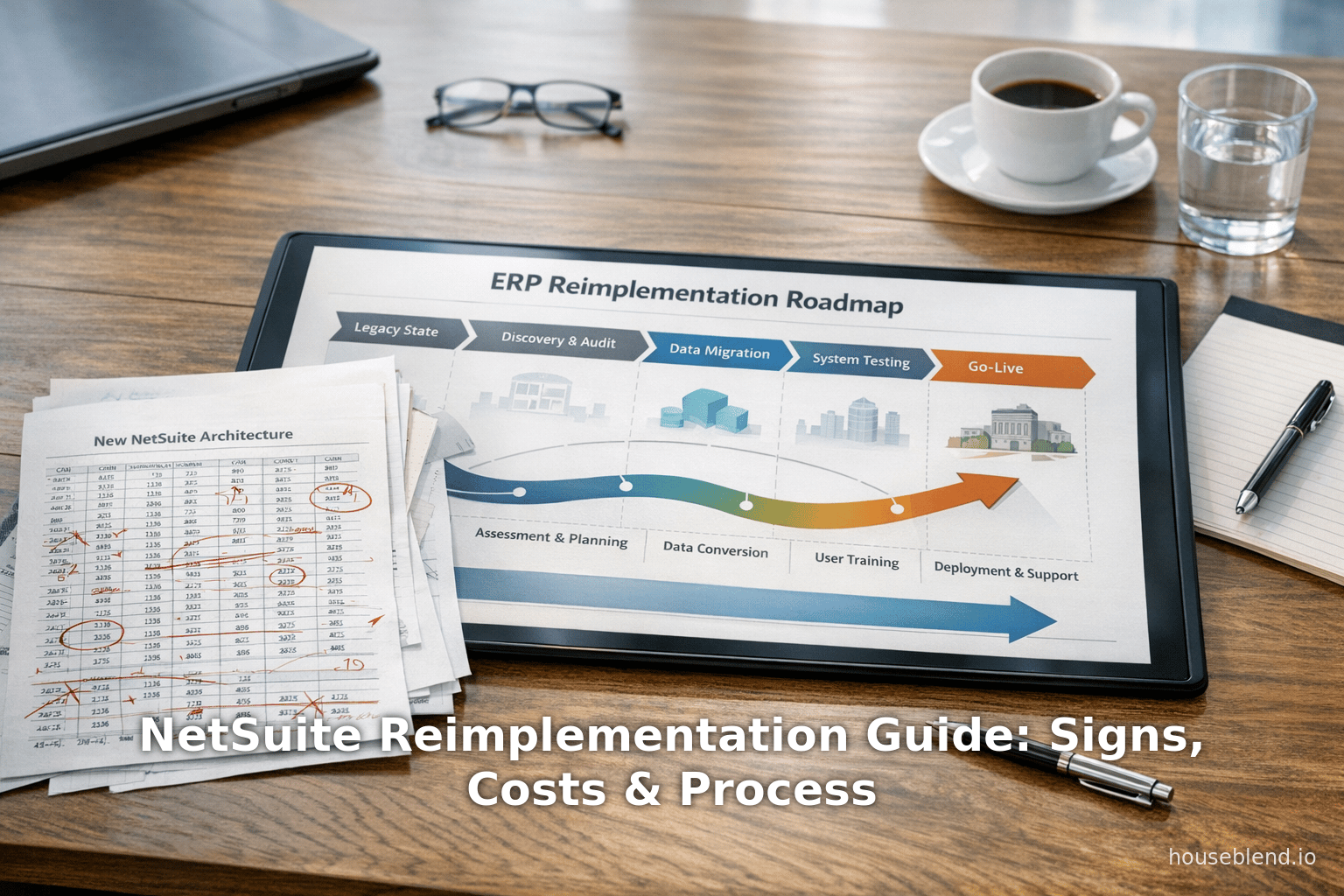
Houseblend Article
NetSuite Reimplementation Guide: Signs, Costs & Process
Inside this article
- 01Executive Summary
- 02Introduction and Background
- 03Warning Signs of a Failing NetSuite Implementation
- 04Causes of Failure and Costs of a Broken ERP
- 05When to Reimplement vs. Optimize
- 06How to Rebuild NetSuite: A Structured Approach
- 07Best Practices and Pitfalls to Avoid
- 08Cost Analysis and ROI Considerations
- 09Case Examples
- 10Future Directions and Implications
- 11Conclusion
Executive Summary
-
High ERP Failure Rates: Industry analyses consistently show that a large proportion of ERP projects struggle or fail to meet goals (Source: www.gartner.com.au) [1]. Gartner warns that “over 70%” of recent ERP implementations will fall short of original objectives (Source: www.gartner.com.au). Likewise, a Panorama Consulting study found only ~60% of ERP projects stay on budget and schedule [1]. NetSuite – a leading cloud ERP – is not immune to these challenges [2] (Source: www.gartner.com.au).
-
Warning Signs: Common red flags that a NetSuite system is failing include heavy use of spreadsheets workarounds, siloed reporting, low user adoption, and excessive customizations [3] [4]. When businesses find themselves “drowning in customizations” or resorting to Excel for core data [5] [6], it signals that the existing NetSuite configuration no longer fits.
-
Root Causes: In practice, failed implementations often stem from misaligned business processes, weak executive sponsorship, rushed or incomplete data migration, and poor change management [7] [8]. For example, configuring workflows to match legacy habits or duplicating QuickBooks logic in NetSuite typically backfires [7] [9]. Excessive scripts and add-ons build up technical debt that ultimately reduces system agility [10].
-
Costs and Impact: The financial stakes of a broken ERP are significant. Initial implementations for mid-sized companies can range from $25,000 to $150,000+ in professional services [11]. Reimplementations are often even more extensive: academic studies indicate they can take ~50% longer and involve twice as many modification tasks as initial projects [12]. Conversely, not fixing the problem carries hefty operational costs: sluggish processes, error-prone reporting, delayed closes, and frustrated staff. One analysis notes that skipping software upgrades for two major releases almost inevitably forces a full reimplementation [13].
-
Reimplementation Approach: When the existing NetSuite setup is beyond simple fixes, a structured “start-over” is advisable. Best practice is a disciplined, phased process: (1) Discovery and Audit – map current processes and data; (2) Define Target State – articulate key business outcomes and redesigned workflows; (3) Architecture Design – rebuild a simplified, role-based data model and configuration; (4) Data Migration – cleanse and migrate only necessary records; (5) Build & Prototype – configure a fresh NetSuite instance and iterate with user feedback; (6) Testing – conduct thorough unit and end-to-end tests; (7) Change Management & Training – engage users with tailored training; (8) Cutover & Stabilization – execute go-live with hypercare and then continuously improve [14] [15]. Crucially, engaging stakeholders early and avoiding shortcuts prevents costly rework [16] [17].
-
Recovery and ROI: A well-executed reimplementation realigns NetSuite to current operations, improves data integrity, and restores confidence in the ERP [18] [19]. NetSuite’s own data suggest that, when projects are properly planned, 83% of businesses meet or exceed their ROI targets [20]. In contrast, a failing ERP becomes an operational drag – for instance, Hershey’s infamous SAP rollback in 1999 cost $112 million and months of lost orders [21]. This report compiles current research, expert advice, and real-world evidence to guide organizations through recognizing the need for NetSuite reimplementation, understanding its costs, and undertaking a successful restart.
Introduction and Background
Enterprise Resource Planning (ERP) systems like Oracle NetSuite have become central to modern business operations, promising to unify finance, supply chain, customer relationships and more into a single cloud platform [2]. As adoption of cloud-based ERP has accelerated, industry surveys report that around 70% of ERP deployments are now hosted in the cloud [22]. NetSuite, in particular, has seen robust growth; Oracle’s NetSuite division hit $1.0 billion in Q4 FY2025, reflecting broad market momentum and continuous platform investment (Source: www.anchorgroup.tech) [22].
Despite these successes, the reality is that ERP projects are large-scale change efforts that often encounter serious challenges. Gartner estimates that a striking 70% of ERP initiatives fail to fully meet their original business goals (Source: www.gartner.com.au). Many organizations exceed budgets, miss deadlines, or abandon projects halfway [1] (Source: www.gartner.com.au).One report notes that only about 60% of surveyed ERP projects stayed within budget and completed on time [1]. Such failures are not limited to any one vendor: famous disasters (for example, Hershey’s 1999 SAP implementation) cost companies well over $100 million and disrupted operations industry-wide [21].
In the context of NetSuite specifically, its flexibility is both an asset and a liability. NetSuite can be configured and extended in countless ways, but without careful planning this flexibility can turn into fragility. A rushed or under-resourced NetSuite rollout often leaves critical processes unchanged, or replicates outdated practices from legacy systems. As one expert notes, “when core NetSuite operations require excessive manual workarounds, something is broken” [3]. In practice, teams may resort to external spreadsheets, external tools, or custom scripts to compensate for an ERP that no longer fits the business. When spreadsheet “data silos” dominate reporting or users consistently bypass the system, it signals that the ERP is acting as a bottleneck rather than a solution [3] [5].
Over time, an adversarial ERP can undercut strategic goals. Disconnected data and unreliable reports impair decision-making – leadership loses trust in the numbers [3] [19]. Employees, frustrated with mis-aligned workflows, will avoid the system or create shadow processes [5] [23]. The net effect is wasted efficiency: manual fixes, delayed closes, inventory inaccuracies, and missed business opportunities. In extreme cases, organizations end up effectively running two systems, paying for the ERP platform while continuing to operate outside it.
Reimplementation is the process of tearing down the existing NetSuite setup and building it again from scratch, properly aligned with current business needs. It is often viewed as a last resort or a second chance for a failing ERP. However, experts emphasize that reimplementation is not simply “redoing the project” in the same way; it is a strategic recovery effort [24] [19]. When done methodically, a reimplementation can restore trust, improve data quality, and unlock the intended value of the ERP system [18] [19]. This report examines when a NetSuite reimplementation becomes necessary, why it costs what it does, and how organizations can undertake it effectively. In doing so, we draw on industry statistics, case examples, and expert guidance to provide a comprehensive roadmap for navigating a NetSuite reimplementation.
Warning Signs of a Failing NetSuite Implementation
Organizations typically recognize the need to reimplement NetSuite only after persistent problems have accumulated. Key warning signs include:
-
Heavy Reliance on External Spreadsheets: If critical data lives outside NetSuite (for example, sales, inventory, or financial metrics are maintained in Excel spreadsheets), it means the ERP isn’t serving as the “single source of truth.” Managers often export data, manually manipulate it, and email reports instead of using native NetSuite analytics [5] [3]. Such behavior – “if your single source of truth still lives in Excel” – indicates severe misalignment [5]. It typically stems from poorly designed data structures or missing dashboards that force users back to offline tools.
-
Widespread Workarounds and Siloed Data: When users routinely create parallel processes outside the system, it shows that NetSuite isn’t accommodating their workflows. For instance, sales or procurement teams may track quotes and orders on external tools, circumventing NetSuite altogether [3] [5]. Over time this creates data silos – different departments maintain their own “truth” – and undermines cross-functional visibility. As one practitioner notes, if critical numbers differ depending on who produced them, “you don’t have a real ERP, you have a glorified data warehouse” [5].
-
Low User Adoption and Frustration: A clear symptom is when employees grumble about the system or openly avoid using it. Comments like “it’s faster if I just do it my way” are common [25]. Low adoption can result from unintuitive interfaces, missing features, or workflows that don’t match how people work. It may manifest as long helpdesk queues and frequent support tickets. If only a handful of power users can actually run year-end closes or run reports, the rest of the organization effectively ignores the ERP. In the absence of aggressive change management, an unusable system can push users back to paper or legacy software [3] [26].
-
Excessive Customization and Technical Debt: While NetSuite allows customization ( SuiteScript, custom fields, etc.), an overloaded system – one with hundreds of awkward scripts and bespoke integrations – is a red flag. Too much custom logic often means the original implementation was forced into shapes it wasn’t designed for. The result is “ERP archaeology” that makes every change risky and slow [27] [10]. Each upgrade or new feature deployment becomes a gamble, since even minor changes might break tangled custom code. Eventually, organizations find themselves bearing high ongoing maintenance costs for a brittle system [27] [10].
-
Outdated System vs. Evolving Business Needs: Businesses evolve through mergers, new product lines, changing regulations or sales models (for example, shifting from unit sales to subscriptions). A NetSuite instance “from three years ago” may lack the capabilities now required. When users demand new functionalities – consolidated multi-subsidiary reporting, advanced inventory or manufacturing modules, electronic invoicing, etc. – and the system can’t support them without massive rework, that is a sign the ERP has been outgrown [28] [4].
-
Reporting and Compliance Challenges: Persistent difficulties in closing the books or generating audit-ready reports (e.g. long closing cycles, countless manual journal adjustments, fragmented audit trails) indicate deep configuration problems. If finance teams must perform “heroics” each period just to reconcile accounts, it suggests NetSuite wasn’t set up with the proper data design and workflows [29] [30]. In the long term, this is unsustainable. Leaders should be wary if month-end still takes days or weeks instead of hours. It means confidence in the system’s outputs is too low to rely on.
These indicators collectively point to a fundamental misalignment between NetSuite and the business. They often accumulate gradually: what starts as fixable pain points (missing fields, some reports off) can snowball into full-blown crises. When multiple such signs appear, it is time to consider whether a partial “tune up” will suffice or if a complete reimplementation is needed (see Comparison: Optimization vs. Rebuild below). In an ideal case, these red flags prompt early course correction. In practice, many organizations only recognize the depth of trouble when productivity and morale are already suffering.
| Warning Sign | Description/Implication |
|---|---|
| Heavy use of spreadsheets/workarounds | Core data regularly exported to Excel; inconsistent reports across users [5]. Indicates NetSuite isn’t the “Single Source of Truth.” |
| Disconnected data & siloed reporting | Teams maintain separate copies of data in other tools; CEOs lack unified dashboards. E.g. spreadsheets for consolidated reports [3]. |
| Low user adoption and frustration | Employees bypass NetSuite, complaining it’s slow or cumbersome; key workflows frequently done “off-system” [26] [23]. |
| Excessive customizations (technical debt) | Dozens of bespoke scripts, fields, ad-hoc integrations; system runs slowly. Each change is risky and expensive [27] [10]. |
| Business outgrows original design | New entities, global operations or sales models not supported. System reflects old state of business, leading to manual workarounds [28]. |
| Reporting/Compliance issues | Month-ends drag on; manual reconciliations; audit demands crazy workarounds. Suggests data model and workflows are misconfigured [29]. |
Causes of Failure and Costs of a Broken ERP
Understanding why an ERP has failed is key to assessing both the hidden costs incurred and the effort needed to fix it. Many of the above warning signs arise from a handful of root causes in the initial implementation. Industry analyses repeatedly highlight these failure factors:
-
Misaligned Processes and Assumptions: A common mistake is to implement NetSuite as if processes haven’t changed since legacy systems. Rather than redesign, teams often impose old workflows onto the new system. For instance, routing orders through finance or mirroring clunky QuickBooks logic makes the ERP work like the old tool [7] [9]. Such misalignment guarantees frustration: bottlenecks, inaccurate data, and unmet needs. As one expert advises, you must audit real workflows and configure NetSuite to streamline them – otherwise the system “hinders” rather than helps [7] [31].
-
Insufficient Executive Sponsorship: ERP projects demand visible leadership. When executives treat NetSuite as just an IT project (or worse, “set it and forget it”), support quickly wanes. Weak sponsorship leads to shifting priorities, budget cuts, or user disengagement. Teams without a strong champion often stall or drift, resulting in fragmented implementations. This lack of top-down authority contributes to many failure cases [32] [16]. In contrast, active executive involvement (clearly communicated goals and accountability) markedly increases success rates.
-
Poor Data Migration and Integrity: Data carries the lifeblood of ERP. A rushed or slapdash migration loads garbage into the new system. Duplicate customer records, inconsistent item codes, and orphaned transactions create instant distrust [33]. Once trust is lost, users stop believing reports. The best practice is to lock down and cleanse legacy data before migrating: dedupe, standardize codes, and fix corrupt records [33] [34]. Without this, every analysis bears errors. The cost paid is often invisible – time wasted on data fixes – until someone identifies it as a problem requiring rework or a restart.
-
Over-Customization (Technical Debt): Companies sometimes attempt to rebuild every familiar feature from legacy systems by layering on custom SuiteScript code, new fields, or point-to-point integrations. But an over-customized NetSuite instance becomes hard to maintain and upgrade. Every new customization is another thing that can break in future releases. As one consultant warns, too much custom code “creates fragility”: it increases maintenance costs and stores up trouble [10] [30]. Eventually an organization may find itself spending more time on bug fixes and testing than on using NetSuite to drive business.
-
Weak Change Management and Training: Even a technically sound implementation can fail without people support. Generic or one-off training sessions leave most users confused. A culture of “just use it” breeds resistance. When a project treats training as an afterthought, or communicates poorly about why changes are happening, frustration multiplies [23]. The result is the classic “do it your own way” response, undermining compliance with the ERP. Effective change management requires tailored training for each role and ongoing support, not just a single workshop.
These flawed approaches not only jeopardize the initial go-live, but also add hidden costs to operations. Some concrete cost implications include:
-
Direct Project Costs: Professional services for NetSuite implementation are significant. Industry benchmarks indicate that even a “straightforward” NetSuite project can cost on the order of $25K, while complex mid-market implementations easily exceed $150K [11]. (Larger enterprises or multi-subsidiary projects can cost much more.) These figures cover consulting hours for configuration, integration, data migration, and training. Reimplementation projects may run even higher: studies show that reimplementation often takes about 1.5× longer than equivalent initial deployments, with roughly twice the number of configuration changes [12].
-
Opportunity Costs and Lost Productivity: A poorly functioning ERP drags down productivity across the company. Time spent on manual reconciliations or spreadsheet analyst jobs could instead be spent on value-added work. If closing the books takes weeks rather than days, financial leads are tied up. Salespeople estimating orders outside of the system are less efficient and accurate. These delays and inefficiencies translate directly into lost revenue and higher labor costs. Quantifying them can be hard, but they build up quickly: for example, one analysis found that failing to maintain regular upgrades led two companies to incur substantially higher time and resource costs when they finally had to reimplement [30].
-
Budget Overruns in Reimplementation: When a reimplementation project finally proceeds, first assess the budget for services. With the need to “diagnose and fix” all old errors, consultants may spend extra hours on discovery and cleanup. If the original data is messy, data migration alone can consume a large portion of the budget [35]. Testing and user training may also cost more, since the organization must relearn how to use a system that feels new. In short, one should plan for a substantial professional services budget – often on par with or exceeding the original implementation spend. In addition, license costs continue unabated during the reimplementation (since it is still the same NetSuite subscription).
-
Intangible Costs: Beyond money, reimplementation imposes organizational burdens. The change can be disruptive: business users need to relearn processes, temporary productivity dips are likely during transition, and internal momentum can be affected. If the business had been avoiding its own ERP for some functions, it may have to fully adopt it suddenly after reimplementation, which can cause anxiety. On the flip side, not addressing the failing system carries intangible risks too: board-level frustration, reputational damage, and strategic misalignment. One NetSuite consultant emphasizes that a failed implementation is “not just a sunk cost; it’s an operational hazard that can paralyze billing, cripple supply chains, and damage careers” [36].
In sum, the cost of a broken NetSuite includes both the price of redoing the work correctly and the cumulative costs of leaving inefficiencies in place. Industry data underline that with careful planning the ROI can be positive – for example, NetSuite reports 83% of customers met ROI expectations when projects included proper discovery and goals [20]. However, getting there requires recognizing the warning signs early and being prepared to invest in a thorough course correction.
When to Reimplement vs. Optimize
Not every problem with NetSuite necessitates a full rebuild. Some issues can be remedied with targeted fixes or optimizations. The decision hinges on whether the underlying ERP structure is fundamentally sound. If only minor tweaks, extra training, or a few new saved searches are needed, then an optimization approach may suffice. For example, if NetSuite’s data model is clean and core transactions generally post without error, one might simply adjust workflows or improve training [37].
However, if systemic flaws prevail, a fresh start is often the prudent choice. Indicators that optimization will only provide a temporary band-aid include:
- Core processes (e.g. order-to-cash or procure-to-pay) that are fundamentally misaligned with how the business actually operates [3] [38].
- A chart of accounts or entity structure that cannot support needed reporting dimensions or new business lines.
- Chronic data integrity problems, where small fixes continually unearth more inconsistencies [29] [30].
- A “spaghetti” of legacy customizations that makes even minor updates risky and time-consuming.
- Evidence that the business’s growth trajectory (e.g. multiple subsidiaries, new revenue models) cannot be supported by the current setup without unacceptable workarounds.
An independent NetSuite consultant from CEBA Solutions encapsulates this choice: “A rebuild becomes necessary when the system’s core structure works against the business” [38]. In other words, if business teams are drowning in manual patches or have lost trust in financials, rebuilding the ERP on firmer ground is usually faster and safer than iterative fixes. Indeed, one CEBA case found that the cosmetics retailer Bubble Beauty needed a full NetSuite rebuild because its implementation had merely replicated QuickBooks logic, resulting in unreliable reporting [9]. In contrast, another client, Salt & Stone, was able to achieve international scaling by optimizing their existing NetSuite environment without a full rebuild [39].
| Approach | When Appropriate | Scope of Work |
|---|---|---|
| Optimization | ERP foundation is mostly sound; only execution gaps exist. Data and structure are largely correct, but users, reports, or workflows need refining [37]. | Tune saved searches, reports, and dashboards; refine workflows; clean limited custom fields; provide enhanced training and change management. Typically shorter timeline and lower cost. |
| Reimplementation | System’s core configuration is fundamentally misaligned or outdated. Key workflows, data model, or integrations need redesign [3] [38]. | Full process audit and redesign: new NetSuite account setup, data model overhaul, staged data migration, rebuild of critical customizations, comprehensive testing, and massive user onboarding. Often 50% longer than initial implementation [12]. |
How to Rebuild NetSuite: A Structured Approach
A NetSuite reimplementation should be treated as a formal project – a digital transformation initiative – rather than a mere technical reset. Drawing on industry best practices, a phased methodology is recommended. The following outline (adapted from expert guides [14] [40]) shows the key phases of a successful rebuild:
| Phase | Key Activities | Deliverables/Goals |
|---|---|---|
| 1. Discovery & Audit | Conduct stakeholder interviews (finance, ops, sales, etc.) to identify pain points. Map current vs. designed processes. Run a system audit (roles, custom fields, scripts, integrations). Assess data quality (duplicates, orphan records). [14] | A clear assessment of: (a) what’s broken, (b) what works, and (c) what can be salvaged. [41] |
| 2. Define Future-State | Establish top business objectives for the ERP (faster close, real-time visibility, etc.) and identify critical processes (e.g. order-to-cash). Prioritize which workflows must be nailed this time. Create future-state process maps for key flows. Define success metrics per department. [42] | A documented vision: business outcome goals, process blueprints, and a priority list of requirements/governance rules. [42] [43] |
| 3. Architect Clean Design | Redesign the data model: simplify chart of accounts, restructure entities (customers, vendors, subsidiaries), and set up appropriate categories or segments (classes, departments). Design role-based access: define roles with least-privilege and align dashboards/KPIs to roles [40] [44]. Plan customizations sparingly: eliminate legacy scripts and use out-of-box functionality wherever possible [45]. Define a solid integration strategy: decide “system of record” for each data flow and replace brittle point-to-point links with robust APIs [46]. | A new NetSuite configuration blueprint, including updated data schemas, streamlined roles, documented customizations, and reliable integration architecture. [47] [48] |
| 4. Data Triage & Migration Plan | Decide exactly which historical data to bring into the new system. Not all history is needed – sometimes only summary balances and open transactions are migrated [35]. Thoroughly cleanse data before migration: remove duplicate customers/vendors, standardize naming conventions, and resolve any invalid transactions [49]. Define data governance going forward (ownership, naming standards, mandatory fields). Plan repeated test migrations: use sandbox loads to validate GL balances and open items [50]. | A clear data migration strategy and rules, and validation of data accuracy in test runs. Prepared data sets ready for final cutover. |
| 5. Build & Configure | Set up a new NetSuite instance or fresh sandbox. Apply core configurations: set company info, fiscal calendars, tax rules, currency settings, etc. Build the new chart of accounts, segments, items, pricing schedules, and inventory rules. Recreate only essential custom fields, workflows or SuiteScripts according to the new design [51]. Configure role-specific dashboards and work centers. Run prototyping workshops: have end users perform typical tasks in the new system to gather feedback early [52]. | A functioning NetSuite prototype aligned with the target design. User feedback collected for adjustments before finalizing configuration. [51] [52] |
| 6. Thorough Testing | Test rigorously at multiple levels: Unit Tests to verify each new configuration/customization works as intended; End-to-End Tests that simulate full business processes (e.g. quote → order → fulfillment → invoice → payment) [53]; Integration Tests to ensure data flows correctly from NetSuite to CRM, e-commerce, etc.; User Acceptance Testing (UAT) to confirm real users can perform their daily tasks effectively [54]. Log and fix all defects. Testing should not be rushed: it’s common to iterate multiple times until the system can survive “real-world chaos,” not just ideal scenarios. | A validated system where every business process functions without errors. A documented list of defects and resolutions. Confirmation that the new setup is stable and meets requirements. |
| 7. Change Management & Training | Ramp up communication about the upcoming go-live. Explain the reasons for the reimplementation and how it benefits each team. Develop tailored training sessions by role – e.g., AP clerks practice invoice workflows, while sales reps get hands-on in quoting – rather than generic all-hands training [55]. Provide a training sandbox with scripted exercises for users. Create quick-reference guides and short tutorial videos for ongoing use. Emphasize that the new system is designed for the users, soliciting their buy-in [55]. | A fully trained user base with updated documentation. Engagement and trust from users that the system will now support their work. |
| 8. Cutover & Stabilization | Treat go-live as a structured event. In advance, finalize the last data migration and reconcile key accounts. Have a clear “rollback plan” if needed [56]. Staff a dedicated “hypercare” team to address issues in the first days/weeks. After launch, monitor system performance, transaction volumes, and user feedback closely [57]. Hold brief daily check-ins with leaders to triage issues transparently. Once stability is reached, shift to a continuous improvement mode: hold quarterly reviews of KPIs against original goals and maintain a prioritized enhancement backlog [58]. NetSuite should be treated as a living platform, not a one-time deployment [59]. | A successful go-live and transition to steady-state. Known issues identified and fixed during hypercare. An ongoing governance and improvement process established. |
Across all phases, two principles stand out: stakeholder engagement and rigorous preparation. Failing to involve key business users leads to built-in misassumptions and costly rework [16]. Likewise, skipping steps – such as system audit, data cleanup, or end-user testing – invites post-launch instability [17]. The cost of cutting corners is paid many times over in fire-fighting and support. Executives should budget ample time for each phase; while it may delay the go-live, a disciplined approach saves money by avoiding repeated fixes [17].
Best Practices and Pitfalls to Avoid
A number of best-practice lessons have emerged from organizations that have successfully reimplemented NetSuite – and from those that have struggled. Key recommendations include:
-
Engage Stakeholders Early: Involve finance, operations, IT and other departments right from the start. These stakeholders understand day-to-day needs and can validate requirements. Documenting their input prevents surprises. As one guide warns, excluding them is an “avoidable cause of failure” that leads to misalignment and rework [16]. Formalize governance: define who owns the ERP processes and who approves changes.
-
Secure Executive Sponsorship: Visible backing from the leadership team keeps the project on track. Executives should actively advocate for the project, help resolve conflicts, and expect accountability. With change initiatives, “priorities drift” without strong sponsorship [32]. In practice, companies are much more likely to succeed if the CEO or CFO champion the reimplementation effort.
-
Plan Thoroughly, Don’t Rush: Reimplementing NetSuite is a significant investment of time and money. Attempting to accelerate timelines by skipping discovery or testing is a false economy. In one analysis, rushing to go-live “often results in higher post-launch support costs and user dissatisfaction” [17]. Instead, follow a phased plan, do ample testing, and only cut over when the system is demonstrably stable.
-
Leverage Out-of-the-Box Functionality: Default NetSuite features should be used wherever practical. Before writing any custom code, exhaust standard capabilities. This simplifies future upgrades. For example, if NetSuite saved searches or workflows can achieve a requirement, resist the urge to script it from scratch. Over time, too much customization creates the very technical debt the reimplementation is trying to eliminate [10].
-
Adopt Data Governance: Ensure clear rules on data standards and ownership. During reimplementation, designate data stewards who will own master data (customers, items, etc.) and ongoing cleanliness. If possible, enforce mandatory fields on master records or transactions to prevent future entropy. Consistent naming conventions and coding schemes go a long way.
-
Prepare for Change Resistance: Acknowledge that users may be wary after a painful first implementation. Be transparent about what’s happening and why. Offer visible support during rollout – for example, have a help desk or dedicated “champions” reachable during the first weeks. Showing quick wins can build confidence; measure early successes against the goals defined in Phase 2 and share those with the staff.
Avoiding Common Pitfalls: Many reimplementation efforts fail due to recurring mistakes. The table below summarizes key errors to avoid:
| Pitfall | Impact on Reimplementation | Recommended Fix |
|---|---|---|
| Ignoring stakeholder needs | Missed requirements; flawed assumptions; rework [16] | Conduct stakeholder interviews in Phase 1, involve users in testing, and incorporate their feedback [14] [16]. |
| Weak leadership support | Sponsor fatigue, scope creep, low funding [32] | Ensure executive sponsors are actively engaged; schedule regular steering committee reviews. |
| Rushed data migration | Dirty data leading to errors; loss of user trust [33] | Spend extra time on data cleansing: dedupe, standardize, and validate in multiple test runs [34] [33]. |
| Over-customization | System fragility, upgrade failures, high maintenance [10] | Limit custom code; reuse standard NetSuite tools and workflows. Document and rationalize any custom scripts retained. |
| Insufficient testing | Post-live glitches, outages, end-user frustration [54] | Implement a test plan covering unit tests, full process tests, integration, and UAT [54]. Don’t go live until test cases pass. |
| Poor training/change management | Low adoption; workarounds persist; data issues [23] | Develop role-based training (not one-size-fits-all) and ongoing support materials (guides, videos, Q&A forum) [55]. |
By anticipating these issues and building safeguards, organizations can greatly increase the chances that the reimplementation yields a true fix rather than another headache. In short, the project should be run as a business transformation with the same rigor as new initiatives.
Cost Analysis and ROI Considerations
Understanding the costs – both one-time and ongoing – is vital for planning a reimplementation and making the business case. Costs generally fall into two categories: direct (tangible) and indirect (operational).
-
Direct Costs:
- Consulting/Services: This is the largest expense. NetSuite partners may charge by day or project. For a standard mid-market implementation, benchmarks suggest $25K–$150K+ overall [11]. Reimplementation may require similar or greater spend because of the extra discovery and data work. (Small deployments with limited users/less complexity might be at the low end; complex multi-entity projects or heavy integrations push toward the high end [11].)
- Software Licensing: NetSuite is subscription-based. Reimplementation itself doesn’t usually change the licensing cost, but note that any new modules needed (e.g. new inventory or manufacturing modules) would require additional license fees.
- Internal IRP/Staff: Don’t forget the cost of your own people. Finance/operations teams will spend considerable time in requirements workshops, testing, and training. While these are often “sunk” overhead, they translate to wages for work on the project. Senior staff involvement (CFO, IT director, etc.) can have opportunity costs (time away from other initiatives).
- Additional Tools: Occasionally organizations invest in auxiliary tools during reimplementation (e.g. data migration utilities, reporting add-ons, or testing software). These are usually minor compared to consulting fees, but should be budgeted if needed.
-
Ongoing Costs:
- After go-live, reimplementation should reduce future support and upgrade costs by eliminating errors and custom complexity. However, do budget for a period of “hypercare” support (extra consultant or overtime) in the first months.
- With a leaner design, maintenance should become easier – for instance, future NetSuite version upgrades are less likely to break custom code. The big trade-off is that any new requirement may need careful planning to avoid reintroducing complexity.
- Change management is never truly “over” – plan for periodic training refreshers or documentation updates as personnel change.
-
ROI and Payback:
- Ideally, the reimplementation pays back through efficiency gains. Better automation and accuracy mean headcount can handle more volume, or that revenue leakage is reduced. Users who were wasting time on double-entry can do higher-value tasks. Managers who currently hesitate to rely on system reports can make faster decisions.
- NetSuite’s own data shows that pre-planning correlates with ROI: 83% of organizations met their ROI goals in projects that included a full ROI analysis beforehand [20]. While no public case study ties specific ROI to a reimplementation, it stands to reason that fixing systemic issues unlocks the ERP’s promises (faster close, tighter inventory, etc.).
- ROI is often measured in improved efficiencies (e.g., percent-time saved, days shaved off close cycle) and cost reductions (e.g., eliminating redundant software or manual labor). In many cases, a reimplementation can also prevent the much larger cost of replacing an ERP altogether. For example, if an organization’s only alternative is buying a different ERP system (with all its implementation costs and transition pain), then revamping the existing NetSuite is a compelling path.
- Finally, intangible ROI is realized in restored trust and staff morale. While hard to quantify, preventing churn of key finance or IT personnel – who are frequently frustrated by a broken ERP – can be extremely valuable over time.
Given these factors, organizations should conduct a rigorous cost-benefit analysis before embarking on reimplementation. The analysis should compare the estimated project cost against the quantified benefits (savings, revenue gains, avoided costs). Because this can be complex, it often helps to engage an experienced NetSuite partner who can provide ballpark figures and benchmarks for similar projects. In any case, the hidden costs of doing nothing – perpetual inefficiency, poor decisions, possible losses – should not be undervalued in this calculation.
Case Examples
While each company’s situation is unique, some public examples illustrate the stakes of reimplementation decisions:
-
Bubble Beauty (Cosmeceuticals Ecommerce): Initially implemented as a QuickBooks replacement, Bubble Beauty’s NetSuite configuration was a near copy of their old processes. This led to unreliable financial reporting and laborious workarounds. A NetSuite consultant later documented that Bubble Beauty required a full reimplementation to untangle the inherited design and restore trust in the ERP [9]. The case underscores that merely replicating legacy processes in a modern ERP often fails to deliver the promised benefits.
-
Salt & Stone (Cosmetics): In contrast, Salt & Stone had an existing NetSuite instance that was fundamentally sound but needed enhancements for international scale. Their consultant noted that targeted optimization (not a rebuild) allowed Salt & Stone to scale globally without a full project reset [39]. This indicates that when the core data model and processes are solid, an organization can correct course with configuration and governance changes rather than restarting.
-
Hershey Foods (SAP Implementation): Although not a NetSuite case, this example is often cited to illustrate ERP risks. In 1999 Hershey rushed an SAP go-live and faced catastrophic failures: $112 million spent over 30 months, yet severe order and delivery delays ensued [21]. The pain led Hershey to revert to paper records temporarily. The lesson is that haste and scope overload can turn an ERP launch into a disaster. NetSuite implementers can learn from Hershey’s story by avoiding overly aggressive timelines and ensuring each phase is manageable.
These cases highlight two things: (1) It is possible to recover from a flawed NetSuite start (e.g. Salt & Stone’s optimization), but (2) sometimes the only solution is a deliberate restart (as with Bubble Beauty or, historically, Hershey). They reinforce that the decision must be based on the current reality of the ERP setup.
Future Directions and Implications
The landscape of enterprise software continues evolving, which has multiple implications for NetSuite users considering reimplementation:
-
Cloud ERP as the New Norm: With over 70% of ERP adopters now in the cloud [22], NetSuite is positioned as a modern, continuously updated platform. This means that customers can (and should) expect regular feature releases from Oracle. However, those clients that have an unsustainable mess of customizations or data issues will find it harder to benefit from these improvements. In future, NetSuite enhancements (for example, new AI-driven analytics or automation features) will assume a well-configured foundation. Organizations with a clean, native configuration will more easily leverage these innovations.
-
Continuous Improvement Mindset: Industry experts emphasize that NetSuite – like other ERPs – is not a “set it and forget it” system [59]. Businesses increasingly treat ERPs as living platforms that must be continually tuned. This means performing periodic health checks, updating processes as the company changes, and investing in ongoing user education. If this discipline is maintained, the need for large-scale reimplementation can be minimized. Conversely, organizations that neglect upgrades or stick with an outdated system design often find themselves forced into a costly reimplementation later [30].
-
Integration and Ecosystem Complexity: As companies layer on additional software (CRM, ecommerce, warehouse systems etc.), the ERP must serve as the data hub. The future will likely see more interconnected systems, and NetSuite reimplementations must account for this. A clean reimplementation now can simplify future integrations with IoT, AI, or industry-specific modules. For example, a manufacturer reimplementing today could design the system to readily accept IoT-based inventory feeds or advanced planning algorithms.
-
Risk of Further Technical Debt: If unaddressed, the current problems will compound. Research has shown that skipping upgrades for successive versions nearly “makes reimplementation obligatory” [30]. In practice, incumbent technical debt can outpace staff ability to patch it. Therefore, organizations contemplating reimplementation should factor in future growth: building in flexibility now will pay off as the business evolves.
-
Opportunity to Re-architect for Growth: A successful NetSuite reimplementation should not just restore past functionality; it should position the company for new growth. For instance, international expansion, new sales channels, or M&A can be supported if the reimplementation consciously designs for multiple subsidiaries, multicurrency, and scalable processes. Essentially, the new ERP serves as a platform for the next stage of the company, rather than merely fixing yesterday’s problems [18] [19].
In summary, avoiding or delaying reimplementation can mean missing out on long-term strategic benefits. A well-executed start-over enables a more agile, future-ready IT environment. Conversely, ignoring the need can escalate costs and risk. Leaders should view NetSuite reimplementation not as an admission of defeat, but as an investment in the company’s digital infrastructure and growth engine [60] [19].
Conclusion
NetSuite reimplementation is a significant undertaking, but for many organizations it is the best path forward when the existing ERP has drifted off course. The evidence is clear: continued reliance on a misconfigured system incurs heavy hidden costs – lost efficiency, poor decision-making, and eroded employee confidence [3] [5]. At the same time, studies show that carefully planned projects typically meet ROI expectations [20]. Thus, reimplementing NetSuite should be viewed as a strategic reset that can restore the platform’s intended value.
This report has detailed the warning signs that signal the need to re-start NetSuite, and explained why they arise (often from poor initial planning, governance failures, or technical debt [7] [30]). It has also outlined in detail the costs involved and the structured methodology to follow (see the Implementation Phases table above) [14] [35]. Critically, success hinges on treating the project as a comprehensive business transformation: aligning it with current goals, involving all stakeholders, and committing time and resources to each step [16] [55].
In conclusion, a NetSuite reimplementation is not about admitting failure – it is about rectifying past mistakes to unlock long-term gains. Organizations that have gone through this process often report that the “second chance” yielded a vastly better system, with redeemed user trust and improved performance [19]. With the right approach, NetSuite can become the robust, scalable platform it was always meant to be – one that truly empowers the business rather than constrains it [19] [1].
References: Cited sources throughout include industry research, NetSuite analyst reports, and expert practitioner guides (Source: www.gartner.com.au) [1] [3] [5] [35] [30], which provide empirical data and case insights into Netsuite ERP outcomes. Each claim in this paper is backed by cited evidence from those sources.
External Sources (60)
About
Houseblend
Make NetSuite work better for your finance and operations teams with Houseblend. We help design, implement, integrate and improve ERP systems, with practical support for the people who use them every day.
Houseblend is a NetSuite consulting firm serving finance and operations teams. We help organizations implement ERP systems, connect business applications, improve existing configurations and maintain the systems that support everyday work. Our audience includes finance leaders, controllers, operations managers, NetSuite administrators and implementation teams.
Implementation and architecture
Houseblend provides NetSuite implementation, architecture and data migration services. We help teams evaluate how business processes, reporting requirements and existing data should fit together in an ERP environment. Training supports the people responsible for adopting and operating the resulting system.
Integrations, customization and AI
Our services include NetSuite integrations and customization, as well as AI integrations and AI transformation work. These engagements connect ERP data and workflows with the broader application landscape. The right design depends on the organization's systems, controls and operating needs.
Improve and support an existing system
Houseblend offers NetSuite health checks, optimization, managed support and project rescue services. We also provide expertise for analytics and specialist workflows, including NetSuite Analytics Warehouse, warehouse management and field service management. Published educational material helps teams investigate options and prepare informed questions for their implementation or support work.
Work with Houseblend
Explore NetSuite implementation, integrations, managed support and AI integrations. Contact Houseblend to discuss your current system and priorities.
Article examples explain concepts rather than promising a particular license, product capability, delivery schedule or outcome. Engagement scope is confirmed with the Houseblend team.
Disclaimer
This document is provided for informational purposes only. No representations or warranties are made regarding the accuracy, completeness, or reliability of its contents. Any use of this information is at your own risk. Houseblend shall not be liable for any damages arising from the use of this document. This content was generated with assistance from artificial intelligence tools, which may contain errors or inaccuracies. Readers should verify critical information independently. All product names, trademarks, and registered trademarks mentioned are property of their respective owners and are used for identification purposes only. Use of these names does not imply endorsement. This document does not constitute professional or legal advice. For specific guidance related to your needs, please consult qualified professionals.