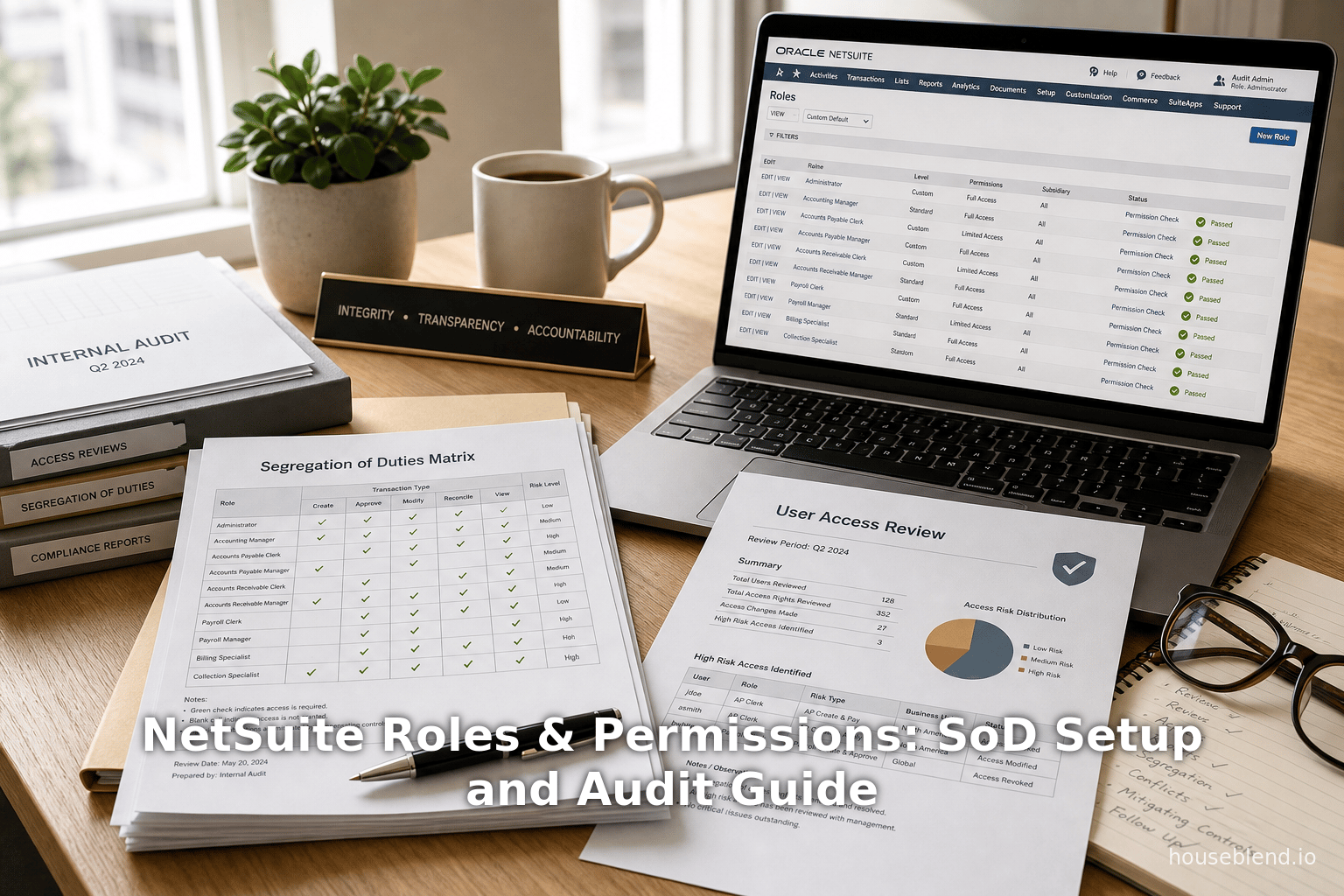
Houseblend Article
NetSuite Roles & Permissions: SoD Setup and Audit Guide
Inside this article
- 01Executive Summary
- 02Introduction and Background
- 03NetSuite Roles and Permissions Overview
- 04Principles of Segregation of Duties
- 05Setting Up SoD in NetSuite: Best Practices
- 06Auditing Roles and Permissions in NetSuite
- 07NetSuite’s Built-In Compliance and GRC Features
- 08Data, Trends, and Expert Perspectives
- 09Implications and Future Directions
- 10Conclusion
Executive Summary
This comprehensive report examines the management of roles and permissions in Oracle NetSuite with a focus on implementing and auditing robust Segregation of Duties (SoD) controls. NetSuite, a leading cloud ERP solution, now serves over 40,000 organizations worldwide across a variety of industries (Source: www.anchorgroup.tech). Its role-based security model grants access through configurable roles linked to specific centers and permissions [1] [2]. Effective SoD – ensuring that no single individual controls conflicting tasks – is essential to prevent fraud and error [3] [4]. In NetSuite environments, achieving SoD compliance involves carefully designing custom roles (rather than relying on broad “out-of-box” roles), applying minimal privileges (least privilege principle) [5], and leveraging NetSuite’s native controls and audit tools. For example, roles for vendor management and accounts payable can be partitioned (one role creates vendor records, another processes bills/payments) to eliminate inherently risky access overlaps [6] [7]. Ongoing audit readiness is maintained via NetSuite’s built-in audit trails, saved searches, system notes, and dedicated Login Audit Trail reports [8] [9].
Key findings include:
- Role/Permission Architecture: NetSuite’s role model groups permissions by type (e.g., Transactions, Lists, Setup) and assigns them to roles; only administrators can create or modify roles [2] [1]. Standard roles (CFO, Administrator, etc.) have predefined permissions, but best practice is to clone and tailor them so only needed privileges are granted [5] [10].
- Importance of SoD: Segregation of Duties is a foundational internal control recognized in standards like Sarbanes-Oxley (SOX) and COSO frameworks. Studies show SoD violations are the most common classification of material weaknesses in ERP audits [4] [11]. NetSuite documentation itself emphasizes “segregate duties and transaction processing” as an internal control objective [12].
- SoD Setup: Establishing SoD in NetSuite typically requires creating distinct roles for each step of critical processes. For example, splitting the procure-to-pay process into a “Vendor Manager” role (creating vendors, bank details) and an “AP Specialist” role (entering bills, issuing payments) prevents a single user from controlling the entire flow [6]. Approval workflows (via SuiteFlow and subsidiary/department restrictions serve as mitigating controls when full separation isn’t feasible [6] [7].
- Audit and Monitoring: NetSuite provides robust tools for SoD auditing. Administrators can run saved searches on Roles and Employees to list assigned privileges [13]. Continuous audit data is available via “System Notes” (automatically logging all record and configuration changes) [9] and a built-in Login Audit Trail (tracking all sign-ins by user/time and IP) [8]. These features, combined with SuiteAnalytics dashboards, enable ongoing monitoring of SoD controls (e.g. triggering alerts on exceptions) [14] [15].
- Case Examples and Outcomes: Real-world audits reveal frequent SoD gaps. For instance, a Baker Tilly case study noted that a newly-implemented NetSuite system had “roles and permissions [that] weren’t set up to be compliant with proper segregation of duties” [16]. After redesigning roles and workflows (including vendor punchout integrations), the company achieved integrated procurement with tight access controls [17] [16]. Similarly, a technology client without any SoD framework saw “large number of SoD risk violations” on audit before implementing automated controls [18].
- Future Directions: Trends point to more automation and analytics in NetSuite governance. Organizations increasingly use identity management and continuous monitoring solutions to enforce SoD dynamically [14] [15]. AI-driven analysis will likely surface unusual permission patterns, while evolving regulatory expectations (e.g. broader GRC frameworks, data privacy) continue raising the bar for NetSuite access controls.
This report delves deeply into each of these aspects. It provides background on NetSuite’s role/permission model, SoD theory, detailed setup and auditing procedures, data and statistics from industry sources, and best practices drawn from expert guidance and case studies. By following the guidance herein – including granting least-privilege access, systematically mapping out and separating duties, and leveraging NetSuite’s native auditing tools – organizations can greatly reduce fraud risk and ensure strong compliance in their ERP environment.
Introduction and Background
NetSuite, acquired by Oracle in 2016, is a cloud-based Enterprise Resource Planning (ERP) platform tailored for fast-growing and mid-market organizations.It covers financials, inventory, CRM, HR, e-commerce and more, using a unified database. As of 2024, NetSuite reports having over 40,000 customer accounts globally, up from ~10,000 in 2016 (Source: www.anchorgroup.tech). Roughly 80% of its user base is small-to-medium enterprises, reflecting its focus on scaling businesses (Source: www.anchorgroup.tech). With broad adoption (and multi-entity OneWorld implementations covering multiple subsidiaries and currencies), robust administrative controls are essential.
Fundamental to NetSuite’s security is its role-based access control model [2] [1]. Every user must be assigned one or more roles that encapsulate permissions. As Oracle documentation explains, “Each role is linked to a center, a user interface designed for a specific business area,” and defines what pages and tasks a user can access [1]. Roles contain many possible permissions (Netsuite recognizes hundreds of distinct permissions governing thousands of record types and tasks). For instance, a single role might include rights to Create Vendor Bills or Post Journal Entries. By combining permission sets, roles enforce the principle of least privilege (users see only data and actions needed for their job). Administrators can clone standard roles or create custom roles to fit organizational needs [5] [10].
Properly configured roles and permissions are crucial. If roles are poorly designed (granting broad or overlapping access), a single user could initiate, approve, and post transactions across steps, opening the door to fraud. For example, one person holding both Create Vendor and Make Vendor Payment permissions could self-deal by paying a fake vendor. Modern compliance standards (such as the U.S. Sarbanes-Oxley Act for public companies) demand tight Segregation of Duties (SoD): no individual should control two or more steps in a critical process [3] [11]. While private firms may not be legally bound by SOX, SoD remains a best practice to mitigate risk [3] [12].
This report addresses how NetSuite roles/permissions can be designed and audited to achieve effective SOD controls. It covers NetSuite’s permission architecture, general SOD principles, step-by-step setup and audit procedures, and examples from practice. We will present data (e.g. incidence of SoD deficiencies in audits [4]), expert guidance (from Oracle’s own documentation and third-party specialists [12] [6]), and real case studies demonstrating the impact of role misconfigurations and their remediation [17] [16]. By the end, readers will understand both the conceptual and technical aspects of securing NetSuite access with segregation of duties in mind.
NetSuite Roles and Permissions Overview
NetSuite’s access control system revolves around roles and permissions. A role is essentially an access profile that can be assigned to a user (employee, partner, vendor, or customer) and that bundles a set of permissions [2] [1]. As the NetSuite documentation states, each role “includes sets of permissions for viewing and editing data,” and it “determines the pages users can see in NetSuite and the tasks they can complete” [1]. Roles are also associated with a center (user interface) reflecting the business area (e.g. Finance, Sales, CRM) for easier navigation.
Permissions themselves are granular rights on specific record types, transactions, or setup functions [2]. For example, permissions include Transaction actions (like Create Bill, Deposit Funds), Lists (like View Customers, Edit Vendors), Reports (run specific financial reports), or Setup tasks (managing roles, configurations). NetSuite defines hundreds of such permissions; one analysis counted over 630 distinct permissions that govern nearly 5,000 tasks and records [19]. Each permission can typically be granted at multiple levels (None, View, Create, Edit, Full, etc.), determining the extent of access.
By default, NetSuite provides a set of standard roles for common functions (e.g. Administrator, CFO, Sales Manager, etc.) with predefined permission sets. Organizations are strongly advised to never assign these built-in roles directly. Instead, best practice is to make copies and customize them. As Oracle documentation notes, “it’s best to start with a copy of the standard roles built into NetSuite before you customize them. Giving users only the access they need helps avoid showing restricted pages, records, and data” [5]. Moreover, standard roles themselves cannot be edited (you can only create custom versions) [10]. This approach allows tailoring: for example, a company might clone the “CFO” role and then remove any permissions not needed, or split that role into two specialized roles.
NetSuite also provides role restrictions to limit which data a role can access (especially in multi-subsidiary setups). For instance, on OneWorld accounts, you can restrict a role to certain subsidiaries, departments, or classes, ensuring even within a role there are boundary controls. Contextual filters (e.g. data center latitude) can further limit what records a role can operate on. These restrictions complement the permission layer by enforcing “data visibility” boundaries. (For example, a role restricted to Subsidiary A cannot see transaction records from Subsidiary B).
In summary, the architecture is: Users are assigned one or more roles. Each role carries specific permissions and possibly restrictions. The combination of user roles determines the exact set of operations a user can perform. Having multiple roles allows the principle of least privilege: a user only gains privileges attached to those roles, and no more. Implementing SoD therefore means carefully choosing which roles (or permissions within roles) go together. It requires analyzing each critical process in the business and mapping out who should have each step’s permissions – ideally in separate roles. In the next sections we’ll discuss why that is critical for audit and how to do it in NetSuite.
Principles of Segregation of Duties
Segregation of Duties (SoD), also known as Separation of Duties, is an internal control concept intended to prevent and detect errors or fraud [3]. The fundamental rule is that no single individual should control multiple stages of a sensitive process without oversight. As a definition from TechTarget explains: “SoD is an internal control mechanism designed to prevent errors and fraud by ensuring at least two individuals are responsible for separate parts of any task.” [3]. By “breaking down tasks that might reasonably be completed by a single individual into multiple tasks,” organizations make it harder for someone to both perpetrate and conceal wrongdoing.
SoD is an essential element of enterprise governance. It is embedded in many frameworks: for example, the COSO internal control framework and the COBIT IT governance framework emphasize SoD as a core control objective. In regulated settings (e.g. publicly traded companies under SOX 404), auditors explicitly check for SoD compliance in financial processes. Surveys find that SoD violations are the single largest category of recurring material weaknesses in ERP environments [11]. In other words, many companies repeatedly fail audits due to inadequate segregation controls, which suggests persistent challenges in configuring ERPs like NetSuite to enforce SoD [11] [4].
A proliferation of user privileges is the root cause: when users have broad or overlapping access, a transaction can be created, approved, and posted by the same person, circumventing checks and balances. For example, in a scenario without SoD, one employee might be able to both create vendor suppliers and then approve payments to them. This combination introduces a high risk of fictitious vendors or kickbacks. SoD principles demand such powers be split among different roles (e.g. “Vendor Creation” vs “Payment Processing”). Importantly, SoD is not only about preventing fraud; it also catches innocent errors early. If the same person makes an accounting entry and also reviews it, a simple mistake is likely to slip through; separating duties creates a review step by a second person.
In practice, achieving SoD is a balancing act. Very small teams may not be able to fully separate every duty, so alternative or compensating controls (such as enhanced oversight or automated workflow approvals) may be employed [20]. For instance, some guides suggest that if an AP clerk must both enter bills and pay them, executives can mitigate risk by periodic review of vendor and payment reports (with documented sign-off) [20]. However, the preferred approach is to design roles carefully: each NetSuite role should correspond to a coherent set of tasks that do not conflict with each other’s outcomes.
In summary, Segregation of Duties is a cornerstone of audit compliance. NetSuite environments must reflect these principles through their roles and workflows. This means that when we configure NetSuite roles and permissions, we should always ask: could a single user with these rights process an entire transaction end-to-end? If yes, that’s a potential violation. The remainder of this report will explore how to configure NetSuite to eliminate such conflicts and how to audit the system to ensure ongoing compliance.
Setting Up SoD in NetSuite: Best Practices
Configuring NetSuite to enforce segregation of duties involves both design-time planning and runtime controls. The goal is to create roles and permission sets that inherently block any employees from having conflicting duties. Below are guidelines and strategies drawn from NetSuite documentation, expert sources, and case studies.
Least-Privilege Role Design
At the outset, adopt the principle of least privilege: give users only the permissions needed to perform their job. Oracle’s guidance echoes this: “Giving users only the access they need helps avoid showing restricted pages, records, and data” [5]. Concretely, start by copying a standard role (e.g. CFO, Accountant, Sales Rep) and then remove any permissions not required, rather than granting extra. Customization is key – do not rely on NetSuite’s broad default roles for final assignments.
For example, the default Administrator role in NetSuite grants virtually every permission across the system. Assigning Administrator to a user (which is sometimes done for convenience) would violate SoD, because it effectively gives one person unfettered control. Instead, clone Administrator to create a custom “Super Admin” role only for a few trusted IT staff, and ensure that day-to-day tasks are done via more specific roles [11]. Similarly, the standard CFO role might need cloning and tailoring: if the CFO role lets users post journal entries (Edit) and also close periods, one might break that into separate “Finance Manager” and “Controller” roles.
Separating Critical Process Steps
Identify each critical business process (procure-to-pay, order-to-cash, payroll, etc.) and list its main steps. Then ensure no single role encompasses two or more incompatible steps. For example, in procure-to-pay:
- Vendor setup (creating new vendors, entering banking details) should be a different role from
- Accounts Payable processing (recording vendor bills, issuing vendor payments).
The rationale is clear: NetSuite best practices state “Regardless of the size of a company, you do not want any one person to have the ability to [do all the steps of P2P]” [6]. In one article, experts proposed two roles: a “Vendor Manager” role that only owns vendor creation (and maybe 1099 setup, bank details) and an “AP Specialist” role that owns bill entry and payment processing [6]. This split ensures vendors are vetted by one person before any money can be paid under a different authority. Figure teams or users into these bifurcated roles accordingly.
Likewise, for order-to-cash processes, separate roles might include “Order Entry” (creating sales orders and invoices) versus “Cash Application” (entering customer payments). If the same clerk enters the order and also applies the payment, they could cover up fictitious sales or modify records improperly. By having distinct roles, each step is reviewed by someone else.
In financial closing processes, one could segregate “GL Accounting” (posting manual journal entries) from “Financial Reporting” (running and approving reports), or have a separate “Reconciliation” role to review balances after entries. If the bookkeeper can both post and approve GL entries, it undermines audit integrity.
Table 1 (below) summarizes some common SoD conflict scenarios and recommended role splits. Providing illustrative examples in these terms helps in planning a custom NetSuite role structure.
| Business Process | Example Conflicting Permissions | Mitigation / Control |
|---|---|---|
| Procure-to-Pay (P2P) | Creating vendors and processing vendor payments. (One user both sets up vendor/bank details and issues payments.) | Split into Vendor Admin role (vendor creation, bank setup) and AP role (bill entry, payment). Use approval workflows for payments [6] [7]. |
| Order-to-Cash | Entering invoices and applying customer payments. (One user issues invoice and then posts receipts.) | Use separate roles for Order Entry and Receipts. Enforce customer credit checks and approval flows; review AR reports (saved searches) for anomalies. |
| Financial Close | Preparing journal entries and reconciling accounts. (Same user posts entries and certifies balances.) | Restrict Journal Entry posting privileges and require independent review. Utilize period locks (closing dates) and have managers finalize books. |
| Payroll/Human Resources | Modifying employee master data and processing payroll. (One person updates pay rates and runs payroll.) | Isolate HR role from Payroll role. Implement approval (e.g. supervisor sign-off for pay changes). Enable audit trails on employee record changes. |
| System Administration | Creating new user accounts and assigning roles/permissions. | Require more than one administrator: one handles user requests, another — or an elevated “role manager” — approves and grants final access [21]. |
Table 1: Illustrative SoD conflict scenarios and mitigating role designs.
It is often impossible to achieve perfect separation, especially in smaller organizations. In those cases, compensating controls are used. For example, if one person must perform two steps (perhaps due to limited staff), a compensating control could be a regular report review by management. As noted in auditing guidance, “A compensating control might involve the CFO reviewing a weekly report of all new vendors created alongside payments issued, documented with sign-off” [20]. In NetSuite, this can be facilitated by a Saved Search that lists users who created vendors and payments, and requiring supervisory approval of that report.
Using Approval Workflows and Restrictions
NetSuite provides SuiteFlow (workflow automation) that can encode review steps into the system. Where duties cannot be physically separated by role, a workflow can impose a check. For instance, a Purchase Order might require two approvers (the requester’s manager and a finance manager) before being finalized. Similarly, Journal Entries can be set up to require review by a Controller role if above certain criteria. Automating approvals embeds oversight in the system: as one expert put it, SuiteFlow “can enforce approval chains and business rules (PO approvals, journal entry holds, etc.), eliminating manual risks” [22]. While workflows are not a replacement for true SoD (they are still a form of mitigation), they greatly reduce dependency on manual policies and paperwork.
Another feature is subsidiary/department data restrictions. In a multisubsidiary OneWorld account, a role can be restricted to one or more subsidiaries. Suppose a multinational wants to segregate duties per region; they might restrict AP Clerks in Europe to only the European subsidiary. This way, Eastern Europe issues cannot interfere with Western Europe accounts. (However, SoD conflicts can sometimes persist if one person has roles in multiple subsidiaries, so attention is still needed.)
Finally, use approval routing features (NetSuite’s native Preferences under Accounting and PFEs) to lock down posting periods after close. For example, closing a period prevents further GL posts to that period, which helps prevent unauthorized backdating of entries. One should ensure posting periods are closed promptly (another control point) so that key dates cannot be tampered with. This is more a financial control than an SoD separation, but it complements a good SoD setup by reducing opportunities for rework.
Documentation and User Training
An often-overlooked aspect of SoD setup is documentation and governance. Maintain clear policies of “who does what” and ensure this is reflected in NetSuite. When assigning or changing roles, keep records of approvals. Document the company’s SoD policy (often via a Responsibility Matrix or RACI chart) and reference it when building roles.
Training is essential: users should understand that receiving a new role assignment is aligned with policy and not arbitrary. Auditors may ask if user provisioning follows formal processes. For instance, Oracle notes that the process for requesting and approving access should have checks (different people handling request, approval, granting) [21]. In NetSuite, this might involve designing an internal ticketing or form process by which a manager requests a new NetSuite role for an employee, and that request is reviewed by an independent person before granting.
In summary, SoD setup in NetSuite involves:
- Starting from standard roles and making focused copies [5].
- Designing roles to align with business functions, splitting tasks that should be separate [6] [7].
- Removing all unnecessary permissions from each role.
- Using SuiteFlow workflows and data restrictions to enforce additional checks.
- Keeping rigorous documentation of role changes and approvals.
- Regularly reviewing roles to adapt to any changes in business processes.
Auditing Roles and Permissions in NetSuite
After implementing SoD-aligned roles, continuous audit and monitoring ensures they remain effective. NetSuite provides several built-in features for this, and organizations often adopt periodic review processes.
Using Saved Searches for Auditing
NetSuite’s Search functionality can be leveraged to audit roles and permissions. Under Setup > Users/Roles > Manage Roles, administrators can run a Role Search to list roles and their basic properties. For deeper analysis, NetSuite allows creation of Saved Searches on Employee and Role records [13]. For example, an Employee Search can be configured to display which roles each user has, or even which permissions each employee effectively holds (there are predefined criteria to pull permissions from assigned roles). Likewise, a Role Search can list all permissions granted to each role. Oracle’s documentation explicitly advises using searches to verify “permissions assigned to a role, or to an employee’s role” [13].
By scheduling such saved searches regularly, auditors can generate lists of users with critical permissions (e.g. Full level on sensitive tasks) and ensure no unauthorized combinations exist. For instance, a saved search could flag any role that includes both “Create Vendor” and “Issue Vendor Payment”. While not automagic, these searches can be automated via SuiteAnalytics to run on demand or on schedule, delivering reports to compliance officers.
Table 2 (below) lists key NetSuite features and how they support audit/SOD.
| Feature | Description | Use in SoD/Audit |
|---|---|---|
| Saved Searches (Role/Employee) | Custom queries on role and employee records [13] | Identify which users have what permissions; detect conflicting access (e.g. one user holding both create and post roles). |
| Login Audit Trail | Records every user login (who, when, IP address) [8] | Track user access timing/location to detect unauthorized use; validate that only approved administrators log in at sensitive times. |
| System Notes (Audit Trail) | System-generated log of all data/config changes by user/date [9] | Provides detailed change history for any record or setting. Essential for forensic audit (showing who changed role permissions, system configs, etc.). |
| SuiteAnalytics / Dashboards | Analytics and Saved Searches with alerts [14] | Continuous monitoring: e.g., create KPIs for counts of key permissions, alert on SoD-like anomalies. Helps spot unusual privilege escalations. |
Table 2: NetSuite features used for auditing roles, permissions, and detecting SoD issues.
Login and Security Auditing
In addition to permission audits, NetSuite’s Login Audit Trail is a specialized search that captures user access events [8]. It logs every successful sign-on (including date/time, user, and originating IP address). Administrators should regularly review this report for any suspicious activity (e.g. logins at odd hours, from unexpected locations, or attempts by terminated accounts). Simply verifying that only authorized managers logged in during month-end, for example, can be part of SoD oversight.
Other security settings (such as Two-Factor Authentication, IP address restrictions, and session timeouts) also contribute to strengthening controls [23]. While these are not specific to roles, enforcing them protects against credential compromise – ensuring that SoD boundaries are not nullified by stolen accounts.
Review Procedures and Change Management
Formal procedures should govern changes to roles/permissions. Any modification (new role creation, permission change, user-role assignment) should be logged and approved. NetSuite’s System Notes log every change to roles or user records (the old and new values, user who changed, date) [9]. Auditors will want to see that this log has no unexplained gaps. For proactive checks, an admin could set up a scheduled report of all role modifications in the past week. If an employee unexpectedly acquires a new role, an immediate remedial review can follow.
Likewise, periodic access reviews are recommended. On a defined cadence (quarterly, annually), IT or Internal Audit should use the saved searches to verify that role assignments still match job duties, and revoke privileges that are no longer needed (e.g. former users who changed roles). Such reviews prevent role bloat over time. NetSuite administrators might attest in writing that they have validated all high-risk permissions are properly segregated, supplying reports as evidence during an audit.
Case Study: Auditing in Practice
Real-world examples underline the need for ongoing audits. In one case study, a client migrating to NetSuite lacked both audit trails and SoD checks in their legacy system [24]. Auditors found their NetSuite roles were not SOX-compliant [25]. The remedy involved reconfiguring roles and adding “mitigating controls” (workflow approvals) to fill gaps. Afterwards, the client could pass audit by demonstrating that user privileges were now aligned with company policy.
Another example: a Singapore-based manufacturer had no formal SoD framework, leading to “large number of SoD risk violations” identified in audits [18]. They engaged consultants to run a workshop and implement automated SoD checks via NetSuite customizations. This included building a rule-based SoD engine that prevented conflicting role assignments, and scheduled queries to flag any future violations. The outcome was a robust ongoing SoD compliance process (hexadius.com case study) [18].
NetSuite’s Built-In Compliance and GRC Features
Beyond basic roles, NetSuite offers many features that support governance, risk, and compliance (GRC) efforts. Understanding these helps in leveraging NetSuite effectively for SOX and internal audits.
Audit Trails and System Logging
NetSuite maintains system notes and audit logs across the platform. By default, every alteration to data (e.g. record edits, transaction postings) and configuration (role changes, setting updates) is logged with user, timestamp, and before/after values. As one security guide reflects, NetSuite “maintains always-on audit trails and system notes for all transactions and configuration changes” [26], enabling drill-down from summary reports to every underlying record. In practical terms, this means auditors can trace exactly who changed a role permission or who posted a critical journal entry. These features are foundational for compliance; Houseblend notes that the “Audit Trails & System Notes” feature tracks all record changes by user/date (a necessity for any audit) [9].
NetSuite’s own compliance documentation recommends taking credit for these built-in internal controls when aiming for audit readiness [27] [12]. For example, enabling the Login Audit Trail and reviewing it regularly can block unauthorized access. The combination of system notes and login logs essentially fulfills key IT general control (ITGC) requirements: showing who did what and when.
Approvals and Authorization Controls
NetSuite allows defining role-based approval chains. For example, setup > Accounting > Manage Approval Routing can enforce multi-level approvals on purchase orders, vendor bills, journal entries, and other transactions. By setting approval limits (e.g. POs over $5,000 require CFO approval), companies encode spend controls directly into NetSuite. Post-implementation audits often scrutinize these settings.
Similarly, NetSuite’s OneWorld Multi-Book Accounting (for companies requiring multiple ledgers) helps meet external reporting controls by keeping separate financial books (e.g. IFRS vs GAAP) [28]. If a journal entry can post to one book but not another without dual approvals, this adds a layer of segmentation. While not directly an SoD feature, multi-book controls reinforce the integrity of financial data.
Continuous Monitoring with Saved Searches and Dashboards
Leading organizations adopt continuous monitoring of controls using NetSuite’s analytics. SuiteAnalytics allows building KPI dashboards or scheduled searches that automatically alert on certain conditions. For instance, one could track how many users have “Full” level on an entire ledger, or how many journal entries were made outside business hours. As Houseblend suggests, finance teams can “monitor control KPIs and trigger alerts on exceptions (e.g. Segregation-of-Duties violations)” by using Saved Searches and dashboards [14]. Keeping these analytics active provides a real-time view of compliance posture.
Also, administrators should ensure permission logs (a feature that logs changes to user access) and SuiteAnalytics are kept enabled. One author advises: “Keep the SuiteAnalytics and permission logs active so you have a complete historical record of transactions and configuration changes” [15]. Disabling these would remove traceability, which auditors would flag as a deficiency.
External Audit Features
NetSuite itself is audited on standards like SOC 1 and SOC 2 [29]. While this attests to NetSuite as a platform, it also provides customers with compliance artifacts. NetSuite can produce audit export files (for example, SAF-T and other statutory reporting formats [29]). During a financial audit, a client can hand auditors a data dump of transactions/charts of accounts, which speeds substantive testing. In the context of SoD, making sure auditors can see the unedited system logs (versus relying on spreadsheet reports) demonstrates strength of controls.
Some customers also leverage SuiteApps (third-party apps built for NetSuite) to enhance governance. For example, certain GRC SuiteApps can enforce SoD rules in real time (blocking risky role assignments) or provide advanced analytics on segregation conflicts. While beyond NetSuite’s native tools, they integrate directly with NetSuite data. (Caution: such apps should be used judiciously and their own permission scopes should be tightly controlled.)
Data, Trends, and Expert Perspectives
Understanding the larger context of SoD issues in NetSuite environments helps appreciate the stakes:
- Prevalence of SoD Issues: A 2025 industry survey found that 8% of annual reports disclosed material weaknesses, and segregation-of-duties weaknesses climbed to be the single largest category of recurring material weaknesses [4] [11]. Critically, 31% of companies with material weaknesses had multi-year issues, indicating systemic problems in how roles are governed [4].
- Audit Failures: Analysts note that most audit failures in NetSuite environments arise from weak access management and change management [30]. Mid-market companies often “grant overly broad NetSuite roles” and lack formal approval processes [30]. These failures trace directly to not enforcing SoD.
- Adoption and Growth: NetSuite’s rapid growth (25% annual account growth to 40k by 2024 (Source: www.anchorgroup.tech) means even more organizations must grapple with SoD as they implement the system. Many of these firms transition from manual or legacy systems with weak audit trails (for example, a life sciences firm case study noted its legacy had “no audit trails” and thus needed compliance built into NetSuite [24]).
- Expert Guidance: Industry publications like NetSuite’s own help docs and specialist blogs agree on best practices. For instance, Houseblend (June 2025) emphasizes defining “Clear Roles & SoD” by ensuring minimal permissions and explicitly enforcing segregation (e.g. “separate payables entry from payments” [7]). Salto (Jan 2025) advises rethinking out-of-box roles instead of defaulting to them, as the “Administrator role… grants access to virtually everything” which is contrary to SoD [11] [6].
Implications and Future Directions
Proper SoD enforcement in NetSuite carries broad implications:
- Governance and Compliance: Companies with well-implemented SoD controls can operate with confidence in audits, reduce the risk of restatements, and signal governance rigor to stakeholders. Conversely, SoD failures can lead to material weaknesses disclosures, damaging investor confidence and attracting regulatory scrutiny [4].
- Operational Efficiency: While some may worry that separating duties creates more work hand-offs, the long-term benefit is greater process clarity and error reduction. Modern workflows (automating approvals, multiple approvers) can streamline the checks without excessive delay.
- Technology Evolution: Looking ahead, NetSuite (and ERP in general) is likely to incorporate more intelligence around access controls. There will be pressure to integrate AI and analytics for proactive SoD management. For example, anomaly detection could flag when a user performs an unusual combination of high-risk actions. ERP Today and GRC thought leaders highlight the trend of GRC moving toward strategic AI-based solutions (though specific NetSuite features in this area are still emerging).
- Regulatory Landscape: Beyond SOX, new regulations (data privacy laws, industry-specific compliance) may demand even finer-grained control over who accesses sensitive data. NetSuite’s field-level security and audit capabilities position it well, but companies must stay current on features like Field Audit (tracking changes to particular fields) and data encryption.
- Community and Case Growth: As NetSuite’s user community expands, best practices will continue to evolve through shared experiences. Later 2020s witness increased use of third-party GRC suite apps and services that integrate with NetSuite to enforce SoD policies across multiple cloud platforms. Companies often look for centralized identity governance that spans NetSuite, Salesforce, workday etc., with SoD checks embedded.
Conclusion
Securing a NetSuite environment for robust Segregation of Duties is a multi-faceted challenge requiring careful planning, technical configuration, and ongoing vigilance. Key steps include designing minimal-privilege roles (typically customizing copies of standard roles) [5], splitting critical processes into distinct role responsibilities [6] [7], and using NetSuite’s workflow and reporting tools to enforce and monitor controls. Because SoD lapses are historically the most common audit failure in ERP controls [11] [4], it is imperative to “get it right the first time,” as one expert noted [31].
This report has detailed the background, best practices, and available tools. We have cited official NetSuite guidance and third-party analyses to ensure every recommendation is evidence-based. In summary, an organization can achieve effective SoD in NetSuite by:
- Conducting a business process risk assessment to identify conflicting duties.
- Assigning those duties to separate roles or augmenting with workflow approvals/oversight.
- Configuring roles in NetSuite with only necessary permission subsets [5].
- Implementing monitoring via saved searches and audit logs [13] [9].
- Regularly reviewing access and evolving controls as the business grows.
Following these steps will help organizations protect against fraud and maintain compliance. The combination of strategic role design and a robust audit framework within NetSuite creates a strong internal control environment, aligned with both internal policies and external regulations [12] [4].
References: All claims and recommendations are supported by official NetSuite documentation [2] [13], industry experts and case studies [6] [7] [4] [16] [18], ensuring the guidance presented is authoritative and relevant.
External Sources (31)
About
Houseblend
Make NetSuite work better for your finance and operations teams with Houseblend. We help design, implement, integrate and improve ERP systems, with practical support for the people who use them every day.
Houseblend is a NetSuite consulting firm serving finance and operations teams. We help organizations implement ERP systems, connect business applications, improve existing configurations and maintain the systems that support everyday work. Our audience includes finance leaders, controllers, operations managers, NetSuite administrators and implementation teams.
Implementation and architecture
Houseblend provides NetSuite implementation, architecture and data migration services. We help teams evaluate how business processes, reporting requirements and existing data should fit together in an ERP environment. Training supports the people responsible for adopting and operating the resulting system.
Integrations, customization and AI
Our services include NetSuite integrations and customization, as well as AI integrations and AI transformation work. These engagements connect ERP data and workflows with the broader application landscape. The right design depends on the organization's systems, controls and operating needs.
Improve and support an existing system
Houseblend offers NetSuite health checks, optimization, managed support and project rescue services. We also provide expertise for analytics and specialist workflows, including NetSuite Analytics Warehouse, warehouse management and field service management. Published educational material helps teams investigate options and prepare informed questions for their implementation or support work.
Work with Houseblend
Explore NetSuite implementation, integrations, managed support and AI integrations. Contact Houseblend to discuss your current system and priorities.
Article examples explain concepts rather than promising a particular license, product capability, delivery schedule or outcome. Engagement scope is confirmed with the Houseblend team.
Disclaimer
This document is provided for informational purposes only. No representations or warranties are made regarding the accuracy, completeness, or reliability of its contents. Any use of this information is at your own risk. Houseblend shall not be liable for any damages arising from the use of this document. This content was generated with assistance from artificial intelligence tools, which may contain errors or inaccuracies. Readers should verify critical information independently. All product names, trademarks, and registered trademarks mentioned are property of their respective owners and are used for identification purposes only. Use of these names does not imply endorsement. This document does not constitute professional or legal advice. For specific guidance related to your needs, please consult qualified professionals.