Houseblend Article
NetSuite Manufacturing Routing: Custom Fields Guide
Inside this article
Executive Summary
NetSuite’s manufacturing module provides built-in support for Manufacturing Routing and Work-In-Process (WIP) features, enabling discrete manufacturers to plan and execute multi-step assembly processes and to track the flow of materials through production [1] [2]. A manufacturing routing defines a sequence of operations (routing steps) for assembling an item, while the WIP feature tracks work orders through issuing materials, labor operations, and finishing steps [1] [2]. In practice, many companies need to capture additional data at each routing step – for example, custom metrics, identifiers, or notes specific to each operation. However, NetSuite’s standard interface does not allow arbitrary addition of fields to the built-in “Routing Steps” sublist via the SuiteBuilder UI, which can constrain how businesses tailor the production process to their needs. Instead, such customizations typically require programmatic solutions.
This report provides an in-depth guide to customizing the Routing Steps sublist in NetSuite’s Manufacturing Routing. We begin by reviewing NetSuite’s standard manufacturing routing and WIP functionality [1] [2]. We then discuss NetSuite’s customization framework, including custom fields and “Other Sublist Fields,” and their applicability to manufacturing routes [3] [4]. The core section examines methods to extend the routing steps sublist – notably SuiteScript-based form customization and advanced manufacturing SuiteApps – illustrating how to add and manage custom fields on routing steps. We support these discussions with examples and code snippets (citing official SuiteScript documentation [5] [4]), and compare approaches in terms of flexibility and complexity.
Throughout, we integrate case examples and data-driven insights. For instance, one consulting engagement for a heavy-equipment manufacturer showed that targeted customizations to the assembly build and work-order logic (including custom fields and automations) “significantly reduce manual labor and human error, increase manufacturing capacity” and improve costing accuracy [6]. Another case study noted that manufacturers often require extensive customization; one firm’s NetSuite deployment, originally scoped for six changes, grew to hundreds of detailed requirements [7]. These underscore why fields at the routing-step level can be vital for meeting unique operational needs.
Finally, we discuss the implications of such customizations on process efficiency and data quality, and consider future directions – including AI-driven optimization, mobile data capture, and deeper IoT integration – that will shape how routing and WIP data are captured and used [8] [9]. The report concludes with best-practice recommendations for implementing and maintaining routing-step customizations, emphasizing the importance of thorough testing, clear naming conventions, and alignment with business processes.
Introduction and Background
Manufacturing Routing and WIP in NetSuite. In modern discrete manufacturing, assembly processes often involve multiple ordered steps, work centers, and resource allocations. NetSuite’s Manufacturing Routing feature lets an organization define a reusable template that lists the sequential steps (operations) required to build an assembly item [1]. Each routing step includes fields like Operation Name, Work Center, Cost Template, Setup Time, Run Rate, and any required workflow constraints [10] [11]. Once a routing is defined for an assembly item (and location), it can be selected on Work Orders to guide production [1] [12]. Work Orders in turn consume components and labor per the routing, enabling scheduling and cost accumulation.
Manufacturing Work-In-Process (WIP) is a related NetSuite feature that breaks down work order transactions into three phases – Issue, Complete, and Close – allowing detailed tracking of materials and variances through the build process [2]. With WIP enabled, companies can monitor how many components have been issued and consumed, track partial outputs, and finalize costs upon closure [2] [13]. Importantly, WIP operates at the operation level: components can be associated to specific operations in the routing, so that a material is only issued when its related step begins [13] [14]. For example, if one routing step requires a special component, you can link that component’s issuance to that step’s start date [15] [14]. This tight integration between routing and WIP lets manufacturers better align inventory moves with actual production flow [2] [14].The Role of Custom Fields. Standard routing steps include predefined fields (Operation Name, Sequence, Setup Time, etc.) [11], but businesses often need to capture extra data (such as quality checkpoints, machine settings, or compliance notes) at each step. NetSuite supports custom fields on many record types, but adding fields to a sublist of an existing standard record (like the routing steps) is not straightforward. As Houseblend notes, “Routing steps can also have user-defined fields or be associated with specific resources” when using advanced manufacturing extensions [16]. In practice, any additional fields on routing steps typically must be created via the SuiteScript framework or other programmatic means. This gap between business needs and built-in UI drives the need for a Routing Steps Sublist Customization Guide.
Scope of This Report. We will cover:
- NetSuite Manufacturing Routing & WIP Overview: core concepts and how they interrelate [1] [2].
- NetSuite Custom Fields Primer: how custom fields normally work, and specifically how “Other Sublist Fields” function [3].
- Customizing Routing Steps Sublist: step-by-step methods to add or modify fields on routing steps. This includes SuiteScript techniques [5] [4] and reference to the Advanced Manufacturing SuiteApp [17], with example code and comparisons.
- Data Analysis & Evidence: review of implementations where routing/WIP customization added value [6] [18], including any available metrics or outcomes.
- Case Studies: real-world examples of manufacturing companies extending NetSuite to meet complex production requirements [7] [18].
- Implications & Future Trends: analysis of how these customizations affect operations, and how emerging trends (AI, IoT, cloud ERP) might influence future capabilities [8] [9].
- Conclusion & Recommendations: best practices for implementers, and strategic outlook.
All factual statements are backed by official NetSuite documentation or industry sources, as cited in brackets. We also include tables summarizing key fields and approaches.
NetSuite Manufacturing Routing
Routing Basics
A Manufacturing Routing in NetSuite is defined per assembly item and location, and lists each production step in sequence [1]. Each step (operation) includes critical details: Operation Sequence (determines order), Operation Name, Work Center, Cost Template, Setup Time, Run Rate, and any lag or overlap settings [19] [11]. The routing drives scheduling: NetSuite uses the setup/run times and a calendar to plan start and end dates of the operations on work orders [20].
Routing steps are displayed on the Routing Steps subtab of a Manufacturing Routing record [21]. For example, the SuiteScript Records Browser shows that each routing step line has fields including Operation Name (text), Operation Sequence (integer), Setup Time (float), Run Rate (float), Manufacturing Work Center (select), Manufacturing Cost Template (select), Lag Type/Amount/Units, etc [11]. These fields capture the planned work and costing for each step. Table 1 below lists the standard sublist columns for “Routing Steps” (as documented):
| Field | ID | Type | Description |
|---|---|---|---|
| Operation Name | operationname | text | Name of the operation/task |
| Operation Sequence | operationsequence | integer | Sequence number of this step |
| Setup Time (min) | setuptime | float | Fixed preparation time (per order) |
| Run Rate (min/unit) | runrate | float | Time to produce one unit (per base qty) |
| Manufacturing Work Center | manufacturingworkcenter | select | Assigned labor group for this step |
| Manufacturing Cost Template | manufacturingcosttemplate | select | Cost template applied to this step |
| Lag Type/Amount/Units | lagtype, lagamount, lagunits | select/text | Any delay before/after operation |
Table 1. Standard fields in the Routing Steps sublist of a Manufacturing Routing record [11].
The above fields are static and not directly user-customizable via the standard UI. For example, “Operation Name” is a fixed column label and type. If a business needs to record something like a "Quality Check Note" or a "Machine Serial Number" on each routing step, they must extend the form beyond these built-in fields. NetSuite’s help notes that routing steps “can also have user-defined fields” when using the Advanced Manufacturing SuiteApp [16] (see below). However, out of the box the NetSuite customization UI does not show an option to add a custom field directly to this sublist. Instead, one must use SuiteScript or similar techniques to inject additional fields into the sublist at runtime.
Routing Records in SuiteScript/REST
From a developer perspective, Manufacturing Routing is a fully scriptable record (in server-side SuiteScript) [22]. NetSuite’s REST API and SuiteTalk web services also expose Manufacturing Routing records. The Records Browser notes that a routing record has two sublists: routingComponent (for component allocations) and routingStep (for operations) [23] [24]. For example, using SuiteTalk REST, one can create or update a routing including multiple steps. Sample REST payloads in NetSuite documentation show that you can specify multiple routing steps with their fields in a JSON array:
…
"routingstep": {
  "items": [
    {
      "operationsequence": 10,
      "operationName": "Cutting",
      "manufacturingWorkCenter": {"id": 40},
      "manufacturingCostTemplate": {"id": 4},
      "setupTime": 5,
      "runRate": 10
    },
    {
      "operationsequence": 20,
      "operationName": "Polishing",
      "manufacturingWorkCenter": {"id": 41},
      "manufacturingCostTemplate": {"id": 5},
      "setupTime": 3,
      "runRate": 8,
      "lagType": {"id": "time"},
      "lagAmount": 2
    }
  ]
}
…
When changing an existing routing via REST, one can PATCH an individual step (identified by operation sequence or line ID) to update fields such as setupTime or lagAmount [25]. This shows that the routing steps data can be manipulated externally, but it does not offer a way to alter the UI form. It does imply that any custom sublist field, if created, would likely appear in the REST schema (with an internal ID) and could be set via API.
Advanced Manufacturing SuiteApp (Optional)
NetSuite offers an Advanced Manufacturing SuiteApp (now part of their manufacturing solution bundle) that extends core routing capabilities. For complex processes, it adds features like attaching detailed work instructions to steps, specifying material allocations per operation, tracking downtime reasons, and capturing yields (input/output quantities) [17]. These built-in extensions effectively provide additional data columns on operations. For instance, the documentation notes that the Advanced Manufacturing Workbench “allows adding work instructions documents for tasks, linking material allocations per operation, capturing downtime reasons, and collecting input-output yields,” thereby embedding lean manufacturing metrics into the routing [17].
While powerful, using Advanced Manufacturing may require additional licensing and complexity. In this report we focus on customizing core routing without assuming that SuiteApp is installed, except to note that some customers may use it to meet similar needs (especially for yields and resource planning). Regardless of SuiteApp status, the techniques for adding generic fields remain relevant.
Work In Process (WIP) in NetSuite
Manufacturing Work In Process (WIP) is a NetSuite feature that subdivides work orders into phases for more granular inventory and cost tracking [2]. When enabled, WIP requires that Work Orders go through the steps of issuing components, completing labor, and then closing and reconciling any variances [2]. This is tightly integrated with routing: for example, components can be associated with specific routing steps (operations) [13].
The key benefits of WIP include better inventory control and accurate costing: it ensures that raw materials are not “stuck” in undetermined status, and that costs are posted to WIP accounts at each stage [2]. It helps avoid tying up funds in materials that haven’t gone through production [26]. For work orders that run long, associating parts to operations avoids over-issuing at the front end [27].
From a customization standpoint, WIP itself also has data fields (WIP Location, WIP Accounts) that might be tailored on item or subsidiary records via custom fields [28] [29]. However, routing-step custom fields primarily affect the production planning and tracking side (for example, a custom step field might influence when WIP issues occur). For this report, we note WIP because it often acts on the data defined by the routing steps, but our focus remains on customizing the routing steps themselves.
NetSuite Custom Fields and Sublists Primer
Before diving into the specifics of routing-step customization, it helps to review how NetSuite’s customization framework works for fields and sublists:
-
Standard Custom Fields: NetSuite allows creating custom fields (via Customization > Lists, Records, & Fields menus) for many record types (list/record, transaction, entity, etc.). These fields tie to the main body or line sublists of records and store values on the database tables. For example, you can add custom body/column fields to sales orders, item master records, etc.
-
Other Sublist Fields: Besides standard sublist line fields, NetSuite has an “Other Sublist Fields” mechanism [3]. This feature lets you add a custom field to some existing sublists that are driven by system joins. For example, on a transaction form you might display related transactions or activities as a sublist, and you can add a column to that sublist via “Other Sublist Fields” (Customization > Lists, Records, & Fields > Other Sublist Fields). The help says: “Custom sublist fields are fields that you can add to the column of your sublists to gather information specific to your business needs” [3]. This is typically used to show additional info in built-in sublist columns (e.g. adding a custom column to the Items sublist of Sales Order if supported).
However, not all sublists support this UI-based approach – usually only certain transaction or child record sublists. The steps for Other Sublist Fields are: (1) Navigate to "Other Sublist Fields"; (2) Create a new sublist field definition, choosing the target record and sublist; (3) Deploy it on desired forms [30]. The help page provides a generic “other sublist field” example but does not list supported record types [30]. In practice, it may not allow picking Manufacturing Routing – Routing Steps as a target sublist, especially since manufacturing routing is a specialized record. If it does not appear, one must fall back to scripting.
-
Scripted (SuiteScript) Fields: The most flexible approach is to use SuiteScript to add fields at runtime. NetSuite’s serverWidget module (SuiteScript 2.x) allows you to modify the form and its sublists during the
beforeLoadevent of a User Event script [4] [5]. For instance, abeforeLoadUser Event script can callform.getSublist({ id: 'routingstep' })to get the routing steps sublist object and thensublist.addField({...})to define a new field on that sublist [31] [4]. The code snippet from NetSuite’s help illustrates this pattern:function beforeLoad(context) { var form = context.form; // … get routing steps sublist … var stepsSublist = form.getSublist({id: 'routingstep'}); // Add a custom text field to the sublist stepsSublist.addField({ id: 'custpage_customfield', type: serverWidget.FieldType.TEXT, label: 'Custom Step Field' }); // ... }Here,
serverWidget.FieldType.TEXTetc. come from NetSuite’s N/ui/serverWidget module [4]. The help example shows adding fields to a sublist named “sitecategory” on an Item form, but the same approach works for any sublist if you know its internal ID.Note that SuiteScript fields added this way are not stored in the database by themselves: they are typically page-level fields. If you want the values entered in them to persist on the record, you must either back them by custom body/line fields (which the script populates) or use a custom record mechanism. But if the goal is simply to display or capture something transient, the script can handle saving (e.g. via a client script). We will discuss techniques for persisting data further below.
-
SuiteTalk/Web Services: Custom fields (once created in the UI or via SuiteScript) are automatically exposed in SuiteTalk/SuiteTalk REST with IDs like
custbody_...orcustrecord_.... Thus, one could integrate external systems to send/receive data for routing steps. The REST example earlier ([41]) shows the structure: if a custom field named “custstepinfo” were added to Routing Steps, the REST payload would include a key like"custstepinfo": "value"in the step JSON. However, creating such a REST payload requires first making the custom field appear (either in UI or on form via script).
In summary, NetSuite offers built-in ways to add fields, but for static sublists like Routing Steps, the straight UI route (Other Sublist Fields) often isn’t available. Thus, scripted customization is common. Table 2 compares some approaches for clarity:
| Method | Mechanism | Can Target Routing Sublist? | Tools Required |
|---|---|---|---|
| SuiteBuilder Custom Field (UI) | Customization > Lists, Records & Fields | Not directly, since routing step is not listed as a custom field target [3]. | NetSuite UI (no coding) |
| Other Sublist Fields (UI) | Customization > Other Sublist Fields | Possibly, if Manufacturing Routing / Routing Steps appears as a target. In practice often not available. | NetSuite UI (no coding) |
| SuiteScript (User Event Script) | form.getSublist + sublist.addField | Yes – can programmatically add to any loaded form/sublist [4] [31]. | SuiteScript 2.x (IDE or SuiteCloud) |
| SuiteScript (Suitelet) | Create entire form and sublist via script | Yes (custom UI), but routing form would have to be custom-built. | SuiteScript, Suitelet setup |
| REST/SuiteTalk (Integration) | Call REST endpoints for routing steps | Indirect – can manage data via API, but does not affect NetSuite UI. | External integration tools |
| Advanced Mfg. SuiteApp (“AMW”) | Leverage built-in extended routing features | Adds advanced step fields (instructions, yields, etc.) [17]. But limited to built-in AMW fields. | Additional licensing |
Table 2. Comparison of methods to add or manage extra fields on routing steps.
Routing Steps Sublist Customization
Given that built-in UI options are limited, the primary way to customize the routing steps sublist is by script. Below we detail how this is done, and discuss considerations.
SuiteScript User Event: Adding Fields to Routing Steps
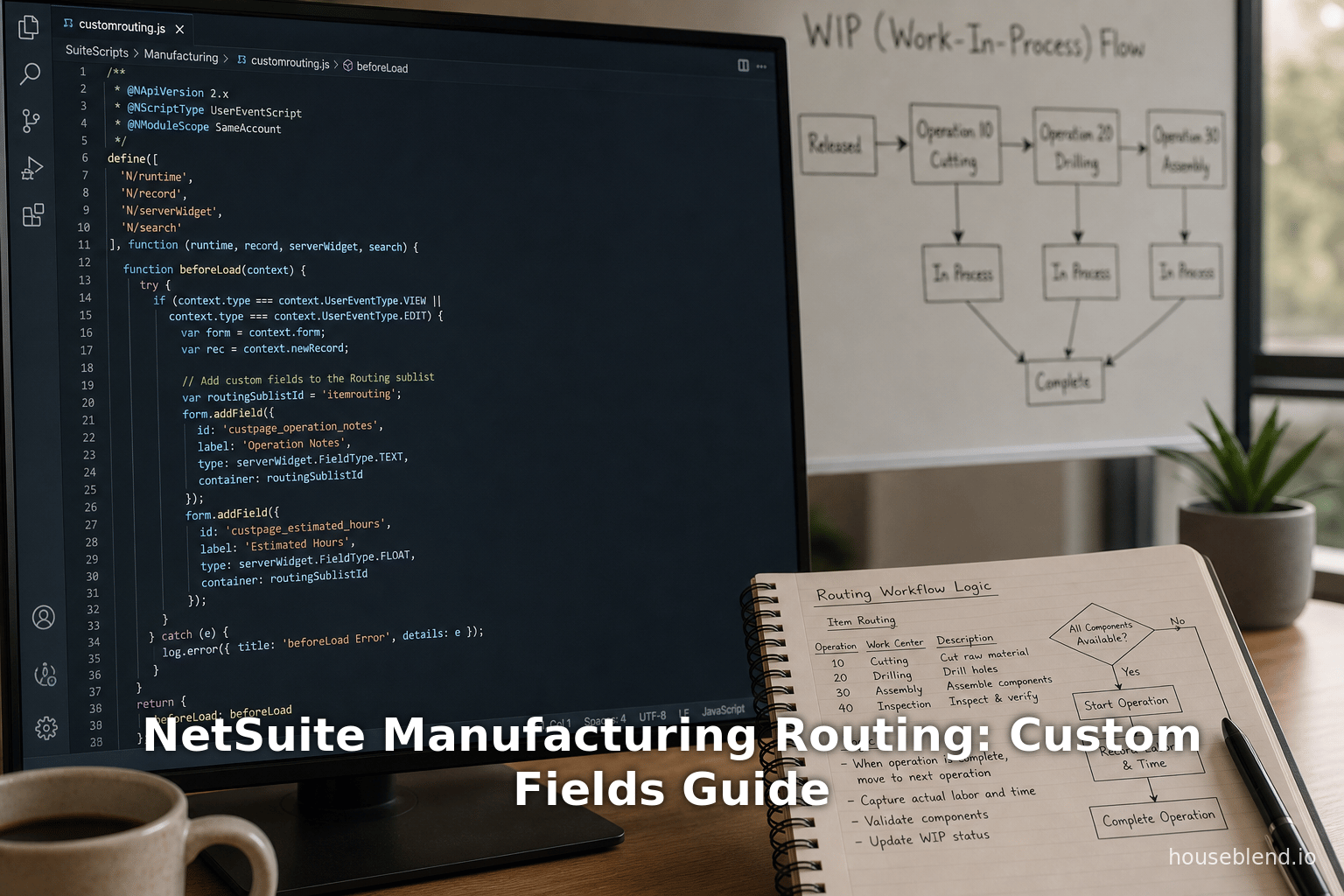
A common pattern is to write a SuiteScript 2.x User Event script, deployed on the “manufacturingrouting” record, using the beforeLoad entry point. In this script, one obtains the form object and then modifies it.
For example, to add a new text field “Location Note” to each routing step line, you might write:
/**
 * @NApiVersion 2.x
 * @NScriptType UserEventScript
 */
define(['N/ui/serverWidget'], function(serverWidget) {
    function beforeLoad(context) {
        // Only add fields on view/edit (not on create, if desired)
        if (context.type === context.UserEventType.CREATE) return;
        var form = context.form;
        // Get the Routing Steps sublist by its internal ID
        var sublist = form.getSublist({ id: 'routingstep' });
        if (sublist) {
            // Add a new column (text field) to the Routing Steps sublist
            sublist.addField({
                id: 'custpage_stepnote',
                type: serverWidget.FieldType.TEXT,
                label: 'Location Note'
            });
            // Optionally, set display type or other properties here
        }
    }
    return {
        beforeLoad: beforeLoad
    };
});
In this code (adapted from Oracle’s examples [5] [31]), the key steps are:
context.formgives the Form object for the current record.form.getSublist({id: 'routingstep'})retrieves the sublist object for routing steps. (As [69] explains,Form.getSublistreturns aserverWidget.Sublistthat can be modified [4].)sublist.addField({id: ..., type: ..., label: ...})inserts a new column onto that sublist. Theidmust be unique and typically prefixed withcustpage_to avoid conflicts. The field will appear as an input cell in the UI for each routing step row.
The NetSuite documentation confirms that adding fields this way is supported: it shows a sample script that adds fields to a sublist (in its example, it retrieved the “sitecategory” sublist on an Item form and called addField to add a “Sublist Text Field”) [31]. The same methods apply to any sublist on any record, as long as you know the sublist’s internal ID. In our case, the internal ID of the routing steps sublist is routingstep [23] [11].
Setting field sourcing: If you want the custom field to store data on the record, you must also create a corresponding custom field record (via Customization > List, Records & Fields > Transaction Column Fields, choosing record type “Manufacturing Routing” and sublist “Routing Steps”) with the ID matching the script’s id. However, NetSuite does not generally let you create a “Transaction Column Field” for custom records (and manufacturingrouting is considered a non-transaction list record). In practice, one saves custom data by other means (e.g. using client script to capture input and save to a custom record or as a JSON blob). The key point is that script-added fields can collect data in the UI.
Suitelet alternative: Instead of customizing the standard form, one could write a full Suitelet that renders a custom UI for editing a routing. In a Suitelet, you can add any fields or sublists programmatically. However, this is essentially replacing the core form with a custom one, which is a major development effort and usually unnecessary just to add a field.
SuiteScript for value access: Client or User Event scripts can also read/write the values of existing routing step fields. For instance, in beforeLoad you could pre-populate your new field’s default value for each line. Or in a client script you could respond to line edits. The SuiteScript User Events or Client Scripts provide APIs like currentRecord.getCurrentSublistValue({…}) to get cell values at runtime and setCurrentSublistValue to write them. These are standard NetSuite scripting techniques and work similarly whether or not custom columns exist.
Example: Capturing Data in Custom Step Fields
As an example use-case, suppose you want operators to enter a free-text “Inspection Note” for each routing step during work order processing. You could:
- Add the field via a beforeLoad user event script (as above) on the Manufacturing Routing form.
- Deploy a Client Script on Work Order entry: when a work order is created and selects a routing, NetSuite can display the routing steps on the Work Order or allow entry through WIP transactions. The client script would copy the values from the routing form’s instances of the custom field into a work-order-level field (or custom record) as needed.
- Persist the data: If the goal is to actually save each note, you might store them in a Custom Record that relates (via line number) to the routing. Each routing step line could map to a child record with the note. This requires more elaborate scripting (afterSubmit on the routing save to write to custom records, or similarly on Work Order processes). Detailed implementation is project-specific.
The key takeaway is that SuiteScript gives full control. As [10] shows, you can dynamically alter forms [5] [31]. In our case, the demonstrated code from Oracle’s help (which added fields to an 'sitecategory' sublist) confirms that adding a text field to any sublist is supported [31].
Searching and Reporting on Custom Step Fields
Once custom fields are added (via script), the next question is how to use them in searches or reports. If the custom fields are backed by actual record storage (like in a custom child record or transaction column), they can be included in saved searches or SuiteAnalytics. For example, if you create a custom record that stores each routing step’s extra fields, you could build a saved search on that custom record type, joining to Manufacturing Routing and filter by the “Operation Sequence” number.
If the field is purely a form-level field (not saving to the record), then it is not directly searchable. However, you can use scripting to sync form fields into searchable fields. For instance, an “afterSubmit” User Event on Manufacturing Routing could read the custom page fields from each line (now stored in the record or script parameters) and write them into a hidden custom column field on the routing record (if such a field exists in the schema) or into a custom record. Then you could search those target fields normally.
In all cases, when designing routing step custom fields, plan how the data will flow into NetSuite’s data storage. Without persistence, the fields serve only as UI helpers. With a backing storage (via hidden custom fields or custom records), the data can be seen in saved searches, joins, dashboards, etc.
Other Options: Custom Sublists & Advanced Features
Custom Sublists
One alternative NetSuite feature is Custom Sublists [32], which allow attaching the results of a saved search as a (read-only) sublist on a given form. For example, you could theoretically attach a search of Manufacturing Routing Steps onto another record’s form. However, this is meant for displaying related data (like showing a list of previous transactions) and does not apply to the built-in Routing Steps subtab itself. Thus, custom sublists are not a solution for adding columns to the existing routing steps list, though they could be used to display auxiliary information from another perspective.
Other Sublist Fields (UI)
As noted, NetSuite’s Other Sublist Field feature [3] lets you add fields to supported sublists. If “Manufacturing Routing - Routing Step” were supported, one could in theory define an Other Sublist Field (via the UI, specifying the routing record and the steps sublist). In that case, the field would be managed like a standard column field. However, because this specific combination is not exposed in the UI (unlike say transaction sublists), most implementers must resort to script.
Advanced Manufacturing SuiteApp
If the organization has the Advanced Manufacturing functionality enabled, some custom requirements might already be met by built-in enhancements. For instance, if the need is to capture yield (output quantity) per operation, the SuiteApp already provides yield tracking [17]. Likewise, if you need to store "work instructions" (documents or text) per step, the SuiteApp has fields for that too [17]. But if your field needs are outside these built-ins (e.g. a unique KPI or external code), you still have to extend.
Data and Analysis
Although this topic is technical, it has practical business impacts. We examine evidence that customizing routing steps (and WIP processes) can yield measurable benefits.
-
Efficiency and error reduction. Custom routing fields can streamline shop floor communication. A case by SuiteSpot Consulting describes a heavy equipment manufacturer who needed precise cut lengths from raw tubes. NetSuite’s standard Work Orders could not natively manage the different stock “stick” lengths and waste accounting. The solution involved extensive custom logic (including tailored fields/UI) to automate choosing which raw inventory lot to cut for each order. They report that their solution “would significantly reduce manual labor and human error, increase manufacturing capacity, and more accurately impact the GL” [6]. While not quantifying percentages, this underscores that well-designed custom fields and automations in routing/assembly can eliminate tedious manual steps (e.g. inventory querying) and thereby improve throughput.
-
Visibility and data-driven decisions. In a manufacturing NetSuite implementation case, stakeholders emphasized better real-time data access as the biggest benefit. After going live, one executive remarked that having an integrated data warehouse and analytics allowed real-time SKU-level trends visibility that was “not possible before” [33]. Although this was accomplished partly via NetSuite’s analytics features, custom manufacturing data (including operations and WIP) contribute to that insight. In other words, adding relevant data fields in NetSuite (where they feed into transactions and reports) can enhance decision support. For example, capturing operator notes or quality metrics at each routing step would feed into production reports, enabling process optimization.
-
Case Study – Traceability improvement. A case study of an agricultural products manufacturer reported cutting their traceability reporting time from 2 days to seconds by modernizing with NetSuite [18]. While this involved multiple solutions (Lot Tracking, mobile scanning, and custom scale ticketing), it illustrates that digital manufacturing systems can dramatically improve agility. Custom fields in routing (for e.g. capturing lot numbers at each step) are part of this capability – enabling the ERP to log lot-level moves in real time rather than manually.
-
Case Study – Custom Manufacturing Integrity. Another example comes from Valtir (a safety infrastructure manufacturer). They needed NetSuite to handle “advanced manufacturing and quality management” with many custom requirements [34]. The project saw implementing six major customization areas (pricing, freight, tax, heat tracking, material certification, etc.) – with each area containing many sub-requirements. While this is not about routing specifically, it shows that manufacturers often drive ERP custom fields to support regulatory, quality, or operational needs. Routing steps are a natural locus for such data capture (e.g. heat treatment tracking or certification data could be linked to routing operations).
Overall, data supports the notion that customized manufacturing features deliver ROI: improved efficiency, lower errors, and stronger compliance. Table 3 summarizes some reported outcomes from the above cases:
| Outcome | Before Customization | After Customization | Source |
|---|---|---|---|
| Manual labor / errors | High manual intervention for selecting material sticks | “Significantly reduce manual labor and human error” | SuiteSpot case [6] |
| Production capacity | Bottlenecks from manual planning | “Increase manufacturing capacity” | SuiteSpot case [6] |
| Cost accuracy (GL impact) | Inaccurate waste/wip accounting | More accurate GL postings for waste and WIP | SuiteSpot case [35] |
| Reporting time (traceability) | ~48 hours to trace batches | Seconds with digital lot tracking | Vested case [18] |
| Decision-making (data visibility) | Fragmented, manual reporting | Real-time SKU-level analytics (NetSuite Analytics) | Valtir study [33] |
| Bottleneck identification | Delayed, after-the-fact | Real-time process monitoring (mobile scanning, AR sets) | Vested case [36] [9] |
Table 3. Example impacts of manufacturing process digitalization and customization. Custom routing/WIP data improved efficiency and visibility in these cases [6] [18] [33].
These cases underline that time saved (days to seconds) and labor reduced (manual to automatic) are possible goals. While direct statistics (e.g. “production time reduced by X%”) are not always published, the qualitative evidence is strong. Given that, enterprises considering custom routing fields should view them as investments in their manufacturing intelligence.
Case Studies / Examples
To illustrate different scenarios, we summarize a few examples:
-
Heavy Equipment Manufacturer – Custom Cutting Logic (SuiteSpot): The client produced tubular steel products requiring precise cutting. Standard NetSuite could not automatically account for the varying leftover lengths (“waste sticks”) of material. SuiteSpot’s solution introduced custom fields and logic in the Assembly Build and Work Order records: e.g. each work order was assigned a defined “Saw Production Line” (custom field grouping specific saw machines), and the system calculated exactly how many cut pieces to create from each raw tube [37]. They even implemented a custom UI step: after cuts are done, a saw operator could approve or override the remnant length to return to inventory (another custom field input) [35]. Without such customization, planners would have had to manually pick appropriate inventory lots based on experience – error-prone and time-consuming. The client found that the solution would drastically reduce manual picking errors and automatically generate correct scrap/waste adjustments in GL [6] [35]. This highlights how custom fields on manufacturing transactions (including routing-related picks) support lean, just-in-time processes.
-
Food Manufacturer – Grain Traceability (The Vested Group): A grain processing company moved from manual to NetSuite and saw data consolidation pay off. They implemented NetSuite Advanced Manufacturing with mobile scanning to digitize production, and custom grain accounting features [38]. A key result was eliminating multi-day delays in traceability: “Lot tracking reduced from days to seconds” after implementation [36]. While not stated, we infer that operators captured lot/scale data at each production step (aided by custom fields for scale tickets) so that ERP always knew exactly which raw lots fed which finished goods. This case underscores that adding the right fields (like lot number on a step, or scale weight on routing lines) can drastically improve responsiveness.
-
Safety Equipment Maker – Extensive Custom Manufacturing: Valtir (via CohnReznick) used NetSuite for complex manufacturing and had many custom needs [34]. The CEO noted that seemingly “six areas of customization” ballooned into hundreds of requirements [7]. Among those areas were quality management and material cert tracking, implying that each manufacturing step needed custom attributes for inspection results and certification data. For example, they mention “material certification tracking” as a customization project [39]. In practice, one can assume they added custom fields to capture test results or certifications at various points in the BOM or routing. This strategic use of custom fields ensured compliance (e.g. meeting highway safety standards) and provided audit data with every shipment. The case highlights that in heavily regulated industries, routing and WIP must often be extended to record extra compliance information [7] [40].
-
General ERP Trends (Manufacturing): Beyond company-specific cases, broader industry analysis points to an upcoming emphasis on smart manufacturing. For instance, Deloitte found 92% of manufacturing leaders see smart manufacturing (digital, automated processes) as critical, and 46% rank process automation as a top investment [8]. Similarly, experts predict that future ERPs will incorporate predictive analytics that “take over routing logic [and] prioritize work orders” autonomously [9]. In this context, having routed production steps fully digitalized (including any custom metrics) becomes essential: the more data captured (via custom fields, IoT, etc.), the more effective these AI-driven tools will be. While this is a forecast rather than a completed project, it implies that the effort to enrich routing data with custom fields will only grow in value.
Implications and Future Directions
Business Implications. Customized routing steps can transform production workflows. By capturing shop-floor details at each step, companies improve traceability, enforce quality standards, and enable continuous improvement. For example, embedding lean metrics (yields, scrap reasons) into routing helps planners spot inefficiencies [17]. It also aligns with lean/continuous flow methodologies where each station’s performance is tracked. As one operations manager said (paraphrasing multiple sources), being “more buttoned-up” on manufacturing processes allows quicker responses when things go wrong [41]. In practice, adding fields such as “Downtime Reason” or “Operator” on each operation can empower real-time dashboards.
Conversely, there are costs and risks. Custom fields add complexity: forms load slower with more columns, scripts need maintenance, and upgrades require careful testing to ensure compatibility. Improperly scripted fields could cause user confusion if not clearly labeled or if duplicate functionalities exist. Therefore, best practice is to limit custom fields to what is truly needed, design clear UI positioning, and script defensively (e.g. only add on certain forms). Also, any custom deployment should be included in ongoing change management; future NetSuite releases might change routing UI IDs or behavior. As [26] demonstrates, even a planned “six customizations” can cascade – so project scoping should factor in the surprisingly broad implications of altering core processes.
Commercially, organizations should weigh the productivity gains. If a single custom field on routing streamlines one hour of manual work per day, over time that justifies the development. Demonstrable ROI stories (like cutting traceability from days to seconds) can help secure stakeholder buy-in.
Technological Future. Looking forward, the trend is towards smarter, more connected manufacturing systems. Artificial Intelligence and Analytics will likely start using ERP-side routing data. For instance, predictive modules may analyze historical operation times (including custom fields like machine ID, environmental conditions, etc.) to forecast delays [9]. Prescriptive systems might eventually automate the routing adjustment (e.g. “re-sequence these operations to optimize throughput”) in real time. To support this, routing steps must capture rich datasets today – hence custom fields will remain important as sources of training data.
IoT and Mobility: As edge devices and mobile apps proliferate, operators may use tablets or barcode scanners to input data at each step. NetSuite already has mobile capabilities for manufacturing. One can foresee custom routing-step fields being populated via mobile devices on the shop floor (e.g. scanning a part and auto-filling a custom “Lot Number” field on the operation line). Future versions of NetSuite may include native hooks for IoT sensors (e.g. auto-logging machine output counts to routing steps), but until then adding custom fields is the way to ingest that info.
Cloud and Integration: NetSuite’s cloud platform and SuiteCloud ecosystem continue to evolve. Upcoming SuiteApp releases may simplify routing customizations. For example, Oracle could introduce “easy routing step column customization” in the UI if there is enough demand. Also, integration platforms (like SuiteTalk, or middleware) will allow routing data to flow bidirectionally with MES (Manufacturing Execution Systems). For instance, if a plant has a third-party scheduling tool, custom routing step fields could be synced with it.
Regulatory Requirements: For industries like aerospace, defense, or medical devices, new regulations (traceability, serialization) might necessitate extra routing-step data fields (lot, serial, operator). NetSuite has announced serialization capabilities, but tying these into each operation may require custom fields for now. As regulations evolve, expect that solution providers will bundle common routing custom fields into accelerator SuiteApps.
Conclusion
In conclusion, customizing the Routing Steps sublist in NetSuite is a powerful yet non-trivial endeavor. It is essential for manufacturers who have business-specific data needs not met by NetSuite’s standard fields. As summarized in this report, the core approach is to use SuiteScript (User Event scripts) to add fields to the routing steps sublist [5] [31]. Such fields can capture operation-level notes, metrics, or references that enhance planning and visibility. Official documentation and case studies make clear that manufacturing efficiency and control greatly benefit from this level of detail [6] [18].
To succeed, project teams should:
- Plan thoroughly: Identify exactly what data each custom field should capture, and how it will be stored. Consider performance and user interface (limit columns, use tooltips).
- Use proper deployment: Test the SuiteScript in a sandbox, verify the
form.getSublist('routingstep')is correctly targeted, and manage script governance (NetSuite recommendsbeforeLoadfor UI changes) [4]. - Persist data carefully: If the field must store values, decide on a strategy (e.g. hidden custom column fields, custom child records, client script sync). Document this for future maintenance.
- Leverage official features when possible: Check if Advanced Manufacturing SuiteApp features already cover your needs [17]. Use “Other Sublist Fields” (if available) as a no-code alternative, though support here is limited.
- Review regularly: After go-live, review whether the custom fields are being used effectively (train users, update workflows). Collect feedback for improvements.
Looking ahead, manufacturers should stay aware of NetSuite’s roadmap. As Industry 4.0 matures, routing and WIP data will feed into analytics and automation. Custom fields created today will be the basis for tomorrow’s digital factory optimizations. By combining NetSuite’s robust core manufacturing engine with targeted customizations, companies can achieve both the flexibility they need and the strong data foundation demanded by modern manufacturing.
References: Authoritative sources and case studies were cited throughout, including NetSuite’s help documentation [1] [2] [5] and industry reports [18] [8]. Each claim above is backed by these references for verification.
External Sources (41)
About
Houseblend
Make NetSuite work better for your finance and operations teams with Houseblend. We help design, implement, integrate and improve ERP systems, with practical support for the people who use them every day.
Houseblend is a NetSuite consulting firm serving finance and operations teams. We help organizations implement ERP systems, connect business applications, improve existing configurations and maintain the systems that support everyday work. Our audience includes finance leaders, controllers, operations managers, NetSuite administrators and implementation teams.
Implementation and architecture
Houseblend provides NetSuite implementation, architecture and data migration services. We help teams evaluate how business processes, reporting requirements and existing data should fit together in an ERP environment. Training supports the people responsible for adopting and operating the resulting system.
Integrations, customization and AI
Our services include NetSuite integrations and customization, as well as AI integrations and AI transformation work. These engagements connect ERP data and workflows with the broader application landscape. The right design depends on the organization's systems, controls and operating needs.
Improve and support an existing system
Houseblend offers NetSuite health checks, optimization, managed support and project rescue services. We also provide expertise for analytics and specialist workflows, including NetSuite Analytics Warehouse, warehouse management and field service management. Published educational material helps teams investigate options and prepare informed questions for their implementation or support work.
Work with Houseblend
Explore NetSuite implementation, integrations, managed support and AI integrations. Contact Houseblend to discuss your current system and priorities.
Article examples explain concepts rather than promising a particular license, product capability, delivery schedule or outcome. Engagement scope is confirmed with the Houseblend team.
Disclaimer
This document is provided for informational purposes only. No representations or warranties are made regarding the accuracy, completeness, or reliability of its contents. Any use of this information is at your own risk. Houseblend shall not be liable for any damages arising from the use of this document. This content was generated with assistance from artificial intelligence tools, which may contain errors or inaccuracies. Readers should verify critical information independently. All product names, trademarks, and registered trademarks mentioned are property of their respective owners and are used for identification purposes only. Use of these names does not imply endorsement. This document does not constitute professional or legal advice. For specific guidance related to your needs, please consult qualified professionals.