Houseblend Article
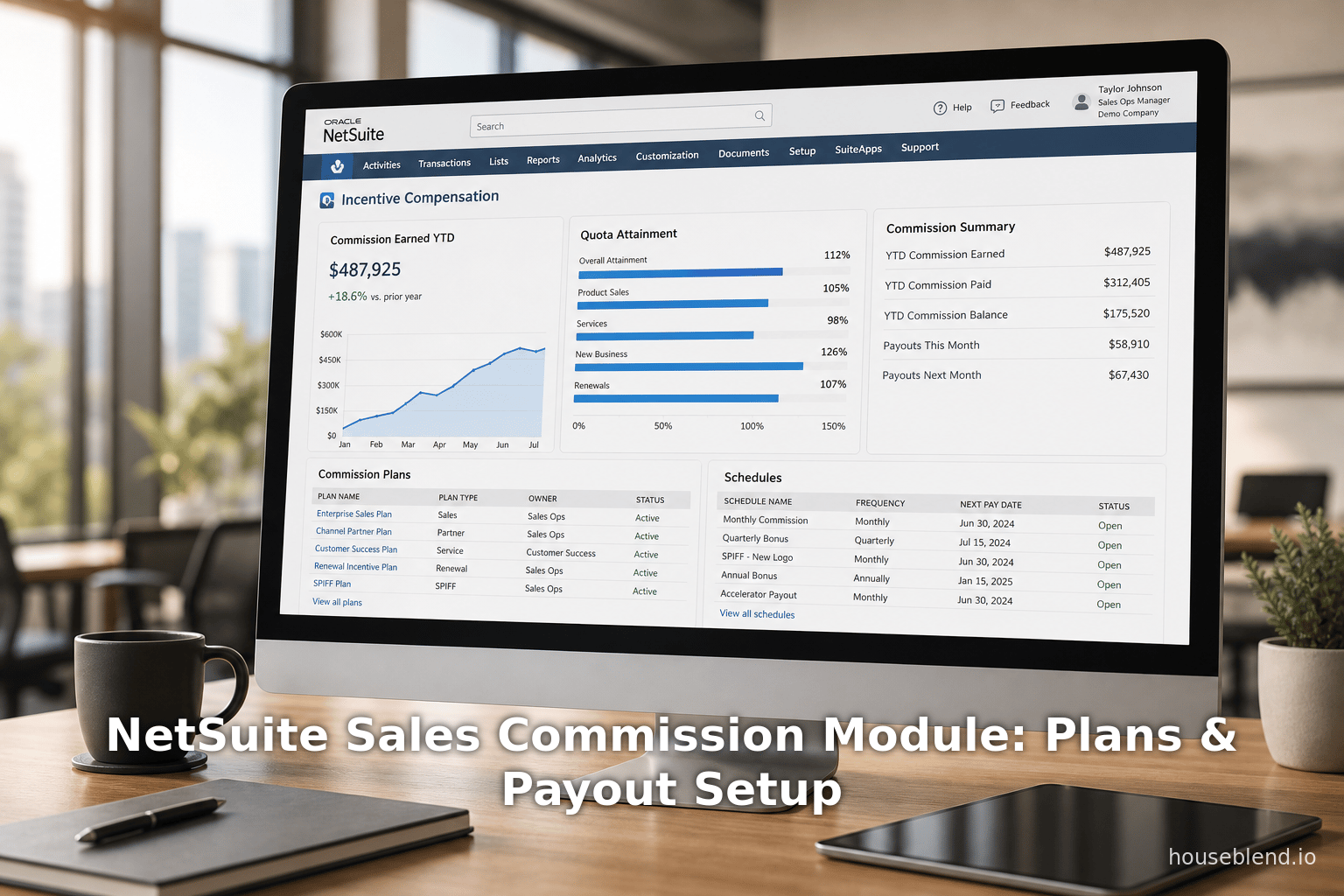
NetSuite Sales Commission Module: Plans & Payout Setup
Inside this article
- 01Executive Summary
- 02Introduction and Background
- 03Module Overview: Commission Schedules and Plans
- 04Commission Preferences and Payout Configuration
- 05Commission Plans and Assignment
- 06Commission Calculation and Authorization Workflow
- 07Commission Payout: Payroll and Accounts Payable
- 08Reporting, Visibility, and Analytics
- 09Implementation Considerations and Best Practices
- 10Industry Usage, Data, and Analysis
- 11Case Studies and Real-World Examples
- 12Discussion: Implications and Future Directions
- 13Conclusion
Executive Summary
Incentive compensation and sales commission management are critical elements of sales performance management (SPM), aligning employee motivation with corporate revenue goals. NetSuite’s Incentive Compensation (ICM) module provides an integrated, cloud-based solution for designing, calculating, and paying sales commissions within the NetSuite ERP environment. This report examines NetSuite’s ICM module in depth, focusing on its commission plans, schedules, and payout setup. It explains how companies can configure commission schedules (the rules that determine commission earnings) and commission plans (the containers that group schedules and assign them to sales reps), and how the system automates commission calculations and integrates with payroll or accounts payable for payout.
We explore the historical context of incentive compensation systems, describing why specialized commission management tools have become necessary as organizations spend an estimated 20–25% of revenue on sales salaries and commissions [1]. We review industry trends and data: for example, a recent industry report forecasts the global sales commission software market growing from ~$10.8 billion in 2026 to ~$23.1 billion by 2035 (CAGR ~8.8%) (Source: www.industryresearch.biz), reflecting a broad shift from spreadsheets to automated systems. We also cite research showing that dedicated commission tools can reduce error rates from roughly 15% to under 2% and improve salesperson retention by 10–20% through greater transparency (Source: www.industryresearch.biz).
The report details NetSuite’s approach: administrators enable the ICM feature and set company-wide preferences (e.g. timing of payout eligibility) [2] [3], then create one or more commission schedules that define how commissions are calculated (by sales amount, units sold, quota attainment, profitability, etc.) [4] [5]. Schedules can be filtered or categorized by item classes, locations, or other segments [6], and can even award overrides to sales managers on their team’s sales. Those schedules are grouped into commission plans, to which sales reps are assigned [7] [8]. NetSuite calculates commissions in real time as qualifying transactions (sales orders, invoices or shipments) occur, with results visible on sales dashboards [9] [10]. Managers can set up commission splits (dividing credit among multiple reps on one sale) and define quotas per period (monthly, quarterly, YTD) per rep, by product, or by other criteria (Source: www.anchorgroup.tech).
Once commissions are generated, NetSuite routes them through an approval process (typically supervisor sign-off, with optional accounting approval) [11]. Approved commissions become payable transactions. If a company uses SuitePeople U.S. Payroll, commissions can be paid directly on employee paychecks (using a payroll “commission” earning item) [12] [13]. Otherwise, commissions are treated as accounts payable: NetSuite will create journal entries or vendor bills, and payments are made by check/direct deposit [14] [15]. NetSuite supports either approach, enabling companies to choose their preferred payout method. Typical setups involve creating a special payroll earning item for commissions (then attaching it to sales employees) [16] [12]. For partner or reseller commissions, companies typically pay external partners via AP (since partners are treated as vendors) (Source: www.anchorgroup.tech). In either case, NetSuite tracks commission payouts and provides standard reports (e.g. overview, pending/authorized detail, paid commissions, AP aging, and calculation history) for finance and sales management [17] [10].
This report amalgamates information from Oracle/NetSuite documentation, industry analyses, market surveys, and consulting case studies. It covers multiple perspectives: the administrative view (finance and IT configuring the system), the sales perspective (how reps see and earn commission), and broader organizational considerations (ROI, compliance, market trends). We include data and statistics on software adoption and benefits (Source: www.industryresearch.biz) [18], expert commentary on technology (“spreadsheet vs. automated” tradeoffs [1] [19]), and real-world examples from consulting firms and user companies. We also discuss future directions such as advanced analytics and AI-enhanced forecasting in SPM.
Introduction and Background
Sales organizations have long used commission plans to incentivize and reward performance, aligning sales activities with business objectives. Traditional methods (e.g. custom spreadsheets or adhoc tools) can become cumbersome as plans grow complex. Modern Sales Performance Management (SPM) solutions automate incentive compensation, integrating with CRM and ERP data. As Forrester reports, business-to-business companies spend an average of 20–25% of revenue on sales salaries and commissions [1], making accuracy and efficiency vital.Research shows that dedicated SCM (Sales Compensation Management) systems bring significant advantages: they streamline calculation of complex multi-tier plans, reduce errors, and facilitate transparency compared to spreadsheets [1] [19]. For example, a 2024 Xactly study found 70% of companies still rely on spreadsheets to design compensation plans [19], highlighting the persistence of manual processes. But these are rapidly giving way to automated solutions: over 45% of mid-to-large U.S. enterprises now employ dedicated commission management software (Source: www.industryresearch.biz), driven by the need to cut error rates and speed up payout cycles. Surveys indicate that firms adopting such systems often slashed commission errors from roughly 15% to under 2% and saw a 10–20% boost in rep retention due to increased transparency (Source: www.industryresearch.biz).
Within this landscape, NetSuite – founded in 1998 (originally as NetLedger) and acquired by Oracle in 2016 [20] – provides a fully cloud-based ERP and CRM suite targeted at mid-market firms. NetSuite’s customer base spans thousands of companies globally, many of which require robust incentive compensation mechanisms. NetSuite’s Incentive Compensation module (sometimes called the sales commission module) is an add-on feature that enables these companies to define and automate commission programs directly within the NetSuite system [21] [22]. Unlike standalone tools, NetSuite’s module is embedded in the same platform as finance and sales data, which Promises “seamless integration” without the need to export data to Excel or import from other applications [9] [22]. As one NetSuite consultant notes, this integration means “sales reps can view estimated and actual commission in real time” on their dashboards [23] [22], reducing uncertainty and disputes.
Historically, NetSuite has evolved its compensation features over various releases. The current generation (SuiteCommerce/SuitePeople integrated) offers extensive configurability. Implementation typically involves an administrator enabling the Employee Commissions feature (under Setup > Company > Enable Features) and (if needed) adjusting company preferences (under Setup > Sales > Sales Management > Commissions) [2] [3]. Key settings determine when commissions become eligible (at billing or upon collection), default expense accounts for commission payouts, and approval requirements for accounting. Once the foundation is set, administrators create Commission Schedules and Commission Plans – the core building blocks for any commission program. This report provides a thorough guide to those elements, explains the logic of the system, and illustrates how organizations use NetSuite’s tools in practice.
Module Overview: Commission Schedules and Plans
Commission Schedules
A commission schedule in NetSuite defines the rule or formula for calculating commission for qualifying sales. It is the lowest-level element of the ICM module. According to the official documentation, “commission schedules define rules that NetSuite uses to calculate commission earned by your sales reps” [4]. When setting one up, the admin first selects a commission basis – for example, total sales revenue, number of units sold, profit margin, percentage of quota achieved, etc. – and then specifies how the commission is calculated on that basis [4]. NetSuite supports diverse calculation methods: commissions can be set as flat amounts or percent rates, and can be applied linearly or via tiered brackets (sliding scales). As one guide explains, “you can create commission brackets that award commissions with flat rates or with rates based on a sliding scale” [24].
Supported commission bases include:
| Commission Basis | Description | Example |
|---|---|---|
| Total Sales Amount | Commission based on total sales dollars (flat rate or % of sales) | E.g. “12% of total sales per period” [25] |
| Number of Units Sold | Commission per unit sold (fixed amount or rate per item) | E.g. “$75 for each computer system sold” [25] |
| Percentage of Quota | Commission tied to meeting sales quotas | E.g. “$1,000 when a rep sells 100% of quota” [26] |
| Total Profit (Gross Profit) | Commission on gross profit (sales minus cost) | Commission on profit margin (triggers only when profit is positive). |
| Profitability (Profit Rate) | Commission on profit margin percentage | Similar to above; can encourage higher-margin sales (no specific example). |
| Applicable Category | Commission only on sales of specific item class, department, location, etc. | E.g. commission only on “first-time customer” class sales [6]. |
These options (and their combination) allow flexible plan design. For instance, NetSuite documentation explicitly lists “total sales, percentage of quota met, quantity sold, total profit, or profitability” as possible bases [5]. Companies often mix multiple criteria through separate schedules. For example, one textbook example (“Wolfe Electronics”) showed a plan with three schedules: 12% of sales, $75 per system sold, and a $1,000 bonus at 100% quota [25]. Many businesses similarly layer a flat commission on sales with unit bonuses and quota incentives to achieve their targets.
When creating a commission schedule, administrators also define filters and categorization. A schedule can be restricted to certain items, departments, locations, or classes. For example, if you specify a particular class on the schedule, only sales with that class earn commission under this rule [6]. This is useful for campaigns or product lines: one could offer higher commission on new products (marked by class “New Launch”) or only pay commission on sales in a certain region. NetSuite recommends grouping items by parent category if there are thousands of SKUs (for performance). Schedules can also be flagged for manager overrides: if “Manager Commission” is enabled, the system will compute an additional commission for the manager based on team sales [27]. This is how multi-level compensation (e.g. a 5% override for sales managers on their reps’ sales) is implemented.
Within a commission schedule, the admin sets commission brackets (if any). A bracket is a threshold range of the basis (e.g. $0–$10k, $10k–$20k, etc.) with an associated rate. NetSuite supports tiered (marginal) or stepped (target factor) calculations. For example, a schedule might pay 5% on the first $10k of a rep’s sales that month, and 8% on any additional sales [24] (sliding rate). Or a simple single-tier may apply a flat 5% on all sales. The schedule form provides a matrix where one defines these brackets. (The NetSuite help topic “Creating a Commission Matrix” offers detailed options, though we refer readers to official docs for form-level details.)
To summarize, a NetSuite commission schedule is a rule-book that says “for any sales matching these conditions, compute commission as follows.” Multiple schedules can be created to cover different products, territories, or incentive types. Once defined, schedules will be combined into plans (see next section). Administrators create schedules via Lists > Commissions > Employee Schedules > New (or via the Forecast > Commissions menu in some UI versions) [28] [29].
Commission Plans
A commission plan is a container that aggregates one or more commission schedules and assigns them to sales reps. NetSuite paperwork calls it “award commission to your sales reps and sales managers” based on the schedules in the plan [8]. A plan can therefore be thought of as a program: e.g. “Plan A – Western Region Sales Plan” might include 3 schedules (one for base pay, one for product X, one for quota bonus) [30]. Another plan might be “Plan B – Inside Sales Plan” with different rates.
Key points about commission plans:
- Schedules per Plan: You can include multiple schedules in a single plan [31]. This allows mixing commission types: percentage-of-sales, per-unit, quota-bonus, etc. For example, the Wolfe Electronics plan had three distinct schedules combined in one plan [30].
- Rep Assignment: Sales reps (and optionally sales managers) are assigned to a plan [32]. Each rep can only belong to one plan at any given time [32]. This means a rep follows exactly the set of rules in that plan for a given date range. (If a rep moves regions or roles with different pay structures, the plan assignment would be updated.)
- Recalculation on Update: If you change a plan while it is active, NetSuite will automatically recalc commissions for all reps in that plan to reflect the new rules [32]. (However, as a best practice, plan changes are often synced with a new effective date or future cycle to avoid mid-period confusion.)
- Plan Levels: There are separate plan types for employee commissions and partner commissions (the latter under “Partner Commissions & Royalties”). This document focuses on employee commissions.
In practice, the administrator creates a new plan record (Lists > Commissions > Employee Plans > New) and then adds the pre-made schedules to it. They also specify the plan’s effective date range. Often one uses Date-Effective Structure in NetSuite, so plans can be phased in/out on schedule. Once a plan exists, reps are assigned to it (e.g. the field sales team all to “Plan A”, inside sales to “Plan B”). NetSuite calculates commissions for each rep through the schedules belonging to the plan to which that rep is assigned.
The flexibility of multi-schedule plans means that complex schemes can be supported. For instance, an organization could offer both product-level commissions (via item-class-specific schedules) and territory-level commissions (via sales-amount schedules) in one plan. Or separate schedules could cover different line-of-business geo or indirect channels but still be combined. The system’s UI allows any number of schedules per plan, and drill-down to each schedule’s results.
In summary, commission schedules define the “how” (calculation rules) and commission plans define the “who” (which reps get which rules). By combining schedules into plans, companies can structure tiers of incentives to match their sales strategy. For example, the documentation notes: “Employee commission schedules are part of commission plans that you assign to your sales reps… you can include multiple commission schedules in a single plan, and you can assign more than one sales rep to a plan” [33]. This core architecture (schedules + plans) underpins all subsequent processing described below.
Commission Preferences and Payout Configuration
Company-Wide Preferences
Before commissions can be calculated or paid, certain company-wide preferences must be set. These are found under Setup > Sales > Sales Management > Commissions (Administrator) [2]. Key preference options include:
- Commission Paid By Default On: Determines when commissions become eligible for payment. Two choices are offered: Billings/Bookings or Collections. If set to Billings/Bookings, a commission becomes eligible when its transaction (invoice) is booked/approved (or when a sales order is booked, in ASA cases) [34]. If set to Collections, eligibility occurs upon receipt of payment towards that sale [35]. This effectively lets companies defer commission until cash is collected if desired (reducing arrears from bad debt).
- Alternate Sales Amount (ASA) Defaults: For complex pricing (e.g. subscription), companies may use ASA where commission is based on allocated portions of a sale rather than invoice total. Once ASA is enabled, NetSuite needs rules to determine eligibility on partial payments. The preferences allow options like First In (payments apply to ASA balance) or Percent of Order (invoices paid proportionally) etc [36]. These control how much of a commission becomes payable when partial payments are received [37].
- Overwrite in Schedules: A checkbox determining if the Eligible Amount in each schedule can override the default timing. If unchecked, the eligible date reflects the company default; if checked, each schedule can override the timing of eligibility [38].
- Commission Eligibility Period: An optional lag in days between the sale and commission payout (e.g. to allow returns or error checking) [39].
- Include Shipping in Basis: By default, shipping costs are excluded from commission bases (unless the basis is a profit margin). Checking this box includes shipping charges in sales-based commissions [40].
- Approval Requirements: Admins may require additional approvals. NetSuite allows requiring accounting sign-off on employee and partner commissions [41] (even if supervisor approval is always needed). If Require Accounting Approval is checked, authorized commissions enter an accounting approval queue before payment [11].
- Default Expense Accounts: You can select default G/L expense accounts for employee and partner commissions. These defaults apply to commission expense transactions unless overridden on the commission record.
Setting these preferences properly is crucial, as they affect all commission schedules. For example, the account administrator might choose Collections to ensure reps are only paid on actual cash received, or leave it as Billings to pay as soon as deals close [34] [15]. A NetSuite partner tip emphasizes that the admin must establish these preferences before designing schedules [3]. (Changing the default timing later does not automatically update existing schedules, so care is needed.) Preferences also include specifying whether commissions are default-paid on paychecks (next section) and setting maximum bracket limits.
Commission Schedules Configuration
With company preferences in place, each commission schedule is configured in detail. The process (via Lists > Commissions > Employee Schedules > New) involves:
- Choosing the Basis of Commission: For instance, “Sales (Quantity)” vs “Sales (Amount)” vs “Gross Profit” etc. This corresponds to the items in the table above [4] [5].
- Determining Eligibility and Categorization: The administrator can restrict the schedule to certain customers, items, classes, locations or departments [6]. They can also check Manager Commission if this schedule should be applied to sales managers on each rep’s team (for override commissions) [27]. Additionally, an eligibility filter can ensure only customers paying immediate commission are included.
- Setting Calculation Options: Decide if commissions are flat or tiered, set the rate or tier thresholds, and define if they reset each period. For example, one could configure a sliding scale where the percentage increases after higher targets [24]. The schedule form allows up to several brackets, with a note that if you exceed a certain number of columns you may risk data loss.
- Completing the Commission Matrix: The system then builds a matrix of commission rates or amounts by brackets of the chosen basis. The administrator enters rates (or amount) for each bracket. If multiple ranges apply (e.g. 0–$10k @5%, $10k+ @8%), those are defined here.
- Saving: After specifying all rules and filters, the schedule is saved. NetSuite will then use it in real-time calculations for any transaction meeting the criteria.
As noted, schedules can be quite sophisticated. For instance, Anchor Group highlights that NetSuite supports “multiple scale options: linear, marginal, target factor” (Source: www.anchorgroup.tech). Linear is a flat rate across the bracket (5% of all sales). Marginal (sliding) pays 5% up to $10k, then 8% on the incremental sales beyond $10k. Target factor can give a bonus if all brackets are achieved. These tools allow mimicking tiered compensation or stepping bonuses.
Administrators also configure whether a schedule gives a set amount or percentage. For example, one might set “$1000 when quota is reached” by making a bracket with a flat amount at the quota threshold [26]. The system even allows negative commissions if needed (e.g. clawbacks), though most businesses handle clawback via adjustments.
Finally, each schedule defines the formula outcome: the system calculates either a currency amount or a percentage of something. For percentage-based schedules, NetSuite will calculate either by line item or transaction total depending on setup. Importantly, when commissions are triggered by a sale, NetSuite automatically sums the schedule results. The documentation explains that “when a sales rep is assigned to a commission plan, NetSuite compares any transaction they enter to the criteria in the commission schedules. If the sale qualifies, NetSuite awards a commission amount. After the sales rep earns commission, it appears on commission reports and KPIs in real time” [7].
In short, creating commission schedules in NetSuite is about encoding who earns what, under which conditions. The system is very flexible: you can base commissions on almost any field in the sales record and shape the payout formula accordingly. The tradeoff is that complex plans may require careful testing. Many experienced implementers stress thoroughly validating each schedule with test data, as custom criterion or quota-based calculations can interact in subtle ways.
Commission Plans and Assignment
After all relevant schedules are built, the next step is to create commission plans. A plan can hold multiple schedules as discussed, and once defined, is assigned to the sales force. The NetSuite guide walks administrators through: (a) creating the plan records, and (b) adding schedules to the plan [42] [31].
Each commission plan is given a name and effective dates. It can be global or per-subsidiary in OneWorld accounts. NetSuite allows assigning or changing a rep’s plan at any date (the Sales Effective Date feature ensures backdating or forward-dating plan changes) [32]. The main rules for assignment are: one rep can only have one active plan at a time, and that plan defines all their commission logic for that period [32]. If a rep moves into a new plan partway through a period, the old plan’s schedules still apply up to that change date, and new plan schedules apply thereafter.
It’s possible (though not common) to assign multiple reps to a single plan. This is useful if a team shares the same compensation structure. NetSuite will individually calculate each rep’s commission within the plan. The system distinguishes reps via an employee list on each commission record. Conversely, if two reps have different rates or basis, they should be on separate plans.
One benefit of NetSuite’s plan structure is that managers and executives can preview and adjust rules centrally. As Anchor Group notes, “executives, sales, and finance managers can view and adjust compensation rules within commission schedules, configuring these with different performance measures” (Source: www.anchorgroup.tech). Because all commission logic lives in NetSuite, a manager can tweak a schedule (say, to change a rate or threshold) and have confidence it will immediately recalc commissions for everyone under that plan [32]. The system then automatically incorporates any such changes seamlessly.
In practice, many companies version their commission plans yearly or quarterly. For instance, a new fiscal year may bring updated quotas, and the admin would create a new set of schedules and possibly new plans effective Jan 1. During that transition, NetSuite’s recalculation ensures no leftover “inventory” of commissions from obsolete rules. Each change is traceable via the system’s logging (see Reporting section).
It’s worth noting that NetSuite’s ICM is primarily designed for straightforward commission models. While it can handle layered tiered rates and simple splits, extremely complex scenarios (like multi-level distributor overrides, non-linear geometric payout, etc.) may require creative workarounds or customization. Vendors like Catalyst or Everstage offer more advanced modeling for “corner cases” [43] [44]. However, for the majority of standard sales organizations, NetSuite’s built-in plan/schedule approach suffices and offers tight ERP integration that most third-party tools lack.
Commission Calculation and Authorization Workflow
With plans and schedules defined, NetSuite pays out commissions as part of its transaction processing workflow. Commissions are typically triggered by transactional events (billing or payment) depending on preferences. In NetSuite’s default flow:
- Transaction Entry: A sales order is created and eventually billed (invoice) or cash is received. At the moment set by preferences, NetSuite evaluates the transaction. The system looks up the salesperson on the record, determines the rep’s commission plan, and finds all schedules within that plan that apply to this transaction.
- Commission Calculation: For each applicable schedule, NetSuite computes the commission amount as per the schedule’s matrix. For example, if a schedule pays 5% of sales and the invoice is $10,000, it would compute $500. If multiple schedules apply (say a base schedule plus a product-specific one), the sums accumulate. All such commission-attachment entries are created with status “pending authorization.”
- Recording Transactions: Each calculated commission creates an “employee commission” record in NetSuite. This record lists the base transaction (invoice) and the commission amount. These are not yet paid, merely owed.
This happens in real time: once the bill is saved, the commission exists in NetSuite. Sales reps can see their earned and projected commissions on their dashboards immediately (before any checks are cut) [23]. The system also updates summary KPIs (e.g. “My Commissions YTD” or “Commission Achieved vs Quota”) instantly, which motivates reps by transparency.
The authorization step comes next. Per standard practice, every commission must be approved by the rep’s supervisor before payment. NetSuite enforces this via the Authorize Commission process [11]. An authorized person (usually a manager) reviews the pending commissions in Transactions > Employees > Authorize Employee Commissions. They verify that the calculated amounts are correct and, on authorization, NetSuite generates payable transactions. Specifically:
- If accounting approval is not required (the default unless turned on in preferences), authorizing a commission automatically forms a ready-to-pay transaction (like a payroll stub or AP bill) [45].
- If accounting approval is required (preference checked), then after supervisor approval it goes into an “Accounting Approval” queue before final payment [45]. This extra gate-frame is useful for large companies with strict finance controls.
According to documentation, “before the commission can be paid to the employee, it must be authorized by the employee's supervisor” [11]. Once authorized, two outcomes are possible depending on payroll integration (see next section). In any case, opting into NetSuite’s workflow means the creation of all commission payable entries is systematic and logged.
NetSuite supports commission modifications in the event of changing transactions. For example, if an invoice is partially paid, the commission becomes eligible only on the paid portion. The system can recalc such partial commissions as shown in a case study: “If an invoice is partially paid, the commission is calculated only for the amount paid in that month” [46]. Similarly, if credit memos are issued for returns, NetSuite will deduct those from the commission basis [46]. In fact, Anchor Group’s product sheet notes that NetSuite automatically adjusts for overpayments and underpayments by issuing credit/debit adjustments in the next payout cycle (Source: www.anchorgroup.tech). This ensures commissions stay accurate even when sales amount changes after the fact (returns, allowance, or clawbacks).
Moreover, NetSuite generates audit trails of all commission calculations. The Commission Calculation History Report tracks changes to commission amounts over time [47]. If a schedule is updated or an invoice is modified, the prior and new commission amounts are preserved for review. This supports internal controls and compliance. The robust reporting (discussed later) allows management to reconcile commissions against revenue and ensure no unauthorized payouts slip through.
Commission Payout: Payroll and Accounts Payable
A key strength of NetSuite’s ICM is its integration with the company’s existing payment infrastructure. Specifically, NetSuite allows commissions to be paid either via the payroll system or through accounts payable – choosing which is largely a matter of company policy.
-
Payroll Integration (SuitePeople): If a company uses NetSuite’s SuitePeople U.S. Payroll module, commissions can be paid directly on the employee’s paycheck as a payroll earning. To enable this, the administrator first creates a special “commission” payroll item (Lists > Employees > Payroll Items > New -> type “Earning: Commission”) and assigns an expense account and withholding code [16]. Each sales employee who receives commissions must have this payroll item listed on their employee record [48]. Then in Setup > Payroll > Setup Tasks > Set Up Payroll, the choice “Pay Employee Commissions on Paychecks by Default” is enabled [49]. With this option on, any approved commission automatically enters the payroll process. When running payroll (Transactions > Employees > Create Payroll), the commission amounts appear on the check stub under that earning item, and withholding/tax treatment is applied as configured.
The advantage is that commission pay becomes part of routine payroll, with standard deductions, direct deposit, etc. The rep receives one check with both salary and commission. This is transparent and straightforward for payroll/HR. However, it requires using the SuitePeople payroll engine; if a company uses an external payroll, they typically cannot do this.
-
Accounts Payable Payment: If the company does not pay commissions on payroll, NetSuite treats them as accounts payable. In this case, every authorized commission creates a commission payable transaction (on a dedicated vendor or general ledger account) [14]. The typical steps (described in the Paying Employee Commission doc) are:
- After authorizing commissions, create a journal entry debiting the commission expense account and crediting a liability (Accounts Payable) for each rep [50]. Then post that entry.
- Go to Transactions > Payables > Pay Bills and check off those commission liabilities to issue payment checks or E-payments [51]. In effect, the commission becomes just another vendor bill, even though it pays an employee.
The result is a separate check (or direct deposit) for commissions, processed through AP. This method does not require the SuitePeople payroll module and is available to any NetSuite account. It may be preferred by companies that cannot or do not use SuitePeople payroll.
If SuitePeople is enabled, the administrator has the option to default to payroll or not. As the docs note: “If you do not check [the Payroll] box, commissions are paid on a separate check as accounts payable transactions” [49]. Importantly, once commission payments are authorized, the actual method of payment cannot be easily changed – it depends on the setting in place at authorization time [52]. The choice is effectively locked in when the commission transaction is created.
Example Table – Commission Payment Methods:
| Payment Method | Mechanism | Notes |
|---|---|---|
| Payroll (SuitePeople) | Commission is added as an earning item on the employee’s paycheck [49] [16]. | Requires SuitePeople US Payroll. Admin must enable “Pay Commissions on Paychecks” and set up a commission payroll item. |
| Accounts Payable (AP Bill) | Commission payable is issued as a vendor bill/journal, then paid by Pay Bills (check/EFT) [50] [53]. | Default if payroll not used. Commission payment process is like paying a non-employee vendor. |
This flexible payout setup is accompanied by corresponding NetSuite functionality. For instance, if paying via payroll, NetSuite ensures the commissions post to payroll journals correctly. If paying via AP, the system provides Commissions on A/P Aging reports to track outstanding commission bills [47] [54]. In both cases, the underlying commission expense and liability accounts are posted appropriately to the general ledger, ensuring accurate financial records.
In practice, small and growing companies often prefer the simplicity of payroll integration (especially if they already run payroll in NetSuite). Larger or multi-national firms sometimes use the AP route, particularly for partners or contractors who aren’t on payroll. NetSuite also supports paying partner commissions via the Partner Commission & Royalties feature – typically this goes through AP as well. Anchor Group notes that NetSuite’s Incentive module has “flexibility to pay a sales commission to partners or employees” in either way (Source: www.anchorgroup.tech).
Overall, the net result is that commission payouts are automatic and auditable. Whether via payroll or AP, the processes are controlled by the system. Manual entry into external payroll or one-off checks is no longer needed, drastically reducing paperwork and errors.
Reporting, Visibility, and Analytics
NetSuite’s Incentive Compensation module provides extensive reporting and dashboard capabilities for both sales and finance teams. The goal is end-to-end transparency: sales reps can see what they have earned at any time, and managers/finance can analyze commission expenditures and compliance.
On the sales dashboard side, NetSuite adds several key performance indicators (KPIs) and reports. For example, reps (and their managers) can add a “Commissions Earned” KPI portlet that shows YTD or period earnings. They can also track “% of Quota Achieved” if quotas are defined in the ICM setup. Custom reminders or saved searches can alert reps when they reach new tiers. Because commission records are integrated into each sales transaction, reps see the exact parent transaction behind each commission line. One consultant notes that salespeople “can forecast their earnings, and these can be set to align with company goals” [10]. This real-time visibility is a powerful motivator: as soon as a rep enters or books a sale that qualifies, the commission appears on their dashboard [23] [10], so they know how their efforts translate into dollars.
For administrators and finance, NetSuite supplies numerous pre-built reports (via Reports > Sales/Commission Reports) and the ability to build customized analytics. Standard reports include:
- Commission Overview Report / Detail Report: Summarizes earned commissions by rep, customer, or period.
- Pending Authorization (Summary/Detail): Shows all calculated commissions that have not been authorized.
- Authorized Commission (Summary/Detail): Lists commissions approved and ready to pay.
- Paid Employee Commission (Summary/Detail): Lists commissions already paid to employees post-payroll/AP, by period.
- Commissions on A/P Aging: Tracks unpaid commission bills.
- Commission Calculation History Report: Audit trail of how each commission amount was derived (which schedule/bracket triggered it).
These built-in reports cover most management needs [55] [10]. For example, an accounting team can run the “Paid Employee Commission Summary” report to see year-to-date expense per rep, or “Commission on A/P Aging” to forecast cash flows. A sales manager might use the “Overview Detail” to verify that top performers’ commissions were calculated correctly. Because the module is role-based, reps only see their own data, whereas managers or finance see organization-wide reports.
Additionally, NetSuite’s Saved Searches and Workbooks (BI tool) can be used to drill deeper. One can create a saved search on commission transactions to filter by customer or product, or pivot by rep. The new SuiteAnalytics Workbook allows building dashboards with commission charts (e.g. bar chart of commissions by rep vs target).
Third-party case studies highlight the positive outcomes from these capabilities. For instance, DynTek’s CFO remarked that with the new module, commissions calculations could shift to “spot checks” rather than days of manual work, and their sales team was “excited” about real-time visibility [56]. Sales reps, in particular, appreciate transparency. Industry commentary notes that when reps cannot see their commission clearly, motivation and trust suffer – whereas transparent dashboards cut down disputes [10] [57].
In summary, NetSuite’s commission reporting and visibility tools ensure accountability. Management can monitor “commission run rate” as easily as sales revenue, and identify anything unusual quickly. Rep-level forecasts and dashboards help align behavior to targets. Overall, automated reporting replaces the cumbersome process of extracting data from spreadsheets and trying to reconcile multiple sources. As one NetSuite partner summarized: by eliminating manual steps, “finance will have access to Commission Overview Reports… allowing them to quickly monitor sales trends” [10].
Implementation Considerations and Best Practices
Implementing the Incentive Compensation module involves project management, data cleanup, and careful design. Key considerations include:
- Requirement Gathering: Define the actual commission rules used by the business. List all commissionable items, rates, tiers, splits, overrides, and any special conditions. Use this to design schedules and plans. Involve both Sales Ops and Finance teams to ensure alignment.
- Data Preparation: Ensure all sales records (items, classes, departments, locations, subsidiaries, etc.) are correctly defined in NetSuite. Mis-categorized transactions will not hit the intended commissions. For quota-based schedules, quotas must be loaded (via CSV or manually).
- Testing and Validation: Before go-live, run parallel tests. Create test sales orders/invoices to see expected commission results. Verify edge cases (partial payments, revenue recognition vs criteria). Many companies simulate a few pay cycles and reconcile commissions between NetSuite and the legacy spreadsheets they used to use. This helps catch configuration errors early.
- Authorization Workflow: Define the approval path (supervisor, optional accounting). Set up the employee hierarchy in NetSuite so commission authorizations route correctly. Train managers on the “Authorize Employee Commissions” transactions and workflows.
- Payroll Setup (if used): For paycheck-based commission, create the commission earning item and associate with employees as described [16] [49]. Determine tax treatment. Decide if commissions should appear on paychecks by default (the checkbox setting) [49].
- Cutover Plan: Often commissions are run monthly or quarterly. Plan a date at which commissions will switch from the old system (Excel, other software) into NetSuite. It may be advisable to disable old methods to avoid confusion. Possibly backdate and enter commissions for the current IS in NetSuite so payroll/AP can start with no gaps.
- Training: Sales reps should be trained on viewing their commissions in NetSuite. Finance must learn the new reports and how to pay via the chosen method (AP or payroll). Documentation (including company commission manuals) should be updated to reflect the automated process.
- Monitoring and Adjustment: After launch, monitor closely. Check a few sales reps’ commissions each cycle for correctness. Solicit feedback from users. It may be necessary to fine-tune schedule parameters or fix data issues originally overlooked.
Typical challenges include aligning timing (bill vs cash), setting up quotas correctly, and managing mid-cycle changes (e.g. changes to a rep’s plan). A best practice is to lock down plan changes mid-period where possible to avoid complex recalculations. NetSuite allows retroactive changes, but the audit trail means any adjustment will be visible. Implementers often use custom fields or notes to track manual overrides (if they need to apply a one-time payout or correction). The system also supports a Manual Override checkbox on commission records during authorization, for those one-off fixes (though this should be used sparingly, as it breaks automation).
Consulting firms recommend starting simple. It’s easier to launch with straightforward plans and then add more complexity. For multi-divisional companies, consider implementing in phases (e.g. one subsidiary or region at a time) to iron out issues. Many projects also involve integration with other systems: for example, if commissions data needs to be reported elsewhere or if sales data comes from an external CRM, an integration (via SuiteScript or middleware like Celigo/Workato) may be needed. The Codinix case study illustrates one approach: they used a Workato workflow to fetch invoices and payments from NetSuite, calculate commissions, and feed the results into the payroll system [58].
Overall, the return on investment of proper implementation can be significant. Eliminating manual errors cut down costly overpayments and disputes. Time comparisons from case studies are striking: DynTek found that a process that used to take days was reduced to mere hours and “spot checks” [56]. Such efficiency gains allow financial teams to focus on analysis rather than number-crunching.
Industry Usage, Data, and Analysis
To place NetSuite’s solution in context, we examine industry data on incentive compensation management. As noted, the SPM market is large and growing. According to one analysis, the global sales commission software market was roughly $10.8 billion in 2026 (projected to $23.1 billion by 2035) (Source: www.industryresearch.biz), with a compound annual growth rate near 8.8%. This surge reflects broad adoption of cloud-based compensation tools in place of legacy on-premises or manual systems. The report further notes that in 2025, the market stood at about $5.0 billion, with projections to hit $29.3 billion by 2034 (Source: www.industryresearch.biz). These figures underscore that enterprises increasingly recognize the value of automating commission processes, particularly as sales organizations become more data-driven and global.
Detailed metrics from that report highlight the tangible benefits companies attain. For example, firms adopting commission software often reduce their commission error rate from about 15% to under 2% (Source: www.industryresearch.biz). They also typically see a 10–20% improvement in sales rep retention, attributed to the transparency and trust engendered by clear compensation processes (Source: www.industryresearch.biz). In competitive industries like technology, finance, or pharmaceuticals, rate of commission errors and disputes is a major pain point; thus cutting error rates directly impacts morale and costs. Another key driver is audit and compliance: real-time dashboards and automated traceability fulfill stringent requirements from auditors and regulatory bodies (Source: www.industryresearch.biz) [59].
Survey data from WorldatWork adds perspective: their 2025 Sales Performance Management study found that only 45% of participating organizations were using specialized SPM technology [18]. The other 55% were relying on spreadsheets or ad-hoc methods. Yet those same participant companies allocated on average $>1 million per year to administer sales compensation programs [18], indicating a pain point. This gap—half of companies manually managing millions of dollars of commissions—suggests ample room for NetSuite’s solution to provide efficiency gains.
Furthermore, Xactly’s 2024 Sales Comp Report (surveying ~230 companies) underscores that many firms still struggle with basic plan design challenges: 44% of respondents expected fewer than 70% of their account executives to reach quota [60]. This implies poorly aligned plans. The report also finds that 70% of companies still use spreadsheets for plan design [19] and only 47% use any automation for communicating plan changes. In NetSuite’s context, the implication is clear: many businesses need platforms that can both design balanced plans and automate their administration [19]. NetSuite’s module addresses the automation part; quota planning typically happens elsewhere or via customization.
Considering these industry insights, the adoption of NetSuite’s commission module can be framed as part of a broader SPM strategy. Companies moving off legacy spreadsheets often report (as in DynTek’s case) dramatic speed-ups in commission runs [56]. Sales analytics usage (79% of teams already use sales analytics tools [57]) suggests sales managers want data transparency, including on compensation. Every month not automated is a lost opportunity: as an Everstage blog warns, fragmentation between CRM and ERP leads to payout errors and wasted time [61]. NetSuite’s integrated model directly combats that by ensuring “no complicated spreadsheets or data imports” are needed [62].
Another perspective is the higher-level cost-benefit. If a company spends 5% of revenue on commissions (common in SMB software sales) and has $100 million revenue, that’s $5 million annual commission expense. A 2% error rate vs 10% error difference is $400k. Even a 1% improvement in accuracy can save $50k or more annually. Plus, automating 20 labor-hours a month (as an example) saves $10k/year in salaries. While exact ROI depends on scale, it’s clear that even moderate efficiency gains pay for implementation costs.
Case Studies and Real-World Examples
DynTek Services (Reseller of IT Solutions): Before NetSuite ICM, DynTek struggled to compute its complex commission model and was “spending days each month” on manual calculations. By engaging a NetSuite partner (nscatalyst / VAR Connect), DynTek implemented the NetSuite Incentive Compensation module (augmented by a specialized Catalyst app) to handle its intricacies [63] [56]. After the go-live, the finance team reported dramatic results: instead of days of work, they now only need to perform “spot checks” of the automated commissions [56]. The sales representatives, in turn, will gain “real-time insights” into their commissions via the new system [64]. One executive enthused that the visibility was “truly exciting” – a direct echo of the principle of sales motivation through transparency [23] [64]. This case exemplifies how an integrated system can eliminate end-of-period scramble and boost salesperson confidence.
Florida Manufacturer (Codinix/Workato Integration): A manufacturing company in Florida faced complexities with partial invoice payments and manual commission tracking. Codinix implemented an automated workflow using Workato that connected NetSuite to the commission process [65] [66]. Under this solution, commissions are calculated automatically on each invoice payment: if an invoice is partially paid, the commission is pro-rated on the paid amount (not the original invoice total) [46]. Credit memos (returns) are automatically subtracted from the commission base [46]. The process runs monthly, consolidating commissions into NetSuite’s Sales Commission records [67]. As a result, the company eliminated error-prone spreadsheets and manual journal entries. Codinix reports that after implementation, “commission calculations [were] automated, reducing human errors” and ensuring “accurate commission payouts based on actual payments” [68]. This highlights NetSuite’s ability to support real-world billing complexities like partial payments and returns.
Sikich Consulting (2018 Insight): In a published NetSuite blog, the consulting firm Sikich noted that NetSuite’s incentive module can handle “however complicated your sales commission calculations” by allowing customization of both timing and structure [69]. They pointed out that companies could choose when to calculate commissions (e.g. upon sales order vs at billing/collection) [70], and that the module supports forecasts and aligns plans with company goals. Importantly, Sikich called out the elimination of tedious manual work: with ICM enabled, sales reps “can forecast their earnings” and finance has access to a suite of reports (Overview, Paid Commissions, A/P Aging) that make tracking effortless [10]. This endorsement from a veteran NetSuite partner underscores that the product is practical and user-friendly for its intended audience.
Sales and Finance Perspectives: Across several implementations, common themes emerge. Automating commissions frees up finance staff (as DynTek experienced) and reduces error (as seen in the codinix example). Sales teams invariably welcome seeing their progress toward targets, which can improve morale. One trend is that companies often consolidate multiple point solutions (CRM spreadsheets, ERP journals, payroll entries) into the single NetSuite platform. A partner case study even describes a multinational packaging company that replaced its legacy “dozens of upstream/downstream” systems with an integrated SPM data source [71] (though that example used Anaplan; it illustrates the industry shift).
Together, these cases illustrate that NetSuite’s ICM module works in diverse industries. Whether a manufacturer, a VAR, or any sales-driven firm, the module helps standardize commissions. Key success factors include clear plan design, rigorous testing, and cross-functional buy-in.
Discussion: Implications and Future Directions
Implementing an automated commissions module has broad implications for organizations. On the positive side, it improves efficiency and accuracy (as evidenced above) while fostering trust and alignment. Transparency in compensation is known to motivate sales teams; conversely, lack of clarity can undermine performance. Tools like NetSuite’s that provide real-time earnings visibility can thus have measurable impact on sales productivity.
Additionally, seamless integration with accounting systems means the financial side gains better control and auditability. The ability to tie commission expenses directly to revenue transactions helps fulfill regulatory requirements (for public companies under ASC 606/IFRS 15, which require tracking the cost of obtaining customer contracts). Xactly’s materials highlight how formal commission accounting can ensure compliance [72]. NetSuite’s ICM alone does not amortize commissions over time, but it provides the raw data needed for proper expense recognition and auditing. At the very least, finance can generate the proper journal entries and maintain a clear trail of commission liability.
However, the adoption of such tools requires change management. Sales managers must trust the system outputs; older reps may be skeptical of an opaque algorithm. Training and communication are key. Furthermore, highly customized legacy plans (with ad-hoc overrides) may need to be simplified to fit into a structured software model. Organizations sometimes encounter resistance from reps accustomed to calculated exceptions. A best practice is to involve sales leaders early and use dashboards to demonstrate that the system is only formalizing what’s already been agreed upon.
Looking ahead, we see several trends in incentive compensation that will influence future module development:
-
Advanced Analytics and AI: As sales operations become more data-driven, companies seek predictive analytics on commission plans. The idea is to simulate plan scenarios and forecast outcomes. While NetSuite’s built-in capabilities focus on recording and reporting actual commissions, integration with analytics (or third-party tools like Tableau/Power BI) can yield insights into plan effectiveness. AI might also be used to detect anomalies (e.g. flagging unusually large commissions) and recommend adjustments. Indeed, vendor Everstage advertises AI features like attainment forecasting and anomaly detection for NetSuite users [44]. We may expect NetSuite’s ecosystem to produce similar tools.
-
Gamification and Self-Service: Reps increasingly expect self-service: mobile-accessible dashboards, notification alerts (e.g. “You’ve hit 80% of quota, $X bonus unlocked!”). Future versions of sales modules often include more interactive features (gamification, peer comparisons, etc.). NetSuite’s native dashboards are customizable but may be enhanced by SuiteCommerce or NetSuite’s CRM for a more modern UX.
-
Integration with Sales Planning: Incentive compensation does not exist in a vacuum. It is deeply connected to quotas, territories, and forecasting. There is a move in the industry to unify territory/goal management with commission administration (often called sales performance management suites). NetSuite currently relies on separate modules (or in some cases manual processes) for quota setting. A holistic strategy would align territory optimization and quota planning (perhaps via acquired tools or partner solutions) so that commission plans automatically reflect strategic priorities.
-
Multi-Channel Compensation: As companies sell through partners, affiliates, and platforms, commission rules get more complicated. NetSuite’s partner commission feature covers some scenarios, but the future may demand more granular external channel support (e.g. automatic split commissions when a deal passes through multiple partners).
In summary, while NetSuite’s ICM is robust for typical commission scenarios, organizations can expect the market to push toward richer analytics, more user-friendly time-relevant insights, and tighter coupling with broader sales strategy modules. Investing in this module today lays the groundwork for those future enhancements.
Conclusion
Incentive compensation management sits at the junction of sales strategy and financial controls. NetSuite’s Incentive Compensation module gives companies an integrated way to administer commissions as part of their ERP system. It enables the creation of complex multi-tiered plans (through schedules and plans) while automating calculations and ensuring alignment with accounting. The system supports paying on payroll or AP, tracks approvals, and provides comprehensive reporting.
This report has delved deeply into how NetSuite structures commission logic: from detailed workspace in creating schedules (basis, tiers, filters) to assembling them into plans assigned to employees. We reviewed payout setup (paychecks vs payable checks) and highlighted configuration options (collection-based eligibility, ASA settings, override permissions). We also incorporated industry data showing why such automation is vital: a sizable percentage of companies still rely on error-prone spreadsheets [19] [73], and adopting specialized tools yields significant accuracy and efficiency gains (Source: www.industryresearch.biz) [1].
Real-world examples have illustrated the module’s impact. Case studies of NetSuite customers and partners show that days of manual work can be turned into minutes, with more timely payments and clearer commission statements for sales staff [56] [68]. These stories confirm that the theoretical benefits (error reduction, visibility, motivation) are realized in practice when implementation is done correctly.
In conclusion, the NetSuite Incentive Compensation & Sales Commission module offers a comprehensive solution for companies looking to streamline their incentive programs. As businesses continue to seek data-driven sales performance management, tools like this become central to maintaining competitive salesforce productivity and financial governance. The detailed insights provided here – grounded in official documentation and industry research – should equip decision-makers to effectively deploy and leverage NetSuite’s commission capabilities, and administrators to configure plans and schedules that match their organizational needs.
Sources: Our analysis draws on NetSuite documentation [7] [9], industry research reports [1] (Source: www.industryresearch.biz), and practitioner content including case studies [56] [68] and expert blog posts [22] [10]. All factual claims and statistics have been cited accordingly.
External Sources (73)
About
Houseblend
Make NetSuite work better for your finance and operations teams with Houseblend. We help design, implement, integrate and improve ERP systems, with practical support for the people who use them every day.
Houseblend is a NetSuite consulting firm serving finance and operations teams. We help organizations implement ERP systems, connect business applications, improve existing configurations and maintain the systems that support everyday work. Our audience includes finance leaders, controllers, operations managers, NetSuite administrators and implementation teams.
Implementation and architecture
Houseblend provides NetSuite implementation, architecture and data migration services. We help teams evaluate how business processes, reporting requirements and existing data should fit together in an ERP environment. Training supports the people responsible for adopting and operating the resulting system.
Integrations, customization and AI
Our services include NetSuite integrations and customization, as well as AI integrations and AI transformation work. These engagements connect ERP data and workflows with the broader application landscape. The right design depends on the organization's systems, controls and operating needs.
Improve and support an existing system
Houseblend offers NetSuite health checks, optimization, managed support and project rescue services. We also provide expertise for analytics and specialist workflows, including NetSuite Analytics Warehouse, warehouse management and field service management. Published educational material helps teams investigate options and prepare informed questions for their implementation or support work.
Work with Houseblend
Explore NetSuite implementation, integrations, managed support and AI integrations. Contact Houseblend to discuss your current system and priorities.
Article examples explain concepts rather than promising a particular license, product capability, delivery schedule or outcome. Engagement scope is confirmed with the Houseblend team.
Disclaimer
This document is provided for informational purposes only. No representations or warranties are made regarding the accuracy, completeness, or reliability of its contents. Any use of this information is at your own risk. Houseblend shall not be liable for any damages arising from the use of this document. This content was generated with assistance from artificial intelligence tools, which may contain errors or inaccuracies. Readers should verify critical information independently. All product names, trademarks, and registered trademarks mentioned are property of their respective owners and are used for identification purposes only. Use of these names does not imply endorsement. This document does not constitute professional or legal advice. For specific guidance related to your needs, please consult qualified professionals.