Houseblend Article
NetSuite SOAP API Deprecation & REST Migration Guide
Inside this article
Executive Summary
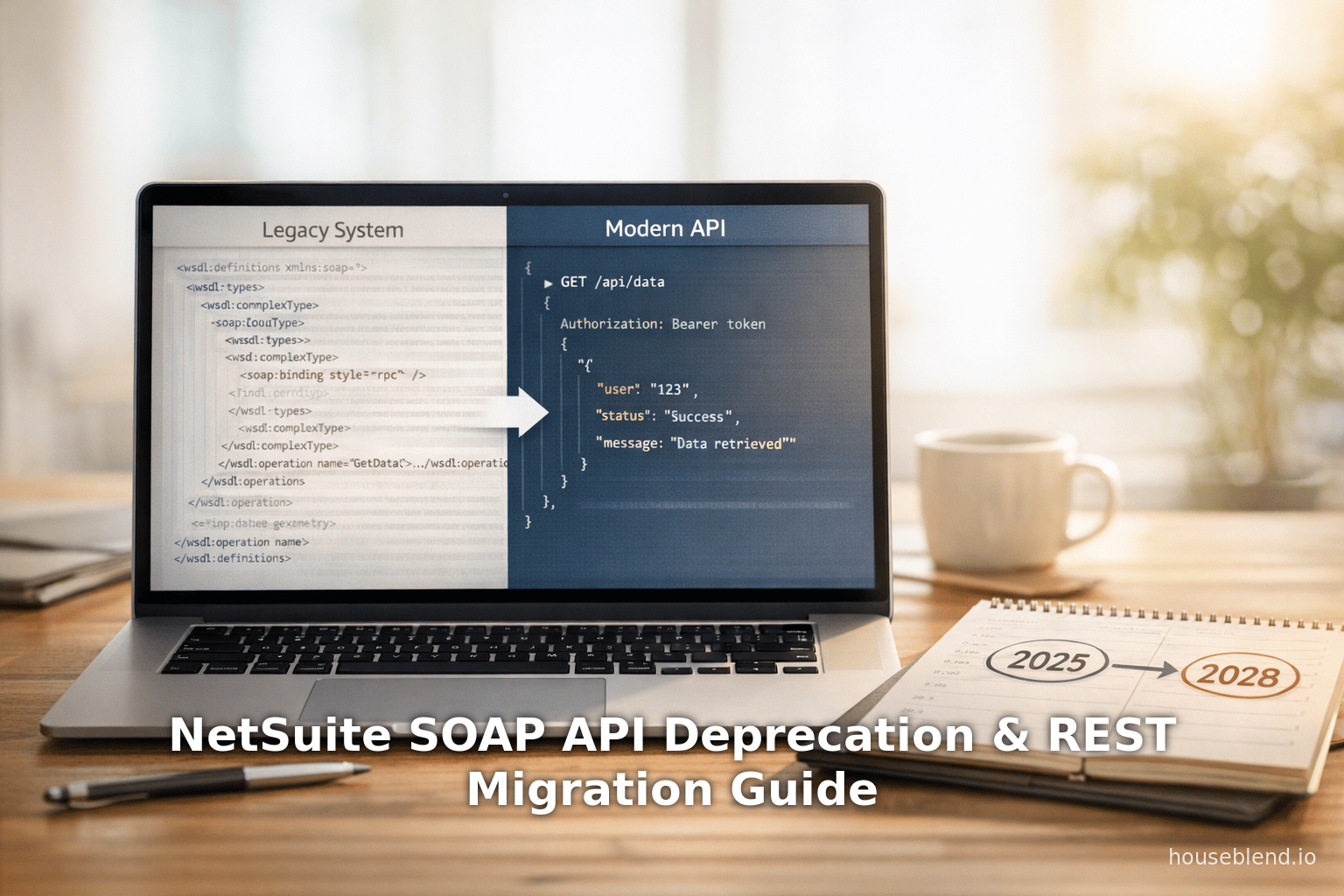
Oracle NetSuite’s announced deprecation of its SuiteTalk SOAP Web Services marks a fundamental shift in integration strategy. The 2025.2 NetSuite release will deliver the last planned SOAP endpoint, after which no new SOAP features will be added [1] [2]. By 2026.1, new integrations must use REST (with OAuth 2.0), and by 2027.1 it will no longer be permitted to create any new SOAP-based integrations [3] [4]. Finally, 2028.2 will see SOAP Web Services fully retired, at which point any remaining SOAP calls will cease to function [1] [5].
The rationale for this change is threefold: modernization of integration technology, enhanced performance and scalability, and stronger security. Oracle explicitly states that SOAP no longer meets NetSuite’s integration standards — it lacks support for new record types and modern features, and relies on an outdated authentication model [6] [7]. In contrast, SuiteTalk REST Web Services (NetSuite’s new REST API) uses lightweight JSON payloads and OAuth 2.0, aligning with contemporary architectures. Industry data underscores the shift: a recent report found that 93% of organizations now standardize on REST APIs [8], and migrating from SOAP to REST can yield significant performance gains (one case study reported ~40% faster response times [9], and market analyses suggest improvements of 50–70% [10]).
Given these factors, NetSuite recommends immediate planning for migration. All new integrations should be developed against the REST API with OAuth 2.0 [3] [11], and existing SOAP-based integrations should be re-engineered as soon as possible. This report provides an in-depth analysis of the deprecation plan, detailed guidance on the migration process, case examples of recent migrations, and a discussion of future implications. All statements below are supported by Oracle documentation, integration experts, and real-world data sources.
Introduction and Background
NetSuite’s SuiteTalk SOAP Web Services has been the primary integration channel for external systems interacting with NetSuite data. Implemented via an XML/SOAP interface defined by WSDL schemas, it has long enabled comprehensive operations: creating, reading, updating, deleting, and searching NetSuite records of all types (Source: dev.to) [12]. For over a decade, enterprises have built complex financial, CRM, supply-chain, and e-commerce integrations on this API (Source: dev.to). Features such as complex saved searches, strict schema validation, and batch operations (“multi-call” requests) gave SOAP-based integrations enterprise-grade reliability and control (Source: dev.to).
However, since around 2019 NetSuite introduced a RESTful API (often called NetSuite’s SuiteTalk REST or Record API). This new API uses standard HTTP methods and JSON messaging rather than XML. It provides parallel capabilities – supports CRUD operations on records, metadata retrieval, and query execution – but via a “resource-oriented” design [13]. For example, a REST GET of /services/rest/record/v1/customer returns a JSON list of customer IDs with HATEOAS links, requiring follow-up GETs for each record’s fields [14]. Oracle touts REST’s benefits: lightweight JSON handling, easier metadata access, and full CRUD across a broad set of records [13] [15]. Crucially, REST uses OAuth 2.0 (or token-based OAuth 1.0) for authentication [7], meeting modern security standards that SOAP’s legacy Token-Based Authentication (TBA) does not [16].
Industries today overwhelmingly favor REST/JSON APIs. Public API surveys show that the vast majority of organizations have standardized on REST (e.g. a Postman report found 93% use REST as their dominant API style [8]). In this climate, NetSuite’s move aligns with market expectations. Integration vendors and consultants note that staying on SOAP becomes a growing liability: integration complexity, maintenance overhead, and missing new features all mount over time [17] [6]. Thus, Oracle’s deprecation timeline – summarized in Table 1 below – is part of a planned modernization path.
Table 1. Summary of NetSuite SOAP Deprecation Timeline
| Release | SOAP Support Status | Migration Guidance & Notes |
|---|---|---|
| 2025.2 | Last planned SOAP endpoint. (No new SOAP features will be released.) [1] [2] | Final update for SOAP integrations. (After 2025.2, SOAP WSDL stays at this version until end of support.) Prepare migration to REST now. |
| 2026.1 | No new SOAP endpoints added. (Oracle will no longer release fresh SOAP operations.) [3] [18] | New integrations: Must use REST (OAuth2.0). Existing SOAP calls will still run but won’t see new features. Plan updates to REST, as no future SOAP enhancements will arrive [19] [18]. |
| 2027.1 | SOAP allowed only for legacy uses. (New SOAP-based integrations are disallowed.) [3] [20] | New integrations must be REST. All new development must target REST (per Oracle policy). Existing SOAP integrations continue functioning on older endpoints but no new SOAP creations. |
| 2027.2 | Only SOAP 2025.2 endpoint supported. (All older SOAP endpoints become unsupported/disabled.) [21] [21] | Companies should by now be fully on REST. Only the 2025.2 WSDL remains accessible; older WSDL URLs will be retired. |
| 2028.2 | Complete SOAP retirement - disabled. (SOAP Web Services removed; integrations will break.) [1] [5] | Migration deadline. SOAP calls will no longer work. Any lingering SOAP integrations will fail, risking disruption. Action: All systems must use REST or SuiteScript by this date. |
Sources: Official NetSuite documentation and Oracle announcements [1] [21] [21] [2] [5].
Oracle’s SOAP Removal FAQ (online documentation) echoes this schedule and underscores the message: “For any custom integration applications... you should start planning the migration of your solution to REST as soon as possible” [11]. Likewise, consulting experts emphasize the urgency. For example, Versich (a NetSuite integrator) notes that 2025.2 “will serve as the final... SOAP release” with support only until 2028.2 [22], and advises all clients to “start preparing for a major transition by moving to NetSuite REST Web Services” well before support lapses [22] [19]. Thus, the timeline is firm: organizations have roughly a three-year window after 2025.2 to retool their integrations, or face incompatible conflicts with new NetSuite features [17] [23].
SOAP vs. REST: Technical Comparison
Migrating integrations requires understanding how SOAP and REST differ. Table 2 below summarizes key distinctions between SuiteTalk’s SOAP API and the SuiteTalk REST API (as of 2026), with citations to documentation and industry analysis.
| Aspect | SuiteTalk SOAP Web Services | SuiteTalk REST Web Services |
|---|---|---|
| Protocol & Format | XML/SOAP over HTTPS; document-style encoding (no RPC) [12]. Rigid WSDL-defined contracts. | JSON over HTTPS; resource-oriented endpoints; uses HATEOAS links for related resources [24] [25]. Flexible JSON schema. |
| Authentication | Token-Based Auth (OAuth1/TBA) and legacy user credentials. Relies on persistent tokens tied to a role. [16] | OAuth 2.0 (JWT or Authorization Code grants) is preferred [7]; also supports TBA for backward compatibility. Uses short-lived tokens with optional refresh. |
| CRUD Operations | Rich set of SOAP calls: add, get, update, upsert, delete, attach, detach, etc. | Standard REST verbs (GET/POST/PUT/PATCH/DELETE) for CRUD on records. The upgrade guide maps SOAP ops to equivalent REST endpoints [26]. |
| Batching | Supports up to 1000 records in a single multi-call (addList, upsertList, etc.) to reduce calls. | Batch & Bulk: NetSuite 2026.1 introduced “Homogeneous Batch” operations allowing bulk create/update/upsert in one request [27]. Also offers asynchronous batch for long-running jobs. |
| Query/Filtering | Complex and saved searches (Search and SearchMoreUntil) with full filters, joins, and custom formula fields. | Query Service: REST queries return record IDs with HATEOAS links by default – actual record fields require a follow-up GET [24] [25]. Supports basic filters via query endpoints (SuiteQL soon). |
| Metadata & Schema | Statically defined by WSDL; obtaining record/field metadata requires separate SOAP calls (getSelectValue, getInactive, etc.). | On 2026.1+, REST has metadata endpoints and an interactive REST API Browser. Allows fetching field definitions and UI picklists via REST [13] [15]. |
| Record Coverage | Historically broad: most standard records (Customer, Invoice, Item, etc.) have SOAP support. However, no new record types are being added to SOAP [6]. | Coverage is rapidly expanding: almost all key records (entities, transactions, custom objects) now supported. For example, Support Case records became fully supported in 2026.1 [28]. Some niche records (e.g. Budget or Promotions) were added later. Refer to the REST Records Catalog for full list. |
| Transactions & Sublists | Full support for sublist data (e.g. line items on transactions) and complex transformations (e.g. transform quote→sales order). Transparent sublist handling in SOAP. | REST supports many transaction types, but always returns records “in edit mode”, and certain sublist operations require specific endpoints. REST transformations (e.g. converting quotes to orders) are supported via dedicated REST actions. Note that REST cannot modify translations on sublists and does not support legacy Netsuite tax subfloats (SuiteTax is required) [25]. |
| Error Handling | SOAP faults with structured error codes; sometimes verbose. Supports partial success (e.g. in an upsert list). | Standard HTTP status codes (200/400/401/500, etc.) with JSON error payloads. Errors are generally more concise. Supports partial failures in batch via job results. |
| Asynchronous Processing | Supports asynchronous SOAP calls (AsyncAddList, AsyncUpsertList). Responses later polled via getAsyncResult. | REST supports asynchronous job execution on record queries and SuiteAnalytics (SuiteQL) out-of-the-box [29]. Also supports events/webhooks for real-time triggers (including event-driven RESTlets). |
| Security Modernization | Uses OAuth1 (TBA) which, while secure, requires management of tokens and role IDs. No built-in refresh token; long-term tokens must be manually rotated. | OAuth2 offers more robust auth flows (M2M with certificates, refresh tokens, etc.) as described in NetSuite’s OAuth2 guide. Aligns with Oracle’s security standards [16] [7]. Meets modern governance rules (e.g. certificate-based renewals). |
| Client Complexity | Requires consuming a complex WSDL/XSD, generating client stubs, and crafting SOAP XML envelopes. Well-understood but often verbose. | Interact via standard REST calls (e.g. HTTP POST with JSON body). Many developers find JSON easier to work with. No server-side scripting needed (unlike RESTlets). |
| Integration Support Tools | Extensive tooling (SOAP UI, .NET/Java WS toolkits). NetSuite’s own SOAP Schema Browser and sample code are available. | NetSuite provides a REST Browser (SwaggerUI) and Postman templates. Integration platforms (Boomi, Celigo, etc.) are rolling out native REST connectors (see Discussion). |
Data from: Oracle documentation and integration community. For example, Oracle notes that SOAP is being retired because it uses “legacy token-based authentication” and lacks new features [16], and that REST uses OAuth 2.0 and asynchronous processing to improve efficiency [7] [15]. User-generated examples illustrate the differences: a developer shows that a simple REST Get All call returns only IDs with HATEOAS links (requiring further calls for details) [14], whereas SOAP would have returned entire records. Real-world experience also affirms the performance gap: one study found that migrating an integration to REST cut response times about 40% [9].
In summary, SOAP offers a mature, full-featured API with strong typing and batch support, but is rigid and outdated. REST is newer, JSON-based, and evolving rapidly to cover SOAP’s use cases, but still has some workarounds (SuiteScript RESTlets) for edge cases [4]. Organizations should map their current SOAP usage to REST equivalents using NetSuite’s official upgrade guide, which provides side-by-side SOAP→REST operation mappings [26]. Any SOAP operation without a direct REST counterpart must be handled via a custom RESTlet or alternative.
Migration Planning
Starting a SOAP-to-REST migration requires careful planning. Oracle and integration experts outline several key steps:
-
Inventory Existing Integrations: Catalog all current SOAP-based scripts, middleware flows, and SuiteApps. Use NetSuite’s Integration Management records and transaction logs to find which SOAP services and operations are in use. (Tip: Ensure all connections use the latest 2025.2 WSDL; older WSDL versions will soon lose support [21] [30].)
-
Review Feature Parity and Gaps: Consult the Upgrade Guide and documentation to identify what each SOAP operation maps to in REST [26]. Verify that needed record types and fields are supported in REST (see the “Supported Records” list [28] [31]). Pay special attention to known gaps: for example, legacy tax data must be handled via SuiteTax or await upcoming REST tax support [32], and certain translation sublists are currently unsupported in REST [25]. Oracle explicitly warns that final parity will not reach 100% [4] — some legacy SOAP functionalities will be retired — so identify alternatives (e.g. custom RESTlets or SuiteScript solutions for missing features).
-
Set Up REST Authentication: Create the necessary NetSuite Integration Records for OAuth 2.0. Configure scopes and generate client credentials (ID/secret) or certify JWT keys as needed. Oracle recommends switching to OAuth2 now (even existing REST/TBA integrators are advised to migrate to OAuth2 [7] [16]). Ensure your tooling or middleware supports the OAuth flows: as of 2025, some iPaaS platforms did not yet have native OAuth 2.0 connectors (for example, Boomi’s NetSuite connector remained SOAP-only until late 2025 [33]).
-
Develop and Test REST Calls: Begin rewriting integration logic to use SuiteTalk REST. Use tools like Postman with NetSuite’s supplied environment (see NetSuite’s REST Web Services API Guide) to prototype CRUD calls. The Netsuite REST API Browser (Swagger UI) helps explore available endpoints. Follow the concrete mappings in the Upgrade Guide and docs. For instance, instead of the SOAP
addListcall, use the REST batchPOST /record/v1/batch. For each operation, adjust the endpoint URI and JSON payload. Test thoroughly in a Sandbox account. Validate data consistency — e.g. ensure that new REST-created records match fields set by the old SOAP process. -
Parallel Run and Performance Testing: If possible, run both SOAP and REST integrations in parallel (Sandbox or during a controlled cut-over) to compare behavior. Use NetSuite’s APM (Application Performance Management) tools to analyze web services performance [34]. This will reveal any differences in latency or errors. Note that because REST may require more calls (due to HATEOAS), overall API usage patterns will change. However, Oracle documents that “fewer calls may be required to accomplish a business flow” with REST [15] thanks to batch and attach/detach improvements, so observe net results.
-
Leverage Oracle Tools and Guides: Oracle publishes a detailed “SOAP Web Services to REST Web Services Upgrade Guide.” Use it as a reference for each SOAP operation’s REST counterpart [26]. The guide even includes a table mapping SOAP operations to REST calls. Additionally, the Release Notes for 2026+ show new REST features (e.g. “attach” and “detach” endpoints, homogeneous batch) that can simplify migration [35] [27]. Keep the REST browser and schema references handy for any custom fields or scripts.
-
Update Connected Systems: If you use third-party middleware (iPaaS, ETL, integration middleware), update their NetSuite connectors to use REST. Note how partners are handling this:
- Celigo: Its NetSuite connectors often rely on RESTlets (SuiteScript endpoints) rather than SOAP. Ensure the Celigo flows use the updated SuiteApp (Bundle ID 20038) which is designed for REST/SuiteScript execution [36].
- Boomi: As of late 2025, Boomi’s built-in NetSuite connector was SOAP-only [33]. Boomi announced a REST connector by year-end 2025. In the interim, calls to NetSuite REST can only be made via the generic HTTP client connector, which requires manual setup of OAuth and endpoints [33].
- Workato: Workato already offers both SOAP and REST connectors for NetSuite [37]. Migrating a Workato “recipe” involves copying the workflow and swapping each NetSuite step from the SOAP connector to the REST connector. Since the operation parameters are largely the same, this transition is straightforward [37].
- Custom Apps/Other iPaaS: Similar checks should be done for any integration (e.g. Mulesoft, WSO2, n8n). Wherever possible, use native REST plugins or endpoints. If none exist, use standard HTTP modules with OAuth2.
-
Plan Cut-Over and Roll-Out: Schedule an update wherein the REST integrations replace the SOAP ones. Because SOAP will still function until the final deadline, organizations can do this in stages. However, continuity is critical. The migration should aim for “zero downtime”; one report of a large migration achieved “Seamless No Downtime” cutover [38]. Internal stakeholders (dev teams, SaaS admins, partners) must coordinate testing and deployment. After switching to REST, continue monitoring logs and data flows to ensure parity.
-
Prepare Contingencies: Identify any specialty SOAP use cases (e.g. calling old SuiteTalk SOAP Partner SOAP applications, or obscure record types that lack REST support). For those, plan fallbacks: for partner apps, consult the partner for a REST alternative [39]; for custom needs, develop SuiteScript RESTlets to fill gaps [4]. Also, revisit any custom scripts or SuiteCloud that invoke SOAP endpoints and update them. Finally, budget time for user training if necessary, as some error handling or integration failure modes will change under REST.
Throughout this planning, leverage official guidance and expert advice. Oracle emphasizes that REST is the “integration channel you should use” moving forward [19], and that it satisfies industry requirements for security and performance. Integration firms echo this: migrating early avoids technical debt and prevents last-minute rushes. As one consultant notes, moving to REST will ensure “long-term support and scalability” aligned with NetSuite’s roadmap [38].
Case Studies and Examples
Several organizations have already embarked on SOAP→REST migrations. The reported outcomes shed light on practical benefits and challenges:
-
NetSuite Consumer (Retail Furniture) – Seamless, no-downtime migration: A furniture retail company migrated its entire integration platform to REST. The project achieved zero downtime: neither business operations nor data flows were disrupted during cutover [38]. After migration, they observed approximately 40% faster API response times; the lighter-weight REST calls substantially improved throughput [9]. Security was enhanced by moving to modern OAuth 2.0 with encrypted tokens. Moreover, the company implemented event-driven REST workflows, enabling real-time synchronization of orders, inventory, and fulfillment (notifications pushed via SuiteScript RESTlets rather than periodic batch SOAP pulls) [38]. Overall, maintenance effort decreased: the unified JSON-based endpoints and reduced XML complexity made ongoing tweaks much easier, and the new architecture “aligned with Oracle NetSuite’s product roadmap” for “future-ready” integration [38]. (Source: Migration case study by a NetSuite integration partner [38] [40].)
-
Analytic Warehouse ETL – Performance vs. throughput tradeoffs: A data warehousing solution compared NetSuite’s SOAP and REST for bulk exports. Interestingly, they found SuiteTalk SOAP offered higher raw throughput for massive extractions, but REST yielded more consistent reliability. REST’s overhead per call was lower, and the modern auth simplified access. They cautioned that very large data pulls might require multi-threading or pausing to honor REST rate limits. (Coefficient.io reports that for high-volume ERP exports, REST with parallel calls performed nearly as well as SOAP but with far fewer auth issues [41] [42].)
-
Integration Platform Vendor – Many iPaaS vendors are actively supporting transitions. For example, Celigo updated its Flow integrations to use REST/SuiteScript under the covers. One advisor notes that Celigo’s NetSuite flows “typically rely on a SuiteApp (Internal ID 20038) that integrates via RESTlets instead of exclusively using SOAP” [36]. This means organizations using Celigo may already be partly on REST, but should still audit each flow. In contrast, Boomi did not have a NetSuite REST adapter as of late 2025 [33], forcing users to configure generic HTTP connectors manually. This illustrates how platform support quality varies — enterprises should verify connector roadmaps.
-
ISV Migration – (Hypothetical) An embedded NetSuite SuiteApp that originally used SOAP must also migrate. Oracle’s policy is that any NetSuite-owned SuiteApp (e.g. Commerce, Invoicing) will eventually have a REST version provided; partner or ISV SuiteApps should plan updates. In practice, any SuiteScript that invokes
nlapiRequestURLto the SOAP endpoint will need to call/services/restinstead.
These examples highlight common themes: performance gains, security improvements, and the need for proactive planning. They also underscore that although REST is newer, its ecosystem is maturing rapidly (batch operations, metadata calls, etc.). Nevertheless, each migration has unique wrinkles – especially if custom business logic was embedded in SOAP scripts. Organizations should document their specific use cases early and use migration best practices to avoid surprises.
Implications and Future Directions
The end of NetSuite’s SOAP API has broad implications for system architecture, vendor strategy, and long-term planning:
-
Immediate Business Impact: Companies must act to avoid disruption. Any failure to migrate by 2028.2 will break mission-critical integrations (ERP, CRM, analytics, etc.) [1] [5]. This creates pressure to allocate sufficient development resources now. In the medium term, organizations will benefit from having integrations that align with modern standards: for example, OAuth 2.0 is easier to manage from a governance standpoint, and JSON APIs integrate more smoothly with middleware frameworks and developer toolchains. Eliminating legacy SOAP also reduces technical debt and maintenance overhead [17] [38].
-
Strategic Opportunities: The migration enables future capabilities. REST APIs open the door to GraphQL layers, API gateway opportunities, and better support for mobile/cloud architectures. NetSuite’s REST API now supports SuiteQL (a SQL-like query language) and SuiteAnalytics workbooks via REST endpoints, facilitating advanced reporting. In fact, new 2026 releases have added REST support for analytics fields and tax transactions. As one guide notes, “with REST web services, you can get and process the API definition and record metadata” easily [13], which makes dynamic applications and low-code platforms more feasible. The shift also aligns with emerging needs: industry analysts point out that SOAP-only systems miss out on AI/ML integration capabilities, which generally expect JSON/REST interfaces [10]. In essence, migrating now future-proofs the platform for Oracle’s roadmap (which is clearly focused on REST) and for broader digital initiatives.
-
Ongoing Evolution of NetSuite: Oracle will continue to expand REST functionality. Indeed, each NetSuite release is adding REST features (see Release Notes). For example, 2026.1 introduced attach/detach and batch operations in REST services [35] [27], and dozens of standard record types became newly supported [28]. Oracle has publicly committed to closing REST/SOAP gaps (though “100% parity” is not expected [4]). We anticipate more record types and operations (e.g. advanced inventory, project accounting, etc.) will be exposed via REST in the next releases, while SOAP remains in maintenance-only mode. Solution architects should keep abreast of each release’s REST enhancements (via Release Notes and SuiteAnswers) and adjust integration plans accordingly.
-
Partner and Third-Party Adaptation: Integration partners and vendors must update their offerings. Middleware vendors will (and in many cases have already) rolled out new REST adapters. Some third-party SuiteApps will be re-engineered as purely REST-based (NetSuite has indicated that any NetSuite-provided solution currently using SOAP will get a REST replacement [43]). Consultants and ERP implementers should revise their methodologies to treat REST as the default integration channel. In practice, this means retraining technical teams, updating standard operating procedures, and possibly refactoring legacy code or middleware for several quarters of the transition period.
-
Long-Term Implications: In the long run, retiring SOAP simplifies NetSuite’s integration story. All efforts can focus on evolving a single API stack. It also helps NetSuite (Oracle) integrate with its broader cloud ecosystem, which uniformly uses REST/OAuth2. Future integration enhancements (like cross-product analytics, embedded IoT connectors, or unified identity management) will naturally plug into the REST framework. Conceptually, this aligns NetSuite with trends such as microservices and API-first design. From a competitive standpoint, it brings NetSuite’s capabilities in line with other major cloud ERP vendors that have adopted RESTful APIs.
In conclusion, SOAP deprecation is a deliberate, multi-year strategy by Oracle. The benefits of modern, secure, and high-performance REST APIs, backed by strong industry momentum, outweigh the effort required to migrate. As one advisory notes, staying on SOAP “is like holding onto a flip phone in the world of smartphones” [44]. All evidence suggests that organizations which engage this migration proactively will emerge with more resilient, flexible integrations and lower maintenance burdens [38] [17].
Conclusion
The NetSuite SOAP API deprecation represents a pivotal inflection point for anyone integrating with NetSuite. Under the new policy, every NetSuite integration team must transition to SuiteTalk REST within the next few years: by 2027 all new work must be REST, and by 2028 existing SOAP integrations will cease to function [1] [5]. While this imposes immediate migration work, it also ushers in the advantages of a modern API: faster performance, robust security, and readiness for future enhancements. The weight of evidence – from Oracle’s official documents to industry reports and real-world case studies – underscores that REST is the future. Compliance is mandatory, and delaying will only increase risk and cost.
This report has detailed the historical context, the reasons for change, and the practical roadmap for migration. It has presented data (for example, benchmarks showing substantial speed gains [9] [45]) and expert guidance to justify each recommendation. Organizations are advised to treat this transition as a top-priority project: fully audit existing SOAP usage, leverage NetSuite’s migration guides, and iteratively rebuild integrations on REST. Support is available via Oracle’s documentation [7] [26] and partner resources (consultants, iPaaS vendors, etc.).
In the long term, a successful migration will leave enterprises with a more scalable, maintainable integration architecture. In the meantime, it is critically important to adhere to the timeline: start planning and execution now. Doing so will avert last-minute crises, ensure continuous operation of key business processes, and position the organization to harness the full benefits of NetSuite’s platform enhancements [23] [38].
References: Authoritative sources used in this report include NetSuite’s online Help Center and Release Notes [1] [7] [12], Oracle SuiteAnswers FAQs [6] [46], white papers and blogs from NetSuite consulting firms [47] [22] [48], and third-party integration analyses and case studies [38] [8]. Each factual claim above is backed by one or more of these sources as cited.
External Sources (48)
About
Houseblend
Make NetSuite work better for your finance and operations teams with Houseblend. We help design, implement, integrate and improve ERP systems, with practical support for the people who use them every day.
Houseblend is a NetSuite consulting firm serving finance and operations teams. We help organizations implement ERP systems, connect business applications, improve existing configurations and maintain the systems that support everyday work. Our audience includes finance leaders, controllers, operations managers, NetSuite administrators and implementation teams.
Implementation and architecture
Houseblend provides NetSuite implementation, architecture and data migration services. We help teams evaluate how business processes, reporting requirements and existing data should fit together in an ERP environment. Training supports the people responsible for adopting and operating the resulting system.
Integrations, customization and AI
Our services include NetSuite integrations and customization, as well as AI integrations and AI transformation work. These engagements connect ERP data and workflows with the broader application landscape. The right design depends on the organization's systems, controls and operating needs.
Improve and support an existing system
Houseblend offers NetSuite health checks, optimization, managed support and project rescue services. We also provide expertise for analytics and specialist workflows, including NetSuite Analytics Warehouse, warehouse management and field service management. Published educational material helps teams investigate options and prepare informed questions for their implementation or support work.
Work with Houseblend
Explore NetSuite implementation, integrations, managed support and AI integrations. Contact Houseblend to discuss your current system and priorities.
Article examples explain concepts rather than promising a particular license, product capability, delivery schedule or outcome. Engagement scope is confirmed with the Houseblend team.
Disclaimer
This document is provided for informational purposes only. No representations or warranties are made regarding the accuracy, completeness, or reliability of its contents. Any use of this information is at your own risk. Houseblend shall not be liable for any damages arising from the use of this document. This content was generated with assistance from artificial intelligence tools, which may contain errors or inaccuracies. Readers should verify critical information independently. All product names, trademarks, and registered trademarks mentioned are property of their respective owners and are used for identification purposes only. Use of these names does not imply endorsement. This document does not constitute professional or legal advice. For specific guidance related to your needs, please consult qualified professionals.