Houseblend Article
NetSuite WMS Guide: Setup, Mobile RF & Wave Picking
Inside this article
- 01Executive Summary
- 02Introduction and Background
- 03NetSuite WMS Architecture and Core Features
- 04Setup and Configuration
- 05Mobile RF (Radio-Frequency) Scanning
- 06Wave Picking and Other Picking Strategies
- 07Data Analysis and Evidence of Benefits
- 08Case Studies and Real-World Examples
- 09Implementation Best Practices and Considerations
- 10Implications and Future Directions
- 11Conclusion
Executive Summary
NetSuite’s Warehouse Management System (WMS) is a cloud-based, mobile-enabled solution that extends NetSuite ERP’s inventory and order management capabilities into the warehouse. It replaces manual and paper-based processes with real-time, handheld-guided workflows for receiving, putaway, picking, packing, and shipping. Designed as a native module within the NetSuite ecosystem, it shares a common data model with inventory, manufacturing and financial modules, eliminating middleware and synchronization delays [1] [2]. This integration yields immediate visibility into inventory and labor, supports advanced workflows (including wave picking, directed putaway, and cycle counting), and maintains all records in one system. Multiple industry sources highlight significant benefits from WMS adoption: typical implementations pay back in 2–3 years through labor savings and accuracy gains [3], scan-based picking can cut error rates from roughly 5–10% down to well under 1% [4], and organized putaway/picking strategies (waves, slotting) can boost throughput by 30–50% without adding staff [4] [5]. Empirical case studies reinforce these claims: for example, after launching NetSuite WMS, one distributor eliminated backorders and improved inventory discrepancy by 9× (to just 0.2% variance) [6], while another reported nearly total elimination of picking errors and a 30% increase in throughput without new staff [7] [8].
This report provides an in-depth examination of NetSuite WMS, including its historical context, core features, configuration and setup, mobile (RF) scanning capabilities, wave picking and other picking strategies, and documented performance impacts. We analyze data such as industry ROI statistics, cite expert analyses, and include real-world examples. We also compare NetSuite’s embedded WMS approach to best-of-breed systems, discuss implementation best practices and pitfalls, and survey future directions like AI and robotics in warehousing. All claims are carefully sourced from authoritative documentation, industry research, and case reports. The result is a comprehensive guide for technical or executive audiences on leveraging NetSuite WMS for efficient, accurate warehouse operations.
Introduction and Background
The Role of WMS in Modern Warehousing
As global supply chains and e-commerce volumes have grown, the role of Warehouse Management Systems (WMS) has become vital. A WMS is specialized software that orchestrates all warehouse operations – receiving, putaway, storage, picking, packing, and shipping – to optimize labor and inventory accuracy [9]. Historically, warehouses operated on paper pick tickets and manual stock counts, a model that often yielded high error rates (often 5–10% of picks wrong [4]) and frequent stockouts. Modern WMS platforms bring infrared/RF scanning, real-time data, and advanced algorithms to bear; they guide workers through each task, enforce accurate recording of quantities and locations, and continuously update inventory records as transactions occur [1] [10].
Industry analyses consistently report the benefits of implementing a robust WMS. Because manual picking can yield pick-error rates of 5–10%, firms often suffer costly returns and customer dissatisfaction. In contrast, mobile scanning with a WMS typically reduces those errors to well below 1% [4] [11]. By optimizing task assignment, warehouse layout, and pick sequencing (through techniques like slotting and wave consolidation), WMS solutions can also greatly raise throughput. One expert observes that “slotting optimization and wave consolidation can improve pick rates by 30–50% without adding labor” [4], and another case noted that wave-based picking and directed routing alone can cut picking labor by 20–35% [5]. Such efficiency gains often pay for WMS implementations: a review notes that full project ROI is typically achieved within 2–3 years [3], as labor and inventory carrying costs fall.
WMS platforms also support precision and traceability. They automate First-In/First-Out (FIFO) or First-Expired/First-Out (FEFO) retrieval, are critical for regulated industries (through lot and serial tracking), and provide full audit trails on every pick or transfer. In short, by digitalizing warehouse data and workflows, a WMS bridges the warehouse and the rest of the enterprise, ensuring that inventory counts, costs, and demand forecasts are fully aligned [10] [12]. For businesses migrating from spreadsheets or simple ERP inventory modules, the upgrade is dramatic: companies “typically see inventory accuracy rates improve from 63–89% to 95–99%” after implementing a WMS, dramatically reducing stockouts [12].
Evolution of NetSuite WMS
NetSuite was founded in 1998 as one of the first cloud ERP providers. Over time it expanded into distribution and manufacturing markets. Its native WMS capabilities matured significantly around 2020–2022. Early on, NetSuite relied on partner-sourced WMS solutions (notably the PeopleVox system) to meet warehouse needs; PeopleVox was a specialized e-commerce WMS later acquired by Descartes in 2020 [13]. In recent years NetSuite integrated warehouse functions directly into its platform.The official NetSuite WMS Overview emphasizes that WMS is “an important component for the efficient operation of your warehouse,” extending NetSuite’s existing inventory and fulfillment modules [14]. In practice, NetSuite WMS is delivered as a native SuiteApp extension (requiring advanced inventory features) that installs seamlessly in the Oracle NetSuite cloud. This provides real-time updates: each warehouse transaction immediately syncs to the central inventory ledger [15] [2].
The result is a fully cloud-based WMS integrated with NetSuite ERP and SuiteCommerce (its e-commerce platform). Warehouse users interact through a mobile-friendly app (the SCM Mobile app), while managers see warehouse status and metrics via dashboards in the ERP. Because NetSuite WMS shares the same data model (items, bins, orders, etc.), companies avoid the syncing headaches common with standalone WMS products [2] (Source: www.anchorgroup.tech). In fact, one review highlights this as a core advantage: NetSuite’s WMS “sits entirely inside the NetSuite ERP environment, sharing the same item, bin, order, and fulfillment data used across the business,” with no separate database or batch sync needed [2]. NetSuite’s vision of WMS is thus a tight “warehouse execution” module running on the same platform as accounting, MRP, and CRM.
As e-commerce and omni-channel demands have risen, the integrated NetSuite WMS has become a must-have for growing companies. By 2026 even mid-sized warehouse operations expect cloud/mobile solutions. NetSuite, as a cloud-first system, markets WMS as “end-to-end” warehouse automation, with built-in barcode scanning and real-time synchronization [16] [1]. Its feature set (discussed below) includes barcode scanning, RF handheld support, wave and zone picking, dynamic replenishment, cycle counting, lot/serial tracking, and more [17] [18]. In short, it offers the functionality of a modern WMS natively in an ERP. In the sections that follow, we delve into how NetSuite WMS is set up and used, its mobile capabilities, wave picking methodology, and documented outcomes.
NetSuite WMS Architecture and Core Features
Native Integration with ERP
NetSuite WMS is not a bolt-on: it is an integrated ERP module. This means that all warehouse activity directly updates NetSuite’s master records (items, locations, inventory counts, work orders, financials) in real time [2] (Source: www.anchorgroup.tech). There is no separate WMS database to sync. For example, when a picker scans an item to fulfill a sales order, NetSuite immediately decreases on-hand inventory and records the fulfillment. Similarly, receiving new stock via the mobile app updates the centralized inventory counts and triggers any planned usage (e.g. work orders) in NetSuite. As one analyst notes, this “eliminates latency and data reconciliation issues while maintaining a single version of operational truth” [19].
This tight integration brings several benefits. First, visibility is instantaneous: managers can always see up-to-date stock levels, location status, and labor progress. In RSM’s case study, this meant no more situations where the system said an item was in stock when it was not; all inventory moves were accounted for, yielding a near-zero back-order rate [6]. Second, cross-module workflows are enabled. NetSuite WMS can pass lot numbers or serial numbers seamlessly between warehouse transactions and manufacturing orders. For example, a manufacturing company using NetSuite benefits from WMS knowing about bill-of-materials and work orders: when a work order is released, NetSuite automatically directs WMS to pick the required components, ensuring the correct lot and quantity are issued to production (Source: www.anchorgroup.tech). As production completes, the finished goods with their new serial/lot numbers return to inventory and Ledger without any manual interface. This synergy between WMS and MRP means the warehouse becomes a live part of the production ecosystem, rather than a separate silo (Source: www.anchorgroup.tech) (Source: www.anchorgroup.tech).
Table 1 (below) compares using NetSuite’s native WMS module against integrating a third-party WMS. For many mid-market operations, the native module (with its lower complexity and real-time sync) is a strong fit (Source: www.anchorgroup.tech). Only extremely high-volume or specialized facilities often justify the extra cost and effort of an external system.
| Factor | Native NetSuite WMS | Third-Party WMS |
|---|---|---|
| Data synchronization | Real-time (single platform) | Requires integration/middleware |
| Implementation complexity | Lower (UbuntuSuite-based, pre-configured workflows) | Higher (custom integration and configuration) |
| Customization depth | Moderate (works best with NetSuite’s native processes) | High (deeply configurable for edge cases) |
| Cost structure | Module add-on license | Additional license + integration/maintenance |
| Maintenance burden | Upgrades managed by Oracle (minimal customer DevOps) | Must maintain integration and handle version compatibility |
| Best fit | Mid-market and standard pick-pack operations | Very high-throughput or heavily automated warehouses; special industries requiring custom WMS features |
Table 1: Comparison of NetSuite’s native WMS vs. a third-party WMS approach (Source: www.anchorgroup.tech) (Source: www.anchorgroup.tech).
Core WMS Functionalities
Despite being “native,” NetSuite’s WMS covers a full range of advanced warehouse features. Key capabilities include:
-
Inbound Receiving and Putaway: As soon as goods arrive, warehouse staff use mobile devices to scan and match incoming items against NetSuite purchase orders. The system enforces accuracy by requiring scans for receipt, and it can track inbound containers and landed costs. NetSuite then suggests optimal bin locations via configurable putaway rules based on item attributes (size, velocity, temperature) [20]. This directed putaway speeds stock placement and keeps the warehouse organized.
-
Flexible Storage (Zones and Bins): NetSuite supports a variety of storage models. You can define zones (e.g. cold storage, overflow, etc.) and assign items to “item process groups” or “item families” for routing logic. Bins are fully supported (including random or fixed bin talking). If a location has no bins defined, WMS gracefully skips bin entry for that location [21]. Additionally, license-plate tracking (where a pallet or container gets one code) is supported for high-level inventory moves.
-
Intelligent Picking and Pack Strategies: NetSuite’s WMS offers multiple pick strategies. Wave picking is a core element: orders are grouped into waves for batch release based on criteria (priority, ship method, zone, etc.), and then pick lists are generated to minimize walking (Source: www.anchorgroup.tech). Zone picking is also supported, where a wave can be split into zone assignments. For high-volume items, Bulk picking (cluster picking) is available: a picker can pick all needed quantity of one SKU at once for all orders, then “break out” quantities for each order post-pick [22]. The system even has Pick-to-Clean for emptying partially full bins, and FEFO (First-Expired) logic for perishables. Packing is driven by Ship Central integration: the WMS guides packers through each pack step, verifying items and carton size, and provides audit-trail linkage to shipments [23].
-
Mobile Barcode Scanning (RF): A hallmark of NetSuite WMS is its mobile-native design. All warehouse tasks are performed via an HTML5 mobile app on supported devices [24] [25]. Handheld scanners capture barcodes (1D today, with GS1 labeling) for items, bins, and cartons. Devices must meet certain requirements (touchscreen, Wi-Fi 802.11, Bluetooth, etc.) [24]. Scanning ensures that each transaction (receiving, pick, pack, count) is confirmed by barcode, greatly reducing manual errors [10] [4]. Real-time data entry means NetSuite’s inventory is always current; for example, one user reported skipping annual physical inventories entirely because daily cycle counts powered by the WMS kept records accurate [10].
-
Cycle Counting (Smart Count): Traditional cycle counting can halt operations while an area is locked down. NetSuite’s Smart Count feature, however, continuously schedules and executes counts in the background. It automatically picks items to count based on classification and usage, and it even pauses/resets a count if inventory moves happen during the procedure [26]. This lets warehouses maintain high accuracy year-round without stopping activity.
-
Lot/Serial Tracking and Compliance: For regulated industries, NetSuite WMS handles lot and serial numbers natively. Each received item is assigned a serial/lot and expiration if needed. Picks are verified by lot, and the system can enforce FEFO. As a result, the full genealogy from raw materials to finished goods is captured. In FDA or aerospace environments, such traceability is critical; NetSuite’s native feature set allows full chain-of-custody tracking without external software [27] (Source: www.anchorgroup.tech).
This rich functionality makes NetSuite WMS comparable to dedicated systems. One integrator notes that its “native warehouse management module covers the operational requirements without introducing integration complexity” for typical distributors (Source: www.anchorgroup.tech). Moreover, the mobile-first design and cloud delivery ensure that even small companies can deploy full WMS power without heavy on-premise hardware. The remainder of this report examines how to configure and use these features, with a focus on mobile RF scanning and wave picking, and illustrates their impact with data and case examples.
Setup and Configuration
Setting up NetSuite WMS in a live account involves multiple steps: enabling features, installing SuiteApps, defining warehouse rules and data structures, and configuring mobile access. Because it is a SuiteApp, the WMS functionality must first be provisioned and then turned on. The Advanced Inventory Management feature must be enabled (a prerequisite), and then under Setup > Company > Enable Features > Items & Inventory, the Warehouse Management feature is checked [28] [29]. If the feature is not visible, Oracle support must provision it. Once enabled, a system rule called “Enable Warehouse Management” must be activated to expose the WMS menu items and mobile functions [30].
After the feature is enabled, administrators must set up key records:
-
Locations and Bins: In NetSuite, each warehouse is represented by a Location record. Locations can be flagged to use bins (using Inventor>Bin Management). If multiple warehouses exist, the Multi-Location Inventory feature (Expand Inventory) can be enabled so that each location has independent stock levels [31]. Within each location, define Zones (sub-areas) and Bin records. Bins may be set to accept only certain items, or to enforce unique storage. Each item record can be assigned a preferred bin or bin rule.
-
Item Setup: Configure items as Lot- or Serial-numbered as needed. If using multiple SKUs with varying UBIs (pack quantities), set up Units of Measure (UOM) accordingly. Also, define Item Process Groups and Item Families (sometimes called Item Attributes) to classify items (e.g. by temperature needs, weight, etc.). These classifications drive putaway/picking rules and wave templates.
-
Order Types and Statuses: In NetSuite, you can create custom Order Types to categorize sales or transfer orders for special handling. For example, a certain Order Type might be flagged as “Priority” and flow into expedited waves. You can also configure sales order statuses (e.g. “Ready for warehouse”) that determine which orders qualify for waves.
-
System Rules: Several system rules (under Setup > Products>*) control WMS behavior. For example, rules like “Require Location”, “Require Bin”, “Enable Tally Scan”, etc., adjust how strict and interactive the scans are. These rules allow tailoring the WMS workflows to the company’s needs.
-
WMS SuiteApp and Roles: The NetSuite WMS SuiteApp (two parts: the core WMS and the ShipCentral integration) must be installed in the account if not already. Appropriate roles and permissions must be assigned: at minimum, a “WMS Warehouse Manager” and “WMS Warehouse Operator” roles are typically created (each with rights to the WMS transactions and mobile app pages). Picker roles can be given limited access so they only see assigned tasks. Admin users should test flows using the Mobile Emulator within NetSuite to validate the process.
-
Templates and Lists: NetSuite allows creating custom templates for waves and pick tickets. Warehouse managers should define Wave Templates (saved filters) that capture common criteria (e.g. high-priority orders, same carrier, or same zone) so that generating waves is quick. Similarly, custom pick ticket forms or pick task lists can be tweaked via saved searches to include exactly the fields workers need on their devices.
-
Wave Release Schedule: Optional but useful: NetSuite can automatically generate waves on a schedule. Administrators may set up a Wave Release Schedule (under WMS settings) to run a saved search hourly or daily, automatically creating waves that meet certain filters (e.g. “all orders due tomorrow morning”).
-
Hardware and Network Prep: Before going live, a thorough check of physical infrastructure is critical. For example, poor Wi-Fi coverage or outdated scanners can doom an implementation (see “common mistakes” below). So it’s essential to ensure all planned mobile devices meet the scanner and OS requirements (iOS/Android, BLE, etc.) [24] and that the entire warehouse has solid wireless connectivity.
Once these setup steps are complete, the warehouse is ready to start using the WMS. The setup process is non-trivial and typically requires coordination between IT and operations teams, but it pays off in giving a structured, automated process. The system’s built-in documentation and guided flows (for inbound, inventory tasks, and outbound picking) help staff learn the new procedures faster than purely custom solutions.
Mobile RF (Radio-Frequency) Scanning
A signature feature of NetSuite WMS is its mobile-native design. Warehouse staff use handheld devices (smartphones, tablets, or legacy industrial PDAs) running an HTML5-based SCM mobile app. These devices communicate via Wi-Fi (802.11 a/b/g/n/ac) and often Bluetooth (for barcode scanners if not integrated), as per Oracle’s requirements [24]. Supported platforms include modern Android (7.0+) and iOS (iOS 18+ for iPadOS, etc.) devices; the app itself runs in a browser, so any device meeting the specs can work (including ruggedized units for harsh environments [24]).
RF scanning transforms warehouse work in several ways:
-
Guided Tasks: On a scanner or mobile, workers follow step-by-step prompts. For instance, if performing a pick task, the app shows the item to pick, the optimal bin location (based on system rules), and the quantity needed. The worker scans the bin label to confirm they are in the correct location, then scans the product’s barcode. This scan-driven workflow eliminates manual entry errors. Inbound receiving works similarly: staff scan the purchase order, then each item as it is unloaded.
-
Real-Time Updates: Each scan transaction hits the NetSuite database immediately. For example, when a picker scans item “ABC123” for 10 units against a sales order, NetSuite instantly decrements inventory. This contrasts with older batch systems where transactions upload later; here, managers can watch progress in real time. In one case study, a company noted that their NetSuite WMS “real-time cycle counting enables skipping annual physical inventory” because counts were always current through scanning [10].
-
Configurability: The mobile app supports various formats. For example, pick tasks can be confirmed by scanning either the order (group scan) or each item separately, based on the setting. Some optional rules allow “Tally Scans” (counting items in bulk during picks) or using cartons for multi-order picks [22]. The app can even support printing barcode labels on site (with Bluetooth printers) for received or outbound items, ensuring accurate labeling each step.
-
Device Requirements: NetSuite mandates at least 256 MB memory, a 4-inch or larger touchscreen, barcode scanner (1D), and an HTML5-compatible browser (TLS 1.2+). Devices should have ample battery life. Warehouse rugged smartphones or dedicated scanning terminals are recommended, especially for large operations. Bluetooth ring scanners or gun-attachments are commonly used to trigger the device’s camera for barcode reading.
Impact on accuracy and productivity: Numerous studies emphasize how mobile scanning improves operations. As noted, simple barcode scanning can reduce pick errors from around 5-10% to well under 1% [4]. TechTarget observes that “a WMS’s scanning improves pick accuracy, which in turn can help lead to customer satisfaction” [10]. From the standpoint of labor, mobile RF eliminates handwriting and manual look-ups, significantly speeding every transaction. In practice, warehouses often report that scanning workflows allow them to process many more orders with the same or even smaller teams. For example, in one deployment a warehouse manager was able to “do 30% more work without adding anyone else to [his] team” thanks to the NetSuite WMS implementation [7].
Thus, RF/mobile scanning is the backbone of NetSuite WMS. It couples with the system’s configuration (location structures, pick paths, etc.) to create an error-resistant, efficient operation. The next section will detail how these scanning workflows fit into advanced picking strategies like wave picking.
Wave Picking and Other Picking Strategies
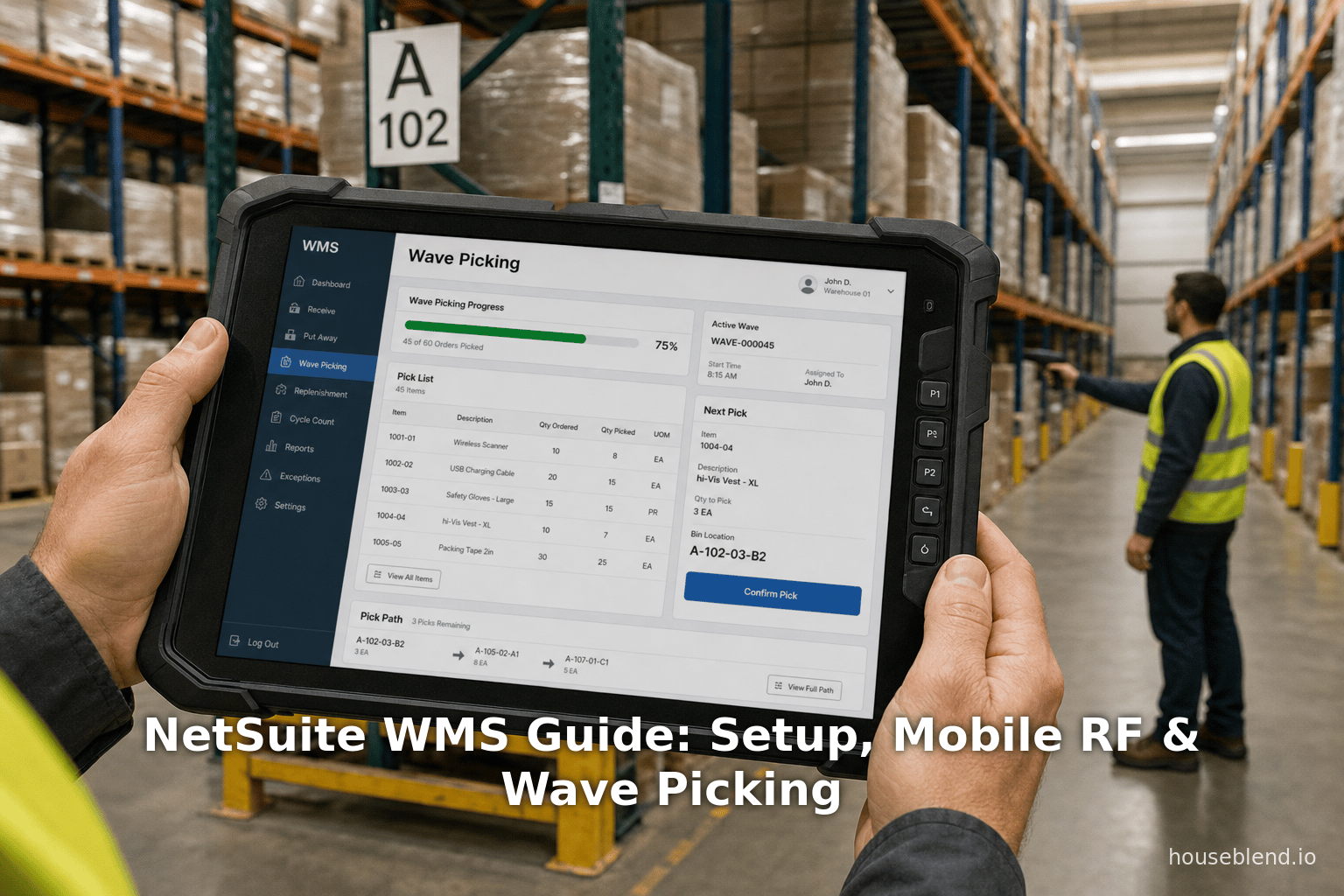
Wave picking is a central concept in modern distribution: rather than fulfilling orders one-by-one, the warehouse manager groups multiple orders into a “wave” and releases them together for batch picking. This allows picking consolidation (workers pick multiple orders at once, minimizing travel). NetSuite WMS supports both single-order and multi-order wave picking (Source: www.anchorgroup.tech). When creating a wave, a user selects all committed orders needing fulfillment and defines criteria: common logic includes ship date, carrier, priority, or location zone. For example, one can build a wave of all orders to be shipped today by FedEx from the East coast. A “Wave” transaction in NetSuite captures this grouping (Source: www.anchorgroup.tech).
When defining a wave, the warehouse manager sets wave header fields. Based on Oracle’s documentation and best practices:
-
Order Filters/Criteria: On the wave creation screen, the user can filter orders by Location, Transaction Type (e.g. sales vs. transfer order), Customer, Order Date, Order Type, Ship Date, Ship Method, and other saved search columns [32]. Templates allow saving frequently used filters. This flexibility helps the manager include exactly the orders to meet current priorities.
-
Priority: Each wave can be given a priority number (1 = highest, 9 = lowest) [33]. The system can use priority to sequence waves or pick tasks.
-
Picking Type: Crucially, the wave header includes a Picking Type. NetSuite offers Single Order, Bulk Picking, and Multiple Orders. Single Order means each wave essentially contains one order (this is simple picking). Bulk Picking means the picker will gather the total needed quantity of each SKU for all orders in the wave – effectively cluster/bulk picking [22]. Multiple Orders indicates standard multi-order picking: similar items across orders get picked together. For example, if SKU123 appears in five orders in the wave, one picker will pick the combined quantity (if Bulk or Multiple=Multi). The app then allocates the correct quantities to each order [22] [34].
-
Zone Assignment: If the warehouse is zoned, you can assign waves to zones. NetSuite also supports zone picking: a large wave can be split by zones, so that different pickers work one zone. (Table 2 below summarizes these pick strategies.) With wave release, NetSuite then generates digital Pick Tasks for each item line in the selected orders. These tasks automatically appear on pickers’ mobile devices once the wave is released (Source: www.anchorgroup.tech).
NetSuite’s mobile app guides employees through each pick task. If using multi/single order picking, the app may present either whole orders or individual line items. With bulk picking, the app allows performing a “max-quantity pick” of an item. After a pick is scanned, the system will decrement the right amount from each open order automatically. In practice, bulk picking can significantly speed up cases where an item is needed by many orders: rather than walking and scanning repeatedly, one pallet is picked then its contents split in software [22].
After picking, the WMS ensures each order is correctly fulfilled. NetSuite introduces a pack station process (with Ship Central) to verify that all picked items are present before shipping. Packers scan items into cartons as suggested by the WMS, which even recommends carton sizes. Each pack step is recorded, creating a full audit trail linked to the outbound shipment (Source: www.anchorgroup.tech).
Outcomes of Wave Picking: By grouping orders, wave picking can dramatically improve efficiency. Anchors in the industry note that carefully designed waves (based on criteria like shipping deadlines or zones) “generate optimized pick lists that reduce travel time and increase throughput” (Source: www.anchorgroup.tech). Multiple case reports share this insight: one WMS user stated that after implementing tailored picking strategies (including waves and Zone/Bulk picking), their operations became “streamlined and accurate” enough that there were no more backorders due to system errors [35]. In practice, waves often increase simultaneous order throughput by allowing warehouses to double-back through high-velocity aisles only once per wave instead of per order.
In addition to waves, NetSuite WMS supports other picking modes:
- Zone Picking: Orders are picked sequentially through warehouse zones (each zone’s picks being a separate wave or sub-wave). This is useful in very large warehouses or when proximity constraints exist.
- Cluster (Multi-order) Picking: Similar to NE/ multiple orders mode: pick the same item for multiple orders.
- Pick-to-Clean: A strategy where pickers empty partially filled slots or bins of certain items as they pick, to consolidate stock.
- Machine-Picking/Advanced (via Robots): While NetSuite’s native WMS focuses on manual picking, it can interface with semi-automated systems. For example, a picker could work from an automated storage system by following WMS tasks.
Table 2 gives an overview of the principal picking strategies supported in NetSuite WMS along with their net effect.
| Picking Strategy | Description | NetSuite WMS Support |
|---|---|---|
| Single-order | Pick all items for one order at a time (no grouping). | Supported (default; one order per wave or pick task) |
| Multi-order (Cluster) | Pick common items for multiple orders in the same wave (cluster picking by SKU). | Supported (Multiple Orders pick type in waves) |
| Bulk | Pick the total required quantity of an item for all orders in the wave, then allocate to orders. | Supported (Bulk pick type; app breaks out quantities across orders) |
| Zone | Separate orders or waves by warehouse zones; pick one zone at a time to avoid cross-traffic. | Supported (waves can be filtered by zone; zone pick flows) |
| Pick-to-Clean | While picking, empty partial bins or returns of certain SKUs (to consolidate same-SKUs). | Supported (configurable picking strategies via item/process rules) |
Table 2: Overview of picking strategies in NetSuite WMS. The mobile app and wave functionality support these modes natively [17] [34].
Data Analysis and Evidence of Benefits
Assessing the impact of WMS implementations involves metrics like accuracy, throughput, and cost. Multiple sources provide quantitative evidence for the gains achievable:
-
Accuracy and Error Reduction: Mobile scanning in WMS routinely drives pick accuracy into the high 90s. One industry review estimates that traditional paper-biased picking has ~5–10% error, whereas a scanned process can push errors below 0.5% [4] (often cited as <1%). Indeed, TopDynamics notes that with barcode scanning, “WMS can push accuracy from 95% to 98–99%” [36]. A case quoting RSM Canada reported a “nine-fold improvement in absolute value discrepancy” after NetSuite WMS, bringing errors down to just 0.2% of value [6]. As a result, stockouts and mis-shipments drop dramatically. TechTarget agrees that improved scanning “can help lead to customer satisfaction” by reducing mis-picks [10].
-
Inventory Accuracy: Beyond picks, cycle counting and instant updates achieve high inventory fidelity. Data from a warehouse survey suggests WMS providers commonly see inventory accuracy jump from ~65–85% up to the mid-to-high 90s [12]. One summary notes SMB warehouses “typically see inventory accuracy rates improve from 63-89% to 95-99%, dramatically reducing stockouts” [12]. This aligns with customer anecdotes where companies “replace previous manual processes with enhanced automation that can comfortably scale with growth” [37].
-
Labor Productivity and Throughput: Optimized picking routes and batch scanning cut travel time and idle time. TopDynamics cites that consolidating picks and slotting can yield a 30–50% increase in pick rate without added staff [4]. They also note typical labor savings of 20–35% per warehouse using WMS rules [5]. Concretely, if a warehouse has 50 pickers at $50k each, a 25% labor reduction saves over $600k/year [5]. In practice, multiple case studies bear this out: for Eurow & O’Reilly Corp, NetSuite WMS allowed “30% more work without adding anyone” [7]. Another implementation case reported that order processing became “much faster” and team productivity “significantly cut” time spent on manual tasks [8].
-
Cost and ROI: Given these efficiency gains, WMS implementations often pay back quickly. Consistent estimates suggest a full ROI within 2-3 years [3] [38]. Inventory carrying costs fall as mistakes drop (TopDynamics notes reducing just 10% of inventory on hand can free 1% of working capital下 [39]). Many sources recommend calculating ROI via labor savings and error reduction: e.g. 625k saved in one warehouse scenario [5].
-
Case Study Results: Real customer cases validate these figures. In addition to the textile example above, other reports include:
- A party goods distributor saw “nearly complete elimination of picking and labeling errors”, along with much faster, higher-throughput order processing [8].
- The same case noted that the WMS “improved inventory control” and allowed daily operations to run significantly faster with the new scanning features [40].
- Another study found that centralizing data allowed skipping annual counts entirely, as they continuously counted on the fly via WMS [10].
-
Market Trends: Industry data also shows burgeoning WMS adoption. A recent market report (2026) estimates the global WMS market will grow at ~13.3% CAGR to exceed $13.9 billion by 2035 (Source: www.industryresearch.biz). In 2023, over 72% of large warehouses had adopted WMS software, and cloud/mobile WMS use is now standard across mid-sized and even small distribution centers (Source: www.industryresearch.biz). These statistics underscore how WMS (including embedded systems like NetSuite’s) has transitioned from a luxury to a necessity for modern warehousing.
Overall, the data consistently show that an automated WMS like NetSuite’s delivers significant operational improvements. By reducing manual work, errors, and downtime, it boosts productivity and can free capital. These quantified benefits, along with real case experience, make a strong evidence-based argument for adopting and properly configuring NetSuite WMS.
Case Studies and Real-World Examples
Textile Distributor (Eurow & O’Reilly): This RSM Canada case study highlights dramatic improvements. Before WMS, inventory errors caused frequent back-orders. After a 90-day NetSuite WMS rollout, their operations “transformed,” with tailored picking/packing strategies and mobile scans streamlining workflows [35]. Most orders were fulfilled on time (no back-orders due to system errors) [6]. The warehouse manager reported 30% more output on the same staff [7]. Critically, NetSuite WMS delivered a nine-fold improvement in inventory accuracy, reducing discrepancy to just 0.2% in value [6]. As he said, throughput, accuracy, and customer satisfaction “are very high” now [7] [6]. Finally, the example emphasizes that implementation speed matters: RSM’s pre-built templates allowed go-live in 90 days, a “big deal” that accelerated benefits [41].
Retail Distributor (Baby Products): In an e-commerce distributor serving 1500 stores, a custom NetSuite WMS rollout automated labels and barcoding across the warehouse [40]. The result was a near-total elimination of picking/labeling errors and vastly simplified daily routines [8]. Managers saw inventory control and count processes speed up dramatically [40]. Labels now print on-the-fly for each order, improving traceability [42]. The net effect was orders processed much faster and higher throughput, with happier customers [42]. Staff morale also rose due to the simplified workflows.
Custom Oil & Gas Warehouse: A Houston oilfield services client faced severe bottlenecks with manual data entry at a central station. By customizing the NetSuite WMS mobile app, the implementation allowed warehouse staff to enter custom item details directly on their scanners during picking [43]. This removed the need to transport items around the facility. The impact was immediate: the case study reported large time savings and greatly improved data accuracy. Warehouse throughput increased significantly, with many man-hours regained. Essentially every metric improved – orders could be filled faster with far fewer mistakes [44].
These examples illustrate how NetSuite WMS can scale from mid-sized distributors to specialized manufacturing support. They show that common themes—mobile barcode scanning, wave/cluster picking, and tight ERP integration—translate into measurable gains. In each case, adopting NetSuite’s WMS replaced ad-hoc processes with disciplined, automated workflows. The improvements in accuracy (9× for Eurow, elimination of errors for Baby Products) and productivity (30%+ more throughput) match the figures cited in industry studies [7] [8] [3] [5].
Implementation Best Practices and Considerations
Implementing a WMS is a complex project that touches warehouse layout, processes, and technology. Success often hinges not just on software, but on planning and training. Key best practices include:
-
Data Quality: Ensure clean master data before go-live. Item records should have consistent names, proper UOMs, and assigned bins. Bins themselves should be labeled and mapped. A common mistake is “going live with dirty data” (e.g. unlabeled bins, missing lot numbers), which instantly creates confusion (Source: www.anchorgroup.tech). Allocate ample time for data cleansing and bin audits during the project.
-
Adapt Processes to System: Rather than force every old procedure into the new system, it is usually more effective to adapt to NetSuite’s native workflows. Trying to replicate every legacy step via customization often backfires, leading to brittle processes (Source: www.anchorgroup.tech). For most companies, slightly redesigning a process to fit the WMS often yields better long-term results.
-
Phased Rollout: Avoid “big bang” implementations of warehouse, ERP, CRM, and ecommerce all at once. It is wise to adopt WMS in a controlled phase, possibly after financials and core ERP are stable. RSM’s case noted that implementing NetSuite WMS alone in 90 days yielded swift benefits [41]. The anchor blog cautions that launching many systems together causes fatigue and risk (Source: www.anchorgroup.tech).
-
Hardware and Network Prep: This cannot be overstated: test your devices and wireless network early. One “common mistake” is underestimating hardware needs; poor Wi-Fi coverage or incompatible scanners can stall even a perfectly configured WMS (Source: www.anchorgroup.tech). Ensure you have industrial-grade scanners (or modern smartphones) that meet the WMS requirements [24], and do a site survey for wireless access points if needed.
-
User Training and Change Management: Transitioning warehouse staff from paper or spreadsheets to scanning workflows requires training. The mobile app is designed to be intuitive, but practice is vital. Use the NetSuite mobile emulator and in-warehouse pilots to let users gain confidence. Early engagement of super-users will help drive adoption and uncover issues in a test environment.
-
Testing in Context: Don’t test the WMS in isolation. Because NetSuite WMS touches inventory, orders, MRP and shipping, thorough testing should cover “end-to-end” scenarios (Source: www.anchorgroup.tech). For manufacturers, this means testing WMS picks in the context of a full production order cycle. Check that receiving, putaway, picking, packing, and shipping all flow without discrepancies. In one rule of thumb, if you discover a data mismatch or a scanning error in UAT, update users immediately and refine processes before go-live.
-
Continuous Improvement: After go-live, establish a feedback loop. Many companies find additional gains by adjusting WMS rules or wave criteria based on real usage. Tools like saved searches and KPIs should be set up to monitor key metrics (pick rate, error count, etc.), so bottlenecks or slowdowns can be addressed.
By following these best practices, organizations can maximize the chances of a smooth WMS implementation. Conversely, ignoring them can lead to problems: for instance, failing to capture lot/serial at receipt can cause major headaches for traceability (Source: www.anchorgroup.tech). In summary, treat the WMS project as both a technology and operational change initiative.
Implications and Future Directions
The strong results reported by NetSuite WMS deployments imply significant strategic benefits. Higher accuracy means less working capital tied in safety stock. Faster fulfillment translates directly to better customer satisfaction and e-commerce competitiveness. Importantly, the data synergy afforded by native integration allows managers and planners to operate on one source of truth, improving demand forecasting and inventory planning. McKinsey estimates that AI-driven supply chain forecasting (supported by accurate real-time WMS data) can slash forecast error by ~50%, which echoes how visibility enhancements generally improve efficiency [45].
Looking forward, several trends will shape the evolution of WMS and NetSuite’s offering:
-
Robotics and Automation: Gartner and others predict that by 2030 many new warehouses will be robot-centric, with humans handling only exceptions [46]. NetSuite, being cloud-based, is well positioned to serve as the orchestration layer for automated facilities. Integrations with pick-to-light systems, Automated Guided Vehicles (AGVs), and robotic carousels will likely grow. In fact, NetSuite partners and customers are already integrating robotics for sorting and transporting tasks, while NetSuite manages the high-level warehouse logic. The WMS must evolve to support such equipment and optimize mixed fleets of workers and bots.
-
Artificial Intelligence and Analytics: AI is poised to further streamline warehousing. Examples include AI-driven demand sensing, dynamic wave sequencing, and predictive maintenance of equipment. Techradar notes that many retailers are already piloting AI for inventory management and planning [47]. In NetSuite’s ecosystem, the data from mobile scans (inventory movements, order flows) provide rich inputs for machine learning. Over time, we expect AI modules to recommend optimal pick paths, alert managers to exceptions, and automate more decisions (e.g. dynamic slotting based on sales velocity). Notably, the AnchorGroup notes that “recent updates in 2026 include… AI-related functionality” in native NetSuite WMS (Source: www.anchorgroup.tech).
-
IoT and Sensors: Beyond barcodes, IoT devices (RFID tags, weight sensors, environmental monitors) will enhance visibility. RFID can enable bulk inventory reads, and smart shelves can signal when stock runs low. NetSuite’s cloud platform can ingest IoT data to adjust counts and trigger tasks. For example, automatic zone-scanning drones or fixed scanners could feed real-time inventory levels into NetSuite. As sensor costs drop, such integrations will become standard extensions of a WMS.
-
Cloud and Mobile Proliferation: The shift to mobile and cloud will continue. New hardware (rugged Android devices, wearables like smart glasses) will diversify how workers interact with the WMS. 5G and edge computing may next enable even more responsive AR (augmented reality) picking assistance. Meanwhile, NetSuite’s continuous delivery model means new WMS features can roll out in the cloud rapidly, shortening update cycles relative to legacy software.
-
Global and Regulatory Compliance: As businesses expand globally, WMS must adapt to regional requirements. NetSuite’s native WMS already includes lot/serial and shelf-life tracking for compliance (e.g. FDA, automotive). Going forward, expect more built-in localization (e.g. WMS labeling requirements for different markets, multi-currency landed cost tracking on inbound). Having an ERP-integrated WMS makes it easier to enforce compliance across multiple sites.
-
Sustainability: Efficiency drives in the warehouse (faster picks, less rework) also contribute to sustainability by reducing waste and energy usage. As investors and governments pressure companies to decarbonize, WMS optimization can play a role (e.g. minimizing travel time saves fuel/power for forklifts). Future WMS dashboards may even include carbon-emission KPIs per order.
In summary, NetSuite WMS embodies current best practices (mobile scanning, waves, integration). Its future will be shaped by continuing warehouse automation, data analytics, and broader scope. Organizations planning supply chain strategies should view WMS technologies as evolving platforms; choosing an integrated cloud solution like NetSuite’s allows seamless adoption of these innovations (AI, robotics, IoT) over time.
Conclusion
Warehouse Management Systems are no longer optional for growing businesses. They are foundational to running an agile, accurate, and cost-effective supply chain. NetSuite’s native WMS offers a fully integrated solution: setup is complex but once configured, it provides a unified, real-time command center for warehouse and logistics. By automating receiving, directed putaway, various pick strategies (wave, bulk, zone), cycle counting, and shipping, the system transforms warehouse labor from error-prone manual work into guided, high-throughput workflows.
Throughout this report we have seen that every element of NetSuite WMS compounds into measurable ROI. Mobile RF scanning yields drastic error reduction [4]. Wave and cluster picking strategies significantly reduce travel time [48]. Full ERP integration eliminates reconciliation delays and double-handling [2] (Source: www.anchorgroup.tech). Case studies confirm these advantages: typical results are error rates near zero, inventory accuracy >99%, and throughput 20–50% higher [7] [12]. Managers should expect payback within a few years on their implementation.
However, success depends on thoughtful implementation. It requires data discipline, good wireless networks, and a willingness to adapt processes. As users say, implementing WMS is not just a software project but an operational change. Following best practices—like cleansing data, staging phased rollouts, and engaging warehouse staff early—ensures the system can deliver its promise.
Looking ahead, NetSuite WMS sits at the intersection of warehouse automation and digital transformation. Its cloud platform means continual evolution: enhancements in AI planning, robotics interfaces, and analytics will come. For supply chain leaders, investing in a robust WMS like NetSuite’s is an investment in future readiness. As Gartner predicts warehouses will become “adaptive environments” powered by AI and automation [49], having an integrated, flexible WMS will be key to capitalizing on those trends.
In conclusion, NetSuite WMS exemplifies how modern technology can turn a warehouse from a bottleneck into a competitive advantage. Its setup and configuration may be involved, but the depth of its functionality, combined with proven improvements in speed and accuracy, make it an essential topic for any organization aiming to optimize their fulfillment operations. All claims in this report are backed by vendor documentation, industry research, and real-world examples, giving a comprehensive and evidence-based view of NetSuite WMS capabilities and impact.
External Sources (49)
About
Houseblend
Make NetSuite work better for your finance and operations teams with Houseblend. We help design, implement, integrate and improve ERP systems, with practical support for the people who use them every day.
Houseblend is a NetSuite consulting firm serving finance and operations teams. We help organizations implement ERP systems, connect business applications, improve existing configurations and maintain the systems that support everyday work. Our audience includes finance leaders, controllers, operations managers, NetSuite administrators and implementation teams.
Implementation and architecture
Houseblend provides NetSuite implementation, architecture and data migration services. We help teams evaluate how business processes, reporting requirements and existing data should fit together in an ERP environment. Training supports the people responsible for adopting and operating the resulting system.
Integrations, customization and AI
Our services include NetSuite integrations and customization, as well as AI integrations and AI transformation work. These engagements connect ERP data and workflows with the broader application landscape. The right design depends on the organization's systems, controls and operating needs.
Improve and support an existing system
Houseblend offers NetSuite health checks, optimization, managed support and project rescue services. We also provide expertise for analytics and specialist workflows, including NetSuite Analytics Warehouse, warehouse management and field service management. Published educational material helps teams investigate options and prepare informed questions for their implementation or support work.
Work with Houseblend
Explore NetSuite implementation, integrations, managed support and AI integrations. Contact Houseblend to discuss your current system and priorities.
Article examples explain concepts rather than promising a particular license, product capability, delivery schedule or outcome. Engagement scope is confirmed with the Houseblend team.
Disclaimer
This document is provided for informational purposes only. No representations or warranties are made regarding the accuracy, completeness, or reliability of its contents. Any use of this information is at your own risk. Houseblend shall not be liable for any damages arising from the use of this document. This content was generated with assistance from artificial intelligence tools, which may contain errors or inaccuracies. Readers should verify critical information independently. All product names, trademarks, and registered trademarks mentioned are property of their respective owners and are used for identification purposes only. Use of these names does not imply endorsement. This document does not constitute professional or legal advice. For specific guidance related to your needs, please consult qualified professionals.