Houseblend Article
NetSuite Year-End Close Checklist: 30-Day CFO Playbook
Inside this article
- 01Executive Summary
- 02Introduction and Background
- 03The CFO’s Strategic Lens on Year-End Closing
- 04Year-End Closing Procedures and Checklist
- 05NetSuite Features and Tools for Year-End
- 0630-Day Year-End Close Timeline (Example Playbook)
- 07Data Analysis and Benchmarks
- 08Case Studies and Real-World Examples
- 09Discussion of Implications and Future Directions
- 10Conclusion
Executive Summary
The year-end closing process is a pivotal time for finance organizations, synthesizing a year’s operations into audited financial statements. For CFOs, a well-executed close is both an accounting necessity and a strategic inflection point, laying the groundwork for planning, investor reporting, and compliance. [1] [2]. This report presents a 30-day playbook for a CFO overseeing a NetSuite-powered year-end close. It integrates detailed checklists, timelines, process definitions, and technology enablers. In an era where top performers close annual books in 10 days or less [2], leveraging cloud ERP capabilities in NetSuite can dramatically compress cycle times. For example, companies on NetSuite have reported cutting month-end closes from 10–15 days to just 3–5 days [3] [4]. Key recommendations include advanced preparation (completing reconciliations, accruals, and intercompany settlements early), clear ownership and communication (with documented deadlines and stakeholder updates), and automation (using NetSuite’s Period Close Checklist, AI-powered tools, and built-in controls). This report draws on industry benchmarks, CFO perspectives, case studies, and NetSuite best practices to detail every critical task and role. The outcome is a comprehensive year-end close playbook and checklist that a CFO can follow to ensure accuracy, compliance, and timely reporting – turning what is traditionally a stressful “fire drill” into a streamlined, strategic process [2] [5].
Introduction and Background
The year-end close formally “ends the opportunity to post entries to subledgers and the general ledger to transfer net income to retained earnings” (for corporations) [6]. In practice, it encompasses the entirety of tasks needed to lock down one fiscal year’s finances and open the next. These tasks range from reconciling bank accounts and inventory counts, through finalizing depreciation and allocating accruals, to preparing audited financial statements and regulatory filings. Historically, the year-end close was a labor-intensive, manual process marked by stacks of paper, siloed spreadsheets, and shadow systems. However, modern cloud ERPs like Oracle NetSuite can substantially streamline the process by centralizing data, automating routine entries, and providing guided process checklists.
Why this matters to CFOs: CFOs bear ultimate responsibility for the quality and timeliness of the company’s financial reports. A smooth year-end close is not merely an accounting checkbox but a strategic imperative that fuels budgeting, investor communication, and regulatory compliance [1] [7]. Conversely, a flawed or delayed close risks compliance failures, eroded stakeholder trust, and missed strategic insights. As one CFO author put it, “In the increasingly sophisticated…and fast-paced environment,” a chaotic year-end “can damage credibility with stakeholders and hinder the ability to make timely decisions” [7]. Therefore, CFOs must orchestrate the close, ensuring accuracy, cultivating efficiency, and extracting business insights rather than merely crunching numbers [1] [8].
NetSuite’s role: For organizations running NetSuite, the ERP provides built-in functionality to support every phase of close. Oracle’s documentation recommends that all accounting periods be closed before year-end, using NetSuite’s Period Close Checklist for each month [9] [10]. Notably, NetSuite offers an “Automatic Close” feature, which automatically rolls net income into retained earnings based on the selected reporting periods, eliminating manual closing entries [11]. Beyond closing ledgers, NetSuite’s integrated modules (GL, AP, AR, inventory, payroll, etc.) ensure that transactional data flows into one system, improving data quality and eliminating reconciliation between disjointed systems. This means CFOs and controllers can rely on centralized, up-to-date financials, and NetSuite’s dashboards and analytics help CFOs mine performance metrics during the close process.
Benchmarks and Trends: Recent industry research underscores the importance of speed. APQC reports that top-performing companies finish the annual close in 10 days or less, while slower performers average 35 days [2]. Similarly, finance watchdogs note that median month-end closes run around 6 business days, with many sprawling past one week [12]. Importantly, nearly one-third of organizations now use some AI/automation in their record-to-report processes, with finance leaders acknowledging that technology is key to accelerating closings [2]. For instance, Salesforce reported NetSuite customers slashing close times dramatically: a beverage startup cut its close cycle from 10–15 days to just 3–5 days post-implementation [3]. This demonstrates that with the right systems and processes, year-end close can shift from a bottleneck to a driver of efficiency.
In this context, the 30-day CFO Year-End Playbook synthesizes finance best practices, NetSuite capabilities, and case-study evidence. It details tasks, schedules, and stakeholder roles, with an emphasis on why each step matters for accuracy, compliance, and insight. The following sections cover the strategic lens of the CFO, the granular closing tasks, use of NetSuite tools, a day-by-day timeline, data-driven benchmarks and case studies, and future directions – ensuring that the CFO has a complete, evidence-based guide to closing out the fiscal year with confidence.
The CFO’s Strategic Lens on Year-End Closing
Although many closing tasks are operational (handled by controllers and accounting staff), the CFO’s viewpoint shapes strategy, communication, and resource allocation. The CFO must transform closing from a rote procedure into a strategic assessment of performance and a springboard for future planning [8]. Key facets of the CFO’s role include:
-
Setting Tone & Culture: The CFO communicates the importance of data integrity, accuracy, and ethical reporting.Establishing a culture where every team member appreciates year-end importance is critical [13]. As EASMEA notes, “the CFO’s role extends beyond mere oversight… responsible for ensuring the finance function operates like a well-oiled machine” [1] [7].
-
Resource Allocation and Training: The CFO ensures the finance team has the right headcount, skills, and tools (e.g. automation software, reconciliations platforms) to handle the close. This includes budgeting overtime, hiring temporary staff, and facilitating pre-close training or pre-close “dry runs” if needed. According to industry surveys, many organizations find closing stressful due to understaffing, so proactive resourcing is crucial [5].
-
Risk Management and Controls: Year-end often triggers audits and compliance scrutiny. The CFO must verify that internal controls over financial reporting (ICFR) are robust. This includes reviewing reconciliations, approval workflows, and segregation of duties. As one CFO advisor suggests, a pre-close “internal audit” review can catch issues early [14]. Controls also include clear audit trails in NetSuite and ensuring automatic close settings are configured correctly.
-
Stakeholder Communication: The CFO liaises with auditors, board members, investors, lenders, and tax authorities. Stakeholders expect timely, accurate results. The CFO should manage expectations by sharing the closing timeline and potential issues early. For example, if delays are likely (due to delayed invoicing, etc.), the CFO must communicate a revised closing schedule to the board or lenders. Post-close, the CFO presents the results in board meetings and investor briefings, translating numbers into narrative.
-
Strategic Analysis of Results: After close, the CFO analyzes the final numbers for insights. This means not only ensuring the P&L and balance sheet are correct, but also breaking down variances, identifying emerging trends, and informing the budget/forecast for the new year. As the EASMEA guide states, the CFO must be a “strategic orchestrator” that delivers actionable intelligence, not just figures [7] [8]. For example, unusually high costs in a department should prompt strategic questions, not just rote explanation.
-
Continuous Improvement: Finally, the CFO ensures a post-mortem occurs. Did the close slip? Were there occurrences of stale data? The CFO leads a review of the closing process (similar to Agile retrospectives): identifying bottlenecks and planning improvements. Finance thought-leaders emphasize “continuous improvement” of the close cycle – aiming to shorten it year-over-year and reduce after-close adjustments [15] [16].
In sum, the CFO’s strategic lens means viewing the year-end close not just as a series of tasks, but as a critical project with business impact. It requires leading people, processes, and systems in harmony. In the next sections we detail the tactical steps – but always with the understanding that the CFO ensures these steps align with broader fiscal strategy and enterprise transparency.
Year-End Closing Procedures and Checklist
Accounting professionals often break the close into phases. We adapt this into a 30-day checklist, grouped into key functional areas. For each task, we note the responsible party and NetSuite features used. The overall goal is to ensure all transactions for the fiscal year are correctly recorded, reconciled, and reported.
| Closing Area | Key Tasks | Responsible | NetSuite Tools/Notes |
|---|---|---|---|
| Accounts Receivable (AR) | • Confirm all sales invoices are posted for the year. • Reconcile AR aging reports; collect or write off old balances. • Review allowance for doubtful accounts and adjust if needed. • Ensure deferred revenue is correctly recognized (per ASC 606/IFRS 15). | AR Manager/Controller | AR Aging Report; Deferred Rev Recognition Summary; Customer Statements |
| Accounts Payable (AP) | • Enter all vendor bills up to year-end date. • Match PO-based AP completely. • Compute and post accruals for invoices/services received but not billed (e.g. utility costs, bonuses). • Clear old Liabilities: zero-out petty cash, ensure credit card transactions are logged. | AP Manager/Controller | AP Aging Report; Enter Bills interface; Recurring Bills or Manual JE for accruals. |
| Inventory/COGS | • Perform physical inventory counts (if applicable) and reconcile to system. • Adjust inventory balances for shrinkage, obsolescence, or valuation changes. • Review Cost of Goods Sold entries (especially if multi-currency or interco). | Controller / Operations Manager | Inventory Count Worksheets; Inventory Valuation reports; Standard Costs. |
| Fixed Assets | • Post depreciation for all fixed assets through year-end. • Record disposals, retirements, or impairments. • Capitalize year-end asset additions. • Update fixed asset registers and reconcile to GL. | Fixed Asset Accountant | Fixed Asset Schedule; Depreciation Run; Asset Retirement JE report. |
| Payroll & Benefits | • Finalize payroll accounting entries (taxes, benefits) for year-end. • Perform W-2 / T4 reviews and reconciliations. • Accrue any earned but unpaid wages (vacation/sick accrual). • Ensure payroll taxes are remitted properly. | HR/Payroll & Controller | Payroll Summary reports; Employee Center (if using SuitePeople or 3rd-party payroll integration). |
| Intercompany & Multi-Book | • Reconcile intercompany transactions and balances; eliminate intercompany revenue/expense and payables/receivables. • Confirm all intercompany batches are committed or written off. • For Multi-Book setups (e.g. GAAP/IFRS), post necessary adjustments in respective books. | Finance/Accounting (with BU leads) | NetSuite OneWorld intercompany module; Multi-Book journal entries. |
| Tax & Regulatory | • Compute and record income tax provisions (federal/state/foreign) based on year’s pre-tax income. [17] • Finalize VAT/GST reports; reconcile with AP/AR. • Prepare and submit any required local tax returns or reports (e.g. 1099s). | Tax Manager/CFO | SuiteTax (if configured); Tax Reports; Integration with tax compliance tools. |
| General Ledger (GL) | • Reconcile GL control accounts (cash, banks, receivables, payables, etc.). • Review any suspense/clearing accounts and clear them. • Entry of Year-End Adjusting Journal Entries (depreciation, amortization, accruals, revenue deferrals). • Counsel review: sign-off on final journal entries. | Controller; CFO final review | NetSuite Journal Entry (GL) with Approval workflows; Spreadsheet upload (if needed). |
| Financial Reporting | • Generate Balance Sheet, Income Statement, and Cash Flow statements for full year. • Reconcile beginning retained earnings to prior year ending. • Prepare management reports and board packs. • Consolidate subsidiary reports (if applicable). | Controller/CFO; FP&A | Financial Reports in NetSuite; SuiteAnalytics Workbook; Multi-Book Consolidation tools. |
| Audit Preparation | • Compile supporting schedules (A/R aging, inventory, reconciliations). • Organize documentation (journal entries, contracts, board minutes). • Communicate with external auditors; provide PBC (Prepared-by-client) packages. • Address any audit queries. | Controller/CFO; Internal Audit | Document folders; Audit Trail logs; NetSuite Printouts or Saved Searches. |
| Close and Compliance | • Lock periods: ensure December is locked after final postings [9] [18]. • Execute Fiscal Year Close: either allow Automatic Close in NetSuite or post manual closing entries to retained earnings [11]. • Verify new fiscal year periods are open and configured. • Ensure all compliance filings (annual reports, etc.) are set up. | Controller (CFO review) | Manage Accounting Periods (Setup > Accounting); NetSuite Year-End Close features [11] [19]. |
(Table: Sample Year-End Close Checklist. Tasks should be customized to each organization’s specific needs.)
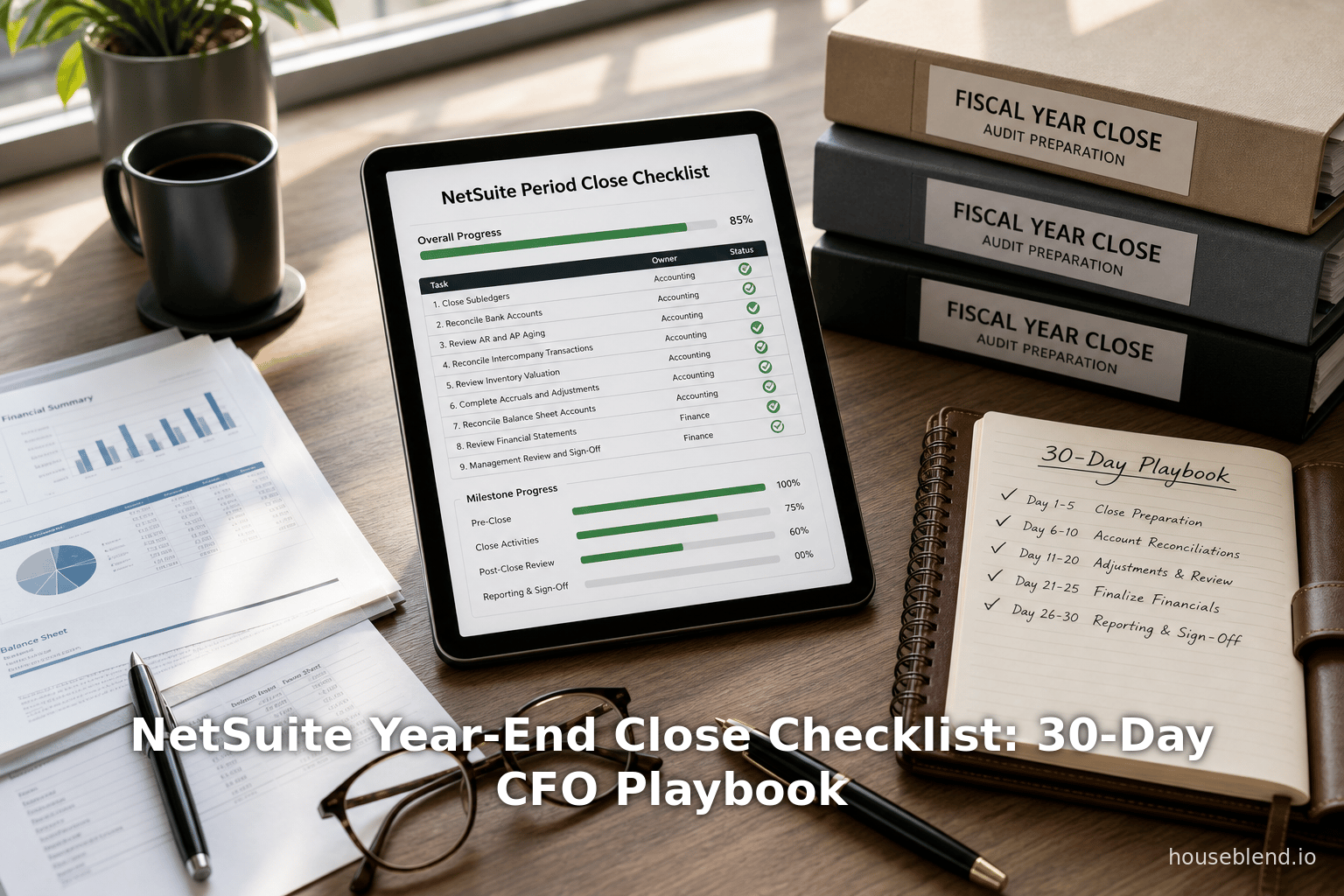
Each of the above tasks should be assigned deadlines in the 30-day timeline. NetSuite’s Period Close Checklist (Setup > Accounting) can be configured to include many of these steps, providing at-a-glance status of each item. Notably, NetSuite automatically closes the fiscal year once all periods are closed, ensuring the income statement balances funnel correctly into equity [20] [11].
Planning and Coordination
The sequence of closing tasks is important. APQC research highlights that having clear ownership (who does each task) and a published close calendar are critical to reducing confusion [21]. CFOs should ensure:
- Ownership Matrix: For each checklist item, specify the owner (e.g. AR Manager, Controller, Tax Director, etc.). This may be summarized in a RACI chart or simply documented in NetSuite’s task management.
- Elimination Schedule: Plan when intercompany eliminations and currency revaluations occur. In NetSuite, currency revaluation should run before final close [9].
- Subledgers Deadlines: Set cut-off dates (e.g. no more AP invoices after Dec 25) so that subledger closures feed into GL. Communicate these deadlines to all departments.
- Mock Close (if needed): Some companies perform a quick “soft close” in late Dec or early Jan to spot issues early.
- Audit Kickoff: Bring auditors in as soon as possible (sometimes before final close) to minimize last-minute requests.
By coordinating across functions – finance, IT (for NetSuite support), HR (for payroll), and operations – the CFO ensures the organization moves into year-end with all loose ends tied up.
NetSuite Features and Tools for Year-End
NetSuite as a cloud ERP offers specific functionality to support closing:
-
Manage Accounting Periods: NetSuite centralizes period control. Via Setup > Accounting > Manage Accounting Periods, you define fiscal years and periods. Closing a period in NetSuite fully prevents any postings for that period, which is recommended only after all reconciliations [18]. Locking a period is a preliminary step that blocks non-admin posting [18]. Best practice: Lock December after final AP/AR entries are in, then review all reports, and only then close.
-
Automatic vs Manual Year-End Close: NetSuite can automatically close the fiscal year (moving income to retained earnings) based on selected reporting dates [11]. This is typically recommended, as it reduces manual entry errors. Alternatively, a company may choose Manual Close by making a closing journal entry. The help file advises the Automatic Close for simplicity [11].
-
Period Close Checklist: NetSuite’s core tool is the Period Close Checklist (under Setup > Accounting). You can configure this with tasks (like “Lock AR period”, “Run inventory valuation report”, etc.). Completing these tasks is tracked as part of closing. Centium’s guide emphasizes finishing checklist tasks (lock AR/AP, review inventory costing, eliminate intercompany) before final close [22].
-
Financial Reports and Workbooks: NetSuite’s Financial Reports (Balance Sheet, Income Statement, etc.) and SuiteAnalytics Workbook allow real-time access to data. CFOs should customize financial statement templates to meet their disclosure needs. Running a final Trial Balance and comparison can validate everything. SuiteAnalytics can quickly drill down into balances.
-
Multi-Book and Multi-Currency: Companies with international operations use NetSuite OneWorld (multi-subsidiary) and/or Multi-Book (parallel accounting standards). Year-end close must account for local statutory requirements plus consolidated books. NetSuite supports multiple GL books simultaneously, known as Multi-Book accounting [23]. The Wizeline case Bigleaf illustrated a multi-book reset in Year-End, emphasizing the complexity of translation and consolidation [24]. The CFO should ensure all local adjustments are posted and that elimination entries are run before consolidation.
-
Intercompany Management: NetSuite OneWorld automates intercompany entries between subsidiaries, which simplifies eliminations. At year-end, run the Intercompany Journal Generator to sweep remaining balances. Ensure intercompany clearing accounts are net zero.
-
Revenue Recognition and Deferred Revenue: If using NetSuite’s Revenue Recognition schedule or Advanced Billing, ensure all realization entries through Dec are posted. Deferred revenue balances should be examined to confirm correct future recognition. CFO oversight is important here, as revenue closure affects final profit figures significantly under ASC 606.
-
Tax Engine (SuiteTax): NetSuite’s tax engine automatically computes sales/use tax and VAT on transactions. By year-end, ensure all tax categories and accruals for VAT/ sales tax are reconciled. The tax department often needs data from NetSuite (e.g. Sales by Tax Code) to complete returns.
-
Bank and Credit Card Reconciliation: Use NetSuite’s Reconcile feature to confirm bank/cash accounts are up-to-date. Modern NetSuite implementations may have bank feeds or electronic reconciliation (e.g. Auto Reconciliation rules in SuiteBank**) – leverage these for speed. The ACL Digital case study noted an instance where bank reconciliation effort was reduced 45% by automation [25].
-
Dashboards and Key Metrics: CFOs benefit from NetSuite dashboards (via “CFO Role” or KPIs portlets) showing close progress: e.g. % of checklist tasks done, open AR/ AP aging analysis, cash forecast charts, etc. Real-time visibility means issues are spotted earlier. The Nuage CMI Compass case credited NetSuite’s “real-time dashboards” with boosting leadership visibility immeasurably [4].
In essence, NetSuite’s integrated tools form the backbone of a 30-day close, but they rely on disciplined usage: all subsidiary operations must post through NetSuite (avoiding offline spreadsheets), and master data (customers, products, COA) must be clean so that the post-close data is accurate [26]. Working with IT or consultants ahead of time to enable the right features (e.g. currency revaluation scripts, Advanced Financials for banks, etc.) is critical.
30-Day Year-End Close Timeline (Example Playbook)
Below is an illustrative 30-day playbook, breaking the final month into phases. Timelines may shift slightly depending on fiscal year (e.g. fiscal year-end on Dec 31, close tasks might run into January) and on how many days each “day” segment covers. The table indicates who does what on roughly a weekly cadence, from one month before year-end to immediately after closing.
| Timeline | CFO / Executive | Finance / Accounting Teams | NetSuite Actions |
|---|---|---|---|
| Day 30–21 (≈4 Weeks Out) | – Communicate year-end closing schedule and expectations to entire finance team and stakeholders. [21] – Review major-year targets vs. budget to anticipate adjustments. – Confirm hiring of temporary close support if needed (training, local accountants, etc). | – Complete all reconciliations for November (bank, AR, AP, inventory). – Start preliminary inventory count (for businesses with physical stock). – Identify all necessary accruals (e.g. utilities, bonuses) and estimate amounts. – Examine large contract or liability: plan recognition or deferrals. | – Ensure Daily subledgers updated to end of last closed period. – In NetSuite, verify fiscal year setup and that Nov and Dec periods are open.《 – Prepare any NetSuite scripts for bulk actions (e.g. scheduled currency revaluations). – Update budgeting module with actuals for year-to-date. |
| Day 20–15 (≈3 Weeks Out) | – Begin strategic review of YTD P&L vs prior year and long-term plan. Flag unusual variances for investigation. [27] – Coordinate with HR and Ops for any year-end headcount changes affecting payroll or benefits. – Communicate with auditors to schedule year-end audit kickoff (target mid/late Jan). | – Finalize inventory count and post any necessary adjustments to inventory or COGS. – Enter and post all AP invoices and employee expenses through year-end cutoff date. – Generate currency translation and revaluation (foreign currency) for Nov/Dec balances. [10] – Send AR aging statements, follow up on large outstanding receivables; post payments. – Confirm all sales taxes and VAT are accounted in AP/AR. | – Run NetSuite Revaluation for foreign currency on all open balances. [10] – Use the Period Close Checklist: verify preliminary tasks (lock AR/AP modules) for Dec are understood and scheduled. [22] – In NetSuite OneWorld, run intercompany elimination pre-schedule if relevant, to clear next. |
| Day 14–8 (2 Weeks Out) | – Review draft year-end financials (trial balance, P&L, balance sheet) with Controller; discuss adjustments needed. [28] – Validate that all compliance deadlines (tax filings, 1099s, etc.) are on track. Ensure tax advisor is engaged for final provision. [17] – Confirm availability of CFO and finance leadership for audit reviews. | – Post all standard adjusting journal entries: depreciation accruals, amortization, prepayments expense, bad debt allowance. – Complete payroll accrual (vacation/sick accrual vs. actual hours outstanding). – Finalize intercompany eliminations: run elimination entries to net off intercompany AP/AR, revenue/expenses. [18] – Reconcile fixed assets: post final depreciation, review disposals. | – In NetSuite, lock all subledgers for the year (prevent edits): AP, AR, Inventory, Payroll modules locked for business users [18]. – Final round of currency revaluation in NetSuite for any December postings. – Check if NetSuite’s Automatic Close is set; if not, prepare manual closing JE templates. |
| Day 7–2 (Final Week) | – Final review of all closing entries with Controller; CFO signs off on big-ticket adjustments (e.g. tax provision). – Prepare board package draft (full-year results, variance analysis, footnotes). – Communicate final closing timeline to stakeholders (e.g., release date of finalized statements). – Ensure audit committee meeting is scheduled early in next period if needed. | – Post remaining manual entries: tax provision, equity corrections, reclassifications. – Re-run and reconcile all subsidiary and consolidated reports in NetSuite: balance sheet must tie to GL. – Confirm that retained earnings opening balance (for new year) equals prior year net income + equity transactions. – Run month-end checklist tasks: ensure “Period Close” is ready. | – Per NetSuite guidelines, complete the final Period Close: click “Close” on December period, which will auto-close year if enabled. [20] [11] – Verify NetSuite has moved net income to Retained Earnings. Check that fiscal year is automatically closed. [20] – Create new FY periods for January if not already done. Confirm Fiscal Year status = Closed in Manage Accounting Periods. |
| Day 1 (Post-Close – New Fiscal Year) | – Announce closing completion to executive team; distribute final financial statements and board decks. – Review lessons learned: what delayed the close? What can be improved? [16] – Finalize initial budget or forecast for the new year using closing data. | – Provide auditors with final reports and PBC schedules. Address any audit questions promptly. – Compile reconciliations of key accounts (cash, inventory) as requested. – Archive closing records, lock last year’s reports and finalize filing. | – Open New Year period(s) in NetSuite. – Set Up new budgets/plans in NetSuite Planning if applicable. – Update any recurring processes (financial reports, KPIs) with new year defaults. |
(Table: Sample 30-Day Year-End Close Timeline and Tasks. Adjust based on organization’s calendar and fiscal year.)
This timeline emphasizes parallel work streams. CFO-level tasks (left column) focus on communication, strategic review, and sign-offs, while the accounting team and NetSuite system actions (right columns) handle transactional tasks. Notably, the final close in NetSuite (Day 2) should ideally be synchronized so that as soon as the accounting team clicks “Close Period,” the system locks past activity [20] [11]. The CFO can then announce year-end (Day 1 new fiscal year) and shift attention to analysis.
Data Analysis and Benchmarks
Quantitative benchmark data underscores the importance of an efficient close. APQC’s analysis highlights that organizations under $100M in revenue typically close in ~10 days, whereas larger ones ($1–5B) average 23 days [29]. In either case, closer is possible: APQC notes top performers doing it within 10 days [2]. Interestingly, APQC also reports that 31% of companies already use AI in record-to-report and another 39% are in pilot stages [2]. This suggests CFOs should consider AI tools (for anomaly detection, auto-reconciliation, predictive adjustments) as close accelerators.
Broader industry finds add context. Numeric’s analysis of month-end closing found median close times to be about 6 business days, but with wide variance depending on team size and complexity [12]. Houseblend’s 2026 review of NetSuite closes cites a median close cycle of around 6 days, with many finance teams taking 6 or more [12]. Less than 20% of teams achieved a 1–3 day close in 2025 [30]. These studies conclude that the last pieces of reconciliation often consume most time, and that data cleanup is a major barrier [12] [31].
Significant improvements come from modernization. As noted, the CMI Compass case saw period close cut from 10+ to roughly 3–5 days after implementing NetSuite and automation [4]. Other companies report similarly dramatic shrinkage: one beverage startup went from a 10–15 day close to 3–5 days on NetSuite [3], and a pet company reports closing 80% faster post-NetSuite [3]. These anecdotes align with the trend: integrated ERP + automation = shorter close cycles. However, experts caution: automation only pays off if underlying data/processes are clean [26]. A finance leader quoted in CFO.com summarizes: “A zero-day close is meaningless if the underlying data are incorrect.” [26].
These data points feed directly into the CFO playbook: aim high (10-day or less target), but base goals on past performance and industry peers [32]. Break down cycle time by task to identify where days are spent. For example, if gridlock is in intercompany or in backlog of AP invoices, target automation or process change in those areas first. Houseblend suggests focusing on “eliminating neutralizing off-system spreadsheets” as a prerequisite [26]. Moreover, APQC recommends reconciling complex accounts monthly so that only small issues exist at year-end [33].
Finally, CFOs should track metrics during the close: e.g., “Days to Close” and its trending year-over-year, % of checklist tasks completed on time, adjustment line items count, etc. These can be added as dashboard KPIs in NetSuite. Regularly reporting these to the CFO ensures that speed and accuracy goals remain top priorities, turning closing into repeatable performance rather than a constant emergency [16].
Case Studies and Real-World Examples
To illustrate these principles, consider how real companies have improved their closing processes:
-
Fast Close with NetSuite: As noted, one beverage startup (BERO) slashed its closing time from 10–15 days to just 3–5 days after going live on NetSuite [3]. PetLab Co., a pet wellness brand, reports completing month-end processes 80% faster than pre-NetSuite [34]. These cases demonstrate that NetSuite’s automated workflows and real-time data vastly speed reconciliation. CFOs should take such anecdotal evidence that “faster close is possible” into board meetings, setting aspirational targets.
-
Comprehensive Audit Success: Wizeline, a growing tech firm, encountered a rocky first implementation of NetSuite (with multi-currency and multi-book complexities). With only ~90 days before audit deadlines, they engaged specialists. The result was a “clean audit across the board” for both GAAP consolidation and all local statutory audits, with “zero identified errors or control deficiencies” [27]. The corporate controller raved that they hit deadlines for Big 4 audits without errors [27]. This underscores the importance of specialist consultation and the robustness of a well-configured NetSuite environment. For CFOs, it shows that an ERP close matched to internal controls can achieve error-free reporting.
-
Manual-to-Automated Transformation: A manufacturing firm (CMI Compass) transformed its close by automating repetitive tasks. Before, reconciliations and fixed asset tracking were manual spreadsheets, and month-close took over a week [35]. After moving to NetSuite (with consultants from Nuage), they implemented automated bank reconciliations, auto-calculated depreciation, and real-time dashboards. The result: period-end close time dropped from over 10 days to 3–5 days [4], freeing hundreds of man-hours for strategic work. CFO insight: investment in automation yields both speed and strategic ROI.
-
Global Consolidation Case: In a Baker Tilly implementation, a 400-employee tech firm replaced QuickBooks with NetSuite to handle multi-currency consolidation (across a global tech company) [36]. While not specifically about closing, they noted elimination of a “manual spreadsheet-based revenue recognition and purchasing process” [37]. For CFOs, the lesson is that eliminating spreadsheets – especially for intercompany and revenue – is a key step toward an error-resistant year-end. Consolidation becomes simpler when the system recognizes entities as part of one instance.
-
Efficiency Gains Across Functions: In a broad case, ACL Digital reported for a payments company improvements like “manual consolidation efforts reduced by 30%” and AR effort down by 70% with better NetSuite automation [25]. Although not exclusively about year-end, efficient ongoing processes (real-time consolidation, automated dunning, automated tax) mean fewer catch-up tasks at year-end.
These examples reinforce that both technology and process discipline are required. QuickBooks or disparate ledgers make close long; centralizing in NetSuite onboards best practice workflows. Yet, leadership must champion these changes. CFOs reading such case studies see that aggressive goals (a 3-day close) can move from “aspirational to practical” when ERP and automation are fully leveraged [38] [4].
Discussion of Implications and Future Directions
Implications for CFOs: Achieving a rapid, reliable year-end close has business implications beyond the finance department. Speedy closes free finance talent to focus on forward-looking analysis, improving decision-making agility. Investors and boards value timeliness; some lending covenants may trigger soon after year-end, making rapid close a risk mitigation. Moreover, CFOs converting close into a "strategic advantage" can use year-end data to refine forecasts and budgets earlier, giving operational units a head start for the next year.
However, speed must never come at the cost of accuracy. As Houseblend cautions, a “zero-day close is meaningless if data are incorrect” [26]. For highly regulated industries or large enterprises, the goal may be a solid 7–10 day close with all controls in place, rather than an error-prone sprint to same-day reporting. CFOs should thus prioritize data quality and controls (clean master data, eliminate off-system adjustments) as precursors to faster closes. The year-end close playbook encourages reconciling accounts throughout the year, ensuring any time savings are sustainable and reliable [33].
Technology Trends: CFOs should also watch evolving tech. NetSuite’s upcoming AI-driven features (as unveiled at SuiteWorld 2025) include autonomous reconciliation and “Ask Oracle” assistants that promise to trim close time further [39]. By 2026, NetSuite plans automated anomaly detection and 98% auto-processing of routine entries [40]. In practice, this means CFOs must support digital transformation: migrating remaining spreadsheets into ERP, integrating third-party apps via SuiteCloud, and training the team on new AI capabilities.
Emerging “continuous close” processes are also relevant. Rather than concentrating all work in one period, continuous close means performing reconciliations and variance analysis in real-time (or at least monthly), then only final work at year-end [39] [41]. Adopting continuous methods reduces year-end stress. NetSuite’s real-time data facilitates this approach: CFOs can insist on daily or weekly close metrics instead of deferring everything until December.
Regulatory and Accounting Changes: CFOs must stay aware of upcoming accounting standards that affect closing entries. For example, changes in lease accounting (IFRS 16/ASC 842) were big issues around 2020; any similar shifts could require year-end restatements or new disclosures. Tax law changes (corporate tax rate changes, new VAT rules) often have to be applied at year-end; NetSuite’s SuiteTax can ease this if kept up-to-date. CFOs should factor regulatory checklists into the closing playbook (e.g. verifying full compliance with new standards prior to closing).
Cross-Functional Impact: Year-end close crosses into HR (for payroll tax forms), IT (for system support and security during heavy use), and operations (for accurate inventory and cost records). CFOs must, per APQC, coordinate beyond accounting [42] – reminding department heads of year-end deadlines. For international companies, cultural and legal differences must be managed. The playbook’s clarity on ownership helps ensure such coordination.
Skills and Team Development: Finally, frontline closing is often done by controllers and senior accountants. CFOs should invest in their development so they can handle analytic tasks, not just data entry. Automation projects allow upskilling: for instance, the Nuage case freed “hundreds of hours” for strategy [4]. CFOs might consider rotating controllers between compliance and planning roles post-close, to break silos between number crunching and business insight.
Conclusion
A systematic, technology-enabled approach to year-end close yields multiple dividends: timely reporting, audit readiness, regulatory compliance, and strategic planning. This 30-day CFO playbook has outlined all the steps – from preliminary reconciliations and accruals, through final ledger adjustments and audit preparation, to the closing of ledgers in NetSuite – framed within the CFO’s roles and responsibilities.
Evidence shows that organizations can transform their year-end process: median closings of weeks can shrink to days when data, processes, and ERP features align [2] [4]. Strategically, the CFO drives this transformation by orchestrating people, adopting modern tools (like advanced ERP and AI), and insisting on continuous improvement.
As a final note, while much of the checklist is mechanical, the CFO’s leadership determines success. Credible sources emphatically advise: plan early, define clear ownership, keep data clean, and leverage automation [21] [33]. With these principles, the CFO turns the once daunting year-end close into a repeatable process that not only closes the books but also opens doors to better decision-making in the new fiscal year.
References: All facts and recommendations in this report are supported by industry research and case studies. Key sources include NetSuite documentation [6] [9], APQC and CFO research [2] [12], and practical guides by NetSuite implementation partners [43] [17], among others, as cited above.
External Sources (43)
About
Houseblend
Make NetSuite work better for your finance and operations teams with Houseblend. We help design, implement, integrate and improve ERP systems, with practical support for the people who use them every day.
Houseblend is a NetSuite consulting firm serving finance and operations teams. We help organizations implement ERP systems, connect business applications, improve existing configurations and maintain the systems that support everyday work. Our audience includes finance leaders, controllers, operations managers, NetSuite administrators and implementation teams.
Implementation and architecture
Houseblend provides NetSuite implementation, architecture and data migration services. We help teams evaluate how business processes, reporting requirements and existing data should fit together in an ERP environment. Training supports the people responsible for adopting and operating the resulting system.
Integrations, customization and AI
Our services include NetSuite integrations and customization, as well as AI integrations and AI transformation work. These engagements connect ERP data and workflows with the broader application landscape. The right design depends on the organization's systems, controls and operating needs.
Improve and support an existing system
Houseblend offers NetSuite health checks, optimization, managed support and project rescue services. We also provide expertise for analytics and specialist workflows, including NetSuite Analytics Warehouse, warehouse management and field service management. Published educational material helps teams investigate options and prepare informed questions for their implementation or support work.
Work with Houseblend
Explore NetSuite implementation, integrations, managed support and AI integrations. Contact Houseblend to discuss your current system and priorities.
Article examples explain concepts rather than promising a particular license, product capability, delivery schedule or outcome. Engagement scope is confirmed with the Houseblend team.
Disclaimer
This document is provided for informational purposes only. No representations or warranties are made regarding the accuracy, completeness, or reliability of its contents. Any use of this information is at your own risk. Houseblend shall not be liable for any damages arising from the use of this document. This content was generated with assistance from artificial intelligence tools, which may contain errors or inaccuracies. Readers should verify critical information independently. All product names, trademarks, and registered trademarks mentioned are property of their respective owners and are used for identification purposes only. Use of these names does not imply endorsement. This document does not constitute professional or legal advice. For specific guidance related to your needs, please consult qualified professionals.