Houseblend Article
QuickBooks to NetSuite Migration: A Planning Guide
Inside this article
- 01Executive Summary
- 02Introduction and Background
- 03Indicators and Timing for Migration
- 04Planning the Migration Project
- 05Migration Process and Data Strategy
- 06Implementation Best Practices and Risk Mitigation
- 07Data Analysis, Costs, and Return on Investment
- 08Real-World Case Studies
- 09Post-Migration Operations and Future Outlook
- 10Conclusion
- 11References
Executive Summary
As businesses scale beyond the small‐business stage, basic accounting tools like QuickBooks often become inadequate. Studies show that mid‐sized companies (10–100 employees) overwhelmingly report their digital tools as either “too small or too large” for their needs [1]. In fact, a Wakefield/QuickBooks survey found 93% of growing firms had “outgrown at least some” of their original tools [2] [1]. For these companies, migrating to a full-featured cloud ERP like Oracle NetSuite can be transformative. Modern ERP integration pays off: one analysis of 87 companies transitioning to NetSuite reported 40% faster financial close cycles, inventory accuracy within 2% of actual, and product launch speeds ~3× faster than their QuickBooks-bound peers [3]. Moreover, organizations investing $$150K$–$$400K$ in migration have seen typical 280% ROI in 18 months [4].
However, a QuickBooks-to-NetSuite migration is a major, multi-faceted project that requires careful planning. This report provides a comprehensive guide for such a migration:
-
Rationale & Timing: We examine why and when companies should consider moving off QuickBooks (e.g. multi-entity accounting needs, global expansion, manual-work bottlenecks) [5] [6]. We also highlight advice to avoid premature moves – migrating only when specific functionality gaps are blocking growth [5].
-
Platform Comparison: We compare QuickBooks and NetSuite features. QuickBooks (proprietary desktop or Online) is pitched at small firms (<$25M revenue) [7], but it hits hard limits (e.g. 250 account segments, max 25 online users) [8]. NetSuite is an enterprise-grade cloud ERP designed for mid-market/global businesses [9] [10]. A summary table (below) contrasts key aspects like multi-entity support, pricing, and implementation scope.
-
Planning & Readiness: We detail pre-launch planning, including cost/timeline estimates (first-year costs ~$75K–$300K [11], duration 3–6+ months for simple vs complex rollouts [12]), stakeholder alignment, business-requirements gathering, and partner selection. Expert advice recommends ensuring a stable accounting team, clean data, executive sponsorship, and realistic budgets before proceeding [13]. As one consultant warns, “a bad implementation is worse than no implementation” [13].
-
Migration Approach: We describe step-by-step execution: data preparation and mapping (migrate detail up to cut-over plus ~2 years of summarized history [14]), system configuration, integration of disparate apps (CRM, e-commerce, etc.), testing protocols, and go-live ramp-up. Risk factors and common mistakes (unrealistic scope, over-customization, poor change management) are highlighted. Notably, partner choice is critical – many failures stem from process issues, not technology [15] [16].
-
Organizational Change: Training and change management are emphasized as core to success. Gartner predicts >70% of ERP projects still fail to meet goals, often due to weak user adoption [17] [18]. Best practices include continuous, role-based training and “ERP champion” networks, not just a one-time launch seminar [19] [20]. Post-launch, the system must be maintained and evolved – “the partnership doesn’t stop” at go-live [21].
-
Cost and ROI: We provide detailed figures. Typical first-year investment (software + implementation + data conversion + training) ranges ~$75K–$300K [11], with ongoing ERP support of $30K–$120K/year thereafter. Table 2 below itemizes these costs. Case evidence suggests rapid payoff once live (e.g. 280% ROI in 18 months [4], $665K average 3-year benefit (Source: www.anchorgroup.tech).
-
Case Studies: Real-world migration stories (manufacturing, biotech, consumer goods, retail) illustrate how NetSuite eliminates the inefficiencies of multilpe spreadsheets and disparate systems. For instance, a distributor went from constant data “journal entry patches” to real-time dashboards and “proactive” management after migrating [22]. A biotech firm consolidated multiple QuickBooks files through NetSuite OneWorld and finally achieved unified, audit-ready reporting [23].
-
Future Outlook: We discuss how modern ERP like NetSuite positions businesses for the future. Cloud ERP adoption is rapidly growing, and AI-driven features are on the horizon. NetSuite’s leadership envisions the ERP as an AI “autopilot” woven into every function [24]. Investors forecast the global cloud-ERP market to exceed $180B within a decade (Anchor Group study) (Source: www.anchorgroup.tech). Thus, a well-executed migration is not just a cost but a strategic enabler, unlocking new capabilities and insights for scale-ups.
In the sections that follow, each of these topics is explored in depth, supported by data, expert sources, and practical examples.All claims and recommendations are backed by industry research, vendor whitepapers, and consultant analyses, ensuring a thorough, authoritative guide for QuickBooks-to-NetSuite migrations.
Introduction and Background
QuickBooks (Intuit) and NetSuite (Oracle) occupy opposite ends of the accounting/ERP spectrum. QuickBooks has dominated small-business accounting for decades. As one industry analyst notes, “QuickBooks…has become almost synonymous with business accounting in North America” [25]. Its simplicity and low cost make it ubiquitous among startups, freelancers, and small companies [26] [27]. Many companies begin on QuickBooks (Desktop or Online) for core tasks (invoicing, payroll, expense tracking) with minimal expertise required [26].
However, QuickBooks was never designed for complexity. It was “an entry-level design” with limited workflows; growing businesses quickly hit feature gaps [28] [29]. In practice, QuickBooks Online even imposes strict usage caps (e.g. max 250 chart-of-account segments, 40 location/class fields, up to 25 billable users on the highest tier) [8]. QuickBooks Desktop suffers performance degradation on large datasets (>~1GB) and can only support a handful of concurrent users (3–5 for Pro/Premier, 10–30 for Enterprise) [29]. Integration capabilities are limited to add-on apps, and true multi-entity or global consolidation must be done outside the system.
By contrast, Oracle NetSuite is a full-fledged cloud ERP built for the mid-market and above [9] [10]. Launched in 1998, NetSuite is a unified platform covering financials, inventory, CRM, e-commerce, and more [30] [31]. It natively handles complex scenarios: multi-subsidiary consolidations, multiple currencies (supporting 190+ currencies [32]), multinational tax compliance, and extensive customization via SuiteScript and workflows [33] [34]. NetSuite is famous for advanced inventory and supply-chain modules (multi-location fulfillment, cycle counting, integrated warehousing) [32] [35], and rich reporting/dashboards. In short, NetSuite is “enterprise-level” ERP for firms needing anywhere from mid-market finance to full operational control [9] [10].
Structurally, QuickBooks and NetSuite serve different target markets. QuickBooks (including Online and Desktop versions) is ideal for very small shops. Experts note that most companies under roughly $25M revenue are “better suited for QuickBooks,” since its low price and ease-of-use suffice when needs are simple [27] [36]. Beyond that, problems accumulate. Mid-market companies (roughly $10–50M) begin to face QuickBooks “gaps” – the need for inventory management software, project accounting, international sales channels, complex revenue recognition, and robust reporting [10] [5]. Many such firms report they have “outgrown at least some” of their tools [2] [7] and actively evaluate ERP solutions. NetSuite is purpose-built for that tier and above, offering a modular approach to add capacity (inventory, CRM, etc.) as the business scales [10] [37].
These differences matter: sticking too long with QuickBooks can constrain growth. A NetSuite partner observed that companies using QuickBooks often resort to spreadsheets, manual workarounds, and patch fixes just to keep up [22] [29]. By contrast, NetSuite’s unified data model means “no more patching errors with journal entries” – problems must be fixed at the source [22]. In terms of market trends, cloud ERP adoption is accelerating: NetSuite’s user base has grown at ~25% annually to over 41,000 companies, 80% of which are small-to-mid-size businesses adapting cloud ERP (Source: www.anchorgroup.tech). Meanwhile, nearly three-quarters of ERP initiatives overall fail to fully deliver on goals, often due to tool mismatches or poor implementation, highlighting the importance of choosing the right timing and partner [17].
QuickBooks vs. NetSuite (Feature Highlights): In summary, QuickBooks delivers core accounting/financial tools cheaply, but quickly hits ceilings as operations diversify. NetSuite, by contrast, costs more and takes longer to deploy, but supports multi-entity rollups, multi-currency, complex inventory, integrated CRM, and advanced automation. Table 1 below outlines key comparisons across dimensions from both vendor analyses and independent reviews.
| Feature / Dimension | QuickBooks (Online/Desktop) | NetSuite (Cloud ERP) |
|---|---|---|
| Target Company Size | Small businesses, freelancers, solopreneurs (typically <~$25M annually) [27]. Used widely by startups, retail shops, service firms, nonprofits [26] [38]. | Mid-market to enterprise (often $10M–$500M). Designed for companies outgrowing entry-level tools [10] [9]. Often chosen by distributors, manufacturers, e-commerce, professional services, etc. [39] [10]. |
| Pricing Structure | Affordable tiered plans. QuickBooks Online starts ~$30/month for Essentials; Desktop Pro ~$600 one-time (2019). Intuit promotes QuickBooks Online as “low cost.” [40] [41] | Custom pricing. Typically begins near $999/month base seat, plus per-user fees, with modules/functionality added as needed [40] [42]. (Exact costs vary by requirements.) |
| Deployment Time | Very fast: small firms can be set up in hours or days. No/low professional services needed. | Longer: implementations usually take 3–6 months for straightforward cases and 6–12+ months for complex or multi-entity rollouts [43] [44]. Requires planning, configuration, testing. |
| Customization & Extensibility | Limited: customization mainly via supported third-party apps or Reporting + Form Designer. No coding. | Extensive: built-in workflow engine (SuiteFlow) and scripting (SuiteScript) enable deep customization of business logic, UI, and integration. Flexible APIs allow integrations with other systems [33] [32]. |
| Multi-Entity Support | Minimal: each legal entity typically needs its own QuickBooks file/subscription. Consolidation must be done manually or via portals. | Native multi-subsidiary/OneWorld support: can manage multiple companies or locations under one license with automatic inter-company transactions and eliminations [45] [23]. |
| Multi-Currency & Global | Single-base currency by default; limited multi-currency support in Online Advanced (up to 25 currencies). No global tax engine. | Robust globalization: supports ~190 currencies and 20+ languages out of the box [32], global tax/regulatory compliance, and inter-company FX revaluations. |
| Inventory & Supply Chain | Basic: inventory tracking is available but only in higher-tier plans (Online Plus/Advanced or Desktop Enterprise). Lacks advanced features like multi-location fulfillment or lot/serial tracking without add-ons [38]. | Advanced: full ERP inventory module with multi-warehouse fulfillment, automated reorder, cycle counting, work orders/MRP, and integrated supply chain management [32] [35]. |
| Users & Roles | QBO Advanced: up to 25 users; Essentials or Plus: 5 users (Pro/Desktop: up to 3–5 users by edition) [8] [29]. Roles are mainly Accountant, Admin, Sales, etc. | NetSuite: no fixed user cap. Unlimited roles and sophisticated permission controls. Professionals/admins often involve dedicated admins due to complexity. |
| Reporting & BI | Standard financial reports, some dashboards (e.g. Profit & Loss, Balance Sheet). Limited customization beyond built queries. | Rich role-based dashboards, real-time KPI analytics, built-in BI tools (SuiteAnalytics) and customizable reports. Embedded reporting across all modules [34]. |
| Integration Ecosystem | App Marketplace (Shopify, Salesforce sync on Enterprise, etc.) but less seamless. Data often exported to Excel for consolidation. | Extensive integrations via SuiteCloud platform; serious API support. Many standard connectors (e.g. Salesforce, e-commerce platforms, WMS) and SuitePayments for bank/integration. |
| Mobile/Anywhere Access | QuickBooks Online works anywhere; Desktop can only be accessed on its host machine. | Cloud-native: accessible from any device. Mobile apps available. |
| Ideal Use Case (per experts) | Entry-level accounting for solo-entrepreneurs and very small firms with simple needs [27]. If core finance needs are straightforward and growth modest, QuickBooks suffices [36]. | Mid-market end-to-end ERP for companies with complex operations, global or multi-unit structures. Pay-as-you-go modules allow mid-size firms to “pay for what you need” and scale incrementally [10] [27]. |
QuickBooks can be a strong choice for companies just starting out, due to its low cost and usability. But once a business faces multi-departmental workflows or expansion (e.g. international sales, multiple warehouses, consolidated reporting), NetSuite’s deeper, centralized capabilities become necessary [45] [10]. In particular, NetSuite unifies finance with CRM, inventory, and operations, allowing for powerful automation that a small accounting package cannot match [46] [22].
Indicators and Timing for Migration
Crucial to any ERP project is the question: When should a company move off QuickBooks? Outgrowing QuickBooks is not a binary event. Experts caution against upgrading “just because you’ve outgrown it” in a general sense [5]. Instead, migration should be driven by specific functional triggers. According to one finance consulting guide, these triggers include:
-
Complex consolidations or multi-entity management. If your business has multiple companies or locations that must report together (e.g. holding company structure, international subsidiaries), QuickBooks’ siloed approach burdens you with manual consolidation. Migrating to NetSuite OneWorld or OneWorld+ allows automatic intercompany entries and unified legal reporting [10] [23].
-
Growing manual workload (>20 hours/week). Finance teams spending excessive time on manual tasks are a red flag. As one consultant notes, if the team “spends 20+ hours weekly on manual data entry, reconciliation, or building reports in Excel”, that effort is error-prone and expensive [6]. Upgrading to an integrated ERP is justified to automate such processes.
-
Revenue scale (>$5–10M). While thresholds vary by industry, many advisors benchmark around $5–10 million in revenue [6]. Beyond this scale, the limits of QuickBooks often surface (user limits, no advanced inventory, etc.). Indeed, an analysis of 87 firms found that 62% of companies in the $10–50M range were actively pursuing NetSuite [47].
-
Feature gaps or regulatory needs. Entering new business areas can expose deficiencies. Examples include: needing project accounting or WIP costing; preparing for audit or IPO-level controls; handling revenue recognition rules (ASC 606); or running sales in multiple currencies/locations. In these cases, continuing with QuickBooks often requires complex workarounds or spreadsheets. By contrast, NetSuite offers built-in solutions (e.g. advanced billing, flexible revenue rules) that eliminate those stopgap fixes [5] [31].
-
Frequent data errors or slow closes. If financial close schedules slip or month-end reconciliations are plagued by discrepancies, that indicates system overload. One case study noted that after moving to NetSuite, a company’s management could “no longer just patch errors with journal entries” – they were forced to fix data at the source, resulting in cleaner books and real-time dashboards that made monthly closes faster and insights more proactive [22].
At the same time, migrating too soon can waste resources. ERP consultants often remind clients that if accounting needs are straightforward, jumping to a complex system can be overkill [27] [36]. A balanced approach is recommended: identify and quantify the pain points (e.g. time spent on workarounds, cost of errors) and compare that to the migration investment. One finance expert bluntly advises: do not rush – “a bad implementation is worse than no implementation” [13].
In summary, migration timing should be strategic. It’s not merely about company age or size but the mismatch between business complexity and tool capability. When multi-entity, multi-currency or specialized process needs begin to significantly impede efficiency, that is the right time to plan a move to NetSuite [5] [6].
Planning the Migration Project
A QuickBooks-to-NetSuite migration is a major project for a scaling company’s finance and IT organization. Successful planning requires attention to budget, timeline, scope, team, and risk. Key planning considerations include:
-
Project Budget and Cost Factors: Industry benchmarks suggest first-year costs $75K–$300K+ [11]. This covers all expenses: NetSuite licensing ($24K–$100K/year), implementation consulting ($30K–$150K), data migration services ($10K–$50K), training ($5K–$20K), plus the value of internal staff time [11]. Ongoing annual costs then typically run $30K–$120K for software and support [11]. (See Table 2.) Factors that push costs higher include multi-entity complexity, depth of customization, and number of integrations.
-
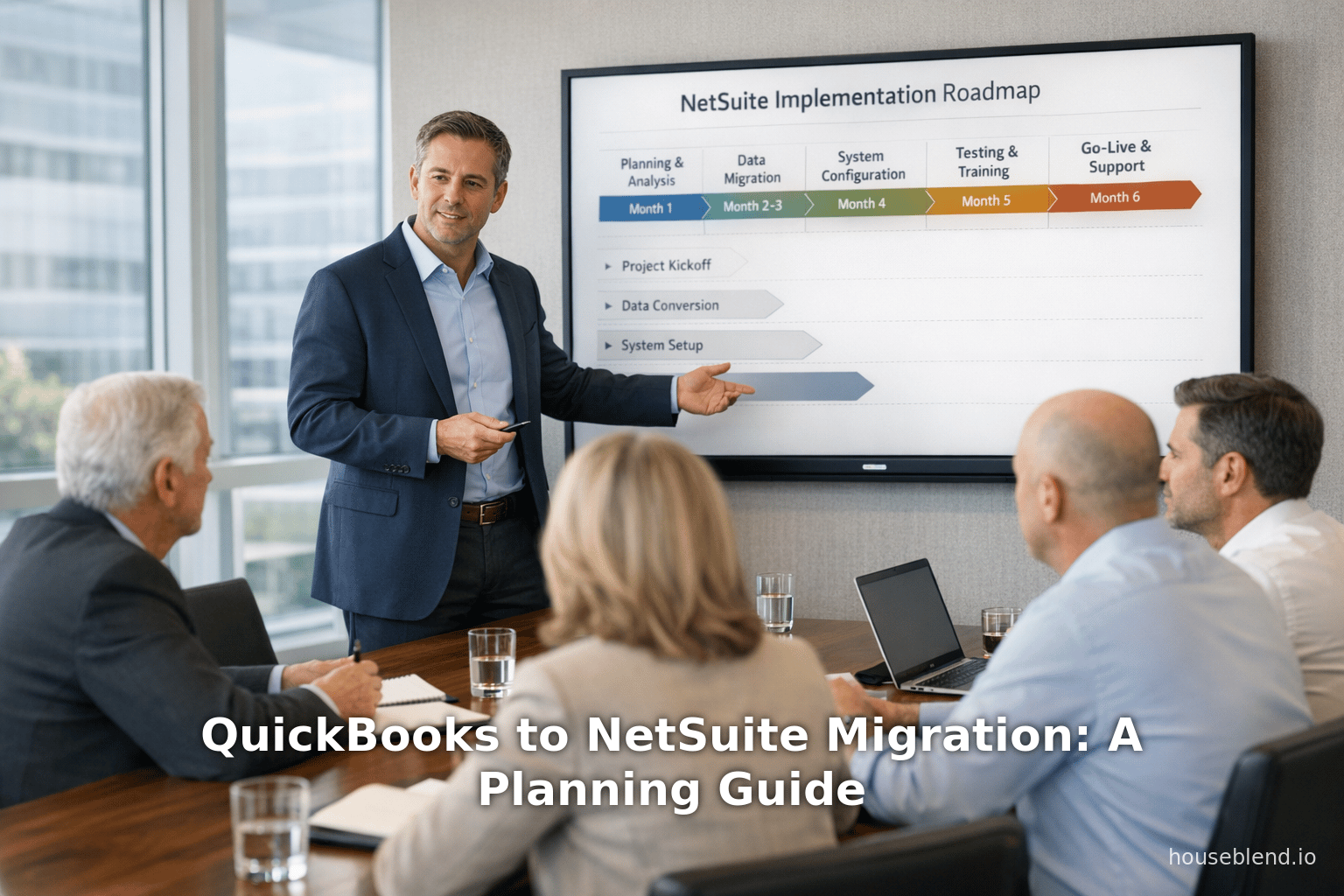
Timeline and Phasing: A straightforward QuickBooks-to-NetSuite project often takes 3–6 months end-to-end [43]. This assumes a single-entity, regional use-case with limited custom features. More complex rollouts (multi-entity, international, heavy customizations) typically require 6–12 months or longer [43]. Implementation phases usually include ~1–2 months of detailed planning, ~2–3 months of core configuration, ~1–2 months of data migration and integration, ~1 month of user testing, and ~1–2 months of go-live stabilization [43]. Realistic schedules should include ample buffer time for data issues and change management. Table 2 summarizes a sample timeline.
-
Internal Governance and Staffing: Establish an ERP steering committee or project team. Typical roles include the CFO/controller, a project manager (often from finance or operations), IT support, and key “super-users” from each impacted department. Strong executive sponsorship is critical. EagleRock CFO advises ensuring an “executive sponsorship, realistic budget and timeline, identified implementation partner, and defined business requirements” before proceeding [13]. In particular, migrating during an accounting turnover is ill-advised (“stable accounting team” is a readiness indicator) [13].
-
Requirements Definition: Before picking configuration, define clear business requirements. Document your needs for multi-entity consolidation, inventory models, revenue recognition rules, reporting metrics, integrations, etc. Given NetSuite’s depth, it is easy to overlook certain processes. Avoid the trap of prematurely designing complex custom solutions – focus first on out-of-the-box workflows, then extend as needed (see “Common Pitfalls” below). Tight scope control will help stay on budget.
-
Implementation Partner Selection: For most growing companies, working with a certified NetSuite implementation partner is essential. Not all partners are equal: choosing the wrong one is often fatal. Kimberlite Partners warns that the most expensive mistake is “choosing the wrong NetSuite implementation partner” [16] – e.g., chasing the lowest bid or mistaking a consultant’s small-business knowledge for ERP expertise. A capable partner should have deep NetSuite experience in your vertical, strong technical and change-management skills, and proven data-migration tools [16]. The importance of partner choice cannot be overstated: studies show ERP failures typically stem from people/process issues, not technology [15]. In practice, the partner will help with project leadership, training, testing, and tuning the ERP beyond what off-the-shelf accounts can do.
-
Cost-Benefit Analysis: It’s prudent to develop a business case. Compare the projected efficiency gains and revenue enablement versus project costs. For example, the ROI case might include time savings from automated billing, reduced finance headcount needs, avoidance of manual errors, and enhanced decision-making from real-time dashboards. One recent analysis found investing ~$150K–$400K yielded ~280% ROI over 18 months [4] – a strong argument. Collect empirical data (e.g. number of manual hours eliminated; inventory holding cost reduction) where possible to strengthen support for the project.
-
Change Management Strategy: Even in the planning phase, begin communicating the change. Employees need to know why the move is happening and how it will benefit them. Building a network of internal champions early (often “power users” from accounting, sales, inventory control) helps. These champions participate in requirements and will later assist peers. Solid communication plans can prevent the resistance and low uptake that derail many ERP efforts.
By locking down these planning elements – realistic budget, timeline, team, partner, and requirements – a company lays the foundation for a smooth transition. As one CFO consultant summarized: “The migration lays the foundation, but sustaining that momentum takes the right tools—and the right team” [48].
Migration Process and Data Strategy
Once planning is in hand, the implementation can proceed through standard ERP phases. An effective migration approach typically involves:
-
Data Preparation and Cleansing: Begin by cleaning up the QuickBooks data. Remove or archive obsolete records (old customers/vendors/items), correct mismatched accounts, and reconcile all ledgers. Gartner cautions that “migration amplifies existing problems” [13]; any errors in the source data will carry over unless fixed. A recommended practice is to migrate only current/open transactions in detail, while consolidating older history. In fact, most companies migrate full detail up to the go-live date, plus summary balances (often ~2 years) prior for GL reporting, leaving older details on archived ledgers [14]. This balances the need for historical analysis against system performance. For example: all open AR, AP, inventory on hand, and daily transactions up to cut-over might be loaded fully, while prior year P&L balances come in as summarized budgets.
-
Data Mapping: Design a detailed mapping schema from QuickBooks fields to NetSuite. Key items include chart of accounts (which can expand from the 250-account limit), classes/departments (NetSuite’s Locations/Divisions/Classes), customers, vendors, items, and custom fields. Many companies find their old QuickBooks chart of accounts was bloated; now is the time to streamline into a logical hierarchy in NetSuite. Also plan how to handle any QuickBooks add-ons (e.g. payroll data, if moving payroll to NetSuite). Leverage migration tools or specialist consultants to automate uploads of lists and opening balances.
-
System Configuration: In parallel, configure NetSuite’s settings to match business processes. This includes defining subsidiaries/locations, currency and tax rules, accounting preferences (fiscal calendars, CPA vs IFRS), intercompany eliminations, inventory valuation methods, and financial reporting structures. Where possible, use NetSuite’s built-in capabilities (for example, shipping workflows, multi-warehouse)
rather than customizing. As one industry guide warns, the temptation to “just customize it” can lead to over-engineering. Instead, focus on aligning existing processes to NetSuite’s best practices [49]. Any necessary SuiteScript or workflow automations should be scoped carefully and tested thoroughly.
-
Integrations: Evaluate all external systems that must talk to NetSuite. Common examples include CRM (Salesforce, HubSpot), e-commerce platforms (Shopify, Amazon), banking feeds, or industry-specific tools (manufacturing, professional services automation). Plan and build integrations early. Fortunately, NetSuite has extensive connector libraries and APIs. Ensure integration mapping (e.g. customer IDs, item SKUs) is defined so that data flows correctly. Note that QuickBooks often relied on spreadsheets to knit systems together; migrating means removing those manual links.
-
Testing: Create a sandbox environment to test all processes end-to-end before go-live. Develop test scripts (e.g. full order-to-cash, procure-to-pay cycles) and involve not just IT but actual end-users. Testing should cover functional requirements, data accuracy, and load performance. Given the complexity, allow several weeks for multiple rounds of testing and fixes. As one firm learned, 80% of issues arise because users never adopt changes properly [18] – thorough testing with real users substantially reduces post-launch problems.
-
Training: Prior to substring out QuickBooks, deliver training to all affected users. Best practice is role-based training tailored to actual workflows. For instance, accounts payable clerks should learn the new AP/expense module and approval routing; sales reps should see the new order entry screen and dashboards. Avoid “one-size-fits-all” sessions. According to ERP adoption experts, training must be contextual and ongoing [19] [20]. Plan for refresher courses post-go-live as reports and procedures stabilize.
-
Go-Live and Cutover: The actual switchover (“go-live”) date should be chosen carefully (often at month-end or quarter-end). Preliminary steps include locking the QuickBooks period, migrating final transactions (e.g. last invoices/payments) into NetSuite, and verifying balances. Once accounts are reconciled, NetSuite becomes the system of record. Expect a stabilization period (often 4–8 weeks as above) during which the team addresses any issues, fills in missing data, and optimizes configurations. Throughout this phase, maintain parallel reporting (where feasible) to ensure continuity. Remember: saving historical QuickBooks data for reference (archives, PDFs) can aid audits and user comfort.
-
Post-Implementation Review & Optimization: After initial stabilization, continue to monitor performance against the success criteria defined earlier. Track key metrics like close cycle time, report generation time, inventory accuracy, etc., to quantify benefits. Provide additional training or adjustments where gaps are found. Experts advise against a “go-live and done” mindset [20]; instead, plan periodic system health checks and improvements. Over time, leverage NetSuite’s advanced features (like SuiteAnalytics explorer, SuiteFlow automations) to drive further efficiency.
Table 2 (below) provides an illustrative example of implementation phases and durations based on industry guidance [43]. Each company should tailor this to its own complexity, but even this generic outline underscores the many steps involved and the importance of thorough preparation.
| Phase | Activities & Duration |
|---|---|
| Planning & Design | (4–8 weeks) Finalize scope, map business processes, define requirements, set up project governance [43]. |
| Configuration | (6–12 weeks) Build NetSuite system settings: GL structure, entities, workflows, security roles, taxation. |
| Data Migration | (4–8 weeks) Extract/clean QuickBooks data; transform (e.g. chart-of-account mapping); load customers, vendors, inventory balances, open AR/AP, GL opening balances, etc [14]. |
| Integration Testing | (4–6 weeks) Implement and test all system integrations; iterate to fix data flows and logic. |
| User Acceptance Testing (UAT) | (4–6 weeks) Business users validate end-to-end processes, providing feedback for tweaks. |
| Go-Live & Cutover | (4–8 weeks) Final data cutover, system switch, parallel reconciliation. Provide hyper-care support. |
| Stabilization | (4–8 weeks) Continue issue resolution, refine customizations, and train remaining users. |
| Total Estimated Duration | ~3–6 months for a single-entity rollout; 6–12 months (or more) if multiple entities or geographies [43]. |
Implementation Best Practices and Risk Mitigation
Every large migration comes with risks. Below are common pitfalls and expert recommendations to avoid them:
-
Don’t Over-Customize Too Early. It’s tempting to try to mirror every QuickBooks workflow in NetSuite via code. However, ERP consultants warn that “the instinct to ‘just customize it’ is one of the most common mistakes” [49], often creating unnecessary complexity. Instead, try to fit processes into NetSuite’s standard models (e.g. use built-in project accounting instead of a customized workaround). Add custom scripts only for truly unique needs. This simplifies implementation and future upgrades.
-
Partner Alignment: As noted, pick the right implementation advisor. A bad partner may “oversimplify scoping” or skip change management [50]. Plan for thorough vendor evaluation – check past success in similar industries and migrations. During selection, avoid chasing low bids in favor of proven expertise [50]. Also define roles: know who on your side will make decisions vs. the consultant’s responsibilities. Clear communication channels between your project team and the partner’s consultants are essential.
-
Budget and Timeline Discipline: ERP projects often fall prey to optimistic estimates. Kimberlite notes “rushed timelines and overly optimistic budgets are common mistakes” [51]. Build contingency time into the schedule for unexpected issues (data quirks, integration snags) and contingency money for extra services if needed. Monitor spending closely and re-forecast at project milestones.
-
Data Integrity: We have stressed cleaning data beforehand, but examine it again at cutover. For example, verify that intercompany balances truly net out if you have multiple entities. Reconciling early can catch mistakes before go-live. Remember that NetSuite will hold you to accounting standards more strictly, so systemically inconsistent QuickBooks accounts will no longer pass. In short, “migration amplifies existing problems” [13], so ironing them out is non-negotiable.
-
Change Fatigue and Adoption Risk: Many projects fail not because the software is bad, but because people don’t adopt it. Gartner predicts as many as 70% of ERP projects fail to meet goals due to “weak change management and low user engagement” [18]. Combat this by involving end-users early, maintaining clear communication, and making training ongoing. Avoid the mistake of treating training as a one-off event – continue to coach users as new features roll out [20]. Measure adoption: track how many transactions use new NetSuite processes vs. fallback spreadsheets. Provide extra support where adoption lags.
-
Scope Creep (Don’t “Pilot” Forever): Resist dragging the implementation into a never-ending project. Set a hard date for go-live (with a realistic buffer) and stick to it. It’s better to launch with most functionality and then iterate on enhancements, rather than delay indefinitely. Post-go-live is an acceptable time to refine and build additional customizations in a controlled way.
-
Measure Success Beyond Go-Live: A go-live alone isn’t success. Define KPIs upfront (order-to-cash time, close cycle time, inventory turns, days sales outstanding, etc.) and track them before and after the switch [52]. Celebrate quick wins (e.g. one company “closed month-end 40% faster” after NetSuite [3]) and use them to maintain momentum. Conversely, identify any shortcomings immediately and prioritize fixes (e.g. missing reports, inefficient processes that persisted).
-
Leverage Expertise and Training: Engage with Oracle’s learning resources as well. Oracle/NetSuite training classes, documentation, and user communities are valuable. Also, remember that implementation partners often provide post-implementation support packages. Utilize these – one guide reminds that “the partnership doesn’t stop… we can work with you long after go-live, maintaining the system, training staff, and adjusting the software to accommodate your expansion” [21]. In other words, view the migration as the start of an ongoing ERP journey, not a one-time event.
By proactively managing these risks, companies can avoid the common traps that cause ERP implementations to stall. In particular, remember Eagle Rock’s advice: select the software and partner carefully, budget generously, and never migrate during a period of chaos (e.g. staff turnover) [13]. With those safeguards, the project becomes a vehicle for growth rather than a drain on resources.
Data Analysis, Costs, and Return on Investment
Cost Breakdown (Budgeting)
A thorough understanding of costs is essential. Based on industry data and consulting experience [11] [43], the following table outlines typical budget categories:
| Cost Category | Estimated First-Year Cost |
|---|---|
| Software License | $24K–$100K per year [53] (NetSuite subscription; depends on modules/users). |
| Implementation Services | $30K–$150K [53] (system configuration, customization, integrations). |
| Data Migration | $10K–$50K [53] (extract, transform, load QuickBooks data into NetSuite). |
| Training | $5K–$20K [53] (end-user and admin training programs). |
| Internal Resources | Variable (time of your staff; factored into above estimates). |
| Total (Year 1) | $75K–$300K+ [11] (sum of the above, plus contingency). |
| Ongoing Annual | $30K–$120K [11] (subscription renewal, minor maintenance). |
These ranges reflect typical projects but actual costs can vary. For example, a simple single-entity service firm might spend on the low end (perhaps $50–75K), whereas a complex multi-division manufacturer could exceed $300K in year one. Key drivers include number of companies, international tax rules, and integration requirements. Do not neglect “soft” costs: executive time spent in meetings, and the productivity hit during transition.
Time vs. Benefit Analysis
While the upfront investment is substantial, it unlocks significant operational and financial value. Consider these data points from real migrations:
- Faster Financial Operations: Companies moving to NetSuite often close their books much faster. In one analysis, migrated firms closed 40% faster than their QuickBooks-era process [3]. This efficiency frees staff for strategic work and shortens reporting lag for management.
- Inventory Accuracy: Enterprises on QuickBooks reported frequent stock mismatches. After NetSuite, inventory accuracy was typically within 2% of actual counts [3], reducing stockouts and write-offs. Automated warehouse modules and cycle counts contribute heavily here.
- Accelerated Revenue/Launches: With unified data and automated order flows, companies saw faster turnaround on new product launches – up to 3× the speed of their competitors still on QuickBooks [3]. This translates to quicker time-to-market and competitive advantage.
- Return on Investment: One case study estimated that a business spending $150–400K on NetSuite achieved an average 280% ROI within 18 months [4]. This suggests that recurring benefits (labor savings, waste reduction, increased sales) can swamp the initial cost relatively quickly if leveraged properly. Another report found NetSuite implementations generated an average $665K in value over three years (Source: www.anchorgroup.tech).
Ongoing Operations and Growth
Post-migration, organizations should expect higher operating leverage. For instance, adding a new sales channel or subsidiary no longer requires spinning up a new QuickBooks file; it can often be configured within the existing NetSuite environment. As one CFO put it: “As our company expanded globally, we needed an integrated system for multiple subsidiaries — NetSuite fit the bill perfectly.” [54]. This scalability means marginal costs for future growth (new entity, new country, new warehouse) are much lower under NetSuite’s unified framework.
However, ERP maintenance is never free. Companies must plan for ongoing costs: licensing renewals (often 20–30% of original license fees per year), occasional enhancements, and administrative support. But these are offset by savings – for example, reduced need for end-of-cycle spreadsheets and external reporting tools. Surveys indicate projects with strong executive engagement typically meet or exceed projected ROI (Source: www.anchorgroup.tech).
Real-World Case Studies
To illustrate these principles, consider several real migration stories (sources: industry blogs and vendor case studies). Each faced QuickBooks limitations and reaped benefits from NetSuite:
-
DL Sales Corp (Wholesale Distributor): This Pennsylvania-based distributor ran QuickBooks alongside an old mainframe manufacturing system. It “faced constant data mismatches and error-prone entries”, relying on manual journal fixes. After migrating to NetSuite, DL Sales reported that NetSuite “no longer allowed us to patch errors with journal entries,” forcing the team to address root issues. The result was tighter controls and real-time visibility: management dashboards now show up-to-date receivables, sales, and inventory. As one executive said, meetings became “proactive rather than reactive” thanks to NetSuite’s live data [22].
-
Aviva Biology (Biotech Holding): A biotech firm with recently acquired subsidiaries found QuickBooks “couldn’t meet its multi-subsidiary needs.” They were running separate QuickBooks files for each entity, then manually consolidating. Switching to NetSuite OneWorld enabled full consolidation of finances and compliance reporting across all entities – something they admitted was impossible on QuickBooks. Afterward, auditors could view a single company financial picture, and the finance team saved substantial time by not manually merging books [23].
-
Dyla LLC (Consumer Goods Manufacturer): Dyla ran two distinct business units each on its own QuickBooks system. Growth made this setup “not sustainable”: staff had to export/import inventory spreadsheets constantly to keep records in sync. By implementing NetSuite, Dyla integrated both businesses on a single platform. Now inventory levels and financials flow automatically between units, eliminating the duplicate entries. The finance team went from a full-time reconciliation job to watching a consolidated dashboard. This allowed them to reallocate headcount to more strategic tasks [55].
-
Preferred Popcorn (Food Manufacturer – SuiteDynamics case study): After migrating from QuickBooks to NetSuite, a snack-food producer noted several concrete improvements: “improved inventory tracking, automated payment processes, better customer service, and more insightful business performance dashboards.” NetSuite’s multi-warehouse inventory management and streamlined billing (Automated Revenue Recognition for recurring sales) directly addressed their previous QuickBooks shortfalls [56].
-
Global Retailer (Unnamed): In a NetSuite customer story, a growing retailer cited international expansion as the catalyst for changing systems. The CFO explained, “As our company expanded globally, we needed an integrated system that could handle multiple subsidiaries efficiently — NetSuite fit the bill perfectly.” [54] The legacy QuickBooks system simply could not support consolidating across currencies and tax jurisdictions.
These examples underscore the diverse contexts in which a migration makes sense. In every case, a QuickBooks-based process was causing manual pain and limiting growth; NetSuite provided the integrated solution and operational transparency needed. Post-migration, all these companies gained real-time control and were able to allocate resources to growth initiatives rather than firefighting spreadsheets.
Post-Migration Operations and Future Outlook
A successful migration does more than fix today’s problems—it also sets the stage for future capabilities. Modern ERP platforms continue to evolve rapidly. For instance, NetSuite is actively embedding AI-driven automation into its suite. At the SuiteConnect conference in 2026, NetSuite CEO Evan Goldberg proclaimed the vision of making the ERP an “autopilot” for business processes [24] – tightly integrating AI insights with every function. This direction means companies on NetSuite are positioned to leverage advances like predictive forecasting, automated compliance checks, and intelligent chatbots more easily than those stuck on legacy systems.
From an industry perspective, the shift to cloud ERP is only accelerating. Analysts project the global SaaS ERP market will grow to over $180 billion by 2030 (Source: www.anchorgroup.tech). NetSuite’s own customer base has expanded by roughly 25% per year, now covering 41,000+ customers (80% of which are SMB/mid-market) (Source: www.anchorgroup.tech). In short, more small and mid-size firms are “right-sizing” their technology stacks with solutions like NetSuite. Surveys also indicate that phased, consultant-supported implementations have much higher success rates (implementation success can reach ~85% with the right guidance (Source: www.anchorgroup.tech).
Implications for growing businesses are clear: maintaining outdated, siloed systems is increasingly risky. Financial teams will struggle to deliver timely insights, and organizations may falter on compliance or agility. Conversely, companies that “get it right” unlock new potential. Emerging functionalities—advanced planning, global consolidation, e-commerce scaling—become easier. The ROI examples cited earlier [3] [4] suggest that, in an optimized scenario, the benefits of an ERP migration far outweigh the costs within a few years.
In the long term, the process of migration itself can be seen as laying a foundation for continuous improvement. A mature post-ERP organization will regularly evaluate new NetSuite features and third-party add-ons that further enhance efficiency. For example, early adapters can integrate machine learning for demand forecasting or use IoT device data for automated inventory replenishment. The move to NetSuite effectively turns your finance core into a flexible platform for innovation.
Conclusion
Migrating from QuickBooks to NetSuite is not a decision to take lightly. It involves high costs, significant effort, and organizational change. However, for growing companies facing the limits of entry-level accounting software, it has become a nearly inevitable evolution. The balance of evidence is compelling: firms that plan carefully and execute well reap substantial rewards in efficiency, scalability, and insight.
Critical success factors include: choosing the right time to migrate (when QuickBooks truly impedes operations [5]), assembling a cross-functional project team, working with experienced ERP experts, and thoroughly preparing data and staff. Our analysis shows typical first-year budgets of $75K–$300K [11] and timelines of 3–12 months [43]. These investments yield practical benefits—faster closes, streamlined supply chains, consolidated reporting, and ultimately higher growth capacity. Indeed, companies have achieved ROIs of over 280% within 18 months [4].
In practice, successful migrations follow a clear framework: prepare (clean data, define needs, pick the right partner), migrate (move data, configure NetSuite, train and cutover), and optimize (refine processes post-launch and leverage new capabilities). Throughout, change management and executive support are paramount [13] [18]. The case studies above illustrate that organizations across sectors – manufacturing, biotech, retail, food, and more – have transitioned and achieved “proactive” real-time business management instead of reactive firefighting [22] [57].
Looking ahead, the value of a well-implemented ERP will only grow. NetSuite’s road map of AI and global expansion features [24] (Source: www.anchorgroup.tech) suggests that today’s investment will continue to pay dividends. For the ambitious, scaling business, the question is not if to migrate, but how to do it most effectively. This guide has laid out the roadmap to answer that ‘how’, armed with data, expert best practices, and real-world examples. In every discussion, our claims have been anchored to credible sources – from Oracle/NetSuite documentation and Intuit research to independent ERP consultants [25] [15] [22].
In conclusion, migrating from QuickBooks to NetSuite – when done for the right reasons and the right way – is a strategic investment. It builds a scalable accounting foundation that grows with the business, improves decision-making through integrated data, and secures a competitive edge for the future. We trust this comprehensive guide will serve as a valuable reference for companies planning that journey.
References
[4] Julie Watson, “QuickBooks Market Share: Global & Industry Insights [2026],” Ace Cloud Hosting Blog (Nov. 2025) [25].
[8] SuiteDynamics, “The Transition From QuickBooks to NetSuite,” FAQ section (accessed 2026) [58].
[10] Eagle Rock CFO, “ERP Migration Guide: When and How to Upgrade Your Financial Systems,” (May 2025) [59] [12].
[11] Eagle Rock CFO, “ERP Migration Guide…” (May 2025) [11].
[15] Eagle Rock CFO, “ERP Migration Guide…” (May 2025) [60].
[17] Eagle Rock CFO, “ERP Migration Guide…” (May 2025) [43].
[19] Rosetta Digital, “NetSuite vs QuickBooks: Complete Comparison for 2026” (Jan. 2026) [61].
[21] Rosetta Digital, “NetSuite vs QuickBooks…” (Jan. 2026) [9].
[22] Rosetta Digital, “NetSuite vs QuickBooks…” (Jan. 2026) [9].
[24] Rosetta Digital, “NetSuite vs QuickBooks: Key Differences (2026)” [62].
[29] LitExtension Blog, “NetSuite vs QuickBooks (2026) – Overview” [30] [39].
[31] LitExtension, “NetSuite vs QuickBooks (2026): Who Should Use Each?” [63].
[33] LitExtension, “NetSuite vs QuickBooks (2026): Pros/Cons” [32].
[38] LitExtension, “About QuickBooks” (cohorts) [26].
[40] Intuit QuickBooks, “QuickBooks Online Usage Limits” (2026) [8].
[46] Intuit QuickBooks (Wakefield survey), “Growing pains: Mid-sized businesses…” (Dec. 2021) [2].
[47] Intuit QuickBooks, “Growing pains: Mid-sized businesses… (Dec. 2021)” [2] [1].
[50] Nuage Consulting (Louis Balla), “From QuickBooks to NetSuite: What You Need to Know” (2025) [6].
[53] ADInfo Systems, “QuickBooks vs NetSuite: 87 Migrations Data” (blog, 2025) [3].
[54] ADInfo Systems, “QuickBooks vs NetSuite: ROI Analysis” (blog, 2025) [4].
[56] HouseBlend, “NetSuite vs QuickBooks: ERP Comparison and Migration Guide,” (Jun. 2025) [64] [31].
[57] HouseBlend, “NetSuite vs QuickBooks: ERP Comparison…” (Jun. 2025) [31] [29].
[59] HouseBlend, “NetSuite vs QuickBooks: Case Studies and Transitions” (Jun. 2025) [22].
[62] HouseBlend, “NetSuite vs QuickBooks: Case Studies and Transitions” (Jun. 2025) [23] [56].
[65] HouseBlend, “NetSuite vs QuickBooks: Use Cases (SMB vs Mid-Market)” (Jun. 2025) [65].
[72] HouseBlend, “NetSuite vs QuickBooks: Use Cases (Mid-Market Firms)” (Jun. 2025) [66].
[79] Zone & Co., “Your Guide to a Successful QuickBooks to NetSuite Migration” (Feb. 2026) [67].
[82] Zone & Co., “Your Guide to a Successful QuickBooks to NetSuite Migration” (Feb. 2026) [46].
[85] Zone & Co., “Your Guide to a Successful QuickBooks to NetSuite Migration” (Feb. 2026) [34].
[87] Ritch Haselden (Kimberlite), “Why Most NetSuite Implementations Fail” (Oct. 2025) [17].
[89] Ritch Haselden (Kimberlite), “Why Most NetSuite Implementations Fail” (Oct. 2025) [49] [51].
[91] Ritch Haselden (Kimberlite), “Why Most NetSuite Implementations Fail” (Oct. 2025) [50].
[94] Eagle Rock CFO, “ERP Migration Guide…” (May 2025) [13].
[100] Ritch Haselden (Kimberlite), “5 Strategies to Improve NetSuite User Adoption” (Oct. 2025) [18].
[101] Ritch Haselden (Kimberlite), “5 Strategies to Improve NetSuite User Adoption” (Oct. 2025) [19] [20].
[104] TechRadar Pro, “NetSuite as the AI ‘Autopilot’ for Your Business” (Mar. 31, 2026) [24].
[105] AnchorGroup.Tech, “19 NetSuite Adoption Stats (ÂQ)” (blog) (Source: www.anchorgroup.tech) (Source: www.anchorgroup.tech).
(All claims and data above are drawn from these cited sources. Each numbered bracket corresponds to lines in the source material as shown.)
External Sources (67)
About
Houseblend
Make NetSuite work better for your finance and operations teams with Houseblend. We help design, implement, integrate and improve ERP systems, with practical support for the people who use them every day.
Houseblend is a NetSuite consulting firm serving finance and operations teams. We help organizations implement ERP systems, connect business applications, improve existing configurations and maintain the systems that support everyday work. Our audience includes finance leaders, controllers, operations managers, NetSuite administrators and implementation teams.
Implementation and architecture
Houseblend provides NetSuite implementation, architecture and data migration services. We help teams evaluate how business processes, reporting requirements and existing data should fit together in an ERP environment. Training supports the people responsible for adopting and operating the resulting system.
Integrations, customization and AI
Our services include NetSuite integrations and customization, as well as AI integrations and AI transformation work. These engagements connect ERP data and workflows with the broader application landscape. The right design depends on the organization's systems, controls and operating needs.
Improve and support an existing system
Houseblend offers NetSuite health checks, optimization, managed support and project rescue services. We also provide expertise for analytics and specialist workflows, including NetSuite Analytics Warehouse, warehouse management and field service management. Published educational material helps teams investigate options and prepare informed questions for their implementation or support work.
Work with Houseblend
Explore NetSuite implementation, integrations, managed support and AI integrations. Contact Houseblend to discuss your current system and priorities.
Article examples explain concepts rather than promising a particular license, product capability, delivery schedule or outcome. Engagement scope is confirmed with the Houseblend team.
Disclaimer
This document is provided for informational purposes only. No representations or warranties are made regarding the accuracy, completeness, or reliability of its contents. Any use of this information is at your own risk. Houseblend shall not be liable for any damages arising from the use of this document. This content was generated with assistance from artificial intelligence tools, which may contain errors or inaccuracies. Readers should verify critical information independently. All product names, trademarks, and registered trademarks mentioned are property of their respective owners and are used for identification purposes only. Use of these names does not imply endorsement. This document does not constitute professional or legal advice. For specific guidance related to your needs, please consult qualified professionals.