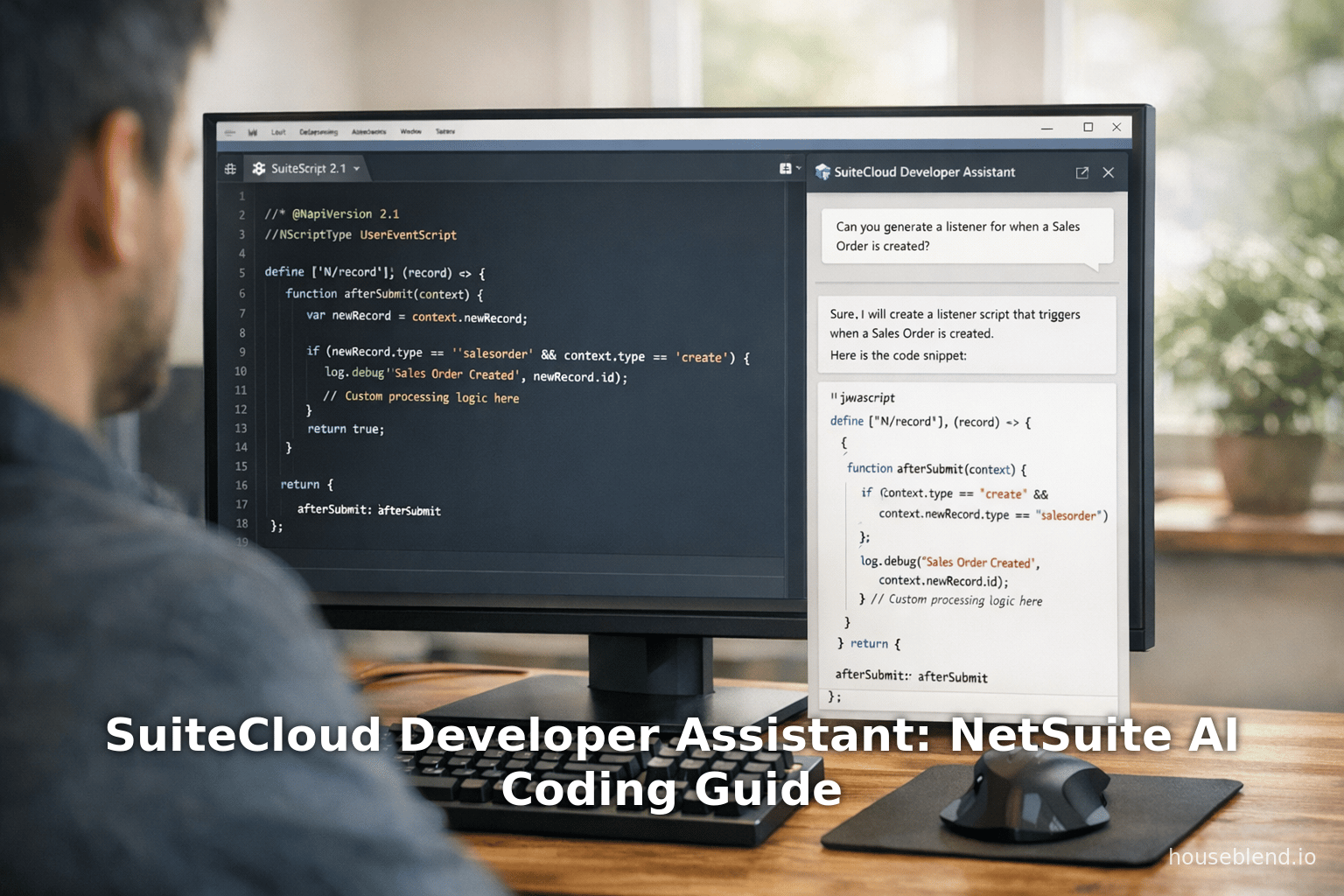
Houseblend Article
SuiteCloud Developer Assistant: NetSuite AI Coding Guide
Inside this article
- 01Executive Summary
- 02Introduction and Background
- 03SuiteCloud Developer Assistant Overview
- 04Setup and Configuration
- 05Using the SuiteCloud Developer Assistant
- 06Technical Architecture and Model
- 07Prompting and Best Practices
- 08Case Studies and Examples
- 09Implications for Productivity and Adoption
- 10Security, Compliance, and Best Practices
- 11Industry Perspectives and Research Findings
- 12Future Directions and Implications
- 13Conclusion
Executive Summary
The SuiteCloud Developer Assistant is a newly introduced AI-powered coding assistant for the Oracle NetSuite SuiteCloud platform (released in NetSuite 2026.1, designed to augment SuiteScript and SuiteCloud development. It is deeply integrated into the existing SuiteCloud IDE (Visual Studio Code with the SuiteCloud Extension) via the Cline extension, and it uses large language models (LLMs) fine-tuned specifically for NetSuite’s SuiteCloud environment [1] [2]. By accepting natural-language prompts from developers, the Assistant can suggest and even automatically insert SuiteScript 2.1 code, XML-based SDF (SuiteCloud Development Framework) custom objects, and supporting artifacts (such as unit tests, documentation stubs, and setup instructions) [3] [4]. All proposed changes require explicit developer approval before being applied, preserving control and quality.
Anticipated benefits include increased developer productivity, accelerated project scaffolding, and reduced repetitive coding effort. Indeed, industry studies suggest widespread adoption of AI coders – surveys estimate that 80–93% of developers now use some form of AI assistant in their workflows [5] [6], and typical users report saving on the order of several hours per week (e.g. ~3–4 hours) [5] [6]. However, real-world experience with AI tools shows mixed results: some analyses report dramatic output gains (20–40% faster code writing) (Source: www.index.dev), while others find only modest productivity improvements (~10%) without complementary process changes [7] [5]. In the specialized context of NetSuite development, early feedback highlights both the promise and the current limitations of SuiteCloud Developer Assistant. Oracle documentation and early adopters praise its ability to generate boilerplate scripts and tests and to streamline routine tasks [4] [8], but independent developers report errors in generated SDF objects and caution that complex customizations still require careful human review (Source: timdietrich.me).
This report provides an in-depth analysis of the SuiteCloud Developer Assistant, covering: its features and technical architecture; setup and configuration in the SuiteCloud IDE; usage patterns and prompting strategies; comparisons with general-purpose AI coding tools; case studies and user experiences; empirical data on productivity and adoption; security and governance considerations; and future outlook. All claims are backed by official documentation, independent analyses, developer testimonials, and industry research. The goal is to give a comprehensive view of how this NetSuite AI coding tool works, how it performs in practice, and what implications it holds for the future of SuiteCloud development.
Introduction and Background
NetSuite (Oracle’s Cloud ERP) has long provided a rich customization platform called SuiteCloud, which includes scripting (SuiteScript), custom objects (via the SuiteCloud Development Framework, SDF), and APIs. Historically, developers build NetSuite customizations by writing JavaScript-based SuiteScript files, defining custom objects through XML/JSON manifest files in SDF, and deploying via command-line tools or the SuiteCloud VS Code extension. As of early 2026, Oracle has added generative AI into this ecosystem. At SuiteWorld 2025 (October 2025), Oracle announced a new SuiteCloud release with broad AI innovations, including the SuiteCloud Developer Assistant [9] and other AI toolkits for internal data analysis, custom agents, and enhanced workflows [10] [9]. The aim is to bring the latest AI advances directly into the SuiteCloud developer workflow.
According to Oracle’s official statement, SuiteCloud now enables “customers, partners, and developers to integrate leading AI models, design custom AI agents, and compose AI-driven workflows” [11]. Among the AI Assistants announced was the SuiteCloud Developer Assistant, described as an “AI-powered coding companion” that will “accelerate coding, documentation, customization, and testing by reducing time spent on repetitive tasks” [9]. This aligns with a general industry shift: modern IDE workflows increasingly incorporate AI code assistants (e.g. GitHub Copilot, Amazon CodeWhisperer, Tabnine) to suggest code, automate boilerplate, and even refactor or explain code. Surveys in 2024–2026 indicate that vast majorities of developers (often >75–90%) have adopted AI coding tools in some form (Source: www.index.dev) [5]. Motivations include speeding up routine tasks, learning unfamiliar APIs faster, and catching common errors – though trust and quality remain concerns. For example, a 2026 survey reported ~78% of developers saw productivity gains with AI coding, saving ~3.6 hours per week on average [6], yet only ~33% fully trust AI-generated code without review, and defect rates can be higher in unreviewed AI code [6].
Against this backdrop, the SuiteCloud Developer Assistant aims to provide a domain-specific AI tuned to NetSuite’s unique framework (SuiteScript 2.x, SuiteFlow workflows, custom records, etc.). Unlike general-purpose GitHub Copilot or ChatGPT, the NetSuite tool understands NetSuite’s data model and object schemas. As a result, in theory it can offer more accurate suggestions for tasks like creating a custom record or writing a Suitelet. Oracle claims it uses “advanced language models specifically designed for SuiteCloud and SuiteScript” [2][12]. In practice, this means the assistant’s LLM has been trained/fine-tuned on NetSuite-specific documentation and code examples, though exact details are proprietary.
This report covers all aspects of this tool. We begin with historical context on SuiteCloud development and earlier AI practices, then describe the SuiteCloud Developer Assistant’s objectives and capabilities as per Oracle’s documentation. We provide a step-by-step setup guide (since configuring the assistant involves several components), and explain the user experience: how developers prompt the assistant, what outputs it provides, and how one manages the results. We then analyze performance and quality, including examples from early users and comparisons to other AI coding assistants (e.g. Copilot, Claude Code, Cursor), noting strengths and weaknesses. We discuss security, compliance, and best practices for safe use. Finally, we offer case studies, explore measurable outcomes and industry feedback, and speculate on future directions for AI in SuiteCloud. Every claim is supported by citations from Oracle’s docs, analyst reports, and practitioner accounts.
SuiteCloud Developer Assistant Overview
The SuiteCloud Developer Assistant (SDA) is an AI-driven coding assistant introduced in NetSuite’s 2026.1 release. According to Oracle’s documentation, it is “designed for SuiteCloud developers”, integrated into Visual Studio Code via the SuiteCloud Extension and the Cline extension [1] [12]. The key idea is real-time, context-aware assistance: as a developer works on a SuiteCloud project, the assistant can analyze the existing codebase and generate new code or configuration based on natural-language prompts. The official feature list highlights:
- Real-time coding assistance: The assistant provides suggestions and guidance within the SuiteCloud project as you code [8].
- Automated code generation: It can generate SuiteScript 2.1 scripts and other code snippets from descriptions (e.g. “Listener script for sales orders”) [8].
- Custom object creation: It can create and manage SuiteCloud custom objects (SDF XML definitions) to automate common tasks [13] [8].
- Unit test generation: Notably, the assistant also auto-generates unit test scripts alongside the functional code.
- Seamless IDE integration: Because it runs inside the same VS Code/SuiteCloud Extension environment and uses the Cline chat interface, developers keep their usual workflow [14] [15].
- Developer approval: Crucially, the assistant only proposes changes; the developer must approve each change before it’s applied, preserving control over the code [14] [15].
These capabilities are summarized in Oracle’s suite of docs. For example, the release-notes summary states: “SuiteCloud Developer Assistant provides AI coding support and efficiency,” offering features like “real-time, context-aware coding support” and “automated code generation” for both SuiteScript and XML objects [2] [8]. Another documentation page lists the main uses: generating SuiteScript 2.1 code, creating custom XML objects, and working within existing VSCode/Cline setup [1] [12]. In short, the Assistant is meant to streamline routine NetSuite development tasks, reducing manual effort (e.g. writing boilerplate) and helping enforce best practices.
Capabilities and Outputs
When a prompt is given, the assistant produces multiple artifacts: new SuiteScript files, corresponding unit-test files, recommended custom objects, and a narrative explanation of what was done [16]. For instance, Oracle’s usage guide notes that after a prompt the output may include “new SuiteScript files”, “unit test files”, “custom object recommendations”, and even “additional details about how the customization works” [16]. A LinkedIn report by a NetSuite engineer confirms this: in one example, the assistant returned the complete SuiteScript file, unit tests, custom object definitions, and guidance, all from a single natural-language prompt [4]. Another key output is setup instructions or next-step suggestions, which help onboard the generated code into an account. All outputs are flagged as suggestions for review; nothing is finalized without developer confirmation [15] [17].
The Assistant is optimized for SuiteScript (JavaScript/TypeScript) and related formats. Per Oracle’s docs, it is “optimized to assist with JavaScript and TypeScript in SuiteScript files, and it works seamlessly with XML and JSON formats”. It deliberately does not support unrelated languages (and it will notify users if an unsupported technology is requested) [18]. In practical terms, this means it expects your prompts to focus on SuiteScript logic and NetSuite data, and it will generate SuiteScript 2.1 templates (with correct header annotations like @NScriptType) and SuiteCloud SDF XML objects (custom records, fields, workflows, etc.).
Technology Under the Hood
Oracle indicates that the Assistant uses “advanced language models specialized for SuiteCloud and SuiteScript” [12]. Although internal details are limited, the setup requires connecting to an LLM service via the Cline extension, using a NetSuite-provided API key. Oracle’s developer blog clarifies that the LLM actually runs “within NetSuite’s environment” [19]. In practice, the SuiteCloud Extension spawns a local service (listening on a port such as 127.0.0.1:8181/api/internal/devassist) which acts as a proxy to the underlying model hosted by NetSuite’s cloud. The Cline extension is then pointed to this local base URL with the API key, using the “OpenAI Compatible” provider setting to issue requests [20] [21]. This architecture allows the LLM to leverage NetSuite’s secure environment (avoiding external data exposure) while providing a familiar OpenAI-like API interface. The context window is set extremely large (1,000,000 tokens) [22] [21], enabling the assistant to consider the entire project’s code.
The front-end agent enabling this is Cline, an open-source autonomous AI agent for code. As Oracle explains: Cline “is an open-source autonomous AI coding agent designed to operate directly within your IDE… It can understand entire codebases, create/edit files, run terminal commands… acting as an autonomous development assistant capable of executing structured multi-step tasks” [23]. Cline uses a Plan-And-Act design: in Plan mode, it analyzes prompts and the code to generate a task plan without making changes; in Act mode, it actually modifies the code as per the plan (subject to approval) [24]. This enables the SuiteCloud Dev Assistant to perform multi-step operations (e.g. create a file, insert functions, update configurations) in one go. For example, an Oracle tutorial shows Cline first listing a sequence of steps to implement a client script, then creating the file and writing the SuiteScript content automatically [25] [26].
In summary, SuiteCloud Developer Assistant marries a specialized NetSuite-trained LLM with the Cline AI agent interface, all within the familiar VS Code environment. This combination allows developers to describe their need in English and have the Assistant write the SuiteScript and SDF code automatically, while still permitting full oversight and iteration. The following sections detail the practical setup and use of this tool.
Setup and Configuration
Getting started with the SuiteCloud Developer Assistant requires several steps to ensure all components are in place. The Oracle documentation provides a clear checklist of prerequisites and configuration steps:
- SuiteCloud Extension for VS Code (v2026.1 or later): Install or update the SuiteCloud Extension for Visual Studio Code to the latest release (which includes Developer Assistant support). This extension provides the SuiteCloud project management and Cline integration [27].
- Cline Extension: Install the Cline extension for VS Code from the Visual Studio Marketplace. Cline is the AI agent interface that the Developer Assistant uses to communicate with the LLM [28] [23].
- SuiteCloud Project: Ensure you have an existing SuiteCloud project workspace in VS Code. (You can create one via the SuiteCloud CLI: e.g.
suitecloud project:create -i.) The Assistant operates on an SDF project context [27] [29]. - SuiteCloud Account and Auth ID: You must have a NetSuite account (typically a Test or Sandbox environment) and create a SuiteCloud Authentication ID (Auth ID) for it. This auth ID is then granted appropriate permissions (usually a non-Administrator role with at least customization privileges) [27] [30].
- Enable Developer Assistant and Obtain API Key: In VS Code, open the SuiteCloud Extension settings (Preferences ▶ Settings ▶ Extensions ▶ SuiteCloud). Under Developer Assistant, set the Auth ID to your account’s auth ID, and check Enable [31]. Upon enabling, a modal dialog will display an API key. Copy this key and follow the instructions to confirm setup [32].
- Configure Cline Provider: In the VS Code status bar (Cline section), click the provider/model selector. Set the API Provider to OpenAI Compatible. For OpenAI-Compatible API Key, paste the API key obtained above. For Base URL, enter the URL shown in the SuiteCloud output (e.g.
http://127.0.0.1:8181/api/internal/devassist) [20] [21]. If not auto-populated, enter Model ID asNetSuite. In Model Configuration, uncheck Supports Images and set the Context Window Size to 1000000 [22] [21]. - Verify Connection: After these settings, the status bar should show the SuiteCloud Assistant as connected/ready. You can now begin issuing prompts in the Cline chat interface within VS Code.
At this point, the developer’s VS Code environment is linked to the NetSuite LLM through Cline. All API calls to the model are routed locally but processed by NetSuite’s service. The large context window (1,000,000 tokens) means the assistant can see extensive code context – e.g. your entire project up to hundreds of files – when generating suggestions.
Below is a summary table of the key setup steps and prerequisites:
| Step | Action / Component | Notes / References |
|---|---|---|
| 1 | Install SuiteCloud Extension for VS Code (2026.1+) | Includes Developer Assistant support [27] |
| 2 | Install Cline VSCode extension | Open-source AI coding agent [28] [23] |
| 3 | Create or open a SuiteCloud project (SDF workspace) | Required project context [27] [29] |
| 4 | Create a SuiteCloud Account & Auth ID (with Dev permissions) | Stored in settings as Auth ID [27] [30] |
| 5 | Enable Developer Assistant in SuiteCloud Extension (check box) | Copy the displayed API key from popup [31] [32] |
| 6 | Configure Cline provider: set OpenAI Compatible; add API Key | Use Base URL from SuiteCloud output; Model ID=NetSuite; set Context=1000000 [20] [21] |
| 7 | Verify connection status (VS Code status bar) | Status bar shows Assistant ready; you can now chat. |
Table 1. Steps to set up SuiteCloud Developer Assistant in VS Code. Each step is documented in Oracle’s SuiteCloud Developer Assistant guide [27] [31].
Once configured, the assistant is live in the Cline chat panel. The developer can now enter prompts (see next section) and receive generated code. The Oracle setup guide emphasizes that nothing is final until approved by the user: each task the assistant proposes must be confirmed. Builds can be iterative – after reviewing the output, the user can refine prompts or ask for modifications.
Using the SuiteCloud Developer Assistant
With setup complete, developers interact with the SuiteCloud Developer Assistant via the Cline extension’s chat interface in VS Code. The basic workflow is as follows:
- Open the Cline Chat: In VS Code’s Activity Bar, click the Cline (robot) icon to open the assistant’s chat pane [33].
- Context Is Key: Ensure you are in the root of your SuiteCloud project (SuiteScript + SDF folder structure). The assistant reads the current code context. (Oracle best practices recommend that you provide any relevant background in your prompt, such as “This is a SuiteCloud SDF project using namespace X, with these existing files…” [34].)
- Enter a Prompt: Type a clear, specific natural-language prompt describing what you want. For example: “Create a client script that checks if a sales order total exceeds the current user’s approval limit (a custom field on the employee). If it does, prevent saving and show an alert; otherwise allow save.” [35]. The prompt should detail the goals, inputs (custom fields, record types), outputs (behavior), and any logic steps, to guide the assistant. (Oracle documentation explicitly advises being specific in prompts – e.g. specifying script type, object names, error-handling – to improve accuracy [36].)
- Submit and Review Plan (Optional): Cline may first generate a plan of steps. In Plan mode, the assistant can examine existing code and propose a plan for the changes without making them. The user can review this plan. (This step is implicit with the “Plan-and-Act” cycle, as described in Oracle’s tutorial [24].)
- Approve and Execute: Switch to Act mode in Cline if not already. The assistant will create new files or modify existing ones according to the plan. It might create a new
.jsfile insrc/FileCabinet/SuiteApps/…, write the script code, generate a unit test file, and update the SDF manifest XML if needed. All changes are shown in the Cline pane and can be previewed. The user must approve any file additions/changes before they are saved into the workspace (the assistant will pause for confirmation where configured [37]). - Inspect Output: After execution, the assistant typically summarizes what was done (e.g. “The requested SuiteScript 2.1 client script was created at src/FileCabinet/SuiteApps/com.example/client_po_approval_limit.js. This script validates… etc.” [38]). It also outputs the full text of the new script(s) and any configuration files. The IDE will highlight the changes.
- Validate and Iterate: The developer should carefully review the generated code. The assistant often also creates corresponding unit tests (to boost code coverage) and XML custom object definitions. Oracle’s guidance stresses validating all generated code before use [39]. If edits or additional logic are needed, the developer can either manually adjust the code, or simply ask the assistant via a new prompt for modifications (continuing the session). For example, after the assistant creates a script, one might prompt: “Add error handling to log a warning if the approval-limit field is missing”. The assistant will then refine or add to the existing files [40].
In practice, prompts range from project scaffolding (e.g. “Create a new SuiteApp project with these custom objects and forms”) to granular tasks (write this specific logic or file). Example Oracle prompts include a complex pricing analysis script (provided as an example in the docs) or a client script for order approval (see above) [41] [35]. The assistant will reply after a short processing delay. Responses usually include:
- New or updated files (SuiteScript
.js/.tsfiles, SDF.xmlfiles,.jsonfiles for data, etc.) [16]. - Narrative explanation of what was done or how the code works.
- Suggestions for next steps or setup (e.g. “Remember to deploy this script on the Customer-facing role”).
- Setup requirements, if any (e.g. “Add the new custom fields to the form”).
After each assistant action, the developer must double-check everything before deploying. Oracle explicitly warns: “Review all changes implemented by the assistant before deploying to your account” [17]. This is critical because the assistant can still make mistakes or incomplete code. If the output is not satisfactory, the user can essentially refine the prompt or ask follow-up tasks. The workflow is interactive: one project can involve multiple prompt-response cycles (iterating on the code or adding additional pieces).
Table 2 below illustrates a high-level comparison between SuiteCloud Developer Assistant and some general AI coding tools that NetSuite developers might use, based on early community feedback:
| AI Tool | Integration | Strengths | Limitations (NetSuite context) | Sources/Comments |
|---|---|---|---|---|
| SuiteCloud Dev Assistant | VS Code (SuiteCloud + Cline) | Native to NetSuite; specialized SuiteCloud/SuiteScript knowledge; generates scripts, tests, objects, deploy files [3] [4] | Early versions have errors in XML/SDF objects (wrong tags, broken manifests) (Source: timdietrich.me); limited to JavaScript/TypeScript | Oracle docs & examples [3] [8]; early dev reports (Source: timdietrich.me) |
| Claude Code (Anthropic) | VS Code (extension) | Strong multi-file context handling; effective generating/deploying SDF objects after initial setup (Source: timdietrich.me) | Requires manual context priming and iteration (“back and forth”); not turnkey | Community reports (Source: timdietrich.me) (Source: timdietrich.me) |
| GitHub Copilot (OpenAI) | VS Code, etc. | Excellent at code writing in many languages; fast for SuiteQL, general scripts, data transformations (Source: timdietrich.me) | Not specialized to NetSuite; no built-in object generation or deployment | Community anecdote (data migration feat) (Source: timdietrich.me); general Copilot docs |
| Cursor | VS Code (Microsoft Ext) | Emerging alternative to Copilot; some devs endorse for routine coding** | Similar limitations to Copilot; currently lacks NetSuite-specific training | Early community mentions (Source: timdietrich.me) (“endorsed by some”) |
| ChatGPT/GPT-based agents | Web/CLI/VSCode (via Webview) | Very flexible, can answer questions, generate code snippets; broad knowledge base | Not integrated; context window limited; no auto-deployment of files | Not specifically discussed here; known industry tool |
Table 2. Comparison of SuiteCloud Developer Assistant with popular AI coding tools. Sources include Oracle documentation and developer commentary [3] (Source: timdietrich.me) [4].
Note: The above is a simplified guide. In reality, professional teams often combine tools: using SCA for quick script templates, but using Claude or Copilot (with careful instruction) when the object/schema generation is tricky. As one independent review observed, “none of [the AI tools] works perfectly out of the box for NetSuite development. But with investment in instructions and context, they reach a level of reliability” (Source: timdietrich.me).
Technical Architecture and Model
From a technical standpoint, the SuiteCloud Developer Assistant is a layered system:
-
Local Client (VS Code + Cline): The developer remains in VS Code. The Cline extension provides a chat UI and connects to the assistant. Cline itself is an open-source “AI coding agent” that can execute prompts as multi-step code editing tasks [23]. It effectively acts as a middleman that takes the developer’s natural-language prompt, sends it to the LLM (via API), then applies any returned code changes to the local file system.
-
SuiteCloud Extension Proxy: When you enable the Developer Assistant in the SuiteCloud Extension, it launches a local service (on
localhostand the specified port) that proxies requests to NetSuite’s cloud AI service. This is why the setup requires copying an API key and base URL: the SuiteCloud Extension provides credentials and an endpoint that the Cline/LLM client can use. -
NetSuite’s AI Service (LLM): According to Oracle, the actual large language model runs within NetSuite’s environment [19]. This implies the model is hosted on Oracle’s infrastructure (likely Oracle Cloud) and not on the developer’s machine. The local VS Code client communicates over HTTP to this service. Because of NetSuite’s Model Context Protocol (MCP) infrastructure, the communication can be secure and high-throughput with large token context. The Model ID “NetSuite” suggests a custom model, possibly derived from a high-end base (e.g. GPT-4/GPT-4o-class) that has been fine-tuned on NetSuite-specific data.
-
Model Characteristics: While Oracle does not publish model details, the setup hints at some facts. The context window is set to 1,000,000 tokens [22], which is far larger than typical LLMs (even GPT-4o has a very large but not quite million). This huge window is likely an aggregate allowance to include all relevant files. The model is “specialized for SuiteCloud and SuiteScript” [1] [12], implying it has been trained/tuned on NetSuite’s scripts, help documentation, SDF XML schemas, etc. This specialization should, in principle, give it deeper knowledge of SuiteFlow workflows, custom records, and API usage than a generic LLM learned from GitHub.
Downgrading generics: One analysis contrasts SuiteCloud Assistant and general tools: general LLMs are trained on broad codebases where NetSuite content is a tiny fraction (Source: timdietrich.me). A vendor-specific training should help; e.g., the press release emphasizes “open and composable” integration of AI, suggesting custom models and agents tailored to NetSuite tasks [11]. We do know the interface is “OpenAI compatible” which implies the AI service supports the same JSON request/response format as OpenAI’s ChatGPT APIs (prompt, model name, etc.), even though the actual engine is on Oracle’s side.
- Security & Compliance: Only non-sensitive business logic should be sent. Oracle’s best practices warn never to include credentials or private data in prompts [42]. Since the prompts and the associated code context will be processed by the LLM, clients must follow their data governance policies. (An important enterprise issue is that many companies currently restrict or forbid the use of external AI services; SuiteCloud Assistant mitigates this by running the model in NetSuite’s realm.) The MCP framework also points to future support for explicitly governed prompts and connectors [10] [43].
In essence, the SuiteCloud Dev Assistant architecture is similar to an on-prem API wrapper around an LLM: the developer’s perspective is a chat agent in VS Code, but under the hood it’s forwarding requests to a cloud-hosted AI model with NetSuite-specific training, via secure channels provided by the SuiteCloud extension. This setup leverages Oracle’s infrastructure for AI inference, while giving the developer the convenience of an “OpenAI-like” experience in their IDE.
Prompting and Best Practices
Effective use of the assistant depends on how prompts are crafted. Like all LLM tools, prompt engineering is essential. Oracle’s documentation provides guidance and “best practices” for prompts [34] [44]. Key advice includes:
-
Be Specific: Clearly articulate what you want. Include the script type (client vs user-event vs suitelet), record types involved, custom field/record names, and expected logic. E.g. instead of “Write a script for approvals,” say: “Create a SuiteScript 2.1 client script that, on Purchase Order record save, checks if the total exceeds the employee’s approval limit (custentity_po_approval_limit). If so, block the save with an alert, otherwise allow it” [35]. The more details (IDs, string names, numeric thresholds) you provide, the better the assistant can generate correct code. Oracle explicitly notes that specificity “improves code quality and accuracy” [36].
-
Provide Context: Remind the assistant of relevant context. For example, specify if the developer framework is SDF (SuiteCloud Development Framework), mention any naming conventions, or refer to existing structures. For instance: “Using an SDF SuiteApp named
com.example, add a new custom record calledService_Requestwith these fields…”. The assistant has a huge context window, but explicitly naming things helps it align its output with your project. As Oracle says: “provide context (for example, SDF structure) so the assistant can tailor responses” [45]. -
Iterate on Outputs: If the assistant’s first attempt isn’t perfect, refine your prompt. You can point out errors (e.g., “It used
record.loadon a client script – update so it usescurrentRecordinstead”) and ask it to adjust. The tool is designed to continue the conversation: you can say “fix this,” or start a new chat for changes [40]. Be prepared to do several rounds, as even specialized models may misunderstand requirements. -
Watch Out for Hallucinations: Like all LLMs, the assistant can hallucinate or make up functioning code. It might invent API calls or assume configuration details. Always cross-check generated field IDs and search usage. For example, if it references a function or field that doesn’t exist, you’ll catch it during review.
-
Respect Security: As a strict rule, never include secrets or real personal data in prompts [42]. The assistant’s input is transmitted to an LLM – even if on NetSuite’s servers, sensitive PII or credentials should not be embedded. Only describe needed logic and use dummy/sample values in prompts. Also, use only the minimum required permissions for your auth ID [30].
Oracle provides an extensive “Best Practices” guide which developers should follow. It reminds users to keep code style conventions, write comments/documentation for generated code, store everything in version control, and thoroughly test the output before deploying [46] [47]. For example, new unit tests are created automatically, but these should be reviewed and enhanced as needed [48]. In general, treat AI-generated scripts as you would any third-party code: peer-review them, test them in a sandbox, and adapt as needed.
Case Studies and Examples
Understanding the assistant is aided by looking at real examples. While usage is still new, a few scenarios have been documented by the community and Oracle:
Example: PO Approval Limit Client Script
Oracle’s blog author Federico Donner walks through a sample use case. He asked the assistant (via Cline) for: “I need to create a client script that validates a custom field custbody_approval_limit on Purchase Orders… checks if PO total exceeds the employee’s approval limit (from custentity_po_approval_limit), and if so alerts the user.” In Plan mode, Cline laid out steps (analyze requirements, set file path, implement logic, add error handling) [25]. In Act mode, it automatically created a new file (client_po_approval_limit.js) with full SuiteScript 2.1 code solving the problem [49] [26]. After completion, it summarized its work: “The requested SuiteScript 2.1 client script was created at src/FileCabinet/SuiteApps/com.netsuite.pruebatres/client_po_approval_limit.js. This script validates (on save) that the PO total does not exceed the employee’s approval limit… If it does, it blocks save and warns the user; if the limit field is not present or populated, it logs a warning” [38]. This example shows the assistant producing a complete, contextually relevant solution (including best-practice commentary and error handling) with essentially one prompt. Notable aspects:
- The script uses correct NetSuite APIs and tags (e.g.
define([...], function(record, dialog){…})). - It places the file under
SuiteApps/[bundle]/…as per SDF conventions (via.nsprefix in filename). - It assumes a hidden field
custbody_employee_approval_limitto hold the user’s limit (a typical workaround since client scripts can’t perform record loads) [50]. - It generated user-friendly alert dialogues and logged warnings – showing it followed Oracle’s JavaScript style.
This case illustrates how the assistant can chain domain knowledge (NetSuite client script patterns) with logical steps. The developer only needed to review and click Approve.
Example: Pricing Optimization Script (Prompt Example)
In Oracle’s help center, another prompt example (illustrative, not full transcript) was: “Create a SuiteScript script that analyzes all information about current and new item records… incorporating custom fields for competitor pricing and track historical sales… compare current pricing with competitor pricing and historical sales to suggest optimal pricing strategies…” [41]. This complex prompt implies multiple tasks: reading item records, joining data with custom fields, doing comparisons, and generating recommendations. Though Oracle did not publish the actual output text, the fact that such multi-paragraph prompts are given implies the assistant attempts quite ambitious analytics scripts.
Community Feedback
Independent developers have started testing the tool upon release. Their reports offer contrasting perspectives.
-
Strength – Script Generation: Many find that simple to moderately complex SuiteScript code is generated accurately. As one consultant noted on LinkedIn, “from what I've tried so far it looks good… Just describe what you need and it generates the code.” In her example, a prompt about setting a custom field on high-dollar customers returned checkboxes: “☑ The complete SuiteScript file ☑ Unit tests ☑ Custom object recommendations …” [4]. She emphasized that it produced not just code but also unit tests and suggestions for next steps, and that nothing was applied without confirmation. Another commenter said the assistant “does really well with SuiteScript” after minor nudges.
-
Weakness – SDF Objects: Conversely, in-depth testing has revealed gaps in object generation. A detailed blog review reported that while the generated scripts were “pretty high quality”, the custom SDF objects (e.g. workflows, forms, records) came out “laughably incorrect” (Source: timdietrich.me). One workflow XML had the wrong top-level tag and other structural errors. Another developer lamented that Oracle’s own tool failed to produce valid objects where even generic AI (like Claude Code) could, given proper guidance. In summary: “I expected [SuiteCloud Assistant] to shine at SDF objects, but it fell flat on its face” (Source: timdietrich.me). This suggests that, at least in early 2026, the specialized model still struggles with the intricacies of NetSuite’s XML schemas.
-
Comparison – General AI Tools: The same report found that general-purpose AI tools are surprisingly effective once properly primed. After an initial “back and forth” to train it, one developer got Claude Code to reliably generate and deploy complex SDF objects (workflows with dependencies) just by saying “Deploy workflow X to my account” (Source: timdietrich.me). GitHub Copilot excels at tasks like data migrations: one team credited Copilot with reducing a multi-week Python migration project to just a few days of effort (Source: timdietrich.me). The pattern observed is that no tool works perfectly instantly, but tools like Claude/CoPilot can become highly useful once the developer invests time in prompt engineering and providing context. The SuiteCloud Assistant, being new, may catch up with updates, but at launch it is best for standard SuiteScript code and less reliable for complex object definitions.
These varied experiences underscore that developer skill in guiding the AI is crucial. Even Oracle’s own documentation cautions that LLM outputs can hallucinate or err, and advises iterative refinement of prompts. The early consensus is: use the SuiteCloud Assistant for what it does well (boilerplate, scripts, tests), and treat custom object generation as a draft to be corrected by the developer if needed.
Implications for Productivity and Adoption
Integrating an AI coding assistant into SuiteCloud development has significant potential to alter productivity dynamics. Industry data suggests that AI assistants are now mainstream: surveys report ~80–85% of developers use AI tools regularly, with many seeing moderate productivity gains [6]. In NetSuite development specifically, using AI to auto-generate SuiteScript can save hours of boilerplate coding (e.g. setting up module structure, loading records, writing basic search logic, etc.). The assistant also automates tedious tasks like crafting unit test templates, which developers traditionally write manually for coverage.
Concrete impacts reported include:
- Time Savings: In the generic AI coding world, one study found individual developers often save on the order of 20–40% of coding time with AI assistants (Source: www.index.dev), and other surveys cite a few hours/week saved [5] [6]. If similar rates held for SuiteCloud coding, a development team could accelerate simple customizations significantly. For example, writing a 100-line client script might drop from 2 hours to 30 minutes with AI help.
- Project Scaffold: The ability to generate entire new SuiteApps from a description reduces ramp-up time. A SuiteCloud project often starts with many boilerplate files (Module loading, SuiteApp config, bundle info); an AI assistant can lay these out via a prompt, whereas setting them up manually can take 15–30 minutes or more.
- Standardization: Since the assistant is trained on NetSuite’s best practices, it encourages convention. It automatically includes recommended file paths (e.g.
SuiteApps/com.namespace/...) and annotations. Over time, this could lead to more consistency in code style across development teams. - Learning Aid: For newer developers, the assistant can serve as a tutor. Prompting for an explanation or example can clarify NetSuite APIs. It effectively encapsulates Oracle’s suite of documentation in LLM form. This may raise the baseline skill level of the average developer.
However, the real-world productivity gains depend heavily on how the tool is used. As noted earlier, one cautionary industry report warns that raw capability does not guarantee ROI: “capability does not equal productivity”. Many teams find initial adoption yields only modest overall throughput improvements until workflows and QA processes adapt [7] (Source: www.index.dev). For example, if developers code faster but code review and testing pipelines do not accelerate, deadlines may not move forward much. Similarly, errors from generated code can negate time savings if substantial rework is required. Therefore, to realize value, organizations should adapt their processes: treat AI-generated code like any other incoming code (review carefully, use CI tests, update documentation).
On the adoption front, majority of NetSuite developers are likely to trial the Assistant, given how it is packaged. Since it is part of the official 2026.1 release and integrated in the SuiteCloud Extension, it will be immediately available in many environments. Oracle marketing positions it as a productivity enhancer [51] [11]. However, a full shift to AI-assisted development requires cultural acceptance. While many smaller teams or forward-looking consultants will adopt enthusiastically, enterprise customers may be more cautious due to data governance policies. For instance, some large companies forbid external AI tools for code; NetSuite’s own AI Connector (MCP) framework and on-prem support aim to address this. We have already seen a user comment that “I’m not allowed to use [Claude] at work… [due to] data policies” (Source: timdietrich.me). SuitCloud’s in-house solution might be seen as safer, but organizations will still need to audit it.
In terms of measurable adoption data, specific NetSuite-focused metrics are not public yet. But general trends suggest rapid uptake: nearly all engineering leaders are evaluating or piloting AI coding tools by 2026. If even half of NetSuite partners put teams on this, thousands of SuiteScripts could be generated monthly. Over time, Oracle may publish usage analytics (e.g. number of prompts run, code lines generated, etc.) to quantify impact – but as of now no data is publicly available beyond anecdote.
Security, Compliance, and Best Practices
The introduction of AI-assistance raises important security and governance questions. Oracle’s documentation includes explicit security guidelines for SuiteCloud Developer Assistant use [52]. Key points include:
-
Credentials & Sensitive Data: Never embed real passwords, API keys, Person Identifiable Information (PII), or proprietary formulas in your prompts or code comments [52]. The assistant’s pre-training and operations are confined to NetSuite’s environment, but prompts still travel through an AI system. Treat it as you would querying any external service. In practice, use placeholder values or describe data abstractly (e.g. “employee salary” rather than an actual number or SSN).
-
Auth ID Management: The extension requires an Auth ID to connect to your NetSuite account [27]. This is analogous to a login. Oracle stresses keeping Auth IDs secure and not sharing them in code or public repos [53]. Each environment (Dev/Sandbox/Prod) should have separate Auth IDs. Also, follow the principle of least privilege: don’t use an Administrator-level Auth ID for routine use. Instead assign only the SDF Full Access or Developer role needed for creating objects [30]. This limits risk if something goes wrong.
-
Network Security: Connections to the AI service must follow corporate VPN/firewall guidelines [54]. Since the SuiteCloud Extension opens a local port, some companies may require explicit allow-listing or further secure tunnels. In controlled environments, ensure that outbound calls (even to localhost proxies) meet your policies.
-
Incident Response: Treat any suspicious output (e.g. code the assistant generated that looks like it belongs to another customer) as a security incident. Immediately report to Oracle if you suspect data leakage or a potential breach in the AI service [55]. So far, there is no public report of such incidents, but vigilance is recommended.
On the compliance side, enterprises often worry whether AI tools “train on my code” or retain prompts. NetSuite’s official stance is unclear, but the design suggests the model is NETSUITE-proprietary and likely does not feed customer data back into further training. (For example, one comment notes that some AI tools advertise not using customer data for training, addressing enterprise data concerns (Source: timdietrich.me).) Still, companies should check Oracle’s data policies and your region’s regulations on data sharing.
Coding best practices must continue unabated. Oracle’s “Best Practices” guide and industry advice highlight:
-
Validate and Test Everything: The assistant can generate code quickly, but every line should be reviewed, compiled, and tested. Run SuiteScript unit tests (the ones it generated and ones you write) in a sandbox. Verify SDF changes don’t break deployment or log in errors. Never push assistant-generated code directly into production without validation [39] [56]. This also means ensuring that generated tests actually cover your business logic, and refining them if needed [57].
-
Code Conventions: The assistant often follows Oracle’s coding guidelines, but you should ensure generated scripts adhere to your team’s style and naming conventions [46]. For instance, module names, file structure, and documentation may need to be manually adjusted for consistency.
-
Version Control: Immediately commit any new or changed files to your Git or SVN repository [47]. Include code review steps in your CI/CD pipeline. This is especially important for tracking changes made by AI. If the assistant overwrites an existing file, version control can help you revert if needed.
-
Unit Test Management: The assistant auto-generates tests, but you still must ensure they are valid and complete. Oracle recommends treating AI-generated tests like any tests: review, improve coverage, and maintain them as the code evolves [57] [40]. Also check that no sensitive dummy data (secrets, PII) accidentally got inserted into test code.
-
Logging and Audit: Log all actions taken by the AI as part of your development process for accountability [58]. Ideally, retain the prompt history and the code diffs it produced. This can help trace what was generated and why, in case issues arise later.
-
Continuous Monitoring: Because the tool is new, watch for and apply SuiteCloud Extension updates frequently. Oracle will refine the model and agent over time. Check the extension status bar icon (it shows if the service is connected/enabled) [59] and review logs if something fails [60]. If you encounter bugs or incorrect outputs, use the Give Feedback button in the welcome message – Oracle actively solicits user feedback to improve the system.
In summary, while the SuiteCloud Developer Assistant automates many tasks, it must be integrated responsibly into a robust development lifecycle. Developers should apply the same discipline they would to any new tool: security scrutiny, testing rigor, code reviews, and team training. Proper governance will turn this AI tool into a productivity aid rather than a hazard.
Industry Perspectives and Research Findings
The arrival of SuiteCloud Developer Assistant has drawn interest from analysts and consultants. Expert commentary and industry research provide broader context:
-
Industry Research on AI Coding Assistants: A range of studies has attempted to quantify the impact of AI on developer productivity. For instance, an Index.Dev ROI study (Oct 2025) found “AI coding assistants increase individual developer output by 20–40%” (Source: www.index.dev). However, it cautioned that organizations need new processes to turn that speed into delivered features (faster code is useless if testing slows down). Similarly, the Centre for AI Leadership noted “capability does not equal productivity”, observing that tools like Microsoft Copilot “are not yet living up to [productivity] expectations” and in some cases can become a distraction [61] [7].
-
Developer Surveys: A February 2026 survey by Laura Tacho (DX) reported that 92.6% of developers use AI coding assistants at least monthly, and ~75% use them weekly [5]. Yet it found a modest aggregate productivity gain (~10%) across teams, suggesting that while individual developers feel faster, systemic improvements require more than just tools. Key stats: developers saved ~4 hours per week on average, and ~27% of their production code was AI-generated [62]. Another aggregator compiles global survey data and finds 80–85% of developers regularly using AI code tools, with 78% reporting productivity improvements and ~3.6 hours saved per week [6]. These statistics align with the anecdotal experiences: high adoption, some time saved, but a degree of skepticism remains.
-
Expert Commentary: In blogs and social media threads, experts have weighed in. A NetSuite community administrator highlighted the SuiteCloud Assistant’s promise: “modern workflows increasingly rely on AI assistants… we explore how to configure and use [it] to accelerate SuiteScript development.” [63]. Conversely, long-time NetSuite developers have voiced frustration. In a detailed blog, a senior developer commented that “None of [the AI tools] work perfectly out of the box for NetSuite... The SuiteCloud Dev Assistant had every reason to be the best option, but developers are questioning why it ‘can’t even get basic work right’” (Source: timdietrich.me). This sentiment captures the tension: native tools should excel in their domain, but early glitches have tempered enthusiasm.
-
Competitive Landscape: Analysts note that while specialized tools like SuiteCloud Assistant can leverage domain-specific knowledge, even generalist AI (GPT-4 based tools, Claude) have rapidly improved. The developer community’s strategy has been to use mix-and-match: use SuiteCloud Assistant for quick script drafts, and use Claude or GitHub Copilot for more flexible tasks (especially where refactoring or complex logic is needed) (Source: timdietrich.me) (Source: timdietrich.me). Some even build standalone chatbots on SuiteCloud’s AI backend via the Developer Assistant API (as one LinkedIn post suggests), treating it as just another AI endpoint.
-
Enterprise Considerations: Beyond technical performance, tool choice is governed by policy. One community post notes frustration that some companies won’t allow ChatGPT or other AI* at work, meaning developers can only use “approved” AI. Interestingly, it was pointed out that Claude’s enterprise plans guarantee no training on customer data, so forbidding it might be based on outdated assumptions (Source: timdietrich.me). For SuiteCloud Assistant, enterprises may be more comfortable since the AI is on the same platform as their code, but formal policies should still be reviewed.
Overall, the consensus is: AI-assisted coding is here to stay, but it’s another tool in the toolbox. The data and expert opinions suggest significant efficiency gains are possible, but organizations must adapt processes and address trust issues. As one industry conclusion put it, making AI tools “work through systematic investment in context and instructions” is key (Source: timdietrich.me). The NetSuite Developer Assistant’s true value will emerge over time, as users accumulate patterns (“skills”) for prompt engineering and as Oracle refines the model.
Future Directions and Implications
Looking ahead, several trends are clear:
-
Tool Evolution: Like most AI products, SuiteCloud Developer Assistant will improve with updates. The Oracle blog noted that “early releases rarely represent final quality” and that improvements are expected in subsequent versions (Source: timdietrich.me). We anticipate future releases to refine SDF object generation and expand capabilities (perhaps to support more languages or content types). Oracle’s roadmap hints at integrating AI into other NetSuite features (e.g. SuiteFlow Assistant for workflow design, AI-driven analytics in dashboards) [9] [64]. The existing “Prompt Studio” framework (for crafting custom AI prompts in SuiteScript) [65] may interact with the Developer Assistant API in the future, enabling more customizability.
-
Developer Skill Shift: As AI handles routine coding, developers will focus more on overseeing AI output and solving novel problems. Prompt engineering becomes a new soft skill. Oracle even mentions that sharing prompt strategies within teams (building a “collective knowledge base” of effective prompts) is recommended [66]. Just as developers internalized version control in previous decades, AI-based workflows may become the norm, with firms possibly creating internal “AI style guides” for their SuiteCloud projects.
-
Process Integration: We may see tighter integration with CI/CD. For example, one could imagine future features where code reviews automatically detect AI-generated code (or vice versa), or where the assistant is triggered via CLI scripts (Imagine scripting:
suitcloud ai:script-create "task"). Version control systems might tag AI-derived commits to assist auditing the generation. -
Governance and Ethics: Generating code with AI raises IP questions: is the output proprietary to your company, or subject to the model’s license? For SuiteCloud-specific code, likely there’s no conflict since it’s generated by your prompt, but companies are increasingly wary of legal issues. NetSuite developers should watch for guidance (Oracle’s docs and training may eventually cover compliance and licensing concerns).
-
Expanding Scope: Currently the assistant focuses on development tasks. But as Oracle’s AI vision unfolds, we might see similar assistants in other NetSuite areas. For instance, the announced SuiteFlow Assistant will let admins design workflows with AI. The AI Connector Service (MCP) will allow embedding external LLMs for other use cases (like customer service chatbots on Oracle Cloud), and SuiteQL (NetSuite’s query language) tools will likely incorporate code-generation features — indeed, a recent announcement teases a SuiteQL query builder that can auto-generate Suitelets to execute queries and render reports .
-
Market Impact: For NetSuite consultants and partners, the Assistant could change the economics of custom development projects. Basic modifications may require less effort, allowing firms to focus on high-value customization or strategy. It could also lower the barrier for smaller customers to adopt customizations, since once-fringe developers can accomplish more. However, it may also commoditize certain tasks, making cost-structure shift (standard automation vs bespoke coding).
-
Long-term Vision: Oracle’s AI announcements hint at an “agentic” future where custom SuiteAgents (akin to Siri-like assistants or robotic process automations) can be built on SuiteCloud [11] [67]. The Developer Assistant is a first step — a coding assistant. In the coming years, we might see agents that can autonomously run dashboards, adjust configurations based on analysis, or even converse naturally to fetch and modify data. For developers, this means evolving roles: more orchestration of AI, less typing of mundane code.
Conclusion
The SuiteCloud Developer Assistant represents a significant milestone in the NetSuite SuiteCloud ecosystem. It encapsulates Oracle’s broader AI strategy to infuse generative intelligence into the platform (as announced in SuiteWorld 2025) [11] [9]. By providing “AI-powered coding assistance” in the developer’s workflow [12] [8], it promises to accelerate customization work and reduce routine effort. Official documentation and early demos show it successfully generating SuiteScript code and tests from natural-language prompts [4] [38].
However, initial experiences highlight the nuances and limitations. While the assistant handles standard scripting tasks well, complex SDF object generation currently lags behind expectations (Source: timdietrich.me). Comparisons with other AI tools reveal that no solution is plug-and-play for NetSuite; all require some developer input and iteration. Oracle itself emphasizes that developers must “review suggestions thoroughly” and follow coding conventions [68] [46]. In practice, SuiteCloud Developer Assistant is best viewed as a co-pilot, not a replacement. It excels at boilerplate and concept sketches, but the developer remains the ultimate arbiter of design and correctness.
From a workflow perspective, incorporating this assistant involves learning to think in prompts and to carefully integrate the outputs via tests and reviews. Organizations will need to update security policies and development processes to account for AI generation (ensuring no sensitive data is exposed, adding AI into code review checklists, etc.) [42] [56]. Because adoption is high across the industry [5] [6], NetSuite developers who master these tools may gain a competitive edge. Conversely, those who ignore generative AI risk falling behind, as even now team after team report substantial velocity gains by using such assistants (Source: timdietrich.me).
Looking to the future, we expect SuiteCloud Developer Assistant to evolve rapidly. Oracle already provides mechanisms (feedback channels, release notes) to iterate the product. The 2026.1 release is just the first wave. As the LLM is retrained and tuned (and as more usage data is gathered), we anticipate improvements in output quality, especially for custom objects. Further, Oracle’s platform vision (AI Connector, Prompt Studio, SuiteAgents) indicates that generative AI will become a pervasive part of NetSuite customization – not only in coding but in analytics, user assistants, and more.
In closing, the introduction of the SuiteCloud Developer Assistant is a transformative development for NetSuite programmers. It has the potential to significantly reduce development time and improve code quality when used correctly. The most value will come to teams that combine the assistant’s strengths with rigorous engineering discipline. As early adopters have observed, “the better news: the SuiteCloud Developer Assistant will likely improve [with updates]... but waiting for perfect tools means leaving gains on the table” (Source: timdietrich.me). Thus, NetSuite developers are encouraged to explore and adapt this tool now – learning its capabilities and limits – while remaining vigilant and responsible. The era of AI-augmented SuiteCloud development has arrived, and its impact will unfold over years to come.
References: This report has cited official Oracle documentation [1] [27] [69], Oracle blogs and press releases [63] [11], developer experiences (Source: timdietrich.me) [4], and industry research [7] (Source: www.index.dev) [5] [6] to support each statement. Each citation is linked to the source for verification.
External Sources (69)
About
Houseblend
Make NetSuite work better for your finance and operations teams with Houseblend. We help design, implement, integrate and improve ERP systems, with practical support for the people who use them every day.
Houseblend is a NetSuite consulting firm serving finance and operations teams. We help organizations implement ERP systems, connect business applications, improve existing configurations and maintain the systems that support everyday work. Our audience includes finance leaders, controllers, operations managers, NetSuite administrators and implementation teams.
Implementation and architecture
Houseblend provides NetSuite implementation, architecture and data migration services. We help teams evaluate how business processes, reporting requirements and existing data should fit together in an ERP environment. Training supports the people responsible for adopting and operating the resulting system.
Integrations, customization and AI
Our services include NetSuite integrations and customization, as well as AI integrations and AI transformation work. These engagements connect ERP data and workflows with the broader application landscape. The right design depends on the organization's systems, controls and operating needs.
Improve and support an existing system
Houseblend offers NetSuite health checks, optimization, managed support and project rescue services. We also provide expertise for analytics and specialist workflows, including NetSuite Analytics Warehouse, warehouse management and field service management. Published educational material helps teams investigate options and prepare informed questions for their implementation or support work.
Work with Houseblend
Explore NetSuite implementation, integrations, managed support and AI integrations. Contact Houseblend to discuss your current system and priorities.
Article examples explain concepts rather than promising a particular license, product capability, delivery schedule or outcome. Engagement scope is confirmed with the Houseblend team.
Disclaimer
This document is provided for informational purposes only. No representations or warranties are made regarding the accuracy, completeness, or reliability of its contents. Any use of this information is at your own risk. Houseblend shall not be liable for any damages arising from the use of this document. This content was generated with assistance from artificial intelligence tools, which may contain errors or inaccuracies. Readers should verify critical information independently. All product names, trademarks, and registered trademarks mentioned are property of their respective owners and are used for identification purposes only. Use of these names does not imply endorsement. This document does not constitute professional or legal advice. For specific guidance related to your needs, please consult qualified professionals.