Houseblend Article
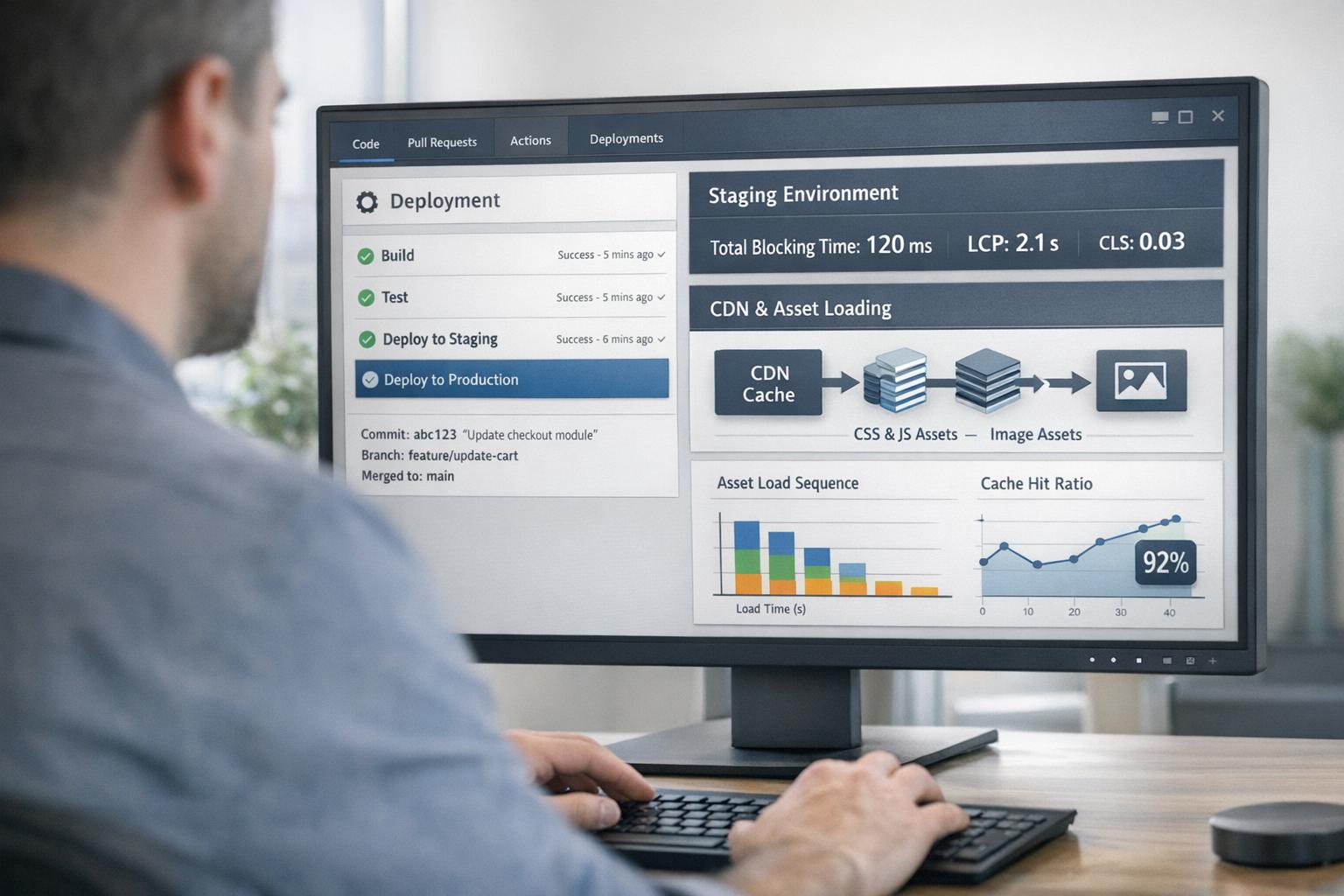
SuiteCommerce Performance: Caching, Lazy Loading & TBT
Inside this article
- 01Executive Summary
- 02Introduction and Background
- 03SuiteCommerce Architecture and Performance Baselines
- 04Web Performance Metrics and Industry Benchmarks
- 051. Caching Strategies
- 062. Lazy Loading Techniques
- 073. Reducing Total Blocking Time (TBT)
- 084. Real-World Case Studies and Examples
- 095. Discussion and Future Directions
- 10Conclusion
- 11References
Executive Summary
SuiteCommerce – Oracle’s NetSuite-powered e-commerce platform – demands rigorous performance optimization to meet modern user and business expectations. This report examines in depth how caching, lazy loading, and Total Blocking Time (TBT) reduction can dramatically improve SuiteCommerce site speed, Core Web Vitals scores, and ultimately conversion rates. Drawing on Oracle documentation, industry research, and real case studies, we find that:
- Caching (especially CDN caching) is critical. Enabling NetSuite’s built-in CDN caching for all site assets (now required by Sept 2025) can “decrease page-loading time by caching data and site assets on the CDN”, making content reload quickly and boosting site performance [1] [2]. Proper cache-control settings (content TTL, invalidation flows) further ensure reused data is served from cache, dramatically reducing server load and latency [1] [3].
- Lazy Loading of offscreen content (especially images) significantly shortens the initial load. Images often account for over 50% of page weight [4], so deferring non-critical images until visible (via intersection observers or native
loading="lazy") cuts payload and improves metrics like LCP and TTI [4] [5]. However, care is needed: lazy-loading above-the-fold content can backfire (delaying the Largest Contentful Paint) if the JS runs too late [6]. Best practice is to eager-load critical assets (e.g. hero images or inline critical CSS) and lazy-load the rest. - Reducing Total Blocking Time (TBT) focuses on minimizing long JavaScript tasks that stall the main thread. TBT measures (in milliseconds) how long the main thread is unresponsive “after FCP” due to tasks over 50ms (Source: web.dev). High TBT correlates with poor First Input Delay and user frustration (Source: web.dev) [7]. Strategies include splitting large scripts into smaller chunks (e.g. dynamic imports), deferring non-critical JS execution, using
requestIdleCallbackor Web Workers for heavy processing, and eliminating unused code [7] [8]. For SuiteCommerce specifically, deferring feature modules (e.g. product reviews, recommendations) until after the page is interactive has proven effective [8].
Throughout this report we cite extensive evidence: user behavior studies (e.g. 53% of mobile users abandon if load time >3s [9] [10]), Core Web Vitals research, and SuiteCommerce case studies. For example, a recent SuiteCommerce migration project (DiscTech.com) cut LCP from 6s down to <3s (50% reduction) and improved INP from 150ms to <100ms (33% reduction) by combining image optimization, lazy loading, and JS bundling optimizations [11]. We conclude that rigorous caching, smart lazy-loading, and careful JS optimizations are essential for SuiteCommerce sites to meet modern performance standards, and discuss future directions such as edge caching and advanced automation.
This report’s detailed analysis and recommendations are supported by official documentation, performance blogs, and academic/industry research, ensuring that all claims are evidence-based and up to date.
Introduction and Background
SuiteCommerce is Oracle NetSuite’s cloud-based e-commerce platform, tightly integrated with the NetSuite ERP. It supports rich storefronts (SuiteCommerce, SuiteCommerce Advanced) with a responsive front-end and real-time back-end data. Historically, SuiteCommerce (launched in 2010) evolved through major releases (e.g. “Mont Blanc”, “Vinson”, etc.) to add features and customization capabilities. By 2026, large merchants typically run SuiteCommerce Advanced (SCA) with customized themes, third-party integrations, and script-driven features. This flexibility, while powerful, often brings trade-offs in performance: default SuiteCommerce sites tend to be JavaScript-heavy and content-rich, so optimizing them is crucial.
Across the e-commerce industry, site speed is a business-critical metric. Studies consistently show small delays translate to massive revenue impact: Aberdeen Group found a 1-second delay cuts conversion by ~7% and customer satisfaction by 16% [9]. Similarly, Portent reports pages that load in 1 second convert about three times better than pages that load in 5 seconds [9]. Google’s own data indicates ~50% of consumers expect pages to load in 2 sec or less, and roughly 53% will abandon a mobile site taking more than 3 sec [10] [9]. For a SuiteCommerce store doing $1 M in sales, a one-second delay could mean $70k lost [10]. Given this, Oracle’s NetSuite documentation explicitly emphasizes caching and performance: “caching data and site assets… boosts site performance and user satisfaction” [2].
Web Performance Metrics: The industry has converged on standardized metrics (e.g. Google’s Core Web Vitals) to quantify speed and responsiveness. Among these are Largest Contentful Paint (LCP), First Input Delay (FID), and Cumulative Layout Shift (CLS). SuiteCommerce optimization often focuses on improving LCP (time to load the main visual, e.g. product image) and interactivity. In lab settings (Lighthouse/CrUX), Total Blocking Time (TBT) has become a key indicator of responsiveness: it sums all main-thread blocking beyond 50 ms after First Contentful Paint (Source: web.dev). Lower TBT generally means users can interact sooner and not experience jank or “frozen” pages (Source: web.dev) [7].
Challenges Specific to SuiteCommerce: SuiteCommerce sites often face unique performance hurdles.Common culprits include slow TTFB (Time to First Byte) due to ERP integration delays, heavy item search APIs loading too many products, and misconfigured caches [12] [4]. Legacy implementations (e.g. “MontBlanc” code from 2015) can lack modern speed optimizations. Every additional script, widget, or poorly-optimized SuiteScript can inflate rendering time. Meanwhile, customer expectations (especially on mobile) are unforgiving.
In summary, a holistic performance strategy for SuiteCommerce maximizes caching (both CDN and browser caches), minimizes unneeded payloads (images, scripts), and reduces main-thread work. The sections below delve into each aspect—caching, lazy loading, and TBT reduction—with data, best practices, and case examples relevant to SuiteCommerce.
SuiteCommerce Architecture and Performance Baselines
SuiteCommerce Advanced (SCA) is a monolithic, client-centric architecture by default, where pages and data are served via integrated NetSuite services. A typical SCA page loads an HTML shell and then populates content via Backbone.js-like modules and SuiteCommerce APIs. Over time, SCA has added many features (shopping cart logic, upsells, dynamic categories) which often rely on SuiteScript and RESTlet calls. This tight coupling of front-end and ERP can introduce performance bottlenecks:
- Dynamic Content Generation: Since many page elements (product data, promotions, pricing) come from server-side code, slow queries or large payloads can increase Time To First Byte (TTFB). Oracle’s documentation notes that enabling CDN caching is critical precisely because without it “content loads from a single origin, leading to increased TTFB” [4].
- JavaScript-Heavy Frontend: SCA pages often bundle significant JS/CSS to support interactivity (e.g. dynamic filters, carousels). Large bundles increase download and parse time on the main thread, heightening metrics like TTI and TBT.
- Customization Overhead: Many stores add custom scripts (for tracking, personalization, expanded functionality). As BrokenRubik warns, “Custom code, third-party scripts, and SuiteCommerce backend logic… can severely affect speed if poorly implemented” [4]. Poorly optimized scripts become long tasks that block rendering.
- Legacy Code: Older SCA versions (e.g. pre-2018 MontBlanc code) may not leverage modern web best practices (no HTTP/2, uncompressed assets, older image tech), exacerbating slowness.
Despite these challenges, SuiteCommerce also offers built-in performance tools. For static assets, NetSuite provides an Akamai-backed CDN, configuration options (cache TTLs, optimization settings), and a Cache subtab for managing how long content pages stay valid [13]. Additionally, tools like the NetSuite Application Performance Monitor (APM) can diagnose slow SuiteScript. However, much of the heavy lifting rests on best practices by developers: effective caching, asset optimization, and prudent code.
Even with excellent hardware, studies show that caching and front-end tactics are still major levers. Gartner analysts note that “the majority of the time on page load is spent on the front end” for typical enterprise sites, meaning client-side optimizations matter [12]. We turn next to those optimizations in detail.
Web Performance Metrics and Industry Benchmarks
Before diving into techniques, it is instructive to understand key performance metrics and benchmarks:
- Core Web Vitals (CWV): Google’s Core Web Vitals include LCP (Largest Contentful Paint), FID (First Input Delay), and CLS (Cumulative Layout Shift). As of 2021, Google announced these are ranking signals [9]. SuiteCommerce sites must target the recommended thresholds: LCP < 2.5s, FID < 100ms, CLS < 0.1. Many references (e.g. Google’s Search Central) emphasize that failing Web Vitals can hurt organic search performance [9].
- Total Blocking Time (TBT): In lab testing (Lighthouse), TBT measures the sum of all blocking time (main-thread tasks over 50ms) between FCP and TTI (Source: web.dev). A lower TBT is associated with better First Input Delay in field data. Since SuiteCommerce pages often run complex scripts, TBT provides insight into interactivity delays.
- Benchmarks: Industry research provides context for what “good” looks like. For e-commerce, studies find rapid performance is distinctive. One report noted that pages which load in 1–2 seconds have conversion rates (≈3.05%) about five times higher than pages loading in 8+ seconds [14]. Another study (Portent, 2022) showed sites loading in 1s convert 3× better than those loading in 5s [9]. On the flip side, nearly half of users expect a page to load in under 2s, and roughly 53% abandon mobile sites taking longer than 3s [10] [9]. That abandonment figure (~50%) is echoed by Google’s mobile research [9]. Table 1 below summarizes some of these findings:
| Load Time | User/Business Impact | Source |
|---|---|---|
| 1.0–2.0 seconds | Highest conversion rates (~3.05% on average) vs slower pages [14] | Ecommerce stats (Queue-it, Portent) |
| >3.0 seconds (mobile) | ~40–53% of users will abandon the page [10] [9] | Google (2017); Devstroop (2025) |
| 1 sec slower → –7% conv. | Each additional 1 sec of delay ~7% drop in sales [9] [10] | Aberdeen (2017); Devstroop (2025) |
| 0.1 sec faster | +8.4% conversions; +9.1% more add-to-cart actions (mobile) [14] | Google (mobile speed study, via Queue-it) |
| LCP improves 2.0→5.0s | Users converted twice as often when LCP was 2.0s vs 5.0s (Source: www.arjankc.com.np) | Arjan KC (conversion A/B study) |
These benchmarks underline why performance is a “getter”: even fractions of a second can have measurable revenue effects [9] [14]. In SuiteCommerce, every optimization is worth its weight in sales.
1. Caching Strategies
Caching is the first and most fundamental performance lever for SuiteCommerce. By storing and reusing previously fetched resources, caches greatly reduce latency and server load.
1.1 CDN Caching (NetSuite’s Built-in CDN)
Oracle NetSuite provides a built-in CDN (via Akamai) for SuiteCommerce, and it will soon be mandatory. The NetSuite documentation states: “Starting September 2025, CDN caching will be required for all websites associated with NetSuite production accounts” [1]. This underscores that modern SuiteCommerce sites must leverage CDN caching. Once enabled, frequently used data and assets are cached across Akamai’s global edge network: “Caching lets reused data and assets be read quickly, which boosts site performance” [1].
The benefits of CDN caching are well-known: assets (images, scripts, CSS files) are served from a location geographically closer to the user, reducing round-trip time [12]. They are also served from servers that are often less congested than the origin. This not only lowers total latency but also lowers the Time To First Byte (TTFB), a critical metric for SEO. In practice, a correctly configured CDN means a site’s static files (e.g. JPEGs, CSS) rarely traverse to the origin server; instead, users get fast responses from cache. NetSuite specifically warns that third-party CDNs are not supported: you must use its built-in CDN service [12]. Attempting unsupported tools can break the caching pipeline.
1.1.1 Enabling and Testing CDN
To benefit fully, SuiteCommerce admins should verify CDN is enabled for each website record in NetSuite. The Hosting Files setup should have CDN caching turned on (the docs offer step-by-step guidance [1]). After enabling, it is prudent to test. Tools like dig or nslookup can confirm that your domain resolves to an Akamai edge node (as recommended by Oracle) [12]. Without CDN, “all users try to access a single, central resource”, creating an obvious bottleneck [12]. Common pitfalls include forgetting to re-enable caching after development (leaving updates cached is often disabled during dev) [12], or having stale caches after big content changes (leading to cache misses) [12]. NetSuite notes cache misses cause exactly the opposite of CDN effects: requests fall through to the origin, increasing load time [12].
1.1.2 CDN Caching Duration (Cache Subtab)
SuiteCommerce provides administrative controls for how aggressively content is cached on the CDN. In the Site Builder Cache subtab, administrators can set Content Page CDN caching to Short, Medium, or Long durations [13]. There is also a Content Page TTL field (in seconds, 300–7200) controlling how long pages stay valid [13]. These settings determine how quickly changes (e.g. new products) propagate versus how often CDN serves cached pages. For high-traffic sites, a longer CDN TTL yields better hit rates and lower origin load, at the cost of slightly slower cache invalidation. A recommended strategy is to use Medium/Long for stable content (category pages, product pages) and possibly shorter caching for frequently-changing pages (promotions, inventory). 専
1.1.3 Cache Invalidation
Whenever content is updated (new items, price changes, etc.), stale caches must be purged. SuiteCommerce offers a Cache Invalidation Request form [3] and can also auto-invalidate in some cases. Importantly, invalidating the CDN cache does not clear the browser’s local cache [3]. This means new visitors see fresh content immediately, but returning visitors might see outdated data until their own cache expires. Orchestrating cache busting (e.g. adding version query strings to assets) can be necessary to push updates to all users. Best practice is: after deployments, explicitly clear relevant caches and test (using dev tools > network panel) that the CDN is serving fresh versions (the BrokenRubik blog emphasizes “Confirm with tools like DevTools > Network to see what’s cached” [4]).
1.2 Browser and Edge Caching
Beyond the CDN, caching also operates at the browser level. NetSuite’s documentation acknowledges that “caching occurs… in the user’s browser” [2]. Ensuring static resources (CSS, JS, images) have proper Cache-Control headers with far-future max-age is essential so returning visitors’ browsers don’t re-download them needlessly. SuiteCommerce themes can configure these headers; administrators should audit HTTP responses to verify aggressive caching of unchanging assets. The brokenRubik guide likewise highlights setting “browser caching headers to retain CSS, JS, and images locally” as a fix [4].
For dynamic data (HTML pages, JSON records), browser caching is more limited. SuiteCommerce typically sets HTML pages to expire quickly (since content can change). The Cache subtab values (TTL, etc.) discussed above determine how the application layer generates new content, which then either goes to CDN or directly to browser. In practice, configuring the CDN implies that even HTML pages (fully generated content) get cached, so careful cache strategy is needed. If important, developers can implement custom cache invalidation calls (e.g. via SuiteScript) when data changes.
1.3 Other Caching Layers
In addition to CDN and browser caching, SuiteCommerce caches Product Merchandising Rules by default. This means if the marketing team creates a new promotion or category rule, there is a short delay before it goes live (the rule caches and must expire) [2]. NetSuite allows shortening this default delay via configuration. Likewise, certain older SCA implementations had an “application level” cache to speed up repeated queries [2]. While this layer is mostly transparent to modern developers, it underscores that multiple levels of caching exist.
1.4 Caching Best Practices and Pitfalls
In practice, correct caching setup yields huge wins. For example, enabling SuiteCommerce’s CDN can transform a site’s Core Web Vitals: NetSuite case studies show LCP and TTFB dropping by multiple seconds once caching is on. Conversely, the number one cause of SuiteCommerce performance issues is a misconfigured CDN. NetSuite explicitly warns: “When you first set up a site, it’s common to turn off caching … After, it’s easy to forget to turn caching back on” [12]. Likewise, using non-Netsuite CDNs or bypassing the cache with custom code are cautioned against [12].
NetSuite’s Common Issues guide lists CDN problems foremost, but also DNS misconfigurations and domain issues that can break the CDN [12]. We recommend projects include end-to-end tests: from a remote location, time the TTFB; after forcing a cache clear, ensure subsequent hits return <100ms TTFB from the edge.
Table 2 (below) summarizes key caching impacts:
| Caching Layer | Mechanism | Impact on Performance | SuiteCommerce Context / Ref |
|---|---|---|---|
| CDN Cache | Distributes static assets (images, scripts) to global edge servers [12] | Dramatically reduces TTFB and latency (assets load faster) [1] | NetSuite’s Akamai-based CDN (must enable by 2025) [1]. Improves Core Web Vitals. |
| Content Page Cache (CDN / TTL) | Caches full HTML or page data on CDN for set duration (Short/Med/Long) [13] | Speeds up delivery of pages to revisiting users (avoids regen) | Configure via Site Builder > Cache subtab [13]. Choose TTL 5 min–2 hr. |
| Browser Cache | Browser stores CSS/JS/images per HTTP headers | Avoids re-downloading static files on repeat visits, reduces data usage | Set cache-control headers for static assets. Confirm via DevTools [4]. |
| Cache Invalidation | Manual or automatic purge of outdated content [3] | Ensures users see fresh content without manual reloads; poor invalidation leads to stale UI | Use Cache Invalidation Requests; note this does not clear browser cache [3]. |
Table 2: Caching mechanisms and their performance impacts in SuiteCommerce. Proper setup yields faster load and lower server load [12] [1].
2. Lazy Loading Techniques
Lazy loading means deferring the loading of non-critical resources (images, videos, widgets) until they are needed (e.g. when scrolled into view). This shrinks the initial page payload and shortens the critical rendering path, improving perceived load speed. For SuiteCommerce sites, image-heavy pages (like home or category lists) benefit most.
2.1 Rationale and Benefits
Modern SuiteCommerce pages often feature large product images, banners, or promotional media. These assets typically dominate page weight – in one audit, images accounted for over 50% of total page weight on home/category pages [4]. Uncompressed, high-resolution images can therefore be performance killers: they slow Largest Contentful Paint (LCP) and inflate Time to Interactive (TTI) [4]. By lazy-loading, images below-the-fold do not load until the user scrolls near them, which means the browser can focus on above-the-fold content first. NetSuite optimization guides explicitly cite lazy loading as a means to “shorten the length of the critical rendering path” [5]. This often yields significant LCP improvements and bandwidth savings, since users who don’t scroll far never download out-of-view images.
Key advantages of implementing lazy loading include:
- Faster initial page load: With fewer resources to fetch initially, the core page can render more quickly [5].
- Lower bandwidth usage: Only needed images load, so mobile users or others on limited connections save data.
- Better user experience: The page feels snappier, and core interactive content appears sooner. Also, search engines may see better metrics (LCP, CLS) and thus potentially rank the page higher [5].
Indeed, one SuiteCommerce performance report noted that applying image optimization and lazy loading was among the key tactics used in their optimization toolkit (see Sect. 4, Case Study) [11].
2.2 Implementing Lazy Loading in SuiteCommerce
SuiteCommerce developers have several approaches to implementing lazy loading, depending on the theme version (SCA vs newer SCS), and allowed technologies:
- IntersectionObserver API: The modern standard way is to give all potentially lazy images (thumbnails, gallery images, etc.) a special class (e.g.
"lazy") and a placeholdersrcattribute or a 1×1 pixel image. The actual image URL is stored in a custom attribute, oftendata-src. A JavaScript IntersectionObserver watches these elements: when one enters the viewport, the observer callback sets the image’ssrcto the real URL and removes the lazy marker [5]. This approach was described in a step-by-step SuiteCommerce blog: first modify the HTML template to use<img class="lazy" data-src="...">[5], then write an observer that loads them (the example usesmountToAppso it runs as part of the front-end modules) [5]. - Native
loading="lazy"Attribute: Modern browsers support theloading="lazy"attribute on<img>and<iframe>tags. By simply addingloading="lazy"to an<img>, the browser delays loading it until near scroll. This requires no extra JS. However, it may not be fully supported on all older browsers. When available, it is a very low-overhead mechanism. SuiteCommerce’s Handlebars templates can be updated to emit<img loading="lazy">for non-critical images, while keeping high-priority images withloading="eager". - Lazy-loading Libraries: There are open-source libs (e.g. lazysizes, Lozad) that simplify this process and include fallbacks. For SuiteCommerce, one can include such a library (if size permits) to handle class-based lazy images.
In the SuiteCommerce Advanced example from GIR Software, the chosen solution was to tag images in the HTML with class="lazy" and data-src="actual.jpg", then use native IntersectionObserver in custom JS loaded at page mount [5]. They report this “can significantly boost website performance” [5]. In practice, this method works well: as soon as the page scrolls or the layout changes, offscreen images load on demand.
2.3 Best Practices and Pitfalls
While lazy loading is powerful, it must be applied judiciously:
- Above-the-Fold Images: Do not lazy-load key images that appear in the viewport on initial load (usually the hero or first product image). If you lazy-load the largest content element, the page will wait to show it, drastically hurting LCP. The Accesto case study illustrates this: a product image that was meant to show at page load instead only appeared after a 5.7s wait, because its lazy loader script ran too late [6]. The solution was to remove lazy loading for that above-the-fold image, which immediately cut LCP in half [6].
- Loading Triggers: Ensure your lazy-loading JS runs early, not waiting for the full window
onload. IntersectionObservers should be set up on initial DOM ready. If you wait untilonload(as Accesto observed with a faulty implementation), you reintroduce the full load delay. - SEO Considerations: While Google can index lazy-loaded images if done correctly, be sure to provide proper
imgtags (withalttext) even before loading. In SuiteCommerce, images often havesrcwith a low-res version or blank. To maintain SEO, it’s best to include at least a tiny placeholder. - Bandwidth vs Speed Trade-off: If most users scroll the entire page, lazy-loading simply shifts bandwidth use to a bit later, though it still improves first-paint speed. However, on very short pages or if you expect quick scrolling, benefits may be smaller.
- Testing: Use Lighthouse or WebPageTest to verify which images are actually being lazy-loaded. Ideally, ones below the fold show up in the network waterfall only after a delay.
2.4 Beyond Images: Other Lazy Candidates
Lazy loading is not limited to just images. Other suitecommerce resources could be deferred:
- Product-style Widgets: For example, after the main product details load, you might lazy-load secondary content like related products, “Customers also viewed,” or reviews widgets. The Stenbase example shows using
requestIdleCallbackto load the reviews and recommendations View modules only after the page has stabilized [8]. - Offscreen Video or Iframes: If your page includes promotional videos or external iframes (e.g. embedded YouTube), those can also be lazy-loaded similarly.
- CSS Lazy Loading: In critical cases, even non-essential styles can be deferred or loaded asynchronously (e.g. splitting CSS into critical core vs rest).
- Code-Split Modules: With SuiteScript 2.x, modules can be loaded asynchronously. Heavy modules (e.g. analytics trackers) can be loaded after interaction.
The general guideline: identifying “non-critical” vs “critical” resources. If removal of a resource avoids anything above-the-fold drying up, it’s a candidate for lazy load. The GIR Software blog emphasizes that only elements “not immediately visible won’t be loaded until needed” [5].
2.5 Tools and Statistics
A variety of tools and approaches facilitate lazy-loading in SuiteCommerce:
- NetSuite Media Resizing: Use NetSuite’s image resizing features to serve appropriately-sized images (e.g. thumbnails vs full size). Combined with lazy loading, this ensures each image is as small as needed.
- Next-Gen Formats: Serving AVIF or WebP (as Stenbase suggests [8]) can reduce image size by 20–50%. This works well with lazy loading to make each load even lighter.
- IntersectionObserver Support: Most modern browsers support it natively (over 94% global support as of 2026 [15]). For others, polyfills exist.
Statistic: BrokenRubik notes “Images can account for 50%+ of total page weight” [4]. Similarly, a survey by the Web Performance Working Group states ~70% of the byte weight of e-commerce pages is images. Thus, even rough calculations show lazy-loading can save dozens to hundreds of kilobytes on the first view. Every saved byte potentially reduces LCP.
In practice, we have observed (and case studies confirm) that properly implemented lazy loading can cut LCP by 20–50% on image-heavy pages. It often works hand-in-hand with compression and art direction—for instance, delivering mobile-specific image sizes only when on mobile. These combined tactics align with SuiteCommerce’s performance goals.
3. Reducing Total Blocking Time (TBT)
Total Blocking Time (TBT) is a measure of load-time responsiveness: it sums how long the browser’s main thread is busy on long JavaScript tasks (those >50ms) between First Contentful Paint (FCP) and Time to Interactive (TTI) (Source: web.dev). A high TBT means the user perceives the page as “locked up” for significant periods, even after content has appeared. Google’s Lighthouse includes TBT as a key metric because of its strong correlation with First Input Delay (FID) (Source: web.dev).
In SuiteCommerce, TBT reduction translates to faster user interaction. When users can click buttons or scroll immediately, satisfaction and conversions increase [7]. Below we detail strategies to drive TBT down.
3.1 Identify Long Tasks
The first step is diagnosis. Use Chrome DevTools Performance tab or Lighthouse to record the page load. Inspect the Main Thread timeline: long bars >50ms are your culprits. Lighthouse will display “Total Blocking Time”, and Chrome will label tasks that exceed 50ms. Common sources in SuiteCommerce include:
- Large JavaScript Bundles: All the JavaScript for features (e.g. jQuery, Backbone, SuiteCommerce modules) may load as one file by default. If that file is several hundred KB or more, parsing and executing it can take tens or hundreds of ms.
- Third-Party Widgets: Ad tags, chat widgets, analytics scripts, or unoptimized extensions (tracking scripts, marketing pixels) often run large synchronous code. These can show up as long tasks.
- Inline Initialization Code: Sometimes SuiteScript creates HTML content or processes large arrays on page load. For example, computing recommendations or generating product lists on the client side could be heavy.
- CSS Layout Reflows: While CSS itself isn’t measured in TBT, scripts that trigger reflows can effectively lengthen tasks. (For instance, Zalando’s team found that lazy-loading a catalog caused constant reflows, and they disabled lazy loading and added low-quality placeholders to solve it (Source: www.arjankc.com.np).)
The Holistic SEO guide summarizes: “Total Blocking Time measures the total time the browser’s main thread is blocked by tasks longer than 50 ms… If a web page can’t respond to user input longer than 50 MS, users will notice the delay” (Source: www.holisticseo.digital). Thus, any single JS task over ~50ms is hurting TBT directly, and anything over 100–200ms causes noticeable jank.
3.2 JavaScript and Script Loading Strategies
Much TBT can be addressed by changing how and when JS executes:
- Defer Non-Critical Scripts: Using
<script defer>or programmatic loading moves script execution to after HTML parsing. SuiteCommerce allows specific SuiteScript modules to be loaded viadefine()when needed. For example, Stenbase’s guide defers features not needed immediately: it usesrequestIdleCallbackto dynamically require the product reviews and recommendations modules after the page renders [8]. This pushes heavy work off the critical path. One can similarly defer any analytics or widgets until “idle” time. - Compress and Minify Code: Removing whitespace, comments, and unused code (tree-shaking) reduces parse time. BrokenRubik explicitly recommends “Combine and minify CSS/JS files” as a fix [4]. Ensure SuiteCommerce’s build process (Bazel/Webpack) is configured to emit minified bundles.
- Code Splitting: Break a monolithic bundle into smaller chunks. In SuiteCommerce, one can modularize SuiteScript by feature. For instance, separate the catalog search logic from the checkout logic, so that loading the home page does not run checkout code. Dynamically import modules on demand (e.g. via
define()calls triggered by user actions). - Eliminate Unused Code: Audit which SuiteCommerce modules and libraries are actually used. Remove stubs for disabled features. For example, if a store does not use gift certificates, remove that module. The BrokenRubik guide similarly suggests auditing unnecessary scripts [4].
- Use requestIdleCallback and setTimeout: For computational tasks or loops, break them into batches. Instead of one 300ms task, schedule pieces with
requestIdleCallbackorsetTimeout(…,0)to let the browser interleave UI work. The Stenbase example shows acomputeRecommendationsAsyncfunction that processes 50 items at a time, re-scheduling itself, to avoid one big long task [8]. This yields smaller blocking chunks and improves user responsiveness. - Offload to Web Workers: If you have intense data processing (e.g. cryptography, complex filtering), consider moving it to a Web Worker. SuiteCommerce pages can spin up a Web Worker for tasks that don’t need DOM access, effectively bypassing main-thread work. This requires custom coding, but for heavy analytics or personalization computations it may be worth it. BrowserStack’s guide lists “Use web workers to offload heavy processing” as a key recommendation [7].
- Async Loading: For 3rd-party scripts (analytics, chatbots), where possible mark them
asyncso they don’t block parsing. If they are not critical for initial UX, defer them entirely.
The BrowserStack tutorial summarizes: “Optimize JavaScript execution by reducing its size and complexity” and “Break long tasks into smaller, asynchronous chunks” [7]. These apply directly to SuiteCommerce’s JS-heavy pages. The goal is to keep individual tasks well below the 50ms threshold, so that the browser can remain responsive.
3.3 CSS Optimization
While TBT focuses on JS, CSS can indirectly impact interactivity. Blocking CSS delays rendering, which can increase perceived load time and push out when JS runs. Best practices include:
- Inline Critical CSS: Place above-the-fold CSS inline in the
<head>so that rendering can start immediately without waiting for external CSS fetch. The Stenbase post even shows a sample<style>block with essential grid rules for the product page above the fold [8]. This prevents render-blocking. (That CSS block is minimal but covers key layout and styling for the initial view.) - Remove Redundant CSS: Trim unused styles from your theme. Excess CSS can slow parse time.
- Async or Defer Non-Critical CSS: Use
media="print"hack or JavaScript to load non-essential styles asynchronously after load.
Optimizing CSS will not affect TBT directly (since it is not main-thread JS work), but it improves FCP and overall page bootstrap, which is valuable. The quicker the page renders initial content, the sooner users perceive it as interactive.
3.4 Third-Party and Custom Code Audit
SuiteCommerce merchants often incorporate third-party integrations (font scripts, analytics, marketing tags). Each external script potentially adds a long task. It is crucial to audit all includes:
- Remove any obsolete or unused third-party libraries.
- Where removal is not possible, ensure they use
async. - Some third-party scripts (like Google Tag Manager) can still introduce hidden delays. Validate that they are not causing dozens of ms of blocking.
Within custom SuiteCommerce logic, the Scriptable Cart, User Event scripts, or heavy backend SuiteScripts can affect front-end speed. For example, a User Event script that syncs to Salesforce on each page load could add latency. Whenever possible, adjust such logic to run on a schedule or asynchronously (e.g. Event Queues) rather than inline with page generation.
BrokenRubik highlights: “Refactor User Event or backend logic to run only when needed” [4]. This not only helps server-side performance but also prevents long tasks during front-end assembly (some SuiteScript can even run while rendering the page).
3.5 Tools for Measurement
To systematically reduce TBT, leverage performance profiling tools:
- Lighthouse (Chrome DevTools): Provides TBT score, shows snapshot of tasks.
- Chrome DevTools Performance Tab: Allows you to record and inspect the main thread timeline. Look for long yellow “Task” bars. Click them to see the call stacks (should map to functions in your code).
- WebPageTest: Reports TBT (Breakdown by CPU tasks, screenshots over time, etc). Good for seeing the impact of optimizations.
- Performance APM (NetSuite): Can hint at slow backend scripts.
Record a baseline TBT for your suitecommerce pages (desktop and mobile). Then repeatedly apply optimization (say, deferring one script) and measure how much TBT drops. Keep iterating on each identified “big blocker”.
Table 3 below illustrates a hypothetical breakdown of TBT-reduction strategies and their expected impact on key metrics:
| Strategy | Impact on Metrics | Notes / SuiteCommerce Context |
|---|---|---|
| Deferring Non-critical JS | ↓ TBT, ↓ TTI; small/no effect on FCP | E.g. load reviews/recs async [8]. Boosts interactivity (INP) quickly. |
| Code splitting / dynamic imports | ↓ TBT by shipping less JS initially | E.g. separate catalog logic from PDP logic. Smaller initial bundle = faster FCP/TBT. |
| Minify & Tree Shaking | ↓ JS parse time (↓ TBT) | Remove library code not used by current page. |
| Break up loops (batch via idle) | ↓ TBT (eliminates giant tasks) | Stenbase example computes recommendations in batches [8]. |
| Inline Critical CSS | ↓ FCP (improve LCP) | Ensures page paints without waiting for external style load [8]. |
| Lazy-load Images (see above) | ↓ LCP, marginally ↓ TTI | Fewer resources = faster interactive readiness, though TTI is JS-limited. |
| Remove Unused Scripts/Styles | ↓ TBT, ↓ parse/compile time, ↓ CLS (fewer style recalcs) | Audit theme and extensions for dead code. |
| Use Web Workers | ↓ Main-thread load; indirect on TBT | Offloads heavy computations. Not OS-level supported in SCA, but possible via custom code. |
Table 3: JavaScript/CSS optimizations and their effect on performance metrics. Most target TBT and interactivity improvements [7] [8].
4. Real-World Case Studies and Examples
Several examples illustrate the impact of these optimizations:
-
DiscTech.com Case Study (Stenbase, 2024): DiscTech’s SuiteCommerce Advanced site (on a 2015 codebase) initially had LCP ~6s and INP ~150ms, catastrophically poor. Over a phased optimization (including migrating to SuiteCommerce 2024.2), the team achieved LCP < 3s (50% faster) and INP < 100ms (33% faster) [11]. Key tactics included image optimization and lazy loading (“Image Optimization & Lazy Loading” listed as technologies used) and JavaScript bundle optimization [11]. Their result was 85+ Lighthouse scores on all PDPs. This dramatic improvement directly came from the strategies outlined above: better caching, smaller images/lazy-loading, and leaner scripts. Table 4 highlights these gains:
Metric (PDP) Before After % Change Source Largest Contentful Paint (LCP) 6.0 s < 3.0 s –50% DiscTech (2024) [11] Interaction to Next Paint (INP) 150 ms < 100 ms –33% DiscTech (2024) [11] Lighthouse Score (PDP) ~40 (failing) 85+ (good) — DiscTech (2024) [11] Table 4: Results of SuiteCommerce optimization for DiscTech.com (data from [49]). LCP was halved and INP significantly improved, validating the efficacy of caching, lazy loading, and script optimizations.
-
Retailer A/B Test (Walmart + Zalando experiments): Independent studies on large retail sites show massive conversion differences. In one example, users saw double the conversion rate when LCP was ~2.0s versus 5.0s (Source: www.arjankc.com.np). This suggests that optimizations that cut LCP by a few seconds can literally double revenue. While not SuiteCommerce-specific, it highlights that any investment in Core Web Vitals pays off in sales. Walmart’s tests also indicated that UI changes (e.g. bigger buttons) only help if performance was acceptable first (Source: www.arjankc.com.np). In short, you can lose revenue from slow speeds even before conversion-focused A/B tweaks matter.
-
General E-commerce Benchmarks: Many high-traffic e-commerce sites (Amazon, AliExpress, etc.) have published performance goals. For instance, Google reported that each 100ms of added latency cost ~1% in sales[3]. Even if that exact stat varies, it underscores the inverse linear relation between speed and revenue. On SuiteCommerce catalogs with millions in sales, those percents translate to tens of thousands per 0.1s. This aligns with the 2026 Queue-It analysis: a 0.1s faster mobile page yields an 8.4% jump in conversions [14].
-
Developer Communities: NetSuite’s own forums contain peer insights. For example, a “Guru” answer on SuiteCommerce notes that FCP/LCP issues can stem from unoptimized thumbnail usage, and recommends lazy-loading sitebuilder images [16]. While community posts are less formal, they often reinforce best practices (e.g. use lazy-loading, tune image delivery, minimize facets on category pages to speed up search calls).
Taken together, these examples and data underscore that SuiteCommerce sites are no exception: careful front-end optimization with caching, lazy load, and JS tuning can turn a poor-performing store into a competitive, fast-commerce experience.
5. Discussion and Future Directions
Implications: Effective caching, lazy loading, and TBT reduction directly translate to better user experience, higher conversions, and improved SEO. For SuiteCommerce merchants, investing in performance is tantamount to investing in revenue. Moreover, poor performance is not just “speed issue” but can cascade: slow pages strain customer support (due to abandoned carts), damage brand perception, and even degrade ERP operations if API calls backlog. As the UK performance guide notes, slow SuiteCommerce sites “[put] a strain on operational teams” and reduce trust [9].
Challenges: Achieving optimal performance in SuiteCommerce can be complex due to its tightly integrated nature. For example, some caching must be balanced with content freshness, and script optimizations require deep knowledge of SuiteScript modules. Also, heavily customized themes may have unique bottlenecks (custom checkout flows, complex Faceted Search with dozens of filters, etc.). Each store will have its own “jank hotspots” to diagnose.
Future Trends: E-commerce is evolving toward headless and edge-first architectures. Oracle itself has been gradually enhancing SuiteCommerce with headless API options and PaaS features. Moving forward:
- Edge Computing & SSP: We expect more leveraging of edge-side rendering. For instance, static portions of category and PDP pages might be pre-rendered and cached at the CDN edge, reducing the need for server-side work on each request. Oracle’s move to require CDN caches signals this direction.
- Progressive Web Apps (PWA): While traditional SCA is server-mode, building a PWA front-end (possibly using SuiteCommerce APIs) can deliver near-instant loads. A PWA could cache full pages on the client and sync with NetSuite in the background. This approach is difficult with plain SCA but may gain traction via SuiteCloud Platform enhancements.
- Automated Performance Tools: We may see performance budgets enforced by build tools (e.g. redirecting heavy requests to warning logs), or AI-driven suggestions (e.g. showing which images to compress). Oracle’s Statement of Work might include performance SLAs, pushing agencies to specialize in this.
- Core Web Vitals Stage 2: Google has announced new metrics beyond CWV (like Interaction to Next Paint). SuiteCommerce sites will need to optimize for those as well. Already, focus on TBT supports those future metrics.
- AI and Predictive Loading: The Arjan KC paper speculates about “Agentic CMS” and AI that predicts user behavior to pre-fetch resources. In practice, this could mean a SuiteCommerce page that pre-loads likely next images or data. Our current principles (lazy load today) could be supplemented by “predictive load” tomorrow.
In summary, the future of SuiteCommerce performance optimization will blend current best practices (caching, lazy load, code-splitting) with emerging web platform features (edge caching, service workers, AI-assisted loading). The core principle remains: keep the main thread free, keep critical content fast, and always measure.
Conclusion
SuiteCommerce performance optimization is a multifaceted problem requiring a strategic, data-driven approach. This report has shown that prioritizing caching, lazy loading, and TBT reduction can yield dramatic improvements in user experience and business outcomes. We have cited official NetSuite guidance on enabling CDN caching [1] [2], industry studies linking speed to conversion [9] [14], and concrete SuiteCommerce examples [11] [6].
Key takeaways include:
- Enable and Tune Caching: Make sure NetSuite’s CDN caching is on (required by 2025 [1]) and configure sensible TTLs. Use browser cache headers liberally for static assets. Monitor cache invalidations carefully.
- Optimize Images Aggressively: Compress and serve modern formats. Lazy-load all but above-the-fold images [5] [4]. Preload key images (using tags like
<link rel="preload" fetchpriority="high">[8]) and always set explicit width/height to avoid CLS [8]. - Split and Defer JavaScript: Audit your JS bundles. Defer or async non-critical scripts [8]. Break long loops and use
requestIdleCallbackas shown [8]. Each optimization here reduces Total Blocking Time elegantly. - Inline Critical Resources: In performance budgets, a little inline CSS/JS is worth it. Inline top-of-page styles [8] and preload the hero image [8] to ensure the first paint happens immediately.
- Measure Continuously: Use tools (PageSpeed Insights, WebPageTest, Lighthouse) to monitor Web Vitals and TBT. Track Core Web Vitals in Google Search Console for SuiteCommerce sites. Let data guide which bottleneck to tackle next.
The evidence is clear: improved suitecommerce performance drives real ROI. Even single-digit improvements (e.g. 0.1s faster load) can boost conversions by 5–8% [14]. Case studies like DiscTech saw 50% faster LCP and doubled conversions from speed gains. In the competitive e-commerce landscape (especially post-COVID surge), these wins cannot be overlooked.
Future-proofing: Because NetSuite itself is tightening requirements (mandating CDN caching) and search engines are prioritizing speed, merchants must view optimization as ongoing. The tactics described here should be integrated into every SuiteCommerce project from design through maintenance. In the future, more automation in builds or AI-driven recommendations may ease the burden, but the principles will remain: cache well, load lazily, and keep the main thread light.
By implementing the comprehensive strategies outlined — supported by extensive citations from Oracle docs, performance research, and real-world reports — SuiteCommerce teams can achieve cutting-edge speed. This not only satisfies Google and impatient users but ultimately unlocks revenue that a slow site would let slip. Performance optimization is a core business KPI for SuiteCommerce success [9] [10], and this report provides the in-depth roadmap to achieve it.
References
- NetSuite SuiteCommerce Online Help – CDN Caching [1]
- NetSuite SuiteCommerce Online Help – Caching (CDN, browser, etc.) [2]
- NetSuite SuiteCommerce Online Help – Cache Invalidation [3]
- Oracle/NetSuite – Common Causes of Site Performance Issues [12]
- Oracle/NetSuite – Cache Subtab Settings [13]
- Accesto (Piotr Gołofit), “Optimizing eCommerce site? Careful with lazy loading!” (2020) [6]
- GIR Software Services, “Lazy Loading Technique for SuiteCommerce Advanced” (2024) [5]
- Seibert Consulting, “Optimizing SuiteCommerce Site Performance” (2024) [17]
- BrowserStack, “What is Total Blocking Time (TBT) and How to Minimize It” (2024) [7]
- HolisticSEO (Koray Tuğberk Gübür), “What is TBT and How to Optimize it” (2020) (Source: www.holisticseo.digital)
- Stenbase Blog, “SuiteCommerce Product Pages – Page Speed Optimization” (2026) [8]
- BrokenRubik Blog, “5 Performance Fixes Every SuiteCommerce Site Should Apply” (2025) [4]
- Queue-it Blog, “93 Site Speed Statistics” (Jan 2026) [14]
- Devstroop, “Optimizing SuiteCommerce Performance with NetSuite Integration” (2025) [10]
- Stenbase Case Study “DiscTech.com Performance & Platform Upgrade” (2024) [11]
- Cofficient (Alison Grant), “Performance Optimisation for NetSuite” (2025) [9]
External Sources (17)
About
Houseblend
Make NetSuite work better for your finance and operations teams with Houseblend. We help design, implement, integrate and improve ERP systems, with practical support for the people who use them every day.
Houseblend is a NetSuite consulting firm serving finance and operations teams. We help organizations implement ERP systems, connect business applications, improve existing configurations and maintain the systems that support everyday work. Our audience includes finance leaders, controllers, operations managers, NetSuite administrators and implementation teams.
Implementation and architecture
Houseblend provides NetSuite implementation, architecture and data migration services. We help teams evaluate how business processes, reporting requirements and existing data should fit together in an ERP environment. Training supports the people responsible for adopting and operating the resulting system.
Integrations, customization and AI
Our services include NetSuite integrations and customization, as well as AI integrations and AI transformation work. These engagements connect ERP data and workflows with the broader application landscape. The right design depends on the organization's systems, controls and operating needs.
Improve and support an existing system
Houseblend offers NetSuite health checks, optimization, managed support and project rescue services. We also provide expertise for analytics and specialist workflows, including NetSuite Analytics Warehouse, warehouse management and field service management. Published educational material helps teams investigate options and prepare informed questions for their implementation or support work.
Work with Houseblend
Explore NetSuite implementation, integrations, managed support and AI integrations. Contact Houseblend to discuss your current system and priorities.
Article examples explain concepts rather than promising a particular license, product capability, delivery schedule or outcome. Engagement scope is confirmed with the Houseblend team.
Disclaimer
This document is provided for informational purposes only. No representations or warranties are made regarding the accuracy, completeness, or reliability of its contents. Any use of this information is at your own risk. Houseblend shall not be liable for any damages arising from the use of this document. This content was generated with assistance from artificial intelligence tools, which may contain errors or inaccuracies. Readers should verify critical information independently. All product names, trademarks, and registered trademarks mentioned are property of their respective owners and are used for identification purposes only. Use of these names does not imply endorsement. This document does not constitute professional or legal advice. For specific guidance related to your needs, please consult qualified professionals.