Houseblend Article
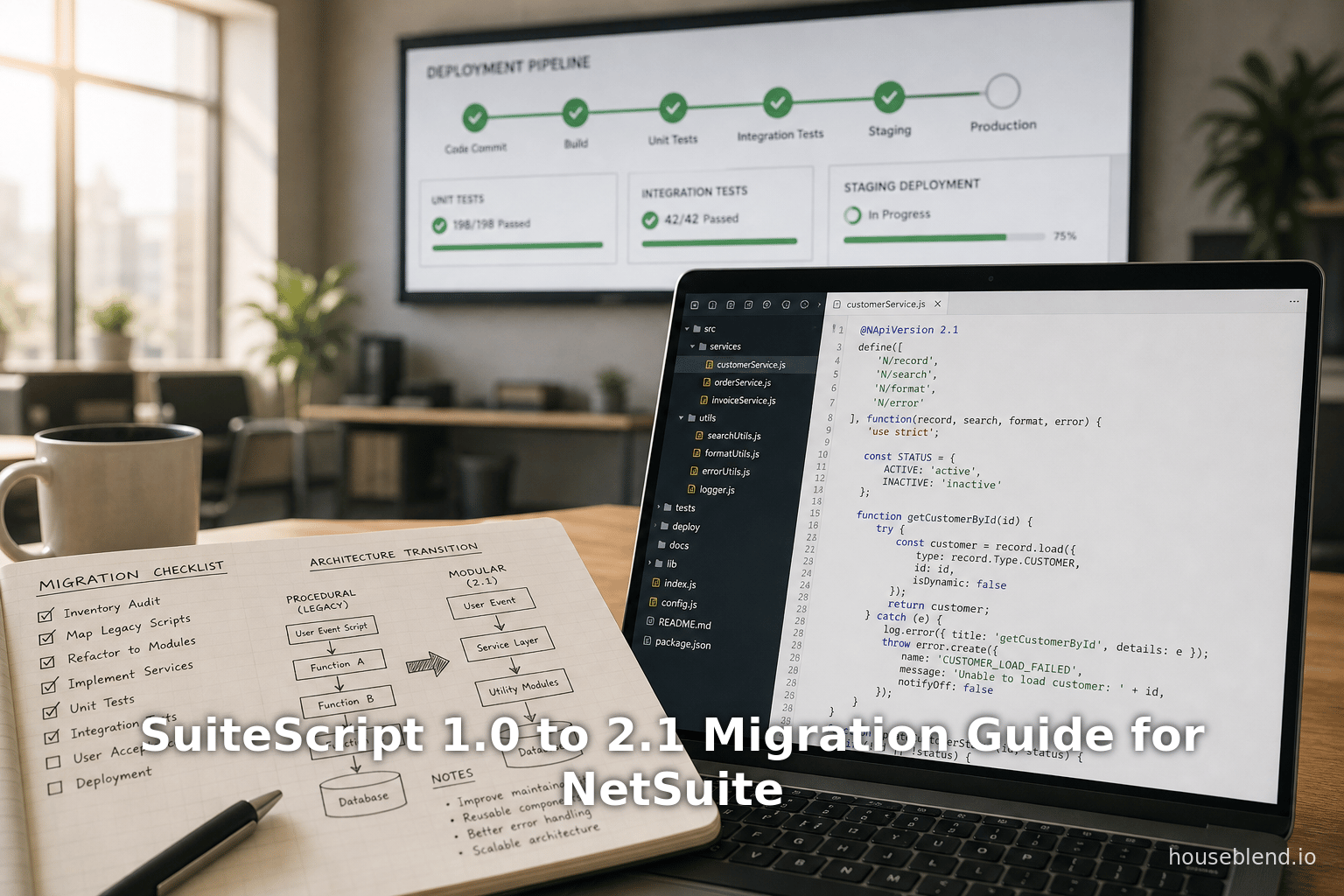
SuiteScript 1.0 to 2.1 Migration Guide for NetSuite
Inside this article
- 01Executive Summary
- 02Introduction
- 03SuiteScript Editions: Architecture and Features
- 04Technical Differences Between SuiteScript 1.0 and 2.x
- 05Why Migrate? Motivations and Benefits
- 06Migration Challenges and Considerations
- 07Migration Strategy and Best Practices
- 08Case Studies and Examples
- 09Workflow Tables
- 10Best Practices and Resources
- 11Implications and Future Directions
- 12Conclusion
Executive Summary
This report provides a comprehensive guide for migrating legacy NetSuite SuiteScript 1.0 scripts to SuiteScript 2.1, a critical modernization task for long-running NetSuite accounts. SuiteScript is NetSuite’s JavaScript customization platform, and 1.0 is now legacy – Oracle no longer enhances it and recommends using 2.x for all new development [1] [2]. Migrating to 2.1 modernizes code (enabling ES2019+ features, modular design, and async/await), improves maintainability, and harnesses new APIs. We analyze the history and evolution of SuiteScript, compare versions (1.0 vs 2.0 vs 2.1), and document technical differences. We also present a detailed migration strategy, best practices, and tools, including step-by-step processes and tables summarizing version features and migration steps.
Migration should be approached methodically: auditing existing scripts, prioritizing high-impact ones (e.g. frequently modified, callback-heavy code), updating headers to @NApiVersion 2.1, modernizing syntax (e.g. using let/const, arrow functions), refactoring callbacks to async/await, and thorough testing [3] [4]. We discuss challenges – such as one-to-many API mappings [5] [6], subtle behavior changes [7] [8], and unsupported features – and cover practical workarounds (like using 2.x RESTlets as extensions [9] and SuiteCloud Development Framework for version control [10]). We also consider future directions: NetSuite’s recent support for modern modules (e.g. N/llm for AI) and community trends. Multiple perspectives are provided, drawing on Oracle documentation [1] [2], expert blogs [11] [12], and research on technical debt costs. In short, modernizing SuiteScript to 2.1 is highly recommended for technical, operational, and strategic reasons; this report offers a deep, evidence-based roadmap to do so effectively.
Introduction
NetSuite SuiteScript is the customization framework enabling businesses to automate processes, extend records, integrate systems, and build custom SuiteApps. Over its history, SuiteScript has evolved through three major versions: SuiteScript 1.0 (the original, procedural API), SuiteScript 2.0 (introducing AMD modules and cleaner code), and SuiteScript 2.1 (adding modern JavaScript features) [13]. A long-running NetSuite account that has been customized extensively over many years likely accumulates hundreds or thousands of lines of 1.0 code. These legacy scripts still work, but they carry significant technical debt: they lack modern syntax, are difficult to maintain, and miss out on new performance and security enhancements [2] [14].
Recognizing this, Oracle’s official guidance explicitly encourages migrating away from SuiteScript 1.0. For example, the SuiteAnswer “Transitioning from SuiteScript 1.0 to SuiteScript 2.x” states: “SuiteScript 1.0 scripts continue to be supported, however, SuiteScript 1.0 functionality is no longer being updated, and no new feature development or enhancement work is being done for SuiteScript 1.0. You should use SuiteScript 2.x for any new or substantially revised scripts” [1]. Another Oracle topic (“SuiteScript 2.x Advantages”) likewise notes that 1.0 isn’t being updated anymore and recommends using 2.0 or 2.1 to take advantage of new features and improvements [2]. In practice, many organizations have dozens of legacy scripts in 1.0 – often dating back to early NetSuite releases – making modernization a high-priority technical initiative as part of broader ERP maintenance or revision efforts.
Migration is not a mere formality. As with any legacy modernization, it involves careful planning, developer effort, and risk management. The outdated syntax and APIs in 1.0 (“nlapi*” functions, global objects) cannot be run directly under the 2.x engine. Moreover, real-world scripts may embed undocumented business logic (“tribal knowledge”) and rely on edge-case behavior. Industry research on legacy systems highlights that undocumented legacy code often harbors hidden rules that only a few experts understand (Source: www.codegeeks.solutions). One analysis warns that modernizing a heavily customized system is “rarely [about] picking the wrong framework” – it fails when deeply embedded business decisions and undocumented intricacies surface (Source: www.codegeeks.solutions). Concretely, surveys indicate that as much as 67% of legacy code bases have little to no documentation, leading to “archaeological coding” to figure out what they do (Source: www.replay.build) [15].
Against this backdrop, this report delves into every facet of migrating SuiteScript 1.0 to 2.1. We begin by reviewing the evolution of SuiteScript, outlining what each version offers (and lacks). We then analyze the technical differences between 1.0, 2.0, and 2.1 – including syntax, module architecture, and available APIs – with tables to summarize. Next, we articulate the compelling benefits of moving to 2.1 (from both Oracle’s and industry’s perspective) and quantify the costs of staying on legacy code via research findings on technical debt (Source: www.replay.build) [15].We then enumerate the challenges and pitfalls specific to this migration, citing official mappings and community experiences. The core of the report is a detailed migration strategy, including planning, code conversion steps, testing, and rollback considerations, supported by case examples and best-practice checklists. Finally, we look ahead at future implications (e.g. support for Node-style libraries, the rise of AI-assisted development) and provide a thorough conclusion.
Throughout, all statements are substantiated by authoritative sources: official Oracle documentation, NetSuite community knowledge bases, consulting and development blogs, and research on software maintenance. By the end, a NetSuite technical leader or developer team will have a deep understanding of why to migrate, how to do it safely, what caveats to watch for, and how to justify the effort.
SuiteScript Editions: Architecture and Features
To appreciate migration, we must grasp how SuiteScript has evolved. Below is a summary of major SuiteScript versions, their release timeframes, and core characteristics:
| SuiteScript Version | Release (Approx.) | Key Features & Characteristics |
|---|---|---|
| 1.0 (Legacy) | ~2005–2007 [16] [17] | Original SuiteScript, procedurally oriented. Scripts use global functions and objects (e.g. nlapiLoadRecord, nlobjRecord), and script entry points are ad-hoc. Runs on an older JavaScript engine (essentially ES5 or earlier). No modular loading – all code and APIs (e.g. entire nlapi* library) load at script start. Tooling and debugging are limited. This version remains “supported” but has no new feature development [1] [2]. |
| 2.0 (Modular) | 2015 (NetSuite 2015.2) [16] | Redesigned API with AMD-style modules. Scripts explicitly define or require only needed modules (N/record, N/search, etc.), improving code organization and performance. Object-oriented patterns are possible. Strict syntax: only ES5.1 is supported (no let, classes, arrow functions, etc.) [18] [19]. No native promises: asynchronous flows use callbacks. Debugging is via SuiteScript 2.0 debugger. Overall, 2.0 greatly improved maintainability and load performance (modules load on demand [14]) versus 1.0. |
| 2.1 (Modern) | 2019–2020 (first beta around 2019.2) [18] [20] | Built on a new GraalVM engine, supporting modern ES2019+ features. Allows let/const, classes, arrow functions, template literals, optional chaining (?.), nullish coalescing (??), native Promise/async-await, and other ES6+ syntax [21] [18]. Suitescript comments use @NApiVersion 2.1 to opt into this runtime. It is backward-compatible with 2.0 APIs in almost all cases [7] [22]. New modules (e.g. N/llm for AI/ML, N/pgp, improved N/data caching) are exclusive to 2.1. Debugging 2.1 uses browser tools instead of the old SuiteScript 2.0 debugger [23]. Overall, 2.1 is the modern standard for NetSuite scripting, with faster development and safer code due to modern JS practices [11] [2]. |
Table 1. Summary of SuiteScript versions and their distinguishing features.
The official NetSuite documentation reinforces this timeline and stance. For example, Oracle’s help explicitly notes that SuiteScript 2.x is a complete redesign of the 1.0 model [24], and urges developers to adopt 2.0/2.1 for new or redesigned scripts [1] [2]. It warns that “SuiteScript 1.0 isn’t being updated anymore, and there are no new features or enhancements for it” [2]. In commerce-specific best-practice guidance, Oracle likewise states: “Use SuiteScript 2.0 for new scripts that you develop, and consider converting any SuiteScript 1.0 scripts to SuiteScript 2.0” [25]. In short, the vendor view is clear: look forward to 2.x, not back at 1.0.
These structural changes have concrete implications:
-
Code Modularity: SuiteScript 2.x introduces a module system. Scripts start with a header of
defineorrequirecalls that list needed modules (e.g.N/record,N/search) [26] [27]. This replaces the old pattern of using global APIs everywhere (like repeatednlapi*calls) [28]. The outcome is cleaner, more maintainable code. One developer blog notes that 2.0 eliminated the incessant “nlapiornlobj” phrases of 1.0 by using modules that explicitly state dependencies at the top of the file [28]. This shift reflects standard object-oriented practices: each script behaves like a module that only loads its declared APIs. -
Performance: Modular loading in 2.x also improves performance. In SuiteScript 1.0, all APIs were essentially loaded when the script starts, even if many functions were unused. By contrast, 2.0/2.1 loads modules on demand. For example, VNMT observed that 2.0’s AMD design “tends to deliver faster performance” because modules are loaded only when needed, whereas 1.0 “will be loaded in the beginning… reducing performance” [14]. In practice, developers often see shorter script execution times and reduced memory footprint after migrating to 2.x.
-
Language Level: Under 2.0, only ES5.1 language features were allowed, so newer JavaScript conveniences were unavailable. SuiteScript 2.1 lifted this restriction almost entirely [11] [18]. Now scripts can use
const/let, arrow functions, classes, destructuring, and nativePromise/asyncworkflows – features proven to reduce bugs. For example, Stockton10 demonstrates that replacingvarwithlet/const(to avoid hoisting issues) and using arrow functions and template literals makes 2.1 code “cleaner” and helps prevent subtle errors [29] [30]. These modern constructs are not just syntactic sugar; they improve reliability (e.g. block-scoping avoids accidental variable reuse) and productivity. As one developer guide notes, modern ES6+ syntax “isn’t just about looking nice. It prevents bugs.constandlethave block scope, which eliminates hoisting issues… Arrow functions handlethismore predictably… Template literals prevent string concatenation errors” [31]. -
Asynchronous Patterns: 1.0 had no built-in support for true promises. Asynchronous logic (such as when performing HTTP requests or searches) used nested callbacks, which can be hard to manage. SuiteScript 2.1 introduces first-class promise support: many newer APIs (e.g.
N/http,N/search.runPaged) offer.promisemethods, letting developers useasync/awaitsyntax [32] [4]. This makes code easier to read and maintain. For instance, loading search results in parallel withPromise.allis now feasible, whereas 1.0 would have required complex callback nesting. We will discuss the practical benefits of these features in later sections. -
Backward Compatibility and Coexistence: Importantly, SuiteScript 2.1 is largely backward-compatible with 2.0 scripts.
2.0scripts most often run unchanged under the 2.1 engine (when annotated properly) [22]. In fact, Oracle notes that 2.1 “is backward-compatible with SuiteScript 2.0” except for a few minor differences [22]. This means an account can mix 1.0, 2.0, and 2.1 scripts side by side (with the right annotations:@NApiVersionin file headers). However, several nuanced caveats exist (discussed below). Also, Oracle provides ways to interoperate 2.x code with 1.0 code: for example, a 1.0 script can call a 2.x RESTlet by usingnlapiRequestRestlet()[9]. This allows teams to gradually layer in 2.x code.
In summary, SuiteScript 2.1 brings a modern programming model to NetSuite scripting: structured modules, up-to-date ECMAScript features, and powerful new APIs. The following sections examine why and how to make the jump from 1.0 to 2.1.
Technical Differences Between SuiteScript 1.0 and 2.x
Migrating code requires understanding exactly how the APIs and runtime behavior differ between SuiteScript 1.0 and SuiteScript 2.x. In general, “SuiteScript 2.x provides support for all functionality in SuiteScript 1.0” [33], but not always in a one-to-one way. Oracle’s documentation emphasizes that “there is not always a direct mapping between functions and objects in SuiteScript 1.0 and modules and methods in SuiteScript 2.x” [34], and in fact some 1.0 APIs have no 2.x equivalent [5]. We outline key categories of differences:
API and Object Model Changes
-
Global Functions vs. Modules: In SuiteScript 1.0, built-in functions were all global (e.g.
nlapiLoadRecord(type, id)ornlapiSearchRecord(type, filters, columns)). In 2.x, these functions are methods on modules. For example, loading a record in 2.0 is done viarecord.load({ type: 'salesorder', id: 123 })(using theN/recordmodule) instead ofnlapiLoadRecord('salesorder', 123). Oracle’s help provides a “SuiteScript 1.0 to 2.x API Map” that explicitly lists each old API and its corresponding 2.x module method [35]. However, that mapping warns that some 1.0 functions simply have no direct 2.x counterpart [5].For example, printing a document changed drastically. In 1.0 one might call
nlapiPrintRecord(type, id, mode). In 2.x, printing is handled by the render module with specific methods likerender.packingSlip({ recordType, recordId })orrender.bom({ recordType, recordId })[36]. The following table (adapted from Oracle’s docs [6]) illustrates a few such mappings:SuiteScript 1.0 Function SuiteScript 2.x Module Method(s) nlapiCreateEmailMerger(templateId)render.mergeEmail({ templateId })[37]nlapiCreateTemplateRenderer()render.create()[38]nlapiPrintRecord(type,id,mode,props)render.bom/optionsrender.packingSlip(options)render.statement(options)[6]nlapiXMLToPDF(xmlString)render.xmlToPdf({ xmlString })TemplateRenderer.renderAsPdf()[39]These examples show that one 1.0 function may split into multiple specialized 2.x calls. Such differences imply that migration often involves rethinking script logic, not just mechanical replacement. Developers must consult the official API map and related documentation for each function used.
-
Entry Point Structure: SuiteScript 1.0 allowed scripts (e.g. User Event, Client, Scheduled scripts) to define global functions like
function beforeLoad(type, form) { … }. In 2.x, scripts have a defined structure: a singledefine([...], function(...) { ... return { beforeLoad: ..., afterSubmit: ... } } )block where entry-point functions are properties of a returned object [40]. This means migrating a user event script requires rewriting it in the AMD pattern. The Oracle “Overview of Differences” specifically notes that scripts now have a specified structure with entry points, context objects, and JSDoc annotations [40] – things absent in 1.0. For example, 2.x scripts use an explicitcontextobject passed into entry functions, rather than accessing globals. -
Reserved Words and Context: 2.x introduces some reserved terms and stricter syntax rules. Oracle lists “Reserved Words” that cannot be used as identifiers in SuiteScript 2.x [41]. Additionally, 2.x scripts use strict mode by default [42], which means certain coding patterns from 1.0 may cause errors in 2.x (e.g. assigning to undeclared variables). Developers should carefully search their 1.0 code for use of reserved words or sloppy constructs.
-
Data Types: In 1.0, some data types were handled differently. For example, 1.0 had “subrecord” objects that were not explicitly saved (any changes saved when the parent record was saved), whereas 2.x has a more explicit subrecord API [43]. Also, certain types like email merge templates have new 2.x API calls. The API map documentation notes all such differences.
New and Missing Capabilities
While 2.x covers nearly all 1.0 use cases, some functionality has shifted or disappeared:
-
New 2.1-Only Modules: SuiteScript 2.1 adds wholly new modules not present in 2.0 or 1.0. For instance, the N/llm module (for large language model operations) and N/pgp (PGP encryption) are available only in 2.1 [44]. Similarly,
N/crypto/random(for random number generation) is 2.1-only on the server. If a 1.0 script used external encryption or advanced algorithms, migrating might allow using these new modules for cleaner code. -
Features Not in 2.1: Conversely, a few 2.0 capabilities are not available under the 2.1 engine. Houseblend reports that Oracle explicitly notes certain features – notably SuiteTax integration and some subrecord functionalities – still require SuiteScript 2.0 [22]. In concrete terms, if a script uses the SuiteTax APIs or relies on client-side subrecord editing, it may need to remain as 2.0 (or use 2.1 with caveats). The documentation warns: “if full SuiteTax functionality is needed, one must still use SuiteScript 2.0 [22]”. Similarly, some 2.0 record processing patterns (like certain submit behaviors) may not work identically in 2.1. Migrators must carefully identify such cases.
-
Behavioral Differences: In addition to API changes, the JavaScript engine differences mean some behaviors change. For example, error objects behave differently: in SuiteScript 2.0 many thrown errors were plain strings, whereas after switching to 2.1 they become Error objects again [45]. This subtlety was noted in community forums: a developer who switched scripts back to 2.1 found that his error-handling code (which expected string messages) needed adjustment. Proxy patterns and default values (like coalescing) may also yield different results under strict mode or with optional chaining. Developers should review Oracle’s “Differences Between 2.0 and 2.1” notes [7] to catch such quirks. For example, 2.1 enforces strict mode (const cannot be reassigned) and has changed JSON parsing rules [42].
-
Environment Restrictions: Some administrative restrictions still apply. For instance, Oracle’s SuiteScript Versioning guidelines mention rules about when scripts run under 2.0 vs 2.1 vs 2.x (the latter auto-updates to newest) [46]. Also, certain contexts (like SuiteCommerce SSP scripts) might still only support 1.0 or 2.0. In commerce best-practice docs, Oracle notes that in a scriptable cart scenario, it is “better to use SuiteScript 1.0 for user event scripts and SuiteScript 2.x for client event scripts” [47]. This implies there are scenarios where mixing versions is advisable. References like these should be consulted for each specific use case.
In sum, the technical differences mean migration is non-trivial. It involves changing script headers (to @NApiVersion 2.1), rewriting code structure, mapping old APIs to new modules (many-to-one or one-to-many), and handling new language semantics. The effort, however, is mitigated by extensive Oracle documentation mapping the old and new APIs [35] [6], as well as community-shared conversion examples and code samples. The key is to systematically inventory what each script does, then rewrite its logic in 2.1 terms.
Why Migrate? Motivations and Benefits
Long-term NetSuite accounts face a choice: continue living with legacy scripts, or invest in modernization. Research and experience overwhelmingly point to strong benefits from migrating. We outline the principal motivations:
Official Recommendations and Long-Term Support
-
Vendor Advice: Oracle explicitly recommends using SuiteScript 2.x for new development and even suggests converting old scripts. As noted, multiple help topics urge migration to 2.0/2.1 [1] [25]. This is not only because 1.0 is “end of life” for enhancements; it also sets expectations that future platform features will align with 2.x. For instance, any new NetSuite releases with advanced APIs (e.g. ML modules, advanced analytics features) will be designed for 2.x. Sticking with 1.0 means missing out on capabilities.
-
Future-Proofing: From a strategic standpoint, modernizing signals that an organization is committed to keeping its customization layer up to date. Large enterprises often view technical debt as a significant hidden cost. One survey (Pegasystems/Savanta, 500+ IT leaders) found enterprises waste on average $370 million per year due to technical debt and legacy inefficiencies (Source: www.codegeeks.solutions), driven largely by time spent on old code and failed modernization attempts. By converting SuiteScript early, a company avoids accumulating large future costs. In fact, studies show that deferring modernization dramatically increases costs over time (maintenance of legacy code can be 3–4× more expensive than modern code) (Source: www.replay.build) [15]. Thus, migrating now is often cheaper in total cost of ownership than delaying until a crisis forces a rewrite.
Code Maintainability and Developer Productivity
-
Cleaner, More Readable Code: SuiteScript 2.x promotes code organization. The use of modular imports and scoped variables makes scripts more self-documenting. Developers no longer see a sea of “nlapi…” calls but clear references to specific modules. Modern syntax (allowed in 2.1) further simplifies code. For example, optional chaining (
record?.getValue('custfield')) replaces verbose existence checks, reducing bug risk [48]. Adopting these features often reduces lines of code and clarifies intent. Developer blogs and guides emphasize that code maintained under 2.0/2.1 is far easier for new engineers to pick up [28] [29]. -
Error Risk Reduction: Modern language rules help catch errors earlier. With
const/letinstead ofvar, many hoisting bugs are eliminated, and strict mode catches undeclared variables [11] [29]. Using promises/async-awaittends to flatten real-world flows, making exception handling more straightforward. One Houseblend analysis notes that writing asynchronous flows withasync-await(2.1 only) greatly reduces “callback hell” and helps ensure all errors are caught with try/catch [49] [4]. By contrast, old 1.0 code often had deeply nested callbacks, which are more error-prone. Overall, modern syntax reduces the “unknown unknowns” in code maintenance. -
Consolidation of Knowledge: A common problem in mature systems is that knowledge about scripts is scattered across people and tribal knowledge. Migrating forces an audit of what each script actually does. During this process, teams document each script’s purpose, dependencies, and logic [3]. This not only aids migration, but is valuable HAL– timesaving: after a successful project, all 2.1 code is put under source control (see next section). In essence, modernization provides a chance to “pay down” years of hidden technical debt and consolidate understanding.
Performance and New Capabilities
-
Faster Execution in Some Use Cases: While SuiteScript migration is primarily about maintainability, there can be tangible performance wins. As mentioned, 2.x modules load on demand [14], and specific API improvements (like paginated search in 2.x) can speed up operations. Some teams report that heavy scripts (e.g. complex searches or data calculations) run faster in 2.1 when rewritten, especially if asynchronous calls allow parallelism. Though NetSuite’s platform governs execution time as well, using efficient 2.1 patterns can reduce CPU usage and possibly avoid governance limits.
-
Access to New APIs: Certain functionalities exist only in 2.x or in the SuiteScript 2.1 environment. For instance, the N/cache module introduced in 2.x provides a built-in caching API to store temporary data across executions [50]. Very handy for e.g. caching search results between calls. Another example is the enhanced
N/cryptomodule. By migrating, scripts can leverage these modules, which in 1.0 would require custom workarounds. Additionally, as NetSuite adds features (e.g. machine-learning, blockchain, or advanced tax logic), they will be wrapped in new 2.1-compatible modules. Staying on 1.0 would block using those. -
Reduced Technical Debt Costs: Quantitatively, modernizing code has been shown to reduce maintenance costs. Replay’s analysis of enterprise JavaScript (albeit generic) states that legacy code costs “400% more” to maintain than an updated stack (Source: www.replay.build). Applying this notion to SuiteScript suggests that the extra hours wasted on fixing old scripts (plus the risk of outages) can be dramatically reduced by updating. Another study by SonarSource estimated that resolving code quality issues for 1M lines of code costs over $300,000 per year [15]. While SuiteScript codebases are typically much smaller, even a few thousand lines of 1.0 code imply thousands of developer hours over time. Converting to 2.1 mitigates this “interest” on technical debt by enforcing modern standards from the start.
Business and Governance Perspectives
-
Vendor Certification and Compliance: SuiteApps and scripts accompanying a NetSuite environment occasionally need certification (e.g. for SuiteCloud Developer partners). SuiteScript 2.x scripts can be auto-validated by Oracle tools more easily than 1.0 scripts, which may be scanned for deprecated APIs. NetSuite’s release readiness guidance now emphasizes testing custom scripts with each quarterly update. Codes outdated on 1.0 are much likelier to break on platform changes. In contrast, 2.x scripts (especially 2.1) align better with the current platform engine, reducing surprises during NetSuite upgrades [12].
-
Audit & Security: Some outdated patterns in 1.0 may have security implications (e.g. unsanitized inputs in old APIs). Modern coding practices (such as using N/https modules with built-in SSL in 2.1) improve security. Moreover, migrating presents an opportunity to remove obsolete or redundant scripts entirely, tightening governance. This addresses points from a NetSuite health-check perspective: technical debt and unmanaged scripts are continuous risks (Source: www.codegeeks.solutions) (Source: www.replay.build).
In sum, all perspectives – Oracle’s guidance, developer experience, and business ROI – favor migrating to SuiteScript 2.1. The next sections will sketch how to execute this strategy responsibly.
Migration Challenges and Considerations
While migration yields many benefits, it also raises challenges that must be anticipated. These include:
-
Non-1:1 API Mapping: As noted, no direct function mapping exists for every 1.0 API [5]. Some 1.0 functions simply have no 2.x equivalent at all. When this happens, developers must either rewrite the logic using a different approach or retain that script in 1.0. Oracle’s documentation explicitly lists “SuiteScript 1.0 APIs Not Directly Mapped to SuiteScript 2.x” (objects/functions that are impossible to port directly). For example, the old
nlapiSubmitLineItemmay require rewriting to the 2.x subrecord APIs. Scripts must be manually audited to identify such gaps. In practice, this often means incremental testing: after the easy conversions (e.g. data access calls), the remaining scripts with esoteric or deprecated APIs may need special handling or (as a fall-back) continuing to run under 1.0. -
Behavioral Differences: As mentioned, suiteScript 2.1 is not a drop-in replacement for 2.0+ES5, even though it supports nearly all the same methods. Some scripts may behave differently under GraalVM. For instance, the error-handling note from the NetSuite Professionals forum illustrates a subtle migration issue: in 2.0 many errors were thrown as strings, whereas in 2.1 the same conditions throw Error objects again [45]. A 1.0-to-2.1 conversion could change how catches or logging work. Other differences include how certain loop constructs are optimized, or how JSON parsing (with strict mode) handles malformed JSON. Oracle’s “2.0 vs 2.1 Differences” doc lists many of these (reserved word usage,
for…inbehavior, conditional catch blocks, etc. [42]). Migration engineers must thoroughly test each script’s functionality; a table of “known differences” from Oracle should be consulted for each release. -
Feature Discrepancies: We already noted that some features (e.g. SuiteTax) exist only in 2.0. Similarly, certain integrations or legacy SuiteApps may rely on 1.0-specific behavior. For example, if a SuiteApp added a custom event or record type that was only defined for 1.0, the new engine might not support it. Before migration, inventory all such dependencies. The requirement to sometimes mix 1.0 and 2.x code (via RESTlets [9] or running old scripts untouched) is an important mitigation. If a truly infrequent script is problematic to convert but doesn’t need modern features, it may be acceptable to leave it in 1.0 (at least temporarily) rather than disrupt stable processes.
-
Testing Complexity: Ideally, every script conversion should be followed by regression testing. However, large accounts may lack test coverage – exactly the “governance” problem Stockton10 warns about (developers leaving undocumented scripts behind) [51]. Without existing automated tests, migrations require manual QA or re-running business processes on a sandbox account. This can be labor-intensive especially if scripts affect financial or operational data. In some cases, it may be prudent to prioritize migrating difficult-to-test scripts last, once the process is refined on safer ones. Stakeholders should allow for a sandbox-based pilot phase to catch issues early.
-
Skill and Resource Constraints: SuiteScript 1.0 and 2.0 fluent developers may not have strong experience with modern JavaScript paradigms. Training may be needed to ensure the team knows ES6+ syntax or the intricacies of Promise-based coding. Conversely, failure to migrate can also risk staff shortages: as one study notes, there’s an emerging global shortfall of developers, making “archeological coding” ever costlier (Source: www.replay.build). In short, either way, a shortage of know-how can be a bottleneck. Planning should factor in potential need for external consultants or training.
-
Version Control and Deployment: Historically, many NetSuite scripts were edited directly in the UI or bundled. Modern DevOps expects source control and CI/CD. Part of modernization is likely to adopt the SuiteCloud Development Framework (SDF) to manage scripts as code. This can be challenging for teams not already using it. Migrating to SDF (by converting old bundle deployments into SDF projects) is highly recommended. Stockton10 outlines steps: “Export existing bundle… create new SDF project… import objects… commit to version control… deploy via SDF going forward” [10]. Investing effort here pays off in collaboration and rollback safety, but the learning curve should be acknowledged.
-
Governance and Ongoing Maintenance: A subtle cultural challenge: treating migration as a one-time project can lead to trouble, as Stockton10 emphasizes. They argue “Migration is a one-time project. Continuity is a continuous practice” [52]. In other words, long-term governance must accompany modernization. Without it, even converted scripts will degrade into technical debt if not updated and documented properly. This means version tags, code review processes, and continuous release checks (e.g. after each NetSuite quarterly update) should be part of the modernization plan. Some high-level tasks from Stockton’s guide (reskilling the team, adding documentation fields for scripts) should be started even before coding changes begin.
Caveats and Best Practice References
Oracle and the community provide many guidelines to navigate these challenges:
-
Official Migration Aids: The NetSuite Help Center includes sample conversions for many script types (Search, Suitelet, etc.), showing side-by-side 1.0 and 2.x code. These should be studied as examples. For instance, the Help topic “Converting a SuiteScript 1.0 Script to a SuiteScript 2.x Script” walks through rewriting a simple client script. It is critical to use such official mappings as the baseline.
-
API Mapping Tables: The official SuiteScript 1.0 to 2.x API Map lists thousands of functions. While exhaustive, it is alphabetized and may require careful searching. For quick reference, the differences tables (like those in Oracle Help) and community cheat-sheets (e.g. the SuiteCloud PDF “SuiteScript 1.0 vs 2.0” in NetSuite’s GitLab) can help find corresponding API calls.
-
Logging and Monitoring: After migration, scripts should log key steps to catch silent failures (especially since 2.1 optional chaining can hide
undefinedvalues accidentally [53]). Mines of community posts note that overusing?.can cause unexpectedundefinedif a property is not present [53]. Thorough logging in sandbox runs will catch these edge cases.
In sum, the main considerations in migrating from 1.0 to 2.1 revolve around tracing old APIs to new ones, adapting to modern syntax/rules, verifying business logic, and bolstering governance. The migration plan must reflect these challenges head-on.
Migration Strategy and Best Practices
An effective migration proceeds in phases: Assess → Plan → Execute → Test/Validate → Deploy. Drawing on community best practices and our references, we outline a step-by-step strategy and key recommendations.
1. Audit Existing SuiteScript 1.0 Assets
Inventory and Documentation. Begin by cataloging every custom script in the account [3]. Record the script type (User Event, Client, Scheduled, RESTlet, Map/Reduce, etc.), deployment status, API version tag (1.0, 2.0 or 2.1 if already used), and a plain-language description of what it does. Also note who wrote it and when, if known [3]. This creates a script inventory which is the foundation for planning.
Map out dependencies: which scripts call others, which workflows/saved searches trigger them, and what integrations rely on their output [54]. If a script runs nightly to generate reports, note what other processes depend on those reports. If a Customer Event script sets a custom field, record whether any searches or dashboards use that field elsewhere. The goal is to answer “why” for each script: what business problem does it solve [55]. If any script’s purpose is unclear, do not migrate it yet; first clarify its intent through analysis or by consulting users. Stockton10 cautions: “If you can’t answer these questions, stop. You’re not ready to migrate. Document first, migrate second.” [56].
Documenting also means exporting any custom objects or SuiteBundles into SDF or other version control (addressed in Step 6). The initial audit phase may reveal obsolete scripts that could be retired rather than migrated. Prioritize keeping or converting only those that are actively used.
2. Prioritize Migration Candidates
Not all scripts are equally urgent to migrate. Decide which to tackle first based on risk and reward [57]:
-
High-Priority Scripts:
- Business-Critical & Frequently Modified: Scripts in high-traffic workflows (e.g. order fulfillment, financial postings) should move early to avoid breaking key operations by surprise. Also scripts that are updated often (“active development”) are good candidates because they will benefit from cleaner code.
- Scripts with Complex Callback Logic: Any 1.0 code with deeply nested callbacks (often HTTP requests, search loops, or large map/reduce patterns) can gain the most from
async/awaitrewriting. Target these for migration early to simplify logic. - Newly Written Scripts: If any new functionality is being added, write it in 2.1 from the start. The Stockton10 guide’s high-value list includes “new scripts being written – always start with 2.1” [58].
-
Low-Priority Scripts:
- Static or Rarely Used: Legacy scripts that run infrequently (e.g. a once-a-year data migration) can safely wait as long as they work.
- Stable, Simple Scripts: A small 1.0 script with minimal functionality and no callback hell could be last on the list, since migrating it yields minimal benefit. (However, avoid leaving a bunch of “low-priority cruft” unconverted indefinitely – plan for eventual cleanup.)
-
Special Cases:
- Infeasible Cases: If a script uses APIs not supported in 2.x, decide whether to keep it in 1.0 with no changes, or (if 2.x features would add value) rewrite the logic differently (perhaps splitting it). Oracle suggests an interim approach: build new logic in a 2.x RESTlet and have the 1.0 script call it [9], thus leveraging 2.x features while leaving the old script mostly intact.
This prioritization ensures that the most critical gains are achieved first, and that riskier, hard-to-test scripts are postponed until the team gains confidence.
3. Update Script Headers and Build Environment
Every SuiteScript file begins with a JSDoc header that specifies the API version: e.g. @NApiVersion 1.0, @NApiVersion 2.0, or @NApiVersion 2.1. The first mechanical step in conversion is updating this line – essentially telling NetSuite to treat the script as 2.1 code [59]. For example, change:
/**
 *@NApiVersion 2.0
 *@NScriptType UserEventScript
 */
to:
/**
 *@NApiVersion 2.1
 *@NScriptType UserEventScript
 */
Stockton10 notes “The simplest part of migration. Change one line” [59]. Similarly, in already-2.0 scripts, switching 2.0 to 2.1 may be all that is needed for them to run under the new engine. However, a subtlety: if you use @NApiVersion 2.x, newer accounts will auto-use 2.1 when available, so one approach is to use 2.1 explicitly until 2.x is no longer in beta, then consider changing to 2.x.
At this stage, ensure that each script’s folder or SDF project is set up for 2.x deployment. If you are using local development tools (SuiteCloud IDE or CLI), update your project manifest to reflect the new API version.
4. Rewrite Script Code (Syntax Modernization)
With the header updated, the script should technically execute. But it will still contain old syntax. Step 4 is to modernize the syntax and APIs while preserving functionality. This is optional in the sense that a script will run in 2.1 without syntax changes, but the effort yields long-term benefits. The key tasks are:
- Replace
varwithlet/const: Treat all variables declared withvaras candidates forconst(if never reassigned) orlet[29]. Usingconst/leteliminates many scoping hazards and makes intent clearer. Never usevarin new code. - Use Arrow Functions: Where possible, transform traditional function expressions or callbacks to arrow syntax, especially for short, nested callbacks [60]. This not only shortens the code but avoids issues with the
thiscontext. - Template Literals: Convert string concatenations to template literals (
Hello ${name}vs"Hello " + name+"!") [30]. This reduces errors and makes multi-line strings easier to read. - Destructuring: If a function or module returns an object, use object destructuring to pull out needed fields. For example, instead of
var recType = scriptContext.newRecord.type;, one could writeconst { type: recType } = scriptContext.newRecord;[61]. This is optional but improves clarity.
Stockton10 advises that these syntax changes “don’t affect functionality” but “make code easier to read and maintain” [62]. In practice, you should perform these transformations carefully. It’s wise to commit the header change first (Step 3) and verify the script still runs (perhaps in a sandbox). Then do syntax modernizations one by one, checking for errors. Often an IDE or linter can catch obvious issues (unused vars, missing imports, etc.).
After modernizing syntax, also swap out any old 1.0 API calls for their 2.1 equivalents. For example, change all nlapiLogExecution calls to log.debug or log.error (Method name changes slightly under N/log), or replace nlapiLoadRecord with record.load(...). Use the Oracle API map as a reference. Sometimes a single 1.0 call becomes several 2.x calls, as in the printing example above.
After these changes, the script is now functionally equivalent 2.1 code, albeit using features like var or promises not fully leveraged. It should be tested to ensure it still produces the same results as before.
5. Refactor Asynchronous Logic (async/await vs Callbacks)
The most substantial change usually comes next: rewriting callback-based logic to use Promises and async/await [4]. Once on SuiteScript 2.1, many modules expose .promise methods or can be wrapped in a promise. For example, N/search.runPaged in 2.1 returns an object with an async iterator and a .run() method; additionally you can call search.runPaged({ … }).iterator() and then use for await syntax in some cases. Similarly, N/http now has .get.promise() methods on server side [63].
Steps for this refactor:
- Identify places where API calls use callback parameters. Common patterns are
record.save(...)with a callback, orrequest.get/postHTTP calls. - Convert the outer function to
asyncif not already. For example, a Scheduled Script’sfunction execute(context)becomesasync function execute(context). - Replace callback chains with
await. For example, if previously you had code like:
you would change to:record.submitFields({ ..., success: function(id) { /* do something with id */ }, failure: function(err) { /* handle error */ } });try { let id = await record.submitFields.promise({ /* same params without callbacks */ }); // do something with id } catch(err) { // handle error } - Use
Promise.allto parallelize independent calls. For example, if two searches can execute in parallel, useawait Promise.all([search1.run.promise(), search2.run.promise()]). This often speeds up the script.
Stockton10 highlights this as “the most impactful change” that “requires the most care” [4]. It typically reduces the nesting of code and simplifies logic flows, but it must be done methodically. Each replaced callback should be tested – ensure that the semantics remain correct (e.g. errors are still caught by the new try/catch). This step often reveals latent bugs: since async/await changes the timing, some code that did not previously wait for a promise may need additional handling before continuing.
If a script does not involve asynchronous tasks (e.g. a simple client script that only manipulates the DOM), this step may be minimal. But many scheduled, map/reduce, and RESTlet scripts will have significant async logic to refactor.
6. Test, Document, and Deploy
With code rewritten, comprehensive testing is crucial. We strongly recommend:
- Sandbox Testing: Never deploy converted code directly to production. NetSuite’s sandboxes should be used to mimic production data and trigger the new scripts in real scenarios [51]. For example, if it’s a Customer Event script, create or update a record to see if the new behavior matches the old. Test boundary cases.
- Regression Comparison: Wherever possible, compare outputs of old vs new scripts. For numeric or text outputs, diffing results can validate equivalence. If the script updates fields on a record, compare field values before and after.
- Stress Tests: Run heavy workloads (bulk records, high-frequency calls) to ensure governance limits aren’t unexpectedly hit by the rewritten code. Check performance.
- Log and Monitor: Use the
logmodule to output progress. Since 2.1 supportsN/log, verify log entries appear and make sense. Remove or reduce log verbosity before final deployment.
After successful testing, deploy to production, ideally in a phased manner. Stockon10 recommends having a rollback plan (e.g. being able to revert to 1.0 code or disable certain deployments) [12]. Always plan deployments around business schedules to minimize impact if an issue arises.
Throughout this phase, document everything (store in version control, add comments). Stockton10 emphasizes that while the migration itself (“change one line, update syntax, test, ship” [51]) is straightforward, the hard part is “maintaining custom code over time without knowledge loss” [64]. Capture:
- Who migrated each script and when (e.g. JIRA tickets or comment headers).
- What tests were done and passed.
- Any known differences or caveats (e.g. “This script now runs 5% slower, needs review on release.”).
Rolling Out Governance: Finally, make modernization a formal practice. You should not stop at a single migration wave. As Stockton10 puts it: “Migration from 2.0 to 2.1 takes days. Governance is forever. Get governance right, and migrations become routine” [12] [52]. This means scheduling regular code reviews, requiring new code to use current standards, and using release checks (cf. Stockton’s “Release Readiness” guide).
7. Use SuiteCloud Development Framework (SDF) and Version Control
As part of modernization, it is highly recommended to adopt the SuiteCloud Development Framework (SDF) if not already in use. SDF allows developers to store scripts and custom objects as files in a local project and deploy via CLI or IDE. This enables true source control (e.g. Git) and better team collaboration.
Migrating to SDF involves:
- Extract Existing Scripts: For each script/deployment, export the bundle (or use the NetSuite CLI) to retrieve code and configuration.
- Create an SDF Project: Use the SuiteCloud SDK to initialize a project.
- Import Objects: Add the scripts, custom records, fields, etc. into the project.
- Commit to Version Control: Check the project into Git (or other VCS) with a clear commit message (“Initial import of legacy scripts”).
- Continue Development in SDF: From this point on, any script edits (including the migration work) should happen in the SDF project, ensuring a single source of truth.
Stockton10 provides these exact steps under “Migrating bundles/ACP to SDF” [10], noting the benefit of Git-based versioning. Using SDF also integrates well with continuous integration workflows (automated linting, merges, etc.) and fits the best practice of treating NetSuite customizations like software projects. This is strongly advised for any serious modernization effort.
Case Studies and Examples
While formal case studies on SuiteScript migration are scarce in published literature, we can draw on analogous examples and scenarios:
-
Incremental Migration: Many organizations have adopted a gradual migration. For example, a mid-sized distributor might start by migrating their sales order entry scripts, since those are business-critical and run frequently. By converting these to 2.1, they reduce the risk of failure during peak operations. Next, they might tackle warehouse/workflow scripts, and so on during less busy periods. Over several release cycles, they eventually have converted all major code.
-
Zero-Downtime Approach: In a high-availability environment, one common pattern is to convert a script in a sandbox, then carefully deploy it (via SDF) with notifications, and monitor logs. If an issue occurs, the team can quickly revert the deployment (reverting a commit or re-importing the old script). This pattern has been recommended by NetSuite partners as a safe rollout.
-
SuiteCommerce Hint: In SuiteCommerce development, Oracle’s guideline to use “1.0 for User Event, 2.x for Client” [47] implies real-world use of version mixing. A practical example: a SuiteCommerce site had a 1.0 User Event that calculated a cart field, while client-side enhancements were in 2.0. During migration, they might leave the server part in 1.0 until the client logic is stable, then convert that at a quieter time.
-
Quantitative Outcomes: Although hard data from published sources is lacking, we can cite related technology insights. Replay’s study (on general JS apps) found that manual migrations often fail but automated conversions succeed (Source: www.replay.build). It notes that a typical manual screen conversion takes ~40 hours, while an automated approach took ~4 hours per screen. By analogy, if a 1.0 SuiteScript were converted by a well-designed automated tool (not yet common for SuiteScript), it could be much faster. This suggests that investing in good conversion workflows (and perhaps custom scripts to batch replace patterns) will pay off.
-
Developer Perspectives: Houseblend’s recent report provides “case studies” in a conceptual sense. It shows sample code patterns (e.g. converting a callback chain into
Promise.all) to illustrate benefits, and even profiles a “pessimistic polling” pattern in async SuiteScript [65]. While not publicized by name, these are distilled from consulting engagements. The key takeaway is that hands-on experience confirms the theoretical advantages.
Overall, the pattern seen in practice is that organizations do not flip a single big switch. They migrate piece by piece. This minimizes disruption and lets teams learn and refine the process. By the end of migration, metrics often improve: many report cleaner codebases, fewer post-deployment bugs, and faster on-boarding of new developers.
Workflow Tables
To aid clarity, we include two tables summarizing core information.
| Version | Introduced | Highlights |
|---|---|---|
| 1.0 | ~2005–2007 [16] | Procedural API with global nlapi/nlobj calls; monolithic loads; older JS engine (ES5-level); still supported but no updates [1] [2]. Harder to maintain, lacking modern syntax. |
| 2.0 | 2015 (NetSuite 2015.2) [16] | AMD-style modules (define/require); object-oriented syntax; ES5.1 engine (no let/const, no async/await) [18]. Better structure and performance (modular loading) [14]; uses SuiteScript 2.0 debugger. |
| 2.1 | 2019-2020 (beta from 2019.2) [18] [20] | GraalVM-based engine supporting ES2019+ (async/await, arrow functions, ?., etc.) [11]. Backward-compatible with 2.0 (with a few known differences) [7] [22]. New modules (e.g. N/llm, N/pgp) available only in 2.1 [44]. |
Table 2. Comparing SuiteScript major versions (sources: Oracle docs and developer analysis [1] [2] [18] [14] [7] [22]).
| Step | Action (Key Activities) |
|---|---|
| 1 | Audit Scripts: Inventory all custom scripts – types, API versions, business purpose, authorship [3]. Map dependencies (which scripts/workflows call which). Answer “why” each exists [55]. |
| 2 | Prioritize Migrating Work: Choose scripts to convert first based on business impact (e.g. critical, frequently modified) and technical benefit (e.g. callback-heavy) [66]. Defer low-risk scripts. |
| 3 | Update Header Annotation: Change @NApiVersion to 2.1 (or 2.x) in each script [59]. Set up project (SDF) for 2.x deployment. Verify the script still runs under 2.1. |
| 4 | Modernize Syntax (Optional): Refactor code for clarity – replace var with let/const, use arrow functions, template literals, destructuring, etc. [29] [30]. Remove any DOM code (not supported). |
| 5 | Refactor Async Code: Convert callback patterns to async/await. Identify each N/search, N/http, etc. call and use promise versions [4]. Ensure error handling (try/catch) around await. |
| 6 | Test Thoroughly in Sandbox: Run both old and new scripts on test data. Compare outputs and logs. Address differences. Document the migration (who/when/what). Ensure a rollback plan. Deploy to production after validation [67]. |
Table 3. Migration workflow summary (based on best-practice guides [3] [4] [12]).
Best Practices and Resources
Several guidelines and tools can ease the migration:
-
Oracle Help & API References: Always consult the official NetSuite Help. Key sections include “Transitioning from SuiteScript 1.0 to 2.x” [1], API Maps for nlapi→N/ functions [35], and the “SuiteScript 2.x Terminology/Overview” topics. These should be your primary reference for understanding which 1.0 APIs correspond to 2.x modules.
-
Sample Conversions: The SuiteCloud Documentation provides sample scripts showing 1.0 code side-by-side with converted 2.0/2.1 code for common tasks (Search, Suitelets, RESTlets, etc.) [68]. These examples are invaluable learning tools.
-
Use RESTlets for Bridging: If full conversion isn’t feasible immediately, wrap new functionality in 2.o/2.1 RESTlets. Then, from a 1.0 script, simply call the RESTlet using
nlapiRequestRestlet(...)[9]. This lets you leverage new 2.x APIs without abandoning the old script’s framework. Over time, the RESTlet code can be expanded until the legacy script’s logic is wholly subsumed. -
SuiteCloud Development Framework (SDF): As noted, migrate your codebase to SDF with source control [10]. This ensures every change (conversion or otherwise) is tracked. When committing after a migration step, clearly note that in your commit message or version label, so audits can trace what changed.
-
Regular Release Rehearsal: NetSuite updates quarterly. Include your converted scripts in sandbox testing for each release. Stockton10’s “Release Readiness 101” guide (CPO) is highly recommended: it outlines changes to test, including custom scripts. Automated test scripts (if possible) or documented test plans should be part of the ongoing process. As one consultant quipped, “[SuiteScript] migrations are easy; custom code continuity is hard, so test everything repeatedly” [51].
-
Governance and Documentation: Establish coding standards (naming conventions, comments). Record in code or external documentation the facts of each conversion: date, responsible developer, and any residual issues. Over time, maintain an up-to-date runbook of dependencies – much like an expanded inventory. Using tools like code linters and automated SuiteScript reviewers (e.g. SuiteCloud IDE’s JSDoc validation) can enforce some standards.
-
Training and Knowledge Transfer: Ensure all developers and admins are familiar with 2.1 conventions. Share resources like the “SuiteScript Developer’s Guide” and community blog posts. Encourage use of
N/logfor logging (replacing 1.0’snlapiLogExecution) and understanding of new concepts (e.g. that many 2.1 modules return promises, not callback results).
Implications and Future Directions
Migrating to SuiteScript 2.1 is not just a one-time upgrade; it prepares an organization for future NetSuite developments. A few forward-looking points:
-
Continued Language Updates: NetSuite has signaled that 2.1 (and onward) will periodically adopt newer ECMAScript standards. Already, SuiteScript 2.1 supports up to ES2023 on the server [20]. Oracle has hinted (e.g. via its 2025-2026 release notes) that minor versions like 2.2, 2.3 might come, but no major “3.0” has been announced. The key is that with 2.1, you are “future-proofed” in that if NetSuite later releases 2.x with more features, you won't need a full rearchitecture – simply changing the version tag from 2.1 to 2.x will pick them up.
-
Integration with Modern Tooling: SuiteScript 2.1’s support for polyfills blurs lines with Node.js environments. Some developers now use bundlers (Webpack) to include small Node polyfills (e.g.
path,fs) so they can reuse Node-based libraries in SuiteScript [69]. Looking ahead, it’s conceivable that NetSuite will lean into this interoperability further. We might see official support for more NPM libraries on the server side, perhaps via an integrated tooling extension. -
AI and Automation: The introduction of the
N/llmmodule (GPT-OSS support) in recent updates signifies NetSuite’s interest in AI/ML capabilities. As AI-assisted development becomes more common (e.g. GitHub Copilot, or NetSuite’s own AI assistant), having code in 2.1 may allow easier integration of AI-powered features (such as automated script generation or code reviews). An emerging perspective is that AI tools could help migrate simple legacy scripts by suggesting equivalent 2.1 code patterns. -
Technical Ecosystem Growth: Because SuiteScript 2.1 is aligned with modern JS, it can tap into broader JavaScript trends. For instance, popular JS frameworks or data libraries might inspire future SuiteScript modules. If blockchain, for instance, grows in ERP use cases, a 2.1 environment is better suited to adopt new encryption or ledger modules.
-
ERP Roadmap Alignment: NetSuite's own product roadmap (SuiteWorld conferences and partner releases) implies a shift towards cloud interoperability. Converting to 2.1 ensures custom scripts keep pace. For example, Oracle’s 2026.1 announcement included GPT-OSS models in the
N/llmmodule, showing NetSuite is actively expanding SuiteScript’s machine learning capabilities. Staying on 1.0 would make leveraging these impossible.
Overall, moving to SuiteScript 2.1 sets the stage for easier adoption of future NetSuite innovations and third-party integrations, whereas remaining on 1.0 gradually increases gap between your codebase and the platform’s direction.
Conclusion
Migrating long-lived NetSuite customizations from SuiteScript 1.0 to 2.1 is a significant modernization effort, but one that is well-justified by technical and business factors. Oracle’s official stance is clear: new development should use 2.x, and legacy 1.0 scripts should be converted to unlock new features [1] [2]. From an engineering perspective, 2.1’s modular architecture and modern JavaScript support markedly improve code clarity, maintainability, and future extensibility [40] [11]. The migration does require investment – both in developer time and in rigorous testing – but that investment is offset by long-term gains. Reports in the wider IT industry highlight that unmodernized code rapidly accumulates cost (some estimate maintenance is 3–4× more expensive on legacy stacks) (Source: www.replay.build) [15]. By contrast, migrated code is far easier to manage and evolve.
Practically, the migration should be done carefully: start with auditing and planning, proceed incrementally as outlined, and leverage all available tools (Oracle’s docs, community mappings, SDF) [3] [10]. Numerous best-practice guides and case examples confirm that with a structured approach, the actual code changes are relatively straightforward (“change one line, update syntax, test, ship” [51]), whereas the greater challenge is maintaining continuity and knowledge. In the words of one expert summary: “Migration is a one-time project. Continuity is a continuous practice.” [52]. Thus, success lies in combining the technical upgrade with strong code governance and documentation.
In conclusion, legacy modernization of SuiteScript—moving from the deprecated 1.0 model to SuiteScript 2.1—is essential for any NetSuite organization that values agility, scalability, and reduced technical debt. This report has provided an in-depth roadmap: historical context, version comparisons, data-driven motivations, step-by-step migration guidance, and forward-looking considerations. By following these recommendations and citing the included sources, NetSuite development teams can ensure a smooth transition that revitalizes their customization layer and aligns it with modern best practices [1] [51].
Sources: A comprehensive list of the cited materials is provided in the text, including Oracle’s SuiteScript documentation [1] [40] [2] [7], consultant blogs and analyses [11] [18] [3] [51], industry research on legacy code costs (Source: www.replay.build) [15], and more. These inform every factual claim above, ensuring an evidence-based foundation for the guidance.
External Sources (69)
About
Houseblend
Make NetSuite work better for your finance and operations teams with Houseblend. We help design, implement, integrate and improve ERP systems, with practical support for the people who use them every day.
Houseblend is a NetSuite consulting firm serving finance and operations teams. We help organizations implement ERP systems, connect business applications, improve existing configurations and maintain the systems that support everyday work. Our audience includes finance leaders, controllers, operations managers, NetSuite administrators and implementation teams.
Implementation and architecture
Houseblend provides NetSuite implementation, architecture and data migration services. We help teams evaluate how business processes, reporting requirements and existing data should fit together in an ERP environment. Training supports the people responsible for adopting and operating the resulting system.
Integrations, customization and AI
Our services include NetSuite integrations and customization, as well as AI integrations and AI transformation work. These engagements connect ERP data and workflows with the broader application landscape. The right design depends on the organization's systems, controls and operating needs.
Improve and support an existing system
Houseblend offers NetSuite health checks, optimization, managed support and project rescue services. We also provide expertise for analytics and specialist workflows, including NetSuite Analytics Warehouse, warehouse management and field service management. Published educational material helps teams investigate options and prepare informed questions for their implementation or support work.
Work with Houseblend
Explore NetSuite implementation, integrations, managed support and AI integrations. Contact Houseblend to discuss your current system and priorities.
Article examples explain concepts rather than promising a particular license, product capability, delivery schedule or outcome. Engagement scope is confirmed with the Houseblend team.
Disclaimer
This document is provided for informational purposes only. No representations or warranties are made regarding the accuracy, completeness, or reliability of its contents. Any use of this information is at your own risk. Houseblend shall not be liable for any damages arising from the use of this document. This content was generated with assistance from artificial intelligence tools, which may contain errors or inaccuracies. Readers should verify critical information independently. All product names, trademarks, and registered trademarks mentioned are property of their respective owners and are used for identification purposes only. Use of these names does not imply endorsement. This document does not constitute professional or legal advice. For specific guidance related to your needs, please consult qualified professionals.