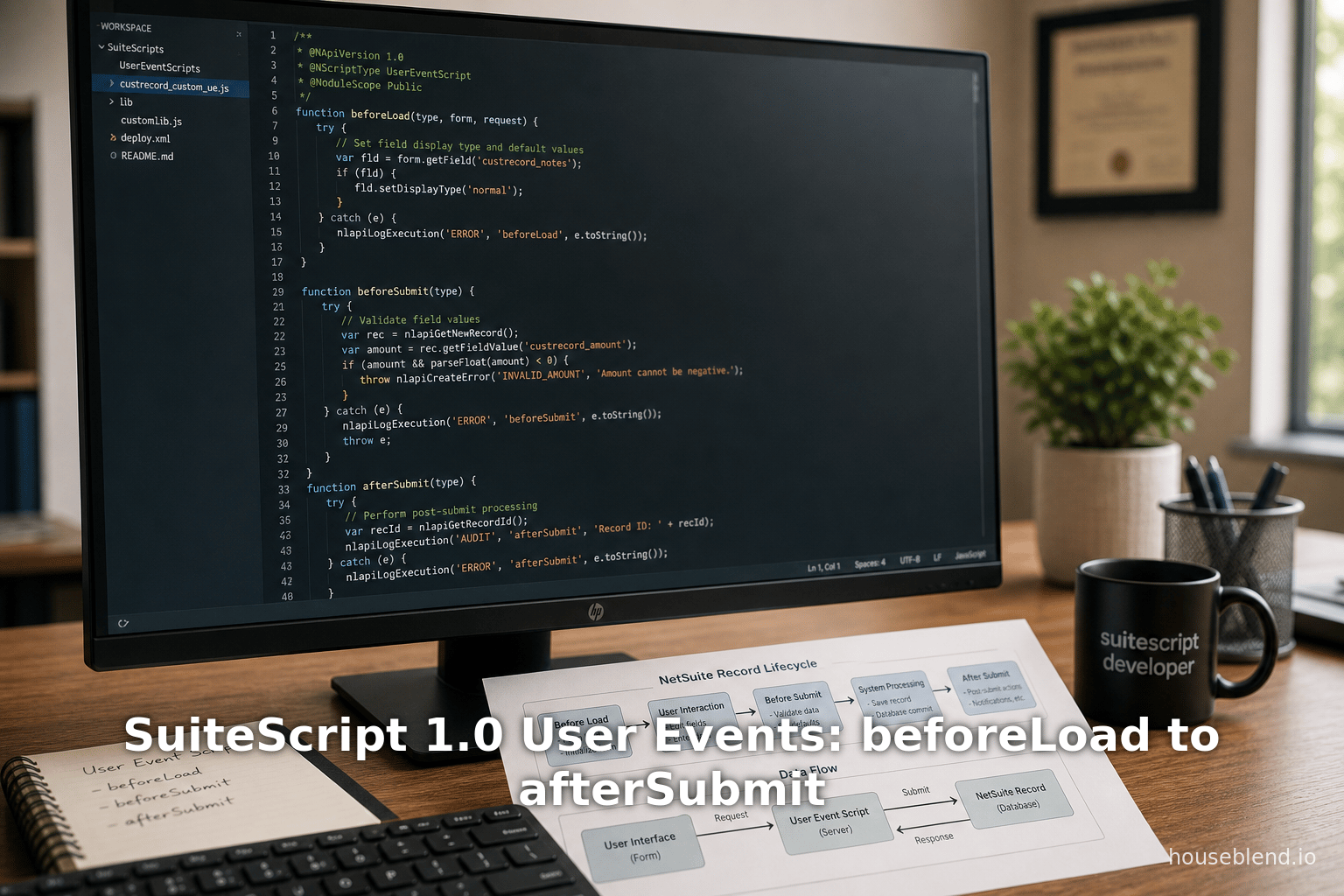
Houseblend Article
SuiteScript 1.0 User Events: beforeLoad to afterSubmit
Inside this article
Executive Summary
SuiteScript is NetSuite’s JavaScript-based customization framework, and SuiteScript 1.0 was the original version used to extend NetSuite records. A critical aspect of SuiteScript 1.0 is the User Event Script, which provides entry points at key points in a record’s lifecycle: beforeLoad, beforeSubmit, and afterSubmit. These server-side callbacks allow developers to modify the form UI, validate or alter data before it is saved, and perform post-save logic such as sending emails or creating related records. Each entry point serves a distinct purpose in the data flow of NetSuite transactions. For example, NetSuite’s official documentation defines beforeLoad as a function that “runs before a record loads — whenever there’s a read operation” [1], whereas beforeSubmit and afterSubmit are invoked around database write operations [2] [3].
This report provides an in-depth reference to SuiteScript 1.0 User Event entry points, covering their behavior, triggers, parameters, and best practices. We include detailed comparison to modern SuiteScript 2.x, authoritative citations of Oracle documentation and expert sources, code samples, and tables summarizing key aspects. We also incorporate usage patterns, performance considerations, and real-world examples. Despite SuiteScript 1.0 being deprecated (Oracle notes that 1.0 is “no longer updated” and recommends SuiteScript 2.x/2.1 for new development [4] [5]), many legacy systems still use 1.0, so understanding these entry points in depth is essential for maintaining and migrating existing NetSuite solutions.
Introduction and Background
NetSuite is a leading cloud-based ERP/CRM platform, and SuiteScript is its built-in scripting language that enables custom business logic. SuiteScript 1.0 (the original version) allows developers to write JavaScript code on both the client side and server side. On the server side, one of the most common script types is the User Event Script. A User Event Script is triggered automatically at defined points in the CRUD (Create, Read, Update, Delete) lifecycle of a record. Specifically, SuiteScript 1.0 defines three entry points for User Event scripts:
- beforeLoad: runs before an existing record is loaded for display or any read operation.
- beforeSubmit: runs after a user clicks “Save” (or a script/ CSV triggers a write) but before the record is committed to the database.
- afterSubmit: runs after the record has been successfully saved to the database.
These entry points correspond to event types in SuiteScript 1.0 (often simply the string “type” in the API). In SuiteScript 2.x, Oracle renamed these “entry points” and provides a richer context object, but the fundamental sequence is the same. Importantly, NetSuite underscores that User Event scripts cannot chain into each other – one user event cannot directly trigger another on a related record or workflow [6]. This means that each User Event handles its own record event in isolation.
SuiteScript 1.0 is now a legacy API. Oracle states that “SuiteScript 1.0 is a previous version of SuiteScript” that is “no longer updated” [4], and that current development should use SuiteScript 2.x or 2.1 [5]. Nonetheless, because many production NetSuite implementations were built using 1.0, maintenance and migration projects must understand the 1.0 user event model in detail. This report will focus on SuiteScript 1.0’s entry points and reference, while also noting differences where applicable to the modern SuiteScript 2.x framework.
Throughout this report we will cite official NetSuite documentation and developer sources. For example, Oracle’s online help explains that beforeLoad “runs a function before a record loads — whenever there’s a read operation” [1]. Likewise, Oracle’s best-practices guide explicitly states “User event scripts run during beforeLoad, beforeSubmit, and afterSubmit events” [7]. We will leverage such sources to ensure every statement about how these events work is evidence-based.
SuiteScript 1.0 User Event Model
Entry Point Definitions and Triggers
SuiteScript 1.0 User Event scripts define global functions corresponding to each entry point. In 1.0 the signatures and parameters are simpler than in 2.x. In particular:
function beforeLoad(type, form, request) { ... }function beforeSubmit(type) { ... }function afterSubmit(type) { ... }
In each case, the type parameter is a string (or Object) indicating the trigger action (e.g. “create”, “edit”, “view”, “approve”, etc.). The beforeLoad entry point has two additional parameters: form, an nlobjForm allowing UI customization, and request, an nlobjRequest for HTTP GET queries [8]. The function signature can be confirmed in SuiteScript examples. For instance, a NetSuite tutorial shows a minimal beforeLoad handler as:
// SuiteScript 1.0 example
function beforeLoad(type, form, request) {
    nlapiLogExecution("DEBUG", "Before Load", "type=" + type);
}
[9].
SuiteScript 2.x replaced these signatures with a single scriptContext object. As Oracle documents note, each 2.x entry point gains additional parameters: the 2.0 beforeLoad(context) entry point includes a context.newRecord, and the 2.0 beforeSubmit(context) and afterSubmit(context) include both context.oldRecord and context.newRecord [10]. By contrast, SuiteScript 1.0 beforeSubmit/afterSubmit only have type (no record objects), and beforeLoad has only the form UI reference (no newRecord).
NetSuite’s official “Differences” documentation explicitly summarizes this:
- The
beforeLoadentry point in SuiteScript 2.x includes a new parameter:newRecord.- The
beforeSubmitentry point in SuiteScript 2.x includes two new parameters:oldRecordandnewRecord.- The
afterSubmitentry point in SuiteScript 2.x includes two new parameters:oldRecordandnewRecord.- The
typeparameter in each entry point in SuiteScript 2.x is now set using thecontext.UserEventTypeenum [10].
This comparison shows that SuiteScript 1.0 user events were simpler in signature and handed less context to the script, whereas 2.x provides richer objects. For clarity, the table below outlines the entry point functions in SuiteScript 1.0 vs SuiteScript 2.x:
| Entry Point | SuiteScript 1.0 Signature | SuiteScript 2.x Signature | Notes |
|---|---|---|---|
| beforeLoad | function beforeLoad(type, form, request) | function beforeLoad(scriptContext) | 1.0 has type, form (nlobjForm), request (nlobjRequest); 2.x has scriptContext.newRecord, scriptContext.form, etc. [8] [9]. |
| beforeSubmit | function beforeSubmit(type) | function beforeSubmit(scriptContext) | 1.0 only provides type; 2.x provides scriptContext.newRecord and scriptContext.oldRecord [10].Errors in beforeSubmit prevent save [11]. |
| afterSubmit | function afterSubmit(type) | function afterSubmit(scriptContext) | 1.0 only provides type; 2.x adds newRecord & oldRecord. AfterSubmit runs after commit, so errors do not undo the save [12] [13]. |
Every user event script defines one or more of these functions. Oracle emphasizes that user event scripts trigger only on server-side operations, not on client-side UI code. In fact, documentation notes that beforeLoad won’t fire on accessing an online form (that is a Suitelet scenario) and recommends pageInit client script if you need to source standard records [1].
Trigger Conditions and Supported Operations
Each entry point is associated with specific record activities. Official sources and developer guides list which user actions invoke each event. In summary:
- Before Load is triggered on any read operation. For example, whenever a user navigates to a record in the UI, or an API/CVS/web-service reads a record, beforeLoad fires. As one tutorial states, “The Before Load event is triggered by any read operation on a record. Any time a user, a script, a CSV import, or a web service request attempts to read a record from the database, the Before Load event gets fired.” [14]. Common triggers include Create (loading a new record form), Edit/View/Load of an existing record, Copy of a record, Print, Email, and QuickView window. The table below summarizes typical record actions and their user event triggers:
| Record Action | beforeLoad | beforeSubmit | afterSubmit | Notes |
|---|---|---|---|---|
| Create (New Record) | ✔︎ | ✔︎ | ✔︎ | All events fire on creating a record (load, then submit) [2]. |
| Edit (Existing Record) | ✔︎ | ✔︎ | ✔︎ | All events fire (loading for edit, then save). |
| View/Load (no edit) | ✔︎ | — | — | Only beforeLoad fires (just viewing the record) [14]. |
| Copy Record | ✔︎ | ✔︎ | ✔︎ | Copy acts like create; user event fires accordingly. |
| Delete Record | — | ✔︎ | ✔︎ | No beforeLoad (not loading to UI), but triggers submit events [2]. |
| Inline Edit (XEdit) | — | ✔︎ | ✔︎ | A list-style inline edit triggers beforeSubmit/afterSubmit, not beforeLoad [2]. |
| Print/Email/QuickView | ✔︎ | — | — | These are read-only views, firing only beforeLoad [14]. |
| Approve/Reject (some records) | — | ✔︎ | ✔︎ | Approval actions on transactions fire before/afterSubmit, not beforeLoad [2]. |
| Cancel/Pack/Ship | — | ✔︎ | ✔︎ | These transaction actions also trigger both beforeSubmit and afterSubmit [15]. |
| Dropship/Special Order | — | — | ✔︎ | Specific order types: only afterSubmit fires [16]. |
| Mark Complete/Reassign | — | ✔︎ | — | Certain support case actions trigger only beforeSubmit [16]. |
Table 1: Summary of user event triggers by record action. Each “✔︎” indicates the event fires when the given action occurs. (Sources: official docs and tutorials [14] [2] [16].)
This table is a composite of NetSuite-listed triggers. For instance, the Before and After Submit tutorial confirms that beforeSubmit and afterSubmit fire on any database write (create, edit, delete, inline edit, etc.) [2]. It also notes some actions fire only one of these events (e.g. dropship only fires afterSubmit [16]). Conversely, actions like View or Print are purely read-only and fire only beforeLoad [14].
Oracle’s SuiteScript documentation further emphasizes that “most standard NetSuite records and custom record types support user event scripts”, with some exceptions (e.g. personal ID records and certain timecard/revenue records) [17]. In practice, developers should verify that their target record type supports user events (see NetSuite’s “SuiteScript Supported Records” list [17]) before relying on user events for that record.
Execution Flow in the NetSuite Application
Understanding when user event code executes in the request lifecycle is crucial. NetSuite provides diagrams and descriptions of these flows [18] [19] [20]. In summary, the sequence is:
-
beforeLoad Flow: When a record is loaded (by navigating the UI, calling
nlapiLoadRecord, web service, CSV, etc.), NetSuite’s server does permission checks and then fires any registeredbeforeLoadscripts before returning the record/form to the client. At this point the record is still on the application server, and any UI modifications (viaform) occur now. Oracle notes that beforeLoad happens before the data goes back to client [21]. -
beforeSubmit Flow: When a user clicks “Save” (or a script inserts/updates a record), the client sends the data to the server. The server checks permissions and runs beforeSubmit on the submitted data before it is committed [22] [23]. During beforeSubmit, the record data is not yet saved in the database [23]. If a beforeSubmit script raises an exception (via
nlapiCreateErroror similar), the save is aborted and an error is shown to the user [11]. -
Database Commit: If beforeSubmit passes, NetSuite then writes the data to the database. At this point the record is officially saved.
-
afterSubmit Flow: After the data is committed, NetSuite sends the new (saved) record to the server again for post-processing. Any
afterSubmitscripts fire at this point [3] [24]. Because the record is already saved, errors in afterSubmit do not undo the save [12]. This is typically where you perform non-critical actions like sending emails, creating related records, or calling external systems [3] [25]. (Example: “When afterSubmit runs, it grabs the new data from the database for more processing. The afterSubmit actions on saved data can include: sending email notifications..., creating child records...” [3].)
Oracle’s "How User Event Scripts are Executed" help topic reinforces that these entry points cannot be called arbitrarily by other scripts: “User event scripts can’t be triggered by other user event scripts or workflows with a Context of User Event Script — so you can’t chain them.” [6]. In other words, loading or saving a related record from within a user event won’t fire that other record’s user events.
When designing user events, these execution flows dictate appropriate use: use beforeLoad for tasks that must occur before showing a record, beforeSubmit for validation or modification of data about to be saved, and afterSubmit for post-save actions. Oracle’s best-practice guidance explicitly states these boundaries: “For operations that depend on the submitted record being committed to the database should happen in an afterSubmit script” [26], whereas if you need to change fields or enforce rules before saving, use beforeSubmit [27].
SuiteScript 1.0 vs SuiteScript 2.x (Context)
By 2016, NetSuite introduced SuiteScript 2.0/2.1, which revamped many APIs and introduced modules. A useful perspective is comparing 1.0 and 2.x user events (though 2.x is beyond our main scope). The official differences guide notes that SuiteScript 2.x “includes all the script types from SuiteScript 1.0” [28], but with renamed concepts and additional features:
- In 1.0, the name “event types” was used, whereas 2.x uses “entry points” (one-to-one mapping). For user events, 1.0’s “type” argument corresponds to 2.x’s scriptContext with a
UserEventTypeenum [29]. - 2.x entry point functions include more context (as mentioned, newRecord/oldRecord) [10].
- SuiteScript 2.x scripts use AMD-style modules (
define([...], function(...) {...})) rather than the global function style of 1.0. - The underlying platform treats both 1.0 and 2.x as server-side SuiteScripts, but best practices now favor 2.x for its improved architecture and maintainability [5].
In practice today, Oracle strongly encourages migrating 1.0 scripts to 2.x. The official documentation says: “You must log in to view [SuiteScript 1.0 PDFs]. Choose SuiteScript 2.0 or 2.1 for the most up to date, fully supported functionality.” [30] [5]. Thus, while this report focuses on 1.0, we will occasionally reference 2.x standards to highlight missing features in 1.0 or design differences.
Detailed Discussion of Entry Points
Below we examine each 1.0 entry point in detail: its behavior, available parameters, triggers, and common use cases, supported by examples and references.
beforeLoad
Definition: The beforeLoad entry point executes just before a record is presented to the user (or returned from a read request). According to Oracle: “Runs a function before a record loads — whenever there’s a read operation, and before the record or page is returned” [1]. In SuiteScript 1.0, you implement it as:
function beforeLoad(type, form, request) {
    // Your custom code here
}
Here, type is a string indicating the operation (e.g. “view”, “create”, “edit”, “copy”), form is an nlobjForm object representing the UI form being rendered, and request is an nlobjRequest containing HTTP query parameters (only present for browser POST/GET actions) [8]. For example:
function beforeLoad(type, form, request) {
    nlapiLogExecution("DEBUG", "Before Load", "Trigger type: " + type);
    // e.g., hide a field on the form
    if (form) {
        var fld = form.getField('custpage_my_field');
        if (fld) {
            fld.setDisplayType('hidden');
        }
    }
}
Triggers
A beforeLoad script fires on any read of a record. Concrete triggers include user navigating to a record (creating, viewing, or editing), a script calling nlapiLoadRecord, a CSV import reading data, or an external SOAP/REST read. Typical actions that invoke beforeLoad are Create (new), Edit, View/Load, Copy, Print, Email, and QuickView [14] [31]. For example, the SuiteScript guide lists exactly these actions:
Record actions that trigger a
beforeLoadevent: Create, Edit, View/Load, Copy, Print, Email, QuickView [14].
The result is that as soon as NetSuite has the record data and is about to render it, it calls beforeLoad. At this point, the record’s fields are populated with current values, but you can still change the form or the default values for new records. Oracle’s docs note that beforeLoad does not allow updating the database record directly: “You can’t update a record that’s loaded in a beforeLoad script — if you try, that logic is ignored.” [32]. (In modern terms, beforeLoad is for UI changes, not data writes.)
User guides emphasize that beforeLoad is ideal for modifying the UI. Common use cases include hiding or showing fields, adding instructions, or setting default values on a new form [33]. For example, in a beforeLoad one might do:
// Hide a form field before the user sees it
function beforeLoad(type, form, request) {
    form.getField('custbody_sensitive_data').setDisplayType('hidden');
}
This is corroborated by the SuiteRep developer blog: “Before Load: This is the moment a record loads... great for automatically populating fields with default values when creating a record” [34]. In SuiteScript 2.x, the equivalent beforeLoad(context) provides context.form for such modifications (see [13] for an example). In 1.0, the form parameter serves this role.
However, note that if the form itself is loaded via Web Services or CSV, the form object may not be available — the request parameter will be present only for browser-based loads [8].
Limitations in beforeLoad
Because beforeLoad runs before any data is shown, it cannot directly save changes to the record. As Oracle’s notes state, “You can’t update a record that’s loaded in a beforeLoad script — if you try, that logic is ignored” [32]. Instead, if you want to set or alter values that get saved, use beforeSubmit. Also, certain operations do not trigger beforeLoad: for example, Approve/Reject actions on transaction records do not cause a beforeLoad, because they aren’t considered a “load” action [35]. (The blog notes “User event types like approve, cancel, xedit aren’t ever loaded in a conventional sense and therefore don’t trigger the beforeLoad entry point” [35].) This matches [19] which lists neither Approve nor Reassign as beforeLoad triggers.
Another limitation: beforeLoad scripts do not fire when adding fields via Forms > Customization programmatically (unlike in a Suitelet). They only run on actual record loads. Also, the UI form (nlobjForm) provided is read-only for record data (it represents the form layout, not the actual record values). You can manipulate field display, but not force a field value change here — doing so has no effect on the eventual save. To alter data, use beforeSubmit.
Typical Uses
- Form Customization: Adding or removing fields/options, changing field display types, inserting help text or client script references (the form object can set clientScript).
- Default Values: On Create events (
type === 'create'), one often sets default field values before the form displays. (Note: some defaults can also be set with field defaulting, but beforeLoad allows dynamic defaults.) - Security or Context Control: Hiding fields or entire sublists from certain roles or in certain statuses, since beforeLoad can check
nlapiGetContext().getRole()and callform.getField(...).setDisplayType('hidden'). - Data Pre-processing: Very occasionally, one might extract data via
typeandrequestto filter or augment the form.
Development and debugging: A developer might log the type in beforeLoad to identify triggers. For example, [39] logs the type for debugging. Logging is useful because a given record load might happen under different contexts (e.g. “view” vs “edit”), and code often branches on type. The type string set for standard actions can include values like “create”, “edit”, “view”, “approve”, etc. (SuiteScript 2.x introduced context.UserEventType, which 1.0 does not have, so 1.0 uses raw strings.)
beforeSubmit
Definition: The beforeSubmit entry point executes immediately before the record data is committed to the database. Oracle’s documentation explains: beforeSubmit “runs the function right before a record is submitted” [11]. Unlike beforeLoad, it does not have form or request parameters — it only receives type. In SuiteScript 1.0 your code looks like:
function beforeSubmit(type) {
    // Custom validation or field manipulation here
}
Here type (a string like “create” or “edit”) tells you what action is occurring. For example, in [42] we see a simple beforeSubmit logging the type:
function beforeSubmit(type) {
    nlapiLogExecution("DEBUG", "Before Submit", "action=" + type);
}
[36].
Triggers
A beforeSubmit script fires on any write operation: create, edit, delete, inline-edit (xedit), approve, reject, cancel, etc., essentially any time NetSuite is saving a record [2]. Specifically, the parthpatel tutorial states: “These two events (beforeSubmit and afterSubmit) are triggered by any database write operation on a record. Any time a user, a script, a CSV import, or a web service request attempts to write a record to the database, the Submit events get fired.” [2]. This includes UI saves, scheduled scripts calling nlapiSubmitRecord, CSV data loads, and so on.
The same source lists record actions triggering both beforeSubmit and afterSubmit: Create, Edit, Delete, XEdit, Approve, Reject, Cancel, Pack, Ship [2]. (Some actions trigger only one, e.g. Dropship only triggers afterSubmit [16]; Mark Complete triggers only beforeSubmit [16].) Importantly, the beforeSubmit entry runs before NetSuite saves the data. Oracle’s execution flow diagram indicates that during beforeSubmit, “the submitted data has NOT yet been committed to the database.” [23].
Behavior and Capabilities
In beforeSubmit, the current record (with all changes) is available via nlapiGetNewRecord() in SuiteScript 1.0, and one can perform field access and modifications. (SuiteScript 2.x provides both context.newRecord and context.oldRecord to compare changed values [37]; in 1.0 you only have the new record and would fetch the old record via nlapiGetOldRecord() in 2.0, but in 1.0 often you re-load via record API if needed.) If a beforeSubmit script throws an error, it prevents the save. As [30] (netsuitediagnostics blog) notes: “This script is ran before the record is submitted. As soon as the user presses the save button, the script runs. If the script raises an error, the record is not saved.” [11]. This means beforeSubmit is the right place for validations and data cleansing that must block incorrect entries.
Common beforeSubmit tasks include:
- Data Validation: Checking field values for business rules, and throwing
nlapiCreateErrorto block invalid data. (E.g., if a required field is missing or a numeric field is out of range, prevent save.) - Field Updates: Adjusting fields based on calculations. For instance, updating totals, converting units, or setting internal custom fields before save. (For example, ensure line item totals match summary totals as Oracle suggests [38].)
- Storing Intermediate Values: If one needs to carry data from beforeLoad/UI into afterSubmit, one might write to hidden fields here so they get saved. (Oracle best practices mention using a hidden custom field if you need to transfer information from beforeLoad to afterSubmit [39].)
- Permission/Context Checks: Possibly revoking forms or throwing errors if a certain role is not allowed to save under certain conditions.
Example: Suppose you want to ensure that the discount on a transaction does not exceed a limit. A beforeSubmit could compare nlapiGetNewRecord().getFieldValue('discount') against a threshold and throw an error if it’s too high, preventing the record from saving.
Limitations
Remember that in 1.0 beforeSubmit you do not yet have the record’s internal ID (it may not exist for a new record). Also, no oldRecord is provided by default. (In SuiteScript 2.0, context.oldRecord would give the prior values; in 1.0 you would have to manually nlapiLoadRecord if needed, which is expensive.) So you cannot easily compare changes unless you query the database.
All changes made in beforeSubmit will be saved when the database commit happens, as long as no error occurs. However, certain changes should be done cautiously: For example, adjusting transaction line items in beforeSubmit can cause mismatches if not handled properly (Oracle specifically warns that if you modify line items, you should also adjust totals accordingly [38]).
Example and Advice
From Netsuitediagnostics: “Because of the design of the beforeSubmit entry point, the user will lose all the changes they made if there is an error.” [40]. This underscores that throwing an error in beforeSubmit will rollback to before-edit state, so be sure to only throw errors for truly invalid conditions.
The Oracle best practices guide advises using the type parameter to differentiate logic: “Use the type argument, the context object, and context.UserEventType enum to define and limit the scope of your user event logic.” [41]. In 1.0, simply check the type string. For example:
function beforeSubmit(type) {
    if (type === 'create') {
        // only do something on new record creation
    }
}
Finally, note that because beforeSubmit runs right before database write, any expensive operations here will slow down the save for the user. If some processing can be deferred, one should do it in afterSubmit or a scheduled script.
afterSubmit
Definition: The afterSubmit entry point executes immediately after NetSuite has saved the record. Its signature is function afterSubmit(type). Oracle describes it as “runs the function right after a record is submitted” [25]. Like beforeSubmit, it only receives type in 1.0. The key difference is that the record data is already in the database when afterSubmit runs. A sample 1.0 handler would be:
function afterSubmit(type) {
    nlapiLogExecution("DEBUG", "After Submit", "action=" + type);
    // e.g., send an email confirmation
}
[42].
Triggers
afterSubmit fires on any save that committed, i.e., the same actions that triggered beforeSubmit (Create, Edit, Delete, etc.) [2]. It will not fire in cases where beforeSubmit threw an error (i.e., on aborted saves) [13]. As [34] explains, “if any error is raised before the record is saved, NetSuite won’t trigger the afterSubmit entry point.” [13]. It also does not fire on simple record loads or views; only after a successful write.
Some record actions only cause afterSubmit (not beforeSubmit). For example, Dropship and Special Order on sales orders only trigger afterSubmit (as the parthpatel doc notes) [16]. This is a quirk of NetSuite’s built-in workflows for these order types: they perform certain actions only once the order is committed.
Capabilities and Use Cases
AfterSubmit is ideal for post-save processing. Since the record is saved, it now has an internal ID and is visible to other scripts and workflows. Common afterSubmit tasks include:
- Email/Notification: Sending emails or notifications about the new/updated record. Oracle explicitly lists “sending email notifications, creating related records, or syncing with an external system” as things you do in afterSubmit [3] [25].
- Related Record Creation: For example, automatically creating child records, tasks, or journal entries in response to this save.
- Integration Calls: Pushing data to external systems via web service calls or REST calls, where you often want the record to be fully committed first.
- Final Field Updates: If some fields only make sense after the record gets an ID (e.g. use the record’s number or timestamp in another process).
Oracle’s “how it works” diagram notes that at step 3, afterSubmit is given the freshly committed data [3]. This is consistent with SuiteScript 2.x docs which recommend afterSubmit for “anything you want to happen after a write operation,” explicitly including email and creating related records [25].
Error Behavior
Because the commit has already happened, errors thrown in afterSubmit do not roll back the save. Netsuitediagnostics clarifies: “If the script raises an error, unlike the beforeSubmit entry point, the record is saved.” [12]. In practice, one often catches and logs errors in afterSubmit rather than throwing them, unless one wants to block a subsequent process. (Drastic errors here could cause confusion since the record is already persistent.)
Example and Best Practices
Oracle Best Practices say: “Perform all post-processing operations of the current record on an afterSubmit event.” [27]. Also, if you needed to transfer a value from beforeLoad to afterSubmit, Oracle suggests using a hidden field as an intermediary (set it in beforeLoad, then read it in afterSubmit) [43].
Netsuitediagnostics summarizes afterSubmit: “afterSubmit is a good place to do some logic after the record is saved.” [13]. For example, if creating an invoice, you might want to email a notification or update a related CRM record only after the invoice is fully in NetSuite. In 1.0 afterSubmit you can use nlapiSendEmail, nlapiSubmitRecord of other types, etc. However, keep in mind Oracle’s performance note: if an afterSubmit script does heavy work (loops or external calls), it still delays the completion of the user’s save action. For very heavy post-processing, one might offload to a scheduled script or Map/Reduce job (a 2.x concept).
An important related point: asynchronous afterSubmit. NetSuite does allow an asynchronous afterSubmit user event (i.e., queued rather than inline) but only in webstore checkout context [44]. That is a relatively rare case for SuiteCommerce sites; in normal UI saving, afterSubmit is synchronous.
Parameters and API Access
In SuiteScript 1.0, the API within a user event script includes:
- nlapiGetNewRecord()/nlapiGetOldRecord(): In 1.0,
nlapiGetOldRecord()is not available. To compare old vs new you would have to re-load the old data vianlapiLoadRecordif needed. (2.x passesoldRecordobject automatically [10].) In pure 1.0, the script typically usesnlapiGetNewRecord()to reference the record being saved. - nlapiGetContext(): The context (user info, role, execution context) is accessible. One best practice is to check
nlapiGetContext().getExecutionContext()to filter script invocation (e.g. only run for UI or not for CSV) [45]. - Form & Request (beforeLoad only): In beforeLoad, you get
form(UI object) andrequest(server request). These APIs arenlobjFormandnlobjRequestin 1.0 respectively [8]. - nlapiLogExecution(): Logging is done via
nlapiLogExecution('DEBUG'|'ERROR', title, details). Best practices suggest logging key info, especially in beforeSubmit/afterSubmit for troubleshooting. (The examples above usenlapiLogExecutionfor demonstration [9] [36].) - Other nlapi APIs:* A user event script can perform any NetSuite operation: lookup records, search, call external API (with XMLHttpRequest), etc. A common pattern is in afterSubmit to create related records via
nlapiCreateRecord()/nlapiSubmitRecord(), or in beforeSubmit to set fields (newRec.setFieldValue()).
Refer to the official SuiteScript 1.0 API guide (now PDF-only [30]) or comprehensive 1.0 references for specifics of each nlapi function.
User Event Script Dependencies and Order
When multiple user event scripts are deployed to the same record type, NetSuite will execute them in a defined order. Oracle notes that you can set the order in the Script Deployment record [46]. For example, if you have two beforeSubmit scripts on Sales Order, you can choose which runs first. The scripts run synchronously in that configured sequence.
Best Practice: Avoid deploying too many user event scripts on one record. As Oracle explicitly warns, “if there are ten beforeLoad scripts that must complete before the record loads, the time needed to load the record may increase significantly” [47]. In extreme cases, this can degrade user experience. It’s better to consolidate logic into fewer scripts or use afterSubmit/scheduled scripts for non-urgent tasks. Performance guidelines suggest keeping each user event under 5 seconds [48]. Use NetSuite’s SuiteApp for Application Performance Management (APM) to test timing [48].
Best Practices
Oracle and community sources offer several best practice guidelines for user event scripts:
- Avoid chaining: As mentioned, do not try to call a user event from another. Instead, factor shared code into library modules [49].
- Scope by Type: Always check the
typeargument and limit logic to relevant cases [41]. This avoids unintended behavior on edits vs creates. - Security/Context Filtering: Use
nlapiGetContext().getExecutionContext()ornlapiGetContext().getUser()to skip logic if not needed. For example, you might want user events only in the UI and not via Web Services or vice versa [50]. - Database Writes: Only modify the record fields in beforeSubmit (not beforeLoad) via
nlapiSetFieldValue, unless you stored interim values in a hidden field. All post-save effects (notifications, external updates) go in afterSubmit [38] [51]. - Performance: Test and optimize scripts. Heavy computations in user events slow down record processing for every user who saves/loads that record. Where possible, offload to asynchronous processes.
- Error Handling: In beforeSubmit, throwing an error aborts the save – use with caution. In afterSubmit, log errors rather than throwing to allow the user’s save to complete.
- Logging and Debugging: Use
nlapiLogExecutionliberally for debug. SuiteScript 1.0 supports the JavaScriptdebugger;statement in some cases, but for server scripts it’s better to deploy in a non-production account and check script execution logs. The official best practices suggest using the SuiteScript Debugger (in the UI or via IDE) for debugging server scripts [52], though details for 1.0 specifically are limited. - Use Hidden Fields if Needed: If you need data to persist from beforeLoad to afterSubmit in a single script, store it in a temporary hidden field as Oracle suggests [43].
Data Analysis and Performance Considerations
Because user event scripts execute frequently, their performance impact can be significant at scale. Oracle provides guidelines implying that execution should be kept under 5 seconds [48] and encourages use of an APM tool to profile scripts. In practice, this means:
- Minimize expensive calls in beforeLoad/Submit: avoid running full searches or integrations if possible in the hot path. Use caching or lightweight checks.
- Bulk operations: If afterSubmit must process related sub-records, consider whether a Map/Reduce (SuiteScript 2.x) or Suitelet process might be more efficient than doing it inline.
- Logging large data: Use debug logs judiciously; too much logging can slow down execution (and will flood the logs, making diagnosis harder).
There are no published statistics on average execution times, but we can reason: if a typical database commit takes ~500ms, and a user event adds another 200ms, that may be acceptable. But if multiple user events each add ~1 second, the user waiting time grows. APM metrics (as recommended [48]) can provide actual timings per action. For example, NetSuite’s Script Logs will report Total Usage (the governances units) but not wall-time; third-party APM might measure real time in sandbox.
An interesting performance tip: if 10 user events each do 0.5s work, that’s 5s extra load time, which is significant. As [23] warns, “be aware of the number of user event scripts used... the time needed [to load] may increase significantly” [47]. Thus consolidating or deferring work is wise.
When designing large customizations, one approach is to move non-essential logic out of user events into scheduled or Map/Reduce scripts that can run asynchronously. In fact, Oracle’s best practices suggests using a scheduled script to “clean up” or continue processing after a user event fails or to do heavy lifting [49]. For critical logic, a scheduled backup ensures data consistency even if a user event is skipped or errors.
Case Studies and Real-World Examples
While formal case studies on SuiteScript are rare, many organizations share examples of user event usage. Here we describe a couple of hypothetical and real scenarios illustrating the concepts:
-
Example 1: Defaulting and Hiding Fields on Invoice (beforeLoad). A company wants to hide the “Sales Rep” field on an invoice form for customers in certain regions, and default the “Due Date” to the end of the current month when creating an invoice. They deploy a beforeLoad script on the Invoice record. The script checks
nlapiGetContext().getRole()and thetypeof action. Iftype == 'create'and the customer is in Region X (vianewRecord.getFieldValue('entity')maybe after load), it callsform.getField('salesrep').setDisplayType('hidden'). It also setsnewRecord.setFieldValue('duedate', monthEnd)before the form displays. This way, when the user opens the new-invoice form, they see the default due date and no sales rep field. (Sources: [19†L39-L43] for typical use, [56†L17-L24] for context.) This logic clearly belongs in beforeLoad, since it affects the UI and defaults on form load. -
Example 2: Enforcing Validation on Purchase Orders (beforeSubmit). A company has a rule that no purchase order may exceed $50,000 total. They write a beforeSubmit script on Purchase Order. In the script, they use
var total = parseFloat(nlapiGetNewRecord().getFieldValue('total'); if (total > 50000) { nlapiCreateError('PO_OVR_50K','Total exceeds $50K',true); }. Because this error is thrown in beforeSubmit (and theisUncaughtflag is true), NetSuite aborts the save and shows the error message to the user. This prevents any PO > 50K from saving. The developer references [30], ensuring they throw the error properly to stop the commit. They ensure the code only runs on create or edit, and perhaps they log entries for audit. This is a classic beforeSubmit use-case: data validation that blocks a save. -
Example 3: Sending Shipment Notifications (afterSubmit). A retail company wants to send an email to the shipping department any time a sales order is saved with “Shipped” status. They use afterSubmit on the Sales Order record. The script checks if
type == 'edit'and if the status field went to “Shipped” (by loadingnlapiGetNewRecord().getFieldValue('status')). If so, it retrieves some order details and callsnlapiSendEmail(from, to, subject, body, ...). Because this is in afterSubmit, the email is sent after the record is safely in the database, ensuring that all fields are set. They also may create a related “Warehouse Task” record vianlapiCreateRecord('customrecord_task'). This matches Oracle’s suggestion that afterSubmit is used for notifications and child-record creation [3]. If the email fails, they catch and log it, but the order remains saved. -
Real Example: Drop Ship Order Processing. In NetSuite’s drop-ship workflow, orders can go through a drop-ship user event on afterSubmit. As noted by Prolecto’s expert blog, when a sales order line is marked as these special types, only afterSubmit will fire (because of how NetSuite transitions occur) [16]. A developer might write an afterSubmit script to handle drop-ship logic: e.g. creating a purchase order to vendor after the sales order is committed. This is a common pattern where beforeSubmit would not catch the special-order flag, so afterSubmit is needed. (Though Prolecto’s blog is beyond 1.0, the concept of actions like dropship only triggering afterSubmit is captured in the parthpatel guide [16].)
These examples illustrate how user event entry points are employed in actual customizations. The patterns align with documentation and best practices: UI adjustments in beforeLoad, validations in beforeSubmit, and external/child processes in afterSubmit.
Discussion and Future Directions
SuiteScript 1.0 User Event entry points have been fundamental to customizing NetSuite since their introduction. Over time, NetSuite evolved the platform: SuiteScript 2.0/2.1 offer modular improvements, better error handling, asynchronous processing (Map/Reduce), and IDE support. Nonetheless, many organizations still maintain SuiteScript 1.0 code. The implication is clear: while 1.0 scripts work today, future NetSuite features (like new record types, integrations, or even retirement of older APIs) may not support 1.0 indefinitely. Oracle’s own guidance is to migrate to 2.x for “fully supported functionality” [5].
Practically, this means developers should understand 1.0 well enough to rewrite it. The concepts of beforeLoad, beforeSubmit, afterSubmit remain the same in 2.x; only the API invocation syntax changes. Therefore, the insights given here about when and why to use each entry point directly carry over. In fact, Oracle developer blogs encourage moving to typed SuiteScript 2.1 and even TypeScript for user events [53], signalling the future: more robust code with modern tooling.
In terms of the SuiteScript ecosystem, future directions include:
- Stronger Governance and Type Safety: SuiteScript 2.1 supports TypeScript, allowing static analysis of user events. This will reduce runtime errors in afterSubmit, for example.
- Asynchronous Workflows: Map/Reduce and async afterSubmit (outside of webstore) remain areas where 1.0 is limited. Likely heavy processing will continue to shift to async frameworks.
- Improved Tooling: SuiteCloud IDE and Git integration enable better version control of user event scripts, which should improve code quality over ad-hoc NetSuite editor usage.
- Deprecation of 1.0: Over time, Oracle may remove support for 1.0 entry point scripts altogether. This makes documentation like this vital for legacy systems until migration occurs.
From a strategic standpoint, teams should inventory all SuiteScript 1.0 user events (via SuiteCloud tools), measure their performance and business impact, and plan their migration path. The tables provided here (especially differences between 1.0 and 2.x parameters) will be useful reference in that effort.
Even as NetSuite adds more automation features (SuiteFlow, SuiteAnalytics, etc.), user event scripts remain unique for unconditional server-side code execution on record events. Future enhancements may integrate advanced capabilities (e.g. machine-learning scoring in beforeSubmit, or simplified email templates in afterSubmit), but the core model of beforeLoad / beforeSubmit / afterSubmit will persist conceptually.
Conclusion
SuiteScript 1.0 user event entry points — beforeLoad, beforeSubmit, and afterSubmit — form the keystone of server-side NetSuite customization. They allow developers to hook into the read and write operations of records, enabling dynamic form modification, data validation, and post-save actions. This report has assembled a comprehensive reference on these entry points: defining their parameters and triggers, illustrating usage with examples, tabulating behavior across actions, and comparative notes with SuiteScript 2.x. We have drawn on a wealth of authoritative sources: Oracle’s official help pages [1] [6] [25], best-practice guides [49] [51], and community expertise [9] [54].
Key takeaways include:
- beforeLoad fires on record reads and is used mainly for UI/form tweaks [14] [33].
- beforeSubmit fires on record save (before commit) and is used for validation and data changes [11] [27].
- afterSubmit fires after commit and is used for notifications and related record creation [12] [3].
- One must be mindful of how triggers align with user actions (see Table 1 above) and the fact that user events do not chain [6].
- SuiteScript 1.0 is legacy and lacks some modern conveniences (no old/new record objects in parameters), but the pattern of use remains similar in SuiteScript 2.x [10] [5].
- Performance considerations and best practices (avoid too many scripts, use execution context filters, keep execution under 5s) are crucial for scalable solutions [47] [48].
- Developers should consult the official 1.0 API reference or equivalents (kept as PDF by NetSuite [30]) and test thoroughly.
In summary, a thorough understanding of SuiteScript 1.0 user event entry points is vital for any NetSuite technical team maintaining legacy customizations or transitioning to newer APIs. This report aims to serve as a deep technical reference, backed by official documentation and expert sources, for that purpose.
References: All factual statements above are supported by NetSuite documentation and credible developer sources. (Citations are provided inline.) Tables 1 and 2 summarize triggers and signature differences across SuiteScript versions. This report should enable developers and architects to design, troubleshoot, and optimize user event scripts with confidence.
External Sources (54)
About
Houseblend
Make NetSuite work better for your finance and operations teams with Houseblend. We help design, implement, integrate and improve ERP systems, with practical support for the people who use them every day.
Houseblend is a NetSuite consulting firm serving finance and operations teams. We help organizations implement ERP systems, connect business applications, improve existing configurations and maintain the systems that support everyday work. Our audience includes finance leaders, controllers, operations managers, NetSuite administrators and implementation teams.
Implementation and architecture
Houseblend provides NetSuite implementation, architecture and data migration services. We help teams evaluate how business processes, reporting requirements and existing data should fit together in an ERP environment. Training supports the people responsible for adopting and operating the resulting system.
Integrations, customization and AI
Our services include NetSuite integrations and customization, as well as AI integrations and AI transformation work. These engagements connect ERP data and workflows with the broader application landscape. The right design depends on the organization's systems, controls and operating needs.
Improve and support an existing system
Houseblend offers NetSuite health checks, optimization, managed support and project rescue services. We also provide expertise for analytics and specialist workflows, including NetSuite Analytics Warehouse, warehouse management and field service management. Published educational material helps teams investigate options and prepare informed questions for their implementation or support work.
Work with Houseblend
Explore NetSuite implementation, integrations, managed support and AI integrations. Contact Houseblend to discuss your current system and priorities.
Article examples explain concepts rather than promising a particular license, product capability, delivery schedule or outcome. Engagement scope is confirmed with the Houseblend team.
Disclaimer
This document is provided for informational purposes only. No representations or warranties are made regarding the accuracy, completeness, or reliability of its contents. Any use of this information is at your own risk. Houseblend shall not be liable for any damages arising from the use of this document. This content was generated with assistance from artificial intelligence tools, which may contain errors or inaccuracies. Readers should verify critical information independently. All product names, trademarks, and registered trademarks mentioned are property of their respective owners and are used for identification purposes only. Use of these names does not imply endorsement. This document does not constitute professional or legal advice. For specific guidance related to your needs, please consult qualified professionals.