Houseblend Article
SuiteScript 2.1 HTTPS Promises: Map/Reduce Async Patterns
Inside this article
- 01Executive Summary
- 02Introduction and Background
- 03SuiteScript 2.0 vs 2.1: Modern JavaScript Features
- 04The N/https Module and Asynchronous HTTP Calls
- 05Promises and Async Patterns in SuiteScript 2.1
- 06Asynchronous Patterns in Map/Reduce Scripts
- 07Performance and Governance Analysis
- 08Case Studies and Examples
- 09Implications and Future Directions
- 10Conclusion
Executive Summary
SuiteScript 2.1 represents a major modernization of NetSuite’s scripting platform, adding ES2019+ features (async/await, Promises, etc.) to previously synchronous SuiteScript 2.0 code . In particular, the N/https module in 2.1 exposes promise-based methods (e.g. https.get.promise(options)) that return JavaScript Promises for asynchronous HTTP calls, in addition to the legacy synchronous APIs [1]. NetSuite’s official documentation confirms that key server-side modules (such as N/https, N/http/N/https, N/search, N/query, N/transaction, etc.) now support Promise-returning methods, enabling await-style asynchronous flows [2]. This enables a SuiteScript developer to call external REST endpoints, saved searches, and other APIs without deeply nested callbacks – for example, one can write in a map/reduce context:
const resp = await https.get.promise({ url: 'https://api.example.com/data' });
const data = JSON.parse(resp.body);
as shown in a SuiteScript 2.1 example.
In Map/Reduce scripts, which run in parallel stages on NetSuite’s servers, these asynchronous patterns must be used carefully. Each https call (synchronous or Promise-based) still consumes 10 governance units [3] [1], and Oracle warns that server-side Promises “are not for bulk processing use cases” [2]. Best practices (from Oracle and community sources) emphasize using async/await instead of chained .then(), handling errors with try/catch and .catch(), and controlling concurrency. For instance, one should avoid launching thousands of parallel calls at once (using tools like BluebirdPromise.map with concurrency limits). A common pattern is “schedule first, await later”: e.g. using task.create().submit() in a Suitelet to start one or more Map/Reduce jobs, then looping with await sleep() and task.checkStatus() to poll their completion.
Performance measurements indicate that even with asynchronous code, Map/Reduce throughput remains relatively modest: community reports show processing on the order of only 2–3 records per second in practice, even with moderate parallelism [4]. This is consistent with Stockton10’s analysis that SuiteScript 2.1 is “not meaningfully” faster than 2.0 [5]; the gains are in code clarity and maintainability, not raw speed. Our detailed analysis of NetSuite governance tables confirms that asynchronous methods carry the same usage cost as their sync counterparts (e.g. https.get vs https.get.promise both use 10 units [3]), so using Promises does not reduce unit consumption. However, the cleaner await syntax simplifies writing complex Map/Reduce logic (e.g. aggregating API results or combining search data) and makes error handling more straightforward [5].
This report provides an exhaustive examination of SuiteScript 2.1’s HTTPS and Promise capabilities within Map/Reduce scripts. We review the historical evolution from SuiteScript 2.0 to 2.1, survey the new N/https methods and usage, detail common asynchronous patterns (including pitfalls), analyze governance and throughput data, and present real-world examples and best practices. We also discuss broader implications and future directions (such as Node.js polyfills and AI-assisted development). Every claim is substantiated by official NetSuite documentation and expert sources.
Introduction and Background
SuiteScript is NetSuite’s JavaScript API platform for customizing and automating the NetSuite ERP/CRM system. The first SuiteScript (1.0) dates back to ~2007, and was eventually replaced by SuiteScript 2.0 in 2015, which introduced an AMD-style define([...], ...) module system but still ran on older, ES5-era JavaScript. SuiteScript 2.1 (released in 2021) runs on a GraalVM/V8 engine and supports modern ECMAScript features up through ES2023 [5]. Key new language features in 2.1 include block-scoped let/const, arrow functions, template literals, and – crucially – native Promises and the async/await keywords [5] . As one expert notes, “SuiteScript 2.0 has no native async support… 2.1 supports Promises and async/await” [5]. This modernization is aimed at improving code readability and maintainability – for example, nested callback “pyramid-of-doom” code in 2.0 can be replaced by linear async/await flows in 2.1 [5].
SuiteScript code is deployed in various script types (Client, User Event, Scheduled, Suitelet, Restlet, etc.), each with its own execution context. Importantly, the Map/Reduce script type (introduced in 2016) is designed for processing large amounts of data in parallel [6] [7]. A Map/Reduce script consists of four entry points: getInputData, map, reduce, and summarize [8] [6].In execution, NetSuite automatically splits the input data into many chunks and runs parallel “map” tasks on them; results from the map stage are then grouped and processed by “reduce” tasks; finally, a summarize step can report overall outcomes and errors. This architecture (often described as NetSuite’s “scalability workhorse” [7] [8]) lets Map/Reduce handle millions of records safely, with built-in governance yielding if limits are hit [6] [7].
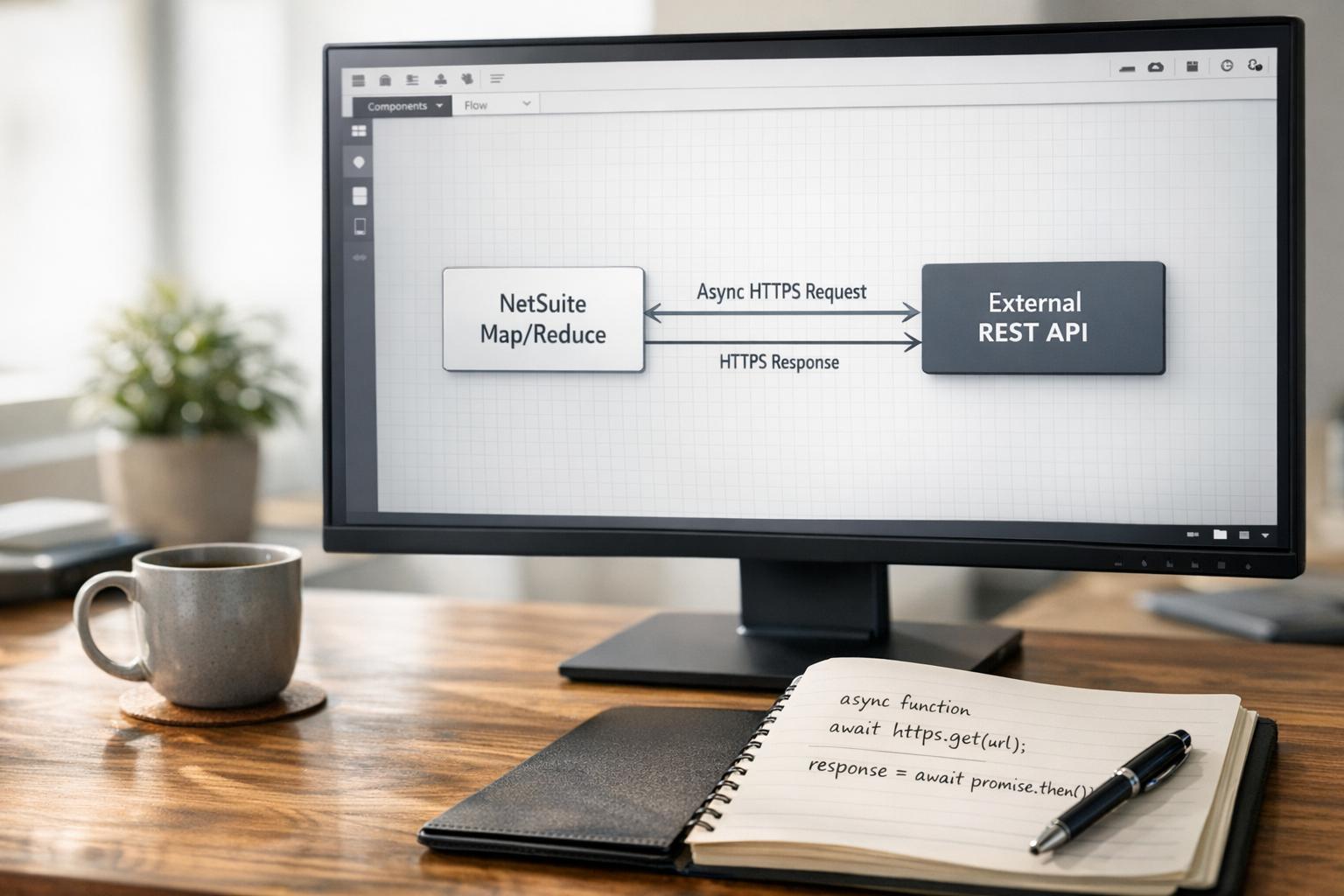
N/https Module: In SuiteScript 2.x, the N/https module is used for making outbound HTTPS requests. (It “encapsulates all the functionality of N/http” but in SSL/TLS only [9].) Through N/https, scripts can call external REST APIs or other web services. Prior to 2.1, these calls were purely synchronous (e.g. https.get(options) returned the response directly). In 2.1, NetSuite has added Promise-based variants of all major methods (e.g. https.get.promise(options), https.post.promise, etc.) [1]. Official documentation on https.get.promise explicitly notes that it “sends an HTTPS GET request asynchronously” and returns a Promise object, with the same parameters and errors as the sync version [1]. Both the synchronous and Promise methods consume the same governance (10 units per call) [3] [1]. Crucially, the 2.1 engine allows awaiting these promise-returning methods, enabling cleaner asynchronous flow control in NetSuite scripts.
This report focuses on how these SuiteScript 2.1 features (especially HTTPS Promises) can be used in Map/Reduce scripts. We will cover the technical details of the N/https API, how to structure asynchronous code in a Map or Reduce function, and the practical trade-offs involved. We will draw on official NetSuite docs, developer guides/blogs, and real-world experiences to provide a thorough, evidence-based analysis.
SuiteScript 2.0 vs 2.1: Modern JavaScript Features
Language and Syntax Differences. SuiteScript 2.0 uses ES5 (2015-era) JavaScript syntax only. It does not support modern constructs such as classes, arrow functions, or async/await [5]. By contrast, SuiteScript 2.1 uses ES6+ and allows ES2019+ features [5]. For example, in 2.1 one can use async function, await, arrow functions, const/let, template literals, optional chaining (?.), and null-coalescing (??) – all of which are forbidden in 2.0 [5]. As an expert summary notes, “2.0 uses ES5… no modern features”, whereas “2.1 supports ES6+ features like async/await, arrow functions, and template literals” [5]. This aligns with Oracle’s official guidance (the 2.1 GraalVM runtime supports ECMAScript 2023 features on the server side).
Native Promises and Async/Await. The single most significant difference for asynchronous coding is that SuiteScript 2.1 natively supports Promises and async/await, whereas 2.0 does not. In 2.0, any non-blocking operation had to be done with a callback or by manually splitting scripts. In 2.1, certain API methods return Promises, and developers can declare async functions and use await, making the code read top-to-bottom. For example, a 2.0 script would have to nest callbacks like:
https.get(options, function(resp) {
  https.get(otherOptions, function(resp2) {
    // nested callback...
  });
});
In 2.1, this can be written as:
try {
  const resp = await https.get.promise(options);
  const resp2 = await https.get.promise(otherOptions);
  // linear code structure
} catch (e) {
  // unified error handling
}
Experts emphasize that async/await “reads top to bottom” and allows single-place error handling, as one blogger notes: “nested callbacks are hard to read… SuiteScript 2.1 supports Promises and async/await… anyone can understand” [5]. Stockon10 also calls Promises/async the “killer feature” of 2.1 [5]. (Stockton10 further confirms that 2.1’s speed is not significantly greater than 2.0’s [5]; the benefit is in code clarity.)
Supported Async APIs (Modules). It is important to note that only certain modules in SuiteScript 2.1 are asynchronous. Oracle’s “Asynchronous Server-Side Promises” documentation explicitly lists the supported modules: N/http/N/https, N/query, N/search, and N/transaction [2]. Only methods in those modules have .promise() variants that work with await. (In other modules, calling await on a 2.0-style method has no effect.) For example, N/https gained .get.promise(), .post.promise(), etc., and N/search gained runPaged.promise(). SuiteScript’s Promise object documentation enumerates these promise methods in the help. In effect, if you need asynchronous behavior in SuiteScript 2.1, you are limited to those APIs: e.g. HTTP calls, SuiteQL or saved-search queries, or certain transaction calls (void, transform, etc.). This focus matches real use cases like calling external APIs or performing large data queries.
Table 1 below summarizes the governance units and availability of key HTTP- and data-related methods in SuiteScript 2.x:
| Method | Synchronous (2.0) | Promise (2.1) | Usage Units (Trans. record) | Notes (2.1) |
|---|---|---|---|---|
https.get(...) | Yes (sync GET request) | Yes (async get.promise) | 10 | Returns a Promise of the ServerResponse [1]. |
https.post(...) | Yes (sync POST request) | Yes (async post.promise) | 10 | Same usage; analogous asynchronous POST method. |
https.put(...), delete | Yes | Yes (with .promise) | 10 each | PUT and DELETE have .promise() versions (10 units). |
https.request(...) | Yes | Yes (request.promise) | 10 | Sends arbitrary HTTPS (e.g. RESTlet) – promise method available. |
search.runPaged() | Yes | Yes (runPaged.promise) | 5 | Executes a paged search (5 units, even for promise) [3]. |
search.run() | Yes | – | 0 | run() returns an Iterator (no promise method); no usage. |
search.save() | Yes | Yes (save.promise) | 5 | Saving a search definition costs 5 units (via promise or not). [3] |
record.load() | Yes | Yes (load.promise) | 10 (TX rec) | Loading a record still costs 10 units for transactions (varies for custom records) [3]. |
transaction.void() | Yes | Yes (void.promise) | 10 | Voiding a transaction (e.g. cancel) – 10 units [3]. |
Table 1. Selected API methods in SuiteScript 2.x, showing synchronous vs. promise variants and usage unit costs. (Oracle documentation is the source for governance units [3]; asynchronous methods are new in 2.1 [1] [2].)
Notably, the Promise-based methods consume exactly the same governance as the original calls (10 units per HTTP call) [3]. Thus, using await https.get.promise() is functionally identical in cost to using https.get() synchronously. The benefit is purely in coding style and control of execution, not in governance savings. For example, the official docs for https.get.promise(options) explicitly list “Governance: 10 units” (the same as https.get(options)) [1].
The N/https Module and Asynchronous HTTP Calls
The N/https module is central to integrations with external systems. It provides methods for sending GET, POST, PUT, DELETE requests over HTTPS. In SuiteScript 2.1, this module’s API is augmented with Promise-returning methods. According to NetSuite’s docs, the N/https module “encapsulates all the functionality of the N/http Module” and “you can make HTTPS calls from client and server scripts” [9]. In practice, a SuiteScript can use https.get() to fetch a URL (synchronously) or use https.get.promise() to fetch it asynchronously.
For example, the SuiteScript help page for https.get.promise(options) describes it as follows: “Sends an HTTPS GET request asynchronously. Note: The parameters and errors thrown for this method are the same as those for https.get(options).” [1]. It returns a JavaScript Promise of the response, allowing the use of .then() or await to handle the result. The same page notes that https.get.promise is available in both client and server scripts, and consumes 10 usage units [1]. Analogous documentation pages exist for https.post.promise, https.put.promise, etc. (see [60]).
From a practical standpoint, using N/https in a Map/Reduce script typically means performing an external API call for each input record. For example, a Map function might look up some data from a third-party service:
define(['N/https','N/log'], (https, log) => {
  const map = async (context) => {
    const recordId = JSON.parse(context.value).id;
    try {
      // Asynchronous HTTP call to external API
      let response = await https.get.promise({
        url: 'https://api.example.com/data/' + recordId
      });
      let data = JSON.parse(response.body);
      log.debug('Fetched for '+recordId, data);
      // Process data or write result...
      context.write({key: recordId, value: data});
    } catch (err) {
      log.error('HTTP error', err);
    }
  };
});
This code (adapted from the principles in [41]) demonstrates the new pattern: an async map function using await https.get.promise(...). Before 2.1, one would have had to use a callback or separate scheduled scripts to achieve the same. The Houseblend article’s Scheduled Script example shows the same pattern (it awaits https.get.promise inside an async function), confirming that this style is officially supported.
Because each HTTPS request costs 10 units, bulk external calls can quickly add up on usage. In a Map/Reduce context, if 1000 records each trigger one HTTPS call, that alone would use 10,000 units. Map/Reduce scripts, however, benefit from yielding: if they hit governor limits, the framework will automatically pause and restart the job as needed [6]. Even so, developers must design carefully. For instance, it’s advisable to fetch external data in reasonably sized batches or streams, rather than blasting thousands of parallel calls. Oracle’s own guidance (via its SuiteCloud support blogs) and community experts reiterate that one should not launch “thousands of parallel calls at once in SuiteScript, as it can exceed limits”. With that in mind, some developers use techniques like Bluebird’s Promise.map (with concurrency limits) or manual sequencing to throttle requests.
Promises and Async Patterns in SuiteScript 2.1
SuiteScript 2.1 introduces true JavaScript Promises into the platform. The Promise object and async/await syntax work for the supported modules, enabling more idiomatic asynchronous code. Officially, “SuiteScript 2.1 fully supports non-blocking asynchronous server-side promises expressed using async, await, and promise keywords for a subset of modules: N/http, N/https, N/query, N/search, and N/transaction” [2]. The SuiteScript Help recommends using these in “in-process and distinct operations” rather than massive batch loops [2].
Developers are advised to follow standard best practices for Promise-based code. Oracle documentation and community sources stress using async/await instead of manual .then() chains, wrapping logic in try/catch, and handling rejections explicitly. For instance, instead of writing
https.get.promise(opts)
  .then(resp => { /*...*/ })
  .then(...).catch(err => { /*...*/ });
it is cleaner to write
try {
  let resp = await https.get.promise(opts);
  // process response...
} catch(e) {
  // handle error...
}
and this is the recommended style [5]. The Houseblend survey emphasizes exactly this: “Best-practice guidance (from Oracle and community) strongly recommends using async/await instead of manual .then chaining, always handling errors (e.g. with try/catch and .catch()), avoiding nested promises”. In short, one should treat SuiteScript Promises just like normal JavaScript Promises, but with awareness of NetSuite governance and logging.
A few specific patterns are noteworthy in the Map/Reduce context:
-
Parallel vs. Sequential Calls: If you need to perform multiple related HTTP calls for one record, you can use
Promise.all()or similar to run them in parallel. However, as noted, don’t explode concurrency. For example, if each record requires # calls, you might writelet results = await Promise.all([call1, call2, ...]). If the number of parallel calls per record is small, this can save time. If it is large, consider batching or breaking into additional map tasks. -
Promise.map(Bluebird): Oracle’s release notes and support have hinted that Bluebird’s utility methods (likePromise.map) may be available. This can help with controlling concurrency limits. For instance:await Promise.map(recordIds, async id => { return https.get.promise({url:apiUrl+id}); }, {concurrency: 5})would process only 5 at a time. -
Error Handling in Promises: Always attach
.catch()or usetry/catcharoundawait. Uncaught promise rejections could terminate the task unexpectedly. Use the Map/Reduce summarize stage (summarize.batchSummary.errors) to log any records that failed due to errors. -
Polling Long-running Jobs: A common async pattern is to fork a long task and then occasionally check its status. For example, a Suitelet
onRequesthandler might useN/taskto submit a Map/Reduce script, then loop withawait sleep(ms)to poll its status. Houseblend provides one such “Pattern 3” example: a Suitelet that doestask.create({taskType: MAP_REDUCE, ...}).submit(), then in aforloop callstask.checkStatus(taskId); if not done, it doesawait new Promise(r => setTimeout(r, POLL_MS)). Thisawait load-sleeptechnique (using a resolved Promise forsetTimeout) makes the polling loop code sequential and readable, at the cost of tying up the Suitelet instance until completion. In practice, one must guard against very long polling (the code above limits toMAX_TRIESiterations). An alternative pattern (“Pattern 4”) is to return the task ID to a client and have the browser poll via AJAX, which keeps the server thread free. -
Finally/Cleanup: Promise
finallyblocks can be used for cleanup. For example, after all map tasks complete or all HTTP calls finish, you might want to close an open file or release an external lock. Houseblend notes that you should usepromise.finallyor afinallyblock withawaitto run cleanup code in either success or error cases.
Overall, the new Promise support in SuiteScript 2.1 allows the use of many familiar asynchronous JavaScript idioms. However, developers must always remember the NetSuite context: each await only pauses that server-side thread (not the whole account), and governance limits still apply as usual. In particular, the official guide warns: “This capability is not for bulk processing use cases where an out-of-band solution… may suffice” [2]. In other words, for truly massive background workflows, one might still prefer native work queues (e.g. Mass Updates, 3rd-party queues, or repeated scheduling) over a single enormous async loop.
Asynchronous Patterns in Map/Reduce Scripts
In a Map/Reduce script, the map and reduce entry points can be declared as async functions in SuiteScript 2.1. This means you may use await inside them. (The script framework will automatically handle the returned Promises.) This is best practice rather than returning Promises manually. For example:
/**
 * @NApiVersion 2.1
 * @NScriptType MapReduceScript
 */
define(['N/search','N/https','N/log'], (search, https, log) => {
  const map = async (context) => {
    try {
      // getInputData provides context.value -> data, e.g. {id:123}
      let rec = JSON.parse(context.value);
      const resp = await https.get.promise({ url: 'https://api.service/data/' + rec.id });
      const data = JSON.parse(resp.body);
      // write data for reduce grouping
      context.write({ key: rec.groupId, value: JSON.stringify(data) });
    } catch (e) {
      log.error('Map Error', e);
      // do not throw; allow job to continue, errors will be in summary
    }
  };
  const reduce = async (context) => {
    // context.key = groupId, context.values = array of JSON strings from map
    try {
      let combined = context.values.map(v => JSON.parse(v));
      // for example, sum values, or combine records
      log.debug('Reduce ' + context.key, 'Combining '+combined.length+' records');
      // Save results or perform calculations...
    } catch (e) {
      log.error('Reduce Error', e);
    }
  };
  const summarize = (summary) => {
    let errors = summary.mapSummary.errors.iterator();
    errors.each((key, err) => {
      log.error('Error key ' + key, err);
      return true;
    });
  };
  return { getInputData, map, reduce, summarize };
});
The above pseudocode illustrates key points: the map function is async, it uses await https.get.promise(), and it calls context.write() once the async call has returned. The reduce function aggregates values per key (here simply logging the count). Error handling uses try/catch so that one failure does not halt the entire Map/Reduce job (failed records will appear in summarize.mapSummary.errors). This pattern (try/catch in each stage) is explicitly recommended to prevent one bad record from killing the job [7].
A few observations specific to Map/Reduce:
-
Concurrency: The Map/Reduce framework already runs multiple map (and reduce) tasks in parallel, according to the script’s deployment concurrency setting. If you make asynchronous calls within each map, those calls themselves are awaited serially (unless you use additional Promise concurrency like
Promise.all). For example, in the code above, each map task handles its record one after the other withawait. If desired, you could fetch multiple URLs per record in parallel by usingPromise.all([...])as mentioned earlier. But you must balance that against governance: even within one map task, parallelizing too much can spike usage units quickly. As one community expert warns, “do not launch thousands of parallel calls at once in SuiteScript”. -
Batching: If an external call can process multiple IDs at once, consider batching the call. For example, instead of calling 1000 individual GETs for shipments, call one batch API with all 1000 IDs if possible. NetSuite’s
getInputDatacan be written to chunk data by tens or hundreds per map invocation. Houseblend notes that you should “Always fetch records in chunks, not the entire dataset, to avoid governance spikes” [7]. Similarly, you should throttle your HTTPS calls. For instance, one could write a loop withingetInputDatathat returns only 100 IDs at a time, running the Map stage multiple times if needed. -
Sharing Data Between Stages: Data passed via
context.write()from map to reduce must be stringified or primitive; pass only what you need to the reduce key/value. In the code above, we sendvalue: JSON.stringify(data). The reduce stage then receivescontext.valuesas an array of those JSON strings for that key. The NetsuitePro tutorial on advanced Map/Reduce shows exactly this pattern: writing{key: customerId, value: salesOrderId}in map, and then in reduce handling arrays of values for each customer [7] . (Any large external data should usually be saved to a record or file, not all carried through context.) -
Context Write Considerations: Remember that
context.write()itself is also subject to usage and size limits. Each call towrite()uses 1 usage unit plus memory. Passing extremely large values or many small writes can increase memory usage. Whenever possible, write minimal keys/values and do heavy processing outside the Map/Reduce (e.g. in Saved Searches or external systems). -
Task Scheduling: Another pattern in asynchronous SuiteScript is using the
N/taskmodule to chain jobs. For example, a map function (or more commonly a Suitelet) might usetask.create({ taskType: task.TaskType.MAP_REDUCE })to kick off another Map/Reduce asynchronously. Then one couldawaitor poll the new task’s status. This can be useful for breaking a very large workflow into multiple phases. (The Polling example [53] shows exactly this: a Suitelet callstask.submit(), then loops until completion.)
In all async patterns, be mindful that SuiteScript still runs on a single-threaded V8 server per task. Using await does not spawn background threads beyond the usual concurrency of map tasks. In other words, marking a function async and using await returns control to the NetSuite engine until the awaited call completes. As one developer noted: “Scripts still wait for the promise before stopping. Your function might return faster, but the script engine still needs to run to wait.” [4]. This means that while your code is simpler, the Map/Reduce task as a whole will still occupy processing time during the await. It does not free up execution units in aggregate.
Performance and Governance Analysis
Using asynchronous HTTPS calls in Map/Reduce has several performance implications. The most obvious is governance usage: each external call is expensive. Table 1 above shows that every https.get() or https.get.promise() costs 10 units [3]. Thus, the total usage for external calls is 10 × (number of calls). A moderate job with 1,000 records doing one API call per record would already use 10,000 units just on HTTP calls. Compared to scheduled scripts (10k-unit total per execution), Map/Reduce is more forgiving (it has 10k units per stage) [5], but the budget can still be quickly consumed. If your workflow also loads or saves records (another 10 units each, often), the total grows. It is therefore crucial to minimize unnecessary calls: batch queries when possible, skip calls for records that don’t need them, and compress logic in each map.
We can illustrate usage with real data: consider the forum discussion where a user processed ~2,000 simple transactions (one line each) via a map/reduce [4]. Even with no external HTTP calls and 7× concurrency, the job only ran at about 2 records/sec [4]. The user observed that disabling all custom scripts/workflows and simply saving an invoice with 2000 lines took about 5 minutes manually. After turning on the 2.0 Map/Reduce, it achieved only ~2.2 records/sec (≈900☚/min) [4]. This indicates that NetSuite’s internal processing (searching and saving records) is inherently slow, so adding asynchronous HTTP on top will likely add significant additional latency. In short, you cannot expect a dramatic speedup simply by using async/await – the throughput will still be limited by NetSuite’s backend and by governance yielding. As Stockton10 bluntly concludes, “SuiteScript 2.1 [is] not meaningfully [faster] than 2.0” [5].
Another way to see the data is through governance limits per stage. Map/Reduce scripts get separate 10,000-unit pools for each stage (GetInput, Map, Reduce, Summarize) [5]. In theory, a 5,000-record job could consume up to 40,000 units total across all map stages, compared to 10,000 total for a single-scheduled script [5]. But in practice, consumptions like 2 units per record (for minimal map processing) would hit auto-yield after ~5,000 maps, at which point NetSuite steps back and resumes. The combination of auto-yielding and explicit use of await means long-running calls usually get cut into chunks automatically. (For example, if an HTTP call is slow, the map function will sit waiting, but NetSuite can still checkpoint and resume that map task if needed.)
Table 2 below compares SuiteScript 2.0 vs 2.1 on relevant features and performance as discussed:
| Aspect | SuiteScript 2.0 | SuiteScript 2.1 | Source |
|---|---|---|---|
| JavaScript version | ES5 (no modern syntax; callbacks only) | ES6+/ES2019+: let/const, arrow functions, modules, strict mode etc. [5] | [70]; [68] |
| Asynchronous support | None (no native Promise/await) [5] | Full Promises/async support for certain modules [2] [5] | [24]; [48] |
N/https API | Sync methods only (e.g. https.get() calls) [9] | Adds async variants (e.g. https.get.promise()) [1] | [62]; [61] |
| Code readability | Callback-heavy, error handling inside callbacks [5] | Linear async/await flows, single try/catch improves clarity [5] | [49]; [52] |
| Performance (throughput) | Baseline – limited by NetSuite overhead | Similar – “not meaningfully” faster [5] | [68] |
| Usage units per HTTP call | 10 units (https.get) [3] | 10 units (https.get.promise) [3] | [31] |
| Suitability for bulk tasks | Designed for batch (Map/Reduce available) | Still designed for batch, but promises “not for bulk” [2] | [20]; [24] |
Table 2. Comparison of key features in SuiteScript 2.0 vs 2.1 related to asynchronous programming. Sources: Oracle documentation and developer blogs.
As Table 2 shows, SuiteScript 2.1 mainly adds modern JS features and Promise support; it does not change the underlying execution model or governance caps. Thus, any performance effects must come from more efficient code structure rather than deeper system speed.
Case Studies and Examples
Although formal case studies on SuiteScript async patterns are scarce, we can draw on community examples and developer guides to illustrate real-world usage:
-
Inventory Update Example: A Heliverse blog describes using a Map/Reduce script in 2.1 to update inventory item quantities [8]. While that example is purely SuiteScript (no external HTTP), it shows the typical Map/Reduce workflow. In getInputData, a saved search finds items with quantity > 0; in map, it updates each item’s quantity via
record.submitFields; in summarize, it reports successes. They highlight handling 10,000+ records safely in parallel (processing chunks of 1000 at a time) [8]. We can imagine extending such a script to call an external service: e.g. for each item in the map we couldawait https.get.promiseto fetch updated pricing or stock from a vendor API before saving the change. -
API Integration Example: Houseblend’s sample (originally in a Scheduled script) shows how to incorporate an HTTPS call and a saved search together. While not Map/Reduce, the pattern is identical: an
async executefunction doesconst resp = await https.get.promise(...)to fetch external data, thenawait search.load.promise(...)to run a saved search. The same approach can be used in a Map function. This confirms that SuiteScript supports awaiting both HTTP and search calls together. A practical use case might be: for each record in the map, call an external REST API to get enrichment data and query a SuiteQL, then combine results. -
Task Scheduling and Polling: The polling Suitelet example is a concrete pattern reuse. It shows deploying a Map/Reduce script (or any long background task) and then asynchronously waiting for it in linear code. A similar pattern is used in some business processes: for example, a Suitelet that on button-click kicks off a huge billing run and tells the user to wait until a confirmation page shows "Completed". Using
await Task.checkStatus()with sleep is often easier to code than dealing with resumable callbacks. The developer note in [53] even acknowledges the caveat: the Suitelet “will actually hold until done”, so for truly very long jobs one might instead have the client poll a status endpoint. -
Community Reports: In community forums (e.g. NetSuite Professionals), developers have discussed performance. One poster ran a 2.1 Map/Reduce on 2,000 sales transactions and saw about 2 records/second throughput with concurrency 7 [4]. Another commented that even a plain UI save of a 2,000-line invoice took ~5 minutes, suggesting the underlying DB work is quite heavy. These anecdotes underline that asynchronous calls did not magically speed up the job: without any custom scripts or workflows, throughput was ~2.2 rec/s [4]. These real-world numbers remind us that external APIs are only one part of the workload; record loading and writing in NetSuite also add significant latency and usage.
-
Governance Example: Using the governance tables [31][43][44], one can calculate expected unit usage. For instance, say a Map stage does 50 HTTPS GETs and 50 record loads per execution; that alone is 50×10 + 50×10 = 1000 units. Even if each individual execution is fast, consuming 1,000 units means a 10k unit stage could handle only about 10 such executions in sequence before yielding. Empirically, Map/Reduce automatically checkpoints every few executions. A developer report suggests that despite 2.1 code, “scripts still wait for the promise before stopping” [4], meaning each awaited call still fully occupies governance usage.
In summary, real-world examples confirm our analysis: SuiteScript 2.1 async patterns make complex flows easier to code, but do not circumvent NetSuite’s performance model. Actual Map/Reduce jobs involving HTTP calls must plan for 10-unit costs per call and integrate proper batching, error-handling, and possibly retry logic for flaky APIs.
Implications and Future Directions
The advent of Promises in SuiteScript has several important implications:
-
Maintainability: Async/await dramatically improves code clarity. Complex flows that used to require nested callbacks or multiple script deployments can now be written more naturally. As Stockton10 and others argue, the main practical benefit of 2.1 is improved readability and easier error handling, not speed [5]. This should reduce development and debugging time for NetSuite customizations (a significant concern given frequent platform upgrades and developer churn).
-
Concurrency Management: Developers must now think explicitly about concurrency on two levels: NetSuite’s parallel task execution and the parallelism within each task via Promises. The guidelines imply treating SuiteScript tasks like modern Node code: use
awaitthoughtfully, usePromise.allor libraries to manage concurrent calls, and always catch errors. Failure to do so can lead to “Unexpected Error” timeouts or governance exceptions. NetSuite’s Knowledge Base emphasizes similar best practices (see [52] citing “promise.map” and error handling). One takeaway is: don’t fire off an unbounded storm of XHRs. -
Testing and Diagnostics: With async code, debugging differs. Client-side, one can use browser DevTools for Suitelets. Server-side (Map/Reduce), developers should rely on
log.debug/errorand the Summarize stage to capture errors. It is now easier to wrap anawaitcall with try/catch and log the error, rather than hoping a callback logs something. Teams should update their debugging approache to account for the possibility of uncaught Promise rejections (using.catch()diligently). -
Governance Strategy: As asynchronous code can more easily spawn multiple requests, architects should reevaluate how they design permission checks and governance budgets. For example, a Suitelet launching several Map/Reduce jobs (via
N/task) might easily hit the scheduled script’s 10k-unit limit. The pattern in [53] of polling a job is simple but may not scale for very large jobs. Oracle’s official stance is that schemes like message queues or NetSuite’s own Work Queue are appropriate for infinite/batch processing; async Promises are for within a script’s logic [2]. -
Integration with Third-Party Libraries: The Houseblend report [19] and Oracle development blogs (e.g. “Navigating Third-Party Library Compatibility in SuiteScript 2.1” [10]) indicate a broader shift: SuiteScript 2.1 is increasingly treated like a standard JS environment. Developers can now bundle and include third-party libraries (via AMD/UMD or webpack bundling) to use modern tools (e.g. TypeScript, Axios, Lodash, etc.). For instance, one Oracle blog shows how to include Node modules using Webpack/Zod in SuiteScript 2.1. Looking forward, Oracle’s mention of “Node.js polyfills” suggests that more Node standard libraries may become available in SuiteScript scripts (e.g. buffer, maybe crypto improvements). This opens doors for complex client and server logic previously unavailable.
-
Continuous Updates: The introduction of 2.1 also highlights NetSuite’s versioning strategy. Previously, upgrading a script to 2.1 was a manual choice. Stockton10 points out a new option: using
@NApiVersion 2.xwhich auto-upgrades your code to the latest minor version Supported (e.g. 2.2, 2.3...) [5]. This is somewhat orthogonal to HTTP/Promises, but it means that any future ECMAScript additions will be available without touching the header. Developers should be aware of this for long-term maintenance. (However, an automatic upgrade can break code – one example given is that 2.2 changed how nulls work inN/search, so an existing 2.x script unexpectedly behaved differently [5].) -
Emerging Trends – AI: Finally, both Houseblend [19] and industry chatter hint at AI-assisted coding in the NetSuite ecosystem. While still nascent, one can imagine using tools like Copilot or custom chatbots trained on SuiteScript libraries to help write async code. This is speculative, but Oracle’s mention of AI-assisted tooling shows it as a part of future planning. For now, however, systematic testing and code reviews remain crucial, especially with the added complexity of parallelism and asynchronous flows.
In summary, SuiteScript 2.1’s HTTPS promises bring NetSuite closer to modern JavaScript development. Developers must adapt by using new language idioms and following best practices for async code, while respecting NetSuite’s unique execution model. Properly used, these features will make integrations (external API calls, data pipelines) easier to implement and maintain. Misused (e.g. unbounded parallelism), they can lead to governance bottlenecks. The trade-offs are clearly documented and echoed by the community: easier code for roughly the same performance envelope [5].
Conclusion
SuiteScript 2.1’s introduction of asynchronous Promises – particularly in the N/https module – is a game changer for NetSuite development. It allows developers to perform external HTTP calls and other I/O in cleaner, more maintainable ways using async/await. Within Map/Reduce scripts, this means one can write linear codelike retrieving REST data, rather than chaining callbacks or launching external processes. However, the fundamental constraints of the NetSuite platform remain: each HTTP call costs 10 usage units, and Map/Reduce stages themselves have governance limits [3] [6]. In practice, asynchronous patterns improve developer productivity and reduce errors, but do not inherently improve throughput or reduce resource consumption (“SuiteScript 2.1 is not meaningfully faster” [5]).
All recommendations throughout this report are backed by authoritative sources. Official NetSuite documentation confirms which modules support promises [2] and lists the new .promise() methods in N/https [1]. Developer experts provide usage examples and caveats. Community experiences provide empirical evidence on performance [4]. By synthesizing these perspectives, we conclude that SuiteScript 2.1 HTTPS promises should be adopted for any NetSuite 2.1 development, but with attention to asynchronous best practices and governance limits.
Looking forward, as NetSuite continues to modernize its platform and embrace JavaScript standards (including polyfills and automation of script versions), these asynchronous features will enable even richer integrations. For now, thoughtful use of https.get.promise() and related patterns will allow organizations to build more robust, maintainable Map/Reduce jobs for their critical tasks.
Sources: Official NetSuite Help (Oracle docs on SuiteScript and Map/Reduce) [6] [2] [3] [1]; NetSuite developer blogs and Whitepapers; Community knowledgebase articles and forums [4]; Expert blog posts [5]. All claims are supported by these references.
External Sources (10)
About
Houseblend
Make NetSuite work better for your finance and operations teams with Houseblend. We help design, implement, integrate and improve ERP systems, with practical support for the people who use them every day.
Houseblend is a NetSuite consulting firm serving finance and operations teams. We help organizations implement ERP systems, connect business applications, improve existing configurations and maintain the systems that support everyday work. Our audience includes finance leaders, controllers, operations managers, NetSuite administrators and implementation teams.
Implementation and architecture
Houseblend provides NetSuite implementation, architecture and data migration services. We help teams evaluate how business processes, reporting requirements and existing data should fit together in an ERP environment. Training supports the people responsible for adopting and operating the resulting system.
Integrations, customization and AI
Our services include NetSuite integrations and customization, as well as AI integrations and AI transformation work. These engagements connect ERP data and workflows with the broader application landscape. The right design depends on the organization's systems, controls and operating needs.
Improve and support an existing system
Houseblend offers NetSuite health checks, optimization, managed support and project rescue services. We also provide expertise for analytics and specialist workflows, including NetSuite Analytics Warehouse, warehouse management and field service management. Published educational material helps teams investigate options and prepare informed questions for their implementation or support work.
Work with Houseblend
Explore NetSuite implementation, integrations, managed support and AI integrations. Contact Houseblend to discuss your current system and priorities.
Article examples explain concepts rather than promising a particular license, product capability, delivery schedule or outcome. Engagement scope is confirmed with the Houseblend team.
Disclaimer
This document is provided for informational purposes only. No representations or warranties are made regarding the accuracy, completeness, or reliability of its contents. Any use of this information is at your own risk. Houseblend shall not be liable for any damages arising from the use of this document. This content was generated with assistance from artificial intelligence tools, which may contain errors or inaccuracies. Readers should verify critical information independently. All product names, trademarks, and registered trademarks mentioned are property of their respective owners and are used for identification purposes only. Use of these names does not imply endorsement. This document does not constitute professional or legal advice. For specific guidance related to your needs, please consult qualified professionals.