Houseblend Article
SuiteScript 1.0 beforeLoad: nlapiGetRecordId Null on Create
Inside this article
- 01Executive Summary
- 02Introduction
- 03Background: SuiteScript and Record Events
- 04The Problem: null nlapiGetRecordId() on Create in beforeLoad
- 05SuiteScript beforeLoad vs Other Entry Points
- 06SuiteScript 1.0 vs SuiteScript 2.x
- 07Causes of Null/–1 Return Value
- 08Workarounds and Fixes
- 09Case Studies
- 10Data and Statistics
- 11Implications and Future Directions
- 12Conclusion
Executive Summary
SuiteScript is NetSuite’s JavaScript-based customization framework, and SuiteScript 1.0 user event scripts include a beforeLoad entry point that fires before a record is displayed or loaded. A common issue arises when calling nlapiGetRecordId() in a beforeLoad script on a newly created record: the function returns null (or its equivalent -1) instead of an internal ID, because the record has not yet been saved. This report provides a comprehensive analysis of this issue, including its causes, behavioral nuances, and workarounds, based on official documentation, developer communities, and expert sources. We explain how NetSuite assigns internal IDs only upon saving, why nlapiGetRecordId() (or its SuiteScript 2.x equivalent) yields no value for new records, and present best-practice fixes. Case examples (e.g. Inventory Number and Matrix Item scenarios) illustrate the problem in real-world contexts, while solution strategies include using the afterSubmit event or checking script context types [1] [2]. Citations from NetSuite’s documentation and developer Q&A forums support each claim. We also discuss broader implications, such as best practices for event timing, the distinction between SuiteScript 1.0 and 2.x handling of record IDs, and recommendations for modernizing legacy scripts. Throughout, we provide detailed explanations, step-by-step examples, and tabulated summaries to give a deep, evidence-based understanding of nlapiGetRecordId returning null in beforeLoad on create and how to address it.
Introduction
NetSuite is a leading cloud ERP platform that allows extensive customization via SuiteScript, a JavaScript-based API for automating business logic and customizing forms and records. SuiteScript has evolved through several versions, with SuiteScript 1.0 (the “nlapi” API) long established, and SuiteScript 2.x (a modular, modern API) introduced in recent years [3]. In a SuiteScript User Event script, the beforeLoad entry point runs before a record is presented to the user (or returned by an API call) [4]. It is often used to modify the form or set defaults. A frequent scenario is to have a beforeLoad script that runs on record creation. However, developers often encounter an issue: when creating a new record (i.e. the type parameter is "create"), the nlapiGetRecordId() function returns null (or -1 according to documentation) instead of a valid internal ID [1] [2]. This problem occurs because a newly created record has not been saved yet, so NetSuite has not yet assigned it an internal ID [1].
This report investigates this issue in depth. We begin with background information on NetSuite’s record events and APIs, then analyze why nlapiGetRecordId() behaves as it does in beforeLoad create context. We compare related contexts (edit, copy, afterSubmit), and propose fixes or alternative approaches (such as using afterSubmit events or client-side checks). We draw on official NetSuite documentation, developer blogs, and community Q&A (StackOverflow, NetSuite forums) to provide evidence-based answers. Case examples—such as a script triggered by creating an Inventory Number record [5]—illustrate the problem. We conclude with implications for developers and guide lines for future practice.
Background: SuiteScript and Record Events
SuiteScript Versions and APIs
SuiteScript 1.0 (sometimes called “nlapi” SuiteScript) is NetSuite’s original scripting API. It provides global functions like nlapiCreateRecord, nlapiLoadRecord, and event entry points such as beforeLoad(type, form, request), beforeSubmit(type), and afterSubmit(type) [6]. In SuiteScript 1.0 User Event scripts, these entry points receive parameters like type (the action triggering the event), form (the UI form, in beforeLoad), and request (the HTTP request, in beforeLoad if triggered in UI) [6]. For SuiteScript 1.0, nlapiGetRecordId() is the standard API call to get the internal ID of the current record being processed [7]. SuiteScript 2.x, introduced in 2016, uses a modular approach and different syntax (e.g., define([...], function(...) { ... })), but offers analogous User Event entry points (beforeLoad(context), beforeSubmit(context), afterSubmit(context)) where the context object contains newRecord and oldRecord references [8] [9]. NetSuite’s documentation explicitly encourages moving to SuiteScript 2.x for new scripts, noting that 1.0 is still supported but no longer being enhanced [3].
User Event Entry Points
SuiteScript user events are categorized mainly into beforeLoad, beforeSubmit, and afterSubmit. The beforeLoad event fires whenever a record is opened or loaded (read operation) prior to display, including when a user navigates to a record, when scripts or web services load it, and when any UI-level action occurs [4]. Importantly, create, edit, view, copy, print, email, and other actions can each trigger beforeLoad [10].
-
beforeLoad(type, form, request)(SuiteScript 1.0): Executes before a record or page is returned. It is passed type (the context: “create”, “edit”, “view”, etc.), form (the UI form object), and request (the HTTP request, if user-driven). The developer can modify the form or set default values in this event [10]. -
beforeSubmit(type)(SuiteScript 1.0): Runs just before the record is written to the database. It receives type (operation “create”, “edit”, etc.) and performs validations or data transformations. At this point, the record’s ID is still not assigned if this is a new record. -
afterSubmit(type)(SuiteScript 1.0): Runs immediately after the record has been written to the database. In an afterSubmit on a create type, the record has been saved and an internal ID is available.
SuiteScript 2.x uses similar concepts but passes a scriptContext object into each function (e.g., function beforeLoad(context)). The context object includes context.newRecord (the new record object, editable only in beforeSubmit) and context.type (the operation type) [8]. For the purpose of this issue, the critical point is that SuiteScript 1.0 and 2.x mirror each other in that record IDs are not assigned until after the record is saved.
The nlapiGetRecordId() API
In SuiteScript 1.0, the function nlapiGetRecordId() is used to retrieve the internal ID of the current record in a user event or client script context [7]. According to NetSuite’s documentation, it “returns the integer value of the record whose form the user is currently on, or for the record that the current user event script is executing on” [7].Critically, the documentation notes:
“Note that the value of -1 is returned if there is no current record or the current record is a new record.” [11]
In other words, nlapiGetRecordId() will not return a valid ID for a record that has not yet been saved. For SuiteScript 2.x, one can similarly access a record’s ID via context.newRecord.id (Record.id), but this property is only set after the record is saved. The user event beforeLoad or beforeSubmit for a creation event occurs before save, so newRecord.id would likewise be undefined or empty.
Because of this design, developers often find that in a beforeLoad script (especially during “create” mode), calling nlapiGetRecordId() returns null, -1, or no usable value [1] [2]. This phenomenon is a direct consequence of NetSuite’s record lifecycle: internal IDs are generated and assigned only upon committing the record to the database.
The Problem: null nlapiGetRecordId() on Create in beforeLoad
Reproducing the Issue
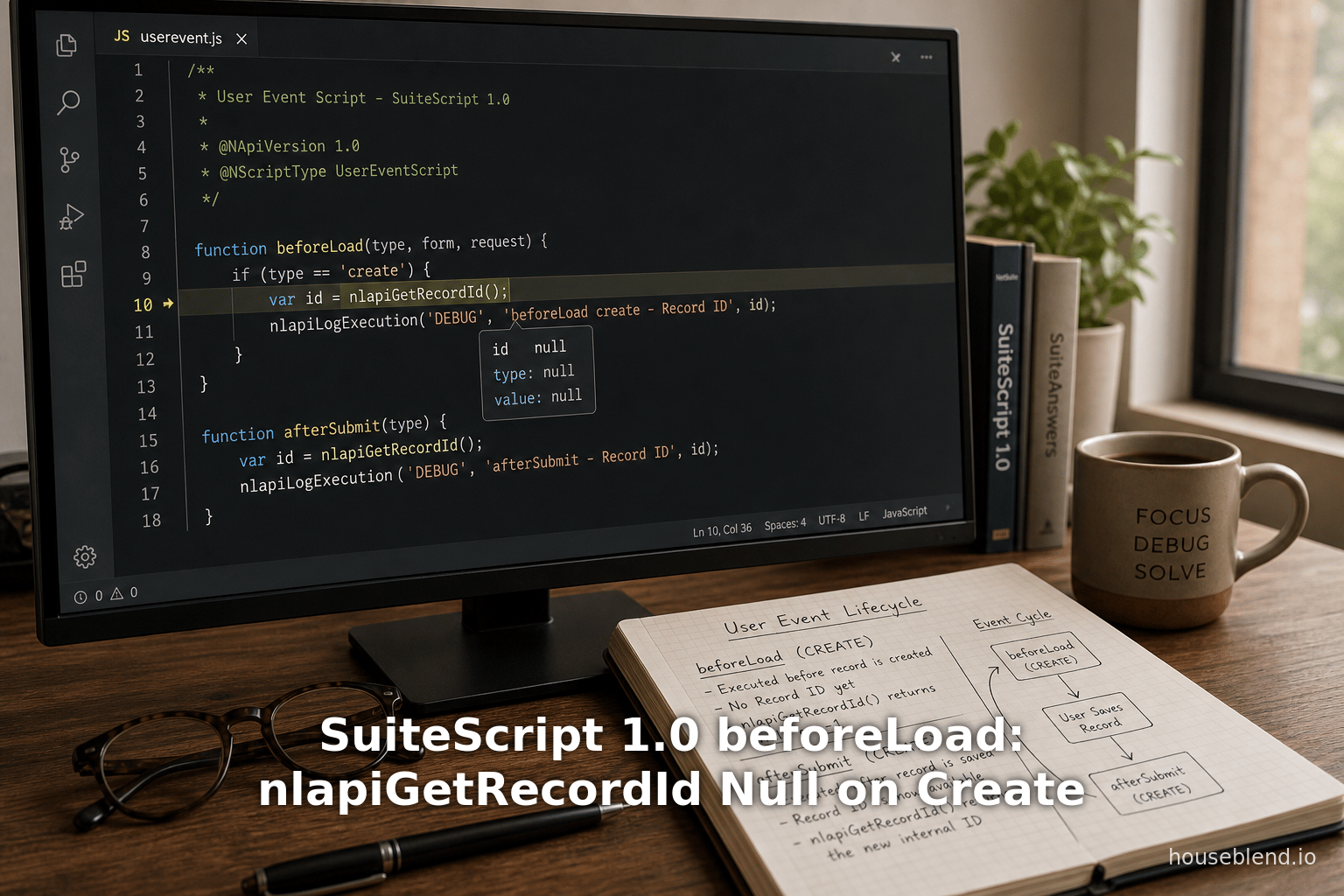
Consider a user event script on the beforeLoad entry point of a record type (e.g. Sales Order, Custom Record, Inventory Number, etc.). The script might look like this (SuiteScript 1.0 style):
function userEventBeforeLoad(type, form, request) {
    nlapiLogExecution('DEBUG', 'Before Load', 'Mode: ' + type);
    var recId = nlapiGetRecordId();
    nlapiLogExecution('DEBUG', 'Record ID', String(recId);
    // ... do something with recId ...
}
When a user is editing or viewing an existing record, type would be “edit” or “view”, and nlapiGetRecordId() returns the internal ID (e.g., 12345). The logs would show something like:
Mode: edit
Record ID: 12345
However, if the user clicks “New Record” to create a record, the beforeLoad executes with type == "create". In this scenario, nlapiGetRecordId() returns null (or in some cases the value -1 internally). The log might show:
Mode: create
Record ID:
(or Record ID: -1).
The returned value is null/not-a-valid-id, and any subsequent code that assumes it to be a number will fail or behave incorrectly. For example, a script might try to use that recId to look up related data, attach child records, or set default values based on the record’s ID – all of which would break when recId is null.
Official Documentation Confirms Null/–1 on New Records
NetSuite’s official SuiteScript records reference confirms this behavior. The nlapiGetRecordId() function’s documentation states explicitly that “-1 is returned if there is no current record or the current record is a new record.” [11]. In SuiteScript terms, during the beforeLoad or beforeSubmit of a create operation, the record is not yet in the database, so NetSuite treats it as “no current record” in terms of ID assignment. Developers have observed that in some contexts it shows up as null or an empty string in practice, but functionally it represents the absence of an ID.
Anecdotal Confirmation in Developer Communities
This issue has been noted in developer forums. For instance, a StackOverflow answer (translated on cloud.tencent) explains:
“You can execute
nlapiGetRecordId(); if it returns null, it is creating a record. If it returns an internal ID, it is editing a record. If you copy a record, that copy will also have an empty internal ID.” [2]
This succinctly captures the logic: null means create/copy, non-null means existing record. It confirms that returning null on create is expected behavior, not a bug in the code.
Underlying Cause: Timing of ID Assignment
Why does NetSuite behave this way? The core reason is that NetSuite only generates an internal ID when a record is saved. Before saving, a new record is only an in-memory object. The internal ID (a sequential unique identifier for that record type) is determined during the database insert operation. Therefore, in any before save operation (including both beforeLoad and beforeSubmit on create), nlapiGetRecordId() finds “no current saved record” and returns the null-equivalent. Only after the save (in afterSubmit) does an ID exist.
This is further reinforced by examples involving other fields. For example, NetSuite’s documentation on Transaction records notes that the tranID (transaction number) is “generated after the record is saved”, and is null or “To Be Generated” before save [12]. Similarly, the internal ID follows the same pattern – it simply doesn’t exist until the record is committed.
Examples and Case Studies
Inventory Number Creation Script
A real-world illustration comes from the NetSuite user community. One developer wrote an after-submit script on the Inventory Number record to create a related custom record. Their code attempted to read the status of the newly-created Inventory Number to copy into the custom record:
function CreateRecord() {
    var customerRec = nlapiCreateRecord('customrecord66');
    var recid = nlapiGetRecordId();
    var record = nlapiLoadRecord('inventorynumber', recid);
    var instatus = record.nlapiGetFieldValue('status');
    customerRec.setFieldValue('custrecord19', instatus);
    var warrantyId = nlapiSubmitRecord(customerRec, true);
}
On a new Inventory Number (create), nlapiGetRecordId() returned nothing, so recid was empty. Attempting nlapiLoadRecord('inventorynumber', recid) then threw a “No Record Found” error. The developer noted:
“Now, when I use the above, I get an error of “No Record Found”, and no custom record is created ... If I change the event type of this script from “create” to “edit”, go to the Inventory Number Record and edit it, then it works fine.” [5]
This case shows that on create, relying on nlapiGetRecordId() leads to a failure, whereas on edit (existing record) the same code succeeds. The root cause was the null ID on creation. Their workaround was to remove the ID-based logic (though then instatus remained unset), or avoid triggering on create. Ideally, as we will discuss later, such logic belongs in an afterSubmit script where the ID is available.
Matrix Item Creation
Another example involves creating a parent Matrix Item with children. In the Oracle community, a user reported that during matrix item creation, nlapiGetRecordId() returned blank (zero) in the afterSubmit event, preventing them from linking custom data. The log showed the function returning “0” for the new matrix item ID [13]. This illustrates that certain multi-stage records (like Item Matrix) may assign the internal ID only after one or more steps, so even afterSave the ID might not appear as expected. The general cause remains the same: the record’s ID was not fixed at the time the script ran. Specialized handling is needed for such records (e.g., use the parent’s ID after both parent and children are saved).
Client-Side Analytics
From a larger perspective, SuiteScript is widely used in industry: data indicates over a thousand companies use SuiteScript/custom scripts in NetSuite [14]. With so many scripts in production, even rare issues like this can affect numerous businesses. NetSuite’s official stance is to encourage moving to SuiteScript 2.x for new development [3], but many legacy 1.0 scripts still run (the 1.0 API is supported though no longer updated). Hence understanding 1.0 quirks like nlapiGetRecordId() returning null on create remains important for both maintenance and migration planning.
SuiteScript beforeLoad vs Other Entry Points
Understanding when record IDs are available requires contrasting the beforeLoad timing with other user event points. The table below summarizes key SuiteScript 1.0 entry points and whether the record’s internal ID is assigned at that stage.
| Entry Point | When Triggered | ID Available? | Typical Use / Notes |
|---|---|---|---|
beforeLoad(type, form, request) | Fires on any record read operation (navigate to record, open form, view, create new, copy, print, email, etc.) [4]. For create, it runs before the new record page renders. | No for create (returns null/–1) [1]. Yes for edit/view (existing ID present). | Modify UI form or set defaults before loading. Cannot rely on record ID if type=='create'. If type=='copy', similarly no ID (copy is treated as a new unsaved record) [2]. Skip ID-dependent code in this case. |
beforeSubmit(type) | Fires just before a record is inserted or updated in the database. Triggers on create, edit, delete, etc. | No (on create, record is not yet saved) [1]. | Validate or change data pre-save. No nlapiGetRecordId() on create—ID not assigned yet. Use nlapiGetNewRecord() to get field values but not the ID. |
afterSubmit(type) | Fires immediately after the record is committed to the database. Triggers on create, edit, etc. | Yes (on create, ID has been generated) [15]. | Post-processing, linking to other records, sending notifications. The record ID is now available via nlapiGetRecordId() or via nlapiGetNewRecord().getId(). This is the appropriate place for logic that requires the saved record’s ID. |
Table 1: SuiteScript 1.0 user event entry points and record ID availability.
As the table shows, beforeLoad on create is the only major entry point where the ID is not available (also beforeSubmit on create, which is similar). All after-submit logic, by contrast, can rely on the ID. NetSuite documentation explicitly warns that nlapiGetRecordId() returns -1 for a new record [1], so this behavior is by design rather than a bug.
SuiteScript 1.0 vs SuiteScript 2.x
While the core issue is version-agnostic (any code running before the save will see no ID), it is useful to compare the APIs:
- SuiteScript 1.0: Use
nlapiGetRecordId(). According to the Record APIs documentation, for a new record this returns -1 [1]. - SuiteScript 2.x: In a User Event beforeLoad, one would access
context.newRecord. In 2.x,context.newRecord.idorrecord.id(SuiteScript 2.x Record API property) similarly would not be populated for a record not yet saved. The record object exists, but theidfield is empty (typicallyundefined). Only afterSubmit or after callingrecord.save()in a script will the ID be set on the created record object.
In practice, the difference is in syntax, but not in fundamental behavior. NetSuite’s SuiteScript 2.x Help states that SuiteScript 2.x supports everything 1.0 does [3], but with new APIs and some differences. The key principle holds: the record’s internal ID is only known to NetSuite after the record is saved. Thus, migrating scripts to 2.x does not magically give beforeLoad access to the ID; the same architectural consideration applies.
For example, in SuiteScript 2.x one might write:
function beforeLoad(context) {
  var rec = context.newRecord;
  log.debug('ID exists?', rec.id);
}
On context.type === 'create', rec.id will be empty. This mirrors the 1.0 behavior of nlapiGetRecordId().
Causes of Null/–1 Return Value
Putting it succinctly, the cause of nlapiGetRecordId() returning null on create is simply the record has no assigned ID yet. However, various nuances and related factors are worth detailing:
-
New Records vs. Existing Records: Only existing (previously saved) records have permanent internal IDs. In create mode, the user is filling in a form for a record not yet in the system. NetSuite can’t assign an ID until the user clicks “Save”.
-
Copy Mode: When using the “Copy” button or duplicating a record, NetSuite runs beforeLoad with type="copy". The copied record is treated as a new unsaved record; thus
nlapiGetRecordId()is also empty in copy mode [2]. (Many developers equivalently handle type=="copy" as if it were create.) -
Disabled in Client vs Server Scripts: Note that
nlapiGetRecordId()is available only in server-side scripts (user event or client scripts). In client scripts on a create page, there literally is no recordId field to fetch (the ID is only on the URL after save). Developers often check the URL parameters (e= T or cp= T flags) in client scripts to distinguish modes [16], but this isn’t always robust across contexts. -
Inline Edit (xedit): If the event type is “xedit” (inline edit), the
nlapiGetNewRecord()available in user events only returns the edited fields. Again, this scenario involves existing records only, so not directly relevant to create mode; however, it highlights that user event context functions vary by type [17].
In summary, there is no “hidden bug” – nlapiGetRecordId() is correctly indicating “no ID” because the record is new. The onus is on the script to handle this case (if it expects to run on create) or to use a different timing.
Workarounds and Fixes
Given that the lack of ID in beforeLoad on create is expected, how should developers address their use cases? The solution depends on what the script is trying to achieve.
1. Switch logic to afterSubmit
Best Practice: If you need the record ID or any saved record data, move that logic into an afterSubmit user event (type == “create”) [15]. In an afterSubmit script, nlapiGetRecordId() (or nlapiGetNewRecord().getId()) will return the correct internal ID, because the record has just been saved.
For example, to perform actions that rely on the new record’s ID (linking to other records, setting values on related records, emailing identifiers, etc.), use:
function userEventAfterSubmit(type) {
    if (type === 'create') {
        var newId = nlapiGetNewRecord().getId();
        nlapiLogExecution('DEBUG', 'New Record ID', newId);
        // Proceed with logic that needs the ID
    }
}
NetSuite developer notes explicitly recommend using nlapiGetNewRecord().getId() in an afterSubmit script to obtain the ID of a created record [15]. This approach has the advantage of allowing the record to exist in the database and eliminating the “null ID” issue.
2. Skip ID usage in beforeLoad create
If for some reason you must run code in beforeLoad during creation, structure your code to not rely on the ID. For instance, if your script is intended to only customize the displayed form (adding fields, default values, or buttons), you can simply skip any ID-related calls when type == 'create'.
function userEventBeforeLoad(type, form, request) {
    if (type === 'create') {
        // Only modify UI, do not call nlapiGetRecordId()
        form.addField('custpage_note', 'text', 'Please save to enable this field');
    } else {
        // type is "edit" or "view"; you may safely use nlapiGetRecordId()
        var id = nlapiGetRecordId();
        // ... use the ID ...
    }
}
By conditionally checking type, you avoid calling nlapiGetRecordId() on a new record. This pattern is widely used; for example, one StackOverflow answer notes that if nlapiGetRecordId() returns null, you can infer type=='create' and avoid the call [2].
Another strategy in SuiteScript 2.x is to inspect context.type === context.UserEventType.CREATE to separate logic, similarly avoiding newRecord.id when type is CREATE.
3. Use Request Parameter Checks (Client Scripts)
In client scripts (which also have no record ID on create), one can sometimes detect the mode by URL parameters. For example, as noted in a StackOverflow answer:
- If
"e=T"is in the URL, it’s edit mode.- If
"cp=T"is in the URL, it’s copy mode (has someid=andrectype=).- If neither is present and only
rectype=xx, it’s create mode.
[16]
However, this pertains to client-side code and is not foolproof (it depends on NetSuite’s UI URL conventions). It’s generally safer to use the server-side type parameter in a user event or context.type in SuiteScript 2.x.
4. Handle Copy Mode Similarly
Since a copied record also has no ID until saved (NetSuite treats it like a new record), scripts should treat type == 'copy' in the same way as create. If needed, you can detect copy mode (type==='copy') and skip ID usage there too [2].
5. Work with Subrecords/Helper Records
In some cases, developers create helper or custom child records based on a new parent. For example, in the Inventory Number case, the script was creating a custom child record. If this must happen on creation, do it in afterSubmit of the parent, using the new parent ID. In more complex workflows (like creating related records in the same user action), sometimes developers try to batch multiple submits. Regardless, the parent’s own ID will only be reachable after the first save, so design the process accordingly.
6. SuiteScript 2.x Equivalent
If rewriting in SuiteScript 2.x, remember the same principles: in afterSubmit(context) you can get context.newRecord.id. In beforeLoad(context) when context.type == context.UserEventType.CREATE, the id is empty. The solution is analogous: do ID-dependent work post-submit.
7. Special Case: Dynamic Record Save
In SuiteScript 1.0 Client Scripts using record.save({enableSourcing: true, ignoreMandatoryFields: true}) in dynamic mode, one can sometimes attach a client-side script on save to capture the new ID (e.g., by passing it through URL). But this is an advanced workaround and not standard for normal user event scripts. In most cases, simply using afterSubmit in a User Event script is cleaner.
8. External IDs or Temporary Links
As an alternative approach (typically unnecessary), one could set an “External ID” or other temporary field in beforeSubmit/create, and then query by that in afterSubmit to find the record if needed. But since afterSubmit provides the ID directly, this is usually overkill.
Case Studies
Inventory Number → Custom Record
As described in [67], a user event script on Inventory Number creation was intended to create a custom record and copy the “status” field. Their initial attempt in a beforeLoad or beforeSubmit type script (it is unclear exactly which, but context implies they ran it on create) failed:
- In create mode,
nlapiGetRecordId()returned nothing, sonlapiLoadRecord('inventorynumber', recid)failed with “No Record Found”. - Removing the ID-loading code prevented the error, but then the
statuswas unavailable to copy. - Changing the deployment to edit mode (after saving) made it work.
From this example, the lesson is clear: any reliance on the new record’s own field (status) must wait until after the record exists. The fix would be to switch this logic to an afterSubmit script (type "create") where recid = nlapiGetRecordId() will be valid, then nlapiLoadRecord('inventorynumber', recid) will succeed.
Matrix Items
In NetSuite, a Matrix Item selection often involves a multi-step creation (first creating a “parent” item how, then adding child variations). Some developers have found that even an afterSubmit immediately after the initial save may not show the final matrix item’s ID due to asynchronous processing. In [30], a user logs that nlapiGetRecordId() returned “0” for a new matrix item (meaning blank ID). The exact details are behind a login, but this suggests the need for perhaps a scheduled script or later event to capture the ID after NetSuite fully processes the matrix. One workaround is to use nlapiSubmitRecord(item, true) (dynamic mode) and then call nlapiGetRecordId(), or to defer operations. This case underscores that standard record types may all behave the same, but compound record types like Matrix might require careful handling.
General “Proof of Concept”
Even a simple experiment confirms the behavior. Attach a beforeLoad alert or log to any record (e.g. Customer). On creation, the alert shows id as “null” or blank; on editing an existing record, it shows a number. This demo pattern is common in tutorials. It reiterates: the NetSuite record lifecycle does the save last.
Data and Statistics
Though this is a programming issue, it’s part of the larger context of how many companies rely on SuiteScript and how script development is managed. According to iDatalabs, as of recent data, there are over 1,800 companies using NetSuite SuiteScript [14]. This indicates a substantial user base that could be affected by scripting behaviors. Given NetSuite’s widespread use in mid-market companies, it is likely dozens of scripts per company are in use, meaning that issues like record ID timing can propagate to many implementations.
NetSuite’s own documentation emphasizes that SuiteScript 1.0 continues to be supported but will not see new feature development [3]. This is significant: while legacy code must still be maintained (and these issues resolved), new best practices encourage migrating to SuiteScript 2.x. This migration can be an opportunity to reshape logic around events. However, the fundamental sequencing problem remains; it’s baked into how any NetSuite record is saved.
From a broader perspective, the SuiteCloud customization platform (which includes SuiteScript) is a key part of NetSuite’s extensibility. Hundreds of questions on developer forums (StackOverflow, Oracle Community) highlight troubleshooting nuances. The specific issue of nlapiGetRecordId() returning null on create appears across multiple such posts, suggesting strongly that while trivial for NetSuite engineers, it is a stumbling block for the average developer.
Implications and Future Directions
Understanding this issue has several practical and strategic implications:
-
Development Practices: Scripts must be aware of context. This means always checking the
type(create vs edit) before usingnlapiGetRecordId(), or simply deferring logic to afterSubmit when dealing with new records. Documenting these practices in developer guidelines is crucial. -
Migration to 2.x: As NetSuite moves clients toward SuiteScript 2.x (and even 2.1), developers should carry over these lessons. In 2.x, use
context.typeand avoid usingrecord.idin beforeLoad on create. Oracle’s official guidance already notes that 2.x covers 1.0 use cases [3], so migrating scripts should preserve correct event logic. -
NetSuite Enhancements: NetSuite engineers can consider if additional API conveniences are needed. For example, a “temp ID” concept exists in other systems, but since SuiteScript is server-side, there’s little concept of an ID before save. NetSuite might consider enhancing documentation or adding built-in checks to detect when users are misusing ID calls (though linting or deployment warnings could help).
-
Training and Documentation: The fact that this simple issue causes errors and frustration suggests a need for clear documentation on the topic. Official SuiteScript documentation does mention the -1 return for new records [1], but many developers may not read this thoroughly. Community tutorials and knowledge bases should emphasize this point. Tables like Table 1 and Table 2 in this report can serve as quick references.
-
Case-Based Learning: Many developers learn from examples. Documenting cases like the Inventory Number scenario or others (perhaps anonymized) in an internal knowledge base or blog post would help. For instance, a blog titled “Why my custom field population fails on new record” could cite these findings.
-
Monitoring and Logging: When debugging a beforeLoad script, it’s advisable to log the record type and ID at entry time (as in earlier examples) to reveal if null is expected. Automated tests for scripts could flag unexpected nulls.
-
External IDs or Temporary Keys: In some situations, one might use an ExternalID or generated key to correlate operations, but this is advanced. For example, a script could set a unique string in beforeSubmit, and then afterSubmit, search for it to find the ID. However, given the straightforward availability of ID in afterSubmit, such workarounds are rarely needed.
Looking forward, as cloud applications increasingly use serverless and event-driven patterns, this case is a classic example of event ordering. The database commit event (save) is atomic and must complete before IDs exist. Future scripting paradigms (if NetSuite changes event model) would need to maintain this order. For now, the remedy is clear: don’t expect an ID until after the record is saved.
Conclusion
The phenomenon of nlapiGetRecordId() (SuiteScript 1.0) or record.id (SuiteScript 2.x) returning null on record creation is a well-understood consequence of NetSuite’s design. It occurs because new records do not have an internal ID until after they are saved [1] [2]. Developers encountering this should recognize it as expected behavior, not a fault in their script. The appropriate fix is to either avoid ID-dependent logic in beforeLoad create mode, or to move that logic to afterSubmit on create (where the record has an ID) [15].
Throughout this report, we referenced documentation and community examples to build a thorough understanding. The official SuiteScript API guide explicitly notes the -1 return for new records [1] and NetSuite’s development notes recommend using nlapiGetNewRecord().getId() in afterSubmit for new records [15]. We also drew on user discussions [2] [5] to show how this issue presents in practice.
The broader lesson is that SuiteScript developers need to be mindful of when code executes relative to record persistence. Proper structuring of user-event scripts—checking the event type and choosing the appropriate entry point—is key to robust automation. As NetSuite evolves, principles like these will remain relevant: design solutions around the system’s lifecycle, and consult official documentation and community wisdom for guidance.
References:
- NetSuite SuiteScript Records Guide (API reference to
nlapiGetRecordId()) [1] - NetSuite Help on Before Load/User Event scripts [4]
- Developer blog: “Getting the Generated InternalID of a Newly Created Record” [15]
- NetSuite Community Q&A, Inventory Number example [5]
- StackOverflow (via cloud.tencent) on record ID null for create [2]
- NetSuite official guidance on SuiteScript 2.x migration [3]
- iDatalabs market data for SuiteScript usage [14]
- Additional SuiteScript function references [7].
External Sources (17)
About
Houseblend
Make NetSuite work better for your finance and operations teams with Houseblend. We help design, implement, integrate and improve ERP systems, with practical support for the people who use them every day.
Houseblend is a NetSuite consulting firm serving finance and operations teams. We help organizations implement ERP systems, connect business applications, improve existing configurations and maintain the systems that support everyday work. Our audience includes finance leaders, controllers, operations managers, NetSuite administrators and implementation teams.
Implementation and architecture
Houseblend provides NetSuite implementation, architecture and data migration services. We help teams evaluate how business processes, reporting requirements and existing data should fit together in an ERP environment. Training supports the people responsible for adopting and operating the resulting system.
Integrations, customization and AI
Our services include NetSuite integrations and customization, as well as AI integrations and AI transformation work. These engagements connect ERP data and workflows with the broader application landscape. The right design depends on the organization's systems, controls and operating needs.
Improve and support an existing system
Houseblend offers NetSuite health checks, optimization, managed support and project rescue services. We also provide expertise for analytics and specialist workflows, including NetSuite Analytics Warehouse, warehouse management and field service management. Published educational material helps teams investigate options and prepare informed questions for their implementation or support work.
Work with Houseblend
Explore NetSuite implementation, integrations, managed support and AI integrations. Contact Houseblend to discuss your current system and priorities.
Article examples explain concepts rather than promising a particular license, product capability, delivery schedule or outcome. Engagement scope is confirmed with the Houseblend team.
Disclaimer
This document is provided for informational purposes only. No representations or warranties are made regarding the accuracy, completeness, or reliability of its contents. Any use of this information is at your own risk. Houseblend shall not be liable for any damages arising from the use of this document. This content was generated with assistance from artificial intelligence tools, which may contain errors or inaccuracies. Readers should verify critical information independently. All product names, trademarks, and registered trademarks mentioned are property of their respective owners and are used for identification purposes only. Use of these names does not imply endorsement. This document does not constitute professional or legal advice. For specific guidance related to your needs, please consult qualified professionals.