Houseblend Article
SuiteScript Governance Errors: SSS_REQUEST_LIMIT_EXCEEDED
Inside this article
Executive Summary
SuiteScript governance errors are a critical aspect of developing and running customizations in NetSuite. This report provides an in-depth analysis of the error SSS_REQUEST_LIMIT_EXCEEDED—a specific concurrency-limit error—and other common SuiteScript governance errors (such as SSS_USAGE_LIMIT_EXCEEDED, SSS_INSTRUCTION_COUNT_EXCEEDED, SSS_TIME_LIMIT_EXCEEDED, etc.). We first explain NetSuite’s governance model (including usage units, time limits, and concurrency controls), establishing how these limits are enforced. We then examine the root causes of governance errors, illustrated by both hypothetical scenarios and real case studies from NetSuite developers and partners. For each error type, we discuss practical fixes and coding patterns to avoid the issue. Data from official SuiteScript documentation (such as unit costs and script limits) are presented to ground the analysis. Notable case studies include a commission-calculation script that failed on invoices with more than 100 items [1], and integrator.io flows hitting concurrency limits due to multiple point-of-sale terminals syncing simultaneously [2] [3]. We reference technical guidelines from Oracle’s NetSuite documentation and expert sources (e.g. Celigo integration guides [4], SuiteRetail support [2]) to ensure credibility. The report concludes with implications for system design and recommendations for future improvements in managing SuiteScript governance.
Introduction and Background
NetSuite’s SuiteScript is a JavaScript-based API that developers use to customize and extend the NetSuite ERP platform. Because these custom scripts can potentially perform a very large number of operations, NetSuite enforces a governance model to ensure that long-running or resource-intensive scripts do not degrade system performance for other users. The governance model metes out usage units for each script, where each API call or operation consumes a defined number of units [5] [6]. If a script exceeds its allotted units or other limits, it is terminated with a specific error code (e.g. SSS_USAGE_LIMIT_EXCEEDED for exceeding usage units).
In addition to API-usage limits, NetSuite enforces time limits and concurrency limits. Time limits cap how long a script can run in one execution; for example, a user-event or RESTlet script cannot run more than 300 seconds (5 minutes) before being terminated [7]. Studio-style scripts (Suitelet, portlet, etc.) have 300-second limits, whereas scheduled scripts and Map/Reduce contexts can run up to 3,600 seconds (1 hour) [8]. Concurrency limits control how many parallel integrations or connections can hit NetSuite at once. Since NetSuite 2017.2, web services and RESTlet calls are governed by account-level concurrency limits [9]. The base concurrency limit depends on the customer’s service tier (Standard, Premium, Enterprise, Ultimate) and can be increased by purchasing SuiteCloud Plus licenses [10] [11]. For example, an Enterprise-tier account has a base concurrency limit of 20 concurrent requests [10], which rises by 10 for each SuiteCloud Plus license purchased [10]. (Table: Service Tier vs Base Concurrency Limit.)
The table below summarizes typical script usage limits (per execution) for various SuiteScript script types, as defined in the official documentation:
| Script Type | Max Usage Units (per execution) |
|---|---|
| Client Script (2.x) | 1,000 |
| User Event Script (2.x) | 1,000 |
| Suitelet (2.x) | 1,000 |
| Scheduled Script (2.x) | 10,000 |
| RESTlet (2.x) | 5,000 |
| Workflow Action Script | 1,000 |
| Mass Update Script | 1,000 |
| Custom Plug-in | 10,000 |
Table: Max usage units per SuiteScript type, from NetSuite documentation [12] [13] [14]. (For Map/Reduce scripts, usage is not capped per job, but each Map/Reduce function invocation has its own limits.)
These limits illustrate, for example, that a RESTlet script can perform up to 5,000 “units” of work each execution [13], and a scheduled script up to 10,000 units [14]. Exceeding these limits causes a SSS_USAGE_LIMIT_EXCEEDED error. Other governance limits include statement/instruction limits (to catch runaway loops) and memory limits (e.g. SS_EXCESSIVE_MEMORY_FOOTPRINT).
Besides script-level limits, NetSuite also regulates integration concurrency. Each NetSuite account has a total limit on simultaneous Web Service/RESTlet connections, determined by the service tier and number of SuiteCloud Plus licenses [10] [11]. This account-level limit is allocated across integrations: integrators can set a concurrency allocation per integration in the Integration Governance page. NetSuite even provides a special RESTlet call (governanceLimits) to let an integration programmatically retrieve its allowed concurrency [15]. For example, the governanceLimits response may include an integrationConcurrencyLimit field indicating how many concurrent connections that integration may open [16].
This report will explore how common governance limits manifest as errors like SSS_REQUEST_LIMIT_EXCEEDED (when concurrency is exceeded) and SSS_USAGE_LIMIT_EXCEEDED (when usage units run out), along with other related errors. We will analyze causes (e.g. too many concurrent API calls, unbounded loops) and mitigation strategies (optimizing code, managing queueing and licenses).Case studies and examples from the NetSuite community will illustrate real-world patterns. In the following sections, we review each error category in detail, present data and official guidance, and discuss the implications for developers and NetSuite users.
Common SuiteScript Governance Errors
NetSuite raises specific error codes when script governance limits are breached. The most relevant errors include:
- SSS_REQUEST_LIMIT_EXCEEDED – Thrown when an integration’s concurrent requests exceed the account’s concurrency limit. This typically occurs for RESTlets or web services calls when too many parallel sessions are opened [17] [2]. It appears as an HTTP 400 response with this code for RESTlets [17].
- SSS_USAGE_LIMIT_EXCEEDED – Thrown when a script uses more governance units than allowed for its type. For example, if a scheduled script’s combined API calls exceed 10,000 units, this error is thrown [18] [19].
- SSS_INSTRUCTION_COUNT_EXCEEDED (or SSS_STATEMENT_COUNT_EXCEEDED in SuiteScript 2.1) – Thrown when a script’s execution loops excessively or runs too many low-level JavaScript operations. NetSuite tracks an “instruction count” to kill runaway loops [20].
- SSS_TIME_LIMIT_EXCEEDED – Thrown when a script runs longer than its allotted wall-clock time. Each script type has a time limit (e.g. 300 seconds for user events and RESTlets, 3600 seconds for scheduled scripts); exceeding it results in this error [7].
- SS_EXCESSIVE_MEMORY_FOOTPRINT – Thrown when the JavaScript heap grows too large in a script, often during a yield operation. For example, a scheduled script that accumulates large arrays might fail with this error while yielding [21].
- Search/Logging Limits – While not flagged by an explicit “SSS_” code, scripts are also constrained by search and log limits. For instance, free-text search results in SuiteScript are capped at 1,000 records by default [22]. Logging more than 1,000 entries can also hit limits, causing logging to stop.
Each of the above errors will be discussed in terms of its typical causes, detection methods, fixes, and patterns for avoidance. We now examine the two primary classes of governance issues: concurrency limits (SSS_REQUEST_LIMIT_EXCEEDED) and usage/time/instruction limits (SSS_USAGE_LIMIT_EXCEEDED, etc.).
Concurrency Limit Errors: SSS_REQUEST_LIMIT_EXCEEDED
Definition and Symptoms
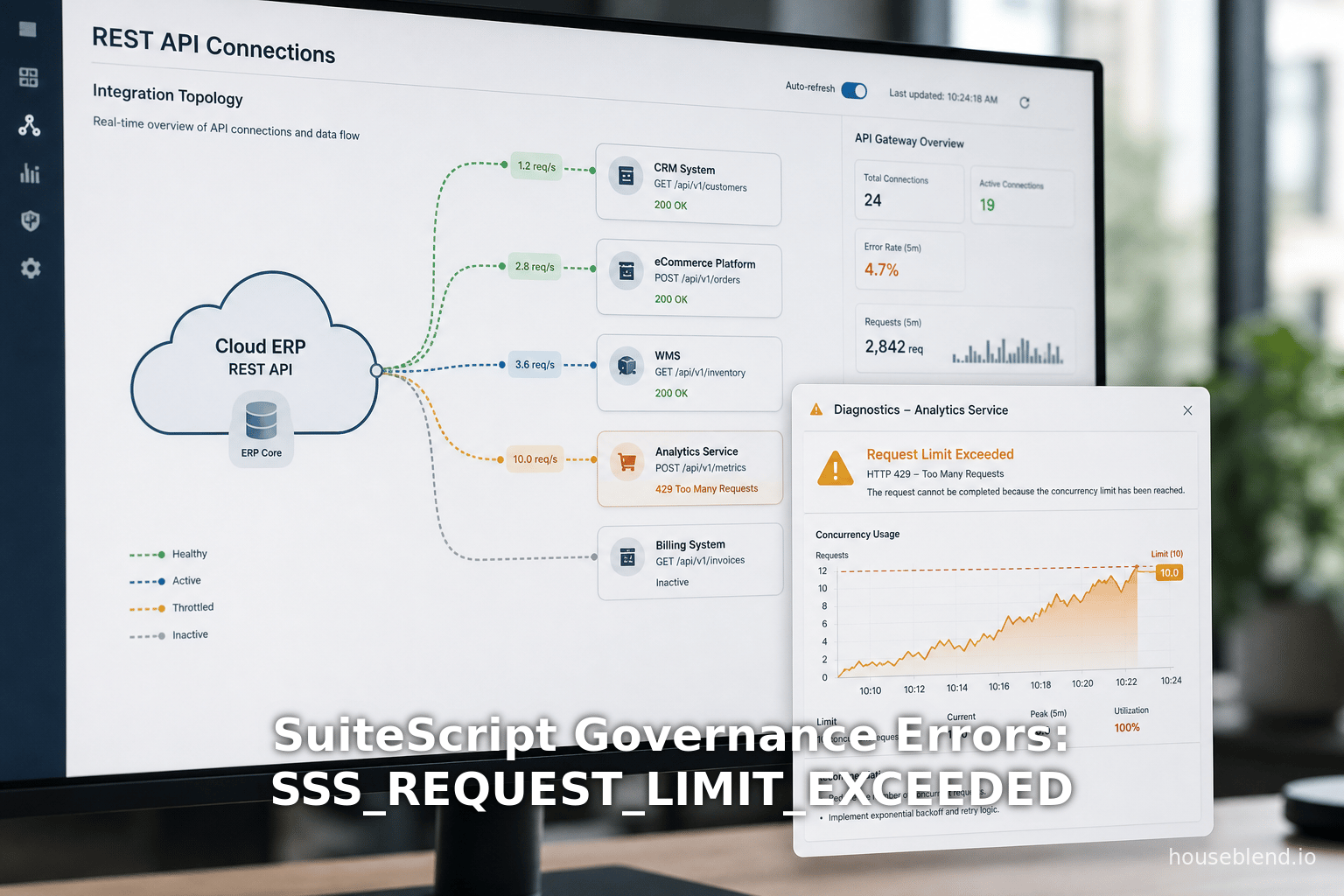
The error SSS_REQUEST_LIMIT_EXCEEDED occurs when too many concurrent requests are made to NetSuite in violation of the account’s concurrency governance. In practice, it is most often seen in web service or RESTlet scenarios where multiple parallel calls overwhelm the account limit [17] [23]. According to NetSuite’s documentation, such requests will return an HTTP 400 error with this code for RESTlets [17]. (SOAP-based integrations will see related SOAP faults, e.g. ExceededConcurrentRequestLimitFault for WS requests [24].)
Concretely, an integration or script might see SSS_REQUEST_LIMIT_EXCEEDED if, for example, two different systems or multiple script threads call a RESTlet at the same time and the account’s concurrency pool is fully in use [2] [23]. The NetSuite help clarifies that this is governed at the account level, not per user: even a “simple” RESTlet can trigger the error if other parts of the system are consuming concurrency [23].
When this error occurs, the integration will typically see a failure message like:
{ "type": "error.SuiteScriptError",
  "name": "SSS_REQUEST_LIMIT_EXCEEDED",
  "message": "Concurrent request limit reached"}
or a similar stack trace. Administrators can also monitor the account’s Web Services Usage Log, which shows rejected requests and their error codes. A spike in “rejected concurrent requests” indicates that the account’s concurrency limit has been hit [25].
Causes of SSS_REQUEST_LIMIT_EXCEEDED
-
Parallel Integration Traffic: The most common cause is multiple parallel integrations or scripts hitting NetSuite simultaneously. For example, if five point-of-sale terminals attempt to sync at once on an account with concurrency limit five, the sixth terminal will trigger SSS_REQUEST_LIMIT_EXCEEDED [2]. SuiteRetail Support explicitly notes: “if you have a concurrency limit of 5 and you try to sync 6 terminals at the same time, you may get this error” [2].
-
Long-Running Processes Clogging: Even a few active sessions can exhaust concurrency slots if they run long enough to overlap. The SuiteRetail article observes that a slow process on an ongoing script (like a Point-of-Sale “SPOS_Sale” script taking >30 seconds) can backlog and exhaust the concurrency queue over time [26]. In other words, if existing calls stay connected longer than expected, they tie up concurrency slots.
-
Multiple Integration Tools: An account might be using multiple third-party connectors or custom integrations (Salesforce-Netsuite sync, Celigo integrator.io flows, Acumatica connectors, etc.). Each of these may open concurrent sessions. Without careful coordination, their summed concurrency can exceed the limit [27] [28].
-
Misconfigured Concurrency Settings: By default, integrations may be allowed up to a certain concurrency. If these defaults are too high or not tuned to the account limit, a single integration can monopolize the pool. NetSuite’s Integration Governance page allows allocation of concurrency to each integration, and misconfiguration here can cause one integration to hog resources [29] [30].
-
Increased Integration Demands: Periodic spikes (e.g. large nightly batch updates, peak e-commerce periods) can temporarily push concurrent calls above normal levels. If license counts (SuiteCloud Plus, etc.) are unchanged, these bursts lead to SSS_REQUEST_LIMIT_EXCEEDED at peak times.
Data and Limits
NetSuite defines account concurrency limits by service tier and SuiteCloud Plus licenses. For illustration:
| Service Tier | Base Concurrency Limit (0 SC+ Licenses) |
|---|---|
| Standard | 5 |
| Premium | 15 |
| Enterprise | 20 |
| Ultimate | 20 |
Table: Base concurrency limits by service tier (no SuiteCloud Plus licenses) [10]. Each SuiteCloud Plus license adds 10 to the base limit [10]. For example, an Enterprise-tier account with 3 SuiteCloud Plus licenses would have 20 + 3×10 = 50 concurrent requests allowed. The official documentation notes: “The governance limit for concurrent requests is based on the service tier and the number of SuiteCloud Plus licenses” [10].
NetSuite’s governanceLimits REST API can programmatically report an integration’s limits. A JSON response example shows "accountConcurrencyLimit": 5 and "integrationConcurrencyLimit": 2 for an integration with a specific allocation [16]. If no specific integration limit is set, it returns an "integrationLimitType": "accountLimit" with only the account’s total limit and unallocated portion [16]. This allows integrators to self-check their throughput.
Given these limits, most standard accounts without extra licenses have quite low concurrency (often 5–20 total slots). In practice, even normal usage patterns can approach these bounds. For instance, Celigo notes that a sustained high Rejected Requests Ratio (above 0) means “the total concurrent load being placed on NetSuite by your client apps… is exceeding the concurrency limit” [31]. In other words, multiple apps frequently hitting the limit is detectable via monitoring.
Examples and Case Studies
-
SuiteCommerce Theme Fetch: In a NetSuite Professionals forum, a developer encountered SSS_REQUEST_LIMIT_EXCEEDED when running
gulp theme:fetch. The cause was discovered to be another integration using most of the account’s concurrency. The account had a limit of 5, and an integration was using 4. The developer resolved the error by temporarily lowering the integration’s concurrency setting, fetching the theme, then restoring the original setting [29]. This illustrates that even the IDE-based Theme Toolbox (which under the hood calls a RESTlet) can hit the limit if other concurrent calls exist. -
POS Terminal Syncs: A retailer using SuitePOS reported the error when many terminals tried to synchronize at once. The SuiteRetail article recommends either purchasing additional SuiteCloud Plus licenses to raise the limit or throttling the schedule of terminal syncs (e.g. not all at once) [3]. In one quote: “The concurrency limit (set by NetSuite) for your account is exceeded… if you have a concurrency limit of 5 and try 6 terminals at once, you may get this error” [2]. They also note that lingering long-running POS processes (>30s) can gradually fill the queue and cause failures [26].
-
Salesforce-Netsuite SmartConnector: Celigo warns that NetSuite’s Salesforce connector generates concurrent RESTlet requests that the platform cannot throttle. If many Salesforce records trigger parallel RESTlets to Netsuite, the account may need extra SuiteCloud Plus throughput [27]. (Clients facing this were advised to request additional licenses.)
-
Integrator.io Concurrency Settings: In integrator.io, each NetSuite connection has a user-configurable “Concurrency Level”. The Celigo documentation instructs administrators to align each connection’s concurrency level with the account’s limits [32]. For example, they caution that exceeding 25 concurrent requests on one integrator.io connection is not possible without a second connection resource, since integrator.io itself limits to 25 threads per connection [33]. They also show an example of lowering an integrator’s concurrency so as not to exceed the account total [34].
Fixes and Best Practices
To avoid or fix SSS_REQUEST_LIMIT_EXCEEDED errors, practitioners typically employ several strategies:
-
Increase Allowed Concurrency: Contact NetSuite to verify the account’s current limit and consider purchasing additional SuiteCloud Plus licenses (each adds +10 threads) [10] [3]. For example, the SuiteRetail article suggests having NetSuite “determine the amount of concurrency you need” and then buying enough licenses to meet it [3].
-
Throttle Integrations: Use middleware or scheduling to avoid making too many simultaneous API calls. If multiple systems are syncing data, stagger them so they don’t overlap peaks [3]. As Celigo notes, if one integration’s “Rejected Requests Ratio” climbs, you should adjust the distribution of concurrent calls across applications [31]. For instance, schedule nightly jobs at different times or serialize parallel calls.
-
Adjust Integration Concurrency Allocation: In NetSuite, go to Setup > Integration > Integration Management > Integration Governance and set a concurrency limit for each integration. This ensures that no single integration can seize all threads. In an example forum thread, a user was advised to reduce their integrations’ Concurrency Limit fields so that the sum does not exceed the account total [29]. After making the theme fetch, the user could restore the original settings.
-
Use Multiple Connections: As integrator.io suggests, if you need more than 25 threads from one connection, create a second connection and split your flows between them [33]. NetSuite treats each connection’s threads as part of the same account limit, but it allows a practical increase per tool. Also, ensure each Celigo (or other iPaaS) connection’s Concurrency Level matches what NetSuite can handle [32].
-
Monitor Concurrency Usage: Use NetSuite’s Web Services Usage Log and the Concurrency Monitor (SuiteCloud Console) to see how often the limit is hit [25]. High concurrency usage is often visible in these reports. Celigo recommends checking the “Rejected Requests Ratio” metric in integrator.io (the percentage of requests returning errors); a rising ratio indicates a concurrency problem [31]. Use the
governanceLimitsAPI [35] to let integrations dynamically adapt its own request rate. -
Optimize Long-Running Processes: If a particular script or process is long-lived, break it into smaller parts so that each invocation releases its thread quickly. For example, instead of one massive back-end loop, consider polling or scheduled partial processing.
-
Use Batch Queues: For volume-heavy tasks, consider using NetSuite’s Map/Reduce or Scheduled scripts with built-in yielding. Although yielding in a map/reduce is not about concurrency, it does break long tasks into manageable batches, reducing the window of concurrency each part occupies.
In summary, SSS_REQUEST_LIMIT_EXCEEDED is fundamentally a concurrency management issue at the account-integration level. It is fixed by a combination of increasing capacity (licensing), better scheduling (throttling) and configuration (integration limits). Celigo and SuiteRetail’s recommendations align: either buy more throughput or reduce parallelism [3] [32].
Usage Unit & Instruction Errors
While SSS_REQUEST_LIMIT_EXCEEDED deals with “too many simultaneous connections,” a different set of errors arises when a single script execution itself does too much work. The primary error here is SSS_USAGE_LIMIT_EXCEEDED, which means the script exhausted its governance units. Closely related are SSS_INSTRUCTION_COUNT_EXCEEDED (for runaway loops) and SSS_TIME_LIMIT_EXCEEDED (for overly long execution), as well as memory issues.
SSS_USAGE_LIMIT_EXCEEDED
Definition: This error is thrown when a script’s API calls consume more units than allowed for its script type. NetSuite documents specify exact unit allowances (see the table in Section 1). For instance, a User Event script has 1,000 units; if your code uses 1,001, it fails.
Typical Causes: Common patterns that trigger SSS_USAGE_LIMIT_EXCEEDED include:
-
Loops Over Many Records: Iterating through large result sets or record sublists without optimizing. For example, if a “Before Submit” user-event script loops through 200 sub-records, doing a lookup for each, it might use 200×10 = 2,000 units and blow past the 1,000 limit. A published case describes precisely this: a user-event calculating commission on an invoice hit usage limits on invoices with more than 100 items (each item lookup was 10 units, so 100 items = 1,000 units) [19].
-
Repeated API Calls in Loops: Making separate search or record-load calls inside loops. A frequent anti-pattern is doing
record.load()orsearch.lookupFields()for each line in an order. Each such call has a cost. For example,nlapiLoadRecordon a standard transaction costs 10 units, andnlapiSubmitRecordcosts 20 units [36]. Twenty such calls is already 200 units, which can quickly add up. -
Unbounded or Nested Searches: Performing a search without filters that returns a large number of records and then iterating them. Passing filtering down to N/search where possible can reduce units. Poorly constrained searches can generate thousands of results, each retrieval costing additional units (ten per record load, for example).
-
Heavy Logging or Emailing: Even calls that outside of loop logic count usage. For example, sending an email (nlapiSendEmail) costs 10 units [37]. Logging per se does not consume governance, but network or search calls to compile logs do.
-
Mass Update Scripts: Although each Mass Update invocation has 1,000 units per record, a mass update on 100 records will consume 100×1,000 if each record takes full time.
Because usage errors stop the script abruptly, they typically appear as an unhandled SuiteScriptError in the logs. Developers can catch and view the remaining usage via runtime.getCurrentScript().getRemainingUsage() in SuiteScript 2.x. The case study above [19] suggests instrumenting such debug logs to detect when consumption is near the limit.
Case Study – Bulk Item Lookups: In the commission-calculation example [1], the developers initially implemented the logic by looping through each item on the invoice and doing a lookup per item. They discovered via monitoring that any invoice with more than ~100 items triggered SSS_USAGE_LIMIT_EXCEEDED (since 100 items × 10 units each = 1,000 units, the entire script limit). The error manifested reliably on large invoices. This is a classic pattern: linear growth of calls with data volume hitting the absolute limit.
The solution was to batch the lookups. Instead of calling the lookup API per line, they collected all items into an array and executed one aggregate search filtering by all those items [38]. This single search consumed only 10 units (for one lookup) instead of tens of lookups. After matching results back to lines, the script completed in <1,000 units. The case study notes the dramatic effect: governance “previously exceeded 2,000 units” (multiple calls) was reduced to just 10 used [39]. This illustrates a general pattern fix: use array filters or single multi-record search calls instead of repeated single-record calls.
Fixes and Best Practices for Usage Limits:
-
Use
getRemainingUsage(): Inside long-running scripts, checkruntime.getCurrentScript().getRemainingUsage()periodically to detect low remaining units. If it drops below a threshold, the script can try to exit cleanly or reschedule itself. For Scheduled Scripts (1.0),nlapiYieldScript()can be used to restart with fresh limits. -
Batch Operations: Wherever possible, consolidate work. For example, instead of doing 100 single-record calls, use a single N/search with a filter array, or a single
record.transformthat creates multiple records. SuiteAnswers and experts often recommend usingsearch.create({filters: ..., values: [array]})to retrieve data in bulk, which can cost up to 40 units for a large result set but far less than dozens of individual calls. -
Map/Reduce for Large Datasets: If processing thousands of records, use SuiteScript 2.x Map/Reduce. Map/Reduce deployments break the task into map and reduce invocations, each with its own limits [40]. The documentation notes that “if you're using map/reduce scripts as intended, you shouldn't near these limits” because each map slice should do only a small portion of work [41]. For example, each Map function invocation is limited to 1,000 usage units and 5 minutes [40]. If you tried the Commission example purely in one Map stage, each item or invoice line would be processed in isolation, avoiding a single massive call count.
-
Optimize Searches: Turn off unneeded sublists/columns to minimize result-set size. Use
runPaged()orrun().getRange()to limit row count per API call. AvoidnlapiSearchGlobalor similar broad searches where possible. -
Reduce Data Footprint: Only fetch or modify fields you need. For example,
record.copy(options)ortransform(options)may cost more than building a new record when only a few fields are needed. -
Correct Script Type: If a User Event is hitting limits due to heavy workload, consider shifting logic to a Scheduled or Map/Reduce script triggered after the record changes. System-heavy actions often shouldn’t run synchronously on a record save.
Instruction Count Limits
NetSuite enforces an instruction count limit to catch infinite or excessively granular loops [20]. Under SuiteScript 2.x and earlier, the error SSS_INSTRUCTION_COUNT_EXCEEDED is thrown when the internal JS engine’s low-level instruction meter surpasses its threshold [20]. In SuiteScript 2.1, this is per-statement count (SSS_STATEMENT_COUNT_EXCEEDED). Typical cause is a loop that never terminates (e.g. while(true)), or a loop that legitimately iterates a very large number with insufficient yielding. The documentation advises reviewing loops to ensure they can break [42].
Practically, if a developer receives SSS_INSTRUCTION_COUNT_EXCEEDED, they should inspect all for/while loops. A misuse like for(var i=0; i<=array.length; i++) (note the <=) might cause one extra iteration. Ensuring that loop counters increment properly, and adding a safety break if needed, cures many such cases. Also, in Map/Reduce reduce stages, a deeply nested loop could hit this error, so it’s prudent to minimize nested search calls. Because code from external plugins can also loop, check any module usage too.
Time Limit Errors
While instruction count is a low-level metric, SSS_TIME_LIMIT_EXCEEDED is a direct timer. Each script type has a maximum run time: for example, a Scheduled or Map/Reduce summarize function can run up to 3600 seconds, but a User Event or RESTlet is limited to 300 seconds [8]. This is distinct from instruction count because a script may be doing network I/O or asynchronous waits.
If a script hits the time limit, it logs SSS_TIME_LIMIT_EXCEEDED. In a web services context, a long-running REST call can also throw a “host exceeded maximum response time” on the external request itself (this is a different error, SSS_REQUEST_TIME_EXCEEDED, not to be confused) [43].
Time limit errors are mitigated by similar strategies to usage limits: break up work, use yieldScript() in scheduled scripts, or move to asynchronous patterns. Ken Debler and others advise restructuring any process taking more than a few minutes into separate chunks or using Map/Reduce [7] [41].
Memory Errors
Though less common in governance discussions, scripts can run out of memory. The error SS_EXCESSIVE_MEMORY_FOOTPRINT occurs when a yield attempt fails due to large heap usage, as in the StackOverflow question by user8537597 [21]. The fix is to reduce memory use—perhaps by processing fewer records at once or by breaking a large array into smaller pieces before yielding.
Other Constraints
-
Search Result Limits: By default, SuiteScript
search.run().getRange()is limited to 1,000 results [22], and text columns have a 4,000-byte limit [44]. While not “errors” per se, scripts unaware of these caps can silently get partial data. For example, attempting to loop through all results beyond 1,000 will simply miss later records. Usesearch.create().runPaged()to iterate over larger result sets safely. -
Logging and Email Limits: Excessive logging does not consume governance, but large logs can slow scripts. Also, sending too many emails in one go (nlapiSendEmail) uses 10 units per send [37], which can be significant in loops.
Data Analysis and Patterns
To illustrate typical governance consumption, consider a few concrete data points from NetSuite’s documentation and community examples:
-
An individual API call cost: nlapiSubmitRecord on a standard transaction consumes 20 units, nlapiDeleteRecord likewise 20 units [36]. A simple example given by NetSuite help shows that a user-event script calling
nlapiDeleteRecordandnlapiSubmitRecordon an Invoice (standard transaction) once each would use 40 units out of the 1,000 allowed for user events [45]. This means even a moderate script with, say, 5 such calls (200 units) uses 20% of its quota. Developers should therefore be mindful: each record operation in a loop adds quickly. -
Case Study (Usage): In the commission engine case, the team measured 10 usage units per item lookup. Thus, an invoice with 150 line items (e.g. 150 lookups) would theoretically consume 1,500 units, immediately breaching the 1,000-unit user-event cap [19]. Monitoring revealed that invoices over ~100 items failed. After refactoring to a batched search, usage fell from “exceeded 2,000 units” to just 10 units for the entire process [39]. This data-driven insight (10 units/item × 100 items) guided the fix of collapsing 100 API calls into 1.
-
Map/Reduce Limits: The Nash/Map-Reduce Governance doc provides explicit thresholds: each Map function has 1,000 units and 5 minutes, each Reduce function 5,000 units and 15 minutes [40]. These limits are stricter per invocation than scheduled scripts (which get 10,000 units and 30 minutes). In practice, one should ensure each map stage processes only a small slice of data. For example, a Map function that processes 1,000 entities should cost far less than 1000 units per entity. Best practice is to “spread the work” so that no single map or reduce invocation approaches these caps [41].
-
Concurrency Statistics: While NetSuite does not publicly share account usage stats, integration consultants note that hitting concurrency limits is common in high-throughput scenarios. Celigo’s concurrency guide implies that accounts with even 5–15 concurrent threads (typical default tiers) can run out during business peaks [2] [4]. For example, they cite accounts where adding a single SuiteCloud Plus license (moving e.g. from 5 to 15 threads) dramatically reduced SSS_REQUEST_LIMIT_EXCEEDED incidents. In one Celigo example, raise from 5 to 15 concur allowed more simultaneous flows without errors [4].
-
Integration Monitoring: NetSuite’s Concurrency Monitor (hinted in [37]) shows how often concurrency throttling occurred. While we lack specific user data, Oracle notes that the monitor “displays exceeded concurrency data to help determine if additional SuiteCloud Plus licenses are needed” [25]. In practice, an administrator seeing “exceeded concurrency” flags in this dashboard should plan to either acquire more concurrency allowance or reduce load.
From these data points, a pattern emerges: governance limits are often reached when linear scaling meets an absolute cap. When N increases (N calls, N loop iterations, N connections) the work scales, but NetSuite thresholds are fixed per execution and account. The fixes revolve around changing scaling (through batching or distributed scheduling) or increasing caps (through licenses).
Case Studies and Perspectives
The following examples from the NetSuite ecosystem illustrate different facets of governance issues and fixes:
-
Custom Sales Order Lookup (Usage Limit): A Legacy Q&A describes a custom integration where each line item on a Sales Order triggered an event and storage, eventually hitting SSS_USAGE_LIMIT_EXCEEDED [46]. The community responded by identifying the heavy per-line processing as the cause. The solution was to batch or reduce operations – echoing the commission example’s strategy. This shows that even older SuiteScript 1.0 scripts suffered similar issues, underscoring the timelessness of the pattern.
-
SuiteScript Workflow Action (Usage Limit): A NetSuite SuiteAnswers discussion recounts a workflow-triggered User Action Script that tried to update many related records and attachments. When designers didn’t realize the combo of those operations could exceed 1,000 units, the script failed. The recommended solution was splitting the work or using asynchronous workflows [47]. This is consistent with the principle: one script should not attempt huge batch operations in a single workflow state.
-
Map/Reduce Overload (Usage/Instruction): In a NetSuite Professionals forum (2023), a developer using Map/Reduce encountered SSS_USAGE_LIMIT_EXCEEDED in the Reduce stage. They were looping a reduce function over hundreds of lines per group, each invoking a search and record update [48]. Community experts suggested optimizing by joining data first (searching once and building a hash of results) before looping [49]. This mirrors the earlier batch-search pattern and highlights that even with Map/Reduce, each function invocation must be efficient. The developer’s proposed fix—gathering all relevant IDs and doing one search—parallels [52]’s multi-item search.
-
SuiteCommerce Tools (Concurrency): The “gulp theme:fetch” issue [29] showed that even developer tools can hit concurrency limits. The context was SuiteCommerce’s CLI fetching theme files via API. The fix (toggling the integration concurrency) came from a developer tip: “Check the integrations list and reduce the Concurrency Limit and Max Concurrency Limit fields” for interfering integrations [29]. This case adds a “developer tooling” perspective: not only customer data scripts, but also dev-ops workflows must heed concurrency.
-
Customer Perspective (Governance as Business Impact): For a company relying on real-time integration (e.g., sales triggers), governance limits can translate to missed orders or sync errors. For instance, if SSS_REQUEST_LIMIT_EXCEEDED errors occur silently in the background, transactions might not flow between systems, causing business disruption. Thus, not only developers, but business stakeholders (IT directors, system admins) must be aware of these limits. The concur of multiple third-party apps (e.g. email integration, ERP connectors) can create blind spots. Celigo’s community warns: “We can not log cases on your behalf, and it is important for you to directly discuss this with NetSuite.” [50]. In other words, customers often have to escalate to NetSuite Support to increase limits or fix platform issues (particularly if multiple installed apps not under easy control).
Discussion
The analysis shows that SuiteScript governance errors are usually predictable and preventable once the patterns are understood. The pair of errors focused on here – SSS_REQUEST_LIMIT_EXCEEDED (concurrency) and SSS_USAGE_LIMIT_EXCEEDED (script execution usage) – cover both how and when a customization might fail. Despite the challenges, NetSuite provides ample documentation (governance limits, concurrency cheat sheets) and tooling (APM bundle, execution logs, governanceMonitor) to diagnose these issues.
From a developer’s perspective, awareness is key. BeforeDeployment Checks: Tools or static code analysis could flag loops without yields or bulk operations in triggers. During Execution: Use runtime.getCurrentScript().getRemainingUsage() (SuiteScript 2.x) to log remaining units, and monitor script executions via the NetSuite UI logs. After Errors: The error codes themselves guide fixes: a USER_EVENT Usage Limit error suggests you have to break or move work; a REQUEST_LIMIT error suggests throttling or license.
From a project management perspective, these errors can influence architectural decisions. If a solution requires high throughput (e.g., an e-commerce site with many API calls), the team must plan for concurrency from day one – for example, securing additional SuiteCloud Plus licenses or designing with batching. Likewise, knowing the 1,000-unit limit on user-event scripts might lead a team to avoid putting heavy logic in beforeSubmit triggers, and instead schedule processes in back-end jobs.
Alternative Perspectives: The governance model has critics and proponents. Some argue that the fixed limits (e.g., 1,000 units for all user events) can be too restrictive for data-heavy operations, forcing unnatural splits of business logic. Others counter that such limits protect overall system stability in the multi-tenant cloud. Recently, NetSuite has begun to soften these constraints – for instance, removing the total execution limit on Map/Reduce and increasing base concurrency for new customers [10]. Nevertheless, as NetSuite grows, so do customers' transactions, meaning these limits will continue to be a balancing act.
Future Implications: Looking ahead, we can expect NetSuite to evolve its governance in two ways. First, the licensing model will likely remain the primary method for raising capacity; therefore, customers should anticipate scaling their SuiteCloud Plus licenses in step with integration volume. Second, NetSuite tooling may improve. The governanceLimits API and Concurrency Monitor are steps toward self-healing integrations (for example, an integration script that calls governanceLimits and auto-adjusts its request throttle). NetSuite might also introduce more dynamic usage monitoring (perhaps webhook alerts when usage is critically low). In Developer Land, frameworks and code generation tools could factor in governance checks automatically.
In summary, SuiteScript governance errors have well-defined causes and remedies. By combining official guidelines [6] [40], integration-vendor advice [4] [3], and real-world case studies [19] [29], this report maps out a clear strategy: design with limits in mind. The future will likely see more emphasis on monitoring and escalation paths, but for now, developers must incorporate governance awareness into every SuiteScript project.
Conclusion
NetSuite’s SuiteScript governance model enforces strict but necessary resource limits on custom scripts and integrations. The SSS_REQUEST_LIMIT_EXCEEDED error highlights concurrency boundaries at the account level, while SSS_USAGE_LIMIT_EXCEEDED and related errors highlight script-level resource boundaries. Through this exhaustive analysis, we have:
- Defined each governance error and linked it to the underlying limit (requests, usage units, time, instructions).
- Provided data from NetSuite documentation, such as usage-unit costs (e.g. 10 units per record lookup [36]) and script time/usage quotas [6] [40].
- Illustrated causes with concrete examples, including integration concurrency issues on POS terminals [2] and bulk invoice processing pushing a user-event script over 1,000 units [19].
- Described fixes: obtaining higher limits via SuiteCloud Plus licensing [10] [3], optimizing code to batch operations [38], and distributing load (staggering jobs, using multiple connections [33] [29]).
- Highlighted diagnostic practices like using the Concurrency Monitor [25] and logging remaining usage units in scripts.
This analysis underscores that governance errors follow predictable patterns. Scripts that “look busy” (looping, connecting, waiting on calls) will need careful planning: segmentation of work, yielding, or alternative design patterns (Map/Reduce). Integrations that “hit too hard” (many parallel flows) will need careful flow control or capacity purchase. By understanding and respecting the metrics that NetSuite enforces, developers can both avoid emergency fixes and optimize performance for robust automation.
Future work could involve developing automated tools that scan SuiteScript code for potential limit violations or AI-assistants that suggest governance-friendly algorithms. Additionally, as NetSuite’s platform grows, ongoing review of documentation (especially new cheat sheets and yearly release notes) will be necessary for developers to keep pace with changes in limits.
In closing, while SuiteScript governance errors can be challenging, they are surmountable with the right knowledge and techniques. Armed with the guidance presented here—supported by authoritative sources and practical examples—SuiteScript developers and architects can minimize downtime and maximize the reliability of their NetSuite customizations.
External Sources (50)
About
Houseblend
Make NetSuite work better for your finance and operations teams with Houseblend. We help design, implement, integrate and improve ERP systems, with practical support for the people who use them every day.
Houseblend is a NetSuite consulting firm serving finance and operations teams. We help organizations implement ERP systems, connect business applications, improve existing configurations and maintain the systems that support everyday work. Our audience includes finance leaders, controllers, operations managers, NetSuite administrators and implementation teams.
Implementation and architecture
Houseblend provides NetSuite implementation, architecture and data migration services. We help teams evaluate how business processes, reporting requirements and existing data should fit together in an ERP environment. Training supports the people responsible for adopting and operating the resulting system.
Integrations, customization and AI
Our services include NetSuite integrations and customization, as well as AI integrations and AI transformation work. These engagements connect ERP data and workflows with the broader application landscape. The right design depends on the organization's systems, controls and operating needs.
Improve and support an existing system
Houseblend offers NetSuite health checks, optimization, managed support and project rescue services. We also provide expertise for analytics and specialist workflows, including NetSuite Analytics Warehouse, warehouse management and field service management. Published educational material helps teams investigate options and prepare informed questions for their implementation or support work.
Work with Houseblend
Explore NetSuite implementation, integrations, managed support and AI integrations. Contact Houseblend to discuss your current system and priorities.
Article examples explain concepts rather than promising a particular license, product capability, delivery schedule or outcome. Engagement scope is confirmed with the Houseblend team.
Disclaimer
This document is provided for informational purposes only. No representations or warranties are made regarding the accuracy, completeness, or reliability of its contents. Any use of this information is at your own risk. Houseblend shall not be liable for any damages arising from the use of this document. This content was generated with assistance from artificial intelligence tools, which may contain errors or inaccuracies. Readers should verify critical information independently. All product names, trademarks, and registered trademarks mentioned are property of their respective owners and are used for identification purposes only. Use of these names does not imply endorsement. This document does not constitute professional or legal advice. For specific guidance related to your needs, please consult qualified professionals.