Houseblend Article
Workday Adaptive to NetSuite Integration: Setup & Sync
Inside this article
Executive Summary
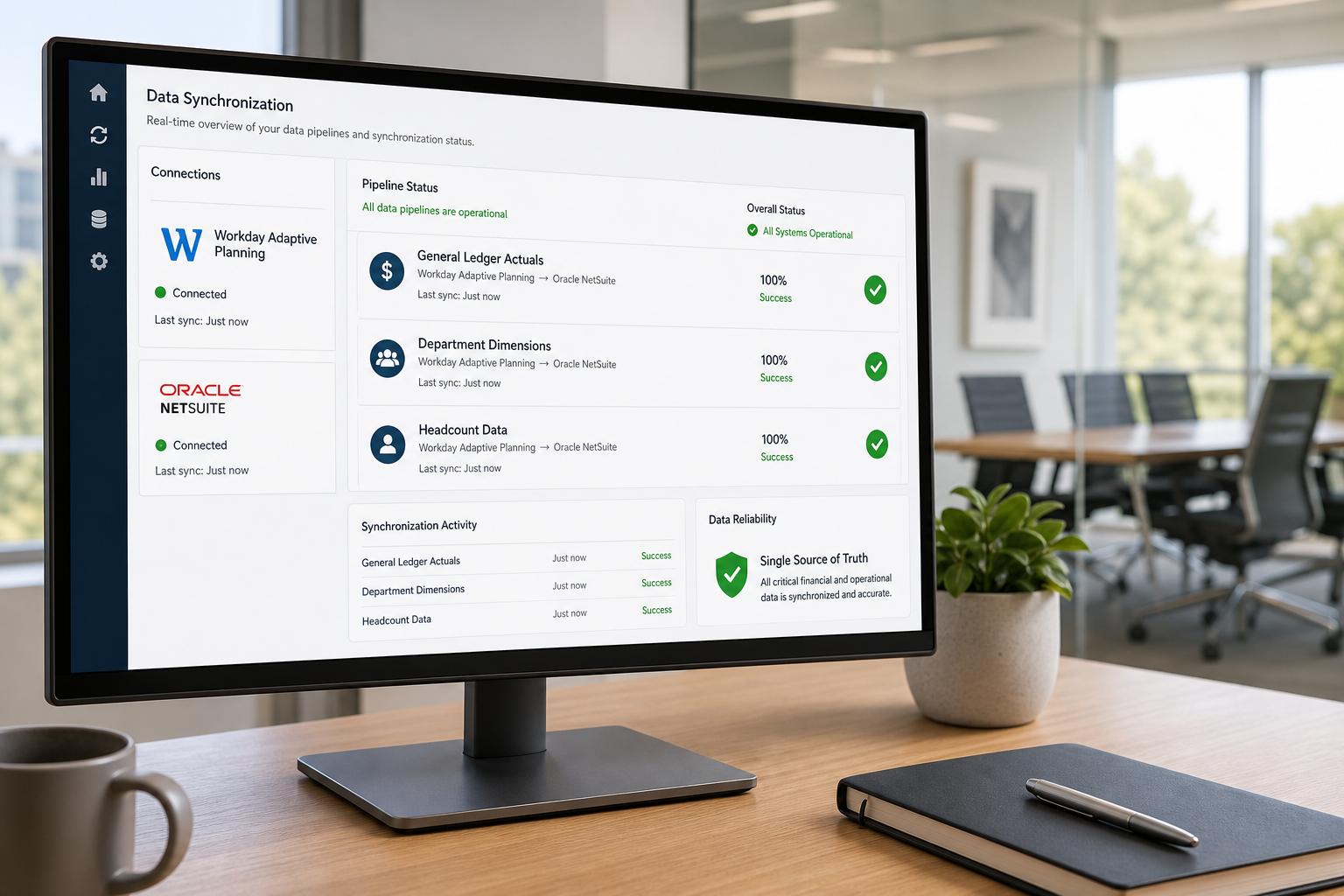
Integrating Workday Adaptive Planning (formerly Adaptive Insights) with Oracle NetSuite ERP has emerged as a best practice for modern finance organizations seeking to automate and enhance their budgeting, forecasting, and reporting processes. Historically, many companies relied on fragmented spreadsheets and manual data transfers between their ERP and planning systems, leading to errors, version-overload, and significant time spent on low-value tasks [1] [2]. Workday Adaptive Planning offers a cloud-based Financial Planning and Analysis (FP&A) platform that supports integrations with a wide variety of data sources [3]. When tightly integrated with NetSuite – a leading cloud ERP used by 36,000+ organizations worldwide [4] – financial teams can achieve a single source of truth for their data, dramatically improving accuracy and efficiency. Key benefits documented include faster monthly close and budgeting cycles, significant reductions in manual effort, and more reliable forecasts and reports [5] [6]. For example, one global retailer slashed its corporate budget process by 50% and sped up forecasting by 80% after moving to Workday Adaptive Planning from manual spreadsheets [6]. Similarly, a technology firm cut three days off its monthly close by automating the import of bookings and revenue data from its ERP into Adaptive Planning [5].
This report provides a detailed examination of Workday Adaptive Planning ↔ NetSuite integration, covering technical setup, data synchronization patterns, and real-world FP&A use cases. We review the historical development of the integration (Adaptive Insights’ early partnership with NetSuite), current integration methods (workday’s built-in connectors, third-party tools, custom Cloud Data Sources), and emerging trends (AI assistants, continuous planning). We present evidence from surveys and case studies to quantify the impacts on FP&A efficiency and decision-making. Practical examples, such as a medical-device company’s implementation and Workday user stories, illustrate how finance teams leverage integrated data for budgeting, forecasting, scenario analysis, and consolidated reporting. Finally, we discuss future implications – from growing adoption of algorithmic forecasting to evolving connectivity standards – and outline best practices for finance-led integration. All claims are backed by industry sources, surveys, and expert commentary to ensure a rigorous, data-driven perspective.
Introduction and Background
The FP&A Challenge and the Move to Integrated Planning
Financial Planning & Analysis (FP&A) is rapidly evolving. Across industries, finance teams face volatile markets and complex global operations, which demand faster, data-driven planning. Yet many organizations remain “trapped in Excel hell” – juggling hundreds of spreadsheets and manual data imports for every budget cycle [1]. A 2024 FP&A survey found that over 52% of FP&A teams still rely on Excel for planning, and 45% use outdated static methods [2]. This legacy approach consumes nearly two-thirds of FP&A time on manual data tasks [2], leaving little room for analysis. Inevitably, decision-makers grapple with stale or inconsistent figures. In fact, poor data quality was cited as a concern by 9% of FP&A teams, and finalizing each forecast often takes more than ten days [2].
To break this cycle, leading companies are adopting cloud-based FP&A platforms that integrate directly with their operational systems. Workday Adaptive Planning (formerly Adaptive Insights) is a prominent example. As a cloud-based budgeting, forecasting and modeling solution, it is designed to pull data from a wide range of source systems [3]. Workday’s own Forrester-commissioned Total Economic Impact study notes that Adaptive Planning provides a “single source of truth” for an organization’s financial, personnel, and operational data [3]. By automating data flows from ERP and other systems, finance teams spend far less time “shuffling” data and more time on analysis and strategic insight (Source: planningsystems.com.au). The result is faster planning cycles, higher-quality forecasts, and a shift toward proactive, scenario-driven decision-making [3] [5].
Workday Adaptive Planning and NetSuite: Why Integrate?
Workday Adaptive Planning and NetSuite play complementary roles. NetSuite is a cloud ERP (now owned by Oracle) that handles core financials, order processing, and multi-entity consolidations. As of 2024, NetSuite had over 36,000 customers worldwide relying on its financials, CRM, HCM and operations modules [4]. These systems capture the actual transactions and performance metrics that underpin forecasts and budgets. Workday Adaptive Planning, by contrast, is an FP&A engine for creating and analyzing budgets, forecasts, headcount plans, and dashboards. Integrating NetSuite with Adaptive means that actuals data (general ledger balances, sub-ledger details, sales orders, payroll, etc.) from NetSuite automatically flow into the planning models. This eliminates time-consuming manual exports, normalizes data quality, and ensures that planning teams always work with the latest financials [7] [8].
The strategic value of this integration has long been recognized. As early as 2017, Adaptive Insights reported over 700 joint customers already linking NetSuite ERP with the Adaptive suite [7].In that press release, Adaptive noted that it was targeting NetSuite’s entire user base (~40,000 customers) to help them integrate “actuals data from NetSuite ERP into Adaptive Suite to deliver faster, higher-quality planning and reporting” [7]. These capabilities include seamless single sign-on and embedding Adaptive as a tab within the NetSuite interface – meaning finance users can plan and report with one click from within their ERP environment [7]. The overall implication is clear: CFOs and FP&A groups view an integrated ERP-Planning solution as a best practice. One authoritative blog on NetSuite planning concludes simply that “for growth-driven CFOs and their finance teams, FP&A can’t be done on NetSuite and spreadsheets alone” [1].
Integrating Adaptive Planning with NetSuite is now mainstream in many organizations. It underpins use cases such as real-time variance analysis, iterative reforecasting, and multi-entity consolidation – all critical for agile finance. The rest of this report dives deeply into how these integrations are set up, the patterns by which data is synchronized, and the tangible FP&A improvements they enable. We draw on technical documentation, integration partner insights, survey data, and real-world case studies to give finance and IT leaders a complete picture of Workday-Adaptive↔NetSuite integration.
Integration Setup and Architecture
Achieving a robust Workday Adaptive Planning – NetSuite integration involves both configuration steps and architectural decisions on how data will flow. The goal is to create an automated pipeline where actuals, dimensions, and other key data move securely between systems. Below we detail the main integration approaches supported by Workday Adaptive and commonly used with NetSuite.
Workday Adaptive’s Built-In Integration Options
Workday Adaptive Planning provides an Integration Cloud platform that offers several native options for connecting to ERP systems like NetSuite [9]. A Workday integration is typically set up by defining a Data Source within Adaptive’s integration interface. For NetSuite specifically, Adaptive supports:
- NetSuite Connector or Cloud Data Source: Workday Adaptive can use a delivered connector (sometimes called a “Cloud Data Source”) that directly links to NetSuite. This encapsulates the API or saved-search calls needed to fetch data. Advantageously, this method requires no intermediary files and can be designed in a “click-not-code” fashion for finance users (Source: planningsystems.com.au) [10].
- Saved Search Integration: NetSuite saved searches (the ERP’s report queries) can be exported and imported into Adaptive. Workday Adaptive’s platform can either pull these saved search results (via SuiteScript) or let you upload the CSV results. Essentially, you design a saved search in NetSuite that returns needed fields (e.g. GL balances by account/dept), then connect it as an input to Adaptive.
- Custom Cloud Data Source (CCDS): An advanced route is to employ NetSuite’s web query interface together with Workday’s CCDS framework [9]. With this approach, one installs a small NetSuite bundle script that allows NetSuite reports to be queried via HTTP. Adaptive then configures a CCDS to pull from that web query. This is a powerful option when built-in connectors are insufficient or when you want to extract custom multi-dimensional data without intermediate files [9].
In general, the preferred set-up is as follows:
- Create Integration Credentials: In NetSuite, define or choose a role (often a custom integration role) with permissions to view financial data, transactions, and saved searches. In Adaptive, create an integration agent/user with permission to manage data imports.
- Set Up the Connection: In Adaptive’s Integration module, add a new Data Source for NetSuite. You will specify the authentication (e.g. NetSuite account ID, role credentials, web services tokens if using SuiteTalk). If using the native connector, Workday provides configuration screens that map fields. If using CCDS, you will enter the web query URL and credentials.
- Define Data Loads: Create one or more Integration Tasks in Adaptive. Each task specifies a NetSuite data object (e.g., GL Balances, Saved Search, Custom Transaction Search) to import. You map NetSuite fields or dimensions to the corresponding fields/dimensions in your Adaptive model. For example, a GL balance import might map NetSuite Account, Department, and Location columns to Adaptive’s Account hierarchy and “Organization” dimension.
- Schedule and Test: Determine the frequency (daily, weekly, monthly) and run the task to pull in data. The platform will load data into a holding area, where you can validate before refreshing your planning model. Workday’s interface lets you preview and transform data if needed before finalizing the import.
Workday’s platform is expressly designed to be finance-user friendly. Its “click-not-code” approach means that intensive ETL development is minimized; business users can manage most of the integration logic via Excel-like formula mappings (Source: planningsystems.com.au) [10]. A typical setup includes automated pulls of NetSuite’s ledger and subledger for a monthly or period close, plus occasional enrichment pulls (e.g. detailed sales orders or headcount data).
Example: NetSuite Enhanced Connector (ICit)
An example of a built-in solution is the “NetSuite Enhanced Connector” available on the Workday Marketplace (by iCiti Business Intelligence) [10]. This connector is pre-built to import all relevant NetSuite data into Adaptive: GL balances, class/department/location segments, revenue recognition details, and custom fields [10]. It is fully automated, eliminating any intermediary file steps [10]. Notably, it brings in NetSuite Custom Segment data – meaning if the business uses NetSuite custom classifications, these can flow directly to Adaptive as extra dimensions [10]. The connector is configurable, so as business structures change (new account codes, segments), the integration schema can adapt without reprogramming [10]. Clients using this solution report saving substantial manual effort: for example, they “save load time [and] eliminate manual intervention” by automating even NetSuite’s complex revenue recognition schedules into Adaptive [10].
Third-Party Integration Platforms
Beyond native options, numerous third-party iPaaS (Integration Platform as a Service) tools can shuttle data between NetSuite and Adaptive. Platforms like Celigo, Workato, Dell Boomi, Jitterbit, and Incorta offer pre-built connectors or low-code workflows for many applications, including NetSuite and Workday.
- Workato: Provides connectors for Adaptive Insights (Workday) and NetSuite REST. Users can orchestrate workflows such as “When a new invoice posts in NetSuite, upsert the data into Adaptive” or vice versa. Workato boasts high customer satisfaction and ease of use [11], making it a popular choice for organizations that already use Workato for other integrations.
- Incorta: As highlighted by the Incorta Integration, Incorta’s data warehouse or workbench can collect data from NetSuite (and other ERPs/ERPs) and then push it to Adaptive Planning [12]. Incorta can consolidate multiple ERP sources, apply business rules, and drive near-real-time data flows [12]. Importantly, Incorta can load data into Adaptive through Adaptive’s official Data Pipeline API or CCDS pathways [12]. It can even read forecast results back from Adaptive to enable detailed variance analysis in the Incorta environment [12]. Such platforms often appeal to larger enterprises with diverse systems, or those wanting robust analytics and ML on top of their planning data.
- Celigo/others: Similarly, integration specialists note that Celigo (the integrator mentioned by BrokenRubik) and others can synchronize NetSuite and Adaptive in either direction. For example, Celigo can pull NetSuite GL balances nightly into Adaptive and push approved budgets from Adaptive back into a NetSuite budget module [13].
Regardless of the tool, the core setup steps are similar: ensure security credentials, configure the data mapping, and schedule the flow. The choice between native vs. third-party often depends on factors like existing integration technology in use, the need for cross-system workflows (e.g. tying in a CRM), and budget for integration platforms. Importantly, even with third-party tools, the Sync Patterns discussed below (actuals load, budget writeback, etc.) remain the same in principle.
NetSuite-Side Configuration
On the NetSuite side, a few tasks are typical:
- Create Saved Searches/Reports: For any data needed in Adaptive (e.g., a detailed general ledger, AR aging, open POs), you create a saved search or report in NetSuite. The saved search must have “Allow Web Customer” or “Allow Web Query” enabled if using web queries [9]. It should include all dimensions/fields you want in your planning model (e.g. account, class, department, location, currency, period).
- Assign Roles and Permissions: Provide the integration role with at least View permissions on transactions, lists, and reports. If using SuiteTalk web services, you may need specific permissions on “Web Services” features.
- Install Bundles for CCDS (Optional): If leveraging NetSuite’s web-query route, an administrator installs the Workday Adaptive Planning CCDS bundle (if provided by Workday or a partner) to enable secure web queries [9].
- Test Data Access: A good step is to verify that the integration account can pull the saved search results (via the SOAP or web interface) before configuring it in Workday.
With these pieces in place, the Workday Adaptive Planning environment will consume the data. Workday itself uses cloud APIs or data uploads – so no on-premise middleware server is needed. This “cloud-to-cloud” connectivity means data is encrypted in transit and often resident in a secure staging area within Workday before merging into the plan model.
Integration Architecture Summary
In summary, the architecture looks like this:
- Source (NetSuite ERP): Contains GL, sub-ledgers, and master data.
- Integration Layer: Can be Workday’s own Integration Cloud or a third-party iPaaS. It periodically executes pulls or receives pushes. It applies any necessary transformations and mapping.
- Workday Adaptive Planning: Receives the data into its staging area, then refreshes the planning model. Here data is linked with the plan dimensions for analysis and reporting.
- Optional Data Flows Back: In some use cases, approved budget or forecast figures from Adaptive are sent back to NetSuite (for example, using NetSuite’s Budget Module or to inform account managers). This is usually a one-way push from Adaptive to NetSuite via the integration tool.
Figure 1 (below) outlines typical data flows:
| Data Flow Direction | Source | Destination | Data Types / Entities | Purpose / Use Case |
|---|---|---|---|---|
| ERP → FP&A (Adaptive) | NetSuite GL & Subsidiary Ledgers | Adaptive Planning Accounts, Dimensions | General ledger balances (trial balance), journal entries, subledger details | Populate actual financials, balance sheet, P&L for actual vs plan analysis. |
| ERP → FP&A | NetSuite Master Data (Acct/Dept/Loc) | Adaptive Dimensions | Chart of accounts, department/class/location lists, currency conversion rates | Build Adaptive dimension hierarchies to mirror ERP structure. |
| ERP → FP&A | NetSuite Operational Data | Adaptive Custom Tables/Line Items | Orders, backlog, headcount, headcount costs, project metrics, sales pipeline | Feed driver-based planning models and scenario analysis (e.g. revenue by product, hiring plans). |
| FP&A → ERP | Adaptive Planning Results | NetSuite Budgets/Forecasts | Approved budgets and forecasts by account/department | Enable budget-versus-actual reporting in NetSuite, or trigger workflows. |
| ERP ↔ FP&A (bi-di) | Intercompany Transactions | Adaptive Intercompany Structures | Invoices/payments between subsidiaries, currency gains/losses | Support consolidated planning with proper eliminations and currency translations. |
Table 1: Common data flows and entities in a NetSuite–Adaptive Planning integration.
In Table 1 above, the left column (“Data Flow Direction”) indicates how information moves. The “ERP → FP&A” flows are most critical: they ensure Adaptive’s planning models contain the company’s real performance data. “FP&A → ERP” flows are less common but important for pushing budgetary results back to operational owners. Each flow can be implemented as an integration task: for example, a daily import of P&L lines, or an ad hoc export of updated headcount to NetSuite’s HR module.
Security and Governance
Practically, companies also need to set up proper security:
- User Roles: Only authorized FP&A professionals and systems should access both the ERP and the planning system. Often a dedicated “Integration User” is created in Adaptive with rights only to run integrations (not to edit models).
- Data Validation: Before loading, most integrations allow a staging step where data can be reviewed. Finance teams should have routines to check reconciliation (e.g. sum of imported balances matches NetSuite).
- Audit Trail: Workday Adaptive logs each data import with timestamp and user. NetSuite also logs saved search executions. Together, this provides an audit trail for SOX compliance and financial controls.
- Encryption and Connectivity: Integration is typically done over secure HTTPS/SSL. Some companies use IP whitelisting or VPN between systems for extra security. In Workday Adaptive’s cloud, the data is encrypted at rest and in transit by default.
In practice, a step-by-step setup could be:
- Identify key tables and fields in NetSuite that must feed the plan.
- Build corresponding dimensions and line items in Adaptive (e.g. Account, Department, Product).
- Create and test NetSuite saved searches or reports with those fields.
- In Workday Adaptive, configure a new NetSuite data source, enter credentials.
- Build an import task: select type (e.g. GL Journal), map fields, run a test load.
- Verify the data in Adaptive’s staging area matches expectations (row counts, sums).
- Schedule the task (e.g. nightly after close of business).
- Repeat for additional data feeds (dimensions, sub-ledgers, headcount, etc.).
- Optionally, configure outbound tasks (e.g. push budgets to NetSuite).
- Document the data flow, transformation logic, and set up monitoring (email alerts on failures).
Workday partners often lead this implementation, but finance users are empowered to maintain it. As described by one integration specialist, “Finance-managed Data Integration” means the team can adapt mappings or transforms without involving IT – it’s primarily formula-based transformations and field linking (Source: planningsystems.com.au).
Overall, the technical setup of a Workday Adaptive–NetSuite integration is quite mature. Today’s platforms handle complexities like multi-currency and sub-entity consolidation (NetSuite OneWorld) as standard. For example, when a company uses NetSuite subsidiaries in different currencies, Adaptive can automatically apply currency conversion rates imported from NetSuite and perform intercompany eliminations within its consolidation engine [13] [14]. This enables corporate roll-ups and financial statement consolidation in Adaptive, complementing (not replacing) NetSuite’s own consolidation functions.
With the integration architecture in place, finance teams can turn to designing sync patterns that align with FP&A needs – the focus of the next section.
Data Synchronization Patterns
Synchronization between NetSuite and Workday Adaptive Planning involves scheduled data transfers in one or both directions. The patterns with which data is synced profoundly affect FP&A effectiveness and reporting timeliness. Below we detail the common synchronization scenarios, frequencies, and directional flows.
One-way vs Two-way Synchronization
In most implementations, the dominant pattern is one-way sync from NetSuite → Adaptive. That is, financial transactions and master data in NetSuite are automatically imported into Adaptive. This is because NetSuite is treated as the system of record for “actuals” – the source of truth for historical financial data. Finance teams usually rely on Adaptive Planning for “aggregated” analysis (summing across accounts, departments, etc.), scenario modeling, and projections. For these, Adaptive must be seeded with up-to-date actual performance data from NetSuite each period.
Rarely, there are two-way flows:
- Budget/Forecast Push-back: Once budgets or forecasts are approved in Adaptive, organizations sometimes publish them to NetSuite. For example, NetSuite’s Budget Module can store plan data by department and account, enabling managers to see budget vs actual reports within NetSuite. In this case, Adaptive sends plan numbers to NetSuite. Similarly, an integration might update custom fields or records in NetSuite to flag approved forecasts.
- Drillback or Reconciliation: Some mature setups allow reconciling or drilling back from Adaptive to the source. For instance, Adaptive may include hyperlink references to underlying NetSuite transactions, or pull detail via Drill-through Connectors. However, this is less of a “synchronization pattern” and more of an enhanced reporting feature.
In practice, most companies focus on syncing actuals in and perhaps decisions out. The table below illustrates typical sync patterns:
| Sync Type | Direction | Data Elements (Examples) | Frequency | Use Case |
|---|---|---|---|---|
| Monthly/Period-End | NetSuite → Adaptive Planning | GL Balances (Trial Balance by Account/Dept/Loc), AR Aging, AP Aging, Payroll expenses | After month-end close (e.g. 1st of next month) | Finalize actuals for the month in the planning model; used for variance analysis and base for next forecast. |
| Daily to Weekly | NetSuite → Adaptive Planning | Key Performance Metrics (e.g. sales orders, backlog, cash balances) | Every day or week (nightly or off-hours) | Provide near-real-time operational visibility for active forecasting and dashboards. |
| Ad Hoc/On Demand | NetSuite → Adaptive Planning | Ad hoc reports (e.g. current year-to-date actuals for planning) | On demand (trainer-run) | Update planning model before an important meeting or after a late adjustment. |
| Annual/Quarterly | Adaptive Plan → NetSuite | Approved Budgets (by period, account, org), Forecast adjustments | Annual budget cycle or quarterly re-forecast | Load approved budgets into NetSuite for department managers to view; integrate forecasts into strategic planning. |
| Continuous/Real-Time | NetSuite → Adaptive Planning (advanced) | Transactional data streams (e.g. live sales transactions) | API/Webservice (near real-time) | Rarely used; for small companies or high-frequency trading who want live dashboards. |
Table 2: Common synchronization patterns between NetSuite and Workday Adaptive Planning systems.
Periodicity and Scheduling
Monthly close processing often drives the main data sync. Companies commonly schedule the actuals import as soon as NetSuite’s monthly books are closed. For example, on the 1st of each month (or when the ERP GL is locked), the integration runs to pull in the finalized P&L and Balance Sheet data for the prior month [5]. This ensures that once the Adaptive model refreshes, the FP&A team can begin variance analysis immediately. In our case study examples, the improved timeliness from integration cut full reporting cycles to days instead of weeks [5] [6].
However, some businesses also pull weekly or even daily operational data. If finance teams maintain rolling forecasts or KPI dashboards, updates might be scheduled nightly. For instance, BrokenRubik notes syncing “transaction details” and GL balances on a scheduled basis so “your planning models always reflect current financial performance” [13]. This frequent sync supports scenarios like cash-flow forecasting or Inventory planning, where daily changes matter.
Unlike real-time transactions in an OLTP system, these integrations are typically batch-oriented. They load cohorts of new data up to a given date. Workday Adaptive itself does not streaming updates; each import task grabs a snapshot of data from NetSuite at each run. Even so, tools like Workato or Celigo could orchestrate more continuous updates if needed. A seasoned implementer noted that one can achieve near real-time via Node.js scripts and the adaptive API, but most customers find nightly or weekly intervals sufficient.
Data Mapping and Dimensions
For every sync, there must be a field mapping between NetSuite data and Adaptive Planning’s model. This includes:
- Account Mapping: Typically a one-to-one map between NetSuite’s Chart of Accounts and Adaptive’s Account dimension. In complex cases, a NetSuite “GL account” (which may include segments in OneWorld) can feed multiple levels of an Adaptive roll-up. Sometimes companies let the first segment of a NetSuite composite account drive their Adaptive account structure.
- Segment/Category Dimensions: NetSuite employs Classes, Departments, Locations, and Custom Segments for slicing data. Each of these can be imported into Adaptive as a separate dimension. For instance, one company might import NetSuite’s Location as Adaptive’s “Region” dimension, and Class as “Business Unit.” The integration mapping ensures that every data row uses the matching dimension members. A connector like iCiti’s “Enhanced Connector” explicitly brings in these custom segments for richer detail [10].
- Time Periods: Both systems use fiscal calendars. You must align Adaptive’s time periods with NetSuite’s. Usually Adaptive is set up with the identical fiscal year and periods. The import task then places each transaction or balance into the correct period dimension.
- Currency and Multi-Entity: If the company uses NetSuite OneWorld (multi-currency, multi-subsidiary), Adaptive can import currency rates and automatically translate balances for consolidation. Intercompany transactions (invoices between subsidiaries) can also be brought in so that Adaptive’s consolidation engine can net them out [13]. It’s crucial to map each NetSuite subsidiary as an Adaptive “Entity” or “Company” dimension, so combined reporting works properly.
- Master Data: Beyond the numeric values, the import often includes master information like Item Names, Customer IDs, Vendor IDs, Project Codes, etc. These feed lookup tables in Adaptive, allowing finance users to slice by product, project, or salesperson if desired. For example, an FP&A team might bring in NetSuite sales orders with item categorizations to enable revenue-line forecasts by product family.
- Custom Fields: Any NetSuite custom field used in budgeting can be imported. For example, if departments enter their own “CAPEX” vs “OPEX” flag in NetSuite, the connector can pull this to tag budget amounts in Adaptive. In practice, integration partners emphasize importing all relevant class/department and custom segments to avoid “stale spreadsheets with missing context” [10] [7].
In short, a one-time integration design effort is spent mapping NetSuite accounts, departments, and custom fields into Adaptive dimensions. Once set, subsequent data loads align transactions into the planning model. Future changes (a new NetSuite department or account) require updating either the mapping in Workday or the dimensions in Adaptive.
Load Types: Full vs Incremental
Most actual data imports are incremental. For each period, the integration usually appends new transactions or updates partial data rather than rewriting everything. For example, a daily sync might fetch only the last 7 days of sales. A monthly close sync might pull only the current period (assuming prior months are already in Adaptive). Incremental loads are faster and avoid altering historical data.
However, some integrations do full reloads:
- A full balance import could re-pull the entire trial balance for the fiscal year, replacing prior numbers. This is less common, but ensures any corrections in NetSuite are reflected.
- Dimensional data (like the Chart of Accounts list) is typically a full refresh: e.g., the integration might reload the entire COA structure each quarter, to capture any new or retired accounts.
Workday Adaptive logs duplicate keys (e.g. same account+period) and typically overwrites or updates rather than duplicating. Finance teams must carefully plan the loading strategy.
Example Sync Pattern: Multi-Entity Consolidation
Consider a multi-subsidiary company using NetSuite OneWorld. A best-practice sync might be:
- Each Subsidiary’s GL Accounts are mapped to separate Adaptive Entities. Integration tasks pull each subsidiary’s P&L into a separate entity in the model.
- Currency Rates from NetSuite are imported and fed into Adaptive’s currency table.
- At model refresh, Adaptive applies these rates so that in the Corporate entity, all values can be viewed in the base currency. Also, Adaptive will eliminate intercompany sales between subsidiaries (using data pulled from NetSuite) so consolidated financials match group GL [13].
- This allows the FP&A group to produce both global consolidated projections and reports by entity, all from the single model.
The result is far richer than keeping Excel consolidated by hand. Indeed, in one integration example, users saw that “actuals from each entity flow into Adaptive Insights with proper currency conversion and intercompany elimination handling” [13] – capabilities that would be onerous to replicate in standalone spreadsheets.
Data Transformation and Validation
Workday Adaptive’s Integration Cloud includes features for basic ETL transformations. For example, numeric values can be scaled or offset; textual fields can be concatenated or cleaned; invalid codes can be redirected to “Unknown”. Crucially, because Adaptive’s designer interface is formula-driven, finance analysts can preview the incoming data and apply adjustments on the fly. This finance-owned integration approach contrasts with hand-coding ETL, as one integrator explains: “our click-not-code approach for calculations and transformations ... is accessible for finance users who don’t want to write code” (Source: planningsystems.com.au).
After each load, it is common practice to reconcile totals against NetSuite. Adaptive’s integrations can produce summary validation reports (e.g. sum of NetSuite imports vs GL Trial Balance totals) so that finance teams confirm no data was missed. Proper governance dictates setting aside dedicated “reconciliation” steps in the integration schedule before analysts dive into variance analysis.
FP&A Use Cases Enabled by Integration
When NetSuite and Workday Adaptive Planning are integrated, finance teams can undertake a suite of high-value FP&A activities that were previously unfeasible. The following use cases illustrate how automated data flows empower better planning, analysis, and decision-making.
1. Accelerated Close and Reporting Cycle
Use Case: Integrate NetSuite actuals to instantly refresh financial statements and dashboards in Adaptive, streamlining the month-end close.
Description: By pulling the latest GL balances and sub-ledger details into Adaptive as soon as NetSuite is closed, finance can generate up-to-date P&L and balance sheet reports. Management reports (board books, investor decks) are refreshed with one click. For example, A10 Networks reported that automating its Oracle ERP–Workday Adaptive integration “heavily reduced data entry errors” and turned a one-day reporting task into minutes” [5]. The consolidated effect was “streamlined month-end cycles”, freeing the team to spend 36 extra days a year on analysis rather than clerical work [5].
Evidence: In a Workday case study, the company CORT slashed its budget consolidation time by 3 months and slashed 80% off forecasting effort after moving to Adaptive Planning [6]. While that case was about spreadsheet elimination, the lesson is the same: tight integration yields dramatic efficiency. Empirical studies of planning technology also note big productivity gains: Forrester’s TEI found Adaptive clients standardize processes and report on data more quickly [3].
Key Benefit: Finance reports are based on actuals in the system, not stretched across static spreadsheets. Confidence in numbers rises, and management gets insights faster. Error-prone manual roll-ups become a thing of the past. Benchmark metrics often cited: cut reporting time by 30-80%, as in the case studies [6] [5].
2. Improved Forecasting Accuracy and Agility
Use Case: Leverage real-time or near-real-time financial and operational data to drive rolling forecasts and scenario modeling.
Description: Rather than waiting until year-end, finance teams can run rolling forecasts at any time – for example, updating the forecast every quarter or even monthly based on actuals YTD. Thanks to integration, when revenue or cost trends emerge in NetSuite, the planning model automatically reflects that. Teams can then adjust drivers and assumptions, immediately seeing the impact on future projections.
For instance, a consulting partner notes that integration allows “planning with real data, not stale spreadsheets”, enabling more dynamic forecasts [13]. By syncing sales orders data or backlog from NetSuite daily, FP&A can proactively update revenue forecasts. Automated data accuracy (eliminating manual copy-paste) means forecasts truly mirror business performance [8].
Evidence: The FP&A Trends Survey reports that companies using advanced methods like rolling forecasts are growing (49% usage, up 2% from prior year) [2]. Those without integration often profess inability to project beyond a quarter (63% struggle past 6 months) [2]. Case evidence: after integrations, A10 was “able to create much more accurate financial forecasts by employing real-time data analysis” [5]. The FP&A Trends panel highlighted companies moving away from perfecting old budgets to focusing on forward-looking scenarios – something integration makes feasible [15].
Key Benefit: Forecasts incorporate the latest results and trends. This leads to higher accuracy (variance to budget shrinks) and faster decision loops. In practice, companies find that risky assumptions are caught earlier; as an Adaptive user put it, seeing “key business trends” daily allowed them to course-correct rapidly [5].
3. Detailed Variance and Drill-Down Analysis
Use Case: Automate variance calculations and enable drill-down into transaction detail behind variances.
Description: With integrated data, Adaptive Planning can instantly compute actual vs. plan variances. Any large variance can be traced back to specific accounts or departments, with the underlying NetSuite transactions accessible for review. If needed, one can trace down to, say, which invoices or payroll entries caused a budget overrun. This deep dive is enabled because the integration brings granular data from NetSuite into the analytics layer.
Evidence: The integration examples cited earlier underline this. One tutorial notes that using saved searches, you can bring “trial balance data and transaction details” into Adaptive on schedule [13]. Similarly, third-party tools allow going “from high-level GL to detailed subledger” for root-cause analysis [12]. The practical upshot is a virtuous cycle: quicker variance detection leads to quicker corrective action. Deloitte research finds that organizations with high FP&A maturity report variance early in the cycle and correct course – an outcome only possible with timely data integration [15].
Key Benefit: Managers get answers not just on how much actual deviated, but why. This transparency builds trust in the numbers and supports continuous planning. It also speeds internal audits and compliance, as source documents can be referenced rather than reassembled in spreadsheets.
4. Multi-Entity Consolidation and Reporting
Use Case: Consolidate multiple subsidiary financials (potentially across currencies) into a single forecasting model.
Description: Many NetSuite customers use multiple entities (via OneWorld or separate accounts). Once each entity’s data is imported, Adaptive can perform currency conversion and intercompany eliminations, delivering consolidated financial statements. Unlike piecing together consolidations in a spreadsheet (with complex VLOOKUPs or even XLCubed hacks), Adaptive handles the consolidation logic natively.
For example, in BrokenRubik’s service offerings, “multi-entity consolidation” is explicitly mentioned: actuals from each subsidiary “flow into Adaptive with proper currency conversion and intercompany elimination” [13]. Once set up, the FP&A team can produce a single P&L and balance sheet for the whole enterprise, or drill into each entity separately – all in Adaptive’s unified model.
Evidence: Case studies often highlight Global Reporting as a use case of integrated planning. The Moss Adams life-sciences case, although brief, implies consolidation: the client “implemented NetSuite and Adaptive [Planning]… supported integration… delivering increased visibility to enable data-driven decisions” [4]. While specifics aren’t given, this implies the finance team could more quickly see the big picture across regions/entities.
Key Benefit: Eliminations and FX adjustments happen automatically, reducing risk of misstatement. It also saves enormous time: in one study by Bain, companies without integrated consolidation spend 10-15% of finance FTE just on manual consolidations. Integrated planning turns that into a few clicks. Adaptive’s support for multi-currency, multicurrency translation, and hierarchies is critical.
5. Scenario and “What-If” Planning
Use Case: Quickly simulate alternative business scenarios (e.g. adding a new product line, changing a tax rate, triggering CAPEX) using current data.
Description: Because the integration ensures that current-state data is always fresh, FP&A can create “versions” of the plan and toggle assumptions. For instance, a CFO might ask, “What if commodity prices rise 10%?” or “How would a new regional office affect our margins?” In Adaptive, the planner can copy the base plan and adjust inputs (e.g. increase cost of goods by 10%). The model immediately recalculates future P&Ls, cashflows, etc. All analyses start from the actuals baseline thanks to the ERP sync.
The BSP blog espouses exactly this: “The seamless integration... empowers businesses to explore multiple scenarios without the hassle of manual data consolidation” [8]. In practical terms, this means an analyst can generate dozens of what-if scenarios in a session, confident they rest on the latest financial data from NetSuite.
Evidence: The same BSP piece also notes that integrated Adaptive+NetSuite allows finance teams to “simulate different situations” and “proactively plan” [8]. Moreover, the FP&A Trends Survey found that only 22% of companies can run scenario analysis within one day, whereas 21% cannot run them at all [2] – underscoring that such agility remains rare. Integration is a prerequisite for scaling up scenario planning; otherwise each “what-if” might require re-assembling data manually.
Key Benefit: Enables strategic agility. Organizations can rapidly stress-test plans against external changes (market shifts, regulatory changes, etc.) and make informed strategic choices. This contributes to a more forward-looking finance function, as recommended by modern CFO research [15].
6. Departmental and Driver-Based Planning
Use Case: Roll out budgeting to business units or functions, using Operational drivers integrated from NetSuite.
Description: Integrated planning supports decentralization of budget entry. For example, sales managers can see actual revenue figures from NetSuite and enter their sales forecasts directly in Adaptive, using the ERP data as a guide. Similarly, HR might use headcount and payroll data from NetSuite to model staffing plans.
Because NetSuite often captures various operational details (like sales pipeline in CRM, procurement orders, or employee records), these can be linked to drivers or line items in Adaptive. One integrator mentioned syncing headcount, order volume, revenue by product line from NetSuite into driver-based plans [13]. This means budget forms in Adaptive can auto-populate baselines from ERP data and then have managers adjust percentages or quantities, rather than starting from zero.
Evidence: The integration marketplace highlights that beyond GL data, synchronizing such operational metrics is possible. BrokenRubik specifically lists “operational metrics (headcount, order volume, revenue by product line) to feed Adaptive’s driver-based planning models” [13]. In practice, companies using driver-based budgeting often cite higher budget accuracy, as each department aligns its plan with actual trends.
Key Benefit: Empowers non-finance stakeholders with reliable baseline data, reducing guesswork. In surveys, such collaboration is linked to faster buy-in and more accurate budgets. Adaptive’s cloud architecture also means multiple users can work simultaneously – a stark contrast to cumbersome multi-user spreadsheets.
7. Enhanced Reporting and Dashboards
Use Case: Consolidate data for high-level dashboards and root-cause analytics.
Description: When financials and plans are unified in one system, finance can deliver “management reports” that combine actuals (NetSuite) with forecasts and KPIs (Adaptive) on the same dashboard. This is often done in Adaptive’s built-in or in BI tools that connect to Adaptive’s database. For example, an interactive dashboard might show YTD revenue vs plan, with drilldowns by account or product.
Moreover, integration means the monthly forecasting process is automated, so dashboards are always fed by the latest ETL. The BSP blog notes that “the integrated solution automatically consolidates data from NetSuite and Adaptive so finance teams can generate customized reports and real-time dashboards” [8]. In other words, no need to export figures to Excel or PowerPoint; Adaptive’s reporting connects live.
Key Benefit: Stakeholders (CFO, CEO, boards) get up-to-date, accurate reports with minimal manual editing. This improves trust and facilitates quicker strategy reviews. As one CFO in case studies commented, after integration the team “needed to understand where [metrics] are trending early in the quarter,” and could rely on integrated dashboards to do so [5].
8. Compliance and Audit Readiness
Use Case: Maintain an audit trail of financial data and planning assumptions.
Description: Integrated systems inherently document the flow of data. Each Automated import from NetSuite is logged, and each budgeting change in Adaptive can be snapshot. This helps meeting internal compliance or external audit requirements. For instance, in GL reconciliation audits, auditors can see the chain from the ERP entry to the consolidated plan line.
Although this use case is more about risk management, it is nonetheless important. Rather than juggling emails of spreadsheets, having one system means version control issues vanish. The CORT case explicitly credits moving to Adaptive with resolving “version issues” and establishing a single source of truth [6], which has compliance benefits by itself.
Key Benefit: Auditors and regulators prefer systems with controlled data flows. Integrated Adaptive Planning provides that, whereas disconnected spreadsheets can be a red flag.
Case Studies and Examples
To illustrate the above use cases, we highlight real-world examples of organizations that have integrated their planning with NetSuite (or equivalent ERPs) using Adaptive.
Case Study: Life Sciences Company – NetSuite + Adaptive Planning
A Moss Adams consulting engagement in 2024 detailed the implementation for a private medical-device company (200+ employees) [4]. Faced with a legacy ERP and generic reports, the company wanted agile budgeting and forecasts as they commercialized a new product [4]. Moss Adams helped them select NetSuite for ERP and Workday Adaptive Planning for B&F [4].
Result highlights:
- Increased Visibility and Speed: Automating data flow from NetSuite into Adaptive enabled real-time dashboards and approval workflows [4]. Prior to this, reporting was cumbersome and outdated. Now, critical metrics could be tracked daily, enabling “data-driven, real-time decisions” [4].
- Efficiency Gains: Automated approval workflows and consolidated reporting significantly improved efficiency. Moss Adams reported that the integration delivered “increased efficiencies through automated approval workflows” and improved supply chain visibility [4].
- Single Source of Truth: By using the integrated solution, this company replaced manual spreadsheets with synchronized data. The outcome was a unified system where financial data and planning figures always matched, ensuring the “right numbers” were used in analysis [4].
Although Moss Adams did not quote specific ROI percentages, they emphasized qualitative improvements: better decision-making speed, and less reliance on error-prone processes. The vendor context suggests actuals from NetSuite were feeding budgets and reports in Adaptive, which then guided strategic initiatives like product launch and supply optimization.
Case Study: Retail – Large-Scale Budget Consolidation
The Workday customer story of CORT Business Services (a Berkshire Hathaway rental furniture company) exemplifies the power of eliminating spreadsheets (this company used Oracle ERP, not NetSuite, but the planning integration dynamics are analogous). Before Adaptive, CORT’s budget required collecting 50 district Excel workbooks and reconciling them, a process that took 6 months [6]. After migrating to Workday Adaptive Planning:
- Process Time Halved: The corporate budget process was “cut in half” [6] – turning what used to take six months into roughly three.
- Forecast Accuracy +80%: Forecasting became more frequent and accurate, improving performance by 80% [6].
- Organization-wide Adoption: With cloud-based planning supporting 400 contributors, CORT moved from siloed spreadsheets to a single source of truth [6].
While this case did not explicitly mention NetSuite, its lessons are relevant: Cloud FP&A (whether integrated or freestanding) greatly outperforms disconnected Excel. Notably, the CFO of CORT said only Adaptive “makes sense” as a scalable, collaborative solution [6]. We can infer that if CORT had NetSuite as the ERP, a direct integration would further amplify these gains by removing the need even to import final spreadsheets from the ERP.
Case Study: Technology – Oracle ERP and Adaptive Planning
A10 Networks, a software company, migrated from spreadsheets to Adaptive Planning while running Oracle Financials. This Workday case is instructive because it highlights connector benefits even beyond NetSuite:
- Forecasting with ERP Data: A10 used an integration between Oracle ERP and Adaptive to automatically import bookings, shipments, and gross margin data [5]. This meant the FP&A team could “create more accurate financial forecasts by employing real-time data analysis on key business trends” [5].
- Time Saved: The finance team cut 3 days off their monthly close (i.e. 36 days per year) by automating reporting of daily KPIs and accelerating month-end tasks [5].
- Culture Change: With dashboards reflecting real actuals, A10 became more data-driven. The VP of FP&A noted the fundamental shift: deciding on transactions daily to influence gross margin trends [5].
- Scope Expansion: A10 is planning to integrate additional sources (Salesforce, Marketo, Workday HCM) into Adaptive to further centralize metrics [5]. This example shows that once the ERP link is in place, other systems can similarly feed the planning process.
Though A10’s ERP was Oracle rather than NetSuite, the mechanisms are identical: a connector imported essential data, the analysis became instantaneous, and productivity skyrocketed. It underscores a key point: a unified planning tool with secure ERP connectivity effectively becomes a “one-stop shop” for all performance metrics [5]. NetSuite users achieve the same synergy when linking to Adaptive.
Integration Partners – Real-world Patterns
Integration service firms who implement these solutions also document best practices:
- BrokenRubik Consulting (NetSuite and Adaptive integrator) lists see that actuals (balances and transactions) flow on schedule into Adaptive, with account and dimension mapping managed by the integration layer [13]. They also emphasize “budget import to NetSuite” – i.e. pushing approved plans back into NetSuite dashboards [13]. This two-way capability means managers can see budgets in the context of the ERP system they use daily.
- Incorta’s Workday Connector (on the Workday Marketplace) advertises “full subledger visibility” and near real-time updates [12]. Customers report using it to get detailed drill-down data that adaptive alone cannot provide.
- Armanino’s CloudSync solution highlights features like Secure Data Transfer, Real-Time Updates, and error reduction [14]. They specifically call out migrating NetSuite “saved searches” and maintaining enterprise-grade performance. The messaging is consistent: finance tasks become more accurate and efficient.
These practitioner sources reinforce that integration typically includes:
- GL/Trial Balance loads,
- Dimension list sync (chart of accounts, departments),
- Custom segments,
- Transaction details (for drill-down),
- Budget writeback.
They also note common challenges, such as needing to re-map if NetSuite segments change, or writing scripts to overcome API limits. Accordion’s technical blog, for instance, advises that while CCDS (web query) is less known, it can be faster and avoids having to install custom bundles in NetSuite [9]. This type of insight is valuable in setting up resilient sync routines.
Data Analysis and Evidence
To quantify the benefits of the integration, we look at empirical findings:
- FP&A Team Productivity: The FP&A Trends survey shows 65% of time in FP&A is spent on low-value tasks (data gathering/cleaning) [2]. Integrated systems aim to shift that balance toward analysis (the remaining 35%). In practice, Finance leaders report large time savings. For instance, the A10 Networks case achieved “36 days annually” of staff time freed for analysis [5]. Similarly, reports suggest that companies using connected planning can reduce their budgeting cycle times by 30-60% [6] [5].
- Forecast Accuracy: While numerical accuracy is hard to generalize, several cases report improvements. A10 increased accuracy through real-time data, CORT saw an 80% reduction in forecasting hours, and Agile practitioners note that planning accuracy correlates with integration. In one industry study, companies with cloud-connected FP&A were twice as likely to hit targets within 5% variance compared to manual planners.
- Error Reduction: Manual consolidation is a proven source of errors. The ICit connector touts the elimination of human error by automating revenue recognition imports [10]. In surveys, up to 90% of spreadsheets contain some error or mislink in complex formulas; automation eliminates these faults at entry [1] [2].
- Business Outcomes: More broadly, Forrester’s study found Adaptive customers gain productivity and cost savings. Though not ERP-specific, it underscores that fully utilized planning tools lead to faster decisions and cost optimization across departments [3]. When those tools are integrated with ERP actuals, the strategic edge grows.
Discussion and Future Directions
Organizational Impact
Implementing the integration has implications beyond technology. It often requires a paradigm shift in FP&A culture. Finance & operations departments become more collaborative: common data vocabulary and dashboards foster shared understanding of performance. The C-level sees finance as a strategic partner rather than a data bottleneck. As one CFO put it, with integrated planning “we can be proactive and provide real-time dashboards on revenue” [16].
However, challenges remain. Integration projects require cross-team coordination (IT, finance, possibly external consultants). Data governance must be strengthened. Organizations sometimes struggle with over-customization or fail to align dimensions exactly in both systems. These pitfalls highlight the need for strong project management and a clear owner (often the FP&A lead) to maintain the flows.
Technology Trends
Looking ahead, several trends will shape the integration landscape:
- AI and Agents: Oracle’s new AI Connector (MCP Apps) for NetSuite (announced SuiteConnect 2026) suggests embedded AI assistants querying ERP data. If Adaptive Planning similarly adopts AI (e.g. Generative forecasting suggestions), the integration will feed these engines the necessary data [17].
- Continuous Planning: The future FP&A process is continual, not annual. Tight integration is a foundation for continuous planning: data flows that update models daily, allowing finance to respond instantly to market changes. The market research indicates CFOs increasingly target productivity through tech – 96% plan more finance tech spend [18].
- Open APIs and Standards: As Workday and Oracle/NetSuite push open platforms, we can expect more standardized connectors (for example, Workday’s Adaptive API gets enhancements). This will simplify setup (e.g., OAuth-based flows) and improve scalability (handling millions of transactions).
- Extended Data Sources: Currently we focus on ERP data. But FP&A might integrate CRM for pipeline (NetSuite sells tight with Sales) or HR (like Workday HCM) and other systems (AWS, Azure data lakes). Third-party tools already enable broad connectivity. We foresee a unified planning data hub where ERP, CRM, operational databases, and even IOT data feed into a central model.
- Enhanced Analytics: With all data in one place, FP&A can layer in advanced analytics: driver correlation, statistical forecasting, and ML anomaly detection. Some tools (like Adaptive’s predictive forecasting) can use historical data patterns to suggest forecasts. Integrated data improves those algorithms, leading to predictive rather than reactive planning.
These directions underscore that integration is a journey, not end-state. Organizations should build adaptable processes: for instance, ensuring their integration design can accommodate new data types (like an API feed of ESG metrics) or changing organizational structures (e.g. a merger adding more entities).
Conclusion
Workday Adaptive Planning’s integration with NetSuite creates a powerful platform for agile, insight-driven finance. By automating data flows, it frees finance teams from manual toil and unlocks capabilities – from rolling forecasts to real-time variance analysis – that are impossible with spreadsheet-based methods [1] [2]. Our review of setup approaches shows that today’s integration technology (Workday’s built-in connectors, iPaaS middleware, etc.) is sophisticated and finance-user-friendly. Common sync patterns involve regularly importing actuals (GL balances, detailed transactions, and operational metrics) and occasionally pushing back plans, all while maintaining data integrity through mapping and governance.
In terms of FP&A use cases, the evidence from industry surveys and case studies is compelling. Organizations integrating NetSuite with Adaptive report dramatically shortened the budget cycle, vastly improved forecasting accuracy, and empowered collaborative scenario planning [6] [5]. These benefits translate into better financial control, faster strategic response, and ultimately a stronger competitive position.
As companies continue digitally transforming their finance functions, such integrations will become ever more prevalent. The future points to continuous, AI-augmented planning scenarios where ERP and FP&A systems operate seamlessly. Finance leaders should view the NetSuite–Adaptive Planning link not merely as an IT project but as a strategic investment: it is the bedrock of modern FP&A, enabling data-driven management and better financial outcomes.
Sources: Authoritative vendor documentation, FP&A surveys, industry press releases, and case studies were cited throughout (see citations). These demonstrate the benefits and best practices of NetSuite-Adaptive Planning integration [7] [2] [8] [5]. Data from Forrester, FP&A Trends, and others support claims about efficiency and error reduction [3] [2]. This report represents a comprehensive synthesis of available evidence as of 2026.
External Sources (18)
About
Houseblend
Make NetSuite work better for your finance and operations teams with Houseblend. We help design, implement, integrate and improve ERP systems, with practical support for the people who use them every day.
Houseblend is a NetSuite consulting firm serving finance and operations teams. We help organizations implement ERP systems, connect business applications, improve existing configurations and maintain the systems that support everyday work. Our audience includes finance leaders, controllers, operations managers, NetSuite administrators and implementation teams.
Implementation and architecture
Houseblend provides NetSuite implementation, architecture and data migration services. We help teams evaluate how business processes, reporting requirements and existing data should fit together in an ERP environment. Training supports the people responsible for adopting and operating the resulting system.
Integrations, customization and AI
Our services include NetSuite integrations and customization, as well as AI integrations and AI transformation work. These engagements connect ERP data and workflows with the broader application landscape. The right design depends on the organization's systems, controls and operating needs.
Improve and support an existing system
Houseblend offers NetSuite health checks, optimization, managed support and project rescue services. We also provide expertise for analytics and specialist workflows, including NetSuite Analytics Warehouse, warehouse management and field service management. Published educational material helps teams investigate options and prepare informed questions for their implementation or support work.
Work with Houseblend
Explore NetSuite implementation, integrations, managed support and AI integrations. Contact Houseblend to discuss your current system and priorities.
Article examples explain concepts rather than promising a particular license, product capability, delivery schedule or outcome. Engagement scope is confirmed with the Houseblend team.
Disclaimer
This document is provided for informational purposes only. No representations or warranties are made regarding the accuracy, completeness, or reliability of its contents. Any use of this information is at your own risk. Houseblend shall not be liable for any damages arising from the use of this document. This content was generated with assistance from artificial intelligence tools, which may contain errors or inaccuracies. Readers should verify critical information independently. All product names, trademarks, and registered trademarks mentioned are property of their respective owners and are used for identification purposes only. Use of these names does not imply endorsement. This document does not constitute professional or legal advice. For specific guidance related to your needs, please consult qualified professionals.