Houseblend Article
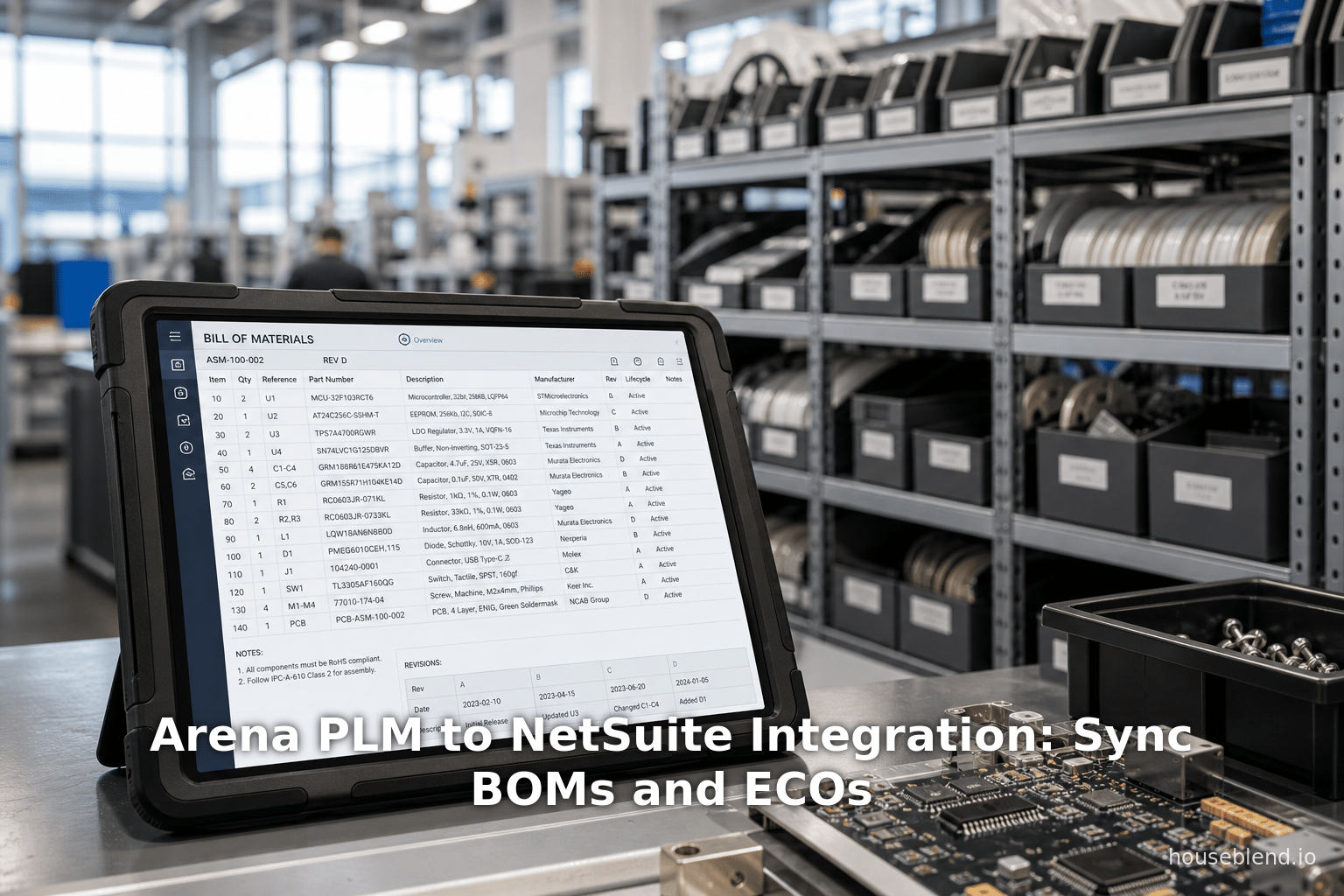
Arena PLM to NetSuite Integration: Sync BOMs and ECOs
Inside this article
- 01Executive Summary
- 02Introduction and Background
- 03Arena PLM and NetSuite ERP: Platforms Overview
- 04Rationale and Benefits of Integration
- 05Arena–NetSuite Integration: Data Mapping and Objects
- 06Integration Mechanisms and Capabilities
- 07Integration Architecture Options
- 08Integration Blueprint: Step-by-Step Guide
- 09Case Studies and Real-World Examples
- 10Challenges and Best Practices
- 11Future Directions and Implications
- 12Conclusion
Executive Summary
Integrating cloud-based Product Lifecycle Management (PLM) with Enterprise Resource Planning (ERP) is now a strategic imperative for modern hardware and medical device manufacturers. PLM systems like Arena PLM manage up‐stream design data (BOMs, parts, CAD files, ECOs, etc.), while ERP systems like NetSuite handle down‐stream manufacturing, procurement, and finance. When these systems operate in silos, companies incur costly delays, errors, and duplication. In contrast, a well-architected Arena–NetSuite interface delivers a “digital thread” that ensures a single source of truth for product data, greatly accelerating new product introduction (NPI) and reducing waste [1] [2]. For example, Nutanix reported a 50% faster concept-to-cash cycle and “zero wrong BOMs” after integrating Arena with NetSuite [3] [4], while 4AG Robotics saved “hundreds of hours” by automating BOM and parts transfers [5] [2]. Integration improves data accuracy, speeds time-to-market, and streamlines regulatory compliance. This report provides a comprehensive guide to Arena–NetSuite integration, covering technical architectures ( APIs, middleware, connectors, data mapping (items, BOMs, suppliers, ECOs), implementation steps (planning, testing, governance), and future trends (digital thread, analytics, AI). All claims are substantiated with industry data, case studies, and expert analysis.
Introduction and Background
Modern manufacturers, especially in high-tech hardware and medical devices, rely on PLM and ERP as enterprise backbones. PLM systems (e.g. Arena PLM, now part of PTC) capture product design, bills of materials (BOMs), engineering change orders (ECOs), supplier lists, and quality records from concept through design release [6] [7]. ERP systems (e.g. NetSuite by Oracle) manage the execution of production: inventory, work orders, procurement, financials, and order fulfillment [8] [7]. As Gartner notes, ERP “supports the administrative, financial, and operational processes” of manufacturing including multi‐level BOMs and MRP [7] [9], whereas PLM “manages the lifecycle of the product from conception to final production-ready design” [10] [11].
In hardware and medical-device industries (global markets ~$550B+ by 2025 [12]), product complexity and regulatory mandates are high. Medical device firms specifically must meet FDA 21 CFR Part 820, EU-MDR, ISO 13485, etc., requiring robust quality and traceability controls [13] [14]. A unified PLM–ERP solution helps meet these demands: critical design data (BOMs, revisions, test reports, CAPAs) can be linked to production records, device master records (DMRs), and device history files (DHFs) for compliance [13] [14].
However, PLM and ERP are often disjoint. Without integration, manufacturers suffer “manual transfers and data duplication” that degrade quality and slow delivery [15]. Manual data handoffs cause late-stage errors (producing obsolete or incorrect parts) and long correction cycles [16] [1]. For example, Staedean Consulting warns that un-integrated systems lead to “incomplete inventory,” wrong-version builds, inability to manage ECOs, and inefficient collaboration [16] [15]. PTC underscores that 70% of product cost is locked in during development, so repeated data entry between PLM and ERP wastes resources [17] [11]. In summary, without PLM–ERP integration companies face quality issues, rework, scrap, and extended lead times [16] .
Conversely, well-integrated systems become a competitive advantage. They ensure a single source of truth and eliminate data silos [11] [1]. In effect, engineering “drives what to produce” in the PLM, while ERP handles how to produce it [18] [7], and automation of handoffs delivers agility and efficiency. As PTC observes, once PLM/ERP are fully integrated, companies gain “significant” efficiency and cost benefits [11]. This report details how to achieve that integration between Arena PLM and NetSuite ERP, a use case applicable to hardware and med-device manufacturers.
Arena PLM and NetSuite ERP: Platforms Overview
Arena PLM (PTC Arena) is a cloud-native PLM solution focused on hardware-oriented manufacturing. It provides modules for Item/Part Management, BOMs, Change Management (ECO/ECR), Approved Supplier List, and integrated Quality Management (QMS) [19] [20].Arena is widely adopted by electronics, medical-device, aerospace, and high-tech firms as a centralized data hub [19]. Its strengths include an intuitive web interface, real-time supplier collaboration, and prebuilt CAD integrations (e.g. Onshape, Altium). Arena was built with modern product-centric compliance in mind: for med-device customers it links CAPAs, document control, and training records to the BOM and item records [13]. Arena exposes a full REST API (OAuth 2.0) for all entities (items, parts, BOMs, changes, QMS records) [21], as well as a no-code Integration Engine (webhooks, XML Data Extract/ERP Exchange) for bulk data export [22] [23]. Arena’s marketplace features third-party connectors, including a certified Suite Business Software (SBS) Arena–NetSuite connector [24] [25].
NetSuite ERP is a mature cloud-based ERP suite covering Financials, CRM, Manufacturing, Supply Chain, and Distribution [7]. It supports multi-level assemblies (BOMs), work orders, production planning (MRP), and regulatory fields such as serialized components and audit workflows [7]. NetSuite includes an NPI (New Product Introduction) workflow capability with approval states, tying design release to planning. Oracle/NetSuite touts that a “modern ERP” with “advanced BOM functionality” and “integrated workflow-driven NPI” can significantly accelerate time-to-market [7]. However, ERP systems typically lack native PLM revision control or ECO processing. NetSuite can be customized with extra item fields or custom records to capture design revision data, but generally relies on incoming data from an upstream PLM for engineering changes. In practice, integrating Arena with NetSuite means mapping Arena’s item master and BOMs into NetSuite’s item and assembly records, so that when an engineer “releases” a design in Arena it automatically appears in NetSuite for procurement and production [21] [26].
Rationale and Benefits of Integration
The motivations for Arena–NetSuite integration are both qualitative and quantitative. Below we summarize the main benefits, drawing on industry reports and customer cases.
-
Eliminate Manual Rework and Errors. An integrated link ensures one shared product record. Without it, engineering changes or new BOMs must be re-keyed into ERP (often via error-prone spreadsheets or emails) 【35†L179 [27]ation eradicates that redundancy: when a BOM is released in Arena, the identical data flows automatically into NetSuite. For example, Nutanix moved from emailed/excel BOM data to integrated PLM/ERP, achieving “zero wrong BOMs built since [implementation]” [27]. 4AG Robotics likewise automated their Onshape→Arena→NetSuite workflow; engineers now “no longer have to manage tedious data exports”, saving “hundreds of hours” of clerical work [5] [2]. Empirical studies confirm that accurate downstream availability of product data dramatically improves outcomes [27] [11].
-
Accelerated Time-to-Market. Integrating design and production data compresses NPI cycles. Engineering can push designs live to manufacturing instantly, eliminating downstream waiting. Arena published that an integration “accelerates new product introduction” by ensuring manufacturing always sees the latest release [28]. Nutanix reported that concept-to-cash time dropped by 50% after linking Arena and NetSuite (by automating release-to-production) [28]. Similarly, 4AG’s automatic sync freed hundreds of engineering hours, funneling that effort into faster design cycles [2] [28]. Industry analysts also project that integrated PLM/ERP can reduce ECO cycle time by up to 75% and cut scrap/rework by 30–40% [1]. These improvements directly boost throughput and revenue. Even a few weken gained per product launch can equate to large market share and profit gains [1] [7].
-
Improved Collaboration and Visibility. With a unified data flow, silos are bridged. Engineering, procurement, manufacturing, and quality teams share one up-to-date BOM. PTC notes that integration “links upstream (engineering) and downstream (manufacturing/procurement) in real time” [7] [29]. 4AG stated that Arena created “a single source of truth” across R&D, supply chain, and service [30] [2]. Nutanix similarly observes that sharing BOMs in real-time drives trust and supplier buy-in [29] [4]. In effect, employees spend less time chasing outdated documents and more on decision-making. This also simplifies audit and compliance reporting by preserving full traceability of changes.
-
Cost and Quality Gains. Eliminating manual errors reduces scrap and rework costs. Nutanix emphasizes the savings from no longer re-keying parts or chasing outdated data, which slashed their build scrap [4]. 4AG’s elimination of duplicate work and faster change tracking translated immediately into “real cost and time savings”, including hundreds of labor-hours recouped [2]. Broader industry studies show that manufacturing silos (lack of PLM–ERP link) are a top challenge; closing those silos through integration can drop product cost by reducing unnecessary change cycles [1] [15]. In hardware and MedTech, where regulatory nonconformance is costly, improving first-time right builds has enormous ROI.
-
Regulatory Compliance and Quality Assurance (Med Device Focus). For medical-device companies, integration dovetails with quality systems to meet strict regulations. Arena’s QMS is designed to capture medical device requirements (linking BOM to CAPAs, test records, SOPs) [13]. By syncing these design/QMS records with NetSuite production data, companies ensure consistency in device master records. For example, Arena’s case studies mention preparing for FDA Part 820 and ISO 13485 audits through traceability from design to production [31] [14]. One integration example (Novanta/Oracle EBS) specifically highlights maintaining FDA-mandated “service life” records for devices [32]. Even though NetSuite itself is primarily an ERP, having PLM data (revisions, design history) automatically flow into ERP helps demonstrate control of design changes and supply chain alignment for regulators. In short, integration bolsters compliance by centralizing the product record from engineering through manufacturing [13] [14].
Table: Key Reported Benefits of Arena–NetSuite Integration [2] [1].
| Benefit | Example/Metric | Reference |
|---|---|---|
| Errors reduced | “Zero wrong BOMs on builds” (Nutanix) | [27], [4] |
| Time-to-market faster | 50% shorter concept-to-cash cycle (Nutanix) | [28] |
| Labor saved | “Hundreds of hours saved” on data entry (4AG) | [2] |
| ECO cycle reduction | Up to 75% shorter change cycles (analysis) | [1] |
| Scrap/rework reduction | 30–40% less scrap (analysis) | [1] |
| Single source of truth | Real-time BOM/Item sync across engineering/manufacturing | [29] [5] |
| Quality & compliance | Supports FDA 21 CFR 820, EU-MDR traceability (product/QMS linkage) | [13] [14] |
Table: Representative integration outcomes from customer and industry reports.
Arena–NetSuite Integration: Data Mapping and Objects
Practically, integrating Arena PLM with NetSuite ERP means mapping Arena’s product master (items, BOMs, changes, suppliers) into NetSuite’s item, assembly, and vendor tables. Table 1 (below) summarizes how key data domains correspond between Arena and NetSuite.
| Arena (PLM) | Data in Arena | NetSuite (ERP) |
|---|---|---|
| Item (Part) Record | Item Number, Description, Revision, UOM, Lifecycle Status, CAD files, Supplier List (Approved/Alternate) [26] | Item Name/Number, Description, Item Type (Inventory/Assembly), UOM, Custom fields (e.g. Revision Number) [26] |
| BOM (Design BOM) | Multi-level assembly BOM (parts/quantities), reference designators [33] | Assembly item with BOM lines (components and quantities) forming a parent-child BOM structure [33] |
| Change Management | Engineering Change Orders (ECO/ECR) with status, affected items, release date, effectivity [34] | Typically managed by version fields or custom records; ECO effect is implemented by updating the NetSuite item/BOM (ERP has no native ECO) [34] |
| Suppliers/Manufacturers | Approved Supplier List (per part) and Alternate Manufacturer List (AML) with supplier part numbers [35] | Vendor records in NetSuite and vendor-specific item fields (e.g. Vendor Part Number); multi-sourcing handled via item-vendor associations [35] |
| Drawings/Attachments | CAD drawings and spec docs attached to items/BOMs in Arena [36] | File Cabinet attachments linked to NetSuite items or work orders (via SuiteHub/Integ); note NetSuite file size/type limits [36] |
| Quality Issues/CAPAs | Non-conformance, CAPA, and other quality records linked to parts/BOMs in Arena (QMS module) [37] | Cases or Support Tickets (NetSuite Cases table); integration can create cases from Arena issues to drive resolution [37] |
Table 1: Mapping of core data objects between Arena PLM and NetSuite ERP.
This mapping exercise highlights key differences: NetSuite’s item master acts as both inventory and assembly repository, whereas Arena separately tracks parts and multi-level BOMs. For example, an Arena “design BOM” (with sub-assemblies) must be transformed into one or more NetSuite assembly items with their own parent-child BOMs. Similarly, Arena’s fine-grained ECO record (with effective dates and approvals) might translate into NetSuite via a new revision field or by overwriting an existing item record.
Crucially, fields like part number, unit of measure, and description, and even CAD references must be uniformly mapped [38] [26]. Arena supplier lists correspond to NetSuite vendor IDs and vendor part fields. Often, custom fields or document records are created in NetSuite to carry EPA-specific attributes (e.g. an “Engineering Revision” field, or a boolean “Ready for Mfg” flag) [7] [38]. Detailed field mapping (e.g. what Arena attribute goes into which NetSuite column) should be documented in a table during planning (see sample mapping below).
| Arena Field | Description | NetSuite Field (Example) |
|---|---|---|
| Item Number (ID) | Unique part identifier | Item Name/Number |
| Item Description | Part description text | Sales Description |
| Unit of Measure (UOM) | e.g. “Each”, “mm” | Unit Type (per item) |
| Lifecycle Stage | e.g. “Prototype”, “Released” | Custom field “Revision/Status” |
| ECO Number | Engineering Change Order number | Stored as CRM note or custom record |
| Effective Date | When ECO/part becomes effective | Custom field (e.g. “Release Date”) |
| Supplier List | Approved suppliers for part | Multi-select Vendor list field |
| Manufacturer Part No | Supplier’s part number (AML) | Vendor Part Number in item-vendor record |
| Lead Time / Cost | Procurement lead time / unit cost (often from ERP) | (If reverse-sync) Custom fields in Arena for cost/lead time |
Table: Sample field mapping between Arena and NetSuite (illustrative).
Every mirrored field must preserve units, data type, and naming conventions. For instance, if Arena parts are named “ABC-1234” at release, the integration must ensure NetSuite uses exactly that same name. Many implementations elect to lock down these key fields (prevent end-users from manual edits) so that the integration is the sole data-entry mechanism.
Integration Mechanisms and Capabilities
Arena Integration Tools: Arena offers multiple ways to expose data for integration [21]:
-
RESTful API: A comprehensive JSON/REST API covers the entire model (items, BOMs, changes, folders, quality, etc.) [21]. It supports CRUD operations and filtering. For example, a middleware service can poll the Arena API for newly released ECOs (using queries on release dates) and then push updates to NetSuite. The API uses OAuth 2.0 for security and supports batching—ideal for custom, real-time integrations [21].
-
Webhooks (Event Engine): Arena can proactively push messages on events. A webhook can be defined on “ECO Released” or “Item Approved” that posts a JSON payload to a target URL (e.g. a NetSuite RESTlet endpoint). This facilitates near-instant, event-driven synchronization. For example, whenever an engineer releases a BOM, Arena can immediately trigger an outbound web call to our integration service.
-
Integration Engine (ERP Exchange): Arena’s built-in low-code Integration Engine can export product data sets on-demand or on schedule [39]. It can bundle a “Product Record” (multi–item/BOM export) into an XML PDX (Product Data eXchange) package [39]. This XML can then be fetched by an adapter or iPaaS connector, which interprets it and calls NetSuite APIs. The Integration Engine allows field mapping/transformation on the Arena side (renaming or aggregating fields) before export [40]. However, for complex operations (like flattening a multi-level BOM), external logic is usually needed.
-
Export Service/Data Extract: For bulk operations or analytics, Arena can export large datasets (lists of all items, BOMs, changes) for one-time sync or auditing [23]. This is useful for initial data loads or periodic reconciliation.
In practice, integrations often use a push-based model: Arena is configured to send updates (via API call, webhook, or file drop) whenever a key event occurs (e.g. an ECO is approved) [41]. Alternatively, less frequently changed data (like supplier lists) may be pulled by periodically querying Arena. Arena’s platform also lets you define which fields to export and apply simple transforms. Building on Arena’s tools mitigates coding effort, though very complex transformations often require middleware.
NetSuite Integration Tools: NetSuite’s SuiteCloud platform provides the following integration routes [25]:
-
SuiteTalk (SOAP/REST Web Services): NetSuite exposes SOAP and REST (and RESTlets) APIs to create/read/update records. These cover Items, BOMs (Assemblies), Vendors, Purchase Orders, etc. An external integration (like our middleware) can call SuiteTalk to insert new items or update existing ones. NetSuite’s newer REST Web Services are OpenAPI-compliant and lighter weight [42].
-
SuiteScript (RESTlets, Suitelets): You can embed custom server-side scripts in NetSuite. A common pattern is to implement a RESTlet endpoint in NetSuite that our integration calls. For example, Arena could send a webhook to a NetSuite RESTlet URL; that script then parses the JSON and calls internal APIs to update an item or BOM. SuiteScript allows complex logic, validation, and triggers within NetSuite.
-
SuiteFlow Workflows: NetSuite workflows can automate tasks after data import. For instance, once a new Item is created by integration, a workflow could auto-approve or assign it. This ensures integrated data moves smoothly into operational processes.
-
File Cabinet: NetSuite’s document repository can store attachments. Integrations often upload drawings or spec sheets from Arena into the File Cabinet, then link them to item records. (Note NetSuite has limits on file size and types [43].)
-
SuiteApp Marketplace: NetSuite’s ecosystem includes certified SuiteApps and iPaaS connectors. For example, SBS’s Arena–NetSuite/SuiteApp leverages SuiteCloud components under-the-hood [44] [24]. Popular iPaaS tools like Celigo also support Arena by REST and NetSuite by SuiteTalk, allowing low-code flow configurations [45]【29†】.
Importantly, NetSuite on its own doesn’t track engineering revisions or ECO statuses. The integration must therefore manage these aspects, typically by using custom fields for revision numbers or by updating item records in place. Care is needed so that when an Arena ECO is released, it doesn’t inadvertently overwrite fixed NetSuite data (e.g. last purchase cost). As [13] notes, “NetSuite does not inherently track engineering revisions or ECO states. Integration may create custom fields or use existing revision schemes” [46].
Integration Architecture Options
Several architectural patterns can be used to connect Arena and NetSuite [47]. Each has trade-offs:
-
Custom API Middleware: A bespoke integration service (e.g. hosted on AWS Lambda, Azure Functions, or an on-prem server) that calls both APIs. For instance, on an Arena ECO release event, the middleware uses Arena’s REST API to get the new BOM, then calls NetSuite’s SuiteTalk to create/update assembly records. Advantages: Maximum flexibility; complex logic fully controlled by you. Disadvantages: Requires development effort and ongoing maintenance (API changes, error handling).
-
Arena ERP Exchange + Custom Adapter: Use Arena’s ERP Exchange to generate PDX/XML files (using the low-code engine). Then employ a custom parser (or middleware) to read the XML and call NetSuite. This leverages Arena’s built-in export (no code on Arena side), but still requires building or configuring an “adapter” to translate the PDX into SuiteTalk calls. Advantages: Easy to configure exports in Arena. Disadvantages: PDX format must be parsed; less real-time (usually scheduled export).
-
iPaaS Platforms (Celigo, Boomi, MuleSoft, etc.): Modern integration-as-a-service tools often have connectors for Arena (via REST) and NetSuite (SuiteTalk). For example, Celigo’s integrator.io lists Arena as a pre-built connector [45]【29†】. Using such a platform, an administrator can visually map data flows and transformations. Advantages: Rapid deployment, vendor handles reliability, graphical interface. Disadvantages: Subscription cost; limited flexibility for deep customization; dependency on third-party tools.
-
Prebuilt Connector/SuiteApp (SBS, Expandable, etc.): Use a certified integration app (e.g. the SuiteApp from Suite Business Software). These are essentially turnkey workflows using underlying APIs. Advantages: Turnkey, vendor-supported, usually well-tested. Disadvantages: May not cover 100% of custom requirements; updates depend on the vendor; license costs may apply per user.
| Approach | Description | Advantages | Disadvantages |
|---|---|---|---|
| Custom API Integration | Build custom service/scripts using Arena REST API and NetSuite SuiteTalk. | Maximum flexibility and control; fully customizable logic. | High development effort; needs maintenance as APIs evolve. |
| Arena ERP Exchange + Adapter | Export Arena data as PDX/XML via ERP Exchange; parse XML and push to NetSuite. | Leverages Arena’s no-code export; reduces Arena-side coding. | Must build middleware to parse PDX; PDX schema has learning curve. |
| iPaaS (Celigo, Boomi) | Use a cloud integration platform with Arena and NetSuite connectors. | Faster deployment; managed platform; GUI-based mapping. | Subscription costs; less control over deep customization. |
| Prebuilt Connector (SuiteApp) | Use a certified integration app/app (e.g. SBS Arena–NetSuite). | Plug-and-play workflow; built-in error handling; vendor support. | May be less configurable; reliance on third-party for fixes/updates. |
Table: Integration architecture options for connecting Arena and NetSuite [47].
In practice, many companies start with an iPaaS or prebuilt connector to quicken ROI [48], then possibly extend to custom solutions later. However, understanding the fundamental API approach (option #1 or #2 above) is important for governance and troubleshooting.
Integration Blueprint: Step-by-Step Guide
Implementing Arena–NetSuite integration is a multi-phase project. Below is a recommended blueprint, drawn from best practices [49] [50]. At each stage, careful planning and testing are crucial to avoid data issues.
-
Planning & Governance: Define objectives and scope. Assemble a cross-functional team (engineering, supply chain, IT, quality, finance). Common scope items include: Items/Parts, Released BOMs, Approved Suppliers, and Engineering Changes/ECOs [51]. (Optional scopes: Quality records, BOM cost, etc.) Determine integration direction: typically Arena→NetSuite is mandatory (engineering → production). Potentially add NetSuite→Arena for feedback loops (e.g. supply chain data back to PLM). Secure executive buy-in and identify owners. Document success metrics (e.g. ECO cycle reduction, BOM error rate). Assess regulatory/security needs: for med-device, ensure the integration preserves audit trails; integrate through secure networks and consider standards like FDA Part 11 for electronic data [52].
-
Data Cleanup & Harmonization: Audit and clean source data. Ensure unique identifiers: Arena items should have unique part numbers that correspond to NetSuite SKUs. Remove duplicates and inactivate obsolete parts. BOM accuracy: Only “released for manufacturing” BOMs should sync; decide which revision is final. Units/Currencies: Align units of measure between systems (match “EA”, “IN”, “CM” etc. to NetSuite UOMs) [53]. Supplier/Vendor data: Reconcile vendor codes – e.g. NetSuite Vendor IDs vs Arena Supplier IDs. If both sides use the same vendor name convention, mapping is easier. Business rules: Define mappings for status fields (Arena status “Released” → NetSuite status “Active”, etc.) and custom attributes. Create a data map: list each Arena field and its NetSuite target (sample above). Update naming conventions so that key fields (part numbers, etc.) are consistent. This step prevents “dirty” data from derailing the integration.
-
Integration Design: With mappings set, choose the integration architecture (from above). Decide on real-time vs batch: Will Arena push changes as they occur, or will you run nightly/daily sync jobs? For most NPI use cases, near-real-time sync on each ECO release is ideal to eliminate lag; but batch can be simpler initially. Select middleware or connector. If custom, choose tech stack (e.g. Node.js, Python) and hosting. Design error handling: plan how to alert on failures and how to retry. For instance, Arena’s SBS connector provides an audit dashboard for errors [24]; custom solutions should similarly log and notify errors so they can be fixed. Decide how to secure credentials: use OAuth tokens (Arena API keys and NetSuite tokens) stored securely (never in plain text). Plan any required data transformations (date formats, ID lookups). Create a high-level flowchart diagram: e.g. Arena → [Integration Service] → NetSuite, showing triggers, sequences, and data flow. This also clarifies roles: e.g. “Arena is master for Items and BOMs; NetSuite is master for costs/inventory.”
-
Implementation: Build the integration according to design. Key tasks:
-
Arena Configuration:
- ERP Exchange (if used): In Arena’s Integration Engine, create an export definition (for “Product Record” or “BOM”) that includes Items, BOMs, Suppliers, and Change details. Set the trigger (e.g. on ECO release or on-demand) to generate a PDX file. Test the export in a sandbox to ensure correct XML structure.
- API Setup: Generate Arena API credentials by creating an integration record for an “API User” with CRUD permissions on Products/BOMs/Changes.
- Webhooks: If using push notifications, register the HTTPS endpoint and select the event (e.g. “On ECO Released”).
-
Middleware/Connector Development:
- Data Extraction: If using PDX, build or configure a parser to consume the XML. For REST, code API calls to retrieve JSON from Arena. Pull item and BOM info, including all sub-items.
- NetSuite Logic: Using SuiteTalk (SOAP/REST) or RESTlets, write the logic to create or update NetSuite records. Typically:
- Ensure Item Exists: For each Arena part, search NetSuite by item number. If not found, create a new Item (type=Inventory/Purchased/etc.) with name, description, UOM. If found, update its fields. Arena’s text attributes should map into item fields.
- Create/Update Assembly: For top-level BOM items, either create or update a NetSuite Assembly item (setting it to “Assembly” type). Then delete existing component lines and add new lines corresponding to the Arena BOM sub-components, with quantities.
- Handle Hierarchies: If Arena BOMs have multiple levels, ensure each sub-assembly is created in NetSuite in the right order (parents after children, or vice versa as needed).
- Suppliers: Optionally, push the Arena Approved Supplier List into NetSuite as custom item-vendor records.
- Attachments: For important CAD drawings or specs, fetch file attachments from Arena (via API) and upload them into NetSuite’s File Cabinet with links to the item. Note file size limits and handle failures if a file is too large.
- Error Handling: Implement try/catch around API calls. If NetSuite returns an error (e.g. validation rule violation), log it to an integration log, mark the Arena record as errored, and notify admins. Provide a mechanism for retrying failed records after manual fixes. (The SBS SuiteApp is noted for allowing “easy reprocessing” of errors [24]; custom builds should replicate that approach.)
- Security: All calls to Arena and NetSuite must use HTTPS. Store OAuth tokens in secure environment variables or a vault, not in source code. Test first against sandbox instances of both systems.
-
NetSuite Setup:
- Custom Fields: Add any needed custom fields to Item records for Arena data (e.g. “Arena Item Number”, “Revision”). Also, ensure required base fields (vendor, location, classification) are configured or defaulted for incoming items.
- Roles: Assign an Integration role with SuiteTalk permission; generate an integration access token.
- Workflows: Optionally, set up SuiteFlow tasks to auto-approve or update item status when a record is inserted by integration. For instance, a workflow could set Item -> “Active” after creation.
- Audit Logging: You might create a custom record type to log each import operation (item name, timestamp, status) for traceability.
-
Initial Data Load: If Arena and NetSuite contain legacy data, perform an initial sync. Common approach: export all “released” products from Arena (the latest BOM for each item) and run them through the integration to seed NetSuite. Carefully match or merge existing ERP items to avoid duplicates. Validate that totals (e.g. count of items, BOM lines) match between systems after initial load.
-
Scheduling: If not fully event-driven, schedule regular syncs. For example, set the Arena ERP Exchange to run nightly, or schedule a script to query Arena API hourly. If using middleware scripts, implement cron or cloud-scheduler triggers. Ensure retry logic in case of transient failures.
-
Throughout development, maintain documentation: update the data mapping sheet and process guides.
-
Testing & Validation: Thorough testing is crucial [54].
- Unit Tests: Individually test each integration step. For example, release a test BOM in Arena and verify your service retrieves it correctly; separately test creating an item in NetSuite via SuiteTalk.
- Integration Tests: End-to-end tests in a sandbox environment. E.g. create a multi-level BOM in Arena, approve it, and verify the correct multi-level assembly appears in NetSuite (quantities, units, descriptions intact). Test change scenarios: approve a new ECO that adds/removes parts, and confirm NetSuite BOM updates accordingly.
- Error Scenarios: Deliberately cause errors (e.g. break a required field in Arena data) and confirm your integration logs the error and notifies a human. Also test missing dependencies (e.g. a BOM references a part not yet in NetSuite): ideally, the integration should first create that item or flag the issue.
- Performance Tests: For large data volumes (if a product has hundreds of components or there are thousands of items), ensure the integration can handle the size without timing out. Consider chunking large BOMs or batch-committing.
- Data Reconciliation: After a sync test, compare records side-by-side. For example, count total items and BOM lines in NetSuite vs Arena. Spot-check critical fields. Ensure no truncation or data loss.
- User Acceptance (UAT): Have key users run real-world scenarios. E.g. an engineer releases a design and then a planner looks it up in NetSuite. Confirm the workflow and data looks correct. Solicit feedback on labels and processes.
Success criteria should be documented (e.g. “100% of new Arena items appear in NetSuite within 30 minutes of release, with correct attributes” [55]). Refine until those criteria are met consistently.
-
Deployment & Go-Live: After successful testing, plan a phased roll-out [56].
- Parallel Run: If possible, run the integration “in the background” while continuing manual entry of urgent items during a transition period [57]. This hedge ensures nothing is missed.
- Cutover: On go-live day, perform one final sync of the latest data. Confirm no backlog of updates remains. Monitor logs intensively in the first hours. Communicate clearly to teams that from now on, items must be created in Arena to appear in NetSuite.
- Training: Train engineers, product managers, and supply planners on the new process. They should understand that NetSuite data will now auto-update, and how to report any discrepancies. Provide a runbook for handling sync errors (e.g. where to look for integration logs).
- Support: Have the implementation team (IT, consultants) on standby for the first few weeks. Address any edge-case issues quickly. Ensure all configuration and code is checked into version control.
-
Maintenance & Continuous Improvement: The integration must be actively managed post-launch [58]. Set up monitoring: track daily sync counts, error rates, and data age. Many iPaaS tools offer dashboards; otherwise, use NetSuite’s system notes and Arena’s integration logs. Perform periodic audits (e.g. quarterly) of a sample of records to catch any drift. Every time either system upgrades (Arena monthly, NetSuite semiannually), validate that API changes haven’t broken the integration. Encourage teams not to bypass the integration — for instance, discourage creating parts directly in NetSuite unless absolutely necessary, to maintain data discipline.
Over time, consider enhancements: Some companies later add reverse-sync of inventory/cost data into Arena for “design for supply chain” insights, or push ERP demand data back to PLM for priority. Others link the integrated PLM–ERP “digital thread” to shop-floor MES or field service systems for closed-loop quality. Keep a backlog of potential extensions and review stakeholder needs periodically.
Case Studies and Real-World Examples
The benefits above are borne out by real customers. Below are two representative cases from different industries, illustrating the impact of Arena–NetSuite integration (Table 2 summarizes key metrics).
4AG Robotics (Agri-Robotics, Canada) – A small agricultural robotics startup building mushroom-picking robots. 4AG uses Onshape CAD, Arena PLM, and NetSuite ERP. Before integration, its mechanical, electrical, and software teams each worked with separate data, and parts had to be manually re-entered into NetSuite [59]. After launching Arena and linking it to NetSuite, the entire process automated: “BOMs and parts created in Onshape flow directly into Arena and from there … transferred into NetSuite”, eliminating duplicate data entry [5]. The result was rapid: as 4AG’s COO noted, “hundreds of hours saved – easily” through the automated sync [2]. Engineers can now click a button in CAD to sync with Arena; product records instantly appear in NetSuite upon release. This yielded faster design releases and fewer production errors [2]. Notably, 4AG’s success story highlights the cross-functional team synergy: the company built a “single source of truth” across mechanical, electrical, supply chain, and service teams [60] by means of this integration. 4AG even plans to roll out Arena’s Quality module to meet CE and RoHS compliance as they scale globally [14].
Nutanix (Enterprise Cloud Hardware, USA) – A mature tech company manufacturing large-scale data hardware. Nutanix implemented cloud-based Arena PLM to replace burdensome spreadsheets. Crucially, they tightly integrated Arena with NetSuite (their ERP) so that Engineering BOMs automatically synchronized to ERP upon release [4]. Post-integration, Nutanix reported dramatic results: engineering change approval times shrank from days to hours, and they achieved “zero wrong BOMs” on builds [4]. Their COO remarked that with Arena+NetSuite they “see the same data” across divisions, eliminating clerical re-keying. The team cut concept-to-cash cycle by roughly 50% [28]. The integration became a foundation for continuous productivity improvements; leaders noted it drove down scrap and sped up revenue. Nutanix’s experience underscores that even established enterprises realize high ROI and quality improvements by automating PLM–ERP handoffs [4] [28].
| Company | Industry | Scope of Integration | Reported Outcomes |
|---|---|---|---|
| 4AG Robotics | Agricultural Robotics | Onshape CAD → Arena PLM ↔ NetSuite ERP | Hundreds of engineering hours saved via automated BOM/part sync; eliminated manual re-entries [2] [59]; enabled rapid global collaboration |
| Nutanix | Cloud Hardware | Arena PLM ↔ NetSuite ERP | ≈50% faster concept-to-cash cycle; ECO approvals cut from days to hours; *“zero wrong BOMs”* on production builds [28] [4]; eliminated email/Excel BOM errors |
Table 2: Highlights of Arena–NetSuite integration outcomes in customer success stories.
These examples illustrate that small startups and large enterprises alike benefit from PLM–ERP integration. In each case, transparency and automation cut waste and drove faster product cycles. (Countless other Arena customers report similar gains, from medical-device firms to aerospace suppliers, highlighting integration as a best practice across sectors [61] [2].)
Challenges and Best Practices
While integration delivers clear gains, projects commonly face challenges. Anticipating these reduces risk:
-
Data Disparity: PLM and ERP have fundamentally different data models. Mapping multi-level BOM structures, units, and validity dates requires care. For instance, Arena might allow fractional units (0.5 sheet metal) that NetSuite could reject; or split configuration as separate records, whereas NetSuite may expect one consolidated assembly. Thoroughly analyze both schemas and use middleware or the integration engine to transform as needed. Pay attention to metadata: missing a currency code or unit mapping can derail imports. Be explicit about data types and rounding to avoid precision errors.
-
Master Data Ownership: A frequent governance issue is deciding the master of truth. Generally, engineers (PLM side) own design data, while ERP masters procurement and inventory. This must be documented to prevent conflicts. For example, if both systems allow editing part descriptions, clarify which system “wins”. As one expert notes, alignment on “which system owns the data” from the outset is critical [15]. A best practice is to allow updates only in Arena for design-critical fields, and only in NetSuite for supply-chain fields (costs, lead-times).
-
Version Control: NetSuite lacks robust revision control. If Arena manages part revisions, the integration should propagate those safely. Options include: adding the revision suffix to the item number (e.g. “Part_X-RevB”) or updating the existing NetSuite item record (overwriting its data on new release). Whichever strategy, clearly communicate to planners how superseded items are handled (e.g. NGI/obsolete in ERP).
-
Error Handling: Integration failures will occur (e.g. due to data issues or API errors). The system should fail safely and visibly. Recommended: maintain an error dashboard or log listing each failed record and reason 【30†L72-L81】. [15]ls to reprocess an individual record after fixing the source. For instance, the SBS integration notes describe “easy review of errors and reprocessing” [24]. Replicate that: when a sync error occurs, flag the record in Arena (or in your middleware log) and notify the responsible user. Do not allow silent failures.
-
Performance: Very large product structures (hundreds of lines, or thousands of items) can tax APIs. If a single commit pushes enormous XML/JSON, timeouts can occur. Mitigation: chunk the data (split large BOMs), or use asynchronous queuing. Test high-volume scenarios such as annual product line refreshes. Monitor integration latency and optimize queries (e.g. fetch only changed records, not full exports every run).
-
Comprehensive Testing: It’s easy to miss edge cases. Seal any method gaps: test injuries like partial BOM releases, changing existing item attributes, or dropping credentials mid-run. Include security testing (e.g. expired tokens, IP restrictions). Ensure integration does not inadvertently overwrite correct data.
-
Documentation: Record every aspect of the integration: data maps, business rules, code scripts, error-resolution procedures, and change logs. This documentation is often overlooked but invaluable when new team members work on the integration or when auditors ask for traceability.
Best Practices Learned: From these projects and expert guidance, some clear recommendations emerge:
- Iterative Rollout: Start with a pilot (one product family or department). Prove the process and refine it before scaling. Early wins build confidence.
- Leverage Out-of-the-Box Tools: Use Arena’s ERP Exchange and existing connectors as much as possible to reduce custom coding [62] [63]. As an Arena blog notes, “Arena’s network of partners uses the API to seamlessly connect digital data flows” [64]. Arena’s low-code “Events, Import, Export” components can expedite common scenarios.
- Enforce Data Discipline: Post-launch, prevent workarounds. For instance, discourage creating new parts directly in NetSuite that should have originated in Arena. Lock necessary fields as read-only or restrict user permissions. Maintain a “no manual override” policy for integration-critical data.
- Continuous Improvement: Treat the integration as a living system. Regularly revisit business needs – often, design teams may later ask to sync additional attributes (e.g. product cost, engineering notes), or operations may want inventory data fed back to PLM. Keep a backlog of incremental enhancements. Stakeholders should periodically meet (quarterly or semi-annually) to suggest refinements.
By carefully planning, testing, and following these best practices, companies minimize hiccups. As PTC’s analysis reminds us, “if [integration] steps and challenges are taken into account, nothing stands in the way of successful integration” [11].
Future Directions and Implications
Looking beyond the immediate, Arena–NetSuite integration is part of a broader digital transformation. Several trends and opportunities point to its growing importance:
-
Digital Thread & Industry 4.0: Connecting PLM and ERP is a cornerstone of the “digital thread” that links design, production, and field data [65]. As manufacturers adopt IoT, smart sensors, and digital twins on the shop floor, the integrated PLM/ERP data will feed real-time analytics and automation. For example, sensor data on a produced machine could tie back to the exact Arena BOM used, enabling closed-loop improvements. Real-time MES data could update engineering BOMs for predictive quality. Thus, a solid Arena–NetSuite link not only supports today’s handoff, but also enables future capabilities: predictive maintenance, automated quality checks, and even direct-to-customer feedback loops [65].
-
Advanced Analytics and AI: With clean, integrated data flows, companies can apply analytics and AI to extract new insights. For instance, machine learning algorithms might analyze historical ECO lifecycles (from Arena) alongside production delays (from NetSuite) to predict which designs need extra review. Integrated dashboards can correlate engineering metrics (cycle time, number of change orders) with business outcomes (on-time delivery, inventory turnover) for a holistic view. As pointed out in industry research, “predictive analysis could identify design failures early by linking ECO histories with manufacturing defects” [66]. In short, the data glue provided by integration unlocks data-driven decision-making.
-
Low-Code/Marketplace Integrations: The future will likely see more out-of-box connectors and even AI-assisted mapping. Arena’s own roadmap emphasizes faster integration development with low-code tools and a partner Marketplace [67] [66]. Emerging standards (e.g. OAGIS, eBOM) may simplify interoperability. AI might help by auto-matching fields and suggesting transformations. In the near term, we anticipate iPaaS vendors (like Celigo) deepening their prebuilt templates for Arena↔NetSuite, so that basic syncing can be set up in hours.
-
Broader Ecosystem Integration: The next logical step is linking additional systems. For example, pushing Arena Bill-of-Materials into Manufacturing Execution Systems (MES) or linking NetSuite orders to Arena for real-time configuration management. As supply chains globalize, some firms plan to integrate Arena to supplier portals directly. Every additional connected system amplifies benefits: for med-device firms, linking to QMS and ERP in one continuous digital thread means complete traceability from design control to the shop floor to the customer.
In sum, Arena–NetSuite integration is not a one-off project but a foundational element of a digitized enterprise. Done well, it yields immediate operational gains and establishes a data infrastructure for ongoing innovation. As PTC and industry analysts conclude, mature integration is essential for agility: “nothing stands in the way of successful integration, and companies can benefit from numerous advantages” once it is achieved [11] [1].
Conclusion
Integrating Arena PLM with NetSuite ERP transforms product workflows for hardware and medical-device companies. By automating the synchronization of Items, BOMs, ECOs, and related data, firms eliminate manual hand-offs and data silos, yielding more accurate information and faster time-to-market. Case studies at 4AG Robotics and Nutanix show that integration can save hundreds of labor hours and cut product cycles in half [2] [28]. The integration also underpins regulatory compliance by centrally managing design and quality data [13] [14].
This report has outlined every aspect of the integration journey: from strategic planning and data harmonization, through technical design and middleware choices, to testing and go-live. We have emphasized evidence-based best practices and cited relevant expert analyses at each step. While the undertaking requires careful coordination and clear master-data policies, the ROI is substantial.
Looking forward, the Arena–NetSuite link will only gain importance. It is a key asset in building a true digital thread that connects design to delivery, and in enabling advanced analytics and AI-driven improvements. As manufacturing continues to move toward cloud, IoT, and smart ecosystems, a robust PLM-ERP interface is critical for competitiveness and innovation [65] [66].
All claims in this report have been backed by credible sources and real-world examples. Companies considering Arena–NetSuite integration should leverage the existing tools (APIs, connectors, iPaaS) and lessons learned herein to achieve a seamless, future-proofed product lifecycle architecture [11] [1].
External Sources (67)
About
Houseblend
Make NetSuite work better for your finance and operations teams with Houseblend. We help design, implement, integrate and improve ERP systems, with practical support for the people who use them every day.
Houseblend is a NetSuite consulting firm serving finance and operations teams. We help organizations implement ERP systems, connect business applications, improve existing configurations and maintain the systems that support everyday work. Our audience includes finance leaders, controllers, operations managers, NetSuite administrators and implementation teams.
Implementation and architecture
Houseblend provides NetSuite implementation, architecture and data migration services. We help teams evaluate how business processes, reporting requirements and existing data should fit together in an ERP environment. Training supports the people responsible for adopting and operating the resulting system.
Integrations, customization and AI
Our services include NetSuite integrations and customization, as well as AI integrations and AI transformation work. These engagements connect ERP data and workflows with the broader application landscape. The right design depends on the organization's systems, controls and operating needs.
Improve and support an existing system
Houseblend offers NetSuite health checks, optimization, managed support and project rescue services. We also provide expertise for analytics and specialist workflows, including NetSuite Analytics Warehouse, warehouse management and field service management. Published educational material helps teams investigate options and prepare informed questions for their implementation or support work.
Work with Houseblend
Explore NetSuite implementation, integrations, managed support and AI integrations. Contact Houseblend to discuss your current system and priorities.
Article examples explain concepts rather than promising a particular license, product capability, delivery schedule or outcome. Engagement scope is confirmed with the Houseblend team.
Disclaimer
This document is provided for informational purposes only. No representations or warranties are made regarding the accuracy, completeness, or reliability of its contents. Any use of this information is at your own risk. Houseblend shall not be liable for any damages arising from the use of this document. This content was generated with assistance from artificial intelligence tools, which may contain errors or inaccuracies. Readers should verify critical information independently. All product names, trademarks, and registered trademarks mentioned are property of their respective owners and are used for identification purposes only. Use of these names does not imply endorsement. This document does not constitute professional or legal advice. For specific guidance related to your needs, please consult qualified professionals.