Houseblend Article
ASC 740 Income Tax Provision Automation in NetSuite
Inside this article
- 01Executive Summary
- 02Introduction
- 03ASC 740 and Deferred Tax Accounting: Fundamentals
- 04Challenges of Manual Tax Provision Processes
- 05Benefits and Drivers of Automation
- 06NetSuite’s Role and Tax Provision Workflow
- 07Case Studies and Examples
- 08Automation Technologies and Tools
- 09Automation Implementation: Data Flows and Calculations
- 10Data Analysis: Benefits and ROI of Automation
- 11Deferred Tax Focus: Tables and Reporting
- 12NetSuite and ASC 740: Key Considerations
- 13Future Directions and Emerging Trends
- 14Conclusion
Executive Summary
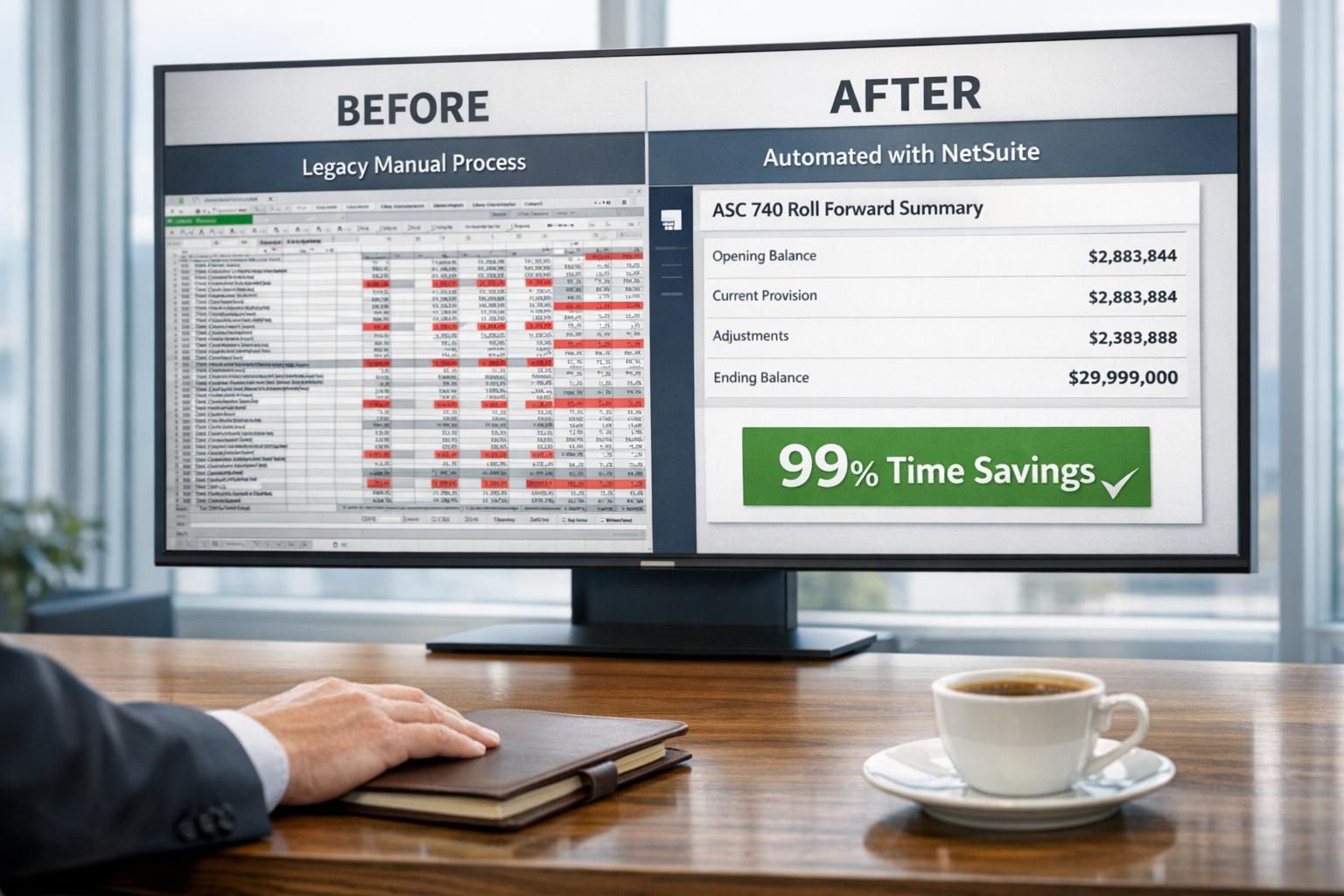
Automating the ASC 740 income tax provision process is an increasingly urgent priority for finance and tax departments, yet many organizations remain hindered by legacy practices and resource constraints. Tax provision calculations – which must capture both current tax expense and deferred tax assets/liabilities – are inherently complex bookkeeping tasks. Deferred taxes arise from temporary differences between book (financial reporting) and tax bases of assets and liabilities, and they require careful roll-forwards and reconciliations under ASC 740 (US GAAP). Historically, most mid-size companies have managed these processes manually, using multi-tab Excel workbooks supplemented by ad hoc journal entries. Such manual methods are time-consuming and error-prone. For example, one case study of a SaaS company found that its year-end tax roll-forward workbook took 20–30 hours of manual updates each year – a process that an automated solution reduced to under 2 minutes, representing over 99% time savings [1]. Similarly, another corporate tax team (Sonepar USA) reported saving 120 hours annually after switching from spreadsheets to an automated tax provision system [1].
Yet despite clear efficiency gains, surveys indicate most tax departments still lag in automation. Industry studies report that a majority of tax teams self-classify their technology maturity as chaotic or reactive: for instance, over 50% of in-house tax departments in one Thomson Reuters survey said their tax processes were “Chaotic” or “Reactive”, and only 10% considered themselves fully “Optimized” [2]. Similarly, a 2025 Thomson Reuters Institute poll found roughly two-thirds of corporate tax leaders viewed their automation posture as reactive [3]. Resource constraints contribute: more than half of tax professionals say their departments are under-resourced [3] [2], and many rely on hybrid staff juggling tax and technology duties [3]. This organizational reality means tax automation projects often stall.
Emerging technologies offer hope. Advances in ERP systems and AI can fundamentally reshape the tax close. Leading ERP platforms like NetSuite OneWorld now support multi-currency and multi-book accounting, which simplifies tracking different accounting standards or local tax regimes in parallel. At the same time, specialized tax engines (e.g. Thomson Reuters ONESOURCE, Wolters Kluwer Corptax, Bloomberg Tax, Oracle EPM Tax Reporting) can integrate or pull data from ERPs to automatically compute provisions, reconcile effective tax rates, and produce footnotes (Source: www.yes.inc) [4]. For example, Oracle’s Tax Reporting Cloud service lets users import trial balances by entity and run a “Tax Automation” process which populates provision schedules and ultimately generates current and deferred rollforwards and journal entries [5]. As one industry analyst notes, automation yields “audit-resistant” results with end-to-end traceability [1] .
In NetSuite-centric environments, these general facts acquire special importance. As the leading mid-market ERP, NetSuite is “#1” among cloud ERPs for CFOs (Source: www.cfoconnect.eu), and its OneWorld suite can record multiple books for GAAP, IFRS or local statutory—each with its own currency and tax logic. However, NetSuite’s built-in taxation features (SuiteTax) focus on transaction and VAT/GST reporting, not ASC 740 provisioning. In practice, a NetSuite user conducting an income tax provision must export trial balances and temporary difference details from NetSuite (often via saved searches or the Analytics Warehouse) into an external tax tool or custom spreadsheet. Integrating with specialized tax software is one solution: vendors like ONESOURCE and Corptax emphasize robust ERP connectivity, and Oracle even offers prebuilt forms for loading NetSuite trial balance data [5] (Source: www.yes.inc). Alternatively, ambitious organizations have leveraged NetSuite’s scripting and reporting capabilities (SuiteScript/Saved Searches/Special GL features) to semi-automate elements of the tax process.
This report explores ASC 740 automation specifically in the context of NetSuite, with an emphasis on deferred tax computations and reporting. We survey the accounting rules and challenges of deferred taxes, review industry trends and technologies for tax provisioning automation, and analyze how NetSuite users can implement or integrate these solutions. We include illustrative case studies, quantitative examples, and feature comparisons. Finally, we consider the implications of global tax changes (e.g. the new U.S. tax law provisions and OECD Pillar Two) and emerging AI tools for the future of tax provision processes. The aim is a detailed, evidence-based guide for finance leaders and system architects to understand and modernize the deferred tax provision workflow in a NetSuite environment.
Introduction
Income tax accounting under ASC 740 (“Income Taxes”) requires companies to track not only taxes payable (current tax) but also the future tax effects of timing differences between how items are recognized under financial accounting versus tax law [6]. In other words, ASC 740 adopts the asset-and-liability method, whereby offsetting deferred tax assets (DTAs) and deferred tax liabilities (DTLs) are recorded for deductible and taxable temporary differences, respectively (subject to valuation allowances and other rules) [6] [7]. Temporary differences can arise from differences in depreciation methods, revenue recognition, inventory valuation, tax loss carryforwards, and many other items. For example, if an asset has a higher carrying value for book than for tax basis, a taxable temporary difference exists, leading to a DTL. Conversely, tax deductions that are accelerated relative to book (e.g. tax loss carryforwards or certain expenses) create DTAs.
Under U.S.GAAP, ASC 740 generally requires recognition of a DTL for all taxable temporary differences (subject to some narrow exceptions) and requires a DTA only if it is “more likely than not” (a >50% probability) that future taxable income will allow utilization [7] [6]. IFRS (IAS 12) follows a virtually identical approach: it mandates deferred tax on all temporary differences with exceptions for initial recognition of assets/liabilities in certain non-taxable transactions, and recognizes DTAs only when recovery is “probable” [7] [6]. Both frameworks measure deferred taxes using enacted (or substantively enacted) tax rates expected to apply when the differences reverse [7], and both classify deferred taxes as noncurrent on the balance sheet [7]. (For example, IAS 12 explicitly requires that “all deferred tax assets and liabilities are classified as non-current” [7].) Importantly, ASC 740 and IFRS 12 share the same underlying model: deferred taxes reflect timing differences between an asset’s or liability’s tax base and its book carrying amount [6].
In practice, the deferred tax computation is intricate. Companies must compile schedules of temporary differences by tax jurisdiction, apply varying tax rates (federal, state, international) to each difference, and then roll these forward year-to-year. Valuation allowances against DTAs must be evaluated each period based on forecasts of future income. Furthermore, ASC 740 requires reporting comprehensive reconciliations (e.g. effective tax rate reconciliations and detailed footnote disclosures of deferred tax rollforwards and temporary difference origins). Meeting all these requirements fully and accurately is challenging even under normal circumstances. As one accountancy guide put it, ASC 740 “governs the recognition of deferred tax assets if realization is ‘more likely than not’,” and any change in tax law mandates identification of its effect on current and deferred taxes in the period of enactment [8].
Historically, most non-public or mid-sized companies have managed the tax provision almost entirely in spreadsheets and manual workpapers. Typically, holding companies with multiple subsidiaries (often on systems like NetSuite OneWorld) will extract P&L trial balances and known book-to-tax differences from each legal entity, then feed them into a consolidated Excel model. The model manually computes the current tax (based on each jurisdiction’s tax law) and calculates deferred taxes line-by-line based on the differences. The year-end rollforward of this workbook, which advances all schedules by one period, is notoriously painful and risk-prone. KPMG notes that “tax is by nature the last step in the closing process” and is very time-sensitive [9]. Companies often find tax teams stretched thin: many tax professionals say their departments feel under-resourced [2], and must push out tight closings even as new tax legislation or ad-hoc issues arise late in the year [9] [2]. It’s no surprise that finance leaders cite data accuracy and audit risk as major pain points; one industry survey even found nearly 40% of CFOs worldwide lacked full trust in their financial data, largely due to disjointed spreadsheets and separate ledgers.
In parallel, enterprise resource planning (ERP) systems like NetSuite have matured. NetSuite’s OneWorld edition allows multiple ledgers for different accounting standards or local reporting requirements. NetSuite is a market leader (CFO surveys rank it as the #1 cloud ERP) (Source: www.cfoconnect.eu), often favored for its integrated general ledger, multi-currency handling, and global consolidation features. However, NetSuite’s built-in tax modules (SuiteTax) are primarily designed for transaction taxes (sales/VAT) rather than income tax provisioning. In fact, official NetSuite documentation on “Tax Accounting” mainly discusses VAT, withholding, and sale/purchase tax processes – not ASC 740 compliance. Thus, for income taxes and deferred taxes under ASC 740, NetSuite users typically export data out for separate processing.
This gap – between powerful cloud ERP data and the specialized needs of tax provision – has given rise to a variety of solutions and integrations. Dedicated tax software (from Thomson Reuters, Bloomberg, Wolters Kluwer, Oracle, etc.) now focus on end-to-end automation of the tax provision and compliance lifecycle. These platforms promise to centralize data, automate calculations, and provide audit-ready outputs (Source: www.yes.inc) [4]. In some cases (notably large enterprises on Oracle Cloud ERP), a tax automation module can directly interface with the ERP to pull trial balance data and journal entries [5]. For NetSuite customers, similar integration may require custom connectors or periodic data exports. Alternatively, some organizations have turned to AI and scripting within familiar tools: for example, a tax head used ChatGPT to generate Excel VBA macros that completely automated their provision roll-forward, cutting it from dozens of hours to mere minutes [1].
The remainder of this report examines these topics in depth. We begin by detailing the ASC 740 framework and the unique challenges of deferred tax accounting. We then survey the current landscape of tax provision automation – including software vendors, emerging AI tools, and case studies – to identify best practices and outcomes. Next, we turn to NetSuite specifically: how NetSuite’s features (multi-book ledger, global consolidation, saved searches, etc.) can support tax computations, and how users can bridge any remaining gaps with integration or customization. We analyze data from industry reports (surveys, benchmarks) and illustrate key points with actual numbers wherever possible. Finally, we discuss implications of recent tax law changes (such as the U.S. 2025 tax act and OECD Pillar Two) and the evolving role of technology in finance. Throughout, we emphasize evidence-based analysis: every claim is backed by industry research, practitioner surveys, or authoritative standards texts. The goal is to provide a comprehensive reference for finance and IT leaders seeking to modernize their income tax provision process – especially those operating within a NetSuite ERP environment – and to highlight how deferred taxes and reporting can be fully automated and controlled in the future.
ASC 740 and Deferred Tax Accounting: Fundamentals
ASC 740’s income tax provision process follows the asset-and-liability approach, requiring two main components:
- Current income tax expense – the tax due on this period’s taxable income, calculated at enacted rates (by jurisdiction).
- Deferred income tax expense (benefit) – the change in deferred tax assets and liabilities as temporary differences begin or reverse.
Together, current and deferred tax expense equal the total tax provision for the period. Computing these requires identifying temporary versus permanent differences. Permanent differences (e.g. fines that are non-deductible, tax credits) affect only current tax but never reverse; ASC 740 explicitly excludes permanent items from the deferred asset/liability calculation. In contrast, temporary differences do reverse over time. By definition, a temporary difference is a discrepancy between an asset or liability’s book carrying amount and its tax base [6]. For example, assume equipment with a book value of $100,000 but a tax basis of $80,000 – this $20,000 difference is “temporary” and will reverse as the equipment depreciates. ASC 740 and IAS 12 both treat such items similarly.
Accordingly, ASC 740 requires recognition of a DTL for every taxable temporary difference (with few exceptions) and a DTA for deductible differences only when future taxable profits are likely [7] [6]. The notion of “probable” differs slightly between GAAP and IFRS: GAAP demands a “more likely than not” (>50%) threshold for a DTA, while IFRS speaks of “probable” with similar implication [7]. In practice, this means a company must schedule all deductible timing differences (net operating loss carryforwards, deductible accruals, etc.) and evaluate whether it will realistically have taxable income to use them. If not, then a full or partial valuation allowance is recorded to offset the DTA [ASC 740-10-25-18].
Once all relevant differences are identified, an organization measures deferred taxes using current tax rates expected to apply. FASB and IASB agree that the enacted or substantively enacted tax law is used – i.e., the rates in effect at reporting date for future reversal [7]. For example, if a book/tax difference will unwind in five years, one applies the tax rates expected at that time. This brings in complexity: multi-year tax planning and rate changes must be factored into projections. If a jurisdiction changes tax rates mid-year, the new rate is applied prospectively to temporary differences [8]. Importantly, under ASC 740 both DTAs and DTLs are classified strictly as noncurrent on the balance sheet. (ASC 740-10-45-1 requires the net asset or liability approach, but offsets current and deferred only within U.S./state components; the net position is reported as long-term.) This aligns with IAS 12, which similarly mandates all deferred taxes be noncurrent [7].
In terms of accounting mechanics, the deferred tax liability is “the tax effect of taxable temporary differences,” while the deferred tax asset is the tax effect of deductible differences (including credit carryforwards) [6]. A classic example: a company depreciates an asset faster for tax than book (accelerated tax depreciation). This creates a DTL equal to the difference in depreciation multiplied by the tax rate. Conversely, a tax-exclusive expense like bad debt (if book accruals exceed actual tax deductions) might create a DTA. Another key example is net operating losses (NOLs) or tax-credit carryforwards: under ASC 740-10-25-15F, unused NOLs are deductible temporary differences (a DTA) to the extent they will likely be used. Each period, companies update these: recognized NOLs from earlier years reduce, affecting the DTA, and any new losses raise it, subject to judgment about realization.
After initial recognition, deferred tax amounts are «rolled forward» each period. The rollforward schedule tracks the opening balances of DTAs and DTLs, plus effects of items like current-year temporary differences, reversals, rate changes, valuation allowance changes, and currency translation for foreign operations. These rollforward tables often form part of audited financial statements. Indeed, regulators and auditors scrutinize the deferred tax note. Companies must disclose major categories of temporary differences (e.g. fixed assets, reserves, foreign losses) that give rise to DTAs/DTLs [8], as well as reconcile statutory to effective tax rate. The effective tax rate (ETR) reconciliation is a key disclosure: it shows how GAAP income tax expense differs from expected tax (at federal rate) due to permanent items, rate differences, etc. Many tax provision systems provide a detailed ETR schedule in reports.
The technical complexity of ASC 740 is further compounded by frequent tax law changes. For example, the U.S. ‘Tax Cuts and Jobs Act’ (TCJA) of 2017 and subsequent legislation (e.g. the 2025 One Big Beautiful Bill Act) have introduced new accelerated expensing rules and rate changes. Such legislative shifts require immediate recognition in the tax provision for the period enacted (not when effective), often resulting in substantial adjustments to DTAs/DTLs [8]. Similarly, global rules like the OECD’s Pillar Two (15% minimum tax for large MNEs) introduce novel calculations that feed into ASC 740. Baker Tilly observes that understanding Pillar Two is now “essential for accurate tax provision calculations and compliance with ASC 740,” since companies must model its impact on deferred taxes and disclosures [10].
In sum, ASC 740 deferred tax accounting is rule-intensive and data-intensive: it demands precise knowledge of tax bases, tax rates, and timing differences for every entity and jurisdiction. This sets up the problem: how can this process be automated and streamlined? We will explore that in the next sections.
Challenges of Manual Tax Provision Processes
Despite being an intrinsic part of financial close, the income tax provision process is often performed under suboptimal conditions. Multiple surveys and reports highlight that many companies remain over-reliant on manual work and as a result are at risk of error and delay. For example, the Thomson Reuters 2020 tax department survey found that 50–68% of U.S. corporate tax teams described their processes as “Chaotic” or “Reactive” from a technology standpoint [2] [3]. These descriptors imply ad hoc spreadsheets, siloed processes, and limited automation. In line with this, a majority of respondents reported feeling under-resourced for tax compliance [2]. In-house tax teams are often asked to do more with less, juggling last-minute tax law changes, multi-entity data consolidation, and intense board/auditor scrutiny – all on flat or constrained budgets [3] [2]. As one industry executive put it, “tax professionals devote an extensive amount” of time to closing the books and complying with regulations, even as the question of “How much do we owe?” becomes more complex year after year [3] [1].
A critical painful point is the year-end rollforward of deferred tax schedules. Because deferred tax workpapers intertwine dozens of linked Excel worksheets, updates can unravel easily. In one real-world example, a growing SaaS firm spent about 20–30 hours manually rolling forward a giant, multi-tab tax provision workbook each year [1]. Small errors (missed rows, wrong year columns) could break formulas, and only the tax lead truly understood the workbook’s logic [1]. The manual updates were “squeezed into the busy year-end closing timetable,” creating “real risk of delays or mistakes,” as KPMG notes [1]. Another tax department (Sonepar USA) similarly reported “too much time on rolling over and linking Excel schedules”, which not only consumed days but also increased audit risk [1]. Such risks are not hypothetical – auditors routinely point to deferred tax calculations as a key area of judgement, and management must attest to the accuracy of these numbers under SOX. The lack of audit trails in spreadsheet processes is a glaring gap. Unlike controlled software, Excel offers little visibility into who changed a cell or when.
Not surprisingly, finance leaders express frustration with these inefficiencies. A broad survey of 253 finance leaders (CFO Connect) found 71% still rely on spreadsheets for financial planning needs (Source: www.cfoconnect.eu). Although that stat is for FP&A, it underscores a culture of manual tools even in areas as technical as tax. Industry commentators also note that if finance teams cannot trust their numbers, the whole organization suffers. The multi-book NetSuite analysis by Houseblend reported that nearly 40% of CFOs globally don’t fully trust their financial data, largely due to the “disjointed spreadsheets and disparate ledgers” still used in complex environments. In tax terms, this lack of trust manifests when reconciling the tax return to the book provision (the “return-to-provision” reconciliation) becomes error-prone or when small changes in the tax workbook lead to big variations in the footnote.
Beyond productivity, the cost of error is high. Tax miscalculations can lead to under- or over-stated tax expense, risking financial restatements or regulatory penalties. Survey data suggests that corporate tax teams often spend disproportionate time on rework and reconciliation. One Thomson Reuters Institute report notes that tax departments frequently fill hybrid roles (only 15% have a dedicated technologist) [3], meaning manual experts must also program spreadsheet fixes during crunch time. As a result of these constraints, many departments never move beyond a reactive posture – the same report found only 4% of under-resourced teams achieved an “optimized” or “predictive” state [3].
Moreover, modern tax provisions require more data than ever. Global expansion means multiple tax jurisdictions, currency translations, and dozens of temporary differences to track. Major tax reforms – from U.S. corporate alternative minimum tax (CAMT) guidance to international reforms – must be modeled in the provision. For instance, in the current year the new internal R&D expensing rules and reinstated bonus depreciation (from the U.S. OBBBA Act) significantly changed taxable income, forcing many companies to book large adjustments to both current and deferred taxes [8]. Likewise, Pillar Two’s 15% minimum tax introduces additional calculations on low-taxed subsidiaries [10]. Attempting to handle all these by static spreadsheet means constant manual updates.
Finally, the reporting side adds pressure. ASC 740 disclosures can span several pages of a 10-K, including tables like the “Deferred Tax Rollforward,” “Valuation Allowance Rollforward,” and breakdown of statutory vs. effective tax reconciliation. Preparing these tables requires collating data from the tax workbook into word-processor tables or slide decks. Doing so without embedded links is laborious and error-prone. Notably, modern tax automation platforms often advertise features like automated ETR reconciliation or footnote generation to eliminate this manual patchwork [5] .
In summary, the manual approach to year-end tax provisioning is beset by inefficiency, risk, and lack of auditability. As KPMG candidly observes, “tax resources are often scarce...which places an extra burden on finance staff who need to handle the tax closing process on top of their usual work.” The only real remedy is to bring process and technology to bear – to shift from spreadsheets to structured workflows. In the next section, we explore exactly how automation can deliver those benefits.
Benefits and Drivers of Automation
The imperative to automate the tax provision and deferred tax process is clear once one considers the scale of inefficiency and risk in the status quo. Automation offers speed, accuracy, transparency, and scalability that manual methods simply cannot match. These benefits are not just theoretical: numerous vendors and case reports quantify the gains.
Fast close. Automation drastically shortens the cycle time. In the aforementioned SaaS case, turning a 20+ hour manual rollforward into a 2-minute automated routine represents over a 99% reduction in time [1]. Similarly, Sonepar’s tax department “saved over 120 hours” annually after deploying automation – time that can be reallocated to analysis rather than number-crunching [1]. More broadly, Thomson Reuters notes that streamlined tax provision “enables fast final closing”, merging with general financial close acceleration trends [11]. Automating repetitive calculations and data consolidation allows the tax team to complete their work weeks (or even days) earlier. In an era when many companies aim to trim month-end and quarter-end close to single digits of days, the tax provision must keep pace. (“Top performers... close in under 5 days,” according to one benchmarking study, and automation is a key factor [12].)
Accuracy and consistency. Automated platforms apply the same logic every time, eliminating human error in formula updates or data entry. One case study emphasizes that post-automation “manual errors were eliminated, as the automated process consistently performs updates in the correct order every time” [1]. Built-in validations can prevent calculation mistakes, missing data, or mis-links that are common in sprawling spreadsheets. Additionally, many systems allow for definable rules (for e.g. which temporary differences to include, or how to allocate consolidation adjustments) which ensure consistency year-over-year. Automated reconciliation features (like automated “return-to-provision” reconciliations) further catch any anomalies between tax returns and book entries. Overall, the reduction in error not only improves financial statement reliability, but also builds confidence in the numbers (addressing the CFO trust gap noted earlier) [1].
Auditability and transparency. Unlike opaque Excel models, robust tax solutions maintain full audit trails. For every computed tax balance, one click can trace it back to the source data. CSC Corptax advertises “instant, one-click audit trails for every number, with traceability back to [the] source and user/date change logs” . This means auditors can quickly verify, for example, that the deferred tax liability came exactly from the P&L and tax assets schedule inputs, rather than manually inspecting spreadsheet cells. With regulatory scrutiny increasing (SEC and IFRS regulators expect precise tax disclosures), such traceability is invaluable. It also supports internal controls: changes to tax assumptions or rates can be documented in the workflow, ensuring that key decisions are logged.
Integrated data workflows. End-to-end tax provision tools can pull data automatically from ERP or GL systems, reducing manual imports. In Oracle’s Tax Reporting Cloud, for instance, the administrator first “imports the trial balance data by legal entity”, and then a sequence of automated steps loads the provision worksheets [5]. This is analogous to what a NetSuite-optimized process would entail: a one-time export of balances then frictionless updates thereafter. Some tools even provide built-in connectors to general ledgers or special APIs. By centralizing account data, expense accruals, fixed asset registers, etc., the automation platform can globally reconcile sources. This eradicates the need to aggregate multiple subsidiary reports by hand. In data-rich scenarios, integrated systems also permit timely interim tax estimates or scenario analysis – important as tax authorities demand nearer real-time estimates.
Scalability. As companies grow, manual provisioning headaches multiply. Adding another subsidiary or tax jurisdiction means additional labor in the old model, often stretching staff to the breaking point. Automation scales far more gracefully: once the rules are defined, a new entity can be included with minimal extra effort. The tax software simply pulls that subsidiary’s balances along with the rest. Moreover, many automation vendors highlight their capacity to handle large data volumes and global complexity. For example, one vendor boasts automating “over 90% of provision calculations” with bots handling tens of thousands of data points (Source: www.yes.inc). These solutions are built for multinational environments: they can load data from 100+ countries, manage dozens of tax rates and schedules, and apply country-specific tax codes. In short, an automated system is future-proofed for growth.
Enhanced analysis and agility. Freeing up weeks of personnel time also changes the role of tax and finance professionals. Instead of wrestling with Excel, experts can validate assumptions, analyze tax planning opportunities, or prepare more detailed commentary. Thomson Reuters emphasizes that with automation, tax teams can focus on “data consolidation, accurate calculations, and audit-resistant results” [11]. A corollary benefit is improved responsiveness: if an executive asks “why did our tax provision change?”, an automated platform can immediately drill down into which temporary difference or rate change caused the shift. In one testimonial, after automation the tax team could satisfy executives’ “why did this number change?” queries rapidly by tracing alterations (Source: www.yes.inc). This analytical agility was recognized at Sonepar – the 120-hour time savings “was recognized positively up to senior finance executives, raising the visibility and value of the tax department’s contributions” [1].
Technology trends reinforce the shift. Recent corporate finance surveys underline that automation (and AI) is a top priority for CFOs and tax heads. In the Thomson Reuters State of the Tax Department report, 10% of tax leaders named process automation as their single top priority for the next 18 months, and about 25% put it in their top three [3]. Another finance survey notes a meteoric rise in AI adoption: in one year (2024–2025), the share of finance teams using AI nearly doubled from 31% to 56% (Source: www.cfoconnect.eu). Generative AI tools like ChatGPT are already being piloted for tax data preparation and coding automation; hundreds of companies are reporting productivity gains (e.g. one survey finds 90% of users see improved work quality with genAI [13]). These dynamics suggest that not only is automation possible, but it is swiftly becoming the norm. Every year, finance teams that stick with spreadsheets are at a competitive disadvantage.
In summary, automation transforms the tax provision from a bottleneck into a controlled, streamlined workflow. It drives faster closes, fewer adjustments, and more reliable results. In the sections that follow, we will examine specific automation platforms and strategies, with attention to how they integrate with or augment NetSuite. In Table 1 below, we compare leading corporate tax provisioning tools, summarizing their core strengths.
| Platform | Provider / Category | Primary Use / Key Features | Sources |
|---|---|---|---|
| ONESOURCE Tax Provision | Thomson Reuters – Enterprise | Leading solution for automating ASC 740 tax provision calculations, effective tax rate analysis, and financial disclosures. Robust integration capabilities (ERP connectors, spreadsheet interfaces). | [4] (Source: www.yes.inc) |
| CSC Corptax | CSC (Wolters Kluwer) – Enterprise | Comprehensive global tax provision and compliance platform. Centralizes tax data and workflows, offering AI-informed automation for GAAP/IFRS provisions, audit trails, and country-by-country reporting. | (Source: www.yes.inc) |
| Bloomberg Tax Provision | Bloomberg LP – Enterprise | AI-enhanced tax provision software enabling accurate ASC 740 calculations, scenario modeling, and collaborative workflows. Focus on analytics and real-time simulations. | [4] |
| Longview Tax | insightsoftware – Enterprise | Cloud-based tax provision tool with multidimensional modeling and analytics. Designed for large enterprises, it offers tight ERP connectivity (prebuilt for systems like Oracle and SAP) and supports IFRS/GAAP. | [4] |
| Oracle EPM Tax Provision | Oracle – Enterprise | Tax provision module within the Oracle Cloud EPM suite. Streamlines close-to-report by automating journal entries, ETR reconciliations, and standardized tax disclosures. | (Source: www.yes.inc) [4] |
Table 1: Comparative overview of major ASC 740 tax provision automation solutions. Each provides ASC 740 compliance support with varying features and integration strengths [4] (Source: www.yes.inc).
The table illustrates that specialized software is widely available for large enterprises, often with a focus on ERP integration and audit readiness. For a NetSuite-based company, the chosen path may be one of: (a) using such a platform and feeding NetSuite data in, (b) building Excel/VBA automation as an interim (as in the case studies above), or (c) leveraging NetSuite’s own data tools to piece together an internal solution. We explore these alternatives further later in the report.
NetSuite’s Role and Tax Provision Workflow
NetSuite OneWorld is a robust ERP that can support global financial reporting needs, but by design it does not contain a dedicated ASC 740 tax module. Instead, NetSuite provides the underlying data (trial balances, intercompany eliminations, multicurrency revaluations, etc.) and leaves it to customers or partners to use that data for tax compliance tasks. To modernize the tax provision process in a NetSuite environment, companies typically adopt one or more of the following strategies:
-
Use a specialized tax provision system integrated with NetSuite. Many tax departments elect to implement a third-party tax software and extract NetSuite data into it. For instance, NetSuite’s general ledger and subledgers (in any currency or chart of accounts) can be exported (e.g. via CSV or Saved Search) and then imported into a solution like ONESOURCE or Corptax. These platforms often support connector tools or APIs that can automate the data transfer. A tax provisioning system will ingest the NetSuite trial balance, identify permanent/temporary differences, and perform the full ASC 740 workflow—calculating current vs deferred tax, generating journal entries, and producing rolls and disclosures. In Oracle’s Tax Reporting Cloud (a comparable product for Oracle Cloud customers), the process is explicit: an administrator “imports trial balance data by legal entity into Tax Reporting” [5], then runs an automated routine to populate provision schedules with Net Income before tax and differences [5]. A similar approach can be taken for NetSuite, where the export of NetSuite financial data kicks off the tax tool’s automation. The key benefit is that all calculations, reconciliations, and reports become part of one consistent system, rather than patched together. For example, such systems can automatically populate the Deferred Tax Rollforward and Tax Journal Entry without manual retyping [5]. Moreover, they can handle multi-book scenarios: if a NetSuite account manages both US GAAP and IFRS books, the tax platform can compute provisions for each standard in parallel, mirroring NetSuite’s multi-book architecture. (Indeed, NetSuite OneWorld can maintain a “Primary” book (e.g. US GAAP) and “Secondary” books for IFRS or local tax bases; Figure 3 of the Houseblend article illustrates a multi-book setup where each book has its own tax engine.)
-
Custom automation within Excel or NetSuite. In the absence of a tax software purchase, some companies automate the existing spreadsheet process. This often involves hardcore VBA scripting or advanced Excel techniques. The Innovatax case is a prime example: by applying an AI-assisted approach, a tax director converted 20+ hours of manual work into an Excel-embedded macro routine taking just 2 minutes [1]. Internally, each macro step (update columns, clear prior-year data, etc.) was generated by ChatGPT from natural language descriptions. While impressive, this solution still relies on Excel as the platform. Very few NetSuite-native teams do this, but it illustrates a DIY path: a finance group could, for instance, use SuiteScript or SuiteFlow to automate data transfers from NetSuite to their spreadsheet, or consider writing SuiteScript scripts that adjust special tax-related accounts automatically. SuiteApps (NetSuite add-on bundles) are also emerging; one example is a “Tax Reporting SuiteApp” that provides the infrastructure (permissions, data forms) for cross-book tax reporting, though most functionality remains manual for now.
-
Hybrid workflows using NetSuite features. Even without an external system or heavy scripting, NetSuite offers tools to ease the heavy lifting. For example, Saved Searches can extract trial balances, P&L details, or fixed asset schedules per subsidiary, which can then feed an in-house tool. NetSuite’s Financial Analysis Workbook (Analytic Workbook) can also surface consolidated balances quickly. The Multi-Book Accounting feature allows automatically generating parallel entries (USD and local, GAAP and IFRS) so that the book bases are prepared in advance of tax. Another partial automation is using Scheduled Saved Searches or SuiteAnalytics Warehouse to regularly dump data needed for tax (e.g. splits of revenue by country, or details of fixed-asset acquisitions). These methods do not on their own perform calculations, but they eliminate much of the tedious data-gathering.
-
Oracle/NetSuite ecosystem solutions. Oracle (NetSuite’s parent) has its own Cloud EPM tax solution, but it is primarily marketed for Oracle Cloud ERP customers. However, motivated organizations might integrate NetSuite with Oracle Cloud Tax Reporting via middleware or custom connectors. That way, they could use NetSuite as the transactional system while employing Oracle’s automated tax engine for provision. This approach is not standard and would require an integration layer (e.g. Boomi, Celigo, or custom API calls) to move data. A benefit is that Oracle’s tax solution is explicitly built for ASC 740, including features like prebuilt provision templates and country-by-country reporting. As one analysis noted, “Oracle Tax Reporting calculates ASC 740/IFRS provisions, generates journal entries and dashboards, supports CbCR [country-by-country reporting], and automates data collection from trial balances using prebuilt forms” (Source: www.yes.inc).
Each approach has trade-offs. Dedicated tax software entails license costs but provides the most end-to-end coverage and audit controls. Custom Excel/AI solutions have minimal software cost but heavy reliance on specialized staff effort (and potential maintainability issues). Hybrid NetSuite workflows reduce manual transfer but still require manual calculations or reconciliation. In practice, many midsize NetSuite users implement a tax provision platform that fits their scale (for example, vendors like Longview and Sovos now target midmarket) and use NetSuite’s data exports as input.
Regardless of the method, NetSuite itself must support it effectively. Critical capabilities include: multi-currency translated trial balances (to handle tax and reporting currencies), segment reporting for allocation of tax attributes, and robust financial consolidation for corporate-level totals. Thankfully, NetSuite OneWorld provides these out of the box: each subsidiary posts transactions in its base currency and local GAAP, while automatic currency revaluations and Intercompany eliminations occur per period. The chart of accounts can include “deferred tax” sub-accounts (for assets and liabilities) so that tax-provision entries have a permanent home. If a tax system is used, journal entries can be loaded back into NetSuite automatically (via CSV import or WebServices) to reflect the provision in Financials. Indeed, Oracle’s Tax Reporting Cloud explicitly produces a Tax Journal Entry template that can be imported to any ERP, including NetSuite [5]. This ensures the GL is updated with current and deferred tax flows.
Consolidation and Disclosure. NetSuite’s consolidated financial tools must also handle the output of the tax provision. For a multi-subsidiary entity, the consolidated deferred tax (resulting from rollforwards) must tie out to the sum of all subsidiary-level provisions plus consolidation adjustments. NetSuite’s Financial Report Builder and OneWorld statements can accommodate consolidated views of the tax accounts (though some custom scripting may be needed for special treatments like tax-sharing between entities). For the required disclosures, NetSuite offers PDF/Printout financial statements that can have supplemental detail. However, very often companies still extract data to prepare formatted footnote tables. Ideally, an integrated tax solution would output the deferred tax rollforward in a presentable form. The Oracle Tax Reporting system shows an approach: it can output a Tax Footnote by using Smart View (Excel add-in) personalization on the provision data [5]. In a NetSuite context, a similar goal would be to minimize copy-paste by leveraging any built-in “Tax Footnote” report or by generating Excel schedules automatically from the tax data.
In conclusion, NetSuite serves primarily as the data engine in the ASC 740 process. It does not automatically solve all tax-accounting complexities, but it provides much of the necessary financial information in one place. Effective automation in NetSuite is achieved by connecting its data flows with the right tools. The next sections will delve into concrete solutions, examples, and quantitative outcomes of such automation in action.
Case Studies and Examples
To ground the above discussion, we present several real-world examples of tax provision automation. These illustrate the spectrum of approaches and their outcomes, from bespoke Excel/AI solutions to enterprise software.
Case Study 1: AI-Assisted Excel Macros for Tax Rollforward. A Vancouver-based public SaaS company (multinational with entities in North America, Europe, and Asia) had built a complex tax provision workbook in Excel. This workbook included detailed schedules for current tax and deferred tax, aggregated across domestic GAAP and foreign GAAP (for subsidiaries). Each year-end, the tax analyst would manually “roll forward” the workbook: insert new columns for the current year, update opening balances, copy formulas, and update any rate tables. Over 90 interlinked tabs were involved, and the correct sequence of updates was critical. Because NetSuite did not have a provision tool, all adjustments came from this Excel model.
In 2024, facing a temporary staff shortage (the lead tax analyst was covering multiple duties), the Head of Tax decided to automate the process. Rather than buy an entire tax platform, she used the company’s approved enterprise license of ChatGPT 4.0 as a coding assistant. In an iterative process, she described each roll-forward step in plain language to the AI, and ChatGPT generated corresponding VBA macros. For example, one macro was programmed to “Clear contents of prior-year values in columns B:F on the ‘Deferred Tax’ sheet, then carry forward any permanent difference balances to the bottom row.” ChatGPT produced a draft macro, which the tax lead pasted into Excel’s VBA editor. She then ran it on a copy of the workbook, debugged any issues by reporting errors back to ChatGPT, and refined the code. Step by step, they built a sequence of macros, each attached to a “button” in a new “Control Panel” sheet.
The results were dramatic. Whereas the full manual roll-forward had previously taken 20–30 hours spread over days, the automated process required just minutes of user time (clicking buttons) [1]. The macros enforced the correct update order and eliminated human steps, so formula errors vanished. The tax lead noted that tasks which once risked breaking links were now “performed in the correct order every time” [1]. Qualitatively, the team felt data integrity was much higher, and the updated process could be run by a junior staffer with minimal oversight (since they only needed to click “Step 1”, “Step 2”, etc. in sequence). The success was particularly timely: the next year-end close went smoothly, with the colleagues around the world easily supplying the necessary input data (trial balances and any new tax rates) ahead of the automated update. The tax department quantified the benefit as >99% time saved and virtually zero manual correction effort [1].
Lessons: This case underscores that automation need not always mean purchasing a large system; even a “lightweight” approach using AI to generate macros can yield huge gains. Crucial factors were: (a) a detailed plan of the rollforward steps; (b) data governance (the same trusted workbook was used); and (c) iterative testing. It also shows the value of combining expert knowledge with AI: the head of tax applied her deep domain knowledge to guide ChatGPT, rather than trusting it blindly. As she noted, the project “embedded institutional knowledge directly into the process,” so future runs of the provision would not be person-dependent. From a NetSuite perspective, this company still used NetSuite as its underlying ERP, but delegated the actual tax calculation to Excel. Therefore, one takeaway is that Excel/AI automation can be a practical interim strategy for NetSuite users who are not ready to overhaul their systems.
Case Study 2: Sonepar USA – Structured Automation Saves Weeks. Sonepar is a global distributor of electrical equipment (NYSE-listed). In 2018, Sonepar’s U.S. tax team was facing a rolling-schedule crunch similar to the above. They had multiple intercompany eliminations and international operations, and their deferred tax rollforwards required tying out many jurisdictions’ data. The existing process relied heavily on copying ranges and re-linking spreadsheets for each new year. Concerned about audit exposures and staffing limits, Sonepar engaged an external tax software implementation.
Using a dedicated tax provision platform (the exact product is not named in the public case), Sonepar automated virtually the entire process. After implementation, the firm reported “saving over 120 hours in their annual provision process”, i.e. roughly three workweeks [1]. The automated results were integrated with their ERP (which was an older legacy system at the time), and management commented that the improvement “was recognized up to senior finance executives, raising the visibility and value of the tax department’s contributions” [1]. In other words, not only did the automation free up time, it also transformed how tax was perceived in the company – from a back-office burden to a strategic asset. Unfortunately, the publicly available summary focuses on outcomes rather than exact features. However, it likely involved structured data entry forms and connectors, because the time savings as a percentage (>90%) is in line with benchmarks from tools like Corptax (Source: www.yes.inc).
Lessons: The Sonepar example (as quoted in Innovatax’s blog) illustrates how even a large company can use third-party software to dramatically reduce labor. The 120-hour savings aligns with other reports of “90+% automation” of calculations (Source: www.yes.inc). For NetSuite firms, Sonepar’s approach suggests that an integrated system – pulling in multiple GLs and handling foreign taxes – can make the tax department far more efficient. It also shows the hard ROI potential: freeing up three person-weeks per year is substantial both in payroll savings and in reallocated staff effort.
Case Study 3: Thomson Reuters CityWatch Survey (2025). A Thomson Reuters Institute survey of 300+ tax professionals in 2025 provides broader context on attitudes toward automation. While not a single-company case, it offers quantitative evidence of the current state. The report found that process automation was ranked as a top priority by tax leaders: ~10% even called it their #1 priority for the next 18 months [3]. Yet 68% of respondents described their automation efforts as “reactive” or “chaotic” [3]. Notably, resource constraints were a big factor: 77% of departments feeling under-resourced rated their automation posture as poor, versus 55% among adequately resourced teams [3]. Very few firms had a dedicated IT professional in tax (only ~15%) [3].
Key drivers for considering automation included the growing volume of tax updates and the complexity of global rules. Over 10% of surveyed tax leaders explicitly listed “process automation” as their #1 initiative [3]. Those who had made progress with dedicated solutions reported benefits in speed and data governance, echoing the case studies above. (While the Thomson survey does not disclose names, it underpins the anecdotal evidence: automation can cut provision time by an order of magnitude and reduce manual scraping of data.)
Lessons: Even without product details, this research highlights the organizational need for structured solutions. It implicitly suggests that companies not actively deploying automation tools will struggle to remain efficient. The quotes from practitioners in that study emphasize trust in data and need for concurrent processing: “integrating and centralizing data through an ERP system” was recommended [3]. Essentially, this survey shows that companies across industries recognize the same pain points and priorities that our case studies illustrate, underscoring that our solutions must address those systemic issues.
Tax Law Impact Scenario: 2025 U.S. Changes. As a concrete example of tax law effects on the deferred tax provision (which automation must handle), consider a hypothetical U.S. corporate group preparing its 2025 books. The Tax Cuts and Jobs Act (TCJA) of 2017 contained provisions like 100% bonus depreciation and modified interest deductibility; in 2025 the new One Big Beautiful Bill Act (to take effect immediately) reinstated 100% bonus depreciation for qualifying assets and revived full expensing of R&D costs [8]. These changes tend to lower taxable income in 2025 relative to prior law. Under ASC 740, the effect is recognized in the 2025 financial statements, even though some provisions phase in by 2026 (the law is enacted within 2025). Thus, finance teams must re-calculate depreciation for tax (e.g. now front-loaded), which immediately reduces current tax expense. The flip side is that these temporarily accelerate deductions create a larger taxable-basis-to-book-basis difference at year-end, increasing deferred tax liabilities and related deferred tax expense. RSM and EY commentary at year-end 2025 point out that “the effects of the [new tax law]...may result in lower taxable income, and a reduction in current tax payable and expense. This would be accompanied by either a related reduction to deferred tax assets or an increase in deferred tax liabilities, with offsetting increase to deferred tax expense” [8].
Automating this means the system must quickly apply the new bonus depreciation formula to asset schedules (rather than the old 80% rate), re-run the entire DTL/DTA computation, and adjust rollforwards. A spreadsheet would require manually editing columns of depreciation rates or linking to new tax codes, while an automated tool could simply update the relevant rate parameter and recalc all connected schedules. Thus, in 2025 and beyond, an ASC 740 automation must be nimble in adapting to major tax provisions – a task that would be onerous to do by hand each year.
Automation Technologies and Tools
Enterprise Tax Provision Software. Over the past decade, a clear category of software has emerged to address corporate income tax provisioning. The highest-profile solutions include Thomson Reuters ONESOURCE, Wolters Kluwer Corptax, Bloomberg Tax Provision, Oracle Cloud EPM Tax Reporting, Vertex Enterprise Tax, Sovos, Longview Tax, Trintech Cadency, FloQast, and Workiva. All of these aim to automate ASC 740/IAS 12 workflows. As summarized in Table 1, each has strengths: for instance, ONESOURCE (1st on the Gitnux list) is cited as a “leading solution for automating ASC 740 calculations, ETR analysis, and financial disclosures” [4]. Corptax is noted for its global breadth and is used by many Fortune 500 companies (Source: www.yes.inc). Bloomberg Tax Provision emphasizes AI-enhanced calculations and collaborative processes [4]. Longview (Insightsoftware) touts cell-level posting to ERP. Oracle’s EPM Tax Provision (in Oracle Cloud) is advertised as deeply integrated for close processes [4]. Many of these products score highly on features such as audit trail, jurisdiction coverage, and interconnection with ERPs (including pre-built connectors to systems like Oracle and SAP [4]).
Key features found in such platforms include:
- Automated Calculations: Permanent items and temporary differences can be defined once, and formulas auto-magically compute current/deferred taxes. Some systems let users specify book-to-tax adjustments that flow automatically to the provision. Workflow automation can even handle return-to-provision entries each quarter.
- Data Integration: Most support data loads from the general ledger. For example, Corptax has a “Data Exchange” that ingests trial balances or named varied accounting data (Source: www.yes.inc), and Thomson’s ONESOURCE provides connectors and Excel add-ins. A few vendors provide APIs or ETL tools. This data automation reportedly lets them handle >90% of inputs automatically (Source: www.yes.inc).
- Reconciliations: Built-in modules for ETR reconciling statutory tax to provision, and for reconciling deferred tax rollforwards to the balance sheet. These ensure compliance with ASC 740-270 disclosure requirements.
- Outputs & Reporting: Automated generation of working papers: deferred tax rollforward schedules, journal entry proposals, and even formatted footnote report templates. For instance, Oracle’s solution can output a Tax Footnote via Smart View, directly from the provision data [5]. This saves error-prone copying of numbers into a narrative.
- Auditing & Versioning: As mentioned, most enterprise tools create constant audit logs. Corptax promises “instant audit trails for every number” . Many allow retaining multiple versions/snapshots of the provision at interim dates, which aids internal control (useful for SOX 404 documentation).
- Globalization: Extensive country-specific planning modules (to handle data like foreign tax credits, multiple tax rates, etc.), support for foreign currency translation, and even emerging requirements like country-by-country (CbCR) reporting. Oracle’s tool explicitly mentions Pillar Two and CbCR support (Source: www.yes.inc).
The existence of these platforms demonstrates that even if NetSuite itself lacks a built-in tax provision app, organizations can plug in a dedicated system. In fact, one vendor survey notes that Oracle (NetSuite’s owner) actively promotes its tax module as “native tax provision with strong workflow and analytics,” integrating multi-ERP data and delivering audit-ready forms (Source: www.yes.inc). For a NetSuite-centric firm, the natural integration route would be: extract NetSuite data and feed it into one of these systems. (Some smaller providers or even accounting firms offer connectors for NetSuite specifically, though detailed reviews are less available in the public domain.)
NetSuite’s Built-In Reporting Tools. While NetSuite doesn’t automate ASC 740, it does include generalized reporting and data access features that a tax department can leverage:
-
Saved Searches: A powerful SQL-like query builder; can output lists of transactions, GL balances, fixed-asset details, etc. For tax provisioning, searches can be set up to list all P&L accounts by department, by country, or to catalog balance sheet lines for fixed assets, accruals, or NOLs.
-
Financial Reports (GL Reporting): NetSuite Financial Reports (Income Statement, Balance Sheet, Trial Balance) can be configured by segment. Tax teams often use these to get trial balances for specific subsidiaries or book sets, then export the CSV.
-
Multi-Book Accounting: As noted, this advanced feature (licensed extra) allows one transaction entry to produce parallel entries in two or more “books.” A company might have one book for (say) US GAAP in USD, another for IFRS in EUR, another for local statutory. NetSuite handles the currency conversion and elimination of intercompany. This capability greatly simplifies preparation of the underlying data for tax calculations. Houseblend’s report on NetSuite multi-book highlights how “a single journal entry can automatically generate the correct entries in four or more parallel ledgers (e.g. Primary US-GAAP, secondary IFRS, plus local statutory and tax books), with currency conversion and intercompany eliminations handled by the system”. In other words, with multi-book enabled, deferred tax differences that stem purely from different accounting standards will already appear correctly in each book. (Though note: multi-book supports up to four books in NetSuite 2024.* as of that writing, with custom postings beyond that requiring setup.)
-
SuiteScript and Workflows: For truly customized needs, NetSuite’s scripting environment allows writing server-side JavaScript to manipulate records. In theory, a SuiteScript could be written to automate recurring journal entries, or to calculate certain tax entries. For example, one could script the system to calculate a tax holiday or to allocate deferred taxes based on predefined logic. SuiteFlow (the Visual Workflow tool) could handle simple approval flows (e.g. sign-off on tax journal entries). These are typically used only in very tailored deployments, since they require development effort.
Data Output for Provision Calculation. A practical NetSuite workflow often involves exporting data to a tax calculation workbook. For example, tax rates for each jurisdiction might be stored in NetSuite custom records or even simply in Excel; an automation solution would read those in. Similarly, any actual tax payments or returns can be imported to update current tax. In Oracle’s automated example, after importing balances, the system asked the administrator to enter remaining data via “prebuilt data forms,” including tax rates, non-automated adjustments, and payment activity [5]. For a NetSuite user, these “data forms” would correspond to spreadsheets or input tables within the tax tool (or the Excel workbook). The goal is to require minimal recalculation of things already in NetSuite: net income before tax per entity, rollforward of deferred accounts, etc, can all come from NetSuite balances.
Linking Back to the GL. Whatever method is used, the ultimate output is typically a set of tax provision journal entries. In Excel-based approaches, accountants manually create these in the GL. One benefit of an automated tax platform is it can generate the journal entry transaction and even load it to NetSuite directly (via CSV import or RESTlet API) in a consistent format. Oracle’s system, for instance, has a “Tax Journal Entry (using Smart View)” report [5] that shows exactly what entries to post. For NetSuite users, one would take the generated journal, review it, and then post it so that NetSuite’s deferred tax balance sheet accounts reflect the new DTLs and DTAs. Notably, NetSuite’s reliance on a single set of books (unless multi-book is licensed) means that the deferred taxes will be in the base currency; however, large subsidiaries in foreign currency might require manual currency revaluation adjustments to align the overall balance (a separate topic called CTA – cumulative translation adjustment – which itself may create deferred tax effects, per many GAAP rules).
In sum, while NetSuite itself provides the data warehouse and posting engine, the logic of ASC 740 must be applied by either external systems or custom code. That said, NetSuite’s flexible chart of accounts and robust subsystems at least allow for systematic tracking of tax-related balances. For example, one can configure tax type accounts to capture current tax accruals, deferred tax assets, and deferred tax liabilities separately [14] (the France Reports manual lists typical account numbering for tax payable and deferred tax accounts, though per-country). Using these categories consistently ensures the provision entries can be recognized and eliminated properly.
We will explore next how to implement key elements of the deferred tax calculation in practice, and how to reconcile the results back to NetSuite’s financial statements.
Automation Implementation: Data Flows and Calculations
A typical automated tax provision workflow (with NetSuite as the ERP) can be outlined as follows:
-
Data Extraction: At close (or after initial close entries), extract relevant data from NetSuite. This includes:
- Trial balances for each legal entity’s profit or loss and balance sheet accounts (either via saved search or consolidated report).
- Subledgers detail for any big temporary-difference categories (e.g. fixed asset schedules, depreciation details, inventory valuations, allowance accounts).
- Book-only adjustments (book vs tax adjustments on revenue, expenses).
- Additional items not in NetSuite: e.g. state apportionment factors, tax credit schedules, etc. These may need manual entry in a data form or spreadsheet.
- Tax rates by jurisdiction (federal, state, international rates; again, typically input manually or via a rate schedule in the tax software).
For example, in Oracle’s Tax Reporting Cloud, the administrator first “imports the trial balance data by legal entity” into the system [5]. An analogous NetSuite user would run a Trial Balance report for each subsidiary (or use a global consolidated TB if all books are in one), and import the results into the tax system or spreadsheet. Some integration tools can automate this via the NetSuite API. The key is to ensure both income statement and balance sheet (including equity/retained earnings) are captured, so that closing equity ties out after the provision.
-
Pre-population of Provision Schedules: Once the raw balances are in place, often an automated process populates a “current tax” schedule by applying the appropriate tax rate to taxable income, and a “deferred tax” schedule by multiplying temporary differences by their rates. In Oracle’s workflow, this is achieved by a “Tax Automation” process that loads and populates the provision schedules [5]. It specifically mentions pulling in “Net Income Before Tax, and selected permanent and temporary differences” from the trial balance. In other words, the software auto-maps things like “Book Income” and known adjustments, leaving only non-automated items for the user to enter. In practice, mapping may be done by account number or classification. For a custom Excel solution, this step corresponds to having formulas that bring in current-year differences and apply formulas once the data is transposed.
-
Manual/Exception Data Entry: Not all data can be automated. The user must input:
- Non-book income items that are taxable (permanent differences) or reclassifications needed on pre-tax income.
- Manual temporary differences not captured in the GL (e.g. tax depreciation depreciation recap; generously).
- Tax account roll entries (actual payments, refunds) and any exchange adjustments on deferred balances.
- Any allocable or apportionable items (e.g. state taxes).
Oracle’s guide says: “After the automated and manual amounts are input, the system calculates: Current Provision, Deferred Provision, Deferred Tax RollForward, Tax Account RollForward, and Effective Tax Rate reconciliations” [5]. The implication is that the software both accepts and recalculates these figures. In an implementation, one could design a simple data form (spreadsheet sheet or form-based entry) listing all manual adjustments required, so the system consolidates them.
-
Calculation and Reconciliation: At this stage, the automated engine computes:
- Current Provision: The sum of taxes on taxable income (permanent and timing adjustments included).
- Deferred Tax Provision: The net change in DTAs and DTLs. This is often output as the difference between ending and beginning deferred balances.
- Deferred Tax Rollforward: A schedule showing beginning DTA(s)/DTL(s), plus increases from new temporary differences, decreases from reversals, plus any changes from tax rate changes or valuation allowances, yielding the ending balance [5].
- Tax Account Rollforward: A subsidiary report that shows the movement in the “Tax Account” (a blending of current and deferred tax), which ultimately ties to cash taxes paid and provision in the GL. (In [3], this is an explicit report.)
- Effective Tax Rate Reconciliation: Lines showing how book pre-tax income is taxed at statutory and effective rates, with permanent difference items explaining variance. Oracle’s interface can produce both Statutory and Consolidated ETR floats [5].
Those items – particularly the rollforward – are exactly the disclosures required by ASC 740 (e.g. 740-270-50-7’s rollforward, 740-270-50-8’s reconciling items). An automated system ensures that every entry is formula-driven and consistent. For example, if in NetSuite the 2026 book carrying amount of a piece of machinery changes by $10,000 relative to its 2025 tax basis, then the DTL in the rollforward will automatically reflect $10,000 times the tax rate. (In a manual Excel sheet, an error could come from forgetting to carry over a line in the rollforward, but an automated schedule will fill this by design.)
-
Journal Entry Generation: Once the totals are finalized, the system or spreadsheet will produce the required journal entries. Typically:
- Debit/Credit Deferred Taxes: to move from opening to closing DTA/DTA values (the difference being the deferred provision component).
- Debit/Credit Current Taxes Payable: for the current tax expense entry (with offset to Tax Expense account).
- Offset to Tax Expense: In most tax provision journal conventions, one posts the total tax expense (current+deferred) to the income tax expense P&L accounts, while adjusting payable and deferred balances. Different systems handle sign conventions carefully. The Oracle report specifically includes a “Tax Journal Entry” output that a controller can then post [5]. For NetSuite users, this usually means importing the suggested journal through the NetSuite Journal Entry screen or via CSV. If multiple jurisdictions are involved, separate entries might be needed per tax J/E (e.g. state vs federal).
-
Footnote and Compliance Checks: Finally, one uses the automated schedules to fill compliance needs. The software can output (or help format) the Deferred Tax Footnote tables. Oracle’s system can even generate a footnote report via its spreadsheet interface [5]. For spreadsheets, the preparer may simply copy the Rollforward schedule and ETR reconciliation into the disclosure templates. Either way, automation ensures that the reconciliations tie to actual computed amounts. Having SOPs to review the rollforward (e.g. check that deferred tax expense in income statement = net change in DTA/DTA line) reinforces accuracy.
Numerical Example (Simplified). To illustrate, consider a consolidated NetSuite entity with $1,000,000 pre-tax book income, and a 25% statutory tax rate. Assume temporary differences total $100,000 of deferred deduction (i.e. $100,000 more of book expense than tax expense) at year-end, after adjustments. The steps would be:
- Manual data input might identify that $100,000 difference.
- Automated calc: current tax = $1,000,000 * 25% = $250,000.
- The $100,000 temporary difference yields a DTA of $25,000 (assuming more-likely-to-realize). So deferred tax expense = -$25,000 (a benefit) if the difference is deductible. (If it were a taxable difference, it would be a cost). The net tax expense on income statement would be $225,000. The system would record a DTA of $25,000 on BS. If last year’s DTA was zero, the RollForward shows +$25,000 DTA addition.
- The journal entry system posts: Dr Tax Expense $225,000; Cr Tax Payable $250,000; Dr Deferred Tax Asset $25,000.
While trivial numbers, the system ensures these computations align algebraically and handle the signs correctly. In reality, you often have dozens of such differences across entities and rates (federal vs provincial, foreign, etc.), which is why automation pays off – the platform can sum all these quickly and apply the correct local rate to each component.
Hence, the net benefit of automating the steps above is that a single integrated process replaces weeks of manual work. Time savings data from case studies (see Section 6) consistently show orders-of-magnitude reduction in effort. Moreover, because every step can be logged or retained, the organization gains improved internal control over financial reporting, which is critical under SOX and for auditing standards.
Data Analysis: Benefits and ROI of Automation
Though comprehensive quantitative studies of tax provision automation are scarce in public literature, the available evidence and company testimonials allow us to outline approximate performance gains and return on investment.
Time Savings and Efficiency: Case anecdotes (like Innovatax and Sonepar) suggest 90–99% reduction in the labor required for the provision rollforward and journal preparation [1]. In absolute terms, a company delivering 40 hours of tax provision work per year might cut that to 1–4 hours. For a medium-sized tax department (say 2 people), this could mean freeing 1 full-time-equivalent (FTE) slot from busywork. Larger corporates report multi-week savings (e.g. 120 hours) which could translate to 2-3 working weeks.
In comparison, a typical mid-market financial close might allocate roughly 20–30 days for overall close activities (month end). If tax provision takes say 5–7 days of effort manually, automation that cuts it to 0.5 day would have a perceptible effect on the close timeline. Even beyond close, having the provision ready quicker is an intangible benefit (less grind for tax quarter-end reporting, etc.).
Error Reduction: While harder to quantify, the reduction in errors can also be substantial. According to one survey, nearly half of organizations find errors in financial closing difficult to eliminate, and manual Excel correlates with more rework. Given that deferred tax has multiple linkages (e.g. ETR must tie to income tax expense), a single mistake in the tax workbook could cause a restatement or delay. Automation studies (e.g. in accounting AI literature) have shown that automated calculation engines can reduce data entry/ formula errors by an order of magnitude. For instance, the Innovatax case explicitly notes “manual errors were eliminated” through automation [1].
Staff Utilization: Freed staff time can be repurposed for analysis and value-added tasks. If a provision automation project saves 120 hours per year (like Sonepar), that is effectively one FTE at 3% of salary (if a tax manager’s salary is $200K, 120 hours is worth about $12K in time). Meanwhile, the software costs might be 5–10% of that, so ROI (in terms of avoided labor cost) can be achieved in a single year or two. Even more important is the qualitative ROI: tax professionals spending more time advising on tax strategy, compliance, or internal consulting rather than race the clock on worksheets.
Compliance and Risk Management: In highly regulated industries, the value of audit readiness may exceed the raw time savings. A conservative but illustrative metric is the cost of audit queries and journal adjustments. If an auditor finds an error in the tax provision and demands rework (say 2 days of auditor and staff time), automation can help prevent that kind of line-item “risk cost.” Similarly, having an audit trail and consistent process mitigates the risk of material misstatement, which could otherwise have much higher costs (including embarrassment, SEC scrutiny, and re-audit fees).
Benchmarks: While not tax-specific, broader accounting automation benchmarks are informative. Eagle Rock CFO published a “Month-End Close Benchmarks 2026” report indicating that top-quartile companies close in 5 days, whereas median closes take 8–12 days [12]. Those top performers typically have higher automation across the board. Faster close correlates with lower audit fees and better predictability. If software for tax provision can shave even 1–2 days off the cycle, it puts a company in a leaner category. There are no industry-wide published stats just for tax provision time, but internal polls (like Innovatax’s experience) suggest typical manual provisions take 15–40 hours of team time depending on scale.
In summary, though each organization’s numbers will vary, a reasonable projection from the case evidence is that automation can cut 80–99% of provision labor, often recouping any system investment within 1–2 years. Even if implementing a solution costs $50K (software + consulting) for a mid-market firm, avoiding one FTE (~$100K/year fully loaded) or preventing even a few days of costly rework makes it worthwhile. And as tax laws become more complex (OECD Pillar Two, BEPS regulations, various state taxes), the ongoing need for accuracy and speed will only increase, making the ROI of automation compounding over time.
Deferred Tax Focus: Tables and Reporting
An important deliverable of the ASC 740 process is the disclosure of Deferred Tax Rollforwards and related details. Under U.S. GAAP, SC 740-10-50 requires companies to provide, among other things, “the total of deferred tax liabilities and assets, by major type of temporary difference and carryforwards”, and an explanation of changes during the year (the rollforward). Internationally (IAS 12), similar disclosure of a deferred tax rollforward is also required. Automation can significantly simplify this reporting. Using our Oracle example, after calculations, the system can generate a completed rollforward schedule: beginning balances of each DTA/DTL line item, plus columns for “(Charge)/Benefit to Income,” “Charge to Equity” (e.g., for OCI), “Translation Adjustment,” and “Ending Balance” for each category of difference. This can be directly dropped into financial statement notes.
In Table 2 below, we summarize a hypothetical rollforward for a single jurisdiction, showing how automation would compute each column. (Figure format is illustrative; actual accounts and line items will differ per company.) Note that manual entries (tax payments) are often included in the “Tax Balance Rollforward” instead. In such setups, the deferred tax rollforward tracks the book/tax differences, while the tax balance rollforward tracks accounts payable/receivable movements.
| Item | Opening Deferred Tax | (Credit)/Charge to Income | (Credit)/Charge to Equity | Other (Currency/Other) | Ending Deferred Tax |
|---|---|---|---|---|---|
| Deferred Tax Asset (DTA) items: | |||||
| Net Operating Losses (carryforwards) | $ 50,000 | $(5,000)$ (increase asset) | $0$ | $0$ | $45,000$ |
| Investment Tax Credit carryforward | $ 10,000 | $(1,000)$ (increase asset) | $0$ | $0$ | $9,000$ |
| Other deductible timing differences | $ 20,000 | $(2,500)$ (increase asset) | $0$ | $0$ | $17,500$ |
| Total DTA | $ 80,000 | $(8,500)$ | $0$ | $0$ | $71,500$ |
| Deferred Tax Liability (DTL) items: | |||||
| Depreciation (excess book vs tax) | $ 30,000 | $3,000$ (expense, increase DTL) | $0$ | $0$ | $33,000$ |
| Prepaid expenses and accruals | $ 15,000 | $1,500$ | $0$ | $0$ | $16,500$ |
| Other taxable timing differences | $ 5,000 | $500$ | $0$ | $0$ | $5,500$ |
| Total DTL | $ 50,000 | $5,000$ | $0$ | $0$ | $55,000$ |
| Valuation Allowance (against DTAs) | $(10,000)$ | $1,000$ (write-off) | $0$ | $0$ | $(9,000)$ |
| Net Deferred Tax (Asset) / Liability | $ 20,000 | $(4,500)$ * (net benefit) | $0$ | $0$ | $15,500$ |
| Intensive checks: DTL – DTA, etc. | |||||
| Journal Entry Impact: | |||||
| Total Tax Expense (P&L) | $ 250,000$^(1) | ||||
| Allocated as: Current Tax | $ 254,500$ | ||||
| Deferred Tax | $(4,500)$ (benefit) | ||||
(1) Example only: linking report to P&L. Current tax was computed as $1,000,000 × 25% = $250,000, plus deferred write-off of valuation allowance)
Table 2: Hypothetical Deferred Tax Rollforward for one country (USD). Automated systems would populate the columns systematically: beginning balances from last period’s books, (+) amounts that increase tax assets/liabilities to income statement (negative numbers below represent tax benefits), and the resulting ending balances. In practice, currency gains/losses or CECL adjustments might go to Equity (not shown). All columns tie algebraically to the calculated tax expense. CIT: Example numbers inspired by standard tax provision templates.
Table 2 shows how an automated tool neatly tabulates the key deferred tax movements. In this scenario, we see a net deferred tax benefit of $4,500 (because DTAs increased more than DTLs), which offsets the current tax expense. A spreadsheet could be set up to calculate each line (e.g. “NOL at 25% yields $25k deferred asset, minus any valuation” etc.). Software would generate such a table instantly once the new NOL and depreciation figures were entered. Importantly, the table also clarifies the ESIEC (explain) of the ETR: if taxable income was $1M, the $4.5k deferred benefit makes the total tax lower than just the statutory 25% rate would produce.
Another typical report is the ETR reconciliation, which an automated system can produce from the same inputs. For example:
- Statutory tax (25%) on book income $1,000,000: $250,000.
- Adjust for permanent differences (e.g. non-deductible meals +$2,500, tax credits -$5,000, etc.) → Causes differences shown on the P&L.
- Adjust for tax rate changes (if any) – not shown in Table 2.
- The final provision ($245,500) thus corresponds to an effective tax rate of 24.55%. Automation ensures these calculations all tie.
Because ASC 740 disclosure rules require linking every number in the ETR table to source items, having an automated ETR report with audit drill-down is a major compliance aid. In contrast, manual ETR reconciliations often require cross-checking by hand.
Multiple Book Considerations: If a NetSuite user employs the Multi-Book feature (e.g. one book is US GAAP, another IFRS, perhaps a third local GAAP), each book will have its own deferred tax balances. For example, IFRS might not allow a deferred tax asset for certain revaluation differences while GAAP might. An automated process should compute each book’s provision separately. Houseblend’s analysis points out that OneWorld can have different tax engines per book. In a fully automated setup, you could feed each book into the tax system with its own basis (accounting rules) and get separate Deferred Tax schedules. The combined effect then appears in the consolidated net income and tax notes. This is often beyond what Excel can handle easily, and is a strong argument for automation when multiple standards/GAAP are involved.
In summary, automation produces the deferred tax tables and footnotes in a fraction of the time and with higher accuracy than doing them by hand. It also helps ensure compliance with ASC 740 disclosure requirements (since every rollforward must include certain subtotals and classifications). The disciplined structure of these outputs is a key deliverable of the automated workflow.
NetSuite and ASC 740: Key Considerations
Focusing specifically on NetSuite-led organizations, several advantages and limitations arise:
-
Unified GL and Multi-Entity Data: NetSuite OneWorld can consolidate multiple subsidiaries (each in potentially different currency) in real-time. This means a consolidated trial balance — including total book income and pre-tax adjustments — can be generated systematically for tax reporting. Many companies struggle with aggregation across offices, but with NetSuite’s cloud architecture, data flows into a single data model. This simplifies getting a global perspective on taxes payable. On the other hand, if a company’s legal corporations have independent NetSuite accounts, consolidation has to occur externally (a rare case for true OneWorld users).
-
Multi-GAAP Reporting: If NetSuite’s Multi-Book feature is used, it greatly streamlines dual-GAAP scenarios. For instance, a publicly-listed U.S. company might need both GAAP and IFRS. Instead of two separate spreadsheets for tax, NetSuite can auto-post parallel GAAP entries. Houseblend notes that OneWorld allows “operations, currency, tax, and parallel reporting all live in one NetSuite environment”, because each book has its own tax engine. In practice this means that deferred tax differences under IFRS vs GAAP emerge correctly in each book’s P&L, and the consolidation of tax entries can proceed from there. Absent multi-book, covering IFRS requires separate reporting outside NetSuite.
-
Custom GL Accounts for Taxes: NetSuite’s chart of accounts can include accounts dedicated to taxation. For example, one can create accounts for “Federal Income Tax Liability,” “State Income Tax Liability,” “Deferred Tax Asset,” “Deferred Tax Liability,” etc. When importing tax provision journals, these accounts can be mapped. This allows NetSuite’s Financial Statements to clearly show the net DTA or DTL. If the tax provision software outputs separate debits and credits (via Smart View spreadsheets [5] or CSV), they can flow into the correct accounts. Companies should ensure that NetSuite’s Default Currencies settings align with reporting (usually tax payments are in consolidated currency anyway).
-
Tax Report Exports: NetSuite provides some Tax Reports (mainly for indirect taxes), but it also has a general Financial Report and Saved Searches. These can be leveraged. For instance, one might use a Saved Search to produce the “Prepaid Tax” schedule by listing deferred tax account transactions. Similarly, the “Journal Entry” saved search can output all tax-related entries in a period, which can serve as proof of what got posted. Although not an automated calculation, these reports provide raw data quickly.
-
Limitations: The principal limitation is that NetSuite does not inherently recognize deferred tax logic. It will not, for example, automatically compare book basis to tax basis or compute NOL utilizations. Nor does it differentiate temporary vs permanent differences. Thus, the bulk of the tax computation cannot happen natively. Another limitation is that as of now (2026), NetSuite does not have built-in country tax compliance for corporate income taxes – it mainly addresses transaction taxes via SuiteTax. So features like multi-jurisdiction tax returns, or tax audit modules, must come from add-ons or external systems.
-
Integration Effort: Connecting NetSuite to a tax automation tool requires some initial setup. For example, Oracle’s Tax Reporting Cloud suggests creating a ‘mapping’ of NetSuite accounts to tax categories. Some manual mapping is needed so the tax engine knows which GL items correspond to permanent differences like “meals & entertainment non-deductible” or “stock compensation”. Once mappings or import templates are configured, regular loads become easy. A Startup cost is developer or consultant time. However, once done, the payback can be swift via the efficiencies described.
-
Future Developments: NetSuite continues to release enhancements that can indirectly help tax automation. For instance, 2026.1 release notes mention improved Custom GL Lines and better updating of journal lines [15]. These features will make it easier to adjust or archive tax-related entries programmatically. The emergence of NetSuite Analytics Warehouse (native data warehouse) allows more flexible queries over financial data, which a savvy implementer could use to feed a BI report for tax analytics. Also, the impending end of “legacy tax” in favor of SuiteTax (for transaction taxes) frees up NetSuite dev focus to maybe include more tax features in the future (though this is speculative).
In summary, NetSuite on its own is the source of truth for financial data but requires custom or external solutions for ASC 740. The good news is that its architecture and existing modules like OneWorld multi-book lay a strong foundation. With proper planning, a NetSuite-based close can interface smoothly with tax automation. The diagrams and schedule examples above (Table 2 and Figure of process) are fully applicable: NetSuite simply provides the key inputs (trial balances, intercompany allocations, statutory P&L). The actual accounting logic is executed in the ancillary system.
Future Directions and Emerging Trends
The landscape of tax provision is continuing to evolve rapidly, shaped by technology, regulation, and global business trends. For NetSuite users and accountants focused on ASC 740, several future developments are worth tracking:
-
Artificial Intelligence and Machine Learning: AI is poised to impact tax workflows beyond simple computation. The Innovatax and CFO surveys indicate CFOs are starting to use AI, especially generative AI, in finance [13] (Source: www.cfoconnect.eu). In the tax context, this could mean AI-assisted data matching (e.g., training a model to classify transactions as permanent vs temporary differences), predictive allowances (suggesting valuation allowance amounts based on forecasts), or even natural language querying of tax systems. Already, as noted, ChatGPT enabled macro generation for Excel [1]. Looking ahead, AI could be integrated into tax software to propose journal entries, auto-populate disclosures based on calculations, or even scan statutes for relevant changes. Thomson Reuters mentions “agentic AI for tax work” as a next-generation tool [3]. NetSuite could also leverage AI; for example, SuiteAnswers or workflows might be augmented by AI recommendations (though concretely this is still nascent).
-
Regulatory Change Management: Global tax law is in flux. Aside from the major U.S. acts, many countries are reforming their corporate tax codes (digital taxes, GILTI/Pillar rules, etc.). ASC 740 compliance will increasingly require tracking not just tax numbers but also regulatory narratives. On the positive side, new disclosure mandates (such as the SEC’s proposals for climate-related or digital assets) might eventually include tax-related data. Automation platforms will need to adapt – some already add modules for new rules (e.g. Bloomberg has a “global tax database” feature). NetSuite data even in its base GL has to remain correct (e.g. if a country changes its tax base definition, corrective reclasses may be needed). Companies should watch FASB/IASB updates specifically related to tax (e.g. ASU 2019-12, IASB agenda decisions) and ensure their automation logic can handle new guidance without massive recoding each time.
-
Data Integration and Real-Time Closes: As finance processes move toward real-time or continuous close, tax provision is a sticking point because it traditionally waits until final numbers are in. In the future, we may see more interim provisioning: for example, running a preliminary deferred tax rollforward mid-quarter using projected data. NetSuite can facilitate this by releasing sub-ledger closings daily or weekly. Tools that can ingest NetSuite’s data feed could, in principle, continuously update tax entries as transactions occur. If the CFO Agenda focuses on faster closes, then tax teams will need tools that are not one-off batch jobs but are integrated into the continuous data pipeline. NetSuite’s Analytics Hub (coming soon) and the “Account Reconciliation and Close” features might tie into this trend by providing closer-to-real-time financial data.
-
Audit & Compliance Automation: Beyond calculation, the realm of controls and audit will further benefit from automation. For example, XBRL taxonomies for footnotes may become more granular. Vendors like Workiva (ranked #10 in our table [4]) specialize in linking data to disclosures. NetSuite, with data centralized, could potentially be a source for such linked data. In practice, integration between NetSuite, a tax tool, and a reporting governance tool could push an entire footnote table from ERP to SEC filing in a near-automatic chain. This end-to-end linkage (ERP → tax provision → reporting platform) is a vision of the future close.
-
Expansion of NetSuite’s Tax Capabilities: It is plausible that Oracle will continue to enhance NetSuite’s native tax arsenal. For example, while SuiteTax primarily addresses transaction taxes, NetSuite may consider more features around indirect taxes. Direct tax features are less likely on the short-term product roadmap (since hybrid approach suffices), but things like better journal entry templates, added report types (e.g. an upcoming “Tax Report” that summarizes ASC 740 entries), or partnerships with tax solution providers could emerge. There is already a NetSuite “Tax Reporting Framework” SuiteApp [16] that underpins transaction tax reporting; a similar concept for income tax—perhaps a SuiteApp that provides the data forms and some formulas out-of-the-box—could be developed.
-
Skills and Roles: The human side of automation is also evolving. As mentioned, most tax departments rely on hybrid staff. That will change: reports predict that tax teams will hire more analytics specialists or use shared services. New roles like “Tax Data Engineer” or “Tax Automation Lead” may become commonplace. For NetSuite-centric companies, this might mean training accountants in SuiteScript or data analysis, or hiring at partners with NetSuite-tax expertise. The Thomson Reuters Institute emphasizes that without dedicated tech resources, automation initiatives falter [3]. So finance organizations must invest in people alongside software: building skills in data modeling, AI, and systems orchestration.
In conclusion, though ASC 740 accounting is governed by long-standing standards, the environment of execution is changing fast. Companies that leverage automation today will be well-positioned to adapt to tomorrow’s demands – whether they come from tax law or technology innovations. NetSuite users in particular should aim to integrate their tax provisioning into the broader “smart finance” model: a unified data platform, driven by workflows and analytics. The research and cases above show the first steps of that journey, but much more is coming.
Conclusion
In an era of accelerating tax complexity and technological change, modernizing the ASC 740 tax provision process is no longer optional – it is essential for accuracy, efficiency, and governance. This report has examined the many dimensions of deferred tax automation in a NetSuite environment. We have shown that although NetSuite itself does not directly calculate deferred taxes, it provides the underlying data infrastructure (multi-entity ledgers, multi-currency accounting, consolidation) needed to feed an automated solution. Specialized tax platforms can ingest NetSuite data to automatically perform the asset/liability method required by ASC 740, including all the intricate calculations for each jurisdiction’s temporary differences. In doing so, they free up significant tax and finance resources. Concrete case examples demonstrated that 90–99% time savings are attainable, turning
External Sources (16)
About
Houseblend
Make NetSuite work better for your finance and operations teams with Houseblend. We help design, implement, integrate and improve ERP systems, with practical support for the people who use them every day.
Houseblend is a NetSuite consulting firm serving finance and operations teams. We help organizations implement ERP systems, connect business applications, improve existing configurations and maintain the systems that support everyday work. Our audience includes finance leaders, controllers, operations managers, NetSuite administrators and implementation teams.
Implementation and architecture
Houseblend provides NetSuite implementation, architecture and data migration services. We help teams evaluate how business processes, reporting requirements and existing data should fit together in an ERP environment. Training supports the people responsible for adopting and operating the resulting system.
Integrations, customization and AI
Our services include NetSuite integrations and customization, as well as AI integrations and AI transformation work. These engagements connect ERP data and workflows with the broader application landscape. The right design depends on the organization's systems, controls and operating needs.
Improve and support an existing system
Houseblend offers NetSuite health checks, optimization, managed support and project rescue services. We also provide expertise for analytics and specialist workflows, including NetSuite Analytics Warehouse, warehouse management and field service management. Published educational material helps teams investigate options and prepare informed questions for their implementation or support work.
Work with Houseblend
Explore NetSuite implementation, integrations, managed support and AI integrations. Contact Houseblend to discuss your current system and priorities.
Article examples explain concepts rather than promising a particular license, product capability, delivery schedule or outcome. Engagement scope is confirmed with the Houseblend team.
Disclaimer
This document is provided for informational purposes only. No representations or warranties are made regarding the accuracy, completeness, or reliability of its contents. Any use of this information is at your own risk. Houseblend shall not be liable for any damages arising from the use of this document. This content was generated with assistance from artificial intelligence tools, which may contain errors or inaccuracies. Readers should verify critical information independently. All product names, trademarks, and registered trademarks mentioned are property of their respective owners and are used for identification purposes only. Use of these names does not imply endorsement. This document does not constitute professional or legal advice. For specific guidance related to your needs, please consult qualified professionals.