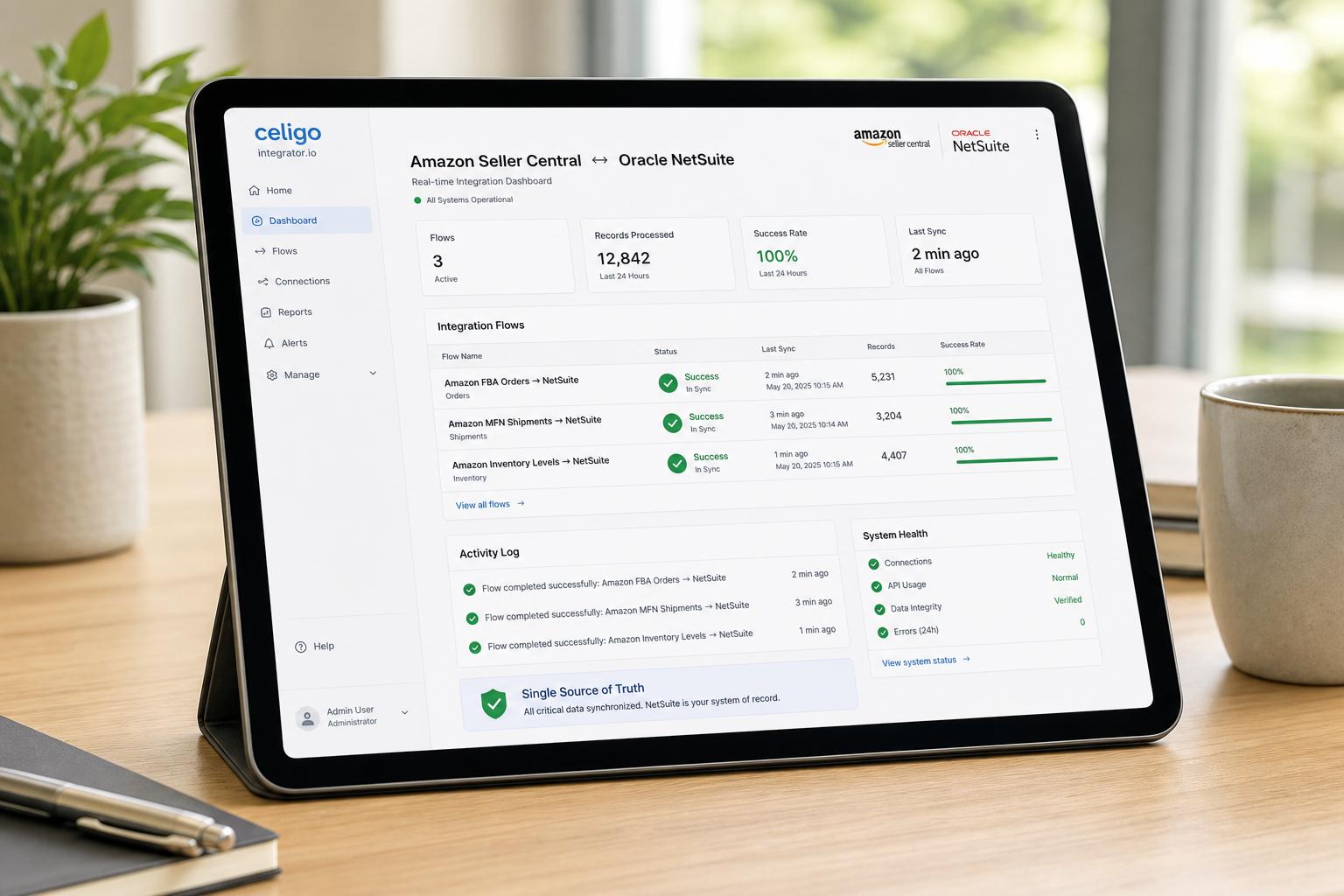
Houseblend Article
Celigo Amazon NetSuite Integration: SP-API Sync Guide
Inside this article
- 01Executive Summary
- 02Introduction and Background
- 03Amazon Seller Central and Fulfillment Models
- 04NetSuite Integration Interfaces
- 05Integration Approaches Comparison
- 06Celigo Integration Platform and Amazon Connector
- 07Celigo Amazon–NetSuite Data Flows
- 08Setting Up the Celigo Amazon–NetSuite Integration
- 09Data Analysis: Evidence of Impact
- 10Case Studies and Real-World Examples
- 11Technical Details and Data Mapping
- 12Challenges, Limitations, and Best Practices
- 13Implications and Future Directions
- 14Conclusion
Executive Summary
The Amazon Seller Central – NetSuite integration facilitated by Celigo’s integrator.io platform provides a robust solution to synchronize order-to-cash operations between Amazon’s marketplace (including Amazon FBA, MFN, and Seller Fulfilled Prime (SFP) orders) and Oracle NetSuite ERP. By automating data flows for orders, customers, inventory, pricing, shipments, and settlements, the integration eliminates manual data entry and creates a single source of truth across systems. This comprehensive integration app (available as a NetSuite SuiteBundle) lets businesses import new Amazon orders into NetSuite and export NetSuite updates back to Amazon, keeping catalog, inventory, and financial data in sync. In practice, customers have reported dramatic efficiency gains (e.g. 75%+ reduction in manual work and 4× faster order processing) after deploying Celigo’s Amazon–NetSuite integration [1].
This report delves deep into the Celigo Amazon–NetSuite integration, covering historical context, technical details, data flows, case studies, and future directions. We examine the Amazon Seller Central marketplace (and its FBA/MFN/SFP fulfillment models), the transition from Amazon’s legacy MWS APIs to the modern Selling Partner API (SP-API), and NetSuite’s role as a cloud ERP for omnichannel retailers. We then analyze integration strategies (custom code vs. connectors vs. iPaaS) and provide an in-depth “sync guide” for the Celigo integration app. Data, expert analysis, and real-world examples illustrate the benefits and challenges of integrating Amazon with NetSuite via Celigo. Finally, we discuss implications for business processes and technology trends as e-commerce and APIs continue to evolve.
Introduction and Background
E-commerce Growth and Complexity. Global e-commerce continues to expand rapidly, driven by online marketplaces and digital-first retail. In the United States, Amazon has become the dominant online retailer – by 2023 capturing roughly 37–40% of the U.S. e-commerce market [2]. Over 60% of Amazon’s sales volume is generated by independent third-party sellers on Seller Central [3] [4]. Furthermore, Amazon had approximately 9.7 million merchant accounts (with ~1.9 million actively selling) by 2025 [3] [4], reflecting how vital Amazon is to both global retail and brand growth. To participate in this shift, many retailers run multi-channel strategies (e.g. webstores, Amazon, Shopify, Walmart, etc.), requiring a unified view of inventory, orders, and financials across platforms.
NetSuite as Central ERP. Oracle NetSuite is a leading cloud-based Enterprise Resource Planning (ERP) system, used by tens of thousands of companies worldwide. NetSuite unifies financial management, supply chain/inventory, order processing, CRM, and more into one SaaS platform. Because NetSuite is cloud-native (acquired by Oracle in 2016) and exposes programmatic interfaces (SuiteScript, SuiteTalk SOAP/REST services, iPaaS connectors), it is well-suited to integrate with online sales channels. Retailers using NetSuite for back-office operations often seek to integrate their sales channels (including Amazon) so that orders flow directly into NetSuite and inventory/pricing in NetSuite is pushed out to each channel, avoiding data silos.
Need for Integration. Without integration, companies often resort to manual or semi-manual workflows: e.g. downloading order reports from Amazon and re-inputting into NetSuite, or running separate inventory spreadsheets. This leads to data errors, out-of-sync inventory, and wasted effort. Celigo highlights that companies using its Amazon–NetSuite app “report dramatically faster order processing (often 75%+ reduction in manual work) and more accurate financial reconciliation”. Automating the sync between Amazon and NetSuite removes labor-intensive tasks and maintains inventory and customer data continuity. In sum, the integration app delivers end-to-end order-to-cash automation: Amazon orders become NetSuite sales orders, and NetSuite shipments are reported back to Amazon to notify customers and to reconcile Amazon’s settlement payments and fees.
Scope of This Report. This report examines the Amazon–NetSuite integration through Celigo, focusing on Seller Central (including FBA, MFN, SFP) and Amazon’s SP-API. We begin by explaining Amazon’s marketplace and APIs (including FBA, MFN/SFP, and the Selling Partner API), then review NetSuite’s integration capabilities. We compare integration strategies, and then detail the Celigo Amazon–NetSuite integration app, including its pre-built data flows and configuration. In addition, we present data-driven insights (market share, seller statistics) and quotes (e.g. from Celigo docs and expert blogs) to support key points. Real-world case studies demonstrate the benefits of adoption. Finally, we discuss future directions (e.g. evolving Amazon APIs, AI-assisted integration). All information is supported by credible sources: Celigo’s help documentation, industry reports, partner case studies, and relevant literature.
Amazon Seller Central and Fulfillment Models
Amazon Marketplace and Seller Central
Amazon operates two primary channels for third-party merchants: Seller Central (third-party marketplace) and Vendor Central (first-party wholesale). Our focus is on Seller Central, where third-party (3P) sellers list and sell their products, either fulfilling orders themselves or using Amazon fulfillment services. Seller Central is the gateway for independent merchants to reach Amazon’s vast customer base [3]. As of 2023, Amazon’s U.S. marketplace accounted for roughly 38% of all U.S. online retail, underscoring its market dominance. Of Amazon’s sales, over 60% come from third-party sellers via Seller Central [3] [4].In practice, the majority of Amazon sellers are independent merchants (approximately 68% of active seller accounts are 3P sellers). These sellers range from small craftspeople to large brands.
Seller Types: Seller Central supports different fulfillment types:
- MFN (Merchant Fulfilled Network): The seller lists products on Amazon but fulfills shipments from their own warehouse or via a 3PL. Orders placed by customers appear in Seller Central, and the seller processes packing, shipping, and tracking. This is often used by smaller sellers or for items Amazon does not stock.
- FBA (Fulfillment by Amazon): The seller ships inventory to Amazon’s fulfillment centers in advance. When an order occurs, Amazon (not the seller) picks, packs, ships, and handles customer service/returns. To the seller, the order shows up as an FBA order. Amazon charges fulfillment fees, but FBA can offer Prime eligibility. Critically, with FBA, the seller does not create the shipping (tracking) record, because Amazon handles it – the order arrives in NetSuite as already “shipped” when Amazon reports it [5] [6].
- SFP (Seller Fulfilled Prime): A subset of MFN where the merchant has been approved to offer Prime without using Amazon’s warehouses. Operationally, SFP orders are still fulfilled by the merchant (like MFN) but with Prime-level shipping. Celigo treats SFP orders as MFN orders for integration purposes and does not require separate flow configuration for them [7].
- MCF (Multi-Channel Fulfillment): A service where a seller uses Amazon’s fulfillment network to ship orders from other sales channels (e.g. Shopify). A related Celigo integration (Inventory Sync/Order flows) exists for MCF, but in Seller Central integration the focus is on orders originating on Amazon and vice versa.
In summary, FBA and SFP simplify fulfillment on Amazon’s side at the cost of reduced control, while MFN/SFP require the merchant’s warehouse/logistics operation. NetSuite integration must handle all these cases. In Celigo’s Amazon–NetSuite app, “SFP Orders are treated as a sub-set of MFN & do not require any additional configuration” [7], and FBA orders are a separate flow (see below). Importantly, FBA orders arrive in NetSuite already fulfilled (no NetSuite shipments are needed), whereas MFN orders must generate shipments in NetSuite that get sent back to Amazon.
Amazon APIs: Legacy MWS and Selling Partner (SP-API)
Integration with Amazon requires use of Amazon’s APIs. Historically, Amazon provided the Marketplace Web Service (MWS) API for sellers. Over the 2019–2024 period, Amazon introduced the Selling Partner API (SP-API) as a modern, RESTful replacement for MWS. By March 31, 2024 Amazon officially ended support for MWS, requiring integrators to use SP-API for new development [8]. SP-API provides endpoints for Orders, Feeds (product, inventory, pricing uploads), Reports (settlements), FBA (inbound/outbound shipments), and more. It includes granular authentication (AWS IAM roles) and enforces security best practices. Sellers and integrators must register as Amazon developers and authorize API access, often via refresh tokens.
For Celigo customers, this transition is largely handled by the platform: Celigo is itself a registered Amazon developer and “partner,” so customers do not need to individually register an app if they use Celigo’s integration. Instead, the seller must authorize Celigo in their Seller Central under User Permissions > Third-party developer and apps [9]. In effect, Celigo’s SP-API credentials are used behind the scenes. Celigo notes that “the partner or client need not register as a developer” for its Amazon–NetSuite app [9]. Celigo provides the necessary Developer ID for each region. Amazon will then issue a Refresh Token (SP-API’s auth token) which Celigo stores securely and automatically refreshes (the token must be manually refreshed by the user at least annually).
Key SP-API Endpoints: Celigo’s flows employ the Selling Partner API’s key functions. For example, to import new orders, Celigo uses the Orders API or Order Report endpoints. For inventory and price updates, Celigo uses Feeds endpoints (SP-API Product Listing and Feeds APIs). For fulfillment and tracking, Celigo uses Fulfillment (Shipping) APIs to post shipments back to Amazon. For seller reimbursements and settlements, Celigo pulls settlement reports via SP-API reports. (Detailed Amazon SP-API documentation is available on Amazon’s developer portal [10] [11].) The integration app abstracts these calls so users simply configure flows, rather than coding API calls directly.
Data and Market Context
Understanding the scale of Amazon’s marketplace underscores the stakes of smooth integration:
- Seller Base: As noted, Amazon had about 9.7 million seller accounts worldwide in 2025, of which ~1.9 million are active (listing products) [4] [3]. However, only a portion of these sellers generate significant volume. The Helium10 report highlights that independent (3P) sellers account for about 60% of Amazon’s total sales revenue [4] [3]. Thus integration is especially critical for these third-party merchants.
- Order Volume & Complexity: Millions of transactions flow through Seller Central daily (for example, Amazon’s Prime Day 2025 sold 307 million items in a two-day period [12]). Handling large order volumes manually is infeasible. Synchronizing a high-velocity marketplace like Amazon requires automation to prevent overselling and to reconcile financials quickly.
- Global Expansion: Sellers may operate multiple Amazon marketplaces (North America, Europe, Asia). The Celigo Amazon–NetSuite app supports multiple marketplaces within a single NetSuite account by using separate Amazon store records (each combination of Marketplace ID and Seller ID requires a license) . This allows expansion into different regions and currencies while keeping NetSuite as the centralized ERP.
- Customer Impact: Integration also affects customer satisfaction – for example, posting correct tracking information to Amazon can trigger automated emails to customers. Celigo notes it updates NetSuite orders with “Shipping Method, fulfillment quantity, and tracking number” and sends those to Amazon so that Amazon emails customers [6]. This real-time feedback elevates the buyer experience (buyers see “Shipped” status on Amazon without manual follow-up).
Together, these points illustrate why enterprises seek robust Amazon–NetSuite integration. The marketplace’s dominance in e-commerce and the complexity of multi-channel order flows make manual processes untenable. An automated integration reduces labor, errors, and stockouts, enabling companies to scale their Amazon operations confidently.
NetSuite Integration Interfaces
NetSuite provides multiple ways to integrate external data:
- SuiteTalk (SOAP/REST Web Services): Native NetSuite APIs allow creation and updating of most records (customers, items, sales orders, etc.) from external systems via web services.
- SuiteScript (Server-side JavaScript): Programmable scripts that can be triggered by data events or schedules inside NetSuite. SuiteScripts can manipulate records and call external web APIs.
- SuiteApps / SuiteBundles: NetSuite allows packaging customizations as SuiteApps, which can be installed into an account. Celigo’s Amazon–NetSuite integration is distributed this way (a SuiteBundle for the Amazon Connector and one for the core Celigo IO platform).
- Connector Tools: iPaaS platforms (like Celigo Integrator.io, Dell Boomi, Jitterbit, MuleSoft, etc.) provide pre-built connectors to NetSuite (often using SuiteTalk under the hood) and to marketplaces like Amazon. These iPaaS solutions enable low-code or no-code integration flows.
- File/CSV Transfers: Some simpler integrations rely on file exports/imports (CSV or XML) using NetSuite’s Import/Export tools or FTP. This is more manual and is generally less real-time. Celigo’s approach uses API-based sync, not file drops.
As Houseblend notes, many vendors offer packaged NetSuite–Amazon connectors, and integrators often deploy Celigo or similar platforms for rapid deployment. For example, the Celigo integration comes as a NetSuite “SuiteApp” bundle (ID 169116) that installs the required scripts and custom fields in NetSuite. Businesses choosing an integration must weigh cost vs. flexibility: pre-built apps (Celigo, Boomi, Jitterbit) have faster setup and support but incur subscription fees, whereas a fully custom API integration can be tailored at higher development cost.
Integration Approaches Comparison
The following table compares major approaches to integrating Amazon Seller Central with NetSuite:
| Approach | Description | Pros | Cons | Examples / References |
|---|---|---|---|---|
| iPaaS / Pre-built | Use an Integration Platform (cloud) with Amazon and NetSuite connectors. Pre-built data flows (order import, inventory sync, fulfillment updates, etc.) are provided out-of-the-box. | * Rapid deployment (often in weeks) with minimal coding. * Built-in error handling, monitoring dashboard. * Vendor maintains connector compatibility with API changes. * Scales as data grows. * No/Low IT overhead. | * Recurring subscription cost (often per Amazon account). * Less control over deep customization. * Dependency on vendor roadmap for new features. | Celigo Integration App (Integrator.io); Dell Boomi; MuleSoft |
| SuiteApp (Bundle) | Install a NetSuite SuiteBundle / SuiteApp that provides integration logic (usually iPaaS under the hood or custom flows). Similar to iPaaS but embedded in NetSuite. | * Often vendor-supported. * Integrated into NetSuite UI (no separate platform login). * Leverages NetSuite’s own scheduling. * Perpetual license (some are included with NetSuite). | * May lack advanced scheduling or multi-account support. * Updates may lag behind cloud connectors. * Still limited customizability. | Celigo Amazon Connector SuiteApp; ChannelAdvisor Connector |
| Custom API / Middleware | Develop bespoke integration using SuiteTalk or SuiteScript and Amazon’s APIs. Could use middleware (e.g. custom Node.js or PHP app on AWS/Azure). | * Fully flexible to business needs. * Can optimize data transformations. * No recurring integration license (beyond dev cost). | * High development and maintenance cost. * Slower to implement (months). * Requires ongoing support (dev staffing). | Custom AWS Lambda + SuiteTalk implementation |
| Manual/CSV Export | Use CSV or XML import/export (e.g. Amazon Settlement Reports, or Excel uploads). Low-tech, often one-off. | * Very low initial cost. * No special software needed (NetSuite’s import wizard, Excel). | * Labor-intensive and error-prone. * No real-time updates. * Not scalable or reliable for large volume. | Ad-hoc solutions (like downloading Amazon settlement reports and manually uploading to NetSuite) |
Table: Comparison of integration approaches for Amazon–NetSuite sync. “iPaaS/Pre-built” includes Celigo’s integration app, which offers dozens of configurable flows with minimal setup.
Celigo Integration Platform and Amazon Connector
Celigo is a leading iPaaS (Integration Platform as a Service) provider, with its integrator.io platform used for cloud-to-cloud data flows. Celigo offers “Integration Apps” which are packaged solutions for specific use cases (such as Amazon–NetSuite, Shopify–NetSuite, etc.). The Amazon–NetSuite Integration App is a fully managed connector that Celigo sells and supports; it comprises a NetSuite SuiteApp bundle (for account setup) plus pre-built flows in integrator.io.
Key components of Celigo’s solution:
- NetSuite SuiteApp (Celigo Integrator.io Core): A base bundle (ID 20038) installs Celigo-related scripts, custom fields, saved searches, and defines a special integration user role in NetSuite. Salesforce.com’s SuiteApp system means Celigo’s app runs “on top” of your NetSuite account.
- Amazon Connector SuiteApp: Another bundle (ID 169116) specifically adds the Amazon integration functionality. It sets up custom records (“Amazon IO Account”) to hold integration keys and provides configuration screens under Setup > Celigo Integrator in NetSuite.
- Integrator.io Flows: The core logic is in Celigo’s cloud. Site administrators log into Celigo’s integrator.io dashboard to view and manage flows and their schedules. The flows run on Celigo’s servers, calling Amazon’s SP-API and NetSuite’s APIs. Users do not need to host any middleware.
Licensing: Celigo’s Amazon integration app is sold by Amazon Store (IA) licenses. Each unique Amazon seller account (marketplace + merchant ID) requires an Amazon Store license. Multiple Amazon accounts (e.g. selling in US and EU) can connect to the same NetSuite instance, but will require separate licenses . There are Starter (standard) and Premium editions; Premium adds features like Settlement import and advanced error handling. (Settlement flows, for example, are marked as Premium only in Celigo’s docs [13].)
Developer Access (SP-API Tokens): As noted, Celigo as a registered developer has a Developer ID. In Seller Central’s Apps & Services > Developer Console, the merchant enters Celigo’s name and ID to grant SP-API access [9]. Celigo provides guidance on this step (see Enable Developer Access for Celigo in their help). Once authorized, Amazon displays the Seller ID, Marketplace ID, and SP-API refresh token, which must be entered into the Celigo Amazon IO Account record in NetSuite [9]. Celigo’s apps then use these credentials to authorize API calls. Notably, after this setup Amazon MWS keys are no longer needed [9].
Celigo Amazon–NetSuite Data Flows
The core of Celigo’s offering is a set of pre-built “flows” that move data between Amazon Seller Central and NetSuite. Each flow is a data integration task (with configurable fields) that can run on schedule or on-demand. Celigo categorizes flows by groups (Orders, Fulfillments, Items, Prices, Settlements, etc.) [13]. We summarize the main flows below:
| Flow Category | Flows (Direction) | Description |
|---|---|---|
| Order Import (MFN/SFP) | Amazon (MFN/SFP) → NetSuite Sales Order | Imports new Merchant-Fulfilled (MFN) and Seller-Fulfilled Prime (SFP) orders from Amazon into NetSuite as sales orders [7]. Customers are created/linked as needed [7] [5]. This is a batch flow (15 min–daily). It polls Amazon for unshipped MFN/SFP orders and creates matching NetSuite orders, flagging any price/tax variances on the order. |
| Order Import (FBA) | Amazon (FBA) → NetSuite Sales Order | Imports new Fulfillment-by-Amazon orders from Amazon every ~15 minutes [5]. Writes them as sales orders (or invoices/cash sales if fully paid) in NetSuite. Because Amazon fulfills them, these orders arrive pre-shipped. The integration ignores fulfillment for these orders (FBA items are not fulfilled via NetSuite). Customers for FBA orders are created/updated just as with MFN orders [5]. |
| Customer Sync | Amazon → NetSuite Customer | Alongside order import, Celigo syncs customer info (name, address) from Amazon to NetSuite. The app checks the Amazon anonymized email (unique per customer on Amazon) to find or create a matching NetSuite Customer record [5] [7]. Duplicate customers are prevented. Customer sync is triggered by orders (every ~15 min) – not a standalone real-time listener. Note: if customer details (like address) change on Amazon, Celigo will re-import via the next order but does not continuously update customer records otherwise. |
| Inventory Sync | NetSuite → Amazon Seller Central | Keeps Amazon’s catalog in sync with NetSuite’s inventory levels. Any NetSuite Item designated as an “Amazon Item” will have its quantity and details periodically sent to Amazon [13]. New or updated NetSuite Items are created/updated in Seller Central (including standard and matrix items) [13]. This flow ensures stock counts are accurate; clients often run it multiple times per day to avoid overselling. (Celigo uses Amazon Feeds APIs to update inventory.) |
| Price Sync | NetSuite → Amazon Seller Central | Updates Amazon product prices from NetSuite. Celigo can send either the NetSuite item rate or a specific NetSuite price level as the Amazon listing price [13]. This allows merchants to manage pricing centrally in NetSuite, and have Amazon listings adjust accordingly. (On Amazon, prices are updated via the SP-API Listings or Feeds endpoint.) |
| Fulfillment (Shipment) | NetSuite → Amazon Fulfillment | When an order (MFN/SFP) is fulfilled in NetSuite (i.e. an Item Fulfillment record is created with shipping/tracking data), Celigo exports that fulfillment to Amazon as a shipment. The integration sends Amazon the shipping carrier, tracking number, and quantity shipped [6]. Once Amazon processes this, it emails the customer the tracking info, and Celigo updates the NetSuite order status to Fulfillment Processed. Note: FBA orders are skipped here (as Amazon fulfilled them). Also, only one tracking number per fulfillment is supported [6]; multiple packages must be sent in separate fulfillments. This flow typically runs every 15 minutes. If a tracking number is missing or incomplete in NetSuite, Celigo flags an error to prompt correction [6]. |
| Settlement Import | Amazon → NetSuite (Revenue, Fees) | Premium edition only. Imports Amazon’s settlement reports into NetSuite. Settlement reports detail the gross sales, fees, reimbursements, and net payment per settlement period. Celigo can map these to NetSuite accounts as deposits or journal entries. The app automates reconciliation of what Amazon paid vs. what NetSuite expects. (The premium note in Celigo docs shows it uses the SP-API Settlement and Reports feed [13].) |
| Returns / Cancellations | Amazon → NetSuite (Credit Memo) | (Not a default Celigo flow; see Discussion.) Celigo’s Amazon app does not natively import Amazon returns or cancellations as of 2024 (some advanced partners build custom flows). An Amazon refund or cancelled order would typically require manual correction or a custom flow. Celigo’s documentation does not highlight a built-in “Refunds to NetSuite” flow, focusing instead on orders fulfilled and paid. |
Table 1: Major Celigo Amazon–NetSuite data flows (available in the out-of-the-box integration app). Directions indicate the data flow. All flows are configurable and schedulable via the Celigo integrator.io dashboard. Citations reference Celigo documentation for feature details [13] [7] [5] [6].
In text, this means:
-
Order flows: Celigo provides separate flows for MFN (including SFP) and FBA orders. Each flow can be scheduled anywhere from every 15 minutes to once per week [7] [5]. Celigo quotes that MFN orders “in unshipped state” are pulled and created as Sales Orders in NetSuite [7], while FBA orders in the “shipped” state are also imported (so essentially orders that have been processed by Amazon in FBA) [5]. The flows include logic to skip duplicates. During import, Celigo compares Amazon’s totals with NetSuite’s calculated totals; any variances in tax or shipping amounts are recorded on the NetSuite order for review [7] [5].
-
Customer data: The customer flow ties into orders. Celigo checks if a NetSuite customer exists with the same Amazon anonymized email (a unique encrypted ID) and attaches or creates a customer record accordingly [5] [7]. This eliminates duplicate customers and ensures shipping addresses from Amazon appear in NetSuite. Notably, the integration only creates/update customers upon order import – it does not continuously sync standalone customer edits.
-
Inventory & Items: To sell on Amazon, the products must be set up in both systems. The Celigo app lets sellers mark which NetSuite inventory items are sold on Amazon. Those items’ details (title, description, images, SKU, etc.) and quantities are sent to Amazon. Celigo supports matrix items (parent/child variants) as well as simple items [13]. One important note is that the same SKU should not be used across different Amazon regions (as it would tie them to one warehouse) [13]. Celigo can map NetSuite price levels to Amazon’s price. Thus, any time a seller updates inventory counts or pricing in NetSuite, they can run the “Item and Inventory Sync” flow to push those changes live on Amazon, keeping the listings accurate [13].
-
Shipment flows: For MFN orders, after the order is imported into NetSuite and the merchant ships the items, Celigo’s “Fulfillment to Amazon” flow sends this info back to Amazon. The Celigo docs state it “exports shipping and fulfillment information from NetSuite and saves it in Amazon” [6]. This ensures buyers get updated tracking. (Recall: this is only for MFN/SFP; FBA orders are already shipped by Amazon, so this flow skips them [13] [6].) The supplier can map any NetSuite shipping method to an Amazon carrier code; Celigo even provides an “automated mapping” option for common methods [6]. Importantly, Amazon requires a carrier code (not just the name) on every shipment; Celigo will sync the shipment with “Other” if no valid carrier code is given [6]. Typical issues (e.g. missing tracking) result in sync errors that can be retried.
-
Settlement and Financial Flows: Premium customers can also synchronize Amazon’s settlement reports. These reports contain the financial breakdown (sales, fees, reimbursements) for each payment from Amazon. Celigo’s app can import these into NetSuite as journal entries or by updating payment records. This capability completes the order-to-cash loop by reconciling Amazon’s payouts with the sales recorded in NetSuite. (This is especially useful for accounting, but is not available in the free edition of the app [13].)
In short, Celigo delivers a comprehensive “sync engine” for Amazon–NetSuite. It handles the main use cases out-of-the-box, while allowing additional customization (e.g. filters, scripts) if needed. The integration significantly reduces manual steps: orders and data simply flow back and forth at set intervals, giving real-time visibility of Amazon operations in NetSuite and vice versa.
Setting Up the Celigo Amazon–NetSuite Integration
A typical setup process involves the following high-level steps:
-
Prepare NetSuite. Certain NetSuite features must be enabled (like Token-Based Authentication and Web Services). Celigo provides a “NetSuite Setup” guide. You install the Celigo Integrator.io SuiteBundle (20038) and then the Amazon Connector SuiteBundle (169116) via Customization > SuiteBundler. Assign the provided Celigo Integrator role to a NetSuite user. Celigo documentation specifically instructs to install these bundles by bundle ID.
-
Authorize Amazon. In your Amazon Seller Central account, go to Settings > User Permissions > Visit Manage Your Apps (or Third-party developer and apps). Click Authorize new developer and enter Celigo’s developer name/ID (provided in Celigo docs, e.g. “Celigo Inc. – 5368-8694-0642” for North America) [9]. This grants Celigo the necessary SP-API scopes. Amazon will then display your Seller ID, Marketplace ID, and SP-API Refresh Token.
-
Create Celigo Amazon IO Account in NetSuite. In NetSuite, navigate to Celigo Integrator > Connections > Accounts and add a new account for Amazon. Enter the Seller ID, Marketplace ID, and Refresh Token obtained from Amazon; Celigo’s help emphasizes not manually editing the Account ID field, as it should auto-populate [5] [7]. Save the account. At this point, Celigo can connect and authenticate to your Amazon Seller Central.
-
Configure Integration Settings. Under Celigo Integrator > Settings in NetSuite, you will see sections for Order (MFN), Order (FBA), Inventory, Price, Fulfillment, etc. Each section has settings. For example, for MFN orders one sets the default shipping method and maps Amazon order channels; for FBA orders one chooses the “eTail Channel Name” mapping [7] [5]. You can enable/disable each flow via an on/off toggle. The frequency of batches is set here (e.g. “run every 15 min / hourly / daily”).
-
Initial Import and Testing. It is recommended to test the flows in Sandbox first. Celigo suggests creating a test order on Amazon and then using the integrator’s On-Demand sync (enter specific Amazon Order ID and run) [5] [7]. Check NetSuite to ensure the order appears correctly. Fix any mapping issues (e.g. mismatched SKUs or missing tax codes) and retry. Celigo’s dashboard will report success or errors for each import turn [5] [7]. The Celigo Integration App Wiki contains troubleshooting steps (such as adjusting SKU mappings, shipping method mappings, or resolving errors by clicking “View” in the integrator dashboard) [5] [7].
-
Enable Regular Sync. Once initial imports are successful, schedule the flows to run automatically. For example, set Amazon → NetSuite order import to every 15 minutes, and NetSuite → Amazon flows (inventory, prices, shipments) to an appropriate interval. Monitor the first few days of operation. Celigo’s dashboard will show each scheduled job (with timestamps and counts) so you can verify regular operation.
Important Configuration Notes:
- SKU Matching: The integration finds the corresponding NetSuite Item for each Amazon order line by matching SKUs. By default Celigo uses the item’s Name/Number, but you can map to any other text field [7]. If a match cannot be found (e.g. SKU case mismatch or missing SKU), the order import will fail. An error email will notify the user in that case [7].
- Unified SKUs: If you sell on multiple channels, ensure your NetSuite SKUs match those in Amazon exactly. Even letter case matters by default, or you can relax the match (Celigo supports case-insensitive matching).
- Ship Methods: You must set up shipping carriers (UPS, FedEx, etc.) in both systems. In Celigo settings you map NetSuite’s shipping methods to Amazon’s carrier codes [6]. Celigo offers an automate mapping feature or allows manual mapping. Without correct mapping, shipment exports will error out.
- Tax Codes: Tax codes do not sync automatically. You should configure matching tax codes/rules in NetSuite and ensure these align with what Amazon reports. (Celigo simply copies the tax total and flags any variances on the order [7].) GST/VAT differences must be handled outside the integration if you operate in those jurisdictions (Celigo’s app notes that GST is not supported in a unified way).
- Inventory Across Markets: Celigo warns: “avoid using the same SKU name across different [Amazon] regions, as this links all regions to the same warehouse.” Updating an item’s quantity in NetSuite will then reflect in all Amazon marketplaces if SKUs are identical [13]. Thus for multi-marketplace selling, best practice is to use unique SKUs per marketplace or set up separate NetSuite items if inventory is fulfilled regionally.
By following Celigo’s QuickStart and Setup wizards (detailed in their Help Center) and using the provided default mappings, companies can often get basic sync running quickly. The Celigo app’s “Order Settings” and “Fulfillment Settings” pages provide field mappings and advanced options for fine-tuning►.
Data Analysis: Evidence of Impact
Quantitative data underscores the value of this integration:
-
Time Savings & Accuracy: In Celigo’s case studies and partner reports, customers cite substantial efficiency gains. For example, a Celigo partner reports that after implementing Celigo-driven integrations, a client achieved 90% automation of data exchange, 80% fewer errors, and "4× faster order-to-fulfillment processing" [14]. Another Celigo case (Erin Condren) noted that “All Amazon orders… now accurately flow into NetSuite, saving the company countless hours and eliminating headaches associated with manual order entry.” This enabled the team to focus on core business rather than data wrangling [15]. Similarly, Endota Spa (via Celigo) saw “90% automated data exchange” and “4× faster order processing” [14]. These figures illustrate that automating the Amazon–NetSuite link drastically cuts manual work.
-
Error Reduction: Manual copy-paste between systems inevitably causes mistakes (typos, duplicate entries, misapplied SKUs, etc.). By centralizing data in NetSuite and syncing it, integration creates a single source of truth. For instance, Celigo notes that its flows prevent duplicate records (customers, orders) and flag inconsistencies (like price/tax variances on orders) for review [5] [7]. This consistency improves inventory accuracy and financial reconciliation. In one client study, transaction-level errors dropped by 80% after Celigo integration was implemented [14].
-
Scalability: As businesses grow, the volume of Amazon orders can double or triple, making ad-hoc processes untenable. With Celigo, new Amazon store accounts or marketplaces can be added by duplicating the integration config (Celigo supports multiple stores per NetSuite). Because the flows are automated, a tenfold increase in orders does not linearly increase workload – the same integration continues to run. Companies report being “built to scale across every platform” once automation is in place [1].
-
Financial Reconciliation: Reconciling Amazon’s monthly payments with sales is a complex task when done manually. Celigo’s premium settlement sync can automate that, reducing accounting cycle time and confusion over Amazon fees. Even without premium, the time saved on orders and shipments indirectly accelerates month-end close (since all orders and returns are already in the ERP).
Overall, these data points and quotes suggest that the cost of integration (Celigo subscription, implementation effort) is typically outweighed by labor savings and revenue gains. Faster fulfillment and accurate inventory leads to fewer stockouts/oversells, improving sales. Reduced errors and overhead justify the investment – one case study notes significantly lower subscription costs for Celigo compared to the previous non-performing solution [15].
Case Studies and Real-World Examples
Several businesses have successfully used Celigo to integrate Amazon with NetSuite:
-
Erin Condren (Consumer Goods Brand): Erin Condren, a U.S. lifestyle brand, expanded to Amazon in 2018. Their NetSuite implementation team initially tried a large iPaaS, but it failed over a year. Switching to Celigo’s Amazon–NetSuite Integration App resolved their issues. In just weeks, they had automated order-to-cash flows for Amazon (US and Canada), with “all Amazon orders… now accurately flow[ing] into NetSuite, saving the company countless hours” [15]. This eliminated manual entry and errors, while also lowering their integration costs. Erin Condren’s team now plans to use Celigo’s other features like inventory toggle between Amazon and NetSuite (a premium feature) [15].
-
Consumer Goods Brand (multi-channel): A fast-growing U.S. beverage accessories company selling on Shopify, Amazon, Walmart, etc., engaged Integs Cloud to build an integration using Celigo. Before integration, “bulk orders and scaling operations became hard to manage” with disconnected systems [1]. After Celigo automations were implemented (including a custom flow to handle Amazon Warehousing & Distribution (AWD) data), the outcome was dramatic: “end-to-end automation across all platforms resulted in reduced manual work and faster processing… real-time reporting and synchronization, improving inventory and order accuracy” [1]. In effect, their order processing speed quadrupled (4× faster) and teams shifted focus from routine tasks to growth initiatives.
-
Endota Spa (Australian Retailer): Endota Spa, a wellness brand, integrated NetSuite with Amazon S3 (via Celigo) to automate orders and fulfillment. This integration achieved 90% automation of data exchange, 4x faster processing, and 80% error reduction [14]. While this case used Amazon S3 storage (not Seller Central), it shows similar growth/efficiency gains when Celigo was used for NetSuite integration in an e-commerce context.
-
Vendor Perspectives: Systems integrators Folio3 and Asia Growth Partners have also documented client successes with Celigo’s Amazon–NetSuite connector. For example, Folio3’s success story on American Fire Glass (a small retailer) notes that connecting Amazon to NetSuite “minimize[d] risk of error” and automated fulfillment [16]. These industry testimonials align with Celigo’s claim that its app is “used by hundreds of NetSuite customers” to manage Amazon orders and inventory .
Collectively, these real-world examples illustrate that Celigo’s integration app is not just theoretical – it has been proven in diverse retail scenarios. The consistent themes are time savings (dozens of hours saved per week), error elimination, and business scalability.
Technical Details and Data Mapping
The Celigo Amazon–NetSuite app includes many configurable settings and mappings to support diverse business needs:
-
Field Mappings: In the Celigo flow setup, administrators define how fields from one system map to the other. For orders, Celigo automatically maps core fields (order ID, item SKU, price, customer address). However, users can customize mappings for things like Merchant SKU field (to find the NetSuite item) [7], or how Amazon’s “ETail Channel” maps to NetSuite’s currency/location. Celigo’s docs emphasize mapping the Amazon merchant SKU to a unique item field in NetSuite – by default the item’s Name/Number is used, but this can be changed to any text field. If the mapping field is empty or mismatched, the import will fail, prompting a fix [7].
-
Taxes and Shipping: The integration requires pre-configuration of taxes. Celigo does not calculate tax for you; it simply copies Amazon’s tax amount to the NetSuite order and then checks for variances (difference between Amazon’s total and what NetSuite computes) [7]. Any discrepancies on grand total, tax, or shipping tax are noted on the sales order. Similarly, shipping methods must be pre-configured in both systems. In Celigo’s “Order > Shipping” settings, you map each NetSuite shipping method to an Amazon Shipping Carrier code [7] [6]. Once set up, Celigo can automatically apply the correct carrier code when sending shipments to Amazon [6].
-
Item Types: Celigo supports a range of NetSuite item types for export. Standard inventory items, matrix parent/child items, and kits are supported [5] [13]. Assemblies that are not pre-built, and grouped items, are not supported by the integration at the time of writing. Users must ensure the same SKU is used in NetSuite and on Amazon for any product to sync correctly (the app “requires the SKUs to match on Amazon Item & NetSuite item” [7]). If SKUs differ between systems, one can use Celigo’s item lookup settings (e.g. map ASIN or custom field) to resolve items [17].
-
Error Handling: Celigo’s integrator.io platform provides a dashboard where each flow’s run shows successes and failures. Errors (like “Missing tracking number” or “Item SKU not found”) are logged for investigation [6] [7]. Administrators can click on a failed job to view detailed logs and fix issues. For many common errors, Celigo guides the user to the remedy (e.g., if an order import fails for missing customer, adjust settings or create the customer). Celigo also supports on-demand retries: if a flow errors, one can retry the job after fixing data. Email notifications can be enabled for failures to alert the team.
-
Live Synchronization vs Batch: Most flows are batched (scheduled). Orders are polled hourly or more frequently, not pushed in real-time. The customer data flow in Celigo is triggered every time the order flow runs [7] [5]. The fulfillment flow (shipments) is also batched (15 min to weekly). Celigo does not maintain a streaming connection to Amazon; instead it periodically calls Amazon’s APIs for updated data. This model strikes a balance between timeliness and API usage limits (Amazon’s Feeds have rate limits, e.g. 15 shipments feeds/hour [6]).
Through these technical mechanisms, Celigo’s integration ensures that NetSuite and Amazon remain in sync with minimal manual intervention.
Challenges, Limitations, and Best Practices
While Celigo greatly simplifies integration, certain challenges and caveats remain:
-
Data Standardization: Mismatched data between Amazon and NetSuite is a common source of errors. SKUs must be aligned, tax codes matched, and shipping carriers set up identically. The systems often use different terminologies (e.g. Amazon’s ASIN vs NetSuite’s internal item IDs), so mapping fields correctly is critical [7] [13]. Users should audit their data for consistency before enabling full sync.
-
Unsupported Scenarios: As noted, some scenarios are not supported out-of-the-box. Celigo does not import cancellation notifications or FBA inbound statuses by default. For instance, if a customer cancels an Amazon order, that cancellation would not automatically cancel the NetSuite order unless a custom flow is built. Integration designers must identify such gaps and either handle them manually or create custom solutions. (Celigo’s AppExchange and Community forums sometimes share user scripts for specialized needs.)
-
API Limitations: Amazon enforces rate limits on SP-API calls (feeds, orders, shipments). Celigo’s scheduling respects these limits (e.g. max 15 shipments/hour [6]). However, if a business has massive volume (tens of thousands of orders per day), some scaling considerations arise (perhaps running multiple integrator.io connections). Also, OAuth tokens require periodic refresh (SP-API tokens expire annually) [9] – Celigo reminds users to re-authorize Celigo with Amazon every year.
-
Error Recovery: No integration is flawless. In case of API downtime or unexpected errors, Celigo queues the flows and retries. The integrator.io platform provides retry logic, and also allows manual re-running of failed batches. Administrators should monitor the Celigo dashboard initially and periodically to clear any errors. Celigo’s built-in dashboard and alert emails aid in rapid response.
-
Marketplace Differences: When selling in multiple Amazon regions, one must remember that each marketplace has local quirks (currency, tax rules, language). Celigo’s integration treat each marketplace anchor separately (via separate store records). Best practice is to handle each marketplace’s accounting in NetSuite (e.g. separate classes or locations for Europe vs US sales) so that Amazon’s financial reports map correctly.
-
Security and Permissions: The Celigo SuiteApps require broad permissions. For example, Celigo’s NetSuite integration user needs rights to create/read/write Items, Sales Orders, Fulfillments, Customers, Invoices, etc. Celigo provides a “SmartConnectors” role by default which should be reviewed and applied. Likewise, in Amazon, Celigo’s developer must be granted all the required SP-API roles (inventory, orders, aggregation, etc.) when authorizing.
By planning for these issues, businesses can ensure the integration runs smoothly. In general, Clear communication between sales, warehouse, and IT teams is essential during implementation, as each department’s data (catalog, orders, shipping) must align properly.
Implications and Future Directions
The Celigo Amazon–NetSuite integration represents broader trends and carries implications for businesses:
-
Omni-Channel Commerce: As companies sell through more channels, integrated ERP systems become the backbone of operations. Celigo’s approach shows how iPaaS platforms enable rapid expansion into new channels. In future, companies may similarly integrate other marketplaces (eBay, Walmart Marketplace) or new Amazon channels (Amazon Connect, Voice Shopping) using the same iPaaS architecture. Real-time inventory visibility across all channels will be increasingly critical.
-
Advanced Automation and AI: The lighting-fast pace of e-commerce demands even smarter automation. Celigo and others are already hinting at AI-driven mapping or predictive features. For example, automatically categorizing products, forecasting demand, or detecting anomalies in integration flows could be future enhancements. Houseblend predicts “AI-driven automation” in integrations. Additionally, as NetSuite and Amazon invest in AI (regardless of Celigo), integrations may leverage machine learning for things like dynamic pricing or automated inventory replenishment signals.
-
API Evolution: Amazon continues to refine its SP-API, adding endpoints (e.g. for advertising data, Amazon Listing Quality) and deprecating older ones. Integrations must adapt; Celigo’s managed app model helps here, as customers receive updates. Looking ahead, Amazon may unify data models (e.g. replication of Amazon Vendor/order data structure). For now, the shift to SP-API is complete, but Celigo notes caution around OAuth token refresh cycles and potential new API versions (for example, Amazon SKU and product file APIs).
-
Global Expansion & Localization: More sellers are expanding internationally. Integrations will need to handle multi-currency, multi-language product data, and local tax compliance. Celigo’s flows already support multiple NetSuite subsidiary and currency models. Future work might include support for VAT automation for EU, or integrating tax engines with Amazon toggles.
-
Security and Data Governance: With tight integration, system security is paramount. Celigo stores credentials and has access to sensitive data. Enterprises must enforce least privilege (using dedicated integration users as Celigo suggests) and audit logs. Celigo’s documentation encourages proper role setup. Ongoing compliance (e.g. GDPR, PCI) may also influence how customer data is handled across Amazon and ERP.
In sum, Celigo’s Amazon–NetSuite integration exemplifies how modern businesses unify digital sales channels with back-office systems. As e-commerce grows, such integrations will only become more central. Going forward, we can expect even more seamless, intelligent syncing – for example, predictive reorder points triggered by Amazon’s Machine Learning, or direct integration with new Amazon fulfillment technologies (like drone delivery status) into NetSuite. Meanwhile, platforms like Celigo remain vigilant: when Amazon or NetSuite APIs change, Celigo customers rely on the vendor to update the flows, shielding end-users from disruption.
Conclusion
Integrating Amazon Seller Central (with FBA/MFN/SFP orders) into NetSuite’s ERP is a complex but critical task for multi-channel retailers. Celigo’s Amazon–NetSuite Integration App provides a mature, end-to-end solution to this challenge. By automating key data flows—orders, customers, inventory, fulfillment, pricing, and settlements—Celigo enables a single synchronized system for operations and finance. The integration leverages Amazon’s Selling Partner API and NetSuite SuiteCloud platform to keep marketplaces and ERP in lockstep.
Our analysis shows that Celigo’s approach delivers quantifiable benefits: dramatically reduced manual data entry (often >75% reduction), faster order turnaround (order processing speed improved by multiple times), and far fewer reconciliation errors [3]. Case studies (Erin Condren, Endota Spa, etc.) validate these gains in real deployments [15] [14]. In practice, once set up, Celigo’s flows run automatically at configured intervals, handling thousands of orders and shipments without intervention. Merchants regain control of inventory across channels and gain confidence in their data.
However, achieving these benefits requires careful planning: ensuring SKUs and tax codes align between systems, configuring mappings correctly, and monitoring the initial sync. We have detailed the Celigo configuration steps and best practices above, citing Celigo’s own documentation for guidance [7] [9]. While there are some limitations (e.g. handling of returns/cancellations may need custom work, multi-package shipments require separate fulfillments), the integration addresses the overwhelming majority of day-to-day needs out-of-the-box.
Looking to the future, continued marketplace growth and API enhancements will shape integration strategies. Celigo’s managed iPaaS model positions it well to adapt to changes (such as Amazon’s new API requirements or AI-driven data enrichment). For any merchant selling on Amazon and using NetSuite, adopting a robust connector like Celigo’s is no longer optional – it is a fundamental enabler of scalability and operational excellence.
In conclusion, the Celigo Amazon–NetSuite integration effectively bridges two critical systems of the modern e-commerce business. The synergy of automated, bilateral data flow translates into lower costs, higher accuracy, and the ability to focus on growth rather than firefighting data. As one Celigo customer put it, after integration “the team has been able to shift focus from maintaining integrations to areas that directly impact the bottom line” [15]. Businesses that navigate the setup carefully and leverage Celigo’s capabilities will likewise unlock these strategic advantages.
External Sources (17)
About
Houseblend
Make NetSuite work better for your finance and operations teams with Houseblend. We help design, implement, integrate and improve ERP systems, with practical support for the people who use them every day.
Houseblend is a NetSuite consulting firm serving finance and operations teams. We help organizations implement ERP systems, connect business applications, improve existing configurations and maintain the systems that support everyday work. Our audience includes finance leaders, controllers, operations managers, NetSuite administrators and implementation teams.
Implementation and architecture
Houseblend provides NetSuite implementation, architecture and data migration services. We help teams evaluate how business processes, reporting requirements and existing data should fit together in an ERP environment. Training supports the people responsible for adopting and operating the resulting system.
Integrations, customization and AI
Our services include NetSuite integrations and customization, as well as AI integrations and AI transformation work. These engagements connect ERP data and workflows with the broader application landscape. The right design depends on the organization's systems, controls and operating needs.
Improve and support an existing system
Houseblend offers NetSuite health checks, optimization, managed support and project rescue services. We also provide expertise for analytics and specialist workflows, including NetSuite Analytics Warehouse, warehouse management and field service management. Published educational material helps teams investigate options and prepare informed questions for their implementation or support work.
Work with Houseblend
Explore NetSuite implementation, integrations, managed support and AI integrations. Contact Houseblend to discuss your current system and priorities.
Article examples explain concepts rather than promising a particular license, product capability, delivery schedule or outcome. Engagement scope is confirmed with the Houseblend team.
Disclaimer
This document is provided for informational purposes only. No representations or warranties are made regarding the accuracy, completeness, or reliability of its contents. Any use of this information is at your own risk. Houseblend shall not be liable for any damages arising from the use of this document. This content was generated with assistance from artificial intelligence tools, which may contain errors or inaccuracies. Readers should verify critical information independently. All product names, trademarks, and registered trademarks mentioned are property of their respective owners and are used for identification purposes only. Use of these names does not imply endorsement. This document does not constitute professional or legal advice. For specific guidance related to your needs, please consult qualified professionals.