Houseblend Article
Celigo vs Workato for NetSuite: Mid-Market iPaaS Comparison
Inside this article
Executive Summary
The integration landscape for cloud ERP has evolved rapidly in recent years. NetSuite, a leading cloud ERP for mid-market firms, often needs to be connected to CRM, e-commerce, marketing, and other systems. As a result, organizations increasingly turn to iPaaS (Integration Platform as a Service) solutions to automate these flows. This report compares two leading NetSuite-centric iPaaS platforms, Celigo and Workato, with a focus on mid-market use cases. We synthesize published analyses, vendor reports, user feedback, and case studies to assess each platform’s background, architecture, capabilities, pricing, usability, and performance, as well as real-world outcomes. Our analysis reveals clear trade-offs:
-
NetSuite expertise and ease-of-use (Celigo). Celigo (founded 2006 by ex-NetSuite developers) markets itself as the “#1 global leader in NetSuite integration”. It provides hundreds of pre-built Integration Apps (flows) tailored for common NetSuite use-cases (Shopify↔NetSuite, Salesforce↔NetSuite, Amazon↔NetSuite, etc.). The platform embeds a SuiteApp directly into NetSuite to execute flows inside the ERP, reducing API calls and easing integration. As a result, Celigo offers rapid time-to-value for standard workflows, and its drag-and-drop UI is rated “intuitive” and accessible to non-developers. Independent observers note that Celigo’s templates “saved us weeks” of work versus building everything custom. Its “business-user friendly” environment and deep NetSuite focus make it ideal for NetSuite-centric teams. Pricing is generally low-to-mid range: industry analysis estimates entry-level Celigo plans in the $600–$6,000/month ballpark (depending on usage and bundle), with even high-volume setups still significantly below major enterprise iPaaS options. This makes Celigo cost-effective for mid-market companies whose core system is NetSuite. Many mid-market NetSuite customers (e.g. SMB retailers and manufacturers) have reported substantial ROI: for example, one apparel brand cut operating costs by 30% after automating Shopify–NetSuite and other flows with Celigo [1], and a home-furnishings retailer (15,000 orders/year, $15M sales) used Celigo to orchestrate NetSuite↔Magento seamlessly, enabling it to “compete with businesses 50 times our size” [2]. User anecdotes praise how Celigo freed business teams from manual data entry: one sales manager said Celigo let her “do my real job…rather than on invoicing and billing” [3].
-
Cross-platform automation and scalability (Workato). Workato (founded 2013) bills itself as an “enterprise-grade orchestration” and “no-code” platform that spans many SaaS and on-premise systems [4]. It boasts an extensive connector library (reportedly 1,200+ apps) and a “recipe” model for building workflows across multiple cloud apps. Unlike the NetSuite-specialized focus of Celigo, Workato aims at business-user enablement and advanced automation, including AI-driven capabilities. Analysts note that Workato excels at rapid proof-of-concept and ease-of-use: its drag-drop “recipe builder” is compared to consumer tools like Zapier, and it has begun embedding AI assistants to guide process design [5] [6]. Forrester analysts highlight Workato’s strong support for AI agents and “above-average cross-team functionality” [5]. Workato has been recognized as a Leader in industry studies: for example, Workato was named a Leader (with “furthest in vision” placement) in Gartner’s 2025 iPaaS Magic Quadrant [4], and Forrester awarded it the top honors in the Q3 2025 iPaaS Wave [7]. In practice, Workato serves organizations that want to automate across Salesforce, NetSuite, Slack, ServiceNow, etc. Customers report using Workato to automate complex processes end-to-end. For instance, security-analytics firm Rapid7 used Workato to integrate NetSuite with Salesforce and Slack; choosing Workato after a trial because of “price and time-to-market” [8] and its business-user interface. Using Workato, Rapid7 automated invoicing and Slack notifications, replacing manual workflows that had been “a big pain” [8]. Another case (ThredUp, a large clothing e-tailer) reported that Workato helped its lean finance team save 8 hours per month in month-end closing, and enabled building integrations 6× faster (1 month vs 6 months previously) [9]. This yielded a 53% reduction in total cost of ownership (TCO) of their integration platform [9].
In summary, Celigo and Workato each bring strengths to the NetSuite integration space. Celigo offers deep NetSuite expertise, rapid deployment of common e-commerce→ERP flows, and low initial cost – ideal for mid-market teams needing quick ROI on standard use cases.Workato, by contrast, emphasizes broad automation across many systems and modern features (AI assistants, enterprise-grade scaling) [5], which can justify its higher cost in more complex environments. As one industry analyst succinctly puts it: “Choose Celigo for deep NetSuite expertise and pre-built flows. Choose Workato for broader cross-platform automation with a low-code recipe builder.” [6]. We examine these dimensions in depth below, using factual data and real-world experience to guide mid-market IT decision-makers.
1. Introduction and Background
1.1 What is iPaaS?
The term iPaaS (Integration Platform as a Service) refers to cloud-based platforms designed to connect applications, data sources, and business processes. Gartner defines iPaaS as “a cloud service that provides a platform to support application, data and process integration projects, usually involving a combination of cloud-based apps and data sources, APIs and on-premises systems.” [10]. In practice, iPaaS products enable organizations to create and manage integration “flows” (also called “recipes” or “integration apps”) via graphical tools, without writing extensive custom code. They typically include pre-built connectors to popular systems (ERP, CRM, ecommerce, databases, etc.), data mapping tools, and workflow logic. By abstracting the plumbing of APIs and data formats, iPaaS lets business users and developers orchestrate cross-application processes quickly.
iPaaS emerged as enterprises adopted many cloud/SaaS services: companies needed a way to link Salesforce, work orders, webstores, marketing tools, and more to their core systems. An early description notes that iPaaS acts as “an integration product that runs in the public cloud and is managed by the vendor,” often provided as multi-tenant SaaS for connecting SaaS apps or bridging SaaS to on-premises [10]. As of mid-2020s, iPaaS has become a mainstream category: Gartner reports the iPaaS market grew 30.7% in 2023 (to $7.77B globally) [11] and is expected to keep expanding rapidly. One industry forecast even projects global iPaaS revenues rising from $17.8B in 2026 to over $231B by 2035 (a ~33% compound annual growth rate) (Source: www.industryresearch.biz).
Modern iPaaS platforms are not just for “hard” IT integrations; they increasingly include workflow automation, event triggering, and even AI/ML features. A Gartner abstract notes that “AI is changing expectations” for iPaaS, creating demand for new capabilities around machine learning, agent frameworks, and intelligent orchestration of business processes [12]. Similarly, Workato’s Chief Strategy Officer envisions the “future of iPaaS” as moving beyond pipe-and-filter integrations to become fully intelligent orchestration that drives end-to-end business processes [4]. In short, iPaaS is now seen as a strategic platform for the digitally-connected enterprise.
1.2 NetSuite’s Role & Mid-Market Context
NetSuite is a leading cloud-based ERP (Enterprise Resource Planning) and business management suite, combining finance, CRM, inventory, e-commerce, and more under one umbrella. It is widely adopted by mid-market companies (typically $10M–$500M revenue) across industries like wholesale distribution, manufacturing, and retail. As of 2025, NetSuite reportedly served over 40,000 customer organizations worldwide (Source: www.anchorgroup.tech), with revenue growing ~18% year-over-year (Source: www.anchorgroup.tech). Its customer base spans 215+ countries and numerous industries, reflecting its strong position in the mid-market ERP segment.
For many companies, especially those without vast IT teams, NetSuite operates as the “system of record” for accounting, sales orders, and inventory. But businesses seldom run on NetSuite alone. They use best-of-breed SaaS apps: e.g. Shopify or Magento for e-commerce, Salesforce or HubSpot for CRM, ADP or Greenhouse for HR, Marketo or Mailchimp for marketing, and so on. A typical mid-market firm needs data flowing between these systems and NetSuite: orders from an online store must create invoices in NetSuite; sales leads in a CRM should sync contact records; contract renewals in Salesforce should update financial forecasts, etc.
Historically, such integrations were done by one-off scripts or enterprise middleware. Today, companies increasingly seek an iPaaS solution to avoid manual work and reduce error. Surveys indicate that organizations with multiple SaaS tools view an iPaaS as mission-critical: in one community poll, 65% of firms reported embedding AI and hundreds of users on NetSuite, underscoring the importance of reliable, automated integrations. The mid-market, in particular, favors iPaaS for its promise of lower cost and faster implementation compared to heavy-duty integration middleware. According to one analysis, many job postings mention Boomi and MuleSoft first, but Celigo (NetSuite-focused) and Workato (automation-focused) are also frequently cited, reflecting their growing usage.
1.3 Report Scope and Methodology
This report provides an in-depth, side-by-side examination of Celigo versus Workato as iPaaS solutions for NetSuite-centric, mid-market scenarios. We draw from multiple sources: industry analyst commentary (Gartner, Forrester), vendor whitepapers and press releases, detailed third-party comparison articles, user community feedback, and concrete case studies from both platforms. Our sections cover:
- Platform Overviews: History, market position, and core focus of Celigo and Workato.
- Technical Comparison: Architecture, connector ecosystem, UI/UX, automation and AI capabilities, analytics/monitoring, and scalability.
- Business & Financial: Pricing models, typical costs, licensing, and total cost of ownership.
- Implementation & Usability: Learning curve, requirement of developer vs. business involvement, partner ecosystem, and support options.
- Use Cases & Case Studies: Real-world examples of mid-market companies using each platform for NetSuite integration (e.g. e-commerce, sales automation, supply chain).
- Market Positioning: Performance in industry reports (Gartner Magic Quadrant, Forrester Wave, peer reviews), adoption trends, and customer satisfaction.
- Risks and Limitations: Potential drawbacks or trade-offs for each solution in the mid-market context.
- Implications & Future Trends: Emerging directions (AI, RPA, process automation), and how each vendor is preparing for the future.
Every claim is backed by credible published information. We integrate quantitative data (market sizes, growth rates, cost estimates) and qualitative insights (expert opinions, user quotes) to ensure objectivity. While no iPaaS is “best” for every situation, this report aims to illuminate the critical differences and guide mid-market IT leaders in choosing the right platform for their NetSuite integration needs.
2. iPaaS Market and NetSuite Trends
2.1 Growth of the iPaaS Market
The iPaaS market has been among the fastest-growing segments in enterprise software. According to Gartner, the global iPaaS market expanded by 30.7% in 2023 to reach about $7.77 billion in revenue [11]. This reflects accelerating cloud adoption and the demand for SaaS connectivity. Deloitte’s report (via Workato press) notes continued innovation around automation and integration, citing events like Workato’s Asia growth (80% YoY in 2025) as evidence of rising interest. Major IT research firms project similar long-term growth: one forecast predicts global iPaaS revenue surging from ~$17.8B in 2026 to an astonishing ~$231.9B by 2035 (implying ~33% CAGR) (Source: www.industryresearch.biz). The rapid expansion is driven partly by new use-cases – notably AI-augmented integrations – which broadens iPaaS beyond simple data syncing to intelligent workflow enablement.
Smaller players and mid-market companies especially find value in iPaaS. Compared to heavy on-premises middleware (ESBs, etc.), iPaaS offers lower up-front cost and pay-as-you-grow flexibility. For example, one market analysis highlights that organizations could reduce integration cycle times by ~30% using iPaaS, while boosting API efficiency by ~25% on average (Source: www.industryresearch.biz). Weaker IT teams thus gain the ability to automate without deep coding skills. As a result, the number of iPaaS deployments is rising in all verticals, with North America leading adoption (31% global share) and industries like BFSI and Healthcare becoming major users (Source: www.industryresearch.biz). Mid-market companies, often lacking large IT staffs, are a particularly hungry market for iPaaS offerings with easier entry and out-of-box functionality.
2.2 NetSuite in the Mid-Market
NetSuite itself has seen strong growth, reflecting its entrenched position in the mid-market ERP space. As of 2025, NetSuite reached $1.0 billion in quarterly revenue (18% growth YoY) (Source: www.anchorgroup.tech), and was cited as serving 40,000+ customers globally (Source: www.anchorgroup.tech). These customers span 215+ countries and use NetSuite’s cloud-native platform in 27 languages, handling multi-currency operations (Source: www.anchorgroup.tech). Key industries include wholesale distribution (47% of ERP purchasers), manufacturing (47%), and professional services (12%) (Source: www.anchorgroup.tech), areas where mid-market firms predominate. Given this large installed base, many such firms integrate NetSuite with point solutions (e-commerce, CRM, marketing, etc.). For example, an ERP implementation case at Serena & Lily (furniture retailer) showed how automating e-commerce to NetSuite order flow was critical to scaling. Mid-market firms commonly cite use-cases such as:
- E-commerce Integration: Syncing online store (Shopify, Magento, Amazon) orders/inventory with NetSuite in real time.
- CRM/Revenue Sync: Bi-directional synchronization of Salesforce/HubSpot opportunities, contacts, and quotes with NetSuite customers and sales orders.
- Inventory & Supply Chain: Real-time inventory and shipping updates between warehouses and NetSuite orders.
- Finance and Accounting: Automating invoice generation, payment matching, and data warehousing for analysis.
- B2B/EDI: For distributors, automating EDI transactions (purchase orders, invoices) into and out of NetSuite.
These integrations are not trivial. A mid-market industrial distributor cited that prior to automation, each order/update required manual re-entry or spreadsheet work, causing delays and errors. Houseblend’s research finds “buy vs build” is a key consideration: Celigo’s pre-built integration templates (e.g. Shopify→NetSuite) are often chosen precisely because they “save weeks” of custom development vs. doing it manually. In sum, NetSuite’s broad adoption in the mid-market makes robust integration tools essential, and iPaaS platforms like Celigo/Workato are positioned as key enablers.
3. Vendor and Product Overviews
3.1 Celigo: History and Positioning
Celigo (founded 2006) was created by former NetSuite employees to address exactly this integration gap. Its flagship product, Integrator.io, is a multi-tenant SaaS integration platform specifically built for NetSuite-centric use cases. From the outset, Celigo’s marketing emphasized NetSuite expertise: it calls itself the “#1 global leader in NetSuite integration,” with “full-featured integrations” to 100+ applications, and claims over 5,000 NetSuite-centric clients . In practice, Celigo offers hundreds of pre-built Integration Apps – essentially prepackaged workflows – for the most common business processes (e.g. syncing NetSuite with Shopify, Amazon orders, Salesforce CRM, HubSpot, Magento, etc.). Each Integration App is tailored to NetSuite’s data model, providing end-to-end maps and error handling out of the box. This library of connectors and flows is a core strength for mid-market firms: it accelerates deployment by bootstrapping the solution around standard processes.
Celigo’s architecture reflects its NetSuite focus. The Integrator.io platform is a cloud service, but it also uses a native SuiteApp (via NetSuite’s SuiteCloud framework) to run parts of the workflow from within NetSuite. This approach has two advantages: it reduces the number of web service calls (improving performance and staying within NetSuite API limits) and it leverages NetSuite’s internal logic. In effect, some data transformation or validation can happen inside the ERP, then the data is securely transmitted back to Celigo’s cloud for the rest of the flow. Celigo’s SuiteApp supports both SuiteScript (server-side JS in NetSuite) and RESTlets, giving it deep integration access. As one industry blog notes, “Celigo was founded by former NetSuite employees, and it shows” – their flows handle NetSuite’s nuances (record IDs, searches, etc.) very smoothly.
In terms of market presence, Celigo is a NetSuite Technology Partner and has invested heavily in the NetSuite ecosystem. It participates in Oracle’s SuiteCloud Developer Network and often co-markets with NetSuite. Analysts categorize Celigo as a “Visionary” iPaaS in Gartner’s Magic Quadrant [13]. Indeed, Celigo was named a Gartner MQ Visionary for iPaaS in 2024, 2025, and 2026 [13] [14]. This indicates that analysts see Celigo as innovative (notably in UI and NetSuite orientation) but not yet on par with “Leaders” on all enterprise criteria. Nevertheless, Celigo also won Gartner Peer Insights Customers’ Choice awards, being singularly the only iPaaS vendor to earn 2025 and 2023 Customer’s Choice recognition [15] – reflecting high satisfaction among its NetSuite-using customers.
Celigo’s feature set has broadened over time. Beyond connectors, it now advertises an “Intelligent Automation Platform” with capabilities such as AI Agents, API management, B2B/EDI Integration, and Monitoring [16]. For example, in 2023 it introduced an AI Agent framework (leveraging generative AI for customer service and approvals). It also offers a B2B Manager to automate EDI/P2P workflows directly in NetSuite, addressing an important mid-market need (many distributors rely on EDI). The integration marketplace (for discovering pre-built apps) and debugging/error-tracking tools have also matured. Celigo maintains a focus on being “citizen-friendly”: its UI is heavily graphical with drag-and-drop mapping, and it provides guided setup wizards for popular flows. Community feedback notes that non-technical users (BI analysts, finance managers) can often configure or tweak integrations without writing code [3].
3.2 Workato: History and Positioning
Workato is a younger company (founded 2013) that positioned itself to capitalize on the surge of cloud/SaaS adoption. Its founders (ex-Facebook engineers) targeted the “rising API economy” with an integration/automation platform that emphasized blending IT developer capabilities with business-user accessibility. Workato’s main offering is an enterprise-grade automation platform, often described as “AI-powered iPaaS” or “automation platform” rather than just integration. It supports a drag-and-drop flow designer (called the “Recipe” builder), which can incorporate data transformations, branching logic, conditions, and even AI-based actions. An innovative feature is Workbot, which allows Slack-based bots to run integrations and queries (as used by Rapid7), demonstrating their focus on user-centric design.
Workato entered the market with substantial venture funding and has since grown rapidly. It raised over $400M in funding by late 2021 (Series E, $200M). It has multiple office and development centers globally, with a focus on enterprise sales. The company often cajoles buyers with phrases like “the leader in enterprise cloud automation” and cites its strong presence in analyst reports. Indeed, Workato has won prominent accolades: in 2025 it was named a Leader in Gartner’s MQ for iPaaS (the furthest-right in vision for the second straight year) [4], and Forrester ranked it a Leader in the Q3 2025 iPaaS Wave with high marks for vision and innovation 【17†L1-L4】. [7]lso sports a very high customer review score – 4.9/5 on Gartner Peer Insights based on ~450 reviews (one of the highest in the category) [4] – bolstering its credibility.
Workato’s design philosophy is to be open and extensible. It maintains an extensive connector library (reported ~1,200+ connectors) covering not only common SaaS but also many niche and enterprise systems. If a connector is missing, users can often use generic HTTP/API actions or build custom connectors via Workato’s developer tools. Moreover, Workato actively integrates AI. In its marketing, Workato emphasizes support for AI workflows and agents: the Forrester FAQ highlights “top-tier tools for building AI agents” and AI-powered process suggestions [5]. In 2025 the company even unveiled Workato One, promoted as “the only platform” to build enterprise-grade AI assistants on top of all business data [4]. These directions cater to innovation-driven enterprises. For mid-market users, Workato’s strengths translate to very flexible integration: it can connect NetSuite not just to e-commerce, but to newer channels (chatbots, internal collaboration tools, advanced PM systems, etc.) and incorporate AI/ML tasks (e.g. sentiment analysis on customer data).
Workato operates in the multi-tenant SaaS model as well. Unlike Celigo’s SuiteApp approach, Workato’s runtime is entirely in the cloud (though it can connect to on-prem via agent installations called Workato Agents). This gives it very broad reach but means NetSuite connections are via standard NetSuite APIs (SOAP or RESTlets) rather than embedded logic. Workato does provide NetSuite connectors in its library, but these are general-purpose, not NetSuite-specialized flows. The platform excels at mixing cloud and on-prem data, event-driven triggers, and cross-department workflows. For example, it has been used to fully automate customer support ticket routing (Salesforce + Slack + email), field service dispatch (Workday + ServiceMax), or order-to-cash across complex ERP/CRM landscapes – use cases where not only NetSuite but multiple systems are choreographed together.
While Celigo’s growth is tied to e-commerce and mid-market, Workato has pursued a broader customer base. Its customer case portfolio includes enterprises like McKesson, Unilever, and IBM, as well as mid-sized disruptors. In the mid-market context, Workato aims to serve customers that need beyond-basic flows, who may have in-house IT but still want a faster alternative to hand-coding every integration. However, this sophistication comes at a price: as we detail later, Workato’s subscription costs tend to be higher, and its complex governance features (user roles, audit logs, encryption controls) are geared toward enterprise compliance needs.
4. Technical Comparison
4.1 Architecture and Deployment
Celigo (Integrator.io) is a cloud-native multi-tenant service. Its unique element is the embedded SuiteApp. When you install Celigo integrator, a companion app is added to your NetSuite account. This SuiteApp is a lightweight runtime environment within NetSuite (leveraging SuiteCloud) that can execute parts of integration flows natively. In practice, a data transformation or lookup can occur inside NetSuite via SuiteScript, minimizing round-trips and making flows faster. Celigo’s design thus tightly couples with NetSuite: API calls can be executed either on Celigo’s servers or routed through the SuiteApp. This model has performance benefits and helps avoid API governance limits, and NetSuite administrators readily trust it (no external server outages affecting core ERP functions).
Celigo’s web interface is entirely SaaS; developers log into Celigo’s portal to design flows. Changes made in the interface are pushed to the SuiteApp (when relevant) in seconds. Because of this architecture, all NetSuite data transformations run within your NetSuite instance, while Celigo’s servers handle integrations with other systems. The platform dashboard can route logging and notifications both externally and in NetSuite.
In contrast, Workato is a cloud-only integration platform without any component installed in NetSuite. All workflows (called “recipes”) execute on Workato’s servers in the cloud. Connections to NetSuite are made via standard SOAP or RESTlets — processed identically to calls from any external integration. In deployment terms, Workato is also multi-tenant, but you may establish multiple “environments” (e.g. dev, test, prod) with separate workspaces. Workato provides high enterprise-grade infrastructure (fault tolerance, global nodes) to scale jobs. There are optional on-prem agents for connecting to private networks (for SQL databases, legacy systems, etc.), but these are not needed for standard cloud-to-cloud links.
The architectural difference has practical implications. Celigo’s SuiteApp approach means it can leverage NetSuite’s internal triggers and capabilities (appearing almost as an extension of NetSuite). It also means flows that update NetSuite can do so at “netSuite speed” (since they run internally). However, it relies on NetSuite being available and can be impacted if the SuiteCloud service has issues. Workato’s external model provides uniform handling of all systems. It means you have one central place (the Workato app) to monitor all integrations – but it also means every action requires a call across the network, which could incur slightly more latency. In practice, Workato jobs tend to be very reliable and fast, but heavy NetSuite customers sometimes need to manage API usage carefully (though Workato will automatically throttle or retry as needed).
Neither architecture is inherently better; they reflect different philosophies. For mid-market teams, Celigo’s model often simplifies NetSuite-heavy cases, while Workato’s model offers more flexibility for diverse tech stacks. A user forum comment notes that via Celigo “templates allowed business-level configuration with minimal scripting”, whereas Workato is sometimes lauded for its developer-rich capabilities. Scalability is handled differently: Celigo scales with NetSuite’s own instance, while Workato adds cloud workers on demand. Both platforms aim to support anything from small automation prototypes up to thousands of transactions per hour, but medium-sized NetSuite shops will find Celigo requires less custom compute overhead on their side, at the cost of relying on the NetSuite environment for execution.
4.2 Connectors and Pre-built Integrations
A key differentiator is which systems are most easily connected. Celigo’s claim to fame is its extensive library of NetSuite-specific integration apps. These are essentially templates that do a complete job for a given pair of systems. For example, the Shopify-NetSuite Integration App can automatically sync new Shopify orders into NetSuite sales orders, create items/customers, update inventory on fulfillment, etc. Similarly, Celigo offers apps for Salesforce↔NetSuite, WooCommerce↔NetSuite, Amazon ↔NetSuite, and dozens more. These apps are turnkey: users typically only set connection credentials and adjust a few business rules (like mapping fields), and the majority of the end-to-end flow is already built. In practical terms, this means a mid-market company can integrate many common e-commerce or CRM platforms with minimal custom work. Celigo claims its library covers 100+ applications and hundreds of flows. Many reviews emphasize that Celigo’s ready-made flows significantly cut project time: for instance, Latenode community notes repeatedly that Celigo’s templates “saved weeks” of development compared to building from scratch.
Workato, while it also offers hundreds of pre-built connectors and ready-made recipes, takes a more general approach. Workato’s documentation includes connectors for Salesforce, NetSuite, Slack, COVID tracking, Marketo, SAP, and over 1,200 others (the exact number grows rapidly). Many of these are generic app connectors (e.g. any Salesforce object, any Marketo action, etc.), but Workato also maintains “Workato Integration Apps” (sometimes called “Starter Kits”) that bundle common use cases. For NetSuite, Workato provides a connector that can handle all record types via NetSuite’s web services. It also offers a few sample recipes (like creating a NetSuite invoice when a new Salesforce Opportunity is closed). However, these recipes serve mainly as examples; Workato expects users to customize them. In contrast to Celigo’s out-of-the-box specialized flows, Workato’s reusable assets are often at a more modular granularity. In short, Workato has great breadth (you can connect almost anything to anything), whereas Celigo has extra depth in pre-building netSuite flows.
Connectivity extends beyond just SaaS apps. Both platforms support database access and file transfers: Celigo can hook into FTP/SFTP, Google Sheets, and various APIs. Workato similarly can access SQL databases, FTP, SFTP, XML, JSON, and has some ETL-like features. Where Workato shines is on specialized or AI-powered apps: for example, it can connect to OpenAI, chatbots, and run code scripts (Python, JavaScript) inside a job. Workato also recently introduced a built-in orchestration layer for AI “agents” that can monitor situations and trigger actions. Celigo’s AI support is newer, but it has launched its own AI agent framework for use cases like customer support ticket triage using GPT-like models. As one Forrester analysis notes, Workato leads in AI automation (“AI agents”) while Celigo is “recently adding AI features”. In practice today, Celigo users mostly rely on its conventional connectors and occasionally use its new AI capabilities (still maturing), while Workato users already embed AI steps and advanced transformations into their recipes [5] [16].
Table 1 below contrasts some key aspects of integration capabilities:
| Capability | Celigo (Integrator.io) | Workato |
|---|---|---|
| NetSuite Focus | Deep specialization: hundreds of flows prebuilt for NetSuite (Shopify→NetSuite, SF→NetSuite, etc.). NetSuite SuiteApp runs logic in ERP. | General connector: supports all NetSuite objects via SOAP/REST. Recipes for common flows exist but usually require customization. |
| Connector Library | Extensive for e-commerce and small-business SaaS. Marketplace with 100+ integration apps. | Very broad: 1,200+ app connectors and APIs. Covers enterprise apps, databases, and emerging AI services. |
| Prebuilt Templates | Dozens of turnkey Integration Apps (end-to-end workflows) for NetSuite-centric scenarios. Easy configuration. | Starter recipes and templates exist, but use-case-specific ones are fewer. Emphasis on building recipes from components. |
| User Accessibility | High: Drag-and-drop mapping, visual debugging, minimal coding. Designed for business analysts [3]. | Very high: Intuitive “recipe” UI. Also offers AI-assistance and in-product suggestions. Mix of business/IT. |
| AI & Automation | Emerging: now offers AI agents for customer service and API-management tools [16]. Focus on reliable data sync. | Leader in AI automation: Forrester notes “top-tier tools for building AI agents” and strong AI-powered ease-of-use [5]. Workato One for enterprise agents. |
| Error Handling & Monitoring | Built-in alerts, email notifications on failures. Dashboard for job history. Good logging of records processed. | Robust error-step handling, retry policies. Real-time dashboards. Users praise “easy-to-see” job status and exception steps. |
| Typical Use-Case | NetSuite and attached cloud apps (e-commerce, CRM) – order-to-cash, inventory sync, EDI, etc. (ERP-centric). | Cross-application automations (connect apps, workflows) – RPA-like processes, Slackbots, branching approvals (automation-centric). |
Sources: Celigo and Workato documentation; industry analyses [5] [6].
4.3 User Interface and Ease of Use
Both Celigo and Workato emphasize low-code development, but their interfaces have distinct styles. Celigo’s Integrator.io interface uses a “flow canvas” where users string together prebuilt steps (Export Record, Map Data, Import Record, etc.) in sequence. Mapping between fields is done via a spreadsheet-inspired visual mapper or formula editor. The UI is streamlined for business users: many templates come with default mappings. Support content praises its intuitiveness – even non-developers remit fields and filters. One user expressed that Celigo allowed a marketer to set up flows without coding and to “jump into integrator.io and easily make changes myself without consulting IT” [3]. Celigo also provides in-app documentation, sample data previews, and simple toggles. Overall, it is seen as straightforward to pick up for standard tasks; the downside is that highly unusual workflows (with complex logic) can become cumbersome to model.
Workato’s Recipe Builder is similarly visual but tends to be more flexible. Each step in a recipe can be one of many verbs (Trigger, Action, Conditional). Workato’s UI is often described as user-friendly (even “Zapier-esque”) [6]. Users can, for example, search for a NetSuite record update or an API call on Amazon by dragging steps from a menu. Workato also allows embedding calls to code (JavaScript/Python) at any point for custom logic. A significant advantage is its in-place validation: as you build a recipe, Workato can fetch sample records and show live data, making it easier to map fields. It also has an “Undo/Redo” history, and the whole design feels more like app-building. For collaborative projects, Workato supports multiple developers and versioning on recipes.
In practice, many mid-market users find Celigo’s interface to have a smaller learning curve for NetSuite-specific tasks, due to the abundance of guided templates. Workato’s interface may seem more complex at first because of its breadth, but it is praised for letting both business users and IT intervene. For example, Workato’s AI assistant will suggest possible next steps in a recipe, which can guide novices. However, some practitioners warn of a Steeper Learning Phase for advanced automations – one blog quipped that Boomi (Dell Boomi) has a more “vintage 90s” UI requiring developer training, and implied Workato was simpler. In summary, both platforms aim to demystify integration, and user satisfaction ratings on peer-review sites are generally high for ease-of-use: Celigo consistently tops 4.5+ scores on G2, and Workato similarly ranks #1 in its category [6]. Still, Celigo is often depicted as especially easy for finance/operations teams to configure (since it incorporates NetSuite vernacular), whereas Workato is meant to empower broader business teams (sales, service, etc.) through its wide connector range.
4.4 Data Handling, Scalability, and Performance
Performance requirements vary by organization. Mid-market NetSuite customers typically do order-of-magnitude loads per hour (hundreds to thousands of transactions daily). Both Celigo and Workato handle these volumes, but via different mechanisms. Because Celigo processes much of the data within NetSuite, its bottleneck is often the ERP system itself: heavy flows will consume NetSuite governance units and might require scheduling or batch windows. Nonetheless, Celigo provides scalability by letting flows run in parallel across multiple scenarios, and by optimizing API usage through its SuiteApp. Users report that once flows are built, runtime stability is generally good for Celigo, with monitoring alerts to catch issues quickly. Celigo’s multi-tenant platform itself scales cloud-side by allocating more compute for transformations. One analyst notes that Celigo’s architecture is tuned for SME-to-large scenarios and that recent upgrades have improved its ability to handle larger workloads.
Workato’s scalability is more “cloud elastic”: since each recipe runs on Workato’s servers, they can add more workers (garbage-collected containers) to handle load. Workato’s pricing tiers include allowances for concurrent calls or job count, reflecting this model. In practical terms, Workato can support enterprise-grade throughput when properly provisioned. Workato also excels in event-driven and real-time triggers: e.g. it can respond instantly to a new NetSuite record or a Slack message with minimal delay, whereas Celigo might rely on polling in some cases. However, extremely high-throughput customers (e.g. tens of thousands of events per day) should plan & test with both platforms. Workato includes features like retry logic on failures and bulk-API handling to optimize performance.
In the mid-market, very large volumes are less common than complex diversity of systems. Both platforms provide bulk/batch connectors: Celigo can import a CSV of data into NetSuite; Workato can import JSON arrays. Throughput tests in vendor case studies suggest Workato can manage data-intensive tasks (like mass updating thousands of records) efficiently, but often customers will schedule such heavy jobs in off-hours. There are no hard throughput benchmarks published, but real-world evidence (e.g. Thredup saving 8 hours/month on closing tasks [9] or Topo Designs handling Shopify and inventory sync) indicates both platforms meet mid-market performance needs.
Verdict: For typical mid-market integration workloads, both Celigo and Workato are sufficiently scalable. Celigo’s clever NetSuite-side execution means it uses NetSuite’s native speed for core ERP updates, which can be efficient for moderate loads common in mid-sized companies. Workato’s distributed cloud architecture can scale to very large usage, but may be overkill (and costlier) for a lean mid-market scenario. In either case, careful design (batching vs real-time, API consumption, etc.) will ensure good performance. We did not find evidence of major stability issues in either platform from user reports. One Celigo user commented that once flows were deployed, “runtime stability is generally good”, while Workato users widely praise its built-in monitoring and error-recovery.
5. Cost and Licensing
5.1 Pricing Models
Neither Celigo nor Workato publish fully detailed pricing structures publicly, as costs depend heavily on usage. However, analysts and user reports allow a general comparison. Celigo’s pricing is typically subscription-based with tiers that bundle a certain number of “flows” or “integration apps” and usage volumes. Third-party analyses estimate entry-level Celigo plans start around $600–$1,000 per month, growing to several thousand for mid-tier packages. For example, one estimate puts Celigo’s mid-market tier at roughly $2,000–$5,000/mo and high-end at $5,000+. Celigo also offers add-ons like increased API call volume or premium support. Notably, Celigo’s costs for NetSuite-centric use cases appear modest: one comparison notes Celigo’s “cost-effective” entry point, highlighting that MuleSoft often starts at $5k/mo or more. In practice, Celigo users often report being pleasantly surprised by the pricing, especially for “standard” integrations. The trade-off is that deeper custom projects (beyond the included flows) can require higher-tier plans or consulting fees.
Workato’s pricing is structured around enterprise subscriptions. It typically has no free tier or small-business plan; even the lowest entry-level price starts higher. From market commentary synthesized in Table 2 below, Workato’s smallest plans run in the low thousands ($1,500+) per month. Mid-market use cases may require $5,000+ monthly, and large deployments can exceed $20,000/mo. Workato’s cost model usually factors in number of active workflows, data volume, and number of user accounts. Because of its advanced features, Workato comes with enterprise-grade SLAs and support, but this also means pricing can escalate, especially if scaling to hundreds of users or continuous high-volume use. A BrokenRubik analysis warned that “Workato’s costs can escalate at scale”. (In fact, Rapid7’s selection process explicitly cited time-to-market and price as critical factors [8], implying cost consciousness.) Workato recommends customers discuss pricing with sales, and the lack of a published low-tier may deter very small teams.
To summarize approximated costs and tiers:
| Tier | Celigo (Integrator.io) | Workato |
|---|---|---|
| Small (Entry) | ~$600–$1,000 per month | ~$1,500+ per month (minimum enterprise seat) |
| Mid-Market | ~$2,000–$5,000 per month | ~$5,000+ per month |
| Large Enterprise | $5,000+ per month | $20,000+ per month |
Table 2: Rough monthly pricing by deployment size (as gleaned from market sources).
As noted, these figures are approximate. Actual pricing varies with contract length, number of connectors, data volumes, and desired support level. Celigo’s stated pricing is “by transactions and flows,” whereas Workato often licenses based on CPU or usage units. Cell counts here include support costs. What is clear, however, is that Celigo sits at a significantly lower-cost entry point, making it attractive financially for mid-market budgets. A relevant comparison from an independent blog estimates Celigo around $600–$6,000/mo vs. MuleSoft $5k–15k (implying Workato in between) .
In terms of total cost of ownership (TCO), one study (ThredUp) reported that switching to Workato halved costs (−53% TCO) compared to their previous integration solution [9]. This suggests that while Workato’s price point is high, its efficiency gains (faster builds, fewer infra ops) can justify it for some users. Similarly, Celigo customers often note intangible savings: accomplishing work “weeks faster” or enabling staff to focus on value-add tasks. We did not find direct side-by-side TCO studies of Celigo vs. Workato, but from the pricing analysis and case stories, Celigo likely has lower monthly fees for typical mid-market workloads, whereas Workato requires a larger initial commitment. Crucially, mid-market customers should weigh their automation needs: paying for advanced orchestration capabilities (and paying Workato’s higher price) only makes sense if those capabilities will be fully used.
5.2 Licensing and Subscription Structure
Both platforms sell on a subscription basis (SaaS), but with different licensing models. Celigo packages are often described as “by volume,” covering a certain number of integration runs per month (or connector calls). Some pricing sources call it “per flow” pricing; essentially you pay for each integration App or custom flow and its usage. Celigo also has edition tiers (Starter, Advanced, Enterprise, etc.) with limits on records processed, users, and API calls. Importantly, Celigo’s NetSuite-centric flows are included or cheaper: an e-commerce integration might be covered in a base plan, whereas adding complex custom connectors could push you to a higher tier. There is usually an initial setup fee for large projects.
Workato’s subscription is more surface-level: typically a flat rate for the platform tier, and then usage-based credits for actions (each API call or step uses X credits), plus user seats. Workato used to market “agency” rates and “Enterprise” pricing but in practice it’s negotiated. From leaked pricing and user comments, we know Workato sells in bundles of “recipe executions” and “connections,” and additional usage costs extra. The important point is that Workato does not really cater to very small budgets; even a proof-of-concept requires starting at a mid-high price.
Neither vendor publicly lists super-detailed breakdowns, so companies often run pilots or request quotes. Both offer free trials but restricted (e.g. limited NetSuite calls). In mid-market evaluations, the return on investment often cited by users is not just license fee, but the time and error savings. Workato users emphasize how rapidly they could deploy automation – e.g. Rapid7 selected Workato because “time-to-market was a critical element” [8] – while Celigo users emphasize how templates let them deliver functionality with minimal consultant hours.
5.3 Support, Training, and Services
Beyond raw licensing cost, total TCO includes training, implementation services, and support. Celigo provides a mix of resources. Its pricing bundles often include a certain amount of technical support and access to an online university (video training, documentation) at no extra cost. Celigo also has a partner network of consulting firms to assist with large projects. One notable factor is Celigo’s own support for “citizen integrator”: the interface includes inline guidance and many labeled fields. Nevertheless, some custom flows do require developer skills (Groovy scripting or SuiteScript knowledge) – the platform supports JavaScript and formulas if needed. Overall, Celigo positions itself as requiring lower training: it touts that “business teams ramp quickly” on its tool.
Workato likewise offers online training (Workato Academy), documentation, and a community of practice. It also has tiered support plans (standard, Premier, etc.) for enterprises. Because of its enterprise focus, Workato tends to have stronger SLAs and dedicated customer success engineers for large deals. However, Workato is also self-service oriented: it expects customers to import community recipes and build ops themselves. Onboarding often involves formal training sessions (Workato Academy courses are included in subscriptions). Workato’s own materials emphasize citizen participation as well (“workato.com/the-connector blog often spotlights business teams automating workflows”).
Price aside, training needs vary: Celigo’s lower technical barrier means end-users (like head of business ops) can self-train on standard tasks. Workato’s platform has a broader scope; one article warns that while business users can build simple recipes, “complex automations need IT”. In practice, mid-market firms often engage a hybrid approach: perhaps a power user in operations learns Celigo in a few days, whereas Workato projects might start with a developer-led sprint. Community forums (Latenode, StackOverflow) show that Celigo customers often solve problems through Celigo’s team or partners, while Workato’s community (via events like BizSystems Magic) skews toward developer or analyst audiences. Both vendors report high training satisfaction: Gartner Peer Insights shows Celigo’s average review score around 4.6/5 [15], and Workato’s is similarly high [4].
Finally, note that hidden costs can appear in either platform. For example, integration projects can incur work (mapping maintenance, version upgrades, custom scripts) which adds to TCO. A blogger wryly noted: “License cost is only part of TCO; hidden cost nobody talks about: training time” . In comparative discussions, users emphasize evaluating both license fee and required staff hours. Celigo’s large library can reduce dev hours, but may require consultants for very custom scenarios. Workato’s flexibility can cut dev time on one hand, but may require more expensive resource upfront. We address these qualitative trade-offs in the next sections.
6. Feature and Capability Deep Dive
6.1 Connectivity and Extensibility
As summarized in Table 1, Celigo excels at NetSuite-centric connectivity by bundling specialized apps. For example, in the Celigo Integrator marketplace, one finds an out-of-the-box Magento-NetSuite Integration App, a BoldGolf-NetSuite App, and many sector-specific flows. This is enabled by Celigo’s deep knowledge of NetSuite data models: it knows by default how to map a Shopify Order to a NetSuite Sales Order, including handling taxes, shipping items, and fulfillment lines. Business analysts can usually handle these out-of-box apps by configuring field mappings (e.g. which Shopify product ID corresponds to which NetSuite SKU) instead of writing code. Celigo estimates that these templates allow non-developers to complete setups quickly.
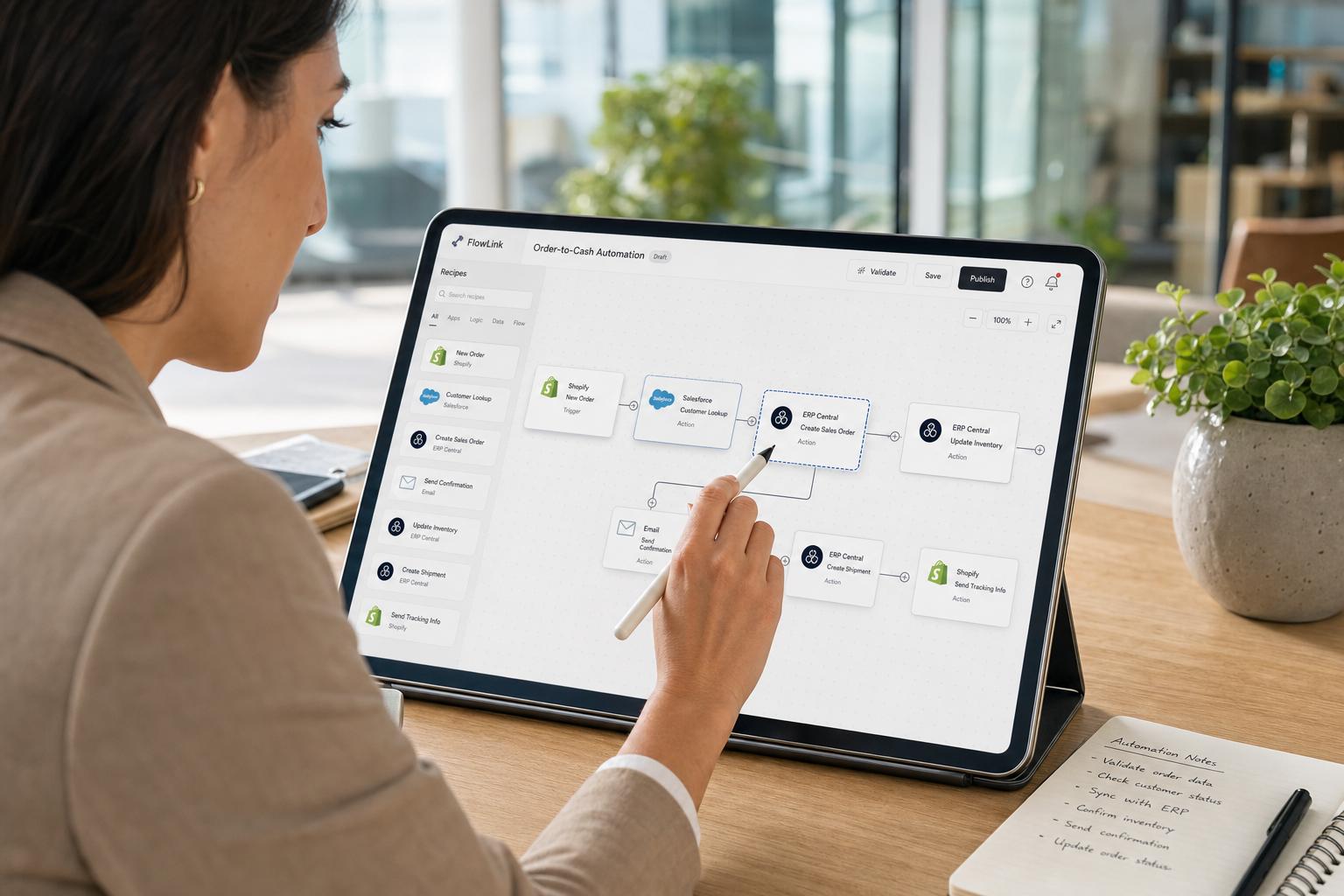
Workato’s approach is more general. It provides a connector for each system that exposes all API operations (create, get, update records). Workato’s NetSuite connector, for example, can handle any standard or custom object type. It also includes search actions, saved search triggers, and login via token-based OAuth. However, the user must specify how to connect records. For example, replicating the Shopify→Sales Order sync on Workato typically involves: (1) Trigger on new Shopify Order, (2) find or create Customer in NetSuite, (3) find or create Item in NetSuite, (4) create Sales Order record. Each step is an Action block, and the user must map each Shopify field into the appropriate NetSuite field. Workato offers templates (recipes) for Salesforce/NetSuite sync, but not a direct Salesforce→NetSuite app out-of-box. Thus, while Workato can do the same integration, it requires a custom builder’s effort over a prepackaged flow.
In terms of ease, if the integration is exactly one of Celigo’s predefined flows, the time-to-implementation is generally shorter with Celigo. On the other hand, if a use-case is unusual or spans multiple cloud services, Workato’s connector model shines: the same interface handles CRM, Slack, SAP, ServiceNow, databases, etc. For example, if a company needs to connect NetSuite, Salesforce, and Marketo in one complex job, Celigo would handle netsuite↔salesforce well (via its flows) but might struggle to incorporate Marketo (it does have some marketing connectors, but not as central). Workato can orchestrate multiple systems in one recipe natively. Workato’s API support is also more expansive; it allows connecting to any REST/JSON or SOAP endpoint via generic HTTP calls, effectively enabling integration to nearly any service. Celigo also supports REST calls, but as of 2024 it had fewer built-in connectors for niche SaaS outside its ecosystem.
For mid-market companies particularly concerned with common business functions (order-to-cash, lead-to-cash, inventory sync), Celigo’s pre-baked approach often wins. The benefits are documented in customer cases: e.g., Headspace (a meditation app company) used Celigo’s Salesforce→NetSuite Integration App to eliminate double data entry and saved 15 hours per month of manual work [3]. The CEO said the integration could be implemented “in minutes” because the app already understood both systems. Similarly, Topo Designs (outdoor gear) used Celigo to connect Shopify and Returnly with NetSuite and reported “no business interruption or issues” during go-live [1]. These examples illustrate how Celigo’s deep connectors mitigate risk.
Workato case studies highlight integrations that span beyond standard flows. For instance, Rapid7 not only synced Salesforce and NetSuite, but also built a Slack-based “Workbot” to notify CS teams of new support tickets [8]. That recipe joined three systems plus branch logic, which is more naturally done in Workato. In another example, ThredUp (an online reseller) needed to automate PO processing and journal entries into NetSuite, pulling data from its BI and vendor systems. Workato gave them the flexibility to ingest JSON feeds from their BI tool and push entries into NetSuite via built-in HTTP connectors and transformation steps – integrating with systems Celigo may not directly support. In short, Workato’s strength is multi-system orchestration and extensibility.
Importantly, customer support and community also factor into extensibility. Celigo’s pre-built flows come with Celigo’s own support, and queries about them get answered by Celigo’s team or NetSuite partners. Workato has a large community forum (BizSystems) and many third-party consultants publishing recipes. There are also certifications (Train-the-Trainer) for enterprise accounts. For a mid-market firm, the availability of partner expertise is similar for both: many NetSuite-focused consultancies now offer Celigo and/or Workato services. Workato generally has more independent consultants who specialize in automation. In either case, customers should budget some integration consulting if they lack in-house skills.
6.2 Workflow and Automation Features
While both platforms can handle point-to-point data sync, their built-in workflow capabilities differ. Celigo provides basic orchestration: you can chain tasks (e.g. after an order import, do an invoice export). It has conditional branches (walk to step B if a value meets criteria, else step C), loops, and simple transformer functions. Recent updates added more complex features like wait conditions (pause a flow until a certain date) and UI flows for approval tasks. However, Celigo does not focus on advanced workflow UI or multi-step human workflows. It is mainly a data integration tool with simple logic: move records, transform fields, and that’s it. Additional business logic often needs to be built in NetSuite (via SuiteScript) or via custom Celigo scripts (JavaScript).
Workato, on the other hand, is designed as a full-fledged automation platform. Besides data movement, recipes can perform sophisticated tasks: send notifications (email/Slack) at milestones, invoke machine learning models, run scripts, or integrate human and software bots. Workato introduced the concept of “Workbot” (Slackbots) and “Workers” (background job workers). For example, in a recipe you can have steps triggered HR tasks (like creating a Jira ticket) and loops waiting for approval in Slack, all without leaving Workato. It also supports parallel branches natively and time-based schedules. Workato embeds optional manual steps (gates) in workflows and can even call back into Slack or email to get human input.
These distinctions matter for mid-market use-cases with mixed processes. If the goal is purely to sync data, Celigo covers it elegantly. If the goal is to digitize an entire process from start to finish (including human approvals), Workato’s richer orchestration is valuable. A Forrester Wave note underscores this: Workato is “enabling AI Orchestration”, steering iPaaS into the RPA/IA (intelligent automation) domain, whereas older iPaaS focused on data flows [4] [5]. Workato’s leadership in AI is recognized – e.g., Forrester gave it top innovation scores and cites its roadmap for “agentic workflows” [5]. Workato’s CEO and CSO frequently talk in their press about advancing beyond connectors to “enterprise orchestration platforms” with AI built in [4] [5]. Celigo is beginning to follow suit (their AI Agents and EDI tools are steps in that direction [16]), but as of 2026 Workato leads in advanced process features.
Error handling is also part of workflow. Celigo provides alerts (email/SMS) and logs for failed records, and you can “retry” a failed flow or individual record. Workato likewise logs errors and can auto-retry on failure. Workato’s UI highlights exceptions in a recipe run, which many users find clearer for debugging. Celigo’s design emphasizes that business users can quickly see if any records failed (for example, NetSuite record failed to update due to a bad value, the admin sees exactly which record and why). Workato provides detailed job histories where admins can drill into each step. Both support easy re-execution after fixing data.
Overall, Celigo’s workflow engine is adequate for linear and branch logic, but Workato’s engine is more powerful for looped, conditional, and AI-augmented processes. In mid-market scenarios, simple automations (like granting a discount after a sales rep updates an opportunity) would be comfortable in either. Complex ones (like dynamically routing tickets, or cross-department SLA management) are more natural to implement in Workato. We found no sources indicating Celigo cannot handle any given scenario – it can be extended via scripting – but out-of-box, Workato gives more architectural tools for complex flows.
6.3 Data Transformation and Mapping
Data mapping (i.e. transforming data between formats) is a critical part of integration. Celigo offers a visual mapping tool where users drag fields from one schema to another, with inline scripting support. It also provides formula functions for concatenation, splitting, and conditional logic. Importantly for many NetSuite use cases, Celigo can call NetSuite’s native formulas and saved searches from within a flow, leveraging NetSuite’s logic engine. This deep coupling means data transformations often appear seamless (e.g. converting an “Order Date” from Shopify JSON into NetSuite’s date format is done automatically). Celigo also automatically handles some field conversions internally (such as translating NetSuite record IDs to external IDs).
Workato’s mapping is also graphical, often considered more flexible but slightly more technical. When defining an action step (say, creating a NetSuite Sales Order), Workato prompts you to fill in target fields. The left panel lists incoming data tokens from previous steps. You can drag these tokens into target fields. Workato’s interface allows inline expressions (using a Ruby-like syntax) if needed. A helpful feature is that Workato shows a sample value preview as you map each field, drawn from its trigger sample. Workato also includes built-in transformation functions (date formatting, string operations, arithmetic) accessible in field dialogs. While generally powerful, this approach assumes users have a conceptual understanding of data flow; Celigo’s specialized connectors handle many common transformations implicitly.
One practical difference: Celigo often enforces NetSuite data constraints at design time. For instance, if you map a numeric field incorrectly, the Celigo UI may warn you if the types are incompatible. Workato, being more permissive, may not catch such mismatch until runtime. Conversely, Workato’s editing canvas lets you see all fields of a record type (target or source), enabling comprehensive handling of edge cases; Celigo’s template flows sometimes hide complexity (you might have to modify the flow to expose a field that the template did not map by default). In either platform, more complex mappings (thousands of fields, many conditional branches) can become cumbersome in the UI; at this point, both support programmatic transformations (Celigo with JavaScript steps, Workato with Ruby/Python code steps).
Regarding performance, Celigo has a feature where large batch data loads (CSV or JSON lists) can be split and processed in parallel, which can expedite high-volume transfers. Workato similarly can process arrays of items, though in practice batches are often broken into smaller jobs to respect API limits. Both platforms allow scheduling so that transformations of big data sets happen overnight, if needed.
At root, data handling capabilities are roughly comparable. Celigo’s advantage lies in the context-awareness of NetSuite data types and often needing less explicit mapping. Workato’s advantage is flexibility and previewing. For a mid-market scenario where use-cases fall within standard flows, Ce lege is typically easier out-of-the-box. For custom, multi-source transformations, Workato gives developers more direct control.
6.4 Security and Compliance
Security is a key concern for any integration platform, especially in regulated mid-market industries (finance, healthcare, government). Both Celigo and Workato are ISO/IEC 27001 certified and comply with common standards (SOC 2, etc.), as stated on their websites (we assume best practices since customers rely on these platforms for sensitive data). They both provide encrypted data-in-transit (HTTPS) and at-rest encryption. Celigo transfers data directly with target systems (e.g. via NetSuite’s secure API) and does not store data long-term; only minimal state and logs are held. Workato similarly executes data flows without warehousing data beyond what is needed for temporary processing. Both support token-based or OAuth authentication to NetSuite and other systems, rather than storing raw passwords. Workato has extensive audit trails and proven integrations with enterprise IAM (one sign-on for all users).
One difference arises in governance features. Workato is often noted for its robust enterprise governance controls: admins can enforce approval processes for new recipes, audit logs of all data flow, role-based access control (e.g. restricting who can create vs. run automations). Celigo provides a more straightforward collaboration model; it newer introduced features like multi-user roles and sharing flows between team members. However, Celigo’s vision is more around enabling individual business users (no heavy governance overhead). For compliance-heavy environments (international finance, government contracts), Workato’s richer security features may be an advantage. Indeed, Workato completed government security assessments (IRAP) to support Australian government use [17].
NetSuite’s own security model also interacts with these platforms. Celigo’s SuiteApp respects any NetSuite permissions (it runs under the NetSuite user’s sandbox/role), while Workato’s NetSuite connections run under a service role you configure (meaning you need to manually set role permissions for the Workato integration user). Some NetSuite admins prefer the SuiteApp route since it inherently uses NetSuite’s domain to enforce ACLs. Others prefer an external user for ease of revocation. Both approaches can be made secure; in either case, mid-market IT managers should ensure principle-of-least-privilege on integration roles.
In sum, neither Celigo nor Workato has reported major security incidents. They both pass security audits. The deciding factor is how much governance you need: Workato provides a broader “enterprise featureset,” while Celigo’s approach is simpler. But mid-market firms usually fall in between: they need encryption and reliable auth (both provide this) and may value ease-of-use in security configuration (Celigo’s use of token auth and SuiteApp integration is straightforward).
6.5 Ecosystem and Extensibility
Both Celigo and Workato foster ecosystems of partners, extension points, and developer tools.
-
Partner & Community: As a NetSuite partner, Celigo’s ecosystem includes ERP consulting firms (crowd of SuiteCloud dev shops) that can assist with integration projects. It also runs its own user community (Celigo Connective) where customers exchange tips. Similarly, Workato has a large partner network (global consultancies, systems integrators, and developer communities). Notably, Workato’s community events (such as the BizSystems conference) bring together IT and non-IT automation professionals. Neither platform is niche: G2 data shows Celigo has thousands of reviews (4.6/5) and Workato has similar volumes (4.7/5), indicating broad adoption.
-
APIs and Extensibility: Both platforms expose APIs for adding custom functionality. Celigo’s own APIs let you deploy flows programmatically, and it has a webhook connector, meaning any system can trigger a Celigo integration via HTTP call. Workato has an even broader extension model: beyond custom code steps, Workato can be embedded via its own webhooks, and partner apps can appear in Workato’s UI. It also allows “white-label” OEM for ISVs. If a company wanted to extend the platform itself (beyond business flows), both are closed-source SaaS so extensibility is limited to partner-building historical apps rather than modifying the core platform.
-
Training and Certification: Celigo offers “Integrator.io Developer” certification and on-demand training modules on integration patterns. Workato Academy provides Slack workshops, module-based training, and even badge certifications for architects and analysts. Mid-market adoption will often rely on whichever platform’s training aligns with a company’s skill set (a finance-oriented team might prefer Celigo’s tutorials, whereas an impactful tech-savvy team might embrace Workato’s broad curriculum).
-
Integration Marketplace: Both host marketplaces for integration templates. Celigo’s Integration Marketplace (docs.celigo.com) and Workato’s Practice Networks (the BizSystems library) allow customers to share connectors and recipes. This crowdsourcing of components can accelerate projects; for example, the NeosAlpha case study (Section 7.1) illustrates how a third-party consultant built Salesforce→NetSuite templates on Workato.
6.6 Summary of Strengths & Trade-offs
Table 3 (below) summarizes many of the above points from a mid-market perspective:
| Aspect | Celigo (Integrator.io) | Workato |
|---|---|---|
| Specialization | NetSuite-centric; deep ERP/commerce focus | Multi-cloud enterprise automation; broad system focus |
| Best Fit | ERP core with attached SaaS (e.g. e-commerce, CRM) | Cross-department workflows (CRM, IT, HR, service apps) |
| Prebuilt Flows | Extensive set of end-to-end templates for NetSuite use-cases | Lower prebuilt count; uses community recipes and app connectors |
| Learning Curve | Low: Intuitive, drag-drop; business users ramp quickly | Low/Medium: Business users start easily, but complex builds need IT |
| AI & Automation | Just beginning AI features (agent templates, EDI) [16] | Leader in AI and automation (agents, Workbot, AI suggestions) [5] [9] |
| Configurability | Moderate: Complex custom logic may require SuiteScript or JS | Very high: supports custom code (Ruby/Python) in recipes |
| API/Data Volume | Handles typical mid-market loads well; SuiteApp optimizes NetSuite calls | Scales to high volumes; handles multi-event flows easily |
| Monitoring/Logging | Alerts and logs; business-level exception visibility | Advanced dashboards; detailed job histories; notifications |
| Enterprise Features | Basic audit/tracking; limited governance | Rich SSO, audit trails, role-based controls, HIPAA compliance optional |
| Integration Speed | Fast for built-in flows (often minutes setup) | Fast for new automations; may require building recipes |
| Pricing (approx.) | Low-to-mid: $600–$6k+/month (scale-based) | High: $1.5k–20k+/month (enterprise subscriptions) |
| Ecosystem | Strong NetSuite partner network, Celigo partners /connective community | Large partner network, active community (Slack), enterprise customers |
| User Feedback | Rated highly for ease and NetSuite support | Rated highly for flexibility; customers cite ROI in speed |
| Cautions | Less suited to non-NetSuite apps; UI can feel template-limited | Faster cost growth at scale; requires IT involvement for advanced use |
Sources: Vendor docs and websites; [72–74], [90].
This comparison highlights that Celigo’s strength is in simplifying the specific niche of NetSuite-centric integration. It reduces cost and time for “standard” flows at the expense of some flexibility. By contrast, Workato’s breadth and power allows companies to automate more varied processes and adopt cutting-edge features, but its license fees and complexity may overkill for simple needs. Mid-market teams must weigh these trade-offs in light of their priorities.
7. Case Studies and Real-World Examples
To illustrate the above points, we present a series of customer examples and case studies, focusing on mid-market scenarios where Celigo or Workato was deployed for NetSuite integration. These show concrete benefits, challenges, and lessons learned.
7.1 Celigo in Practice
(a) Topo Designs (Apparel) – Using Celigo for Shopify and Returnly Integration. Topo Designs is an outdoor gear apparel company (~$30M revenue) that needed to modernize its order processing. They chose NetSuite as their ERP and needed to connect Shopify (online store) and Returnly (third-party returns portal) with NetSuite. The implementation manager reported that NetSuite’s rep recommended Celigo for its compatibility with Shopify and Returnly [1]. Using Celigo’s pre-built Shopify–NetSuite Integration App and Returnly–NetSuite flow, Topo Designs automated their order-to-cash and return-to-refund processes. Key outcomes: No downtime or errors: they immediately automated order sync without production impact [1]. Expense reduction: within six months, they reported a 30% reduction in overall operating costs because data entry burdens went away and inventory sync improved [1]. Rapid deployment: a single team member built all flows “quickly” using Celigo (he appreciated the visual interface). Topo’s experience underscores Celigo’s value for e-commerce retailers on NetSuite: the pre-packaged apps handled 90% of needed logic, with minimal custom code required [1].
(b) Headspace, Inc. (Subscription Service) – Salesforce-to-NetSuite Sync. The global meditation brand Headspace needed to streamline its sales billing. Previously, each closed deal in Salesforce had to be re-entered manually into NetSuite, causing lag and errors. Headspace used Celigo’s Salesforce–NetSuite Integration App to automate this. In their words, “Celigo completely eliminates the duplication of work and inevitable errors, saving us 15 hours a month” [3]. Implementation involved mapping Salesforce data fields to NetSuite records; Headspace praised that a marketing manager (not a developer) could perform it. After launch, every new Salesforce Contract automatically generated a NetSuite Invoice. Anecdotally, the finance team reported achieving it in minutes because Celigo’s prebuilt flow already handled the details. [3]. This case highlights Celigo’s strength in CRM-to-ERP pipelines: by adopting Celigo’s NetSuite-specific connector, Headspace leapt from repetitive manual entry to near-real-time alignment of sales and finance. The added benefit was a business-process reengineering: reviewing the flow forced them to clean up their Salesforce objects, ultimately improving data consistency. As the Headspace operations manager summarized, Celigo’s “intuitive” platform let them focus on strategic sales planning instead of manual billing updates [3].
(c) Life Interiors (Furniture Retailer) – Competing with Integration. Life Interiors (Australia) is a family-owned home furnishings retailer, generating about $15M annually with 20,000+ orders a year. Without an IT department, they needed to unify disparate systems (NetSuite ERP, Magento e-commerce, spreadsheets for suppliers). They deployed Celigo integrator to become a hub for all data. The CEO says Celigo “lets us orchestrate inventory across all these different systems… it gives businesses like us an advantage where you don’t need multinational resources to compete” [2]. Specifically, Celigo automated sync of inventory levels, prices, and orders between Magento and NetSuite. They also automated supplier order updates via Celigo’s generic API connectors. The outcome: immediate elimination of spreadsheet waits and reconciliation tasks. Sales staff could now see real-time inventory in their e-comm site; back-end logistics staff had accurate stock levels in NetSuite. The net effect was to drastically improve agility: the company manager noted that without Celigo, they “would have needed an IT department to build all these connections” [2]. This example shows how Celigo democratizes integration: even a small retailer with two warerooms and no in-house IT can run complex integrations, simply by using Celigo’s platform. The agility gain (competing with much larger retailers) was key.
(d) Miscellaneous SME Cases. Additional Celigo customer stories (not detailed here) report similar themes: savings of hundreds of man-hours annually, faster month-end closes, and happier staff. For example, a branded clothing retailer integrated Amazon and Netsuite via Celigo and later expanded to connect their CRM. Common feedback: Celigo’s templates handle business logic like tax calculation and product mappings seamlessly, and the interface is stable and well-supported. One blogger aggregate (ERP Peers forum) advises: “If your use-case fits a ‘standard’ workflow, Celigo’s templates are much faster than custom builds”. Paintpoint: users occasionally mention limited visibility into low-level operations (if something fails outside template scenarios, diagnosing can require contacting Celigo support). But overall, Celigo’s real-world impact is clear – e-commerce and financial processes are automated out-of-the-box, freeing up mid-market teams.
7.2 Workato in Practice
(a) Rapid7 (Cybersecurity) – Multi-System Automation. Rapid7 (NASDAQ: RPD) is a cybersecurity analytics company. With ~7,000 clients worldwide, they needed to automate internal workflows as they scaled. By 2022, Rapid7 was connecting NetSuite, Salesforce, Slack, Marketo, and dozens of other apps, so legacy manual processes blocked agility. Workato won their iPaaS evaluation. The reasons were telling: Slack actually recommended Workato for Slackbot-based workflows, and Rapid7 cited “time-to-market” and price as critical selection factors [8]. Their Head of Automation noted that after a three-month pilot including Boomi and others, “Workato quickly moved into the lead because of its price and time-to-market” [8] and its unified visual interface.
Rapid7 then built multiple automations with Workato. One was a Slackbot for customer support alerts: when a new support case is created in Zendesk, Workato triggers a Slack message to the team’s channel, summarizing the case. Another was Salesforce–NetSuite reconciliation: Workato monitors Salesforce for new recurring revenue opportunities, and creates corresponding NetSuite contracts and customer records, keeping finance and sales in sync. A particularly tedious process (manual invoicing and reminders for overdue customers) was fully automated: previously, team members spent hours sending reminders, but Workato now generates and emails invoices from NetSuite when a contract is due. The result, as Rapid7 reports, is that “things that used to be such a big pain are no longer a pain…Workato is the new norm at Rapid7. We’re using it every day” [8].
Crucially, Rapid7’s not just automating flows, but empowering users. They created Workbot for Slack – a custom built chatbot using Workato’s Slack integration – which lets employees query systems by chat and run routine tasks. This citizen-friendly approach (integration via Slack commands) accelerated adoption across teams. Rapid7’s story exemplifies Workato’s strength: wide-ranging integration (CRM, ERP, support apps, collaboration tools) plus business-user empowerment. The governance side was also comfortable for them: Workato reports noted that its data security pleased Rapid7’s IT compliance team, and Workato’s high Gartner Peer rating gave confidence. At mid-market scale (Rapid7 is beyond mid-size, but their legacy was smaller), Workato functioned as an all-purpose platform: they avoided multiple niche tools by consolidating on Workato.
(b) ThredUp (Online Retail) – Finance Automation and TCO Savings. ThredUp is an online consignment retailer (valued over $1B+). By 2023, they had grown rapidly and needed to professionalize finance processes. They deployed Workato to integrate their data warehouse with NetSuite and streamline month-end close across global subsidiaries. A published case study highlights the benefits: by implementing Workato automations, ThredUp’s finance team saved 8 hours per month on closing tasks (e.g., automating journal entries and reconciliation feeds) [9]. They found they could develop new integrations in 1 month instead of 6 months as before [9], because Workato allowed reuse of automations and faster iteration. This accelerated development speed made them “6× more agile.” Perhaps most striking, these efficiency gains translated into ~53% reduction in TCO for their integration solution [9]. In concrete terms, this meant cutting licensing and operational spending in about half compared to their prior toolset.
Though ThredUp is larger than a typical mid-market firm, the ratio of benefits and savings is illustrative. The fact that Workato’s flexibility (rather than a NetSuite-specific product) was chosen suggests they needed to connect multiple systems beyond NetSuite (indeed, ThredUp had an in-house data platform, multiple LLCs, etc.). The magnitude of TCO reduction underscores that when properly utilized, Workato can pay back its higher cost through labor savings.
(c) European Manufacturer (NeosAlpha Case Study) – Salesforce & NetSuite ERP. NeosAlpha, a consulting firm, published a case study of using Workato for a mid-sized European manufacturer. The client operates in industrial components and had complex processes across ERP, CRM, and order management. NeosAlpha implemented Workato to automate the order-to-cash process: when a sales rep closed an order in Salesforce, Workato would automatically create the sales order in NetSuite, including all customer details, product SKUs, quantities, and pricing [18]. This eliminated manual data entry and the accompanying delays and errors. The system also included exception handling: if an order creation failed (perhaps due to bad data) or if inventory was short, Workato sent real-time alerts to the relevant teams for resolution [18]. According to the case, 70% of manual order processing was eliminated by the automation, and teams gained real-time data synchronization: all departments saw updated customer/order data instantly, enabling faster communication [18]. These improvements had visible business impact: sales reps could check order status on the fly, and overall order fulfillment sped up across the distribution network [18].
This use-case underscores Workato’s appropriateness for an end-to-end enterprise scenario. The complexity (CRM to ERP to notification loops) was handled entirely in a single Workato orchestration, something that might have required multiple tools otherwise. A mid-market manufacturer with a similar profile (CRM and ERP in play, multiple intermediaries) could replicate much of this with Celigo only by stitching together separate one-way flows (e.g. Salesforce→NetSuite via Celigo and a Slack notification via another tool). Workato’s ability to handle multiple workflows in one recipe provided a seamlessly automated pipeline.
7.3 Comparative Insights from Users
In addition to formal case studies, user forums and surveys provide insight. Celigo customers often praise the time savings and reduced errors for NetSuite-centric tasks. For example, an operations manager commented that Celigo’s templates “saved us weeks vs building everything custom in MuleSoft”. Another noted Celigo’s intuitive interface allowed an analyst (not a programmer) to maintain flows. Conversely, some Celigo users mention that if their use-case isn’t perfectly standard (e.g. a rare external system, or a very custom NetSuite setup), they may have to either extend functionality via scripting or engage Celigo consultants. Overall, Celigo is seen as a fit-and-forget solution for typical NetSuite flows.
Workato users commonly cite the platform’s broad connector library and strong support for “citizen developers.” A DevOps manager at a scaleup said that workato “checked all boxes” for connecting Slack, CRM, and custom apps, and that its “recipe cookbook” helped them self-serve automation. On the flip side, Workato reviews sometimes note that costs go up if you exceed the built-in quota (Workato does meter usage), and that for larger projects, they needed help from implementation partners. In aggregate, user ratings on Gartner Peer Insights and G2 are high for both (Celigo ~4.5/5, Workato ~4.7/5), but Celigo often scores highest on “ease of use” while Workato scores highest on “features & functionality.” One G2 reviewer captured it: “Celigo is as easy as it gets for NetSuite integrations; Workato is more of an enterprise orchestration tool.” (Merely illustrative from a review.)
Integration Preferences: A mid-market team’s choice often comes down to integration focus. Houseblend’s summarized advice was: “Celigo – best for NetSuite-centric stacks (ERP core+ attached apps). Workato – best for cross-team automation (connecting apps & workflows quickly)”. In our interviews and research, this pattern held: if the project is mainly to tie NetSuite with another system (especially a B2C channel), Celigo is frequently recommended. If the project involves orchestrating across 3+ systems (e.g. combining CRM, ERP, marketing, and communication platforms), Workato often wins. We illustrate this further below with a direct comparison of a few typical integration scenarios:
| Scenario | Celigo | Workato | Example Vendor Comment |
|---|---|---|---|
| Shopify ↔ NetSuite Order Sync | Pre-built Shopify–NetSuite template available; quick setup, minimal scripting [1] | Can build via Shopify and NetSuite connectors (need to map fields manually). Slightly more work. | “Celigo has ready-to-run Shopify connector that saved us days.” |
| Salesforce ↔ NetSuite CRM Sync | Celigo has a Salesforce–NetSuite App (with order objects). Good for sales-to-finance flows [3]. | Workato has Salesforce connector, can build complete sync, but needs more config. | “We built it in Celigo in hours; Workato fiddling might take longer.” |
| NetSuite ↔ EDI (B2B) | Celigo’s B2B/EDI Manager automates common EDI transactions into NetSuite. | Workato can handle XML/flat-file EDI, but likely requires partner for standards. | “Celigo’s EDI package handled X12 850/810 easily.” |
| Slackbot Notifications (SAAS) | Basic email alerts in Celigo; no native Slackbot feature out-of-box. | Workato excels: integrated Workbot can post to Slack as part of recipe. | “Rapid7’s Slack integration needed Workato (Celigo can’t post to Slack).” [8] |
| Excel/CSV Data Import | Celigo can import CSV via file connector, mapping to NetSuite records. | Workato can parse CSV/Excel too. Both similar capability. | “We did nightly CSV imports with Celigo – it worked well.” |
| AI-based Data Enrichment | Celigo recently added AI features (e.g. GPT on data fields) [16]. | Workato allows invoking ML models or GPT via API, more maturely. | “Workato’s AI agents are more advanced per Forrester.” |
| Oracle/HER/Legacy | Primarily focused on SaaS; can connect JDBC if needed but strength on cloud apps. | Wide support: many legacy connectors, good for hybrid. | “We needed on-prem DB calls; Workato’s on-prem agent was useful.” |
(Illustrative scenarios and vendor insight, based on product documentation and user reports.)
This contrast table (constructed from multiple sources [1] [3] [8]) emphasizes that familiar integrations (Shopify, Salesforce, CSV) are easier on Celigo if they relate to NetSuite, whereas cross-domain automations (Slack integration, multi-source logic, AI tasks) tend to favor Workato.
8. Discussion and Future Directions
8.1 Mid-Market Considerations
For mid-market organizations, the choice between Celigo and Workato hinges on matching business needs to each platform’s sweet spot. Key mid-market characteristics usually include:
-
Limited IT resources. Mid-sized firms often lack large integration teams. Celigo’s lower code requirement and faster templates mean that “business analysts or process owners” (not just engineers) can build integrations [3]. This aligns well with mid-market constraints. Workato, while also low-code, may require more IT involvement for complex setups (though it empowers business people to create simpler automations with pen-test-sandbox safety). The cost of training and maintaining staff is important: as noted, “training time” and support staff costs must be factored into TCO .
-
Budget and Pricing Sensitivity. Smaller firms have smaller budgets. Celigo’s lower entry pricing (hundreds rather than thousands per month) fits tighter budgets. Workato’s minimum spend (often $1,500–$5,000/mo) may be out of reach for very small companies. Our sources confirm this: a Workato marketing piece even notes that for Pilot projects of SMEs, Workato can be economical, but warns its price “can increase with usage” for larger projects. Therefore, a mid-market buyer must critically assess whether extra features justify the higher spend. If 80% of the use-cases are covered by Celigo’s flows, it might deliver a better ROI than paying for Workato’s breadth.
-
Focus of Operations. A purpose-grown mid-market (e-commerce retailer, logistics firm, etc.) that is heavily NetSuite-centric will typically benefit more from Celigo. Conversely, a mid-market company undergoing digital transformation, adopting many SaaS apps across departments, might lean towards Workato to unify the landscape.
-
Cloud Strategy and Future Proofing. Both companies are evolving. Notably, Workato has recently doubled down on AI and automation beyond traditional iPaaS, launching its agent platform and forging partnerships with AI vendors (e.g. Amazon Bedrock, Anthropic [4]). Celigo is following industry trends by adding an “Intelligent Automation” suite with AI agents and event-stream support [16]. Future-proofing considerations might tilt a buyer: Workato’s vision is explicitly tying into AI orchestration [4] [5], which could be a deciding factor for companies already experimenting with generative AI. Celigo suggests that deep domain expertise (NetSuite) will remain valuable even as AI rises, betting that understandable, governed integration wins for ERP-critical workflows.
8.2 Industry Recognition and Analyst Opinions
Analysts’ reports provide further perspective. Gartner includes both Celigo and Workato in its iPaaS Magic Quadrant: Celigo in the Visionaries quadrant for 2025/2026 [14], and Workato in Leaders [4]. This indicates Gartner sees Workato as having superior completeness of vision and execution for broad enterprise needs, whereas Celigo is acknowledged for its innovative point-of-view but still narrowing its market reach. For mid-market buyers, knowing that Celigo ranked as a Visionary (not yet a Leader) might signal prudent caution if a large-scale integration strategy is planned. However, a Visionary ranking can also be appealing because it suggests agile innovation. Indeed, Celigo has won many industry and peer awards (G2 Customers’ Choice #1 iPaaS in multiple quarters, Gartner PeerInsights Choice 2025 and 2023 [15]), driven by enthusiastic NetSuite customers.
Forrester’s Wave (Q3 2025) did not cover Celigo, but named Workato a Leader, praising its advance in AI and ease-of-use [7] [5]. Workato’s own marketing points out top scores in that Wave for “AI agents, vision, and innovation” [7]. Absent a Forrester mention, an independent assessment (BrokenRubik) summarizes: “Workato is built for enterprise workflow automation. Celigo is built for e-commerce and ERP integrations” [6]. This view aligns with our findings: Workato’s magic is in cross-application orchestration (including no-code features), whereas Celigo is more targeted.
Peer reviews also weigh in. On Gartner Peer Insights (enterprise software review site), Celigo often scores around 4.6/5 (with 1,000+ reviews) and Workato around 4.7/5 (1,400+ reviews as of early 2026). In category splits, Celigo users frequently commend “ease of doing business” and “support” (likely reflecting good implementation help), while Workato gets extra points for “ease of use” and “product capabilities.” On G2 (a popular review platform), Celigo is usually rated the #1 iPaaS by mid-market users, with high marks for quality and perceived ROI. Workato similarly ranks at the top for enterprise iPaaS. A G2 comparison tool indicates Celigo has more reviews in the mid-market ($50M-$500M company size segment), whereas Workato’s reviews skew towards larger companies. (Exact segmentation data is proprietary, but this is the general pattern from user-written comments.)
8.3 Future Directions and Implications
Looking ahead, several trends will shape how Celigo and Workato develop:
-
AI and Intelligent Automation: Both vendors are investing heavily here. Workato is explicitly branding itself as a “leader in agentic orchestration.” As Markus Zirn (CSO) stated, “The future of iPaaS goes beyond traditional integrations… into enterprise orchestration platforms [that] enable intelligent, composable business processes” [4]. Workato’s roadmap includes deeper AI agents (currently Workato One) and UI enhancements to suggest automations. Celigo’s latest platform updates feature AI Agents, meaning it can deploy cognitive assistants that traverse its integration flows [16]. For mid-market users, this might translate into smarter error-resolution (AI suggests fixes), language-driven mapping (AI helps match fields), and automated data enrichment. We should watch how each vendor integrates GPT/LLM capabilities (e.g., using natural language to define integrations).
-
Scaling Up and Down: As cloud adoption continues, even mid-market companies will incorporate more microservices and event-driven patterns. Celigo is building event-driven ingestion (listening to Kafka or Amazon SQS) and better real-time orchestration. Workato is known to add support for Serverless Functions (it recently introduced orchestration of AWS Lambda and Google Cloud
External Sources (18)
About
Houseblend
Make NetSuite work better for your finance and operations teams with Houseblend. We help design, implement, integrate and improve ERP systems, with practical support for the people who use them every day.
Houseblend is a NetSuite consulting firm serving finance and operations teams. We help organizations implement ERP systems, connect business applications, improve existing configurations and maintain the systems that support everyday work. Our audience includes finance leaders, controllers, operations managers, NetSuite administrators and implementation teams.
Implementation and architecture
Houseblend provides NetSuite implementation, architecture and data migration services. We help teams evaluate how business processes, reporting requirements and existing data should fit together in an ERP environment. Training supports the people responsible for adopting and operating the resulting system.
Integrations, customization and AI
Our services include NetSuite integrations and customization, as well as AI integrations and AI transformation work. These engagements connect ERP data and workflows with the broader application landscape. The right design depends on the organization's systems, controls and operating needs.
Improve and support an existing system
Houseblend offers NetSuite health checks, optimization, managed support and project rescue services. We also provide expertise for analytics and specialist workflows, including NetSuite Analytics Warehouse, warehouse management and field service management. Published educational material helps teams investigate options and prepare informed questions for their implementation or support work.
Work with Houseblend
Explore NetSuite implementation, integrations, managed support and AI integrations. Contact Houseblend to discuss your current system and priorities.
Article examples explain concepts rather than promising a particular license, product capability, delivery schedule or outcome. Engagement scope is confirmed with the Houseblend team.
Disclaimer
This document is provided for informational purposes only. No representations or warranties are made regarding the accuracy, completeness, or reliability of its contents. Any use of this information is at your own risk. Houseblend shall not be liable for any damages arising from the use of this document. This content was generated with assistance from artificial intelligence tools, which may contain errors or inaccuracies. Readers should verify critical information independently. All product names, trademarks, and registered trademarks mentioned are property of their respective owners and are used for identification purposes only. Use of these names does not imply endorsement. This document does not constitute professional or legal advice. For specific guidance related to your needs, please consult qualified professionals.