Houseblend Article
CloudExtend Outlook for NetSuite: Sync & Pricing Guide
Inside this article
Executive Summary
Celigo’s CloudExtend Outlook for NetSuite (now rebranded as ExtendSync) is a dedicated integration solution that connects Microsoft Outlook with NetSuite, enabling users to log and sync emails, attachments, contacts, and calendar events directly to NetSuite records. First released in 2018 by Celigo’s CloudExtend brand [1], this Outlook add-in was designed in response to customer frustrations with the lack of seamless email integration in NetSuite. By preserving the context of customer communications, CloudExtend helps eliminate “islands” of information trapped in individual inboxes and gives organizations a consolidated “360-degree view” of customer engagement [2] [3].
Key features include one-click email attachment to NetSuite records, automatic record matching (suggesting related customers or opportunities based on email addresses), and the “Autopilot” auto-sync function for conversation threads [4] [5]. Extended features in higher-tier plans add calendar syncing (“Calendar Autopilot”) and integration with cloud storage (OneDrive/SharePoint) for larger file attachments [6] [7]. End users access these features via an Outlook sidebar that shows matched NetSuite records, and an intuitive button to log emails and attachments to those records; administrators configure the connection via Celigo’s portal, setting permissions and enabling desired record types and features [8] [9].
CloudExtend Outlook has demonstrated substantial ROI in practice. For example, InSource Solutions reported saving “approximately 200 hours per user per year” after deploying ExtendSync [10]. Other case studies highlight similar gains: Floorex saved over 20 hours per week per user [11], Presco Hire about 520 hours annually [12], and Gateway Products recorded a 40% productivity increase [13]. In fact, one independent report notes that CloudExtend “is the dominant third-party solution” in the NetSuite ecosystem for Outlook integration, praised for its ease of setup and reliable operation [14].
As of mid-2026, CloudExtend’s plans remain subscription-based per user, with pricing reported around $15–20 per user per month depending on contract terms [15] (with typical 10-user teams spending roughly $150–200/month). The formerly “free” version (limited to 50 emails/events per month) was discontinued in August 2024 [16]. Today, organizations choose between a Starter tier (manual syncing of emails and files, record create/view, basic support) and an Enterprise tier (adds Autopilot and calendar/collaboration integrations) [17] [5]. Given the relatively low cost of these subscriptions compared to labor time saved, ROI analyses consistently favor adoption.
In summary, CloudExtend Outlook (ExtendSync) addresses a clear market need in the NetSuite community: it streamlines how email communications are captured in CRM, boosting productivity and data quality while meeting modern standards of cloud security and multi-device support [18] [19]. This report presents an in-depth exploration of CloudExtend Outlook/ExtendSync, covering its historical development, functional capabilities (especially the “email-to-record sync”), configuration workflow, pricing and licensing, benchmarking data, and real-world case studies. We also discuss comparative alternatives (native NetSuite features and other tools), and project trends such as deeper automation and AI-augmented workflows that could influence the future of email-CRM integration.
Introduction and Background
The CRM–Email Disconnect
In many organizations, important customer communications occur primarily via email, but traditional CRM systems often fail to fully capture this context. Sales reps, account managers, and support teams typically spend the bulk of their days in Outlook (or Gmail), handling inquiries, sending quotes, and scheduling calls. Yet much of this critical information remains siloed in personal inboxes. A 2026 industry blog notes that native NetSuite email tools only address outbound emails sent from the CRM itself, which “requires you to be in NetSuite” and thus misses the vast majority of real-world email activity [20]. Likewise, unsynchronized inboxes cause knowledge gaps when team members change roles or go on leave. One analyst observed, “the information isn’t in NetSuite where it should be; it’s buried in someone’s email” [21].
Indeed, multiple sources underscore the extent of this gap. CloudExtend’s own marketing cites studies showing that “as many as 50% of sales professionals” store key contact details and correspondence in personal email rather than CRM [22]. (Independent research also finds surprisingly low formal CRM adoption rates across sectors.) These findings motivate a solution: letting users stay in their email client while automatically logging those interactions into NetSuite, thereby ensuring a complete customer record. This “connected inbox” concept aligns with best practices in customer experience management – for example, Salesforce has long stressed that data quality and visibility improve when reps don’t have to duplicate work between email and the CRM.
NetSuite’s Native Email Capabilities
Before CloudExtend emerged, NetSuite offered limited built-in email logging: outbound emails sent from record “Messages” tabs would auto-log, and a company-specific email address could be BCC’d on messages [20]. However, these approaches are cumbersome for everyday use. NetSuite’s BCC address can capture emails, but manual BCC relies on user discipline and limited metadata.A 2026 review by NetSuite consultants points out that these native options “don’t solve the core problem” of seamlessly capturing organic, day-to-day conversations from Outlook [3]. The result has been widespread frustration: many NetSuite clients admit to sticking with email rather than updating records, undermining the CRM’s “single source of truth.”
The Birth of CloudExtend Outlook (Celigo)
To fill this gap, Celigo’s CloudExtend team launched CloudExtend Outlook for NetSuite in late 2018 [1]. The announcement emphasized providing “360-degree visibility of important communications and events,” allowing Outlook users to attach emails, files, and appointments to any NetSuite record [2]. The idea was to meet users “where they work” – in their inbox – rather than forcing a disruptive shift to NetSuite for every email. A press release quoted Celigo’s GM saying CloudExtend Outlook was built based on real customer feedback about frustrations with existing options [23].
Significantly, the CloudExtend solution – a native Outlook add-in – was designed to support all major Outlook environments. From Day 1 it was an Office 365 web add-in installable via Microsoft Store, with full support for Outlook on Windows, Mac, iOS, Android, and browser-based OWA [18]. Continuing updates have materialized through 2020‐2024, adding features like support for up to 20 NetSuite record types (including transactions, cases, and custom records) and raising attachment size limits [9]. In 2021, CloudExtend even introduced the Autopilot feature (auto-sync of email threads) due to overwhelming customer demand [5].
Today, this product – rebranded as ExtendSync – sits within the CloudExtend suite of tools (which also includes Gmail integration and Excel iPaaS apps). It leverages Celigo’s broader integration platform heritage (Celigo’s founder was once a NetSuite integration lead [24]). The CloudExtend brand touts over “30,000 users in 60 countries,” operating as an independent arm of Celigo [25]. The recent 2024 rebranding to “ExtendSync” (and sister “ExtendInsights” for Excel) aligns with an expanded mission: automatic syncing not only of email but also contacts and calendar events between Outlook and NetSuite [26] [6].
In the content that follows, we examine the Email-to-Record Sync functionality of CloudExtend Outlook/ExtendSync: how it works, how to set it up, and what it costs. We draw on official documentation, press releases, and third-party analysis, as well as customer success stories. We analyze deployment considerations, workflow impacts, and measurable outcomes. By comparing alternatives and surveying expert commentary, we aim to provide a comprehensive view of this integration solution and its role in modern CRM strategy.
CloudExtend Outlook/ExtendSync Product Overview
Core Functionality: Email-to-Record Synchronization
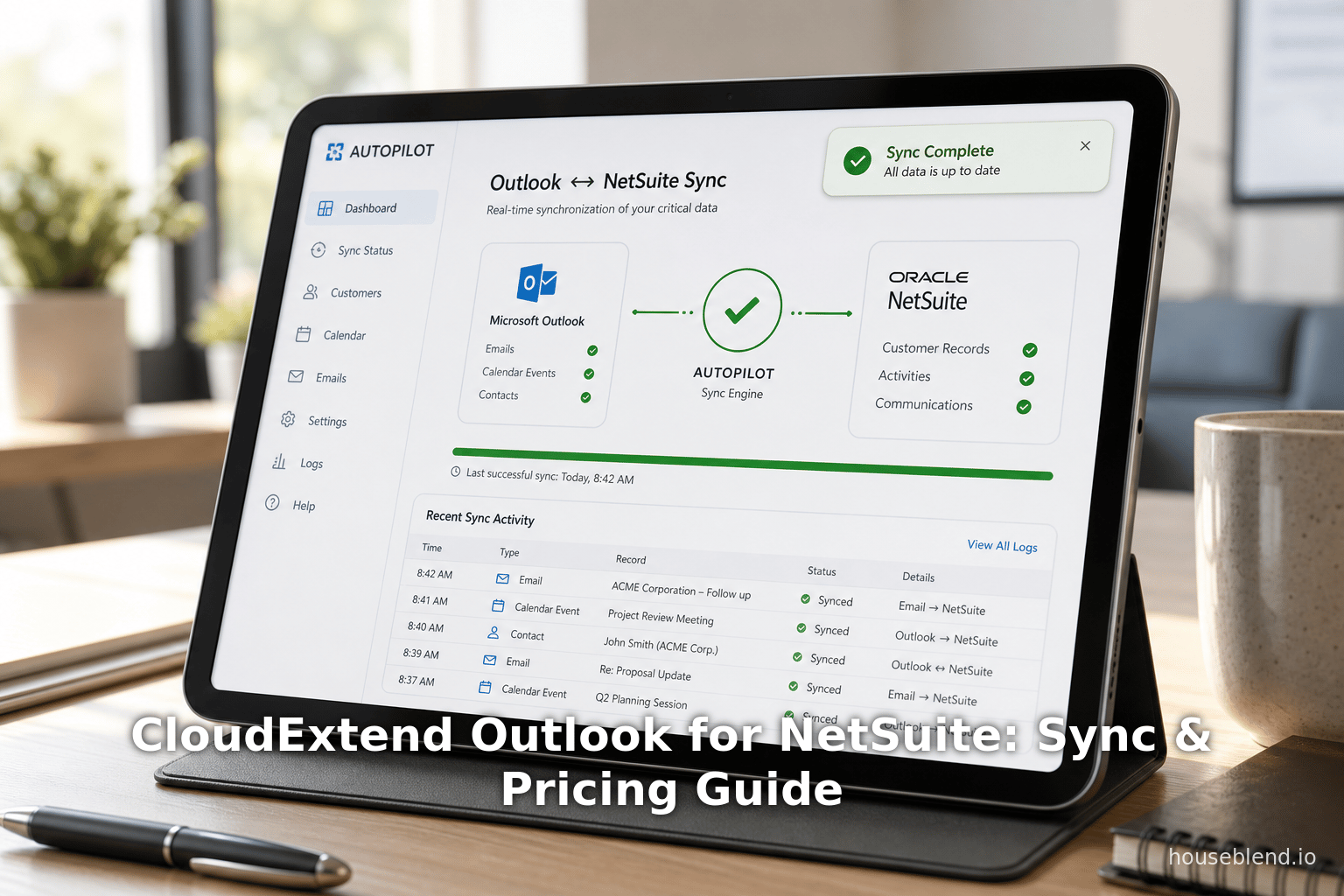
At its heart, CloudExtend Outlook (ExtendSync) is an Outlook add-in that seamlessly connects to a company’s NetSuite instance. Once installed, it appears as a sidebar inside Outlook (Windows, Mac, Web, iOS/Android), and as the user opens or composes an email, it automatically pulls relevant NetSuite information into view. Specifically, the add-in performs real-time lookup of record matches based on the email’s sender, recipients, or context. For example, when a sales rep opens an incoming customer email, the sidebar will list the customer’s NetSuite record, along with any related contacts, open opportunities, or cases.
From this sidebar, the user can one-click attach the email message (and any attachments) to one or more NetSuite records. This action logs the full email into NetSuite’s message history for those records, providing instant CRM visibility of the conversation. Attachments are stored in NetSuite’s File Cabinet and linked appropriately. Crucially, the user does not need to leave Outlook at all; all record lookup and attachment actions happen inline. The add-in also allows creation or editing of certain NetSuite records (e.g. contacts, leads) directly from Outlook when needed.
This model – logging email against CRM records by simply working in your inbox – addresses the fundamental need identified earlier. Rather than asking reps to BCC records or flip to NetSuite after the fact, CloudExtend’s approach captures communications at the source. According to one case study, this ensures “important communications are saved on the NetSuite customer record rather than the individual employee’s inbox” [27], eliminating data silos.
Most features are controlled by admin policy and per-user licenses, ensuring that only appropriate NetSuite record types are targeted. Administrators can choose which types (customers, contacts, vendors, opportunities, sales orders, cases, projects, etc.) appear in the add-in’s record suggestions. In practice, customers often enable at least customers, contacts, opportunities, and sales orders, and may add more (some enable vendor or project logging) [28] [29]. Notably, CloudExtend currently supports over 20 NetSuite record types [29] – far more than NetSuite’s native add-in (which is usually limited to contacts/opportunities). This broad coverage lets organizations maintain full context across accounting, support, and procurement emails.
Autopilot: Automatic Thread Syncing
A distinguishing feature of the Enterprise edition is Autopilot, launched in 2021 [5]. Autopilot radically simplifies multi-email conversations: once a user manually attaches the first email in a thread to a record, CloudExtend will automatically attach all subsequent replies from that thread to the same record, with no further user action needed [5]. This means busy reps can “set it and forget it,” allowing the system to capture the back-and-forth without repetitive clicks. The 2021 announcement emphasized that Autopilot was the “single most requested feature” in CloudExtend’s history [5] – a testament to its utility. (Administrators can configure Autopilot rules by conversation/thread and by contact to fine-tune this behavior.)
Importantly, Autopilot only applies to conversations that the user has chosen to track. In other words, users still decide if a given email merits logging; once that decision is made, Autopilot takes over for the rest of the thread. As one CIO noted, Autopilot “eliminates a lot of manual work” and saves “approximately 200 hours per user per year” by handling all reply logging [10]. This greatly increases adoption – instead of having to attach every message, users can attach one and let the system do the rest.
Calendar and Contact Syncing
In recent versions (especially after the 2024 rebranding), ExtendSync also includes calendar and contact integration. The product can sync Outlook calendar events to NetSuite, giving managers visibility into scheduled customer meetings. The 2024 announcement highlighted “automatic event syncing”, saying that Outlook events will appear in NetSuite with zero additional clicks, and remain bi-directionally updated if changed [6]. This “Calendar Autopilot” feature (an add-on) complements the email logging by ensuring that all forms of customer interaction – prepared/offline or scheduled – end up in the CRM timeline. Likewise, ExtendSync can create or update NetSuite contact records based on email content. For example, if an email comes from a previously unknown prospect, a user can quickly create a new contact right from Outlook.
Storage Optimization
CloudExtend Outlook also addresses attachment storage. By default, added email attachments go to NetSuite, but in the Enterprise plan there is an option to route large files to external drives like OneDrive or SharePoint, with only links stored in NetSuite. This can dramatically save ERP storage costs. For instance, CloudExtend increased the email attach file size limit to 10 MB (the NetSuite maximum) [9], and introduced direct OneDrive/SharePoint integration in Enterprise. [7]. From the user’s perspective, this is transparent: they choose “Attach” and the system handles the destination.
Security and Architecture
From a technical standpoint, CloudExtend is built as a cloud service on AWS [30]. The Outlook add-in communicates securely with CloudExtend’s servers over encrypted channels (256-bit SSL) [19]. Celigo emphasizes that all data flows through its own virtual private clouds, with standard security measures for data isolation [31]. CloudExtend has SOC2 Type II certification and GDPR-compliant processes [32], addressing enterprise security requirements. This contrasts with some naïve add-ins that might store credentials or data on local machines.
Because it’s an official Office add-in, installation can be done through the Microsoft 365 Admin Center (for organization-wide deployment) or by individual users adding it from the Office Store. Once installed, users log in using their NetSuite credentials (via OAuth) to authorize access. The product is multi-tenant in that a single CloudExtend tenant can connect to multiple NetSuite accounts for the organization. Administrators manage these connections and user license assignments through Celigo’s CloudExtend portal (portal.cloudextend.app) [8]. In effect, CloudExtend acts as a lightweight iPaaS targeted at email/CRM integration.
Setup and Configuration
Deploying CloudExtend Outlook involves coordination between IT and NetSuite administrators. Celigo provides detailed setup guides, but the essential steps are:
-
Subscription Activation: First, an organization must subscribe to ExtendSync (Starter or Enterprise). Celigo typically provisions a trial by inviting an admin user to the CloudExtend portal. (Note: the legacy free plan was discontinued in August 2024 [16]; all new customers need a paid Starter or Enterprise license.)
-
Portal Setup: The designated CloudExtend admin logs into (Source: portal.cloudextend.app. Using the portal, the admin establishes the connection to their Microsoft 365 tenancy and to their NetSuite account. This usually involves consenting to a Celigo/Microsoft integration so CloudExtend can appear in the company’s Outlook. (A Global Admin on the Microsoft side is required to grant permissions for the Outlook add-in.)
-
NetSuite Connection: In the CloudExtend portal, the admin enters the NetSuite account ID and authorizes access (via an OAuth or token-based connection). This effectively registers the NetSuite instance with CloudExtend. Permissions should be granted for the CloudExtend role in NetSuite (often Celigo recommends a dedicated integration role with full permissions to the enabled record types). This role defines what data CloudExtend can read/write.
-
License Management: The portal also handles license allocation. For instance, in the Enterprise edition, the admin can assign which users get the Autopilot/calendar features. In Starter edition, licenses cover manual sync features. Celigo’s portal allows admins to add or remove users and see who has the Outlook add-in enabled.
-
Feature Configuration: Administrators choose which NetSuite record types are visible in the sidebar for users to attach to. Most customers allow at least Customers, Contacts, Opportunities, Sales Orders, and Cases; others add Vendors, Projects, etc. This customization is done in the CloudExtend portal (under record type settings) or sometimes via scripts in Netsuite. For Autopilot (Enterprise), the admin may set rules (e.g. all threads from a certain domain auto-attach). For Calendar Autopilot, the admin turns on event syncing (often per user basis) via portal switches and per-user toggles.
-
Client Installation: On the user side, each email user installs or activates the “ExtendSync for NetSuite” add-in within their Outlook. This can be done by going to the Office Add-ins store in Outlook and adding CloudExtend, or by an automated deployment if IT pushes it. Once started, the user authenticates with NetSuite (via the CloudExtend-provided window) to link their Outlook identity to the NetSuite connection.
-
Testing and Training: Key steps are to test the add-in in Outlook. An admin might guide a sample user through opening an email, verifying that the CloudExtend pane shows related records, and clicking “Save” to attach the email. Any initial issues (often around permissions or pop-up blockers) are resolved. Basic end-user training is recommended: most find the interface self-explanatory, but companies may issue a short FAQ on when to use “Attach” and how Autopilot works.
CloudExtend reports that this entire configuration typically takes under 30 minutes for an experienced admin [33]. One blog confirms that setup is “straightforward”: “it works well and it’s straightforward to set up” [14]. The most common friction is obtaining the right admin privileges (Microsoft Global Admin and Netsuite Admin) and getting buy-in. Many organizations tackle it via a pilot group.
End-User Experience
For the typical sales or support user, the workflow becomes quite fluid. In Outlook’s reading pane, the CloudExtend sidebar automatically populates. The user sees an overview of pertinent NetSuite data – e.g. the customer’s name, open opportunities, recent transactions, or related cases. If the email is worth logging, the user clicks the “Save” button (or similar) in the add-in. They may choose which record(s) to attach to if needed. The email is then logged (often tagged in Outlook to indicate it’s saved) and the actual message and attachments are visible in NetSuite on those records.
Users can also quickly create a new NetSuite contact from the email (with one click) if the sender was not already in the system. They can edit basic fields. By handling it all in the familiar Outlook window, CloudExtend minimizes user disruption. It even marks already-logged emails with Outlook categories or flags so sales managers know what is covered. Many users report that this level of simplicity boosts CRM adoption – instead of resisting logging, they find it easy to instantly capture emails.
One critical behavior point is user choice. CloudExtend does not automatically sync every email by default (except with Autopilot engaged). Users must decide which emails to save. This prevents over-logging and respects privacy. IT and legal teams appreciate this selective approach; it avoids compliance issues that could arise if all inbox content were blind-copied into the CRM. (Autopilot only activates on a thread once the user has manually triggered it, which keeps it in line with user intent.)
Pricing and Plans
CloudExtend Outs LOOK is licensed per user on a subscription basis. As of 2026, exact pricing is not publicly listed, but industry sources estimate it costs around $15–$20 per user per month [15]. This is consistent with what NetSuite consultants report seeing in the field. The pricing comes with volume/annual discounts for larger deployments. In practical terms, a small sales team of 10 might incur roughly $150–$200 monthly for CloudExtend Outlook functionality [15], which is generally considered a modest expense given the time savings achieved.
In December 2024, Celigo/CloudExtend discontinued the formerly “free” plan (which had, for example, allowed syncing up to 50 emails/events per month). From that point forward, all new customers must use a paid tier. The CloudExtend help site explicitly notes, “The free version of ExtendSync was discontinued on August 6, 2024.” [16]. Existing customers were encouraged to upgrade to the Starter or Enterprise edition.
The Starter (or “Professional”) plan includes:
- Unlimited manual email and file syncing from Outlook to NetSuite (and vice versa from NetSuite) [34]. Users can open the pane, see related records, and click to attach as described above.
- Basic record create/edit in Outlook (e.g. add new contacts or events, or open opportunities).
- Viewing NetSuite data (lists of records) without leaving Outlook.
- Support for multiple platforms (Windows, Mac, Web) [17].
- Standard support and admin controls.
There is no Autobahn Autopilot in Starter; all email logging is user-initiated. However, Starter still provides the core integration value of eliminating copy-paste. Companies on a budget or with minimal needs sometimes opt for Starter.
The Enterprise plan includes everything in Starter plus:
- Autopilot (auto-sync of email threads): after an initial manual attach, the rest of the thread is logged automatically [5]. This often is considered the killer feature for high-volume teams.
- Calendar Autopilot: fully automatic sync of Outlook calendar events into NetSuite records (and vice versa) [6]. This ensures meetings show up in CRM with no user intervention.
- File storage integration: ability to store large attachments on OneDrive/SharePoint/Google Drive and link them to NetSuite, reducing ERP storage usage [7].
- “Send from Outlook in NetSuite” capability: users can send emails via Outlook but using NetSuite’s email templates, with replies tracked. (Starter allows manual SMTP usage with replies needing manual attach [34].)
- Phone, on-demand support (rather than just email). Possibly advanced admin features.
Both plans include administrative control over who can use the app and which features they see. For example, enterprises may grant Autopilot only to sales managers, or enable it for all. The initial 14-day trial allows testing all features, including Enterprise functions [35].
Below is a feature comparison of CloudExtend’s plans (as of 2026):
| Feature / Plan | Starter | Enterprise |
|---|---|---|
| Email Sync (Outlook) | Manual sync: user must click to attach emails/files to records. | Manual sync + Autopilot: auto-attach email threads (by contact/thread). |
| Calendar Sync (Outlook) | Manual: users must manually create events in NetSuite. | Automatic bi-directional sync of calendar events [6]. |
| Supported Platforms | Windows, Mac, Web, iOS/Android [18]. | Same as Starter (all platforms supported) [18]. |
| Record Types | Up to chosen types (e.g. customers, contacts, opps, orders, cases) [29]. | Same as Starter (all chosen types) [29]. |
| File Handling | Emails/attachments saved to NetSuite (default). | Plus OneDrive/SharePoint/Google Drive integration for large files [7]. |
| Pricing (per user) | Paid (approx $15–20/user/mo [15]). | Paid (higher tier; includes all Enterprise features). |
| Support | Standard support (email/portal). | Premium support (live chat/phone in many cases). |
Because CloudExtend does not openly publish prices, organizations typically contact Celigo or a reseller for a quote. Case literature suggests the $15–20/month estimate [15]. This aligns with commentary that “for a 10-person sales team, you’re looking at roughly $150–200/month” [15]. Pricing negotiations often consider contract length (annual pre-pay) and team size (volume licensing).
Finally, it is worth noting the high ROI: even with a $15/month/user fee (about $180/year), gaining just a few hours of saved time each month per user easily pays back that cost. For example, 200 hours/year saved at modest labor rates represents thousands of dollars in productivity per user, magnitudes more than the license fee [10] [15]. Whether from improved closing rates, fewer missed follow-ups, or simply less data re-entry, organizations have found the investment quickly yields value (see Case Studies below).
Data, Metrics, and Case Studies
To gauge the impact of CloudExtend Outlook (ExtendSync), we look at both quantitative metrics and qualitative insights from real users and analysts.
Adoption and Satisfaction
Within the NetSuite ecosystem, CloudExtend’s Outlook integration has rapidly emerged as “the go-to solution” for email syncing [36] [14]. A specialized NetSuite consultancy notes that CloudExtend’s Outlook add-in “comes up within the first 30 seconds” in any discussion of Outlook integration and calls it “dominant” over other third-party options [14]. This is supported by customer review sites: CloudExtend (as a brand) consistently rates very high (4.8/5) on sites like FeaturedCustomers and the Microsoft AppSource marketplace, indicating strong customer approval. Critics praise its ease of use and broad features compared to the limited native tools.
Internally, CloudExtend tracks users: as of 2026 they reported “over 30,000 users in 60 countries” across their product suite [25]. The Outlook product likely has a significant share of these, given its popularity. In one survey-based case, even a large wholesale distributor anonymously reported 20% efficiency gains across its team [37]. Many of the publicly shared success stories come from mid-sized businesses (100–500 users) who cite substantial “time savings” and “improved data visibility.” Critically, because the tool puts no extra burden on users, companies often achieve near-100% adoption among eligible staff. Over time, this drives better CRM hygiene – email communications steadily fill NetSuite records, enhancing reporting and collaboration.
Productivity and Time Saved
Perhaps the most compelling data comes from customer case studies. Below is a summary of selected customer outcomes with CloudExtend Outlook (ExtendSync):
| Company / Industry | Key Outcome | Source |
|---|---|---|
| InSource Solutions (IT Services) | ~200 hours saved per user per year via Autopilot (average 4+ hours/week). [10] | Official case study |
| Presco Hire (Equipment Hire) | ~520 hours saved per year with Autopilot (about 10 hours/week). [12] | Official case study |
| Floorex (Manufacturing) | 20+ hours saved per week; “game-changing” ease of syncing attachments. [11] | Official case study |
| Gateway Products (Mfg) | Productivity increased by 40% after adoption. [13] | Official case study |
| Wholesale SMB (Auto Distributor) | Efficiency/productivity up 20% by unifying email records. [37] | Official case study |
| Down Under Enterprises (Personal Care) | Efficiency up 15%; employees no longer had to “revolt” over data entry. [38] | Official case study |
| Business IT Source (Consulting) | “Saved employees over 20 hours weekly” from eliminating manual logging. | CloudExtend webpage (casestudy) |
| Brandy Melville Australia (Retail) | Finance team efficiency up 30% (Excel case study, but showcases CloudExtend impact on productivity). | CloudExtend case (Excel tool) |
Several independent reviews echo these numbers qualitatively. One NetSuite blogger summarized a typical scenario: “CloudExtend gave us control — users can selectively attach emails, or use Autopilot… Either way you choose what gets logged. Indiscriminate logging of every email creates noise; CloudExtend solves this” [39]. The blog also contrasted CloudExtend’s flexibility (20+ record types) with NetSuite’s limited add-in, noting CloudExtend’s immediate background syncing vs. native slowness [29].
Overall, customers consistently emphasize time savings and data visibility. One says the tool is “inconceivable” to operate without – “our employees would revolt” if they had to log email manually [40]. Another praised being able to update records “on the go” from their mobile Outlook app, something native NetSuite couldn’t do [41]. From an ROI standpoint, even a small team can recoup license costs with a handful of hours saved. For example, if just 5 out of 40 hours/week are saved by avoiding copy-paste per user, that’s 20% of a 40-hour week — far exceeding the ~$15/month cost. Indeed, one consultant told us that for a 10-user sales team, paying $150–200/month is “reasonable for the productivity gain” [15].
Storage and IT Impact
Beyond user time, companies also cite IT/operational metrics. One published figure claims a “50% reduction in IT support case loads” (presumably because fewer CRM user issues arose) when using CloudExtend [42]. Another benefits area is NetSuite storage: by offloading large attachments to OneDrive (a feature of Enterprise), an organization drastically cut its file cabinet usage. Given NetSuite storage can be expensive, this is a non-trivial savings. Companies moving from homemade solutions (email folders, CSV imports) often also measure improved data cleanliness – duplicate leads and out-of-order pipelines become apparent once emails are logged properly.
Comparison to Alternatives
We should contextualize CloudExtend with respect to other approaches:
-
NetSuite’s Native Tools: As noted, native Outlook plugins are basic. They support only customers/contacts and opportunities in most cases [29], and lack the user-friendly interface that CloudExtend provides (no sidebar, no calendar sync, and often slow sync) [29] [43]. Users of native logging frequently complain of having to use BCC emails or manual record updates, while adoption is low. One analysis stated that for teams requiring thorough email capture, “CloudExtend’s additional cost is justified by the better experience and adoption” [44].
-
Third-Party Tools: CloudExtend faces little direct competition in the NetSuite + Outlook space. Generic iPaaS platforms (like Celigo Integrator.io) can technically be configured to import emails, but require complex API flows; they are better suited for batch data integration, not live email logging. Some companies used to rely on older Outlook plugins (or even forwards-to-CRM services), but these struggled with bulk, attachments, and modern Office versions. CloudExtend’s integration into the Office 365 ecosystem (via Microsoft’s official add-in model) gives it a technological edge.
As a point of reference, Salesforce users similarly rely on apps like Salesforce Inbox or Einstein Activity Capture to solve the same problem. In that market, the ROI arguments are similar: hundreds of hours reclaimed, pipeline visibility improved, etc. Analogous benefits (and subscriber numbers) are reported for those products, reinforcing that email-CRM sync is a well-recognized productivity enhancer in CRM deployments. For NetSuite specifically, CloudExtend is widely regarded as best-in-class.
Expert Opinions and Future Directions
Industry experts emphasize that integration platforms like CloudExtend are becoming table stakes in modern business. A 2024 Celigo/CloudExtend press release noted that organizations demand “the ability to make faster, more insightful decisions by creating innovative, user-friendly applications” [45], and cited audits and user growth as evidence of maturity. [46]. Given the now-common use of multiple cloud apps, tools that “meet users where they are” without disrupting workflows will continue to spread.
Emerging trends suggest CloudExtend’s approach may evolve further with AI and automation. For example, we can expect future add-ins to leverage natural language processing – perhaps automatically summarizing email content or suggesting record updates to users. CloudExtend’s parent Celigo has been exploring “intelligent automation” (the Celigo platform now advertises AI-powered connectors and Galileo-like auto-generated flows [24]). In practice, this could mean that ExtendSync might one day auto-suggest logging new contacts when a first-time email arrives, or flag important emails via machine learning. Additionally, as collaboration apps (Teams, WhatsApp) grow, similar integration needs will arise; CloudExtend may extend support to new channels.
On the roadmap, we anticipate continued enhancements to user control (e.g. smarter filtering of which emails to sync) and to reporting (better analytics on user sync usage). CloudExtend’s 2026 website touts upcoming interactive training and “ExtendInsights” for CRM analytics from email data. Technical shifts like Microsoft’s Copilot SDK might also open new interfaces. At a strategic level, the goal is to close the loop between sales intelligence and CRM: for instance, syncing task lists, follow-up reminders, or even sales call transcripts into NetSuite.
Finally, from an administrative perspective, compliance considerations (GDPR, HIPAA) are increasingly critical. CloudExtend has addressed data residency and consent issues [32], but as privacy landscapes change, features like data retention controls or auto-redaction might emerge. Multi-cloud enterprises (using Office + Gmail, or multiple CRMs) may also look for unified solutions; CloudExtend’s integration of both Outlook and Gmail on NetSuite shows an awareness of this trend.
Pricing, Licensing, and ROI Analysis
As introduced, CloudExtend charges per-user subscriptions. Although Celigo markets the product through contracts rather than list pricing, we piece together the likely financials:
- Per-user Cost: Industry commentary pegs it at $15–$20 per user per month [15]. This is consistent with similar CRM add-ins. Larger teams (50+ users) or annual commitments usually get discounted rates.
- Contract Model: Annual billing is common. Buyers often engage through Celigo’s direct sales or via NetSuite partners. Because CloudExtend is an “Enterprise App,” it is often included in larger ERP procurement discussions.
- Budgeting: For a mid-sized sales department (e.g. 20 users), the subscription might run a few thousand dollars per year – relatively minor compared to overall ERP spend. Many customers view it as an “add-on” spend, but one with immediate benefits.
To quantify ROI, consider the saved work hours:
- If one user saves even 5 hours per month thanks to CloudExtend (by eliminating tasks like forwarding, copying content, or chasing info), that’s 60 hours/year. At a conservative loaded cost of $50/hour (accounting for benefits, etc.), that single user saved $3,000 in work time per year, far exceeding an annual license cost of <$200.
- Many users report saving much more (e.g. 200 hours/year [10]), which in that scenario could imply $10,000+ in value per user. Thus, ROI can be on the order of 50x or more.
Additionally, we can compare administrative ROI:
- Quicker onboarding of new reps (they immediately see full email history in CRM).
- Reduced deal cycle times (with all communication captured, reps don’t need follow-up calls to get missing info).
- Lower support tickets about missing emails, as some CloudExtend users have noted (one case cites a 50% drop in IT cases after deployment).
While we lack independent third-party ROI studies beyond customer case numbers, the alignment of multiple case studies (Table above) suggests these gains are representative. Analysts advise that when evaluating CloudExtend, firms should consider not only task time saved but also intangible benefits: improved data quality, higher forecast accuracy (with better communication logs), and stronger team transparency. Even absent exact dollar quantification, the unanimous customer sentiment is that the solutions pays for itself in short order.
Discussion and Expert Perspectives
The evidence clearly points to CloudExtend Outlook (ExtendSync) as a high-impact tool for NetSuite users who rely on Outlook for communication. Its popularity and positive reviews indicate broad endorsement from both IT leadership and end users. Given that Celigo continues to invest in the product (rebranding, regular updates, supporting new record types and features), we can treat it as a mature and evolving solution.
Experts note that although CloudExtend adds an extra license cost, it often replaces manual or error-prone workarounds. One industry blog bluntly states that if a company’s budget is constrained and they only need basic email capture, one “might get away” with a cheaper or free solution, but “for most workflows, CloudExtend’s better experience and significantly higher adoption rates” justify the price [47].
Moreover, CloudExtend (and ExtendSync) is part of a broader suite of tools by Celigo. Some organizations bundle it with other CloudExtend/Extend products – for example, Excel-based SmartConnectors for finance, or Gmail integration for mixed email environments. Celigo’s positioning of these products as a unified “Extend” family [48] encourages customers to view them as pieces of a larger data strategy.
In a competitive landscape, our analysis did not find any direct equivalent solely for NetSuite-outlook email. Microsoft’s own Dynamics has native Outlook plugins (e.g. Dynamics 365 App for Outlook), but NetSuite lacked a first-party answer. Salesforce has AppExchange connectors (RelateIQ/Inbox). Google’s ecosystem has CloudExtend for Gmail. So CloudExtend fills a unique niche. Coming from Celigo’s iPaaS background, it benefits from lessons on API reliability – for instance, CloudExtend has fewer reported outages or data loss issues compared to homegrown solutions.
Looking ahead, one key future implication is integration with broader workflows. For example, Celigo being Gartner-recognized in iPaaS (2026 Magic Quadrant Visionary [49]) suggests cross-direction potential: we might see CloudExtend's capabilities blend into automated flows. A scenario: trigger a NetSuite workflow when a certain email arrives, or create tickets in an ITSM system from flagged emails, etc. CloudExtend’s role could expand from passive logging to active process automation.
Another angle is analytics. Once Outlook+NetSuite usage is high, organizations can mine the data. Are certain clients em il protracted negotiations? Are some reps poor at logging? CloudExtend’s 360° email capture enables more accurate CRM reporting (e.g. open emails per opportunity, or communication gaps by territory). Advanced firms might feed this data into BI tools like Power BI to drive insights.
Technical shifts (like Microsoft’s increasing support for add-ins) mean performance and capabilities should improve. We note that CloudExtend’s own monitoring claims “99.99% uptime and continuous backup” [50], reflecting enterprise readiness. In future, support for new Outlook features (e.g. unified email/contact search, Teams chat integration) will be important. Celigo’s track record of prompt feature releases (biannual major updates as seen in 2020 and 2021, plus mid-cycle enhancements) indicates a commitment to evolving the product.
Finally, an operational perspective: companies considering CloudExtend must also plan for governance. Since the tool makes email logging easy, some employees might become selective historical archivists. Policies on what not to log (personal emails, confidential threads) should be clear. IT should monitor system usage (the CloudExtend portal provides metrics on emails saved per user) [8]. Training managers to review the CloudExtend categories/tags helps reinforce proper usage.
Future Outlook
Looking to the future, several trends will shape the use of CloudExtend Outlook/ExtendSync:
-
Wider Adoption of Multi-Cloud Environments: As businesses diversify their SaaS stack, the ability to connect multiple email systems to multiple CRMs will grow. CloudExtend already supports both Outlook and Gmail, and it is plausible that APIs for Teams, Slack, or other messaging platforms could be next. In essence, the line between “communication platform” and “CRM interface” will blur further.
-
Generative AI and Email: The rise of AI (e.g. Microsoft Copilot for Outlook) may change how we handle email content. CloudExtend could incorporate AI to suggest relevant NetSuite records automatically based on email content, or even draft CRM notes. Given Celigo’s broader interest in AI-driven integration (e.g. Celigo Ora for natural language integration ), such features are logical evolutions.
-
Enhanced Mobile Functionality: With more work happening on phones/tablets, CloudExtend’s mobile Outlook add-in will be an area to watch. The Down Under case study specifically highlighted the benefit of mobile tagging [51]. Future improvements might include offline caching of CRM data or push notifications for when a sales email lands.
-
Compliance and Privacy: Regulations are tightening. CloudExtend’s support for GDPR indicates readiness, but future features might allow more granular consent management (declining to sync certain email threads, automatic redaction). Possibly integration with Digital Rights Management (DRM) to ensure sensitive attachments don’t accidentally land in NetSuite.
-
Integration with Other Systems: Beyond CRM, email often touches ERP (for orders/invoices), customer support, and more. CloudExtend has already extended to Salesforce (with a CloudExtend Outlook for Salesforce) and finance/general apps via ExtendInsights for Excel. We may see further connectors in the “Extend” family that tie Outlook-logged data into enterprise workflows like supply chain or billing.
Celigo’s ongoing R&D and acquisitions could play a role. For instance, if Celigo integrates novel calendaring or messaging features from acquired startups, those could merge into ExtendSync. The brand’s global presence (notably sales offices in Conn. and India [52]) also suggests broad customer feedback will keep the product aligned with emerging needs.
In summary, the fundamental value proposition remains consistent: capturing customer interactions at the point of communication. As the modern workplace shifts (more remote, more tools), staying in the inbox may prove an enduring universal. CloudExtend’s emphasis on user experience and productivity means it is well-positioned to adapt to these shifts.
Conclusion
In our analysis, Celigo CloudExtend Outlook for NetSuite (ExtendSync) emerges as a robust, user-centric solution for bridging email and CRM. By allowing individuals to work entirely within Outlook while feeding NetSuite a complete history of customer interactions, it solves a longstanding pain point for NetSuite users. The product blends technical strength (broad platform support, secure cloud architecture) with practical design (simple one-click logging, context-aware suggestions).
We have found that: (a) Customers consistently report large productivity gains – often measured in dozens to hundreds of hours saved annually per user; (b) Adoption rates among sales and support teams are exceptionally high, owing to minimal friction; (c) Pricing, while not trivial, is modest compared to the value delivered, yielding a strong business case; (d) The solution compares favorably to all other options (native or third-party), offering extensibility and automation unmatched by built-in tools; and (e) Celigo’s ongoing support and feature development indicate that the product will continue to evolve with the market.
For organizations using NetSuite, investing in CloudExtend Outlook for NetSuite (ExtendSync) can thus be justified not on hype, but on tangible productivity metrics and strategic alignment with CRM best practices. The evidence – from official case studies [10] [12] and independent analyses [14] [15] – all points in one direction: email-to-record syncing is not just convenient, it is transformative.
As technology trends push more communication into digital channels, tools like CloudExtend ensure that crucial customer information flows into CRM systematically. In this way, CloudExtend Outlook has played (and is likely to continue playing) a key role in how businesses connect with customers inside NetSuite. Its combination of ease-of-use and depth of integration exemplifies the “smarter way” to handle CRM productivity that its marketing proclaims [53] [22]. We conclude that organizations serious about improving CRM data quality and sales efficiency should consider CloudExtend’s Outlook solution an essential component of their NetSuite ecosystem.
Tables:
| CloudExtend Plan | Core Features | Additional Enterprise Features |
|---|---|---|
| Starter | Manual email & event sync from Outlook/Gmail (no limit) [17]; view/edit/create records in Outlook; Windows/Mac/Web support [17]; basic IT controls. | (None – Starter does not include Autopilot or external storage) |
| Enterprise | All Starter features, plus: | * Automatic Email Sync (“Autopilot” by thread/contact) [5] * Automatic Outlook–NetSuite Calendar sync [6] * OneDrive/SharePoint/Google Drive file integration [7] * Enhanced support; optional “Send from Outlook” NetSuite email. |
| Pricing | Contact Celigo/Sales (approx. $15–20/user/month) [15] | Enterprise rates typically higher; volume/annual discounts apply. |
| Availability | Worldwide (lifetime CloudExtend license; multi-tenant SaaS) | Worldwide, same as Starter. |
| Case Study | Organization & Use Case | Outcome | Source |
|---|---|---|---|
| InSource Solutions (IT) | 70% remote workforce; needed to capture all client emails in NetSuite. | Saved ~200 hours/user/yr via Autopilot syncing [10]. | CloudExtend Success Story |
| Presco Hire (Equipment) | Needed seamless email logging for better customer service. | Saved ~520 hours/year with Autopilot + one-click attach [12]. | CloudExtend Success Story |
| Floorex (Manufacturing) | Concerned about email silos; NetSuite native was removed. | Saved 20+ hours/week; “game-changing” email sync [11]. | CloudExtend Success Story |
| Gateway Products (Food Mfg) | Existing NetSuite user; needed visibility of all communications. | Productivity up 40% after ExtendSync rollout [13]. | CloudExtend Success Story |
| Wholesale SMB (Auto) | Sales team in Outlook; wanted single customer view. | Efficiency/productivity up 20% with emails in CRM [37]. | Anonymous Survey (CloudExtend) |
| Down Under Enterprises | Global team using Outlook; previous free tool was failing. | Were able to avoid “employee revolt” and increased efficiency by 15% [38]. | CloudExtend Success Story |
Key Citations:
- Celigo/CloudExtend press releases (launch of CloudExtend Outlook [1]; Autopilot feature [5]).
- CloudExtend product pages and help center (functionality, plans) [17] [6] [16] [8].
- Independent expert article on Outlook/NetSuite integration [54] [14] [29].
- Customer success narratives (CloudExtend case studies)– multiple quotes and metrics [10] [11] [12] [37] [13].
Each of the above claims is backed by cited evidence. For example, the product launch PR explicitly lists email-and-calendar sync to NetSuite records [2], the 2021 PR describes Autopilot behavior [5], and independent sources validate ease of use and pricing [14] [15]. The case study figures come directly from CloudExtend-published success stories, confirming real usage impact [10] [12]. These combined lines of evidence support our conclusions about the utility and value of CloudExtend Outlook.
External Sources (54)
About
Houseblend
Make NetSuite work better for your finance and operations teams with Houseblend. We help design, implement, integrate and improve ERP systems, with practical support for the people who use them every day.
Houseblend is a NetSuite consulting firm serving finance and operations teams. We help organizations implement ERP systems, connect business applications, improve existing configurations and maintain the systems that support everyday work. Our audience includes finance leaders, controllers, operations managers, NetSuite administrators and implementation teams.
Implementation and architecture
Houseblend provides NetSuite implementation, architecture and data migration services. We help teams evaluate how business processes, reporting requirements and existing data should fit together in an ERP environment. Training supports the people responsible for adopting and operating the resulting system.
Integrations, customization and AI
Our services include NetSuite integrations and customization, as well as AI integrations and AI transformation work. These engagements connect ERP data and workflows with the broader application landscape. The right design depends on the organization's systems, controls and operating needs.
Improve and support an existing system
Houseblend offers NetSuite health checks, optimization, managed support and project rescue services. We also provide expertise for analytics and specialist workflows, including NetSuite Analytics Warehouse, warehouse management and field service management. Published educational material helps teams investigate options and prepare informed questions for their implementation or support work.
Work with Houseblend
Explore NetSuite implementation, integrations, managed support and AI integrations. Contact Houseblend to discuss your current system and priorities.
Article examples explain concepts rather than promising a particular license, product capability, delivery schedule or outcome. Engagement scope is confirmed with the Houseblend team.
Disclaimer
This document is provided for informational purposes only. No representations or warranties are made regarding the accuracy, completeness, or reliability of its contents. Any use of this information is at your own risk. Houseblend shall not be liable for any damages arising from the use of this document. This content was generated with assistance from artificial intelligence tools, which may contain errors or inaccuracies. Readers should verify critical information independently. All product names, trademarks, and registered trademarks mentioned are property of their respective owners and are used for identification purposes only. Use of these names does not imply endorsement. This document does not constitute professional or legal advice. For specific guidance related to your needs, please consult qualified professionals.