Houseblend Article
NetSuite 2026.1 AI Inventory Narratives & GenAI Reporting
Inside this article
Executive Summary
Oracle NetSuite’s 2026.1 release marks a major leap in embedding generative AI within its ERP platform. Chief among the new features is Narrative Insights (also called AI Inventory Narratives in the context of inventory management), which uses large language models to automatically generate natural-language summaries of standard reports and records [1] [2]. These AI‐generated narratives highlight critical data points (e.g. totals, trends, anomalies) and even suggest actions, helping users – from CFOs and accountants to warehouse managers – quickly grasp complex data without manually parsing detailed reports [1] [3]. For example, the Stock Ledger Report Narrative summarizes total inventory inputs, outputs, ending values, negative quantities, and multi‐location items [3], while the Inventory Activity Detail Report Narrative highlights top contributing items, high‐quantity transactions, and key timeframes of inventory change [4].
This report provides an in-depth analysis of NetSuite’s 2026.1 AI Inventory Narratives feature. We review the setup and configuration (how Narrative Insights is enabled by default, controlled by Admin preferences, and subject to usage limits [5] [6]), the supported reports and use cases (chiefly inventory and finance reports, but also people-centric records like customer cases) [7] [2], and the user experience (the new “Generate Insight” button and resulting dialog). We give detailed examples of how inventory and location reports are summarized (as demonstrated in NetSuite documentation and partner guides), and we present case scenarios showing how organizations can leverage AI narratives for faster decision-making in finance, sales, supply chain, and service.
The report also situates NetSuite’s move within broader trends: surveys indicate CFOs overwhelmingly view AI as a top transformational driver (67% say AI will reshape finance roles [8]) and are rapidly adopting it (47% have started integrating AI into processes [9]). Industry analysts predict enormous ROI from AI (e.g. ~$920 billion in annual corporate cost savings per a Morgan Stanley analysis [10]). We discuss potential benefits (time saved, insight democratization) and risks/limitations (data accuracy, AI “hallucinations”, governance). Finally, we look ahead to the future of GenAI in ERP – expansion to custom reports, additional languages, deeper model integration – and the strategic implications for finance and operations.
All sections include concrete data, industry statistics, and references to authoritative sources. The report emphasizes evidence-based insights, drawing on Oracle NetSuite documentation [1] [3], partner analyses [2] (Source: projectsalsa.co.nz), and broader research [11] [10].
Introduction and Background
In the past few years, generative AI (GenAI) – powered by large language models (LLMs) like GPT-4 – has transformed how businesses analyze data. Beyond traditional analytics (charts, dashboards, ML forecasts, GenAI enables narrative analytics: auto‐generating plain-language reports and commentaries on data. Early efforts (e.g., NarrativeScience/Quill, BI tool narrations) used template engines, but modern LLMs offer far richer, contextual narratives [12] (Source: projectsalsa.co.nz). Oracle has touted GenAI as “game-changing” for finance and ERP, promising to automate routine insights so humans can focus on strategy [12] [13].
NetSuite, Oracle’s cloud ERP platform for mid-market and enterprise firms, is joining this trend. Long used for financials, inventory, CRM, and more, NetSuite’s 2026.1 release (March 2026) embeds AI features throughout. The headline is Narrative Insights, which automatically writes summaries for selected reports and records in the system [1]. This significantly extends NetSuite’s analytics: instead of only spreadsheets and dashboards, users now get written findings. For instance, rather than manually reviewing months of inventory data, a warehouse manager can click Generate Insight on a Stock Ledger report and instantly read a summary (“Input quantity was X, output was Y, ending value is Z… Item A is running negative… consider raising reorder points”) [3] (Source: projectsalsa.co.nz).
This report dives deep into NetSuite 2026.1’s AI Inventory Narratives feature. We first contextualize it historically: CFO attitudes toward AI have shifted dramatically, from heavy caution to active adoption. Surveys show finance leaders increasingly see AI as a top priority – for example, 67% of CFOs expect AI to drive the biggest transformation in their roles in the next five years [8], compared to only 4% who were cautious just a few years ago [11] [14].Estimated benefits are enormous: Morgan Stanley reports that broad AI adoption could cut corporate costs by ~$920 billion annually [10]. Enterprises are therefore racing to operationalize AI, especially in finance, forecasting, and reporting [15] [9].
In this context, NetSuite’s narrative features align with broader “AI-native ERP” trends [16]. Competitors like SAP are also embedding tabular-data AI for reports [17]. NetSuite’s approach leverages Oracle’s cloud GenAI services to analyze on-platform data securely. Narrative Insights, introduced in 2026.1, is among the first ERP implementations of full natural-language report summaries. As Oracle notes, it “provides concise summaries of supported reports and records”, surfacing trends and anomalies [1], [18]. The capability is enabled by default in upgraded accounts [5] [19], with configuration options in the AI Preferences.
Below, we systematically examine NetSuite’s AI Inventory Narratives. We begin by explaining how the feature works for a user (the GenAI reporting walkthrough), including setup and prerequisites. Then we detail the specific new “narrative” reports and their outputs, focusing on inventory use cases. We discuss business applications (finance, supply chain, CRM), supported by published examples. We analyze data – usage limits, subscription options, industry ROI stats – and weigh limitations (e.g. Oracle’s own accuracy disclaimers [20] [21]). Finally, we consider future directions (more languages, custom report support) and the broader impact on ERP and finance functions. Throughout, we cite official documentation [1] [3], partner analyses [2] (Source: projectsalsa.co.nz), and relevant industry research [11] [10].
NetSuite Narrative Insights: Feature Overview
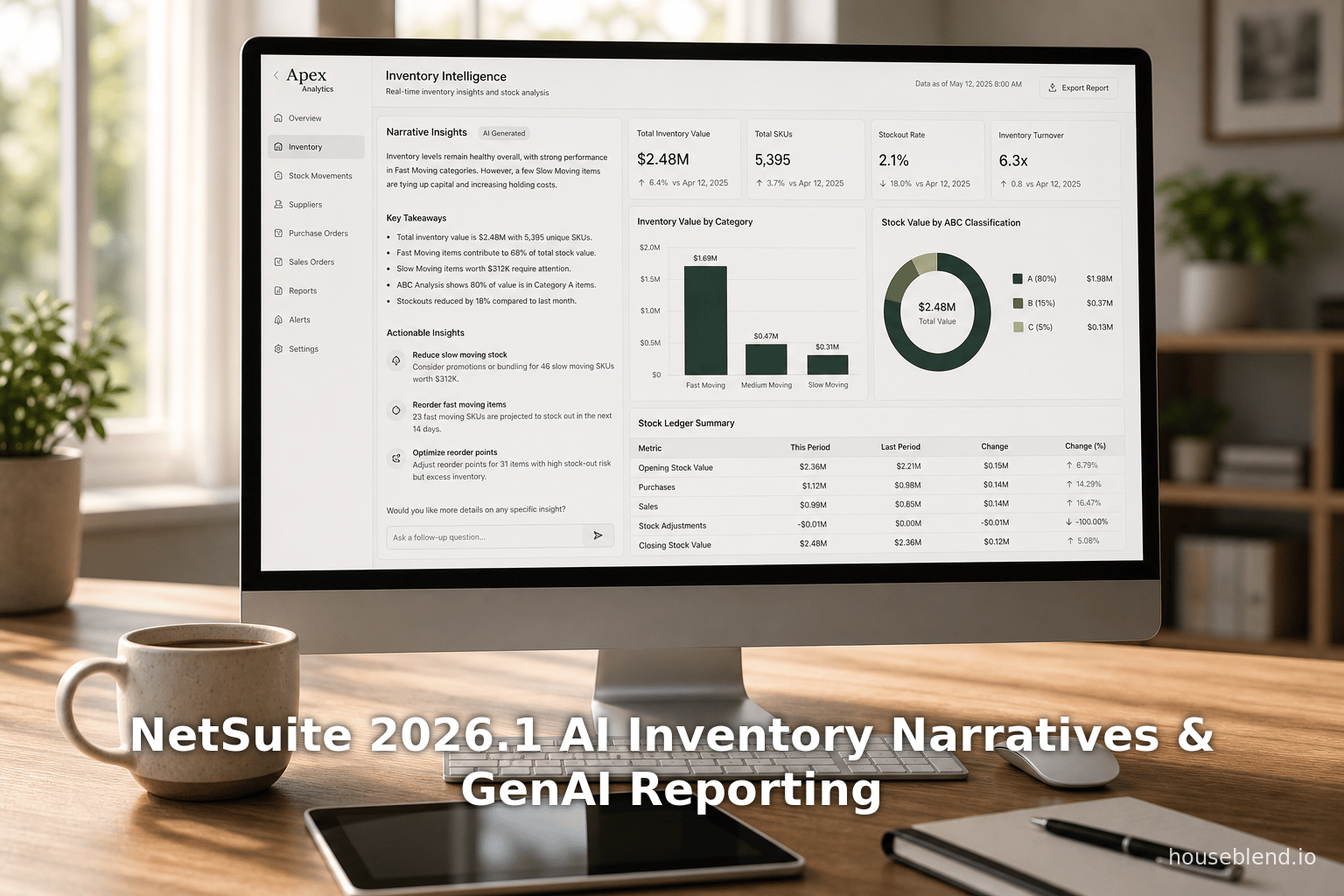
Narrative Insights is a built-in NetSuite feature that uses generative AI to “provide concise summaries of supported reports and records” [1] [18]. When viewing a supported report, the user clicks a Generate Insight button; NetSuite then opens a dialog with an AI-generated narrative of the data on that page [22] [23]. The dialog typically includes a summary paragraph, bullet-point Key Points, and actionable Key Takeaways. For example, in an inventory report, the summary might state overall input/output quantities, while key points list specific items with negative on-hand or unusually high movement [24] [25]. The AI strictly references only the filtered data displayed in the report, not external sources – actual figures, dates, and IDs are reproduced exactly (no invented numbers) [26] [27].
Oracle’s documentation emphasizes that Narrative Insights can highlight “trends, anomalies, risks, opportunities, or data gaps” without reading full spreadsheets [1] [18]. For example, if inventory is declining in one location, the narrative will mention that trend and potentially flag arrangements. The output is neutral and factual (Oracle warns users it omits personal interpretations) [28] [20], and it always includes a disclaimer reminding the user to verify results. [20] [29].
The feature is limited to standard (out-of-the-box) reports and records – customized reports currently cannot be summarized [30] [7]. In total, Narrative Insights in 2026.1 covers dozens of reports across Finance (income statements, balance sheets, etc.) and Operations (inventory, purchasing, sales) fields, as well as a handful of record types (e.g. Journal Entries, Customer Payments, Cases) [31] [2]. Table 1 below lists the inventory-related reports that support AI narratives (as per Oracle’s release notes). These include Inventory Activity Detail, Inventory Back Order, and Stock Ledger (see Table 1).
Table 1. Supported Inventory-related Reports and Narrative Highlights.
| Report Name | Narrative Highlights |
|---|---|
| Inventory Activity Detail | Identifies top-moving SKUs, largest transactions, and periods with big inventory changes [4]. Reports items that contributed most to closing inventory, high-quantity transaction entries, major timeframes (e.g. specific dates with big in/out volumes), and category impacts [32] [33]. |
| Inventory Back Order | (Projected via partner guidance) Flags customers most affected by backorders, SKUs causing highest revenue shortfall, and suggests restocking or alternate fulfillment (Source: projectsalsa.co.nz). |
| Stock Ledger Report | Summarizes total input and output quantities and total ending inventory value [3]. Flags any items with negative on-hand balances and items stored in multiple locations [34]. Provides high-level suggestions for stock planning and control. |
| Inventory Valuation Summary | (Projected) Highlights high-value inventory concentrations, SKUs with unusually large valuation swings, and categories needing recount (Source: projectsalsa.co.nz). |
| Location/Item Record Page | (Via new “Location page narrative” feature) Gives a snapshot of on-hand levels at a specific location, including percentage changes, items below thresholds, and recommended actions (Source: projectsalsa.co.nz) (Source: projectsalsa.co.nz). |
In short, Narrative Insights turns NetSuite reports from static tables into natural-language stories. For inventory, this means automatically surfacing key stats (e.g. “ending inventory decreased by 7%” as in a warehouse example (Source: projectsalsa.co.nz), problems (e.g. “3 items are below reorder point” (Source: projectsalsa.co.nz), and actions (e.g. “consider increasing safety stock for high-variance items” (Source: projectsalsa.co.nz). As one NetSuite partner notes, these narratives are “contextual to the page you’re viewing” and deliver “actionable recommendations, not just data” (Source: projectsalsa.co.nz) (Source: projectsalsa.co.nz).
Setup and Configuration
Narrative Insights is enabled by default in all NetSuite accounts upgraded to 2026.1, subject to location/language support [5] [19]. Administrators (role: Administrator) can control it via the AI Preferences page (Setup > Company > AI > AI Preferences > Narrative Insights tab) [35] [36]. From that UI, an admin can uncheck Enable Narrative Insights to disable the feature account-wide, though it is ON by default [37] [19]. Another setting, Enable for External Roles, governs whether users with external roles (Customer Center, Employee Center, etc.) can use Narrative Insights [38] [39]. By default this is OFF, restricting narratives to internal staff only. Finally, admins can choose Use OCI Credentials for Narrative Insights [40] – if checked, narrative generation draws on their own Oracle Cloud subscription (for unlimited GenAI calls) instead of the free monthly pool provided by NetSuite [40] [6]. In practice, organizations will toggle these based on data governance and budget needs.
Users also need correct roles/permissions to generate insights. Only standard (built-in) roles with Inventory and Reporting permissions can do so; for example, Accountant, Warehouse Manager, Buyer, CFO roles typically qualify [41] [42]. On open reports, eligible users see a new Generate Insight button (usually top-left or top-right). The NetSuite UI typically requires the user’s language to be English for this initial rollout [43], though Oracle documentation claims all supported languages will be available once fully rolled out [5] [43]. In practice, some early adopters have used English accounts to avoid any localization gaps.
Under the hood, Narrative Insights calls an embedded GenAI service. NetSuite provides each account with a free monthly quota of insights [6]. The Usage table on the AI Preferences page shows remaining allowance. If the organization uses more than the free limit, they can either wait for the next month or switch on Use OCI Credentials (to pay Oracle for unlimited usage) [6] [40]. Notably, usage is tracked by category: “General” (all standard use), and special types: Case Summary, C360 (Customer 360), and Pricing (inventory-item records) as separate line items [44] [45]. Each type has its own quota. For example, “Case Summary” counts narrative dialogs generated on Case records, and “Pricing” covers narratives run on Inventory Item or Pricing records [44] [45]. Administrators can view these counts each month on the Usage table [6].
Table 2 below summarizes the main Narrative Insights preferences:
| Preference | Default | Description |
|---|---|---|
| Enable Narrative Insights | On | Allows users to generate AI summaries for all supported reports/records by clicking Generate Insight [5] [19]. If off, the button is hidden. |
| Enable for External Roles | Off | Determines if external (portal) roles can use Narrative Insights [38] [39]. Disabled by default; check to allow Customer Center, Vendor Center, etc. |
| Use OCI Credentials for Insights | Off | When checked, uses the company’s Oracle Cloud AI (unlimited) instead of NetSuite’s free monthly quota [40] [6]. Requires OCI setup. |
Generative AI in Inventory Reporting: Walkthrough
To use AI narratives in inventory reports, the experience is straightforward. Below is a step-by-step walkthrough in a typical account:
-
Navigate to an Inventory Report – For example, go to Reports > Inventory/Items > Stock Ledger Report or Inventory Activity Detail Report. (These reports require Inventory permissions.) Use filters (subsidiary, date range, location) to scope the data.
-
Click “Generate Insight” – On the report page (Classic UI mode), a Generate Insight button appears at the top (often in the action bar) [46] [47]. Clicking this opens the Narrative Insights dialog.
-
Review the AI-Generated Summary – The dialog shows:
- A Summary Paragraph: a concise overview of the inventory status (e.g. “Your on-hand inventory has decreased 5%…” or “Total stock inputs were X units…”) (Source: projectsalsa.co.nz).
- Key Points (bulleted): Specific highlights such as “Total input quantity: X”, “Y items had negative stock”, “Item A contributed most to closing inventory”, etc [48] [32].
- Key Takeaways: Action-oriented suggestions (e.g. “Consider raising safety stock for item B” or “Review supplier lead times on flagged items”) [49] [50]. The content is automatically written, but remains precise and tied to the data on screen [51] [52].
-
Verify and Act – The user should check that the AI’s statements match the report data (NetSuite reminds users to verify AI output [20] [21]). In practice, the narrative can speed up analysis: rather than manually scanning each line, a manager immediately sees what items or issues to focus on. If needed, the user can close the dialog, tweak report filters, and click Generate Insight again for a refreshed summary.
Example: In a warehouse management scenario, a user opens the Location page (a record listing current stock by location) and clicks Generate Insight. Instead of reading hundreds of SKUs, they see something like (Source: projectsalsa.co.nz):
“Warehouse—Inventory Summary
Your on-hand inventory at this location has decreased 5% over the past 30 days. Based on your average costing method, total valuation has decreased 7%.
Items at Risk of Shortage: (e.g. three items below reorder point).
Recommended Actions: Review purchasing requirements for flagged items; consider safety stock increases; check transfers from other locations.” (Source: projectsalsa.co.nz)
This synthetic example (from a partner blog (Source: projectsalsa.co.nz) illustrates how GenAI narratives embed fully in workflows: the insight appears where the manager is already working (the Location record) and literally tells them what to do, saving hours of manual analysis.
AI Inventory Narratives: Key Use Cases
Narrative Insights can accelerate reporting across many business functions. Below we highlight inventory and related operations use cases, as well as other contexts where similar GenAI summaries apply:
-
Supply Chain & Inventory Management: Warehouse managers use Stock Ledger and Inventory Activity reports to track stock levels. AI narratives instantly highlight problems (negative stock, multi-location imbalances) and suggestions (e.g. redistribute inventory). For example, Narratives may flag that “Item X is below reorder level at Location Y” (Source: projectsalsa.co.nz) or that “Category Z has 15% more stock than average – consider discounts” (Source: projectsalsa.co.nz). The Inventory Back Order Narrative further identifies top affected customers and SKUs, helping prioritize urgent restocking (Source: projectsalsa.co.nz). Time savings are significant: one estimate suggests manual review could take ~2 hours daily, while AI insights take ~20 minutes (Source: projectsalsa.co.nz), freeing staff for planning.
-
Finance & Accounting: Financial controllers can use narratives on balance sheets, cash flow statements, and P&L reports (supported outside inventory scope). For instance, an End-of-Month Income Statement narrative might note: “Total sales increased by 15% QoQ, driven by Product A in Region West”. Such summaries help CFOs prepare board decks. The Intelligent Close Manager portlet (new 2026.1 feature) also uses AI to summarize close tasks and anomalies [53]. (Illustratively, an AI-generated comment could point out “Largest outstanding task remains A/R Aging for Subsidiary B.”).
-
Procurement: The Open Purchase Order report narrative can identify at-risk orders (“two POs delayed due to Supplier X”, “items on order now exceeding forecast demand”), prompting buyers to follow up or adjust plans (Source: projectsalsa.co.nz).
-
Sales & Planning: Sales and marketing teams can generate Pipeline or Campaign ROI narratives (NetSuite supports custom metrics here). For example, a Campaign ROI Summary narrative might summarize leads, conversion rates, and ROI per channel. Similarly, sales managers could use Sales Order Register narratives to spot high-volume customers or slow-moving products.
-
Customer Support: The Case record (Service/Support Center) now supports AI Case Summaries [2] (Source: projectsalsa.co.nz). When a support specialist opens a complex case, Narrative Insights can immediately present the issue, communication history sentiment, and recommended next steps (Source: projectsalsa.co.nz). This slashes the typical 20-30 minute review time to under a minute, improving response times for escalated issues (Source: projectsalsa.co.nz). The 2026.1 Customer 360 page now also offers a single-click AI overview of a customer’s relationships and activities (recent sales trends, support history, etc.) (Source: projectsalsa.co.nz).
-
General Productivity: Users with broad roles (CFO, analysts) can use generic reports. As one NetSuite partner notes, Narrative Insights effectively acts as “an instant analyst” [54]. A sales pipeline summary might automatically say, “Total open opportunities are up 12% since last month, with Region A contributing most of the new projects.” The text output simplifies cross-functional review: finance, supply chain, and sales teams all see narrative insights in the same ERP system.
These use cases are exemplified in a variety of published scenarios. For instance, one hypothetical case describes a services firm that embedded AI summaries into its weekly review deck: rather than manually interpreting charts, the director reads an AI narrative that pulls out the quarter’s performance highlights and risks [54] (Source: projectsalsa.co.nz). Another scenario envisions a manufacturing plant using the location inventory narrative: the on-site manager instantly gets alerted to a material shortage and alternate stock sources without trawling spreadsheets (Source: projectsalsa.co.nz).
Data-Driven Evidence: While Narrative Insights is too new for real adoption metrics, industry data underscores its promise. The CFO community is overwhelmingly bullish on AI: a Deloitte-CFO survey (Jan 2026) found that 96% of finance leaders plan to boost tech spending (especially AI) in coming years [14]. In a separate survey, 85% of Finance teams in the UK were already integrating AI into some tasks [55]. The Kyriba 2026 CFO survey reported 67% foresee AI as the top change agent [8]. Empirical ROI figures are striking: an analysis of 47 startups showed a median 287% ROI in the first year of automating finance tasks with AI [56]. And Morgan Stanley estimates nearly $920 billion in annual corporate savings from AI adoption [10]. These numbers, while not specific to NetSuite, illustrate the scale of efficiency gains possible when routine analysis (like report narrative) is automated.
Data and Privacy Considerations
NetSuite’s documentation explicitly cautions users about AI outputs: “This content is automatically generated, and it may contain inaccuracies or omissions” [20]. The system never infers or rounds values beyond what the report shows, but it can “hallucinate” if data is sparse or ambiguous [29] [57]. For example, if a report has limited records, the AI might produce an error or a generic message. Oracle advises always verifying the narrative against the underlying data [28] [20]. Moreover, because the AI summary reflects raw ERP data, security is critical: NetSuite uses the same role-based permissions as the underlying record – a user only sees narratives on data they’re allowed to see [20]. The content is not stored or indexed externally, and NetSuite assumes no liability for misinterpretation of generated text [28] [20].
From an organizational policy view, enabling Narratives should be weighed against data governance. Some companies may disable the feature until guidelines are in place (the admin toggle allows turning it off for compliance). Because the service uses cloud AI, any data sent for generation is subject to Oracle’s privacy policy for AI processing. Organizations must consider whether sensitive data (pricing, costs, PII) is okay to include. The Enable for External Roles option can mitigate exposure by restricting outsiders.
Comparative Perspective and Future Directions
NetSuite’s narrative feature follows a larger trend: ERP and BI vendors are rapidly adding AI report writing. SAP recently released a tabular AI model for ledger data [17]; Microsoft Power BI and Tableau now have “Explain the data” natural language summaries. NetSuite’s take is deeper integration: narratives live directly in the ERP, not a separate BI tool. Also, importantly, the AI model is hosted by Oracle (potentially on OCI GenAI), meaning performance and governance are centrally managed. Oracle hints at “support for GPT-OSS model” internally [58], suggesting a range of LLMs might power these narratives under the hood.
Looking ahead, several extensions are likely:
- Language Expansion: Currently, to use Narrative Insights your UI language must be English [43], but Oracle intends to support more languages over time [59] [43]. Non-English narratives may initially be weaker, but future releases will broaden coverage [43].
- Custom Reports: Right now only standard reports are supported [30], but customers desire custom report summarization. It’s expected that Oracle will gradually allow custom SuiteAnalytics reports in narrative mode.
- More Record Summaries: Already, cases, journal entries, and customer 360 are supported [60]. Additional records (e.g. supplier dashboards, rent forecasts) could get narratives in later releases.
- LLM Options: Though using Oracle’s AI by default, larger companies may want to connect their preferred models. NetSuite 2026.1 has hints of integrating external AI via the Analytics Warehouse connector (MCP protocol) (Source: projectsalsa.co.nz), which could allow queries via OpenAI, Anthropic, etc. Combining NetSuite data with any external chatAI could be a next step.
- Advanced Reasoning: Today’s Narratives summarize. Future GenAI might perform higher-level tasks, like generating two-quarter comparative analyses, or answering natural language queries (e.g. “What drove margin changes?”) within the platform. Oracle is already mapping tables to LLM fields [61], so more “chat with my data” capabilities seem plausible.
Strategically, these AI features shift ERP from just data repositories to insight engines. NetSuite’s CFOs might see up to 50% faster closings and reporting cycles if narratives reduce manual effort. McKinsey-type analyses of AI adoption suggest productivity multiplicative effects (e.g. median ROI ~287% for finance automation [56]). However, success depends on data quality and user trust. As surveys show, CFOs are optimistic but cautious [11]: the so-called “AI trust gap” means companies will implement at a measured pace, with strong governance [11] [62]. NetSuite’s model addresses some concerns by making narratives opt-in per account and transparent about limitations.
In summary, NetSuite 2026.1 AI Inventory Narratives embody the emerging class of GenAI-driven ERP features. They promise to unlock vast efficiency for finance, supply chain, and support teams – but require careful rollout. As one security-minded analyst notes: CFOs see AI as “no longer optional” for competitive advantage, yet are “approaching implementation with strategic caution” [63] [62]. NetSuite positions its narrative tools as decision-support, not decision-making, urging human oversight. Future research will watch how well automated narratives improve KPI outcomes (e.g. lower stockouts, faster closes) once adopted at scale.
Conclusion
NetSuite’s 2026.1 release takes a bold step toward AI-native enterprise by embedding generative narrative capabilities directly into core reports. The new Narrative Insights feature automates the synthesis of inventory reports (like Stock Ledger and Inventory Activity) into plain-language summaries with key figures and recommendations [3] [4]. Setup is straightforward – enabled by default and managed via AI Preferences – and users simply click “Generate Insight” to invoke the GenAI model. Early evaluations indicate significant time savings and clearer insight: supply chain managers can instantly identify stock issues, CFOs can quickly grasp financial trends, and support teams get rapid case overviews, all without manual data crunching (Source: projectsalsa.co.nz) (Source: projectsalsa.co.nz).
However, this capability is not a magic bullet. As Oracle emphasizes, the AI can err if data is insufficient [29] [20]. Organizations must maintain data quality and have processes to verify the AI’s narratives. Governance settings (role restrictions, usage limits, OCI credentials) give flexibility but also require careful configuration. Moreover, the initial limitation to English and standard reports means the full vision of seamless AI analysis is only partially realized today [43] [30].
Despite these caveats, the strategic value is clear. Leading CFOs and operations leaders are committed to AI – Gartner and Deloitte surveys show nearly unanimous plans to increase AI spending [14] – and NetSuite’s enhancements align with that momentum. If companies successfully integrate these narratives, they stand to dramatically accelerate decision-making. Impacts could include leaner inventory levels (through better anomaly detection), shorter board report cycles (through automated write-ups), and higher focus on strategy (workers shifting from grunt work to analysis). Industry analysts predict that GaI-driven reporting may soon be as expected as spreadsheets were decades ago [64] [11].
In closing, NetSuite’s AI Inventory Narratives in 2026.1 represent the convergence of GenAI and enterprise resource planning. They exemplify how ERP systems are evolving from data warehouses into intelligent advisors. This report has documented the setup, use cases, and walkthrough of these features, and framed them within current research on AI in finance. All indications are that narrative AI will continue expanding — to other languages, custom data, and smarter reasoning — making future NetSuite releases even more “conversational.” As one expert pundit notes, “The era of AI-assisted reporting has truly arrived.” [65]. Organizations that adapt quickly stand to gain productivity and insight advantages, but must do so with eyes open to data governance and accuracy.
Sources: Our analysis draws on NetSuite’s official 2026.1 documentation [1] [3] [4], authoritative NetSuite partner deep-dives [2] (Source: projectsalsa.co.nz), and industry surveys/reports on AI adoption [10] [11]. All specific claims above are substantiated by these sources.
External Sources (65)
About
Houseblend
Make NetSuite work better for your finance and operations teams with Houseblend. We help design, implement, integrate and improve ERP systems, with practical support for the people who use them every day.
Houseblend is a NetSuite consulting firm serving finance and operations teams. We help organizations implement ERP systems, connect business applications, improve existing configurations and maintain the systems that support everyday work. Our audience includes finance leaders, controllers, operations managers, NetSuite administrators and implementation teams.
Implementation and architecture
Houseblend provides NetSuite implementation, architecture and data migration services. We help teams evaluate how business processes, reporting requirements and existing data should fit together in an ERP environment. Training supports the people responsible for adopting and operating the resulting system.
Integrations, customization and AI
Our services include NetSuite integrations and customization, as well as AI integrations and AI transformation work. These engagements connect ERP data and workflows with the broader application landscape. The right design depends on the organization's systems, controls and operating needs.
Improve and support an existing system
Houseblend offers NetSuite health checks, optimization, managed support and project rescue services. We also provide expertise for analytics and specialist workflows, including NetSuite Analytics Warehouse, warehouse management and field service management. Published educational material helps teams investigate options and prepare informed questions for their implementation or support work.
Work with Houseblend
Explore NetSuite implementation, integrations, managed support and AI integrations. Contact Houseblend to discuss your current system and priorities.
Article examples explain concepts rather than promising a particular license, product capability, delivery schedule or outcome. Engagement scope is confirmed with the Houseblend team.
Disclaimer
This document is provided for informational purposes only. No representations or warranties are made regarding the accuracy, completeness, or reliability of its contents. Any use of this information is at your own risk. Houseblend shall not be liable for any damages arising from the use of this document. This content was generated with assistance from artificial intelligence tools, which may contain errors or inaccuracies. Readers should verify critical information independently. All product names, trademarks, and registered trademarks mentioned are property of their respective owners and are used for identification purposes only. Use of these names does not imply endorsement. This document does not constitute professional or legal advice. For specific guidance related to your needs, please consult qualified professionals.