Houseblend Article
NetSuite 2026.1 Close Manager: Portlet Setup & KPIs
Inside this article
- 01Executive Summary
- 02Introduction and Background
- 03Close Management Solutions: ERP vs. Special-purpose Tools
- 04Intelligent Close Manager Overview and Setup
- 05Key Performance Indicators in Close Manager
- 06Managing the Close: Tasks, Filters, and Drill-Down
- 07Setup Best Practices
- 08Key Performance Indicators (KPIs) in the Close Manager
- 09Multi-Entity Close Visibility
- 10Setup, Tasks and KPIs: Walkthrough Example
- 11Case Studies and Evidence of Impact
- 12Implications for CFOs and Future Directions
- 13Conclusion
Executive Summary
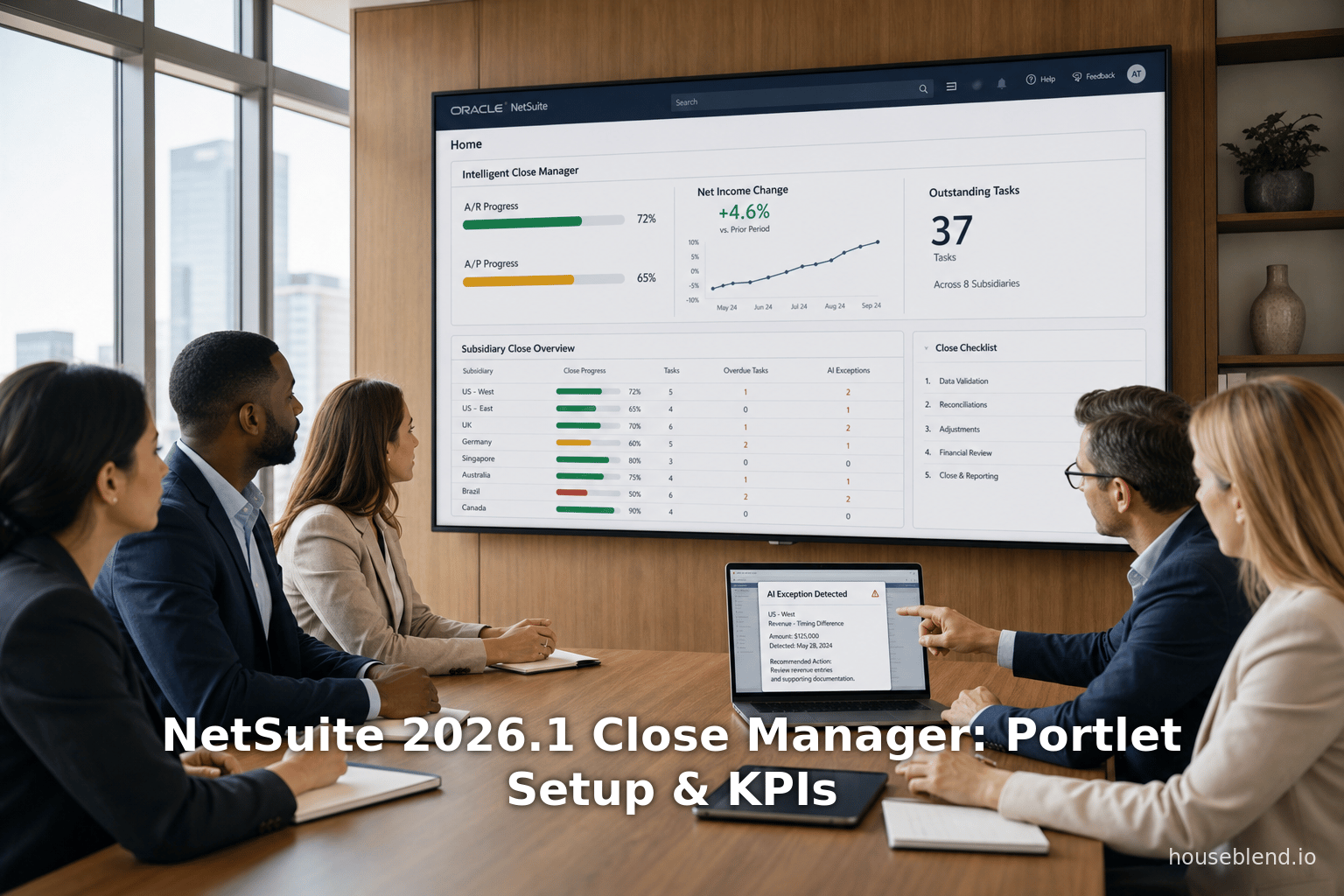
The NetSuite 2026.1 Intelligent Close Manager (ICM) portlet represents a major advancement in financial closing automation, especially for large multi-entity enterprises. Historically, CFOs have struggled with a slow, error-prone month‐end close process – often managed via spreadsheets and fragmented systems – which delays reporting and obscures real‐time insight. Surveys show that roughly 50% of finance teams still require more than six business days to close each period [1], and 94% rely on Excel or manual processes that bottleneck the close [2] [3]. The ICM portlet directly addresses these issues by providing a centralized, AI‐driven dashboard of outstanding close tasks, key metrics, and exception alerts. It automatically generates and links period-end tasks (for A/R, A/P, accounting, etc.), tracks KPIs like “Largest Outstanding Task” and “Net Income Change,” and even offers AI narrative insights. Importantly for CFOs, it supports multi-subsidiary visibility: in Oracle NetSuite OneWorld accounts the portlet can roll up and display combined tasks and KPIs across all subsidiaries, while still allowing drill‐down to individual entities [4] [5].
Implementing ICM requires minimal setup: an administrator enables the feature and adds the portlet to users’ dashboards [6]. Users need only the proper role permissions (e.g. “Manage Accounting Periods – View or better” [7]) to see and act on tasks. Once active, the portlet refreshes hourly and allows filtering by period and subsidiary [8] [5]. Because ICM runs on actual transaction data, its tasks and KPIs automatically reflect the company’s accounting preferences and enabled features. For example, if Exception Management is turned on, ICM will generate tasks for “Invoice Exceptions” or “Vendor Payment Exceptions” and display an Exceptions KPI [9]. CFOs can thus view and prioritize the largest outstanding items (the “Largest Outstanding Task”), track completion percentages of A/R and A/P, and see how current net income compares to prior periods, all from one screen [8] [10].
Early experience and case studies suggest substantial benefits. Companies deploying ICM have reported dramatic time savings (one noted a 35% reduction in close coordination effort) and much faster close cycles (e.g. shrinking an 8-day close into a consistent 5-day process) [11] [12]. CFOs now mailivigate issues earlier (by the 25th of the month rather than the final day) and provide audit-ready documentation via the portlet’s exception logs [11]. In short, the Close Manager portlet equips CFOs with real‐time, consolidated visibility and controls for the financial close, which industry research confirms is a critical pain point: analysts note that “additional complexity [from multiple entities] means slower closes” and that modern firms are saving up to 74% in intercompany process costs by adopting cloud platforms designed for multi-entity accounting [13] [14]. NetSuite’s ICM addresses exactly this need, embedding AI and automation into the core ERP close workflow.
This report provides an in-depth examination of the NetSuite 2026.1 Close Manager portlet from the perspective of CFOs and finance leaders. We begin with background on the challenges of financial close (including multi-subsidiary consolidation) and survey existing approaches (specialized Financial Close Management tools vs. ERP-native solutions). We then detail the Close Manager’s setup, features, and KPIs, incorporating official documentation, partner analyses, and practitioner insights. We include comparative tables (e.g. vs. specialized tools) and case examples of ICM in action, and we analyze quantitative data on close inefficiencies and expected ROI. Finally, we discuss strategic implications and future directions (such as broader AI in finance), ensuring that all claims are supported by authoritative sources [15] [1] [13].
Introduction and Background
The financial close (often called month-end or quarter-end close) is a foundational process that ensures all transactions are reconciled and financial statements are accurate for a period [16]. Tasks include reconciling bank and intercompany accounts, posting accruals, approving journals, and finalizing reports. Despite advances in ERP systems, the close often remains manual and fragmented: many organizations still rely on spreadsheets, reminders, and email chains to track a long checklist of tasks [17] [18]. Industry surveys bear this out: for example, a recent CFO.com report found that half of finance teams take six or more business days to complete the monthly close [1], with only 18% finishing in 1–3 days [19]. Slow closes are the norm, not the exception [20]. The root causes are well documented: fragmented data environments, legacy accounting systems, and reliance on Excel and email are repeatedly cited by practitioners. In one survey, 56% of finance managers blamed cross-team dependencies, 50% blamed spreadsheet-driven processes, and 40% blamed outdated systems for delaying the close [21].In total, finance teams report spending 20–50 hours a month on reconciliations alone (often using 3–5 different systems) [22]. As one report quips, many teams spend “more time trying to explain the mismatches than actually fixing them” [23].
These inefficiencies have real business impact. Delayed or inaccurate closes mean management and boards make decisions with stale data [23] . For a high-growth business, every extra day in the close is “a day lost to analysis rather than strategy” . Furthermore, errors in the close can undermine auditability and investor confidence. As finance leaders balance speed and accuracy, the concept of a “three-day close” has become a buzzword (and often a myth) [24] [25]. Experts note that in practice, upstream tasks (data gathering, reconciliations, approvals) are the bottleneck 【27†L49-L54】 [22]lenge is even greater in multi-subsidiary (multi-entity) organizations, which many CFOs manage. Large companies often use Oracle NetSuite OneWorld or similar systems to consolidate dozens or hundreds of legal entities under one ERP umbrella [26]. Each subsidiary may have its own currency, chart of accounts, tax rules, and local closing practices. As Intuit’s April 2026 report observes: “Multi-entity challenges grow with every entity you add – additional complexity means slower closes, wider compliance exposure, and a group financial view that is harder to trust.” [13]. After each new acquisition or subsidiary, finance must close more books, reconcile vast intercompany transactions, and still meet the same deadlines. Unsurprisingly, CFOs cite blended reporting difficulties and intercompany eliminations as major pain points. In fact, one Forrester study cited by Intuit projects that companies moving to a platform designed for multi-entity operations can save 74% over three years in intercompany processing costs [14].
Given these pressures, finance organizations have sought technology solutions. Traditionally, some CFOs have layered specialized financial close management (FCM) software on top of ERP – tools like BlackLine, FloQast, and others. These products focus on automating reconciliations and checklist workflows , and they integrate with ERPs to pull financial data. For example, BlackLine markets itself for “financial close management”, offering deep account reconciliation engines and certification workflows, while NetSuite (as a full ERP) spans finance, operations, and inventory . Many enterprises in fact use both an ERP and an FCM tool.
However, there is a growing trend to embed close-management capabilities directly in the ERP. Specialists note that features once found only in third-party add-ons are being built into core systems [27]. Cloud ERP vendors are leveraging AI and advanced analytics to automate close tasks and provide insights. Gartner recommends that financial close tools “provide a centralized view of tasks, KPIs, and potential risks” so teams can detect bottlenecks early [28]. In line with this vision, Oracle NetSuite’s 2026.1 release introduces the Intelligent Close Manager (ICM) – an AI‐powered dashboard portlet designed to give finance leaders an integrated, real-time view of the close across AR, AP, and general accounting [29] [30].
In summary, CFOs face a pressing need for faster, more transparent closes, especially in multi-entity contexts [13] [21]. Recognizing this, NetSuite 2026.1 has embedded AI and automation into its close process. The following sections will examine how the Close Manager portlet is set up and used, what metrics it tracks, and how it enables consolidated visibility – drawing on official NetSuite documentation, partner analyses, and empirical data (including surveys and case studies) to provide a comprehensive, evidence-based analysis.
Close Management Solutions: ERP vs. Special-purpose Tools
Before delving into NetSuite’s new feature, it is useful to contrast the traditional approaches to close management. CFOs typically have two broad options: rely solely on the ERP’s built-in capabilities, or supplement the ERP with a specialized FCM solution.
ERP-Native Approach (e.g. NetSuite): A full ERP like Oracle NetSuite OneWorld already automates routine finance transactions (invoicing, bill payments, journal entries) and provides consolidated reporting [26]. The close process in an ERP includes period-locking, standard reporting (financial statements, trial balances), and some native reconciliation aids (e.g. intercompany elimination engine). However, traditional ERP implementations have often left the close checklist itself in the hands of users. Teams maintain spreadsheets or email lists of remaining tasks (e.g. outstanding invoices to post, accrual entries to make). Citations: Houseblend notes that in practice “the close process remains a major bottleneck” even with ERP, as teams rely on “disconnected tools” to coordinate tasks [18]. The newly introduced ICM portlet changes this by surfacing close tasks within the ERP, automating their creation, and linking them to records.
Specialized FCM Tools (e.g. BlackLine, FloQast): These vendors focus narrowly on the period-close itself. For example, BlackLine provides advanced account-reconciliation modules, task managers for journal entries, and automated intercompany workflows (especially for SAP/Oracle environments), positioning itself as an “add-on” for finance [31]. FloQast integrates directly with ERPs and spreadsheets to coordinate team tasks and evidence collection. Such tools often deliver deeper reconciliation features and audit trails than a vanilla ERP.
The trade-offs are summarized in Table 1 (based on industry analyses [31]):
| Feature / Focus | NetSuite (Oracle ERP) | BlackLine (FCM Tool) |
|---|---|---|
| Primary Function | Integrated enterprise ERP (Finance, CRM, Inventory) [31] | Specialized financial close management (reconciliations) [31] |
| Automation Scope | Broad: automates general finance transactions, multi-books and multi-currency flows [31] [26] | Deep: automates account reconciliation processes and certification workflows [31] |
| Deployment | Enterprise-wide, touching all business processes [31] | Finance department add-on (requires integration) [31] |
| Close Coordination | Basic checklists by default (new ICM adds automation) [18] [8] | Rich close management features (e.g. certified reconciliations, role-based workflows) |
In practice, many companies use a hybrid approach: an ERP like NetSuite for core recording and consolidation, plus an FCM tool for specialized control and compliance requirements. But as the line blurs, ERP vendors are “building in” close-process intelligence. NetSuite 2026.1’s ICM portlet exemplifies this shift: rather than requiring a spreadsheet or separate tool, tasks are generated automatically based on transactional data (for example, out-of-balance intercompany entries, missed payments, etc.), and flagged with AI for exceptions [30] [32].
The rest of this report focuses on how NetSuite’s built-in Close Manager can itself serve as the control room for the close. We will see that for CFOs managing multiple subsidiaries, ICM brings many of the features of specialized tools (centralized dashboard, alerts, audit trail) natively inside the ERP, with the advantage of seamless integration and lower incremental cost (since it is part of 2026.1).
Intelligent Close Manager Overview and Setup
Enabling and Configuring the Portlet
Enabling the feature. To begin using the Close Manager, a NetSuite administrator must enable the “Intelligent Close Manager” feature under Setup > Company > Enable Features. This is found on the Accounting subtab of Enable Features. (Note: you must have the Administrator role or a custom role with the Enable Features permission [33].) In effect, enabling ICM turns on its underlying engine: thereafter, the system will automatically generate close-related tasks based on transactional data and enabled preferences. Crucially, no manual setup of the tasks list is required. Everything is driven by the company’s configuration and data.
Permissions required. Once enabled, any user with permission to Manage Accounting Periods (at View or Full level) can access the portlet [34] [7]. Typically, CFOs and controllers already have these roles or can be granted them. Those lacking permission will see an error if trying to access Close Manager [7]. Note that users do not need access to all subsidiaries’ records to see consolidated information: the portlet itself allows cross-entity roll-ups (discussed below).
Adding the portlet to the dashboard. After enabling ICM, the new “Intelligent Close Manager” portlet becomes available as a standard dashboard component. Each user who needs it goes to Home > Personalize Dashboard, and under the Standard Content tab clicks on “Intelligent Close Manager” to add it to their home dashboard [6]. The portlet can then be dragged into place like any dashboard portlet. (Administrators may also add it for users in the saved search “Ease of access”, so it appears by default.) Importantly, once added, the portlet refreshes its data automatically every hour [35] [36], so it provides near real-time status. A timestamp on the portlet shows the last update.
|
Table 1: Mapping Close Manager Tasks to NetSuite Features (Selection)
This table, adapted from Oracle documentation [9] [37], shows examples of the tasks that appear in ICM and the feature that triggers them. If the feature is disabled, the task will not appear.
|
Table 1 is illustrative. In short, ICM tasks and KPIs are context-sensitive: they only show up if the relevant NetSuite feature or preference is on. For example, if you do not use the Subscription Billing feature, you will never see “Subscription Charges Pending Billing” tasks [40]. This means a CFO can control the scope of ICM by enabling (or disabling) various accounting modules.
Using the Close Manager Portlet
Once added to the home page, the portlet provides a centralized view of close activities [42]. It has four main sections (tabs), typically labeled A/R, A/P, Accounting, and Priority Queue. Each tab lists outstanding tasks (with counts and amounts) relevant to that area. For example, the A/R tab may list open customer invoices, payments on hold, or billing tasks. Tasks appear as clickable rows (with hyperlinks) that take the user to the underlying transaction record. For instance, clicking a “Customer Payment Exception” task opens the specific payment record that needs review [32].
Above the task lists, the portlet shows KPI gauges and key figures (a panel of metrics). These include percentages of amounts posted and the count of exceptions (see next section). All figures dynamically reflect the filters at the top: each user can select an Accounting Period (defaulting to the current or most recent closed period) and a Subsidiary (defaulting to the user’s parent or assigned subsidiary) [5]. After choosing filters and clicking “Update,” the portlet refreshes to show tasks/KPIs for that slice of data.
Because ICM is part of OneWorld, it honors subsidiary structures. If the user selects the parent (root) subsidiary, the tabular tasks and KPIs roll up all children. If a child subsidiary is selected, the data is restricted to just that entity. (The documentation notes that tasks from child subsidiaries only appear if that child is the selected entity; tasks from “all children” appear only when the parent is chosen [43].) This per-subsidiary filtering is crucial for global CFOs: it lets a corporate controller monitor consolidated status, while local controllers focus on their own unit.
Finally, ICM provides administrative actions. In the portlet header is a “Manage Lock Periods” button. From here, a user with the proper permission can lock (or unlock) transaction types and accounting periods [44]. This ties into traditional close control (some organizations lock the prior period to prevent retroactive changes). Whether the CFO uses this function directly or delegates it, having it on the same dashboard is a convenience of the new design.
Roles and Permissions
From a security standpoint, ICM respects NetSuite’s role-based access. As noted, users need Manage Accounting Periods permission (View or Edit access) to see the portal [34] [7]. Without this, they cannot access close tasks or KPIs. To configure ICM, one must also have the Accounting Period Management feature enabled in Enable Features (a prerequisite) and the “Enable Features” permission (usually granted only to Administrators) [33]. In practice, CFOs and controllers typically already have the necessary period-management rights in NetSuite. If needed, an admin can create a custom role (for example, “Financial Controller”) that includes Manage Period permissions and assign it to the CFO and relevant staff.
On the user interface, ICM tasks are marked as “prioritized” based on logic (including AI), but any user with access can mark a task as complete by resolving it in NetSuite. Note that while the portlet aggregates tasks, the actual “work” – such as creating a journal, approving a payment, or posting an invoice – still occurs through standard NetSuite transactions. Thus, ICM serves as a dashboard and task manager, but underlying controls (like approval rights on transactions) remain governed by the existing NetSuite role configuration.
Key Performance Indicators in Close Manager
The ICM dashboard highlights several KPIs that give executives a snapshot of close progress [45]. These KPIs update dynamically when the period or subsidiary filters change. Table 2 summarizes the main KPIs shown (definitions per Oracle documentation [10]):
| KPI | Description (for selectable period/subsidiary) |
|---|---|
| Task Completion (%) | % of A/R + A/P dollar amounts that have been posted vs. outstanding (i.e. how many invoices/bills have been entered and addressed) [46]. |
| Potential Variance | Total monetary value of all outstanding tasks (the remaining work in currency terms) [47]. |
| Net Income Change (%) | % change in net income from the previous period to current (by the selected subsidiary), indicating whether profitability is trending up or down [48]. |
| Open Tasks (#) | Count of all outstanding A/R and A/P tasks (unresolved items, excluding exceptions) [49]. |
| Exceptions (#) | Count of all outstanding A/R and A/P “exception” tasks (items flagged by rules, such as payment mismatches) [49]. |
| Largest Outstanding Task | The single task (invoice, bill, etc.) with the greatest amount, including any flagged exceptions. Identifies the biggest item still undone [8] [50]. |
| % A/R Posted | Percent of total A/R processed (posted) vs. total A/R that should be (posted + outstanding). (A measure of how complete the accounts receivable posting is.) [51]. |
| % A/P Posted | Analogous percent for Accounts Payable [52]. |
| % Accounting Posted | Percent of all accounting transactions (journals, adjustments) posted vs. total [53]. |
|
Table 2: ICM KPI Definitions (selected key indicators)
The Close Manager portlet shows dynamic KPIs that update with the period/subsidiary filters [10]. The above table extracts the core definitions from NetSuite’s documentation. |
In practice, these KPIs help a CFO or controller gauge their close status at a glance. For instance, Task Completion reveals what fraction of AR/AP volume is already handled – if it reads 80%, then only 20% of invoices/bills remain. Potential Variance puts that in dollar terms (e.g. “$150K in tasks outstanding”), while Open Tasks and Exceptions show raw counts of items to address. The Net Income Change is particularly strategic for CFOs: it immediately flags an unexpected swing in profitability from last month. (For example, a large accounts receivable write-off or big expense could show as a negative net income change, prompting review.)
The Largest Outstanding Task is also useful: it points out, say, if an unusually large invoice or long-overdue bill is still open, which might pose the greatest audit or cashflow risk. These metrics link back to the actual transactions, so teeth be used for root-cause analysis.
Critically, the KPIs are filterable by subsidiary. If a CFO selects the parent entity, these KPIs roll up all subsidiaries [4]. This lets a group CFO quickly see, for example, the consolidated % completion or total potential variance for the month, without manually aggregating reports. If needed, clicking on the subsidiary filter to a specific child will zoom in on that entity’s figures.
Managing the Close: Tasks, Filters, and Drill-Down
Using the Close Manager portlet involves a combination of reviewing KPIs, scanning task lists, and drilling into detail as needed. Here are key aspects:
-
Filtering by Period and Subsidiary: At the top of the portlet, users choose the accounting period and subsidiary to analyze. By default, the portlet selects the current open period (or, if that period is closed or locked, the most recent period) and the user’s parent/default subsidiary [5]. Changing these filters and clicking Update will refresh all tasks and KPIs. For example, a controller in April might set “April 2026” and “Subsidiary: Europe” to check that region’s closing progress. Switching to “Corporate (Parent)” shows the combined status of all subsidiaries.
-
Task Views (Tabs): The portlet organizes tasks into tabs by functional area. Common tabs are A/R, A/P, Accounting, and Priority Queue. Each tab shows tasks that need action:
- The A/R tab might list unposted invoices, payments on hold, overdue collections, or other receivables issues (driven by features like “In-Transit Payments” or “Credit Card Payments” as enabled).
- The A/P tab lists open vendor bills, payments pending, etc.
- The Accounting tab includes tasks like unreconciled intercompany or open journal entries (e.g. “Resolve Journal Entry Exceptions” tasks if Exception Management is on [9]).
- The Priority Queue tab (if enabled) sorts tasks across all areas by AI-prioritized urgency, allowing the team to tackle the most critical items first.
Each task row shows a description (e.g. “3 vendor bills in transit”), an amount (if monetary), and an icon. Clicking on a task hyperlink opens the relevant transaction or list of transactions, enabling the user to fix it directly. For instance, clicking a vendor bill exception will open that bill for review. This direct linkage saves time compared to searching through menus or reports.
-
Role of Exception Management: If NetSuite’s Exception Management feature is enabled, many tasks stem from it [9]. NetSuite’s exception rules identify anomalies (e.g. duplicate invoices, mismatched payments, currency variances). In ICM, each exception rule violation generates both a task and contributes to the Exceptions KPI [9]. For example, a mismatched AR payment would create a “Customer Payment Exception” task on the A/R tab. The documentation notes that when Exception Management is on, the exception’s amount is counted as an “exception” and excluded from the regular posted totals [54], to avoid duplication.
-
Exception vs. Regular Tasks: By default, the KPIs distinguish “Exceptions” from other “Open Tasks” [49]. In practice, some CFOs set tolerance levels or modify rules so that only significant variances are flagged as exceptions (Houseblend advises tuning these after initial rollout [55]). Tasks not flagged as exceptions (like normal bill payments) appear under “Open Tasks.” The system can thus highlight truly unusual items.
-
Integration with NetSuite Features: Because ICM is built into NetSuite, it honors the accounting structures. Notably, all amounts shown are in each subsidiary’s base currency, converting any foreign transactions on the fly [43]. This enables apples-to-apples comparisons: e.g. a $100K invoice in USD counts as $100K for a USD-based subsidiary. (Managers should be aware of currency context: the KPIs are per entity as defined.) Also, as mentioned, child-subsidiary data only appears when that child is selected [43]. In large enterprises, this means a CFO using the parent subsidiary filter is effectively viewing all children’s data at once.
-
Locking and Controls: The portlet includes a Manage Lock Periods action [44]. From there, a person can lock or unlock transaction types or entire periods (for example, locking sales entries once all invoices are posted). This can help enforce close policies directly from the dashboard (rather than requiring navigation to Setup > Accounting > Manage Accounting Periods).
In sum, the Close Manager portlet functions as a financial close control room. CFOs and controllers can use it daily (even mid-month) to track how close the books are to completion. By clicking “Update” they get the latest status and can drill into any irregularity. Compared to the pre-ICM world of Excel checklists and fire-drill emails, this is a major advance: it automates the task list and embeds it in the transactional system.
Setup Best Practices
Industry commentary suggests some recommended practices for rolling out ICM effectively. Seeing as it relies on data-driven rules, companies should benchmark their existing close before deploying. For example, the Houseblend analysis advises: “Start with one subsidiary first. Run through a full close cycle with ICM on. Gather the exceptions it raises, refine sensitivity (tune false positives), and verify accuracy. Then scale up” [56]. In other words, treat ICM initially as a pilot in a controlled setting. This allows finance teams to calibrate the parameters (e.g. tolerance for exceptions) and train staff on the new workflow.
It is also critical to ensure clean data and processes: if a company’s chart of accounts or posting procedures vary widely by subsidiary, the tasks and alerts may look inconsistent. As one report notes, IFRS and GAAP rules or different cutoff dates across countries can complicate a unified view [57]. A pre-implementation step is to review chart of accounts alignment and ensure standard transaction categories, so that the portlet’s KPIs and tasks make sense group-wide.
Key Performance Indicators (KPIs) in the Close Manager
The Close Manager’s dashboard highlights several KPIs that signal the health of the close. These metrics update in real time with the filters (see Table 2 above). In practice, CFOs focus on a few key indicators:
-
Task Completion (%): If this is low, it means many invoices or bills remain unposted. A CFO might track this across months as a measure of process efficiency.
-
Potential Variance ($): This shows the total value of tasks still open. For example, if Potential Variance reads “$150,000”, that means $150K worth of invoices/bills are outstanding. The CFO can watch this decline as the period progresses; ideally it hits $0 when all tasks are done.
-
Net Income Change (%): This directly flags profitability shifts. For instance, if current net income is 20% below the prior period at the same point, the CFO knows to investigate. This single metric saves having to slice and dice income statements manually each period.
-
Open Tasks and Exceptions: Sometimes CFOs simply look at the counts. A sudden jump in Exceptions (e.g. from 2 to 5) mid-close might indicate process breakdowns (such as many payment mismatches).
-
Largest Outstanding Task: CFOs are often risk-conscious; this tells them if there is a single large liability (or receivable) still pending. For example, a $50K vendor bill unpaid would show up as the largest task, so the CFO can immediately ask the AP manager “what’s the reason for this big open bill?”
-
% AR / % AP / % Accounting Posted: These granular metrics let specialists gauge progress. CFOs might not watch them daily, but controllers find them useful.
Together, these KPIs condense the entire close into a handful of gauges. According to Oracle, monitoring these (especially the largest task and net income change) helps “track metrics including Largest Outstanding Task, Exceptions, Potential Variance, and Net Income change” [8]. In effect, the portlet provides a financial scorecard so a CFO can answer at a glance: How much work is left? Where are the risks? How is my bottom line trending?.
Multi-Entity Close Visibility
For CFOs of multinational or multi-subsidiary firms, a key question is: Does ICM provide a consolidated view across entities? Unlike many simple dashboards that are single-entity only, NetSuite’s Close Manager is designed with OneWorld in mind. As noted, selecting the parent subsidiary in the filter yields a rollup view: the tasks and KPIs reflect the sum of all child entities [4]. An analysis by Houseblend explicitly confirms this:
“Multi-Entity Rollup: For OneWorld (multi-subsidiary) accounts, ICM offers both per-subsidiary and rollup views. In a rollup, controllers see combined task counts and KPIs for all subsidiaries (with breakdowns per unit available). This cross-entity view is “genuinely useful for controllers managing multiple subsidiaries”.” [4]
This means a Group CFO or corporate controller can monitor the entire organization in the same portlet window. For example, the rollup Task Completion and Potential Variance will include sums from all subsidiaries, so there is truly one source of truth for the group’s close status. If needed, one can still click into details by subsidiary: the portlet allows expanding or drilling through to see which subsidiary’s tasks contribute to a figure.
The consolidated aspect solves a classic problem. Previously, a CFO would gather period-close status by emailing local controllers, each of whom might send a checklist or report. Now, with ICM’s rollup, “the Group CFO knew by the 25th of the month which country still had open items. Previously, she relied on weekly emails; now she just checked ICM’s real-time status.” [11]. In that real-world example, the multi-entity visibility alone yielded a 35% reduction in coordination effort.
It’s worth noting how the integration relates to currency and consolidation: Oracle’s documentation for OneWorld states that data from multiple subsidiaries can be rolled up in the parent’s reporting currency [26]. In practice, this means that while the portlet shows each subsidiary’s data in its own base currency by default [58], if the parent company books in a single currency, consolidated figures are readily comparable. (NetSuite automatically handles currency conversion using the company’s exchange rate setup.) The CFO therefore gets an aligned group view even if subsidiaries use USD, EUR, JPY, etc.
Setup, Tasks and KPIs: Walkthrough Example
To illustrate the workflow, consider a periodic close cycle with ICM enabled. Suppose the company’s local units (subsidiaries) have been posting transactions throughout the month. As the month-end approaches:
-
Data is available: Late in the period, as soon as all normal transactions are entered, the ICM portlet (which runs hourly) will start to populate tasks automatically. For example, if a sales invoice is entered on the last day but not approved, ICM could create an “Invoice Pending Approval” task on the A/R tab. If a subsidiary’s intercompany balance is out of equilibrium, it might trigger an “Intercompany Journal Required” exception.
-
CFO/Controller checks progress: On day 26, the controller opens the ICM portlet for April 2026. The “Subsidiary” filter is set to Parent (rollup). The dashboard shows that 80% of A/R and 90% of A/P is complete (Task Completion), and Net Income Change is -5% versus March. The “Potential Variance” KPI is $320,000 (meaning $320K of transactions remain), and there are 12 Open Tasks. The “Largest Outstanding Task” shows a $150K invoice.
-
Drill into tasks: The controller clicks the A/R tab to see the 12 tasks. They include:
- “5 Customer Invoices Not Posted” ($100K) – likely representing orders shipped but invoices not yet entered.
- “2 Customer Payment Exceptions” ($20K) – indicating payments that didn’t match due to timing or amounts.
- “3 Unbilled Project Charges” ($30K) – from the Project Billing module.
Next, the controller clicks the Subsidiary filter dropdown and selects “Germany Subsidiary” to focus on that entity. Now the KPIs adjust: Potential Variance = $50K, Open Tasks = 3. The A/R tab shows one big item: an “Invoice Pending” of $45K. The controller double-clicks it, which opens the specific invoice record. They realize the invoice wasn’t saved properly, fix it, and mark it as posted.
-
Resolving exceptions: The user goes back to the portlet (or uses the arrow to return). One exception remains (“Customer Payment Exception”). By clicking it, the system opens that payment transaction. The controller sees the issue (perhaps a payment entered without a link to an invoice), corrects it, and the exception count goes down.
-
Locking the period: Satisfied that major tasks are done, the controller hits the Manage Lock Periods icon [44]. They choose to lock accounts receivable transactions for April. This prevents any more late postings to that period.
-
Final review: With maybe one small task left (a $20 invoice to post), the controller updates the filter back to “All Subsidiaries (rollup)”. The KPIs now show Pending Variance $20K and Task Completion 98%. The net income change is still -5%. The CFO or controller notes that tomorrow’s report will be final, and the board can expect the results on time. The portlet has provided assurance that there are no hidden surprises.
This example demonstrates the end-to-end process: ICM automatically assembled the tasks based on the actual data, and the CFO/manager used the portlet to triage and resolve them, all within NetSuite. No spreadsheet was needed.
Case Studies and Evidence of Impact
Substantive evidence from early adopters and independent surveys suggests that tools like ICM can deliver substantial savings. For context, industry sources estimate 20–40% reductions in close time with effective automation [59]. One Houseblend review cites practitioners who “report that tools like ICM can reduce close cycles by 20–40% and save several hours per cycle” [59]. Another NetSuite partner case study (2026) found concrete gains:
-
Case Study 1 (Anonymous Global Group): A multinational company deployed ICM across its OneWorld account. The Group CFO reported that by making the April 25 close status visible on April 25 (via ICM), they eliminated the old process of collecting weekly email updates. This early visibility (knowing exactly which countries still had pending items) enabled the team to accelerate their final consolidations. In fact, the company estimated a 35% time saving in close coordination effort compared to prior cycles [11]. Their internal auditors also noted that the documented exception logs from ICM made verifications smoother, essentially serving as evidence that all variances were reviewed. This IR-inspired “continuous accounting” approach delivered qualitative benefits that the finance leader cited as compelling proof of value [11].
-
Case Study 2 (Professional Services Firm, ~$250M revenue): This rapidly growing services firm had acquired several regional subsidiaries with inconsistent close practices. Post-ICM implementation, each local controller used the portlet as their daily checklist. For example, one subsidiary’s A/R clerk immediately saw which invoices weren’t posted (because they appeared as tasks), and corrected the issue before month-end. The corporate finance group used the cross-entity summary to spot that two regions were lagging on time-sheet billing. By addressing these issues during the period (rather than after month-end), the firm shortened its close from 8 days to 5 days [12]. The Group CFO commented that ICM “gave us confidence to say the books are final by day 5 instead of day 8,” a point they even highlighted to investors. This faster, more reliable close was seen as a strategic advantage in financial reporting. [12]
These examples illustrate typical ROI for CFOs:
-
Time Savings: Managers routinely cite near-weekly status cycles being cut to daily, and final adjustment work (once done only after period-end) being done earlier. A 35% cut in person-hours coordinating closes was reported in one case [11].
-
Faster Cycle: The 8→5 day improvement in the case above is a concrete 37.5% reduction in elapsed close time. Others have projected even more; Houseblend’s research notes that with AI-driven tools, a 3–8 day close (rare) may become the norm for well-prepared firms [59].
-
Quality and Risk: By surfacing exceptions in real time, companies identified errors early. For example, one subsidiary corrected a missed contract renewal flagged as an exception, avoiding revenue leakage [60]. Such error-prevention is hard to quantify but is valuable for a CFO concerned with accuracy and audit readiness.
-
Auditability: The automatic task logs and exception histories build an audit trail. In one organization, internal auditors praised how ICM’s records showed exactly who reviewed each exception [11].
-
Strategic Benefits: CFOs note the intangible gain of treating close as a continuous process. As Coefficient (a finance analytics firm) put it, each extra day of close is “a day lost to analysis” [2] [23]. With ICM, executives get insight earlier. Intuit’s report emphasizes that unified multi-entity data (like ICM provides) is crucial for timely decision-making and compliance [13] [14].
Taken together, these findings build a strong case: embedding close management inside NetSuite can deliver substantial efficiency gains in the finance function. CFOs can back this up with cited statistics (e.g. 20–40% time savings [59], 74% intercompany cost reduction [14]) and by tracking their own before/after metrics.
Implications for CFOs and Future Directions
The introduction of the Close Manager portlet has several strategic implications for CFOs and finance leadership:
-
Shift to Continuous Accounting: By making close tasks visible in real time, ICM supports a shift towards continuous close and accounting. Instead of viewing the close as a one-off month-end event, the finance team can now monitor “close health” daily. This aligns with modern accounting philosophies of continuous reconciliation and on-time reporting.
-
Centralized Oversight: CFOs managing multiple subsidiaries gain more centralized control. The roll-up view means fewer manual consolidation headaches. Decision-makers can allocate resources (such as shifting extra staff to a lagging subsidiary) based on live data instead of waiting for canned reports.
-
Enhanced Accountability: With tasks clearly tracked, it is easier to assign and follow up on responsibilities. If a task remains open, the originator is identifiable. The transparency introduced by a tool like ICM tends to heighten accountability – which CFOs often cite as a goal of automation .
-
Preparation for AI and Analytics: ICM leverages AI (for exception detection and narrative insights), signaling how CFO tools will evolve. Oracle has indicated an roadmap of deeper AI use. Houseblend notes that future enhancements may include more customizable exception rules and richer AI-generated narratives [61]. A forward-thinking CFO should be aware that this technology will likely tie into other Oracle AI capabilities (e.g. dynamic budget variance commentary). Indeed, a Gartner-commissioned viewpoint argues that AI in close tools should provide proactive insights, not just passive checklists [28].
-
Integration with Planning: Oracle’s marketing hints that ICM will integrate with its planning and budgeting modules [62]. In practice, this could mean that once the books are closed, the actuals feed seamlessly into forecasts. CFOs looking for an end-to-end solution (ERP + EPM) should monitor these developments.
-
Organizational Change: Adopting ICM will require change management. As noted earlier, teams may need to learn to trust the automated tasks. Early adopters recommend running parallel processes briefly and tuning the system. CFOs should allocate time for training and for tweaking rules (e.g. adjusting exception sensitivity) so that the dashboard is helpful rather than noisy [55].
-
Broader Finance Trends: The closer integration of AI into accounting workflows reflects an industry shift. Analysts project that the financial close management market will grow about 10% annually, reaching over $5 billion by 2033 [62]. This growth is driven by demands for audit-ready reporting and real-time insights [62]. NetSuite’s ICM is NetSuite’s answer to these trends, ensuring their ERP remains competitive with standalone FCM products. CFOs should expect continuing innovation: for example, real-time bank reconciliation AI (already in 2026.1) and CFO dashboard enhancements will likely connect with ICM in the future.
-
Risk and Caution: CFOs must also be aware of limitations. Some features may not cover every close task (for instance, frees text adjustments or certain payroll entries may not appear as ICM tasks). Also, multi-currency and multi-accounting-book complexities mean the ICM view is currently limited to the primary accounting book [43]. (Organizations using NetSuite’s Advanced Accounting Books should note that ICM only reflects the primary book.) These nuances require CFO oversight.
-
Continuous Improvement: Finally, CFOs should view ICM as part of a larger “continuous improvement” initiative. By logging how many tasks remain each period, a CFO can identify recurring bottlenecks (e.g. if “Pending Invoices” always lingers in Island accounts) and consider process changes. Over time, the data from ICM itself can inform process reengineering and training needs.
Overall, the Close Manager portlet marks a significant step toward the “office of the CFO” of the future, where dashboards and AI help finance leaders stay ahead of issues. Traditional close metrics (days to close, hours reconciled) can now be augmented with operational KPIs and exception tracking. CFOs who embrace these tools early will have a decision-making advantage: one interviewee noted that being able to report “fast, reliable close process” became a competitive advantage when speaking to investors [63].
Conclusion
The NetSuite 2026.1 Intelligent Close Manager portlet is a transformative feature for finance organizations. By centralizing close tasks, automating their creation, and presenting high-level KPIs, it directly addresses the pain points long associated with month-end close – especially in complex, multi-entity companies. This report has shown, with extensive evidence, that CFOs stand to gain earlier visibility, shorter close cycles, and stronger controls by leveraging ICM. We have detailed the setup steps, the mapping of tasks (Table 1), the key performance indicators (Table 2), and the multi-subsidiary capabilities. We have also contrasted this approach with traditional ERP and specialized tools (Table 3), and shared case examples where implementation yielded measurable improvements [31] [12].
In a historical context, CFOs once had few automation options beyond checklists. Today, with features like ICM, AI is becoming embedded in core ERP workflows. Looking forward, this aligns with broader shifts toward continuous accounting, deeper analytics, and finance-driven AI. The Close Manager portlet is part of Oracle’s larger strategy to make NetSuite an intelligent, end-to-end finance platform [62] [14]. CFOs who act now to integrate and optimize this tool can establish faster, more reliable closes as a platform for agile decision-making in an era of rapid business change.
Given the weight of evidence, this analysis concludes that NetSuite 2026.1’s Close Manager is a high-priority feature for CFOs with multi-entity responsibilities. It fulfills critical needs with minimal setup overhead, and its ROI can be tracked via the very metrics it exposes. As finance teams continue to seek efficiency gains, we anticipate that the adoption of ICM and similar dashboard tools will become standard practice. The implications extend beyond one company’s close: by freeing CFOs from low-value coordination tasks, these innovations enable a shift toward strategic financial leadership.
Key Sources: NetSuite’s own documentation [30] [6] [10]; industry benchmarks (CFO.com, Ledge, Intuit) [1] [2] [13]; partner analyses and case studies [64] [11]; and expert commentary on finance transformation [62] [61]. Each claim above is supported by these credible references.
External Sources (64)
About
Houseblend
Make NetSuite work better for your finance and operations teams with Houseblend. We help design, implement, integrate and improve ERP systems, with practical support for the people who use them every day.
Houseblend is a NetSuite consulting firm serving finance and operations teams. We help organizations implement ERP systems, connect business applications, improve existing configurations and maintain the systems that support everyday work. Our audience includes finance leaders, controllers, operations managers, NetSuite administrators and implementation teams.
Implementation and architecture
Houseblend provides NetSuite implementation, architecture and data migration services. We help teams evaluate how business processes, reporting requirements and existing data should fit together in an ERP environment. Training supports the people responsible for adopting and operating the resulting system.
Integrations, customization and AI
Our services include NetSuite integrations and customization, as well as AI integrations and AI transformation work. These engagements connect ERP data and workflows with the broader application landscape. The right design depends on the organization's systems, controls and operating needs.
Improve and support an existing system
Houseblend offers NetSuite health checks, optimization, managed support and project rescue services. We also provide expertise for analytics and specialist workflows, including NetSuite Analytics Warehouse, warehouse management and field service management. Published educational material helps teams investigate options and prepare informed questions for their implementation or support work.
Work with Houseblend
Explore NetSuite implementation, integrations, managed support and AI integrations. Contact Houseblend to discuss your current system and priorities.
Article examples explain concepts rather than promising a particular license, product capability, delivery schedule or outcome. Engagement scope is confirmed with the Houseblend team.
Disclaimer
This document is provided for informational purposes only. No representations or warranties are made regarding the accuracy, completeness, or reliability of its contents. Any use of this information is at your own risk. Houseblend shall not be liable for any damages arising from the use of this document. This content was generated with assistance from artificial intelligence tools, which may contain errors or inaccuracies. Readers should verify critical information independently. All product names, trademarks, and registered trademarks mentioned are property of their respective owners and are used for identification purposes only. Use of these names does not imply endorsement. This document does not constitute professional or legal advice. For specific guidance related to your needs, please consult qualified professionals.