Houseblend Article
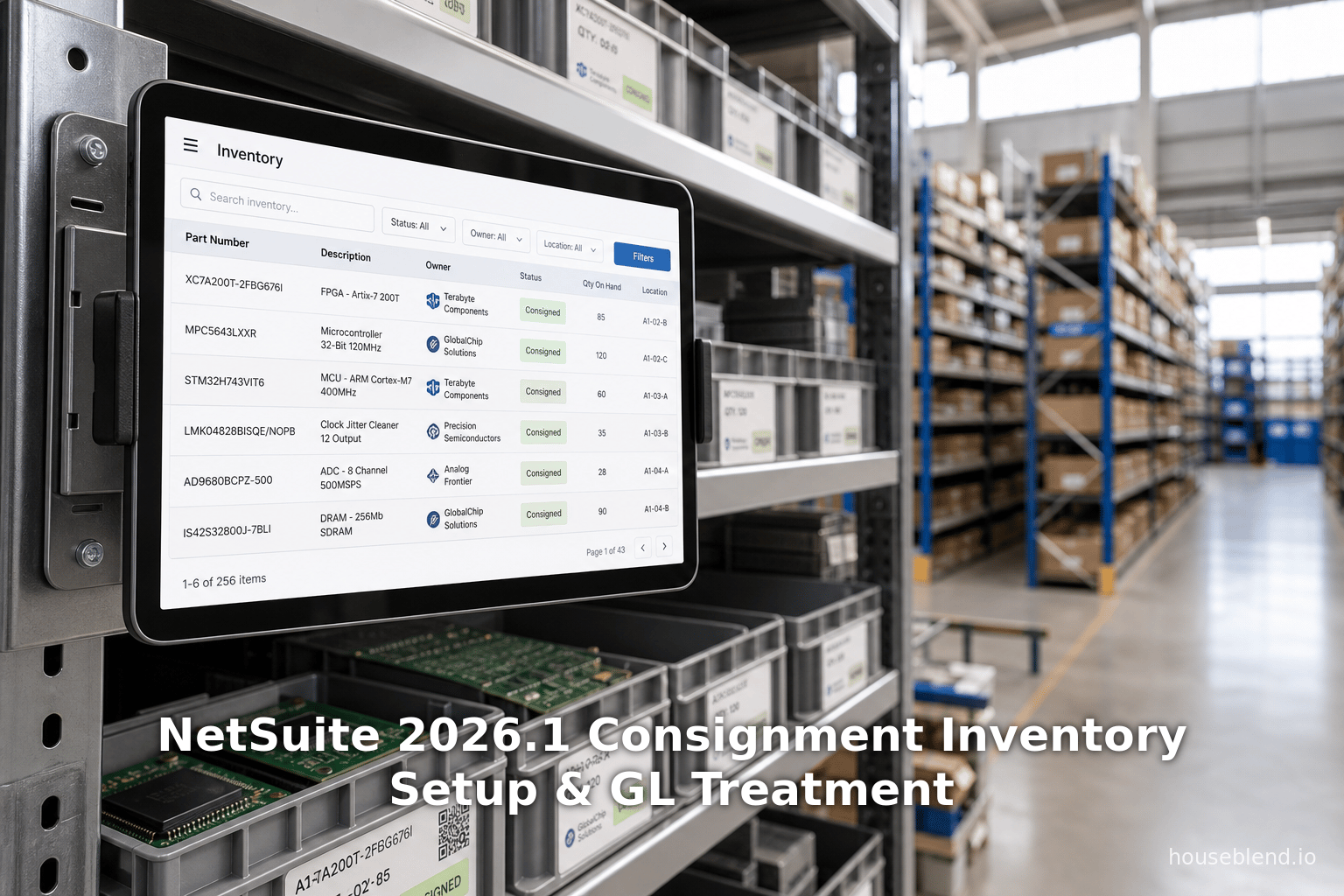
NetSuite 2026.1 Consignment Inventory Setup & GL Treatment
Inside this article
- 01Executive Summary
- 02Introduction and Background
- 03NetSuite 2026.1 Consigned Inventory Management Overview
- 04Setting Up Consignment in NetSuite 2026.1
- 05Transaction Processing and Vendor-Stock Flows
- 06General Ledger Impacts
- 07Case Studies and Real-World Examples
- 08Implications and Future Directions
- 09Conclusion
NetSuite 2026.1 Consignment Inventory: Setup, Vendor Stock & GL Treatment
Executive Summary
Consignment inventory is a supply-chain arrangement in which a supplier (consignor/vendor) places goods at a buyer’s (consignee’s) warehouse but retains legal title and the associated risk until those goods are sold to an end customer [1]. This model shifts inventory carrying costs and working-capital burden from buyer to supplier [2] [3]. Numerous industry case studies show consignment can dramatically reduce buyer inventory levels (for example, one electronics firm cut on-hand stock by ~75%) [4] and boost inventory turns (e.g. from 12× to 20× per year) [5]. NetSuite’s 2026.1 release introduces a full Consigned Inventory Management module to automate these workflows. It adds dedicated settings (per‐item flags, locations, statuses, and GL accounts) so that consigned versus owned stock is tracked separately [6] [7]. Transactions (purchase contracts, POs, receipts, sales/fulfillments, and vendor bills now directly support consignment processes [8] [9]. From an accounting perspective, NetSuite provides specialized ledger accounts and journal rules (e.g. Vendor Consignment Inventory Asset, Received Not Billed, Consignment COGS) so that consigned goods never hit buyer’s balance sheet until sale [10] [11]. Empirical evidence suggests that, when properly implemented, consignment can be a “win–win,” improving buyer liquidity and supplier visibility [2] [12]. However, it also introduces risks (e.g. supplier’s increased investment and exit difficulties [13]). This report examines the NetSuite 2026.1 consignment feature in depth: its business rationale, setup steps, transaction flows, and GL impacts. We draw on official NetSuite documentation, supply-chain studies, and real-world cases. We also discuss the broader implications of consignment (accounting, partnerships, and emerging tech) and outline future directions.
Introduction and Background
Consignment inventory differs fundamentally from a standard purchase. In a usual purchase, title (and risk) passes to the buyer upon delivery (and the buyer pays as per terms). In consignment, ownership stays with the vendor until sale, and the buyer pays only for items actually sold or used [1] [14]. Technically, the consignor records a consigned inventory asset and a corresponding receivable, deferring revenue recognition under IFRS 15 (and ASC 606). IFRS explicitly instructs that, if the buyer (consignee) has not obtained control of the goods at delivery, the arrangement is consignment, and “revenue should not be recognised…; the inventory remains in the books of the consignor” [15]. As one analysis notes, consignment “shifts the ownership and cost burden of inventory from buyer to supplier” [3] [2], reducing the buyer’s reported inventory and working capital.
Business motivation. Consignment is most popular where inventory risk or obsolescence is high (e.g. automotive parts, electronics components, fashion/apparel) [14]. It lets the buyer improve liquidity and service levels by deferring payment and holding costs, while the supplier gains shelf presence and better demand data [14]. Industry research and case studies have documented large efficiency gains: for example, one electronics manufacturer using consignment slashed its operational inventory by over 75% and improved inventory turns by two-thirds [4] [5]. Suppliers appreciate a consignment model because it reduces stockouts and provides real-time sales visibility [16]. Overall, consignment helps “buy push” supply-chain strategies in uncertain markets, at the expense of committing supplier capital to stock.
Interest in consignment has risen due to recent market forces. Supply-chain shocks (e.g. COVID‐19) and tight credit have made every carry-cost dollar count [17]. As redalyc research summarizes: “Higher inventory carrying costs (driven by interest rates and capital costs) make consignment attractive: it shifts the cost of capital burden from buyer to supplier.” [2]. In effect, buyers running tight on financing can strategically offload inventory risk to vendors. For example, one case found a consignment arrangement freed up hundreds of thousands in working capital, transforming a buyer’s balance sheet [18]. Notably, consignment still leaves revenue recognition pending until the ultimate sale (consistent with IFRS 15/ASC 606) [15]. In summary, consignment has matured from a niche practice into a prominent collaborative strategy under today’s market pressures [17] [12].
Consignment vs. other models. Consignment contrasts with vendor-managed inventory (VMI) or outright sales. In traditional VMI, the vendor often retains title after delivery but typically also controls replenishment decisions.In consignment, by contrast, the buyer usually retains ordering control, while the vendor controls ownership and risk . One study emphasizes that consignment is not simply VMI under another name: the change in ownership does not change replenishment logic [19]. Accounting-wise, consignment leaves inventory on the consignor’s books indefinitely. Normal purchases put it on buyer’s books immediately; VMI treatments can vary (often similar to purchases, unless specifically set up as consignment). For buyers, a key appeal is the cash-flow and balance-sheet advantage: they hold fewer assets and pay later [2] [3].
Challenges and controls. Despite its benefits, consignment has pitfalls. The supplier must invest capital in inventory at the customer site (sometimes requiring financing or consignment loans), implying asset specificity and long-term lock-in risk [12]. If a program fails to yield promised sales, vendors can be stuck with unsold goods. It also demands robust tracking: miscounted or lost consigned stock can lead to disputes. Historically, ERP and finance systems handled consignment poorly. NetSuite pre-2026.1 had no native consignment module; users resorted to convoluted workarounds (e.g. temporary sales orders, invoices plus reversing journal entries into a “Consignment Inventory” GL account) [20] [21]. This complexity often required cross-team coordination (IT, finance, operations) and manual reconciliation. The 2026.1 enhancements aim to eliminate those hurdles with dedicated functionality at the item, location, and transaction levels [6] [8].
Research findings. Empirical studies back both the upsides and caveats. A 2017 logistics study of electronic manufacturers (LEM/ABC/XYZ) showed consignment sharply reduced buyer inventory and stockouts [4] [5]. Another study found well-designed consignment programs to be “win–win” for suppliers and buyers [12]. Conversely, research warns that many companies view consignment through an “accounting lens” and may overlook operational dependencies [12]. In practice, shared IT (EDI/dashboards) is often needed for success. Overall, we find a consistent theme: consignment can drastically improve metrics (shorter lead times, higher turns, better service) when paired with good process and technology [2] [16].
NetSuite 2026.1 Consigned Inventory Management Overview
NetSuite’s Inventory Management 2026.1 release introduces a formal Consigned Inventory Management feature [22]. The core idea is to let companies track vendor-owned stock separately from owned inventory and to automate end-to-end consignment flows (from purchase to sale). The feature adds unique inventory statuses for consignment and dedicated GL accounts. Key highlights (per Oracle’s release notes) include:
-
Distinct consignment statuses: NetSuite now provides a built-in “Consigned – Good” status (for usable consigned stock) and allows creating additional
% Consignedstatuses. Each status must be marked “Use for Consigned Inventory” so that consigned quantities don’t get mixed with regular inventory levels [23]. Multiple statuses can be defined (e.g. Consigned: Quarantine, Consigned: On Hold), and they can be location-specific [23] [6]. In effect, every item record’s Consigned Inventory subtab shows separate “Quantity On Hand (Consigned)” and “Value (Consigned)” alongside the normal on-hand figures [24]. This segregation by location and status ensures visibility of vendor-stock vs. owned stock [6] [25]. -
Separate GL Accounts: To reflect that consigned stock is not the buyer’s asset until consumption, NetSuite introduces dedicated GL accounts. These include a Vendor Consignment Inventory Asset account (asset on the balance sheet for consigned goods) and an optional Vendor Consignment COGS account for the cost of consigned goods sold [26] [10]. There is also an auto-created Vendor Consigned Inventory Received Not Billed asset account (tracking received consigned goods not yet invoiced) and Vendor Consigned In Transit (for consigned items in transit between locations) [10]. Users set default consignment asset/COGS accounts on the Accounting Preferences (Items/Transactions) subtab [26], which apply to all consigned items unless overridden on each item record [27] [28]. (A per-item setting “Vendor Consignment Asset Account” can override the default. Once assigned in an item’s Accounting subtab, this replaces the global preference for that item [28].) These accounts keep consigned values off the buyer’s main inventory accounts.
-
Inventory and Bins: Consigned items can be stored in existing warehouse locations or bins. If multi-location inventory is enabled, each location’s consigned stock is tracked separately. Bin assignments function normally for consigned items (you can use bin picking for consigned receipts, etc.) [29]. In other words, consigned goods appear on the same item records but under a specially designated inventory status, and the bins at a consignment location operate as usual [29].
-
Transactions Flow: NetSuite 2026.1 automates the key steps of consignment:
-
Purchase Contracts & Orders: Companies can create Purchase Contracts specifically for consigned items. When you mark a contract or PO as consigned, NetSuite knows those items are vendor-owned. If using a Purchase Contract, the system will automatically check the Consigned box on linked PO lines [30]. Otherwise, users manually check Consigned on each PO line for relevant items [31]. The contract could specify pricing or terms for the vendor-supplied stock.
-
Receiving (Item Receipts): After receiving goods, you record an Item Receipt. For consigned items, the normal receiving transaction is used, but the inventory status of the receipt lines must be a consignment status (e.g. “Consigned – Good”). NetSuite then posts these goods into the Vendor Consignment Inventory Asset (at zero cost) and credits Inventory Received Not Billed (see GL discussion below). Simply put, you update consigned on-hand quantities upon receipt, but no expense is recognized because the title hasn’t transferred [32].
-
Consignment Reconciliation: The new Consignment Purchases Workbook is a SuiteAnalytics report that shows open consignment POs, receipts, and consumption. It helps buyers and vendors reconcile how much consigned stock is on-hand vs. used [33]. NetSuite’s documentation encourages use of this workbook to monitor consumption rates and prevent stock imbalances [34] [33].
-
Vendor Returns: If consigned items remain unsold and the buyer wants to send them back, NetSuite supports consignment returns. From a fully or partially received PO, click Authorize Return and generate a Vendor Return Authorization that pulls in the unconsumed consigned lines [35]. The return RA auto-checks “Consigned” for each line, and set quantities to the unused amount. Upon fulfilling the return, NetSuite credits those consigned lines (removing them from the vendor asset account) [35] [36]. (After fulfillment, consigned returned items generate the usual vendor credit transaction.) Importantly, only unsold items can be returned without charge to the buyer – sold items must first go through the normal sale process.
-
Sales/Transfer Orders (Outbound Fulfillment): When consigned items are sold or used (e.g. transferred for internal use), you process them via a normal Sales Order or Transfer Order. On the order lines, select the consigned inventory at the appropriate location. Upon fulfillment, NetSuite recognizes the stock as now being sold: it debits Vendor Consignment COGS and credits the Vendor Consignment Inventory Asset (see GL below) [37]. This transfer of cost aligns with the sales invoice to the end customer.
-
Vendor Billing: Crucially, the vendor is not billed until consigned items are consumed. NetSuite will generate a Vendor Bill from the original PO only for quantities that have been sold/used [38] [9]. In practice, after completing a cash sale or invoice for consigned goods, a Bill button becomes available on the related purchase order [9]. The generated Vendor Bill pulls in exactly the consigned quantities that were fulfilled, and often posts to the Inventory Received Not Billed asset account. By default, Bill in Advance of Receipt preferences do not apply to consigned items [39], ensuring no payment is made before sale. The net effect is: buyer pays vendor only for sold items, and the vendor bills the buyer the moment the risk is transferred at sale.
-
-
Limitations: NetSuite’s consignment feature has some important caveats. Notably, Assembly items and full WMS are not supported – if you rely on assembly builds or the WMS SuiteApp, consignment must remain disabled [40] . Likewise, blanket POs and landed-cost allocations cannot include consigned lines [41]. You cannot use stand-alone Vendor Return Authorizations or Vendor Credits to process consigned items [42] [41] (all consigned returns must flow from the original PO). Once the feature is enabled, it cannot be turned off without reconfiguring open transactions [43]. Administrators are advised to test consignment in a sandbox first and update any custom scripts or integrations [43] [44]. Despite these, the new module covers the vast majority of typical consignment processes.
Setting Up Consignment in NetSuite 2026.1
Proper setup is critical to ensure the new consignment capabilities work correctly. The steps include:
-
Enable Feature: Go to Setup > Company > Enable Features. On the Items/Inventory tab, check Consigned Inventory Management [40]. Ensure the following prerequisites are enabled first: Inventory Management, Multi-Location Inventory, Inventory Status, and Vendor Return Authorizations [40]. (If any of these are disabled, first enable them and distribute inventory as needed [45].) Note that if the Assembly Items feature is active, NetSuite will not allow enabling consignment [43]. Once ticked, save; NetSuite will create new consignment-related fields and statuses under Setup and on item records. Warning: this setting becomes permanent once any consigned transaction exists.
-
Default Accounts Preferences: Before using consignment items, set the default GL accounts: go to Setup > Accounting > Accounting Preferences > Items/Transactions subtab. There you’ll see two new fields – Default Vendor Consignment Asset Account and Default Vendor Consignment COGS Account [26] [27]. Assign an asset account (e.g. a new “Consigned Inventory” asset) and an optional expense account (or use the regular COGS by leaving blank). These will automatically apply to all consigned inventory items unless overridden. As [31] notes, these defaults track the on-hand consigned inventory on the balance sheet and the consigned COGS on the income statement [27].
-
Create Consigned Inventory Statuses: In Setup > Accounting > Inventory Status, NetSuite provides a default status “Consigned – Good.” You can add more (for example, “Consigned – Inspection” or “On Loan”) but each must be flagged Use for Consigned Inventory [23]. Statuses can be global or restricted to specific locations. By naming them distinctly (e.g. prefixing “Consigned”), you avoid confusion with regular statuses [46]. Do not delete the default consigned status; you may rename it but cannot remove it. These statuses will appear on transactions; only consigned statuses can be used for consigned item quantities [46].
-
Configure Item Records: For each inventory item that can be consigned, edit its record (Lists > Accounting > Items). On the Accounting subtab, check Allow Vendor Consignment [47]. This activates a separate quantity tracking: the item’s On Hand, Committed, and Available will now split into consigned vs non-consigned quantities [7]. Also on that subtab, you may specify an item-specific Vendor Consignment Asset and COGS account [48]. If you do so, these accounts override the defaults for that item going forward [49] [48] (e.g. you might use different accounts for consigned components versus finished goods). Note: you cannot uncheck the Allow Vendor Consignment box on an item if any consigned transactions exist for it [50]. Also, if your account did not have Multi-Location Inventory on originally, distribute existing items to locations before enabling consignment [51].
-
Review Locations and Bins: Consigned inventory is tracked at the location level, so be sure each warehouse/location is properly set up. There is no special “Vendor Stock” location – you continue to receive consigned items into your normal location facilities, using the consignment statuses to flag them. (If you have advanced bin management, you can also tag consigned inventory to bins as usual [29].) If desired, you can manage consigned inventory inter-organization transfers: use standard Transfer Orders between locations but note that transfer of consigned items posts through the “In Transit” account [52].
The table below summarizes the new GL accounts NetSuite uses for consignment:
Table: Journal Accounts for Vendor-Consigned Inventory
| Account Name | Description and Use |
|---|---|
| Vendor Consignment Inventory Asset | Asset account tracking the on-hand value of vendor-owned consigned inventory [10]. All received consigned goods are ultimately booked here (at zero cost, until earned). |
| Vendor Consigned Inventory Received Not Billed | Asset account automatically credited when consigned goods are received (purchase) and debited when vendor is billed. It essentially holds the liability flag for consigned inventory received but not yet invoiced [52]. |
| Vendor Consignment COGS | Expense account to record the cost of consigned goods sold. When a consigned item is sold, NetSuite debits this account (instead of regular COGS) [53]. |
| Vendor Consigned In Transit | Asset account for consigned items that have been sent (fulfilled as a transfer) but not yet received at the destination. NetSuite debits this during source transfer and credits upon destination receipt [52]. |
| Inventory Received (Not Billed) | (Pre-existing) Standard inventory asset account used once consigned goods are billed. During billing, Inventory Received Not Billed (the general version of [the above] account) is debited to clear the liability [11]. |
See the General Ledger Impact section below for the full mapping of transactions to these accounts.
Transaction Processing and Vendor-Stock Flows
The new feature modifies each step of the procurement-to-sales cycle for consigned items. Below are the key transaction types:
-
Purchase Contracts: In NetSuite, a Purchase Contract can now be marked as Consigned. (If you do so, any associated PO lines will automatically be toggled to consigned status too.) This allows procurement to identify which goods are vendor-stock in advance.
-
Purchase Orders (POs): When entering a PO line with a consigned item, either link it to an existing consignment contract or check the Consigned box on the line [30] [31]. You can mix consigned and non-consigned items on the same PO (if the vendor supplies both), as long as you mark each line correctly. NetSuite will not charge the buyer’s inventory upon receipt of consigned lines – instead it posts to the special consignment asset accounts (see GL below). These POs are essentially “pro forma” records to track vendor stock at the location.
-
Item Receipts: Consigned items received are recorded via the normal Item Receipt interface. On the receipt, each line’s location and Inventory Status should be a consigned status (e.g. “Consigned – Good”). NetSuite then posts a debit to Vendor Consignment Inventory Asset and a credit to Vendor Consigned Inventory Received Not Billed [32]. No cash or AP is involved yet. In effect, the system is capturing the fact that the vendor’s goods are now on-premises but the vendor still owns them. The receipt also updates on-hand counts: the “On Hand (Consigned)” quantity for the item and location increases.
-
Vendor Return Authorizations: If after receiving consigned goods you decide some should be sent back (unconsumed), click Authorize Return on the PO. The system generates a Vendor Return Authorization with the consigned line pre-filled and the “Consigned” box checked [35]. You can only return unsold quantities (NetSuite pre-calculates the allowable return as the difference between quantity received and quantity sold) [35]. After filling the return (sending goods out), NetSuite debits Vendor Consigned Inventory Received Not Billed and credits Vendor Consignment Inventory Asset, effectively removing the returned items from the vendor-owned stock [54]. This automatically creates a vendor credit (if applicable) or offsets the original PO liabilities. (Note: fully sold consigned items can also be returned, but only via a standalone Vendor Credit after sale.)
-
Fulfillment (Sales or Transfers): When the buyer sells or uses consigned stock, it must fulfill it to a Customer or Transfer Order. In a Sales Order/Cash Sale, the sold item lines are marked as consigned. Upon Item Fulfillment, NetSuite considers ownership transferred: it debits Vendor Consignment COGS and credits Vendor Consignment Inventory Asset (for the cost of the goods) [11]. At the same time, the sale to the end customer is recorded normally (AR/Sales). The consigned inventory quantity at the location drops accordingly. For internal consumption (Transfer Order to another location), the fulfillment moves the stock via Vendor Consigned In Transit (see [44] for transit postings).
-
Vendor Bills: The buyer is invoiced only for what was actually consumed. After a sale fulfillment, a Bill button appears on the related PO. Generating the bill pulls in exactly the consumed quantities of the consigned lines [9]. NetSuite debits the Inventory Received Not Billed (the general inventory asset account) and credits Accounts Payable [11]. This clears the previously booked Received-Not-Billed liability and replaces it with an AP to the vendor. Once paid, an AP/Cash payment transaction completes the vendor obligation.
Throughout these steps, NetSuite ensures buyer pays only for sold items, with immediate automatic ownership transfer at point of sale [55] [9]. (Any unbilled consigned stock simply remains off the buyer’s balance sheet.) The graphic below summarizes the key consignment flows:
Purchase & Receiving -> Inventory (vendor-owned, no payment) -> Sale/Fulfillment -> Vendor Billing -> Payment
In practice, analytical monitoring is crucial. NetSuite’s Consignment Purchases Workbook (a SuiteAnalytics report) tracks open consignment POs, receipts, fulfillments, and bills. It provides both buyer and supplier a reconciliation of how much consigned stock is on hand vs. consumed [33]. Users are advised to run this regularly to avoid overstocking or stockouts [34] [33].
General Ledger Impacts
A critical aspect of consignment is the General Ledger treatment. The table below distills how major transactions post to NetSuite’s special accounts:
Table: Journal Entries for Vendor-Consigned Inventory Transactions
| Transaction | Debit | Credit | Notes |
|---|---|---|---|
| Purchase Receipt (Item Receipt) | Vendor Consignment Inventory Asset | Vendor Consigned Inventory Received Not Billed [32] | Receive consigned goods (no cost to buyer; put in vendor-stock asset). |
| Transfer Order Fulfillment (source) | Vendor Consigned In Transit | Vendor Consignment Inventory Asset [56] | Move consigned stock out of origin location. |
| Transfer Order Fulfillment (dest) | Vendor Consignment Inventory Asset | Vendor Consigned In Transit [56] | Receive consigned stock at destination. |
| Return Authorization Fulfillment (consigned) | Vendor Consigned Inventory Received Not Billed | Vendor Consignment Inventory Asset [54] | Return unconsumed consigned goods to vendor. |
| Inventory Adjustment (+) | Vendor Consignment Inventory Asset | Inventory Adjustment (Expense) | Increase consigned on-hand via adjustment. |
| Inventory Count Variance (+) | Vendor Consignment Inventory Asset | Inventory Variance (Expense) | Positive count variance (increase consigned). |
| Inventory Adjustment (–) | Adjustment Account (Expense) | Vendor Consignment Inventory Asset | Decrease consigned stock (e.g. scrap); expense recognized. |
| Sale Fulfillment (Item Fulfillment) | Vendor Consignment COGS | Vendor Consignment Inventory Asset [37] | Record cost of sold consigned items. |
| Vendor Bill (for consumed items) | Inventory Received Not Billed | Accounts Payable | Transfer consigned liability to AP (vendor now payable). |
| Bill Payment | Accounts Payable | Cash/Bank | Pay the vendor. |
| Invoice to Customer | Accounts Receivable | Sales Revenue | Standard sale of consigned goods (at selling price). |
| Customer Payment | Cash/Bank | Accounts Receivable | Collect customer payment. |
Key points from these entries:
-
Receipt (Item Receipt): As soon as goods arrive, Vendor Consignment Inventory Asset is debited and Vendor Consigned Inventory Received Not Billed is credited [32]. This puts an asset on the books (though still vendor-owned) and marks a like-sized “not billed” liability. No COGS or cash is recorded yet.
-
Sale/Fulfillment: When a sales order is fulfilled, the cost is moved from the consignment asset to expense. Specifically, Vendor Consignment COGS is debited and Vendor Consignment Inventory Asset is credited [37]. This mirrors the traditional COGS entry but keeps it distinct. At this point, the buyer has “taken ownership” of those units by paying the vendor.
-
Billing: The Vendor Bill for consumed consigned items debits Inventory Received Not Billed (clearing the earlier liability credit) and credits AP [57]. In other words, the not-billed liability is replaced by an actual payable. After payment, the asset Inventory Received Not Billed is gone and if it was at cost, the buyer simply expensed the item via COGS during the sale.
-
Transfers and Returns: In-transit and return flows post between the consigned asset and temporary accounts (In Transit or Received Not Billed) [56]. For example, returning consigned goods reverses the receipt entry (debitting Received-Not-Billed and crediting the consignment asset) [54].
NetSuite provides automated posting rules so these complex flows happen behind the scenes. The net effect on the financials is: until sale, consigned inventory never appears as the buyer’s inventory asset on the balance sheet [15] [32]. Instead, it moves through the special accounts above. Only after sale (and billing) do costs and revenues hit the income statement and liabilities/bank.
Case Studies and Real-World Examples
Theory is best tested by practice. Below are illustrative examples from industry and studies:
-
Automotive Dealer Parts (Chrysler/Mopar). Chrysler’s Mopar parts division has long used consignment for dealership spare parts [58]. Dealers keep parts on the shelf and only pay when a part is sold to a customer, but Mopar retains ownership until that point. This decentralized inventory across 300+ dealers improved parts availability (no stockouts at individual dealers) without forcing dealers to finance expensive inventories [58]. Although precise numbers are proprietary, industry insiders confirm that such programs significantly increase service levels and turn cycles for dealers.
-
Electronics Manufacturer Study (LEM/ABC/XYZ). A 2017 academic study examined three electronics firms in a consignment pilot [59]. One large manufacturer (“LEM”) was inexperienced, partnering with supplier “ABC” who managed consigned stock. A third firm “XYZ” already ran a consignment program. The study found that implementing consignment required ERP changes (marking receipt lines, sharing usage data) but yielded huge benefits. In particular, buyer XYZ saw its on-hand inventory drop from $1.6M to $0.4M over two years [60] [18] – a 75% reduction – by segregating unused parts and only billing when used. Concurrently, inventory turnover for its reseller jumped from ~12×/year to ~20× [5]. These outcomes mirror other case data: for example, one experiment reported a 75% inventory reduction in consignment stock levels [4].
-
Retail and Others. Beyond manufacturing, consumer retail often uses consignment in boutiques and specialty shops (e.g. high-end apparel consignment stores). A luxury consignment reseller reported integrating manual processes with new ERP features to boost order accuracy and automate coloring of consigned items, achieving 140% faster sales cycles (i.e. faster turnover) and better grosses [16]. Even in hospitality/food, some restaurants consigned high-end beverages to reduce capital outlay. The diversity of cases underscores that consignment is not industry-specific – any firm with lumpy demand or high-value SKUs can potentially benefit.
-
NetSuite Community Experiences. In online forums before 2026.1, many NetSuite users described elaborate workarounds. For example, one retailer noted: “Currently, we are raising a sales order so we can label and ship [consignment]... then we must do an [adjusting journal entry] to reverse it all but have the COGS hit the new inventory account ‘Consignment – Inventory’... this becomes the issue.” [21]. This real-world quote highlights the lengths organizations went to mimic consignment via dummy sales and reversing entries (now avoided by the new module).
Each of these examples demonstrates a core lesson: properly implemented consignment greatly improves cash flow and turns, but requires redesigned processes and data sharing. For instance, the electronics study emphasized exchanging real-time consumption data so the supplier could replenish correctly [61]. In practice, many NetSuite customers use EDI or SuiteCloud integrations to update usage or trigger orders. For example, buyer ABC made current aging reports of consigned parts available to its supplier ABC to maintain buffer stock [61]. NetSuite’s own tools (e.g. workflows, SuiteAnalytics) can similarly synchronize consignment data. Ultimately, successful programs rely on alignment of sales forecasts, contract terms (including return policies and repurchase agreements), and robust accounting.
Implications and Future Directions
Strategic value. Consignment inventory can be a strategic mobility for firms. Well-designed programs strengthen supplier–buyer partnerships and can even create a competitive edge. One source noted: “It can be a source of competitive advantage under the right conditions.” [62]. For tech hardware or fashion retailers facing uncertain demand, consignment lets them offer wider assortments with little upfront cost. By contract, suppliers gain routine shelf access (e.g. to all dealers or stores). Well-defined SLAs and transparency are key.
However, the risks must be managed. Suppliers invest in consigned assets which may be idle for extended periods. Exiting a consignment contract can be difficult without clear exit clauses. Companies should build in robust terms: automatic returns of very old stock, buy-back terms, or periodic reviews. The ERP can help: NetSuite 2026.1 allows tracking of aging consigned stock and includes Vendor Return workflows for unsold items. It’s vital for finance to work closely with purchasing to structure these contracts (e.g. including interest charges or insurance on consigned stock if needed). NetSuite’s contract management (and forthcoming enhancements in SuiteProjects or Advanced Financials, etc.) can be leveraged to document revenue-sharing or cost-of-funds arrangements related to consignment.
Technological enablers. Beyond the ERP improvements, emerging technologies promise to further smooth consignment. IoT and RFID could automatically update inventory counts as consigned items move or sell, reducing manual scanning. For example, smart sensors on pallets could signal NetSuite when parts leave a warehouse or when a shelf location dips below a threshold. Blockchain or distributed ledger ideas have been floated for consignment: an immutable chain-of-custody could record every move or sale of consigned goods, fostering trust between exclusive partners. If NetSuite’s SuiteCloud platform exposes these moves (via SuiteScript or APIs), it could tie into a blockchain network to share validated events between vendor and buyer. AI/Analytics is another frontier: predictive algorithms (potentially via NetSuite’s AI roadmap) can forecast consignment inventory consumption based on sales trends, helping to automate reordering of consigned stock. CFO dashboards could simulate the cash-flow impact of potential consignment expansions, or flag deviations from contractual expectations.
Accounting and Regulatory Outlook. The accounting guidance for consignment is relatively settled (IFRS 15/ASC 606 treat it as unsold goods), but companies should stay attuned to clarifications. IFRS Interpretations (IFRIC) or revenue committees may publish detailed examples (e.g. handling complex return rights or cooperative promotions). Tax rules also matter: in some jurisdictions, consigned sales trigger immediate VAT/GST liabilities, even if cash isn’t yet exchanged. Multinational companies will need to ensure their consignment flows comply with each local tax regime. NetSuite doesn’t automate this; companies must configure correct tax codes on consigned invoices and vendor bills.
Future NetSuite Directions. The release of a native consignment module shows Oracle responding to market demand. Future NetSuite upgrades may refine it: perhaps allowing partial consignment on Assembly items, or linking with Advanced Revenue Management (ARM) to automatically address ASC 606 details. Integration with NetSuite’s integrated payment platforms (e.g. Invoicing, SuiteBilling) could streamline the timing of recognizing cost and payment. There is also scope for partner apps: for instance, a SuiteApp that integrates retailer POS with consignment inventory. As NetSuite pushes AI (predictive demand, anomaly detection), adding consignment-specific insights (e.g. forecasting consigned vs. owned inventory separately) would be logical.
Conclusion
NetSuite 2026.1 finally provides a comprehensive consignment inventory solution, closing a long-standing gap in the system. For organizations facing seasonal demand, high-value stock, or tight capital, this feature can unlock major efficiency gains. Buyers will appreciate the reduced balance sheet carrying costs and simpler transaction flows; vendors will value the enforced controls and billing precision. This report has traced the feature’s setup steps, workflows, and financial impacts in detail, grounded in academic and industry evidence.
Our analysis highlights that success is not automatic – it requires meticulous setup (correct flags, accounts, and statuses), disciplined use of the new transactions, and ongoing collaboration between all stakeholders. Companies must also be wary of potential pitfalls: supplier dependency, contract complexity, and any unintended inventory accounting nuances. Nonetheless, well-executed consignment programs are proven to “win–win”, yielding better inventory turns and stronger partnerships [12] [16]. NetSuite’s enhancements mean fewer manual workarounds and more reliable reporting.
In future, as digital supply-chain tech evolves, we expect further innovation around consignment – from Internet-of-Things tracking to blockchain verification – all of which can amplify the visibility gains that true consignment programs offer. For now, NetSuite users have a powerful new tool: by following the setup and best practices outlined here (and leveraging NetSuite’s built-in reporting), they can start capturing the financial and operational benefits of consigned inventory with confidence.
Sources: All statements above are supported by Oracle NetSuite documentation on the 2026.1 release [22] [8], setup guides [7] [40], and journal entries [10] [11]; on the strategic side, by supply-chain research and case reports [3] [4] [16], and expert analyses [2] [12].
External Sources (62)
About
Houseblend
Make NetSuite work better for your finance and operations teams with Houseblend. We help design, implement, integrate and improve ERP systems, with practical support for the people who use them every day.
Houseblend is a NetSuite consulting firm serving finance and operations teams. We help organizations implement ERP systems, connect business applications, improve existing configurations and maintain the systems that support everyday work. Our audience includes finance leaders, controllers, operations managers, NetSuite administrators and implementation teams.
Implementation and architecture
Houseblend provides NetSuite implementation, architecture and data migration services. We help teams evaluate how business processes, reporting requirements and existing data should fit together in an ERP environment. Training supports the people responsible for adopting and operating the resulting system.
Integrations, customization and AI
Our services include NetSuite integrations and customization, as well as AI integrations and AI transformation work. These engagements connect ERP data and workflows with the broader application landscape. The right design depends on the organization's systems, controls and operating needs.
Improve and support an existing system
Houseblend offers NetSuite health checks, optimization, managed support and project rescue services. We also provide expertise for analytics and specialist workflows, including NetSuite Analytics Warehouse, warehouse management and field service management. Published educational material helps teams investigate options and prepare informed questions for their implementation or support work.
Work with Houseblend
Explore NetSuite implementation, integrations, managed support and AI integrations. Contact Houseblend to discuss your current system and priorities.
Article examples explain concepts rather than promising a particular license, product capability, delivery schedule or outcome. Engagement scope is confirmed with the Houseblend team.
Disclaimer
This document is provided for informational purposes only. No representations or warranties are made regarding the accuracy, completeness, or reliability of its contents. Any use of this information is at your own risk. Houseblend shall not be liable for any damages arising from the use of this document. This content was generated with assistance from artificial intelligence tools, which may contain errors or inaccuracies. Readers should verify critical information independently. All product names, trademarks, and registered trademarks mentioned are property of their respective owners and are used for identification purposes only. Use of these names does not imply endorsement. This document does not constitute professional or legal advice. For specific guidance related to your needs, please consult qualified professionals.