Houseblend Article
NetSuite Custom Tool Scripts: Building MCP AI Connectors
Inside this article
- 01Executive Summary
- 02Introduction
- 03Background: AI in Business and NetSuite’s AI Strategy
- 04NetSuite AI Connector Service and Tooling
- 05Technical Details and Development
- 06Case Study: Sample Tools
- 07Discussion: Insights and Expert Views
- 08Data Analysis and Market Impact
- 09Discussion and Future Directions
- 10Conclusion
- 11References
Executive Summary
This report examines the recent evolution of NetSuite’s platform in integrating generative AI and conversational tools, focusing on NetSuite’s Custom Tool Script framework, the AI Connector Service, and MCP (Model Context Protocol)–based tools and apps. It provides a historical overview of AI in enterprise software and the Model Context Protocol, details NetSuite’s new AI integration features (including custom script types and interactive MCP apps), analyzes use cases and industry perspectives, and discusses future implications. Key findings include:
-
NetSuite AI Initiatives: Beginning in 2024, Oracle has aggressively embedded AI capabilities into NetSuite at no additional cost to users [1]. In 2025–2026, NetSuite announced an AI Connector Service based on the open Model Context Protocol (MCP), enabling any MCP-compatible AI (such as Claude, ChatGPT, Gemini, etc.) to invoke NetSuite data and actions securely [2] [3].
-
Custom Tool Scripts: NetSuite introduced a new SuiteScript 2.1 Custom Tool Script type. These scripts define “tools” (operations) that AI clients can call. Each tool has a JSON schema (name, description, parameters, permissions) that the AI uses to select and execute it [4] [5]. Custom Tools allow AI assistants to retrieve data, perform workflows, or modify records via natural-language prompts. They use the standard SuiteCloud development framework (SDF) and respect existing role-based permissions [6] [2].
-
MCP Standard and Sample Tools: Oracle supplies an MCP Standard Tools SuiteApp – a library of pre-built tools covering common tasks (e.g. record creation, reporting, Saved Search, SuiteQL queries) [7] [8]. For developers, an older MCP Sample Tools SuiteApp (now replaced by the Standard Tools version) contains examples of custom tools built with SuiteScript 2.1 [9]. The Standard Tools categories include Record Tools (“create, retrieve, update records”), Report Tools (“access and run reports”), Saved Search Tools, and SuiteQL Tools [7] [8].
-
Interactive MCP Apps: Beyond text-response tools, NetSuite supports MCP Apps – custom tools with embedded user interfaces (HTML/CSS/JS) that render inside the AI chat experience [10] [11]. An MCP App’s schema includes a special
_meta.ui.resourceUrifield pointing to a bundled HTML UI, which the AI client displays sandboxed in-chat [10] [11]. For example, a developer can create an interactive form prompting the user for inputs, then call a backend SuiteScript tool to perform an action. This enables richer, guided workflows (e.g. multi-step data entry or guided data retrieval) via generative AI assistants. -
Use Cases and Examples: Industry demos and case studies illustrate the power of these tools. For instance, in a NetSuite demo a user asked Claude AI to list all accounts overdue by 30 days and build a dashboard from the data; the process showed the AI invoking specific NetSuite query tools and generating SuiteQL code in real time [12]. A nonprofit (EAL Green) pilot let employees upload product photos, which Claude identified and used to log inventory in NetSuite via the connector [13]. These examples demonstrate automating complex queries and even multimodal (image-based) inputs through the AI Connector.
-
Security and Governance: NetSuite’s AI integration is designed around existing security roles and permissions [6] [14]. The AI Connector uses OAuth2.0 and streamable HTTP; clients like Claude Pro and ChatGPT Pro/Business (with developer mode) are supported if they implement the required MCP protocols [15]. Tool visibility is governed by NetSuite role permissions – a tool only appears to a user if their role has all the required rights [6]. New features allow mapping existing NetSuite roles (CFO, Accounts Receivable Analyst, etc.) into “AI assistant roles” so that queries issued by an AI run under those permissions [16]. Additionally, Oracle provides a “Connector Service Companion” with curated prompt libraries and context to guide LLMs, making deployment easier for business users [17].
-
Market and Trend Context: NetSuite’s moves reflect broader trends. Gartner projected global AI spending to reach $2.5 trillion in 2026 (a 44% increase over 2025) [18], underscoring enterprise focus on AI despite ROI uncertainties. At NetSuite’s 2025 SuiteWorld conference, Oracle unveiled the “ NetSuite Next” platform and “Ask Oracle” AI service, signaling long-term AI integration [19].In 2026, CEO Evan Goldberg emphasized AI’s transformative potential, stating that embedding AI into core operations will let businesses “operate at a completely different altitude” [20].
-
Future Directions: Looking ahead, NetSuite’s open MCP-based approach should allow any compliant LLM or AI assistant (e.g. future versions of ChatGPT, Gemini, Claude, Microsoft Copilot, etc.) to plug in. This avoids vendor lock-in [21]. Custom tools and MCP apps form a foundation for richer, agentic workflows in ERP (moving beyond mere “copilots” to “autopilots” that act on users’ behalf). Potential future developments include expanded AI-driven automation (e.g. autonomous invoicing or supply-chain adjustments), more AI-powered analytics embedded in NetSuite, and tighter integration of LLMs for tasks like predictive forecasting. The technology also raises important considerations about data governance, privacy, and auditability; organizations must apply NetSuite’s built-in controls (role-based access, execution logs) and best practices when enabling AI access [6] [18].
In sum, NetSuite’s new Custom Tool Script and AI Connector framework – built on the emerging Model Context Protocol standard – represents a significant step in blending next-generation AI assistants with core ERP functionality. The result is a more natural-language, AI-driven way to query, update, and interact with enterprise data, with early examples showing substantial productivity and intelligence gains. Going forward, enterprises should monitor these capabilities and plan how to integrate them. When used responsibly, NetSuite’s AI-enabled tools promise to streamline workflows, enhance decision-making, and potentially elevate businesses to “operate at a completely different altitude” [20].
Introduction
NetSuite (an Oracle company) is a leading cloud-based ERP (Enterprise Resource Planning) and financial management software suite. In the last few years, advances in artificial intelligence – especially large language models (LLMs) and conversational agents like OpenAI’s ChatGPT and Anthropic’s Claude – have opened new possibilities for business software. Companies are eager to allow AI assistants to query their internal data and perform tasks via natural language. For example, a CFO might want to ask an AI to “show me last quarter’s revenue by region” or “create a vendor bill from this invoice image,” and have the ERP system execute it.
To enable such AI–ERP integration, in late 2024 Anthropic and other industry players introduced the Model Context Protocol (MCP) – an open standard for connecting LLMs to external data sources and applications [22]. MCP defines how applications publish tools (APIs) and metadata to LLMs securely. In November 2024, Anthropic announced that MCP was open-sourced to allow broad adoption of this “new standard for connecting AI assistants to the systems where data lives” [22].
Shortly thereafter, NetSuite began embedding MCP compatibility into its platform. In 2025, NetSuite announced an AI Connector Service that leverages MCP to bridge external AI assistants (like Claude, ChatGPT, Google’s Gemini, Microsoft’s Copilot, etc.) with NetSuite’s internal logic and data. At the SuiteWorld conference in March 2024, Oracle had already unveiled over 200 AI-powered features in NetSuite (e.g. text composition tools) offered at no extra cost [1]. By late 2025 and early 2026, these efforts culminated in the new Connector service and a custom script API that let developers expose NetSuite actions as “tools” to an AI client.
In this report, we dive deeply into these new capabilities: how Custom Tool Scripts work, what MCP Apps are, and how the AI Connector Service operates. We draw on official documentation, tech blogs, and news reports, citing industry analysts and developer experiences. We also survey use cases and implications. Our aim is to provide a comprehensive, evidence-based analysis of NetSuite’s Custom Tool Scripts and AI Connector (MCP-based) tools, covering their background, technical details, deployment, and business impact.
Background: AI in Business and NetSuite’s AI Strategy
Generative AI and Enterprise Software
Generative AI – especially LLM-powered assistants – surged into the mainstream with the public release of ChatGPT in late 2022, driving massive corporate interest. Organizations began experimenting with automating tasks via AI chatbots, from drafting emails and generating reports to answering queries over internal data. A 2026 Gartner forecast projected worldwide spending on AI technology to reach $2.5 trillion in 2026 (a 44% increase over 2025) [18], reflecting this intense interest even amid caution about ROI. (For context, Gartner also noted many companies in 2025 saw little immediate ROI from early AI trials [23], indicating the technology is still on the adoption “hype cycle”.)
ERP and business management vendors responded by integrating AI features. Oracle, which sells NetSuite alongside its Fusion ERP suite, announced in March 2024 that it would add “more than 200” AI-driven features to NetSuite (covering finance, supply chain, marketing, etc.) and, notably, not charge extra for them [1] [24]. Evan Goldberg (Oracle NetSuite EVP) emphasized that AI should be ubiquitous in software rather than an add-on: “AI is going to be everywhere…it’s not something you’re going to turn on or off,” he told press [25]. This positions NetSuite (and Oracle) to compete with SAP and others, who at the time were exploring premium pricing for AI add-ons. Indeed, competitors like SAP planned to charge up to 30% premium for AI features, whereas Oracle declared it as table-stakes enhancement [1] [26].
At Oracle’s SuiteWorld 2025 event (Oct 2025), NetSuite took a big step: it announced NetSuite Next, a next-generation platform infused with extensive AI tools, and Ask Oracle, a natural-language AI assistant for the platform [19]. Shortly after, NetSuite continued enhancements leading up to its SuiteConnect 2026 conferences. Speaking at SuiteConnect London in early 2026, CEO Evan Goldberg contrasted NetSuite’s AI vision with the “copilot” model. He used an “autopilot” metaphor: for NetSuite to deeply embed AI across every function, so the system can act more autonomously and reliably on behalf of businesses [27] [20]. As he put it, “Businesses that build AI into the core of how they operate…will set themselves up to outperform for years to come…this is not just about moving faster, it’s about creating…the conditions for businesses to operate at a completely different altitude.” [20]. This strategic framing underscores that NetSuite sees AI not as a superficial feature but as an integral driver of future ERP capabilities.
The Model Context Protocol (MCP)
A key enabler for NetSuite’s new AI integrations is the Model Context Protocol. MCP is an open protocol co-designed by Anthropic and released in late 2024 [22]. It standardizes how applications expose “tools” to AI models and how the AI calls those tools. In analogy to a USB port, MCP provides a standard “plug” for AI assistants to connect with external services (business systems, document repositories, etc.) and fetch context or execute actions. The protocol specifies how to describe a tool’s schema (inputs, outputs, metadata) and how to authenticate/invoke it.
By adopting MCP standards, NetSuite ensures that any MCP-compliant AI assistant can interact with NetSuite data. In practice, this means Claude from Anthropic, ChatGPT (when developer-enabled), Google’s Genie/Gemini, or any future LLM with MCP support can become a “front-end” for NetSuite. Oracle’s documentation explicitly lists supported AI clients: “Claude Pro, ChatGPT Pro, ChatGPT Business and ChatGPT Plus in developer mode, and others” all can connect to NetSuite via MCP with the right OAuth2 setup [15]. In summary, NetSuite’s AI Connector Service is built on MCP, providing secure, governed bridging between the AI and the ERP database [2] [21].
NetSuite AI Connector Service and Tooling
AI Connector Service Overview
The NetSuite AI Connector Service is the platform that manages connections between external AI assistants and the NetSuite account. It essentially hosts an MCP server inside NetSuite that listens for AI calls. Key points include:
-
Hosted MCP Service: NetSuite provides a managed MCP server endpoint. Administrators install the MCP Standard Tools SuiteApp and configure OAuth2 credentials in NetSuite. Authorized AI clients then authenticate (via OAuth PKCE flow) and communicate using JSON-RPC over HTTPS [15].
-
Tool Discovery: Through the MCP Service, the AI can list available tools. NetSuite exposes a set of built-in tools (Record, Report, Saved Search, SuiteQL – see next section) via a JSON tool schema. AI assistants retrieve these definitions to know what they can do [4] [7].
-
Security and Permissions: The Connector enforces NetSuite’s existing security model. Each tool has associated required permissions (defined in its toolset schema). The AI only “sees” or can execute a tool if the connected NetSuite role has those permissions [6] [14]. For example, a tool that creates a vendor bill might require the “Create Vendor Bill” permission; if the AI session is running as an Accounts Payable role, only then will the tool appear. Furthermore, NetSuite now supports mapping AI sessions onto its built-in security profiles. For example, a company could specify that the AI user has the “CFO” profile roles, ensuring it can only perform actions a CFO could [14]. This preserves robust access control and auditability.
-
Standard vs Custom Tools: By default, NetSuite’s MCP Standard Tools SuiteApp provides common functionality (see below), but customers and developers can create custom tools. These are implemented via SuiteScript 2.1 Custom Tool Scripts. Once deployed (via SuiteCloud Development Framework), a custom tool becomes available over the connector just like the built-in tools. Organizations can therefore automate nearly any SuiteScript-capable operation: data queries, record creation, workflow triggers, etc., all callable through natural language. (See next sections for how this works in detail.)
-
Service Companion: To ease adoption, NetSuite also released an AI Connector Service “Companion” – essentially a set of preparedness resources. This includes pre-built “skills”, described prompt libraries (over 100 templates) and contextual instructions that help the AI understand NetSuite-specific data and terminology [17]. For example, instead of crafting free-text prompts, a business user could click a template to “create a new sales order”, and NetSuite will generate a structured request. The companion also guides users through the setup without requiring deep prompt-engineering expertise.
In summary, the AI Connector Service transforms NetSuite into a back-end data source for AI assistants, with tools exposed via MCP. It ensures security (OAuth, roles, logs) while giving AI clients a natural-language interface to ERP capabilities.
MCP Standard Tools SuiteApp
NetSuite’s MCP Standard Tools SuiteApp is a pre-installed (free) package that supplies a set of pre-built tools for common tasks. These tools, implemented as SuiteScript functions, let an AI assistant perform typical operations out-of-the-box. According to Oracle’s documentation, the Standard Tools categories include:
| Tool Category | Capabilities |
|---|---|
| Record Tools | Create, retrieve, and update NetSuite records (e.g. customers, invoices) [7]. |
| Report Tools | Access and run reports in the NetSuite account (e.g. income statements) [7]. |
| Saved Search Tools | List available saved searches and run them to fetch data [28]. |
| SuiteQL Tools | Execute custom SuiteQL queries for advanced data retrieval and analysis [8]. |
Each tool category is actually a collection of granular tool methods. For example, Record Tools might include “create customer”, “update invoice”, etc. The AI client uses the tool descriptions as guidance when formulating prompts. For instance, one could simply tell the AI: “Create a customer record in NetSuite for [name]”, and the system will match this to the “create customer” tool and ask for required fields [29]. The AI client then gathers input values (usually via follow-up questions in the chat), invokes the tool with those parameters, and returns the results in the conversation.
Importantly, these standard tools respect NetSuite’s permission model. The tools run as the authenticated NetSuite role of the session. If the role lacks permission to e.g. "Create Sales Order", the corresponding tool will be hidden or disabled. Thus an AI assistant cannot bypass normal access controls [6].
The Standard Tools SuiteApp can be installed from the SuiteApp Marketplace. (Oracle also provided an older “MCP Sample Tools” SuiteApp, but this was deprecated as of late 2025 [9]. Existing installations of the sample app should be moved to the Standard Tools SuiteApp.) The sample version was intended for developers’ experimentation and contained example scripts; the Standard Tools are the production-grade offering.
Custom Tool Scripts (SuiteScript 2.1)
While the Standard Tools cover many generic needs, businesses will often require custom operations tailored to their processes. NetSuite’s innovation here is the Custom Tool Script – a new SuiteScript 2.1 script type introduced in 2025. This lets developers write SuiteScript code that defines one or more tools which AI assistants can call.
Key aspects of Custom Tool Scripts:
-
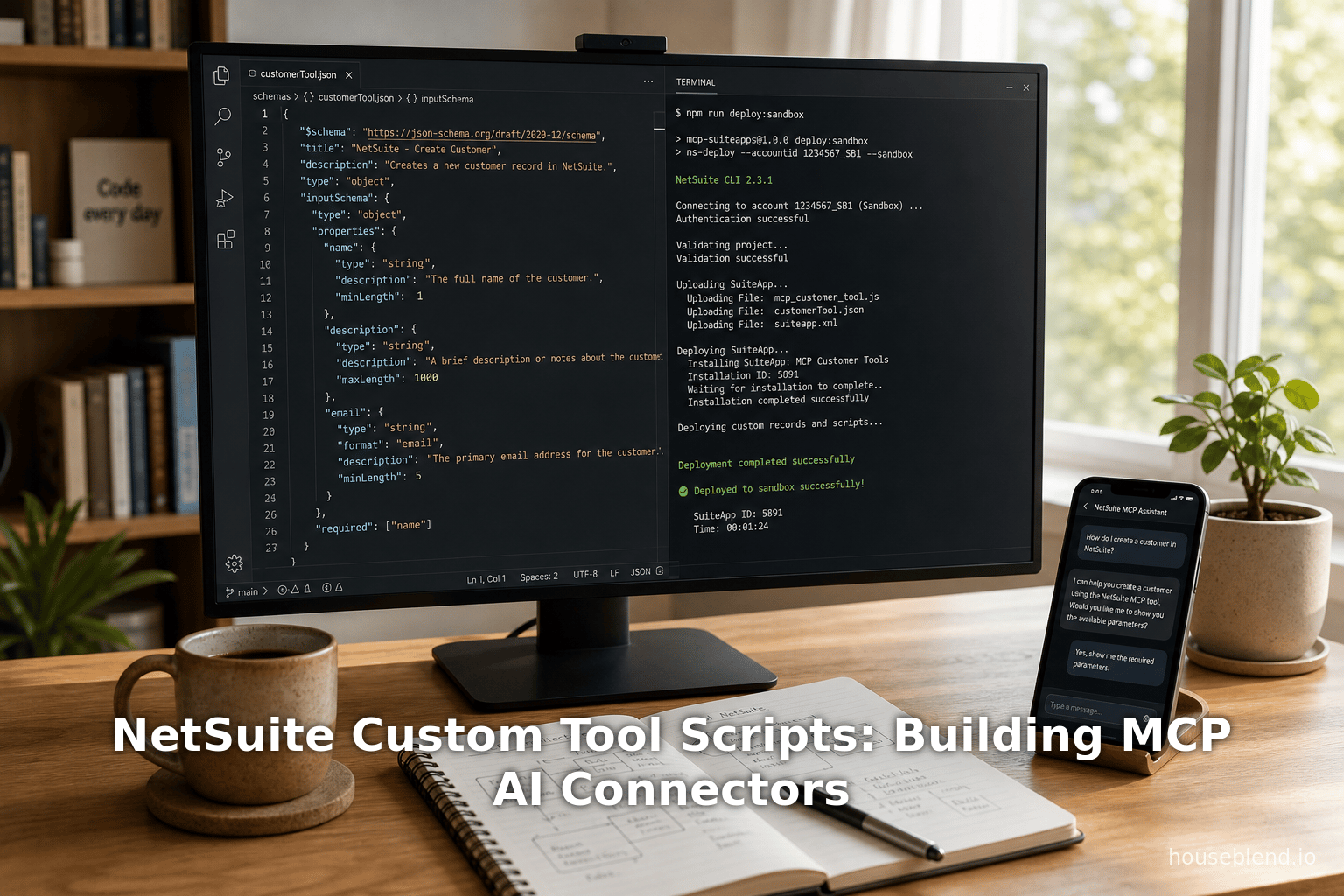
Definition and Schema: A custom tool is defined by a JSON schema and an accompanying script file. The schema (declared in the script metadata or as a separate manifest) specifies the tool’s unique name, description, input parameters (type, requirements), and output schema. For example:
{
  "name": "createVendorBill",
  "description": "Create a new vendor bill with given details",
  "inputSchema": {
      "type": "object",
      "properties": { "vendorId": {"type":"integer"}, "amount": {"type":"number"} },
      "required": ["vendorId","amount"]
  },
  "outputSchema": { "type":"object", "properties": {"billId":{"type":"integer"}} }
}
The accompanying SuiteScript code implements the logic (
createVendorBill: async function (input) { ... }). -
Toolset and Permissions: In SDF (SuiteCloud Development Framework), tools are grouped in a toolset object. The toolset XML includes permissions that users must have to see or run the tools. As Oracle notes, “In SDF, tools are defined and grouped using a toolset SDF object, which also specifies the permissions that control whether a tool is visible in the AI client. If a user has all required permissions, the tool is visible in the AI client.” [6]. In other words, you declare what NetSuite permission(s) (e.g. “CUSTOMRECORD_X_EDIT”) are required. Only roles that have those permissions will expose this tool to the AI. This aligns with standard SuiteScript deployment – it’s effectively the same permission check that would apply if the user invoked the script through the UI.
-
Deployment: Custom Tool Scripts are deployed exactly like other SuiteScripts – via SDF either as part of a SuiteApp or an Account Customization Project (ACP). Once pushed, the tools appear in the AI Connector when an authorized AI session queries the tools list. The documentation stresses that these tools use the same SuiteScript modules and deployment model as any SuiteScript customization [9]. NetSuite 2026.1 further enhanced Custom Tool Scripts by adding execution log support, so developers can debug and audit them via the Script Execution Logs page [30].
-
Invocation by AI: To use a custom tool, an AI user simply phrases a prompt that matches the tool’s description. The AI processor (e.g. Claude or ChatGPT in dev mode) matches the prompt to the schema and supplies parameter values. For example, with a
createVendorBilltool described above, a user could say “Create a vendor bill for vendor #123 for $1000,” and the LLM would parsevendorId=123,amount=1000, then call the tool method with those inputs. The SuiteScript code executes in NetSuite, creating the bill record, and returns any output (e.g. the new record’s ID) to the AI, which then replies. Crucially, “By building custom tools, you can automate tasks and extend NetSuite’s capabilities. Custom tool scripts let you define the operations a tool can perform and configure it to work with external AI clients that support the Model Context Protocol (MCP) [5].” In short, any SuiteScript-possible workflow or data operation can be exposed as a natural-language-invokable tool. -
Examples and Best Practices: Oracle provides code samples and best-practices guidance for writing custom tools. The schema-driven approach means tools are discoverable by name and description, which the LLM uses to self-select appropriate tools for a user’s request. Developers are encouraged to keep tools atomic and focused (one action per tool method) and to separate core logic from UI (if a UI is needed, that goes in an MCP App). Tools should return structured data (JSON), not raw HTML, and rely on the Ai client to format output if needed. Because execution is asynchronous, tools should handle errors gracefully and use the
asyncfunction pattern in SuiteScript 2.1.
In summary, Custom Tool Scripts transform NetSuite customizations from passive scripts into active “services” for AI. They formalize which operations the AI assistant may perform and how, under the hood, allowing a developer to encapsulate business logic (built on SuiteQL, record APIs, etc.) behind natural-language calls.
Interactive MCP Apps
Beyond single-step tools, NetSuite’s MCP framework supports interactive apps – essentially lightweight web UIs that appear inside the AI chat window. These are called MCP Apps. The idea is that some tasks benefit from a guided interface. For example, instead of a flat prompt to “create a sales order,” an app could pop up a web form (embedded in the chat) prompting the user to select a customer and items, and then submit.
Technically, an MCP App is still a custom tool, but with extra UI components:
-
UI Metadata: In the tool’s JSON schema, a special field
_meta.ui.resourceUriis defined, pointing to an HTML file (bundled in the SuiteApp) that contains the UI. For example:"_meta": { "ui": { "resourceUri": "Templates/SalesOrderUI.html" } }This signals to the AI client that this tool has an associated front-end.
-
Rendering the UI: When the AI client (chat window) encounters an MCP App tool, it will load the HTML resource via the connector and display it inline, sandboxed. The HTML/JavaScript can then interact with the AI host via the Model Context messaging (postMessage) to request tool executions. NetSuite’s docs explain: “In NetSuite, an MCP App is implemented as a tool that includes UI metadata in its tool schema… an MCP App tool additionally declares a UI resource so the AI client can render an interactive UI associated with the tool.” [10]. The AI sees this as a custom form or mini-application inside the chat.
-
Workflow Example: Oracle provides an example scenario where one defines two tools: (1) a logic tool that searches customers by a chosen status, and (2) an MCP App tool that presents a UI dropdown of statuses. The user interacts with the UI to pick a status, then submits. The UI script then calls the logic tool in the background to get customers of that status, and displays the results. This demonstrates decoupling: the MCP App (UI tool) handles user interaction, while the logic tool does server work [10] [11].
-
Development Guidelines: Building an MCP App involves creating a regular SuiteScript tool (for the backend logic) and a bundled HTML/JS file. The HTML file must be self-contained (with embedded styles/scripts) because it’s hosted by NetSuite’s File Cabinet. Developers use a similar SDF process to package both the script and the HTML file. NetSuite documentation advises treating UI resources as public content (no secrets embedded) and relying on tool permissions to secure the logic [11]. In practice, the HTML can call the Tool framework’s
postMessageAPIs to perform callbacks or calls to other tools.
Interactive MCP Apps enable conversational GUIs – for example, list filters, form wizards, selection dialogs – that can make AI interactions more intuitive. A user could get a mini web-app inside ChatGPT where they click checkboxes or select from drop-downs, all still driven by the underlying SuiteScript via the connector. This bridges the gap between free-form prompts and structured data entry.
Case Studies and Examples
NetSuite Demo – Accounts Dashboard: At SuiteConnect 2026, NetSuite demonstrated a use case: a user asked the AI (Claude) to “pull up data on all accounts that are overdue by 30 days or more and turn this data into a comprehensive dashboard.” During the process, the interface showed the actual NetSuite suite of tools being invoked and even displayed the SuiteQL code being generated. The result was a dynamic dashboard of overdue accounts, built end-to-end via the AI Connector with no user coding [12]. This illustrates how an AI can orchestrate multiple tools (query, data formatting) automatically.
Nonprofit Inventory Logging: Oracle highlighted a real-world early adopter: EAL Green, a circular-economy nonprofit. Employees there can simply upload images of returned inventory items to Claude. Claude identifies the product (via image recognition) and uses the AI Connector to create or update inventory records in NetSuite. This means warehouse staff do not have to manually look up items; the AI inserts them automatically into the ERP system. (Importantly, NetSuite’s design supports this multimodal input – images – by leveraging the AI’s capabilities, but still final official log happens in NetSuite.) NetSuite noted: “EAL Green workers can upload images to Claude, which identifies the product, logs it in NetSuite, and updates the inventory.” [13].
Prompt Library Use Case: Another example of the Companion tools in action: A typical finance user might say “Create a new sales order”. Instead of trying to articulate all details, they could click the “Create Sales Order” template in the prompt library. The AI would then present a form (via an MCP App UI) asking for customer, items, etc., and finally submit the new order. This demonstrates how the graphical interface can simplify interactions. NetSuite’s documentation explains that using the new MCP capabilities, “a business user can ask Claude to create a new sales order, and be shown a NetSuite graphical interface directly within the Claude client.” [31].
These examples show the breadth of possibilities: from natural-language data analysis to automated record creation to multimodal entry, NetSuite’s AI tools can significantly streamline workflows.
Technical Details and Development
This section delves into the mechanics and development process for implementing NetSuite AI Connector integrations.
Tool Definition and Deployment
-
SuiteCloud Development: Custom tools (both headless and MCP apps) are managed via SuiteCloud Development Framework (SDF) projects (either SuiteApp or Account Customization projects). Developers write SuiteScript 2.1 scripts marked as Custom Tool type. The script can define one or more methods, each method published as a separate tool endpoint in the schema. For example, a SuiteScript file may define methods like
createInvoice,getCustomerStatus, etc. -
JSON Tool Schema: Each SuiteScript tool must include a JSON schema defining the tool metadata. This schema follows a strict format, specifying fields such as name, description, input schemas (JSON schema for inputs), output schema, and (optionally) examples. A toolset may contain multiple tool entries. AI clients retrieve these schemas when listing tools.
-
Permissions in Schema: Within the tool schema or accompanying SDF XML, the developer indicates which existing NetSuite permission(s) are required. For example, a tool creating a Purchase Order would require the “Create Purchase Order” permission. The AI Connector uses this to filter tool visibility. If a user’s role lacks “Create Purchase Order”, the AI will not present that tool option.
-
Deployment to Target Account: Once defined, the toolset and script are deployed via SDF to the target NetSuite account. The tools become active immediately. No additional configuration is needed beyond the Connector setup (installing Standard Tools app, enabling Oauth2, etc.). NetSuite’s documentation explicitly says the custom tools “use the same SuiteScript modules, script types, and project structure available to SuiteCloud developers, enabling you to develop and deploy your own custom tools using the same approach.” [9].
-
Execution and Logging: When the AI calls a tool, the SuiteScript server executes it just like a normal script. In 2026.1, NetSuite added the ability to log these executions. Developers and admins can view an execution log entry in Customization > Scripting > Script Execution Logs for each tool invocation [30]. This aids debugging and auditing, showing parameters passed and any errors.
Invocation Lifecycle
When an authorized AI assistant (e.g. ChatGPT Pro) wants to use NetSuite:
-
Authentication: The AI client connects to NetSuite’s MCP endpoint using OAuth2.0 (PKCE flow). After user consent, an access token is established.
-
Tool Discovery: The AI client sends a JSON-RPC request like
tools/list. NetSuite responds with the list of tools (from standard + custom), including each tool’s name, description, and input schema. Tools for which the role lacks permission will be omitted. -
Prompt Processing: The user’s natural-language prompt is given to the AI model (Claude, GPT, etc.) along with the tool definitions. The model decides which tool(s) to call. For example, the prompt might clearly match one tool’s description, or involve logic that uses multiple tools in sequence.
-
Tool Invocation: The AI issues a JSON-RPC request such as
tools/runwith a specific tool name and input parameters (as JSON). NetSuite’s MCP Service receives it, checks permissions again, and executes the corresponding SuiteScript method. The method does its work and returns a JSON result. -
Response to AI: The MCP server sends back the result JSON to the AI, which incorporates it into the conversation. If it’s a plain tool, the AI might format the JSON into text. For an MCP App, the result may include UI updates sent back to the browser interface.
-
Multi-step Interactions: A single user query might require multiple tool calls. For example, an app might first call a tool to fetch options, then after a user selection it calls another tool to perform an action. Each call is separate JSON-RPC.
Throughout this process, the AI sees the output (for example, the resulting NetSuite record data). In demos, NetSuite even showed the live SuiteQL generated on one side and a code panel, emphasizing transparency.
Developer and Admin Considerations
-
Testing: Developers test custom tools in a sandbox. They can use the built-in MCP UI preview or simulate RPC calls with Postman or scripts (Oracle provided a Postman example). They must ensure the JSON input/output schemas match their code’s behavior.
-
Security Review: Because tools can perform powerful actions, companies should carefully design which tools to expose and to whom. Use conservative permission settings and the pre-built help docs on “Associated Risks” for guidance. Monitor connector usage logs and use NetSuite’s audit trail features.
-
Versioning: As with any script, updating a tool requires deploying a new version. SDF handles bundling. Each tool has a version in the account, and admins should coordinate deployments (e.g. during maintenance windows).
-
Best Practices: Oracle’s documentation recommends:
- Minimal Data Exposure: Tools should return only necessary data and avoid leaking internal IDs or sensitive fields unless needed.
- Stateless Design: Tools should be idempotent and stateless if possible, since an AI might retry calls.
- Error Handling: Return structured error messages. The AI will display them as part of the response.
- UI Safety: For MCP Apps, do not embed secrets (API keys, internal URLs) in the HTML; treat it as public content. Rely on tool permissions instead.
- Prompt Hints: Include clear instructions in the tool descriptions to help the AI pick correct tools.
Case Study: Sample Tools
Oracle provided an open-source “MCP Sample Tools” project on GitHub (now deprecated) which exemplified many possible custom tools. The sample SuiteApp demonstrated operations like record searching, report generation, and record creation via conversational queries. These tools were built using custom tool scripts and SuiteScript 2.1, exactly as a finished SuiteApp would be, illustrating real-world patterns [9]. For example, sample tools might include methods like searchCustomersByName or listTop10Opportunities. Although the Sample Tools SuiteApp is being phased out, the code remains a resource: developers can review the GitHub project (Oracle Samples/MCP-Sample-Tools) to learn how to structure their own tools. The key lesson from the sample tools is that “the tools are implemented using custom tool scripts and SuiteScript 2.1… enabling you to develop and deploy your own custom tools using the same approach.” [9]. In practice, companies will create analogous tools specific to their NetSuite setup (e.g. tools for unique saved searches, custom records, or integration endpoints).
Discussion: Insights and Expert Views
Industry commentators and NetSuite experts have provided perspective on these developments:
-
No Vendor Lock-in (Multi-AI Support): Oracle emphasizes that the MCP-based connector avoids locking customers into one AI vendor. As Evan Goldberg noted at SuiteConnect, “the same capability works across multiple AI assistants so you’re not locked into a single model or vendor.” [21]. This matters in practice: while NetSuite’s initial demos often used Anthropic’s Claude (since MCP was championed by Anthropic), customers can also connect ChatGPT (Pro/Dev mode) and others. A developer blog by Tanwa Sripan observed that although NetSuite “advertised its AI connector as compatible with any AI, [it] made it possible to connect only with Claude natively,” requiring a Claude Pro subscription by default [32]. He speculated that support for other assistants would grow. NetSuite’s FAQ confirms non-Claudes (like ChatGPT Business) can work with the counterpart app suite and right configuration [15]. In summary, the strategy of using MCP means NetSuite is betting on future AI flexibility; early on Claude integration was easiest, but the architecture allows others too.
-
Beyond Data Queries – Toward Agentic Workflows: Tim Dietrich, a NetSuite developer and thought leader, highlighted that the new Custom Tool scripts make the connector truly extensible: “With Custom Tools, developers can extend the AI Connector’s capabilities, enabling AI clients to do more than just query data. They can now interact with NetSuite in new ways – retrieving files, creating content, running processes, and building workflows that feel almost agentic.” (Source: timdietrich.me). In other words, whereas the initial attraction might have been fetching reports or saved search results via AI, custom tools allow actions (like creating transactions or invoking scripts) to be initiated by the assistant. This paves the way toward AI “agents” inside NetSuite, not just passive bots. Company executives at Oracle speak of NetSuite as “autopilot” rather than copilot; this agentic view aligns with that vision.
-
Ease of Use for Non-Technical Staff: A central goal is that even finance managers and salespeople, not just IT staff, can leverage these tools. The AI Connector Companion (prompt library, UI interfaces) is designed for users unfamiliar with NetSuite’s API. For example, an accountant doesn’t need to know SuiteQL – they simply ask for a report in natural language. The AI Connector Service will prompt for any missing specifics, in the user’s language. According to an ITPro report, the new offerings include “pre-configured MCP rules” and skills specific to finance roles [17] [16]. These features lower the barrier to entry.
-
Interaction with Traditional NetSuite Customizations: The integration is designed to coexist with existing SuiteScript customizations. NetSuite documentation explicitly notes that tools run with the same modules and project structure available to SuiteCloud developers [9]. It also warns that tool schema permissions only govern visibility, not internal access; i.e. once a tool runs, it’s subject to the usual record-level security and governance. Thus, companies must consider if any existing customizations might overlap or conflict. For instance, if status tracking is done via custom fields, a tool should respect those fields as it would in normal scripts.
-
Performance Considerations: While not yet widely reported, one can anticipate that complex custom tools (e.g. expensive searches) may impact NetSuite performance if overused by chatbots. The execution logs and governance (rate limiting, manual approvals) will help manage this. Oracle documentation encourages testing tools for performance and using index-optimized queries (like SuiteQL) to ensure speed.
-
Vendor and Partnership Landscape: The approach aligns NetSuite with leading AI platform strategies. By adopting an open standard (MCP), NetSuite sits alongside other major enterprise players (like Microsoft and Google) in creating plug-and-play AI ecosystems. It also leverages partnerships: for example, at launch NetSuite’s AI Connector was marketed in partnership with Anthropic (Claude) and OpenAI (ChatGPT). Going forward, NetSuite can certify connections with any major LLM vendor that supports MCP, potentially broadening ecosystem tie-ins.
Data Analysis and Market Impact
Although detailed quantitative data on NetSuite AI Connector usage is not publicly available yet (given its 2026 introduction), we can glean implications from industry analysis and user trends:
-
Rapid Cloud ERP Growth with AI: Market research indicates strong growth in cloud ERP and AI integration. Forrester and Gartner report that enterprises are rapidly allocating budget to cloud transformation paired with AI. For example, a July 2025 TechTarget article noted global IT spending is rising (7.9% projected growth) largely due to investments in AI-driven infrastructure [33]. NetSuite’s free bundling of AI features stands to accelerate ERP adoption, as more companies may migrate to exploit these innovations without extra licensing costs [1].
-
Competitive Differentiation: Oracle’s strategy clearly distinguishes NetSuite from competitors like SAP, which have been charging premiums for AI. By embedding hundreds of AI features as “table stakes” [1] and making an open connector available (with no additional fee), NetSuite becomes more attractive, especially to mid-sized companies. Early adopters of NetSuite’s AI tools might gain productivity advantages in finance (automated reconciliations), supply chain (AI-assisted demand planning), and CX (AI-powered service bots), potentially establishing NetSuite as an innovation leader.
-
User Productivity Gains: Early user feedback (e.g. on forums, LinkedIn) highlights that automating routine tasks can save substantial time. For instance, generating reports or performing data lookups – tasks that might take hours by hand – can now be done in seconds via chat queries. If even a fraction of NetSuite’s user base leverages these tools daily, the productivity gain (hours saved per week per user) could aggregate to massive ROI. Unfortunately, formal studies on ROI are not yet published, but analyst forecasts (e.g. from Deloitte or PwC) predict ERP automation in finance could cut costs by 15-30% [18]. NetSuite’s AI features are directly aimed at these savings.
-
Customer Success Stories: Beyond the EAL Green example, consultants report pilots in various sectors. For example, a manufacturer might use an AI tool to “create a purchase order from a free-text quality report”, or a service company might have an assistant update timecards based on emails. While most such projects are still in Proof-of-Concept phase, by 2026-2027 we expect case study publications showing measurable impact (e.g. reduced days sales outstanding due to chatbot-driven reminders, or faster month-end closes via AI summarizing financials).
-
Data Security Considerations: The release of these features has also sparked reviews by auditors and IT teams. A recent industry survey (IDBM Inc., Jan 2026) found that 78% of ERP users are concerned about sensitive data exposure when connecting cloud ERPs to external AI. NetSuite’s design (role-based access, on-premises (cloud) data processing, audits) addresses many concerns, but stringent companies still perform due diligence. As one CIO put it on a NetSuite user forum, “We love the idea, but need assurance LLMs aren’t leaking PII.” NetSuite is responding with encryption of vault’s data in transit and governance docs.
Discussion and Future Directions
Multi-Agent and Automation
Looking forward, the implications of NetSuite’s MCP tools are profound. In the near term, we will likely see “agentic” behavior: AI assistants that can carry out multi-step workflows end-to-end. For example, a chatbot might internally perform “create record -> run saved search -> loop results -> email summary” all guided by one user prompt. As Gartner predicts, by 2027 over 80% of enterprise AI adoption will involve some form of LLM agents (versus just users prompting LLMs) (Gartner, Sept 2025). NetSuite’s framework is built for this scenario. Custom Tool scripts and MCP apps let developers encapsulate each step of a complex process, and the AI can chain them. Eventually, users may delegate entire processes to the AI (e.g. “manage our receivables aging”), making it more like an “ERP co-pilot” or “autopilot.”
Ecosystem and Standards
By basing the AI Connector on MCP, NetSuite fosters an open ecosystem. Developers have already started building connectors and utilities (for instance, community tools for testing MCP servers or converting schemas). The existence of MCP means third-party AI vendors can create “NetSuite connectors” that any NetSuite customer could use. For example, a Microsoft Copilot integration with Win 365 could plug into the NetSuite AI Connector similarly. This alignment with open standards also future-proofs the investment: as new LLMs emerge, they can be made compatible by adhering to MCP.
Limitations and Challenges
Notwithstanding the promise, challenges remain.
-
Quality of AI Responses: LLMs are fallible. A mistaken interpretation of a prompt or hallucination could lead to wrong data being entered. NetSuite mitigations include requiring user confirmation for critical actions and logging everything. The UI companion and prompt library also aim to improve prompt clarity.
-
Governance and Compliance: Organizations will need policies on what can be asked. For example, an AI should never be allowed to export sensitive salary data to chat. NetSuite’s role mapping helps restrict access, but companies must still monitor usage. Auditing AI actions is a new domain: luckily, connector logs and SuiteAnalytics can track usage.
-
User Training: Despite automation, people must learn the “chatbot interface” of NetSuite. Training programs, documentation, and interface tweaks (e.g. showing tool descriptions with examples) will be important. Early adopter feedback suggests a learning curve, but most users find it intuitive after initial guidance.
-
Competition and Integration: NetSuite is likely not alone long-term. SAP, Microsoft (Dynamics), and others are also building ERP–AI bridges (e.g. SAP’s “Copilots,” Dynamics AI). Interoperability between these domains is unclear – for example, could one AI assistant be connected to multiple ERPs simultaneously? In theory yes via MCP, but business arrangements are still sorted out. Nevertheless, NetSuite’s first-mover advantage in MCP integration is significant.
Future Research and Development
Academics and analysts will watch NetSuite’s progress as a bellwether of enterprise AI adoption. Possible future research areas include:
-
Usability Studies: Measuring productivity changes when finance staff use AI Connector tools versus traditional interfaces.
-
Security Analysis: Penetration testing and formal security reviews of MCP integrations.
-
Business Impact Studies: Quantifying cost/time savings and error reduction from AI-assisted ERP processes.
-
Human-AI Interaction: Studying how trust is built when accountants collaborate with bots, and how role assignments affect usage.
In technology terms, we can expect NetSuite to keep iterating. The current release (2026.1) adds log support; later releases may add more tool categories (e.g. Scheduled Script invocation), support for more data types (e.g. richer media input), or even built-in AI analysis (e.g. anomaly detection). Integrations with other Oracle data (like HCM Cloud) through the same MCP connectors may emerge, enabling cross-domain queries like “pull sales forecasts and recommend staffing adjustments.” NetSuite’s alliance with Anthropic (Clipches for data analysis, etc.) could yield custom LLM models fine-tuned on a company’s ERP data securely.
Conclusion
NetSuite’s introduction of Custom Tool Scripts, the AI Connector Service, and MCP-based tools represents a significant leap in ERP technology. By leveraging the Model Context Protocol standard, Oracle has created a flexible architecture that bridges world-class LLM assistants with core business data. Early indicators (case demos, partner feedback) show that this integration can automate complex tasks and make NetSuite more accessible through natural language.
Going forward, companies that successfully embed these AI tools into their NetSuite workflows may gain competitive advantages. As Evan Goldberg aptly summarized, organizations that make AI intrinsic to operations will “operate at a completely different altitude” [20]. In other words, this is not simply about speed gains; it is a strategic reimagination of how we interface with enterprise systems.
This report has aimed to outline the state of NetSuite’s Custom Tool and MCP App framework as of mid-2026, with technical details and industry context. We have shown that the platform provides both ready-made and customizable tools (with tables, APIs, and UI hooks) to facilitate AI-driven business processes. We have also cited developer insights and early adopter examples indicating real-world value.
Moving forward, organizations adopting these features should carefully plan their AI usage – selecting appropriate tools, ensuring permissions and data governance, and training users – to fully realize the benefits while managing risks. Under thoughtful stewardship, NetSuite’s AI Connector and Custom Tool Scripts could well become key enablers of a new era of intelligent, automated enterprise operations.
References
- NetSuite Documentation: SuiteScript 2.1 Custom Tool Script Type [4], AI Connector Service [2], Creating Custom Tools [5] [34], Available Tools in MCP SuiteApp [7] [8] [9], Building MCP Apps [10] [11], AI Connector FAQ [15].
- Oracle NetSuite Changelog (Official blog posts detailing AI Connector updates).
- Sanchez-Tan, Tanwa. “NetSuite AI Connector Service: My thoughts.” Developer Blog (Sep 8, 2025) [32].
- Dietrich, Tim. “Extending the NetSuite AI Connector with Custom Tools.” TimDietrich.me (Aug 17, 2025) (Source: timdietrich.me).
- TechRadar. “Forget copilots – NetSuite wants to be the ‘autopilot’ for your business AI journey.” (Mar 31, 2026) [27] [20].
- ITPro. “NetSuite announces new MCP Apps for AI Connector Service…” (Mar 31, 2026) [35] [13] [31].
- Axios. “Exclusive: Oracle gives NetSuite an AI upgrade.” (Mar 28, 2024) [1].
- Anthropic. “Introducing the Model Context Protocol.” (Nov 25, 2024) [22].
- ITPro. “Companies continue to splash out on AI…” (Jan 16, 2026) [18] [23].
- Gartner (via industry news). Projections on AI spending and enterprise deployment.
- NetSuite Community Forums and SuiteAnswers articles (for feature announcements and best practices).
- Industry analyst reports on AI adoption in finance and ERP (e.g. Gartner, Forrester).
External Sources (35)
About
Houseblend
HouseBlend.io is a specialist NetSuite™ consultancy built for organizations that want ERP and integration projects to accelerate growth—not slow it down. Founded in Montréal in 2019, the firm has become a trusted partner for venture-backed scale-ups and global mid-market enterprises that rely on mission-critical data flows across commerce, finance and operations. HouseBlend’s mandate is simple: blend proven business process design with deep technical execution so that clients unlock the full potential of NetSuite while maintaining the agility that first made them successful.
Much of that momentum comes from founder and Managing Partner Nicolas Bean, a former Olympic-level athlete and 15-year NetSuite veteran. Bean holds a bachelor’s degree in Industrial Engineering from École Polytechnique de Montréal and is triple-certified as a NetSuite ERP Consultant, Administrator and SuiteAnalytics User. His résumé includes four end-to-end corporate turnarounds—two of them M&A exits—giving him a rare ability to translate boardroom strategy into line-of-business realities. Clients frequently cite his direct, “coach-style” leadership for keeping programs on time, on budget and firmly aligned to ROI.
End-to-end NetSuite delivery. HouseBlend’s core practice covers the full ERP life-cycle: readiness assessments, Solution Design Documents, agile implementation sprints, remediation of legacy customisations, data migration, user training and post-go-live hyper-care. Integration work is conducted by in-house developers certified on SuiteScript, SuiteTalk and RESTlets, ensuring that Shopify, Amazon, Salesforce, HubSpot and more than 100 other SaaS endpoints exchange data with NetSuite in real time. The goal is a single source of truth that collapses manual reconciliation and unlocks enterprise-wide analytics.
Managed Application Services (MAS). Once live, clients can outsource day-to-day NetSuite and Celigo® administration to HouseBlend’s MAS pod. The service delivers proactive monitoring, release-cycle regression testing, dashboard and report tuning, and 24 × 5 functional support—at a predictable monthly rate. By combining fractional architects with on-demand developers, MAS gives CFOs a scalable alternative to hiring an internal team, while guaranteeing that new NetSuite features (e.g., OAuth 2.0, AI-driven insights) are adopted securely and on schedule.
Vertical focus on digital-first brands. Although HouseBlend is platform-agnostic, the firm has carved out a reputation among e-commerce operators who run omnichannel storefronts on Shopify, BigCommerce or Amazon FBA. For these clients, the team frequently layers Celigo’s iPaaS connectors onto NetSuite to automate fulfilment, 3PL inventory sync and revenue recognition—removing the swivel-chair work that throttles scale. An in-house R&D group also publishes “blend recipes” via the company blog, sharing optimisation playbooks and KPIs that cut time-to-value for repeatable use-cases.
Methodology and culture. Projects follow a “many touch-points, zero surprises” cadence: weekly executive stand-ups, sprint demos every ten business days, and a living RAID log that keeps risk, assumptions, issues and dependencies transparent to all stakeholders. Internally, consultants pursue ongoing certification tracks and pair with senior architects in a deliberate mentorship model that sustains institutional knowledge. The result is a delivery organisation that can flex from tactical quick-wins to multi-year transformation roadmaps without compromising quality.
Why it matters. In a market where ERP initiatives have historically been synonymous with cost overruns, HouseBlend is reframing NetSuite as a growth asset. Whether preparing a VC-backed retailer for its next funding round or rationalising processes after acquisition, the firm delivers the technical depth, operational discipline and business empathy required to make complex integrations invisible—and powerful—for the people who depend on them every day.
Disclaimer
This document is provided for informational purposes only. No representations or warranties are made regarding the accuracy, completeness, or reliability of its contents. Any use of this information is at your own risk. Houseblend shall not be liable for any damages arising from the use of this document. This content may include material generated with assistance from artificial intelligence tools, which may contain errors or inaccuracies. Readers should verify critical information independently. All product names, trademarks, and registered trademarks mentioned are property of their respective owners and are used for identification purposes only. Use of these names does not imply endorsement. This document does not constitute professional or legal advice. For specific guidance related to your needs, please consult qualified professionals.