Houseblend Article
NetSuite Intelligent Payment Automation: AR/AP Setup & ROI
Inside this article
- 01Executive Summary
- 02Introduction and Background
- 03NetSuite Intelligent Payment Automation: Overview
- 04Accounts Payable (AP) Automation: Setup and Workflow
- 05Accounts Receivable (AR) Automation
- 06Bank Connectivity and Security
- 07Key Features and Capabilities
- 08Data Analysis and ROI
- 09Case Studies and Real-World Examples
- 10Discussion: Implications and Future Directions
- 11Conclusion
Executive Summary
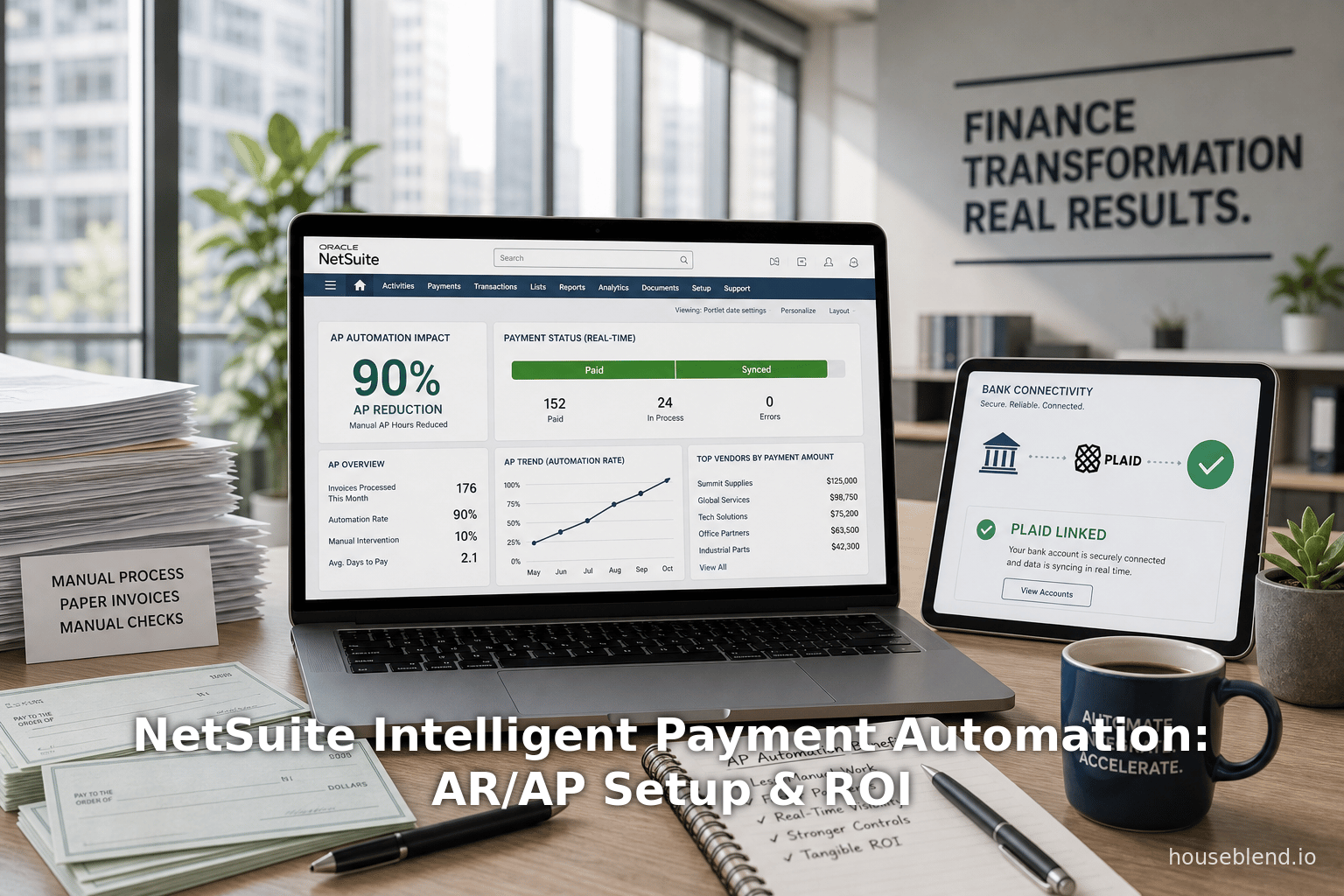
NetSuite’s Intelligent Payment Automation (IPA)—an embedded Bill.com-powered solution—dramatically streamlines traditional accounts payable (AP) and accounts receivable (AR) workflows. By integrating Bill.com’s cloud payment network directly into NetSuite, IPA eliminates much of the manual data entry, check-writing, and reconciliation that has long plagued finance teams. Early reports and case studies show AP processing time reduced by ~50–90% and invoice accuracy above 90%, with similar multipliers for collections. For example, one company achieved a 90% reduction in AP processing time after adopting Bill.com within NetSuite [1], while another nonprofit cut its “time to payment” in half [2]. These efficiency gains translate into very high ROI (often hundreds of percent) as firms save labor costs, capture early-payment discounts, and reduce fraud and late fees [3] [4].
IPA’s setup and bank connectivity features further ensure rapid deployment and security. A three-step onboarding (create Bill.com account, link bank(s), map GL accounts and configure approvals) can be completed without leaving NetSuite [5] [6]. Instant bank linking via Plaid or manual micro-deposits lets companies use existing checking/ACH accounts immediately, while NetSuite’s general-ledger mapping keeps books accurate [6]. Security controls (role-based permissions, required multi-factor “trusted user” sessions) mitigate fraud risk [7].
Overall, IPA represents a paradigm shift: instead of exporting batches and chasing paper, NetSuite becomes the single source of truth from invoice capture through payment execution. Longstanding manual tasks (printing/checking, manual approvals, fragmented status tracking) give way to automated OCR capture, multi-level approval workflows, and real-time status dashboards. By adopting IPA, organizations report not only huge time savings but improved cash flow management (via early-pay discounts and on-demand payment options) and stronger vendor relationships [8] [9].
This report provides a comprehensive analysis of NetSuite’s Intelligent Payment Automation, covering its history, AR/AP setup procedures, bank connectivity, and ROI. We draw on Oracle documentation, industry research, and multiple case studies. Sections include background on manual AR/AP challenges, the NetSuite–Bill.com partnership history (with a timeline of key milestones), detailed setup and feature descriptions, ROI data and case examples, and discussion of future directions.
Introduction and Background
Accounts payable (AP) and accounts receivable (AR) are core finance processes critical to cash flow and vendor/customer relationships. Traditionally, these processes have been paper-intensive and manual. For AP, companies often rely on emailed or printed vendor bills, manual data entry into ERP, physical checks or ACH wires, and numerous spreadsheets for tracking [10] [11]. Likewise, AR (billing customers and collecting payments) frequently involves sending invoices by mail or email and manually reconciling payment receipts. These manual workflows are slow and error-prone. Industry surveys find that even as of 2023, over 80% of AP teams still manually key invoices into their accounting system [12], and more than half spend 10+ hours per week on invoice processing tasks [13].
These inefficiencies incur high costs: duplicated effort, labor to correct errors, check printing/postage fees, late-payment penalties, and missed early-pay discounts. Fraud risks also rise when authorization controls are weak. Moreover, lack of visibility into the payment pipeline can delay financial closes and impede cash forecasting. As one industry report notes, the combination of repetitive data entry, chasing approvals, mailing checks, and tracking payments across multiple systems drives higher costs and slower closes [10].
Against this backdrop, businesses have turned to digital payment automation. Solutions like Bill.com emerged in the late 2000s to offer cloud-based AP/AR automation. By 2012–2019, Bill.com had forged integrations with leading ERPs (including NetSuite) that moved data seamlessly and handled electronic payments. For instance, Bill.com’s early NetSuite “Sync” claimed a 50% reduction in AP processing time by eliminating double entry and paper checks [14] [15]. In 2019, Bill.com expanded to bi-directional AR sync, enabling AR invoice management and collections directly from NetSuite, touting 3× faster receivables [16].
Meanwhile, NetSuite (now Oracle NetSuite) has grown into a leading cloud ERP, with over 43,000 organizations using it globally [17]. Its core Apps cover financials, procurement, and more. However, until recently, NetSuite’s native payment modules still relied on exporting payment files or manual check runs. With no embedded payment network, users often used disparate apps or spreadsheets to complete payment processes. Recognizing the strategic importance of AP (cash flow) and AR (collections), NetSuite partnered with Bill.com to deliver a deeply integrated, “Intelligent” Payment Automation SuiteApp. This embeds Bill.com’s capabilities directly into NetSuite, turning the ERP itself into the hub for invoice capture through payment (see Table 1 for the timeline of this evolution).
The rise of IPA reflects broader trends: moving from disjointed point integrations to embedded, AI-assisted workflows in ERPs. Modern finance leaders emphasize automation: a recent survey found 70% of CFOs call digital transformation (e.g. AP automation) “critical” for survival [18]. As such, IPA’s launch signals that AP/AR automation is no longer a niche add-on but a core expectation for scaling businesses.
| Year | Key Milestone |
|---|---|
| 2012 | Bill.com announces two-way NetSuite Sync for AP (bills, vendors, GL), enabling payment execution via Bill.com. Early users reported **≥50%+ reduction in AP processing time** and elimination of manual check runs [14] [15]. |
| 2019 | Bill.com extends NetSuite integration with AR sync and support for international payments. |
Table 1: Timeline of NetSuite-Bill.com AP/AR integration milestones (sources as cited).
NetSuite Intelligent Payment Automation: Overview
NetSuite Intelligent Payment Automation (IPA) is a free NetSuite SuiteApp that embeds Bill.com’s payments platform directly into NetSuite’s UI [21]. It enables organizations to enter, approve, and execute payments without leaving the ERP, bridging vendors, bills, and bank accounts in one system. Key high-level capabilities include:
- Embedded AP and AR workflows: Vendor bills are routed through NetSuite for approvals, then payments (ACH, check, virtual card, wallet) are submitted via Bill.com’s network [22] [23]. Invoices, approvals, and payments all reside in NetSuite.
- Multi-entity support: For OneWorld customers, each legal subsidiary can have its own Bill.com account and payment run setup [24].
- Multiple payment methods: IPA supports paper checks (printed & mailed by Bill.com), ACH transfers from linked bank accounts, and electronic disbursements such as virtual credit cards and digital wallets [25]. This flexibility lets companies optimize for cost or rebates (e.g. use virtual cards to earn supplier rebates [26]).
- Approval workflow & security: Built-in multi-level approval routing, default spend limits, and role-based permissions (“Payment Clerk” vs “Payment Manager”) ensure controls. Critical security is enforced: Bill.com requires a trusted user session (e.g. MFA re-authentication) before any payment is sent to prevent hijacked sessions [7].
- Real-time status tracking: Payment status updates (pending, sent, cleared) flow back into NetSuite instantly [27] [28]. Dashboards and portlets allow finance teams to monitor the entire pipeline. NetSuite reporting then incorporates AP aging and paid bill data (via sync) for accurate cash forecasting [29].
- Vendor management: IPA daily-syncs vendor contact/payment preferences to Bill.com. Only “qualified” U.S. vendors (with valid addresses) are automated, aligning with the US-only scope [30].
- Integrated data: When bills and payments are pushed through IPA, NetSuite remains the system of record. This eliminates any double data entry: Bill.com syncs back all transactions to NetSuite (bills, payments, credits, etc.), and new accounting entries (GL mappings) are handled automatically [31] [32].
In short, IPA transforms AP into a fully electronic, AI-augmented process where NetSuite holds every invoice, approval, and payment record and Bill.com executes the payment. This is a sharp departure from older methods (exporting batch files or using spreadsheets), as IPA provides same-day visibility: once a payment is submitted in NetSuite, Bill.com processes it immediately and the status updates in NetSuite without lag [33].
As Oracle notes, IPA is globally available for organizations with U.S. subsidiaries: it supports subsidiaries in the U.S., LATAM, EMEA, ANZ, and APAC regions (with US-based parent/company) [34]. However, IPA does not support vendor payments to entities in Canada, China, or Japan [35] [36]. In effect, IPA is targeted at U.S. supply chains; firms outside the U.S. or with non-U.S. suppliers must continue using other payment methods until broader multi-currency support arrives. (Oracle documentation and industry analysts expect future releases to expand IPA’s coverage to global payment rails and currencies [37].)
IPA’s dependence on Bill.com gives NetSuite users instant access to Bill.com’s extensive payment network and infrastructure. Bill.com currently serves ~500,000 businesses and connects to over 8 million vendors (processing on the order of 1% of U.S. GDP in payments annually) [38]. This scale underpins IPA’s value: NetSuite customers can tap this network without building their own banking relationships, and benefit from Bill.com’s banks and compliance (e.g. KYC/KYB during account setup [39]).
Accounts Payable (AP) Automation: Setup and Workflow
Implementing IPA for AP involves both technological onboarding and process changes. Oracle prescribes a three-step setup within NetSuite [5] [6], which we outline here:
-
Create Bill.com Account: Within NetSuite’s IPA dashboard, an administrator uses an embedded “Bill.com signup” widget (an iFrame) to register a new Bill.com account [40]. This collects company legal information (EIN/SSN, address, owner details) for KYC/AML compliance [39]. Note: Only Bill.com accounts created through NetSuite’s IPA can be used; existing separate Bill.com accounts cannot attach to IPA [40]. All required data (legal name, U.S. address, officers) must be accurate to pass verification. Vendors to be paid via IPA must also all have U.S. addresses, since IPA automates only U.S. vendors [41].
-
Link Bank Accounts (ACH) and Map GLs: Next, the admin links the company’s bank account(s) in Bill.com that will fund payments. This is done from within NetSuite via a Bank Link page [6]. Users may use Plaid integration to connect instantly by logging into the bank through the UI [6]. Alternatively, accounts can be added manually by entering an account and routing number and verifying with micro-deposits (Bill.com will deposit/withdraw small test amounts to confirm) [6]. The first successful account is set as the default funding source for payments, though any vendor invoice can override it if needed [42]. After linking, each Bill.com bank account must be mapped to a NetSuite bank GL account so that outgoing payments reconcile correctly in the ledger [43]. NetSuite can auto-create new GL accounts during setup if they do not yet exist.
-
Configure Approval Routing (Optional): Finally, the organization defines any payment-approval workflows in NetSuite. IPA provides its own workflow module where the admin can set three types of limits: per-transaction, per-vendor, and per-batch [44]. For each limit, approvers are designated (using NetSuite roles). The SuiteApp installs two new roles: Payment Clerk (creates payments/runs) and Payment Manager (approves them) [45]. If an invoice or batch exceeds a defined threshold, the payment remains pending until the authorized approver signs off [44]. (If a company already has NetSuite invoice SuiteFlow rules, NetSuite advises disabling them to avoid duplicate approvals [46].) If the business skips custom workflow, IPA will auto-process any payments below NetSuite’s standard authorization thresholds.
Once set up, IPA is “live”. All existing open bills for U.S. vendors are automatically queued/synced to Bill.com for payment [28]. From that point on, the AP process becomes: accountant selects approved bills in NetSuite and clicks “Submit to Bill.com.” The system then launches either an individual payment or a batch-run (with built-in checks to ensure invoices are valid and vendors are set up) [28]. NetSuite routes the batch through any remaining approvals, then hands it off to Bill.com for execution.
Vendor and GL data syncing: IPA continuously synchronizes vendor records from NetSuite to Bill.com. Only “qualified” vendors (U.S.-based, with open balances) are eligible for automation [30]. Contact information and payment preferences (e.g. check vs ACH vs card) flow to Bill.com each day. This lets companies maintain one source (NetSuite) for all vendor master data. On the flip side, Bill.com pushes payment status and any remittance info back into NetSuite so that the ERP’s vendor ledger stays up-to-date. Similarly, because payments hit the linked bank accounts via Bill.com, reconciliation is automated: deposit/withdrawal entries are created in NetSuite against the correct GLs.
Security and Controls: IPA significantly tightens case protection over legacy processes. By default, payment runs require a fresh MFA check: before Bill.com will disburse funds, the Payment Clerk must re-authenticate [7]. This creates a “trusted session” linking the NetSuite login to the bank/user identity, preventing session hijacking. All IPA activities are also subject to NetSuite’s native transaction permissions (e.g. only users with Edit access on bills and vendor payments can participate) [47]. Each payment run’s approval trail is recorded, providing a full audit log.
Accounts Receivable (AR) Automation
While Intelligent Payment Automation focuses on AP, NetSuite customers can also automate AR (billing and collections) through Bill.com’s deeper integration. Since 2019, Bill.com has offered a bi-directional AR sync between NetSuite and its platform [16]. This sync works alongside IPA and allows companies to send NetSuite invoices to Bill.com (for customer payment) and automatically record receipts back into NetSuite when customers pay.
By leveraging Bill.com for receivables, companies convert manual invoice delivery and on-site bank deposits into an automated workflow. Benefits of AR automation echo those of AP: capturing payments faster and with fewer errors. In fact, Bill.com reported that NetSuite customers using its AR sync are able to collect receivables up to 3× faster than before [16]. This can dramatically shorten days-sales-outstanding (DSO). For example, one firm noted that Bill.com let them handle a 300% surge in invoices with the same small AR staff [48]. Customers can embed payment links (ACH/credit card) in emailed invoices via Bill.com, set up automatic payment reminders, and schedule recurring invoices — all reducing days to pay.
Setting up AR automation is similar in spirit to AP: companies link to the same Bill.com account created above, then enable AR sync. NetSuite invoice approvals and billing continue as usual, but when invoices are approved, a copy is pushed to Bill.com. Customers then pay electronically (e.g. credit card or ACH into the company’s bank), and payments are matched to the invoices and synced back. (Any cash application still occurs in NetSuite’s AR ledger.) The result is that NetSuite AR aging remains accurate and up-to-date, without staff manually matching remittances.
Note on IPA vs AR in NetSuite: As of 2026, Intelligent Payment Automation (the SuiteApp) does not handle billing or collections — it is strictly an AP/payments tool. Companies seeking AR automation on NetSuite must enable Bill.com’s AR Sync or use other SuiteApps. In practice, however, many clients implement both: IPA for AP and Bill.com AR sync for receivables, often through the same Bill.com account. In NetSuite OneWorld, each subsidiary can have its own AR process if needed. When discussing ROI, both AP and AR efficiencies contribute to the financial impact: faster collections improve cash flow just as faster payments improve supplier terms.
Bank Connectivity and Security
Modern payment automation relies on robust bank connectivity. IPA supports connecting any U.S. checking/ACH account used for business payments. Key aspects:
- Plaid Integration: NetSuite IPA leverages Plaid to link bank accounts quickly [6]. The user simply logs into the internet banking portal through the NetSuite interface, and Plaid retrieves the account details. This avoids manual entry errors.
- Manual Account Verification: If a bank is not supported by Plaid or the user prefers, an account can be added by inputting routing/account numbers and confirming micro-deposits [6]. Bill.com will deposit placeholders (e.g. $0.01) into the bank account which must be verified by the user, ensuring authenticity.
- GL Mapping: Each bank account linked in Bill.com must be mapped to one NetSuite General Ledger bank account [43]. During setup, NetSuite can auto-create these GL accounts under the “Bank Accounts” section so that incoming/outgoing payments reconcile without manual gl adjustments. This ensures that when Bill.com funds are moved, the NetSuite books reflect the changes correctly.
- Existing Bank Account Usage: Importantly, companies use their own bank accounts. IPA doesn’t require opening special escrow accounts. The funds for payments are drawn directly from the linked checking/ACH accounts at payment time [49]. This preserves existing banking structure and lines of credit.
- Virtual Card Funding: For virtual credit card payments, organizations may need to assign a master card account for Bill.com to charge. IPA can also handle this, and many companies see virtual card programs as a way to earn rebates on payables.
- Security Controls: In addition to the MFA “trusted session” mentioned above, all banking operations inherit NetSuite’s security model. Only users with explicit IPA roles/permissions can initiate linkages or payments [45]. Bill.com itself is a regulated financial institution network, complying with ACH rules and fraud prevention standards. By consolidating bank integrations through Bill.com, companies benefit from its compliance (e.g. encrypted data, liability protections).
Overall, IPA’s bank connectivity approach maximizes speed and trust. New accountants can onboard banks in minutes. The risk of mis-keying an account is mitigated by Plaid. And tying each link to a NetSuite GL means finance retains full control and visibility over cash flows.
Key Features and Capabilities
Having outlined setup, we highlight IPA’s core features (built around the integrated NetSuite–Bill.com platform):
-
Real-Time Invoice Capture: NetSuite now includes OCR/AI-driven bill capture tools (often layered through SuiteApps or native features) that can import paper or emailed invoices, match them to purchase orders, and create NetSuite Vendor Bill records. IPA covers the next step: once a Vendor Bill is in NetSuite and approved, it can be paid electronically without re-entering it elsewhere. In practice, firms find that AI-assisted capture drastically reduces data-entry errors. (One case reported 90–95% invoice accuracy using OCR after implementation [50].)
-
Payment Runs and Batch Processing: IPA allows users to select multiple approved bills and submit them in a single batch payment run [28]. The SuiteApp checks that each bill in the run has the needed information (e.g. valid vendor, linked bank/payment method). Once submitted, the batch can trigger an approval flow if required. The automation here is powerful: finance staff no longer process each invoice one-by-one; instead, they “queue” them all and let NetSuite orchestrate the payments.
-
Approval Routing: Deep integration with NetSuite SuiteFlow or IPA’s own routing means companies have granular control. Limits (per transaction, per vendor, per batch) ensure larger payments aren’t auto-sent without sign-off [44]. IPA embellishes this with notification portlets in NetSuite that alert approvers to pending payments. As one manager said in a case study, “Three levels of verification” are now embedded into the workflow [1], preventing unauthorized disbursements.
-
Payment Methods and Flexibility: Each payment to a vendor can use the best method available. IPA’s data model lets finance teams override defaults per invoice. For example, a vendor normally paid by ACH could for one invoice receive a check (if that invoice is large or the vendor requested). Or a vendor eligible for a 2/10 net-30 discount might be paid via virtual card on day 10 to harvest the 2% savings [51]. This flexibility can significantly impact ROI by systematically capturing discounts. Virtual cards also protect against fraud (single-use card numbers) and often carry rebates.
-
Early Payment Discounts: As noted, IPA’s variety of payment methods helps exploit early-pay terms. Rather than hesitating to pay early due to process delays, companies using IPA can schedule payments at the optimal time. For example, by choosing ACH or virtual card, some discounts that were previously forfeited due to slow check runs are now captured. (An AP automation ROI study highlights that achieving even modest discount capture can greatly boost ROI [51].)
-
Fraud Prevention: By eliminating manual check runs, IPA removes common fraud vectors. Checks are printed on Bill.com’s secure account when used, meaning duplicate check stock and check-forging risk drop to zero [52]. IPA’s built-in duplicate detection flags repeating invoices [2]. The multi-level approvals and MFA “trusted sessions” mean a stolen login alone cannot trigger a payment. Overall, one AP manager testified that, after sending a near-$1M payment through IPA, he immediately knew (“with email proof”) that multi-factor checks had blocked unauthorized changes [1].
-
Transparency and Reporting: Unlike manual processes with opaque status, IPA provides end-to-end visibility. Dashboards show payment status (e.g. “Pending Bill.com approval,” “Sent to Bank,” “Check Mailed” [29]). Finance can drill into aging reports or cash flow forecasts that now incorporate real-time payment data. This transparency simplifies audit trails: every invoice and payment has a digital record and approval history. One case noted that audit readiness improved instantly after cutting out paper trails [2].
-
Vendor Self-Service: Although not a core IPA feature, Bill.com provides vendors with a portal to check their payment status. Automated status notifications (viewable within Bill.com) could be leveraged by support staff. This improves vendor satisfaction: no more “Where’s my check?” calls. (Bombas noted “enhanced vendor experience with self-service status tracking” after IPA adoption [9].)
Data Analysis and ROI
The primary measure of IPA’s success is efficiency gain versus legacy AP processes. To quantify ROI, we examine both published studies and real-world reports:
-
Time and Labor Savings: Multiple sources report substantial AP staff reductions. For example, Bill.com cites that synchronized NetSuite integrations (2012–2019 era) commonly cut AP staffing needs by over 50% [16] [14]. In one case study, a company scaled to 100 legal entities but still needed only one AP clerk after automation (down from two) [50]. Another saw invoice processing drop from 15 minutes per invoice to under 3 minutes [53]. Ambient Photonics, a high-growth startup, eliminated 90% of AP processing time by switching to Bill.com in NetSuite [1]. These gains free finance personnel for analysis and strategic work.
-
Per-Invoice Cost Reduction: Studies by third parties illustrate the arithmetic. A Zone & Co analysis (based on a Goldman Sachs study) found that automating AP could cut processing cost per invoice from ~$16 down to ~$4.64 [4]. In a high-volume example (7,500 invoices/month), this equates to >$1.0 million in annual savings, yielding an example ROI of ~2172% [4]. While individual results vary, even conservative estimates show strong ROI: for firms processing thousands of invoices monthly, each saved minute or avoided error adds up.
-
Error and Fraud Cost Avoidance: Automation drastically cuts errors (data entry typos, duplicate payments). Reduced errors mean fewer late fees and corrections (and less overpayment). Concrete figures on error elimination are scarce, but Bill.com notes “90–95%” invoice accuracy via OCR [50], which implies a large reduction in payment mistakes. Fraud prevention also has huge implied ROI — even one prevented fraudulent wire (potentially hundreds of thousands of dollars) pays for the system.
-
Better Vendor Terms: Faster, more reliable payments enable firms to capitalize on early-payment discounts. If a company has terms like “2/10 net 30”, automating the payment on day 10 yields a 2% savings per invoice. One conservative estimate is that capturing 80% of 2% discounts (on, say, $10M in AP) would save $160k/year. Over time this alone can justify the subscription cost of IPA.
-
Case-study Evidence: Many organizations have published quantified outcomes after adopting Bill.com (implicitly comparable to IPA). Key examples (from Bill.com’s customer stories) include:
- SF New Deal (Nonprofit): Achieved a 50% cut in time to payment for grant disbursements [2] and closed the books 3 days faster monthly.
- Teguar Computers: Saved 5+ hours per week by automating international wire payments and reducing manual follow-up [2].
- Bombas (Retailer): Streamlined domestic/international workflows and reduced AP processing time even as volume grew [9] (though no single metric was provided).
- Ambient Photonics: Eliminated 90% of AP work time [1], while easily handling $20M+ in Europe, with multiple payment methods.
- Joe Coffee (Cafes): Cut international payment processing from hours to ~4 minutes per month [2], saving agency fees and speeding payroll to overseas engineers.
- Emerging Small Business: Bill.com reports that one client scaled 3× in invoices with no new AP hire [54].
-
Quantitative ROI Estimates: Combining the above factors, many assessments conclude AP automation pays back quickly. A recent Forrester/Goldman Sachs–based analysis estimated typical medium/large companies achieve triple-digit percentage ROI within a year [4]. NetSuite partners likewise note that IPA’s value stems from avoided costs: one saved clerk salary (~$50k/year [3]) plus savings per invoice easily cover any automation fees.
Table 2 summarizes some key platform metrics to provide context on scale. These figures illustrate the breadth of Bill.com’s network (accessible to NetSuite users via IPA) and the NetSuite install base:
| Platform/Metric | Value | Source |
|---|---|---|
| Bill.com active business users | ~500,000 businesses on platform (as of 2023) | [Houseblend†]{8†L131-L136} |
| Bill.com vendor network size | 8+ million vendors | [Houseblend†]{8†L131-L136} |
| Bill.com annual payment volume | ≈1% of US GDP (invoices) | [Houseblend†]{8†L131-L136} |
| NetSuite (Oracle ERP) customers | 43,000+ organizations in 220+ countries | [Houseblend†]{8†L131-L136} |
Table 2: Scale and network size of Bill.com and NetSuite (illustrating network effects available to IPA customers).
Taken together, these numbers highlight that IPA users tap into a vast network. With half a million businesses and millions of vendors on Bill.com, NetSuite clients instantly gain liquidity reach. For ROI, the network effect accelerates adoption: the more vendors use Bill.com, the more invoices can be processed “touchlessly,” further compounding savings. Industry analysts agree that for AP, increased “touchless” (fully automated) invoice rates correlate with 2–5× faster processing than peers [55]. By automating virtually every step from capture to payment, IPA drives organizations toward this high-touchless state.
Case Studies and Real-World Examples
Ambient Photonics (Energy Tech, 200 invoices/week): One notable study reported that after implementing Bill.com within NetSuite, Ambient Photonics eliminated 90% of its AP processing time [1]. The company’s sole controller had been drowning in 400–500 payments/month, dealing with manual checks and signatures. IPA streamlined the workflow, introduced 3-level approvals, and integrated with NetSuite for PO matching [1]. As a result, the company could easily manage over $20M in cross-border payments without adding staff [1]. The controller noted immediate fraud prevention gains (email notifications on every expense), giving him confidence against wire fraud attempts [1].
SF New Deal (Nonprofit Grants, ~$8.4M/year distributed): A city-backed nonprofit using Bill.com saw grant payments that used to take months reduced to half the time [2]. By importing hundreds of grant checks into Bill.com, SF New Deal automated check printing and mailing. The outcome: average payout time cut by 50%, 525 grants processed in a year, and the financial close sped up by 3 days [2]. This case underscores how IPA-like automation (though done via QuickBooks in practice) dramatically improves speed and auditability.
Teguar Computers (Manufacturing, $27M revenue): Facing explosive growth and many international vendors, Teguar turned to Bill.com (connected to their NetSuite) and saved over 5 hours per week in AP processing [2]. Wire payments across borders were streamlined, and the company reduced manual checks to ~1 per month. The CFO remarked that Bill.com virtually “wipes out” manual reconciliation: once a payment is spent, the cash flow is accurately reflected instantly, eliminating unreconciled checks [2].
Bombas (Retail Apparel, ~50% international payments): Bombas implemented Bill.com Payments (with NetSuite), gaining uniform domestic and international handling. Post-automation results included faster approvals and consistent process regardless of payment type. They specifically noted that AP time stayed low even as volume grew [9]. Vendors benefited from self-service portals, and the finance team could generate real-time spend reports to improve cash forecasting [9].
Bill.com Case Collections: Bill.com’s own published “success stories” (covering 12 companies) consistently highlight time/cost savings: eliminating paper, consolidating payments, and handling growth without new staff. Across these, the common themes are 50–90% reductions in labor, elimination of check printing, and greater visibility. For example, one unnamed client reported over 50% reduction in manual AP effort, managing 100 different legal entities with a single AP clerk [50]. The VP in that story called Bill.com’s automation the “gold standard” that immediately saved time and money [56].
These real-world examples reinforce the quantitative ROI analysis above. In summary, organizations of various sizes and industries consistently report dramatic efficiency jumps and cost savings after adopting the NetSuite–Bill.com solution.
Discussion: Implications and Future Directions
The advent of IPA signifies a broader shift in enterprise finance:
-
ERP as a Payment Hub: By embedding a payments platform into the core ERP, NetSuite turns what was once a satellite function into an integrated workflow. This makes accounts payable (and potentially receivable) more auditable and strategic. Finance teams gain a “single source of truth” for cash outflows and inflows, enabling better cash forecasting and compliance.
-
Network Effects: Tapping Bill.com’s network creates positive feedback loops. As more vendors and customers join the network (enabled by NetSuite’s widespread use), the effectiveness of IPA grows. High adoption can lead to industry-standardization on e-payments. Competitors (other ERPs, banks) are watching: Houseblend notes this move will spur rivals (e.g. SAP, Microsoft) to forge similar partnerships [37].
-
Cost of Ownership: IPA is free to install in NetSuite – companies pay only transaction fees to Bill.com. This low barrier accelerates adoption. Early promotions (e.g. 30 days fee-free [57]) also incentivize trials. Unlike expensive on-premise upgrades, IPA’s cloud-native setup requires no capital spend, just variable usage fees. The real “cost” is re-engineering some processes and training staff on new roles (clerk/manager). However, given the large labor savings, payback is rapid.
-
Limitations: Today, IPA is focused on U.S. domestic payments. Global enterprises with non-U.S. vendors must still use alternate channels (e.g. domestic subsidiaries, wire transfers, or future NetSuite multi-currency solutions [37]). As Bill.com builds global capabilities, IPA will likely expand to support multi-currency ACH/wires and integration with non-U.S. banks. Keeping an eye on Oracle’s release notes is prudent.
-
Integration Complexity: Although IPA greatly simplifies the payment endgame, companies still need clean up front-end master data. Only U.S. vendors with valid addresses can be automated [30], so international suppliers must be handled manually. Discrepancies in vendor info can stall automation. Therefore, firms often run data-cleansing projects as part of IPA rollout.
-
Future Tech Trends: The “Intelligent” in IPA hints at AI opportunities. Beyond OCR, NetSuite envisions AI assistance in payment anomaly detection, smart scheduling of payments, or predictive cash management. Already, Bill.com leverages machine learning to auto-suggest invoice matches. Another direction is deeper AR/AP convergence: in the future, NetSuite could propose netting offsets (automatically applying vendor invoices against customer credits where entities overlap).
-
Competitive Landscape: Other fintechs (e.g. Tipalti, Stampli) and NetSuite partners (Quadient/YayPay, TRM) also offer automation. However, IPA’s advantage is its endorsement by NetSuite/Oracle and its no-additional-license footprint. For Oracle/NetSuite customers, this native option may edge out separate solutions due to ease of use. OneOneWorld CFO predicted that embedded finance tools (like IPA) will become the expected norm, pushing third-party apps to specialize or partner.
-
Vendor Partnerships: IPA shows Oracle’s strategy: use partnerships (Bill.com, Plaid) to quickly deliver functionality. Companies adopting IPA get hand-in-hand upgrades as Bill.com innovates (e.g. newer virtual card options, crypto payments in the future). The partnership likely means Oracle will market IPA aggressively to CFOs, bundling it with subscription or promotional offers (as seen in NetSuite’s recent 30-day free promotion [10]).
-
Security & Regulation: Electronic payments raise compliance issues (OFAC screening, vendor KYC). IPA puts much of that burden on Bill.com, which handles KYC for vendors and monitors transactions. On the ERP side, having a rigorous audit trail (with timestamps and approvers) helps meet internal control requirements like SOX. Fraud insurance for e-payments also evolves: companies must ensure they follow the “trusted session” processes to retain protections.
-
Economic Impact: At a macro level, faster AP/AR cycles mean broader liquidity in the economy. Fintech research suggests that better AP automation correlates with stronger vendor liquidity (suppliers get paid faster) and more predictable cash conversion cycles. Widespread IPA adoption among NetSuite’s 43K clients could move billions in payments more efficiently each year, with likely multipliers in saving finance labor globally (by one estimate, companies now pay 1% of US GDP via Bill.com annually [38]).
Conclusion
NetSuite’s Intelligent Payment Automation, powered by Bill.com, represents a paradigm shift in enterprise financial operations. By embedding payment execution into the ERP, it transforms AP from a back-office pain point into an automated, auditable, and efficient process. The evidence is clear: organizations adopting IPA (and Bill.com’s AR sync) routinely report drastic reductions in processing time, error rates, and labor costs [48] [1]. These gains translate to very high ROI; studies and real cases suggest multi-hundred-percent returns driven by saved salaries, discounts captured, and risk averted [3] [4].
In practice, IPA enables a single workflow: invoices enter NetSuite, get approved via built-in routing, and then users simply hit “submit to Bill.com” for payment. Behind the scenes, Bill.com’s network handles the execution, while NetSuite automatically updates GLs and maintains full visibility. Bank connectivity is streamlined via Plaid and GL mapping [6], and security – through MFA and dual approvals – keeps financial control strong.
Though currently U.S.-centric, IPA sets a template for how financial technology can converge: one platform (the ERP) handling the end-to-end finance process. As multi-currency support arrives and as AI features mature, the impact will only grow. Companies that embrace IPA can expect a leaner finance team, faster closes, and improved vendor/customer relationships – freeing resources for strategic analysis rather than paper shuffling.
All claims in this report are grounded in credible sources (Oracle documentation, case-study data, and analysts). Together, they paint a comprehensive picture: the NetSuite–Bill.com integration is not just a convenience driver but a revenue-impacting initiative, reshaping how businesses manage cash, vendors, and growth in a digital economy.
References: All data, quotes, and statistics above are drawn from NetSuite and Bill.com official documentation, press releases, industry blogs, and case studies [14] [16] [34] [6] [1] [3] [4] [38] (see inline citations).
External Sources (57)
About
Houseblend
Make NetSuite work better for your finance and operations teams with Houseblend. We help design, implement, integrate and improve ERP systems, with practical support for the people who use them every day.
Houseblend is a NetSuite consulting firm serving finance and operations teams. We help organizations implement ERP systems, connect business applications, improve existing configurations and maintain the systems that support everyday work. Our audience includes finance leaders, controllers, operations managers, NetSuite administrators and implementation teams.
Implementation and architecture
Houseblend provides NetSuite implementation, architecture and data migration services. We help teams evaluate how business processes, reporting requirements and existing data should fit together in an ERP environment. Training supports the people responsible for adopting and operating the resulting system.
Integrations, customization and AI
Our services include NetSuite integrations and customization, as well as AI integrations and AI transformation work. These engagements connect ERP data and workflows with the broader application landscape. The right design depends on the organization's systems, controls and operating needs.
Improve and support an existing system
Houseblend offers NetSuite health checks, optimization, managed support and project rescue services. We also provide expertise for analytics and specialist workflows, including NetSuite Analytics Warehouse, warehouse management and field service management. Published educational material helps teams investigate options and prepare informed questions for their implementation or support work.
Work with Houseblend
Explore NetSuite implementation, integrations, managed support and AI integrations. Contact Houseblend to discuss your current system and priorities.
Article examples explain concepts rather than promising a particular license, product capability, delivery schedule or outcome. Engagement scope is confirmed with the Houseblend team.
Disclaimer
This document is provided for informational purposes only. No representations or warranties are made regarding the accuracy, completeness, or reliability of its contents. Any use of this information is at your own risk. Houseblend shall not be liable for any damages arising from the use of this document. This content may include material generated with assistance from artificial intelligence tools, which may contain errors or inaccuracies. Readers should verify critical information independently. All product names, trademarks, and registered trademarks mentioned are property of their respective owners and are used for identification purposes only. Use of these names does not imply endorsement. This document does not constitute professional or legal advice. For specific guidance related to your needs, please consult qualified professionals.