Houseblend Article
NetSuite OneWorld vs NetSuite ERP: Features & Pricing
Inside this article
- 01Executive Summary
- 02Introduction and BackgroundNetSuite, founded as NetLedger in 1998 by Larry Ellison and Evan Goldberg <a href="https://www.houseblend.io/articles/netsuite-oneworld-vs-standard-features-pricing#:~:text=NetSuite%20is%20a%20pioneering%20cloud,Service" title="Highlights: NetSuite is a pioneering cloud,Service" class="citation-link"><sup>[29]</sup></a> <a href="https://www.erpglobalinsights.com/index.php/newsandanalysis/item/20536-netsuite-tops-40k-users#:~:text=,count%20on%20LinkedIn%20in%20June" title="Highlights: ,count on LinkedIn in June" class="citation-link"><sup>[30]</sup></a>, was one of the first cloud-native ERP providers. It popularized Software-as-a-Service (SaaS) ERP, offering integrated financials, CRM, and operational modules over the internet. In July 2016 Oracle Corporation acquired NetSuite for about $9.3 billion <a href="https://www.oracle.com/corporate/pressrelease/oracle-buys-netsuite-072816.html#:~:text=Oracle%20,3%20billion" title="Highlights: Oracle ,3 billion" class="citation-link"><sup>[31]</sup></a>, aiming to complement its existing cloud ERP offerings. Since then, NetSuite has continued to grow rapidly – by late 2024 it served over 40,000 customers worldwide <a href="https://www.erpglobalinsights.com/index.php/newsandanalysis/item/20536-netsuite-tops-40k-users#:~:text=,count%20on%20LinkedIn%20in%20June" title="Highlights: ,count on LinkedIn in June" class="citation-link"><sup>[30]</sup></a>, with a 46% increase in its customer base in a few years. Despite this growth, Oracle does not break out NetSuite revenue separately, though industry analysts estimate NetSuite & Oracle Fusion together generate around $2.5–3.0 billion annually <a href="https://www.houseblend.io/articles/forrester-wave-erp-2026-netsuite-sap-dynamics#:~:text=adding%20many%20modules%20can%20drive,43" title="Highlights: adding many modules can drive,43" class="citation-link"><sup>[32]</sup></a>.
- 03Standard NetSuite ERP: Core Features and Scope
- 04NetSuite OneWorld: Multi-Subsidiary ERP Capabilities
- 05Pricing and Licensing: Cost of Multi-Entity ERP
- 06When to Upgrade: Triggers for Moving to OneWorld
- 07Licensing Strategy and Optimization
- 08Implementation and Upgrade Considerations
- 09Case Studies and Industry Examples
- 10Discussion: Implications and Future Directions
- 11Future Outlook and Conclusions
Executive Summary
NetSuite is a leading cloud-based ERP platform that historically served single-entity businesses but has evolved to support complex, global enterprises through its OneWorld edition. NetSuite OneWorld is essentially the multi-subsidiary edition of the NetSuite ERP platform, built to manage companies with multiple legal entities, currencies, and tax jurisdictions [1] [2]. In contrast, the Standard NetSuite (single-entity edition) is designed for one-currency, one-country operations and lacks built-in multi-entity consolidation features [3] [1]. This report examines the functional differences between these editions, their pricing/licensing structures, and the signs that indicate when a company should upgrade from Standard to OneWorld.
Key functional contrasts include subsidiary management, currency handling, consolidated reporting, and tax localization. OneWorld natively supports unlimited subsidiaries within one account, with each entity having its own base currency, chart of accounts, and statutory reporting requirements [4] [5]. It automates intercompany transactions (orders, journals, settlements) and performs currency conversions using daily exchange rates [6] [7]. It also provides country-specific tax engines and GAAP/IFRS compliance templates for over 100 countries [8] [9]. Standard NetSuite does not include these capabilities: it handles at most basic multi-currency on individual transactions and has no framework for multi-entity consolidation, which forces finance teams to rely on offline spreadsheets or separate systems [10] [11].
The pricing and licensing models reflect these functional differences. OneWorld is not a standalone product but an add-on module to the NetSuite base license [12] [13]. This means companies pay a base platform fee (covering the core ERP/CRM for one entity) plus a substantial additional fee (roughly $24–$30K per year) for the OneWorld module [12] [14]. Each country or subsidiary beyond the primary one typically incurs an extra license charge (often on the order of $9–$12K per year per additional legal entity) [15] [16]. User licenses are also sold separately: Full users (finance/accounting staff) can range from $1.2K–$2.4K per year each [17], while Limited/Employee users are much less (around $600–$1.2K per year each) [18] [17]. In practice, a mid-size multinational can expect six-figure annual subscription fees for a full OneWorld deployment [19] [20]. By contrast, Standard NetSuite costs are typically limited to just the base license and per-user fees (no multi-entity add-ons).
Because of these cost differences, the decision to upgrade is strategic. This report identifies clear upgrade triggers: for example, expanding into new countries with distinct currencies and tax regimes, adding a second legal entity, or needing consolidated group-level financials [21] [22]. When Standard NetSuite forces workarounds (e.g. manual intercompany reconciliation, offline consolidations), OneWorld becomes a necessity [23] [24]. We also discuss the implementation impacts: OneWorld projects typically take longer (often 9–12 months for complex deployments [25] [26]) and require careful planning of subsidiary structures and localization. Case studies show tangible benefits of OneWorld: companies report dramatically faster month-end closes and error elimination – for example, one fast-growing FinTech firm achieved a 45% faster close and completely eliminated reconciliation errors after going live with OneWorld [27] [28].
In summary, Standard NetSuite suffices for a simple, single-entity business, but firms growing globally need the advanced consolidation, currency, and compliance features of OneWorld. This report provides a deep comparative analysis of both editions, supported by current data, industry research, and real-world examples. We conclude that enterprises anticipating multi-national expansion should budget for OneWorld early, whereas companies with single-entity operations can remain on Standard until their structure demands more sophistication [12] [21].
Introduction and BackgroundNetSuite, founded as NetLedger in 1998 by Larry Ellison and Evan Goldberg [29] [30], was one of the first cloud-native ERP providers. It popularized Software-as-a-Service (SaaS) ERP, offering integrated financials, CRM, and operational modules over the internet. In July 2016 Oracle Corporation acquired NetSuite for about $9.3 billion [31], aiming to complement its existing cloud ERP offerings. Since then, NetSuite has continued to grow rapidly – by late 2024 it served over 40,000 customers worldwide [30], with a 46% increase in its customer base in a few years. Despite this growth, Oracle does not break out NetSuite revenue separately, though industry analysts estimate NetSuite & Oracle Fusion together generate around $2.5–3.0 billion annually [32].
NetSuite’s product portfolio essentially comes in two editions for ERP: Standard NetSuite ERP (for single-entity, mid-market companies) and NetSuite OneWorld (for complex, multi-entity enterprises). The Standard edition provides core ERP functionality (financials, inventory, order management, CRM) for one legal entity [3]. It works well for domestic or single-country operations with one currency and uncomplicated organizational structure. However, as companies grow internationally, they face new requirements – multiple legal subsidiaries, assorted currencies, VAT/GST regimes, and the need to produce consolidated financial statements per group. These challenges cannot be handled natively by Standard NetSuite [10] [33].
NetSuite OneWorld was introduced as a global ERP solution to meet these needs [2] [21]. It is not a separate product but an add-on edition unlocked within the same NetSuite platform requirement. In effect, OneWorld transforms a single-entity ERP into a multi-entity, multi-currency system. All customers – whether deploying NetSuite for the first time or upgrading – can choose to use OneWorld if their business requires it [34]. Historically, the adoption of cloud ERP such as NetSuite has followed broad industry trends: Gartner reported that roughly 70% of ERP spending is now on cloud solutions [35], reflecting a shift away from legacy on-premises systems. Mid-market companies in particular are moving rapidly to SaaS ERPs for faster deployment and modern features [36] [37]. NetSuite, with its fully web-based architecture, was well-positioned for this shift and continues to evolve (for example, recent NetSuite conferences have introduced AI-driven features and future “NetSuite Next” enhancements [38]).
This report proceeds as follows. First, we detail the functional differences between Standard NetSuite and the OneWorld edition. We then analyze pricing and licensing structures, illustrating how costs scale when adding subsidiaries. Next, we discuss implementation and upgrade considerations, including typical timelines and budget impacts. The core sections include case studies and quantitative evidence of OneWorld’s benefits in real deployments. Finally, we examine market and technology trends – such as the rise of AI and the increasing complexity of global business – that will shape ERP priorities, before concluding with guidance on how businesses should plan their ERP strategy.
Standard NetSuite ERP: Core Features and Scope
The Standard edition of NetSuite ERP is intended for relatively straightforward, single-entity operations. It provides all the essentials for running a mid-market business: general ledger, accounts payable/receivable, inventory management, order-to-cash workflows, procurement, and basic CRM functions [39]. Standard NetSuite also offers dashboards and reporting for visibility into that one company’s performance. In practice, organizations with up to a few hundred users and a single legal entity find Standard NetSuite adequate. It works best when the company operates under one set of accounting standards, one functional currency, and within a single tax jurisdiction [40]. For example, a 100+ person enterprise that sells products domestically and manages a single P&L can run the entire business on Standard NetSuite without subsidiaries [40] [29].
Core capabilities of Standard NetSuite include automated financial workflows, order management, inventory tracking, and basic supply chain features. Built-in CRM and customer support modules can be added so that a business can manage the entire customer lifecycle in one system. Standard NetSuite also supports fundamental automation like recurring billing and custom transaction types [41]. Real-time dashboards and saved searches give users insight into key metrics at the entity level, and the system can handle custom validations and approvals as needed. Importantly, Standard NetSuite typically comes with a single chart of accounts and local tax logic. It can process transactions in multiple currencies at the transactional level, but this capability is limited: foreign currency transactions can be entered but the system does not natively translate or consolidate multiple currencies into a group currency on consolidated financial statements [10] [11]. In summary, Standard NetSuite automates day-to-day operations for one company, but it lacks global financial management features.
Limitations: Crucially, Standard NetSuite does not have built-in support for multiple subsidiaries or entities. If a company has more than one legal entity (for example, a parent company and one or more wholly owned subsidiaries), Standard NetSuite cannot consolidate across them. Each subsidiary would effectively require its own separate NetSuite instance, with no automated intercompany transactions or consolidations. Standard NetSuite also has very basic tax handling – effectively a single-jurisdiction sales tax engine – and no local compliance tools for VAT/GST or country-specific reporting. The finance team of a growing multinational on Standard NetSuite typically resorts to heavy manual work: combining spreadsheets, using external consolidation tools, or requesting custom reports. NetSuite partner Kimberlite warns that “Standard does not support multiple subsidiaries, currency conversion, or localized tax reporting” [10], meaning further expansion will encounter significant friction.
Cost of Standard Edition: The Standard edition’s pricing generally includes the base subscription and per-user fees, without the extra line items required by OneWorld. As one guide notes, Standard NetSuite “costs typically involve only the base license and per-user fees” [42]. A rough benchmark (depending on contract and discounts) is that the base platform might run on the order of $10–12K per year inclusive, and an average full user license might cost on the order of $99–$150 per month (roughly $1.2–$1.8K annually) [43] [44]. Limited or Employee licenses (for occasional users) start around $50–$100 per month. Thus, a simple NetSuite setup with 20 full users might cost under $50K per year. In effect, Standard NetSuite is priced like a typical SMB ERP – affordable for localized businesses but inadequate for entities managing international complexity [10].
NetSuite OneWorld: Multi-Subsidiary ERP Capabilities
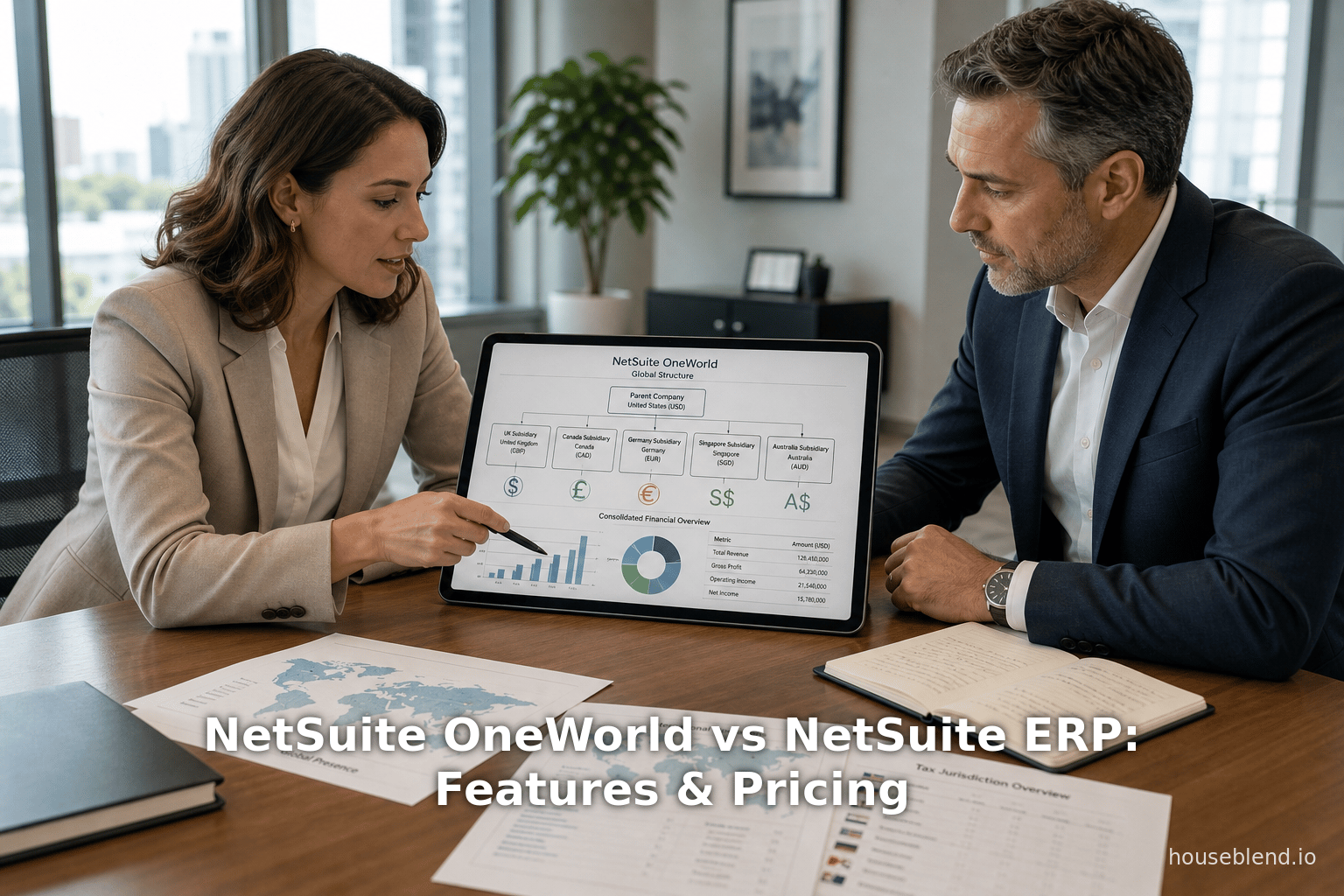
NetSuite OneWorld is the edition optimized for global, multi-entity operations. Rather than being a separate product, OneWorld is an add-on module activated in the NetSuite platform [13] [1]. When enabled, it unlocks comprehensive multi-subsidiary management and global compliance functionality that Standard lacks. In essence, OneWorld transforms NetSuite “from a single-entity system into a global ERP platform” [7]. Major capabilities of OneWorld include:
-
Unlimited Subsidiaries: OneWorld lets one NetSuite account handle multiple legal entities. Each subsidiary can have its own chart of accounts (either shared with or separate from the parent), legal registration details, base currency, and statutory reporting requirements [5] [7]. The subsidiaries are arranged in a hierarchy under a parent company. This allows intercompany transactions to flow naturally through the system. For example, a subsidiary can sell to another subsidiary: OneWorld will automatically create the corresponding intercompany journal entries or intercompany orders, and it will eliminate these between the subsidiaries in the consolidated parent accounts [45]. In short, OneWorld natively supports “intercompany transactions and eliminations” – a feature explicitly absent in the standard edition [46] [45].
-
Native Multi-Currency Support: Standard NetSuite handles multiple currencies only at a basic level. By contrast, OneWorld supports over 190 currencies with automated daily exchange rates from Oracle’s currency service [6]. Subsidiaries transact in their own currencies (both functional and foreign transactions). The system posts financial entries in each subsidiary’s base currency and can consolidate them into the parent’s reporting currency using configurable rate types (e.g. daily, average, or historic rates) [6]. It automatically accounts for foreign exchange gains and losses by posting to designated GL accounts, streamlining global consolidations. This level of currency automation saves significant manual effort: one report estimated companies with five or more subsidiaries often save 20–40 hours per month in reconciliations once OneWorld’s intercompany/currency flows are fully implemented [47].
-
Consolidated Reporting and Dashboards: OneWorld provides real-time consolidated financial statements and dashboards across all subsidiaries. Executives can view group-level P&L, balance sheet, and KPIs without manual spreadsheet consolidation [48] [49]. Role-based dashboards allow both subsidiary managers to see local performance and corporate leaders to see the rollups. This contrasts with Standard NetSuite, which only supports entity-level dashboards; any attempt at group reporting on Standard requires manual data extraction [49]. OneWorld’s unified reporting engine handles multi-entity consolidations and can produce global financials in multiple reporting currencies. NetSuite’s own documentation emphasizes that after upgrade, “consolidated reports including aggregated financial statements” are available with foreign currency translation across all child subsidiaries of a parent [50].
-
Global Tax and Regulatory Compliance: OneWorld ships with built-in tax engines and localization features for many countries. It includes pre-configured VAT/GST logic for regions such as the EU, UK, Latin America, and Asia-Pacific, along with country-specific financial statement formats and statutory reporting templates [9] [7]. For example, a subsidiary in Germany can produce local GAAP financials and VAT returns automatically, while one in Brazil can generate required CST reports – all within the same NetSuite instance. By supporting local compliance, OneWorld greatly reduces the risk of tax errors and audits that many global companies face. A partner guide notes that OneWorld “offers features for handling foreign currencies, local tax and VAT reporting, and global compliance in over 100 countries out of the box” [7].
-
Extended Modules and Automation: Since OneWorld assumes broader business needs, it often includes or leverages advanced NetSuite modules. For instance, OneWorld customers commonly use SuiteTax (advanced tax calculation engine), SuiteCommerce (for e-commerce across subsidiaries), and advanced modules for financials, inventory, and billing. NetSuite’s licensing model allows connecting optional modules to OneWorld accounts [13] [17]. Automation of workflows (e.g. global procurement, intercompany purchase-to-pay) and SuiteCloud customization ( SuiteScript, SuiteFlow) also apply at the group level in OneWorld.
In summary, NetSuite OneWorld is effectively “NetSuite on steroids” for global enterprises [1]. It is aimed specifically at companies where “each entity can operate with its own rules, while the system centralizes oversight across the organization” [51]. Table 1 below compares key capabilities side-by-side.
| Capability | Standard NetSuite | NetSuite OneWorld |
|---|---|---|
| Legal Entities Supported | 1 (single entity) | Unlimited subsidiaries [52] |
| Currencies (automated) | Basic multi-currency (few currencies, no auto rates) | 190+ currencies with automated daily exchange rates [6] [11] |
| Consolidated Reporting | Only single-entity financials | Real-time cross-subsidiary consolidation [11] |
| Intercompany Transactions | Not native (requires manual workarounds) | Native support with automatic eliminations [45] [46] |
| Global Tax Compliance | Basic (primarily U.S. sales tax) | VAT/GST and statutory reporting in 200+ countries [9] [53] |
| Multi-Book Accounting | Not available | Supported (with Advanced Financials add-on) [54] |
| Typical Annual License Cost | $15K–$60K (one country, small user base) | $40K–$150K (multi-country, large user base) [53] |
Table 1: Selected functional differences between NetSuite Standard and OneWorld editions (example cost ranges are illustrative) [52] [14].
Pricing and Licensing: Cost of Multi-Entity ERP
NetSuite’s subscription pricing is notoriously opaque, but published benchmarks provide guidance on how Standard vs. OneWorld costs differ. As an ERP advisory playbook explains, the pricing model consists of a base platform fee plus optional modules and users [13] [14]. Under Standard NetSuite, an organization pays only the base fee (which covers a single-entity ERP/CRM) and then per-user licenses. However, for OneWorld, several additional structural charges come into play:
-
Base Platform Fee (Single-Entity ERP): This is the baseline cost for any NetSuite subscription. Industry estimates place the base NetSuite ERP/CRM platform at roughly $12,000 per year (about $999 per month) [14]. This covers one legal entity’s core operations.
-
OneWorld Module Fee: To unlock global functionality, companies must add the OneWorld edition, which has its own subscription fee. Estimates suggest the OneWorld add-on is on the order of $24,000–$30,000 per year (roughly $1,999 per month) [42] [14]. This fee is in addition to the base fee and typically includes multi-subsidiary capabilities for one primary country. In effect, activating OneWorld roughly doubles the license cost over Standard. One analysis notes it “transforms NetSuite from a single-entity system into a global ERP platform,” but cautions that it is “not designed for lean budgets” [55] [7].
-
Additional Country/Subsidiary Licenses: If a company expands into multiple countries (each with different currencies or tax regimes), extra license fees may be required per country. A common benchmark is about $9,600 per year (around $799 per month) for each additional country or currency jurisdiction [15] [16]. The first country is often covered by the OneWorld module fee, but each distinct legal entity in a new country is typically counted separately. For example, adding a new European subsidiary on a different currency could require one such license. This element means that a U.S. firm expanding into 3 additional countries could face an extra ~$30K/year just in country fees.
-
User Licenses: Apart from these entity-based fees, NetSuite charges per-user subscription fees. Full users (financial, operations, and power users) typically run $1,200–$2,400 per year per user [17]. Limited/Employee users, who have restricted roles (like expense entry, time sheets, or read-only access), cost about $600–$1,200 per year [18] [17]. These rates mean a global deployment with 100 full users and 50 limited users could easily incur $150K+ annually in just user fees, even before counting entity fees. Notably, CRM and basic Warehouse Management functionality is often bundled or included in the base package, but advanced modules (e.g. WMS, SuiteCommerce) carry their own costs.
-
Additional Modules: Companies may also require advanced modules – like Advanced Financials, Advanced Inventory/WMS, or SuiteBilling (subscription billing). These can each add roughly $5–10K+ per year (often priced per multiple of employee accounts) [56]. For example, a SuiteBilling license might be on the order of $6K/year [57], while Advanced Inventory might be $4.8–$9.6K/year [58]. These add-ons are optional but common in complex deployments.
In summary, the combination of base fee, multi-entity add-on, country fees, and user licenses means that a OneWorld deployment can be several times more expensive than a simple single-entity setup. One advisory analysis estimates that a mid-size multinational with five subsidiaries and 100 full users (plus 50 limited users) could face a list price around $227,000 per year [19]. Even after discounting 20–30%, the result is often ~$180K+ annually due to global complexity [19]. In practice, independent advisors warn that “base price can double or triple once you add essential modules” such as OneWorld [59]. Indeed, ERP Pilot notes that the first-year total investment (license plus implementation/services) is usually 2–4 times the annual license cost [60], underscoring that the real TCO can be much higher than license figures alone.
The following table illustrates approximate annual license costs for a OneWorld deployment (2024 US list prices):
| License Component | Estimated Annual Cost (USD) | Notes |
|---|---|---|
| Base NetSuite Platform (single-entity) | ~$12,000 [14] | Core ERP/CRM license (one entity) |
| OneWorld Multi-Entity Module | ~$24,000 [14] | Enables global consolidations (per account) |
| Additional Country License | ~$9,600 per country [15] [16] | Each distinct country/legal entity (beyond primary) |
| User License – Full Employee | $1,200–$2,400 per user [61] | Named user with full access (finance, etc.) |
| User License – Limited/Employee | $600–$1,200 per user [62] | Light-access or self-service user |
| SuiteBilling (Subscrip. Billing) | ~$6,000+ [57] | Advanced recurring/subscription billing |
| Advanced Financials Module | ~$4,800–$9,600 [58] | Extended financial mgmt (budgeting, etc.) |
| Advanced Inventory Module | ~$4,800–$9,600 [58] | Multi-location inventory, lot control, etc. |
Table 2: Example NetSuite OneWorld licensing costs (per year, approximate 2024 list prices) [14] [62].
As this table shows, deploying OneWorld typically means budgeting tens to hundreds of thousands of dollars per year for software alone. It also implies higher implementation and support costs: industry studies note that OneWorld implementations often take 9–12 months (longer than simpler projects) due to added configuration of subsidiaries and localizations [63] [64]. Ongoing maintenance is also greater, as each subsidiary may have its own local charts of accounts, tax updates, and unique processes. In short, the licensing structure of NetSuite OneWorld is modular and granular, allowing companies to add multi-entity functionality flexibly, but at a significant incremental cost over Standard NetSuite [13] [59].
When to Upgrade: Triggers for Moving to OneWorld
Upgrading from Standard NetSuite to OneWorld is not a matter of adding a few new features – it is a structural change to how the ERP handles the organization. As Kimberlite Partners describes, it is a shift in architecture rather than a simple feature toggle [65]. Recognizing the right time to upgrade can save a company from costly workarounds. Common “trigger events” include:
-
Entering New Countries: If a business expands into new markets, it faces new tax codes, regulatory requirements, and foreign currencies. Standard NetSuite has no native support for localized VAT/GST or multiple currencies at that scale. Thus, once a company is entering even a second country with different currency/tax, OneWorld becomes necessary. OneWorld includes localizations for over 50 countries and automates multi-currency transactions and local compliance [21] [7]. For example, Kimberlite notes that entering new markets – with their own tax and currency – is a clear signal to upgrade, because “Standard NetSuite does not support these needs natively” [21].
-
Multiple Legal Entities: Perhaps the most unambiguous trigger is the existence (or addition) of a second legal subsidiary. Standard NetSuite is designed for a single legal entity, so “as soon as you add a second legal entity, the Standard edition begins to fail operationally” [23]. Companies in this situation often find their finance teams reconciling two separate accounting systems by hand, since Standard cannot automatically eliminate or intercompany-match transactions. Once a firm has two or more corporations (LLCs, subsidiaries, divisions) of common ownership, they truly need OneWorld to link them. OneWorld “connects all subsidiaries into a single ERP environment” and automates eliminations [23], eliminating the manual spreadsheet mash-ups otherwise required.
-
Need for Consolidated Financials and Global Dashboards: Growing companies often need consolidated group reporting for auditors, investors, or management. If executives are requesting a single P&L or balance sheet for the group, while still wanting subsidiary sub-ledgers, Standard NetSuite cannot deliver this. Instead, they end up continuously exporting data to Excel. OneWorld provides built-in consolidation and roll-up reporting. Kimberlite emphasizes that Standard offers only individual-entity dashboards, forcing reliance on offline consolidation. In contrast, “OneWorld provides unified dashboards across all subsidiaries” [49]. The tell-tale sign is when finance leadership groans at “fragmented data” and multi-department workbooks and wishes for one-click total company reports.
-
Growing Compliance Risk: Operating in multiple jurisdictions brings complex reporting requirements. Companies subject to multiple tax regimes, currency rules, or statutory standards are at risk if their ERP cannot handle it. Standard NetSuite has no country-specific tax tools or automated audit trails, exposing businesses to compliance errors [66] [9]. If compliance burdens – such as filing EU VAT or local GAAP statements – are increasing, OneWorld becomes more attractive. OneWorld’s localization engine and audit capabilities reduce risk by design [9] [66].
-
Manual Workarounds and Inefficiency: A more general sign is when the finance team is building manual fixes to compensate for system gaps. For example, if intercompany billing is done via separate journal uploads, or if the month-end close relies on pivot tables to aggregate subsidiaries, the standard edition is already overstretched. Kimberlite warns that using Excel for intercompany transactions is a symptom of scale mismatch [24]. OneWorld automates these flows – “Month-end close moves faster, data accuracy improves, and teams spend less time fixing avoidable issues” [24]. Companies should take such operational pain seriously; it usually means they have outgrown Standard NetSuite.
Table 3 below summarizes these upgrade triggers:
| Trigger Event | Why It Matters |
|---|---|
| New country/tax jurisdiction | Introduces new currencies and tax rules that Standard cannot handle. OneWorld provides over 50 localizations [21]. |
| Additional legal subsidiary (2nd entity) | Requires intercompany accounting and consolidation, which Standard lacks. OneWorld centralizes subsidiaries [23]. |
| Demand for group-level reporting/dashboards | Standard supports only entity-level views. OneWorld offers real-time consolidated dashboards and KPIs [49]. |
| Compliance & audit complexity | Multi-jurisdiction operations need local tax engines and audit trails. OneWorld automates these for 100+ countries [9] [66]. |
| Manual/Excel workarounds | Reliance on spreadsheets for transactions is unsustainable at scale. OneWorld replaces manual reconciliations with automation [24] [47]. |
Table 3: Common business situations (“trigger events”) that indicate a company should upgrade from Standard NetSuite to OneWorld [21] [9].
In short, OneWorld is not needed for every growing company, but it becomes critical once growth crosses national or entity boundaries. As a NetSuite guide advises, if you operate two or more subsidiaries or transact in multiple currencies, “OneWorld is the only edition equipped to support that scale” [51]. Conversely, if an organization remains a single P&L, single-country entity, it can continue to run on Standard without incurring unnecessary add-on fees.
Licensing Strategy and Optimization
Given OneWorld’s modular licensing, businesses must plan carefully to avoid cost surprises. Analysts recommend several best practices:
-
Plan for Future Entities Upfront: It is often cheaper to negotiate subsidiary/country licenses during the initial contract than to add mid-term at list price. If expansion into new countries (or acquiring entities) is expected within a few years, secure the necessary additional licenses early [67] [64]. For example, firms should map out all current and near-future subsidiaries (typically a 3–5 year horizon) and negotiate volume discounts where possible [67].
-
Optimize User Licensing: Conduct a role audit to classify users as full or limited. A common pitfall is over-licensing: giving many employees full access who only need read/approve access. Check if some “full users” could be downgraded to cheaper Employee or “limited” roles [68]. This can yield large savings since a limited user costs roughly half a full user license [69].
-
Avoid Unused Modules: Only license advanced modules that will be immediately (or imminently) used. During negotiations, an Oracle rep might bundle in modules like SuiteCommerce Standard or others. If these won’t be used, ask to remove them. Unused modules (“shelfware”) provide no value but inflate annual fees [70] [60].
-
Manage Renewals and Uplift: Oracle contracts often include annual price increases. Negotiate caps on these uplifts or the ability to adjust license counts at renewal. For example, ensure the contract allows dropping unused user seats or modules at renewal without penalty [71].
-
Consider Rollout Phasing: Some customers split a OneWorld deployment into phases by region or subsidiary. This does not change licensing costs significantly (you still pay for each country you have), but it can spread out implementation effort. We will discuss rollout timing in the next section.
Overall, the lesson is that OneWorld licensing requires architectural planning. Both IT and finance leadership should collaborate to forecast scaling scenarios and align them with a licensing plan [19] [64]. As one advisory summarizes, leveraging advisors and peers for benchmarks can help negotiate a fair deal, since initial quotes may be high [72].
Implementation and Upgrade Considerations
Upgrading an existing NetSuite account from Standard to OneWorld is technically a one-time, irreversible configuration change [73]. It typically involves:
-
Configuring the Subsidiary Hierarchy: Each legal entity must be set up as a subsidiary with its own currency, tax IDs, locations, etc. A rollout team must define the chart of accounts strategy (common vs. entity-specific) and fiscal calendars.
-
Data Migration and Conversion: Existing records (customers, vendors, items) may need re-scoping to subsidiaries. Historical transactions often require reclassification or input as part of a fresh fiscal note-to-books conversion.
-
Localization Setup: Each new country requires localization – e.g., tax engine settings, reports, and translation rules. This can be time-consuming. As Kimberlite notes, configuring tax engines and assigning roles by subsidiary is critical and demands thorough training [74].
-
Re-Implementing Processes: Many transactional processes are extended in OneWorld. For example, intercompany billing workflows must be defined and tested. Approval workflows often become hierarchical (one per subsidiary).
-
Training and Change Management: Employees will see a different interface: subsidiary selectors, intercompany transaction screens, new reports. Training resources and time must be built in [75]. Without it, one report warned, “adoption slows and value gets delayed” [76].
Because of these factors, most OneWorld projects take significantly longer than simple ERP installs. Industry research confirms this: after accelerating SaaS adoption, Panorama Consulting found the average ERP implementation time shortened from 15.5 months to about 9 months (2025 report) [26]. However, this figure is an overall average; OneWorld deployments aimed at global scale often exceed it. Kimberlite and other consultants suggest budgeting near or above 9–12 months for a OneWorld rollout, depending on complexity [63] [26]. The added timeline reflects the depth of setup (multiple entities, local bookkeeping, intercompany testing) rather than project inefficiency.
The disruption to business is generally manageable with good planning. Companies can sometimes switch on OneWorld and then gradually add subsidiaries, or even run a portion of the rollout parallel in a sandbox. However, it is crucial to recognize that once upgraded to OneWorld, the organization cannot revert: the system now expects multiple entities. Typically, firms plan the upgrade during a quiet season (often mid-year) so that year-end closes match new structures. In some cases, customers perform a parallel trial conversion or pilot before flipping on OneWorld for production accounting.
A critical aspect is data readiness. The implementing team must gather: all existing intercompany agreements, chart of accounts changes, localization requirements, and mappings for each subsidiary. Often a gap analysis is done first to identify manual workarounds that will be automated. Consulting partners note that poorly prepared data (e.g., inconsistent account usage across subsidiaries) can delay the project significantly. Therefore, the preparation phase – inventorying what needs to change – is as important as the technical upgrade.
After go-live, businesses typically see a longer initial close as new processes are stabilized. But once in place, OneWorld should dramatically reduce the manual burden of closing multiple books. We will illustrate these outcomes with case study evidence in the next section.
Case Studies and Industry Examples
Real-world deployments of NetSuite OneWorld vividly illustrate its impact. Below are several representative examples:
-
FinTech Company (Global Expansion): A rapidly scaling financial services firm needed to manage subsidiaries in North America, EMEA, and APAC, each with different currencies and regulations [77]. Before OneWorld, each subsidiary used spreadsheets and local tools, causing an extremely lengthy close process. After implementing NetSuite OneWorld (with local tax engines and intercompany eliminations configured), the client achieved dramatic improvements: month-end close time was reduced by 45% and manual reconciliation errors fell to zero [27] [78]. The team automated six-entity consolidations and enabled real-time dashboards for executives. According to their advisors, this allowed three new international entities to launch “without hiring additional finance staff” [79]. In short, OneWorld took the company from “reactive and fragmented to automated, audit-ready, and future-proof” [80].
-
Multinational Manufacturer: A global packaging company unified operations across four countries using OneWorld [81]. Prior to adoption, the finance groups operated in silos and took weeks to produce consolidated results. SoftArt’s implementation of OneWorld yielded real-time global dashboards and crushed their consolidation timeline – “Cut from weeks to hours through automated intercompany reporting” [82]. Inventory and procurement processes became standardized, and now new market rollouts are straightforward. The case emphasizes that once data is unified, decision-making becomes both faster and more reliable.
-
International Distributor: In another example, a U.S.-based distributor of construction supplies expanded through acquisitions. They were already on Standard NetSuite for one division but needed to integrate new branches. WSM (Dhruvsoft) implemented OneWorld’s cross-subsidiary fulfillment: each subsidiary could now fulfill orders using stock from the most appropriate location, eliminating shortages and accelerating order turnaround [83]. Although this case did not publish specific percentages, the outcome was a measurable boost in resource efficiency and customer satisfaction, as stock was no longer idle in one entity while requested in another.
-
Global Healthcare Enterprise: A healthcare equipment manufacturer with operations in 10 countries faced “inefficient reporting and consolidation” because of legacy systems [84]. Ambit Software implemented OneWorld, resulting in a suite of improvements: finance saw a faster close cycle through automation, cross-border tax compliance was simplified via advanced tax rules, and management gained a “360-degree view of operations across locations” [85]. As the Head of IT reported, the ERP switch was very smooth for reporting and consolidation needs [86]. While no precise speedup was given, the narrative aligns with standard ROI figures (e.g. multi-week closes shrinking to near real-time).
-
E-Commerce Global Retailer: (Hypothetical industry trend) Many multinational retailers also adopt OneWorld for consolidated inventory and financials. For instance, Case studies (not cited here) often note that retailers gain unified ecommerce and WMS across branches, leading to increased online sales revenue as products seamlessly ship from the best location.
These examples underscore a common theme: the larger and more complex the organization, the greater the leverage from OneWorld. In each case above, customer reports or partner summaries credit OneWorld with making possible near-instant financial insights, automated intercompany processes, and mass reductions in manual work. For example, Bay Forward noted a 40% reduction in time to close books for a multi-entity client [28]. Even without quantifying every benefit, the qualitative impacts – scalability without proportional headcount growth, global compliance automated, and executive visibility – are consistently highlighted.
It is worth noting that not all companies pay the full list price. The actual NetSuite bill depends on negotiation, contract length, and bundling. For larger deals, customers often receive multi-year discounts. OneWorld’s high list prices notwithstanding, experienced buyers stress the importance of leveraging market benchmarks. As the licensing playbook advises, “Oracle’s initial quotes can be significantly higher than what other similar clients pay,” so independent benchmarking can yield substantial savings [72]. In short, while OneWorld tends to be a six-to-seven-figure annual investment for global deployments, savvy procurement can mitigate that.
Discussion: Implications and Future Directions
The decision to use Standard NetSuite or upgrade to OneWorld has far-reaching implications. Technically, it dictates how an organization’s data architecture will scale. Strategically, it reflects the company’s growth trajectory and risk tolerance. Below, we discuss broader factors and future trends related to multi-subsidiary ERP choices.
Market Trends: The global ERP market is growing steadily in the cloud era. Research firm HG Insights notes the ERP market grew ~8% since 2022, with forecasted spending of $147.7B on ERP software in 2025 [87]. Cloud-based ERP (“SaaS ERP”) now dominates, accounting for roughly 70% of ERP spending [35]. In fact, analyst projections see cloud ERP growing at about 9–10% annually into the next decade [88]. This growth benefits providers like NetSuite, especially given its early SaaS leadership.
Within ERP evolution, a few key trends stand out:
-
Cloud and Multi-Tenancy: Vendor support for multi-tenant SaaS architectures continues to be paramount. Companies rush to adopt solutions that can be upgraded continuously (which is inherently how NetSuite operates). As one industry analyst put it, SaaS “will continue to grow because [vendors] develop new capabilities and push them out to users quickly” [89]. For multi-subsidiary ERP, this means that new features (like more localizations or AI-driven analytics) can be delivered seamlessly to all accounts. NetSuite itself exemplifies this trend: Oracle has been infusing AI into the platform, and recent announcements (e.g. “NetSuite Next” with AI assistants) point toward a future where ERP tasks become more automated [90].
-
AI and Automation: Increasingly, buyers demand built-in automation and analytics in their ERP. RFPs now often require machine learning, RPA integration, and predictive insight as standard [91]. The ERP research suggests vendors are embedding AI into core workflows (e.g. SAP adding AI, NetSuite launching its “AI Connector Service” to let assistants interact with ERP data [92] [93]). For OneWorld customers, this could mean AI assistance for complex consolidation tasks or automatically suggesting intercompany eliminations. The reported trend “AI powers homegrown add-ons” also indicates companies will use AI to quickly script custom logic on top of ERP systems [94].
-
Integrated Business Platforms: There is a movement toward ERPs acting as hubs of broader business suites – integrating CRM, ecommerce, HR, and supply chain on one backbone. NetSuite has long positioned itself as a unified platform (with its built-in CRM and SuiteCommerce), which aligns with this. The Forrester/Houseblend analysis notes that NetSuite’s unified suite is a strength for subscription-driven, multi-entity businesses [95]. In the future, we expect more industry-specific ERP solutions (e.g. for manufacturing, healthcare, hospitality) that cater to particular regulatory and process needs [96]. NetSuite is expanding in this direction via vertical editions (e.g. SuiteSuccess industry templates).
-
Global Policy and Data Sovereignty: As companies spread across borders, data rules matter. Regulatory requirements (GDPR, data localization laws) affect cloud ERP architecture [97]. Vendors must assure customers that data residency and access controls comply with local laws. NetSuite historically ran multitenant ERP from global Oracle data centers; going forward, Oracle might need to offer region-specific hosting for certain countries. The research warns that organizations operating in the EU must consider new compliance (e.g. EU data act) at the architecture design stage [97]. For a OneWorld customer, this could mean ensuring that each European subsidiary’s data stays within the region.
-
ERP Modernization vs. Replacement: Industry reports emphasize that the ERP market is now dominated by modernization and upgrades, not fresh greenfield installs [98]. In fact, many companies hesitate to rip and replace stable systems, instead looking for incremental improvements. One study found that by 2027, a majority of new ERP projects may fail to meet original goals, implying that businesses treat stability as a feature [99]. For NetSuite users, this suggests careful change management: sticking with a stable Standard system until a clear upgrade case is made, but planning ahead so that migration moves smoothly.
Competitive Landscape: In the mid-market and subsidiaries space, NetSuite faces competition from firms like SAP (Business ByDesign, S/4HANA Cloud) and Microsoft Dynamics 365. Analyst consensus is that NetSuite excels in time-to-value and mid-market fit, whereas SAP leads on deep industry-specific functionality [100] [101]. Gartner reports and Forrester Waves (not fully cited here) acknowledge NetSuite’s strength in multi-entity consolidations and SaaS deployments [100]. For many global organizations, an alternative strategy is to purchase separate systems in each country, but this approach duplicates licensing and loses the benefits of a unified data model [102] [59]. A single OneWorld deployment, while pricier upfront, avoids multiple ERP islands and can yield economies at scale – a fact emphasized by NetSuite’s architecture (one base license plus incremental country fees) [13].
Expert Opinion: ERP consultants generally advise that international companies should plan their ERP architecture rather than react mid-course. As the licensing playbook notes, decisions about how many subsidiaries to include in one account versus separate accounts should be made early [103]. The consensus is nearly always to aim for a single OneWorld realm gluing all subsidiaries, unless there is a very compelling business reason to split (such as divestitures or fundamentally different divisions). A unified approach allows economies of scale: “you pay a single base fee and add subsidiaries at a low cost” [104], instead of buying multiple full systems. This strategy should be weighed against scenarios such as joint ventures or partial ownership structures, which OneWorld cannot natively accommodate without additional consultancy.
Future Outlook and Conclusions
Long-Term Implications: The choice between Standard and OneWorld NetSuite is essentially a bet on the company’s future structure. Organizations that fail to invest in the right edition at the right time may face bottlenecks; conversely, upgrading prematurely wastes budget. The evidence suggests that once a company is genuinely global – operating in multiple countries, currencies, and legal entities – it will eventually need OneWorld’s capabilities [21] [1]. Delaying that transition only leaves them juggling spreadsheets and legacy tools in the meantime, which can impede growth and introduce audit risk.
Given the industry landscape, cloud ERP is only becoming more capable and ubiquitous. NetSuite itself continues to innovate (e.g. adding AI and advanced analytics [90]), so the gap between OneWorld and Standard in core architecture will likely widen: future Standard releases may enhance domestic features, while OneWorld will extend global ones. Businesses should thus plan for a roadmap that includes potential NetSuite upgrades. For instance, startups often begin on Standard, but should architect their data so migrating to OneWorld later is smooth – keeping chart-of-accounts consistent and avoiding sprinkling in subsidiary-specific custom fields that later complicate consolidation.
Strategic Recommendations: Based on our analysis and the cited guidance, we conclude:
-
For Single-Entity, Domestic Firms: Continue on Standard NetSuite as long as possible. It provides excellent functionality at a lower price. However, even domestic companies should note that entering any foreign market or creating a separate legal entity will trigger a shift in ERP needs.
-
For Growing Multinationals: Adopt OneWorld (or plan the move) as soon as the enterprise has (or will soon have) multiple subsidiaries. Early planning is critical – involve legal, tax, and IT stakeholders to document all current and anticipated entities. Budget for both the extra license fees and the longer implementation. Remember that while OneWorld requires more up-front investment, it enables processes that would be prohibitively costly in labor otherwise.
-
Optimize Deployment: Use independent benchmarks during negotiation. For a global company, an integrated OneWorld deployment is typically more cost-effective than multiple separate local ERP instances. Engage experienced NetSuite partners who have done OneWorld rollouts in your industry; their case studies can guide expectations.
Finally, note that adopting OneWorld (like any ERP upgrade) is not simply a technical project but a business transformation. It demands top-down support and cross-functional collaboration. But the payoff – from faster financial close to scalable global operations – can be enormous. As a NetSuite partner summary states, the result is “better view of the big picture by centralizing global finances while still following local rules” [105]. In an era where agility and data visibility differentiate winners, having the right ERP edition is foundational. NetSuite OneWorld thus represents the tools necessary for the 21st-century multinational: it isn’t just nice to have – it’s essential once international complexity emerges [80] [1].
In conclusion, companies should carefully evaluate their structure and ambitions against these criteria. If any of the triggers or case outcomes discussed here apply, the time to upgrade to OneWorld is now. Otherwise, they can operate on Standard NetSuite without immediate urgency, but continue to monitor growth trends. Either way, all ERP investment decisions should be grounded in a comprehensive analysis of both current needs and future strategic direction – exactly the exercise undertaken in this report, supported by industry data, expert opinion, and practical examples [12] [21].
External Sources (105)
About
Houseblend
Make NetSuite work better for your finance and operations teams with Houseblend. We help design, implement, integrate and improve ERP systems, with practical support for the people who use them every day.
Houseblend is a NetSuite consulting firm serving finance and operations teams. We help organizations implement ERP systems, connect business applications, improve existing configurations and maintain the systems that support everyday work. Our audience includes finance leaders, controllers, operations managers, NetSuite administrators and implementation teams.
Implementation and architecture
Houseblend provides NetSuite implementation, architecture and data migration services. We help teams evaluate how business processes, reporting requirements and existing data should fit together in an ERP environment. Training supports the people responsible for adopting and operating the resulting system.
Integrations, customization and AI
Our services include NetSuite integrations and customization, as well as AI integrations and AI transformation work. These engagements connect ERP data and workflows with the broader application landscape. The right design depends on the organization's systems, controls and operating needs.
Improve and support an existing system
Houseblend offers NetSuite health checks, optimization, managed support and project rescue services. We also provide expertise for analytics and specialist workflows, including NetSuite Analytics Warehouse, warehouse management and field service management. Published educational material helps teams investigate options and prepare informed questions for their implementation or support work.
Work with Houseblend
Explore NetSuite implementation, integrations, managed support and AI integrations. Contact Houseblend to discuss your current system and priorities.
Article examples explain concepts rather than promising a particular license, product capability, delivery schedule or outcome. Engagement scope is confirmed with the Houseblend team.
Disclaimer
This document is provided for informational purposes only. No representations or warranties are made regarding the accuracy, completeness, or reliability of its contents. Any use of this information is at your own risk. Houseblend shall not be liable for any damages arising from the use of this document. This content was generated with assistance from artificial intelligence tools, which may contain errors or inaccuracies. Readers should verify critical information independently. All product names, trademarks, and registered trademarks mentioned are property of their respective owners and are used for identification purposes only. Use of these names does not imply endorsement. This document does not constitute professional or legal advice. For specific guidance related to your needs, please consult qualified professionals.