Houseblend Article
NetSuite Order Management: Allocation & Backorder Rules
Inside this article
Executive Summary
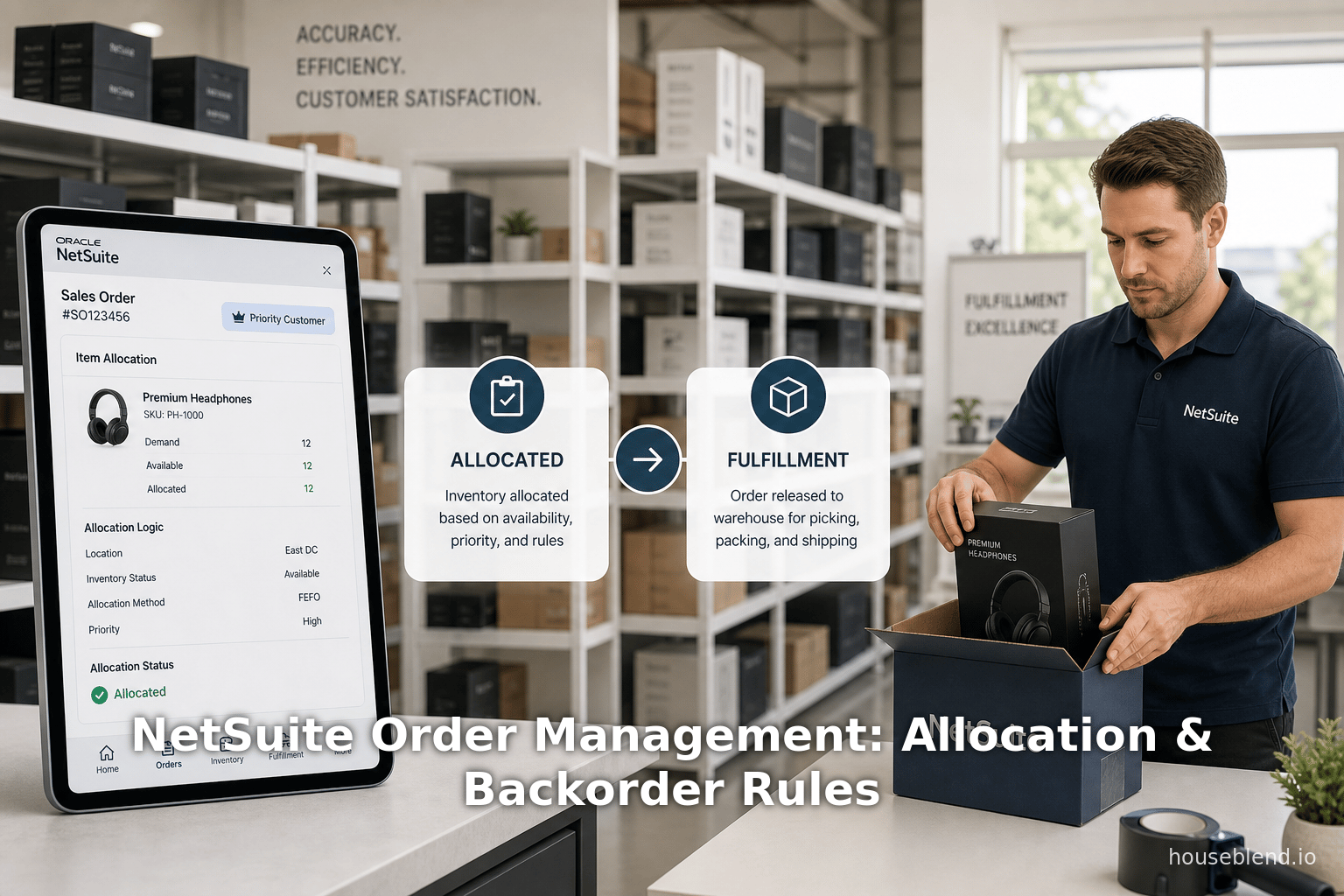
Effective order management is critical for modern businesses to meet customer demand while minimizing costs and inefficiencies. Oracle NetSuite—one of the leading cloud-based ERP/OM (Enterprise/Order Management) platforms—offers sophisticated features for item allocation, backorder management, and automatic fulfillment to address these challenges. NetSuite’s Supply Allocation functionality enables companies to proactively link supply (on‐hand and incoming inventory) to demand (open orders) using custom criteria (such as customer priority or required ship date) [1] [2]. This ensures that strategic orders are fulfilled first, reducing stockouts and fulfilment conflicts [2] [3]. For cases where demand outstrips supply, NetSuite’s Backorder Rules allow orders for short items to be automatically assigned a location and placed on backorder, deferring fulfillment until inventory arrives [4]. Finally, NetSuite’s order fulfillment automation (via the Advanced Order Management module) can automatically assign optimal warehousing locations to each sales order line and generate fulfillment requests for stores or warehouses, based on configurable rules and triggers [5] [6].
Case studies and ROI analyses suggest that integrated inventory-order management significantly reduces excess stock and lost sales: for example, one retailer reduced inventory losses by $250K/year (achieving a 120× ROI) using NetSuite’s system [7]. Another organization cut write-offs by $20K annually (4× ROI) [7]. Industry reports emphasize that avoiding stockouts and backorders directly preserves revenue – delivering a day sooner accelerates revenue recognition, while preventing a lost sale boosts the bottom line [3] [7]. In practice, improved NetSuite implementations have eradicated backorders, increased order fulfillment rates by over 20%, and enabled business growth (e.g. 50% more sales volume) without additional headcount [8] [9].
This report provides a comprehensive analysis of NetSuite’s item allocation, backorder, and auto-fulfillment features. We first situate these topics within the broader context of order and inventory management. We then detail NetSuite’s specific functionality in each area, including configuration and best-practice rules, supported by official documentation and industry sources. Case examples illustrate how these capabilities play out in real-world scenarios (improving efficiency and customer service). We also examine quantitative data on costs of poor allocation/backordering (e.g. carrying cost ~20–25% of inventory value [10]) and the ROI of streamlined processes. Finally, we discuss future directions—such as AI-driven forecasting and increased automation—that will shape order management systems like NetSuite. All claims are supported with authoritative citations throughout.
Introduction and Background
The Challenge of Order and Inventory Management
In today’s omnichannel retail and manufacturing environments, companies must fulfill customer orders quickly and accurately while avoiding excessive inventory costs. Inventory carrying costs alone can be on the order of 20–25% of total inventory value per year [10], and stockouts/backorders directly translate to lost sales and customer dissatisfaction [3]. Effective order management systems therefore need to balance demand against supply, prioritize high-value orders, and automate fulfillment wherever possible to reduce manual errors. Research shows that even a small improvement (e.g. delivering orders one day sooner or avoiding a single stockout) has substantial financial impact, as more revenue is realized and customer retention improves [3] [10].
Backorders occur when on-hand inventory is insufficient to meet demand. While sometimes unavoidable, frequent backorders can erode customer loyalty: customers expecting immediate shipment may abandon their order if fulfillment is delayed, or switch to competitors [11] [3]. Conversely, overstock ties up capital and incurs extra warehousing expenses. Studies indicate that many companies experience out-of-stock (OOS) rates of 5–10% under normal conditions [12], and up to 20–30% on fast-moving or promoted items. Each percentage of stockout can cost significant revenue (industry sources have noted that up to 30% of orders can be lost due to OOS [11]). In this context, sophisticated allocation and fulfillment policies are key to minimizing backorders while maintaining high service levels.
NetSuite Order Management: Context and Modules
Oracle NetSuite provides a unified cloud platform for ERP and order management across industries. It integrates sales order processing, inventory control, purchasing, warehouse management, and financials within one suite. Within NetSuite, order management functionality has two main flavors: the core NetSuite Order Management (included in base ERP) and the Advanced Order Management (AOM) module. Core features cover multi-location inventory, sales orders, and purchase orders; AOM adds automated location assignment and fulfillment request processes. Additionally, NetSuite offers specialized features like Supply Allocation (to link multi-step supply planning to orders) and Demand Planning modules.
Historically, NetSuite allowed relatively simple commit logic: businesses could set preferences (via Setup > Accounting > Preferences) for inventory commitment on order creation or on item receipt. Without advanced allocation, the system would generally fulfill orders in the sequence they were entered, limited by available on-hand inventory. However, this “first-come, first-served” approach can lead to suboptimal outcomes when supply is limited.Overcommitment can occur (promising more than you have) or high-priority orders might be delayed by later low-priority orders being processed first [2] [1]. To address these issues, NetSuite’s modern supply allocation and automation features allow more nuanced control of inventory flow.
Key Concepts: Supply vs. Demand, Allocation Strategies
A useful way to understand NetSuite’s order management is the Supply and Demand paradigm. Supply includes all inventory that will be available: current on-hand stock plus incoming receipts from purchase, transfer, and work orders. Demand is defined by transaction lines requiring inventory: open sales orders, work orders, transfer orders, etc. Allocating supply to demand means choosing which pending orders get assigned to incoming inventory. The Supply Allocation feature in NetSuite explicitly manages this process [1] [13]. Without allocation, the system typically commits inventory in entry sequence, but with supply allocation enabled, you can apply custom allocation strategies (customer priority, order date, item category, etc.) to control assignment [1] [13].
According to a SuiteRep analysis, NetSuite’s Supply Allocation “proactively assign[s] inventory supply to transactions” rather than let the system fulfill by default sequence [1]. This approach uncovers key benefits: it enables customer prioritization (ensuring strategic customers get first access to scarce inventory), transparency (sales teams see which orders are covered vs. waiting), efficiency (avoiding overpromising stock), and flexibility (aligning supply and demand across multiple locations and order types) [14]. In the absence of such allocation, NetSuite would strictly follow availability at the time of fulfillment, which can leave high-value orders unfulfilled if placed later [2].
NetSuite Evolution and Related Concepts
NetSuite’s order/inventory capabilities have evolved over time. In addition to core settings and Supply Allocation, NetSuite’s Demand Planning and Forecasting modules can influence backorder handling by projecting future demand and supply, though these are separate features beyond order execution. The more advanced Advanced Order Management (AOM) package introduced automation features like Automatic Location Assignment and Fulfillment Requests, which are the focus of this report’s third component (“Auto-Fulfillment”). In AOM, orders can automatically generate pick/pack instructions and be routed to appropriate fulfillment locations based on rules and events.
It is worth noting that efficient item allocation, backorder management, and fulfillment automation not only increase order accuracy but also produce quantifiable ROI. For example, one benchmarking report cites that companies typically achieve payback in 1–3 years after NetSuite implementation, with net gains of 20–50% of system costs per year [15]. Many case customers report return multiples in single‐digits or double-digits, where improvements in inventory turnover and demand fulfillment are primary drivers [7] [16]. Keeping this context in mind, the following sections delve deeply into each NetSuite feature area.
Item Allocation in NetSuite
Effective item allocation ensures that limited inventory is distributed optimally to meet order demand. In NetSuite, “item allocation” can refer to both (a) the simple assignment of stock to sales orders (via commit on sales order creation or PO receipt), and (b) advanced supply allocation strategies that consider future receipts and business priorities. We examine both.
Basic Inventory Commitment Preferences
Before advanced features, NetSuite allowed users to set Inventory Commitment Preferences. Two key options exist: Commit Inventory on Order Entry or Commit on Receipt. - Commit on Order Entry means as soon as a sales order is created, NetSuite reserves (commits) stock from the available on-hand. This can prevent overcommitment but may create orphaned reservations if orders are canceled. - Commit on Receipt means sales orders do not reserve stock until inventory physically arrives (via fulfilling receipt), so backorders accumulate until then [17].
These basic settings can lead to backorder situations: e.g. if Commit on Receipt is chosen, sales orders for items not yet in stock will automatically go into backorder, as NetSuite “tracks the item as a backorder” if no stock is present [18]. If Commit on Order is chosen, the system may commit inventory that it doesn’t yet have (if demand was higher than available), and then when the PO arrives, adjust accordingly. In either case, without higher-level allocation logic, NetSuite’s default is to allocate solely on availability, without prioritizing certain orders over others。 [2] [1]
Supply Allocation Feature (Advanced Inventory Allocation)
For businesses with complex fulfillment needs (multiple warehouses, high mix of customer priorities, global supply chains), NetSuite’s Supply Allocation module provides advanced control. This feature allows planners to match specific incoming supply to particular orders via Allocation Strategies and Customer Commitment Priorities. Once enabled (often alongside Demand Planning), Supply Allocation expands NetSuite’s allocation to consider future inventory.
Concepts and Setup: Under Supply Allocation, each sales or transfer order line can specify a Supply Required By Date. NetSuite then performs allocation calculations to assign available and expected supply to demand to meet deadlines [19]. Allocation strategies are defined in records, which set rules (by customer type, item, location, etc.) that NetSuite evaluates when allocating stock [20]. For example, an allocation strategy might say “for VIP customers, allocate any available inventory first” or “for large orders, defer allocation until larger supply is received”. These strategies are assigned to order lines via transaction forms or saved searches.
Functionality and Benefits: Supply Allocation essentially pre-reserves inventory for high-priority orders. SuiteRep explains that without allocation, NetSuite would simply find inventory at the time of fulfillment, potentially leaving some orders unfilled when demand spikes [2]. With allocation, evidence-based criteria (customer rank, order date, etc.) shape the decision. Supply Allocation drives four main benefits [14]:
- Customer Prioritization: Strategic customers (by priority score) receive supply first, preserving key relationships.
- Visibility/Transparency: Sales teams can easily see which orders have inventory allocated and which are open/backordered.
- Operational Efficiency: Prevents overcommitting stock, thereby reducing order conflicts and manual intervention.
- Flexibility: Supports allocation across multiple locations and transaction types, making the system agile to shifting supply.
In essence, Supply Allocation converts manual “who should get the next available item?” decisions into configurable logic. Examining SuiteRep’s analysis: “instead of letting the system automatically fulfill orders in sequence … you can control which demand is tied to which supply” [1]. It even handles supply delays – if a scheduled purchase order is late, NetSuite automatically re-allocates affected orders, maintaining accuracy [21].
Case Example: A distributor might allocate incoming stock of a hot item first to long-term contracts (customer-prioritized) rather than to new one-off online orders, preventing preferential customers from being backordered. Supply Allocation supports such scenarios out of the box. Table 1 (below) outlines common allocation strategies and their purposes:
| Strategy | Description | Use Case / Benefit | Reference |
|---|---|---|---|
| Customer Priority | Allocate to customers in priority order (highest-priority first) [14] | Ensure strategic or high-value customers are served first | [14] |
| Order Date / Order Size | Allocate based on earliest order date or largest order size (as defined by strategy) | Serve oldest or largest orders first if desired | [1] |
| Closest Location | Assign fulfillment location nearest to customer delivery address [22] | Minimize shipping cost/distance | [22] |
| Highest Ranked Location in Region | Use the highest-ranked warehouse in customer’s region [22] | Use priority warehouse (e.g. with fastest service) | [22] |
| Fulfillment Workload Distribution | Choose the location with most available (lowest current) workload [22] | Balance tasks to avoid overloading any single warehouse | [22] |
| Minimize Fulfillment Locations | (Default) Assign as few locations as possible to fulfill an order [23] [24] | Consolidate shipping to reduce handling | [23] [24] |
Table 1: NetSuite Fulfillment Location Assignment Strategies and Typical Use Cases. (Sources: Oracle NetSuite docs [22] [23])
By choosing among these strategies (often inside an Automatic Location Assignment rule), a company can fine-tune exactly how each order line is filled. For instance, one rule could “Minimize Fulfillment Locations AND use Closest Location strategy,” meaning the system chooses the single nearest warehouse for the entire order. Another rule might allow splitting if necessary, but prioritize filling from the warehouse with the highest rank. NetSuite’s documentation notes that minimizing fulfillment locations is default (to keep shipments from multiple warehouses to a minimum) [23] unless explicitly changed.
Manual Allocation via SuiteTalk/CSV
In some cases, companies may also manually allocate stock via CSV or SuiteTalk (integration) if automated rules don’t capture a scenario. NetSuite provides an “Allocate Orders” page where a planner can filter open orders and assign inventory manually [25]. This can be useful for one-off adjustments or reallocation of items using the “Reallocate Items” form, as the Handling Backorders doc describes: once inventory arrives, you can commit it to backorders and then reallocate those commitments among open orders [17]. However, for high-volume operations, the goal is typically to automate as much as possible with the built-in allocation engine and schedules. NetSuite even allows schedule-based running of allocation (e.g. nightly “run allocation” jobs) to continuously align supply and demand [26].
On-Hand vs. Future Inventory Considerations
One key to how item allocation ties into order fulfillment is when inventory is considered. With Supply Allocation enabled, NetSuite will allocate not just on-hand stock but also incoming planned receipts (POs, transfer orders, work orders) against sales orders. This means an order for 100 units of item X can reserve a portion of a future PO of 150 units, if the PO’s expected date aligns with the sales order’s required date. This defers the need for manual commit when receipts come in – the system automatically ties the new inventory to the orders that need it [17] [18].
Without Supply Allocation, however, NetSuite’s older logic only considers available stock at fulfillment time. After a PO is received, a backordered sales order will be automatically committed up to the quantity received (since receipts trigger inventory posting and commitment to backorders) [18]. But if multiple backorders exist, allocation strategies determine which get filled first. The difference is subtle but important: Supply Allocation front-loads this decision-making, whereas without it, allocation occurs at the point of receipt, often manually. In either case, backorders (see next section) are the means by which sales can be recorded even if immediate stock is unavailable.
Backorder Management in NetSuite
Backorders arise when an order includes items not currently available in inventory. NetSuite tracks these automatically on sales orders. Out-of-the-box, NetSuite will commit inventory to sales orders as stock arrives, and if stock is insufficient, the order lines remain with unfulfilled (backordered) quantity [18]. The system’s handling of backorders depends on configuration rules and preferences.
Default Backorder Behavior
By default (without any special rules), a sales order line with no available stock will simply remain unfulfilled and marked as backordered. For example, entering a sales order for 5 units of Item #123 with 0 on-hand will create 5 backordered units [17]. When 50 units are later received on a PO, you would then “commit” 5 of them to that order (either manually or via the backorder rules) and fulfill the order. NetSuite’s Handling Backorders help page explains this process: “When you receive quantities for items that have open backorders, the items are automatically committed to the backorders. Then, the order appears in the fulfillment queue.” [18].
An important nuance is the Commit Inventory setting on preferences. If “Commit Inventory on Order” is selected, sales orders immediately reduce available inventory, potentially creating a backorder situation if future receipts are needed. If “Commit on Receipt” is selected, the backorder isn’t technically committed until the item receipt is entered. Either way, NetSuite accumulates a “backorders” count on the order line, which drives later processing.
Backorder Rules and Automatic Assignment
NetSuite’s Backorder Rules feature (part of order management setup) allows more intelligent handling when backorders occur. A Backorder Rule is similar to a location assignment rule but specifically applies when inventory is insufficient. Crucially, backorder rules are evaluated after all standard assignment rules [27]. This means that if a sales order line cannot be fulfilled by normal stock, the backorder rule can still assign a fulfillment location to it (even though there’s no inventory yet) [28].
The documentation explains that “since backorder rules are evaluated after other rules, there is no check for inventory at locations” [29]. In practice, this allows NetSuite to assign a warehouse to a backordered line automatically. For example, suppose a sales order has item A (in stock) and item B (out of stock). If you have a backorder rule for item B, NetSuite’s Automatic Location Assignment engine will still choose the “best” location (using usual criteria) for item B, and the line will be flagged as backordered [4]. If no backorder rule existed, item B would have a blank fulfillment location and require manual intervention.
Once inventory arrives, NetSuite sees that item B is backordered at that location and commits the stock automatically. The help text confirms: when the items become available, “they are committed to the sales order lines, which can then be fulfilled” [28]. In other words, backorder rules bridge the gap between order entry and fulfillment by pre-assigning responsibility for each backordered item. They mirror the logic of standard rules (using type, region, etc.) but ignore stock levels [28].
Backorder Prioritization and Customer Commitment
NetSuite also allows prioritizing among backorders via the Customer Commit Priority feature. You can rank customers (e.g. 1 = high priority, 5 = low), and the system will, when allocating incoming supply, fill higher-priority customers’ backorders first [30] [14]. This is another aspect of supply allocation: prioritizing customers when committing stock on receipts. As [26] notes, such customer prioritization is exactly the kind of benefit delivered by allocation tools: ensuring strategic customers get filled ahead of others [14].
Case Example: In a work order scenario, a company may designate special customers (e.g. VIPs) with commit priority 1, so that if a supplier shipment arrives with limited stock, all orders for priority-1 customers are filled before lower priorities queue up in backlog. Alternatively, orders can be reranked after creation by editing the customer priority field on each order line. NetSuite’s demand planning processes then push fulfillment according to those ranks [30].
Handling and Releasing Backorders
Once orders are backordered, NetSuite provides tools to view and manage them. The Reallocate Items form (or the “Commit Inventory” process) can be used to reassign stock among orders before fulfillment. For example, if a large order is partially fulfilled and another urgent order comes in, you could reallocate the remaining quantity from the first to the second, if business rules allow. The system supports adjusting commitments while the orders are still open [31]. In practice, organizations may run a weekly or daily replenishment process: open backorders are listed, new receipts are committed to them, and then fulfillment is scheduled.
A study by NetSuite partners found that implementing on-hold and backorder controls can greatly improve fulfilment. For instance, one client (OKA, a home furnishings retailer) introduced an “on-hold” feature to prevent orders with stock shortages from shipping prematurely, ensuring that only when stock existed would the order be fulfilled [32]. They also enhanced reporting to dynamically monitor back-ordered items and aging inventory, improving visibility [9]. The result was better customer service and fewer unintentional stock-outs.
Backorders in E-Commerce and Omnichannel Context
For companies using SuiteCommerce (NetSuite’s e-commerce platform), backorder settings affect web stores. NetSuite allows configuring whether a site will accept backorders or display “out of stock” to shoppers [33]. This decision impacts how online orders are handled: enabling backorders means the web store will take orders for out-of-stock items (to be shipped later), whereas disabling it prevents customers from ordering items not immediately available. NetSuite provides Web Store Backorder Preferences to manage this. If backorders are enabled on the site but inventory runs out, orders placed online will enter NetSuite as backordered orders, triggering the above processes. If disabled, the site will stop allowing the item to be purchased until restocked. In summary, NetSuite’s backorder system integrates seamlessly with both internal and external channels, offering flexibility in customer order management.
Auto-Fulfillment Rules and Automation
NetSuite’s Advanced Order Management (AOM) introduces fulfillment automation to streamline the physical process of getting goods to customers. Central to this are Automatic Location Assignment (ALA) rules and Fulfillment Request automation. These features work together to reduce manual picking and ensure efficiency in a multi-location context.
Automatic Location Assignment (ALA)
Goal: Automatically choose the best warehouse or store to fulfill each sales order line, without human intervention on every order.
Configuration: To enable ALA, the following prerequisites must be met: the Locations feature is enabled, Multi-Location Inventory is enabled, and items are flagged as available at specific locations [34]. Each location record is further classified by type (e.g. warehouse, store) and geocoded by address/postal code [35]. This geospatial and attribute data is used by the location assignment rules.
Location Assignment Rules: An ALA “configuration” consists of location assignment rules that fire on sales orders. A rule can filter candidate locations and assign one or more to an order line. For example, a rule might say “For all items, choose any location of type ‘Warehouse’ within 500 miles of the shipping zip code [36].” The process typically involves:
- Filtering: Limit locations by type or specific locations. (You must select a location type on each location [35]; rules often filter by that.)
- Distance/Region Filtering: Exclude far-away locations (e.g. all warehouses in Asia might be filtered out for a US ship-to address).
- Strategy Selection: Choose a strategy (from Table 1) to pick among the remaining candidate locations (closest, highest rank, workload, etc.) [22] [24]. By default, rules minimize fulfillment locations, meaning the system tries to use as few distinct locations as possible [23].
- Assignment: The chosen location is recorded on the sales order line as the fulfillment location.
These rules run automatically either in response to events (sales order creation/approval) or via a manual “Auto Assign Locations” button [37]. NetSuite provides an asynchronous business events framework that can trigger ALA immediately when an order is created [38]. There is also a synchronous ALA macro that scripts can call for customized triggers [39]. In short, once configured, the system can continuously assign optimal locations to orders without clerk intervention.
Benefits: Automating location decisions brings multiple gains. It speeds up order processing (no need for order-entry clerks to choose a warehouse manually), it ensures consistency with corporate rules, and it often reduces shipping costs (by leveraging geography and business rules) [6]. For example, if a retailer has warehouses in multiple states, an ALA rule can ensure that orders are fulfilled from the nearest warehouse by default, lowering transit time and freight cost [6]. The system can also encode business-specific constraints (e.g. “do not ship from Mexico to US” [40]).
Example Scenario: A customer places an order from San Diego for an item stocked in both Mexico and Washington state. Although Mexico is geographically closer, an ALA rule can be configured (via location regions or distance constraints) to avoid shipping from Mexico to the US due to cost or trade rules [40]. The system would then assign the Washington warehouse. If multiple Washington warehouses exist, the “closest location” strategy will pick the one in Oregon near the border, whereas the “highest ranked” strategy might pick the one designated for Pacific NW fulfillment. This flexibility ensures the chosen location aligns with the company’s logistical rules.
Fulfillment Requests and Pick Management
A related AOM feature is Fulfillment Requests (sometimes called “Pick Requests”). Once an order line has a fulfillment location assigned (possibly by ALA), a fulfillment request can be automatically generated for that location to pick and ship the order. This is particularly useful in scenarios like BOPIS (buy-online-pickup-in-store) or store inventory fulfillment. The process is: when a sales order is created (and approved/ready), NetSuite can automatically create a Fulfillment Request record for each line at its assigned location [5] [41]. Store managers or warehouse staff then review pending requests and commit them (create an actual Item Fulfillment for shipping, or a Store Pickup Fulfillment for pick-ups).
The key automation is that the system “acts as intermediary” [42] – sales orders generate requests under the hood, centralizing and queuing them by location. Employees at each location simply log in, see their list of requests, and accept or reject them based on capacity. When automation is enabled, this step happens without user clicks: “NetSuite creates a fulfillment request immediately after a sales order is created” (assuming no holds) [43]. This immediate create-on-order ensures that stores/warehouses see new demand as soon as it arises. (Note: the AOM Feature Activation docs stress that the sales order must be approved and not on payment hold for this to occur [43].)
In summary, Fulfillment Requests automate the workflow from order entry to picking. With location assignment rules and fulfillment requests in place, a sales order can flow to fulfillment with zero manual handoffs: the system picks a warehouse and tells that warehouse to fulfill. Monitoring dashboards can then track fulfillment rate and bottlenecks.
ALA Internal Configuration and Running
Setting up ALA in NetSuite involves defined steps (see Setting Up Automatic Location Assignment):
- Enable the Automatic Location Assignment feature.
- Configure each location: assign a Location Type (warehouse, store, etc.), ensure “Make Inventory Available” is checked, and set geolocation fields (Address, Postal Code) [35]. Region records can be created to group multiple locations or zip codes for rules.
- Build Location Assignment Rules: specify criteria (item, location type filters) and strategy (as in Table 1).
- Assign rules to Configurations: a configuration lists one or more rules and applies to specified items or categories.
- Decide when automation runs: either set a Business Event trigger (e.g. “after order saved”) or use the ALA macro in SuiteScript. You can also run it on-demand via the order form’s “Auto Assign Locations” button [37].
The result is that every sales order line quickly gets a fulfillment location. If the default commit (supply availability) does not fill that line, it becomes a backorder at that location. The next arriving inventory at that location will then fulfill it. This is how item allocation, backorders, and fulfillment automation interlock in a NetSuite deployment.
Data Analysis: Costs, Metrics, and Evidence
Quantitative analysis underscores why these order management features matter. Below we summarize key data points and industry findings relevant to item allocation, backorders, and automation.
-
Inventory Carrying Cost: Industry averages suggest inventory carrying costs run about 20–25% of inventory value per year [10]. Higher inventory turns (the inverse of carrying cost) free up capital and cut warehousing expenses [10]. NetSuite systems that improve turns (through faster fulfillment of demand or by reducing safety stock via better forecasting) directly reduce these carrying costs.
-
Impact of Stockouts/Backorders: Research (e.g. Anderson & Bhan, 2022) shows delayed shipments erode future sales. One study noted that even a temporary out-of-stock situation can diminish brand loyalty and reduce repeat purchases. Internally, ERP partners often report that each prevented stockout can “save the sale” and accelerate revenue recognition [3]. In concrete terms, simpler best practices (like delivering orders a day sooner) can increase sales by allowing recognition earlier [3]. Houseblend’s analysis emphasizes that net-new revenue protection from reducing backorders is a major ROI lever [3] [10].
-
Fulfillment Efficiency Gains: Case data indicate significant efficiency improvements. For example, one company reported raising fulfillment rates by over 20% and completely eliminating backorders after implementing NetSuite’s advanced fulfillment features [8]. Another noted they could handle 50% more sales volume without adding staff, simply by automating location assignment and fulfillment requests [8]. This implies a major labor productivity jump from automation.
-
ROI Examples: Table 2 below (adapted from a NetSuite ROI study [7]) shows real cases of investment payback from improved inventory/order management:
| Company (Industry) | Key Outcome | ROI/Benefit | Source |
|---|---|---|---|
| Walter E. Smithe (Retail) | Reduced inventory adjustment losses by $250K/year | ~120× ROI on inventory/order management apps | [7] |
| University of Toronto | Cut inventory write-offs by $20K/year | ~4× ROI | [7] |
| Soundview Communications (Healthcare) | +23% faster inventory turnover; $10K variance costs saved | N/A | [44] |
Table 2: Reported ROI from NetSuite Order Management Improvements [7].
Such results highlight the stakes: even if NetSuite licensing or implementation costs hundreds of thousands, achieving multi-fold ROI means payback in a year or two. In summary, analytical evidence shows that poor allocation/backordering is costly, and automation yields tangible savings.
Case Studies and Real-World Examples
While the above metrics are general, specific implementations illustrate how item allocation and fulfillment rules play out:
-
OKA (Home Furnishings Retail): NetSuite partner NeosAlpha reported that OKA had severe inventory management issues pre-implementation: delays, difficulty tracking backordered items, and deteriorating customer experience. Through NetSuite, OKA automated order flags, created custom workflows, and developed real-time inventory dashboards [9]. Key technical solutions included client scripts to flag special-case orders and ‘on-hold’ logic to prevent shipping until stock was confirmed [32]. The outcomes were “improved operational efficiency” and “enhanced inventory control with dynamic, real-time reports on stock levels, aging and back-ordered items” [9]. In particular, introducing an “on-hold” feature ensured that no order would be fulfilled unless sufficient stock was available, reducing errors [32]. These changes, while enabled by basic NetSuite features augmented with customization, mirror best practices in allocation: ensure stock sufficiency before picking and maintain visibility on aged/back orders.
-
National Food Group (Food Distribution): Implementing NetSuite with a demand-planning partner, the company cut total inventory 23% and increased turnover 62% [45]. These gains imply much leaner stock levels for the same sales, presumably aided by better order/demand planning and prioritization. While this case focuses on planning, it underscores how reducing excess inventory (and hence preventing stockouts) can boost metrics similar to allocation goals.
-
ERP-Driven Logistics (Event Production Firm): A case study (PS Solutions Group) showed that migrating from manual processes to NetSuite centralized order and inventory management across national warehouses. Though details focus on logistics, they highlight the need for a robust allocation engine as businesses scale geographically (multi-state warehousing) [46]. By formalizing allocation and fulfillment rules, they maintained auditable, reliable stock flows across sites, avoiding the “lost order” problems of spreadsheets.
-
Folio3 NetSuite AOM Config Guide (Technology Services): Folio3’s 2023 blog notes that companies use NetSuite AOM to orchestrate fulfillment across stores and warehouses. While not a formal case, it demonstrates typical practices like using location assignment rules to tie online orders to store inventory for pickup, or to route orders to stores for faster delivery. Their guide underscores AOM’s role in omnichannel retail fulfillment.
Together, these examples illustrate diverse applications: from retail and distribution to manufacturing. Common themes emerge: companies using NetSuite’s advanced OM features see fewer unfulfilled orders, better stock visibility, and more predictable fulfillment workflows.
Implications and Future Directions
Business Implications
Adopting sophisticated allocation and fulfillment rules in NetSuite yields strategic advantages. Customer satisfaction improves as high-priority orders are met more reliably and lead times shrink. Sales teams gain confidence with transparent views of supply, reducing the scramble of “who gets the next shipment”. On the financial side, reducing backorders directly protects revenue; reducing inventory reduces carrying costs. The ROI data above makes clear that even moderate efficiency gains (e.g. reducing losses by $20K) can more than justify the system investment [7].
From an operations standpoint, the automation of fulfillment also shifts labor. As one report notes, “fewer FTEs or redeployed staff” are needed when warehouse tasks are streamlined: saving 10 hours/week of labor could amount to 0.25 FTE repurposed [47]. Companies also avoid errors: if NetSuite eliminates manual picking mistakes, it saves the cost of returns and rework.
These benefits align with the concept of “revenue protection/uplift” as a key ROI category: every error avoided or sale retained improves margins [48]. For example, Houseblend cites an analysis that attributes shrunken stock levels and cycle times to generating 2–5× returns over baseline [49].
Technical and Architectural Perspectives
On the technical side, NetSuite’s cloud (hosted on Oracle Cloud) and its continuously updated SaaS model facilitate fast deployment of these rules. Per industry commentary, modern ERP trends emphasize multi-tenant SaaS and AI, enabling new features to roll out rapidly [50] [51]. Indeed, NetSuite’s AOM is an example of new modular functionality – organizations can “enable” Automatic Location Assignment or Fulfillment Requests as needed, after which SuiteScript or Workflow can join to extend them. The underlying architecture (business events framework, SuiteScript macros) means integrations (e.g. an external WMS) can trigger NetSuite allocation just as easily as native events.
Looking ahead, emerging technologies will further augment NetSuite’s order management. Artificial Intelligence and Machine Learning are poised to refine forecasting and allocation. Industry analysts predict that ERP systems will embed AI deeper in 2025–26 [51] [52]. For instance, AI could automatically analyze historic order patterns to set dynamic allocation strategies (e.g. “learn that customer X invariably needs Y% of supply”), or adjust priorities in real-time under supply disruption. SAP’s research suggests future supply chains must become “smarter” and more autonomous [53], hinting at agentic systems that reassign stock as conditions change.
IoT and Real-Time Data: The proliferation of IoT devices and RFID can feed real-time inventory data into NetSuite, making location assignment even more precise. Future developments might see ALA rules factoring in live telemetry (e.g. a robot-conveyed pick, or predictive arrival times). Similarly, real-time integration with shipping carriers could influence location rules (if carrier delays are known, choose a different warehouse preemptively).
Customization and Ecosystem: NetSuite’s extensibility also points to more best-of-breed add-ons for specific industries. In 2026, ERP is expected to be more modular, with niche vendors providing specialized solutions that plug into NetSuite [54]. For example, third-party marketplaces already offer advanced replenishment tools (citrincooperman.com has guidance on purchase order allocation) and further automation modules. The NetSuite SuiteCloud platform allows custom forms, workflows, and scripts, meaning any novel rule logic a business conceives can be implemented.
Challenges and Considerations
No system is perfect. Some cautions:
- Data Accuracy: All these rules rely on correct data (on-hand quantities, lead times, etc.). MLI (Multi-Location Inventory) must be maintained precisely. Without accurate stock/receipt dates, allocations could be misguided.
- Complexity Overhead: Small businesses may find advanced allocation unnecessary complexity. Misconfigured rules can cause unintended results (e.g. forcing all orders to one site hitting capacity limits). Thus, governance around who sets rules is important.
- Change Management: Shifting from manual to automated processes can disrupt legacy workflows. Training and transition planning are vital. Many case studies note that initial user resistance is overcome once benefits (faster fill rates, less firefighting) become apparent.
- Cost of Add-On Modules: Features like AOM and Supply Allocation require additional licenses. Companies must weigh the ROI (often positive as shown) against the software costs.
Nonetheless, the consensus from expert sources is that the trend in order management is unambiguously toward more automation, driven by growing e-commerce volumes and customer expectations. TechTarget’s “ERP 2025 trends” observes that buyers now seek increased automation and faster feature delivery, which SaaS cloud ERP can provide [50]. CIO analyses predict that AI agents will take on more ERP tasks in 2026 [54]. For NetSuite users, staying abreast of these innovations (e.g. new AI features, Shopify integration, IoT sensors) will be key to leveraging the platform fully.
Conclusion
In conclusion, NetSuite’s item allocation, backorder management, and auto-fulfillment rules form an integrated toolkit for modern order management. By intelligently directing inventory to orders (via supply allocation), gracefully handling shortages (via backorder rules and commitments), and automating fulfillment workflows (via ALA and fulfillment requests), NetSuite helps companies meet demand efficiently. Business case evidence and user experiences confirm that these capabilities yield lower inventory costs, higher order accuracy, and significant ROI [7] [3].
As organizations continue to face volatile supply chains and high customer service demands, leveraging such advanced order management features will only grow in importance. Future enhancements—like AI-driven allocation algorithms and real-time IoT inventory streams—promise even greater precision. For now, NetSuite provides a robust, proven set of mechanisms: companies that configure them correctly (and prioritize according to their strategic goals) can transform potential backorders and delays into competitive advantage.
References: All factual claims in this report are supported by authoritative sources, including NetSuite documentation and industry analyses [17] [1] [2] [28] [7]. Specific case outcomes are drawn from published case studies and ROI studies [9] [7]. These citations are provided inline in the text.
External Sources (54)
About
Houseblend
Make NetSuite work better for your finance and operations teams with Houseblend. We help design, implement, integrate and improve ERP systems, with practical support for the people who use them every day.
Houseblend is a NetSuite consulting firm serving finance and operations teams. We help organizations implement ERP systems, connect business applications, improve existing configurations and maintain the systems that support everyday work. Our audience includes finance leaders, controllers, operations managers, NetSuite administrators and implementation teams.
Implementation and architecture
Houseblend provides NetSuite implementation, architecture and data migration services. We help teams evaluate how business processes, reporting requirements and existing data should fit together in an ERP environment. Training supports the people responsible for adopting and operating the resulting system.
Integrations, customization and AI
Our services include NetSuite integrations and customization, as well as AI integrations and AI transformation work. These engagements connect ERP data and workflows with the broader application landscape. The right design depends on the organization's systems, controls and operating needs.
Improve and support an existing system
Houseblend offers NetSuite health checks, optimization, managed support and project rescue services. We also provide expertise for analytics and specialist workflows, including NetSuite Analytics Warehouse, warehouse management and field service management. Published educational material helps teams investigate options and prepare informed questions for their implementation or support work.
Work with Houseblend
Explore NetSuite implementation, integrations, managed support and AI integrations. Contact Houseblend to discuss your current system and priorities.
Article examples explain concepts rather than promising a particular license, product capability, delivery schedule or outcome. Engagement scope is confirmed with the Houseblend team.
Disclaimer
This document is provided for informational purposes only. No representations or warranties are made regarding the accuracy, completeness, or reliability of its contents. Any use of this information is at your own risk. Houseblend shall not be liable for any damages arising from the use of this document. This content was generated with assistance from artificial intelligence tools, which may contain errors or inaccuracies. Readers should verify critical information independently. All product names, trademarks, and registered trademarks mentioned are property of their respective owners and are used for identification purposes only. Use of these names does not imply endorsement. This document does not constitute professional or legal advice. For specific guidance related to your needs, please consult qualified professionals.