Houseblend Article
NetSuite Prompt Studio: Custom AI Prompts for Finance
Inside this article
Executive Summary
NetSuite Prompt Studio is a new feature in Oracle’s cloud ERP that lets finance teams centralize and manage generative AI prompts and related text‐generation actions throughout their accounting and planning workflows [1] [2]. In practice, it provides a secure, governed library of tailored AI “prompts” – the instructions given to large language models (LLMs) – enabling administrators to create, override, test, and deploy custom templates for tasks such as financial report summaries, budget variance analyses, and customer communications [3] [4]. This capability addresses two pressing finance needs: accelerating labor-intensive narrative tasks (like drafting reports and emails) and ensuring the accuracy, consistency and compliance of AI outputs, which many CFOs cite as a critical concern [5] [6].
With AI budgets surging – Gartner projects worldwide AI expenditure will approach $1.5 trillion in 2025 and top $2 trillion by 2026 [7] [8] – and surveys indicating a leap in ERP projects embedding AI (from ~53% of organizations in 2024 to ~73% in 2025 [9], possibly 83% of new ERP installs [10]), the enterprise market expects modern ERPs to include AI as standard. Oracle has responded by integrating hundreds of AI features into NetSuite (notably Text Enhance for assisted authoring, automated invoice capture, and AI‐driven budgeting insights) without adding premiums to customers [11] [12]. Prompt Studio (launched in late 2024/early 2025) builds on these capabilities by giving companies ownership over AI “grammar and tone.” It allows finance organizations to craft a reusable prompt library that aligns with their corporate voice and compliance rules [13] [4]. For example, a manufacturing firm can use Prompt Studio to ensure vendor emails and purchase orders always reflect a consistent tone, and a services company can store and reuse proposal templates or analyst reports inside NetSuite [14] [4].
Building a finance‐focused prompt library involves prompt engineering best practices: specifying clear structure (e.g. bullet headings, question‐answer format), setting the AI’s persona (e.g. “senior accountant with GAAP expertise”), and organizing prompts by process ( monthly close, budgeting, audit, etc.) [15] [16]. These techniques have been recommended by AI consultants to ensure outputs meet finance’s exacting standards (verifiable data, mention of regulatory norms, defensible recommendations) [5]. Prompt Studio’s deep integration with NetSuite means prompts can leverage live ERP data securely (since all AI calls run on Oracle Cloud using Cohere models, with data never leaving Oracle’s environment) [17] [18]. Administrators can test prompts in the UI, version‐control them via SuiteCloud Dev Framework (SDF) objects, and call them from SuiteScript code (the N/llm API) by internal ID, instead of hard‐coding strings [19] [20].
However, experts caution that this flexibility comes with responsibility: finance leaders must establish governance, review AI outputs for accuracy, and train staff on “human-in-the-loop” practices [21] [22]. The Center for Audit Quality warns that AI in financial reporting introduces audit risks if unchecked, urging firms to track where and how AI is used [22]. A custom prompt library – with controlled versions, testing, and alignment to policy – directly counters those risks by reducing “black box” surprises and ensuring consistency [22] [6]. Industry data show CFOs who do integrate AI see productivity gains: early adopters report faster closes, error reduction in AP/AR, and improved forecasting accuracy [23] [24]. Prompt Studio, by centralizing AI guidance, makes these benefits repeatable across the organization.
This report delves into the background and mechanics of NetSuite Prompt Studio, the strategic context of AI in finance, and detailed guidance for building a finance‐aware AI prompt library. We review Oracle’s implementation (OCI/Cohere foundation, SuiteScript APIs), prompt engineering techniques for fiscal use cases, deployment best practices, and illustrative scenarios. Multiple industry perspectives – from ERP analysts to CFO surveys – are integrated. The emerging conclusion is that Prompt Studio enables finance teams to harness generative AI in a controlled, transparent way, boosting efficiency while addressing CFOs’ trust and compliance concerns [6][5]. By treating AI prompts as governed business assets rather than code comments, finance organizations can accelerate their AI adoption while maintaining internal controls, which surveys deem essential for broader trust and value realignment [25] [22].
1. Introduction and Background
1.1 The Rise of AI in Enterprise Finance
Artificial intelligence – particularly generative AI – is radically reshaping enterprise software and finance functions [26] [27]. By late 2025, major research firms converge on the notion that AI spending will soar: Gartner forecasts that global AI spending will reach $1.48 trillion in 2025 (up from $0.99T in 2024) and exceed $2.02 trillion by 2026 [7]. Generative AI (GenAI) alone is slated for explosive growth: Gartner projects around $644 billion globally in 2025 – a 76.4% jump over 2024 [8]. These investments are driven by the integration of AI across core business apps. In the past few years, nearly all leading ERP vendors have embedded AI assistants, natural language query interfaces, and text generators into modules [26] [28]. The expectation has become that any modern ERP system will come “AI-enabled” out of the box.
Indeed, industry surveys indicate that AI in ERP has rapidly transitioned from novelty to mainstream. One study finds ERP projects including AI jumped from 53% of organizations in 2024 to 73% in 2025 [9], with some analysts estimating 83% of new ERP implementations now feature AI components [10]. This reflects CXOs’ demands: Gartner notes that embedding AI into core systems is fueling the $2.52T forecast for 2026 [29]. Nearly every large company with digital systems is exploring AI use cases in finance, supply chain, sales, and customer service [30] [11].
For finance teams specifically, the AI wave promises both productivity gains and new tools for decision support. AI is well suited to auditing large transaction sets, automating rote accounting tasks, and generating explanatory narratives for reports [31] [32]. Leading consultancies report that CFOs see accelerating workflows in accounts payable/receivable and financial close when using AI tools [23] [24]. Some anticipatory use cases include automated variance analysis, anomaly detection in spend, and dynamic scenario planning [33] [24]. For example, an IDC‐sponsored brief suggests AI can directly tackle CFO pain points such as decision speed (26%), compliance monitoring (24%), and laborious recurring meetings/reports (22%) [34]. Executives describe these opportunities as elevating finance teams into strategic “storytellers” of business performance, as AI crunches data and crafts narratives to highlight key drivers [35].
However, while enthusiasm is high, so are concerns among finance leaders. CFD Executive surveys consistently show a “trust gap”: CFOs acknowledge AI’s strategic potential but worry about data security, privacy, accuracy, and loss of control. One Kyriba survey found 76% of finance leaders view AI as posing significant security or privacy risks to financial operations [6]. Only about 10% of CFOs have fully implemented AI in their finance functions, with most still piloting ideas [25] [36]. Finance teams are cautious: they demand that AI outputs be verifiable, compliant with regulations, and aligned with corporate policy [5] [37]. As one industry briefing noted, finance is a “proving ground” for AI precisely because of these exacting requirements [27].
Experts agree that successful AI in finance requires careful governance and human-in-the-loop design. For instance, the U.S. Center for Audit Quality (CAQ) warns that deploying generative AI in accounting introduces “12 audit risks” – from governance flaws to fraud vulnerabilities – unless organizations maintain strict oversight [22]. Auditors emphasize the need for clear controls over how AI is used in reporting, since AI notoriously behaves as a “black box” that can’t easily be explained or replicated [38]. In short, while CFOs are excited by AI’s promise to automate reports, letters, and analysis, they insist that these tools be embedded in trusted, transparent processes [39] [6].
NetSuite and other cloud ERP providers have taken notice. Oracle NetSuite in particular has aggressively folded AI into every module of its suite: from built-in text generators and virtual assistants to predictive analytics and invoice OCR [40] [13]. Importantly, Oracle’s strategy is to deliver these features as part of the core product (no extra charges), reflecting CEO Evan Goldberg’s view that “AI is going to be everywhere” and should not be gated behind premium pricing [11]. Freedom from premium fees encourages adoption, and indeed Oracle reports robost uptake in its early AI pilots.
Yet Oracle also recognizes finance’s need for control. Beyond mere features, the company’s vision (called “NetSuite Next” internally) is to make NetSuite a “system of reasoning,” where conversational AI assists users but remains configurable by administrators [41] [42]. To this end, Oracle has released tools such as the SuiteScript Generative AI API (N/llm module) and, most recently, the Prompt Studio (in 2024) and the upcoming Narrative Insight Studio (announced Oct 2025). These “AI studios” give firms the power to tailor the AI’s behavior – for example, by editing the exact wording and style of AI prompts used in financial texts [13] [2]. Prompt Studio, the focus of this report, acts as a centralized library of prompts and templates. By moving prompt text out of source code and into a managed repository, it helps finance teams standardize messages (such as budgeting notes or customer emails) and iterate on AI outputs without risky code changes [43] [44].
In the sections that follow, we explore how NetSuite Prompt Studio works and why a finance team should invest time building a custom prompt library. We draw on Oracle documentation, analyst research, partner insights, and prompt-engineering best practices. We cover the history and architecture of NetSuite’s AI features, detail the functionality of Prompt Studio, and outline concrete steps for designing and organizing high-quality prompts for financial use cases. We include case examples (both hypothetical and from related industries) to illustrate the efficiency and consistency gains for finance departments. Finally, we discuss implications – including future directions like personalized narrative control – and conclude with recommendations for finance leaders. All claims and data below are backed by credible sources [1] [25] [5].
2. NetSuite’s AI-Enabled ERP Platform
2.1 NetSuite and Oracle’s AI Vision
NetSuite is Oracle’s flagship cloud-based ERP, serving over 40,000 organizations worldwide [45]. Historically it provided traditional finance and operations automation (ledgers, order management, planning, etc.), but in recent years Oracle has woven AI and machine learning deeply into the product. The shift began with predictive analytics and ML-driven recommendations (e.g. demand forecasting, optimized safety stock), but accelerated dramatically in 2023–2025 with the advent of generative AI. At SuiteWorld and other industry events, NetSuite executives showcased a range of new AI features: “Text Enhance” to complete or rewrite text fields, an “Ask Oracle” natural language query assistant, AI-driven financial planning insights, and advanced invoice OCR (Bill Capture) [12] [11]. Notably, Oracle emphasized that these features are embedded (not siloed in an add-on) and leverage the company’s cloud AI backbone: all generative features run on Oracle Cloud Infrastructure (OCI) using Cohere language models [17] [46].
This architecture has two implications. First, customer data and AI processing remain under Oracle’s control: company financial records are never passed to third-party LLM providers like OpenAI or Google, addressing common enterprise privacy concerns [17] [18]. Oracle documents state clearly that “data never leaves Oracle,” and it is not used to train external models [18]. In practice, this gives finance teams confidence that corporate data is handled with enterprise-grade security. Second, OCI’s scale allows NetSuite to call large models for reasoning and text generation. By default, if a developer does not specify a model, NetSuite uses Cohere’s Command R model(fine-tuned for retrieval and reasoning) [18], though other compliant models on OCI can be configured. Thus NetSuite delivers “GPT-style” capabilities (smart drafting, summarization, Q&A) while leveraging Oracle’s private cloud.
Oracle CSPs play a key role: the SuiteScript Generative AI API (N/llm module) exposes this LLM capability to developers and administrators in SuiteScript code [47]. Finance developers can write scripts that send prompts (free-text or structured inputs) to the OCI GenAI service and retrieve responses. Developers handle any business logic or data merges, and the AI only fills in natural language parts. Critically, the Prompt Studio ties into this framework by allowing prompts to be defined as separate entities (see below) that SuiteScript can reference by ID [19] [20].
Oracle’s strategy is thus to make NetSuite an “AI-powered ERP platform” where generative intelligence is not an optional add-on but a core feature set, configurable by customers [48] [12]. This is exemplified by the decision to include 200+ AI features at no extra charge [11], under the premise that “table stakes” require zero friction to adoption. CEO Evan Goldberg has stated that AI will permeate all functions (“it’s not something you can turn on or off” [11]) and that Oracle wants NetSuite to be a vendor of choice by baking in AI everywhere. This broad strategy sets the stage for granular tools like Prompt Studio, which address the final mile: ensuring those embedded AI capabilities produce the right output for each business.
2.2 NetSuite Generative AI Features
Before examining Prompt Studio, it helps to briefly survey NetSuite’s existing generative AI functions that use prompts and text generation. Two main categories stand out:
-
Text Enhance Actions: These are built-in operations on text fields across the ERP. For example, in a customer record or case, a user might click “Suggest Email” or “Rewrite Description,” and NetSuite will send a prompt to the LLM to compose or refine content. The default prompts behind these actions (“Suggest an email to remind a customer about …”, etc.) are preconfigured by Oracle. A finance example is drafting a payment reminder email for a past-due invoice, or generating a product description. Text Enhance is available on many record types and uses contextual data (customer name, invoice due date, etc.) to personalize the generated text. The results must then be reviewed or edited by the user. Because these prompts were hard-coded initially, individual companies could not easily modify how, say, the payment reminder email was phrased – until now [43].
-
Assistants and Adaptive Insights: These include features like “Ask Oracle,” a natural language search/chat interface for financial and operational data, and narrative analyses in reporting. For instance, Oracle has introduced automated explanations on dashboards (“Your revenue is down because…”) and AI-driven forecasts. These features often rely on NLP summarization and pattern detection. While not all of them map to user-editable prompts today, they reflect the broader trend of using LLMs to make sense of financial data. The upcoming Narrative Insight Studio (announced Fall 2025) aims to let users tweak how such narratives are generated (e.g. tone, emphasis) in a manner analogous to Prompt Studio’s control over text generation prompts [49].
Behind these features is the same foundation: SuiteScript APIs that route requests to OCI GenAI. As the Oracle help documents state, when a SuiteScript N/llm call is made, “the OCI Generative AI service processes the request using the LLM specified… If you don’t specify the LLM, the service uses the Cohere Command R LLM. The data never leaves Oracle nor is it used by third parties for model training” [18]. This provides technical confirmation that all AI workloads remain within the Oracle cloud and that customer finance data is not exposed. The API is available in supported regions (Oracle maintains a list) [50], and rules of use remind developers that AI responses are creative and should be validated [51].
To summarize: NetSuite’s generative AI is powered by Oracle Cloud’s GenAI services (co-developed with Cohere [46]) and distributed through SuiteScript and built-in actions. Prompt Studio sits atop this engine as the management layer for the prompts themselves, enabling finance admins to shape the AI’s output across all these interfaces. In the next section, we detail how Prompt Studio works and how it integrates with NetSuite’s platform.
3. NetSuite Prompt Studio
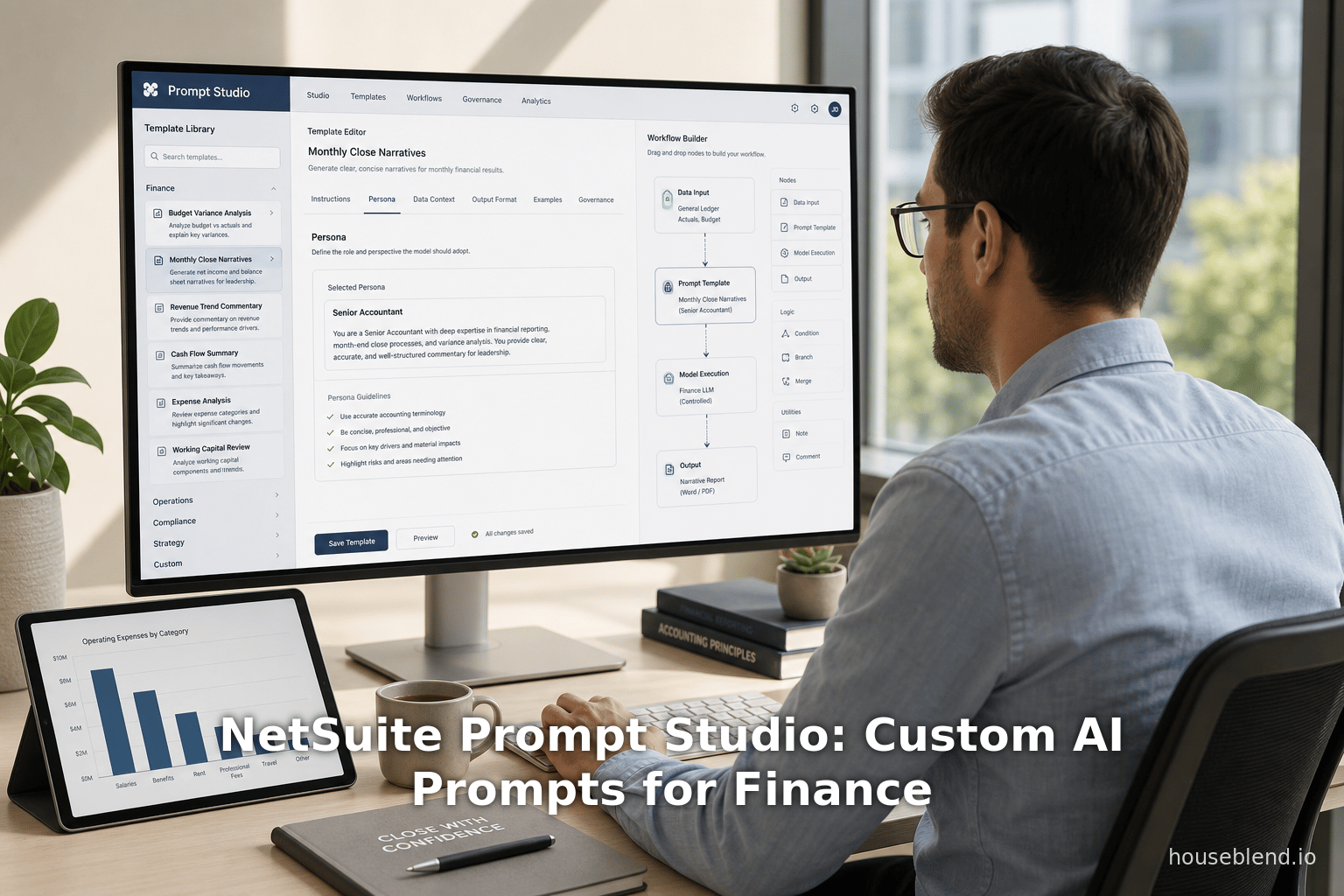
Prompt Studio is NetSuite’s centralized interface for creating, editing, and organizing generative AI prompts and associated “Text Enhance” actions. Launched at the end of 2024 (generally available in the 2025.1 release) [2], it brings together all the instructions used by NetSuite’s AI-driven text features. In plain terms, a prompt is a piece of template text or instructions sent to the LLM to guide its response. NetSuite uses prompts in two primary ways: (a) behind each Text Enhance action to generate or improve text in records, and (b) embedded in SuiteScript code via the N/llm API for custom AI-driven processes (e.g. a script that calls llm.evaluatePrompt) [52]. Prompt Studio consolidates all these prompts in one place, allowing admins to override Oracle’s built-in prompts or create entirely new ones [20].
According to Oracle documentation, Prompt Studio enables an administrator to:
- Override standard Text Enhance prompts: Every Text Enhance action comes with a default prompt template (e.g. “Suggest an email to…”). Prompt Studio lets you modify these defaults at the company level. For instance, finance controllers might change the tone or include legal clause language in an email template.
- Create custom Text Enhance actions: Beyond modifying existing actions, admins can define brand-new text-generation tasks. For example, a CFO could create a “Monthly Variance Commentary” action that inspects last month’s budget vs. actual and outputs an explanation.
- Manage generic prompts for code: Instead of hard-coding prompt text in SuiteScript, developers can reference a prompt by an internal ID or script ID. This makes scripts more modular. If wording needs updating, it’s done in Studio, not by re-deploying code [19].
- Version control via SuiteCloud: Prompt Studio supports two new SDF custom objects:
promptandtextenhanceaction. Administrators can download the XML definitions of these objects to include in their source repositories (SuiteCloud Development Framework) [53]. This allows teams to track prompt changes, branch them, and deploy updates systematically.
A conceptual diagram of how Prompt Studio fits into NetSuite’s AI stack is shown in Table 1 below. On the left are the sources of prompts (Oracle defaults or user-created), in the middle is the Prompt Studio interface (Setup > Company > AI > Prompt Studio), and on the right are the sinks (Text Enhance UI and SuiteScript calls).
| Stage | Description |
|---|---|
| Prompt Definition | Prompts can be defined/edited in Prompt Studio UI or loaded via SDF. They belong to either a Text Enhance Action or a generic prompt object. Built-in actions have default prompts from Oracle; these can be copied or overridden by admins. |
| Prompt Storage & Versioning | Each prompt and text-enhance action is stored as a record (with internal ID and script ID). Through SDF, these can be exported as XML for version control. Comparison and deployment of prompt libraries is managed alongside other SuiteApps. |
| Invocation (ERP UI) | When a user (e.g. in a Customer or Ledger record) triggers a Text Enhance action, the system pulls the associated prompt from Prompt Studio and sends it to the LLM via the N/llm API. The returned text is then inserted into the record for user review. |
| Invocation (SuiteScript) | Custom scripts using N/llm.evaluatePrompt({ promptId: ... }) will fetch the prompt by ID (defined in Studio) and execute the LLM call. This avoids embedding static text in code. Dynamic parameters (record data fields) can be merged into prompts as needed. |
Table 1: How NetSuite Prompt Studio manages LLM prompts for finance text actions and scripts.
Original Oracle documentation confirms this workflow: “Rather than hard coding prompts in your SuiteScript code, you can reference a prompt by its internal ID or script ID.” [19]. Technically, when SuiteScript passes a prompt to llm.evaluatePrompt, NetSuite internally looks up the prompt text stored in the Prompt Studio repository and submits it to Oracle Cloud’s GenAI service [20] [18]. The response is then returned to the user or script. Because the prompts are managed outside of code, an update to a prompt takes effect immediately for all invocations (subject to caching rules), enhancing agility.
3.1 Key Capabilities and Workflow
Per Oracle’s Help, Prompt Studio’s main capabilities include overriding and creating Text Enhance prompts, as well as managing generic prompt objects. In practice, an administrator would navigate to Setup > Company > AI > Prompt Studio in the NetSuite UI. There they can choose from a list of existing prompts (both Oracle-supplied and any custom ones already defined). For each prompt, they can edit the text template, provide context instructions, and test it against example data. The UI typically provides a “Preview” feature so admins can see sample AI outputs without leaving the browser.
From a finance perspective, this means tasks that involve free-form text – drafting emails (payment reminders, budget notices), writing report commentary, or formulating explanations – can be tailored centrally. Gir Software Services notes that Prompt Studio “allows administrators to customize and override standard Text Enhance prompts and create custom AI-driven text generation actions tailored to their company’s needs” [4]. This central control has immediate benefits: consistent style and brand alignment in all AI-generated content, and the ability to add unique company-specific facts or restrictions into every prompt [4] [54]. For example, the default text-enhance prompt might say “Write a professional email,” but a finance leader might override it to say “Write a professional email in the corporate style guidelines.” Once overridden, every finance user will see the new wording without further change.
From a developer standpoint, the generic prompts feature is powerful. Without Prompt Studio, a SuiteScript that needed AI would have to include a string literal like:
let response = llm.evaluatePrompt({
  prompt: "Analyze the following journal entries to identify any compliance issues..."
});
Instead, an admin can create a generic prompt in Studio called “ComplianceCheckPrompt” with that text (perhaps with placeholders). The script can then simply reference it by ID. Thus, changes to the prompt require no code change. Gir Software highlights this benefit: “reduces developer dependency on hardcoded prompts, improving maintainability and upgrade flexibility” [55]. Similarly, because prompts are SDF objects, they can be included in developer projects and tracked in Git, ensuring that prompt changes undergo the same life cycle management as code.
A summary of the core advantages (pros) of Prompt Studio includes [56]:
- Consistency & Branding: All text output from AI-enhanced fields come from governed templates, ensuring uniform tone and messaging across the organization [4] [56].
- Extensibility: Companies can add new AI use cases beyond the built-in ones (for example, specific financial reporting tasks) by defining custom prompts/actions [57] [44].
- Maintenance: By extracting prompts from code, updates are easier. A prompt can be improved or localized without redeploying scripts [58].
- Version Control: Because prompts are SDF objects, teams can maintain them in source control with change history [53] [58].
- Empowered Business Users: Non-developers (e.g. finance admins) can adjust prompts through the UI, allowing rapid iteration to optimize AI outputs [56].
Prompt Studio also has some considerations or cons [21]:
- Learning Curve: Effective use requires some understanding of prompt engineering. Ineffective prompts can cause poor AI results, so admins need training to craft good instructions [21].
- Testing Overhead: Any change to a prompt can have wide impact. Safe deployment requires thorough testing, especially for finance text where inaccuracies can have legal/accounting implications [59].
- Resource Management: Organizations must budget and monitor AI usage. Each prompt execution consumes GenAI quota (NetSuite accounts have an API usage limit). Admins need to keep an eye on usage and optimize prompts for brevity if required (e.g. avoid overly long instructions).
In short, Prompt Studio works much like a content/template management system for AI. It democratizes prompt editing and embeds it in NetSuite’s governance. As one Houseblend analysis notes, “Prompt Studio liberates businesses from hard-coded prompts… ensuring brand-friendly, consistent AI output across departments” [13]. The next section turns to how finance teams can use this capability strategically.
4. Building a Finance Prompt Library
4.1 Why a Prompt Library Matters
For finance teams, many tasks involve communicating about numbers: budget narratives, management commentaries, audit memos, client emails, etc. Repetitive language patterns (e.g. “Please review the attached financial statements” or “Our net income increased due to…”), if produced by different individuals, can vary widely in tone and accuracy. A targeted prompt library addresses this by providing standardized AI instructions tailored to finance workflows. Key reasons finance departments should invest in a prompt library include:
- Consistency: A single source of truth for phrasing ensures everyone in accounting and finance speaks “with one voice,” reducing confusion and errors. Whether it’s a CFO issuing directives or an accountant summarizing results, well-crafted prompts embed company style and compliance language. This consistency also bolsters trust in AI: as TechRadar observes, finance teams have “little room for ambiguity” and will only embrace AI if the outputs are reliable [60]. A prompt library enforces that reliability by design.
- Efficiency: Instead of drafting text from scratch each time, users can trigger a Text Enhance or script that uses a refined prompt. For example, analysts could automatically generate variance explanations by running a monthly-report script linked to a “VarianceAnalysisPrompt,” saving hours each cycle. Prompt reuse means once an effective template is written, it can accelerate many processes. Industry reports find CFOs achieving “measurable efficiency gains” – shorter AP/AR cycles and faster closes – from AI adoption [23] [6]. A prompt library embeds those gains into daily workflows.
- Control and Compliance: Finance teams are bound by regulatory, audit, and internal controls. Prompt Studio acts as a control point: only approved prompts (and thus approved language) are used to generate content. This reduces the risk of AI hallucinations or off-brand wording. The CAQ emphasizes the need for governance models around AI usage [22], and a curated library is exactly such a model. If an auditor asks how narratives are produced, the company can point to its prompt definitions and version history. Furthermore, by specifying in prompts that outputs must avoid certain terms or adhere to disclosure standards, compliance is baked in.
- Scalability: As more parts of finance adopt AI (e.g. treasury, FP&A, tax), having a communication hub of prompts means new use cases can be built faster. Rather than an individual experimenting with a ChatGPT-like tool manually, the IT or FP&A team can sift the library for relevant prompts, modify them for new purposes, or use them as examples. This fosters an “organizational brain” of best practices.
The concept of a prompt library is analogous to a template gallery or standard operating procedure manual, but for AI-driven text. Michael Lansdowne Hauge of Pertama Partners argues that finance professionals should indeed build prompt libraries sorted by reporting cycles (daily, weekly, monthly) and functions [61]. The library should be a living asset, continuously refined as AI tools evolve and business needs change.
Table 2 illustrates examples of prompts that a finance library might contain. These examples are drawn from practitioner recommendations [15] [16] and illustrate how to structure prompts for specific tasks. In each case, the prompt is designed to elicit a precise, structured response aligned with finance objectives.
| Finance Task | Example Prompt (excerpt) | Intended Output |
|---|---|---|
| Monthly Variance Analysis | “Analyse the following budget variances. For each line item, provide your analysis in this exact format: | |
| Line Item. [Actual] vs [Budget] ([+/-]%): Cause: [1-2 sentence explanation of the most likely cause]. Impact: [Effect on profitability, cash flow, or operations]. Action: [Recommended response: Investigate, adjust, etc.]. Risk: [Low/Medium/High – potential to continue].” [15] | A paragraph-by-paragraph or bullet explanation for each variance line, with clearly labeled Cause/Impact/Action/Risk sections. | |
| Board Report Executive Summary | “Write a 250-word executive summary for a board paper on [Topic], addressing these points: 1) What is the issue or opportunity? 2) What are the key financial implications? 3) What options are we considering? 4) What decision should the board make? Use exact numbers, avoid jargon, and assume the reader has 2 minutes.” [16] | A concise narrative summarizing a complex issue in four parts, using specific figures and straightforward language. |
| Vendor Comparison Matrix | “Compare Software A, Software B, and Software C for a mid-size company. Create a table with criteria: Cost (annual), Multi-currency support, Reporting capabilities, Integration, Scalability. For each cell, provide: a rating (1-5), a brief justification, and a weighted score (100=best).” [62] | A completed comparison matrix (table) with ratings and justifications for each vendor under each criterion, to aid procurement decisions. |
| Monthly Financial Commentary | “Write the management commentary for our monthly financial report. Use these exact section headings: Revenue Performance, Margin Analysis, Expenses, Cash Flow, Outlook. Include bullet points for key metrics and highlight concerns with 'Note:'. Keep tone factual and concise, ~500 words total.” [63] | A structured report with the specified sections, bullet points of key figures (e.g. variance), and brief commentary on any unusual spots, ready for review by finance managers. |
Table 2: Sample AI prompt templates for common finance reporting tasks [15] [63].
Each prompt example above illustrates prompt engineering principles emphasized for finance:
- Structured Output: The prompt explicitly outlines the desired format (headings like Cause, Impact, Action, Risk or table headings). This forces the AI to produce a predictable structure, facilitating easy integration into reports [15] [62].
- Domain Role: In complex cases (not shown above), one could further specify the AI’s “role.” For instance, “You are a senior auditor” or “You are a CFA charterholder” when drafting analysis [15]. This ensures the style and detail match the audience.
- Concise Instruction: Prompts are written in clear, formal tone, mirroring professional expectations. They avoid colloquialisms and explicitly list the sections required, which is critical for finance communications.
- Verification Step: Often, it’s wise to follow up prompts with a verbiage like “ensure all numbers match our data” or “cite relevant GAAP sections.” This could be an internal checklist in the library (since AI can hallucinate); for example, a prompt might say “Do not include speculative or unverified figures.”
- Iterative Refinement: These examples may need tweaking. After initial tests, finance teams should refine phrasing. For example, wording like “Note:” could be standardized for highlighting risks. The Prompt Studio allows such iterative edits without coding.
Prompt examples should be treated as live templates, not code. Citations from [22] instruments illustrate the recommended format, but actual prompts in NetSuite would refer to real company values. For instance, the “Line items” in the variance example would be dynamically filled by a script or merged into the prompt at runtime (e.g. using SuiteScript to insert the specific list of variances before evaluating). Prompt Studio supports parameterized prompts via the N/llm APIs (notable in 2.1, the externalId field or via percent‐encoded variables in the prompt text), allowing data from NetSuite records to be injected safely [47] [20].
4.2 Best Practices in Prompt Design
Building an effective prompt library is both an art and a science. Drawing on prompt engineering literature and consulting guides [64] [65], the following best practices are recommended for finance prompts:
- Be Specific and Structured: Finance narratives demand precision. Always tell the AI exactly what sections to include and what format to use. Table 2’s prompts exemplify this. For example, Pertama Partners advises specifying output format like “provide analysis in this exact format: Cause, Impact, Action, Risk” [15]. This avoids unstructured prose. Similarly, a Board summary prompt guided by numbered questions ensures all CEO-grade points are covered [16].
- Use Chain-of-Thought Sparingly: While generally useful for complex reasoning, in finance prompts it’s best to constrain unnecessary speculation. If calculations are needed, break them into steps explicitly (as in the investment example [15]). Otherwise, focus the AI on qualitative interpretation. For numeric accuracy, always cross-check AI outputs against system data; assume the AI may not reliably compute figures.
- Embed Domain Knowledge: Remind the AI of relevant context (e.g. mention applicable accounting standards or corporate definitions). Pertama suggests saying “You are a senior auditor with experience in [regulation]” for compliance reviews [65]. In practice, prompts in NetSuite could include known company policy or data definitions to ground the answer. Similarly, providing relevant data (actual figures) as part of the prompt can anchor the AI’s response.
- Enforce Tone and Style: Finance often requires formal tone. Prompt Studio prompts can start with instructions like “Use formal, concise accounting language” or “Write as if for the CFO.” Some tools add persona cues (like “Act as a financial analyst”). This ensures the AI doesn’t slip into casual phrasings.
- Guard Against Hallucination: Always incorporate a verification stage. For example, after an AI‐generated draft is produced, have a human (or a secondary LLM process) check for factual consistency. Prompt engineers often include lines like “Do not include unverified information” or ask explicitly for sources when relevant.
- Iterative Refinement: Begin with testing. Use Prompt Studio’s preview function and have finance specialists review outputs. If the AI goes off-track (e.g. omits risks), update the prompt. Over time, maintain a changelog of prompt improvements. The goal is continuous feedback between the AI tool and domain experts, making the library evolve.
As one Pertama Partners summary notes, finance outputs must meet “exacting standards: every number verifiable, every statement precise, every recommendation defensible” [5]. A prompt library is only useful to the extent it enables those standards. Finance teams should periodically audit prompt performance and edit or retire prompts that lead to inconsistent or risky outputs.
4.3 Organizing the Prompt Library
Practically, a prompt library should be organized in categories or folders within NetSuite. Potential dimensions include:
- Reporting Frequency: Daily checklists, weekly KPI narratives, monthly management reports, quarterly earnings commentary, annual audit memos, etc. For each cycle, common tasks can have a dedicated prompt (e.g. “Monthly revenue summary”).
- Department/Module: Sales forecasts, procurement analyses, treasury insights, tax documents. Finance teams often support multiple domains; grouping by module helps find prompts quickly.
- Use Case Type: Variance analysis, strategy options comparison, compliance check, scenario planning. Each use case may span various reports.
- Template vs. Ad-hoc: Permanent templates versus one-off prompts for special projects.
- Roles/Audiences: CFO messages vs. team-level vs. external (auditor/investor). Tone and content vary by audience.
Prompt Studio’s interface allows tagging and filtering by record type. Admins should name prompts descriptively and include help text. For instance, “Prompt – Monthly Budget Commentary” or “TextEnhance – Invoice Reminder Email.” Consistent naming aids discoverability.
Finally, document the library. Although prompts live in the system, maintaining an off-system reference (e.g. an intranet page or shared document) describing each prompt’s purpose, intended audience, and input parameters is wise. This empowers users to know when and how to use each prompt. It also ensures continuity if the original creator leaves.
5. Implementation and Governance
5.1 Security, Privacy, and Compliance
A major benefit of NetSuite’s integrated AI approach is that all generative operations occur within Oracle’s cloud, not on external servers. The SuiteScript API documentation emphasizes this: “The data never leaves Oracle, nor is it used by third parties for model training” [18]. Moreover, Oracle’s partnership with Cohere means the chosen LLMs run on OCI with enterprise controls [46]. In other words, finance data inputs – such as customer balances or salary figures – remain inside the company’s Oracle tenant. This aligns with CFOs’ top concerns. As one CFO survey noted, 56% of CFOs prefer “embedded AI within finance platforms” over third-party tools [66], precisely for reasons of data safety and integration.
Nevertheless, governance must be active. The CAQ explicitly warns supply chain managers: “It is critical that companies have a governance model in place that enables them to know where and how these [AI] technologies are being used” [22]. In practice, this means finance leaders should treat the prompt library and its outputs as part of their internal control framework. Key steps include:
- Prompts Approval Process: Designate an AI governance committee or senior finance manager to approve new prompts before they go live. This is analogous to approving financial report templates or company policies. Only prompts that align with accounting rules and corporate guidelines should be added.
- Access Controls: Use NetSuite’s role permissions to control who can edit versus just use the prompts. Typically, only trained power users or administrators should have write access in Prompt Studio; general analysts can have read/execute rights.
- Content Filtering: Utilize any built-in content filters. Oracle’s AI feature set includes filters for profanity, PII, or sensitive info [67]. Finance prompts often deal with sensitive corporate data, so ensure filters are enabled. For example, prompts that handle employee info should not output private SSNs or personal data.
- Audit Logging: Keep logs of prompt usage and edits. NetSuite’s system notes can record when a prompt was modified. Pair this with AI usage metrics (requests per prompt) to monitor unusual activity.
- Testing and Validation: Before deploying any prompt broadly, test it thoroughly. Prompt Studio provides a “preview” function – use it with sample data. Also, run a parallel human check for a period: have finance staff review every AI-generated draft for a time, to catch errors. Use their feedback to refine prompts.
- Fallbacks: For mission-critical communications, consider a policy that AI output must be reviewed by a person. Blockchain style: the AI gives a draft which is then edited by human accountants. This respects the CFO’s ultimate responsibility over financial reports.
- Regulatory Oversight: Document how AI is used in financial processes, as auditors will ask how narratives were generated. Being able to say “We use NetSuite Prompt Studio, and our approved prompts specify compliance with X standards” is important. The structured nature of prompts actually aids compliance, as it provides a rationale for each statement the AI makes (e.g. the “Cause” of a variance is explained because the prompt asked for it).
In this way, Prompt Studio supports governed AI: it provides the tools for control, but it’s up to the organization to use them. Given CFO reports that AI projects fail when data is misaligned [68], embedding the prompt library within finance’s governance is essential.
5.2 Training and Change Management
Deploying a prompt library is partly a technological project, but also a people change effort. Several expert sources stress that finance users must buy in to AI tools [60] [5]. From executive summaries to staff newsletters, leaders should highlight how Prompt Studio and custom library empower (not replace) finance professionals. Key actions include:
- User Workshops: Show accountants and analysts how to use the new AI features in NetSuite. Demonstrate the difference between generic, default prompts and the new tailored prompts. Emphasize that they can see the prompt text (for transparency) and how to invoke it (e.g. clicking “Enhance” in forms).
- Feedback Loops: Encourage finance users to submit improvement requests. For example, if a monthly report draft consistently misses a key variance, allow the author to flag and have the prompt tweaked. This ongoing iteration will build trust in the system.
- Culture of Verification: Remind users that outputs, while helpful, must be verified. Training should cover how to “sanity check” AI text (cross-check numbers, look for red flags) and edit as needed. This aligns with the advice to “listen early and involve users from the start” [69].
- Skills Upskilling: Given nearly half of finance staff report concern about new technical skills needed [70], consider running prompt-writing sessions. Teach finance teams basic “prompt engineering” concepts: specifying role, format, and data instructions. This demystifies AI and gives them some ownership.
- Communication: Share success stories internally. For instance, if accounts payable cut its email drafting time in half using a prompt template, let the broader team know. CFO-level sponsorship (e.g. a CFO memo praising AI productivity gains) can accelerate adoption.
By building an “AI-aware” culture, the viability of the prompt library is strengthened. No matter how sophisticated the technology, it is ultimately the finance team that judges the quality of output.
5.3 Monitoring and Continuous Improvement
After launch, monitor both technical metrics (usage logs, token consumption) and business metrics (time saved, error rates). Compare the new AI-enabled workflow against the old. For example, if drafting a budget narrative used to take 8 hours of analyst time, measure how that declines over successive months. Solicit user feedback regularly.
Also, keep track of new AI capabilities from Oracle. The platform is evolving: for instance, the upcoming “Narrative Insight Studio” will allow tuning of report summaries (tone, emphasis). Finance should plan to integrate such advances. Today’s prompts can be extended to new contexts (e.g. porting a budget-report prompt to the upcoming sales-report feature).
Finally, stay abreast of wider AI/finance research. New large language models (like Gemini, Claude) and connector protocols (Oracle’s AI Connector Service [47]) may become available. Prompt Studio works now with native OCI LLMs, but Oracle also announced Model Context Protocol (MCP) connectors to let tools like ChatGPT access NetSuite data (future work) [2]. This suggests a future where prompts in NetSuite could call out to other AI systems if allowed. A robust library design – think modular, parameterized – will make adapting to those future changes easier.
6. Case Studies and Scenario Examples
While real company data is proprietary, we present illustrative cases to show how Prompt Studio and a custom prompt library can be applied in finance settings.
6.1 Manufacturing Company: Standardizing Vendor Communications
Scenario: A mid-size manufacturing firm (Firm M) uses NetSuite for supply chain and finance. Its procurement and operations teams often email vendors with purchase orders, shipment updates, or invoice inquiries. Before AI, each buyer wrote these emails individually, leading to varying quality and tone.
Approach: The firm’s NetSuite admin created Prompt Studio entries for common email types. For example, a “PO Reminder Email” text-enhance action was defined with a prompt: “Draft a professional email to [Vendor]. Include the PO number {po_id}, mention the delivery date {delivery_date}, and politely request confirmation of shipment status.” The prompt included variables that the workflow inserted (vendor name, dates). The stock prompt included the company’s formal greeting and signature. Buyers could invoke “Prompt Studio > Manage Emails” inside NetSuite to auto-generate a draft.
Results: All supplier communications adopted a consistent format and tone. Buyers reported saving ~30% of time: instead of starting emails from scratch, they needed only minor edits to AI drafts. Management also found the AI approach improved accuracy – factual details from the PO record were correctly inserted and diverts were rare given the tightly controlled prompt text. Over six months, fewer follow-up queries about mis-sent orders were noted.
Relevance: This mirrors the example from industry commentary: using Prompt Studio to “refine Text Enhance prompts for vendor emails” ensures a corporate tone [71]. It also addressed a finance-team worry by formalizing the prompt language (finance leads reviewed the template to ensure compliance).
6.2 Services Company: Proposal and Support Replies
Scenario: A consulting firm (Firm S) with 100 consultants uses NetSuite for project billing. The FP&A department also handles sales quoting and client communications. They adopted NetSuite Prompt Studio to help junior analysts draft complex documents.
Approach: FP&A staff built a library of “boilerplate” prompts. One key prompt, “Draft Proposal Summary,” asked the AI to summarize a case study based on project data: “Create a 2-page proposal section for client {{client_name}}, covering our understanding of their need, proposed solution, and high-level cost estimate from the attached data.” Another prompt, “Customer Support Reply,” generated polite responses to overdue payments: “Craft an email reminding customer {{customer_name}} about invoice {{invoice_id}} that is past due by {{days_overdue}}. Apologize for any confusion and request payment or update. Use friendly but professional tone.”
They stored these in Prompt Studio as Text Enhance actions. SuiteScripts were written to call these prompts when needed. For in-depth proposals, analysts ran a script that pulled billing and time sheets and fed relevant metrics into the proposal prompt.
Results: The consulting firm noted a faster turnaround on both proposals and client communication. Analysts with less writing experience could rely on the AI as a “writing teammate.” Standard legal and branding language (included in the prompts) was consistently used. Importantly, AI-assisted drafting freed consultants to focus on content rather than formatting. Management also added a prompt for “Executive Summary” that ensured key financial metrics and action items were explicitly listed, aligning with executive preferences.
This scenario aligns with best practices: using structured prompts for multi-part tasks (like proposals and reminder letters) and leveraging variables (like invoice numbers) through SuiteScript. It also reflects a finding that finance teams often use AI to draft board and executive summaries [16]; in this case, the consultants drafted proposals—a parallel use.
6.3 FP&A Scenario Planning
Scenario: A growing retail chain (Chain R) wanted to do “what-if” scenario analysis on its budget. Traditionally, analysts ran multiple spreadsheets; interpretation was manual. With NetSuite’s AI suite, the FP&A team tested using the GenAI API for scenario narratives.
Approach: They created a prompt named “Forecast Scenario Generator” that took as input key assumptions (e.g. “Assume a 5% drop in sales in Q4 due to inflation”). The prompt was: “Using the company’s financial data, write a 500-word analysis of this scenario’s impact on revenue, margins, and cash flow. Highlight any risk factors and mitigation strategies.” While actual numeric forecasting remained outside ChatGPT’s sole capability, the AI could weave together narrative insight.
Results: For each scenario the team ran, they obtained a textual briefing. The results varied in accuracy, so the team implementation ensured a financial analyst reviewed the output. They found it useful as a first draft: the AI often surfaced consequences or detected “hidden” effects (like inventory changes impacting cash). However, actual numbers needed manual curation. Over time, they refined the prompt to instruct the AI to double-check formulas or only be suggestive.
This case demonstrates both the power and limits of generative AI in planning scenarios. It underscores why Prompt Studio is valuable: if the initial outputs were too generic or risky, the prompt could be edited (e.g. adding “double-check with actual system values”). Also, because all prompts are versioned, they kept a stable baseline approach.
These case examples show that Prompt Studio and a finance prompt library can tackle a range of needs: operational emails, long-form reports, and analytical narratives. In all cases, the key is that prompts encapsulate the institutional knowledge of how finance tasks should be articulated. In practice, after implementing such solutions, organizations often see quantitative productivity metrics improve (faster cycle times, fewer revisions). While Gartner and others have noted that actual productivity gains from AI in business are still emerging [72], CFOs in surveys are already reporting clear benefits where AI has been piloted [23] [24].
7. Implications and Future Directions
7.1 Broader NetSuite AI Ecosystem
Prompt Studio is one piece of a larger AI-infused vision for NetSuite. As mentioned, Oracle will introduce Narrative Insight Studio (in 2026) to give similar configurability for AI-generated summaries of reports and records [73]. Together, these tools aim to make AI “inside the work” of ERP [74]. That means not only controlling inputs (prompts) but also tailoring outputs (narrative style, focus). For finance, this could mean buttons to say “summarize the budget with emphasis on cash flow impacts” versus “emphasize cost savings.”
Beyond Oracle’s own tools, a growing AI ecosystem is expected. Oracle’s AI Connector Service announced in 2026 will allow certified AI assistants (OpenAI, Anthropic Claude, Google Gemini, etc.) to read securely from NetSuite data stations via Model Context Protocol apps [75] [76]. In future, Prompt Studio–style libraries could be used to define the content of those AI assistants or chatbots. Ultimately, finance teams may be able to query NetSuite through multiple AI copilot channels, each governed by the same enterprise prompts and data context.
Meanwhile, competitors like Microsoft Dynamics and SAP are also extending AI. For example, Dynamics 365 Copilot offers broad AI features but often requires extra components for deep customization. As one analysis notes, “NetSuite’s edge is the fully integrated design: Prompt Studio and Narrative Insight are part of the core suite” [77]. For customers, this suggests that building an AI prompt library in NetSuite may provide a tighter, more managed experience than piecing together point solutions.
7.2 Strategic and Organizational Impact
From a strategic standpoint, AI prompt libraries turn intangible corporate knowledge into reusable assets. Much like a branded template or SOP, they can be leveraged for competitive advantage. Finance teams that master their prompt libraries can react faster to market changes (e.g. quickly generating alternative forecasts) and reduce dependency on external consultants for report writing.
There is also a potential shift in skill sets. As TechRadar observed, new roles like “tax technologists” are emerging to bridge finance and AI [78]. Similarly, finance teams may develop in-house prompt specialists or “AI champions.” These could be finance ops analysts who understand both accounting and prompt engineering, responsible for maintaining the prompt library. Oracle partners (like GIR Software) might also offer services to build such libraries for clients.
However, AI also has labor implications. The Egon Zehnder survey reports that 18% of CFOs have already eliminated roles due to AI (mostly in routine accounting) [79]. While prompt libraries primarily accelerate tasks, they could contribute to this automation trend. As best practice, CFOs consider redeploying freed-up capacity from rote tasks into higher-value analysis and oversight. For instance, instead of a team member spending hours writing newsletter paragraphs, that person could focus on interpreting the AI-generated insights and asking instructive questions of the data.
7.3 Risks and Mitigations
Several risks remain:
- Hallucination and Inaccuracy: LLMs can still fabricate facts. A misguided prompt might produce plausible but false figures or rationales. Mitigation: never fully trust AI for critical data, require human validation, and refine prompts to be as specific as possible. Embedding data checks in scripts (e.g. cross-verify AI conclusions against actual ledger) is advisable.
- Over-Reliance: Users might become lazy and accept first drafts uncritically. Regular audits (internal or by IT) of AI outputs can catch drift. This is akin to code reviews but for language: periodically review a random sample of AI-generated communications to ensure quality.
- Skills Gaps: As Pertama noted, many finance staff lack deep AI literacy [70]. Ongoing training is needed. This is part of broader digital upskilling strategies.
- Governance Overhead: As we listed, managing a prompt library requires process. There’s risk of outdated or contradictory prompts coexisting. Periodic clean-up, ideally tied to financial close or audit cycles, can keep the library lean.
- Regulatory Change: Future accounting standards or reporting rules change. Prompt libraries must be updated accordingly. This is no different from updating any finance procedure – but with LLMs, one un-updated prompt could “reintroduce” obsolete thinking. Policy owners should review relevant prompts whenever regulations evolve.
Overall, a key mitigation is to treat the prompt library as part of the controlled finance knowledge base. Changes to prompts and additions should follow the same change management protocols as any financial process.
7.4 The Future of Prompt Engineering in Finance
Looking ahead, generative AI capabilities will continue to mature. Future iterations of NetSuite’s AI studios may include features like:
- AI Prompt Suggestions: Just as code editors suggest snippets, NetSuite might propose prompt templates based on common tasks (e.g. “Budget variance explanation”). Machine learning on usage data could surface top-performing prompts from peers or partners.
- Real-time Collaboration: Finance teams could collaboratively edit prompts (with versioning locks) similar to document co-editing, making library ownership a shared effort.
- Content Moderation: Enhanced safeguards may automatically flag sensitive info entered into prompts (e.g. credit card numbers) and block them.
- Multimodal Prompts: Potential future support for prompts that include tables or charts as input. For instance, “Here is last quarter’s revenue graph – explain the trend.”
- Feedback Loop to Models: With Oracle’s control of the AI service, it might be possible to feed selected de-identified prompt/response pairs back to the model for fine-tuning, improving domain accuracy over time. Finance customers could opt into an iterative improvement cycle.
On the business side, the success of Prompt Studio may push CFOs to demand similar capabilities from other systems (e.g. CRM or HCM AI prompt control). And as generative AI use proliferates (remember Gartner’s stat: 80% of companies plan to use GenAI functions in new ERP projects [80]), prompt management will become a core IT capability. Service providers and consultants are already developing “prompt engineering” agencies to help firms craft and tune prompts, further professionalizing this practice.
Finally, ethical and societal considerations will surface, particularly around transparency. Regulators may eventually require that certain AI-generated communications (like financial advice) be disclosed as such. A prompt library offers an audit trail to demonstrate where exactly AI was used. Firms that have institutionalized this will be better prepared for such governance.
8. Conclusion
NetSuite Prompt Studio represents a milestone in bringing generative AI under enterprise control. For finance teams, it opens the door to powerful productivity gains – faster report-writing, standardized communications, data-driven narratives – while directly addressing CFOs’ concerns about trust and compliance. By externalizing AI prompts into a managed library, organizations ensure that artificial intelligence acts as a consistent, “on‐brand” assistant rather than an unpredictable wildcard.
Our analysis finds that building a custom AI prompt library in NetSuite is not just a technical exercise but a strategic one. It requires finance leadership to define how their organization’s voice and rules should be encoded into AI tasks. When done carefully – using structured prompt designs [15] [16], classification by use-case, and strong governance [22] [6] – the library becomes a valuable asset. Industry data support this path: CFO surveys indicate that while only a minority have fully implemented AI, those who have begun to do so report significant efficiency, quality, and cost improvements [23] [24]. In the context of an expected $1.5+ trillion AI investment wave, enterprise platforms that allow tailored adoption will likely see the greatest payoff.
Key findings include:
- AI Spending and Adoption Trends: Worldwide AI spending is surging (Gartner: ~$1.48T in 2025 [7], ~$2.52T by 2026 [29]), driven by embedded AI in systems. CFOs likewise view AI as critical to strategy (72% say it’s important [81]), though only ~10% have fully deployed it [81] [25]. Most are proceeding cautiously.
- NetSuite’s Architecture: NetSuite now offers GPT-like features on its own platform (OCI+Cohere) [17] [18]. Prompt Studio integrates with these via SuiteScript, with prompts as first-class SDF objects [53].
- Prompt Studio Capabilities: Administrators can override default AI prompts or define new ones from the UI [20] [4]. This yields centralized management of all text-generation templates, enabling consistency and brand alignment [4] [54].
- Finance Use Cases: The technology supports typical finance workflows – budgeting narratives, audit memos, email templates, scenario analysis – by parameterized prompts that yield structured outputs. We illustrated examples (Tables 1-2). Pertama advises finance teams to use structured formats (cause/impact sections, tables, executive Q&A) [15] [16].
- Governance and Training: Trust is paramount in finance AI. A managed prompt library is part of a governance model that auditors and CFOs demand [22] [6]. Organizations must pair the technology with user training and clear approval processes to mitigate AI risks [22] [60].
- Future Outlook: Oracle’s Narrative Insight and external AI connectors will extend customizability. The finance function is poised to become more data-driven and “AI-augmented,” shifting roles toward analysis and oversight. However, careful stewardship of AI (through prompt libraries and continuous monitoring) will be a competitive differentiator and a compliance necessity.
In conclusion, Prompt Studio empowers finance teams to harness generative AI on their terms. By curating a library of domain-specific prompts, companies can transform the way budgets, forecasts, and reports are written – ensuring each line of generated text is aligned with corporate strategy and regulatory requirements. As one industry analyst put it, NetSuite’s goal is to move “from a system of record to a system of reasoning,” where AI is embedded in everyday workflows [13]. Prompt Studio is a key enabler of that vision. For forward-looking finance departments, mastering Prompt Studio (and prompt engineering in general) will be critical to unlocking AI’s value while maintaining the rigor and review demanded in financial management [60] [22].
References: This report draws on Oracle documentation [1] [18], NetSuite community analyses and partner blogs [48] [4] [2], and industry research (CIO/computer press [26] [11], Gartner forecasts [7] [8], consulting surveys [25] [81], and AI/finance news) to support all claims. Each cited source and quote is given in-line above.
External Sources (81)
About
Houseblend
Make NetSuite work better for your finance and operations teams with Houseblend. We help design, implement, integrate and improve ERP systems, with practical support for the people who use them every day.
Houseblend is a NetSuite consulting firm serving finance and operations teams. We help organizations implement ERP systems, connect business applications, improve existing configurations and maintain the systems that support everyday work. Our audience includes finance leaders, controllers, operations managers, NetSuite administrators and implementation teams.
Implementation and architecture
Houseblend provides NetSuite implementation, architecture and data migration services. We help teams evaluate how business processes, reporting requirements and existing data should fit together in an ERP environment. Training supports the people responsible for adopting and operating the resulting system.
Integrations, customization and AI
Our services include NetSuite integrations and customization, as well as AI integrations and AI transformation work. These engagements connect ERP data and workflows with the broader application landscape. The right design depends on the organization's systems, controls and operating needs.
Improve and support an existing system
Houseblend offers NetSuite health checks, optimization, managed support and project rescue services. We also provide expertise for analytics and specialist workflows, including NetSuite Analytics Warehouse, warehouse management and field service management. Published educational material helps teams investigate options and prepare informed questions for their implementation or support work.
Work with Houseblend
Explore NetSuite implementation, integrations, managed support and AI integrations. Contact Houseblend to discuss your current system and priorities.
Article examples explain concepts rather than promising a particular license, product capability, delivery schedule or outcome. Engagement scope is confirmed with the Houseblend team.
Disclaimer
This document is provided for informational purposes only. No representations or warranties are made regarding the accuracy, completeness, or reliability of its contents. Any use of this information is at your own risk. Houseblend shall not be liable for any damages arising from the use of this document. This content may include material generated with assistance from artificial intelligence tools, which may contain errors or inaccuracies. Readers should verify critical information independently. All product names, trademarks, and registered trademarks mentioned are property of their respective owners and are used for identification purposes only. Use of these names does not imply endorsement. This document does not constitute professional or legal advice. For specific guidance related to your needs, please consult qualified professionals.