Houseblend Article
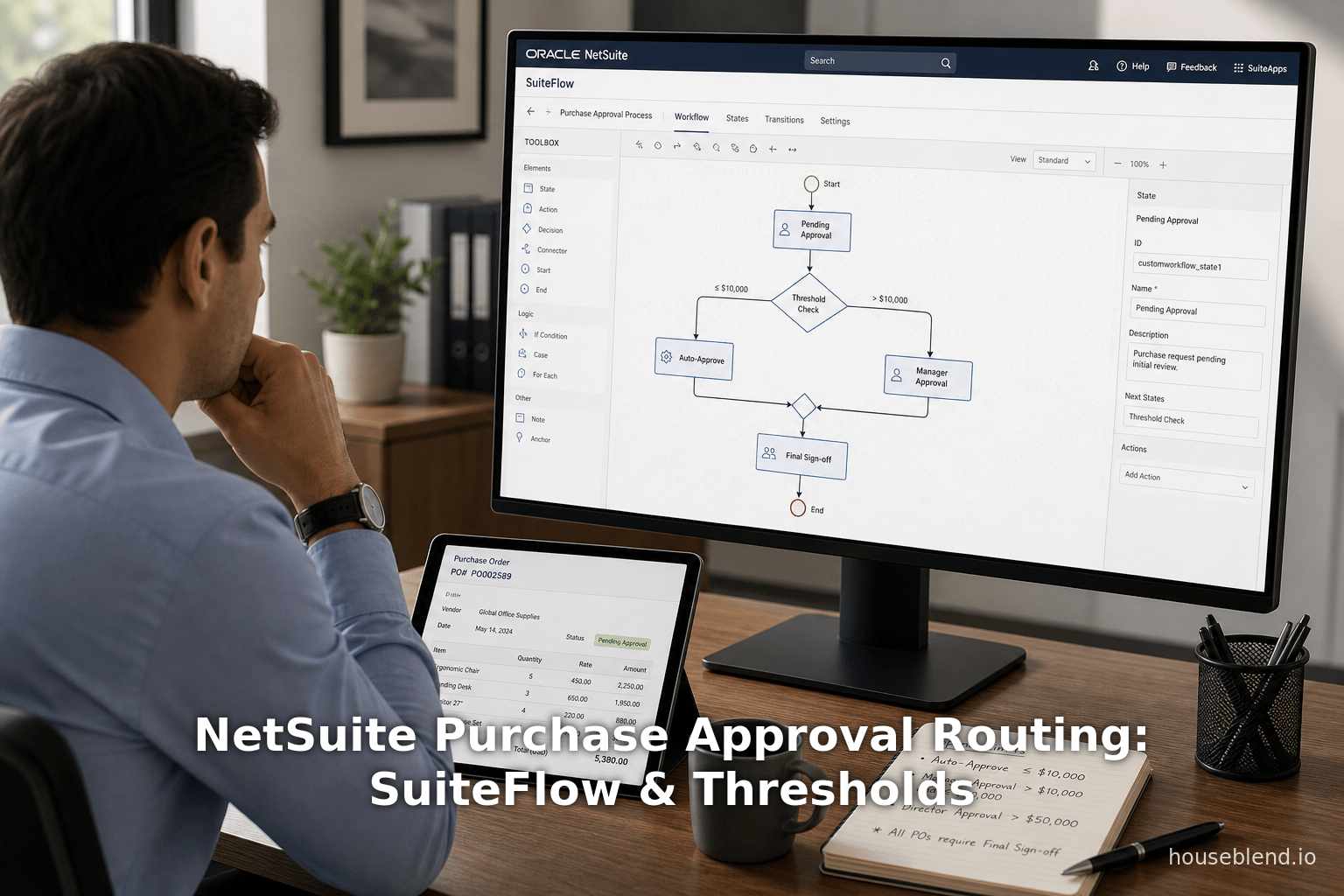
NetSuite Purchase Approval Routing: SuiteFlow & Thresholds
Inside this article
Executive Summary
Purchase approval routing is a critical component of enterprise resource planning (ERP) and procure-to-pay processes, ensuring financial controls and compliance in purchasing. In NetSuite – a leading cloud ERP – approval routing can be configured using either the legacy Approval Routing feature or the more powerful SuiteFlow workflow engine. This report provides an in-depth examination of NetSuite’s purchase approval routing, with an emphasis on creating SuiteFlow-based approval workflows, setting up delegation (alternate approvers), and configuring spend thresholds. We draw on official documentation and expert sources to compare approaches, explain key configuration steps, and illustrate concepts with case studies.
Our analysis shows that NetSuite’s built-in employee fields (such as Purchase Limit and Purchase Approver) define default approval hierarchies and thresholds [1] [2]. However, for more complex or flexible processes, NetSuite recommends using SuiteFlow to build custom workflows [3] [4]. Using SuiteFlow, organizations can implement multi-level and conditional routing, add email notifications and reminders, and incorporate delegation logic. For example, one case study reports that a customized SuiteFlow solution saved 7–8 hours per month of manual follow-up and gave approvers a “360-degree view” of purchase orders [5].
This report first reviews NetSuite’s approval routing mechanisms (standard vs. SuiteFlow-based). It then details how to set up SuiteFlow workflows for purchase approvals, including enabling required features and employee fields. We analyze how delegation is handled – via NetSuite’s built-in Alternate/Delegate approver fields or via SuiteFlow conditions – and how spend thresholds (purchase limits) control routing. We intersperse concrete guidance with citations, data, and examples. Finally, we present case studies illustrating real-world implementations, and discuss future directions (e.g. compliance requirements, automation trends). All claims and procedures are backed by NetSuite documentation and expert sources.
Introduction and Background
Purchase approvals are vital for controlling organizational spending, ensuring budget compliance, and mitigating fraud. In modern ERPs, automated routing replaces manual sign-offs, improving efficiency and auditability [6]. NetSuite – a cloud ERP system used by over 36,000 organizations worldwide [7] – provides tools for purchase approval. Historically, NetSuite offered a classic Approval Routing feature (sometimes called SuiteApprovals) that based approvals on a hierarchy of supervisors and approvers with set limits. More recently, NetSuite has emphasized SuiteFlow, its graphical workflow engine, to build custom approval processes [3] [8].
In practice, organizations use NetSuite approval workflows to enforce financial controls (e.g. Sarbanes-Oxley compliance, integrate procurement processes (e.g. punchout catalogs, EDI with suppliers, and streamline operations [9] [10]. For example, a life-sciences client replaced a legacy procurment system with NetSuite, implementing SOX-compliant PO approval workflows and eliminating manual steps [11] [12]. Another company required dynamic, multi-level approvals and automated delegation; they turned to SuiteFlow-based workflows to meet these needs [13] [5]. The overarching trend is clear: robust approvals (with threshold controls, alternate approvers, notifications, and detailed audit trails) are essential for modern enterprises, and NetSuite provides configurable features to achieve them.
This report delves into the components of NetSuite’s purchase approval process. We examine (1) the framework of standard approval routing vs. SuiteFlow, (2) how to build SuiteFlow rules for purchase or requisition approvals, (3) how to configure delegation (alternate approvers) and (4) how spend thresholds (purchase limits) drive routing. We also include case studies and expert commentary to illustrate real-world scenarios, followed by discussion of implications and future directions in ERP approvals.
NetSuite Approval Routing Framework
Standard Approval Routing vs. SuiteFlow Workflows
NetSuite historically provided the Approval Routing feature (also called SuiteApprovals or SuiteApp) as a way to automate purchase and expense approvals. Under this model, transactions exceeding an employee’s pre-defined limits are routed up the chain of command (supervisors or specified approvers). Official documentation notes that “Approval Routing lets users with the Administrator or Employee Center role… require approval for specific purchase and expense transactions before they’re processed” [14]. In this legacy approach, each employee record includes fields such as Supervisor, Purchase Approver, Purchase Limit, and Purchase Approval Limit [1]. At runtime, NetSuite checks these to determine if a purchase request must be approved and by whom. For example, if an employee creates a purchase order of $5,000 but their Purchase Limit is $500, the transaction “goes to the employee’s supervisor or approver listed on the employee record until a person with enough approval authority is found” [15] [16].
However, the standard Approval Routing feature has some limitations. It can only approve up to 25 transactions at a time [17], and it offers only basic routing logic (essentially supervisor/approver hierarchies by fixed thresholds) [18]. It also typically requires users to have the Employee Center or Administrator role. Because of these limits, NetSuite now strongly encourages using SuiteFlow-based workflows for purchase approvals [3] [8].In fact, the NetSuite Purchase Order Approval Workflow SuiteApp bundles the standard routing logic into a SuiteFlow workflow that can be customized [8].
The SuiteApp documentation explains: “The Purchase Order (PO) Approval Workflow SuiteApp combines the features of the standard NetSuite approval routing and the flexibility of the NetSuite workflow manager. It is workflow-based, so you can modify it for specific needs” [8]. In practice, this means one can either use the out-of-the-box PO workflow (a workflow template installed from SuiteApp) or build a completely custom workflow in SuiteFlow. SuiteFlow allows arbitrary conditions, multiple states, email notifications, dynamic transitions, and unlimited branching. For example, Oracle’s SuiteFlow overview shows how an Estimate approval workflow can branch based on amount and approver presence [19]; similarly, a PO workflow could branch so that if the requester has no supervisor and the order is over a threshold, it bypasses a step [19].
In summary, modern NetSuite practice is to disable the old Purchase Order Approval Routing preference and instead use SuiteFlow (or the bundled PO SuiteApp) for flexible approval processes [3] [20]. The remainder of this report focuses on SuiteFlow approaches, while explaining how the legacy fields and features still play a role in setting up thresholds and defaults.
Employee Approvers and Limits
Crucial to any approval process in NetSuite are the employee record settings that define default approvers and limits. NetSuite documentation lists key fields under Human Resources for each employee [21]:
- Supervisor: The employee’s direct supervisor (typically their manager).
- Purchase Approver: A designated approver for purchase requests entered by this employee. If blank, the Supervisor fulfills this role [1].
- Purchase Limit: The highest transaction amount the employee can enter (purchase) without additional approval [1]. If an entered purchase exceeds this amount, it triggers routing.
- Purchase Approval Limit: The maximum amount the employee (when acting as an approver) can approve for someone else [22].
The Expense side has analogous fields (Expense Limit and Expense Approval Limit). Table 1 below summarizes the purchase-related employee fields. These settings establish a chain of approval. For instance, if Employee A has a Purchase Limit of $500 but submits a $1000 requisition, the system requires additional approval. It will first check A’s designated Purchase Approver (or Supervisor if none) who has a Purchase Approval Limit that covers $1000; if not, it escalates further up.
| Field | Description | Effect on Approvals |
|---|---|---|
| Supervisor | Employee’s direct manager or boss. | If no Purchase Approver is set, Supervisor receives approval requests [1]. |
| Purchase Approver | Alternate approver chosen for employee’s purchase requests. | Overrides Supervisor in approval routing when set [1]. |
| Purchase Limit | Maximum spend the employee can create without needing approval. | Transactions ≤limit auto-approve. Exceeding it triggers routing [15]. |
| Purchase Approval Limit | Max amount the employee (as approver) can approve on another’s request. | If an approver’s limit is insufficient for the PO total, routing continues to higher authority [2]. |
Table 1: Key NetSuite employee fields for purchase approvals (from NetSuite Docs [1] [2]). Employees normally must have roles (e.g. Employee Center) to participate in approvals [14] [23].
Importantly, the currency of the Purchase Limit/Approval Limit is the employee’s base currency; NetSuite converts foreign-currency transactions to that currency when applying limits [24]. Also, household and subsidiary structures can affect routing (e.g. by default only within a subsidiary). With these fields, NetSuite’s out-of-box logic can handle basic scenarios: “A request could go through several approvers until it reaches the highest approver who can cover the total requested amount” [2]. If no approver is found (nobody has a sufficient limit), NetSuite displays an alert [25] [26].
Purchase Order Approval Workflow SuiteApp
To combine standard approval logic with workflow flexibility, NetSuite provides the Purchase Order Approval Workflow SuiteApp (Bundle ID 239645). This SuiteApp installs a complete workflow for PO approvals. By default, it implements the same routing as the built-in approval feature, but in a modifiable SuiteFlow form. The SuiteApp documentation explains:
“The PO approval routing process built in to the SuiteApp is the same as the standard NetSuite approval routing feature. Because the SuiteApp's PO approval routing process is workflow-based, you can modify it for the specific needs of your business. For example, you can modify the approval chain such as designating a substitute approver when the regular approver is not available.” [27].
This means one approach is to install the SuiteApp, release its workflow, and then tweak states and conditions. For example, one could add steps for managers, roles (e.g. Controller, CFO), or alternate approvers (using the above “Alternate Approver” concept). Even without customization, the SuiteApp provides a native PO approval process that can be mass-approved via reminders (see Section 4.3, below).
SuiteFlow Workflows for Purchase Approvals
Setting Up SuiteFlow for Purchases
To use SuiteFlow for purchase approvals, certain features and preferences must be enabled. According to NetSuite guides, you should:
-
Enable SuiteFlow and Transactions: In Setup > Company > Enable Features, under SuiteCloud, check SuiteFlow. Under Transactions, ensure Purchase Requests or Purchase Orders are enabled [28]. Also on the Employees subtab, enable Approval Routing to make fields like Purchase Limit available [29].
-
Enable Purchase Order Approval Routing Preference: Navigate to Setup > Accounting > Preferences > Accounting Preferences. On the Approval Routing subtab, check Purchase Order [30] [31]. (If this preference is checked, NetSuite will route POs; if unchecked, POs are auto-approved unless a workflow is used.)
-
Configure Employee Approval Limits: Edit each employee’s record to set the fields in Table 1. As a best practice, give PO-creating employees the Employee Center role (so they can create requests) and set a Supervisor or Purchase Approver [32]. Enter a reasonable Purchase Limit for creators and Purchase Approval Limit for approvers [32]. These thresholds can be currencies or any numeric amount.
-
(Optional) Install PO Approval SuiteApp: If desired, install the Purchase Order Approval Workflow SuiteApp. This bundle includes a pre-built workflow template for POs. After installation, go to Customization > Workflow > Workflows, open Purchase Order Basic Approval (or similarly named) and set it to Released [33] [34]. Ensure it is executed as Admin and has logging enabled for debugging.
The TAC Solutions blog (2024) walks through these steps as a quick-start guide [23] [35]. For example, it advises enabling the Approval Routing feature, Purchase Orders, and SuiteFlow from the Enable Features menu [23]. It also shows how to add the Standard “Purchase Order Basic Approval” workflow from template, set it to Released, and add a Purchase Orders to Approve reminder on user dashboards [33] [36]. These steps align with Oracle’s docs, and ensure the basic approval infrastructure is in place.
Designing the Approval Workflow
With SuiteFlow enabled, architects can build a purchase approval workflow to meet business rules. A workflow in NetSuite consists of one or more states with actions and transitions between them [37]. A common pattern is:
-
Entry State: When a Purchase Order or Purchase Request is submitted (initial state), set its status to Pending Approval. This entry state can lock the record and determine who the “Next Approver” should be. For example, you might set Next Approver = Employee’s Purchase Approver, or their Supervisor if no approver is defined. NetSuite’s docs mention that you can set the Approval Status field to Pending in the entry state [38].
-
Pending Approval State(s): In this state, typically only the approver can view/modify. Add Approve and Reject buttons (via a Show Button action) for the approver. Each button is configured to transition to either Approved or Rejected state. The transition conditions may check additional logic. For example, if multiple levels of approval are needed, the “Approve” button might go to a second approval state (e.g. Finance) if certain criteria are met, or directly to “Approved” if this was final.
-
Approved State: When a PO is fully approved, set the Approval Status to Approved and complete the workflow. This state usually does no further actions except finalize the record.
-
Rejected State: If rejected, set Approval Status to Rejected, possibly unlock the record, and end the workflow.
Transitions can incorporate conditions on transaction fields or employee fields. For example, to implement a spend threshold, you might put a condition on a transition: If Total > $X, then route to a higher approver. NetSuite’s Workflow can compare numeric fields, roles, or hierarchy.
For example, Oracle’s SuiteFlow overview (for an Estimate approval) uses transitions conditioned on record values and employee hierarchy [19]. It shows logic like “If rep has supervisor, go to Pending Approval state; if no supervisor and amount < $50k, go directly to Approved; otherwise, go to Finance Approval” [19]. A purchase workflow can use similar branching. For instance:
If the requester has no supervisor and the PO total is less than a fixed threshold, skip to Approved; otherwise route to supervisor first [19].
In practice, organizations often require multi-level chains. One example was a manufacturer whose policy was: Managers approve up to $10k, Directors up to $50k, and CFO beyond that. The flow would cascade: Manager → Director → CFO [39]. This is achievable by adding sequential states or looping transitions.
Including Notifications and Reminders
SuiteFlow workflows can send email notifications at each step, improving visibility. Buttons can carry email templates to alert the next approver. The Jade case study highlights that their solution “enabled email notifications to all relevant approvers or delegate approvers when a PO is pending approval”, so users are notified by email automatically [40]. SuiteFlow can also post reminders on user dashboards. For example, the TAC guide shows adding a “Purchase Orders Awaiting Approval” reminder portlet for approvers [36]. Approvers can then mass-approve items from that reminder portlet via a built-in mass-approve screen. This overcomes the 25-record limit of the legacy route [41] by allowing bulk actions.
Best Practices in Workflow Design
Experts suggest several best practices when designing these workflows:
-
Use Custom Workflow Fields for State Tracking: If a transaction passes through many levels or loops, maintain separate fields (e.g. Current Approver Status) to track progress without overwriting metadata [42].
-
Respect Hierarchies but Allow Custom Logic: The built-in hierarchy (Supervisor → Purchase Approver → etc.) is a sensible default, but workflows should easily bypass it when appropriate. For example, if a flagship vendor PO always requires VP-level signoff regardless of amount, include a specific transition for that.
-
Lock Records During Approval: When in Pending Approval state, make the record read-only to prevent changes until an explicit approval or rejection is given [43]. This avoids conflicting edits.
-
Limit Workflow State Depth: Very deep state chains can become hard to maintain. Instead of coding dozens of states, sometimes it’s easier to re-route back to an earlier state if additional approval is needed. (Jade’s solution, for instance, reroutes a changed PO to re-enter approval.)
-
Test Delegate and Cross-Subsidiary Access: Ensure that delegates or alternate approvers can actually see the transaction. Houseblend warns that if a manager is out, “the delegate must be able to see the records”; one might need to grant temporary permissions or use the Alternate Approver feature [44] [45].
-
Decide an Override/Emergency Path: Often, CFOs or a system administrator should have a way to instantly approve a transaction if needed. One design is to let high-level roles bypass normal routing in emergencies [46].
By combining these design principles with the flexibility of SuiteFlow, organizations can implement very robust approval processes that precisely match their control requirements.
Delegation and Alternate Approvers
A common scenario in approval workflows is the need to delegate when an approver is unavailable (on vacation, left the company, etc.). NetSuite supports delegation at multiple levels:
-
Alternate Approver Field (Standard Feature): On the Employee record, there is an Alternate Approver field (in certain accounts this might appear as “Delegate Purchase Approver” or similar) where an employee can nominate another user to act in their absence [47] [48]. When set, the standard approval routing and SuiteApp-based workflows will use the alternate instead of the primary approver. Oracle’s SuiteApp doc explicitly notes you can designate a substitute approver in the chain when the regular one is unavailable [27]. NetSuite’s official delegation guide (SuiteApprovals) similarly shows steps to fill in a delegate under Employees > Human Resources > Approval Delegation: one checks “Delegate Approval” and picks an employee and date range [49].
-
SuiteFlow-Based Delegation: For fully custom workflows, you may need to explicitly handle delegation logic. For example, the Sikich blog describes adding a custom “Delegate Approver” field on the Employee form and altering the workflow: before setting the Next Approver, the workflow checks if the current user has a delegate and, if so, reroutes to them [50] [51]. In detail, one can: (a) create a custom Employee field (type Employee) labeled “Delegate Approver”; (b) update all “Set Next Approver” actions in the workflow to first test “if Next Approver has a Delegate Approver” and if so, set Next Approver = that delegate [50] [51]. This ensures that in the absence of a user, the work passes to the delegate automatically.
-
Houseblend Insights: A NetSuite best-practice report notes that delegates must have the necessary record access to approve, and sometimes permissions need adjusting. It advises using the Alternate Approver feature on the employee record or building custom logic checking an alternate field [44] [45]. It also suggests allowing high-level roles like CFO to override approvals as a form of emergency delegate [46].
Key point: Whether using built-in delegation or custom fields, the approver’s delegation settings do not override their own approval limits. That is, if Manager A delegates to B, B can only approve up to A’s approval limit [52]. Also, NetSuite’s legacy SuiteApprovals notes that delegating is done per subsidiary and period; this means delegation is often a user-driven setup, not automatic.
Workflow Example: Delegation Logic
For concreteness, consider a SuiteFlow action for delegation:
If {Next Approver.Delegate Approver} is not empty:
    Set Next Approver = {Next Approver.Delegate Approver}
This pseudocode reflects the Sikich solution [53] [51]. Essentially, after the workflow identifies the original approver, it immediately tests for a delegate and reroutes if present. This logic also enables end-users to self-define delegates on the fly (as the Sikich author suggests: do not pre-populate delegates; only fill it in when needed) [54].
Approval Delegation Settings Summary
Table 2 compares how delegation is handled in legacy routing vs SuiteFlow approaches:
| Feature | Standard Approval Routing | SuiteFlow (Custom Workflow) |
|---|---|---|
| Default Delegate Mechanism | Uses Alternate Approver on Employee record. Can specify a generic substitute in human resources setup [49] [47]. | Must be implemented in workflow logic, or can also honor the Employee record field if you logic in the workflow to use it [53] [45]. |
| Dynamic Delegation | Not dynamic; relies on statically set alternate approver field. | Can be dynamic; e.g. create unpopulated Delegate fields and use them only when needed [54]. |
| Using “Delegate Approval” (SuiteApprovals) | Users check a box on HR subtab and select delegate [49]. | In workflows, you can replicate this by reading that flag/field and applying logic. |
| Alternate Approver (native) | Yes, available. Workflows and standard routing can respect it if coded [47] [45]. | Can implement similarly. Houseblend advises: include logic like “if alternate approver is set and active” to reroute [45]. |
| Emergency Override | Must be manually managed (e.g. someone with override role). | Can build into workflow (e.g. add explicit “CFO Approve” steps, or conditional bypass) [46]. |
| Cross-Subsidiary | Standard does not automatically allow subsidiary-skipping. | Workflows can briefly grant visibility or use “any subsidiary” roles for approval [55]. |
Table 2: Delegation options in NetSuite purchase approvals (based on documentation and expert sources [49] [51] [47] [44]).
By carefully configuring delegation – whether using NetSuite’s built-in Alternate Approver fields or custom SuiteFlow logic – a business ensures that approval chains continue seamlessly even when primary approvers are unavailable. This preserves workflow continuity and prevents delays.
Spend Thresholds and Approval Limits
Controlling spend thresholds is at the heart of approval policies. NetSuite’s model uses the Purchase Limit and Purchase Approval Limit fields on employee records (Table 1) to define these thresholds. As one NetSuite guide explains, “If the employee enters a transaction over their limit, the transaction follows the approval routing process. The transaction goes to a supervisor or approver with an approval limit that’s high enough for the amount” [15]. In other words, each employee has a personal threshold; anything above it is flagged as requiring approval.
A more general view is given by a recent NetSuite workflow guide: “If a transaction exceeds an employee’s limit, it triggers an approval process up the chain of command” [56]. NetSuite’s logic effectively treats any request above the creator’s Purchase Limit as “high-value”. Organizations often set tiered limits so that progressively larger amounts go to higher authorities [39]. For example: under $10k, a manager handles it; between $10k–$50k, a director approves; above $50k, the CFO must sign off [39]. The system will automatically cascade through these levels. This dynamic routing ensures that higher-value purchases receive extra scrutiny.
Importantly, NetSuite enforces conversion to employe currency when comparing limits [24]. So if a purchase is in USD but the employee’s record is in EUR, NetSuite converts the USD amount to EUR before checking the limit.
When building a custom workflow, developers can incorporate threshold logic explicitly. For example, one could use a condition like [Transaction Total] > [Employee.Purchase Limit] to detect whether approval is needed. Or use [Transaction Total] > 5000 directly if company-wide fixed thresholds are used. Houseblend’s high-value workflow guide emphasizes modeling these threshold conditions carefully and suggests building the logic into state transitions [56] [39].
Sometimes, thresholds are not fixed amounts but are role-based or dynamic. For instance, NetSuite’s standard approach of using each employee’s limit effectively achieves personalized thresholds. However, a company might instead choose to ignore the employee’s limit and route purely by department quotas. In that case, the workflow might always go to the department manager for the first approval step, then apply independent amount checks. The flexibility of SuiteFlow makes either model possible, but it’s crucial to document and test the chosen approach.
Monitoring and Alerts
NetSuite provides an alert if “no one has enough authority” to approve a request [25] [26]. In practice, this means if the request amount exceeds every approver’s limit, the system blocks it. To avoid business disruptions, companies should ensure that the employee hierarchy includes at least one person with a sufficiently high limit (e.g. CFO or a group of approvers with unconstrained limit). Some implement a failsafe in the workflow, such as a final gate where a finance director can manually override or partially approve.
Case Studies and Real-World Examples
Case Study: Multi-Level Workflow at a Technology Manufacturer
A technology manufacturer (Universal Audio) faced challenges with its NetSuite PO workflow. Their default system only routed by supervisor hierarchy, lacked email notifications, and did not allow finance executives to approve [57]. They engaged an implementation partner (Jade Global) to build a more dynamic SuiteFlow solution. The client’s requirements included amount-based routing, inclusion of FP&A and executive roles, delegate approvals, and real-time status tracking [58] [59].
Solution Highlights: They designed a three-phase custom workflow for non-inventory POs [10]:
- Phase 1 (FP&A role): POs go to a Financial Planning & Analysis approver as a starting check.
- Phase 2 (Supervisor routing): Next, the system automatically routed approvals based on PO total (i.e. if under $1,000 go to Manager; between $1,000–$5,000 go to VP; above that to CFO) [60].
- Phase 3 (Role-based approval): Finally, roles such as Controller, VP Finance, CFO, and CEO had approval nodes. The workflow included paths for these high-level reviewers, ensuring even large POs get cleared by top finance leadership [60].
They also added email notifications for each approval step, and a custom Approval Details tab for users to see real-time status [40]. To handle delegation, the solution automatically assigned delegate approvers on POs (though details were proprietary) [61]. They included reminder emails if POs were pending over two days and dashboard portlets for users [62].
Results: The new workflow “saves approximately 7–8 hours per month” of manual follow-up time [5]. Before, administrators spent hours reminding people or reassigning delegates. Now, purchase approvers receive emails and can approve en masse via a reminder portlet. Users also gained a “360-degree view” of POs in process. The system automatically re-routes a PO if an approved order is edited (dynamic recalculation of who should sign next) [63]. This case demonstrates how SuiteFlow’s flexibility (multi-state logic, notifications, automatic delegation, and reminders) can dramatically improve the approval cycle.
Case Study: Compliance-Focused Implementation at a Pharma Company
A clinical-stage life sciences firm needed to upgrade its procurement controls. They had been using a disjointed purchasing system with no audit trail. After moving to NetSuite, they required SOX-compliant PO approval workflows and integration with EDI/punchout systems [9] [64]. Consulting (Baker Tilly/Moss Adams) performed a gap analysis and built custom workflows to meet regulatory requirements [65] [66]. The outcome was an integrated procure-to-pay process with “Sarbanes-Oxley Act (SOX) compliant PO approval workflows” [67].
While details of their workflow logic are not public, the case underscores two points: (1) Segregation of duties (SoD) is often a driver of complex approvals. Companies in regulated industries often separate purchasing initiation from approvals; NetSuite’s flexible workflow fields (setting different roles and checking limits) help enforce these SoD controls [68]. (2) Continuous Improvements: This client planned to use the SuiteFlow design to handle PO amendments and exceptional supplier processes, indicating that once a robust framework is in place, it can be extended to cover related scenarios (e.g. if a buyer edits a PO after approval, re-trigger approval as Jade did).
Other Examples and Statistics
While we lack broad industry surveys, individual reports highlight that automated approvals significantly reduce cycle time. For instance, one ERP consulting blog noted that without automation, finance teams waste time “clicking through” individual orders; the remedy is mass approval capabilities and workflows [69] [36]. The same blog (TAC Solutions) advises enabling NetSuite’s Mass Approval page, which can process many POs at once – alleviating the tedious click-by-click routine [69] [70]. This matches Jade’s finding of saving ~8 hours monthly through mass actions [5].
Moreover, emerging trends in procurement emphasize not just speed but insights. The Jade case mentions a custom “Approval Details” tab giving visibility. In general, NetSuite dashboards can be configured to show metrics like “POs pending by approver” or “average approval time”, although we did not find explicit statistics. Third-party ROI studies (outside NetSuite) suggest e-procurement and automated approvals often cut processing time by ~30–50% in early reported cases.
Implications and Future Directions
Robust purchase approval workflows have direct business impact: improved compliance (e.g. SOX or J-SOX regulations), reduced maverick spending, and faster procurement. The cases above show that NetSuite users often require tailor-made workflows. As NetSuite itself notes, “purchases data (like requisitions, POs) can have very flexible processes for approvals” when using SuiteFlow [3] [4]. The push toward workflow-based approvals reflects a broader trend: ERP systems increasingly blend finance with process automation to adapt to complex organizations.
Looking forward, several trends are relevant:
-
AI and Intelligent Routing: Research suggests next-generation systems may use AI to recommend approvers or detect anomalies (e.g. flagging purchases that look fraudulent). Indeed, literature on AI-powered decision support (albeit in SAP) shows that machine recommendations can speed approvals. While NetSuite does not currently auto-assign based on AI, administrators can repurpose APIs or SuiteScripts to query external approval patterns or spend analysis programs.
-
Integration with Procure-to-Pay Ecosystem: As companies adopt unified P2P suites (punchout catalogs, supplier portals), approvals become one piece of a larger automated chain. Workflows may increasingly tie into external events (e.g. a PO created by a marketplace triggers an email to the necessary approver).
-
User Experience and Mobility: Approvers expect to approve from anywhere. NetSuite’s Employee Center and native app allow mobile approvals. Future improvements might include more contextual information or interactive approvals (e.g. adding scanning receipts or invoice matching before approval).
-
Governance and Auditing: Finally, tighter regulation (e.g. GDPR data requirements, export controls) could impose new conditions in workflows. Organizations may need to capture approval reasons, timestamps, and digital sign-offs in ever-greater detail. NetSuite’s SuiteFlow can be extended to require e-signatures or fetch compliance data if needed, but administrators must stay vigilant in designing workflows that fully log actions (which SuiteFlow does via its History logs).
In sum, while the fundamental concepts of purchase approval routing (spend limits, multi-level sign-off, delegation) are well-established, the tools available (SuiteFlow, SuiteApps) are evolving to support richer scenarios. Companies should continue to refine their workflows as business needs change, possibly leveraging new NetSuite features (e.g. enhanced dashboards, global bundle updates) to streamline the process further.
Conclusion
NetSuite provides a robust framework for purchase approval routing, combining built-in employee-level controls with highly flexible workflow tools. This report has detailed how to enable and use SuiteFlow to implement purchase approvals, including the critical topics of delegation and spend thresholds. By configuring employee fields (Purchase Limit and Approver) and designing states and transitions in SuiteFlow, organizations can create multi-level, conditional approval chains that align with corporate policies. Delegation can be handled either via NetSuite’s standard Alternate Approver fields or through custom workflow logic, ensuring continuity when approvers are absent. Spend thresholds (defined in employee records or in workflow conditions) automatically escalate requests to higher authorities as needed.
Throughout, we have cited NetSuite’s own documentation and consulting case studies to provide authoritative guidance. Key takeaways include: always enable and customize workflows rather than relying solely on the old Approval Routing feature [3] [20]; use employee record settings to set basic thresholds [1] [2]; implement delegation to avoid bottlenecks [49] [71]; and leverage reminders and notifications to keep approvals moving [40] [70].
As ERP technology evolves, the importance of well-controlled purchase processes only grows. NetSuite’s SuiteFlow engine and SuiteApp ecosystem give businesses the tools to meet today’s challenges (big data, compliance, speed) and adapt to tomorrow’s (AI, deeper integration). The examples and resources herein equip NetSuite administrators and decision-makers with a deep understanding of best practices in purchase approval routing. With thoughtful design and continuous improvement, companies can ensure their procurement workflows are both agile and audit-ready.
External Sources (71)
About
Houseblend
Make NetSuite work better for your finance and operations teams with Houseblend. We help design, implement, integrate and improve ERP systems, with practical support for the people who use them every day.
Houseblend is a NetSuite consulting firm serving finance and operations teams. We help organizations implement ERP systems, connect business applications, improve existing configurations and maintain the systems that support everyday work. Our audience includes finance leaders, controllers, operations managers, NetSuite administrators and implementation teams.
Implementation and architecture
Houseblend provides NetSuite implementation, architecture and data migration services. We help teams evaluate how business processes, reporting requirements and existing data should fit together in an ERP environment. Training supports the people responsible for adopting and operating the resulting system.
Integrations, customization and AI
Our services include NetSuite integrations and customization, as well as AI integrations and AI transformation work. These engagements connect ERP data and workflows with the broader application landscape. The right design depends on the organization's systems, controls and operating needs.
Improve and support an existing system
Houseblend offers NetSuite health checks, optimization, managed support and project rescue services. We also provide expertise for analytics and specialist workflows, including NetSuite Analytics Warehouse, warehouse management and field service management. Published educational material helps teams investigate options and prepare informed questions for their implementation or support work.
Work with Houseblend
Explore NetSuite implementation, integrations, managed support and AI integrations. Contact Houseblend to discuss your current system and priorities.
Article examples explain concepts rather than promising a particular license, product capability, delivery schedule or outcome. Engagement scope is confirmed with the Houseblend team.
Disclaimer
This document is provided for informational purposes only. No representations or warranties are made regarding the accuracy, completeness, or reliability of its contents. Any use of this information is at your own risk. Houseblend shall not be liable for any damages arising from the use of this document. This content was generated with assistance from artificial intelligence tools, which may contain errors or inaccuracies. Readers should verify critical information independently. All product names, trademarks, and registered trademarks mentioned are property of their respective owners and are used for identification purposes only. Use of these names does not imply endorsement. This document does not constitute professional or legal advice. For specific guidance related to your needs, please consult qualified professionals.